All Hiddify Manager settings
Every option of the panel's Settings page, in the panel's order, with the panel's own explanation. This page is made from the panel's code for Hiddify Manager v14.5.0b0, so it lists exactly what that version has.
How to use it: in the panel, open Settings. The common settings are shown first; turn on Show Advanced Settings to see the others (the ones marked advanced here). The search box at the top of the Settings page finds any setting by its name. For a tour of the whole panel, see the panel guide.
Admin Settings
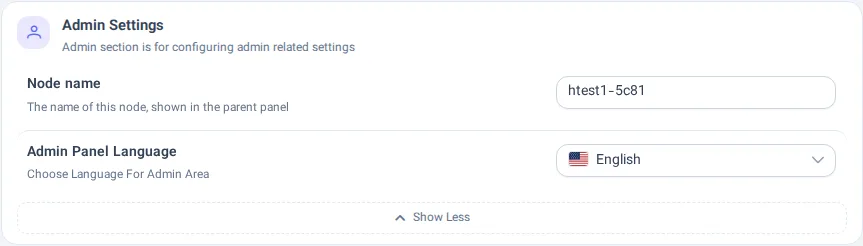
Admin section is for configuring admin related settings
3 settings
Parent Panel (Multi Server)
You can Connect to the Central Panel to define only one user and the usage of all Servers will be added cumulatively.
Type: text · After saving: takes effect at once
Shown only on a node: a panel that is linked to a parent panel.
Node name
The name of this node, shown in the parent panel
Type: text · After saving: takes effect at once
🗺️ Admin Panel Language
Choose Language For Admin Area
Type: a choice · After saving: takes effect at once
Choices: 🇺🇸 English, 🇮🇷 Persian - فارسی, 🇨🇳 Chinese - 简体中文, 🇵🇹 Portuguese - Português, 🇷🇺 Russian - Русский, 🇲🇲 Burmese - မြန်မာဘာသာ
Customizing User Page
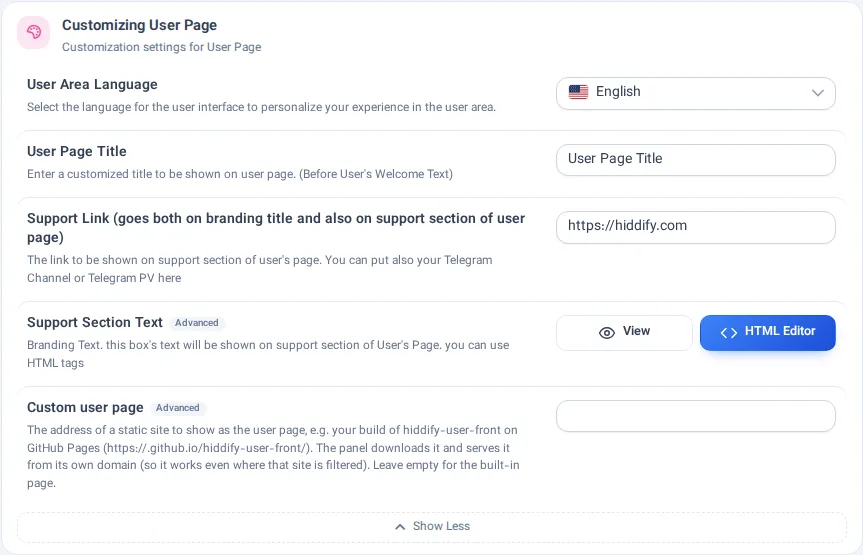
Customization settings for User Page
10 settings
🗺️ User Area Language
Select the language for the user interface to personalize your experience in the user area.
Type: a choice · After saving: takes effect at once
Choices: 🇺🇸 English, 🇮🇷 Persian - فارسی, 🇨🇳 Chinese - 简体中文, 🇵🇹 Portuguese - Português, 🇷🇺 Russian - Русский, 🇲🇲 Burmese - မြန်မာဘာသာ
👁🗨 User Page Title
Enter a customized title to be shown on user page. (Before User's Welcome Text)
Type: text · After saving: takes effect at once
🆔 Support Link (goes both on branding title and also on support section of user page)
The link to be shown on support section of user's page.
You can put also your Telegram Channel or Telegram PV here
Type: text · After saving: takes effect at once
📢 Support Section Text
Branding Text. this box's text will be shown on support section of User's Page. you can use HTML tags
Type: text · After saving: takes effect at once · advanced
Support box title
The title above the support text. Empty: "Support".
Type: text · After saving: takes effect at once · advanced
Set inside the editor of 📢 Support Section Text.
Show the support box title
Type: on / off · After saving: takes effect at once · advanced
Set inside the editor of 📢 Support Section Text.
"View More" button text
Opens the Support Website link. Empty: "View More".
Type: text · After saving: takes effect at once · advanced
Set inside the editor of 📢 Support Section Text.
Show the "View More" button
Type: on / off · After saving: takes effect at once · advanced
Set inside the editor of 📢 Support Section Text.
Support text, Full
Shown by “Read More” on the user page. Empty: “Read More” shows the support text when it does not fit.
Type: text · After saving: takes effect at once · advanced
Set inside the editor of 📢 Support Section Text.
🎨 Custom user page
The address of a static site to show as the user page, e.g. your build of hiddify-user-front on GitHub Pages (https://.github.io/hiddify-user-front/). The panel downloads it and serves it from its own domain (so it works even where that site is filtered). Leave empty for the built-in page.
Type: text · After saving: takes effect at once · advanced
General Settings
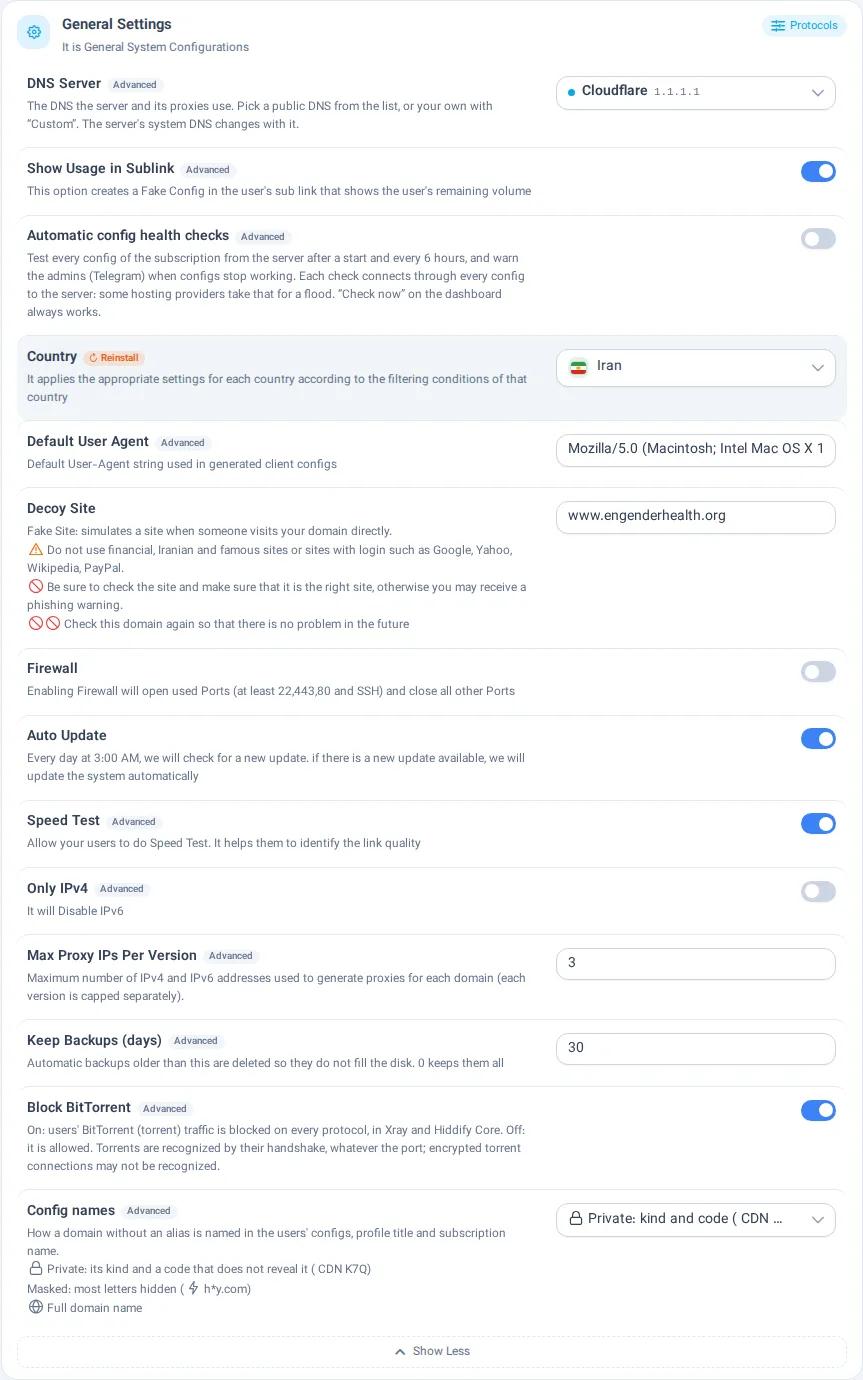
It is General System Configurations
14 settings
🖥 DNS Server
The DNS the server and its proxies use. Pick a public DNS from the list, or your own with “Custom”. The server's system DNS changes with it.
Type: text · After saving: needs Apply changes · advanced
👁️🗨️ Show Usage in Sublink
This option creates a Fake Config in the user's sub link that shows the user's remaining volume
Type: on / off · After saving: takes effect at once · advanced
🩺 Automatic config health checks
Test every config of the subscription from the server after a start and every 6 hours, and warn the admins (Telegram) when configs stop working. Each check connects through every config to the server: some hosting providers take that for a flood. “Check now” on the dashboard always works.
Type: on / off · After saving: takes effect at once · advanced
🌍 Country
It applies the appropriate settings for each country according to the filtering conditions of that country
Type: a choice · After saving: needs Reinstall
Choices: 🇮🇷 Iran, 🇨🇳 China, Russia, 🇺🇳 Others
🪪 Default User Agent
Default User-Agent string used in generated client configs
Type: text · After saving: takes effect at once · advanced
📺 Decoy Site
Fake Site: simulates a site when someone visits your domain directly.
⚠️ Do not use financial, Iranian and famous sites or sites with login such as Google, Yahoo, Wikipedia, PayPal.
⛔ Be sure to check the site and make sure that it is the right site, otherwise you may receive a phishing warning.
⛔⛔ Check this domain again so that there is no problem in the future
Type: text · After saving: needs Apply changes
🛡️ Firewall
Enabling Firewall will open used Ports (at least 22,443,80 and SSH) and close all other Ports
Type: on / off · After saving: needs Apply changes
🔄 Auto Update
Every day at 3:00 AM, we will check for a new update. if there is a new update available, we will update the system automatically
Type: on / off · After saving: needs Apply changes
🚀 Speed Test
Allow your users to do Speed Test. It helps them to identify the link quality
Type: on / off · After saving: needs Reinstall · advanced
ℹ️ Only IPv4
It will Disable IPv6
Type: on / off · After saving: needs Apply changes · advanced
Max Proxy IPs Per Version
Maximum number of IPv4 and IPv6 addresses used to generate proxies for each domain (each version is capped separately).
Type: number · After saving: needs Apply changes · advanced
🗄️ Keep Backups (days)
Automatic backups older than this are deleted so they do not fill the disk. 0 keeps them all
Type: number · After saving: takes effect at once · advanced
🚫 Block BitTorrent
On: users' BitTorrent (torrent) traffic is blocked on every protocol, in Xray and Hiddify Core. Off: it is allowed. Torrents are recognized by their handshake, whatever the port; encrypted torrent connections may not be recognized.
Type: on / off · After saving: needs Apply changes · advanced
🏷️ Config names
How a domain without an alias is named in the users' configs, profile title and subscription name.
🔒 Private: its kind and a code that does not reveal it (☁️ CDN K7Q)
🫥 Masked: most letters hidden (⚡ h*y.com)
🌐 Full domain name
Type: a choice · After saving: takes effect at once · advanced
Proxies Settings
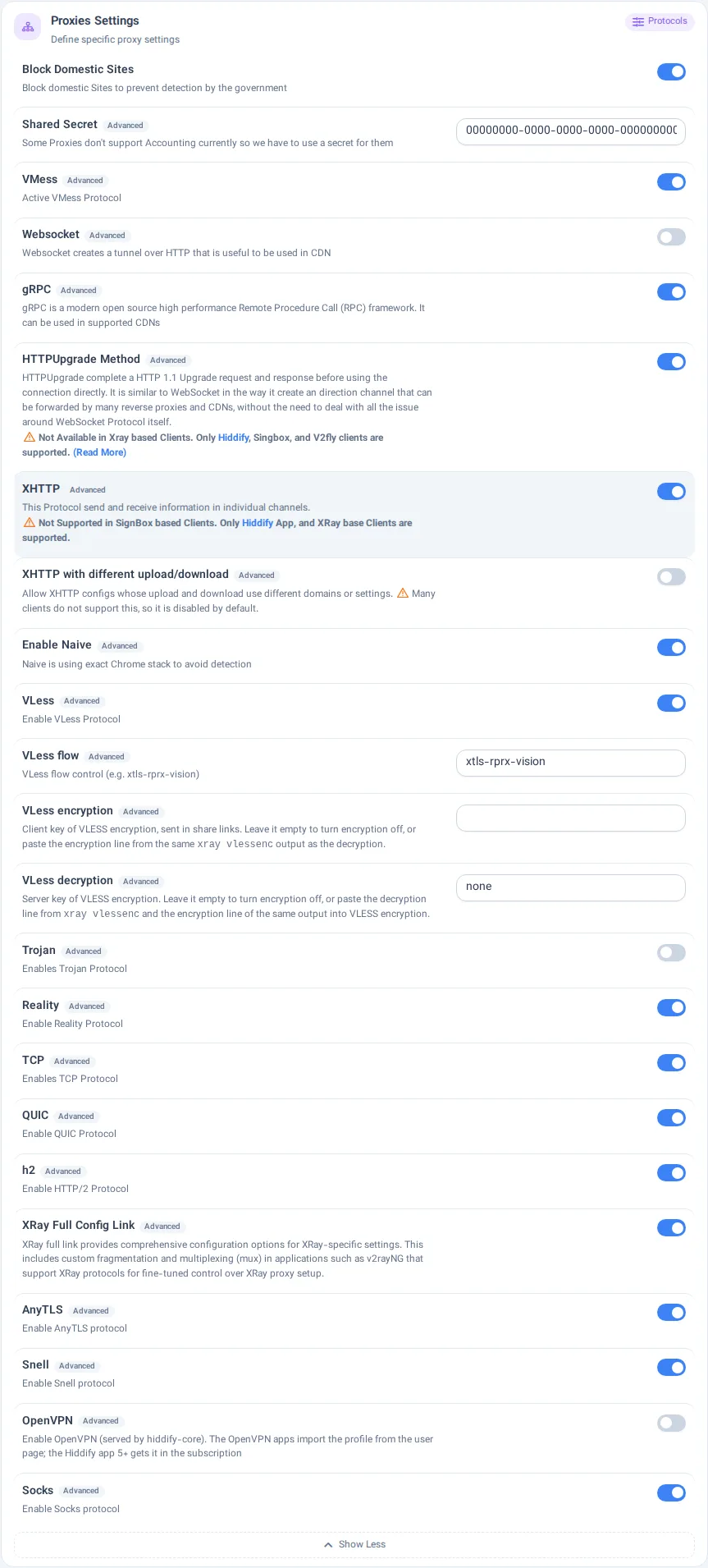
Define specific proxy settings
23 settings
⛔️ Block Domestic Sites
Block domestic Sites to prevent detection by the government
Type: on / off · After saving: needs Apply changes
🔐 Shared Secret
Some Proxies don't support Accounting currently so we have to use a secret for them
Type: text · After saving: needs Apply changes · advanced
🟣 VMess
Active VMess Protocol
Type: on / off · After saving: needs Apply changes · advanced
🔰 Websocket
Websocket creates a tunnel over HTTP that is useful to be used in CDN
Type: on / off · After saving: needs Apply changes · advanced
➿ gRPC
gRPC is a modern open source high performance Remote Procedure Call (RPC) framework. It can be used in supported CDNs
Type: on / off · After saving: needs Apply changes · advanced
🆙 HTTPUpgrade Method
HTTPUpgrade complete a HTTP 1.1 Upgrade request and response before using the connection directly. It is similar to WebSocket in the way it create an direction channel that can be forwarded by many reverse proxies and CDNs, without the need to deal with all the issue around WebSocket Protocol itself.
⚠️ Not Available in Xray based Clients. Only Hiddify, Singbox, and V2fly clients are supported. (Read More)
Type: on / off · After saving: needs Apply changes · advanced
🈁 XHTTP
This Protocol send and receive information in individual channels.
⚠️ Not Supported in SignBox based Clients. Only Hiddify App, and XRay base Clients are supported.
Type: on / off · After saving: needs Apply changes · advanced
🈁 XHTTP with different upload/download
Allow XHTTP configs whose upload and download use different domains or settings. ⚠️ Many clients do not support this, so it is disabled by default.
Type: on / off · After saving: needs Apply changes · advanced
🛡 Enable Naive
Naive is using exact Chrome stack to avoid detection
Type: on / off · After saving: needs Apply changes · advanced
⚫️ VLess
Enable VLess Protocol
Type: on / off · After saving: needs Apply changes · advanced
VLess flow
VLess flow control (e.g. xtls-rprx-vision)
Type: text · After saving: needs Apply changes · advanced
VLess encryption
Client key of VLESS encryption, sent in share links. Leave it empty to turn encryption off, or paste the encryption line from the same xray vlessenc output as the decryption.
Type: text · After saving: needs Apply changes · advanced
VLess decryption
Server key of VLESS encryption. Leave it empty to turn encryption off, or paste the decryption line from xray vlessenc and the encryption line of the same output into VLESS encryption.
Type: text · After saving: needs Apply changes · advanced
🟤 Trojan
Enables Trojan Protocol
Type: on / off · After saving: needs Apply changes · advanced
🔴 Reality
Enable Reality Protocol
Type: on / off · After saving: needs Apply changes · advanced
🟠 TCP
Enables TCP Protocol
Type: on / off · After saving: needs Apply changes · advanced
🟡 QUIC
Enable QUIC Protocol
Type: on / off · After saving: needs Apply changes · advanced
🔵 h2
Enable HTTP/2 Protocol
Type: on / off · After saving: needs Apply changes · advanced
⚙️ XRay Full Config Link
XRay full link provides comprehensive configuration options for XRay-specific settings. This includes custom fragmentation and multiplexing (mux) in applications such as v2rayNG that support XRay protocols for fine-tuned control over XRay proxy setup.
Type: on / off · After saving: takes effect at once · advanced
AnyTLS
Enable AnyTLS protocol
Type: on / off · After saving: needs Apply changes · advanced
Snell
Enable Snell protocol
Type: on / off · After saving: needs Apply changes · advanced
OpenVPN
Enable OpenVPN (served by hiddify-core). The OpenVPN apps import the profile from the user page; the Hiddify app 5+ gets it in the subscription
Type: on / off · After saving: needs Apply changes · advanced
Socks
Enable Socks protocol
Type: on / off · After saving: needs Apply changes · advanced
Telegram Configs
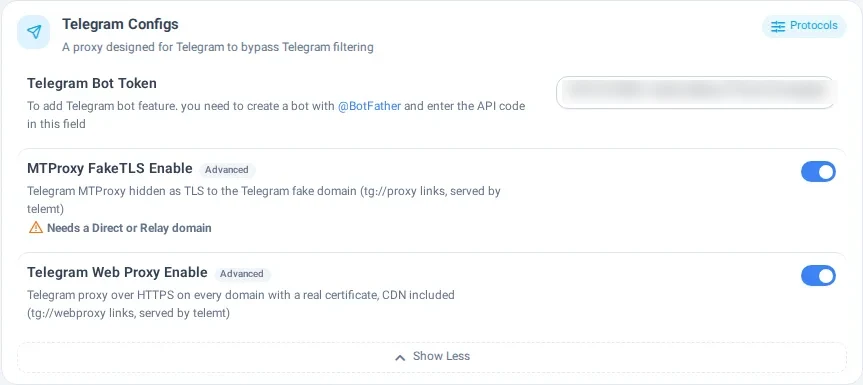
A proxy designed for Telegram to bypass Telegram filtering
3 settings
🔐 Telegram Bot Token
To add Telegram bot feature. you need to create a bot with @BotFather and enter the API code in this field
Type: text · After saving: takes effect at once
✔️ MTProxy FakeTLS Enable
Telegram MTProxy hidden as TLS to the Telegram fake domain (tg://proxy links, served by telemt)
⚠️ Needs a Direct or Relay domain
Type: on / off · After saving: needs Reinstall · advanced
✔️ Telegram Web Proxy Enable
Telegram proxy over HTTPS on every domain with a real certificate, CDN included (tg://webproxy links, served by telemt)
Type: on / off · After saving: needs Apply changes · advanced
HTTP Configuration
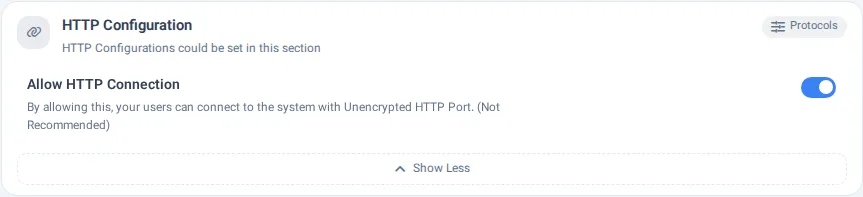
HTTP Configurations could be set in this section
1 settings
☑️ Allow HTTP Connection
By allowing this, your users can connect to the system with Unencrypted HTTP Port. (Not Recommended)
Type: on / off · After saving: takes effect at once · advanced
TLS Settings
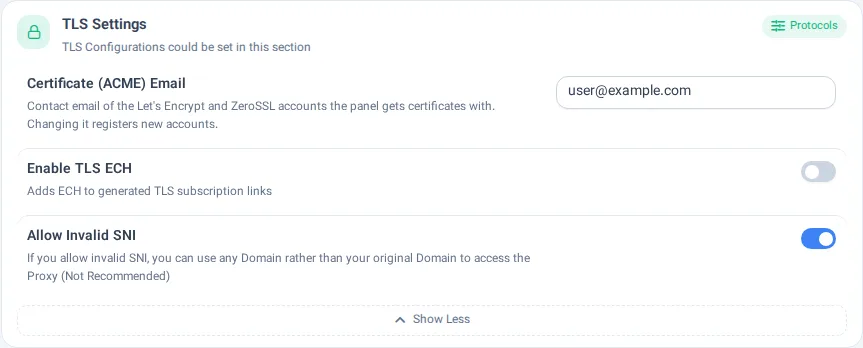
TLS Configurations could be set in this section
3 settings
📧 Certificate (ACME) Email
Contact email of the Let's Encrypt and ZeroSSL accounts the panel gets certificates with. Changing it registers new accounts.
Type: text · After saving: takes effect at once · advanced
🔐 Enable TLS ECH
Adds ECH to generated TLS subscription links
Type: on / off · After saving: needs Apply changes · advanced
🆗 Allow Invalid SNI
If you allow invalid SNI, you can use any Domain rather than your original Domain to access the Proxy (Not Recommended)
Type: on / off · After saving: needs Apply changes · advanced
MUX Config
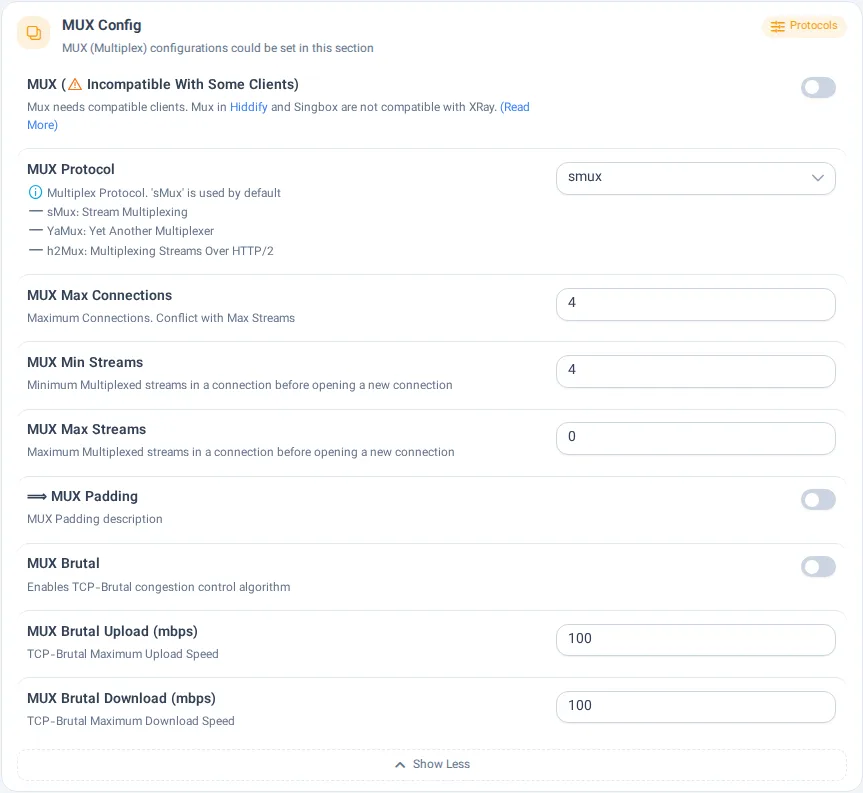
MUX (Multiplex) configurations could be set in this section
9 settings
Ⓜ️ MUX (⚠️ Incompatible With Some Clients)
Mux needs compatible clients. Mux in Hiddify and Singbox are not compatible with XRay. (Read More)
Type: on / off · After saving: needs Apply changes · advanced
♍️ MUX Protocol
ℹ️ Multiplex Protocol. 'sMux' is used by default
➖ sMux: Stream Multiplexing
➖ YaMux: Yet Another Multiplexer
➖ h2Mux: Multiplexing Streams Over HTTP/2
Type: a choice · After saving: needs Apply changes · advanced
Choices: smux, yamux, h2mux
⛓ MUX Max Connections
Maximum Connections. Conflict with Max Streams
Type: number · After saving: needs Apply changes · advanced
↘️ MUX Min Streams
Minimum Multiplexed streams in a connection before opening a new connection
Type: number · After saving: needs Apply changes · advanced
↗️ MUX Max Streams
Maximum Multiplexed streams in a connection before opening a new connection
Type: number · After saving: needs Apply changes · advanced
⟹ MUX Padding
MUX Padding description
Type: on / off · After saving: needs Apply changes · advanced
☣️ MUX Brutal
Enables TCP-Brutal congestion control algorithm
Type: on / off · After saving: needs Apply changes · advanced
⬆️ MUX Brutal Upload (mbps)
TCP-Brutal Maximum Upload Speed
Type: number · After saving: needs Apply changes · advanced
⬇️ MUX Brutal Download (mbps)
TCP-Brutal Maximum Download Speed
Type: number · After saving: needs Apply changes · advanced
TLS Trick
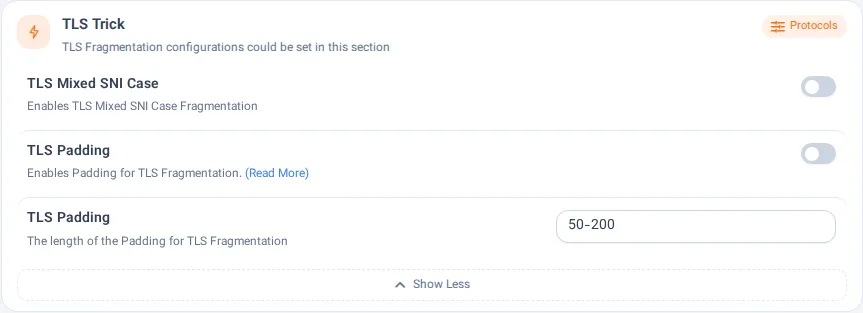
TLS Fragmentation configurations could be set in this section
3 settings
🔠 TLS Mixed SNI Case
Enables TLS Mixed SNI Case Fragmentation
Type: on / off · After saving: takes effect at once · advanced
♒️ TLS Padding
Enables Padding for TLS Fragmentation. (Read More)
Type: on / off · After saving: needs Apply changes · advanced
📏 TLS Padding
The length of the Padding for TLS Fragmentation
Type: text · After saving: needs Apply changes · advanced
SSH Proxy
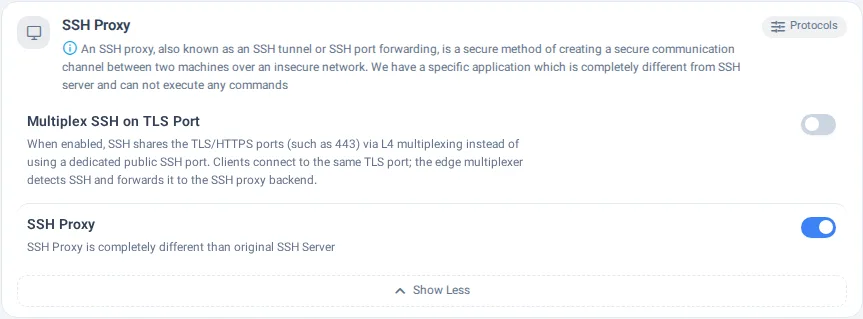
ℹ️ An SSH proxy, also known as an SSH tunnel or SSH port forwarding, is a secure method of creating a secure communication channel between two machines over an insecure network. We have a specific application which is completely different from SSH server and can not execute any commands
2 settings
🔀 Multiplex SSH on TLS Port
When enabled, SSH shares the TLS/HTTPS ports (such as 443) via L4 multiplexing instead of using a dedicated public SSH port. Clients connect to the same TLS port; the edge multiplexer detects SSH and forwards it to the SSH proxy backend.
Type: on / off · After saving: needs Apply changes · advanced
✔️ SSH Proxy
SSH Proxy is completely different than original SSH Server
Type: on / off · After saving: needs Reinstall · advanced
⚡️ Mieru
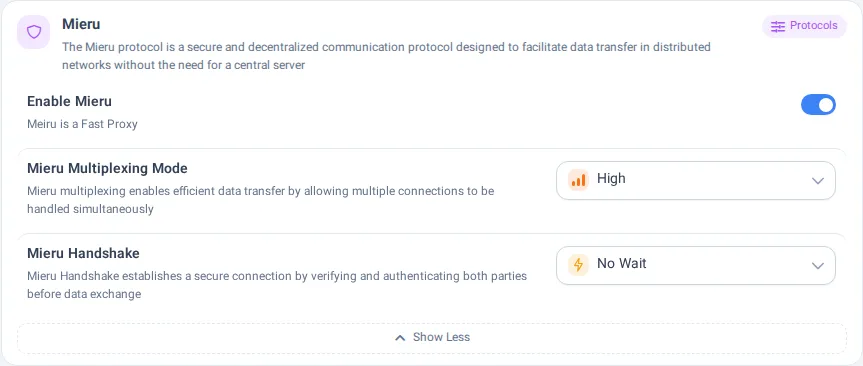
The Mieru protocol is a secure and decentralized communication protocol designed to facilitate data transfer in distributed networks without the need for a central server
3 settings
⚡️ Enable Mieru
Meiru is a Fast Proxy
Type: on / off · After saving: needs Apply changes · advanced
🔄 Mieru Multiplexing Mode
Mieru multiplexing enables efficient data transfer by allowing multiple connections to be handled simultaneously
Type: a choice · After saving: takes effect at once · advanced
Choices: 📄 Default, 📉 Low, 📊 Middle, 📈 High
🤝 Mieru Handshake
Mieru Handshake establishes a secure connection by verifying and authenticating both parties before data exchange
Type: a choice · After saving: takes effect at once · advanced
Choices: 📄 Default, ⏳ No Wait, 📝 Standard
TUIC
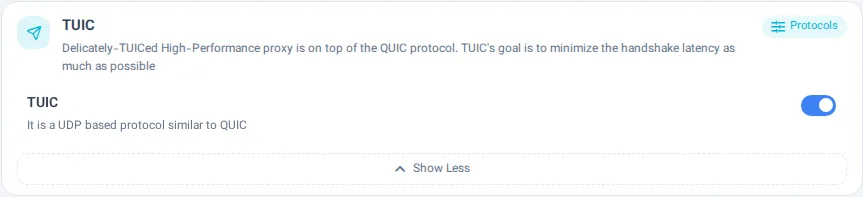
Delicately-TUICed High-Performance proxy is on top of the QUIC protocol.
TUIC's goal is to minimize the handshake latency as much as possible
1 settings
⚫️ TUIC
It is a UDP based protocol similar to QUIC
Type: on / off · After saving: needs Apply changes · advanced
Hysteria
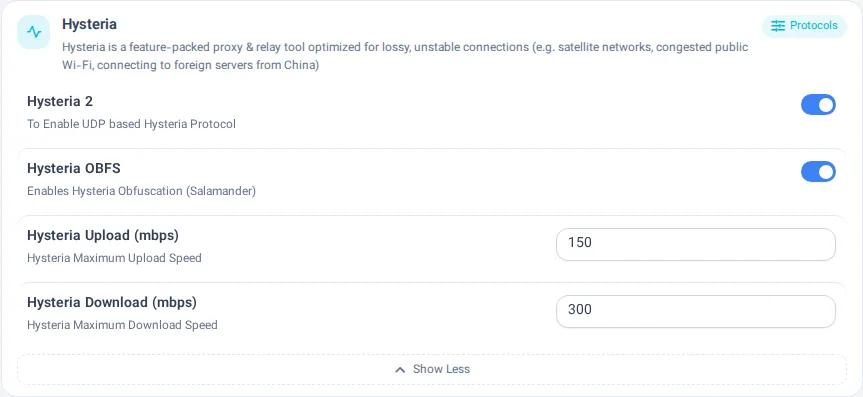
Hysteria is a feature-packed proxy & relay tool optimized for lossy, unstable connections (e.g. satellite networks, congested public Wi-Fi, connecting to foreign servers from China)
4 settings
⚫️ Hysteria 2
To Enable UDP based Hysteria Protocol
Type: on / off · After saving: needs Apply changes · advanced
🎛 Hysteria OBFS
Enables Hysteria Obfuscation (Salamander)
Type: on / off · After saving: needs Apply changes · advanced
⬆️ Hysteria Upload (mbps)
Hysteria Maximum Upload Speed
Type: text · After saving: needs Apply changes · advanced
⬇️ Hysteria Download (mbps)
Hysteria Maximum Download Speed
Type: text · After saving: needs Apply changes · advanced
Advanced Settings
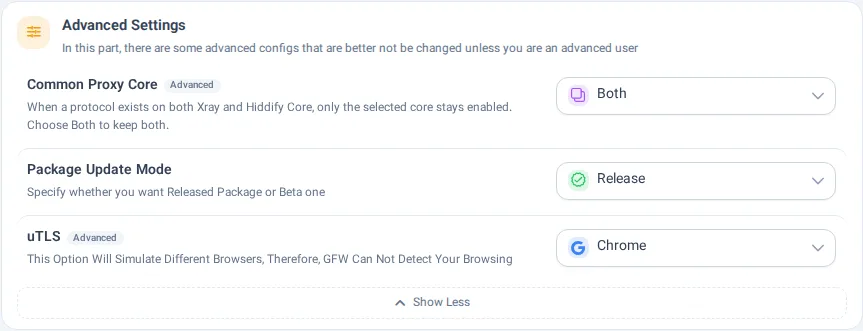
In this part, there are some advanced configs that are better not be changed unless you are an advanced user
3 settings
🎛️ Common Proxy Core
When a protocol exists on both Xray and Hiddify Core, only the selected core stays enabled. Choose Both to keep both.
Type: a choice · After saving: needs Apply changes · advanced
Choices: Xray, Hiddify Core (singbox), Both
🔄 Package Update Mode
Specify whether you want Released Package or Beta one
Type: a choice · After saving: takes effect at once
Choices: ✅ Release, ☑️ Beta
❇️ uTLS
This Option Will Simulate Different Browsers, Therefore, GFW Can Not Detect Your Browsing
Type: a choice · After saving: takes effect at once · advanced
Choices: None, Chrome, Edge, iOS, Android, Safari, Firefox, random, randomized
Very Advanced Settings
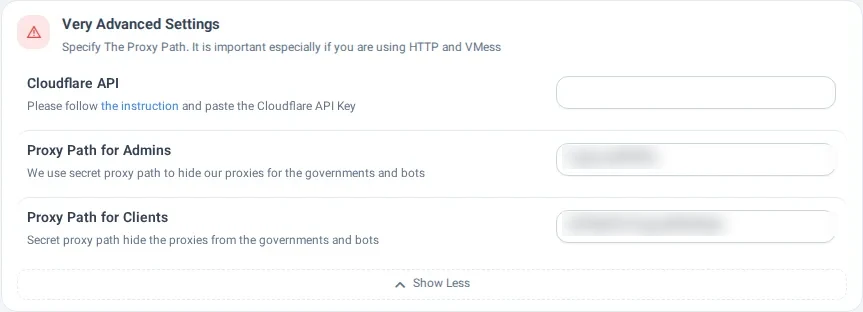
Specify The Proxy Path. It is important especially if you are using HTTP and VMess
3 settings
🔑 Cloudflare API
Please follow the instruction and paste the Cloudflare API Key
Type: text · After saving: takes effect at once · advanced
🔐 Proxy Path for Admins
We use secret proxy path to hide our proxies for the governments and bots
Type: text · After saving: needs Apply changes · advanced
🔏 Proxy Path for Clients
Secret proxy path hide the proxies from the governments and bots
Type: text · After saving: needs Apply changes · advanced
WARP
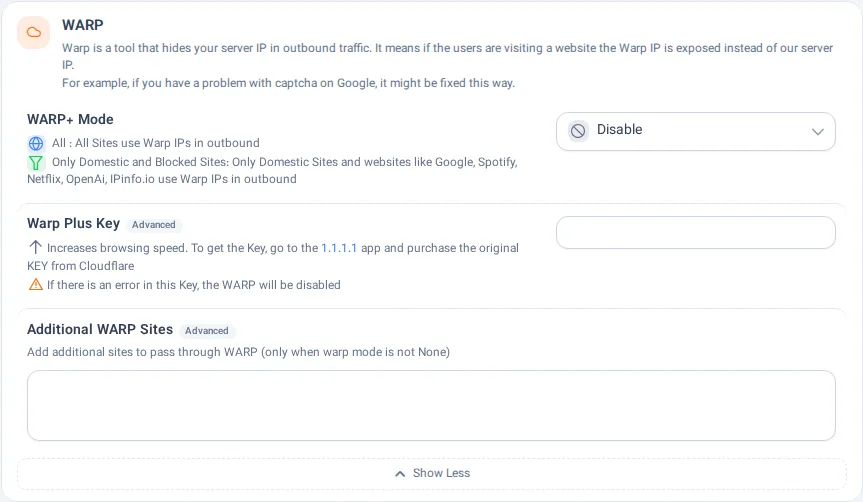
Warp is a tool that hides your server IP in outbound traffic. It means if the users are visiting a website the Warp IP is exposed instead of our server IP.
For example, if you have a problem with captcha on Google, it might be fixed this way.
3 settings
✴️ WARP+ Mode
✴️ All : All Sites use Warp IPs in outbound
☑️ Only Domestic and Blocked Sites: Only Domestic Sites and websites like Google, Spotify, Netflix, OpenAi, IPinfo.io use Warp IPs in outbound
Type: a choice · After saving: needs Apply changes
Choices: Disable, All, ☑️ Only Blocked and Local Websites
🔑 Warp Plus Key
🔝 Increases browsing speed. To get the Key, go to the 1.1.1.1
app and purchase the original KEY from Cloudflare
⚠️ If there is an error in this Key, the WARP will be disabled
Type: text · After saving: needs Apply changes · advanced
🆚 Additional WARP Sites
Add additional sites to pass through WARP (only when warp mode is not None)
Type: text · After saving: needs Apply changes · advanced
Reality
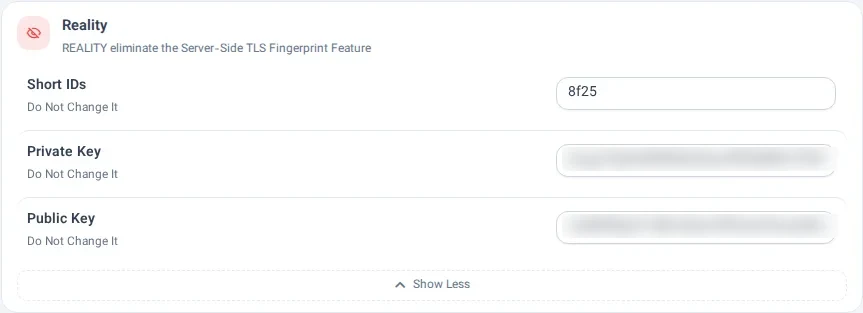
REALITY eliminate the Server-Side TLS Fingerprint Feature
3 settings
🆔 Short IDs
Do Not Change It
Type: text · After saving: needs Apply changes · advanced
🔑 Private Key
Do Not Change It
Type: text · After saving: needs Apply changes · advanced
🔑 Public Key
Do Not Change It
Type: text · After saving: needs Apply changes · advanced
WireGuard
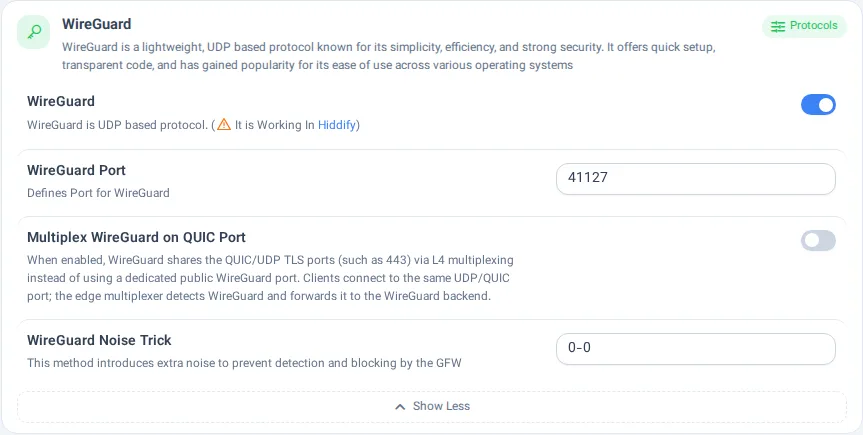
WireGuard is a lightweight, UDP based protocol known for its simplicity, efficiency, and strong security. It offers quick setup, transparent code, and has gained popularity for its ease of use across various operating systems
4 settings
🐉 WireGuard
WireGuard is UDP based protocol. (⚠️ It is Working In Hiddify)
Type: on / off · After saving: needs Reinstall · advanced
↔️ WireGuard Port
Defines Port for WireGuard
Type: text · After saving: needs Apply changes · advanced
🔀 Multiplex WireGuard on QUIC Port
When enabled, WireGuard shares the QUIC/UDP TLS ports (such as 443) via L4 multiplexing instead of using a dedicated public WireGuard port. Clients connect to the same UDP/QUIC port; the edge multiplexer detects WireGuard and forwards it to the WireGuard backend.
Type: on / off · After saving: needs Apply changes · advanced
💥 WireGuard Noise Trick
This method introduces extra noise to prevent detection and blocking by the GFW
Type: text · After saving: needs Apply changes · advanced
Shadowsocks
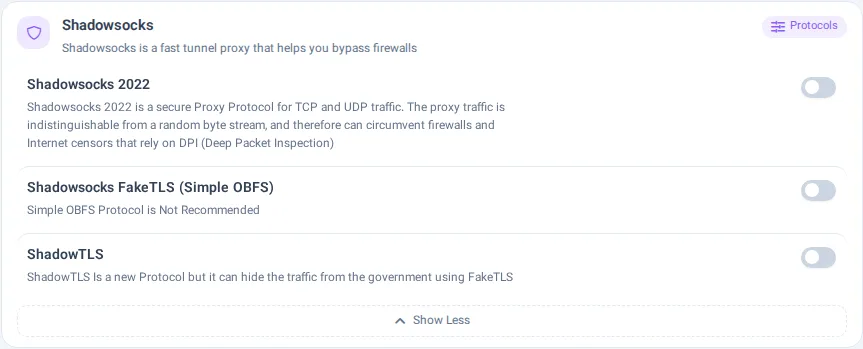
Shadowsocks is a fast tunnel proxy that helps you bypass firewalls
3 settings
⭕️ Shadowsocks 2022
Shadowsocks 2022 is a secure Proxy Protocol for TCP and UDP traffic. The proxy traffic is indistinguishable from a random byte stream, and therefore can circumvent firewalls and Internet censors that rely on DPI (Deep Packet Inspection)
Type: on / off · After saving: needs Apply changes · advanced
🆎 Shadowsocks FakeTLS (Simple OBFS)
Simple OBFS Protocol is Not Recommended
Type: on / off · After saving: needs Reinstall · advanced
☑️ ShadowTLS
ShadowTLS Is a new Protocol but it can hide the traffic from the government using FakeTLS
Type: on / off · After saving: needs Apply changes · advanced
DNSTT
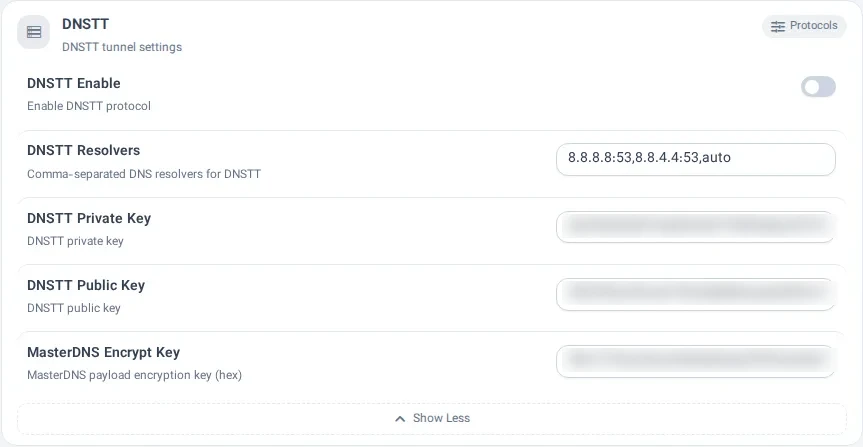
DNSTT tunnel settings
5 settings
DNSTT Enable
Enable DNSTT protocol
Type: on / off · After saving: needs Apply changes · advanced
DNSTT Resolvers
Comma-separated DNS resolvers for DNSTT
Type: text · After saving: needs Apply changes · advanced
DNSTT Private Key
DNSTT private key
Type: text · After saving: needs Apply changes · advanced
DNSTT Public Key
DNSTT public key
Type: text · After saving: needs Apply changes · advanced
MasterDNS Encrypt Key
MasterDNS payload encryption key (hex)
Type: text · After saving: needs Apply changes · advanced