Hiddify Manager guide
Your server. Your rules.
Hiddify Manager is free and open source, and runs on your own server (a VPS, a rented computer in a data center): a VPN and proxy server, for you and your users. From the very first command to the finest setting, it is all on this page.
Every tutorial is listed by topic. If you are new, start with the main installation guide.
Hiddify Manager at a glance
- Latest version: v14.2.0 (November 6, 2026). See all releases on GitHub.
- Supported servers: Ubuntu 26.04 or 24.04 (recommended; 22.04 only if nothing newer is offered), on amd64 (x86_64) or arm64 processors. Ubuntu 20.04 is no longer supported. You can also install with Docker.
- Protocols: VLESS, VMess, Trojan, Reality, Shadowsocks, Hysteria2, TUIC, WireGuard, AnyTLS, Snell, Naive, Mieru, xHTTP, DNS tunnels (VayDNS, Slipstream, MasterDnsVPN), Telegram proxy and more.
- Source code and details: the Hiddify Manager repository on GitHub.
To install the latest version, connect to your server over SSH and run this command on the server:
The main installation guide explains every step. If you are upgrading from version 12 or older, take a backup first: see how to back up and restore and how to update.
To connect to your server from a phone or computer, we recommend the Hiddify app.
Start here
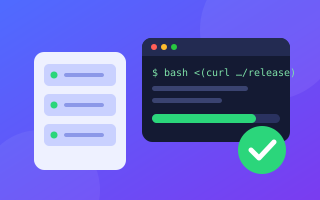
Installation and setup
From buying a server to the first connection
Step by step
Other ways to install
Quick install by data center
Videos 8

5 Hidden Features of Hiddify Manager 14.5 🕵️ Config Health, Config Tester, IP & SNI Scanner and more
YouTube video.
Telegram without filtering via CDN 🔥 Hiddify web proxy #Shorts
YouTube video.
Hiddify for iOS, Android, Windows, Linux and macOS
YouTube video.
Hiddify on Android TV 📺 Send your link with just your phone camera, no typing with the remote
YouTube video.
Hiddify Manager X (10). Your all-in-one proxy panel solution! Manage multiple protocols and domains
YouTube video.
Hiddify Introduction
YouTube video.
Introducing latest features of Hiddify panel
YouTube video.
How to install Hiddify panel on Ubuntu using SSH
YouTube video.
Configuration and settings
The panel, Reality, Telegram, WARP and upkeep
The panel
Multi-server and outbounds
Tools and advanced
Reality
Telegram and WARP




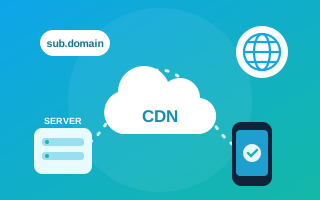
Domains, CDN, workers and relays
Hide the server behind a CDN and reach it through other paths
Domains
CDN
Cloudflare Workers
Subscription links
Relay servers
IPv6 for tunnels



Basics, troubleshooting and security
When it does not connect, and for a safer server
Troubleshooting

Connecting your users
Which app to connect to your server with
We recommend the Hiddify app: free, on Android, iOS, Windows, macOS and Linux, and works with every feature of Hiddify Manager. Hiddify app guides →
Android
- V2rayNG
- NekoBox
- HiddifyNGEarlier version
- HiddifyClashAndroidEarlier version
Computer
- HiddifyNEarlier version
- HiddifyClashDesktopEarlier version
- Qv2rayEarlier version
Videos 7

Tutorial for Hiddify Clash Desktop
YouTube video.
Tutorial for HiddifyN software
YouTube video.
HiddifyNG introduction
YouTube video.
Tutorial for HiddifyNG (Xray based client app)
YouTube video.
Tutorial for Hiddify android (Clash-based app)
YouTube video.
How to add subscription link on Hiddify panel to v2flyNG app
YouTube video.
How to add subscription link on Hiddify panel to V2rayNG app
YouTube video.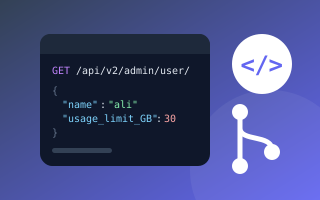
For developers
The panel's API and contributing