Hiddify is an easy-to-use VPN application available for iOS, Android, Windows, macOS, and Linux. Connect seamlessly to your HiddifyManager or any other VPN panel. Download it on mobile or desktop and enjoy unrestricted internet access.
HiddifyManager - to manage proxies and usersHiddifyManager simplifies setting up your own VPN server, allowing you to manage it even from your mobile device. Easily share proxies with family, friends, groups, or even hundreds of users.
Connect to the unrestricted internet easier than ever.Available on iOS, Android, Window, Linux and macOS.
Open-source, non-commercial, and security audited.
Auto-proxy client providing a wide range of features, Supporting more than 30 protocols.
"},{"location":"#measuring-impact","title":"Measuring Impact","text":"One of the most secure and trusted solutions for using VPN
HiddifyManager GitHub Downloads
Hiddify GitHub Downloads
Hiddify Rating on AppStore
Hiddify Rating on Google Play
Hiddify Active Installs on Google Play
Project's GitHub Stars
Telegram Community Members
YouTube Tutorials' views
"},{"location":"#frequently-asked-questions","title":"Frequently Asked Questions","text":"How can I make sure that Hiddify is safe?To make sure Hiddify is secure, you can take the following steps:
Review the Source Code \ud83d\udee0\ufe0f Since Hiddify is open-source, you can examine the code directly on GitHub for any security issues or concerns\ud83d\udd0d. Reviewing the code yourself or consulting with a developer you trust is a good practice\u2705.
Check Community Feedback and Contributions \ud83c\udf10 The Hiddify GitHub page and repositories often have contributions, issue reports, and discussions from other developers and users\ud83d\udc65. By reading these discussions, you can gain insights into the software\u2019s security and any potential vulnerabilities that may have been addressed or raised by the community\ud83d\udee1\ufe0f.
Use the Latest Version \ud83d\udd04 Ensure you\u2019re using the latest version of Hiddify, as it may include security patches and improvements\ud83d\udd12. You can check the release notes on GitHub to see updates related to security\ud83d\udcc8.
Follow Standard Security Practices \ud83d\udd10 Using Hiddify in a secure environment involves applying good security practices, such as:
Keeping both your operating system and Hiddify software up-to-date \ud83c\udd99
Transparency of Configuration \ud83c\udf1f Hiddify Manager enables users to configure their own servers, providing complete control over proxy settings and data\ud83d\udd04. This transparency ensures that users can maintain secure configurations and modify them as needed\ud83d\udd04. Similarly, the Hiddify app offers users and developers the flexibility to customize and adjust settings, including proxy configurations and connection management, to meet their specific needs\ud83d\udcf6. Being open-source, the app allows visibility of any modifications or improvements, ensuring that users retain full control over their app experience while safeguarding security and privacy at every stage\ud83d\udd10.
By following these steps, you can be more confident in Hiddify\u2019s security as a privacy and anti-censorship tool\ud83d\udee1\ufe0f\u2728.
Which devices does Hiddify support?Hiddify is designed to work across a range of devices and operating systems, covering both server-side and client-side needs\ud83c\udf10:
Server-Side Compatibility (Hiddify Manager) \ud83d\udda5\ufe0f Hiddify includes a server-side application, called Hiddify Manager, which installs on an Ubuntu server. Hiddify Manager can be quickly set up with Cloud-init\ud83d\ude80, making it easy to deploy on popular cloud providers and datacenters\ud83c\udf29\ufe0f. This server-side application manages configurations and connections for clients, offering a powerful backend for those seeking secure and stable internet access\ud83d\udd10.
Client-Side Compatibility (Hiddify App) \ud83d\udcf1 The Hiddify client-side application, simply called Hiddify, is versatile and supports all major operating systems, including:
The development team is actively expanding compatibility to support additional device types, such as routers \ud83d\udce1 and 32-bit devices \ud83e\udde9, to make Hiddify accessible to an even wider audience\ud83d\udd04.
With this structure, Hiddify provides a comprehensive solution for bypassing internet censorship and filtering, allowing users to set up servers independently and connect across multiple devices\ud83d\udd17, all while expanding accessibility on various platforms. \ud83c\udf0d
Is Hiddify free, ads-free, and open-source?Yes, Hiddify is\ud83c\udf10:
Free \ud83d\udcb8 The Hiddify app is offered for free and has no subscription fees, especially for users worldwide who face internet filtering\ud83c\udf0e. It allows users to quickly connect by importing proxies obtained from personal VPN servers (created by Hiddify Manager or any other VPN panel) or free services like Cloudflare WARP without any payment\ud83d\udd17. Additionally, Hiddify Manager is a free VPN server-building tool designed for non-commercial use\u2699\ufe0f.
Ads-Free \ud83d\udeab\ud83d\udce2 Both the Hiddify app and Hiddify Manager are ads-free, providing a clean and distraction-free experience for users\ud83e\uddd8\u200d\u2642\ufe0f.
Open-Source \ud83d\udd13 Hiddify products are fully open-source, with the code available on GitHub. This transparency allows developers to review, contribute to, and customize the code, ensuring security and flexibility\ud83d\udd0d.
These features make Hiddify a reliable and accessible tool for users seeking privacy and internet freedom without any cost or interruptions from ads\ud83c\udf08\ud83d\udd10.
How do I contact Hiddify\u2019s support team?To contact Hiddify\u2019s support team, you can use the following channels\ud83d\udcde\ud83c\udf10:
Hiddify Manager Repository: github.com/hiddify/hiddify-manager Opening an issue here allows the development team and the community to assist you directly\ud83e\udd1d.
Hiddify Website \ud83c\udf10 Visit hiddify.com for additional contact information, resources, and documentation\ud83d\udcda. The website also provides FAQs and updates to help with common questions\ud83d\udd04.
Community Forums/Social Media \ud83d\udcf2 You can also find support or ask questions in Hiddify\u2019s community channels and social media:
These channels offer multiple ways to connect with the Hiddify support team and community members, keeping you informed about the latest updates and providing help when needed\ud83d\udce2\ud83d\udc65.
How can we support Hiddify?Financial Support \ud83d\udcb8 You can support the Hiddify project financially to help with its development and continuation. For more information and to contribute, visit the Hiddify Financial Support page.
Starring the Hiddify Project \u2b50 By starring the Hiddify project, especially the repositories for Hiddify application and Hiddify Manager, you can help increase the project's visibility and credibility on GitHub.
Contributing to Development \ud83d\udcbb If you have technical skills, you can contribute to the development of Hiddify. By helping to improve the code, adding new features, or fixing bugs, you can play an active role in the progress of this project. To contribute, simply visit the Hiddify GitHub.
Giving a Five-Star Rating and Writing Reviews in Application Stores \ud83c\udf1f\ud83d\udcf1 By giving a five-star rating and writing reviews for the Hiddify app in various app stores, you can help increase its credibility and popularity, bringing it to the attention of more users. You can rate the app through the following links:
Microsoft Store
Sharing and Raising Awareness \ud83d\udce2 By sharing Hiddify\u2019s products, especially the Hiddify and Hiddify Manager, on social media and introducing them to people who need anti-censorship tools, you can help spread the project and increase its user base.
Joining Social Channels and Groups \ud83d\udcf2 By joining the Hiddify Telegram Channel and the Support Group, you can connect with other users and stay updated on the latest news and updates about the project. Also, follow the latest educational videos on the Hiddify YouTube Channel. Follow us on Instagram and X to stay informed about the latest project updates.
Helping with Content Creation, Especially Video Content \ud83c\udfa5 You can help spread awareness and attract new users by creating educational and promotional content about Hiddify. Video content, such as tutorials on how to use and install Hiddify and highlighting its benefits, can be highly valuable for users. These videos can be shared on social media platforms and video-sharing sites like YouTube and Instagram to assist in better outreach and engagement.
Providing Feedback and Reporting Issues \ud83d\udcdd By using the Hiddify app and submitting your feedback on the Hiddify repos, you can help improve the app's functionality and identify any issues.
In Iran, internet access is heavily censored, even more so after Mahsa Amini's death and subsequent protests. Consequently, everyday individuals have faced restrictions in accessing the open internet since then.
The Hiddify project aims to provide people with straightforward and affordable ways to access the unrestricted internet on a broad scale.
Hidden Simplify Hiddify Timeline From beginning until now Sep 2022 First Working Version Dec 2022 Hiddify Manager v1 Provided 6 protocol Jun 2023 Hiddify Manager v7 Added Accounting Auto IP Selector Client apps for different OSs Documention on Wiki Now Working on x and y Our teams DevelopmentOur developers bring our vision to life through Hiddify Manager and Hiddify app.
DesignOur designers create stunning visuals and improve the UX of Hiddify products through usability testing.
ContentWe curate engaging and informative content including our comprehensive Wiki & YouTube tutorials.
User SupportWe are always available to help answer your questions in our Telegram group.
Contributors neededWe are always looking for specialists to help make Hiddify better. Please send us your resume.
Email Us Development teamJoin our dynamic development team! We're actively seeking Python, Kotlin, and Flutter developers to innovate with us. Shape the future of technology\u2014let's build it together.
Content teamAre you skilled in creating captivating videos for YouTube, adept at video editing, and passionate about crafting visually stunning content for social channels? We want you to be part of our journey in redefining creativity.
Design teamElevate user experiences with our design team! We're in search of a UX/UI design expert to play a pivotal role in enhancing user interactions across our diverse range of Hiddify products. If you have a keen eye for design, a passion for improving user journeys, and expertise in UX/UI, we want you to be a part of our creative force.
Want to support Hiddify?The easiest way to support us is to click on the star (\u2b50) at the top of our GitHub page.
We also need financial support for our services. All of our activities are done voluntarily and financial support will be spent on the development of the project. To contribute, please visit our donation page on GitHub.
"},{"location":"all_elements/","title":"Admonitions","text":"optional title
Lorem ipsum dolor sit amet, consectetur adipiscing elit. Nulla et euismod nulla. Curabitur feugiat, tortor non consequat finibus, justo purus auctor massa, nec semper lorem quam in massa.
abstract
Lorem ipsum dolor sit amet, consectetur adipiscing elit. Nulla et euismod nulla. Curabitur feugiat, tortor non consequat finibus, justo purus auctor massa, nec semper lorem quam in massa.
info
Lorem ipsum dolor sit amet, consectetur adipiscing elit. Nulla et euismod nulla. Curabitur feugiat, tortor non consequat finibus, justo purus auctor massa, nec semper lorem quam in massa.
tip
Lorem ipsum dolor sit amet, consectetur adipiscing elit. Nulla et euismod nulla. Curabitur feugiat, tortor non consequat finibus, justo purus auctor massa, nec semper lorem quam in massa.
success
Lorem ipsum dolor sit amet, consectetur adipiscing elit. Nulla et euismod nulla. Curabitur feugiat, tortor non consequat finibus, justo purus auctor massa, nec semper lorem quam in massa.
question
Lorem ipsum dolor sit amet, consectetur adipiscing elit. Nulla et euismod nulla. Curabitur feugiat, tortor non consequat finibus, justo purus auctor massa, nec semper lorem quam in massa.
warning
Lorem ipsum dolor sit amet, consectetur adipiscing elit. Nulla et euismod nulla. Curabitur feugiat, tortor non consequat finibus, justo purus auctor massa, nec semper lorem quam in massa.
failure
Lorem ipsum dolor sit amet, consectetur adipiscing elit. Nulla et euismod nulla. Curabitur feugiat, tortor non consequat finibus, justo purus auctor massa, nec semper lorem quam in massa.
danger
Lorem ipsum dolor sit amet, consectetur adipiscing elit. Nulla et euismod nulla. Curabitur feugiat, tortor non consequat finibus, justo purus auctor massa, nec semper lorem quam in massa.
bug
Lorem ipsum dolor sit amet, consectetur adipiscing elit. Nulla et euismod nulla. Curabitur feugiat, tortor non consequat finibus, justo purus auctor massa, nec semper lorem quam in massa.
example
Lorem ipsum dolor sit amet, consectetur adipiscing elit. Nulla et euismod nulla. Curabitur feugiat, tortor non consequat finibus, justo purus auctor massa, nec semper lorem quam in massa.
quote
Lorem ipsum dolor sit amet, consectetur adipiscing elit. Nulla et euismod nulla. Curabitur feugiat, tortor non consequat finibus, justo purus auctor massa, nec semper lorem quam in massa.
Collapsible infoLorem ipsum dolor sit amet, consectetur adipiscing elit. Nulla et euismod nulla. Curabitur feugiat, tortor non consequat finibus, justo purus auctor massa, nec semper lorem quam in massa.
expanded Collapsible dangerLorem ipsum dolor sit amet, consectetur adipiscing elit. Nulla et euismod nulla. Curabitur feugiat, tortor non consequat finibus, justo purus auctor massa, nec semper lorem quam in massa.
inline end info
Lorem ipsum dolor sit amet, consectetur adipiscing elit. Nulla et euismod nulla. Curabitur feugiat, tortor non consequat finibus, justo purus auctor massa, nec semper lorem quam in massa.
Lorem ipsum dolor sit amet, consectetur adipiscing elit. Nulla et euismod nulla. Curabitur feugiat, tortor non consequat
inline bug
Lorem ipsum dolor sit amet, consectetur adipiscing elit. Nulla et euismod nulla. Curabitur feugiat, tortor non consequat finibus, justo purus auctor massa, nec semper lorem quam in massa.
Lorem ipsum dolor sit amet, consectetur adipiscing elit. Nulla et euismod nulla. Curabitur feugiat, tortor non consequat Lorem ipsum dolor sit amet, consectetur adipiscing elit. Nulla et euismod nulla. Curabitur feugiat, tortor non consequat Lorem ipsum dolor sit amet, consectetur adipiscing elit. Nulla et euismod nulla. Curabitur feugiat, tortor non consequat Lorem ipsum dolor sit amet, consectetur adipiscing elit. Nulla et euismod nulla. Curabitur feugiat, tortor non consequat Lorem ipsum dolor sit amet, consectetur adipiscing elit. Nulla et euismod nulla. Curabitur feugiat, tortor non consequat
"},{"location":"all_elements/#annotations","title":"Annotations","text":"Lorem ipsum dolor sit amet, (1) consectetur adipiscing elit.
Lorem ipsum dolor sit amet, (1) consectetur adipiscing elit.
Phasellus posuere in sem ut cursus (1)
Lorem ipsum1 dolor sit amet, consectetur adipiscing elit.2
"},{"location":"all_elements/#button","title":"Button","text":"Subscribe to our newsletter
Send
Subscribe to our newsletter
"},{"location":"all_elements/#code-block","title":"Code Block","text":"bubble_sort.pydef bubble_sort(items):\nfor i in range(len(items)):\nfor j in range(len(items) - 1 - i):\nif items[j] > items[j + 1]:\nitems[j], items[j + 1] = items[j + 1], items[j] # (1)!\ntabs in block
Unordered ListOrdered List* Sed sagittis eleifend rutrum\n* Donec vitae suscipit est\n* Nulla tempor lobortis orci\n1. Sed sagittis eleifend rutrum\n2. Donec vitae suscipit est\n3. Nulla tempor lobortis orci\nRemove : from the second row to align to left or right
GET Fetch resource PUT Update resource DELETE Delete resource"},{"location":"all_elements/#diagram","title":"Diagram","text":"graph LR\n A[Start] --> B{Error?};\n B -->|Yes| C[Hmm...];\n C --> D[Debug];\n D --> B;\n B ---->|No| E[Yay!];sequenceDiagram\n autonumber\n Alice->>John: Hello John, how are you?\n loop Healthcheck\n John->>John: Fight against hypochondria\n end\n Note right of John: Rational thoughts!\n John-->>Alice: Great!\n John->>Bob: How about you?\n Bob-->>John: Jolly good!stateDiagram-v2\n state fork_state <<fork>>\n [*] --> fork_state\n fork_state --> State2\n fork_state --> State3\n\n state join_state <<join>>\n State2 --> join_state\n State3 --> join_state\n join_state --> State4\n State4 --> [*]classDiagram\n Person <|-- Student\n Person <|-- Professor\n Person : +String name\n Person : +String phoneNumber\n Person : +String emailAddress\n Person: +purchaseParkingPass()\n Address \"1\" <-- \"0..1\" Person:lives at\n class Student{\n +int studentNumber\n +int averageMark\n +isEligibleToEnrol()\n +getSeminarsTaken()\n }\n class Professor{\n +int salary\n }\n class Address{\n +String street\n +String city\n +String state\n +int postalCode\n +String country\n -validate()\n +outputAsLabel() \n }Text can be deleted and replacement text added. This can also be combined into onea single operation. Highlighting is also possible and comments can be added inline.
Formatting can also be applied to blocks by putting the opening and closing tags on separate lines and adding new lines between the tags and the content.
Text can be deleted and replacement text added. This can also be combined into onea single operation. Highlighting is also possible and comments can be added inline.
Formatting can also be applied to blocks by putting the opening and closing tags on separate lines and adding new lines between the tags and the content.
Ctrl+Alt+Del
"},{"location":"all_elements/#grid","title":"Grid","text":"Set up in 5 minutes
Install mkdocs-material with pip and get up and running in minutes
Getting started
It's just Markdown
Focus on your content and generate a responsive and searchable static site
Reference
Made to measure
Change the colors, fonts, language, icons, logo and more with a few lines
Customization
Open Source, MIT
Material for MkDocs is licensed under MIT and available on [GitHub]
License
=== \"Unordered list\"\n\n * Sed sagittis eleifend rutrum\n * Donec vitae suscipit est\n * Nulla tempor lobortis orci\n\n=== \"Ordered list\"\n\n 1. Sed sagittis eleifend rutrum\n 2. Donec vitae suscipit est\n 3. Nulla tempor lobortis orci\nSearch icons from https://squidfunk.github.io/mkdocs-material/reference/icons-emojis/
"},{"location":"all_elements/#image","title":"Image","text":"
Lorem ipsum dolor sit amet, consectetur adipiscing elit. Nulla et euismod nulla. Curabitur feugiat, tortor non consequat finibus, justo purus auctor massa, nec semper lorem quam in massa.
Image caption"},{"location":"all_elements/#list","title":"List","text":"
Vivamus id mi enim. Integer id turpis sapien. Ut condimentum lobortis sagittis. Aliquam purus tellus, faucibus eget urna at, iaculis venenatis nulla. Vivamus a pharetra leo.
Vivamus venenatis porttitor tortor sit amet rutrum. Pellentesque aliquet quam enim, eu volutpat urna rutrum a. Nam vehicula nunc mauris, a ultricies libero efficitur sed.
Morbi eget dapibus felis. Vivamus venenatis porttitor tortor sit amet rutrum. Pellentesque aliquet quam enim, eu volutpat urna rutrum a.
Nulla et rhoncus turpis. Mauris ultricies elementum leo. Duis efficitur accumsan nibh eu mattis. Vivamus tempus velit eros, porttitor placerat nibh lacinia sed. Aenean in finibus diam.
Lorem ipsum dolor sit amet, consectetur adipiscing elit
Lorem ipsum dolor sit amet, consectetur adipiscing elit.\u00a0\u21a9
Lorem ipsum dolor sit amet, consectetur adipiscing elit. Nulla et euismod nulla. Curabitur feugiat, tortor non consequat finibus, justo purus auctor massa, nec semper lorem quam in massa.\u00a0\u21a9
Wallet Addresses of Hiddify
We need financial support for our services. All of our activities are done voluntarily and financial support will be spent on the development of the project. You can make your financial support through one of the following addresses.
Scan QRCode or copy the address directly:
UQAZzGDsc_1pG9zU_894p3fq9oKYU621ceU9WXGSxK1xcUYm\nltc1qwyd2hdn5wc04fkvp2mj7glayy5galxfm3luftg\nbc1quepmxl4pmfvy5sdrnmd4sxgnn83xd70lu30gkx\nTMfrMgzY4DrjhyZh5s67YvCyrcHvJAkXjb\nServices provided by Hiddify are intended for use as is.
We do not gather any information from you. This app need a private server from you and we do not provide any server.
Crash Data is transmitted via Sentry In Hiddify Application without any sensitive data.
"},{"location":"privacy-policy/#1-data-collection","title":"1. Data Collection","text":""},{"location":"privacy-policy/#vpn-data","title":"VPN DATA","text":"This app is just a client app for users to connect their own servers. It means this app won\u2019t modify any VPN data and users have complete control and liability over their VPN data.
"},{"location":"privacy-policy/#11-we-do-not-collect-sensitive-information","title":"1.1 We do not Collect Sensitive Information","text":"We do not gather and even has access to the following information:
No logs are collected on online activities such as:
This app need a private server from your side and we do not provide any server. So We do not able to have any information from you to gather. Crash Data is transmitted via Sentry In Hiddify Client Application without any sensitive data.
What information can be sent to your private server that is setup by you or any others? To add a the server link in your client, you need a subscription link. With the subscription link your server can access:
For your best experience, limited anonymous data can be collected in your server or any others, after your explicit permission. It can includes the following: - IP Address information of the Client - Operation System Version - App Version - Connection Status (TCP ping)
"},{"location":"privacy-policy/#13-app-permissions","title":"1.3 App Permissions","text":"The app does not need any permissions to access your phone\u2019s contacts, location, device id, storage, microphone, camera, etc. During the QR code scan it may needs your camera permission by explicitly asking this permission.
"},{"location":"privacy-policy/#2-data-usage","title":"2. Data Usage","text":"Data is used for:
We do not share any data with the any third parties. The Crash data is transmitted via Sentry without any sensitive data.
"},{"location":"privacy-policy/#4-security-measures","title":"4. Security Measures","text":"Strong security measures implemented to protect data. Staff access limited.
"},{"location":"privacy-policy/#5-data-retention","title":"5. Data Retention","text":"We do no collect any data, so it is not related to us.
"},{"location":"privacy-policy/#6-right-to-be-forgotten","title":"6. Right to Be Forgotten","text":"We do no collect any data, so it is not related to us.
"},{"location":"privacy-policy/#7-third-party-services","title":"7. Third Party Services","text":"Hiddify is designed to be used with your own deployed server. However, in case of using third party vpn services in our application, you should check their policies.
"},{"location":"privacy-policy/#8-advertising","title":"8. Advertising","text":"We do not have any advertising
"},{"location":"privacy-policy/#9-childrens-privacy","title":"9. Children\u2019s Privacy","text":"Parents encouraged to teach children about online privacy.
"},{"location":"privacy-policy/#10-changes-to-this-privacy-policy","title":"10. Changes to This Privacy Policy","text":"We may update our Privacy Policy from time to time. Thus, you are advised to review this page periodically for any changes. We will notify you of any changes by posting the new Privacy Policy on this page. These changes are effective immediately after they are posted on this page.
"},{"location":"app/","title":"App Guide","text":""},{"location":"app/#all-tutorials-and-videos-related-to-hiddify-application","title":"All tutorials and videos related to Hiddify applicationHiddify App","text":"Hiddify is a VPN client app that serves as a universal proxy tool-chain which offers a wide range of features and protocols. The appropriate and detailed information are accessible here. This page contains tutorial guides related to this project.
How to install HiddifyApp How to use HiddifyApp How to use HiddifyCli How to use UDP Turn Relay in HiddifyApp How to contribute to this project URL scehme in HiddifyApp"},{"location":"app/HiddifyCli-guide/","title":"How to use HiddifyCli or Hiddify command line","text":"This app is developed for cases where there is no desktop, such as servers, and it supports all processors.
"},{"location":"app/HiddifyCli-guide/#download","title":"Download","text":"To download this app, go to here and download the file related to your processor.
"},{"location":"app/HiddifyCli-guide/#execution-of-config-or-subscription-link-in-hiddifycli","title":"Execution of config or subscription link in HiddifyCli","text":"To use it, the following command should be used.
HiddifyCli run -c <config file or sublink> -d <HiddifyApp config file or URL>\nHiddifyCli run -c <config file>\nHere, put your desired configuration instead of <config file>.
HiddifyCli run -c <sublink>\nPut your subscription link here instead of <sublink>.
For this, you must first extract the settings related to your HiddifyApp.
Config Options and click the three-dot menu.Export Settings to Clipboard option to save the settings to the clipboard.Now you can save these settings in a file with json extension.
You can also put these settings in Github and use its link as URL.
HiddifyCli run -c <config file or sublink> -d <HiddifyApp config file>\nHere, put your config file or sublink instead of <config file or sublink> and enter the configuration file related to HiddifyApp that you extracted in the previous step instead of <HiddifyApp config file>.
HiddifyCli run -c <config file or sublink> -d <HiddifyApp config URL>\nHere, put your config file or sublink instead of <config file or sublink> and put the link of the desired settings in HiddifyApp instead of <HiddifyApp config URL>.
"},{"location":"app/How-to-Enable-Free-Internet-Access-for-Clients-Behind-an-OpenWrt-Router-Using-HiddifyCli/#enabling-free-internet-access-for-clients-behind-openwrt-router-using-hiddifycli","title":"Enabling Free Internet Access for Clients Behind OpenWrt Router Using HiddifyCli","text":"
In another article, we explained how to download and install HiddifyCli on an OpenWrt router. In this article, we will guide you on enabling free internet access for the clients behind that router.
There are two main methods to allow clients behind the router to use free internet:
"},{"location":"app/How-to-Enable-Free-Internet-Access-for-Clients-Behind-an-OpenWrt-Router-Using-HiddifyCli/#method-1-using-proxy-for-clients-behind-openwrt-router","title":"** Method 1. Using Proxy for Clients Behind OpenWrt Router**","text":"If you want devices connected to the router (like laptops, phones, and other devices) to use the proxy 127.0.0.1:12334, you can configure the following settings to make this proxy accessible as a central service for the entire network.
"},{"location":"app/How-to-Enable-Free-Internet-Access-for-Clients-Behind-an-OpenWrt-Router-Using-HiddifyCli/#11-enabling-port-forwarding-on-the-router","title":"1.1 Enabling Port Forwarding on the Router","text":"The proxy 127.0.0.1:12334 configured on the router is, by default, only accessible on the router itself. To allow clients to access it, the port must be opened on the router\u2019s LAN interface.
You need to direct incoming traffic on this port to the proxy:
iptables -t nat -A PREROUTING -i br-lan -p tcp --dport 12334 -j DNAT --to-destination 127.0.0.1:12334\niptables -A FORWARD -i br-lan -p tcp --dport 12334 -j ACCEPT\nExplanation:
br-lan: The LAN interface of the router.12334: HiddifyCli proxy port.
Save the Iptables Rules:
To save and apply the rules after every reboot, run the following command:
service firewall restart\nConnected devices need to configure manual proxy settings. Follow these steps for different platforms:
192.168.1.1).12334.Save the settings.
Android:
192.168.1.1).12334.Save the settings.
iOS:
12334 as the Port.Save the settings.
macOS:
192.168.1.1).12334.To verify the proxy settings: - Open a web browser on the client device and attempt to access a website that is otherwise blocked without a proxy. - If successful, the configuration was applied correctly.
"},{"location":"app/How-to-Enable-Free-Internet-Access-for-Clients-Behind-an-OpenWrt-Router-Using-HiddifyCli/#14-additional-notes","title":"1.4 Additional Notes","text":"PAC File URL:
http://192.168.1.1/proxy.pac\nThe PAC file allows you to define routes and exceptions for using the proxy.
"},{"location":"app/How-to-Enable-Free-Internet-Access-for-Clients-Behind-an-OpenWrt-Router-Using-HiddifyCli/#method-2-routing-all-traffic-via-socks5-proxy-in-openwrt","title":"** Method 2. Routing All Traffic via Socks5 Proxy in OpenWrt**","text":"To route all internet traffic through Socks5 Proxy, you can use tools like redsocks or iptables. Follow these steps:
First, install the necessary tools. redsocks is used to route traffic through the Socks5 Proxy.
opkg update\nopkg install redsocks iptables-mod-nat-extra iptables-mod-tproxy\nCreate a configuration file for redsocks at /etc/redsocks.conf:
nano /etc/redsocks.conf\nAdd the following content:
base {\nlog_debug = off;\nlog_info = on;\nlog = \"syslog:daemon\";\ndaemon = on;\nuser = \"nobody\";\ngroup = \"nogroup\";\nredirector = iptables;\n}\n\nredsocks {\nlocal_ip = 127.0.0.1;\nlocal_port = 12345; # Local port for proxy traffic\nip = 127.0.0.1; # Socks5 server address\nport = 12334; # Socks5 server port\ntype = socks5;\n}\nExplanation: - local_ip and local_port: Redsocks listens here for traffic. - ip and port: Address and port of the Socks5 Proxy.
Create a script named redsocks-routing in /etc/init.d/:
touch /etc/init.d/redsocks-routing\nchmod +x /etc/init.d/redsocks-routing\nAdd the following content to the script:
#!/bin/sh /etc/rc.common\nSTART=99\nSTOP=10\nstart() {\niptables -t nat -N REDSOCKS\niptables -t nat -A REDSOCKS -d 0.0.0.0/8 -j RETURN\niptables -t nat -A REDSOCKS -d 127.0.0.0/8 -j RETURN\niptables -t nat -A REDSOCKS -d 192.168.0.0/16 -j RETURN\niptables -t nat -A REDSOCKS -d 10.0.0.0/8 -j RETURN\niptables -t nat -A REDSOCKS -p tcp -j REDIRECT --to-ports 12345\niptables -t nat -A OUTPUT -p tcp -j REDSOCKS\niptables -t nat -A PREROUTING -p tcp -j REDSOCKS\n}\nstop() {\niptables -t nat -F REDSOCKS\niptables -t nat -X REDSOCKS\n}\nEnable and start the script:
service redsocks-routing enable\nservice redsocks-routing start\nEnable and start redsocks:
service redsocks enable\nservice redsocks start\nTo apply the changes, reboot the router:
reboot\nCheck if redsocks is working: - Check process status:
ps | grep redsocks\nlogread | grep redsocks\nBy following these configurations: 1. Proxy Method: Clients behind the router can manually use the proxy for free internet. 2. Routing Method: All TCP traffic from the router and connected clients is routed through the Socks5 Proxy.
For UDP traffic, additional tools like dns2socks or advanced redsocks settings may be required.
For this, you just need to install git on your system.
"},{"location":"app/How-to-contribute-to-this-project/#install-git-on-the-system","title":"Install git on the system","text":"Open one of the following based on your operating system.
Install git on WindowsThen unzip the downloaded file and install it.
Then follow the installation wizard to the end with Next and Yes. It is recommended not to change the default settings.
By default, the installation location of git is in this path.
C:/Program Files/Git
It means that in the next stages, the projects will be placed in this direction. The work is done.
To check the version of git installed, open command prompt and run the following command.
git version\ngit is installed in the user's Home folder.git version, open the terminal and run the following command. git version\nIn most distributions of the Linux operating system, git is installed by default and you do not need to do anything special. But if you need to install it for any reason, you should search and find the appropriate command for that distribution. Next is the installation command related to the famous Ned distribution.
Debian/Ubuntu
sudo apt-get install git-all\nFedora
dnf install git-all\nArch
pacman -Syu git-all\nIn all distributions, git is installed in the Home path of the user. - Run this command to check the version of git installed in the terminal.
git version\ngit to develop Hiddify app","text":"fork the project. For this, if you intend to fork the project, execute the following command.git clone https://github.com/hiddify/hiddify-app.git\nHiddify-develop. Now run the following commands. git branch Hiddify-develop\ngit checkout Hiddify-develop\nVSCode. - Do not forget that the path of all the files in the mentioned folders is in the installation stage. - Now, when you have applied your desired changes, you must also register the changes in git. Therefore, run the following commands in the terminal in order. - First, announce the changes to git with the following command. git add\ngit commit -m \"a short description of the change\"\ngit commit -m \"add some features to the core\"\nThere is no problem if the explanations of this section are many, and by the way, it is recommended that the explanations be as complete and comprehensive as possible.
At this point, the changes have been successfully imported into the git system. Now you need to push the changes to GitHub. To do this, run the following command.
git push\nHere, your GitHub account details will be asked. You need to enter your username and password on GitHub.
https://github.com/<your_username>/hiddify-app
banner that informs you that your branch is one step ahead of the main project. To merge the changes with the main project, click Contribute and Open a pull request.The app is developed using Flutter and Go. For more information you can read through our Contribution Guidelines for development.
"},{"location":"app/How-to-install-Hiddify-app/","title":"How to install HiddifyApp","text":""},{"location":"app/How-to-install-Hiddify-app/#how-to-install-hiddifyapp","title":"How to install HiddifyApp","text":"This app is a multi-platform client based on Sing-box that serves as a universal proxy toolchain. This app offers a wide range of capabilities. It also supports a large number of protocols. The app is free to use, ad-free, and open-source. It provides a secure and private tool for getting access to the free internet.
\ud83d\ude80 Supporting a wide range of protocols such as: ECH, Sing-box, V2ray, Xray, Vless, Vmess, Trojan, Reality, gRPC, WebSocket, Quic, TUIC, Hysteria, Hysteria2, Shadowtls, SSH, Clash, Clash meta
\ud83d\udfe1 Supporting different subscription links like: Clash, Sing-box, Shadowsocks
\u2b50 View more features
For reading the tutorial follow this article.
"},{"location":"app/How-to-install-Hiddify-app/#software-installation","title":"Software installation","text":"Choose one of the following based on your operating system.
Install on Windows (click)
First download the program from here.
Now run the downloaded file. This Windows security message will appear and you must click Yes.
More info.Run Anyway to open the file.Next.Next.Install to start installing the program.Finish.Now the program is running. If it does not run, run its shortcut on the desktop.
The first time it will ask you for your language and location settings. Click on Languageto change the language and click on Regionto change the region and choose the options you want and run the program.
Enable Analytics help us collect data to improve the app
In the next step, the program will open.
Note: As you know, Windows 7 is no longer supported by Microsoft. Therefore, you may encounter problems when installing this program on Windows 7. It is possible that your problem will be solved by installing this package, but if you still could not install the program, we recommend using Windows 10 with 64-bit architecture.
Install on Mac (click)
First, download the program from here.
Then find the downloaded file in Downloads and open it.
Applications. With this, the application file will be transferred to the Applications section.Applications. Double click on it to run.App Store.Security and Privacy section and click Open Anyway in the General tab.Open.Applications section again and open the program easily.Languageto change the language and click on Regionto change the region and choose the options you want and run the program.Enable Analytics help us collect data to improve the app
The program opens like this.
Applications section.Install on Linux (click)
Assume that the downloaded file is in Downloads in the Home folder, so run the following command.
ls -la ~/Downloads/hiddify-linux-x64.AppImage\nrwxr-xr-x 1 user user 26272960 Sep 30 07:55 ~/Downloads/hiddify-linux-x64.AppImage
It means that it has x or executable permission and you can run it easily. Otherwise, you can run the following command in the terminal to add executive access.
Languageto change the language and click on Regionto change the region and choose the options you want and run the program.Enable Analytics help us collect data to improve the appIn order to know how to use this app please take a look at this article.
"},{"location":"app/How-to-use-Hiddify-app/","title":"How to use HiddifyApp","text":""},{"location":"app/How-to-use-Hiddify-app/#how-to-use-hiddifyapp","title":"How to use HiddifyApp","text":"This app is a multi-platform client based on Sing-box that serves as a universal proxy toolchain. This app offers a wide range of capabilities. It also supports a large number of protocols. The app is free to use, ad-free, and open-source. It provides a secure and private tool for getting access to the free internet.
\ud83d\ude80 Supporting a wide range of protocols such as: ECH, Sing-box, V2ray, Xray, Vless, Vmess, Trojan, Reality, gRPC, WebSocket, Quic, TUIC, Hysteria, Hysteria2, Shadowtls, SSH, Clash, Clash meta
\ud83d\udfe1 Supporting different subscription links like: Clash, Sing-box, Shadowsocks
\u2b50 View more features
For reading the tutorial follow this article.
"},{"location":"app/How-to-use-Hiddify-app/#software-installation","title":"Software installation","text":"For installing this app please take a look at this article.
"},{"location":"app/How-to-use-Hiddify-app/#adding-a-profile-to-the-app","title":"Adding a profile to the app","text":"Tap to Start Anti-Filter, the link related to your profile will be loaded in the app.Copy Link to copy the profile link.+ button on the top left on the Home menu, so that the page of adding a new profile appears.Method 1: Click Add from clipboard. The copied link will be added automatically.
Method 2: Click on Add manually, on the next page enter a desired name in the Name field and copy the link in the URL field. Then hit the Save button.
All Configs.Copy to copy the config.Add from clipboard.Home page.Proxies menu.On this page, the proxies or configs related to the profile, are displayed or you can see the individual configs added to the software.
The VPN automatically connects to the best proxy based on the test, but you can also choose the desired proxy manually.
Settings menu, you can see the General settings.Language menu.Theme Mode you can choose your desired theme from dark, light or device mode.Pure Black button makes the device theme deeply black.Start on Boot button is used to run the program when the operating system starts up for the first time.Silent Start button causes a window not to be displayed when the software is running, and the software is only displayed in the bottom toolbar after execution.Opening the app with admin privilege on Windows - If the program was previously open with non-admin privilege, close the program. That is, right-click on the program icon in the lower toolbar and click Exit. - Now, on the desktop or in the list of Start programs, right-click on the program icon and click Run as administrator.
Opening the app with admin privilege on Mac
Exit.Applications. Right click on the program icon and click Show contents.MacOS folder and grab the HiddifyNext file and drop it on the terminal. With this, the address of this file will be placed in the terminal.ctrl+a to go to the start of the line in terminal. Now type sudo. For example, you will havesudo \\Applications\\HiddifyNext.app\\Contents\\MacOS\\HiddifyNext
Enter to run the program with admin privilege.Opening the app with root privilege on Linux
Exit.Downloads folder in Home, then execute the following command to run the program with root privilege.sudo ~/Downloads/hiddify-linux-x64.AppImage\nNote: If the program is in a different path, change the above command accordingly.
Settings menu.Config Options in the Advanced section.Enable TUN button.Home menu and tap the Connect button until it turns green."},{"location":"app/How-to-use-HiddifyCli-on-OpenWrt/#complete-guide-to-installing-and-setting-up-hiddifycli-on-openwrt","title":"Complete Guide to Installing and Setting Up HiddifyCli on OpenWrt","text":"
To install HiddifyCli on OpenWrt, follow all the steps below in order. This guide includes downloading, extracting, installing, and full configuration.
"},{"location":"app/How-to-use-HiddifyCli-on-OpenWrt/#1-download-hiddifycli-file","title":"1. Download HiddifyCli File","text":"To download the version suitable for your router\u2019s architecture, use the following command for direct download:
wget -O /tmp/HiddifyCli.tar.gz https://github.com/hiddify/hiddify-core/releases/download/latest/hiddify-cli-linux-{ARCH}.tar.gz Explanation:
{ARCH} with your router\u2019s architecture (e.g., mips, arm, or x86_64). After downloading, extract the file using the following command:
tar -xvzf /tmp/HiddifyCli.tar.gz -C /tmp Command Explanation:
x- extracts the file. v- displays extraction details. z- opens gzip-compressed files. f- specifies the file name. /tmp/ is the extraction path (you can replace it with your preferred directory). Move the HiddifyCli executable file to /usr/bin/ using:
mv /tmp/HiddifyCli /usr/bin/ To enable execution for the file, enter the following command:
chmod +x /usr/bin/HiddifyCli To create an automatic service: 1. Create a file named HiddifyCli in /etc/init.d/:
touch /etc/init.d/HiddifyCli #!/bin/sh /etc/rc.common \nSTART=91 USE_PROCD=1 start_service() { procd_open_instance procd_set_param command /usr/bin/HiddifyCli run -c /root/config.conf procd_set_param stdout 1 procd_set_param stderr 1 procd_set_param respawn procd_close_instance } chmod 755 /etc/init.d/HiddifyCli Run the following commands to enable and start the service:
service HiddifyCli enable service HiddifyCli start Rename the file extension to .conf (e.g., config.conf).
Move the Config File to /root/ on the Router:
mv config.conf /root/ Restart the router to apply the changes:
reboot After rebooting, the HiddifyCli service will be active, and the Socks5 Proxy will be available at:
127.0.0.1:12334 \nuname -m logread | grep HiddifyCli In another article, we will explain how to enable free internet access for clients behind the router.
"},{"location":"app/How-to-use-UDP-Turn-Relay/","title":"How to use UDP Turn Relay in HiddifyApp","text":""},{"location":"app/How-to-use-UDP-Turn-Relay/#how-to-use-udp-turn-relay","title":"How to use UDP Turn Relay","text":"Recently, a feature called UDP Turn Relay is used in messengers to bypass filtering. That is, in this case, messengers are used as intermediate servers (relay) and traffic is sent to the main server through them. This can be used for messengers that are active inside Iran and support this protocol, or for foreign messengers that are not filtered. The diagram of free internet connection in this case is as follows.
Note that this feature only works for configurations that are on the UDP protocol. This means that this feature can be used on Hysteria2 or TUIC v5, but it cannot be used for reality.
To use it, just put the parameters of that messenger at the end of your config link according to the command below.
relay=urlencoded(turn://user:pass@host:port?realm=t)\nWhere user is the username to connect to the protocol in the desired messenger. pass is also the password for this account in that messenger. Also, host is the host-name for connecting to the messenger, and port is the port for connecting to the messenger. The realm parameter is related to the authentication area inside the host-name. That is, which area of the messenger can be authenticated with this account.
For example, in Bale messenger (an Iranian Messenger), these parameters are as follows.
relay=urlencoded(turn://balelivekit:GygZPHQSgAV7L5L8@meet-turn.bale.sh:443?realm=bale.ai)\nFirst, you convert this information to UTF-8 using an Encoder. For example, you can use this Encoder, the output of which is as follows:
relay=turn%3A%2F%2Fbalelivekit%3AGygZPHQSgAV7L5L8%40meet-turn.bale.sh%3A443%3Frealm%3Dbale.ai\nNow if we have a hysteria configuration based on UDP as follows:
hysteria2://87543215-15ac-54f6-3895-34e4e931f5b4@45.120.34.46:11464?hiddify=1&obfs=salamander&obfs-password=bdgf!huy678559j89GrTu&sni=www.speedtest.net&insecure=1#test\nFinally, we add the encoded information related to the relay (messenger) at the end of the hysteria link. For this, we first put an & and copy the link exactly before # as below:
hysteria2://87543215-15ac-54f6-3895-34e4e931f5b4@45.120.34.46:11464?hiddify=1&obfs=salamander&obfs-password=bdgf!huy678559j89GrTu&sni=www.speedtest.net&insecure=1&relay=turn%3A%2F%2Fbalelivekit%3AGygZPHQSgAV7L5L8%40meet-turn.bale.sh%3A443%3Frealm%3Dbale.ai#test\nYou can import this link in the Hiddify-Next program and because this program supports the UDP Turn Relay protocol, you can use this feature.
NOTE!
Bale messenger disabled the said feature after a short time. Based on the contents explained above, you should find a messenger that supports this feature from the list of internal messengers of Iran or non-filtered external messengers.
"},{"location":"app/How-to-use-WARP-on-Hiddify-App/","title":"How to Use WARP on HiddifyApp","text":"WARP is a service based on WireGuard provided by Cloudflare. By using this protocol, you can bypass the filtering system through creating a proxy. The HiddifyApp also supports this protocol. Below are the instructions for setting up and using this protocol.
"},{"location":"app/How-to-use-WARP-on-Hiddify-App/#warp-parameters","title":"WARP Parameters","text":"In the HiddifyApp, various parameters can be set, which are explained in order below.
"},{"location":"app/How-to-use-WARP-on-Hiddify-App/#different-modes","title":"Different Modes:","text":"There are 6 main modes and 2 advanced modes that create a header (noise) for WARP to help bypass filtering.
These headers are defined with the IFPM parameter in WARP. For example: ifpm=m4 or ifpm=h04ad5d or ifpm=g04ad5d
Tip
The recommended mode is m4.
These parameters are as follows:
ifp, which is defined as a range, and each time a random number within this range is selected. For example: ifp=40-80 means between 40 to 80 noise packets are created randomly.ifps parameter, which is also defined as a range, and each time a random size within this range is selected. For example: ifps=40-100 means each time a noise packet with a random size between 40 to 100 bits is created.ifpd parameter, which is also defined as a range, and each time the packets are sent with a random delay within this range. For example: ifpd=4-8 means the packets are sent with a random delay between 4 to 8 seconds. Obviously, the smaller this range, the better.IP configuration settings are done in several ways:
188.114.97.170[]. For example: [2a01:4ef:f0:10a5::1]Tip
To find clean IPs, various scanners can be used. For example, these scanners: 1, 2, 3
"},{"location":"app/How-to-use-WARP-on-Hiddify-App/#display-name-for-config","title":"Display Name for Config:","text":"To create a display name or remark the config, a # can be used at the end of the config followed by the desired name. The name should be a single piece. For example:
warp://auto#NAME
With this feature, you can use two different WARPs and place one at the end of the other. In this way, you first connect to the first WARP, then connect to the second WARP from there, and the final IP becomes the IP of the second WARP. To use this feature, the detour parameter should be used, and it should be added at the end of the first WARP with &&, followed by the second WARP. For example:
warp://auto&&detour=WARP://auto
The WARP config can be built using this formula. In this case, a fixed config is imported into the software.
warp://License@IP:port?ifp=n1-n2&ifps=s1-s2&ifpd=d1-d2&ifpm=mode#name
Example:
warp://auto?ifp=40-80&ifps=40-100&ifpd=4-8&ifpm=m4#m4
In this case, a WARP config with the display name m4 is imported into the software.
You can also detour two WARPs. For example: warp://auto?ifp=40-80&ifps=40-100&ifpd=4-8&ifpm=m4#m4&&detour=WARP://188.114.97.170:894?ifp=40-80&ifps=40-100&ifpd=4-8&ifpm=m3#m3
In this case, a config with the name m4 and a detoured config for WARP in WARP (WoW) with the name m3 is created in the software.
Finally, it is recommended to check out sample WARP configs from here and here.
Final Tip
We extend the protocol defined here.
"},{"location":"app/URL-Scheme/#download-configuration","title":"Download configuration","text":"Supports quick import of configuration files using URL Scheme:
hiddify://import/<sublink>#name\n\nvmess://....\nvless://...\nss://...\ntrojan://...\n<sublink> is either clash link, singbox link, v2ray sublink, or single proxy link
hiddify://install-sub?url=<encoded v2ray config URI>#<name> \nhiddify://install-config?url=<encoded v2ray config URI>#<name>\nhiddify://install-proxy?url=<encoded v2ray proxy share link>#<name>\nhiddify://import/https://hiddify.com/autosub#name\nhiddify://import/trojan://your_password@aws-ar-buenosaires-1.f1cflineb.com:443#name\n# http_WS_direct_vless \u062a\u0633\u062a \nvless://64177752-4266-4e00-94e3-1b8ececc6623@ip.sslip.io:80?security=none&sni=ip.sslip.io&type=ws&alpn=http/1.1&path=/2LBLzR6NsjNkCN830caotU&host=ip.sslip.io&encryption=none&fp=chrome&headerType=None#http_WS_direct_vless_\u062a\u0633\u062a\n\n# http_WS_direct_vmess \u062a\u0633\u062a \nvmess://64177752-4266-4e00-94e3-1b8ececc6623@ip.sslip.io:80?security=none&sni=ip.sslip.io&type=ws&alpn=http/1.1&path=/2LBLzR6NsjNkCN830caotU&host=ip.sslip.io&encryption=none&fp=chrome&headerType=None#http_WS_direct_vless_\u062a\u0633\u062a\n\n# ssconfig\nssconf://s3.amazonaws.com/beedynconprd/ng4lf90ip01zstlyle4r0t56x1qli4cvmt2ws6nh0kdz1jpgzyedogxt3mpxfbxi.json#BeePass\",\n\n# Reality\nvless://409f106a-b2f2-4416-b186-5429c9979cd9@54.38.144.4:2053?encryption=none&flow=&fp=chrome&pbk=SbVKOEMjK0sIlbwg4akyBg5mL5KZwwB-ed4eEE7YnRc&security=reality&serviceName=xyz&sid=&sni=discordapp.com&type=grpc#\u0631\u0627\u06cc\u06af\u0627\u0646 | REALITY | @EliV2ray | FR\ud83c\uddeb\ud83c\uddf7 | 0\ufe0f\u20e31\ufe0f\u20e3\n\n# Vless\nvless://25da296e-1d96-48ae-9867-4342796cd742@172.67.149.95:443?encryption=none&fp=chrome&host=vless.229feb8b52a0e7e117ea76f8b591bcb3.workers.dev&path=%2F%3Fed%3D2048&security=tls&sni=vless.229feb8b52a0e7e117ea76f8b591bcb3.workers.dev&type=ws#\u0631\u0627\u06cc\u06af\u0627\u0646 | VLESS | @Helix_Servers | US\ud83c\uddfa\ud83c\uddf8 | 0\ufe0f\u20e31\ufe0f\u20e3\n\n# Vmess\nvmess://eyJhZGQiOiI1MS4xNjEuMTMwLjE3MyIsImFpZCI6IjAiLCJhbHBuIjoiIiwiZnAiOiIiLCJob3N0IjoiIiwiaWQiOiJkNDNlZTVlMy0xYjA3LTU2ZDctYjJlYS04ZDIyYzQ0ZmRjNjYiLCJuZXQiOiJ0Y3AiLCJwYXRoIjoiIiwicG9ydCI6IjgwODAiLCJzY3kiOiJjaGFjaGEyMC1wb2x5MTMwNSIsInNuaSI6IiIsInRscyI6IiIsInR5cGUiOiJub25lIiwidiI6IjIiLCJwcyI6Ilx1MDYzMVx1MDYyN1x1MDZjY1x1MDZhZlx1MDYyN1x1MDY0NiB8IFZNRVNTIHwgQFdhdGFzaGlfVlBOIHwgQVVcdWQ4M2NcdWRkZTZcdWQ4M2NcdWRkZmEgfCAwXHVmZTBmXHUyMGUzMVx1ZmUwZlx1MjBlMyJ9\"\n\n# ss\nss://Y2hhY2hhMjAtaWV0Zi1wb2x5MTMwNTp0T3dPeXZsWGlZNUFUSkFVT3BYTlBO@5.35.34.107:55990#%D8%B1%D8%A7%DB%8C%DA%AF%D8%A7%D9%86+%7C+SS+%7C+%40iP_CF+%7C+RU%F0%9F%87%B7%F0%9F%87%BA+%7C+0%EF%B8%8F%E2%83%A31%EF%B8%8F%E2%83%A3\"\n\n# TUIC\ntuic://3618921b-adeb-4bd3-a2a0-f98b72a674b1:dongtaiwang@108.181.24.7:23450?allow_insecure=1&alpn=h3&congestion_control=bbr&sni=www.google.com&udp_relay_mode=native#\u0631\u0627\u06cc\u06af\u0627\u0646 | TUIC | @V2rayCollector | CA\ud83c\udde8\ud83c\udde6 | 0\ufe0f\u20e31\ufe0f\u20e3\n\n# Hysteria1\nhysteria://host:443?protocol=udp&auth=123456&peer=sni.domain&insecure=1&upmbps=100&downmbps=100&alpn=hysteria&obfs=xplus&obfsParam=123456#remarks\",\n\n# Hysteria2\nhysteria2://letmein@example.com/?insecure=1&obfs=salamander&obfs-password=gawrgura&pinSHA256=deadbeef&sni=real.example.com\n\n# SSH\nssh://user:pass@server:22/?pk=pk&hk=hk\"\n\n# Trojan\ntrojan://your_password@aws-ar-buenosaires-1.f1cflineb.com:443?host=aws-ar-buenosaires-1.f1cflineb.com&path=%2Ff1rocket&security=tls&sni=aws-ar-buenosaires-1.f1cflineb.com&type=ws#\u0631\u0627\u06cc\u06af\u0627\u0646 | TROJAN | @VmessProtocol | RELAY\ud83d\udea9 | 0\ufe0f\u20e31\ufe0f\u20e3\"\n\n#Wireguard\nwg://[server]:222/?pk=[private_key]&local_address=10.0.0.2/24&peer_pk=[peer_public_key]&pre_shared_key=[pre_shared_key]&workers=[workers]&mtu=[mtu]&reserved=0,0,0\n#normal exmaple\nhiddify://import/https://raw.githubusercontent.com/yebekhe/TelegramV2rayCollector/fe3637db4ece53e56ac99ea09dbefa34466f280f/sub/normal/mix\n\n#base64 example\nhiddify://import/https://raw.githubusercontent.com/yebekhe/TelegramV2rayCollector/fe3637db4ece53e56ac99ea09dbefa34466f280f/sub/base64/mix\nhiddify://import/https://raw.githubusercontent.com/yebekhe/TelegramV2rayCollector/fe3637db4ece53e56ac99ea09dbefa34466f280f/singbox/sfasfi/mixLite.json\nhiddify://import/https://raw.githubusercontent.com/yebekhe/TelegramV2rayCollector/d6ce7b907eeb58abf503c283af192e7bc915d143/clash/mix.yml\nWe use the first item from the following list if it is not empty or null
.txt .json .yaml or .yml will be removedYou can use base64 encoded UTF8 name for profile title that allows you to have emoji in profile title \ud83d\ude0d However you use also the ascii name in the header. Example:
Profile-Title: base64:SSDinaTvuI8gSGlkZGlmeQ==\nI \u2764\ufe0f Hiddify Profile-Title: I love hiddify\nI love Hiddify"},{"location":"app/URL-Scheme/#content-disposition","title":"content-disposition","text":"If the Profile-Title is not set for backward compatibility with clash configs we use the value corresponding to filename as the configuration file name, otherwise use the last part of the URL as the configuration file name. Any .txt, .yaml or .yml will be removed
content-disposition: attachment; filename=\"abc.txt\"\nIf there is a profile-update-interval field in the response header, the configuration file automatic update interval is set to the corresponding value, in hours
profile-update-interval: 12\nIf the subscription-userinfo field exists in the response header, its corresponding traffic and expiration information will be displayed in the Profiles module, specification reference here
subscription-userinfo: upload=455727941; download=6174315083; totl=1073741824000; expire=1671815872\nIf the profile-web-page-url field exists in the response header, the Open web page option will be displayed in the profile, allowing the user to jump to the corresponding portal home page
If the support-url field exists in the response header, the support option will be displayed in the profile, allowing the user to jump to the corresponding portal home page
If the moved-permanently-to field exists in the response header, this will update the subscription url. It is useful when your sublink is blocked or you want to change the domain.
If the DNS field exists in the response header, and the user did not set his/her own preferred DNS, the application will use this DNS server. (In the clash profile this setting can be override)
In this example:
\u067e\u0631\u0648\u0641\u0627\u06cc\u0644 \u06cc\u06a9 = <name>\nusage=<download>+<upload> (if more than 80% of total :yellow, more than 100% :red)\ntotal=<total>\n\u0631\u0648\u0632\u0628\u0627\u0642\u06cc\u0645\u0627\u0646\u0647=relative date of <expire> (if less than 7 days: yellow, less than zero: red)\n\u0645\u0634\u0627\u0647\u062f\u0647= open browser with <profile-web-page-url>\nThe usage information will be fetched by HEAD option whenever user open the application or every 1 minute (when user is focused in the application) If any of those fields are empty the corresponding data will not be shown.
"},{"location":"app/URL-Scheme/#if-you-can-not-modify-http-header-e-g-in-github","title":"if you can not modify HTTP header (e g. In GitHub)","text":"You can add headers in the first 10 lines of the file with skip characters such as // for json or # for Yaml and sub links
E.g.,
#profile-title: Hiddify\n#profile-title: base64:base64string\n#profile-update-interval: 1\n#subscription-userinfo: upload=455727941; download=6174315083; total=1073741824000; expire=1671815872\n#support-url: https://t.me/hiddify\n#profile-web-page-url: https://hiddify.com\nIf you want to use Fragment in your links, you have to consider the following parameters
&fragment=size,sleep,hellotls\nFor example, you just need to put the following information in your links
&fragment=10-100,100-200,hellotls
If you want to setup Mux parameters in your link
mux : \"smux/h2mux/yamux\"\nmux_max : \"number\" e.g. 6\nmux_min : \"number\" e.g. 2\nmux_pad : \"true/false\"\nmux_down : \"number in mbps\" e.g. 100\nmux_up : \"number in mbps\" e.g. 200\nHere:
mux can be one of smux, yamux, h2mux
mux_max is the maximum number of connections.
mux_min is the minimum number of streams.
mux_pad is a true or false parameter which turns on or off this feature on MUX. It Should be the same with the server.
mux_down is the download bandwidth for MUX in mbps.
mux_up is the upload bandwidth for MUX in mbps.
Example: mux=smux&mux_max=4&mux_min=0&mix_pad=false&mux_up=10&mux_down=10
test
"},{"location":"app/changelog/#v211","title":"V2.1.1","text":"test2
"},{"location":"app/old-index/","title":"HiddifyApp Guide","text":"HiddifyApp is a client based on Sing-box that serves as a universal proxy tool-chain which offers a wide range of features and protocols. The appropriate and detailed information are accessible here. This page contains tutorial guides related to this project.
"},{"location":"app/old-index/#hiddifyapp","title":"HiddifyApp","text":"Hello to all Hiddify supporters,
Around this time last year, we were all in shock, and everyone was trying to help in any way they could.
Many of our loved ones gave their lives, and their absence will always be felt in our hearts.
Many lost their eyesight, others were fired, some were imprisoned, and more\u2026
All of this happened as part of protests for their natural rights.
These events will never be erased from our minds and will always bring pain to our hearts.
It was during these difficult days last year that we decided to do what we could by providing simple access to the internet, making it easier for the dear people of our country. That was the beginning of this project, and Hiddify was born during these very days.
In the first days, we tried to review various censorship methods and create a list of VPS providers.
After that, we created extremely easy and free installations for Microsoft Azure.
We expanded the project to other datacenters, including quick installations for Hetzner, Oracle Cloud, and OVH. The goal was for everyone to be able to set up their own server without any technical knowledge.
Then, we developed the initial version of the Hiddify server and tried to teach the activation process for the client in a simple way. We also worked to ensure that the server app was resistant to VPN detection bots, obtained valid certificates, set safety configurations, and applied appropriate settings.
As time passed and the internet situation remained dire, we worked harder to simplify complex concepts to make them accessible to everyone. Additionally, we made many articles and tutorial videos available so that everyone could perform complex configurations.
On the client side, existing apps were not as user-friendly as they should have been. Our parents, for example, couldn\u2019t connect with them at all.
To address this, we first created custom versions of Hiddify Clash for Android and desktop to make the user connection process easier.
Gradually, your support for the project grew, and this provided extra motivation to add more features to the panel. We developed the multi-user version of the panel, redesigned many components, improved structures, and set up a support group on Telegram.
On the client side, after developing several versions of the Hiddify Clash app, many bugs in the Clash Meta core led us to seek an alternative solution.
After thoroughly reviewing and redesigning the entire client process based on performance tests, we decided to use the best market solutions. This led to the birth of the custom HiddifyNG and HiddifyN versions, which were warmly welcomed by you all.
For example, HiddifyNG was downloaded more than 100,000 times on Google Play and received a 4.8 out of 5 rating from you, which is incredible for an app less than five months old.
At the same time, on the server side, we added new protocols and introduced more features, including automatic CDN IP selection, simultaneous use of multiple domains, adding intermediate nodes, and many other features that cannot all be mentioned here.
","tags":["Hiddify","Free Internet Solution"]},{"location":"blog/2023/09/23/one-year-anniversary-of-hiddify/#one-year-anniversary-of-hiddify_1","title":"One-Year Anniversary of Hiddify","text":"On our first anniversary:
On the client side, we introduced the cross-platform HiddifyNext app for Android, Windows, Linux, and Mac, and we will soon release it for iOS as well.
Our goal was to make it easy for developers to implement new protocols across all operating systems and to maintain integration across platforms.
The new app design is simple, performs efficiently, and uses minimal system resources. We will continue to add more exciting new features to it.
If you are a panel developer, you can read here how to integrate your panel with the app.
On the server side, in addition to previous protocols like Vless, Vmess, and Trojan, we introduced newer protocols such as Reality gRPC, WebSocket, H2, and SSH. In the panel\u2019s beta version, protocols like Hysteria2 and TUICv5 with unified user management are now available and can easily be accessed in the beta version. They will be officially released soon.
If you would like to test the beta version and use the newer protocols, you can find out how to upgrade to the beta here. The next stable panel release will be the most bug-free and fastest version yet, so it will remain in beta for a longer period.
Everything that has been done so far has been spontaneous, voluntary, and without any financial gain. All the donations from you have gone toward the project and will continue to do so.
Through this difficult journey, we sincerely thank everyone who has helped us in any way to ensure that the dear people of our country remain connected to the free internet and can emerge from this absolute darkness.
We are also grateful to everyone who has fought for the internet for all.
To all of you who have continuously supported and stood by us on this journey, we are deeply thankful.
We hope for a day when no one is oppressed or controlled by authoritarian regimes.
","tags":["Hiddify","Free Internet Solution"]},{"location":"blog/2023/09/23/one-year-anniversary-of-hiddify/#women_life_freedom","title":"Women_Life_Freedom","text":"Hiddify, for a free internet.
","tags":["Hiddify","Free Internet Solution"]},{"location":"blog/2024/09/23/hiddifys-second-anniversary/","title":"Hiddify's Second Anniversary","text":"","tags":["Hiddify","Internet Freedom Solution"]},{"location":"blog/2024/09/23/hiddifys-second-anniversary/#the-story-of-hiddify-from-birth-to-today","title":"The Story of Hiddify: From Birth to Today","text":"A detailed report to our dear supporters on the actions taken over the past two years
Greetings to all Hiddify supporters,
It was around this time two years ago when we all found ourselves in a great shock, and everyone tried to help in any way they could. This was the beginning of our journey.
The anniversary of the start of our activities is a reminder of deep sorrow, a great grief that united us in pursuit of a right we are all entitled to.
\u2764\ufe0f Freedom
Internet freedom, freedom of thought, political freedom, economic freedom, and freedom in all aspects of life.
We fought for internet freedom because we believed, and still do, that this freedom would lead to other freedoms as well.
In late September 2022, after people's access to free internet became even more restricted, we decided to do what we could by providing simple access to the internet, making things easier for the people of our beloved country. And so, Hiddify was born around this time.
At first, we tried to do a review of censorship methods and compile a list of VPS providers so that anyone with a bit of technical knowledge could buy a server and set up a VPN. We shared this list in the Awesome-Freedom repository.
Then, in October of the same year, we created a very easy and free installation guide for Microsoft Azure.
In November, we expanded the project to other datacenters, including quick setups in Hetzner, Oracle Cloud, Vultr, and OVH. The goal was to enable everyone to set up their own server without any technical knowledge.
","tags":["Hiddify","Internet Freedom Solution"]},{"location":"blog/2024/09/23/hiddifys-second-anniversary/#the-release-of-the-first-version-of-hiddifymanager","title":"The Release of the First Version of HiddifyManager","text":"In December 2022, we developed the first version of HiddifyManager and focused on teaching users how to activate it on the client side. We also made sure HiddifyManager was resistant to VPN detection bots, obtained valid certificates, set up security settings, and provided suitable configurations for users.
As time passed and the catastrophic internet situation continued, we pushed further to simplify complex concepts, making them accessible to everyone. Additionally, we made numerous articles and tutorial videos available to help people with the more complicated configurations.
On the other hand, existing client apps weren't simple enough for non-tech users\u2014our parents couldn\u2019t even figure them out.
To solve this, in January 2023, we developed custom versions of HiddifyClash for Android and desktop to make the connection process easier for users.
","tags":["Hiddify","Internet Freedom Solution"]},{"location":"blog/2024/09/23/hiddifys-second-anniversary/#release-of-version-1-of-hiddifymanager","title":"Release of Version 1 of HiddifyManager","text":"As your support for the project grew, it gave us extra motivation to launch a support group on Telegram in February 2023. We also added more features to the panel, and in March 2023, after several initial releases, Version 1 of HiddifyManager was launched with the ability to create multiple users and domains, and many structural improvements.
","tags":["Hiddify","Internet Freedom Solution"]},{"location":"blog/2024/09/23/hiddifys-second-anniversary/#release-of-version-2-of-hiddifymanager","title":"Release of Version 2 of HiddifyManager","text":"Before Nowruz (the Persian New Year) in 2023, we released Version 2 of HiddifyManager, which introduced new features such as: - PWA web application support - Tutorial videos in the panel when clicking on \u2753 - The ability to choose protocol ports, edit proxy names, and add fingerprints.
Around that time, we found out that Xray developers had included us on their list of approved web panels, which was a great feeling because they found us on their own.
During the same period, we added an automatic subdomain link creation feature based on the user's operator with the help of our friends at IRCF and introduced the AutoCDN domain.
","tags":["Hiddify","Internet Freedom Solution"]},{"location":"blog/2024/09/23/hiddifys-second-anniversary/#release-of-version-3-of-hiddifymanager","title":"Release of Version 3 of HiddifyManager","text":"In April 2023, we redesigned the panel and released Version 3 of HiddifyManager, focusing on both stability and simplicity. In this version: - The dashboard was redesigned, adding tiles to monitor processes and resource usage, as well as the ability to see online users and their data usage. - All pages were redesigned, and a dark mode was added to the panel. - A search function was added to the settings, and other graphical improvements were made.
","tags":["Hiddify","Internet Freedom Solution"]},{"location":"blog/2024/09/23/hiddifys-second-anniversary/#release-of-version-4-of-hiddifymanager","title":"Release of Version 4 of HiddifyManager","text":"In May 2023, we released Version 4 of HiddifyManager, which introduced support for the new Reality protocol. Other notable features in this version included: - Multi-admin support with separate access levels - Telegram bot integration with the panel - Custom domain support for sub-links - Automatic domain configuration in Cloudflare
","tags":["Hiddify","Internet Freedom Solution"]},{"location":"blog/2024/09/23/hiddifys-second-anniversary/#release-of-version-5-of-hiddifymanager","title":"Release of Version 5 of HiddifyManager","text":"Due to your growing support and requests for additional protocols, we continued developing the panel and introduced Version 5 of HiddifyManager later that month, which included: - ShadowTLS v3 protocol support - Panel theme changes - User creation limits for admins and agents.
","tags":["Hiddify","Internet Freedom Solution"]},{"location":"blog/2024/09/23/hiddifys-second-anniversary/#development-of-hiddifyn-and-hiddifyng-apps","title":"Development of HiddifyN and HiddifyNG Apps","text":"On the client side, after developing several versions of HiddifyClash, numerous bugs in the Clash Meta core led us to search for an alternative.
After reviewing and redesigning the entire client process with performance testing, we eventually launched custom versions of HiddifyNG and HiddifyN in April 2023, which were warmly received by you.
For example, HiddifyNG was downloaded over 100,000 times on Google Play in less than five months and received a 4.8/5 rating from you, which is an outstanding achievement for such a young app.
","tags":["Hiddify","Internet Freedom Solution"]},{"location":"blog/2024/09/23/hiddifys-second-anniversary/#release-of-version-6-of-hiddifymanager","title":"Release of Version 6 of HiddifyManager","text":"On the server side, in May 2023, we added Fragment and Warp+ to HiddifyManager, releasing Version 6. Warp ensured that the server's IP remained hidden at the endpoint, while Fragment facilitated easier packet transmission through filtering. We also integrated the SingBox core, making HiddifyManager the only panel supporting two cores with accounting on the SingBox core.
","tags":["Hiddify","Internet Freedom Solution"]},{"location":"blog/2024/09/23/hiddifys-second-anniversary/#release-of-version-7-of-hiddifymanager","title":"Release of Version 7 of HiddifyManager","text":"In June 2023, we released Version 7 of HiddifyManager, which introduced several important protocols and features, including: - Support for multiple Reality domains and workers - Redesigned domain addition page - Warp version 2
","tags":["Hiddify","Internet Freedom Solution"]},{"location":"blog/2024/09/23/hiddifys-second-anniversary/#release-of-version-7-of-hiddifyn-and-hiddifyng-apps","title":"Release of Version 7 of HiddifyN and HiddifyNG Apps","text":"In line with continued client software development, we introduced routing and load-balancing features in HiddifyNG and HiddifyN.
","tags":["Hiddify","Internet Freedom Solution"]},{"location":"blog/2024/09/23/hiddifys-second-anniversary/#release-of-version-8-of-hiddifymanager","title":"Release of Version 8 of HiddifyManager","text":"Later, in addition to previous protocols like Vless, Vmess, Trojan, Reality, gRPC, WebSocket, and H2, with the help of a friend, we added the secure SSH protocol to Version 8 of HiddifyManager in July 2023. This version also introduced important new features, such as: - Temporary short links, inspired by Inspector Gadget - Smart sub-link creation - Simplified VPN activation for users.
","tags":["Hiddify","Internet Freedom Solution"]},{"location":"blog/2024/09/23/hiddifys-second-anniversary/#hiddifys-first-anniversary","title":"Hiddify's First Anniversary","text":"","tags":["Hiddify","Internet Freedom Solution"]},{"location":"blog/2024/09/23/hiddifys-second-anniversary/#start-of-hiddifyapp-multi-platform-development","title":"Start of HiddifyApp Multi-Platform Development","text":"On the client side, we started developing the cross-platform HiddifyApp for Android, Windows, Linux, and Mac in October 2023, in honor of our first anniversary.
Our goal was to make it easy for developers to implement new protocols across all platforms and ensure consistency between systems.
The new app was designed to be very simple, highly efficient, and lightweight.
","tags":["Hiddify","Internet Freedom Solution"]},{"location":"blog/2024/09/23/hiddifys-second-anniversary/#release-of-the-hiddify-reality-scanner","title":"Release of the Hiddify Reality Scanner","text":"In November 2023, as restrictions on the Reality protocol intensified, we released a Reality Scanner. This tool helps users identify appropriate SNI domains for Reality, assisting them in bypassing the new limitations. This marked an important step in ensuring continuous, reliable access to internet freedom in the face of evolving censorship techniques.
","tags":["Hiddify","Internet Freedom Solution"]},{"location":"blog/2024/09/23/hiddifys-second-anniversary/#celebrating-two-years-of-hiddify","title":"Celebrating Two Years of Hiddify","text":"Now, as we celebrate Hiddify\u2019s second anniversary, we reflect on all we have accomplished together. From the humble beginnings of open-source guides and community-driven efforts to the development of a powerful suite of tools for both users and administrators, Hiddify has become a trusted name for internet freedom.
","tags":["Hiddify","Internet Freedom Solution"]},{"location":"blog/2024/09/23/hiddifys-second-anniversary/#whats-next","title":"What\u2019s Next?","text":"Looking ahead, we are committed to staying on the cutting edge of censorship circumvention. The next year will see us expanding Hiddify\u2019s features, improving performance, and enhancing security to keep pace with new challenges.
We plan to: - Improve user experience across all platforms, ensuring that even less tech-savvy individuals can benefit from Hiddify\u2019s capabilities. - Continue building community resources and fostering collaboration with other freedom-focused organizations. - Launch more educational tools and resources to empower users to deploy and manage their own instances of Hiddify.
Together, we will continue the fight for internet freedom.
","tags":["Hiddify","Internet Freedom Solution"]},{"location":"blog/2024/09/23/hiddifys-second-anniversary/#thank-you-to-our-community","title":"Thank You to Our Community","text":"None of this would have been possible without the support of our incredible community. We thank you from the bottom of our hearts for your continuous feedback, encouragement, and contributions to the Hiddify project.
Let\u2019s keep pushing forward, fighting for a freer and more open internet.
With gratitude, The Hiddify Team \u2764\ufe0f
","tags":["Hiddify","Internet Freedom Solution"]},{"location":"blog/2023/09/23/app-published-on-the-appstore/","title":"App published on the AppStore","text":"","tags":["Hiddify","Free Internet Solution"]},{"location":"blog/2023/09/23/app-published-on-the-appstore/#hiddify-is-now-approved-and-available-on-the-appstore","title":"Hiddify is now approved and available on the AppStore! \ud83c\udf86","text":"\ud83d\udd10 Hiddify is the only free, ad-free, and open-source software (licensed under GPL v3) that provides unrestricted access and works on all platforms, including iOS, Android, Windows, Linux and Mac.
We've designed a simple and user-friendly app, so easy to use that even grandparents can navigate it comfortably. \ud83d\udcaa
Our path is clear: free internet is everyone\u2019s right. With your support, we can make strides on this journey. \ud83d\ude0d
Download now!
","tags":["Hiddify","Free Internet Solution"]},{"location":"blog/2023/09/23/app-published-on-the-appstore/#how-to-support-hiddify","title":"How to support Hiddify:","text":"Thank you in advance for your support! \u2764\ufe0f
\ud83d\udd4a\ufe0fHiddify, Internet Freedom Solution\ud83d\udd4a\ufe0f
","tags":["Hiddify","Free Internet Solution"]},{"location":"blog/2025/07/11/hiddifymanager-version-11-released/","title":"\ud83c\udf89 HiddifyManager Version 11 Released!","text":"Packed with exciting improvements and updates. Here\u2019s a summary of the key changes:
\ud83d\udd39 XHTTP protocol added
\ud83d\udd39 Support for separate domains for upload and download Now you can separate upload and download traffic using different domains or ALPNs, helping reduce the chance of detection.
\ud83d\udd39 Support for Reality XHTTP Combines Reality\u2019s security with the flexibility of XHTTP for a more secure and adaptable proxy experience.
\ud83d\udd39 Complete redesign of the proxy system You can now fully customize the parameters of each proxy to your preferences. \u2728
\ud83d\udd39 Xray core upgraded to version 25.6 Brings improved performance, enhanced security, and new backend features.
\ud83d\udd39 QUIC protocol support added In addition to H1, H2, WS, and HTTPUpgrade, QUIC is now supported with CDN compatibility.
\ud83d\udd39 Updated HAProxy version (Ubuntu 24.04 only) Provides more accurate and faster proxy routing.
\ud83d\udd39 Admin panel password protection added An extra layer of security for admin access.
\ud83d\udd39 Reduced RAM and CPU usage RAM consumption reduced by up to 50%, with optimized resource management. \ud83d\udcaa
\ud83d\udd39 Added bulk actions for managing users
You can now delete, activate, deactivate, or reset day and traffic for selected users \u2014 all at once! \ud83d\ude80
\ud83d\udd39 Improved installation and setup process Faster and simpler than ever.
\ud83d\udd39 Better IP selection for AutoCDN domains Now supports random selection of the latest User-Agents.
\ud83d\udd39 Use of IP instead of domain in proxies You can also set a custom User-Agent.
\ud83d\udd39 Custom site traffic tunneling through WARP Now available for Hysteria, Shadowsocks, and Tuic protocols. \ud83d\ude4c
\ud83d\udd39 Sub Sing-box updated For easier and better subscription management.
\ud83d\udd39 Docker version added (More details coming soon \ud83d\ude09)
\ud83d\udd39 Python upgraded to version 3.13 Better performance and compatibility.
\ud83d\udd39 Extensive panel optimizations Improved UI, functionality, and user experience for smoother operation.
We are going to start the new website of hiddify framework.
We started from 23 September 2022, after the shutting down of Internet in Iran. The importance of internet freedom in today's world cannot be overstated. It is essential for access to information, freedom of expression, and democratic participation. As technology continues to advance, it is imperative that we remain vigilant in protecting and promoting internet freedom for everyone. In this spirit, we will continue to explore this topic further in future blog posts. Stay tuned for more updates and discussions on this vital issue.
","tags":["Hiddify","Free Internet Solution"]},{"location":"instagram/","title":"Instagram","text":"
Hiddify, Internet Freedom Solution
Instagram Page Instagram Posts "},{"location":"manager/","title":"Manager Guide","text":""},{"location":"manager/#all-tutorials-and-videos-related-to-hiddifymanager","title":"All tutorials and videos related to HiddifyManagerHow to install Hiddify ManagerRelated videosConfiguration and advanced settingsRelated videosDomain, Worker, CDN and tunnelingRelated videosBasic concepts and troubleshootingClient softwares on AndroidRelated videosClient softwares on iOSClient softwares on DesktopRelated videosContribution","text":"HiddifyManager is an application for server installation to create a VPN server that supports multiple protocols. translate to farsi: The appropriate and detailed information are accessible here. This page contains all the categorized tutorials related to HiddifyManager.
Main installation guide Guide for setting up the domain and finalizing the installation (Initial setting after installation) Installation prerequisites How to connect to server via SSH How to install different versions of Hiddify Manager Quick and easy installation on Hetzner servers Main Quick and easy installation on Vultr servers Quick and easy installation on Oracle Cloud Quick and easy installation on OVH servers Quick and easy installation on Microsoft Azure Easy installation through the data center (Cloud-init) Read more How to configure Hiddify Manager properly (Getting familiar with its different parts) How to connect and troubleshoot via SSH (working with Hiddify Manager Menu) How to use Reality on Hiddify Manager How to set up and use Telegram bot on Hiddify Manager How to set up Telegram proxy on Hiddify Manager How to activate WARP on Hiddify Manager How to backup and restore Hiddify Manager How to update Hiddify Manager How to Reset Hiddify Manager to default How to setup SSH proxy on Hiddify Manager How to use subdomains of a website in Reality How to use Hiddify Reality Scanner Read more Domain types and how to register them What is CDN and how does it help us? How to use Cloudflare CDN How to use GCore CDN How to use Amazon CDN or Cloudfront Tutorial on automating subdomain registration on Cloudflare How to use AutoCDN IP domain How to use wildcard subdomains on Hiddify Manager How to use Domain Fronting How to manage multiple CDN domains better on Hiddify What is Cloudflare's clean IP and how to find it How to create subscription link on Hiddify Manager Using PHP site for subscription link How to use the Cloudflare worker domain on Hiddify Manager (Automated way) How to setup and use Cloudflare workers (Manual way) How to setup relay server using Hiddify Relay Builder (all in one app) How to setup a relay server using the IP-Tables method How to setup relay server using GOST method How to setup relay server using WST method How to setup relay server using Dokodemo-Door method How to setup relay server using HA-proxy How to add a relay server (domain) to Hiddify Manager How How to create and use fake domain Explanations about admin link in Hiddify Manager and its changes from version 10 Read more How to make sure the server's IP or domain is clean How to connect to server via SSH How to connect and troubleshoot via SSH (Working with Hiddify Menu) How to set DNS server on Hiddify Manager How to check and prevent DNS leaks Troubleshooting connectivity issues with Hiddify Manager and proxies How to setup Firewall on Hiddify Manager How to monitor server resources on Hiddify Manager How to do speed test on server How to disable IP version 6 on Hiddify Manager Disable SSH Password Authentication on SSH How to change SSH port on your server TLS setting for increased security How to transfer files between a server and a computer How the TLS Trick works and its usage How MUX works and its usage Basic concepts related to the internet and using proxies Read more Tutorial for HiddifyNG app Tutorial for HiddifyClashAndroid app Tutorial for V2rayNG app Tutorial for Sing-box app Tutorial for Nekobox app Tutorial for ShadowRocket app Tutorial for Stash app Tutorial for FoXray app Tutorial for Fair VPN app Tutorial for V2Box app Tutorial for Streisand Tutorial for Sing-box app Read more Tutorial for HiddifyN software Tutorial for HiddifyClashDesktop software Tutorial for QV2ray software How to contribute to this project How to use API in Hiddify Manager project"},{"location":"manager/changelog/","title":"Change Log","text":""},{"location":"manager/changelog/#v111","title":"v1.1.1","text":"test
"},{"location":"manager/changelog/#v211","title":"V2.1.1","text":"test2
"},{"location":"manager/index-old/","title":"HiddifyManager Guide","text":"In this page, we put categorized content of tutorials and documents related to HiddifyManager. In addition to the fact that you can click on the links of each article to reach out the full explanations of them, there are some videos for these items on our YouTube channel, which you can watch by clicking on the images below.
"},{"location":"manager/index-old/#how-to-install-hiddifymanager","title":"How to install HiddifyManager","text":"In recent months, the use of TLS Trick or Fragment has become a nightmare for filtering systems and firewalls in various countries. Unfortunately, many methods have been restricted, and currently, they only work with some ISPs (Internet Service Providers). However, it is possible to find compatible values for each operator using a scanner through a virtual server (VPS).
"},{"location":"manager/basic-concepts-and-troubleshooting/A-good-way-to-find-TLS-trick-values/#finding-fragment-values","title":"Finding Fragment Values","text":"To find suitable fragment values, follow these steps:
Access your virtual server or Tremux and run the following command:
bash <(curl -fsSL https://raw.githubusercontent.com/Ptechgithub/FragmentScanner/main/install.sh)\nAfter installing the script, three options will be displayed:
config to fragmentfragment scannerexit
Select 1 to upload your desired configuration for testing.
Important Note: The script supports only proxies like tls, grpc, vless/vmess/torjan.
After submitting the configuration, the script will display and save the fragment format in config.json for use in the next scanning step.
Choose option 2 and answer four questions to start scanning:
Question 1: Number of random fragment values to test (default: 10).
Question 4: Number of test iterations per value.
After responding to these questions, the scan will begin, and the results will be displayed. The top values will be listed first. The provided values include packet type, interval, and length.
If the top values have tlshello packets, you can configure them directly from Hiddify Manager. Otherwise, configurations must be made via the client.
Recommended Tips:
To configure these settings, go to the TLS Trick settings section in the panel.
"},{"location":"manager/basic-concepts-and-troubleshooting/A-good-way-to-find-TLS-trick-values/#configuring-values-in-hiddify-application","title":"Configuring Values in Hiddify Application","text":"Simply open the app and navigate to All Config Options in the settings. Then, search for Tls Fragment, enable it, and set the values accordingly.
Because some of the concepts used in the contents of this wiki and also the world of proxies may be unfamiliar to many people; In this article, we try to explain these things in simple language.
"},{"location":"manager/basic-concepts-and-troubleshooting/Basic-Concepts/#ip-address","title":"IP address","text":"An IP address is a unique address that identifies a device on the Internet or local network, and through which the Internet or local network can be accessed. In other words, IP addresses are identifiers that allow sending information between devices in the network; because they contain the geographical location information of the device; Hence, they make devices available to each other to communicate.
We have two IP versions. One IP version 4 and one IP version 6
"},{"location":"manager/basic-concepts-and-troubleshooting/Basic-Concepts/#ip-version-4-or-ipv4","title":"IP version 4 or IPv4","text":"IP version 4 consists of sections, each section is separated by a dot. For example, w.x.y.z, each of which can be between 0 and 255. Finally, an IP version 4 is like this. 54.78.11.14
This IP address is the new version of IPs based on hex or 16 numbers. It consists of 6 sections, each section is separated by : An IP version 6 is like this.
2017:c569:54ed:f141:ec49:0567 In this version, IPs are reducted in some places. For example, pay attention to the following IP. 2017:c569:0000:0000:0000:0567 In this version, you can remove the consecutive zeros and take the factor and finally write it like this. 2017:c569::0567
It is the basic protocol of the Internet and is the foundation of information communication for the web, where documents, including links and texts, are connected to other resources that the user can easily access, for example, with a click or a tap on the screen in a web browser. . This protocol uses a url or web address for addressing, and we call these addresses domains, which are defined below.
The HTTP protocol uses handshaking to send and receive information. In this method, several requests and responses are exchanged between the server and the client to start and end the information exchange operation. Imagine that the client (browser) is a person who intends to receive information about a site. At first, he must send a request to the server of that site. Then he has to wait to receive a response from the server to his request. If the requested information is available on the server, a response will be sent to the person agreeing to send the information. Then again, a message is sent from the client requesting information data to the server. At this stage, the server receives the message and divides the requested data into smaller data packets. Finally, these packets are sent to the person sequentially by the Handshaking protocol. Communication between client and server in this protocol is usually done through port 80.
"},{"location":"manager/basic-concepts-and-troubleshooting/Basic-Concepts/#https","title":"HTTPS","text":"This protocol is actually the security version of the HTTP protocol. Because information and data are not encrypted in the HTTP protocol, it can be easily hacked and misused. Based on this, if someone like the internet service provider has access to the information exchange route, he can easily see the information that is being exchanged. But in HTTPS, the information exchanged between the website and the user is encrypted. That is, even if someone can access the information exchanged on the site, they cannot use the content on the other side. Because this information is encrypted and can only be seen by someone who has the key to decrypt it. It uses one of two SSL or TLS protocols to encrypt communications, which will be explained later.
"},{"location":"manager/basic-concepts-and-troubleshooting/Basic-Concepts/#http-upgrade","title":"HTTP Upgrade","text":"Upgarde is a field in HTTP that may be used by clients to request a server to switch to one (or more) of the listed protocols, in descending order of preference. In this way, the client requests the server to upgrade to the HTTP version, which improves the security of the connection. The server can ignore the request for any reason, in which case it MUST respond as if the upgrade header was not sent. If the server supports this feature, the HTTP connection will be upgraded to a higher version. HTTPUpgrade complete a HTTP 1.1 Upgrade request and response before using the connection directly. It is similar to WebSocket in the way it create an direction channel that can be forwarded by many reverse proxies and CDNs, without the need to deal with all the issue around WebSocket Protocol itself.
"},{"location":"manager/basic-concepts-and-troubleshooting/Basic-Concepts/#domain","title":"Domain","text":"In very simple language, in defining what is domain, it should be said that the same address that you enter in your browser to enter any site is the domain. Domains are connected to your website host via IP. Each server is identified by an IP address in the Internet world. IP addresses are defined on your domain through a service called DNS or Domain Name System.
"},{"location":"manager/basic-concepts-and-troubleshooting/Basic-Concepts/#ssl","title":"SSL","text":"This protocol encrypts information using private and public keys. The information encrypted by this protocol is decrypted on the other side. Security in this protocol is maintained at the source and destination of the information, that is, the encryption and decryption process is performed on both sides. Websites that use this protocol to encrypt data usually communicate with clients through the HTTPS protocol. To have a secure HTTPS connection for your site, you need to obtain a valid ssl certificate. In this protocol, the information exchanged between the server and the client is encrypted; Accordingly, this information will not be visible to third parties. Of course, it is still possible to access these data, but due to the fact that they are encrypted, they need to be decrypted to view their data. Decrypting this data is not possible without the key used in the secure communication session. Therefore, this protocol is practically impenetrable. TLS
It is a security protocol based on the SSL protocol. TLS is an improved version of the SSL protocol, although it has very few differences with SSL, but most of it remains the same. Of course, TLS uses a stronger encryption algorithm than SSL protocol, and TLS is safer and more efficient than SSL in creating public keys and authenticating messages. More precisely, TLS is a protocol used to encrypt web-based communications between a client and a server, using a set of cryptographic algorithms (uTLS, alpn, allowInsecure). Important: \"User identification is based on message fields during TLS handshaking.\"
By analyzing TLS traffic, the filter can guess which website the user is visiting and what the server information is (IP, location, etc.). The things we must do carefully, to use TLS algorithms correctly and the filter cannot see the domain name (SNI).
uTLS: Using the browser's own fingerprint. \"To avoid relying on one fingerprint and possible errors, it is recommended to use multiple fingerprints, Randomized.\"
alpn: Predetermines the conversation protocol between the client and the server, thereby speeding up data loading and TLS encryption.
allowInsecure: prevents the use of fake certificates.
Settings to keep in mind about connections:
uTLS = Randomized, Chrome. Firefox, etc
alpn = H2,HTTP/1.1
allowInsecure = false
Note: The settings of these 3 items can be different according to the type of configuration and the state of the Internet.
"},{"location":"manager/basic-concepts-and-troubleshooting/Basic-Concepts/#xray","title":"Xray","text":"Hiddify panel uses this platform to pass the filtering system. In fact, Hiddify is recommended by Xray. This platform, which was introduced in 2020, is a modified and better version of the famous V2ray! Due to being more up-to-date and fixing defects, V2ray became the dominant and common platform. In the Xray platform, all v2ray protocols have been added in addition to newer protocols such as Vless.
"},{"location":"manager/basic-concepts-and-troubleshooting/Basic-Concepts/#vmess","title":"Vmess","text":"It was one of the first protocols of the V2ray and Xray subcategory, which encodes and sends information packets based on system time, although this protocol can be detected by the filtering system due to weaknesses in its algorithm, and it is recommended not to use it wherever possible.
"},{"location":"manager/basic-concepts-and-troubleshooting/Basic-Concepts/#vless","title":"Vless","text":"Vless protocol is a modified version of Vmess! In Vless, all the disadvantages of Vmess have been fixed and due to the difference in encryption in Vless and its lighter weight, it provides the possibility to have more users than vmess on the same server.
"},{"location":"manager/basic-concepts-and-troubleshooting/Basic-Concepts/#trojan","title":"Trojan","text":"This protocol is another safe way to pass through the filtering system. The trojan introduced in 2017 has always been used alongside vless, a powerful protocol to pass through the filtering system.
For more security and speed, we suggest you to use these two protocols, Vless and Trojan. According to the received reports, it is recommended to use these protocols in the following situations
"},{"location":"manager/basic-concepts-and-troubleshooting/Basic-Concepts/#reality","title":"Reality","text":"REALITY is used instead of TLS and it can eliminate the TLS fingerprint characteristics of the server, still have forward secrecy, etc. Moreover the certificate chain attack is invalid, and the security exceeds that of conventional TLS. You can point to other websites without having to buy a domain name or configure a TLS server, which is more convenient and realizes the full real TLS of specifying SNI to the middleman.
Note: although Hiddify supports all protocols related to Xray, we suggest using more robust protocols such as Reality, Vless and Trojan like these ones.
Reality XTLS
Vless CDN WS
Vless CDN GRPC
Vless CDN WS H2
Vless CDN GRPC H2
Trojan CDN WS
Trojan CDN GRPC
Trojan CDN WS H2
Trojan CDN GRPC H2
Disabling SSH password authentication is a good practice for enhancing security, especially on a public-facing server. Here is a step-by-step tutorial on how to disable SSH password authentication. This guide assumes you are using a Linux-based system.
"},{"location":"manager/basic-concepts-and-troubleshooting/Disable-SSH-Password-Authentication/#step-1-ensure-you-have-key-based-authentication-set-up","title":"Step 1: Ensure You Have Key-Based Authentication Set Up","text":"Before you disable password authentication, make sure you have key-based authentication configured and working. If you disable password authentication without having an alternative way to log in, you could lock yourself out of the server.
Generate an SSH Key Pair (if you haven't already):
ssh-keygen -t rsa -b 4096\nCopy the Public Key to Your Server:
Windows:
cat $HOME\\.ssh\\id_rsa.pub | ssh username@your_server_ip 'cat >> ~/.ssh/authorized_keys'\nLinux & Mac:
ssh-copy-id username@your_server_ip\nReplace username with your actual username and your_server_ip with your server's IP address.
ssh username@your_server_ip\nAccess the SSH Configuration File:
sudo nano /etc/ssh/sshd_config\nnano with your preferred text editor (like vi or vim). Find the Line for Password Authentication: Look for a line that says PasswordAuthentication. It might be commented out (starting with #).
Disable Password Authentication: Change this line to
PasswordAuthentication no\nSave and Exit the Editor: If you are using nano, you can save by pressing Ctrl + O and exit by pressing Ctrl + X.
After making changes to the sshd_config file, you need to restart the SSH service for the changes to take effect.
sudo systemctl restart sshd\nTest SSH Access: Try to log in via SSH again. This time, the server should not allow password authentication.
ssh username@your_server_ip\nOptional - Test from Another Machine: If possible, try to SSH from a different machine where your SSH key is not configured. The server should not allow you to log in using a password.
By following these steps, you should have successfully disabled SSH password authentication, enhancing the security of your server. Just ensure you have a backup method (like key-based authentication) set up to avoid being locked out.
"},{"location":"manager/basic-concepts-and-troubleshooting/How-MUX-works-and-its-usage/","title":"How MUX works and its usage","text":""},{"location":"manager/basic-concepts-and-troubleshooting/How-MUX-works-and-its-usage/#how-mux-works-and-its-usage","title":"How MUX works and its usage","text":""},{"location":"manager/basic-concepts-and-troubleshooting/How-MUX-works-and-its-usage/#what-is-mux","title":"What is MUX?","text":"Multiplexing, commonly known as MUX, serves as a critical component in VPN (Virtual Private Network) protocols, allowing multiple data streams to be transmitted simultaneously over a single communication channel. In the field of VPNs, multiplexing plays an essential role in optimizing data transmission. By defining a set of flows for the MUX in the VPN protocol, sessions are created to facilitate all traffic passing through these flows. This approach not only simplifies the transmission process, but also enhances security measures by obscuring transmission patterns, thus making it more challenging for unauthorized entities to intercept or manipulate data.
"},{"location":"manager/basic-concepts-and-troubleshooting/How-MUX-works-and-its-usage/#mux-protocols","title":"MUX protocols","text":"MUX generally uses 3 libraries for multiplexing, which are briefly explained in order:
"},{"location":"manager/basic-concepts-and-troubleshooting/How-MUX-works-and-its-usage/#smux","title":"SMUX","text":"Smux (Simple MUltipleXing) is a multiplexing library for Golang. To provide reliability and ordering, like TCP or KCP, it relies on an underlying connection and provides stream-oriented multiplexing. The main purpose of this library is connection management power for kcp-go. read more
"},{"location":"manager/basic-concepts-and-troubleshooting/How-MUX-works-and-its-usage/#yamux","title":"YAMUX","text":"It is another library for Golang that has high reliability and customization and is based on the TCP protocol. Read more
"},{"location":"manager/basic-concepts-and-troubleshooting/How-MUX-works-and-its-usage/#h2mux","title":"H2MUX","text":"In this algorithm, which is based on HTTP2, a more robust protocol for multiplexing is presented, which works on Golang version 1.6 and later. read more
"},{"location":"manager/basic-concepts-and-troubleshooting/How-MUX-works-and-its-usage/#mux-max-connections","title":"MUX max connections","text":"It determines the maximum number of connections that are established when multiplexing streams.
"},{"location":"manager/basic-concepts-and-troubleshooting/How-MUX-works-and-its-usage/#mux-min-streams","title":"MUX min streams","text":"When multiplexing is established, a number of channels are allocated to the destination, these channels are called streams, and all TCP connections are sent through these channels. This parameter determines the minimum number of streams in the MUX.
"},{"location":"manager/basic-concepts-and-troubleshooting/How-MUX-works-and-its-usage/#mux-max-streams","title":"MUX max streams","text":"This parameter determines the maximum number of streams in the MUX.
"},{"location":"manager/basic-concepts-and-troubleshooting/How-MUX-works-and-its-usage/#mux-padding","title":"MUX Padding","text":"When this parameter is enabled, connections without pads will be rejected.
"},{"location":"manager/basic-concepts-and-troubleshooting/How-MUX-works-and-its-usage/#brutal-mux","title":"Brutal MUX","text":"It is a TCP traffic control algorithm that helps reduce the speed when noise is applied to the traffic (filtering). In this way, when the traffic increases, for example, to 10 Mbps, when reconnecting, the speed does not start from zero, but from 10 Mbps, and this helps to not notice the decrease in speed due to noise.
"},{"location":"manager/basic-concepts-and-troubleshooting/How-the-TLS-Trick-works-and-its-usage/","title":"How the TLS Trick works and its usage","text":""},{"location":"manager/basic-concepts-and-troubleshooting/How-the-TLS-Trick-works-and-its-usage/#how-the-tls-trick-works-and-its-usage","title":"How the TLS Trick works and its usage","text":""},{"location":"manager/basic-concepts-and-troubleshooting/How-the-TLS-Trick-works-and-its-usage/#tls-fragment","title":"TLS Fragment","text":"Normally, when you want to send a request to open sites and apps to the Internet, SNI may be detected by the filtering system. SNI or server name is actually the main destination of the sent packets that we try to keep hidden from the filtering system with different protocols. But many times it can be detected for various reasons, including the use of weak SNI protocols.
Now the fragment breaks the sent packets into pieces. In this case, SNI is sent in several pieces and thus cannot be detected by the filtering system. And
In the picture below, you can see that the request to open www.bbc.com is filtered, and if this request is sent normally, the desired page will probably be blocked by the filtering system and a fake page will be opened for you.
Now, if this request is sent in several pieces, it can bypass this system and after passing through the filtering system, these pieces will join each other on the server.
"},{"location":"manager/basic-concepts-and-troubleshooting/How-the-TLS-Trick-works-and-its-usage/#different-fragment-modes","title":"Different fragment modes","text":""},{"location":"manager/basic-concepts-and-troubleshooting/How-the-TLS-Trick-works-and-its-usage/#default","title":"Default","text":"The fragment is considered based on the default in the config.
"},{"location":"manager/basic-concepts-and-troubleshooting/How-the-TLS-Trick-works-and-its-usage/#sni-or-domain-mode","title":"SNI or domain mode","text":"It splits the packets into two pieces and sends them.
"},{"location":"manager/basic-concepts-and-troubleshooting/How-the-TLS-Trick-works-and-its-usage/#random-mode","title":"Random mode","text":"It transforms the packets into random chunks,that is, the packets are divided into very small pieces and then sends them.
"},{"location":"manager/basic-concepts-and-troubleshooting/How-the-TLS-Trick-works-and-its-usage/#how-to-use-fragment-in-hiddifyn-and-hiddifyng-applications","title":"How to use fragment in HiddifyN and HiddifyNG applications","text":"Just set the fragment setting in the HiddifyN and HiddifyNG application settings in the advanced menu.
"},{"location":"manager/basic-concepts-and-troubleshooting/How-the-TLS-Trick-works-and-its-usage/#the-size-of-the-tls-fragment","title":"The size of the TLS Fragment","text":"This parameter is the size of the fragmented packets. It is recommended that the length be one less than the number of characters in the domain to always ensure that the domain is fragmented.
"},{"location":"manager/basic-concepts-and-troubleshooting/How-the-TLS-Trick-works-and-its-usage/#tls-fragment-interval","title":"TLS Fragment Interval","text":"This option determines the time interval between packets.
"},{"location":"manager/basic-concepts-and-troubleshooting/How-the-TLS-Trick-works-and-its-usage/#tls-mixed-sni-case","title":"TLS Mixed SNI Case","text":"In this case, domain characters are sent as uppercase, lowercase and uppercase letters (randomly). For example, the domain www.bbc.com is sent as wWw.bBc.cOM and this can also be effective in bypassing filtering.
This option adds a set of random characters to the domain characters and causes filtering to be bypassed.
"},{"location":"manager/basic-concepts-and-troubleshooting/How-the-TLS-Trick-works-and-its-usage/#size-of-tls-padding","title":"Size of TLS Padding","text":"This option determines the size of packets to be added to the domain.
"},{"location":"manager/basic-concepts-and-troubleshooting/How-the-TLS-Trick-works-and-its-usage/#determining-tls-trick-values-for-hidifyapp","title":"Determining TLS trick values for HidifyApp","text":"In this application, according to the different conditions, different numbers should be determined for each section, but the following tests have given a relatively good answer:
`TLS Fragment Size: 100-200` `TLS Fragment Sleep: 10-20`Be careful: > Depending on the operator, you may need to change the parameters. > Do not use the TLS fragment and TLS Padding parameters at the same time because they cancel each other out.
In this article, a suitable method for finding these values and configuring them in Hiddify Manager and the Hiddify app is introduced.
"},{"location":"manager/basic-concepts-and-troubleshooting/How-to-address-VPS-abuse-issue/","title":"How to address VPS abuse issue","text":""},{"location":"manager/basic-concepts-and-troubleshooting/How-to-address-VPS-abuse-issue/#resolving-abuse-issues-on-virtual-servers","title":"Resolving Abuse Issues on Virtual Servers","text":""},{"location":"manager/basic-concepts-and-troubleshooting/How-to-address-VPS-abuse-issue/#preventing-abuse-on-virtual-servers-using-advanced-methods","title":"Preventing Abuse on Virtual Servers Using Advanced Methods","text":"Abuse on virtual servers is a common issue in the VPN and network field, potentially leading to account suspension by datacenters. This article explores the reasons behind this issue and provides optimized solutions, including proper IP management and the use of the Abuse Defender script.
"},{"location":"manager/basic-concepts-and-troubleshooting/How-to-address-VPS-abuse-issue/#the-problem-with-direct-ip-usage","title":"The Problem with Direct IP Usage","text":"One primary reason for abuse reports is the direct use of Cloudflare clean IPs or IPv6 server IPs or Relay server IPs connected to the main server in the \"Force IP Usage\" field in the HiddifyManager.
This approach leads to outgoing traffic being sent or received directly and without encryption on the IPs, lacking the protective layer of HTTP/HTTPS. Datacenters often identify such unprotected activity as suspicious, resulting in abuse reports.
"},{"location":"manager/basic-concepts-and-troubleshooting/How-to-address-VPS-abuse-issue/#proposed-solutions-for-managing-ips","title":"Proposed Solutions for Managing IPs","text":"Using Subdomains: Place the relevant IPs behind the subdomains of your domain. Then, enter these subdomains in the \"Force IP Usage\" field.
Configuring TLS/SSL: Properly configured TLS/SSL settings in Cloudflare can enhance security and reduce abuse incidents. Ensure these settings are correctly applied.
To reduce security risks and prevent abuse caused by suspicious IP ranges, you can use the Abuse Defender script. This script helps enforce appropriate firewall rules to block unwanted IP ranges.
"},{"location":"manager/basic-concepts-and-troubleshooting/How-to-address-VPS-abuse-issue/#step-1-installing-the-script","title":"Step 1: Installing the Script","text":"To install the script, follow these steps:
bash <(curl -s https://raw.githubusercontent.com/Kiya6955/Abuse-Defender/main/abuse-defender.sh)\nLog in to your server via SSH and exit any applications like Hiddify Manager.
Navigate to the root directory:
cd /\nRun the installation command:
bash <(curl -s https://raw.githubusercontent.com/Kiya6955/Abuse-Defender/main/abuse-defender.sh)\nOnce installed, enter 1 to initiate the script, which will start blocking suspicious IP ranges.
Once the script completes its operation, you\u2019ll see a menu with the following options:
By implementing these solutions, including proper IP management and the installation of the Abuse Defender script, you can significantly enhance the security of your virtual servers and prevent abuse reports from datacenters. These straightforward yet effective actions ensure the stability and performance of your servers.
"},{"location":"manager/basic-concepts-and-troubleshooting/How-to-change-SSH-port-on-your-server/","title":"How to change SSH port on your server","text":""},{"location":"manager/basic-concepts-and-troubleshooting/How-to-change-SSH-port-on-your-server/#how-to-change-ssh-port-on-your-server","title":"How to change SSH port on your server","text":"To change the SSH port on Ubuntu, you'll need to modify the SSH daemon configuration file. Here are the steps to do this:
Open the SSH Daemon Configuration File: Open the SSH daemon configuration file (sshd_config) in a text editor. You will typically need elevated privileges to edit this file. You can use a command-line text editor like nano or vim. For example:
sudo nano /etc/ssh/sshd_config\nLocate the 'Port' Directive: Look for the line that starts with Port. This line specifies the port on which the SSH server listens. The default is usually 22. You can change it to any unused port, for example:
Port 2222\nSave and Exit: Save the changes and exit the text editor. For nano, you can typically do this by pressing Ctrl + X, then Y to confirm the changes, and finally Enter to exit.
Restart the SSH Service: After modifying the configuration file, you need to restart the SSH service for the changes to take effect. Use the following command:
sudo service ssh restart\nAlternatively, you can use the following command on more recent Ubuntu versions:
sudo systemctl restart ssh\nVerify the Changes: You can verify that SSH is now listening on the new port by running:
netstat -tuln | grep <new_port>\n<new_port> with the port number you specified in the configuration file. Update Firewall Rules using iptables in Linux: If you are using iptables as firewall manager, make sure to update the rules to allow traffic on the new SSH port.
sudo iptables -A INPUT -p tcp --dport 2222 -j ACCEPT\n2222 with your new SSH port. After adding a rule, you may need to save the changes to make them persistent across reboots. The method for saving rules can vary depending on your Linux distribution.
For Ubuntu, you can use the iptables-save and iptables-restore commands:
sudo sh -c 'iptables-save > /etc/iptables/rules.v4'\nsudo sh -c 'iptables-restore < /etc/iptables/rules.v4'\nRemember that changing the SSH port can enhance security by making it less predictable, but it's also essential to update your firewall rules and remember the new port when connecting.
"},{"location":"manager/basic-concepts-and-troubleshooting/How-to-check-and-prevent-DNS-leaks/","title":"How to check and prevent DNS leaks","text":"One of the most important issues in the Internet world is security and privacy. We daily provide important information through We exchange information on the Internet, and the leakage of this information outside the network can cause problems. In this article we We are going to discuss two of these problems namely DNS Leakage and WebRTC Leakage.
"},{"location":"manager/basic-concepts-and-troubleshooting/How-to-check-and-prevent-DNS-leaks/#what-is-dns-leakage","title":"What is DNS leakage?","text":"Normally, your requests are directed to the DNS servers of your Internet Service Provider (ISP), and the ISP usually send requests to public DNS servers. But when connected to VPN Yes, these requests are sent to different servers than the ISP servers. A DNS leak occurs when a A VPN doesn't protect you properly and exposes your DNS requests, browsing history, and perhaps your device's IP address to others put
"},{"location":"manager/basic-concepts-and-troubleshooting/How-to-check-and-prevent-DNS-leaks/#how-to-test-dns-leak","title":"How to test DNS leak","text":"There are many DNS leak testing websites that you can use. In this article, we examine some examples of them.
"},{"location":"manager/basic-concepts-and-troubleshooting/How-to-check-and-prevent-DNS-leaks/#1-dnsleaktestcom-website","title":"1. DNSleaktest.com website:","text":"Your IP will be displayed on the first page of this site when you log in. A little below that, there are two options Standard Test and Extended Test. In the Standard Test, only the local DNS servers and the DNS server of your Internet company are checked, but in the Extended Test, in addition to the DNS server of your Internet company and local DNS servers, DNS servers around the world are also tested. As a result, Extended Test helps you better examine your DNS traffic while using a VPN. In the image below, we click on the Extended Test option to start the evaluation process.
After the evaluation is complete, if the list of servers displayed in the results section matches the DNS servers of the server provider, you will not have a DNS leak. In simpler terms, if the list of servers shown all match the location of your VPN server, it means that all DNS traffic has passed through your VPN's DNS server and no DNS leaks have occurred. Otherwise you have a DNS leak.
In the image below, as you can see, the list of servers displayed corresponds to the DNS servers of the server provider and the location of our VPN server. So as a result we don't have a DNS leak here.
"},{"location":"manager/basic-concepts-and-troubleshooting/How-to-check-and-prevent-DNS-leaks/#2-browserleakscom-website","title":"2. Browserleaks.com website","text":"After entering the DNS Leakage Test section, the website will automatically start evaluating and display the results after the evaluation.
In the image below, like the previous site, the list of servers displayed corresponds to the DNS servers of the server provider and the location of our VPN server. So as a result we don't have DNS leak.
"},{"location":"manager/basic-concepts-and-troubleshooting/How-to-check-and-prevent-DNS-leaks/#3-ipleaknet-website","title":"3. ipleak.net website","text":"After logging in, this website will automatically start the evaluation and display the results after the evaluation. In the image below, as in the previous site, the displayed server corresponds to the DNS server of the server provider and the location of our CPN server. So, as a result, we do not have a leak.
"},{"location":"manager/basic-concepts-and-troubleshooting/How-to-check-and-prevent-DNS-leaks/#4-dnsleaktestorg-website","title":"4. Dnsleaktest.org website","text":"After entering this website, enter the DNS Leak Test section to start the evaluation automatically. After evaluation, its results are displayed.
In the following image, unlike the previous sites, in addition to the DNS servers of the server provider, there are servers in the list that do not belong to our VPN server and show our real location; So as a result we have a DNS leak.
Note: It is always recommended to use several different test sites to check your DNS leak to make sure your DNS is not leaking.
(6)
"},{"location":"manager/basic-concepts-and-troubleshooting/How-to-check-and-prevent-DNS-leaks/#dns-leak-fix","title":"DNS leak fix","text":"To fix the DNS leak, you can use the following methods:
"},{"location":"manager/basic-concepts-and-troubleshooting/How-to-check-and-prevent-DNS-leaks/#1-using-secure-dns-servers","title":"1. Using secure DNS servers:","text":"It is better to use secure and reliable DNS servers such as Google DNS (8.8.8.8, 8.8.4.4) or Cloudflare DNS (1.1.1.1, 1.0.0.1). You can set your DNS servers on these DNSs.
"},{"location":"manager/basic-concepts-and-troubleshooting/How-to-check-and-prevent-DNS-leaks/#setting-dns-on-ubuntu-server","title":"Setting DNS on Ubuntu server","text":"To fix the dns problem in Ubuntu, you must first edit the settings file. Run this code in the terminal:
sudo nano /etc/resolv.conf\nThe text editor opens the settings file for you. You must put the values of the nameservers on the valid dns. Clear all information Add these two lines:
nameserver 8.8.8.8\nnameserver 1.1.1.1\nPress ctrl+s to save and ctrl+x to exit. The work is done!
"},{"location":"manager/basic-concepts-and-troubleshooting/How-to-check-and-prevent-DNS-leaks/#2-dns-settings-in-the-client","title":"2. DNS settings in the client:","text":"Check that the DNS settings in your client are configured correctly and valid DNS servers are set in it.
"},{"location":"manager/basic-concepts-and-troubleshooting/How-to-check-and-prevent-DNS-leaks/#disable-ipv6","title":"Disable IPv6:","text":"If you do not use IPV6, you can disable it in your system settings. IPV6 may cause DNS Leakage, so disabling it can help solve the problem.
"},{"location":"manager/basic-concepts-and-troubleshooting/How-to-check-and-prevent-DNS-leaks/#4-using-3rd-party-programs","title":"4. Using 3rd party programs:","text":"You can use 3rd party applications such as DNSCryptop or `Simple DNS Crypt 'Simple, allowing you to automatically scan your DNS via DNS safe and encrypted servers.
"},{"location":"manager/basic-concepts-and-troubleshooting/How-to-check-and-prevent-DNS-leaks/#what-is-the-webrtc-protocol","title":"What is the Webrtc Protocol?","text":"The word stands for web real time communations and means immediate and real-time communication. Webrtc is an open source project that enables real-time media communication such as sound transmission, video and data naturally between browsers and devices, making it possible to communicate from its main web browser without the need for sophisticated plugins or additional hardware. Typically, applications that use WebRTC are browser -based. However, there are independent applications like Facebook Messenger and WhatsApp that use Webrtc.
"},{"location":"manager/basic-concepts-and-troubleshooting/How-to-check-and-prevent-DNS-leaks/#what-is-a-webrtc-leak","title":"What is a Webrtc leak?","text":"-There are many sites for this test that you can use. Below we will examine an example of them.
"},{"location":"manager/basic-concepts-and-troubleshooting/How-to-check-and-prevent-DNS-leaks/#browserleakscom","title":"Browserleaks.com","text":"After logging in to Webrtc Leak Test, the website will automatically evaluate and then show the results.
In the picture below, we see that despite the use of VPN, the real IP address is recognized, so we have a leak.
"},{"location":"manager/basic-concepts-and-troubleshooting/How-to-check-and-prevent-DNS-leaks/#fix-webrtc-leak","title":"Fix Webrtc leak","text":"You can use the following methods in your browser to fix the Webrtc leakage in your browser:
"},{"location":"manager/basic-concepts-and-troubleshooting/How-to-check-and-prevent-DNS-leaks/#1-firefox-browser","title":"1. Firefox browser:","text":"Just type the word about: config in the URL address bar and hit Inter. Then click on Accept the Risk and Continue button. Now type media.peerconnection.enabled in the search bar and click on the item displayed again to make it False.
In these browsers, simply use the plugin Webrtc Leak Prevent. After installing put IP Handling Policy settings on Disbale non-prxied upd.
If you are using Safari, you can disable Webrtc in the Preferences menu. When you enter it, go to the Advanced tab at the bottom and tick Show Desktop Menu in Bar Menu. Then click Develop and select Experimental Features. Find the Remove Lagacy WebRTC API option and click it to disable Webrtc.
A time zone leak occurs when the time obtained from the browser differs from the time zone of your VPN.
"},{"location":"manager/basic-concepts-and-troubleshooting/How-to-check-and-prevent-TimeZone-leaks/#how-to-test-for-a-time-zone-leak","title":"How to Test for a Time Zone Leak","text":"You can check for time zone leaks using the website webbrowsertools.com. This site uses six different methods to assess the time zone. The last method (aggressive) is particularly effective in accurately identifying the browser's time zone.
As shown in the image below, without using an extension, a simple JavaScript code run by the site can detect the Iran time zone, which can expose you if it differs from your VPN's time zone.
Another method is using the browser's console. You can find your browser's time zone with the following code snippet in the console:
console.log(Intl.DateTimeFormat().resolvedOptions().timeZone);\nTo prevent time zone leaks, two methods are recommended.
"},{"location":"manager/basic-concepts-and-troubleshooting/How-to-check-and-prevent-TimeZone-leaks/#1-using-the-noscript-extension","title":"1. Using the NoScript Extension","text":"With this extension in Chrome and Firefox, JavaScript code execution in the browser is blocked, preventing websites from accessing your time zone.
However, using this extension can have some drawbacks. Some sites may not display all their features properly, so use this extension with that in mind.
"},{"location":"manager/basic-concepts-and-troubleshooting/How-to-check-and-prevent-TimeZone-leaks/#2-using-the-spoof-timezone-extension","title":"2. Using the Spoof Timezone Extension","text":"With this extension in Chrome and Firefox, you can reduce time zone leaks effectively. There are two modes for using this extension: - Mode 1: Greenwich Mean Time (GMT) If you don't change the extension settings, it will default to GMT as the system time. - Mode 2: System Time Matching VPN IP To set this mode, right-click on the extension, select Options from the menu, and check the box for Automatically update timezone based on my IP address. To apply the changes, right-click on the extension and select Update Timezone from IP to match the VPN's IP. Every time you switch VPN servers, you\u2019ll need to repeat this last step to update the time zone according to the new IP.
Note that the mentioned website uses six methods to retrieve the browser's time zone. The sixth method is particularly strict. As shown in the image below, even when using the Spoof Timezone extension, your time zone may still be revealed. However, the NoScript extension completely disables this capability.
"},{"location":"manager/basic-concepts-and-troubleshooting/How-to-disable-IP-version-6-on-Hiddify/","title":"How to disable IP version 6 on HiddifyManager","text":""},{"location":"manager/basic-concepts-and-troubleshooting/How-to-disable-IP-version-6-on-Hiddify/#how-to-disable-ip-version-6-on-hiddify","title":"How to disable IP version 6 on Hiddify","text":"IP version 6 is a new IP structure that was introduced after IP version 4. This structure is 64 bits and contains 6 sections of 4 hex characters. Hex is based on 16 numbers.
Its structure is as follows:
1ec2:5b7a:9fab:cdef:cfab:5a7c
Because IP version 6 has a wide range, it is much harder to filter than IP version 4. But sometimes, despite the advantages of IP version 6, it is necessary to turn off this version of IP. For example, the Google search error (403 error) is solved by turning off IP version 6. There are two ways to do this.
"},{"location":"manager/basic-concepts-and-troubleshooting/How-to-disable-IP-version-6-on-Hiddify/#how-to-disable-ip-version-6-on-hiddify_1","title":"How to disable IP version 6 on Hiddify","text":"Just enter the general settings in the panel settings and activate the IP version 4 only option.
If for any reason you need to turn off IP version 6 via SSH, connect to your server via SSH, and exit the Hiddify menu with ctrl+c.
Open the system settings file with nano text editor.
sudo nano /etc/sysctl.conf\nnet.ipv6.conf.all.disable_ipv6=1\nnet.ipv6.conf.default.disable_ipv6=1\nnet.ipv6.conf.lo.disable_ipv6=1\nctrl+s and press ctrl+x to exit.sudo sysctl -p\nIn some cases, it is necessary to conduct a speed test on the server to check the conditions more closely and to better diagnose the performance and bandwidth (especially on Iranian servers). Due to the fact that the servers provided by default do not have a graphical user interface (GUI), users do not have access to the browser to perform this test, and they do not know the amount of download and upload of their server, so in this situation, what methods can be used to Did you find out about the stability of the communication port and the bandwidth situation? In this article, we are going to teach how to perform a speed test in the Linux operating system.
"},{"location":"manager/basic-concepts-and-troubleshooting/How-to-do-speed-test-on-server/#the-first-method-install-and-test-through-the-speedtest-script","title":"The first method: install and test through the speedtest script","text":"ctrl+c or select the Cancel button to exit the Hiddify menu to access the terminal (command line environment) of your server.If the Hiddify menu is still displayed after completing the previous steps, type the word clear and press enter.
It should be noted that if you have installed the old speedtest-cli script on your server in the past, first remove it using the following command (otherwise, go to the next step).
sudo apt-get remove speedtest-cli\nspeedtest script. sudo apt-get install curl\ncurl -s https://packagecloud.io/install/repositories/ookla/speedtest-cli/script.deb.sh | sudo bash\nsudo apt-get install speedtest\nspeedtest\nSpeedtest website, will appear in the form of two messages, for each of which you should enter yes as confirmation.speedtest in the command line and hit enter to re-test.speedtest --servers\nspeedtest --server-id=ID\nwget -qO- bench.sh | bash\nThis guide explains how to add Swap memory to a VPS that is currently under load and lacks any Swap. Follow these steps carefully to avoid disruptions.
"},{"location":"manager/basic-concepts-and-troubleshooting/How-to-enable-Swap-on-Linux/#step-1-check-current-swap-status","title":"Step 1: Check Current Swap Status","text":"First, check the current Swap status:
sudo swapon --show\nIf the output is empty, it means the server has no active Swap.
"},{"location":"manager/basic-concepts-and-troubleshooting/How-to-enable-Swap-on-Linux/#step-2-check-disk-space","title":"Step 2: Check Disk Space","text":"Ensure there is enough free space on the disk for creating a Swap file. Use the following command:
df -h\nCreate a new Swap file. In this example, we\u2019ll create a 2GB Swap file:
sudo fallocate -l 2G /swapfile\nIf the above command is not supported, use:
sudo dd if=/dev/zero of=/swapfile bs=1M count=2048\nSecure the Swap file by restricting access:
sudo chmod 600 /swapfile\nSet the newly created file as a Swap file:
sudo mkswap /swapfile\nActivate the Swap file:
sudo swapon /swapfile\nNow verify the Swap status again to ensure it is active:
sudo swapon --show\nTo ensure Swap remains active after a reboot, add the Swap file to the fstab file:
echo '/swapfile none swap sw 0 0' | sudo tee -a /etc/fstab\nhtop or free. We hope this guide helps you efficiently manage your server! \ud83d\ude0a
"},{"location":"manager/basic-concepts-and-troubleshooting/How-to-make-sure-the-server%27s-IP-or-domain-is-clean/","title":"How to make sure the server's IP or domain is clean","text":""},{"location":"manager/basic-concepts-and-troubleshooting/How-to-make-sure-the-server%27s-IP-or-domain-is-clean/#how-to-make-sure-the-servers-ip-or-domain-is-clean","title":"How to make sure the server's IP or domain is clean","text":""},{"location":"manager/basic-concepts-and-troubleshooting/How-to-make-sure-the-server%27s-IP-or-domain-is-clean/#1-using-the-site-check-host","title":"1. Using the site Check-Host","text":"First, check the server's IP or domain on the Check-Host site.
After entering the IP or domain in the specified field; You must specify the type of test.
"},{"location":"manager/basic-concepts-and-troubleshooting/How-to-make-sure-the-server%27s-IP-or-domain-is-clean/#ping-test","title":"Ping test","text":"This test is useful when you have created the server for the first time and has nothing installed on it. In this case, you can use this option.
If the result of the test was 4/4, it means that the server's IP is most likely clean. Otherwise, you need to change the IP.
"},{"location":"manager/basic-concepts-and-troubleshooting/How-to-make-sure-the-server%27s-IP-or-domain-is-clean/#tcp-test","title":"TCP test","text":"This test is used when the operating system is installed and the firewall is active. In this case, you can test the server via the port on which service is running. For example, VPN panels mostly use TCP port 443. Therefore, this port can also be used for testing.
If the result of the test was like the picture above, the server's IP is probably without any problems. Otherwise, you need to change the IP.
"},{"location":"manager/basic-concepts-and-troubleshooting/How-to-make-sure-the-server%27s-IP-or-domain-is-clean/#udp-test","title":"UDP test","text":"This test is used when the operating system is installed and the firewall is active. In this case, you can test the server via the port on which service is running. For example, all servers use DNS service, which works on UDP port 53. This port can also be used for testing.
If the result is like the image above, it means that the connection is not established on the UDP protocol and it is likely the server's IP is not clean.
"},{"location":"manager/basic-concepts-and-troubleshooting/How-to-make-sure-the-server%27s-IP-or-domain-is-clean/#2-using-the-site-host-tracker","title":"2. Using the site Host-Tracker","text":"First, open the site from here.
Ping and TCP tests can be used to check the IP or domain of the server on this site, which according to the previous explanations, the use of each is clear.
"},{"location":"manager/basic-concepts-and-troubleshooting/How-to-make-sure-the-server%27s-IP-or-domain-is-clean/#ping-test_1","title":"Ping test","text":"Please note that you have to choose the location based on your region. If the results are all good, it is very likely that your server's IP has no problem.
"},{"location":"manager/basic-concepts-and-troubleshooting/How-to-make-sure-the-server%27s-IP-or-domain-is-clean/#tcp-test_1","title":"TCP test","text":"If the result was shown as OK, there is a high probability that your server's IP has no problem.
"},{"location":"manager/basic-concepts-and-troubleshooting/How-to-make-sure-the-server%27s-IP-or-domain-is-clean/#the-story-of-the-yellow-list","title":"The story of the yellow list","text":"Why is it that even though the above test was without problems when buying the server and the IP of the server was healthy, but as soon as the panel was installed, after some time the IP is no longer healthy?
Here we get acquainted with a concept called the yellow list.
IPs that have already been used and detected by the filtering system; They are placed in the red list and filtered. Now, when they do not have traffic for a while, they are placed in the yellow list. As soon as their traffic picks up again, they get blocked or slowed down again.
"},{"location":"manager/basic-concepts-and-troubleshooting/How-to-make-sure-the-server%27s-IP-or-domain-is-clean/#final-point","title":"Final point","text":"Consider a small point. When you install the Hiddify panel, the firewall is turned on by default for added security. Here you should use tcping or http test to test the IP health, Or turn off the firewall temporarily and do a normal ping test. More information about configuring the server firewall
Many times you need to check the status of your server's CPU and RAM resources. For example, when there is a regiment. For this purpose, you can monitor these resources in several ways.
"},{"location":"manager/basic-concepts-and-troubleshooting/How-to-monitor-server-resources-on-Hiddify/#using-the-dashboard-section-in-the-manager","title":"Using the dashboard section in the Manager","text":"To know the status of your CPU and RAM usage, go to the dashboard section in the Hiddify panel. Here, various and useful information about the status of system resources as well as network card traffic information and online users can be seen in an integrated manner.
"},{"location":"manager/basic-concepts-and-troubleshooting/How-to-monitor-server-resources-on-Hiddify/#resource-control-using-the-htop-tool","title":"Resource control using the htop tool","text":"One of the tools that can be used to control resources in Linux servers is htop.
First, connect via SSH to the server.
and exit Hiddify menu by clicking Cancel or pressing ctrl+c keys at the same time. If the menu is still displayed after this, type the command clear and enter.
Then if htop is not installed on your server, install it through the following command
apt install htop\nUsually, this program is installed by default on Ubuntu 20.04 and 22.04.
htop.htop\nFrom this program, you can see the consumption of your server resources by each process.
To see the amount of CPU consumption of each process, click on the CPU to sort accordingly and see which process has allocated a higher percentage of CPU to itself.
Also, to see how much RAM is consumed by each process, click on MEM to sort accordingly.
If the most resources are used by Hiddify services (such as hiddify-panel, hiddify-nginx, hiddify-xray, etc.), exit htop.
To exit the htop environment, you must press ctrl+c or q.
Then enter Hiddify menu once through the following command.
bash /opt/hiddify-config/menu.sh\nrestart option using the arrow keys (up and down) and wait until the services are restarted and exit the Hiddify menu again and check htop."},{"location":"manager/basic-concepts-and-troubleshooting/How-to-monitor-server-resources-on-Hiddify/#free-up-ram-memory","title":"Free up RAM memory","text":"RAM memory is actually a temporary memory whose space is occupied by running services. Part of the memory is occupied by the operating system itself.
The amount of RAM is not directly related to the number of users on the Manager. No matter how many users are defined in the Manager, a series of services must be running in order for the operating system and peripheral services to work. Therefore, the number of users on the Manager does not have a direct and linear relationship with the amount of RAM, but the running services have a direct relationship with the amount of RAM used.
The operating system is always in charge of managing the server's resources, and if the RAM in your server is filled up to 80%, it is a completely normal thing and you should not worry.
In Linux servers, do not reboot the system to solve the RAM filling problem.
sync && systemctl -w vm.drop_caches=3\nBe sure to log in as the root user and then execute this command.
"},{"location":"manager/basic-concepts-and-troubleshooting/How-to-monitor-server-resources-on-Hiddify/#hard-disk-management","title":"Hard disk management","text":"df -h --total\nwhose output is as follows.
Here, the space related to sda1 should be checked according to the figure. If for any reason this space was full and you need to free up some space, you can delete the information related to the logs with the following command.
rm-rf /opt/hiddify-manager/log/system/*\nAs you probably know, DNS is a service whose task is to convert names to IPs. That is, when you want to open google.com, for example, this letter is first sent to the DNS server set on your computer. Then that server returns the corresponding IP address to your system. And finally, the request to open the site is sent using IP.
Therefore, it is very important to set up the DNS server on the server and the client and wherever you intend to use Internet services.
"},{"location":"manager/basic-concepts-and-troubleshooting/How-to-set-DNS-server/#famous-global-dns-servers","title":"Famous global DNS servers","text":"These servers that serve globally belong to big companies including Google and Cloudflare. It is recommended to use these servers for easy access to your VPN.
1.1.1.1 related to Cloudflare 8.8.8.8 related to Google
To do this, go to the panel settings and in the general settings section, put the desired server in the DNS server field. The work is done.
The panel has automatically set the Cloudflare server for you, and of course, it has also put suggestions at the bottom that you can apply if needed.
"},{"location":"manager/basic-concepts-and-troubleshooting/How-to-set-DNS-server/#setting-dns-server-via-ssh","title":"Setting DNS server via SSH","text":"If for any reason you prefer to configure DNS settings using SSH, connect to your server via SSH and exit the Hiddify menu using ctrl+c. * In the terminal, type the following command to remove the previous DNS settings.
sudo rm /etc/resolv.conf\nsudo nano /etc/resolv.conf\nnameserver 8.8.8.8\nnameserver 1.1.1.1\nctrl+s, and to exit, press ctrl+x. * Now, to prevent the system from modifying this file, use the following command. chattr +i /etc/resolv.conf\nThe easiest tool to test leaks on the server is to use nslookup.
nslookup is not installed, install it with this command.sudo apt install dnsutils\nnslookup google.com\nAs you can see, in the Server section, the first server, 8.8.8.8, placed in the settings file, is displayed. Here you should not see anything other than the designated servers. Otherwise, you have to do the above steps correctly again. Learn more about DNS leaks
Firewall refers to software or hardware that prevent access to computers or servers and control the traffic exchanged in the network. A firewall is actually a security tool that can be a software program or a dedicated network device. Here we are dealing with software firewall on Linux servers.
The firewall of Linux servers can be managed in several ways, one of these methods is using a tool called IP Tables.
In this tool, a series of rules can be defined, by using which information packets are allowed to pass through different protocols.
"},{"location":"manager/basic-concepts-and-troubleshooting/How-to-setup-Firewall-on-Hiddify-panel/#automatic-firewall-settings-through-the-panel","title":"Automatic firewall settings through the panel","text":"By default, Hiddify turns on and controls the system firewall. For example, if you change the TLS or HTTP protocols in the Settings, the panel will automatically create the necessary rules for them. Even if you change the SSH port, the panel detects the new port and automatically changes the firewall settings according to your needs.
The settings related to the firewall panel can be accessed from the Settings section, in the General Settings section.
Very important advice: Do not turn off the firewall panel. Turning off the firewall compromises your security.
"},{"location":"manager/basic-concepts-and-troubleshooting/How-to-setup-Firewall-on-Hiddify-panel/#manual-configuration-of-server-firewall","title":"Manual configuration of server firewall","text":"If you need to open the port manually, SSH to your server first. If you don't know how to SSH, see this tutorial.
After SSH connection, you enter the Hiddify menu. Here, exit this menu by pressing Cancel or ctrl+c to enter the terminal. If the menu is still displayed after this, type the word clear and enter.
Use the following command in the terminal.
iptables -A INPUT -p tcp --destination-port PORT -j ACCEPT\nPORT in the above command. Suppose you want to open port 1234. Just change the above command like this and enter it in the terminal.iptables -A INPUT -p tcp --destination-port 1234 -j ACCEPT\nICMP protocol in terms of security, if you want to provide access to ping or ICMP packets; Just run the following command.iptables -A INPUT -p ICMP -j ACCEPT\nICMP protocol.iptables -A INPUT -p icmp -j DROP\nMany times you need to transfer files to/from server. For example, you want to remove the backup file or import a file from your system to the server. There are several methods for this.
"},{"location":"manager/basic-concepts-and-troubleshooting/How-to-transfer-files-between-a-server-and-a-computer/#prerequisites","title":"prerequisites","text":"To do this, open one of the following programs according to your operating system.
PowerShellTerminalTerminal Note: In Windows, if SSH is not installed, run the following command in PowerShell to install it.
Add-WindowsCapability -Online -Name OpenSSH.Client\nTo be able to see the list of backup files on the server, first SSH to the server and run the following command.
ls /opt/Hiddify-Manager/hiddify-panel/backup\nThe output of this command is as follows.
Select one of the backup files to transfer.
"},{"location":"manager/basic-concepts-and-troubleshooting/How-to-transfer-files-between-a-server-and-a-computer/#transfering-the-file-from-the-server-to-the-system-via-scp-command","title":"Transfering the file from the server to the system via scp command","text":"Use this command in the terminal.
scp <user>@<Server's IP>:<path/to/your/file> \"Path\\in\\your\\PC\"
For example, if the user of your server is root and its IP is 1.1.1.1, you want to remove the backup panel file from your server and enter it into the Backup folder in the C drive of your system, in this case you must enter the following command.
scp root@1.1.1.1:/opt/Hiddify-Manager/hiddify-panel/backup/2023_05_06__06_00_03.json \"C:\\Backup\"\\\nThe work is done. The desired file was copied to the Backup folder.
"},{"location":"manager/basic-concepts-and-troubleshooting/How-to-transfer-files-between-a-server-and-a-computer/#transfering-the-file-from-the-system-to-the-server-via-scp-command","title":"Transfering the file from the system to the server via scp command","text":"For this, suppose your server user is root and its IP is 1.1.1.1. Also suppose that the text.txt file is located in C:\\File and you want to transfer it to the server. In this case, use the following command.
scp \"C:\\File\\text.txt\" root@1.1.1.1:/opt/Hiddify-Manager\ntext.txt file will be copied on the server in the desired path and you can view it with the following command. ls /opt/Hiddify-Manager\nAnother way to transfer files is to use SSH service sites. To do this, first enter the details of your server for SSH, and after connecting, the File Manager of the system will open. You can easily transfer your desired files through the web.
"},{"location":"manager/basic-concepts-and-troubleshooting/TLS-setting-for-increased-security/","title":"TLS setting for increased security","text":""},{"location":"manager/basic-concepts-and-troubleshooting/TLS-setting-for-increased-security/#tls-setting-for-increased-security","title":"TLS setting for increased security","text":"Due to the intensity of filtering and the ability to detect patterns of Internet packets on TLS-based protocols, it is necessary to devise measures that prevent this. Here are some solutions for this issue.
"},{"location":"manager/basic-concepts-and-troubleshooting/TLS-setting-for-increased-security/#set-the-tls-version-on-cdn","title":"Set the TLS version on CDN","text":"To use CDN-based connections, you need to set the TLS version to the highest setting in your domain settings.
Log in to your Cloudflare account and select SSL/TLS in the Domain section. Then, in Edge Certificates, set the minimum TLS version to TLS 1.3 using the Minimum TLS Version field.
Please note that if this section is not on the TLS 1.3 option, you may have problems with some operators.
If you still have problems after changing the TLS version, try a new subdomain, because the previous subdomain may have been detected by the filtering system.
"},{"location":"manager/basic-concepts-and-troubleshooting/TLS-setting-for-increased-security/#enable-tls-13-on-the-client","title":"Enable TLS 1.3 on the client","text":"TLS 1.3 is enabled by default on Windows 11, Mac OS, and most recent versions of Linux. Here's how to enable this version of TLS for Windows 10.
"},{"location":"manager/basic-concepts-and-troubleshooting/TLS-setting-for-increased-security/#enable-tls-13-on-windows-10","title":"Enable TLS 1.3 on Windows 10","text":"notepad file and copy the following registry commands into it.Windows Registry Editor Version 5.00\n\n[HKEY_LOCAL_MACHINE\\SYSTEM\\CurrentControlSet\\Control\\SecurityProviders\\SCHANNEL\\Protocols]\n\n[HKEY_LOCAL_MACHINE\\SYSTEM\\CurrentControlSet\\Control\\SecurityProviders\\SCHANNEL\\Protocols\\SSL 3.0]\n\n[HKEY_LOCAL_MACHINE\\SYSTEM\\CurrentControlSet\\Control\\SecurityProviders\\SCHANNEL\\Protocols\\SSL 3.0\\Client]\n\"DisableBy Default\"=dword:00000000\n\"Enabled\"=dword:00000001\n\n[HKEY_LOCAL_MACHINE\\SYSTEM\\CurrentControlSet\\Control\\SecurityProviders\\SCHANNEL\\Protocols\\SSL 3.0\\Server]\n\"DisabledByDefault\"=dword:00000000\n\"Enabled\"=dword:00000001\n\n[HKEY_LOCAL_MACHINE\\SYSTEM\\CurrentControlSet\\Control\\SecurityProviders\\SCHANNEL\\Protocols\\TLS 1.2]\n\n[HKEY_LOCAL_MACHINE\\SYSTEM\\CurrentControlSet\\Control\\SecurityProviders\\SCHANNEL\\Protocols\\TLS 1.2\\Client]\n\"DisableBy Default\"=dword:00000000\n\"Enabled\"=dword:00000001\n\n[HKEY_LOCAL_MACHINE\\SYSTEM\\CurrentControlSet\\Control\\SecurityProviders\\SCHANNEL\\Protocols\\TLS 1.2\\Server]\n\"DisableBy Default\"=dword:00000000\n\"Enabled\"=dword:00000001\n\n[HKEY_LOCAL_MACHINE\\SYSTEM\\CurrentControlSet\\Control\\SecurityProviders\\SCHANNEL\\Protocols\\TLS 1.3]\n\n[HKEY_LOCAL_MACHINE\\SYSTEM\\CurrentControlSet\\Control\\SecurityProviders\\SCHANNEL\\Protocols\\TLS 1.3\\Client]\n\"DisabledByDefault\"=dword:00000000\n\"Enabled\"=dword:00000001\n\n[HKEY_LOCAL_MACHINE\\SYSTEM\\CurrentControlSet\\Control\\SecurityProviders\\SCHANNEL\\Protocols\\TLS 1.3\\Server]\n\"DisableBy Default\"=dword:00000000\n\"Enabled\"=dword:00000001\n.reg extension so that it becomes executable. Make sure that the file does not have a .txt extension.
Now run it by double clicking on the file.
The work is done. TLS 1.3 is enabled on Windows 10. You only need to restart the system once.
To check the correctness of the work, you can enter the Windows registry. To do this, type regedit in Run and press enter.
Now go in the path indicated in the image below. TLS-enabled versions are visible like this.
Why don't my connections connect even though HiddifyManager is installed?
Or, what is the story behind this that it connects with One ISP but does not connect with other one, for example?
Follow this article to the end to answer these questions.
As mentioned in the preliminaries of HiddifyManager configuration installation, there are several reasons for this issue:
Therefore, this panel is not going to work miracles. It requires preliminary installation. Before configuring the panel, make sure your IP or domain is clean. How to test
If a CDN domain is used, you need to find Cloudflare Clean IP and in the mandatory field Enter the domain in the domains menu.
If you have been able to connect from another device, on the same server and the same domain, immediately send us the link of the Trojan or Wi-Las or Wi-Mes so that we can add it to the panel.
"},{"location":"manager/basic-concepts-and-troubleshooting/Troubleshooting-connectivity-issues-with-HiddifyManager-and-proxies/#ways-to-solve-the-problem","title":"Ways to solve the problem","text":"This software is developed based on Clash and many features are included in it.
"},{"location":"manager/client-software-on-android/Tutorial-for-HiddifyClashAndroid-app/#download-the-app","title":"Download the app","text":"To do this, enter the Android tab in your user panel and open the section related to Hidify Android.
Direct Download to download the application.Run the downloaded file to install the program. It may give an error that the source of the file is unknown, which you can confirm to install the file.
"},{"location":"manager/client-software-on-android/Tutorial-for-HiddifyClashAndroid-app/#add-profile-to-the-app","title":"Add profile to the app","text":"Here you need to get acquainted with a concept called profile. The profile is a yml file includes all the connections that can be accessed in this section. There are two types of profiles
Green or lite profile for filtered sites, in which case only filtered sites are passed through the VPN and other sites, including domestic sites, are opened without the VPN, which is a better mode. So you don't need to turn off VPN to open these sites.
The second mode is the orange or Normal profile, which passes all traffic through the VPN to the server. If domestic sites are blocked on the server, they will not be opened, or if WARP is enabled for all traffic, domestic sites will be opened via WARP.
Finally, choose one of the two profiles and click on Install so that the profile is automatically added to the program.
Profile in the HiddifyClash app on Android.+ button.URL section.Click on the specified button to connect.
"},{"location":"manager/client-software-on-android/Tutorial-for-HiddifyClashAndroid-app/#update-profile","title":"Update profile","text":"To update the profile and configs, click on the profile. Then, on the opened page, click on the update sign so that the profile is updated according to the latest server changes.
"},{"location":"manager/client-software-on-android/Tutorial-for-HiddifyNG-app/","title":"Tutorial for HiddifyNG app","text":""},{"location":"manager/client-software-on-android/Tutorial-for-HiddifyNG-app/#tutorial-for-hiddifyng-app","title":"Tutorial for HiddifyNG app","text":"This app is the best software for connecting to Xray protocols on Android operating system. Download and install the software
Enter the Android tab in your user panel and open the HiddifyNG section.
Click on Direct Download to download the application.
You can also download and install the program directly from GitHub and Google Play.
"},{"location":"manager/client-software-on-android/Tutorial-for-HiddifyNG-app/#add-config","title":"Add config","text":"To do this, in the same section related to the HiddifyNG program, click on Click to Import to add the configuration to the program.
This plate is designed for quick connection to the filter breaker, which consists of several parts.
"},{"location":"manager/client-software-on-android/Tutorial-for-HiddifyNG-app/#profile-section","title":"Profile section","text":"In this section, you can see your imported profiles.
View the Traffic usage and the total traffic. Also see the number of days remaining in your account. (section number 1)
You can enter your user page in the panel through button number 2
You can contact your support through button number 3.
For this, press the + button from the profile section or from the top right of the application.
You can use the copied link or scan its QR code.
"},{"location":"manager/client-software-on-android/Tutorial-for-HiddifyNG-app/#connect-to-the-software","title":"Connect to the software","text":"To do this, click on the connection button in the middle of the screen.
"},{"location":"manager/client-software-on-android/Tutorial-for-HiddifyNG-app/#configs","title":"Configs","text":"Here are the configs that were added using the subscription link.
"},{"location":"manager/client-software-on-android/Tutorial-for-HiddifyNG-app/#update-configs","title":"Update configs","text":"For this, use the update button number 2.
"},{"location":"manager/client-software-on-android/Tutorial-for-HiddifyNG-app/#start-or-stop-configs","title":"Start or stop configs","text":"For this, use the update button number 3.
"},{"location":"manager/client-software-on-android/Tutorial-for-HiddifyNG-app/#three-dot-menu-in-configs","title":"Three-dot menu in configs","text":"In this menu, which is a subset of the config menu, you can do various things that are mentioned below.
"},{"location":"manager/client-software-on-android/Tutorial-for-HiddifyNG-app/#filter-configuration-file","title":"Filter configuration file","text":"This menu is for filtering configurations based on a specific item.
"},{"location":"manager/client-software-on-android/Tutorial-for-HiddifyNG-app/#export-non-custom-configs","title":"Export non-custom configs","text":"This menu is used to exit the configuration added to the program and transfer it to another device.
"},{"location":"manager/client-software-on-android/Tutorial-for-HiddifyNG-app/#remove-all-config","title":"Remove all config","text":"This menu is for deleting the entire config file from the program.
"},{"location":"manager/client-software-on-android/Tutorial-for-HiddifyNG-app/#remove-duplicate-config","title":"Remove duplicate config","text":"Sometimes, due to the large number of configurations, you need to sort and remove the duplicate imported configurations from the program. Use this option for this.
"},{"location":"manager/client-software-on-android/Tutorial-for-HiddifyNG-app/#remove-invalid-config-test-first","title":"Remove invalid config (Test first)","text":"Sometimes you manipulate the configs to get better results by changing the parameters. If you need to delete configs that have invalid settings, use this option.
"},{"location":"manager/client-software-on-android/Tutorial-for-HiddifyNG-app/#real-delay-all-configuration","title":"Real delay all configuration","text":"This option displays the result for actual ping test based on the connection to the configs.
"},{"location":"manager/client-software-on-android/Tutorial-for-HiddifyNG-app/#sorting-by-test-results","title":"Sorting by test results","text":"Sorts the list of configs based on the test result. Configurations with lower ping and better results are placed at the top of the list.
To do this, tap on the section related to the profile to open the section related to their settings.
You can edit the imported profiles or add a new profile.
"},{"location":"manager/client-software-on-android/Tutorial-for-HiddifyNG-app/#advanced","title":"Advanced","text":"On this page, there are advanced settings that will be mentioned later.
"},{"location":"manager/client-software-on-android/Tutorial-for-HiddifyNG-app/#proxy-mode-settings","title":"Proxy mode settings","text":"The settings of this section determine how the traffic of sites and applications pass through the VPN, which consists of three parts.
"},{"location":"manager/client-software-on-android/Tutorial-for-HiddifyNG-app/#all","title":"All","text":"All sites and apps pass through the app.
"},{"location":"manager/client-software-on-android/Tutorial-for-HiddifyNG-app/#blocked","title":"Blocked","text":"Passes detected filtered sites through the app.
"},{"location":"manager/client-software-on-android/Tutorial-for-HiddifyNG-app/#not-opened","title":"Not Opened","text":"In addition to the identified filter sites, it also passes through the app the sites whose filtering status is unknown.
"},{"location":"manager/client-software-on-android/Tutorial-for-HiddifyNG-app/#fragment","title":"Fragment","text":"Fragment splits the sent packets into some pieces. In this way, SNI is hidden from the GFW and filtering will be bypassed. more information
The settings in this section determine how information is transmitted in the form of fragmented packets. The purpose of applying these settings is to create resistance against the filtering system.
"},{"location":"manager/client-software-on-android/Tutorial-for-HiddifyNG-app/#default","title":"Default","text":"Applies the fragment defined in the config or proxy link.
"},{"location":"manager/client-software-on-android/Tutorial-for-HiddifyNG-app/#random","title":"Random","text":"It splits packets into random chunks.
"},{"location":"manager/client-software-on-android/Tutorial-for-HiddifyNG-app/#sni","title":"SNI","text":"It splits packets into two pieces.
"},{"location":"manager/client-software-on-android/Tutorial-for-HiddifyNG-app/#connection-mode","title":"Connection mode","text":"The settings in this section determine how to connect to configs.
"},{"location":"manager/client-software-on-android/Tutorial-for-HiddifyNG-app/#smart","title":"Smart","text":"It will automatically connect to the configuration with the highest speed (lowest ping).
"},{"location":"manager/client-software-on-android/Tutorial-for-HiddifyNG-app/#load-balance","title":"Load Balance","text":"It connects to several configs at the same time and traffic is distributed between them. This mode is very useful when the IP related to the configs is not clean. By using this mode and spreading the load on several configs, an acceptable speed would be obtained.
"},{"location":"manager/client-software-on-android/Tutorial-for-HiddifyNG-app/#manual","title":"Manual","text":"Configs are entered manually. By clicking this button, the app opens another page that shows the list of available configs in which you can choose your desired one.
"},{"location":"manager/client-software-on-android/Tutorial-for-HiddifyNG-app/#three-line-software-menu-settings","title":"Three-line software menu settings","text":"In this section, there are several general settings, the most useful parts of which are these.
"},{"location":"manager/client-software-on-android/Tutorial-for-HiddifyNG-app/#subscription-group-setting","title":"Subscription group setting","text":"Settings for all subscription links Select this option.
"},{"location":"manager/client-software-on-android/Tutorial-for-HiddifyNG-app/#settings","title":"Settings","text":"There are general software settings in this section.
"},{"location":"manager/client-software-on-android/Tutorial-for-HiddifyNG-app/#logcat","title":"Logcat","text":"Use this option if you need a log file for troubleshooting.
"},{"location":"manager/client-software-on-android/Tutorial-for-HiddifyNG-app/#feedback","title":"Feedback","text":"Use this menu if you need to report bugs and errors.
"},{"location":"manager/client-software-on-android/Tutorial-for-Nekobox-app/","title":"Tutorial for Nekobox app","text":""},{"location":"manager/client-software-on-android/Tutorial-for-Nekobox-app/#tutorial-for-nekobox-app","title":"Tutorial for Nekobox app","text":"This application is one of the applications that can be used for Android, which works relatively well for old devices.
"},{"location":"manager/client-software-on-android/Tutorial-for-Nekobox-app/#download-the-application","title":"Download the application","text":"To download, you can refer to the GitHub of the project here.
"},{"location":"manager/client-software-on-android/Tutorial-for-Nekobox-app/#initial-settings","title":"Initial settings","text":"use system dns as direct dns option through Settings.subscription min tls version to 1.3.Note: if you are using old devices, set tls to 1.2.
subscription link of the user from the panel.group section and create a new group.group type option to subscription.subscription link and enter the subscription link.force resolve and auto update options. group and wait for the update to finish.In this method, the traffic is transferred from one proxy to another, and it allows you to remain hidden or anonymous much longer than the previous methods, and also to be more secure.
Configure the add or import option through manual settings.
Select Proxy chain.
Click Add profile and select and enter, for example, a reality config.
For the second proxy, for example, we use Cloudflare worker and save the profile.
Now go here to check if it was done correctly. If Cloudflare's IP is seen, it means the job is done correctly.
Note: When using this method, the ping test may encounter an error, which is a bug that needs to be fixed. But the filter connection is established and there is no problem.
You can also use http and socks5 in this method.
You can also use more than 2 proxies to connect at the same time.
"},{"location":"manager/client-software-on-android/Tutorial-for-V2rayNG-app/","title":"Tutorial for V2rayNG app","text":""},{"location":"manager/client-software-on-android/Tutorial-for-V2rayNG-app/#tutorial-for-v2rayng-app","title":"Tutorial for V2rayNG app","text":"This program is a relatively good app for connecting to Xray-based configurations, but it is recommended to use the HiddifyNG alternative app. app.
"},{"location":"manager/client-software-on-android/Tutorial-for-V2rayNG-app/#download-the-app","title":"Download the app","text":"To do this, enter the HiddifyNG section in your user panel and then open the Alternative V2rayNG and click on Direct Download to download the program.
Run the downloaded file to install. You may get an error about unknown apps that you need to confirm to install the app. Installation is very simple.
"},{"location":"manager/client-software-on-android/Tutorial-for-V2rayNG-app/#add-configs-to-the-app","title":"Add configs to the app","text":"Subscription Link to open the QR code page. Then tap on copy.Subscription group setting from the three-line menu.+.remark and put the copied link in the URL field and save it.Update subscription option so that the configurations in the subscription link are loaded into the program.Real delay all configuration option so that a ping test is taken from all configurations.To connect to the app, press the Connect button at the bottom to establish a connection.
"},{"location":"manager/client-software-on-android/Tutorial-for-V2rayNG-app/#update-subscription","title":"Update subscription","text":"Update Subscription option to update the subscription link with the latest settings on the panel.This software is developed based on Clash and many features are included in it.
"},{"location":"manager/client-software-on-desktop/Tutorial-for-HiddifyClashDesktop-software/#downloading-the-software","title":"Downloading the software","text":"For this, enter the Desktop tab in your user panel and open the section related to HiddifyClash.
You can download the software based on your operating system from the section number 3 indicated in the image above.
"},{"location":"manager/client-software-on-desktop/Tutorial-for-HiddifyClashDesktop-software/#installing-the-software","title":"Installing the software","text":""},{"location":"manager/client-software-on-desktop/Tutorial-for-HiddifyClashDesktop-software/#windows","title":"Windows","text":"Installing the program is very simple and is completed with a few next steps.
"},{"location":"manager/client-software-on-desktop/Tutorial-for-HiddifyClashDesktop-software/#mac","title":"Mac","text":"For Mac, you must confirm the program in the privacy section.
"},{"location":"manager/client-software-on-desktop/Tutorial-for-HiddifyClashDesktop-software/#linux","title":"Linux","text":"For Linux, you only need to give executable access to the downloaded AppImage file and run it.
"},{"location":"manager/client-software-on-desktop/Tutorial-for-HiddifyClashDesktop-software/#adding-a-profile-to-the-app","title":"Adding a profile to the app","text":"For this, enter the Desktop tab in your user panel and open the section related to HiddifyClash.
Here you need to get acquainted with a concept called profile. The profile of a yml file includes all the connections that can be accessed in this section. There are two types of profiles
Green or lite profile for filtered sites, in which case only filtered sites are passed through the filter breaker and other sites, including Iranian sites, are opened without the filter breaker, which is a better mode. So you don't need to turn off VPN to open these sites.
The second mode is the orange or normal profile, which sends all traffic from the filter breaker to the server. If Iranian sites are blocked on the server, they will not be opened, or if warp is enabled for all traffic, Iranian sites will be opened with warp.
Finally, choose one of the two profiles from section number 4.
Click on install profile, the profile will be automatically added to the program. You can also import the copied link in the profile section manually in section 1.
In section number 2, the information related to the imported profile, including the expiration date and the total traffic volume and the traffic volume consumed, can be seen.
"},{"location":"manager/client-software-on-desktop/Tutorial-for-HiddifyClashDesktop-software/#home","title":"Home","text":"In this menu, you can turn the filter breaker on or off with the Enable anti-censorship button.
In this menu, you can specify how to run proxies (configs), which includes 3 main sections.
"},{"location":"manager/client-software-on-desktop/Tutorial-for-HiddifyClashDesktop-software/#rule","title":"Rule","text":"This mode executes proxies based on the rules in the imported profile, which contains several sections.
"},{"location":"manager/client-software-on-desktop/Tutorial-for-HiddifyClashDesktop-software/#proxy_1","title":"PROXY","text":"This subsection executes the proxies in the profile and connects to the first config that pings.
"},{"location":"manager/client-software-on-desktop/Tutorial-for-HiddifyClashDesktop-software/#automatic","title":"automatic","text":"In this case, it connects to the best configuration that has a lower ping.
"},{"location":"manager/client-software-on-desktop/Tutorial-for-HiddifyClashDesktop-software/#sequential","title":"sequential","text":"In this case, the proxies are connected in turn, that is, the load is divided in a way, but the main difference with Load-balance is that in Load-balance, it is connected to several configurations at the same time, but in this case, it is connected to one configuration at the moment.
"},{"location":"manager/client-software-on-desktop/Tutorial-for-HiddifyClashDesktop-software/#sort-by-location","title":"Sort by location","text":"By using button number 1, you can sort the configurations based on location.
"},{"location":"manager/client-software-on-desktop/Tutorial-for-HiddifyClashDesktop-software/#connection-test","title":"Connection test","text":"You can test connections by using button number 2.
"},{"location":"manager/client-software-on-desktop/Tutorial-for-HiddifyClashDesktop-software/#global","title":"Global","text":"This mode is for manual configuration selection and is useful when you want to use a specific configuration.
"},{"location":"manager/client-software-on-desktop/Tutorial-for-HiddifyClashDesktop-software/#sort-by-location_1","title":"Sort by location","text":"By using button number 1, you can sort the configurations based on location.
"},{"location":"manager/client-software-on-desktop/Tutorial-for-HiddifyClashDesktop-software/#connection-test_1","title":"Connection test","text":"You can test connections by using button number 2.
"},{"location":"manager/client-software-on-desktop/Tutorial-for-HiddifyClashDesktop-software/#direct","title":"Direct","text":"This mode sends the traffic directly to the Internet and the traffic does not pass through the filter breaker.
"},{"location":"manager/client-software-on-desktop/Tutorial-for-HiddifyClashDesktop-software/#settings","title":"Settings","text":"In this menu, the general settings of the software are made.
Note: To activate this button, the software must be run with admin access in Windows, i.e. Run as Administrator. It should also be run on Mac and Linux with admin or root access.
This mode is useful when you don't want to pass all your traffic through the VPN.
Button number 3 or Auto Launch runs the software automatically after the system boots up.
Button number 4 or Silent Start makes the software run inconspicuously and its icon is displayed in the task bar.
You can turn off IP version 6 using button number 5.
In section 6, you can determine the software port, the default of which is 7890.
In section 7, you can determine the core of the software, the default of which is Clash Meta.
In section number 8, you can determine the language.
In section number 9, you can change the theme related to the software.
The software version can be seen in section 10.
In this section, the connections established in the software are displayed. That is, if a program uses a filter, it will be displayed in this section, which is very useful for troubleshooting.
"},{"location":"manager/client-software-on-desktop/Tutorial-for-HiddifyClashDesktop-software/#rules","title":"Rules","text":"This menu is related to the rules in the imported profile, which can be seen in this file.
"},{"location":"manager/client-software-on-desktop/Tutorial-for-HiddifyClashDesktop-software/#logs","title":"Logs","text":"In this section, the log related to the software can be seen, which is very useful during troubleshooting.
"},{"location":"manager/client-software-on-desktop/Tutorial-for-HiddifyClashDesktop-software/#traffic-graph","title":"Traffic graph","text":"In the specified section below, the graphic related to the traffic passing through the filter breaker is also displayed.
"},{"location":"manager/client-software-on-desktop/Tutorial-for-HiddifyN-software/","title":"Tutorial for HiddifyN software","text":""},{"location":"manager/client-software-on-desktop/Tutorial-for-HiddifyN-software/#tutorial-for-hiddifyn-software","title":"Tutorial for HiddifyN software","text":"This software is developed based on Xray and has many features that will be reviewed below.
"},{"location":"manager/client-software-on-desktop/Tutorial-for-HiddifyN-software/#software-download","title":"Software download","text":"To download the program in your user panel, open the desktop tab and open the section related to HiddifyN and then click on the Windows icon (button number 3) to download the program.
"},{"location":"manager/client-software-on-desktop/Tutorial-for-HiddifyN-software/#software-installation","title":"Software installation","text":"Installing the program is very simple. Just install the Runtime 6 program first and then extract the downloaded file and run the HiddifyN file in the corresponding folder.
"},{"location":"manager/client-software-on-desktop/Tutorial-for-HiddifyN-software/#add-a-profile-to-the-app","title":"Add a profile to the app","text":"In the user panel, go to the HiddifyN section again and Click to import so that the configurations are automatically added to the program.
One of the most important parts of this application is the proxy modes, which will be explained about each part below.
"},{"location":"manager/client-software-on-desktop/Tutorial-for-HiddifyN-software/#autosmart","title":"Auto/Smart","text":"It will automatically connect to the configuration with the highest speed (lowest ping).
"},{"location":"manager/client-software-on-desktop/Tutorial-for-HiddifyN-software/#load-balance","title":"Load-Balance","text":"It connects to several configs at the same time and traffic is distributed between them. This mode is very useful when you have several configurations with dirty IP, by spreading the load on several configurations at the same time, an acceptable speed is obtained.
"},{"location":"manager/client-software-on-desktop/Tutorial-for-HiddifyN-software/#manual","title":"Manual","text":"It is used to set the configs manually. By clicking on it, the advanced settings of the program will be returned, which will be explained further.
"},{"location":"manager/client-software-on-desktop/Tutorial-for-HiddifyN-software/#changing-the-language-of-the-software","title":"Changing the language of the software","text":"To change the language of the software, click on the menu shown in the image below and select the language. Then close the program once and open it again.
"},{"location":"manager/client-software-on-desktop/Tutorial-for-HiddifyN-software/#changing-the-theme-of-the-software","title":"Changing the theme of the software","text":"Click on the specified button to change the software theme.
"},{"location":"manager/client-software-on-desktop/Tutorial-for-HiddifyN-software/#user-profile-information","title":"User profile information","text":"In the section displayed below, the information related to the imported user profile is displayed, including the expiration time and the total traffic as well as the consumed package.
In this section, you can also add new profiles manually. Just click on Import and add the user to the copied link from the panel.
You need to click on the middle circular button to connect to the app. The software connects to the configurations based on the selected proxy mode, and the ping related to the configuration is displayed next to this button.
"},{"location":"manager/client-software-on-desktop/Tutorial-for-HiddifyN-software/#advanced-settings","title":"Advanced settings","text":"This section is opened by pressing the Manual button in the proxy mode section.
The advanced settings of the program are located in this section. In this subsection, there are optional settings of the program, which includes several different sections. * `Core: basic settings` that do not need to be changed for everyday use. The only widely used option is the port used for the program, which can be changed in this section. If you need to use proxy, you can set socks5 proxy on this port. *V2rayN Settings This section contains the default settings of the V2rayN program, which is the main basis of the HIddifyN program. > * which Start on boot runs the program when the system boots. > * Auto hide startup automatically hides the program running at the beginning of the work, and only the program icon is visible in the Notification Area. > * Check for pre release update gives unofficial updates to the program. > * Also, in the settings you see in the picture below, which of course are not used for everyday use. * System proxy settings This section shows the settings related to the proxy system. * Tun mode settings This section contains Tun mode settings that do not need to be changed for everyday use. * Core type settings In this section, you can set kernels for different protocols, the default of which is Xray. ###### Routing setting In this section, you can view the routing related to the profile imported to the program and make changes to it if needed. But it is suggested not to touch it if possible. ###### DNS setting In this section, you can enter your desired DNS into the software. ###### Reboot as administrator With this option, you can restart the program and open it with admin access, which is required to use Tun mode."},{"location":"manager/client-software-on-desktop/Tutorial-for-HiddifyN-software/#1-settings","title":"1. Settings","text":""},{"location":"manager/client-software-on-desktop/Tutorial-for-HiddifyN-software/#option-setting","title":"Option setting","text":""},{"location":"manager/client-software-on-desktop/Tutorial-for-HiddifyN-software/#2-reload","title":"2. Reload","text":"This button is used to reload the program core.
"},{"location":"manager/client-software-on-desktop/Tutorial-for-HiddifyN-software/#3-channel","title":"3. Channel","text":"By pressing this button, you will be redirected to our Telegram channel.
"},{"location":"manager/client-software-on-desktop/Tutorial-for-HiddifyN-software/#4-check-update","title":"4. Check Update","text":"You can check program updates using this button.
"},{"location":"manager/client-software-on-desktop/Tutorial-for-HiddifyN-software/#5-servers","title":"5. Servers","text":"In this section, you can enter manual configurations.
"},{"location":"manager/client-software-on-desktop/Tutorial-for-HiddifyN-software/#6-subs-group","title":"6. Subs group","text":"This section is related to subscription links. By pressing this button, you can see the links added to the program and edit them.
"},{"location":"manager/client-software-on-desktop/Tutorial-for-HiddifyN-software/#7-configs-imported-into-the-program","title":"7. Configs imported into the program","text":"In this section, the configurations imported to the program can be seen.
"},{"location":"manager/client-software-on-desktop/Tutorial-for-HiddifyN-software/#8-connection-log","title":"8. Connection log","text":"In this section, the log related to connections to the filter breaker is displayed, which is very useful for troubleshooting.
"},{"location":"manager/client-software-on-desktop/Tutorial-for-HiddifyN-software/#9-enable-tun","title":"9. Enable Tun","text":"This button is used to enable Tun mode or tunneling the entire system traffic.
Note: To use this mode, the program must be run with admin access level, or in other words, Run as Administrator.
In this section, the current connection specifications and its ping are displayed.
"},{"location":"manager/client-software-on-desktop/Tutorial-for-QV2ray-software/","title":"Tutorial for QV2ray software","text":""},{"location":"manager/client-software-on-desktop/Tutorial-for-QV2ray-software/#tutorial-for-qv2ray-software","title":"Tutorial for QV2ray software","text":"One of the programs that can be used to connect to Xray protocols on the desktop is the QV2ray program.
"},{"location":"manager/client-software-on-desktop/Tutorial-for-QV2ray-software/#download-software","title":"Download software","text":"You can download this program from hhere.
Proceed here to download the Trojan plugin.
Copy the downloaded dll file of the plugin in the installation path of the QV2ray software in the Plugins folder. From within the software, in the Plugins section, by clicking on Open Local Plugin Folder, the mentioned path will be opened.
Close the software and run it again. In the Plugins path, an option called Trojan-GFW Plugins is added.
All Configurations section, copy the Subscription Link.Groups section in the software.Subscription Setting tab, enter your copied sub link in the Subscription Address field.Update subscription button at the bottom of the page, the configurations will be loaded into the program.Groups sectionUpdate Interval section.Update subscription button at the bottom of the page, the configurations will be updated according to the latest information on the server.For this, go to your user page on Hiddify panel. Then you will see the subscription link in the section related to the Fair VPN app.
Click on the QR code button corresponding to the link for Subscription b64 so that a small window appears.
Now there are two options.
"},{"location":"manager/client-software-on-ios/Tutorial-for-Fair-VPN-app/#copy-the-link","title":"Copy the link","text":"Copy optionFair VPN app and tap on the Import VPN Configs option in the VPN tab.OK.The next way to enter the link is to use a QR code. - For this, you must select Add VPN by QR Code from the bottom menu of the software in the VPN tab.
To test the configurations, tap on Test VPN Latency option, then tap on Test Web Latency option. With this, the real test is taken from the connections and the result is displayed next to each connection.
To do this, select the Sort by Latency option from the Test VPN Latency option. With this, the connections are sorted based on the test result.
This program does not have this feature, so if you need to update the subscription link and configurations, you should use the Delete All VPN option and add the subscription link again.
Note: If you use the AutoCDN feature, to update the connections and get a new clean IP, you must delete all connections using Delete All VPN and then refresh the user page with the VPN off and add the subscription link to the software again.
Suppose you need to turn on VPN on your phone and another device that needs to connect to the free Internet but does not have the feature to install VPN; connect For this, just use the Local Sharing button in Fair VPN and turn it on. After that, a message will be given to the following.
In the second device, it is enough to make settings on the given IP and port in the proxy settings section of the device to connect to the VPN.
"},{"location":"manager/client-software-on-ios/Tutorial-for-FoXray-app/","title":"Tutorial for FoXray app","text":""},{"location":"manager/client-software-on-ios/Tutorial-for-FoXray-app/#tutorial-for-foxray-app","title":"Tutorial for FoXray app","text":"This app has been released by the WingsX app team, which has been replaced due to its removal from the AppStore app list.
"},{"location":"manager/client-software-on-ios/Tutorial-for-FoXray-app/#add-subscription-link-to-the-app","title":"Add subscription link to the app","text":"iOS tab, open the section related to FoXray and click Subscription Link b64.Copy the link.Enter the FoXray program and select Subscriptions from the bottom menu.
Tap the + button.
For this purpose, click on the \u21aa\ufe0f sign in the Subscriptions menu to update the links.
To do this, press the QR code button in the FoXray menu and scan the QR code related to the link or configuration through the camera to be added to the program.
Also, if you have saved the QR code in the phone gallery, you can select the photo button in the FoXray menu to select the relevant photo and add the configurations.
"},{"location":"manager/client-software-on-ios/Tutorial-for-FoXray-app/#add-configs-individually","title":"Add configs individually","text":"This method is not recommended at all because it does not have the ability to update, but you can use this feature if needed.
Setting the connection test type Go to the Setting menu and select the test type in the Speed \u200b\u200bTest section.
To do this, activate the Limit Memory Usage option in the ToolBox section of the Setting.
DNS section in the FoXray menu.+. In the opened page, give a desired name and enter your desired DNS address in the Default DNS Address field.This feature is among the premium features of the program and you must have purchased the program to use it. To use it, go to the Setting menu and select the Auto Update Subscription option.
If you need your VPN to be always on, you should activate the Always On option in the Setting and Pro ToolBox section, which is also a premium option.
Activate the Show Location option in the Setting section and the Pro ToolBox section so that the location of the server will be displayed for you after VPN connection. This feature is on the premium features of the program.
For this, you must select the Pin Outbound option in the Setting menu and the Pro ToolBox section. In this case, the configuration that is connected will be pinned at the top of the main page. This feature is on the premium features of the program.
If you need to test the connections before connecting, activate the Test Outbound before Start option in the Setting and Pro ToolBox sections. This feature belongs to the premium features of the program.
To activate the fragment on TLS connections, you need to click on the connection on this app and activate the Fragment option. The following parameters are suggested to be specified in the relevant fields.
packets: tlshello
length: 100-200
Interval: 10-20
Depending on the operator, you may need to change the parameters or change the type of packets from tlshello to tcp segment 1-3 mode. Of course, this condition may be detected earlier. packets: 1-3
This application is one of the non-free programs on the iOS operating system that you can use to connect to VPNs based on Xray.
"},{"location":"manager/client-software-on-ios/Tutorial-for-ShadowRocket-app/#add-subscription-link-to-the-app","title":"Add subscription link to the app","text":"To do this, enter your user panel in the panel and enter the section specified for the ShadowRocket app in the iOS tab. - Then, you can download the program from the given link if needed.
There are two options. You can choose the Normal config marked in orange or use the Lite config the green one. Lite config do not pass the traffic of domestic sites through the VPN, so when your VPN is active, you do not need to turn it off to go to domestic sites. On the other hand, the Normal configuration passes all the traffic through the VPN and. If the option to block domestic sites is enabled in the panel settings, these sites will not be opened, but if WARP is enabled, domestic sites will be opened using WARP.
Finally, according to your need, click on one of the links and to transfer the link to the app, either you can use the copy option or scan the displayed QR code.
"},{"location":"manager/client-software-on-ios/Tutorial-for-ShadowRocket-app/#copy-the-link-to-the-app","title":"Copy the link to the app","text":"+ button from the upper right corner.Type to Subscribe, and then copy the link in the URL field and click Save. By saving this link, all connections will be loaded in the program.To test connections, just click on Connectivity Test on the main page of the program.
If you want to test the configurations more realistically, go to Settings in the lower menus and then set Test Method to Connect. Now, if you take a test, more real results will be shown.
If you want to test the configurations more realistically, go to Settings in the lower menus and then set Test Method to Connect. Now, if you take a test, more real results will be shown.
"},{"location":"manager/client-software-on-ios/Tutorial-for-ShadowRocket-app/#subscribe-settings","title":"Subscribe settings","text":"In the Settings menu, select the Subscribe option at the bottom.
For this, select Update on Open in Subscribe.
Turn on the Auto Background Update option to automatically update the links at specified time intervals.
If you want to sort the configurations based on the result of the ping test, select the Sort by ping option.
To do this, activate the Disable STUN option in Settings and in the UDP section.
Sometimes it may have happened to you that the sound does not play in some programs like Club House. To fix this problem, you can enter TCP from Settings and then change your Fingerprint.
Enter the Shortcuts section from Settings. Here, you can set a voice command for different applications, using that voice command, the desired function will be executed, for example, the program will be executed, and so on.
For this, enter the On Demand section in Settings.
By turning this option on, your VPN will always be on.
"},{"location":"manager/client-software-on-ios/Tutorial-for-ShadowRocket-app/#on-demand","title":"On Demand","text":"By turning on this option, when your internet is interrupted, ShadoRoket will disconnect your entire internet to prevent your original IP from being revealed.
"},{"location":"manager/client-software-on-ios/Tutorial-for-ShadowRocket-app/#disconnect-on-sleep","title":"Disconnect on Sleep","text":"If you enable this option, the VPN will be disconnected after the phone goes to sleep mode.
"},{"location":"manager/client-software-on-ios/Tutorial-for-ShadowRocket-app/#share-connection-with-other-devices","title":"Share connection with other devices","text":"Suppose you have a device that cannot install a VPN and needs to be connected to the free Internet. For this, you can use the connection sharing option in ShadRocket. Enter the Proxy section in the Settings menu and select Proxy Share. If you enable the Enable Share option, your VPN will be shared on the specified IP and port.
To use on another device that is in the same network as your phone, you can enter its proxy settings and enter the IP and port. This device will connect to the free internet without installing any VPN.
"},{"location":"manager/client-software-on-ios/Tutorial-for-ShadowRocket-app/#create-load-balance","title":"Create load balance","text":"Holding your finger on the home screen and sliding down opens the app's hidden menu.
Press the + button to create a load balance.
Give a desired name and set the Type to load-balance. Then, from the Policy section, select the configurations that have better ping or even all configurations. In the Interval section, you can specify the time between load balance connection tests. In the Timeout section, you can also specify the length of time a connection remains disconnected and is still considered valid. But if it's the first time you set this part, you can set the timer settings to default for now. Finally, save.
Now click on the created load balancer and tap Test. With this, the load balance test is performed and its connection is established. By turning ShadowRocket on or off, load balance is also turned on or off.
If some sites or applications do not open for you or Telegram gifs do not open, make the following settings to fix it.
Go to the Settings menu.
Enter the TCP section.
Set TLS to Network.
Set Fingerprint to Safari15_5.
Set Max Read Length to 16384.
Then go to Home.
Set Global Routing to Proxy.
In this tutorial, we are going to teach how to add Hiddify panel SSH configuration to SingBox app. To do this, follow this tutorial to the end.
"},{"location":"manager/client-software-on-ios/Tutorial-for-SingBox-app/#download-the-app","title":"Download the app","text":"Follow the links below to download the program.
New Profile option.Type to Remote.Name field and put the config link you copied from your panel in the URL field and click Create.To connect, go to the Dashboard menu and select the desired profile and activate it using the Enabled button.
The work is done.
"},{"location":"manager/client-software-on-ios/Tutorial-for-Stash-app/","title":"Tutorial for Stash app","text":""},{"location":"manager/client-software-on-ios/Tutorial-for-Stash-app/#tutorial-for-stash-app","title":"Tutorial for Stash app","text":"This program is written based on Clash for iOS and must be purchased to use it.
"},{"location":"manager/client-software-on-ios/Tutorial-for-Stash-app/#copy-profile-to-the-app","title":"Copy profile to the app","text":"iOS tab in your user panel and open the Stash section.Here you can click on the download link from the app store and download the app.
Here you need to get acquainted with a concept called profile. The profile is a yml file includes all the connections that are enabled in this section. There are two types of profiles.
Green or Lite profile for filtered sites, in which case only filtered sites are passed through the VPN and other sites, including domestic sites, are opened without the VPN, which is a better mode. So you don't need to turn off VPN to open these sites.
The second mode is the orange or Normal profile, which sends all traffic from the VPN to the server. If domestic sites are blocked on the server, they will not be opened, or if WARP is enabled for all traffic, domestic sites will be opened via the WARP.
Config File section on the Settings page.Download from URL option.Download. By doing this, the desired profile will be added to the program.Config File section on the Settings page.Download from QRcode option.In this menu, the policies or the configs in the profiles imported to the program are restored and displayed.
"},{"location":"manager/client-software-on-ios/Tutorial-for-Stash-app/#proxy-mode","title":"Proxy mode","text":"In this case, a special proxy is used, and you can choose the proxy you want. This mode is used for outbound in Global mode, which is explained below.
In this case, the app automatically connects to the best tested configuration, which is related to the Rule mode in Outbound.
In this case, the software chooses from different configurations in order. That is, it periodically connects one of the configs. This mode causes asynchronous load distribution, but it is different from the load balance mode, which uses configs simultaneously. This is related to Rule mode in Outbound.
It is related to automatic config selection mode.
"},{"location":"manager/client-software-on-ios/Tutorial-for-Stash-app/#load-balance-mode","title":"Load-Balance mode","text":"In this case, it is possible to use several connections at the same time, which spreads the load on several connections and can be useful for times when the IP is dirty and individual connections do not work well. This is also related to Rule mode in Outbound.
To do this, click on the lightning icon to test the connection.
"},{"location":"manager/client-software-on-ios/Tutorial-for-Stash-app/#update-imported-profiles","title":"Update imported profiles","text":"For this, enter Config File from the Settings menu and hold your finger on one of the profiles. In the menu that appears, click Update Now.
More Settings option in Settings.CONFIG FILE section of the Update Interval field, you can specify the time between automatic updates.Auto Update, this feature is activated.On the Home page of the app and in the Outbound section, you can choose three modes.
which uses the policies based on the roles in the profile, that is, if, for example, the Lite profile is in use, using this mode, traffic from domestic sites will not automatically pass through the VPN.
"},{"location":"manager/client-software-on-ios/Tutorial-for-Stash-app/#global-mode","title":"Global mode","text":"It is a mode where the roles are no longer executed and you can select one of the configs in the Policy menu on the Proxy mode so that all the traffic of your phone connects via that config. This mode is useful when you want to use a specific config.
In this case, the traffic is not passed through the VPN, it is as if you have turned off the VPN.
"},{"location":"manager/client-software-on-ios/Tutorial-for-Stash-app/#on-demand-feature","title":"On Demand feature","text":"To use, enter On Demand in Settings.
If you enable this option, your filter will always be active.
"},{"location":"manager/client-software-on-ios/Tutorial-for-Stash-app/#on-demand","title":"On Demand","text":"If you enable this option, the filter breaker will be active only when the phone screen is not locked and will be turned off at other times.
"},{"location":"manager/client-software-on-ios/Tutorial-for-Stash-app/#troubleshooting-connections","title":"Troubleshooting connections","text":"If you need to check more details of the connections, you can enter the Network Diagnosis section in the Utilities menu. Here, the log is displayed for all connections, which can be useful for troubleshooting. This section contains several subsections that are useful, including Connectivity and Proxy.
This application is one of the free apps for iOS that can be installed on iOS versions 14 and later.
"},{"location":"manager/client-software-on-ios/Tutorial-for-Streisand/#download-the-application","title":"Download the application","text":"To install the application, you can download and install it here.
"},{"location":"manager/client-software-on-ios/Tutorial-for-Streisand/#add-subscription-link","title":"Add subscription link","text":"There are 2 ways to do this.
"},{"location":"manager/client-software-on-ios/Tutorial-for-Streisand/#copy-the-subscription-link","title":"Copy the subscription link","text":"auto in the section of All Configs.Copy the QR code.+ button.+ button in the software and click the Scan QRCode option and scan the QR code.To do this, tap and hold on the subscription added to the software. The following options will appear.
"},{"location":"manager/client-software-on-ios/Tutorial-for-Streisand/#latency","title":"Latency","text":"Calculates the amount of delay related to the configurations.
"},{"location":"manager/client-software-on-ios/Tutorial-for-Streisand/#tcp-ping","title":"TCP Ping","text":"It takes TCP ping test from configs.
"},{"location":"manager/client-software-on-ios/Tutorial-for-Streisand/#icmp-ping","title":"ICMP Ping","text":"It takes a normal pinning test from the configs.
Note: The difference between normal ping test and TCP ping is in the type of protocol used.
"},{"location":"manager/client-software-on-ios/Tutorial-for-Streisand/#update","title":"Update","text":"Use this option to update your subscription.
"},{"location":"manager/client-software-on-ios/Tutorial-for-Streisand/#edit","title":"Edit","text":"Use this option to edit the subscription link.
"},{"location":"manager/client-software-on-ios/Tutorial-for-Streisand/#delete","title":"Delete","text":"Use this option to delete the subscription.
"},{"location":"manager/client-software-on-ios/Tutorial-for-Streisand/#dns-settings","title":"DNS Settings","text":"On the main page of the software, there are settings related to DNS, by entering it, you can adjust it and change the server and the type of protocol used.
"},{"location":"manager/client-software-on-ios/Tutorial-for-Streisand/#doh","title":"DoH","text":"It is a protocol that provides DNS over HTTPS. It means that DNS requests are sent in web format.
"},{"location":"manager/client-software-on-ios/Tutorial-for-Streisand/#dot","title":"DoT","text":"In this protocol, DNS requests are sent based on the TCP protocol.
"},{"location":"manager/client-software-on-ios/Tutorial-for-Streisand/#dou","title":"DoU","text":"In this protocol, DNS requests are sent based on the UDP protocol.
"},{"location":"manager/client-software-on-ios/Tutorial-for-Streisand/#settings","title":"Settings","text":"On this page, there are general settings of the software, which will be explained later.
"},{"location":"manager/client-software-on-ios/Tutorial-for-Streisand/#import-configuration","title":"Import Configuration","text":"Use this option to add the configuration file from the device manually.
"},{"location":"manager/client-software-on-ios/Tutorial-for-Streisand/#export-configuration","title":"Export Configuration","text":"This option can be used to transfer the imported configuration from the device to another device.
"},{"location":"manager/client-software-on-ios/Tutorial-for-Streisand/#subscription","title":"Subscription","text":"By activating the Update On Open option, the subscription will be updated automatically when the software is opened.
In this section, you can reset the settings related to the application.
"},{"location":"manager/client-software-on-ios/Tutorial-for-Streisand/#fragment-activation","title":"Fragment activation","text":"To activate the fragment on TLS connections, you need to click on the connection on this app and activate the Fragment option. The following parameters are suggested to be specified in the relevant fields.
packets: tlshello
length: 100-200
Interval: 10-20
Depending on the operator, you may need to change the parameters or change the type of packets from tlshello to `tcp segment 1-3'' mode. Of course, this condition may be detected earlier.packets: 1-3`
This software is a subset of V2ray software that was released for iOS.
"},{"location":"manager/client-software-on-ios/Tutorial-for-V2Box-app/#add-subscription-links-to-the-app","title":"Add subscription links to the app","text":"For this, enter your user panel and use the link for Subscription b64 in the section of All configs.
Copy in the opened window.Configs from the bottom menu.+ button.Add Subscription option.URL.Add Subscribe to add the configurations to the program.+ in the V2Box app.Scan QR option.To do this, click on Ping All in the Configs list so that all configs are tested.
To do this, press Configs + in the menu, then select Update All Subscriptions. By doing this, all subscriptions will be updated.
To do this, click on the three-line menu at the top of the Configs screen and activate the Auto Update option.
Although this method is not recommended and it is not possible to update it, but if necessary, you can click the + button in Configs, then click Import V2ray URL from Clipboard to add the desired configuration to the program.
To turn on the VPN, go to the Home menu and slide the bottom button to the right.
On this page, general information about the connection, such as the amount of upload and download and the amount of memory used, is displayed.
"},{"location":"manager/configuration-and-advanced-settings/","title":"Configuration and advanced settings","text":""},{"location":"manager/configuration-and-advanced-settings/How-to-Reset-Hiddify-panel-to-default/","title":"How to Reset HiddifyManager to default","text":""},{"location":"manager/configuration-and-advanced-settings/How-to-Reset-Hiddify-panel-to-default/#how-to-reset-hiddifymanager-to-default","title":"How to Reset HiddifyManager to default","text":"In this article, we are going to teach how to raw the HiddifyManager (complete reset of the panel and database) similar to the initial installation. If you intend to return the Hiddify panel to its initial settings, this tutorial is prepared for you. Follow these steps to the end.
Then, by using the combination keys Ctrl+c or selecting the Cancel button, close the Hid\u06ccify menu to access the terminal (command line environment) of your server.
If after performing these steps, the Hiddify menu is still displayed to you, type the word clear and press enter.
It should be mentioned here that if you need to backup your panel, make a backup of the settings-backup before proceeding. * Then enter this command in the terminal of your server to completely delete the current database:
rm -rf /opt/hiddify-config/hiddifypanel/hiddifypanel.db\nbash /opt/hiddify-config/menu.sh\nReinstall option from the Hiddify menu and wait for the panel to be reinstalled.In this method, after the re-installation is finished, the panel will be completely retested and similar to the initial installation.
"},{"location":"manager/configuration-and-advanced-settings/How-to-activate-WARP-on-the-Hiddify-panel/","title":"How to activate WARP on HiddifyManager","text":""},{"location":"manager/configuration-and-advanced-settings/How-to-activate-WARP-on-the-Hiddify-panel/#how-to-activate-warp-on-the-hiddify-panel","title":"How to activate WARP on the Hiddify panel","text":"Many websites, including Google, restrict the access of users through VPN. Because several different connections go from the same IP to Google's server at the same time, this behavior is similar to cyber malicious behavior, and because of this, the connection is disrupted, and Google gives a 403 error, for example. Other websites do not allow communication and use of the service. Here is one way to solve the problem using Cloudflare's WARP service.
"},{"location":"manager/configuration-and-advanced-settings/How-to-activate-WARP-on-the-Hiddify-panel/#what-is-warp","title":"What is WARP?","text":"Warp is a Cloudflare service that provides secure and encrypted communication over its network. After performing security checks on the target client and making sure there is no malicious behavior, it opens the connection to the Internet. It assigns an IP to that system and communicates through it. In fact, Warp is a tool that hides your server IP from the sites that your users visit. Because the IP of the server is hidden, so access is established.
Warp has several levels of service, the free service of which has a traffic volume limit, and after crossing the limit, access is limited. It is better to use its special service called WARP Plus, which supports high volume. On Hiddify, it is possible to use this version of Warp, which will be explained later on how to activate it.
"},{"location":"manager/configuration-and-advanced-settings/How-to-activate-WARP-on-the-Hiddify-panel/#setting-up-warp-on-hiddify","title":"Setting up WARP on Hiddify","text":"Go to the panel settings section, in this section you can see the WARP settings. Open it.
When you deactivate it, you need to give it a Warp Plus code, which you need to get this service from Cloudflare. Of course, to get this code, there are different bots in Telegram that give you this code, but none of them are approved by us.
"},{"location":"manager/configuration-and-advanced-settings/How-to-activate-WARP-on-the-Hiddify-panel/#mode-all","title":"Mode \"All\"","text":"It passes all traffic through the warp, even the sites that don't have problems pass through the warp.
"},{"location":"manager/configuration-and-advanced-settings/How-to-activate-WARP-on-the-Hiddify-panel/#mode-only-blocked-and-local-websites","title":"Mode \"Only blocked and local websites\"","text":"Only domestic sites and Google, Spotify, Netflix, Openai, ipinfo.io use Warp.
To do this, check the Status of the panel from the Actions menu.
The system status is displayed on this page. Also, the status of the warp connection, the IP allocated for the use of the warp traffic is displayed.
Note that Warp is always active as a service. That is, here even if you have disabled it in the settings, it will be displayed again.
When you disable warp from the settings, traffic will not pass through the service even though it is enabled.
If you have entered the limited or unlimited Warp Plus code, the type of service will be displayed as Limited or Unlimited on this page.
You can also use the ipinfo site. If the IP displayed on this page belongs to Cloudflare despite the filter breaker being turned on; In this case, the warp is activated correctly.
You can also use the ip.gs website, and if Cloudflare's IP is displayed, it means that Warp is activated.
"},{"location":"manager/configuration-and-advanced-settings/How-to-activate-WARP-on-the-Hiddify-panel/#how-to-reinstall-warp-service","title":"How to reinstall WARP service?","text":"To do this, SSH to your server; Press Ctrl+c or click Cancel to exit Hiddify menu.
Now run this command.
cd /opt/hiddify-manager/other/warp/wireguard && bash install.sh\nTo do this, SSH to your server; Press Ctrl+c or click Cancel to exit Hidify menu.
Now run this command.
cd /opt/hiddify-manager/other/warp/wireguard && bash change_ip.sh\nMany times you need to backup the panel and restore it on another server. For example, your server is filtered or there is a problem that you cannot continue on that server. In this case, continue the following steps until the end to learn how to do this. Backup current panel via web
In the admin panel, enter settings and then backup and click on receive backup file.
Here you can specify the storage location of your backup file so that the json file related to the settings is saved.
"},{"location":"manager/configuration-and-advanced-settings/How-to-backup-and-restore-panel-on-Hiddify/#sending-the-backup-file-to-telegram","title":"Sending the backup file to Telegram","text":"Every 6 hours, the panel automatically backs up for you, and if you have activated the Telegram bot, it will be sent to the bot.
"},{"location":"manager/configuration-and-advanced-settings/How-to-backup-and-restore-panel-on-Hiddify/#backup-during-important-operations","title":"Backup during important operations","text":"When updating or reinstalling the panel, it is backed up and you can access and use it.
Note: If for any reason the Telegram bot was not available to you and you were not able to backup via the web, you can access the previous backups of the system from the following path.
/opt/hiddify-manager/hiddify-panel/backup
and then transfer the file to your PC. More info here
"},{"location":"manager/configuration-and-advanced-settings/How-to-backup-and-restore-panel-on-Hiddify/#restoring-backup-file","title":"Restoring backup file","text":"Now install the panel on the new server and do nothing on the Quick-setup page.
Enter the Backup menu in Settings.
Here, select the backup file that you saved in the previous step. Enable recovery options as per your need. For example, if you want to restore the entire panel, select all 3 options and wait for the operation to finish.
"},{"location":"manager/configuration-and-advanced-settings/How-to-backup-and-restore-panel-on-Hiddify/#changing-subdomain-settings","title":"Changing subdomain settings","text":"Change your subdomain settings to the new server's IP. That is, go wherever you have defined your domains and enter the new IPs. For example, enter the DNS settings in Cloudflare and go to the previously registered records and just change the IP.
The work is done. The panel with the admin link will come up on the new server.
"},{"location":"manager/configuration-and-advanced-settings/How-to-configure-Hiddify-panel-properly/","title":"How to configure HiddifyManager properly (Getting familiar with its different parts)","text":""},{"location":"manager/configuration-and-advanced-settings/How-to-configure-Hiddify-panel-properly/#how-to-configure-hiddifymanager-properly","title":"How to configure HiddifyManager properly","text":"Before starting the configuration, it is necessary to explain that this panel is not supposed to perform miracles, but it is supposed to make things related to the use of proxies easier, and for this there are some prerequisites that should be available. So if you read this article to the end; And you did the configuration correctly, but your connections were not connected, read this article.
"},{"location":"manager/configuration-and-advanced-settings/How-to-configure-Hiddify-panel-properly/#prerequisites","title":"prerequisites","text":""},{"location":"manager/configuration-and-advanced-settings/How-to-configure-Hiddify-panel-properly/#the-servers-ip-is-clean","title":"The server's IP is clean","text":"You have chosen a server whose IP is clean. To be sure of this issue, read how to test the IP of server. If it is determined after the test that the IP is not clean; You need to change your IP server.
"},{"location":"manager/configuration-and-advanced-settings/How-to-configure-Hiddify-panel-properly/#the-panel-is-installed-correctly","title":"The panel is installed correctly","text":"You have successfully installed the panel using the methods mentioned in the installation guide and you have received admin links. These links include the admin address and password. For more information about the correct format of the admin link, read this article.
"},{"location":"manager/configuration-and-advanced-settings/How-to-configure-Hiddify-panel-properly/#the-domain-is-registered-and-accessible","title":"The domain is registered and accessible","text":"Before configuring the Manager, you must have a registered domain. If you are wondering about domain types and their registration ways, click here. You should also make sure that the registered domain is accessible. how to test
"},{"location":"manager/configuration-and-advanced-settings/How-to-configure-Hiddify-panel-properly/#getting-started","title":"Getting started","text":"In both cases, when you enter the admin page for the first time, the quick installation page will open.
"},{"location":"manager/configuration-and-advanced-settings/How-to-configure-Hiddify-panel-properly/#quick-setup","title":"Quick Setup","text":"Here is a parameter that is very critical; Enter your registered domain in the specified field. You can make other settings later. So enter your domain and click the register button.
Then click apply changes for saving configurations. If the changes are applied successfully; The panel is almost ready to use, but it is recommended to read the following contents till the end so that you can take the maximum advantages of this panel.
"},{"location":"manager/configuration-and-advanced-settings/How-to-configure-Hiddify-panel-properly/#dashboard","title":"Dashboard","text":"In this menu, information related to system resources is displayed graphically.
"},{"location":"manager/configuration-and-advanced-settings/How-to-configure-Hiddify-panel-properly/#users","title":"Users","text":"In this part, you can define accounts for users. Click on the Create button. You can specify Usage Limit, Package days, Mode etc.
You can hit the Create button then go to the creating of new user
After creating accounts, you can browse dedicated page to each user via links next to them in which you can find all applications and configs. On to top of the page you can find and download client applications based on your OS.
At the bottom of this page, you can see the configurations related to the user.
Several methods are suggested for providing links to users:
If you need more information about how to connect the client to the server, please visit our YouTube Channel in order to find a playlist in this regard.
"},{"location":"manager/configuration-and-advanced-settings/How-to-configure-Hiddify-panel-properly/#admins","title":"Admins","text":"In this section, you can define for the admin panel.
Just click the create button and create the desired admin.
There are several admin types:
Note:
The admin password is also available in the admin page link, which changes the address of the panel completely. To see more information about the correct format of the admin link, click here
Also, on the page of all tutorials on the wiki, you can see the tutorials on how to use client apps based on the OS type here.
Go to the Domains menu to add your domains. There are 5 modes here.
Click the Create button. In the opened page, act according to the figure.
Be careful:
If you want the desired domain not to be displayed in the configurations; Enter a custom name in the Display Name field.
In this case, there is no need to complete the forced use of host field. This field is only used for CDN domains.
In the domain configuration display field from these settings, you can specify the configurations of which domains the users who view the user panel with this domain can view.
This is a bonus tip. You can choose a domain to use as subscription only domain. This way you can separate connections from subscription links and your link will never be blocked. Then your links can be updated all the time.
After connecting Sub-only domain to the Connection domains, you can go to the user page via this sub-only domain. You see the configs are connected to this domain.
Tip: We recommend using direct domains as Sub-only domains because they are fast if your server's IP is clean. Moreover direct domains wont be locked if they are used as Sub-only links. Additionally you can use PHP sites as subscription links. More info
Click on the create button and follow the instructions on the page that opens.
Pay attention:
If you want the desired domain not to be displayed in the configurations; Enter a custom name in the Display Name field. If you want the desired domain not to be displayed in the configurations; Enter a custom name in the Display Name field. In the forced to use host field , it is suggested to use a normal domain record (without proxy). In this way, panel settings and configurations remain constant. When changing a new clean IP, it is enough to update the desired DNS record with the new IP (for example, in Cloudflare).
If you need more information about how to find clean Cloudflare IPs, read this article.
In the domain configuration display field , you can specify which domains users who view the user panel with this domain should see.
If you use several domains and also a large number of users connect to the panel and you need to assign a specific domain to each user; It is recommended to read this article
Due to the long and detailed description of this mode; You can read this article to learn how to set it up.
For view more information about this domain, please view this article.
For view more information about this domain, please view this article.
For view more information about this domain, please view this article.
Read this article in this regard
In this part of the panel, you can specify general and detailed settings for proxies and enable or disable each of them. General settings include the following:
In detailed settings, you can enable or disable individual proxies (connections). Connections are grouped.
Pay attention:
HTTP connections are unencrypted, but TLS is.
In this menu, a simulated terminal is displayed, through which a series of actions related to maintenance, troubleshooting and installation of the panel can be performed.
"},{"location":"manager/configuration-and-advanced-settings/How-to-configure-Hiddify-panel-properly/#settings","title":"Settings","text":""},{"location":"manager/configuration-and-advanced-settings/How-to-configure-Hiddify-panel-properly/#domains","title":"Domains","text":""},{"location":"manager/configuration-and-advanced-settings/How-to-configure-Hiddify-panel-properly/#direct-domain","title":"Direct domain","text":""},{"location":"manager/configuration-and-advanced-settings/How-to-configure-Hiddify-panel-properly/#only-for-subscription-link","title":"Only for subscription link","text":""},{"location":"manager/configuration-and-advanced-settings/How-to-configure-Hiddify-panel-properly/#cdn-domain","title":"CDN domain","text":""},{"location":"manager/configuration-and-advanced-settings/How-to-configure-Hiddify-panel-properly/#automatic-cdn-ip-selector-or-auto_cdn_ip-domain","title":"Automatic CDN IP Selector or AUTO_CDN_IP domain","text":""},{"location":"manager/configuration-and-advanced-settings/How-to-configure-Hiddify-panel-properly/#relay-domain","title":"Relay domain","text":""},{"location":"manager/configuration-and-advanced-settings/How-to-configure-Hiddify-panel-properly/#fake-site","title":"Fake site","text":""},{"location":"manager/configuration-and-advanced-settings/How-to-configure-Hiddify-panel-properly/#reality-domain","title":"Reality domain","text":""},{"location":"manager/configuration-and-advanced-settings/How-to-configure-Hiddify-panel-properly/#cloudflare-worker-domain","title":"Cloudflare worker domain","text":""},{"location":"manager/configuration-and-advanced-settings/How-to-configure-Hiddify-panel-properly/#proxies","title":"Proxies","text":""},{"location":"manager/configuration-and-advanced-settings/How-to-configure-Hiddify-panel-properly/#other","title":"Other","text":""},{"location":"manager/configuration-and-advanced-settings/How-to-configure-Hiddify-panel-properly/#admin-settings","title":"Admin settings","text":"Here are the admin settings.
In this section, you can set the page related to users.
You can enter the message related to the user support department.
If you need to provide a link for support, you can put it in the related field.
You can also enter your brand name in the related field. This title can be seen at the top right of the user page.
Finally, you can specify the language of the user page.
In this section, there are some general settings related to the panel.
You can determine how to update the server.
You can set IP version 6 to be disabled.
You can enable or disable the speed test for users, which enables them to test configurations and service quality.
Specify or change the address of the fake site. This site is used to deceive the filtering system and if this system opens your panel, it will be redirected to the defined fake site. In this way, by using this option, it becomes less possible to identify your panel.
You can enable or disable the firewall. By activating the firewall, the main service ports such as 80,443,22 remain active and other ports are disabled.
In this section, you can make specific proxy settings.
It is also suggested to use lite.yml configuration to connect to proxies. If this configuration is activated on the app client, traffic related to Iranian sites will be sent directly to the user's device without going through a proxy, and only the proxy will be used for filtered sites. This is an optimal mode because the traffic is not sent to the server in vain.
This option is used to simulate another website instead of your website in SNI. Therefore, the filtering system cannot detect packets whose main destination is your domain, but fakely pretends to be sent to another destination, and as a result, it can be bypassed. This option may not work on all networks. more information
Telegram proxy is designed to be used inside the Telegram app to bypass Telegram filtering.
It is possible to activate or deactivate it.
You can define an advertising tag to be displayed in the user's Telegram chats.
A fake domain can be used to encapsulate packets and bypass filtering, which must be entered in the relevant field.
Telegram proxy model can also be selected.
You can choose different Telegram libraries. Note that only Python works correctly on all systems and others may have bugs. Be sure to test after the change.
In this section, the HTTP protocol is enabled or disabled. Due to the lack of encryption, its activation is not recommended.
If activated, the port of this service can be specified. Port 80 exists by default and cannot be removed, but other ports can be added to it.
Commas can be used to add other ports. Also, you should only use cloudflare's http ports. For example, 80,8080. More information about cloudflare ports
In this section you can set TLS.
It is possible to enable or disable the TLS protocol in this section. In addition, you can specify the ports used in this regard, port 443 cannot be changed, but you can add other Cloudflare HTTPS ports, which can be separated by commas. For example, 443,2053. More information about cloudflare ports
"},{"location":"manager/configuration-and-advanced-settings/How-to-configure-Hiddify-panel-properly/#shadowsocks-settings","title":"Shadowsocks settings","text":"ShadowSax FakeTLS is a simple obfuscation method that encapsulates data in a TLS packet to fool the filter.
Here, one of the algorithms of this protocol called simple obfs can be activated, which is not recommended.
You can also set a fake domain to obfuscate packets by ShadowSocks
A Proxy to expose real tls handshake to the firewall. It works like Trojan but It does not require signing certificate. the firewall will see real tls handshake with valid certificate that you choose.
"},{"location":"manager/configuration-and-advanced-settings/How-to-configure-Hiddify-panel-properly/#advanced-settings","title":"Advanced settings","text":"In this section, there are configurations that are needed by a few users and are designed for professional users.
It is possible to choose the type of panel update from the stable version and the latest version.
It is possible to connect to the central panel (multi server). After connecting to the encrypted panel, users can be defined in an integrated manner on the central panel and the amount of usage of all servers can be added cumulatively.
The hidden proxy path can be changed in this section. This route is used to hide connections from filtering
Telegram bot token settings are also located in this section, through which you can connect to a Telegram bot and report user account information.
In this section, you can set the proxy path.
This is especially important when you use proxies with lower security (http and vmess).
This is done automatically by the panel, but you can change it if you want
"},{"location":"manager/configuration-and-advanced-settings/How-to-configure-Hiddify-panel-properly/#warp","title":"WARP","text":"If you need to get some information related to enabling WARP on Hiddify, read this link.
In this menu, you can take a backup from the panel or restore your previous backup.
For view more information about this protocol, please view this article.
"},{"location":"manager/configuration-and-advanced-settings/How-to-configure-Hiddify-panel-properly/#backup","title":"Backup","text":""},{"location":"manager/configuration-and-advanced-settings/How-to-configure-Hiddify-panel-properly/#actions","title":"Actions","text":""},{"location":"manager/configuration-and-advanced-settings/How-to-configure-Hiddify-panel-properly/#status","title":"Status","text":"This menu executes the system status display script and displays the related logs.
"},{"location":"manager/configuration-and-advanced-settings/How-to-configure-Hiddify-panel-properly/#view-logs","title":"View Logs","text":"In this section, the service logs will be visible in categories.
"},{"location":"manager/configuration-and-advanced-settings/How-to-configure-Hiddify-panel-properly/#apply-configs","title":"Apply Configs","text":"Settings registered in other menus are applied through this section.
Important points related to applying changes:
When applying changes, you need to wait at least 5 minutes and maximum 10 minutes for the changes to be applied. Do not refresh the browser while performing the operation.\n\nBe sure to copy the emergency link before leaving this page. If for any reason there is a problem in applying the changes, the only way to access the panel is through the emergency link.\n\nWhen the changes are applied, a green message will appear indicating that the operation was successful. If for any reason this message does not appear; And the panel won't open anymore; Use the emergency link to access the server.\n\nIf you have lost the emergency link, you should solve the problem through ssh. [more information](/manager/wiki/How-to-connect-and-troubleshoot-via-SSH)\nAt the end, the panel shows you a message like this. It means every thin applied successfully.
"},{"location":"manager/configuration-and-advanced-settings/How-to-configure-Hiddify-panel-properly/#update-system","title":"Update System","text":"It is possible to install the update panel in this way.
which usually should be done between 5 and 10 minutes. As a precaution, be sure to copy the emergency link to use in case of a problem.
"},{"location":"manager/configuration-and-advanced-settings/How-to-configure-Hiddify-panel-properly/#reinstall-system","title":"Reinstall System","text":"The panel startup script will be executed again and the corresponding log will be displayed. By doing this, the database of users and links will not change, so there is no need to worry, but be sure to copy the emergency link as a precaution.
Sometimes the green message that the operation is successful may not be shown, but through the simulated terminal, you can see the completion of the operation.
"},{"location":"manager/configuration-and-advanced-settings/How-to-configure-Hiddify-panel-properly/#restart-system","title":"Restart System","text":"If you need to reset the server, you can do it from this section.
After performing this operation, because the system will be restarted once; The page format may be messed up, so don't rush at all and wait at least 5 minutes for the service to be restored
"},{"location":"manager/configuration-and-advanced-settings/How-to-configure-Hiddify-panel-properly/#help","title":"Help","text":"Through this link, you will have access to categorized content and all tutorials and videos.
"},{"location":"manager/configuration-and-advanced-settings/How-to-connect-and-troubleshoot-via-SSH/","title":"How to connect and troubleshoot via SSH (Working with Hiddify Menu)","text":"Then run this command:
Add-WindowsCapability -Online -Name OpenSSH.Client\nCongratulations, ssh installation is complete.
"},{"location":"manager/configuration-and-advanced-settings/How-to-connect-and-troubleshoot-via-SSH/#prerequisite-installing-ssh-on-windows","title":"Prerequisite: Installing ssh on Windows","text":""},{"location":"manager/configuration-and-advanced-settings/How-to-connect-and-troubleshoot-via-SSH/#how-to-connect-and-troubleshoot-via-ssh","title":"How to connect and troubleshoot via SSH","text":"If for any reason access to the panel is not available through the web or your access is cut off and you do not have the emergency link; In this case, the only way to control and apply changes, as well as restore web access, is through the terminal.
In this case, you need to ssh to the server first. for this job: According to your operating system, open one of the following programs - Android: Termius - Windows: PowerShell - Mac: Terminal - Linux: Terminal
Then connect to the server by running the following command: ssh user@<IP_Address>
Usually, when you purchase a VPS you get the user ``root'' on the server. suppose your server's IP is 1.1.1.1, so the command is as follows:
ssh root@1.1.1.1\nFor more information, each part will be explained separately.
"},{"location":"manager/configuration-and-advanced-settings/How-to-connect-and-troubleshoot-via-SSH/#cancel","title":"Cancel","text":"By selecting cancel, you can exit the menu and reach the normal terminal of the server.
Note: To return to the menu, you must run this command in the terminal.
bash /opt/hiddify-config/menu.sh\nThis menu is used to know the status of the system, if everything is normal, the result should be displayed like this.
To return to the main menu, you must press the q key.
This section displays admin links. If you need these links for any reason, use this option.
Press a key to return to the main menu.
Most used:
If you installed the panel but forgot to copy the admin links.
"},{"location":"manager/configuration-and-advanced-settings/How-to-connect-and-troubleshoot-via-SSH/#log","title":"Log","text":"Used to view system logs. After selecting it, you must also select the desired log type.
For example, if we want to see the logs related to the installation, we can choose the install-log option.
Here, the installation logs are displayed as above, at the end of which the system status and admin links are displayed.
Most used:
If one of the services is not working properly and you need to check its log.
"},{"location":"manager/configuration-and-advanced-settings/How-to-connect-and-troubleshoot-via-SSH/#restart","title":"Restart","text":"This option resets all panel services without changing the settings.
You can return to the main menu by pressing any of the buttons on the keyboard.
Most used:
If one of the services is disabled and you need to reset all services at once.
"},{"location":"manager/configuration-and-advanced-settings/How-to-connect-and-troubleshoot-via-SSH/#apply-configs","title":"Apply Configs","text":"This section is used to apply saved settings. After selecting it, the panel will start resetting the values.
Press any key to return to the main menu.
Most used:
If you registered changes in the panel, but for any reason you lost web access
"},{"location":"manager/configuration-and-advanced-settings/How-to-connect-and-troubleshoot-via-SSH/#update","title":"Update","text":"This option is used to update the system. If you select that panel, it will be updated to the latest version available on the project's GitHub. There are three options here as follows.
"},{"location":"manager/configuration-and-advanced-settings/How-to-connect-and-troubleshoot-via-SSH/#default","title":"Default","text":"By selecting this option, the program will be updated according to the setting of the web panel.
"},{"location":"manager/configuration-and-advanced-settings/How-to-connect-and-troubleshoot-via-SSH/#release","title":"Release","text":"By selecting this option, the program will be updated to the latest stable version.
"},{"location":"manager/configuration-and-advanced-settings/How-to-connect-and-troubleshoot-via-SSH/#develop","title":"Develop","text":"By selecting this option, the program will be updated to the latest development version.
In all three cases, you will see something like this in the terminal.
Most used:
If you lost access during the update through the panel.
"},{"location":"manager/configuration-and-advanced-settings/How-to-connect-and-troubleshoot-via-SSH/#advanced","title":"Advanced","text":"This submenu contains several options.
"},{"location":"manager/configuration-and-advanced-settings/How-to-connect-and-troubleshoot-via-SSH/#add_remote","title":"add_remote","text":"This option is for when you want to send access to Hiddifybot
"},{"location":"manager/configuration-and-advanced-settings/How-to-connect-and-troubleshoot-via-SSH/#remove_remote","title":"remove_remote","text":"By using this option you can remove SSH access sent to the bot
"},{"location":"manager/configuration-and-advanced-settings/How-to-connect-and-troubleshoot-via-SSH/#enable","title":"Enable","text":"This option is for when you have previously disabled the display of this window and want to re-enable its automatic display at server startup.
"},{"location":"manager/configuration-and-advanced-settings/How-to-connect-and-troubleshoot-via-SSH/#disable","title":"Disable","text":"By selecting this option, the display of this window will be disabled at startup. That is, if the server is restarted, this window will no longer be displayed automatically.
"},{"location":"manager/configuration-and-advanced-settings/How-to-connect-and-troubleshoot-via-SSH/#uninstall","title":"Uninstall","text":"If you need to remove the installed panel from the server, use this option. Also, keep in mind that this option does not remove all uninstalled items. If you need the server to return to the default settings before installation; It is better to rebuild it.
"},{"location":"manager/configuration-and-advanced-settings/How-to-connect-and-troubleshoot-via-SSH/#purge","title":"Purge","text":"Select this option to completely remove the program and database from the server.
If this method did not work for you for any reason, you can Rebuild the server through your data center. This will delete all server data.
One of the good features of the Hiddify panel is providing a Telegram proxy, which is done using several libraries, which will be explained in the following settings.
"},{"location":"manager/configuration-and-advanced-settings/How-to-set-up-Telegram-proxy-on-Hiddify/#telegram-proxy-activation","title":"Telegram proxy activation","text":"If the message about applying changes is displayed, be sure to press the button so that the changes are applied to the server.
Now, if you open the link of the user page using the link for subscription only or direct links, you will see that the proxy configurations of Telegram will also be displayed.
Be careful not to use domains of normal sites that are not filtered and sites that have a payment gateway.
Now enter the created proxy into the bot. It may take some time to fully activate.
Then, in the panel settings, enter the address you want to advertise in the Telegram advertising tag field. For example, you can give your support account address.
The work is done.
In Hidify, you can connect your panel to a Telegram bot and do a series of tasks related to the user section through it.
For this, you need to first create a bot in Telegram.
"},{"location":"manager/configuration-and-advanced-settings/How-to-set-up-and-use-Telegram-bot-on-Hiddify-panel/#making-a-telegram-bot","title":"Making a Telegram bot","text":"Open Telegram and search for botfather. Open the bot that creates Telegram bots.
Click Start to start the bot creation process.
Then from the menu that appears; Select /newbot option.
In the next step, first choose a desired name for your bot and then choose a unique username for it.
pay attention: * Bot username must end with the word Bot. * Using _ for bot username is allowed.
In the next step, your bot is ready. You must copy the corresponding token to enter it in the next area in your Hiddify panel.
"},{"location":"manager/configuration-and-advanced-settings/How-to-set-up-and-use-Telegram-bot-on-Hiddify-panel/#bot-setting-in-hiddify-panel","title":"Bot setting in Hiddify panel","text":"To do this, go to the settings section and then in advanced settings; Enter the token copied in the previous step into the specified field.
Then hit register and apply changes.
Telegram bot is available. You can see it in menu.
"},{"location":"manager/configuration-and-advanced-settings/How-to-set-up-and-use-Telegram-bot-on-Hiddify-panel/#how-to-use-telegram-bot","title":"How to use Telegram bot","text":"To use this bot, just click on the Telegram bot menu in the Hiddify panel; Here you will be redirected to Telegram and enter your bot. Start the bot.
Note: for safety reasons, the bot will start this way.
In this bot, you can create your desired users and check their volume and expiration date.
By selecting Create Package, you can specify the desired package for the user.
For example, the 4 GB package is selected here.
In the next step, you specify the validity period of the account. For example, a week.
Then you specify the number of users with the given profile. For example, 1 user is selected here.
Now, select the domain for the user's link
The work is done. The user was created with the given specifications and its specifications are displayed for you in the robot.
If you check the panel, you can see that the desired user has been created according to the data specifications in the bot.
You can send message to users via Telegram if you save their Telegram account in the panel.
You can also click on the update button in the bot to report the user's latest status, including the expiration date and the amount of remaining volume.
This bot is in its early stages and its list of executable commands will be developed in the future.
"},{"location":"manager/configuration-and-advanced-settings/How-to-update-Hiddify-panel/","title":"How to update HiddifyManager","text":""},{"location":"manager/configuration-and-advanced-settings/How-to-update-Hiddify-panel/#how-to-update-hiddifymanager","title":"How to update HiddifyManager","text":"There are 2 ways to update the panel.
"},{"location":"manager/configuration-and-advanced-settings/How-to-update-Hiddify-panel/#update-through-admin-panel","title":"Update through admin panel","text":"In the panel, go to the Actions menu and click Update.
This may take between 5 and 10 minutes, after which the operation will finish and the panel will be updated with the latest update.
"},{"location":"manager/configuration-and-advanced-settings/How-to-update-Hiddify-panel/#change-the-update-mode","title":"Change the update mode","text":"If you need to change the update mode, you can choose one of the Release, Beta and Develop versions and then update.
For example, in the above picture, set the update mode to the Beta mode and click Submit.
Then select the Update option from the Actions menu. After about 5 minutes, the panel will be updated to the version you want.
The panel updates itself daily with the latest version of released version on project's GitHub. Its settings are in the general settings section.
For this, the automatic update option should be enabled in the general settings, the panel will be updated daily.
"},{"location":"manager/configuration-and-advanced-settings/How-to-update-Hiddify-panel/#update-via-ssh","title":"Update via SSH","text":"Connect via SSH to the server and select Update in the Hiddify menu. There are 3 modes.
default option updates the panel based on default.release option is based on the stable version.develop option is to update the version under development.This is a TLS scanner that helps you scan across different networks and find the best Reality SNI for you based on a list of SNIs. For more information about development, you can read through our Contribution Guidelines .
"},{"location":"manager/configuration-and-advanced-settings/How-to-use-Hiddify-Reality-Scanner/#installation","title":"\u2699\ufe0f Installation","text":"The installation of this scanner has 2 parts. The first part is a server-side application and the 2nd part is client-side.
"},{"location":"manager/configuration-and-advanced-settings/How-to-use-Hiddify-Reality-Scanner/#server-side-installation","title":"\ud83d\udee0\ufe0f Server-side Installation","text":"First you need to install our custom Xray core on the server using the following command:
# remove old xray\nbash -c \"$(curl -L https://github.com/XTLS/Xray-install/raw/main/install-release.sh)\" @ remove\n\n#only if you have hiddify manager and hiddify panel\nsystemctl stop hiddify-xray\n\n# install hiddify custom xray\nbash -c \"$(curl -L https://github.com/hiddify/Xray-core-custom/raw/main/install-release.sh)\" @ install\n\n#only if you have hiddify manager and hiddify panel\nsystemctl start hiddify-xray\nNow you should create a config with empty nameserver in your panel or add the following config:
curl -o server_config.json https://raw.githubusercontent.com/hiddify/Hiddify_Reality_Scanner/main/server_config.json\n\necho \"---------------IPV6---------\"\necho \"vless://hiddify@$(curl -6 ip.sb):11443/?fp=chrome&security=reality&pbk=Z84J2IelR9ch3k8VtlVhhs5ycBUlXA7wHBWcBrjqnAw&sid=6ba85179e30d4fc2&sni=www.google.com&type=tcp&flow=xtls-rprx-vision&encryption=none#Hiddify\"\n\necho \"---------------IPV4---------\"\necho \"vless://hiddify@$(curl -4 ip.sb):11443/?fp=chrome&security=reality&pbk=Z84J2IelR9ch3k8VtlVhhs5ycBUlXA7wHBWcBrjqnAw&sid=6ba85179e30d4fc2&sni=www.google.com&type=tcp&flow=xtls-rprx-vision&encryption=none#Hiddify\"\nxray run -c server_config.json\nvless://hiddify@SERVER_IP:11443/?fp=chrome&security=reality&pbk=Z84J2IelR9ch3k8VtlVhhs5ycBUlXA7wHBWcBrjqnAw&sid=6ba85179e30d4fc2&sni=www.yahoo.com&type=tcp&flow=xtls-rprx-vision&encryption=none#Hiddify\nFor client-side, you just need to use Pypi and run the following command:
pip install -U hiddify_reality_scanner\nIn order to run the scanner you need to insall python first, then use one of the following commands on your client:
python -m hiddify_reality_scanner \"vless_link\"\n#or\nhiddify_reality_scanner \"vless_link\"\nBe careful that instead of `vless_link' you have to replace it with your Reality config.
"},{"location":"manager/configuration-and-advanced-settings/How-to-use-Hiddify-Reality-Scanner/#advanced-usage","title":"\ud83d\ude80 Advanced Usage","text":"hiddify_reality_scanner --jobs 10 --limit 100 --sni yahoo.com,google.com \"vless_link\"\n--jobs 10 defines the number of concurrent scans. The(default 10 if you dont use this parameter in the command.--sni defines the desired SNIs for scanning.--limit 100 defines the 100 limit for the working SNIs in the result list. The default 10 if you dont use this parameter in the command
If you want to add a list of SNIs, use the following command
hiddify_reality_scanner --jobs 10 --limit 100 --sni path_to_the_list vless_link\n--jobs 10 defines the number of concurrent scans. The(default 10 if you dont use this parameter in the command.--sni path_to_the_list desines the path for the list of SNIs.--limit 100 defines the 100 limit for the working SNIs in the result list. The(default 10 if you dont use this parameter in the command.Note: during the scan, if you want to intrupt it, you can simply use ctrl+c .
The results will be stored in results.txt and results.json on your client. You can use these SNIs as a Reality domain in your server. How to add Reality domain on Hiddify Manager
These settings include the following.
"},{"location":"manager/configuration-and-advanced-settings/How-to-use-Reality-on-Hiddify/#how-to-use-reality-on-hiddifymanager","title":"How to use Reality on HiddifyManager","text":"Reality is one of the new protocols provided by Xray, which does not have the prerequisites of the previous protocols. This protocol is based on Vless and therefore cannot be used for Vmess or Trojan. On Hiddify, the emphasis is still on simplification, so most of the work is done behind the scenes.
If you go to the panel settings page and enter the Reality settings, you will see the general settings related to this protocol.
"},{"location":"manager/configuration-and-advanced-settings/How-to-use-Reality-on-Hiddify/#short-ids","title":"Short IDs","text":"This ID is also used for encryption and please do not change it.
"},{"location":"manager/configuration-and-advanced-settings/How-to-use-Reality-on-Hiddify/#private-key","title":"Private key","text":"This key is used to encrypt the connection and please do not change it.
"},{"location":"manager/configuration-and-advanced-settings/How-to-use-Reality-on-Hiddify/#public-key","title":"Public key","text":"This key is also used to encrypt the connection between the server and the client, and please do not change it. Settings in the domain section
Go to the Settings menu, then Domains, and click Create.
Here, set the mode to reality so that you can make specific settings related to this protocol.
Important note: Before continuing, you can click on the domain review and suggestion link to open the domains review page. Here, the panel offers you several sites based on your server location and sites that have TLS1.3. You can choose the sites that have better ping.
"},{"location":"manager/configuration-and-advanced-settings/How-to-use-Reality-on-Hiddify/#fallback-domain","title":"Fallback Domain","text":"This domain, which is also known as Diggs such as Fallback or Destination, is used when the filtering system is visiting your website to be directed to this address if it does not have a valid key. You can put one of the addresses of the review page that had a lower ping time in this field, which is the same as the address in the Server Names or SNI field.
You can also put the address of the site that is supposed to be hosted in the country of origin and supports tls1.3 and H2. By doing this, this site actually plays the role of an intermediate server.
"},{"location":"manager/configuration-and-advanced-settings/How-to-use-Reality-on-Hiddify/#alias","title":"Alias","text":"If you want, enter a custom name to display in the configs.
Note: It is better to use standard characters such as letters and numbers.
"},{"location":"manager/configuration-and-advanced-settings/How-to-use-Reality-on-Hiddify/#reality-server-names","title":"Reality Server Names","text":"The server name used to simulate the destination of your traffic. You can choose one or more sites from the list on the review page. To use multiple sites, use , . Finally, suppose that the sites www.yahoo.com and www.microsoft.com are in your data center and have a good test result; Put these addresses in this field and leave a comma between them.
To learn how to use multiple server names or SNI, read this article.
"},{"location":"manager/configuration-and-advanced-settings/How-to-use-Reality-on-Hiddify/#grpc","title":"gRPC","text":"Turn on this button if you need to use gRPC in this protocol.
"},{"location":"manager/configuration-and-advanced-settings/How-to-use-Reality-on-Hiddify/#force-config-to-use-following-ips","title":"Force Config to Use Following IPs","text":"If you want a specific IP instead of the server's main IP in the configuration, enter that IP in this field. One of the uses of this field is for rail servers. If you want to use Reality on Relay servers , you must enter the IP of those servers here.
Tip: If you have more than a few IPs, you can put each IP in a row and connect between them.
Finally, press save to save the settings and don't forget to Apply Changes.
Yellow messages may be given as a result of the server checking your completed fields.
In Reality, in order not to be recognized, it is better that the selected domain is in your data center, and also note that the server name field and the returned domain must be on the same server.
That is, you cannot set the return domain to www.yahoo.com , but the server name is www.google.com. But if you put the name of the server as blog.yahoo.com, it is ok.
Considering the above, it is better to make the settings so that these messages do not appear, but if you did not receive an error message (red) and only received warning messages (yellow warning); You can ignore them and move on.
"},{"location":"manager/configuration-and-advanced-settings/How-to-use-Reality-on-Hiddify/#enabling-or-disabling-reality-proxy","title":"Enabling or disabling Reality Proxy","text":"For this, go to the proxies menu and view and control Reality proxies in the direct section.
If you still do not receive its connections in the subscription link despite the Reality options being turned on in this section, check the domain settings used for the subscription link. You probably need to tick the direct domain.
If you still don't see these connections in the configuration list despite activating the Reality protocol in the proxies section, you need to go to the subscription domain settings and add your direct domain to that domain.
Suppose your subscription domain is t1.hiddify.com and your realty domain is google.com. You need to go to the t1.hiddify.com domain settings and in Show Configs of Domains field; Check the google.com domain. Now if you open your subscription link on the t1.hiddify.com domain; You will see that there are Reality configs.
One way to help make real traffic less detectable is to split the traffic over different domains. That is, if it is possible to specify all the subdomains of a website and distribute traffic on them, this will help the filtering system to identify your server later.
Now you have a list of subdomains of a website. Just separate them with a comma and put them in the field of domain name or Servername or SNI corresponding to your real domain.
Every time your sub-link is updated, one of these subdomains is selected as the address and in this way the traffic is divided on these subdomains. For example, if your app client automatically updates the subscription every 1 hour, then traffic is sent to one of these subdomains every hour, thus reducing the probability of the server being detected by the filtering system. More information about Reality domain registration on Hiddify Manager
IPv6 stands for \"Internet Protocol Version 6\" and is designed as a replacement for IPv4. Due to its 128-bit addressing, it offers significantly higher security compared to IPv4. In current filtering systems, detecting and limiting IPv6 is costly and challenging, making it virtually unrestricted.
"},{"location":"manager/configuration-and-advanced-settings/IPv6-usage-guide/#prerequisites-for-using-ipv6","title":"Prerequisites for Using IPv6","text":"IPv6 must be enabled by the datacenter. Please contact your server provider to ensure this.
Operator Support:
IPv6 is only supported by certain operators. It might be available on others, either regionally or entirely.
Valid IPv6 Format:
Recommended Proxies: - HTTP TCP Direct Vmess - XTLS WS Direct Vless
"},{"location":"manager/configuration-and-advanced-settings/IPv6-usage-guide/#method-2-reality","title":"Method 2: Reality","text":"Recommended Proxies: - Reality XTLS Direct Vless
"},{"location":"manager/configuration-and-advanced-settings/IPv6-usage-guide/#method-3-legacy-direct-xtls","title":"Method 3: Legacy Direct XTLS","text":"Recommended Proxies: - TLS_H2 WS Direct Vless - TLS WS Direct Vless - XTLS WS Direct Vless
"},{"location":"manager/configuration-and-advanced-settings/IPv6-usage-guide/#client-device-configuration-for-ipv6","title":"Client Device Configuration for IPv6","text":""},{"location":"manager/configuration-and-advanced-settings/IPv6-usage-guide/#on-android","title":"On Android:","text":"By following these steps, you can fully enable IPv6 functionality.
"},{"location":"manager/configuration-and-advanced-settings/SSH-proxy-setting-on-Hiddify-panel/","title":"How to setup SSH proxy on HiddifyManager","text":""},{"location":"manager/configuration-and-advanced-settings/SSH-proxy-setting-on-Hiddify-panel/#ssh-proxy-setting-on-hiddifymanager","title":"SSH proxy setting on HiddifyManager","text":"As you know, in version 8 of the HiddifyManager, a proxy for the SSH service has been created, which does not have any access to the server and can only be used as a proxy. This proxy is completely secure and has no fingerprints for identification. (except the SSH protocol itself, which is in general use)
Continue with this tutorial to learn how to make its settings on Hiddify panel.
"},{"location":"manager/configuration-and-advanced-settings/SSH-proxy-setting-on-Hiddify-panel/#configure-ssh-proxy-settings","title":"Configure SSH proxy settings","text":"First, go to the SSH proxy section in the panel Settings.
Here you can choose your desired port for this proxy. You can also enable or disable this protocol.
"},{"location":"manager/configuration-and-advanced-settings/SSH-proxy-setting-on-Hiddify-panel/#enable-or-disable-proxy","title":"Enable or disable proxy","text":"To do this, go to the Proxies section from the Settings menu.
Here you can enable or disable the SSH proxy.
"},{"location":"manager/configuration-and-advanced-settings/SSH-proxy-setting-on-Hiddify-panel/#use-config-to-connect","title":"Use config to connect","text":"Now, if you go to your user page in the panel, you will see that the SSH configuration has been added to the previous configurations. This configuration can be added to client app separately.
To use this proxy in the client, you must currently use the SingBox app, which is explained in this tutorial.
"},{"location":"manager/configuration-and-advanced-settings/how-to-import-xui-to-hiddifymanager/","title":"How to import X-UI to HiddifyManager","text":""},{"location":"manager/configuration-and-advanced-settings/how-to-import-xui-to-hiddifymanager/#how-to-import-x-ui-to-hiddifymanager","title":"How to import X-UI to HiddifyManager","text":"In HiddifyManager version 10, this feature has been added so that the X-UI panel can be imported. For this, just follow the steps below until the end.
cd /opt/hiddify-manager/hiddify-panel/&&hiddifypanel xui-importer -x /path/to/db/file.db\nInstead of </path/to/db/file.db>, you should put the path of the database file.
Suppose the database file is in the root/ folder, in this case, use the above command as follows.
cd /opt/hiddify-manager/hiddify-panel/&&hiddifypanel xui-importer -x </root/file.db>\n[!NOTE] Due to the different structure of the X-UI panel, users and the amount of traffic consumed by them, which is the most important data related to that panel, are transferred.
For this, you just need to install git on your system.
"},{"location":"manager/contribution/How-to-contribute-to-this-project/#installing-git-on-the-system","title":"Installing git on the system","text":"Open one of the following based on your operating system.
By default, the installation location of git is in this path.
C:/Program Files/Git\nIt means that in the next stages, the projects will be placed in this direction. The work is done. - To check the version of git installed, open command prompt and run the following command.
git version\ngit is installed in the user's Home folder.git version, open terminal and run the following command.git version\nIn most distributions of the Linux operating system, git is installed by default and you do not need to do anything special. But if you need to install it for any reason, you should search and find the appropriate command for that distribution. Next is the installation command related to the famous Ned distribution.
Debian/Ubuntu
sudo apt-get install git-all\nFedora
dnf install git-all\nArch
pacman -Syu git-all\nIn all distributions, git is installed in the home path of the user. - Run this command to check the version of git installed in the terminal.
git version\ngit clone https://github.com/hiddify/HiddifyPanel.git\nIf you want to fork Hiddify-Manager, run the following command.
git clone https://github.com/hiddify/Hiddify-Manager.git\nFor other repositories in the same way, it is enough to enter the repository and click on Code and in the Local tab, copy the address placed in HTTPS and put it in the above command.
Hiddify-develop. Now run the following commands.git branch Hiddify-develop\ngit checkout Hiddify-develop\nVSCode.git. Therefore, run the following commands in the terminal in order.git with the following command.git add\ngit commit -m \"a short description of the change\"\nFor example, if the changes you are looking for are related to the bot development department, you can write such an explanation.
git commit -m \"add some features to the telegram bot\"\nThere is no problem if the explanations of this section are many, and by the way, it is recommended that the explanations be as complete and comprehensive as possible. At this point, the changes have been successfully imported into the git system. Now you need to push the changes to GitHub. To do this, run the following command.
git push\nHere, your GitHub account details will be asked. You need to enter your Username and Password in GitHub.
https://github.com/<your_username>/Hiddify-Manager
Contribute then Open a pull request.The API in Hiddify Manager is designed to enable remote control of the panel and provide easier access through programming and integration with applications and bots. This document will introduce you to how to use version 2 APIs, along with security considerations and definitions required for their implementation.
"},{"location":"manager/contribution/How-to-use-API-in-HiddifyManager-project/#accessing-api-documentation","title":"Accessing API Documentation","text":"To view and utilize the API documentation, navigate to: Admin Panel -> Settings -> API Here, you can explore different sections of the API and obtain request codes tailored to your programming language.
Hiddify-API-Key This value represents the admin or user UUID, which must be obtained through the admin or settings section and used in the header of requests.
Admin Proxy Path Admin proxy path is used for secure communication with the admin panel. This value can be obtained from: Settings -> Advanced Settings -> Admin Proxy Path
Version 2 API is divided into three main sections:
"},{"location":"manager/contribution/How-to-use-API-in-HiddifyManager-project/#1-panel-section","title":"1. Panel Section","text":"This section handles operations related to the panel, such as: - Retrieving panel version - Pinging to ensure panel is running
Base URL:
/domain.com/admin_proxy_path/api/v2/panel\nThis section manages admin and server operations: - Retrieving current admin information - Managing admins (create/edit/delete) - Accessing server statistics - Viewing Hiddify logs
Base URL:
/domain.com/admin_proxy_path/api/v2/admin\nThis section provides functionalities for users: - Retrieving current user information - Fetching suggested clients - Viewing MTProto proxy links and subscription links - Generating a temporary link for user panel
Base URL:
/domain.com/user_proxy_path/api/v2/user/\nNote: For enhanced security, it is recommended to include the Hiddify-API-Key in the header of requests rather than directly in the URL.
curl -X GET \"https://domain.com/admin_proxy_path/api/v2/panel/version\" \\\n-H \"Hiddify-API-Key: YOUR_ADMIN_UUID\"\nVersion 2 of Hiddify Manager API provides a comprehensive set of tools for managing panels, admins, and users. By using these APIs, you can maintain a more integrated and controlled approach to your project. For more information, refer to the documentation within the admin panel.
If you have any questions or suggestions for improving this documentation, please let us know! \ud83d\ude0a
"},{"location":"manager/domain-worker-cdn-and-tunneling/","title":"Domain, Worker, CDN and tunneling","text":""},{"location":"manager/domain-worker-cdn-and-tunneling/Domain-types-and-how-to-register-them/","title":"Domain types and how to register them","text":""},{"location":"manager/domain-worker-cdn-and-tunneling/Domain-types-and-how-to-register-them/#domain-types","title":"Domain types","text":""},{"location":"manager/domain-worker-cdn-and-tunneling/Domain-types-and-how-to-register-them/#direct-domain","title":"Direct domain","text":"It means you want to use your server directly (for normal use). In fact, this domain name (subdomain) directly points to the IP address of the server. That is, if you ping it, the IP of the server will be answered.
"},{"location":"manager/domain-worker-cdn-and-tunneling/Domain-types-and-how-to-register-them/#cdn-domain","title":"CDN domain","text":"It means you are using your server behind a CDN provider. In other words, you register your domain (subdomain) with a CDN provider and then proxy it. Here we discuss how to register on cloudflare. If you want to see a tutorial on how to use GCore CDN on a Cloudflare registered domain, see this link. Also, see this article to view the settings of Amazon CDN domain.
"},{"location":"manager/domain-worker-cdn-and-tunneling/Domain-types-and-how-to-register-them/#relay-domain","title":"Relay domain","text":"This domain is used when you want to use intermediate servers to send user traffic. For example, you have a server in Iran and you have registered a domain (subdomain) for it. You can register this domain in this section so that the relevant settings are applied in the configurations. More information
"},{"location":"manager/domain-worker-cdn-and-tunneling/Domain-types-and-how-to-register-them/#fake-domain","title":"Fake domain","text":"This domain is used to use the Header trick. A fake domain is used to bypass the SNI whitelist proxy. In this case, you can see the configurations related to this trick by defining this domain. If you use this trick, there is a possibility that the server will be filtered. More information
"},{"location":"manager/domain-worker-cdn-and-tunneling/Domain-types-and-how-to-register-them/#how-to-register-a-domain","title":"How to register a domain","text":"Now that we are familiar with the types of domains, how to register these domains will be checked
You can register the direct domain in several ways.
"},{"location":"manager/domain-worker-cdn-and-tunneling/Domain-types-and-how-to-register-them/#direct-domain-registration","title":"Direct domain registration","text":""},{"location":"manager/domain-worker-cdn-and-tunneling/Domain-types-and-how-to-register-them/#direct-domain-registration-for-free","title":"Direct domain registration for free","text":"Using sites that offer free subdomains: afarid is recommended. A number of public domains have already been registered on this site. You can register your desired subdomain on these domains. For this, you must first create a profile from here. A real email is required.
After that, the list of domains registered on this site can be seen from here. You can choose one of the domains that has fewer hosts. Note that the domain must be public. It is recommended to use .com, .org, .net domains.
After buying the domain, you can use the sites that provide DNS services. e.g. Cloudflare
"},{"location":"manager/domain-worker-cdn-and-tunneling/Domain-types-and-how-to-register-them/#direct-domain-registration-purchased-on-cloudflare","title":"Direct domain registration purchased on Cloudflare","text":"First, you register using this link.
Log in after creating a profile. You must add your domain here. For this, click on Add Site button and add your domain.
In the next step, choose your desired plan. The free plan is enough for this. So you choose according to the photo.
In the next step, we do next according to the figure.
In the last step, put the given DNS servers in your domain settings.
Wait a while to register the domain settings. After that, the domain will be activated on the Cloudflare server.
Now you need to go to the registration section of DNS records.
In this case, to record records related to IP version 4, follow the figure.
After clicking on Add record, register the details of the desired subdomain by entering the server IP. Note that the proxy must be turned off for the direct domain.
If needed, you can change the TTL from automatic mode. The lower this value is; DNS records cached on the user's system are refreshed sooner.
To record the records related to IP version 6 of the server, follow the figure.
All the things mentioned about IP version 4 also apply in this case. The only difference is the record type, which is AAAA.
This domain is registered behind the servers of a CDN provider or so-called proxy. For this, the services of one of these sites should be used.
"},{"location":"manager/domain-worker-cdn-and-tunneling/Domain-types-and-how-to-register-them/#how-to-direct-domain-registration","title":"How to direct domain registration","text":"The easiest test to ensure domain registration is to use the ping command. Thus, in a terminal, if the desired domain is pinged, the above registered IP must appear in the response. Usually, the DNS record registration process takes some time. More advanced tools such as nslookup and dig can also be used for this test. If you need more information, you can read this article.
"},{"location":"manager/domain-worker-cdn-and-tunneling/Domain-types-and-how-to-register-them/#cdn-domain-registration","title":"CDN domain registration","text":""},{"location":"manager/domain-worker-cdn-and-tunneling/Domain-types-and-how-to-register-them/#cdn-domain-registration-in-cloudflare","title":"CDN domain registration in Cloudflare","text":"For example, you can use Cloudflare service. So after following the steps mentioned above; Your domain was activated on the site; You should go to the DNS section and register the desired record. This record is type A for IP version 4 and type AAAA for IP version 6. The only difference with the previous step is that you must turn on the proxy.
"},{"location":"manager/domain-worker-cdn-and-tunneling/Domain-types-and-how-to-register-them/#how-to-verify-cdn-domain-registration","title":"How to verify CDN domain registration","text":"When you test this domain using various tools such as ping, nslookup, dig; In response, one of the IPs randomly assigned by Cloudflare will return to your domain and there is no more information about your IP. This provides a level of security for your server.
It should be noted that this IP changes in different periods of time and is not fixed. Sometimes it happens that the IP assigned by Cloudflare is blocked or disrupted in Iran, and in this regard, methods to bypass this type of filtering should be used.
"},{"location":"manager/domain-worker-cdn-and-tunneling/Domain-types-and-how-to-register-them/#certificate-settings-of-cdn-domain","title":"Certificate settings of CDN domain","text":"TLS is an algorithm that encrypts all internet traffic and helps the user stay safe online.
to describe precisely; TLS encrypts the communication between the client and the server in the web platform, which uses a set of cryptographic algorithms such as alpn, uTLS, allowInsecure.
Certificates assigned to domains are also based on the TLS protocol.
To do this, go to the SSL/TLS section on the Cloudflare site and set the certificate mode to Full.
Also, activate the SSL/TLS Recommender option to increase connection security. This option checks the connection and gives you security suggestions if it is possible to upgrade the TLS version.
Then go to the Network menu. Here you should check that QUIC, gRPC and WebSockets options are enabled.
Checking security status of CDN domain traffic To do this, go to the SSL/TLS section of the Cloudflare site. A graph is displayed for passing traffic, the more traffic passed based on the higher version TLS; Communication security has been higher. http traffic passes without using TLS encryption.
"},{"location":"manager/domain-worker-cdn-and-tunneling/Domain-types-and-how-to-register-them/#relay-domain-registration","title":"Relay domain registration","text":"In fact, it is a direct domain that is considered for intermediate servers, and therefore the way to register such domains is the same as the direct domain. Read more
"},{"location":"manager/domain-worker-cdn-and-tunneling/Domain-types-and-how-to-register-them/#fake-domain-registration","title":"Fake domain registration","text":"As the name suggests, we want to use a fake domain that is not related to us, so we don't need to register it in advance. But we can only use it in the panel. Click here to see the article on registering and using fake domains.
"},{"location":"manager/domain-worker-cdn-and-tunneling/Get-Cloudflare-API/","title":"Tutorial on automating subdomain registration on Cloudflare","text":""},{"location":"manager/domain-worker-cdn-and-tunneling/Get-Cloudflare-API/#get-cloudflare-api","title":"Get Cloudflare API","text":"The purpose of this work is to connect the panel to the Cloudflare. By doing this, when you create a subdomain in the panel; Cloudflare automatically creates them and gets a certificate for them. Also, the process of creating workers is automated. Follow the steps below in order to get the Cloudflare key token.
First of all, log in to your Cloudflare account and register your domain. If you need more information for this, please read this link.
From here , go to My Profile > API Tokens.
Select Create Token.
Edit zone DNS template as in the example below.You can change token permissions from (Account, User, or Zone). Most groups offer \"Edit\" or \"Read\" options. \"Edit\" is full CRUDL (create, read, update, delete, list) access, while \"Read\" is read and list permission if necessary. See available token permissions for more information.
Proceed as follows to apply changes to your domains and Workers.
Set the Zone permission to DNS and in Edit mode to allow adding different subdomains.
Click the Add more button and select the Workers Scripts option in the Account section and give it Edit permission.
In the Account Resources section, select All accounts.
In the Zone Resources section, allocate resources to your account. That is, select All zones from an account and then select your Cloudflare account.
Finally, click Continue to summary.
Select Create Token to create the token.
Copy the token.Continue to summary.After creating the token; go to the Manager and in Very Advanced Settings; paste the token in the specified field as shown in the image below.
Now, if you create a new subdomain in the domains section of the Manager; Cloudflare settings are done automatically. Also, workers are created automatically.
"},{"location":"manager/domain-worker-cdn-and-tunneling/Guide-for-domain-fronting/","title":"How to use Domain Fronting","text":""},{"location":"manager/domain-worker-cdn-and-tunneling/Guide-for-domain-fronting/#guide-for-domain-fronting","title":"Guide for domain fronting","text":"Domain Frontig is one of the CDN services that can be used to bypass the filtering system. For example, what the GFW system sees is discord.com, but by using the host field, we set the main destination of the internet packets to our own server, and in this way, the filtering system is bypassed.
This feature has been disabled in Cloudflare CDN because malware used to exploit it, but other CDNs can be used for this purpose.
"},{"location":"manager/domain-worker-cdn-and-tunneling/Guide-for-domain-fronting/#domain-registration-on-cdn","title":"Domain registration on CDN","text":"First, you need to register on the CDN site of your choice and register a domain in it. Tutorial for domain registration
After that, register a DNS record and turn on its proxy tick.
To do this, go to the Settings and Domains section in the Hiddify panel and then click on Create.
Alias field, put a desired name to be displayed in the configurations.Enable TLS Domain Fronting, you can enter the addresses of sites that use the CDN you want but are not filtered. Use DNS Lookup tool to find them. Find the right site here and put it in the domain fronting field.Finally, if needed, you can put the clean IPs for the desired CDN in the the field Force Config to Use Following IPs .
The work is done. The desired CDN configs are set for domain fronting mode and you can use them.
As you know, it is always recommended to keep subscription links separate from configs. Therefore, if you have already created a subscription link, just add the new CDN domain in its settings so that the new domain fronting configurations are also connected to the subscription link. How to create subscription link on HiddifyManager
"},{"location":"manager/domain-worker-cdn-and-tunneling/Guide-for-finding-a-clean-Cloudflare-IP/","title":"What is Cloudflare's clean IP and how to find it","text":""},{"location":"manager/domain-worker-cdn-and-tunneling/Guide-for-finding-a-clean-Cloudflare-IP/#guide-for-finding-a-clean-cloudflare-ip","title":"Guide for finding a clean Cloudflare IP","text":"The largest CDN service provider in the world is Cloudflare, and you probably know; Due to the severe filtering of the Internet in Iran, there is a lot of disruption to its services because it is not possible for the filter to completely filter it, but it can cause disruption. Here, if you also use CDN Cloudflare services; You will be affected by these disorders. To reduce the impact of these disturbances, you should find clean IPs (IPs that are not disturbed).
Here are some ways of working for this issue.
tip
Before starting, it is emphasized that all these tests must be done on the client system without connecting to VPN.
"},{"location":"manager/domain-worker-cdn-and-tunneling/Guide-for-finding-a-clean-Cloudflare-IP/#using-bashsizs-scanner","title":"Using Bashsiz's scanner","text":"Mr. Bashsiz is an Iranian engineer who has developed a program called CFScanner, which can be used to test the list of Cloudflare IPs on different networks and reach the clean Cloudflare IPs.
This program has been released in several versions including Linux and Windows. Versions available until the date of editing this article: - Bash - Docker - Windows - Python - Golang - Android
To do this, first download the desired version here and then follow how to run it based on the desired operating system.
Download the program files and first see Mr. Bashsiz's explanation of how to run it in the video below (persian).
This program has prerequisites that must be installed in advance. jq git tput bc curl parallel
Then first clone it on your system with the following code.
git clone https://github.com/MortezaBashsiz/CFScanner.git \ncd CFScanner/bash\nchmod +x ../bin/*\ncurl -s https://raw.githubusercontent.com/MortezaBashsiz/CFScanner/main/bash/ClientConfig.json -o config.real\nIf you want to have your own configuration file, save it under a different name that will not change when the script is updated.
First, there must be prerequisites that will be explained in order:
https://dotnet.microsoft.com/en-us/download/dotnet/6.0\nCommand Prompt inside that folder. That is, Shift+Right click on the folder and select Open in Windows Terminal.Run the following command in the terminal environment.
\u200d\u200d.\\v2ray.exe tls ping sub.yourdomain.com
Put your subdomain instead of sub.yourdomain.com. If handshake succeeded message appears; It means that the scanner is ready to use, otherwise you should make temporary changes in the certificate settings on Cloudflare website.
Set the TLS version to TLS 1.0 and disable the TLS 1.3 option.
inbound.{\n \"inbounds\": [{\n \"port\": \"PORTPORT\", \n \"listen\": \"127.0.0.1\",\n \"tag\": \"socks-inbound\",\n \"protocol\": \"socks\",\n \"settings\": {\n...\noutbound. {\n\"outbounds\": [\n {\n \"protocol\": \"vmess\",\n \"settings\": {\n \"vnext\": [{\n \"address\": \"IP.IP.IP.IP\",\n...\nNow, for ease of work, some examples of configuration templates that iSegaro has worked hard to present; You can choose one according to your needs.
Be careful, in these structures, only in the outbounds part, you should change the configuration specifications including 5 parts Port, UUID, PATH, HOST, SNI, which are marked with the word xxxxx, so wherever there is the word xxxxx, change it only depending on your configuration. And do not change the rest of the codes.
Example template for Vmess+WS+TLS :
{\n \"inbounds\": [{\n \"port\": \"PORTPORT\", \n \"listen\": \"127.0.0.1\",\n \"tag\": \"socks-inbound\",\n \"protocol\": \"socks\",\n \"settings\": {\n \"auth\": \"noauth\",\n \"udp\": false,\n \"ip\": \"127.0.0.1\"\n },\n \"sniffing\": {\n \"enabled\": true,\n \"destOverride\": [\"http\", \"tls\"]\n }\n }],\n \"outbounds\": [\n {\n \"protocol\": \"vmess\",\n \"settings\": {\n \"vnext\": [{\n \"address\": \"IP.IP.IP.IP\", \n \"port\": xxxxx,\n \"users\": [{\"id\": \"xxxxx\" }]\n }]\n },\n \"streamSettings\": {\n \"network\": \"ws\",\n \"security\": \"tls\",\n \"wsSettings\": {\n \"headers\": {\n \"Host\": \"xxxxx\"\n },\n \"path\": \"xxxxx\"\n },\n \"tlsSettings\": {\n \"serverName\": \"xxxxx\",\n \"allowInsecure\": false,\n \"fingerprint\": \"chrome\",\n \"alpn\": [\n \"http/1.1\"\n ]\n }\n }\n }],\n \"other\": {}\n}\n{\n \"inbounds\": [{\n \"port\": \"PORTPORT\", \n \"listen\": \"127.0.0.1\",\n \"tag\": \"socks-inbound\",\n \"protocol\": \"socks\",\n \"settings\": {\n \"auth\": \"noauth\",\n \"udp\": false,\n \"ip\": \"127.0.0.1\"\n },\n \"sniffing\": {\n \"enabled\": true,\n \"destOverride\": [\"http\", \"tls\"]\n }\n }],\n \"outbounds\": [\n {\n \"protocol\": \"vless\",\n \"settings\": {\n \"vnext\": [{\n \"address\": \"IP.IP.IP.IP\", \n \"port\": xxxxx,\n \"users\": [{\"id\": \"xxxxx\",\n \"encryption\": \"none\"\n }]\n }]\n },\n \"streamSettings\": {\n \"network\": \"grpc\",\n \"security\": \"tls\",\n \"tlsSettings\": {\n \"allowInsecure\": false,\n \"serverName\": \"xxxxx\",\n \"alpn\": [\n \"http/1.1\"\n ],\n \"fingerprint\": \"chrome\"\n },\n \"grpcSettings\": {\n \"serviceName\": \"\",\n \"multiMode\": false\n }\n }\n }],\n \"other\": {}\n}\n{\n \"inbounds\": [{\n \"port\": \"PORTPORT\", \n \"listen\": \"127.0.0.1\",\n \"tag\": \"socks-inbound\",\n \"protocol\": \"socks\",\n \"settings\": {\n \"auth\": \"noauth\",\n \"udp\": false,\n \"ip\": \"127.0.0.1\"\n },\n \"sniffing\": {\n \"enabled\": true,\n \"destOverride\": [\"http\", \"tls\"]\n }\n }],\n \"outbounds\": [\n {\n \"tag\": \"proxy\",\n \"protocol\": \"trojan\",\n \"settings\": {\n \"servers\": [\n {\n \"address\": \"IP.IP.IP.IP\",\n \"method\": \"chacha20\",\n \"ota\": false,\n \"password\": \"xxxxx\",\n \"port\": xxxxx,\n \"level\": 1,\n \"flow\": \"\"\n }\n ]\n },\n \"streamSettings\": {\n \"network\": \"ws\",\n \"security\": \"tls\",\n \"tlsSettings\": {\n \"allowInsecure\": false,\n \"serverName\": \"xxxxx\",\n \"alpn\": [\n \"http/1.1\"\n ],\n \"fingerprint\": \"chrome\"\n },\n \"wsSettings\": {\n \"path\": \"xxxxx\",\n \"headers\": {\n \"Host\": \"xxxxx\"\n }\n }\n },\n \"mux\": {\n \"enabled\": false,\n \"concurrency\": -1\n }\n }\n ],\n \"other\": {}\n}\n{\n\"inbounds\": [{\n \"port\": \"PORTPORT\", \n \"listen\": \"127.0.0.1\",\n \"tag\": \"socks-inbound\",\n \"protocol\": \"socks\",\n \"settings\": {\n \"auth\": \"noauth\",\n \"udp\": false,\n \"ip\": \"127.0.0.1\"\n },\n \"sniffing\": {\n \"enabled\": true,\n \"destOverride\": [\"http\", \"tls\"]\n }\n }],\n \"outbounds\": [\n {\n \"tag\": \"proxy\",\n \"protocol\": \"vless\",\n \"settings\": {\n \"vnext\": [{\n \"address\": \"IP.IP.IP.IP\", \n \"port\": xxxxx,\n \"users\": [{\"id\": \"xxxxx\",\n \"encryption\": \"none\"\n }]\n }]\n },\n \"streamSettings\": {\n \"network\": \"ws\",\n \"security\": \"tls\",\n \"tlsSettings\": {\n \"allowInsecure\": false,\n \"serverName\": \"xxxxx\",\n \"alpn\": [\n \"http/1.1\"\n ],\n \"fingerprint\": \"chrome\"\n },\n \"wsSettings\": {\n \"path\": \"xxxxx\",\n \"headers\": {\n \"Host\": \"xxxxx\"\n }\n }\n }\n }\n ],\n \"other\": {}\n}\nFinally, present your configuration according to the examples for the next step or use the default configuration.
Now suppose you have completed the prerequisites; All you need is the config file of the sample program or the config file created by yourself, which is in Json format; From the menu Tools > Add custom v2ray config, put it in the program so that the scan is done based on it, otherwise the program will scan with the default configuration.
From Tools > Add custom v2ray config, you can give the desired file according to the described pattern to the software so that the scan can be done based on it.
You can specify the download or upload test type or both.
In this section, you can specify the number of simultaneous IPs to be tested by the scanner. It is suggested to increase this number step by step and increase or decrease it based on the CPU processing power of your system. Its default value is 4.
The fastest IP will be displayed after the scan is completed
The range of tested IPs is displayed
From this section, you can give the software the IP range you want to scan based on it.
Suggestion: You can set the software to scan the entire default IP range once. For the next time, you can just scan this output (with higher accuracy), you will probably get a better result. Also, if you take an upload test, you will probably get a better result. All this depends on your efforts and creativity.
Go to the location of the downloaded script file and then run the script as shown below.
bash cfScanner.sh SUBNET DOWN threads tryCount config.real speed custom.subnets\nFor example:
bash cfScanner.sh SUBNET DOWN 8 1 config.real 100 custom.subnets\nresult folder, which you can view and use. More information on the program wiki."},{"location":"manager/domain-worker-cdn-and-tunneling/Guide-for-finding-a-clean-Cloudflare-IP/#run-on-windows-version","title":"Run on Windows version","text":"(Click here)"},{"location":"manager/domain-worker-cdn-and-tunneling/Guide-for-finding-a-clean-Cloudflare-IP/#prerequisites","title":"Prerequisites","text":""},{"location":"manager/domain-worker-cdn-and-tunneling/Guide-for-finding-a-clean-Cloudflare-IP/#using-vahid-farids-scanner","title":"Using Vahid Farid's scanner","text":"This program has been prepared in different versions based on different platforms that you can use according to your needs.
Versions available until the date of editing this article: * Mac * Windows * Android * Web
pip install requests\nOpen the terminal program to run in the extracted folder. That is, for example, in Windows, enter the program folder and Shift+Right click and then click Open in Command Prompt to enter the terminal from that folder.
Now type the following command to run the program.
python start.py\n- to ignore one range. - You can exclude multiple sufferings from the search. Use comma to select multiple ranges and use - to ignore one range. - In the next step, you can specify the size of the packets sent for scanning in kilobytes. The higher the volume, the higher the scanning accuracy, but on the other hand, the volume of traffic also increases. - Set the download speed according to your needs so that it finds the IPs whose download speed is higher than this value. Enter the speed in Mbps. - In the next step, set the upload speed according to your needs so that it finds the IPs whose upload speed is higher than this value. Enter this value in Mbps. - In the next step, if needed, you can enter the scanned results directly into Cloudflare or ignore it until the scan starts. - If you have typed y in the answer to the previous step, you must enter the email connected to your Cloudflare account here. Then copy the Zone ID in the next step. To find the Zone ID, enter the domain settings in your account, then find and copy the Zone ID as shown in the image below. Get your API token on the main page of the dashboard.Global API Key, select the View option.cf.yourdomain.comcf.yourdomain.com and with the IPs found by the scanner with the proxy turned off.This scanner has been developed in several versions that you can use according to your needs.
Versions available until the date of editing this article: - Windows - Mac - Android
Command Prompt terminal in the extracted path. That is, enter the extracted path. Press Shift+Right click to open terminal.pip install -r ./requirements.txt\ny.pkg update -y; pkg install -y python python-pip openssl python-cryptography\ncurl -sLo main.zip https://github.com/SafaSafari/ss-cloud-scanner/archive/refs/heads/main.zip && unzip -qq main.zip && rm main.zip\ncd ss-cloud-scanner-main\npip install -r ./requirements.txt\npython main.py
https or http.uuid, domain, port, and path of the proxy used, and as soon as you enter them in the desired places, the scanning operation will begin. Thus mode 2 will scan with your config settings.Speed mode
This type of scanning uses an alternative worker due to the whitelist of SNI in Iran, which greatly increases the efficiency of this scanning model.
Vmess mode This scanning model practically simulates a proxy connection by creating a Vmess packet and sending it to the server with Websocket. Alternative scanners do this using V2ray or Xray kernels, but this scanner does this purely with Python. has implemented
Refrence
"},{"location":"manager/domain-worker-cdn-and-tunneling/Guide-for-finding-a-clean-Cloudflare-IP/#script-installation","title":"Script installation","text":""},{"location":"manager/domain-worker-cdn-and-tunneling/Guide-for-finding-a-clean-Cloudflare-IP/#windows","title":"Windows","text":""},{"location":"manager/domain-worker-cdn-and-tunneling/Guide-for-finding-a-clean-Cloudflare-IP/#android","title":"Android","text":""},{"location":"manager/domain-worker-cdn-and-tunneling/Guide-for-finding-a-clean-Cloudflare-IP/#run-the-script_1","title":"Run the script","text":""},{"location":"manager/domain-worker-cdn-and-tunneling/Guide-for-finding-a-clean-Cloudflare-IP/#what-to-do-after-finding-a-clean-ip","title":"What to do after finding a clean IP?","text":"After finding a clean IP; You can register it with a DNS record without . That is, create a subdomain on Cloudflare. Turn off the proxy and enter the IP.
If you need more information about the domain, click here.
Then in the HiddifyManager, you can put it in the CDN domain settings in the Force to use host field in the CDN configuration. More details
As you know, one of the constant concerns of users when using Cloudflare cdn; Finding clean IPs everyday. We have previously provided tutorials in this regard, which were a step-by-step guide to finding these IPs. You can see it from this link. Many times it is not possible to find these IPs for many reasons. We also provided a solution to solve this problem.
The auto_cdn_ip feature was created to solve this problem for you. Read the description carefully to learn how to set this feature.
"},{"location":"manager/domain-worker-cdn-and-tunneling/Guide-for-using-mode-Auto_CDN_IP-on-Hiddify/#domain-registration-in-auto_cdn_ip-mode","title":"Domain registration in auto_cdn_ip mode","text":"To do this, go to the domains menu and click the create button. The following page will open for you.
In the following, each part will be explained according to the numbers above.
"},{"location":"manager/domain-worker-cdn-and-tunneling/Guide-for-using-mode-Auto_CDN_IP-on-Hiddify/#1-domain","title":"1. Domain","text":"Here you enter your subdomain registered in Cloudflare. It is necessary to explain that the proxy must be turned on. If you need more information about domain registration, see this link.
"},{"location":"manager/domain-worker-cdn-and-tunneling/Guide-for-using-mode-Auto_CDN_IP-on-Hiddify/#2-alias","title":"2. Alias","text":"Using this field you can choose a custom name for this domain. Make sure that the chosen name is not already registered for other domains in the panel. It is better to use standard font characters (letters and numbers) for this field.
"},{"location":"manager/domain-worker-cdn-and-tunneling/Guide-for-using-mode-Auto_CDN_IP-on-Hiddify/#3-mode","title":"3. Mode","text":"Set the mode to auto_cdn_ip as specified.
"},{"location":"manager/domain-worker-cdn-and-tunneling/Guide-for-using-mode-Auto_CDN_IP-on-Hiddify/#4-force-cdn-config-to-use-following-ips","title":"4. Force CDN Config to use following IPs","text":"If this field is empty; It tests the list of clean IPs that are regularly updated by the ircf.space site and returns the IP that is on the user's network without problems.
mci.ircf.space MCI\nmcix.ircf.space MCI\nmtn.ircf.space MTN\nmtnx.ircf.space MTN\nrtl.ircf.space RTL\nmkh.ircf.space MKH\nhwb.ircf.space HWB\nast.ircf.space AST\nsht.ircf.space SHT\nprs.ircf.space PRS\nmbt.ircf.space MBT\nask.ircf.space ASK\nrsp.ircf.space RSP\nafn.ircf.space AFN\nztl.ircf.space ZTL\npsm.ircf.space PSM\narx.ircf.space ARX\nsmt.ircf.space SMT\nmcix.ircf.space MCI\nmtnx.ircf.space MTN\nrtl.ircf.space RTL\nThat is, according to this format, enter the operators you use in field number 4. Separate each row with a space.
If the operator is not in the list; It uses the first line.
Also, if you have a better list of IPs with the previously taught methods, you can use them according to the same format while registering the subdomain (proxy off). For example:
mci.yourdomain.com MCI\nmtn.yourdomain.com MTN\nmkb.yourdomain.com MKB\n1.1.1.1 ; 2.2.2.2 and 3.3.3.3 ; So enter them like this: 1.1.1.1 MCI\n2.2.2.2 MTN\n3.3.3.3 MKB\nUsing this section, you can limit the configurations of other domains. This field is different for each user and according to different conditions. For non-commercial uses, you usually do not need to use this field in this case.
"},{"location":"manager/domain-worker-cdn-and-tunneling/Guide-for-using-mode-Auto_CDN_IP-on-Hiddify/#6-submit","title":"6. Submit","text":"At the end, click the save button to apply the domain settings.
The work is done. Now you can go to the user link and view the configurations related to this domain.
"},{"location":"manager/domain-worker-cdn-and-tunneling/How-to-add-relay-domain-to-Hiddify-manager/","title":"How to add a relay server (domain) to HiddifyManager","text":"Let's assume that you have set up your middle server using one of the following methods or any other method.
To add that server to HiFi Manager and use its configurations, just follow the steps below.
"},{"location":"manager/domain-worker-cdn-and-tunneling/How-to-add-relay-domain-to-Hiddify-manager/#adding-relay-server-to-hiddifymanager","title":"Adding Relay server to HiddifyManager","text":"Now, register a subdomain with the proxy off for your relay server IP and register it in Hiddify Manager on Relay mode. - Put the registered subdomain in the Domain field and you can also set a Alias to display in the configurations.
Relay configurations to subscription link","text":"As always in HiddifyManager, it is better to separate the configs from the subscription link. Therefore, for the registered Relay domain, you can check the Relay domain in the subscription domain settings so that its configurations are added to the subscription domain.
Assuming that the subscription domain is sublink.hiddify.com, proceed as shown below to get the job done.
Now, if you open the user page with the subscription domain (here sublink.hiddify.com), you will see that the connections related to the relay server have also been added. You can add and use these connections individually or using subscription links to your client.
As the name suggests, we want to use a fake domain that is not related to us, so we don't need to register it in advance. But we can only use it in the panel.
Click Create.
Select Fake Site from the Mode field.
Domain field. If you need to use the server domain instead of the IP, complete the Force Config to Use Following IPs field to the domain of your direct server.here you can see a list of sites and ports to use as fake domains.
Save to register your fake domain.Show Configs of Domains.http is enabled from the Global Configs section.VMess is active in the Global Configs section.Direct section, check that the following proxies are enabled.Hiddify is based on the principle of reducing the possibility of server filtering as much as possible. One of the practical ways in this field is to separate the configs from the subscription links. In this case, your client will always receive the latest configuration information through the subscription link. The schematic related to this work is as follows.
As you can see in the figure above, the subscription link is connected separately from the server to the users, and the task of this link is to transfer information about various connections such as CDN, AutoCDN, Relay, etc. That is, the connections themselves establish the connection between the server and the client separately, and the subscription link transfers the information related to these connections from the server to the client. For example, if a new clean IP is placed in the CDN connection, the information about this new IP is transferred to your client through the subscription link. On the other hand, clients go to the free Internet through different connections that are separate from the subscription link. With this method, the information of the subscription links (subscription) is separated from the connections (configs) and because the traffic of the configs is not placed on these links, the use of the subscription links will not be filtered in any way and will always be available.
"},{"location":"manager/domain-worker-cdn-and-tunneling/How-to-create-subscription-link-on-Hiddify/#how-to-create-domain-for-subscription-link-on-hiddify","title":"How to create domain for subscription link on Hiddify","text":"To do this, go to the Domains section in the Settings and click on Create.
sub link only.Alias field, choose a name if you wish. This name is used for display only.Make sure to use standard characters such as letters and numbers.
Show Configs of Domains, select the domains that you previously created for different connections. That is, for example, you have already created several domains for CDN or worker to provide different connections. From this field, connect those domains to the domain corresponding to the subscription link.Save and press Apply Changes if the message appears. The work is done. You created a separate domain for subscription links and attached it to the configs.You can also use a PHP site for the subscription link, in which case the schematic will look like this.
For its tutorial, go here.
"},{"location":"manager/domain-worker-cdn-and-tunneling/How-to-set-up-and-use-Cloudflare-workers/","title":"How to setup and use Cloudflare workers (Manual way)","text":""},{"location":"manager/domain-worker-cdn-and-tunneling/How-to-set-up-and-use-Cloudflare-workers/#how-to-set-up-and-use-cloudflare-workers-manual-way","title":"How to set up and use Cloudflare workers (Manual way)","text":"Workers is one of Cloudflare's famous CDN services, which is actually a server-less service, through which programming codes can be executed without the need for server or infrastructure configuration. In fact, this service is a type of cloud computing based on SaaS.
In other words, the working method of Workers is that instead of trying to open your website (here Hidify panel) directly; You send requests to workers and then workers re-send requests to your domain and server.
The purpose here is to hide the domain behind the workers.
"},{"location":"manager/domain-worker-cdn-and-tunneling/How-to-set-up-and-use-Cloudflare-workers/#how-to-use-a-workers","title":"How to use a Workers?","text":"To use a Worker you need to have an active domain on the Cloudflare.
"},{"location":"manager/domain-worker-cdn-and-tunneling/How-to-set-up-and-use-Cloudflare-workers/#domain-and-subdomain-registration-on-cloudflare","title":"Domain and subdomain registration on Cloudflare","text":"Here you need a purchased domain and you need to register it in the Cloudflare. If you have any ambiguity about the domain and how it is registered; Read this.
Sign in to your account in your account according to the description of how to register your domain.
Enter the registered domain and register a new subdomain in the DNS section.
There is no need for the proxy to be ON. The Worker works with both proxy modes (ON and OFF).
After registering a sub domain, you must change certificate settings.
"},{"location":"manager/domain-worker-cdn-and-tunneling/How-to-set-up-and-use-Cloudflare-workers/#setting-up-domain-certificate","title":"Setting up domain certificate","text":"Set the certificate setting of your domain to Full.
Go to the Worker section on your dashboard page on Cloudflare.
Then select the Create a Service option.
Here you can choose the name of your Worker service. Cloudflare also offers you a name. You can change it, but note that this name should be unique.
The Starter option should be also on HTTP Handler. Finally, by selecting the Create service, your Worker service will be created.
Then you need to click the Quick Edit button to put your favorite code in the Worker.
On the editing page of the Worker, wipe the default codes on the left side.
Then put the following code in its place.
addEventListener(\n \"fetch\", event => {\n\n const ip = event.request.headers.get('cf-connecting-ip') || event.request.headers.get('x-forwarded-for') || (event.request.socket && event.request.socket.remoteAddress);\n let url = new URL(event.request.url);\n const worker_domain=url.hostname;\n url.hostname = \"sub.domain.com\"; \n url.protocol = event.request.headers.get('x-forwarded-proto') || \"https\";\n let request = new Request(url, event.request);\n if (ip)\n request.headers.set('cf-connecting-ip', ip);\n request.headers.set('Host', worker_domain);\n event.respondWith(\n fetch(request)\n )\n }\n)\nNote: - In the sixth line, you must put the registered domain for the url.hostname value. That is, for example, you have registered the subdomain sub.domain.com in Cloudflare according to the description of the first step; Here you need to put that domain for the url.hostname value.
Click the Save and deploy button.
A very important note: Do not worry if an error is displayed in the section that displays the result of the code execution (shown in the upper right of the image) at the stage of saving the code. Save the code and continue.
On the workers page, copy your workers address without https. For example, like this:
This step was completed successfully. Now you have to register the address of your Workers service on Hiddify panel.
"},{"location":"manager/domain-worker-cdn-and-tunneling/How-to-set-up-and-use-Cloudflare-workers/#workers-setting-up-on-hiddify","title":"Workers setting up on Hiddify","text":"Go to the Domains menu and click Create.
Make the settings according to the picture above and save it.
Note: You can use CDN and AutoCDN modes
Work is finished. A CDN/AutoCDN domain with the details of your workers has been added to your previous domains and you can use its connections.
Important point: Workers in the free plan only processes 100,000 requests per day, so this service is useful for those who do not have high traffic on their server.
"},{"location":"manager/domain-worker-cdn-and-tunneling/How-to-set-up-and-use-Cloudflare-workers/#adding-the-configurations-of-workers-to-the-domain-related-to-subscription-links","title":"Adding the configurations of Workers to the domain related to subscription links","text":"As you probably know, in Hiddify you can put subscription links on a separate domain and add other domains that are set for connections to this domain. The advantage of this is that the domain of subscription links will always be available and will not be filtered because this way separates connections from subscription links.
Well, suppose the domain of our subscription links that you have already registered is t1.hiddify.com. Go to the settings related to this domain and in the Show Configs of Domains field, check the new domain that you added in the previous step for Workers as shown below.
Finally, if you go to the users' page and click on the user link as shown below,
You will see that the new configs related to Workers have been added to the previous configs.
"},{"location":"manager/domain-worker-cdn-and-tunneling/How-to-setup-relay-server-using-Hiddify-Relay-Builder/","title":"How to setup relay server using Hiddify Relay Builder (all in one app)","text":"To install and set up the relay server more easily, this application has been created, which starts the server and the tunnel is established using the following methods. 1. IP-Tables method 2. GOST method 3. Dokodemo-Door method 4. HA-Proxy method 5. Socat method 6. WST method
Next, follow one of the mentioned methods according to your needs so that the relay server is created in the desired way.
Also, in this tool, it is possible to perform basic settings and test communication.
"},{"location":"manager/domain-worker-cdn-and-tunneling/How-to-setup-relay-server-using-Hiddify-Relay-Builder/#installation-and-setup","title":"\u2699\ufe0f Installation and setup","text":"To create a tunnel on your relay server, you just need to run the following command.
bash -c \"$(curl -L https://raw.githubusercontent.com/hiddify/hiddify-relay/main/install.sh)\"\nAccording to the first image above, select the IP-Tables option so that you can manage the IP-Tables tunnel.
According to the first image above, select the GOST option to manage the GOST tunnel.
Install
Install option, wait until the tunnel is installed.Gost tunnel is installed and activated appears on the screen.Status
After selecting this option, the used ports and tunnel status will be displayed on the screen.
Add - This option can be used to connect the relay server to several external servers. - After selecting the Add option, you must enter the new port and the domain of the main server. - To ensure that this work is done correctly, you can use the Status option and check the ports and tunnel status according to this option.
Uninstall
Using this option, you can remove the GOST tunnel from the relay server.
Back
In order to return to the main menu, select Back option.
According to the first image above, select Dekodemo-Door to manage the Dekodemo-Door tunnel.
Install
Install option in this menu, wait for the Xray core to be installed on the relay server.Inbound added and tunnel started appears on the screen, which means that the operation is successful.very important point
Be careful when adding a port in this step, enter only one port so that the desired inbound is created for it correctly. To add more ports, use Add option and add each port in one step.
Status
By selecting Status option, the used ports and tunnel status will be displayed on the screen.
Add
Add option in the Dokodemo-Door tunnel menu, another inbound connection can be set to connect the relay server to another external server.Add option, you must select the IP address or domain of the new main server.Additional inbound added appears, it means that a new inbound has been added.Status option according to the previous option and check the ports and tunnel status.Uninstall
The Uninstall option can be used to remove the Dokodemo-Door tunnel and the Xray core from the relay server.
Back
To return to the main menu, select Back option.
According to the first image above, select the HA-Proxy option to manage the HA-Proxy tunnel.
Install
Install option, wait for the HA-Proxy package to be installed.HidifyManager uses port 443)Status
By selecting Status option, you can check the ports in use and the tunnel status.
Uninstall
Use this option to remove the HA-Proxy tunnel from the relay server.
Back
In order to return to the main menu, select Back option.
According to the first image above, select Socat to manage Socat tunnel.
Install
Install option.Socat tunnel is installed and activated appears.Status
By selecting Status option, you can check the used ports and tunnel status.
Uninstall
By selecting this option, the Socat tunnel can be removed from the relay server.
Back
In order to return to the main menu, select Back option.
According to the first image above, select WST option to manage WST tunnel.
Install
Install option.WSTunnel is installed and activated appears.Status
By selecting Status option, you can check the used ports and tunnel status.
Uninstall
By selecting this option, the WST tunnel can be removed from the relay server.
Back
In order to return to the main menu, select ``Back'' option.
According to the first image above, select ``Options'' option to perform basic server settings and connection test.
DNS
DNS option, you can configure DNS settings for the server.8.8.8.8, 1.1.1.1, 4.2.2.4.Update
By selecting the Update option, all server packages can be completely updated.
Ping
By choosing this option, you can test the server's connection to the Internet.
Back
In order to return to the main menu, select Back option.
Tip
If you want to add your relay server to HiddifyManager, read this article
To do this, first point an A record to your server address in DNS. Suppose you have pointed sub1.domain.com to the IP address of your server.
Go to Amazon AWS and search for Cloudfront service.
All values on this page are default except for the following which should be set as shown in the images.
create distribution to perform the creation operation.sub2.domain.com and set its value equal to the domain created in the previous step in AWS. This value can be seen in the details section under Distribution domain name.In fact, this subdomain will be used for our CDN domain.
edit option in the General tab of the setting section and click on Add item in the Alternate domain name (CNAME) - optional section that opens. and enter the cname domain from the previous step, sub2.domain.com.Custom SSL certificate - optional section and get an ssl certificate for the desired domain. For this, click on Request certificate.In the newly opened page, continue the process of receiving the certificate and in the domain name section and the address field, enter the details of the subdomain registered in the previous step, namely sub2.domain.com and set the other values as default. and click on Request.
On the certificate list page, you can see that the desired domain status is pending validation. Click on the ID and see the Domains section on the opened page.
Cname name and Cname value are needed to complete the certificate status.Cname name record and enter the values you had in the previous step in AWS. In Cloudflare, enter Cname name instead of name and Cname value instead of Target.pending to issues, which means that our domain has received the certificate correctly.distribution settings page and the certificate derivation stage, and if you click the refresh button for custom ssl, you can see the certificate you received in the previous stage. Select it and leave the other values of this page as default.[!tip] Note: Be careful not to tick the Legacy client support because this option costs $600 per month.
Last modified will change from Depoloying to done to the date and time.It usually takes between 2-5 minutes for these changes to be applied, which can be followed by refreshing the screen. Always remember that at any stage you make changes, it should change to this state, which means that the changes are fully applied and usable.
Congratulations, the work is done. Amazon Cloudfront CDN is successfully launched. Now just register your CDN domain in your HiFi Manager.
Cloudflare is the largest provider of CDN services, which has several services that can be used to bypass Internet restrictions. The most important services are explained below.
"},{"location":"manager/domain-worker-cdn-and-tunneling/How-to-use-Cloudflare-CDN/#site-or-domain-service","title":"Site or domain service","text":"It means you are using your server behind a CDN provider. In other words, you register your domain (subdomain) with a CDN provider and then proxy it. Here we discuss how to register on cloudflare. If you want to see a tutorial on how to use GCore CDN on a Cloudflare registered domain, see this link.
"},{"location":"manager/domain-worker-cdn-and-tunneling/How-to-use-Cloudflare-CDN/#direct-domain-registration-purchased-on-cloudflare","title":"Direct domain registration purchased on Cloudflare","text":"First, you register using this link.
Log in after creating a profile. You must add your domain here. For this, click on Add Site button and add your domain.
In the next step, choose your desired plan. The free plan is enough for this. So you choose according to the photo.
In the next step, we do next according to the figure.
In the last step, put the given DNS servers in your domain settings.
Wait a while to register the domain settings. After that, the domain will be activated on the Cloudflare server.
Now you need to go to the registration section of DNS records.
In this case, to record records related to IP version 4, follow the figure.
After clicking on Add record, register the details of the desired subdomain by entering the server IP. Note that the proxy must be turned off for the direct domain.
If needed, you can change the TTL from automatic mode. The lower this value is; DNS records cached on the user's system are refreshed sooner.
To record the records related to IP version 6 of the server, follow the figure.
All the things mentioned about IP version 4 also apply in this case. The only difference is the record type, which is AAAA.
"},{"location":"manager/domain-worker-cdn-and-tunneling/How-to-use-Cloudflare-CDN/#cdn-domain-registration-in-cloudflare","title":"CDN domain registration in Cloudflare","text":"This domain is registered behind the servers of a CDN provider or so-called proxy.
For example, you can use Cloudflare service. So after following the steps mentioned above; Your domain was activated on the site; You should go to the DNS section and register the desired record. This record is type A for IP version 4 and type AAAA for IP version 6. The only difference with the previous step is that you must turn on the proxy.
"},{"location":"manager/domain-worker-cdn-and-tunneling/How-to-use-Cloudflare-CDN/#how-to-verify-cdn-domain-registration","title":"How to verify CDN domain registration","text":"When you test this domain using various tools such as ping, nslookup, dig; In response, one of the IPs randomly assigned by Cloudflare will return to your domain and there is no more information about your IP. This provides a level of security for your server.
It should be noted that this IP changes in different periods of time and is not fixed. Sometimes it happens that the IP assigned by Cloudflare is blocked or disrupted in Iran, and in this regard, methods to bypass this type of filtering should be used.
"},{"location":"manager/domain-worker-cdn-and-tunneling/How-to-use-Cloudflare-CDN/#certificate-settings-of-cdn-domain","title":"Certificate settings of CDN domain","text":"TLS is an algorithm that encrypts all internet traffic and helps the user stay safe online.
to describe precisely; TLS encrypts the communication between the client and the server in the web platform, which uses a set of cryptographic algorithms such as alpn, uTLS, allowInsecure.
Certificates assigned to domains are also based on the TLS protocol.
To do this, go to the SSL/TLS section on the Cloudflare site and set the certificate mode to Full.
Also, activate the SSL/TLS Recommender option to increase connection security. This option checks the connection and gives you security suggestions if it is possible to upgrade the TLS version.
Then go to the Network menu. Here you should check that QUIC, gRPC and WebSockets options are enabled.
Checking security status of CDN domain traffic To do this, go to the SSL/TLS section of the Cloudflare site. A graph is displayed for passing traffic, the more traffic passed based on the higher version TLS; Communication security has been higher. http traffic passes without using TLS encryption.
"},{"location":"manager/domain-worker-cdn-and-tunneling/How-to-use-Cloudflare-CDN/#worker-service","title":"Worker service","text":"To see details about this service, read this article.
"},{"location":"manager/domain-worker-cdn-and-tunneling/How-to-use-Cloudflare-CDN/#domain-fronting-service","title":"Domain fronting service","text":"To see details about this service, read this article.
This service is currently disabled in Cloudflare.
"},{"location":"manager/domain-worker-cdn-and-tunneling/How-to-use-Cloudflare-CDN/#grpc-service","title":"gRPC service","text":"This service was introduced by Google in 2015 and is based on TLS and HTTP/2, and because its packet size is smaller, it requires less bandwidth and is therefore faster. This service is also active in Cloudflare and is compatible with many of its other services. Therefore, you can activate it on the domain service and use this feature to bypass filtering.
Network section and then enable the gRPC option.After that, it is possible to send gRPC packets from the client to Cloudflare. After the packets reach Cloudflare, they are forwarded to the original destination, which is your server.
Another cloudflare service is WebSocket, which allows stable communication between the client and the main server. In this case, the client and server can exchange information without the need to re-establish communication and have a stable connection. This service can also be used to bypass filtering.
Network section and then activate the WebSockets option.After that, it is possible to send WebSocket packets from the client to Cloudflare. After the packets reach Cloudflare, they are forwarded to the original destination, which is your server.
This service is based on HTTP/3 and works with TLS1.3. That's why it's so fast because its handshake is much faster than TCP.
Network section and then activate the HTTP/3 (with QUIC) option.--- title: How to use GCore CDN
"},{"location":"manager/domain-worker-cdn-and-tunneling/How-to-use-GCore-CDN-on-Cloudflare-registered-domain/#how-to-use-gcore-cdn-on-cloudflare-registered-domain","title":"How to use GCore CDN on Cloudflare registered domain","text":"As you probably know, in order to use the HiddifyManager optimally, you need to use a CDN provider so that filtering can be bypassed using its services. In other articles, we introduced Cloudflare and taught how to work with it. This service is due to widespread disruptions that are applied on it; Sometimes it makes things difficult for users. An alternative way is to use GCore's CDN service. Read this article to the end to learn how to set it up.
Next.Get started option.Create CDN resource.Confirm on the opened page.Add button.Confirm again.Confirm.Confirm again.Open resource settings option.DNS option.CDN Integration option to integrate CDNs.CDN Integration section.CNAME record in the DNS section using the domain you copied in the previous section.Note: It may take some time to become active.
Origin section, set the Origin pull protocol setting to HTTPS.SSL tab, click on the Get SSL certificate option.HiddifyManager is based on the principle of reducing the possibility of server filtering as much as possible. One of the practical ways in this field is to separate configurations from subscription links. In this case, your client will always receive the latest configuration information through the subscription link. Now suppose the subscription link was not available for any reason, in this case a PHP site can be brought up and used to transfer the subscription link information (and not the config). The schematic for doing this is as follows.
"},{"location":"manager/domain-worker-cdn-and-tunneling/How-to-use-a-PHP-site-for-sub-links/#steps-to-do-the-work","title":"Steps to do the work","text":"To create a PHP site and use it for the subscription link, you must first do a Google search and find free sites that provide free PHP service. find.
Note: If you don't see any .htaccess and index.php files, you need to create these files manually.
Make sure that .htaccess file has a dot before its name and if you create it, consider this point.
Code for .htaccess file
RewriteEngine On\nRewriteRule ^(.*)$ index.php?url=$1 [L]\nCode for index.php file
<?php\nif (!isset($_SERVER['HTTPS']) || $_SERVER['HTTPS'] !== 'on') {\nhttp_response_code(403);\nexit('Access Forbidden - HTTPS is required.');\n}\n$server_domain = \"https://hiddify-sub-only-domain.com\";\n$domain = $_SERVER['HTTP_HOST'];\n$ip = $_SERVER['HTTP_CF_CONNECTING_IP'] ?? $_SERVER['HTTP_X_FORWARDED_FOR'] ?? $_SERVER['REMOTE_ADDR'];\n$url = $server_domain . $_SERVER['REQUEST_URI'];\n$userAgent = $_SERVER['HTTP_USER_AGENT'];\n$ch = curl_init();\ncurl_setopt_array($ch, [\nCURLOPT_URL => $url,\nCURLOPT_RETURNTRANSFER => true,\nCURLOPT_SSL_VERIFYPEER => false,\nCURLOPT_SSL_VERIFYHOST => 2,\nCURLOPT_HEADERFUNCTION => function($curl, $header) {\nheader($header);\nreturn strlen($header);\n},\n]);\n$headers = [\n\"CF-Connecting-IP: $ip\",\n\"Host: $domain\",\n\"User-Agent: $userAgent\",\n];\nforeach ($_SERVER as $key => $value) {\nif (strpos($key, 'HTTP_') === 0) {\n$header = str_replace('_', '-', substr($key, 5));\n$headers[] = \"$header: $value\";\n}\n}\ncurl_setopt($ch, CURLOPT_HTTPHEADER, $headers);\n$response = curl_exec($ch);\nif (curl_errno($ch)) {\nhttp_response_code(500);\nexit('Internal Server Error');\n}\ncurl_close($ch);\necho $response;\n?>\nBe careful:
Replace your subscription domain in the above PHP code.
In the PHP site settings, the PHP version should be 8 or higher.
The CURL option should be turned on in the PHP settings of your host.
https://hello2freeworld.phpsite.com
And the link of your admin panel should be like this:
https://t1.hiddify.com/koZlk3E8P59Ghf8R/ab56bgt8-737c-4fd6-9oe0-6d4fa4bb84c0/admin/
Your PHP address to reach the panel will be as follows:
https://hello2freeworld.phpsite.com/koZlk3E8P59Ghf8R/ab56bgt8-737c-4fd6-9oe0-6d4fa4bb84c0/admin/
Very important note: if your PHP domain is not yet certified on the provider's site; This address does not open with https and you can open it with http for testing, but be sure to use https to use. So you have to wait for the certificate to be assigned.
After performing the above test, register the domain in your HiFi Manager in the Domains section so that the server will get SSL for it and its connection will be completely secure.
After doing this, you can add this link as a subscription link to your client apps.
As you probably know, one of new features of HiddifyManager is AutoCDN which depends on the subdomains of Cloudflare's clean IPs collected by IRCF. To use it, you must use a suitable format. How to use this format?
Also, what if you want to use your clean IP range for different operators?
To do this, first go to here.
Here you will enter the IRCF domain name format page. Choose the domains you want based on your needs and delete the domains you don't need.
mcix.ircf.space; Put this subdomain for MCI network.Copy IPs to copy the final format.Force the use of the following IPs field in the settings related to your domain in the Hidify panel.In this article, we explore strategies for managing clean IPs tailored to different operators and setting up multiple CDN domains in Hiddify Manager. These methods optimize configuration and improve connection stability for users.
"},{"location":"manager/domain-worker-cdn-and-tunneling/How-to-use-multiCDN-domains-in-HiddifyManager/#using-clean-ips-for-different-operators","title":"Using Clean IPs for Different Operators","text":""},{"location":"manager/domain-worker-cdn-and-tunneling/How-to-use-multiCDN-domains-in-HiddifyManager/#step-1-scanning-clean-ips","title":"Step 1: Scanning Clean IPs","text":"Use the Morteza Bashsiz Scanner with the updated Xray core to identify clean IPs. For ease of use, an Android version with a user-friendly interface is also available.
"},{"location":"manager/domain-worker-cdn-and-tunneling/How-to-use-multiCDN-domains-in-HiddifyManager/#step-2-clean-ip-format-for-operators","title":"Step 2: Clean IP Format for Operators","text":"To define clean IPs for different operators, use the following format:
1.1.1.1 MCI > Hamrah Aval \n2.2.2.2 MTN > Irancell \n3.3.3.3 RTL > RighTel \n4.4.4.4 MKH > Mokhaberat \n5.5.5.5 SBN > Sabanet \n6.6.6.6 HWB > HiWeb \n7.7.7.7 SHT > Shatel Mobile \nUsing Cloudflare IPs: Test IPs using check-host.net. If \"Cloudflare\" appears in the ISP or Organization field, you can use these IPs for alternative configurations.
Using the Main Server IP: Direct server IPs or IPs behind subdomains can work if they perform well with specific operators.
Using IPv6: If the operator supports IPv6, this can be an effective solution. Ensure the client settings are adjusted to IPv6/IPv4.
Define CDN Subdomains: Set up CDN subdomains with the proxy enabled:
sub1.domain.com (proxy on) \nsub2.domain.com (proxy on) \nsub3.domain.com (proxy on) \nAssign Clean IPs for Each Operator: Create subdomains with the proxy disabled for each clean IP:
mci.domain.com (proxy off) ==> Clean IP for Hamrah Aval \nirc.domain.com (proxy off) ==> Clean IP for Irancell \nmkb.domain.com (proxy off) ==> Clean IP for Mokhaberat \nAdd Subdomains in Hiddify Manager: Assign each subdomain to its respective operator.
Set up CDN Subdomains for the First Domain:
sub1.domain1.com (proxy on) \nsub2.domain1.com (proxy on) \nsub3.domain1.com (proxy on) \nSet Clean IP Subdomains for the First Domain:
mci.domain1.com (proxy off) ==> Clean IP for Hamrah Aval \nirc.domain1.com (proxy off) ==> Clean IP for Irancell \nmkb.domain1.com (proxy off) ==> Clean IP for Mokhaberat \nCreate CNAME Records for the Second Domain:
sub1.domain2.com ==> sub1.domain1.com (proxy off) \nsub2.domain2.com ==> sub2.domain1.com (proxy off) \nsub3.domain2.com ==> sub3.domain1.com (proxy off) \nSet Up a Single AutoCDN Subdomain:
sub.domain.com (proxy on) \nDefine Tags for Operators:
mci.ircf.space MCI \nmtn.ircf.space MTN \nmkh.ircf.space MKH \nrtl.ircf.space RTL \nTo integrate clean IPs with AutoCDN features, follow these steps:
Set Up a CDN Domain in Hiddify Manager: Enter three subdomains with distinct clean IPs for different operators in the \"Force IP Usage\" field.
Assign Compatible Operator Tags: Assign operator tags (e.g., MCI, MTN) to each subdomain. This ensures the client scans for the best operator-specific subdomain during configuration.
By applying these methods, you can efficiently manage your domains and IPs in Hiddify Manager, enhancing performance and reliability for your users.
"},{"location":"manager/domain-worker-cdn-and-tunneling/How-to-use-the-Cloudflare-worker-domain-on-Hiddify/","title":"How to use Cloudflare worker domain on HiddifyManager (Automated way)","text":""},{"location":"manager/domain-worker-cdn-and-tunneling/How-to-use-the-Cloudflare-worker-domain-on-Hiddify/#how-to-use-cloudflare-worker-domain-on-hiddifymanager-automated-way","title":"How to use Cloudflare worker domain on HiddifyManager (Automated way)","text":"Previously, in an article, it was taught how to add Cloudflare workers to the panel. To make it easier to work in version 7, the worker domain was introduced as a separate domain. Follow this article till the end to get familiar with this domain.
"},{"location":"manager/domain-worker-cdn-and-tunneling/How-to-use-the-Cloudflare-worker-domain-on-Hiddify/#add-cloudflare-api-token","title":"Add Cloudflare API token","text":"For this, you first need to create a Cloudflare development token or key and then add it to the panel. Follow this article.
"},{"location":"manager/domain-worker-cdn-and-tunneling/How-to-use-the-Cloudflare-worker-domain-on-Hiddify/#add-the-worker-domain-to-the-panel","title":"Add the worker domain to the panel","text":"Enter the panel Settings and click on Create in the Domains section.
Set domain mode to Cloudflare worker.
"},{"location":"manager/domain-worker-cdn-and-tunneling/How-to-use-the-Cloudflare-worker-domain-on-Hiddify/#domain","title":"Domain","text":"In this section, choose the domain name you want for the Worker so that this name is automatically added to your Cloudflare account in the workers section.
"},{"location":"manager/domain-worker-cdn-and-tunneling/How-to-use-the-Cloudflare-worker-domain-on-Hiddify/#alias","title":"Alias","text":"If you want, you can choose a name to display in the configs.
"},{"location":"manager/domain-worker-cdn-and-tunneling/How-to-use-the-Cloudflare-worker-domain-on-Hiddify/#force-config-to-use-following-ips","title":"Force Config to Use Following IPs","text":"In this field, if needed, you can put your Cloudflare clean IPs or use IRCF clean IPs. If you need more information on how to enter IPs in this field, read this article.
Finally, click Save to save the settings. Then click Apply Changes.
As you probably know, it is recommended that the subscription link be separated from the configurations in Hiddify to prevent the subscription links from being filtered. So if you have already created the subscription link; Here, go to the config settings of that domain and add the new Worker domain in Show Configs of Domains field.
That is, for example, if t1.hiddify.com is your subscription domain, just edit it and in Show Configs of Domains, tick the Worker domain.
The work is done. The configs for the new worker domain have been added to your previous configs.
"},{"location":"manager/domain-worker-cdn-and-tunneling/Setup-ip4toip6-tunnel/","title":"4to6 Tunnel","text":"The 4to6 tunnel is similar to the 6to4 tunnel with the following advantages:
The setup involves two nodes, A and B:
Tehran ------------------GFW----------------- Tokyo \n A <---------------------------------------> B\nA tunnel is created between these two nodes:
Tehran ------------------------------------------GFW----------------------------------------- Tokyo \n A B\n| virtual IPv4 <---- 4to6 ----> real IPv6 | <------IPv6-----> | real IPv6 <---- 4to6 ----> virtual IPv4 |\nIPv4 packets are encapsulated within IPv6 packets and transmitted over an IPv6 network. If an IP is blocked, it will be an IPv6 address and can be easily replaced, as IPv6 addresses are generally more cost-effective than IPv4 addresses.
"},{"location":"manager/domain-worker-cdn-and-tunneling/Setup-ip4toip6-tunnel/#how-to-use","title":"How to Use","text":"You will need two servers with IPv6.
"},{"location":"manager/domain-worker-cdn-and-tunneling/Setup-ip4toip6-tunnel/#server-a","title":"Server A","text":"curl -o /tmp/4to6install.sh https://raw.githubusercontent.com/meshya/4to6-tunnel/main/scripts/install.sh; sudo bash /tmp/4to6install.sh; rm /tmp/4to6install.sh\ncurl -o /tmp/4to6install.sh https://raw.githubusercontent.com/meshya/4to6-tunnel/main/scripts/install.sh; sudo bash /tmp/4to6install.sh; rm /tmp/4to6install.sh\nping 192.168.1.2\nping 192.168.1.1\nIf one of your servers is already using a 192.168.x.x network, you may need to use 172.16.x.x/12 (e.g., 172.16.0.1/12 and 172.16.0.2/12) instead. If you are unsure, open an issue and include the output of ip addr.
There are three methods to use the tunnel:
For those unfamiliar with IP/Port forwarding, it is recommended to read more about it and perform the configuration manually.
This article provides guidance on setting up port forwarding.
Here is a quick setup guide:
To forward a single port (e.g., port 80), use the following settings (assuming virtual IPs of 192.168.1.1 for Server A and 192.168.1.2 for Server B).
"},{"location":"manager/domain-worker-cdn-and-tunneling/Setup-ip4toip6-tunnel/#step-1","title":"Step 1","text":""},{"location":"manager/domain-worker-cdn-and-tunneling/Setup-ip4toip6-tunnel/#server-a_1","title":"Server A","text":"iptables -t nat -A PREROUTING -p tcp --dport 80 -j DNAT --to-destination 192.168.1.2:80 iptables -t nat -A POSTROUTING -j MASQUERADE If the setup works, add the commands to local.rc.
Install the Xray service on both servers and configure Server A to route data through a proxy on Server B. This configuration can be simplified using 3x-ui. For assistance, contact me (I am available as meshya everywhere and meshyah on Telegram).
Note: Use 192.168.1.2 instead of the real IP of Server B when configuring Xray on Server A.
"},{"location":"manager/domain-worker-cdn-and-tunneling/Setup-ip4toip6-tunnel/#use-custom-tunneling-methods","title":"Use Custom Tunneling Methods","text":"While not recommended, you can use custom tunneling methods such as Reverse TLS or Fake TLS on top of the 4to6 tunnel if you are familiar with these techniques.
Note: Use virtual IPs (192.168.x.x) instead of real IPs.
"},{"location":"manager/domain-worker-cdn-and-tunneling/Setup-ip4toip6-tunnel/#tip","title":"Tip","text":"When using Method 2, consider adjusting routing rules and utilizing the Iran Hosted Domain Project to direct traffic for Iran-hosted websites and services, especially Shaparak and payment services, from an Iranian IP. This setup will prevent users from needing to toggle their proxies.
"},{"location":"manager/domain-worker-cdn-and-tunneling/Setup-ip4toip6-tunnel/#references","title":"References","text":"4to6 tunneling - Meshya
Linux document project - ip4 in ip6 tunneling
RFC2437
Article and main repo by Meshya
"},{"location":"manager/domain-worker-cdn-and-tunneling/The-correct-format-of-admin-link/","title":"Explanations about admin link in HiddifyManager and its changes from version 10","text":""},{"location":"manager/domain-worker-cdn-and-tunneling/The-correct-format-of-admin-link/#explanations-about-admin-link-in-hiddifymanager-and-its-changes-from-version-10","title":"Explanations about admin link in HiddifyManager and its changes from version 10","text":""},{"location":"manager/domain-worker-cdn-and-tunneling/The-correct-format-of-admin-link/#the-correct-format-of-admin-link","title":"The correct format of admin link","text":"Or note that the admin link and other program links are made up of different parts and can be changed in the settings; It is necessary to give an explanation about the correct format of the admin link.
In general, the admin link has the following format:
https://sub.domain.com/DrtGho0n4b8H9D/8bncvfb5-8193-vv76-ab97-4c35965l250m/admin/
Each part is separated from each other with \"/\" which will be explained below.
The beginning of the link that specifies the protocol of the site. If https is used; It means that the connection between the client and the server is encrypted by a TLS certificate and the connection is secure. If http is used; It means that the connection between the client and the server is established without encryption, which is not recommended. Therefore, it is strongly recommended to use https links to connect to the server.
After that, there is the subdomain address along with the domain, which can be direct, CDN, or Relay. More information about domain types
After that, there is a hidden proxy path, which is in the settings menu; The advanced settings section is located and can be changed.
The next part is the admin password or UUID, which can be found in the settings menu; Admin settings edited.
The last part of the admin link is the page address that ends with admin. Now the sub-pages of this page can be added. For example, the users page can be in this format.
Now the sub-pages of this page can be added. For example, the users page can be in this format:
https://sub.domain.com/DrtGho0n4b8H9D/8bncvfb5-8193-vv76-ab97-4c35965l250m/admin/user/
If after the end of the initial installation through the terminal; The given admin links were not in the format mentioned above; It turns out that the installation was not done correctly.
Also, if there is a change in the admin password, this link will change
Also, if the hidden proxy path changes, this address will change
UUID of that admin, and then the long link is converted to a short link:https://sub.domain.com/proxy_root/address_of_the_page
UUID of that admin in the Secret Code filed to perform the login operation.It is recommended to always save the long link in a place where it is available to you when needed and use it.
For this you need an relay server to connect to the main server. Usually this middle server is considered in Iran. The tunnel usage diagram is as follows.
sudo bash -c \"$(curl -L https://github.com/XTLS/Xray-install/raw/main/install-release.sh)\" @ install\nconfig.json file with the following command.nano /usr/local/etc/xray/config.json\ninbound'' andoutbound'' traffic of the dokodemo-Door tunnel.{\n \"inbounds\": [\n {\n \"listen\": \"127.0.0.1\",\n \"port\": 62789,\n \"protocol\": \"dokodemo-Door\",\n \"settings\": {\n \"address\": \"127.0.0.1\"\n },\n \"tag\": \"api\"\n },\n {\n \"listen\": null,\n \"port\": Main_Server_Port,\n \"protocol\": \"dokodemo-Door\",\n \"settings\": {\n \"address\": \"MAIN_SERVER_IP\",\n \"followRedirect\": false,\n \"network\": \"tcp,udp\",\n \"port\": MAIN_SERVER_PORT\n },\n \"tag\": \"inbound-MAIN_SERVER_PORT\"\n }\n ],\n \"outbounds\": [\n {\n \"protocol\": \"freedom\"\n },\n {\n \"protocol\": \"blackhole\",\n \"tag\": \"blocked\"\n }\n ]\n}\nMAIN_SERVER_PORT port field, put the port of your main server (HiddifyManager) that you considered for the tunnel connection on that server.MAIN_SERVER_IP section, you should put your main server's IP address.10.10.10.10 and its port is 443, then the inbound code will be as follows:{\n \"inbounds\": [\n {\n \"listen\": \"127.0.0.1\",\n \"port\": 62789,\n \"protocol\": \"dokodemo-Door\",\n \"settings\": {\n \"address\": \"127.0.0.1\"\n },\n \"tag\": \"api\"\n },\n {\n \"listen\": null,\n \"port\": 443,\n \"protocol\": \"dokodemo-Door\",\n \"settings\": {\n \"address\": \"10.10.10.10\",\n \"followRedirect\": false,\n \"network\": \"tcp,udp\",\n \"port\": 443\n },\n \"tag\": \"inbound-443\"\n }\n ],\n \"outbounds\": [\n {\n \"protocol\": \"freedom\"\n },\n {\n \"protocol\": \"blackhole\",\n \"tag\": \"blocked\"\n }\n ]\n}\nAfter performing the configuration operation, press Ctrl + s button to save the changes and press Ctrl + x to exit the config.json file.
For this, it is enough to define a new inbound in the config.json code after finishing each inbound. For example, suppose we have two main servers, the IP of the first server is 10.10.10.10 and its port is 443, the IP of the second server is 20.20.20.20 and its port is 8443. To create two independent tunnels to these servers, two inbound must be created as follows.
{\n \"inbounds\": [\n {\n \"listen\": \"127.0.0.1\",\n \"port\": 62789,\n \"protocol\": \"dokodemo-Door\",\n \"settings\": {\n \"address\": \"127.0.0.1\"\n },\n \"tag\": \"api\"\n },\n {\n \"listen\": null,\n \"port\": 443,\n \"protocol\": \"dokodemo-Door\",\n \"settings\": {\n \"address\": \"10.10.10.10\",\n \"followRedirect\": false,\n \"network\": \"tcp,udp\",\n \"port\": 443\n },\n \"tag\": \"inbound-443\"\n }\n {\n \"listen\": null,\n \"port\": 8443,\n \"protocol\": \"dokodemo-Door\",\n \"settings\": {\n \"address\": \"20.20.20.20\",\n \"followRedirect\": false,\n \"network\": \"tcp,udp\",\n \"port\": 8443\n },\n \"tag\": \"inbound-8443\"\n }\n ],\n \"outbounds\": [\n {\n \"protocol\": \"freedom\"\n },\n {\n \"protocol\": \"blackhole\",\n \"tag\": \"blocked\"\n }\n ]\n}\nsudo systemctl restart xray\nNow, register a subdomain with the proxy off for your relay server IP and register it in Hiddify Manager on Relay mode. - Put the registered subdomain in the Domain field and you can also set a Alias to display in the configurations.
Relay configurations to subscription link","text":"As always in HiddifyManager, it is better to separate the configs from the subscription link. Therefore, for the registered Relay domain, you can check the Relay domain in the subscription domain settings so that its configurations are added to the subscription domain.
Assuming that the subscription domain is sublink.hiddify.com, proceed as shown below to get the job done.
Now, if you open the user page with the subscription domain (here sublink.hiddify.com), you will see that the connections related to the relay server have also been added. You can add and use these connections individually or using subscription links to your client.
sudo rm /usr/local/etc/xray/config.json\nsudo systemctl stop xray && systemctl disable xray\n````\n\n- Finally, enter this command to completely remove the app and service.\nWhat is? iptables is the best alternative solution for IP Forwarding with**
For this you need a relay server to connect to the main server. Usually, this relay server is considered in the country of residence.
One of the best ways to replace IP-Forwarding with IP-Tables is to use GOST tunnel.
This tunnel is much better than IP Forwarding in many ways. (or the normal tunneling that everyone uses) In this method, unlike IP forwarding, you can use the domain or subdomain name instead of IP, which makes your server's IP less recognizable. Another advantage of this method is that it passes through an encrypted data tunnel. This tunnel is Open Source. It is compatible with V2Ray - VMess - Vless - Trojan protocols. Both WebSocket and gRPC work in this tunnel Because this tunnel has its own service, it is executed when the server is rebooted, and there is no need to enter the command again. If you want, you can forward both TCP and UDP ports. Just enter UDP instead of TCP in the command. You can forward as many ports as you want
To install in Relay mode, proceed according to this tutorial.
sudo apt install wget nano -y && wget https://github.com/ginuerzh/gost/releases/download/v2.11.5/gost-linux-amd64-2.11.5.gz && gunzip gost-linux-amd64-2.11. 5.gz\nsudo mv gost-linux-amd64-2.11.5 /usr/local/bin/gost && sudo chmod +x /usr/local/bin/gost\nsudo nano /usr/lib/systemd/system/gost.service\nThen copy the following code completely in the opened file.
[Unit]\nDescription=GO Simple Tunnel\nAfter=network.target\nWants=network.target\n\n[Service]\nType=simple\nExecStart=/usr/local/bin/gost -L=tcp://:443/domain.com:443 -L=tcp://:80/domain.com:80\n\n[Install]\nWantedBy=multi-user.target\nAfter copying, you should put your domain name instead of domain.com. Note that the domain name you enter must be the main IP address of your server. (Delete both domain.com and enter your domain name)
Well, the work is almost done. Now start the gost service with the following code. And then you enable the service to run every time the service is restarted:
sudo systemctl start gost && systemctl enable gost\nThe work is finished and you can use the tunnel.
"},{"location":"manager/domain-worker-cdn-and-tunneling/Tutorial-for-setting-up-GOST-tunnel-as-relay-server/#adding-relay-server-to-hiddifymanager","title":"Adding Relay server to HiddifyManager","text":"Now, register a subdomain with the proxy off for your relay server IP and register it in Hiddify Manager on Relay mode. - Put the registered subdomain in the Domain field and you can also set a Alias to display in the configurations.
Relay configurations to subscription link","text":"As always in HiddifyManager, it is better to separate the configs from the subscription link. Therefore, for the registered Relay domain, you can check the Relay domain in the subscription domain settings so that its configurations are added to the subscription domain.
Assuming that the subscription domain is sublink.hiddify.com, proceed as shown below to get the job done.
Now, if you open the user page with the subscription domain (here sublink.hiddify.com), you will see that the connections related to the relay server have also been added. You can add and use these connections individually or using subscription links to your client.
To do this, first run this command.
systemctl daemon-reload\nsudo systemctl stop gost && systemctl disable gost\nsudo rm -f /usr/lib/systemd/system/gost.service /usr/local/bin/gost\nFor this you need an relay server to connect to the main server. Usually, this relay server is considered in the country of residence.
Now, HA-proxy tunnel is used here for the communication between the relay server and the main server. After installation, you will connect to the relay server, that server will connect you to the main server, and then you will have free access to the Internet from the main server.
Note: We tested these scripts on Ubuntu 22.04, so it is better to use this version.
"},{"location":"manager/domain-worker-cdn-and-tunneling/Tutorial-for-setting-up-HA-Proxy-tunnel-as-relay-server/#installing-the-ha-proxy-tunnel-on-the-relay-server-and-connecting-it-to-the-external-server","title":"Installing the HA-proxy tunnel on the relay server and connecting it to the external server","text":"For this you need an relay server to connect to the main server through it. Usually, this relay server is considered in the country of residence.
(Connect via SSH to the relay server)[/manager/installation-and-setup/How-to-connect-to-server-via-SSH/] and run the HA-proxy installation command.
sudo apt-get install haproxy\nhaproxy.cfg file, run the command to open the haproxy.cfg file with the nano text editor.nano /etc/haproxy/haproxy.cfg\nhaproxy.cfg file opens, go to the end of the file and add the following example:frontend myfrontend\n bind *:RELAY_PORT\n mode tcp\n default_backend mybackend\n\nbackend mybackend\n mode tcp\n server target_server MAIN_SERVER_IP:MAIN_SERVER_PORT\nIn the RELAY_PORT section, put the port of your relay server that you consider for sending requests to the main server.
In the field MAIN_SERVER_IP:MAIN_SERVER_PORT, you should put the IP and port of your main server. For example, port 443 is used by HiddifyManager by default.
For example, if the IP of your main server is 10.10.10.10, in this case, to transfer user traffic on port 443 through the relay server to the main server, the desired file should be as follows:
frontend myfrontend\n bind *:443\n mode tcp\n default_backend mybackend\n\nbackend mybackend\n mode tcp\n server target_server 10.10.10.10:443\nAfter making the changes, save the changes by pressing Ctrl + s buttons and exit the file by pressing Ctrl + x.
After saving the file, press the command to restart HAProxy.
sudo systemctl restart haproxy\nNow, register a subdomain with the proxy off for your relay server IP and register it in Hiddify Manager on Relay mode. - Put the registered subdomain in the Domain field and you can also set a Alias to display in the configurations.
Relay configurations to subscription link","text":"As always in HiddifyManager, it is better to separate the configs from the subscription link. Therefore, for the registered Relay domain, you can check the Relay domain in the subscription domain settings so that its configurations are added to the subscription domain.
Assuming that the subscription domain is sublink.hiddify.com, proceed as shown below to get the job done.
Now, if you open the user page with the subscription domain (here sublink.hiddify.com), you will see that the connections related to the relay server have also been added. You can add and use these connections individually or using subscription links to your client.
To do this, first run this command.
sudo systemctl stop haproxy && systemctl disable haproxy\nFinally, click this command to completely remove the program and service.
sudo apt remove haproxy\nFor this you need an relay server to connect to the main server. Usually, this relay server is considered in the country of residence.
It is enough to get a good server with adequate bandwidth and CPU. Now you can buy several cheap and low-capacity relay servers, for example, with 256 RAM, which have a healthy IP or are located in the country of origin.
"},{"location":"manager/domain-worker-cdn-and-tunneling/Tutorial-for-setting-up-IP-Tables-tunnel-as-relay-server/#installation-of-relay-server-settings","title":"Installation of relay server settings","text":"now just run the following command on the Rails server (relay server): After running, it will ask you to enter the IP address of the main server.
In the requested place, you must enter the IP of the main server.
bash <(curl https://gist.githubusercontent.com/hiddify-com/63836c9a158eca29bad6c941610028cf/raw/0e4e2138148ab9d3d678723fd904b1cad461ce62/relay.sh)\nNow, register a subdomain with the proxy off for your relay server IP and register it in Hiddify Manager on Relay mode. - Put the registered subdomain in the Domain field and you can also set a Alias to display in the configurations.
Relay configurations to subscription link","text":"As always in HiddifyManager, it is better to separate the configs from the subscription link. Therefore, for the registered Relay domain, you can check the Relay domain in the subscription domain settings so that its configurations are added to the subscription domain.
Assuming that the subscription domain is sublink.hiddify.com, proceed as shown below to get the job done.
Now, if you open the user page with the subscription domain (here sublink.hiddify.com), you will see that the connections related to the relay server have also been added. You can add and use these connections individually or using subscription links to your client.
For this, just run the following command and delete the roles
iptables -F\nOr delete the created chains using this command.
iptables -X\nUsing Tunnel with IPv6 for bypassing filtering systems and creating a stable connection has become an effective and popular method. This approach provides high flexibility, especially for relay servers and main servers, and can improve connection quality.
"},{"location":"manager/domain-worker-cdn-and-tunneling/Tutorial-for-setting-up-IPv6-to-improve-Relay-stability/#tunnel-method-with-ipv6","title":"Tunnel Method with IPV6","text":"Using IPV6 can be done in two different ways for connecting between relay servers and main servers:
Creating a local IPV6 on two relay and main servers and connecting the main server IPV6 to the relay server network.
Using the main server's IPV6 on both relay and main servers and connecting the main server IPV6 to the Iran network. This method requires that both relay servers have IPV6 enabled on their network cards, which can be verified with the ip a command in the server's terminal.
Note: The best methods for these two approaches are Gost and Decodemodoor, which have been practically tested.
"},{"location":"manager/domain-worker-cdn-and-tunneling/Tutorial-for-setting-up-IPv6-to-improve-Relay-stability/#how-to-perform-the-process","title":"How to Perform the Process","text":"It doesn\u2019t matter which method you use, for optimal performance, you need to use the relay server mid-scripter on Hiddify Manager.
Review the related mid-scripter article for Hiddify for installation instructions on the relay server.
Execute the script installation command, and after installation is complete, the mid-scripter environment will be displayed for you.
This interface contains various tunnel methods and related script settings. Choose either Gost or Decodemodoor.
Select the first option based on your chosen method, then choose add inbounds and enter the main server\u2019s IPV6 or local IPV6 in the correct format.
After entering the IPV6, proceed to select a port and enter a desired port.
Done! Now, log into Hiddify Manager, select the relay option from the domains section, enter Cloudflare, and create a record A with your desired domain and IPV4 server in Iran. Input the subdomain address in the relay domain section and save it.
These methods can help create a stable and secure connection, especially in filtering conditions.
"},{"location":"manager/domain-worker-cdn-and-tunneling/Tutorial-for-setting-up-WST-tunnel-as-relay-server/","title":"Tutorial for setting up WST tunnel as relay server","text":"For this you need an relay server to connect to the main server. Usually this relay server is considered in Iran. The tunnel usage diagram is as follows.
Now here, WS tunnel is used for communication between Iran server and main server. After installation, you will connect to the Iranian server, the Iranian server will connect you to the main server, and then you will have free access to the Internet from the main server.
Note: We tested these scripts on Ubuntu 22.04, so it is better to use this version.
On the main server, install HiddifyManager, whose installation guide is available at here.
"},{"location":"manager/domain-worker-cdn-and-tunneling/Tutorial-for-setting-up-WST-tunnel-as-relay-server/#installing-the-tunnel-on-the-main-and-relay-server-iran","title":"Installing the tunnel on the main and relay server (Iran)","text":"You must install this tunnel program on both servers. To do this, first connect to the server with root and run the following codes: First, download the program with the following command.
wget \"https://github.com/erebe/wstunnel/releases/download/v5.0/wstunnel-linux-x64\"\nsudo chmod +x wstunnel-linux-x64\nsudo mv wstunnel-linux-x64 /bin/wstunnel\nOn the main server where HiddifyManager is installed, you need to run the installed tunnel. Activate it on port 8080 with this command.
sudo wstunnel --server ws://0.0.0.0:8080 -v\nNote: If you change the tunnel port, the ports must be the same on both servers.
The work of setting up the tunnel on the main server is also finished.
"},{"location":"manager/domain-worker-cdn-and-tunneling/Tutorial-for-setting-up-WST-tunnel-as-relay-server/#running-the-tunnel-on-the-relay-server","title":"Running the tunnel on the relay server","text":"To set up the tunnel on the relay server using this command, you must provide both the required ports for downloading and the port that the tunnel uses to communicate. Here, port 8080 is used for the tunnel itself, which was configured on the main server side. Also, the HiddifyManager program uses ports 443 and 80 automatically, so you can put them in the following command.
If you change the default ports of HiddifyManager panel, change ports 443 and 80 according to the same formula.
If you want to download another port, you can do it with the same formula.
sudo wstunnel -L 0.0.0.0:80:localhost:80 -L 0.0.0.0:443:localhost:443 ws://[cdn_or_direct_domain_of_main_server]:8080\nPay attention to the message after typing this command ``WAIT for tcp connection on 0.0.0.0:80, WAIT for tcp connection on 0.0.0.0:443'' is given, which means the successful execution of the tunnel and waiting for the connection to be established from the client side.
If the main tunnel port (here 8080) is filtered on your Iranian data center, you can use other ports.
Work on setting up the ws tunnel on the relay server is complete.
"},{"location":"manager/domain-worker-cdn-and-tunneling/Tutorial-for-setting-up-WST-tunnel-as-relay-server/#setting-up-the-tunnel-service-on-the-main-server","title":"Setting up the tunnel service on the main server","text":"You only need to create its service so that if the server is reset, the tunnel will run automatically. To do this, exit the created tunnel with Ctrl+c, then with a text editor (here nano) create the service file in the main path of the kernel.
sudo nano /etc/systemd/system/wstunnel.service\nThen in the opened file, copy the following text to define the desired service.
[Unit]\nDescription=wstunnel\nAfter=network.target\n\n[Service]\nType=simple\nWorkingDirectory=/bin\nExecStart= wstunnel --server ws://0.0.0.0:8080 -v\nRestart=on-failure\n\n[Install]\nWantedBy=multi-user.target\nTo exit the text editor, press Ctrl+s to save the file, then exit the program with Ctrl+x.
Now reset the main kernel service and activate and start the created service.
sudo systemctl daemon-reload\nsudo systemctl enable wstunnel.service\nsudo systemctl start wstunnel.service\nsudo systemctl status wstunnel.service\nIf for any reason the service was not active, one of the previous steps was probably not done correctly.
"},{"location":"manager/domain-worker-cdn-and-tunneling/Tutorial-for-setting-up-WST-tunnel-as-relay-server/#setting-up-the-tunnel-service-on-relay-server","title":"Setting up the tunnel service on relay server","text":"You only need to create its service so that if the server is reset, the tunnel will run automatically. To do this, create the service file in the main path of the kernel with a text editor (here nano).
sudo nano /etc/systemd/system/wstunnel.service\n[Unit]\nDescription=wstunnel\nAfter=network.target\n\n[Service]\nType=simple\nWorkingDirectory=/bin\nExecStart= wstunnel -L 0.0.0.0:80:localhost:80 -L 0.0.0.0:443:localhost:443 ws://[cdn_or_direct_domain_of_main_server]:8080\nRestart=on-failure\n\n[Install]\nWantedBy=multi-user.target\ncdn_or_direct_domain_of_main_server with your direct domain or CDN specification.Ctrl + s to save the file, then exit the program with Ctrl + x.Now reset the main kernel service and activate and start the created service.
sudo systemctl daemon-reload\nsudo systemctl enable wstunnel.service\nsudo systemctl start wstunnel.service\nsudo systemctl status wstunnel.service\nIf for any reason the service was not active, one of the previous steps was probably not done correctly.
"},{"location":"manager/domain-worker-cdn-and-tunneling/Tutorial-for-setting-up-WST-tunnel-as-relay-server/#adding-relay-server-to-hiddifymanager","title":"Adding Relay server to HiddifyManager","text":"Now, register a subdomain with the proxy off for your relay server IP and register it in Hiddify Manager on Relay mode. - Put the registered subdomain in the Domain field and you can also set a Alias to display in the configurations.
Relay configurations to subscription link","text":"As always in HiddifyManager, it is better to separate the configs from the subscription link. Therefore, for the registered Relay domain, you can check the Relay domain in the subscription domain settings so that its configurations are added to the subscription domain.
Assuming that the subscription domain is sublink.hiddify.com, proceed as shown below to get the job done.
Now, if you open the user page with the subscription domain (here sublink.hiddify.com), you will see that the connections related to the relay server have also been added. You can add and use these connections individually or using subscription links to your client.
First you need to stop and disable the service.
sudo systemctl daemon-reload\nsudo systemctl stop wstunnel.service\nsudo systemctl disable wstunnel.service\nsudo rm -f /etc/systemd/system/wstunnel.service /bin/wstunnel\nWS Tunnel project link
"},{"location":"manager/domain-worker-cdn-and-tunneling/Tutorial-for-setting-up-local-IPv6/","title":"Tutorial for setting up local IPv6 for Relay server","text":""},{"location":"manager/domain-worker-cdn-and-tunneling/Tutorial-for-setting-up-local-IPv6/#tutorial-for-setting-up-local-ipv6-for-relay-server","title":"Tutorial for setting up local IPv6 for Relay server","text":"In some relay servers, IPv6 may not be provided, and you can create a local IPv6 using this method in your tunnels.
"},{"location":"manager/domain-worker-cdn-and-tunneling/Tutorial-for-setting-up-local-IPv6/#relay-server","title":"Relay server","text":"To create local IPv6, you need to first install the iproute2 service on relay server with the following command.
sudo apt-get install iproute2\nAfter installing the above service, create the tunnel.yaml file in the netplan folder with nano editor.
sudo nano /etc/netplan/tunnel.yaml\nThen copy the following code in the file.
network:\nversion: 2\ntunnels:\ntunnel98:\nmode: sit\nlocal: IPv4-RELAY\nremote: IPv4-MAIN\naddresses:\n- 2001:db9:900::1/64\nInstead of IPv4-RELAY put your relay server IP and instead of IPv4-MAIN put your main server IP.
After making the changes, save the file by pressing the Ctrl+s button and exit the editor by pressing the Ctrl+x button.
At the end, apply the changes made in netplan with the following command.
sudo netplan apply\nTo create local IPv6 on the main server, you need to install the iproute2 service.
sudo apt-get install iproute2\nAfter installing the above service, create the tunnel.yaml file in the netplan folder with nano editor.
sudo nano /etc/netplan/tunnel.yaml\nThen copy the following code into the file.
network:\nversion: 2\ntunnels:\ntunnel98:\nmode: sit\nlocal: IPv4-MAIN\nremote: IPv4-RELAY\naddresses:\n- 2001:db9:900::2/64\nIPv4-RELAY and put your main server IP instead of IPv4-MAIN.Ctrl+s button and exit the editor by pressing the `Ctrl+x' button.sudo netplan apply\nIn this method, local IPv6s are as follows.
Your relay server:
2001:db9:900::1\nYour main server:
2001:db9:900::2\nTo test the connection, just ping the IPv6 local relay server from your main server:
ping 2001:db9:900::1\nTip!
Please note that if the firewall is on on any of the servers, it is not possible to test through ping and it is necessary to turn off the firewall temporarily. Firewall setup
"},{"location":"manager/domain-worker-cdn-and-tunneling/Tutorial-for-setting-up-local-IPv6/#how-to-use","title":"How to use","text":"You can use Dokodemo-Door or use GOST on your relay server and instead of IP or domain, use the local IPv6 that you created for the main server.
Example Dokodemo-Door:
{\n\"inbounds\": [\n{\n\"listen\": \"127.0.0.1\",\n\"port\": 62789,\n\"protocol\": \"dokodemo-Door\",\n\"settings\": {\n\"address\": \"127.0.0.1\"\n},\n\"tag\": \"api\"\n},\n{\n\"listen\": null,\n\"port\": 443,\n\"protocol\": \"dokodemo-Door\",\n\"settings\": {\n\"address\": \"2001:db9:900::2\",\n\"followRedirect\": false,\n\"network\": \"tcp,udp\",\n\"port\": 443\n},\n\"tag\": \"inbound-IPv6-local\"\n}\n],\n\"outbounds\": [\n{\n\"protocol\": \"freedom\"\n},\n{\n\"protocol\": \"blackhole\",\n\"tag\": \"blocked\"\n}\n]\n}\nIf you pay attention, in the example above, the local IPv6 value created for the main server is placed in the address field, and 443 is entered in the port field, which you can change the port to the tunneled port.
To learn how to add a relay server (domain) to HiddifyManager, read this article do it
"},{"location":"manager/domain-worker-cdn-and-tunneling/Tutorial-for-using-wildcard-subdomains-on-Hiddify/","title":"How to use wildcard subdomains on HiddifyManager","text":""},{"location":"manager/domain-worker-cdn-and-tunneling/Tutorial-for-using-wildcard-subdomains-on-Hiddify/#how-to-use-wildcard-subdomains-on-hiddifymanager","title":"How to use wildcard subdomains on HiddifyManager","text":""},{"location":"manager/domain-worker-cdn-and-tunneling/Tutorial-for-using-wildcard-subdomains-on-Hiddify/#wildcard-domain-registration-on-cloudflare","title":"Wildcard domain registration on Cloudflare","text":"First, create a * record on your registered domain on Cloudflare. That is, go to the DNS section and click Add record. Then enter a star in the opened page. Fill the field type as A and the value of the IP field with the IP of your server. Make sure the proxy tick is on. That is, if, for example, your domain is yourdomain.com, finally register a field *.yourdomain.com. More information on how to register a domain
For IP version 6, you can do the same thing with a record of AAAA type.
To do this, go to the domain settings and create a new domain. Create a CDN or AutoCDN domain.
Therefore, enter *.yourdomain.com in the domain name field of the subdomain you registered in the previous step.
Give the alias a name of your choice.
Select the mode from CDN or AutoCDN. The difference between CDN domain and AutoCDN is in the way the address field is applied in the configuration, CDN returns the domain name and AutoCDN returns the IP. More information on this
First, go to the subscription domain and tick the wildcard domain in the domain configuration field. Suppose that the domain of the subscription links is t1.hiddify.com, edit it and tick the wildcard domain as shown below. With this, the configs of wildcard domain are connected to the subscription link.
Now, if you have different users on the server, you will see that the configurations created on the wildcard domain for each user, are created on a random subdomain and a separate subdomain is created for each user on Cloudflare.
This helps to prevent the subdomain from being blocked.
"},{"location":"manager/domain-worker-cdn-and-tunneling/What-is-CDN-and-how-does-it-help-us%3F/","title":"What is CDN and how does it help us?","text":""},{"location":"manager/domain-worker-cdn-and-tunneling/What-is-CDN-and-how-does-it-help-us%3F/#what-is-cdn-and-how-does-it-help-us","title":"What is CDN and how does it help us?","text":"Ever wondered what a CDN is and why we need it to implement some filter breakers? In general, what does CDN help us to bypass filtering? In this article, we are going to take a general look at the CDN structure and how it works and at the end answer this question so that you can configure and implement it with a more open mind. So if you are not familiar with how it works, stay with us until the end of this post.
CDN or Content Delivery Network is a set of connected servers around the world that are responsible for fast data transfer. In the content distribution network, the data placed on the website or applications is cached or stored in the CDN servers and allows users around the world to exchange information with that website or application at a faster rate. It also reduces ping and jitter by its very nature, but how is this possible? Suppose you need to visit a website in Iran or exchange information through a special program with America. If your destination platform does not use a CDN, to exchange information, the sent packet must travel the entire network path to the destination to deliver the request, and this process must be done again to return the packets. Naturally, in this scenario, due to the long distance between the user and the main server, it will not be possible to send and receive at high speed, and the delay in loading and loading pages is clearly visible. However, if the content distribution network is used in the above scenario, all the data of that platform is stored in the Origin servers or the edge server and the user is connected to the nearest edge server based on their geographical area and with faster speed and less delay than exchanging information with The destination takes action. In the picture below, you can see the overview of this scenario.
Now the question may be raised to you, what is the need to use this content distribution network in setting up the filter breaker with this account? Above we mentioned one of the benefits of using this technology, but the story does not end here. The important and vital thing that is used to set up filtering servers on this platform is that your server's IP is not identified from the point of view of regulatory bodies and filtering systems. As mentioned above, during the exchange of information with the destination server, the user is connected to the Origin Servers instead of direct communication, and these edge servers are responsible for exchanging information with the main server. With this account, the IP of your server remains hidden from the eyes of government monitoring institutions, and its filtering becomes remarkably impossible! Let's see the test and the result practically. Here we create an A record in Cloudflare and turn off the proxy (the ability to use CDN) for it so that the created subdomain does not use the CDN ability and is directly connected to the main server.
Then ping the created subdomain:
As you can see in the image above, the main IP of the server can be identified and filtered easily. In the next test, we enable the proxy option for the created subdomain and compare the results:
In this case, the test output is no longer the IP of the main server, but the IP of the edge servers that are closest to you and connected to. Also, in order to better understand how to reduce ping and jitter and increase speed when using CDN, we checked the route taken by packets by Tracing Route. The images below show that when using a CDN, the access path to the server is much shorter, so that in this example, the packets pass through more than 10 routers in direct mode, and this problem causes more delay and decreases its speed and performance.
Now, you may be wondering why government institutions have not completely filtered Cloudflare and other disruptions have been applied to the IPs under its control? It should be noted that Cloudflare is one of the largest and most unique content distribution networks in the world, which provides many services and tools to users. Many Iranian websites and service providers also use its services, and if Cloudflare is completely filtered, access to a large part of Iranian services will be blocked. For this reason, regulatory bodies act through other methods to disrupt this platform.
"},{"location":"manager/domain-worker-cdn-and-tunneling/What-is-CDN-and-how-does-it-help-us%3F/#how-to-register-domain-in-famous-cdns","title":"How to register domain in famous CDNs","text":"This section is suitable for hosting that supports cloud config Copy and paste this code into the appropriate field
#cloud-config\npackage_upgrade: true\npackages:\n - apt-transport-https\n - ca-certificates\n - curl\n - wget\n - gnupg-agent\n - software-properties-common\n - git\n - jq\n\nruncmd:\n - cd /opt\n - bash -c \"export CREATE_EASYSETUP_LINK='true';curl i.hiddify.com/release|bash -s -- --no-gui\"\n\nfinal_message: \"The system is finally up, after $UPTIME seconds\"\noutput: { all: \"| tee -a /root/cloud-init-output.log\" }\n\n# you can see the generated link from the website by using \n# https://yourip.sslip.io/hiddify in one hour, after that,\n# it will be disappear.\nAfter installing this script, follow the installation from here to complete the installation.
"},{"location":"manager/installation-and-setup/Guide-for-setting-up-the-domain-and-finalizing-the-installation/","title":"Guide for setting up the domain and finalizing the installation (Initial setting after installation)","text":""},{"location":"manager/installation-and-setup/Guide-for-setting-up-the-domain-and-finalizing-the-installation/#guide-for-setting-up-the-domain-and-finalizing-the-installation","title":"Guide for setting up the domain and finalizing the installation","text":"After installing the script; You must finalize the installation. This is done in 3 steps. First you need to register a domain.
"},{"location":"manager/installation-and-setup/Guide-for-setting-up-the-domain-and-finalizing-the-installation/#1-how-to-set-domain-and-subdomain","title":"1. How to set domain and subdomain","text":"In the video below, all the steps of setting up the domain and subdomain are described in full detail. This video is in Farsi and if you watch the steps you can handle that. Although We are considering making some English videos for non-Persian people, till then you can visit this or follow the instructions in this article.
It is better to choose domains with these extensions:
com , net , org
These steps were only for direct domain if you want to know how to register other types of domain; Click here.
"},{"location":"manager/installation-and-setup/Guide-for-setting-up-the-domain-and-finalizing-the-installation/#steps-of-setting-up-domain-and-subdomain","title":"Steps of setting up domain and subdomain","text":""},{"location":"manager/installation-and-setup/Guide-for-setting-up-the-domain-and-finalizing-the-installation/#2-reaching-the-admin-page-after-installing-the-script","title":"2. Reaching the admin page after installing the script","text":"You have done the initial installation i.e. the script stage in 2 ways: - You have proceeded through the quick installation script in famous data centers (cloud-init); - or you have run the direct installation script on Ubuntu using SSH;
So, continue this step based on the method you have chosen.
Important note: This program can only be installed on Ubuntu server versions 22.04.
If you have used quick installation scripts (cloud-init mode) for famous data centers such as Hetzner, Vultr, etc.; Therefore, in this case, a temporary link (valid for one hour) will be created for you.
If you have used the installation method on Ubuntu; At the end of the installation, admin links will be generated in the terminal for you. Please make sure that the admin link is in the correct format. More information
Open the link in the browser in order to enter the admin page.
"},{"location":"manager/installation-and-setup/Guide-for-setting-up-the-domain-and-finalizing-the-installation/#12-continue-installation-in-cloud-init-mode","title":"1.2. Continue installation in cloud-init mode","text":""},{"location":"manager/installation-and-setup/Guide-for-setting-up-the-domain-and-finalizing-the-installation/#what-to-do-to-reach-the-temporary-link","title":"What to do to reach the temporary link?","text":"Wait at least 10 minutes. Then open the IP address in your browser.
IP is a 4-part number separated by dot. http://ip
For example, if your IP is 1.1.1.1, you should enter the following address in your browser: http://1.1.1.1
Note: that temporary address is only active for one hour and after that it becomes inactive.
You will reach the admin page by opening one time link.
"},{"location":"manager/installation-and-setup/Guide-for-setting-up-the-domain-and-finalizing-the-installation/#22-continue-installing-directly-on-ubuntu","title":"2.2. Continue installing directly on Ubuntu","text":""},{"location":"manager/installation-and-setup/Guide-for-setting-up-the-domain-and-finalizing-the-installation/#step-3-finalize-the-installation","title":"Step 3: Finalize the installation","text":"When you open the admin page for the first time, quick installation settings will appears. Place the domain copied in the first step in the specified area as shown in the picture below.
Click the Submit button and then click Apply Configs to save the settings in the panel.
For making the best use of this panel please view this article.
"},{"location":"manager/installation-and-setup/Guide-for-setting-up-the-domain-and-finalizing-the-installation/#reaching-the-connections-for-connecting-to-the-proxy","title":"Reaching the connections for connecting to the proxy","text":"For this, go to the users section in the software menu. Click on the user link to reach that user's page.
On this page, the applications required for connection are introduced.
You can also see the proxies created for that user at the bottom.
Use the QR codes (highlighted yellow) or links for your client.
"},{"location":"manager/installation-and-setup/How-to-connect-to-server-via-SSH/","title":"How to connect to server via SSH","text":""},{"location":"manager/installation-and-setup/How-to-connect-to-server-via-SSH/#how-to-connect-and-troubleshoot-via-ssh","title":"How to connect and troubleshoot via SSH","text":"- If your client is Windows; You can use Powershell. First, if you haven't installed the OpenSSH module yet; Open PowerShell with admin access, that is, right-click PowerShell and click Run as Administrator. 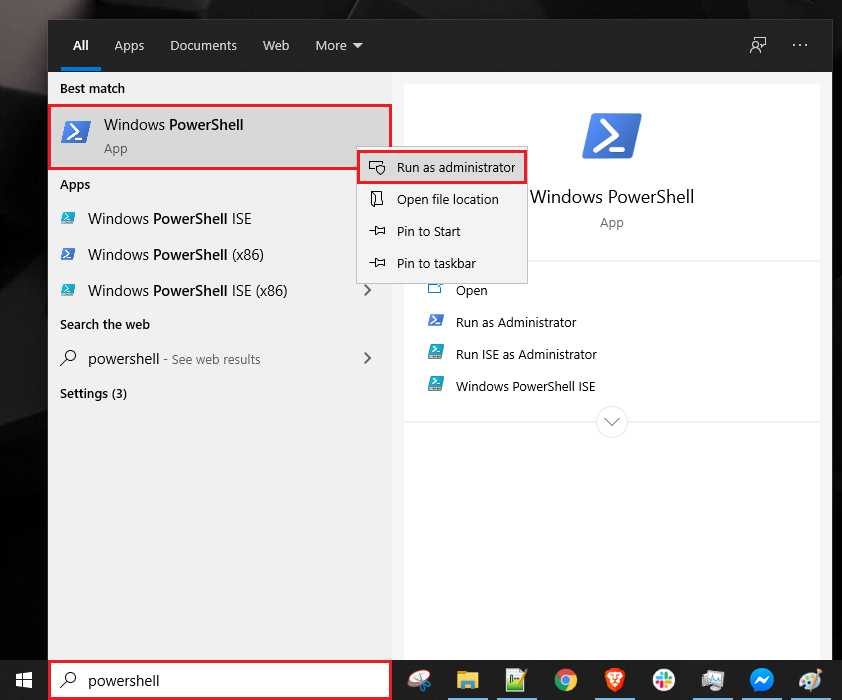 Then run this command:Add-WindowsCapability -Online -Name OpenSSH.Client\nIf for any reason access to the panel is not available through the web or your access is cut off and you do not have the emergency link; In this case, the only way to control and apply changes, as well as restore web access, is through the terminal.
In this case, you need to ssh to the server first. for this job: According to your operating system, open one of the following programs - Windows: PowerShell - Mac: Terminal - Linux: Terminal
Then connect to the server by running the following command: ssh user@<IP_Address>
Usually, when you purchase a VPS you get the user ``root'' on the server. suppose your server's IP is 1.1.1.1, so the command is as follows:
ssh root@1.1.1.1\nssh root@<IP_Address> -p <port_number>\n1.1.1.1 and the port is 2222, you should execute the command in this way. ssh root@1.1.1.1 -p 2222\nTo install HiddifyManager Version 8, follow these essential steps:
"},{"location":"manager/installation-and-setup/How-to-install-HiddifManager-Version-8/#prerequisites","title":"Prerequisites","text":"The server must be completely clean with no other versions of the panel or additional scripts installed.
Linux Version:
To install Version 8, execute the following commands in order:
pip install python-pip\nDescription: This command installs Python\u2019s package manager (pip), which is required for the subsequent steps. This tool is not pre-installed on many servers.
Install Telegram Library:
pip install pyTelegramBotAPI==4.22.0\nDescription: This command installs a specific version of the pyTelegramBotAPI library. HiddifyManager Version 8 is only compatible with this version (4.22.0).
Install HiddifyManager Version 8:
bash <(curl i.hiddify.com/v8.99.0)\nBy following this guide, HiddifyManager Version 8 will be correctly installed on your server.
"},{"location":"manager/installation-and-setup/How-to-install-different-versions-of-Hiddify-Manager/","title":"How to install different versions of Hiddify Manager","text":"You can also view and select desired versions for installation via a graphical menu by running the following command:
bash <(curl https://i.hiddify.com/custom)\nThis will result in the appearance of a graphical menu. Select your desired version to proceed with the installation.
"},{"location":"manager/installation-and-setup/How-to-install-different-versions-of-Hiddify-Manager/#how-to-install-different-versions-of-hiddifymanager","title":"How to install different versions of HiddifyManager","text":"As you know, Hidify Manager is offered in three versions as follows:
This version is a version of the software that is being developed to create the latest features. This version may have bugs, so it is better to install it on test servers.
This version is a version after the version under development, and in fact it is the version before the final release, in which part of the bugs have been fixed and it has new features.
This version is actually the final version of the software that was released after the final tests and is the most stable version possible. See this figure for a better understanding.
"},{"location":"manager/installation-and-setup/How-to-install-different-versions-of-Hiddify-Manager/#install-release-version","title":"Install Release version","text":"bash <(curl https://i.hiddify.com/release)\nbash <(curl https://i.hiddify.com/beta)\nbash <(curl https://i.hiddify.com/dev)\nIt is possible to install a custom version. Just follow the instructions below.
bash <(curl https://i.hiddify.com/vVERSION)\nHere, instead of VERSION, you should enter the desired version. Suppose you want to install version 8. Just execute the following command to install the latest version 8 for you.
bash <(curl https://i.hiddify.com/v8)\nFrom version 10, you can install exactly one specific update. For example, to install 10.7.0 version, just use the following command.
bash <(curl https://i.hiddify.com/v10.7.0)\nAn alternative to direct installation on the server is using the Docker version.
In this version, everything is done automatically. There's no need to install Docker manually, as the script will handle that for you.
To proceed, simply run the following commands:
Stable version:
bash <(curl https://i.hiddify.com/docker/latest)\nBeta version:
bash <(curl https://i.hiddify.com/docker/beta)\nDevelopment version:
bash <(curl https://i.hiddify.com/docker/dev)\nSpecific version:
bash <(curl https://i.hiddify.com/docker/v10.80.0)\nPlease note that Docker support is still experimental and may have some issues. If you encounter any, kindly let us know in the comments.
Finally, you need to configure the domain. Click on this link to finalize the installation.
"},{"location":"manager/installation-and-setup/Installation-prerequisites/","title":"Installation prerequisites","text":""},{"location":"manager/installation-and-setup/Installation-prerequisites/#installation-prerequisites","title":"Installation prerequisites","text":"Before installation, you need a series of prerequisites:
First, you need a virtual server. You can prepare the server in several ways.
You can get your virtual server directly from famous data centers in the world using credit card or other payment methods. You can search on Google and find inexpensive servers. You can also visit this list in which we have collected servers with various specifications.
You can also provide your own server using crypto currency. For this, just search on Google. There are many providers that support cryptocurrency. See our list. Some of these data centers support cryptocurrencies that are specified in the list.
Minimum resource requirements:
The operating system of this virtual server must be Ubuntu 22.04. Ubuntu is a distribution of Linux operating system whose logo is like this.
Then if you need to connect to your server via SSH please visit this link for more information.
To increase the security of your server when SSH, read these two articles:
In this article, we will teach you how to create a dedicated VPN server on Azure via HiddifyManager.
"},{"location":"manager/installation-and-setup/Quick-Installation-on-Microsoft-Azure/#general-idea","title":"General idea","text":"Companies such as Microsoft and Digital Ocean offer free one-year credit (renewable) of about $100 for students. We use this free credit to create a VPN server for our family and friends. - A Telegram proxy - A VPN server
"},{"location":"manager/installation-and-setup/Quick-Installation-on-Microsoft-Azure/#installation-steps","title":"Installation Steps","text":""},{"location":"manager/installation-and-setup/Quick-Installation-on-Microsoft-Azure/#step-1-create-a-student-account-on-microsoft-azure","title":"Step 1: Create a student account on Microsoft Azure","text":"First, log in to the Microsoft Azure website and follow the steps according to the gif below:
To view the amount of credit remaining in your user account, use this link.
"},{"location":"manager/installation-and-setup/Quick-Installation-on-Microsoft-Azure/#step-2-creating-a-virtual-machine-in-azure-for-telegram","title":"Step 2: Creating a virtual machine in Azure for Telegram","text":"Click on this icon and continue the steps according to the gif below.
And copy the link for Telegram proxy from the output section. Don't forget that this link will be deleted, so save it in a safe place.
Click on this icon and continue the steps according to the previous gif. And copy the proxy link from output section. Don't forget that this link will be deleted, so save it in a safe place Then open the link to display the tutorial on how to use the proxy.
You can finalize the installation using this link
For making the best use of this panel please view this article.
"},{"location":"manager/installation-and-setup/Quick-Installation-on-OVH-Servers/","title":"Quick and easy installation on OVH Servers","text":""},{"location":"manager/installation-and-setup/Quick-Installation-on-OVH-Servers/#quick-installation-on-ovh-servers","title":"Quick Installation on OVH Servers","text":"In the video below, all the steps are described. This video is in Farsi and if you watch the steps you can handle it. We are considering making some English videos for non-Persian people. Till then you can visit this video or follow the instructions in this article.
"},{"location":"manager/installation-and-setup/Quick-Installation-on-OVH-Servers/#installation-steps","title":"Installation steps","text":"#cloud-config\npackage_upgrade: true\npackages:\n - apt-transport-https\n - ca-certificates\n - curl\n - wget\n - gnupg-agent\n - software-properties-common\n - git\n - jq\n\nruncmd:\n - cd /opt\n - bash -c \"export CREATE_EASYSETUP_LINK='true';curl i.hiddify.com/release|bash -s -- --no-gui\"\n\nfinal_message: \"The system is finally up, after $UPTIME seconds\"\noutput: { all: \"| tee -a /root/cloud-init-output.log\" }\n\n# you can see the generated link from the website by using \n# https://yourip.sslip.io/hiddify in one hour, after that,\n# it will be disappear.\nDo not forget to wait at least 10 minutes.
For making the best use of this panel please view this article.
"},{"location":"manager/installation-and-setup/Quick-Installation-on-Oracle-Cloud/","title":"Quick and easy installation on Oracle Cloud","text":""},{"location":"manager/installation-and-setup/Quick-Installation-on-Oracle-Cloud/#quick-installation-on-oracle-cloud","title":"Quick Installation on Oracle Cloud","text":"If you do not have an Oracle account, the following video explains how to setup from zero to hero Hiddify on Oracle. If you are abroad, you can also need to enter real information and a credit card. This video is in Farsi and if you watch the steps you can handle that. Although We are considering making some English videos for non-Persian people, till then you can visit this or follow the instructions in this article.
Click next on all steps
And at the end, copy the link from below. Note that you have to wait at least 15 minutes for the link to be activated.
Do not forget to wait at least 10 minutes.
Now we need to setup the domain and finalize the installation. (visit this article)
For making the best use of this panel please view this article.
ADD SERVER button.#cloud-config\npackage_upgrade: true\npackages:\n - apt-transport-https\n - ca-certificates\n - curl\n - wget\n - gnupg-agent\n - software-properties-common\n - git\n - jq\n\nruncmd:\n - cd /opt\n - bash -c \"export CREATE_EASYSETUP_LINK='true';curl i.hiddify.com/release|bash -s -- --no-gui\"\n\nfinal_message: \"The system is finally up, after $UPTIME seconds\"\noutput: { all: \"| tee -a /root/cloud-init-output.log\" }\n\n# you can see the generated link from the website by using \n# https://yourip.sslip.io/hiddify in one hour, after that,\n# it will be disappear.\nCREATE & BUY NOW button. Do not forget to wait at least 10 minutes
For making the best use of this panel please view this article.
"},{"location":"manager/installation-and-setup/Quick-installation-on-Vultr-Servers/","title":"Quick and easy installation on Vultr Servers","text":""},{"location":"manager/installation-and-setup/Quick-installation-on-Vultr-Servers/#quick-installation-on-vultr-servers","title":"Quick installation on Vultr Servers","text":"Complete installation training video
In the video below, all the steps, including proxy installation and domain and subdomain settings, are described in full detail. This video is in Farsi and if you watch the steps you can get by that. We are considering making some English videos for non-Persian people. Till then you can visit this or follow the instructions in this article.
For using Vultr site and services please use VPN Connection if you live in countries with sanctions enforced, otherwise your account will be closed.
"},{"location":"manager/installation-and-setup/Quick-installation-on-Vultr-Servers/#proxy-installation-steps","title":"Proxy installation steps","text":"At the operating system selection stage, be sure to select Ubuntu 22.04.
Copy the code below.
#cloud-config\npackage_upgrade: true\npackages:\n - apt-transport-https\n - ca-certificates\n - curl\n - wget\n - gnupg-agent\n - software-properties-common\n - git\n - jq\n\nruncmd:\n - cd /opt\n - bash -c \"export CREATE_EASYSETUP_LINK='true';curl i.hiddify.com/release|bash -s -- --no-gui\"\n\nfinal_message: \"The system is finally up, after $UPTIME seconds\"\noutput: { all: \"| tee -a /root/cloud-init-output.log\" }\n\n# you can see the generated link from the website by using \n# https://yourip.sslip.io/hiddify in one hour, after that,\n# it will be disappear.\nIt is strongly recommended that Hiddify only be deployed on a single-use host. Hiddify's deployment model assumes that the host is dedicated solely to running Hiddify and is not shared with other applications or users. Hiddify is not secure in a multi-user environment and that the server should be treated as a dedicated proxy host. We are working in making it proper for multi-user environment and also provide a docker image.
This code is only applicable on Ubuntu and has been tested only on version 22.04.
If not, you need a series of prerequisites which you can read them here.
bash <(curl https://i.hiddify.com/release)\nCongratulations, the installation is complete.
Note
To install using Docker, please refer to this article.
For making the best use of this panel please view this article.
"},{"location":"warp/","title":"Warp","text":"This page is created to add the Warp test config to the Hiddify app. Simply click the link below to add the config to the app.
Click to add WARP config to the Hiddify application
Tip
Before clicking the link above, you must have the app installed. If you don't have it installed, click here to start the installation.
"},{"location":"blog/archive/2025/","title":"2025","text":""},{"location":"blog/archive/2024/","title":"2024","text":""},{"location":"blog/archive/2023/","title":"2023","text":""},{"location":"blog/category/manager/","title":"Manager","text":""},{"location":"blog/category/anniversary/","title":"Anniversary","text":""},{"location":"blog/category/hello/","title":"Hello","text":""},{"location":"blog/category/app/","title":"App","text":""},{"location":"fa/","title":"\u062e\u0627\u0646\u0647","text":"\u0631\u0627\u0647\u06a9\u0627\u0631 \u0622\u0632\u0627\u062f\u06cc \u0627\u06cc\u0646\u062a\u0631\u0646\u062a \u062a\u0645\u0627\u0645 \u0622\u0646\u0686\u0647 \u0628\u0631\u0627\u06cc \u0627\u06cc\u0646\u062a\u0631\u0646\u062a \u0622\u0632\u0627\u062f \u0646\u06cc\u0627\u0632 \u062f\u0627\u0631\u06cc\u062f \u0647\u06cc\u062f\u06cc\u0641\u0627\u06cc - \u0628\u0631\u0627\u06cc \u06af\u0648\u0634\u06cc \u0648 \u06a9\u0627\u0645\u067e\u06cc\u0648\u062a\u0631\u0647\u06cc\u062f\u06cc\u0641\u0627\u06cc \u06cc\u06a9 \u0628\u0631\u0646\u0627\u0645\u0647 VPN \u0633\u0627\u062f\u0647 \u0648 \u06a9\u0627\u0631\u0628\u0631\u067e\u0633\u0646\u062f \u0627\u0633\u062a \u06a9\u0647 \u0628\u0631\u0627\u06cc iOS\u060c \u0627\u0646\u062f\u0631\u0648\u06cc\u062f\u060c \u0648\u06cc\u0646\u062f\u0648\u0632\u060c \u0645\u06a9\u200c\u0627\u0648\u0627\u0633 \u0648 \u0644\u06cc\u0646\u0648\u06a9\u0633 \u062f\u0631 \u062f\u0633\u062a\u0631\u0633 \u0627\u0633\u062a. \u0628\u0647\u200c\u0631\u0627\u062d\u062a\u06cc \u0628\u0647 \u0647\u06cc\u062f\u06cc\u0641\u0627\u06cc\u200c\u0645\u0646\u06cc\u062c\u0631 \u06cc\u0627 \u0647\u0631 \u067e\u0646\u0644 VPN \u062f\u06cc\u06af\u0631\u06cc \u0645\u062a\u0635\u0644 \u0634\u0648\u06cc\u062f. \u0627\u06cc\u0646 \u0627\u067e\u0644\u06cc\u06a9\u06cc\u0634\u0646 \u0631\u0627 \u0631\u0648\u06cc \u0645\u0648\u0628\u0627\u06cc\u0644 \u06cc\u0627 \u062f\u0633\u06a9\u062a\u0627\u067e \u062f\u0627\u0646\u0644\u0648\u062f \u06a9\u0646\u06cc\u062f \u0648 \u0627\u0632 \u062f\u0633\u062a\u0631\u0633\u06cc \u0622\u0632\u0627\u062f \u0628\u0647 \u0627\u06cc\u0646\u062a\u0631\u0646\u062a \u0644\u0630\u062a \u0628\u0628\u0631\u06cc\u062f.
\u0647\u06cc\u062f\u06cc\u0641\u0627\u06cc\u200c\u0645\u0646\u06cc\u062c\u0631 \u2013 \u0628\u0631\u0627\u06cc \u0645\u062f\u06cc\u0631\u06cc\u062a \u067e\u0631\u0648\u06a9\u0633\u06cc\u200c\u0647\u0627 \u0648 \u06a9\u0627\u0631\u0628\u0631\u0627\u0646\u0647\u06cc\u062f\u06cc\u0641\u0627\u06cc\u200c\u0645\u0646\u06cc\u062c\u0631 \u0627\u06cc\u062c\u0627\u062f \u0633\u0631\u0648\u0631 VPN \u0634\u062e\u0635\u06cc \u0631\u0627 \u0628\u0631\u0627\u06cc \u0634\u0645\u0627 \u0633\u0627\u062f\u0647 \u0645\u06cc\u200c\u06a9\u0646\u062f \u0648 \u0628\u0647 \u0634\u0645\u0627 \u0627\u0645\u06a9\u0627\u0646 \u0645\u06cc\u200c\u062f\u0647\u062f \u062d\u062a\u06cc \u0627\u0632 \u0637\u0631\u06cc\u0642 \u0645\u0648\u0628\u0627\u06cc\u0644 \u0622\u0646 \u0631\u0627 \u0645\u062f\u06cc\u0631\u06cc\u062a \u06a9\u0646\u06cc\u062f. \u0628\u0647\u200c\u0631\u0627\u062d\u062a\u06cc \u0645\u06cc\u200c\u062a\u0648\u0627\u0646\u06cc\u062f \u067e\u0631\u0648\u06a9\u0633\u06cc\u200c\u0647\u0627 \u0631\u0627 \u0628\u0627 \u062e\u0627\u0646\u0648\u0627\u062f\u0647\u060c \u062f\u0648\u0633\u062a\u0627\u0646\u060c \u06af\u0631\u0648\u0647\u200c\u0647\u0627 \u06cc\u0627 \u062d\u062a\u06cc \u0635\u062f\u0647\u0627 \u0646\u0641\u0631 \u0628\u0647 \u0627\u0634\u062a\u0631\u0627\u06a9 \u0628\u06af\u0630\u0627\u0631\u06cc\u062f.
\u0631\u0627\u062d\u062a\u200c\u062a\u0631 \u0627\u0632 \u0647\u0645\u06cc\u0634\u0647 \u0628\u0647 \u0627\u06cc\u0646\u062a\u0631\u0646\u062a \u0622\u0632\u0627\u062f \u0645\u062a\u0635\u0644 \u0634\u0648\u06cc\u062f.\u062f\u0631 iOS\u060c \u0627\u0646\u062f\u0631\u0648\u06cc\u062f\u060c \u0648\u06cc\u0646\u062f\u0648\u0632\u060c \u0644\u06cc\u0646\u0648\u06a9\u0633 \u0648 \u0645\u06a9 \u0645\u0648\u062c\u0648\u062f \u0627\u0633\u062a.
\u0645\u0646\u0628\u0639 \u0628\u0627\u0632\u060c \u063a\u06cc\u0631 \u062a\u062c\u0627\u0631\u06cc \u0648 \u0627\u0632 \u0646\u0638\u0631 \u0627\u0645\u0646\u06cc\u062a\u06cc \u0645\u0645\u06cc\u0632\u06cc \u0634\u062f\u0647 \u0627\u0633\u062a.
\u06a9\u0644\u0627\u06cc\u0646\u062a \u067e\u0631\u0648\u06a9\u0633\u06cc \u062e\u0648\u062f\u06a9\u0627\u0631 \u0628\u0627 \u0642\u0627\u0628\u0644\u06cc\u062a\u200c\u0647\u0627\u06cc \u0641\u0631\u0627\u0648\u0627\u0646\u060c \u0648 \u0628\u0627 \u067e\u0634\u062a\u06cc\u0628\u0627\u0646\u06cc \u0627\u0632 \u0628\u06cc\u0634 \u0627\u0632 \u06f3\u06f0 \u067e\u0631\u0648\u062a\u06a9\u0644 \u0645\u062e\u062a\u0644\u0641 \u0627\u0633\u062a.
"},{"location":"fa/#_2","title":"\u0633\u0646\u062c\u0634 \u0645\u06cc\u0632\u0627\u0646 \u0627\u062b\u0631\u06af\u0630\u0627\u0631\u06cc","text":"\u06cc\u06a9\u06cc \u0627\u0632 \u0627\u0645\u0646\u200c\u062a\u0631\u06cc\u0646 \u0648 \u0645\u0648\u0631\u062f \u0627\u0639\u062a\u0645\u0627\u062f\u062a\u0631\u06cc\u0646 \u0631\u0627\u0647\u200c\u06a9\u0627\u0631\u0647\u0627\u06cc \u0627\u0633\u062a\u0641\u0627\u062f\u0647 \u0627\u0632 VPN
\u062a\u0639\u062f\u0627\u062f \u062f\u0627\u0646\u0644\u0648\u062f\u0647\u0627\u06cc \u0647\u06cc\u062f\u06cc\u0641\u0627\u06cc\u200c\u0645\u0646\u06cc\u062c\u0631 \u0627\u0632 \u06af\u06cc\u062a\u0647\u0627\u0628
\u062a\u0639\u062f\u0627\u062f \u062f\u0627\u0646\u0644\u0648\u062f\u0647\u0627\u06cc \u0647\u06cc\u062f\u06cc\u0641\u0627\u06cc \u0627\u0632 \u06af\u06cc\u062a\u0647\u0627\u0628
\u0627\u0645\u062a\u06cc\u0627\u0632 \u0647\u06cc\u062f\u06cc\u0641\u0627\u06cc \u062f\u0631 \u0627\u067e\u200c\u0627\u0633\u062a\u0648\u0631
\u0627\u0645\u062a\u06cc\u0627\u0632 \u0647\u06cc\u062f\u06cc\u0641\u0627\u06cc \u062f\u0631 \u06af\u0648\u06af\u0644\u200c\u067e\u0644\u06cc
\u062a\u0639\u062f\u0627\u062f \u0646\u0635\u0628 \u0641\u0639\u0627\u0644 \u0647\u06cc\u062f\u06cc\u0641\u0627\u06cc \u062f\u0631 \u06af\u0648\u06af\u0644\u200c\u067e\u0644\u06cc
\u062a\u0639\u062f\u0627\u062f \u0633\u062a\u0627\u0631\u0647\u200c\u0647\u0627\u06cc \u067e\u0631\u0648\u0698\u0647 \u062f\u0631 \u06af\u06cc\u062a\u0647\u0627\u0628
\u062a\u0639\u062f\u0627\u062f \u0627\u0639\u0636\u0627\u0621 \u06a9\u0627\u0645\u06cc\u0648\u0646\u06cc\u062a\u06cc \u062a\u0644\u06af\u0631\u0627\u0645
\u062a\u0639\u062f\u0627\u062f \u0646\u0645\u0627\u06cc\u0634 \u0648\u06cc\u062f\u06cc\u0648\u0647\u0627 \u062f\u0631 \u06cc\u0648\u062a\u06cc\u0648\u0628
"},{"location":"fa/#_3","title":"\u0633\u0648\u0627\u0644\u0627\u062a \u067e\u0631 \u062a\u06a9\u0631\u0627\u0631","text":"\u0686\u06af\u0648\u0646\u0647 \u0645\u06cc\u200c\u062a\u0648\u0627\u0646\u0645 \u0645\u0637\u0645\u0626\u0646 \u0634\u0648\u0645 \u06a9\u0647 \u0647\u06cc\u062f\u06cc\u0641\u0627\u06cc \u0627\u0645\u0646 \u0627\u0633\u062a\u061f\u0628\u0631\u0627\u06cc \u0627\u0637\u0645\u06cc\u0646\u0627\u0646 \u0627\u0632 \u0627\u0645\u0646\u06cc\u062a \u0647\u06cc\u062f\u06cc\u0641\u0627\u06cc\u060c \u0645\u06cc\u200c\u062a\u0648\u0627\u0646\u06cc\u062f \u0645\u0631\u0627\u062d\u0644 \u0632\u06cc\u0631 \u0631\u0627 \u062f\u0646\u0628\u0627\u0644 \u06a9\u0646\u06cc\u062f \ud83d\udd12:
\u0628\u0631\u0631\u0633\u06cc \u06a9\u062f \u0645\u0646\u0628\u0639 \ud83d\udee0\ufe0f \u0627\u0632 \u0622\u0646\u062c\u0627\u06cc\u06cc \u06a9\u0647 \u0647\u06cc\u062f\u06cc\u0641\u0627\u06cc \u0645\u062a\u0646\u200c\u0628\u0627\u0632 \u0627\u0633\u062a\u060c \u0634\u0645\u0627 \u0645\u06cc\u200c\u062a\u0648\u0627\u0646\u06cc\u062f \u06a9\u062f \u0631\u0627 \u0645\u0633\u062a\u0642\u06cc\u0645\u0627\u064b \u062f\u0631 GitHub \u0628\u0631\u0631\u0633\u06cc \u06a9\u0646\u06cc\u062f \u062a\u0627 \u0647\u0631 \u06af\u0648\u0646\u0647 \u0645\u0633\u0626\u0644\u0647 \u0627\u0645\u0646\u06cc\u062a\u06cc \u06cc\u0627 \u0646\u06af\u0631\u0627\u0646\u06cc \u0634\u0646\u0627\u0633\u0627\u06cc\u06cc \u0634\u0648\u062f \ud83d\udd0d. \u0628\u0631\u0631\u0633\u06cc \u06a9\u062f \u062a\u0648\u0633\u0637 \u062e\u0648\u062f\u062a\u0627\u0646 \u06cc\u0627 \u0645\u0634\u0648\u0631\u062a \u0628\u0627 \u06cc\u06a9 \u062a\u0648\u0633\u0639\u0647\u200c\u062f\u0647\u0646\u062f\u0647 \u0645\u0637\u0645\u0626\u0646 \u0645\u06cc\u200c\u062a\u0648\u0627\u0646\u062f \u06cc\u06a9 \u0627\u0642\u062f\u0627\u0645 \u0645\u0624\u062b\u0631 \u0628\u0627\u0634\u062f \u2705.
\u0628\u0631\u0631\u0633\u06cc \u0628\u0627\u0632\u062e\u0648\u0631\u062f \u0648 \u0645\u0634\u0627\u0631\u06a9\u062a\u200c\u0647\u0627\u06cc \u06a9\u0627\u0645\u06cc\u0648\u0646\u06cc\u062a\u06cc \ud83c\udf10 \u0635\u0641\u062d\u0647 \u06af\u06cc\u062a\u0647\u0627\u0628 \u0647\u06cc\u062f\u06cc\u0641\u0627\u06cc \u0648 \u0645\u062e\u0627\u0632\u0646 \u0622\u0646 \u0627\u063a\u0644\u0628 \u062f\u0627\u0631\u0627\u06cc \u0645\u0634\u0627\u0631\u06a9\u062a\u200c\u0647\u0627\u060c \u06af\u0632\u0627\u0631\u0634 \u0645\u0634\u06a9\u0644\u0627\u062a \u0648 \u0628\u062d\u062b\u200c\u0647\u0627\u06cc\u06cc \u0627\u0632 \u0633\u0648\u06cc \u062f\u06cc\u06af\u0631 \u062a\u0648\u0633\u0639\u0647\u200c\u062f\u0647\u0646\u062f\u06af\u0627\u0646 \u0648 \u06a9\u0627\u0631\u0628\u0631\u0627\u0646 \u0647\u0633\u062a\u0646\u062f \ud83d\udc65. \u0628\u0627 \u062e\u0648\u0627\u0646\u062f\u0646 \u0627\u06cc\u0646 \u0628\u062d\u062b\u200c\u0647\u0627 \u0645\u06cc\u200c\u062a\u0648\u0627\u0646\u06cc\u062f \u0628\u0647 \u062f\u0631\u06a9\u06cc \u0627\u0632 \u0627\u0645\u0646\u06cc\u062a \u0646\u0631\u0645\u200c\u0627\u0641\u0632\u0627\u0631 \u0648 \u0647\u0631 \u06af\u0648\u0646\u0647 \u0622\u0633\u06cc\u0628\u200c\u067e\u0630\u06cc\u0631\u06cc \u0627\u062d\u062a\u0645\u0627\u0644\u06cc \u06a9\u0647 \u062a\u0648\u0633\u0637 \u06a9\u0627\u0645\u06cc\u0648\u0646\u06cc\u062a\u06cc \u0634\u0646\u0627\u0633\u0627\u06cc\u06cc \u0634\u062f\u0647 \u0627\u0633\u062a\u060c \u062f\u0633\u062a \u06cc\u0627\u0628\u06cc\u062f \ud83d\udee1\ufe0f.
\u0627\u0633\u062a\u0641\u0627\u062f\u0647 \u0627\u0632 \u0646\u0633\u062e\u0647 \u0622\u062e\u0631 \ud83d\udd04 \u0645\u0637\u0645\u0626\u0646 \u0634\u0648\u06cc\u062f \u06a9\u0647 \u0627\u0632 \u0622\u062e\u0631\u06cc\u0646 \u0646\u0633\u062e\u0647 \u0647\u06cc\u062f\u06cc\u0641\u0627\u06cc \u0627\u0633\u062a\u0641\u0627\u062f\u0647 \u0645\u06cc\u200c\u06a9\u0646\u06cc\u062f\u060c \u0632\u06cc\u0631\u0627 \u0645\u0645\u06a9\u0646 \u0627\u0633\u062a \u0634\u0627\u0645\u0644 \u0648\u0635\u0644\u0647\u200c\u0647\u0627\u06cc \u0627\u0645\u0646\u06cc\u062a\u06cc \u0648 \u0628\u0647\u0628\u0648\u062f\u0647\u0627\u06cc\u06cc \u0628\u0627\u0634\u062f \ud83d\udd12. \u0645\u06cc\u200c\u062a\u0648\u0627\u0646\u06cc\u062f \u06cc\u0627\u062f\u062f\u0627\u0634\u062a\u200c\u0647\u0627\u06cc \u0627\u0646\u062a\u0634\u0627\u0631 \u0631\u0627 \u062f\u0631 GitHub \u0628\u0631\u0631\u0633\u06cc \u06a9\u0646\u06cc\u062f \u062a\u0627 \u0627\u0632 \u0628\u0647\u200c\u0631\u0648\u0632\u0631\u0633\u0627\u0646\u06cc\u200c\u0647\u0627\u06cc \u0645\u0631\u062a\u0628\u0637 \u0628\u0627 \u0627\u0645\u0646\u06cc\u062a \u0645\u0637\u0644\u0639 \u0634\u0648\u06cc\u062f \ud83d\udcc8.
\u0631\u0639\u0627\u06cc\u062a \u0627\u0635\u0648\u0644 \u0627\u0633\u062a\u0627\u0646\u062f\u0627\u0631\u062f \u0627\u0645\u0646\u06cc\u062a\u06cc \ud83d\udd10 \u0627\u0633\u062a\u0641\u0627\u062f\u0647 \u0627\u0632 \u0647\u06cc\u062f\u06cc\u0641\u0627\u06cc \u062f\u0631 \u06cc\u06a9 \u0645\u062d\u06cc\u0637 \u0627\u0645\u0646 \u0634\u0627\u0645\u0644 \u0627\u0639\u0645\u0627\u0644 \u0627\u0635\u0648\u0644 \u0627\u0645\u0646\u06cc\u062a\u06cc \u062e\u0648\u0628 \u0627\u0633\u062a\u060c \u0645\u0627\u0646\u0646\u062f:
\u0628\u0647\u200c\u0631\u0648\u0632\u0631\u0633\u0627\u0646\u06cc \u0633\u06cc\u0633\u062a\u0645\u200c\u0639\u0627\u0645\u0644 \u0648 \u0646\u0631\u0645\u200c\u0627\u0641\u0632\u0627\u0631 \u0647\u06cc\u062f\u06cc\u0641\u0627\u06cc \ud83c\udd99
\u0634\u0641\u0627\u0641\u06cc\u062a \u062f\u0631 \u062a\u0646\u0638\u06cc\u0645\u0627\u062a \ud83c\udf1f \u0647\u06cc\u062f\u06cc\u0641\u0627\u06cc\u200c\u0645\u0646\u06cc\u062c\u0631 \u0628\u0647 \u06a9\u0627\u0631\u0628\u0631\u0627\u0646 \u0627\u06cc\u0646 \u0627\u0645\u06a9\u0627\u0646 \u0631\u0627 \u0645\u06cc\u200c\u062f\u0647\u062f \u06a9\u0647 \u0633\u0631\u0648\u0631\u0647\u0627\u06cc \u062e\u0648\u062f \u0631\u0627 \u067e\u06cc\u06a9\u0631\u0628\u0646\u062f\u06cc \u06a9\u0646\u0646\u062f \u0648 \u06a9\u0646\u062a\u0631\u0644 \u06a9\u0627\u0645\u0644 \u0628\u0631 \u062a\u0646\u0638\u06cc\u0645\u0627\u062a \u067e\u0631\u0648\u06a9\u0633\u06cc \u0648 \u062f\u0627\u062f\u0647\u200c\u0647\u0627 \u062f\u0627\u0634\u062a\u0647 \u0628\u0627\u0634\u0646\u062f \ud83d\udd04. \u0627\u06cc\u0646 \u0634\u0641\u0627\u0641\u06cc\u062a \u062a\u0636\u0645\u06cc\u0646 \u0645\u06cc\u200c\u06a9\u0646\u062f \u06a9\u0647 \u06a9\u0627\u0631\u0628\u0631\u0627\u0646 \u0645\u06cc\u200c\u062a\u0648\u0627\u0646\u0646\u062f \u067e\u06cc\u06a9\u0631\u0628\u0646\u062f\u06cc\u200c\u0647\u0627\u06cc \u0627\u0645\u0646 \u062e\u0648\u062f \u0631\u0627 \u062d\u0641\u0638 \u06a9\u0631\u062f\u0647 \u0648 \u062f\u0631 \u0635\u0648\u0631\u062a \u0646\u06cc\u0627\u0632 \u0622\u0646\u200c\u0647\u0627 \u0631\u0627 \u062a\u063a\u06cc\u06cc\u0631 \u062f\u0647\u0646\u062f \ud83d\udd04. \u0628\u0647 \u0637\u0648\u0631 \u0645\u0634\u0627\u0628\u0647\u060c \u0647\u06cc\u062f\u06cc\u0641\u0627\u06cc \u0628\u0647 \u06a9\u0627\u0631\u0628\u0631\u0627\u0646 \u0648 \u062a\u0648\u0633\u0639\u0647\u200c\u062f\u0647\u0646\u062f\u06af\u0627\u0646 \u0627\u06cc\u0646 \u0627\u0645\u06a9\u0627\u0646 \u0631\u0627 \u0645\u06cc\u200c\u062f\u0647\u062f \u06a9\u0647 \u062a\u0646\u0638\u06cc\u0645\u0627\u062a \u0627\u067e\u0644\u06cc\u06a9\u06cc\u0634\u0646 \u0631\u0627 \u0645\u062a\u0646\u0627\u0633\u0628 \u0628\u0627 \u0646\u06cc\u0627\u0632\u0647\u0627\u06cc \u062e\u0627\u0635 \u062e\u0648\u062f \u062a\u0646\u0638\u06cc\u0645 \u0648 \u0633\u0641\u0627\u0631\u0634\u06cc\u200c\u0633\u0627\u0632\u06cc \u06a9\u0646\u0646\u062f \u2699\ufe0f\u060c \u0627\u0632 \u062a\u0646\u0638\u06cc\u0645\u0627\u062a \u067e\u0631\u0648\u06a9\u0633\u06cc \u06af\u0631\u0641\u062a\u0647 \u062a\u0627 \u0645\u062f\u06cc\u0631\u06cc\u062a \u0627\u062a\u0635\u0627\u0644\u0627\u062a \ud83d\udcf6. \u0628\u0627 \u062a\u0648\u062c\u0647 \u0628\u0647 \u0627\u06cc\u0646\u06a9\u0647 \u0627\u06cc\u0646 \u0627\u067e\u0644\u06cc\u06a9\u06cc\u0634\u0646 \u0645\u062a\u0646\u200c\u0628\u0627\u0632 \u0627\u0633\u062a\u060c \u0647\u0631 \u06af\u0648\u0646\u0647 \u062a\u063a\u06cc\u06cc\u0631\u0627\u062a \u06cc\u0627 \u0628\u0647\u0628\u0648\u062f\u0647\u0627 \u0642\u0627\u0628\u0644 \u0645\u0634\u0627\u0647\u062f\u0647 \u0627\u0633\u062a \u0648 \u0628\u0647 \u06a9\u0627\u0631\u0628\u0631\u0627\u0646 \u0627\u062c\u0627\u0632\u0647 \u0645\u06cc\u200c\u062f\u0647\u062f \u062a\u0627 \u06a9\u0646\u062a\u0631\u0644 \u06a9\u0627\u0645\u0644 \u0628\u0631 \u062a\u062c\u0631\u0628\u0647 \u062e\u0648\u062f \u062f\u0627\u0634\u062a\u0647 \u0628\u0627\u0634\u0646\u062f \u0648 \u0627\u0645\u0646\u06cc\u062a \u0648 \u062d\u0631\u06cc\u0645 \u062e\u0635\u0648\u0635\u06cc \u062f\u0631 \u0647\u0631 \u0645\u0631\u062d\u0644\u0647 \u062d\u0641\u0638 \u0634\u0648\u062f \ud83d\udd10.
\u0628\u0627 \u067e\u06cc\u0631\u0648\u06cc \u0627\u0632 \u0627\u06cc\u0646 \u0645\u0631\u0627\u062d\u0644\u060c \u0645\u06cc\u200c\u062a\u0648\u0627\u0646\u06cc\u062f \u0627\u0637\u0645\u06cc\u0646\u0627\u0646 \u0628\u06cc\u0634\u062a\u0631\u06cc \u062f\u0631 \u0645\u0648\u0631\u062f \u0627\u0645\u0646\u06cc\u062a \u0647\u06cc\u062f\u06cc\u0641\u0627\u06cc \u0628\u0647 \u0639\u0646\u0648\u0627\u0646 \u06cc\u06a9 \u0627\u0628\u0632\u0627\u0631 \u062d\u0641\u0638 \u062d\u0631\u06cc\u0645 \u062e\u0635\u0648\u0635\u06cc \u0648 \u0636\u062f \u0633\u0627\u0646\u0633\u0648\u0631 \u062f\u0627\u0634\u062a\u0647 \u0628\u0627\u0634\u06cc\u062f \ud83d\udee1\ufe0f\u2728.
\u0647\u06cc\u062f\u06cc\u0641\u0627\u06cc \u0627\u0632 \u0686\u0647 \u062f\u0633\u062a\u06af\u0627\u0647\u200c\u0647\u0627\u06cc\u06cc \u067e\u0634\u062a\u06cc\u0628\u0627\u0646\u06cc \u0645\u06cc\u200c\u06a9\u0646\u062f\u061f\u0647\u06cc\u062f\u06cc\u0641\u0627\u06cc \u0628\u0631\u0627\u06cc \u06a9\u0627\u0631 \u0628\u0627 \u0645\u062c\u0645\u0648\u0639\u0647\u200c\u0627\u06cc \u0627\u0632 \u062f\u0633\u062a\u06af\u0627\u0647\u200c\u0647\u0627 \u0648 \u0633\u06cc\u0633\u062a\u0645\u200c\u0639\u0627\u0645\u0644\u200c\u0647\u0627 \u0637\u0631\u0627\u062d\u06cc \u0634\u062f\u0647 \u0627\u0633\u062a \u0648 \u0646\u06cc\u0627\u0632\u0647\u0627\u06cc \u0633\u0645\u062a \u0633\u0631\u0648\u0631 \u0648 \u0633\u0645\u062a \u06a9\u0644\u0627\u06cc\u0646\u062a \u0631\u0627 \u067e\u0648\u0634\u0634 \u0645\u06cc\u200c\u062f\u0647\u062f \ud83c\udf10:
\u0633\u0627\u0632\u06af\u0627\u0631\u06cc \u0633\u0645\u062a \u0633\u0631\u0648\u0631 (\u0647\u06cc\u062f\u06cc\u0641\u0627\u06cc\u200c\u0645\u0646\u06cc\u062c\u0631) \ud83d\udda5\ufe0f \u0647\u06cc\u062f\u06cc\u0641\u0627\u06cc \u0634\u0627\u0645\u0644 \u06cc\u06a9 \u0628\u0631\u0646\u0627\u0645\u0647 \u0633\u0645\u062a \u0633\u0631\u0648\u0631 \u0628\u0647 \u0646\u0627\u0645 \u0647\u06cc\u062f\u06cc\u0641\u0627\u06cc\u200c\u0645\u0646\u06cc\u062c\u0631 \u0627\u0633\u062a \u06a9\u0647 \u0631\u0648\u06cc \u0633\u0631\u0648\u0631 Ubuntu \u0646\u0635\u0628 \u0645\u06cc\u200c\u0634\u0648\u062f. \u0647\u06cc\u062f\u06cc\u0641\u0627\u06cc\u200c\u0645\u0646\u06cc\u062c\u0631 \u0628\u0627 \u0627\u0633\u062a\u0641\u0627\u062f\u0647 \u0627\u0632 Cloud-init \u0628\u0647 \u0633\u0631\u0639\u062a \u0631\u0627\u0647\u200c\u0627\u0646\u062f\u0627\u0632\u06cc \u0645\u06cc\u200c\u0634\u0648\u062f \ud83d\ude80 \u0648 \u0627\u06cc\u0646 \u0648\u06cc\u0698\u06af\u06cc \u0627\u0645\u06a9\u0627\u0646 \u0627\u0633\u062a\u0642\u0631\u0627\u0631 \u0622\u0633\u0627\u0646 \u0631\u0627 \u062f\u0631 \u0627\u0631\u0627\u0626\u0647\u200c\u062f\u0647\u0646\u062f\u06af\u0627\u0646 \u0645\u062d\u0628\u0648\u0628 \u0627\u0628\u0631\u06cc \u0648 \u062f\u06cc\u062a\u0627\u0633\u0646\u062a\u0631\u0647\u0627 \u0641\u0631\u0627\u0647\u0645 \u0645\u06cc\u200c\u06a9\u0646\u062f \ud83c\udf29\ufe0f. \u0627\u06cc\u0646 \u0628\u0631\u0646\u0627\u0645\u0647 \u0633\u0645\u062a \u0633\u0631\u0648\u0631\u060c \u067e\u06cc\u06a9\u0631\u0628\u0646\u062f\u06cc\u200c\u0647\u0627 \u0648 \u0627\u062a\u0635\u0627\u0644\u0627\u062a \u06a9\u0644\u0627\u06cc\u0646\u062a\u200c\u0647\u0627 \u0631\u0627 \u0645\u062f\u06cc\u0631\u06cc\u062a \u0645\u06cc\u200c\u06a9\u0646\u062f \u0648 \u0628\u0631\u0627\u06cc \u0627\u0641\u0631\u0627\u062f\u06cc \u06a9\u0647 \u0628\u0647 \u062f\u0646\u0628\u0627\u0644 \u062f\u0633\u062a\u0631\u0633\u06cc \u0627\u06cc\u0646\u062a\u0631\u0646\u062a \u0627\u0645\u0646 \u0648 \u067e\u0627\u06cc\u062f\u0627\u0631 \u0647\u0633\u062a\u0646\u062f\u060c \u06cc\u06a9 \u0627\u0628\u0632\u0627\u0631 \u0642\u062f\u0631\u062a\u0645\u0646\u062f \u0641\u0631\u0627\u0647\u0645 \u0645\u06cc\u200c\u06a9\u0646\u062f \ud83d\udd10.
\u0633\u0627\u0632\u06af\u0627\u0631\u06cc \u0633\u0645\u062a \u06a9\u0627\u0631\u0628\u0631 (\u0627\u067e\u0644\u06cc\u06a9\u06cc\u0634\u0646 \u0647\u06cc\u062f\u06cc\u0641\u0627\u06cc) \ud83d\udcf1\ud83d\udcbb \u0627\u067e\u0644\u06cc\u06a9\u06cc\u0634\u0646 \u0633\u0645\u062a \u06a9\u0627\u0631\u0628\u0631 \u0647\u06cc\u062f\u06cc\u0641\u0627\u06cc \u06a9\u0647 \u0628\u0647 \u0627\u062e\u062a\u0635\u0627\u0631 \u0647\u06cc\u062f\u06cc\u0641\u0627\u06cc \u0646\u0627\u0645\u06cc\u062f\u0647 \u0645\u06cc\u200c\u0634\u0648\u062f\u060c \u0686\u0646\u062f\u0645\u0646\u0638\u0648\u0631\u0647 \u0627\u0633\u062a \u0648 \u0627\u0632 \u062a\u0645\u0627\u0645\u06cc \u0633\u06cc\u0633\u062a\u0645\u200c\u0639\u0627\u0645\u0644\u200c\u0647\u0627\u06cc \u0627\u0635\u0644\u06cc \u067e\u0634\u062a\u06cc\u0628\u0627\u0646\u06cc \u0645\u06cc\u200c\u06a9\u0646\u062f\u060c \u0627\u0632 \u062c\u0645\u0644\u0647:
\u062a\u06cc\u0645 \u062a\u0648\u0633\u0639\u0647 \u0647\u06cc\u062f\u06cc\u0641\u0627\u06cc \u0628\u0647 \u0637\u0648\u0631 \u0641\u0639\u0627\u0644 \u062f\u0631 \u062d\u0627\u0644 \u06af\u0633\u062a\u0631\u0634 \u0633\u0627\u0632\u06af\u0627\u0631\u06cc \u0622\u0646 \u0628\u0627 \u062f\u0633\u062a\u06af\u0627\u0647\u200c\u0647\u0627\u06cc \u062f\u06cc\u06af\u0631 \u0645\u0627\u0646\u0646\u062f \u0631\u0648\u062a\u0631\u0647\u0627 \u0648 \u062f\u0633\u062a\u06af\u0627\u0647\u200c\u0647\u0627\u06cc \u06f3\u06f2 \u0628\u06cc\u062a\u06cc \u0627\u0633\u062a \u062a\u0627 \u0627\u06cc\u0646 \u0627\u067e\u0644\u06cc\u06a9\u06cc\u0634\u0646 \u0631\u0627 \u0628\u0631\u0627\u06cc \u062a\u0639\u062f\u0627\u062f \u0628\u06cc\u0634\u062a\u0631\u06cc \u0627\u0632 \u06a9\u0627\u0631\u0628\u0631\u0627\u0646 \u0642\u0627\u0628\u0644 \u062f\u0633\u062a\u0631\u0633 \u0646\u0645\u0627\u06cc\u062f \ud83d\udd04.
\u0628\u0627 \u0627\u06cc\u0646 \u0633\u0627\u062e\u062a\u0627\u0631\u060c \u0647\u06cc\u062f\u06cc\u0641\u0627\u06cc \u06cc\u06a9 \u0631\u0627\u0647\u06a9\u0627\u0631 \u062c\u0627\u0645\u0639 \u0628\u0631\u0627\u06cc \u062f\u0648\u0631 \u0632\u062f\u0646 \u0633\u0627\u0646\u0633\u0648\u0631 \u0627\u06cc\u0646\u062a\u0631\u0646\u062a \u0648 \u0641\u06cc\u0644\u062a\u0631\u06cc\u0646\u06af \u0627\u0631\u0627\u0626\u0647 \u0645\u06cc\u200c\u062f\u0647\u062f \u0648 \u0628\u0647 \u06a9\u0627\u0631\u0628\u0631\u0627\u0646 \u0627\u062c\u0627\u0632\u0647 \u0645\u06cc\u200c\u062f\u0647\u062f \u0633\u0631\u0648\u0631\u0647\u0627 \u0631\u0627 \u0628\u0647 \u0635\u0648\u0631\u062a \u0645\u0633\u062a\u0642\u0644 \u0631\u0627\u0647\u200c\u0627\u0646\u062f\u0627\u0632\u06cc \u06a9\u0631\u062f\u0647 \u0648 \u0628\u0647 \u062f\u0633\u062a\u06af\u0627\u0647\u200c\u0647\u0627\u06cc \u0645\u062a\u0639\u062f\u062f \u0645\u062a\u0635\u0644 \u0634\u0648\u0646\u062f \ud83d\udd17\u060c \u062f\u0631 \u062d\u0627\u0644\u06cc \u06a9\u0647 \u062f\u0633\u062a\u0631\u0633\u06cc \u0628\u0647 \u067e\u0644\u062a\u0641\u0631\u0645\u200c\u0647\u0627\u06cc \u0645\u062e\u062a\u0644\u0641 \u0631\u0627 \u0646\u06cc\u0632 \u06af\u0633\u062a\u0631\u0634 \u0645\u06cc\u200c\u062f\u0647\u062f \ud83c\udf0d.
\u0622\u06cc\u0627 \u0647\u06cc\u062f\u06cc\u0641\u0627\u06cc \u0631\u0627\u06cc\u06af\u0627\u0646\u060c \u0628\u062f\u0648\u0646 \u062a\u0628\u0644\u06cc\u063a \u0648 \u0645\u062a\u0646\u200c\u0628\u0627\u0632 \u0627\u0633\u062a\u061f\u0628\u0644\u0647\u060c \u0647\u06cc\u062f\u06cc\u0641\u0627\u06cc \u0648\u06cc\u0698\u06af\u06cc\u200c\u0647\u0627\u06cc \u0632\u06cc\u0631 \u0631\u0627 \u062f\u0627\u0631\u062f \ud83c\udf10:
\u0631\u0627\u06cc\u06af\u0627\u0646 \ud83d\udcb8 \u0627\u067e\u0644\u06cc\u06a9\u06cc\u0634\u0646 \u0647\u06cc\u062f\u06cc\u0641\u0627\u06cc \u0628\u0647 \u0635\u0648\u0631\u062a \u0631\u0627\u06cc\u06af\u0627\u0646 \u0627\u0631\u0627\u0626\u0647 \u0645\u06cc\u200c\u0634\u0648\u062f \u0648 \u0647\u06cc\u0686 \u0647\u0632\u06cc\u0646\u0647 \u0627\u0634\u062a\u0631\u0627\u06a9\u06cc \u0646\u062f\u0627\u0631\u062f\u060c \u0628\u0647 \u0648\u06cc\u0698\u0647 \u0628\u0631\u0627\u06cc \u06a9\u0627\u0631\u0628\u0631\u0627\u0646 \u062f\u0631 \u0633\u0631\u0627\u0633\u0631 \u062c\u0647\u0627\u0646 \u06a9\u0647 \u0628\u0627 \u0641\u06cc\u0644\u062a\u0631\u06cc\u0646\u06af \u0627\u06cc\u0646\u062a\u0631\u0646\u062a \u0645\u0648\u0627\u062c\u0647 \u0647\u0633\u062a\u0646\u062f \ud83c\udf0e. \u0627\u06cc\u0646 \u0628\u0631\u0646\u0627\u0645\u0647 \u0628\u0647 \u06a9\u0627\u0631\u0628\u0631\u0627\u0646 \u0627\u0645\u06a9\u0627\u0646 \u0645\u06cc\u200c\u062f\u0647\u062f \u06a9\u0647 \u0628\u0647 \u0633\u0631\u0639\u062a \u0628\u0627 \u0648\u0627\u0631\u062f \u06a9\u0631\u062f\u0646 \u067e\u0631\u0648\u06a9\u0633\u06cc\u200c\u0647\u0627\u06cc \u062f\u0631\u06cc\u0627\u0641\u062a\u200c\u0634\u062f\u0647 \u0627\u0632 \u0633\u0631\u0648\u0631\u0647\u0627\u06cc VPN \u0634\u062e\u0635\u06cc (\u062a\u0648\u0644\u06cc\u062f \u0634\u062f\u0647 \u062a\u0648\u0633\u0637 \u0647\u06cc\u062f\u06cc\u0641\u0627\u06cc\u200c\u0645\u0646\u06cc\u062c\u0631 \u06cc\u0627 \u0647\u0631 \u067e\u0646\u0644 VPN \u062f\u06cc\u06af\u0631) \u06cc\u0627 \u062e\u062f\u0645\u0627\u062a \u0631\u0627\u06cc\u06af\u0627\u0646 \u0645\u0627\u0646\u0646\u062f Cloudflare WARP \u0628\u062f\u0648\u0646 \u0646\u06cc\u0627\u0632 \u0628\u0647 \u067e\u0631\u062f\u0627\u062e\u062a\u060c \u0645\u062a\u0635\u0644 \u0634\u0648\u0646\u062f \ud83d\udd17. \u0647\u0645\u0686\u0646\u06cc\u0646 \u0647\u06cc\u062f\u06cc\u0641\u0627\u06cc\u200c\u0645\u0646\u06cc\u062c\u0631 \u0646\u06cc\u0632 \u06cc\u06a9 \u0627\u0628\u0632\u0627\u0631 \u0633\u0627\u062e\u062a \u0633\u0631\u0648\u0631 VPN \u0631\u0627\u06cc\u06af\u0627\u0646 \u0627\u0633\u062a \u06a9\u0647 \u0628\u0631\u0627\u06cc \u0627\u0633\u062a\u0641\u0627\u062f\u0647\u200c\u0647\u0627\u06cc \u063a\u06cc\u0631\u062a\u062c\u0627\u0631\u06cc \u062a\u0648\u0633\u0639\u0647 \u062f\u0627\u062f\u0647 \u0634\u062f\u0647 \u0627\u0633\u062a \u2699\ufe0f.
\u0628\u062f\u0648\u0646 \u062a\u0628\u0644\u06cc\u063a\u0627\u062a \ud83d\udeab\ud83d\udce2 \u0627\u067e \u0647\u06cc\u062f\u06cc\u0641\u0627\u06cc \u0648 \u0647\u06cc\u062f\u06cc\u0641\u0627\u06cc\u200c\u0645\u0646\u06cc\u062c\u0631 \u0647\u06cc\u0686 \u062a\u0628\u0644\u06cc\u063a\u0627\u062a\u06cc \u0646\u062f\u0627\u0631\u0646\u062f \u0648 \u062a\u062c\u0631\u0628\u0647\u200c\u0627\u06cc \u062a\u0645\u06cc\u0632 \u0648 \u0628\u062f\u0648\u0646 \u062d\u0648\u0627\u0633\u200c\u067e\u0631\u062a\u06cc \u0631\u0627 \u0628\u0631\u0627\u06cc \u06a9\u0627\u0631\u0628\u0631\u0627\u0646 \u0641\u0631\u0627\u0647\u0645 \u0645\u06cc\u200c\u06a9\u0646\u0646\u062f \ud83e\uddd8\u200d\u2642\ufe0f.
\u0645\u062a\u0646\u200c\u0628\u0627\u0632 \ud83d\udd13 \u0645\u062d\u0635\u0648\u0644\u0627\u062a \u0647\u06cc\u062f\u06cc\u0641\u0627\u06cc \u0628\u0647 \u0635\u0648\u0631\u062a \u06a9\u0627\u0645\u0644 \u0645\u062a\u0646\u200c\u0628\u0627\u0632 \u0627\u0633\u062a \u0648 \u06a9\u062f \u0622\u0646 \u062f\u0631 \u06af\u06cc\u062a\u0647\u0627\u0628 \u062f\u0631 \u062f\u0633\u062a\u0631\u0633 \u0627\u0633\u062a. \u0627\u06cc\u0646 \u0634\u0641\u0627\u0641\u06cc\u062a \u0628\u0647 \u062a\u0648\u0633\u0639\u0647\u200c\u062f\u0647\u0646\u062f\u06af\u0627\u0646 \u0627\u062c\u0627\u0632\u0647 \u0645\u06cc\u200c\u062f\u0647\u062f \u06a9\u0647 \u06a9\u062f \u0631\u0627 \u0628\u0631\u0631\u0633\u06cc\u060c \u0645\u0634\u0627\u0631\u06a9\u062a \u0648 \u0633\u0641\u0627\u0631\u0634\u06cc\u200c\u0633\u0627\u0632\u06cc \u06a9\u0646\u0646\u062f \u0648 \u0627\u0645\u0646\u06cc\u062a \u0648 \u0627\u0646\u0639\u0637\u0627\u0641\u200c\u067e\u0630\u06cc\u0631\u06cc \u0631\u0627 \u062a\u0636\u0645\u06cc\u0646 \u0645\u06cc\u200c\u06a9\u0646\u062f \ud83d\udd0d.
\u0627\u06cc\u0646 \u0648\u06cc\u0698\u06af\u06cc\u200c\u0647\u0627 \u0647\u06cc\u062f\u06cc\u0641\u0627\u06cc \u0631\u0627 \u0628\u0647 \u0645\u062c\u0645\u0648\u0639\u0647 \u0627\u0628\u0632\u0627\u0631 \u0642\u0627\u0628\u0644 \u0627\u0639\u062a\u0645\u0627\u062f \u0648 \u0642\u0627\u0628\u0644 \u062f\u0633\u062a\u0631\u0633 \u0628\u0631\u0627\u06cc \u06a9\u0627\u0631\u0628\u0631\u0627\u0646\u06cc \u062a\u0628\u062f\u06cc\u0644 \u0645\u06cc\u200c\u06a9\u0646\u062f \u06a9\u0647 \u0628\u0647 \u062f\u0646\u0628\u0627\u0644 \u062d\u0641\u0638 \u062d\u0631\u06cc\u0645 \u062e\u0635\u0648\u0635\u06cc \u0648 \u0622\u0632\u0627\u062f\u06cc \u0627\u06cc\u0646\u062a\u0631\u0646\u062a \u0628\u062f\u0648\u0646 \u0647\u06cc\u0686 \u0647\u0632\u06cc\u0646\u0647\u200c\u0627\u06cc \u0648 \u0628\u062f\u0648\u0646 \u062a\u0628\u0644\u06cc\u063a\u0627\u062a \u0647\u0633\u062a\u0646\u062f \ud83c\udf08\ud83d\udd10.
\u0686\u06af\u0648\u0646\u0647 \u0645\u06cc\u200c\u062a\u0648\u0627\u0646\u0645 \u0628\u0627 \u062a\u06cc\u0645 \u067e\u0634\u062a\u06cc\u0628\u0627\u0646\u06cc \u0647\u06cc\u062f\u06cc\u0641\u0627\u06cc \u062a\u0645\u0627\u0633 \u0628\u06af\u06cc\u0631\u0645\u061f\u0628\u0631\u0627\u06cc \u062a\u0645\u0627\u0633 \u0628\u0627 \u062a\u06cc\u0645 \u067e\u0634\u062a\u06cc\u0628\u0627\u0646\u06cc \u0647\u06cc\u062f\u06cc\u0641\u0627\u06cc \u0645\u06cc\u200c\u062a\u0648\u0627\u0646\u06cc\u062f \u0627\u0632 \u06a9\u0627\u0646\u0627\u0644\u200c\u0647\u0627\u06cc \u0632\u06cc\u0631 \u0627\u0633\u062a\u0641\u0627\u062f\u0647 \u06a9\u0646\u06cc\u062f \ud83d\udcde\ud83c\udf10:
\u0631\u06cc\u067e\u0648 \u0647\u06cc\u062f\u06cc\u0641\u0627\u06cc\u200c\u0645\u0646\u06cc\u062c\u0631: github.com/hiddify/hiddify-manager \u0628\u0627\u0632 \u06a9\u0631\u062f\u0646 \u06cc\u06a9 \u0627\u06cc\u0634\u0648 \u062f\u0631 \u0627\u06cc\u0646\u062c\u0627 \u0628\u0647 \u062a\u06cc\u0645 \u062a\u0648\u0633\u0639\u0647 \u0648 \u06a9\u0627\u0645\u06cc\u0648\u0646\u06cc\u062a\u06cc \u0627\u062c\u0627\u0632\u0647 \u0645\u06cc\u200c\u062f\u0647\u062f \u06a9\u0647 \u0628\u0647 \u0634\u0645\u0627 \u06a9\u0645\u06a9 \u06a9\u0646\u0646\u062f \ud83e\udd1d.
\u0648\u0628\u0633\u0627\u06cc\u062a \u0647\u06cc\u062f\u06cc\u0641\u0627\u06cc \ud83c\udf10 \u0628\u0647 hiddify.com \u0645\u0631\u0627\u062c\u0639\u0647 \u06a9\u0646\u06cc\u062f \u062a\u0627 \u0627\u0637\u0644\u0627\u0639\u0627\u062a \u062a\u0645\u0627\u0633 \u0627\u0636\u0627\u0641\u06cc\u060c \u0645\u0646\u0627\u0628\u0639 \u0648 \u0645\u0633\u062a\u0646\u062f\u0627\u062a \u0631\u0627 \u062f\u0631\u06cc\u0627\u0641\u062a \u06a9\u0646\u06cc\u062f \ud83d\udcda. \u0648\u0628\u0633\u0627\u06cc\u062a \u0647\u0645\u0686\u0646\u06cc\u0646 \u0633\u0648\u0627\u0644\u0627\u062a \u0645\u062a\u062f\u0627\u0648\u0644 \u0648 \u0628\u0647\u200c\u0631\u0648\u0632\u0631\u0633\u0627\u0646\u06cc\u200c\u0647\u0627\u06cc\u06cc \u0631\u0627 \u0628\u0631\u0627\u06cc \u06a9\u0645\u06a9 \u0628\u0647 \u0633\u0648\u0627\u0644\u0627\u062a \u0631\u0627\u06cc\u062c \u0627\u0631\u0627\u0626\u0647 \u0645\u06cc\u200c\u062f\u0647\u062f \ud83d\udd04.
\u0627\u0646\u062c\u0645\u0646\u200c\u0647\u0627/\u06a9\u0627\u0646\u0627\u0644\u200c\u0647\u0627\u06cc \u0627\u062c\u062a\u0645\u0627\u0639\u06cc \ud83d\udcf2 \u0647\u0645\u0686\u0646\u06cc\u0646 \u0645\u06cc\u200c\u062a\u0648\u0627\u0646\u06cc\u062f \u062f\u0631 \u06a9\u0627\u0646\u0627\u0644\u200c\u0647\u0627\u06cc \u0627\u062c\u062a\u0645\u0627\u0639\u06cc \u0647\u06cc\u062f\u06cc\u0641\u0627\u06cc \u0628\u0647 \u067e\u0634\u062a\u06cc\u0628\u0627\u0646\u06cc \u062f\u0633\u062a\u0631\u0633\u06cc \u062f\u0627\u0634\u062a\u0647 \u0628\u0627\u0634\u06cc\u062f \u06cc\u0627 \u0633\u0648\u0627\u0644\u0627\u062a \u062e\u0648\u062f \u0631\u0627 \u0628\u067e\u0631\u0633\u06cc\u062f:
\u0627\u06cc\u0646 \u06a9\u0627\u0646\u0627\u0644\u200c\u0647\u0627 \u0631\u0627\u0647\u200c\u0647\u0627\u06cc \u0645\u062a\u0639\u062f\u062f\u06cc \u0628\u0631\u0627\u06cc \u0627\u0631\u062a\u0628\u0627\u0637 \u0628\u0627 \u062a\u06cc\u0645 \u067e\u0634\u062a\u06cc\u0628\u0627\u0646\u06cc \u0648 \u06a9\u0627\u0631\u0628\u0631\u0627\u0646 \u0647\u06cc\u062f\u06cc\u0641\u0627\u06cc \u0627\u0631\u0627\u0626\u0647 \u0645\u06cc\u200c\u062f\u0647\u0646\u062f \u0648 \u0634\u0645\u0627 \u0631\u0627 \u0627\u0632 \u0622\u062e\u0631\u06cc\u0646 \u0628\u0647\u200c\u0631\u0648\u0632\u0631\u0633\u0627\u0646\u06cc\u200c\u0647\u0627 \u0645\u0637\u0644\u0639 \u0648 \u06a9\u0645\u06a9\u200c\u0647\u0627\u06cc \u0644\u0627\u0632\u0645 \u0631\u0627 \u0641\u0631\u0627\u0647\u0645 \u0645\u06cc\u200c\u06a9\u0646\u0646\u062f \ud83d\udce2\ud83d\udc65.
\u0686\u06af\u0648\u0646\u0647 \u0645\u06cc\u200c\u062a\u0648\u0627\u0646\u0645 \u0627\u0632 \u067e\u0631\u0648\u0698\u0647 \u0647\u06cc\u062f\u06cc\u0641\u0627\u06cc \u062d\u0645\u0627\u06cc\u062a \u06a9\u0646\u0645\u061f\u062d\u0645\u0627\u06cc\u062a \u0645\u0627\u0644\u06cc \ud83d\udcb8 \u0634\u0645\u0627 \u0645\u06cc\u200c\u062a\u0648\u0627\u0646\u06cc\u062f \u0628\u0627 \u062d\u0645\u0627\u06cc\u062a \u0645\u0627\u0644\u06cc \u0627\u0632 \u067e\u0631\u0648\u0698\u0647 \u0647\u06cc\u062f\u06cc\u0641\u0627\u06cc \u0628\u0647 \u062a\u0648\u0633\u0639\u0647 \u0648 \u0627\u062f\u0627\u0645\u0647 \u0641\u0639\u0627\u0644\u06cc\u062a \u0622\u0646 \u06a9\u0645\u06a9 \u06a9\u0646\u06cc\u062f. \u0628\u0631\u0627\u06cc \u0627\u0637\u0644\u0627\u0639\u0627\u062a \u0628\u06cc\u0634\u062a\u0631 \u0648 \u0645\u0634\u0627\u0631\u06a9\u062a \u062f\u0631 \u0627\u06cc\u0646 \u0628\u062e\u0634\u060c \u0628\u0647 \u0635\u0641\u062d\u0647 \u062d\u0645\u0627\u06cc\u062a \u0645\u0627\u0644\u06cc \u0647\u06cc\u062f\u06cc\u0641\u0627\u06cc \u0645\u0631\u0627\u062c\u0639\u0647 \u06a9\u0646\u06cc\u062f.
\u062f\u0627\u062f\u0646 \u0633\u062a\u0627\u0631\u0647 \u0628\u0647 \u067e\u0631\u0648\u0698\u0647 \u0647\u06cc\u062f\u06cc\u0641\u0627\u06cc \u2b50 \u0628\u0627 \u062f\u0627\u062f\u0646 \u0633\u062a\u0627\u0631\u0647 \u0628\u0647 \u067e\u0631\u0648\u0698\u0647 \u0647\u06cc\u062f\u06cc\u0641\u0627\u06cc\u060c \u0628\u0647\u200c\u0648\u06cc\u0698\u0647 \u0628\u0647 \u0631\u06cc\u067e\u0627\u0632\u06cc\u062a\u0648\u0631\u06cc\u200c\u0647\u0627\u06cc \u0627\u067e \u0647\u06cc\u062f\u06cc\u0641\u0627\u06cc \u0648 \u0647\u06cc\u062f\u06cc\u0641\u0627\u06cc\u200c\u0645\u0646\u06cc\u062c\u0631\u060c \u0645\u06cc\u200c\u062a\u0648\u0627\u0646\u06cc\u062f \u0628\u0647 \u0627\u0631\u062a\u0642\u0627\u0621 \u0627\u0639\u062a\u0628\u0627\u0631 \u0648 \u062f\u06cc\u062f\u0647\u200c\u0634\u062f\u0646 \u0627\u06cc\u0646 \u067e\u0631\u0648\u0698\u0647 \u062f\u0631 \u06af\u06cc\u062a\u200c\u0647\u0627\u0628 \u06a9\u0645\u06a9 \u06a9\u0646\u06cc\u062f.
\u0645\u0634\u0627\u0631\u06a9\u062a \u062f\u0631 \u062a\u0648\u0633\u0639\u0647 \ud83d\udcbb \u0627\u06af\u0631 \u0645\u0647\u0627\u0631\u062a\u200c\u0647\u0627\u06cc \u0641\u0646\u06cc \u062f\u0627\u0631\u06cc\u062f\u060c \u0645\u06cc\u200c\u062a\u0648\u0627\u0646\u06cc\u062f \u0628\u0647 \u062a\u0648\u0633\u0639\u0647 \u0647\u06cc\u062f\u06cc\u0641\u0627\u06cc \u06a9\u0645\u06a9 \u06a9\u0646\u06cc\u062f. \u0628\u0627 \u0645\u0634\u0627\u0631\u06a9\u062a \u062f\u0631 \u0628\u0647\u0628\u0648\u062f \u06a9\u062f\u060c \u0627\u0641\u0632\u0648\u062f\u0646 \u0648\u06cc\u0698\u06af\u06cc\u200c\u0647\u0627\u06cc \u062c\u062f\u06cc\u062f\u060c \u06cc\u0627 \u0631\u0641\u0639 \u0645\u0634\u06a9\u0644\u0627\u062a\u060c \u0645\u06cc\u200c\u062a\u0648\u0627\u0646\u06cc\u062f \u0646\u0642\u0634\u06cc \u0641\u0639\u0627\u0644 \u062f\u0631 \u067e\u06cc\u0634\u0631\u0641\u062a \u0627\u06cc\u0646 \u067e\u0631\u0648\u0698\u0647 \u0627\u06cc\u0641\u0627 \u06a9\u0646\u06cc\u062f. \u0628\u0631\u0627\u06cc \u0645\u0634\u0627\u0631\u06a9\u062a\u060c \u06a9\u0627\u0641\u06cc\u0633\u062a \u0628\u0647 \u06af\u06cc\u062a\u200c\u0647\u0627\u0628 \u0647\u06cc\u062f\u06cc\u0641\u0627\u06cc \u0645\u0631\u0627\u062c\u0639\u0647 \u06a9\u0646\u06cc\u062f.
\u0627\u0645\u062a\u06cc\u0627\u0632\u062f\u0647\u06cc \u067e\u0646\u062c \u0633\u062a\u0627\u0631\u0647 \u0648 \u0646\u0648\u0634\u062a\u0646 \u0631\u06cc\u0648\u06cc\u0648 \u062f\u0631 \u0641\u0631\u0648\u0634\u06af\u0627\u0647\u200c\u0647\u0627\u06cc \u0627\u067e\u0644\u06cc\u06a9\u06cc\u0634\u0646 \ud83c\udf1f\ud83d\udcf1 \u0628\u0627 \u062f\u0627\u062f\u0646 \u0627\u0645\u062a\u06cc\u0627\u0632 \u067e\u0646\u062c \u0633\u062a\u0627\u0631\u0647 \u0648 \u0646\u0648\u0634\u062a\u0646 \u0631\u06cc\u0648\u06cc\u0648 \u0628\u0631\u0627\u06cc \u0627\u067e \u0647\u06cc\u062f\u06cc\u0641\u0627\u06cc \u062f\u0631 \u0641\u0631\u0648\u0634\u06af\u0627\u0647\u200c\u0647\u0627\u06cc \u0645\u062e\u062a\u0644\u0641\u060c \u0645\u06cc\u200c\u062a\u0648\u0627\u0646\u06cc\u062f \u0628\u0647 \u0627\u0641\u0632\u0627\u06cc\u0634 \u0627\u0639\u062a\u0628\u0627\u0631 \u0648 \u0645\u062d\u0628\u0648\u0628\u06cc\u062a \u0627\u06cc\u0646 \u0627\u067e\u0644\u06cc\u06a9\u06cc\u0634\u0646 \u06a9\u0645\u06a9 \u06a9\u0646\u06cc\u062f \u0648 \u0627\u0641\u0631\u0627\u062f \u0628\u06cc\u0634\u062a\u0631\u06cc \u0631\u0627 \u0628\u0627 \u0622\u0646 \u0622\u0634\u0646\u0627 \u0633\u0627\u0632\u06cc\u062f. \u0628\u0631\u0627\u06cc \u0627\u0645\u062a\u06cc\u0627\u0632\u062f\u0647\u06cc\u060c \u0645\u06cc\u200c\u062a\u0648\u0627\u0646\u06cc\u062f \u0627\u0632 \u0644\u06cc\u0646\u06a9\u200c\u0647\u0627\u06cc \u0632\u06cc\u0631 \u0627\u0633\u062a\u0641\u0627\u062f\u0647 \u06a9\u0646\u06cc\u062f:
\u0645\u0627\u06cc\u06a9\u0631\u0648\u0633\u0627\u0641\u062a\u200c\u0627\u0633\u062a\u0648\u0631
\u0628\u0647 \u0627\u0634\u062a\u0631\u0627\u06a9\u200c\u06af\u0630\u0627\u0631\u06cc \u0648 \u0622\u06af\u0627\u0647\u06cc\u200c\u0631\u0633\u0627\u0646\u06cc \ud83d\udce2 \u0628\u0627 \u0627\u0634\u062a\u0631\u0627\u06a9\u200c\u06af\u0630\u0627\u0631\u06cc \u0645\u062d\u0635\u0648\u0644\u0627\u062a \u0647\u06cc\u062f\u06cc\u0641\u0627\u06cc\u060c \u0628\u0647\u200c\u0648\u06cc\u0698\u0647 \u0647\u06cc\u062f\u06cc\u0641\u0627\u06cc \u0648 \u0647\u06cc\u062f\u06cc\u0641\u0627\u06cc\u200c\u0645\u0646\u06cc\u062c\u0631\u060c \u062f\u0631 \u0634\u0628\u06a9\u0647\u200c\u0647\u0627\u06cc \u0627\u062c\u062a\u0645\u0627\u0639\u06cc \u0648 \u0645\u0639\u0631\u0641\u06cc \u0622\u0646 \u0628\u0647 \u0627\u0641\u0631\u0627\u062f\u06cc \u06a9\u0647 \u0628\u0647 \u0627\u0628\u0632\u0627\u0631\u0647\u0627\u06cc \u0636\u062f \u0633\u0627\u0646\u0633\u0648\u0631 \u0646\u06cc\u0627\u0632 \u062f\u0627\u0631\u0646\u062f\u060c \u0645\u06cc\u200c\u062a\u0648\u0627\u0646\u06cc\u062f \u0628\u0647 \u06af\u0633\u062a\u0631\u0634 \u0627\u06cc\u0646 \u067e\u0631\u0648\u0698\u0647 \u0648 \u0627\u0641\u0632\u0627\u06cc\u0634 \u06a9\u0627\u0631\u0628\u0631\u0627\u0646 \u0622\u0646 \u06a9\u0645\u06a9 \u06a9\u0646\u06cc\u062f.
\u067e\u06cc\u0648\u0633\u062a\u0646 \u0628\u0647 \u06a9\u0627\u0646\u0627\u0644\u200c\u0647\u0627 \u0648 \u06af\u0631\u0648\u0647\u200c\u0647\u0627\u06cc \u0627\u062c\u062a\u0645\u0627\u0639\u06cc \ud83d\udcf2 \u0628\u0627 \u0639\u0636\u0648\u06cc\u062a \u062f\u0631 \u06a9\u0627\u0646\u0627\u0644 \u062a\u0644\u06af\u0631\u0627\u0645 \u0647\u06cc\u062f\u06cc\u0641\u0627\u06cc \u0648 \u06af\u0631\u0648\u0647 \u067e\u0634\u062a\u06cc\u0628\u0627\u0646\u06cc\u060c \u0645\u06cc\u200c\u062a\u0648\u0627\u0646\u06cc\u062f \u0628\u0627 \u062f\u06cc\u06af\u0631 \u06a9\u0627\u0631\u0628\u0631\u0627\u0646 \u062f\u0631 \u0627\u0631\u062a\u0628\u0627\u0637 \u0628\u0627\u0634\u06cc\u062f \u0648 \u0627\u0632 \u0622\u062e\u0631\u06cc\u0646 \u0627\u062e\u0628\u0627\u0631 \u0648 \u0628\u0631\u0648\u0632\u0631\u0633\u0627\u0646\u06cc\u200c\u0647\u0627\u06cc \u067e\u0631\u0648\u0698\u0647 \u0645\u0637\u0644\u0639 \u0634\u0648\u06cc\u062f. \u0647\u0645\u0686\u0646\u06cc\u0646 \u0622\u062e\u0631\u06cc\u0646 \u0648\u06cc\u062f\u06cc\u0648\u0647\u0627\u06cc \u0622\u0645\u0648\u0632\u0634\u06cc \u0631\u0627 \u0627\u0632 \u06a9\u0627\u0646\u0627\u0644 \u06cc\u0648\u062a\u06cc\u0648\u0628 \u0647\u06cc\u062f\u06cc\u0641\u0627\u06cc \u062f\u0646\u0628\u0627\u0644 \u06a9\u0646\u06cc\u062f. \u0645\u0627 \u0631\u0627 \u062f\u0631 \u0627\u06cc\u0646\u0633\u062a\u0627\u06af\u0631\u0627\u0645 \u0648 \u0627\u06cc\u06a9\u0633 \u062f\u0646\u0628\u0627\u0644 \u06a9\u0646\u06cc\u062f \u062a\u0627 \u0627\u0632 \u0622\u062e\u0631\u06cc\u0646 \u0627\u0637\u0644\u0627\u0639\u0627\u062a \u0627\u06cc\u0646 \u067e\u0631\u0648\u0698\u0647 \u0645\u0637\u0644\u0639 \u0634\u0648\u06cc\u062f.
\u06a9\u0645\u06a9 \u0628\u0647 \u062a\u0648\u0644\u06cc\u062f \u0645\u062d\u062a\u0648\u0627\u060c \u0628\u0647\u200c\u0648\u06cc\u0698\u0647 \u0645\u062d\u062a\u0648\u0627\u06cc \u0648\u06cc\u062f\u06cc\u0648\u06cc\u06cc \ud83c\udfa5 \u0634\u0645\u0627 \u0645\u06cc\u200c\u062a\u0648\u0627\u0646\u06cc\u062f \u0628\u0627 \u062a\u0648\u0644\u06cc\u062f \u0645\u062d\u062a\u0648\u0627\u06cc \u0622\u0645\u0648\u0632\u0634\u06cc \u0648 \u062a\u0628\u0644\u06cc\u063a\u0627\u062a\u06cc \u062f\u0631\u0628\u0627\u0631\u0647 \u0627\u0633\u062a\u0641\u0627\u062f\u0647 \u0627\u0632 \u0647\u06cc\u062f\u06cc\u0641\u0627\u06cc\u060c \u0628\u0647 \u06af\u0633\u062a\u0631\u0634 \u0622\u06af\u0627\u0647\u06cc \u0648 \u062c\u0630\u0628 \u06a9\u0627\u0631\u0628\u0631\u0627\u0646 \u062c\u062f\u06cc\u062f \u06a9\u0645\u06a9 \u06a9\u0646\u06cc\u062f. \u0645\u062d\u062a\u0648\u0627\u06cc \u0648\u06cc\u062f\u06cc\u0648\u06cc\u06cc\u060c \u0627\u0632 \u062c\u0645\u0644\u0647 \u0622\u0645\u0648\u0632\u0634 \u0646\u062d\u0648\u0647 \u0627\u0633\u062a\u0641\u0627\u062f\u0647 \u0648 \u0646\u0635\u0628 \u0647\u06cc\u062f\u06cc\u0641\u0627\u06cc \u0648 \u0628\u06cc\u0627\u0646 \u0645\u0632\u0627\u06cc\u0627\u06cc \u0622\u0646\u060c \u0645\u06cc\u200c\u062a\u0648\u0627\u0646\u062f \u0628\u0631\u0627\u06cc \u06a9\u0627\u0631\u0628\u0631\u0627\u0646 \u0628\u0633\u06cc\u0627\u0631 \u0645\u0641\u06cc\u062f \u0628\u0627\u0634\u062f. \u0627\u06cc\u0646 \u0645\u062d\u062a\u0648\u0627\u0647\u0627 \u0645\u06cc\u200c\u062a\u0648\u0627\u0646\u0646\u062f \u062f\u0631 \u0634\u0628\u06a9\u0647\u200c\u0647\u0627\u06cc \u0627\u062c\u062a\u0645\u0627\u0639\u06cc \u0648 \u067e\u0644\u062a\u0641\u0631\u0645\u200c\u0647\u0627\u06cc \u0627\u0634\u062a\u0631\u0627\u06a9 \u0648\u06cc\u062f\u06cc\u0648 \u0645\u0627\u0646\u0646\u062f \u06cc\u0648\u062a\u06cc\u0648\u0628 \u0648 \u0627\u06cc\u0646\u0633\u062a\u0627\u06af\u0631\u0627\u0645 \u0645\u0646\u062a\u0634\u0631 \u0634\u0648\u0646\u062f \u062a\u0627 \u0628\u0647 \u0627\u0637\u0644\u0627\u0639\u200c\u0631\u0633\u0627\u0646\u06cc \u0628\u0647\u062a\u0631 \u0648 \u062c\u0630\u0628 \u0645\u062e\u0627\u0637\u0628 \u06a9\u0645\u06a9 \u06a9\u0646\u0646\u062f.
\u0627\u0631\u0627\u0626\u0647 \u0628\u0627\u0632\u062e\u0648\u0631\u062f \u0648 \u06af\u0632\u0627\u0631\u0634 \u0645\u0634\u06a9\u0644\u0627\u062a \ud83d\udcdd \u0628\u0627 \u0627\u0633\u062a\u0641\u0627\u062f\u0647 \u0627\u0632 \u0627\u067e\u0644\u06cc\u06a9\u06cc\u0634\u0646 \u0647\u06cc\u062f\u06cc\u0641\u0627\u06cc \u0648 \u062b\u0628\u062a \u0628\u0627\u0632\u062e\u0648\u0631\u062f\u0647\u0627\u06cc \u062e\u0648\u062f \u062f\u0631 \u0631\u06cc\u067e\u0648\u0647\u0627\u06cc \u0647\u06cc\u062f\u06cc\u0641\u0627\u06cc\u060c \u0628\u0647 \u0628\u0647\u0628\u0648\u062f \u0639\u0645\u0644\u06a9\u0631\u062f \u0648 \u0634\u0646\u0627\u0633\u0627\u06cc\u06cc \u0645\u0634\u06a9\u0644\u0627\u062a \u06a9\u0645\u06a9 \u06a9\u0646\u06cc\u062f.
\u062f\u0631 \u0627\u06cc\u0631\u0627\u0646\u060c \u062f\u0633\u062a\u0631\u0633\u06cc \u0628\u0647 \u0627\u06cc\u0646\u062a\u0631\u0646\u062a \u0628\u0647 \u0634\u062f\u062a \u0633\u0627\u0646\u0633\u0648\u0631 \u0645\u06cc\u200c\u0634\u0648\u062f\u060c \u062d\u062a\u06cc \u0628\u06cc\u0634\u062a\u0631 \u067e\u0633 \u0627\u0632 \u0645\u0631\u06af \u0645\u0647\u0633\u0627 \u0627\u0645\u06cc\u0646\u06cc \u0648 \u0627\u0639\u062a\u0631\u0627\u0636\u0627\u062a \u067e\u0633 \u0627\u0632 \u0622\u0646. \u062f\u0631 \u0646\u062a\u06cc\u062c\u0647\u060c \u0627\u0641\u0631\u0627\u062f \u0639\u0627\u062f\u06cc \u0628\u0627 \u0645\u062d\u062f\u0648\u062f\u06cc\u062a\u200c\u0647\u0627\u06cc\u06cc \u062f\u0631 \u062f\u0633\u062a\u0631\u0633\u06cc \u0628\u0647 \u0627\u06cc\u0646\u062a\u0631\u0646\u062a \u0628\u0627\u0632 \u0645\u0648\u0627\u062c\u0647 \u0634\u062f\u0647\u200c\u0627\u0646\u062f.
\u067e\u0631\u0648\u0698\u0647 \u0647\u06cc\u062f\u06cc\u0641\u0627\u06cc \u0628\u0647 \u0627\u0641\u0631\u0627\u062f \u0631\u0627\u0647\u200c\u0647\u0627\u06cc\u06cc \u0633\u0627\u062f\u0647 \u0648 \u0645\u0642\u0631\u0648\u0646\u200c\u0628\u0647\u200c\u0635\u0631\u0641\u0647 \u0628\u0631\u0627\u06cc \u062f\u0633\u062a\u0631\u0633\u06cc \u0628\u0647 \u0627\u06cc\u0646\u062a\u0631\u0646\u062a \u0628\u062f\u0648\u0646 \u0645\u062d\u062f\u0648\u062f\u06cc\u062a \u0627\u0631\u0627\u0626\u0647 \u0645\u06cc\u200c\u062f\u0647\u062f.
\u0645\u062e\u0641\u06cc \u0633\u0627\u062f\u0647 \u0647\u06cc\u062f\u06cc\u0641\u0627\u06cc \u062f\u0627\u0633\u062a\u0627\u0646 \u0647\u06cc\u062f\u06cc\u0641\u0627\u06cc \u0627\u0632 \u062a\u0648\u0644\u062f \u062a\u0627 \u0627\u0645\u0631\u0648\u0632 \u0634\u0647\u0631\u06cc\u0648\u0631 \u06f1\u06f4\u06f0\u06f1 \u062a\u0648\u0644\u062f \u0647\u06cc\u062f\u06cc\u0641\u0627\u06cc\u062a\u0648\u0633\u0639\u0647 \u0646\u0633\u062e\u0647 \u0627\u0648\u0644\u06cc\u0647 \u0628\u0627 \u0627\u0644\u0647\u0627\u0645 \u0627\u0632 Awesome Freedom
\u0622\u0630\u0631 \u06f1\u06f4\u06f0\u06f1 \u0627\u0646\u062a\u0634\u0627\u0631 HiddifyManager \u0646\u0633\u062e\u0647 \u0627\u0648\u0644\u06cc\u0647\u0634\u0631\u0648\u0639 \u0627\u0633\u062a\u0641\u0627\u062f\u0647 \u0627\u0632 \u0631\u0648\u0634\u200c\u0647\u0627\u06cc \u0645\u062e\u062a\u0644\u0641 \u067e\u0631\u0648\u06a9\u0633\u06cc
\u062a\u06cc\u0631 \u06f1\u06f4\u06f0\u06f2 \u0627\u0631\u0627\u0626\u0647 \u0646\u0633\u062e\u0647 \u06f7 HiddifyManager\u0627\u0641\u0632\u0648\u062f\u0646 \u067e\u0634\u062a\u06cc\u0628\u0627\u0646\u06cc \u0627\u0632 \u067e\u0631\u0648\u062a\u06a9\u0644\u200c\u0647\u0627\u06cc \u062c\u062f\u06cc\u062f
\u0627\u06a9\u0646\u0648\u0646 \u062f\u0631 \u062d\u0627\u0644 \u06a9\u0627\u0631 \u0631\u0648\u06cc \u0646\u0633\u062e\u0647\u200c\u0647\u0627\u06cc \u0628\u0639\u062f\u06cc \u062a\u06cc\u0645\u200c\u0647\u0627\u06cc \u0645\u0627 \u062a\u0648\u0633\u0639\u0647\u062a\u0648\u0633\u0639\u0647\u200c\u062f\u0647\u0646\u062f\u06af\u0627\u0646 \u0645\u0627 \u0628\u0627 \u0647\u06cc\u062f\u06cc\u0641\u0627\u06cc \u0645\u0646\u06cc\u062c\u0631 \u0648 \u0628\u0631\u0646\u0627\u0645\u0647 \u0647\u06cc\u062f\u06cc\u0641\u0627\u06cc \u0631\u0648\u06cc\u0627\u0647\u0627\u06cc \u0645\u0627 \u0631\u0627 \u0628\u0647 \u0648\u0627\u0642\u0639\u06cc\u062a \u062a\u0628\u062f\u06cc\u0644 \u0645\u06cc\u200c\u06a9\u0646\u0646\u062f.
\u0637\u0631\u0627\u062d\u06cc\u0637\u0631\u0627\u062d\u0627\u0646 \u0645\u0627 \u062a\u0635\u0627\u0648\u06cc\u0631 \u062e\u06cc\u0631\u0647\u200c\u06a9\u0646\u0646\u062f\u0647 \u0627\u06cc\u062c\u0627\u062f \u06a9\u0631\u062f\u0647 \u0648 UX \u0645\u062d\u0635\u0648\u0644\u0627\u062a \u0647\u06cc\u062f\u06cc\u0641\u0627\u06cc \u0631\u0627 \u0627\u0632 \u0637\u0631\u06cc\u0642 \u062a\u0633\u062a\u200c\u0647\u0627\u06cc \u06a9\u0627\u0631\u0628\u0631\u06cc \u0628\u0647\u0628\u0648\u062f \u0645\u06cc\u200c\u0628\u062e\u0634\u0646\u062f.
\u0645\u062d\u062a\u0648\u0627\u0645\u0627 \u0645\u062d\u062a\u0648\u0627\u06cc \u062c\u0630\u0627\u0628 \u0648 \u0622\u0645\u0648\u0632\u0646\u062f\u0647\u200c\u0627\u06cc \u0627\u0632 \u062c\u0645\u0644\u0647 \u0648\u06cc\u06a9\u06cc \u062c\u0627\u0645\u0639 \u0645\u0627 \u0648 \u0622\u0645\u0648\u0632\u0634\u200c\u0647\u0627\u06cc \u06cc\u0648\u062a\u06cc\u0648\u0628 \u06af\u0631\u062f\u0622\u0648\u0631\u06cc \u0645\u06cc\u200c\u06a9\u0646\u06cc\u0645.
\u067e\u0634\u062a\u06cc\u0628\u0627\u0646\u06cc \u06a9\u0627\u0631\u0628\u0631\u0627\u0646\u0645\u0627 \u0647\u0645\u06cc\u0634\u0647 \u0628\u0631\u0627\u06cc \u067e\u0627\u0633\u062e \u0628\u0647 \u0633\u0648\u0627\u0644\u0627\u062a \u0634\u0645\u0627 \u062f\u0631 \u06af\u0631\u0648\u0647 \u062a\u0644\u06af\u0631\u0627\u0645 \u062f\u0631 \u062f\u0633\u062a\u0631\u0633 \u0647\u0633\u062a\u06cc\u0645.
\u0646\u06cc\u0627\u0632\u0645\u0646\u062f \u0647\u0645\u06a9\u0627\u0631\u0627\u0646\u0645\u0627 \u0647\u0645\u06cc\u0634\u0647 \u0628\u0647 \u062f\u0646\u0628\u0627\u0644 \u0645\u062a\u062e\u0635\u0635\u0627\u0646\u06cc \u0647\u0633\u062a\u06cc\u0645 \u06a9\u0647 \u0628\u0647 \u0628\u0647\u0628\u0648\u062f \u0647\u06cc\u062f\u06cc\u0641\u0627\u06cc \u06a9\u0645\u06a9 \u06a9\u0646\u0646\u062f. \u0644\u0637\u0641\u0627 \u0631\u0632\u0648\u0645\u0647 \u062e\u0648\u062f \u0631\u0627 \u0628\u0631\u0627\u06cc \u0645\u0627 \u0627\u0631\u0633\u0627\u0644 \u06a9\u0646\u06cc\u062f.
\u0627\u06cc\u0645\u06cc\u0644 \u0628\u0632\u0646\u06cc\u062f \u062a\u06cc\u0645 \u062a\u0648\u0633\u0639\u0647\u0628\u0647 \u062a\u06cc\u0645 \u062a\u0648\u0633\u0639\u0647 \u067e\u0648\u06cc\u0627 \u0645\u0627 \u0628\u067e\u06cc\u0648\u0646\u062f\u06cc\u062f! \u0645\u0627 \u0628\u0647 \u062f\u0646\u0628\u0627\u0644 \u062a\u0648\u0633\u0639\u0647\u200c\u062f\u0647\u0646\u062f\u06af\u0627\u0646 \u067e\u0627\u06cc\u062a\u0648\u0646\u060c \u06a9\u0627\u062a\u0644\u06cc\u0646 \u0648 \u0641\u0644\u0627\u062a\u0631 \u0647\u0633\u062a\u06cc\u0645 \u062a\u0627 \u0628\u0627 \u0645\u0627 \u0646\u0648\u0622\u0648\u0631\u06cc \u06a9\u0646\u0646\u062f. \u0622\u06cc\u0646\u062f\u0647 \u062a\u06a9\u0646\u0648\u0644\u0648\u0698\u06cc \u0631\u0627 \u0634\u06a9\u0644 \u062f\u0647\u06cc\u062f\u2014\u0628\u06cc\u0627\u06cc\u06cc\u062f \u0628\u0627 \u0647\u0645 \u0622\u0646 \u0631\u0627 \u0628\u0633\u0627\u0632\u06cc\u0645.
\u062a\u06cc\u0645 \u0645\u062d\u062a\u0648\u0627\u0622\u06cc\u0627 \u062f\u0631 \u0633\u0627\u062e\u062a \u0648\u06cc\u062f\u06cc\u0648\u0647\u0627\u06cc \u062c\u0630\u0627\u0628 \u0628\u0631\u0627\u06cc \u06cc\u0648\u062a\u06cc\u0648\u0628\u060c \u0648\u06cc\u0631\u0627\u06cc\u0634 \u0648\u06cc\u062f\u06cc\u0648 \u0648 \u0627\u06cc\u062c\u0627\u062f \u0645\u062d\u062a\u0648\u0627\u06cc \u0628\u0635\u0631\u06cc \u0628\u0631\u0627\u06cc \u06a9\u0627\u0646\u0627\u0644\u200c\u0647\u0627\u06cc \u0627\u062c\u062a\u0645\u0627\u0639\u06cc \u0645\u0627\u0647\u0631 \u0647\u0633\u062a\u06cc\u062f\u061f \u0645\u0627 \u0634\u0645\u0627 \u0631\u0627 \u0628\u0647 \u0628\u062e\u0634\u06cc \u0627\u0632 \u0633\u0641\u0631 \u062e\u0648\u062f \u062f\u0631 \u062a\u0639\u0631\u06cc\u0641 \u062f\u0648\u0628\u0627\u0631\u0647 \u062e\u0644\u0627\u0642\u06cc\u062a \u062f\u0639\u0648\u062a \u0645\u06cc\u200c\u06a9\u0646\u06cc\u0645.
\u062a\u06cc\u0645 \u0637\u0631\u0627\u062d\u06cc\u062a\u062c\u0631\u0628\u0647\u200c\u0647\u0627\u06cc \u06a9\u0627\u0631\u0628\u0631\u06cc \u0631\u0627 \u0628\u0627 \u062a\u06cc\u0645 \u0637\u0631\u0627\u062d\u06cc \u0645\u0627 \u0627\u0631\u062a\u0642\u0627\u0621 \u062f\u0647\u06cc\u062f! \u0645\u0627 \u062f\u0631 \u062c\u0633\u062a\u062c\u0648\u06cc \u06cc\u06a9 \u06a9\u0627\u0631\u0634\u0646\u0627\u0633 \u0637\u0631\u0627\u062d\u06cc UX/UI \u0647\u0633\u062a\u06cc\u0645 \u062a\u0627 \u0646\u0642\u0634 \u0645\u0647\u0645\u06cc \u062f\u0631 \u0628\u0647\u0628\u0648\u062f \u062a\u0639\u0627\u0645\u0644\u0627\u062a \u06a9\u0627\u0631\u0628\u0631\u0627\u0646 \u062f\u0631 \u0645\u062d\u0635\u0648\u0644\u0627\u062a \u0645\u062e\u062a\u0644\u0641 \u0647\u06cc\u062f\u06cc\u0641\u0627\u06cc \u0627\u06cc\u0641\u0627 \u06a9\u0646\u062f. \u0627\u06af\u0631 \u062f\u06cc\u062f \u0637\u0631\u0627\u062d\u06cc \u062e\u0648\u0628\u06cc \u062f\u0627\u0631\u06cc\u062f\u060c \u0628\u0647\u0628\u0648\u062f \u0633\u0641\u0631\u0647\u0627\u06cc \u06a9\u0627\u0631\u0628\u0631\u06cc \u0631\u0627 \u062f\u0648\u0633\u062a \u062f\u0627\u0631\u06cc\u062f \u0648 \u062f\u0631 UX/UI \u062a\u062e\u0635\u0635 \u062f\u0627\u0631\u06cc\u062f\u060c \u0645\u0627 \u0645\u06cc\u200c\u062e\u0648\u0627\u0647\u06cc\u0645 \u0634\u0645\u0627 \u0628\u062e\u0634\u06cc \u0627\u0632 \u0646\u06cc\u0631\u0648\u06cc \u062e\u0644\u0627\u0642 \u0645\u0627 \u0628\u0627\u0634\u06cc\u062f.
\u0645\u06cc\u200c\u062e\u0648\u0627\u0647\u06cc\u062f \u0627\u0632 \u0647\u06cc\u062f\u06cc\u0641\u0627\u06cc \u062d\u0645\u0627\u06cc\u062a \u06a9\u0646\u06cc\u062f\u061f\u0622\u0633\u0627\u0646\u200c\u062a\u0631\u06cc\u0646 \u0631\u0627\u0647 \u0628\u0631\u0627\u06cc \u062d\u0645\u0627\u06cc\u062a \u0627\u0632 \u0645\u0627 \u06a9\u0644\u06cc\u06a9 \u0631\u0648\u06cc \u0633\u062a\u0627\u0631\u0647 (\u2b50) \u062f\u0631 \u0628\u0627\u0644\u0627\u06cc \u0635\u0641\u062d\u0647 \u06af\u06cc\u062a\u200c\u0647\u0627\u0628 \u0645\u0627 \u0627\u0633\u062a.
\u0645\u0627 \u0647\u0645\u0686\u0646\u06cc\u0646 \u0628\u0647 \u062d\u0645\u0627\u06cc\u062a \u0645\u0627\u0644\u06cc \u0628\u0631\u0627\u06cc \u062e\u062f\u0645\u0627\u062a \u062e\u0648\u062f \u0646\u06cc\u0627\u0632 \u062f\u0627\u0631\u06cc\u0645. \u062a\u0645\u0627\u0645 \u0641\u0639\u0627\u0644\u06cc\u062a\u200c\u0647\u0627\u06cc \u0645\u0627 \u0628\u0647 \u0635\u0648\u0631\u062a \u062f\u0627\u0648\u0637\u0644\u0628\u0627\u0646\u0647 \u0627\u0646\u062c\u0627\u0645 \u0645\u06cc\u200c\u0634\u0648\u062f \u0648 \u062d\u0645\u0627\u06cc\u062a \u0645\u0627\u0644\u06cc \u0628\u0631\u0627\u06cc \u062a\u0648\u0633\u0639\u0647 \u067e\u0631\u0648\u0698\u0647 \u0635\u0631\u0641 \u062e\u0648\u0627\u0647\u062f \u0634\u062f. \u0628\u0631\u0627\u06cc \u0645\u0634\u0627\u0631\u06a9\u062a\u060c \u0644\u0637\u0641\u0627 \u0628\u0647 \u0635\u0641\u062d\u0647 \u06a9\u0645\u06a9\u200c\u0647\u0627\u06cc \u0645\u0627\u0644\u06cc \u0645\u0627 \u062f\u0631 \u06af\u06cc\u062a\u200c\u0647\u0627\u0628 \u0645\u0631\u0627\u062c\u0639\u0647 \u06a9\u0646\u06cc\u062f.
"},{"location":"fa/donation-and-support/","title":"\u067e\u0634\u062a\u06cc\u0628\u0627\u0646\u06cc \u0648 \u062d\u0645\u0627\u06cc\u062a \u0645\u0627\u0644\u06cc","text":"\u0622\u062f\u0631\u0633 \u06a9\u06cc\u0641\u200c\u067e\u0648\u0644\u200c\u0647\u0627\u06cc \u0647\u06cc\u062f\u06cc\u0641\u0627\u06cc
\u0645\u0627 \u0628\u0631\u0627\u06cc \u0633\u0631\u0648\u06cc\u0633\u200c\u0647\u0627\u06cc\u0645\u0627\u0646 \u0628\u0647 \u06a9\u0645\u06a9 \u0645\u0627\u0644\u06cc \u0646\u06cc\u0627\u0632 \u062f\u0627\u0631\u06cc\u0645. \u062a\u0645\u0627\u0645\u06cc \u0641\u0639\u0627\u0644\u06cc\u062a\u200c\u0647\u0627\u06cc \u0645\u0627 \u0628\u0647 \u0635\u0648\u0631\u062a \u062f\u0627\u0648\u0637\u0644\u0628\u0627\u0646\u0647 \u0627\u0646\u062c\u0627\u0645 \u0645\u06cc\u200c\u0634\u0648\u062f \u0648 \u062d\u0645\u0627\u06cc\u062a\u200c\u0647\u0627\u06cc \u0645\u0627\u0644\u06cc \u0635\u0631\u0641 \u062a\u0648\u0633\u0639\u0647 \u067e\u0631\u0648\u0698\u0647 \u0645\u06cc\u200c\u0634\u0648\u062f. \u0634\u0645\u0627 \u0645\u06cc \u062a\u0648\u0627\u0646\u06cc\u062f \u062d\u0645\u0627\u06cc\u062a \u0645\u0627\u0644\u06cc \u062e\u0648\u062f \u0631\u0627 \u0627\u0632 \u0637\u0631\u06cc\u0642 \u06cc\u06a9\u06cc \u0627\u0632 \u0622\u062f\u0631\u0633\u200c\u0647\u0627\u06cc \u0632\u06cc\u0631 \u0627\u0646\u062c\u0627\u0645 \u062f\u0647\u06cc\u062f. \u06a9\u06cc\u0648\u0622\u0631 \u06a9\u062f \u0631\u0627 \u0627\u0633\u06a9\u0646 \u06a9\u0646\u06cc\u062f \u06cc\u0627 \u0622\u062f\u0631\u0633 \u0631\u0627 \u0645\u0633\u062a\u0642\u06cc\u0645\u0627 \u06a9\u067e\u06cc \u0646\u0645\u0627\u06cc\u06cc\u062f:
UQAZzGDsc_1pG9zU_894p3fq9oKYU621ceU9WXGSxK1xcUYm\nltc1qwyd2hdn5wc04fkvp2mj7glayy5galxfm3luftg\nbc1quepmxl4pmfvy5sdrnmd4sxgnn83xd70lu30gkx\nTMfrMgzY4DrjhyZh5s67YvCyrcHvJAkXjb\n\u0645\u0627 \u0647\u06cc\u0686 \u0627\u0637\u0644\u0627\u0639\u0627\u062a\u06cc \u0627\u0632 \u0634\u0645\u0627 \u062c\u0645\u0639 \u0622\u0648\u0631\u06cc \u0646\u0645\u06cc\u200c\u06a9\u0646\u06cc\u0645. \u0627\u06cc\u0646 \u0628\u0631\u0646\u0627\u0645\u0647 \u0646\u06cc\u0627\u0632 \u0628\u0647 \u0633\u0631\u0648\u0631 \u062e\u0635\u0648\u0635\u06cc \u0627\u0632 \u062c\u0627\u0646\u0628 \u0634\u0645\u0627 \u062f\u0627\u0631\u062f \u0648 \u0645\u0627 \u0647\u06cc\u0686 \u0633\u0631\u0648\u0631\u06cc \u0641\u0631\u0627\u0647\u0645 \u0646\u0645\u06cc\u200c\u06a9\u0646\u06cc\u0645.
\u0627\u0637\u0644\u0627\u0639\u0627\u062a \u062e\u0637\u0627 \u0627\u0632 \u0637\u0631\u06cc\u0642 Sentry (\u0628\u0631\u0627\u06cc \u0627\u067e Hiddify) \u06cc\u0627 Crashlytics (\u0628\u0631\u0627\u06cc HiddifyNG) \u0648 Google Firebase \u0645\u0646\u062a\u0642\u0644 \u0645\u06cc\u200c\u0634\u0648\u062f \u0628\u062f\u0648\u0646 \u0647\u06cc\u0686 \u0627\u0637\u0644\u0627\u0639\u0627\u062a \u062d\u0633\u0627\u0633.
"},{"location":"fa/privacy-policy/#_2","title":"\u06f1. \u062c\u0645\u0639\u200c\u0622\u0648\u0631\u06cc \u062f\u0627\u062f\u0647\u200c\u0647\u0627","text":""},{"location":"fa/privacy-policy/#_3","title":"\u06f1.\u06f1. \u0645\u0627 \u0627\u0637\u0644\u0627\u0639\u0627\u062a \u062d\u0633\u0627\u0633\u06cc \u062c\u0645\u0639 \u0622\u0648\u0631\u06cc \u0646\u0645\u06cc\u200c\u06a9\u0646\u06cc\u0645","text":"\u0645\u0627 \u0627\u0637\u0644\u0627\u0639\u0627\u062a \u0632\u06cc\u0631 \u0631\u0627 \u062c\u0645\u0639 \u0646\u0645\u06cc\u200c\u06a9\u0646\u06cc\u0645 \u0648 \u062d\u062a\u06cc \u062f\u0633\u062a\u0631\u0633\u06cc \u0628\u0647 \u0622\u0646 \u0646\u062f\u0627\u0631\u06cc\u0645:
\u0647\u06cc\u0686 \u06af\u0648\u0646\u0647 \u0644\u0627\u06af\u06cc \u0627\u0632 \u0641\u0639\u0627\u0644\u06cc\u062a\u200c\u0647\u0627\u06cc \u0622\u0646\u0644\u0627\u06cc\u0646 \u0645\u0627\u0646\u0646\u062f:
\u062c\u0645\u0639\u200c\u0622\u0648\u0631\u06cc \u0646\u0645\u06cc\u200c\u0634\u0648\u062f.
"},{"location":"fa/privacy-policy/#_4","title":"\u06f1.\u06f2. \u062c\u0645\u0639\u200c\u0622\u0648\u0631\u06cc \u062f\u0627\u062f\u0647\u200c\u0647\u0627","text":"\u0627\u06cc\u0646 \u0628\u0631\u0646\u0627\u0645\u0647 \u0646\u06cc\u0627\u0632 \u0628\u0647 \u0633\u0631\u0648\u0631 \u062e\u0635\u0648\u0635\u06cc \u0627\u0632 \u062c\u0627\u0646\u0628 \u0634\u0645\u0627 \u062f\u0627\u0631\u062f \u0648 \u0645\u0627 \u0647\u06cc\u0686 \u0633\u0631\u0648\u0631\u06cc \u0641\u0631\u0627\u0647\u0645 \u0646\u0645\u06cc\u200c\u06a9\u0646\u06cc\u0645. \u0628\u0646\u0627\u0628\u0631\u0627\u06cc\u0646 \u0645\u0627 \u0647\u06cc\u0686 \u0627\u0637\u0644\u0627\u0639\u0627\u062a\u06cc \u0627\u0632 \u0634\u0645\u0627 \u062c\u0645\u0639 \u0646\u0645\u06cc\u200c\u06a9\u0646\u06cc\u0645. \u0627\u0637\u0644\u0627\u0639\u0627\u062a \u062e\u0637\u0627 \u0627\u0632 \u0637\u0631\u06cc\u0642 Crashlytics \u0648 Google Firebase \u0645\u0646\u062a\u0642\u0644 \u0645\u06cc\u200c\u0634\u0648\u062f \u0628\u062f\u0648\u0646 \u0647\u06cc\u0686 \u0627\u0637\u0644\u0627\u0639\u0627\u062a \u062d\u0633\u0627\u0633.
\u0686\u0647 \u0627\u0637\u0644\u0627\u0639\u0627\u062a\u06cc \u0645\u06cc\u200c\u062a\u0648\u0627\u0646\u062f \u0628\u0647 \u0633\u0631\u0648\u0631 \u062e\u0635\u0648\u0635\u06cc \u0634\u0645\u0627 \u06a9\u0647 \u062a\u0648\u0633\u0637 \u0634\u0645\u0627 \u06cc\u0627 \u062f\u06cc\u06af\u0631\u0627\u0646 \u0631\u0627\u0647\u200c\u0627\u0646\u062f\u0627\u0632\u06cc \u0634\u062f\u0647 \u0627\u0633\u062a\u060c \u0627\u0631\u0633\u0627\u0644 \u0634\u0648\u062f\u061f \u0628\u0631\u0627\u06cc \u0627\u0636\u0627\u0641\u0647 \u06a9\u0631\u062f\u0646 \u067e\u06cc\u0648\u0646\u062f \u0633\u0631\u0648\u0631 \u0628\u0647 \u0645\u0634\u062a\u0631\u06cc\u200c\u062a\u0627\u0646\u060c \u0646\u06cc\u0627\u0632 \u0628\u0647 \u067e\u06cc\u0648\u0646\u062f \u0627\u0634\u062a\u0631\u0627\u06a9 \u062f\u0627\u0631\u06cc\u062f. \u0628\u0627 \u067e\u06cc\u0648\u0646\u062f \u0627\u0634\u062a\u0631\u0627\u06a9\u060c \u0633\u0631\u0648\u0631 \u0634\u0645\u0627 \u0645\u06cc\u200c\u062a\u0648\u0627\u0646\u062f \u062f\u0633\u062a\u0631\u0633\u06cc \u062f\u0627\u0634\u062a\u0647 \u0628\u0627\u0634\u062f \u0628\u0647:
\u0628\u0631\u0627\u06cc \u062a\u062c\u0631\u0628\u0647 \u0628\u0647\u062a\u0631\u060c \u062f\u0627\u062f\u0647\u200c\u0647\u0627\u06cc \u0646\u0627\u0634\u0646\u0627\u0633 \u0645\u062d\u062f\u0648\u062f \u0645\u06cc\u200c\u062a\u0648\u0627\u0646\u062f \u062f\u0631 \u0633\u0631\u0648\u0631 \u0634\u0645\u0627 \u06cc\u0627 \u062f\u06cc\u06af\u0631\u0627\u0646 \u062c\u0645\u0639 \u0622\u0648\u0631\u06cc \u0634\u0648\u062f\u060c \u0628\u0639\u062f \u0627\u0632 \u0627\u062c\u0627\u0632\u0647 \u0635\u0631\u06cc\u062d \u0634\u0645\u0627.
\u0627\u06cc\u0646 \u0634\u0627\u0645\u0644 \u0645\u0648\u0627\u0631\u062f \u0632\u06cc\u0631 \u0627\u0633\u062a:
\u0628\u0631\u0646\u0627\u0645\u0647 \u0647\u06cc\u0686 \u0645\u062c\u0648\u0632\u06cc \u0631\u0627 \u0628\u0631\u0627\u06cc \u062f\u0633\u062a\u0631\u0633\u06cc \u0628\u0647 \u0645\u062e\u0627\u0637\u0628\u06cc\u0646 \u062a\u0644\u0641\u0646\u060c \u0645\u0648\u0642\u0639\u06cc\u062a\u060c \u0634\u0646\u0627\u0633\u0647 \u062f\u0633\u062a\u06af\u0627\u0647\u060c \u0630\u062e\u06cc\u0631\u0647\u200c\u0633\u0627\u0632\u06cc\u060c \u0645\u06cc\u06a9\u0631\u0648\u0641\u0648\u0646\u060c \u062f\u0648\u0631\u0628\u06cc\u0646 \u0648 \u063a\u06cc\u0631\u0647 \u0646\u06cc\u0627\u0632 \u0646\u062f\u0627\u0631\u062f.
"},{"location":"fa/privacy-policy/#_6","title":"\u06f2. \u0627\u0633\u062a\u0641\u0627\u062f\u0647 \u0627\u0632 \u062f\u0627\u062f\u0647\u200c\u0647\u0627","text":"\u062f\u0627\u062f\u0647 \u0628\u0631\u0627\u06cc:
\u0647\u06cc\u0686 \u06af\u0648\u0646\u0647 \u062f\u0627\u062f\u0647\u200c\u0627\u06cc \u0631\u0627 \u0628\u0627 \u0647\u06cc\u0686 \u0637\u0631\u0641 \u0633\u0648\u0645\u06cc \u0628\u0647 \u0627\u0634\u062a\u0631\u0627\u06a9 \u0646\u0645\u06cc\u200c\u06af\u0630\u0627\u0631\u06cc\u0645.
"},{"location":"fa/privacy-policy/#_8","title":"\u06f4. \u0627\u0642\u062f\u0627\u0645\u0627\u062a \u0627\u0645\u0646\u06cc\u062a\u06cc","text":"\u0627\u0642\u062f\u0627\u0645\u0627\u062a \u0627\u0645\u0646\u06cc\u062a\u06cc \u0642\u0648\u06cc \u0628\u0631\u0627\u06cc \u062d\u0641\u0627\u0638\u062a \u0627\u0632 \u062f\u0627\u062f\u0647\u200c\u0647\u0627 \u0627\u062c\u0631\u0627 \u0634\u062f\u0647\u200c\u0627\u0646\u062f. \u062f\u0633\u062a\u0631\u0633\u06cc \u06a9\u0627\u0631\u06a9\u0646\u0627\u0646 \u0645\u062d\u062f\u0648\u062f \u0634\u062f\u0647 \u0627\u0633\u062a.
"},{"location":"fa/privacy-policy/#_9","title":"\u06f5. \u0646\u06af\u0647\u062f\u0627\u0631\u06cc \u062f\u0627\u062f\u0647\u200c\u0647\u0627","text":"\u0645\u0627 \u0647\u06cc\u0686 \u062f\u0627\u062f\u0647\u200c\u0627\u06cc \u0631\u0627 \u062c\u0645\u0639 \u0622\u0648\u0631\u06cc \u0646\u0645\u06cc\u200c\u06a9\u0646\u06cc\u0645\u060c \u0628\u0646\u0627\u0628\u0631\u0627\u06cc\u0646 \u0627\u06cc\u0646 \u0645\u0648\u0631\u062f \u0645\u0631\u0628\u0648\u0637 \u0628\u0647 \u0645\u0627 \u0646\u06cc\u0633\u062a.
"},{"location":"fa/privacy-policy/#_10","title":"\u06f6. \u062d\u0642 \u0641\u0631\u0627\u0645\u0648\u0634\u06cc","text":"\u0645\u0627 \u0647\u06cc\u0686
\u062f\u0627\u062f\u0647\u200c\u0627\u06cc \u0631\u0627 \u062c\u0645\u0639 \u0622\u0648\u0631\u06cc \u0646\u0645\u06cc\u200c\u06a9\u0646\u06cc\u0645\u060c \u0628\u0646\u0627\u0628\u0631\u0627\u06cc\u0646 \u0627\u06cc\u0646 \u0645\u0648\u0631\u062f \u0645\u0631\u0628\u0648\u0637 \u0628\u0647 \u0645\u0627 \u0646\u06cc\u0633\u062a.
"},{"location":"fa/privacy-policy/#_11","title":"\u06f7. \u062e\u062f\u0645\u0627\u062a \u0637\u0631\u0641 \u0633\u0648\u0645","text":"Hiddify \u0628\u0631\u0627\u06cc \u0627\u0633\u062a\u0641\u0627\u062f\u0647 \u0628\u0627 \u0633\u0631\u0648\u0631 \u062e\u0648\u062f\u062a\u0627\u0646 \u0637\u0631\u0627\u062d\u06cc \u0634\u062f\u0647 \u0627\u0633\u062a. \u0628\u0627 \u0627\u06cc\u0646 \u062d\u0627\u0644\u060c \u062f\u0631 \u0635\u0648\u0631\u062a \u0627\u0633\u062a\u0641\u0627\u062f\u0647 \u0627\u0632 \u062e\u062f\u0645\u0627\u062a vpn \u0637\u0631\u0641 \u0633\u0648\u0645 \u062f\u0631 \u0628\u0631\u0646\u0627\u0645\u0647 \u0645\u0627\u060c \u0628\u0627\u06cc\u062f \u0633\u06cc\u0627\u0633\u062a\u200c\u0647\u0627\u06cc \u0622\u0646\u200c\u0647\u0627 \u0631\u0627 \u0628\u0631\u0631\u0633\u06cc \u06a9\u0646\u06cc\u062f.
"},{"location":"fa/privacy-policy/#_12","title":"\u06f8. \u062a\u0628\u0644\u06cc\u063a\u0627\u062a","text":"\u0647\u06cc\u0686 \u062a\u0628\u0644\u06cc\u063a\u06cc \u0646\u062f\u0627\u0631\u06cc\u0645.
"},{"location":"fa/privacy-policy/#_13","title":"\u06f9. \u062d\u0631\u06cc\u0645 \u062e\u0635\u0648\u0635\u06cc \u06a9\u0648\u062f\u06a9\u0627\u0646","text":"\u0648\u0627\u0644\u062f\u06cc\u0646 \u062a\u0634\u0648\u06cc\u0642 \u0645\u06cc\u200c\u0634\u0648\u0646\u062f \u06a9\u0647 \u06a9\u0648\u062f\u06a9\u0627\u0646 \u0631\u0627 \u062f\u0631\u0628\u0627\u0631\u0647 \u062d\u0631\u06cc\u0645 \u062e\u0635\u0648\u0635\u06cc \u0622\u0646\u0644\u0627\u06cc\u0646 \u0622\u0645\u0648\u0632\u0634 \u062f\u0647\u0646\u062f.
"},{"location":"fa/app/","title":"\u0631\u0627\u0647\u0646\u0645\u0627\u06cc \u0627\u067e","text":""},{"location":"fa/app/#_1","title":"\u0647\u0645\u0647 \u0622\u0645\u0648\u0632\u0634\u200c\u0647\u0627 \u0648 \u0648\u06cc\u062f\u06cc\u0648\u0647\u0627\u06cc \u0645\u0631\u062a\u0628\u0637 \u0628\u0627 \u0627\u067e \u0647\u06cc\u062f\u06cc\u0641\u0627\u06cc\u0647\u06cc\u062f\u06cc\u0641\u0627\u06cc\u200c\u0627\u067e\u0648\u06cc\u062f\u06cc\u0648\u0647\u0627\u06cc \u0645\u0631\u062a\u0628\u0637","text":"\u0647\u06cc\u062f\u06cc\u0641\u0627\u06cc \u06cc\u06a9 \u0627\u067e \u06a9\u0644\u0627\u06cc\u0646\u062a VPN \u0627\u0633\u062a \u06a9\u0647 \u0628\u0647 \u0639\u0646\u0648\u0627\u0646 \u0627\u0628\u0632\u0627\u0631 \u067e\u0631\u0648\u06a9\u0633\u06cc \u062c\u0647\u0627\u0646\u06cc \u0639\u0645\u0644 \u0645\u06cc\u200c\u06a9\u0646\u062f \u0648 \u0648\u06cc\u0698\u06af\u06cc\u200c\u0647\u0627 \u0648 \u067e\u0631\u0648\u062a\u06a9\u0644\u200c\u0647\u0627\u06cc \u0645\u062a\u0646\u0648\u0639\u06cc \u0631\u0627 \u0627\u0631\u0627\u0626\u0647 \u0645\u06cc\u200c\u062f\u0647\u062f. \u0627\u0637\u0644\u0627\u0639\u0627\u062a \u0645\u0646\u0627\u0633\u0628 \u0648 \u062f\u0642\u06cc\u0642 \u0627\u06cc\u0646\u062c\u0627 \u062f\u0631 \u062f\u0633\u062a\u0631\u0633 \u0627\u0633\u062a. \u0627\u06cc\u0646 \u0635\u0641\u062d\u0647 \u0634\u0627\u0645\u0644 \u0631\u0627\u0647\u0646\u0645\u0627\u0647\u0627\u06cc \u0622\u0645\u0648\u0632\u0634\u06cc \u0645\u0631\u062a\u0628\u0637 \u0628\u0627 \u0627\u06cc\u0646 \u067e\u0631\u0648\u0698\u0647 \u0645\u06cc\u200c\u0628\u0627\u0634\u062f.
\u0686\u06af\u0648\u0646\u0647 \u0647\u06cc\u062f\u06cc\u0641\u0627\u06cc\u200c\u0627\u067e \u0631\u0627 \u0646\u0635\u0628 \u06a9\u0646\u06cc\u0645 \u0686\u06af\u0648\u0646\u0647 \u0627\u0632 \u0647\u06cc\u062f\u06cc\u0641\u0627\u06cc\u200c\u0627\u067e \u0627\u0633\u062a\u0641\u0627\u062f\u0647 \u06a9\u0646\u06cc\u0645 \u0686\u06af\u0648\u0646\u0647 \u0627\u0632 \u0647\u06cc\u062f\u06cc\u0641\u0627\u06cc\u200c\u06a9\u0627\u0645\u0646\u062f\u0644\u0627\u06cc\u0646 \u0627\u0633\u062a\u0641\u0627\u062f\u0647 \u06a9\u0646\u06cc\u0645 \u0686\u06af\u0648\u0646\u0647 \u0627\u0632 UDP Turn Relay \u062f\u0631 \u0647\u06cc\u062f\u06cc\u0641\u0627\u06cc\u200c\u0627\u067e \u0627\u0633\u062a\u0641\u0627\u062f\u0647 \u06a9\u0646\u06cc\u0645 \u0686\u06af\u0648\u0646\u0647 \u0628\u0647 \u0627\u06cc\u0646 \u067e\u0631\u0648\u0698\u0647 \u06a9\u0645\u06a9 \u06a9\u0646\u06cc\u0645 \u0637\u0631\u062d URL \u062f\u0631 \u0647\u06cc\u062f\u06cc\u0641\u0627\u06cc\u200c\u0627\u067e"},{"location":"fa/app/HiddifyCli-guide/","title":"\u0622\u0645\u0648\u0632\u0634 \u0627\u0633\u062a\u0641\u0627\u062f\u0647 \u0627\u0632 HiddifyCli \u06cc\u0627 \u0647\u06cc\u062f\u06cc\u0641\u0627\u06cc\u200c\u06a9\u0627\u0645\u0646\u062f\u0644\u0627\u06cc\u0646","text":""},{"location":"fa/app/HiddifyCli-guide/#hiddifycli","title":"\u0622\u0645\u0648\u0632\u0634 \u0627\u0633\u062a\u0641\u0627\u062f\u0647 \u0627\u0632 HiddifyCli \u06cc\u0627 \u0647\u06cc\u062f\u06cc\u0641\u0627\u06cc\u200c\u06a9\u0627\u0645\u0646\u062f\u0644\u0627\u06cc\u0646","text":"
\u0627\u06cc\u0646 \u0627\u067e \u0628\u0631\u0627\u06cc \u0645\u0648\u0627\u0631\u062f\u06cc \u06a9\u0647 \u062f\u0633\u06a9\u062a\u0627\u067e \u0648\u062c\u0648\u062f \u0646\u062f\u0627\u0631\u062f \u0645\u062b\u0644 \u0633\u0631\u0648\u0631\u0647\u0627 \u062a\u0648\u0633\u0639\u0647 \u062f\u0627\u062f\u0647 \u0634\u062f\u0647 \u0627\u0633\u062a \u0648 \u0627\u0632 \u0647\u0645\u0647 \u067e\u0631\u062f\u0627\u0632\u0646\u062f\u0647\u200c\u0647\u0627 \u067e\u0634\u062a\u06cc\u0628\u0627\u0646\u06cc \u0645\u06cc\u200c\u06a9\u0646\u062f.
"},{"location":"fa/app/HiddifyCli-guide/#_1","title":"\u062f\u0627\u0646\u0644\u0648\u062f","text":"\u0628\u0631\u0627\u06cc \u062f\u0627\u0646\u0644\u0648\u062f \u0627\u06cc\u0646 \u0627\u067e \u0628\u0647 \u0627\u06cc\u0646\u062c\u0627 \u0628\u0631\u0648\u06cc\u062f \u0648 \u0641\u0627\u06cc\u0644 \u0645\u0631\u062a\u0628\u0637 \u0628\u0647 \u067e\u0631\u062f\u0627\u0632\u0646\u062f\u0647 \u062e\u0648\u062f \u0631\u0627 \u062f\u0627\u0646\u0644\u0648\u062f \u06a9\u0646\u06cc\u062f.
"},{"location":"fa/app/HiddifyCli-guide/#hiddifycli_1","title":"\u0627\u062c\u0631\u0627\u06cc \u06a9\u0627\u0646\u0641\u06cc\u06af \u06cc\u0627 \u0644\u06cc\u0646\u06a9 \u0633\u0627\u0628\u0633\u06a9\u0631\u06cc\u067e\u0634\u0646 \u062f\u0631 HiddifyCli","text":"\u0628\u0631\u0627\u06cc \u0627\u0633\u062a\u0641\u0627\u062f\u0647 \u0627\u0632 \u0622\u0646 \u0628\u0627\u06cc\u062f \u0627\u0632 \u06a9\u0627\u0645\u0646\u062f \u0632\u06cc\u0631 \u0627\u0633\u062a\u0641\u0627\u062f\u0647 \u0634\u0648\u062f.
HiddifyCli run -c <config file or sublink> -d <HiddifyApp config file or URL>\nHiddifyCli run -c <config file>\n\u062f\u0631 \u0627\u06cc\u0646\u062c\u0627 \u06a9\u0627\u0646\u0641\u06cc\u06af \u0645\u0648\u0631\u062f \u0646\u0638\u0631 \u062e\u0648\u062f \u0631\u0627 \u0628\u0647 \u062c\u0627\u06cc <config file> \u0642\u0631\u0627\u0631 \u062f\u0647\u06cc\u062f.
HiddifyCli run -c <sublink>\n\u06a9\u0647 \u062f\u0631 \u0627\u06cc\u0646\u062c\u0627 \u0644\u06cc\u0646\u06a9 \u0633\u0627\u0628\u0633\u06a9\u0631\u06cc\u067e\u0634\u0646 \u062e\u0648\u062f \u0631\u0627 \u0628\u0647 \u062c\u0627\u06cc <sublink> \u0642\u0631\u0627\u0631 \u062f\u0647\u06cc\u062f.
\u0628\u0631\u0627\u06cc \u0627\u06cc\u0646 \u06a9\u0627\u0631 \u0627\u0628\u062a\u062f\u0627 \u0645\u06cc\u200c\u0628\u0627\u06cc\u0633\u062a \u062a\u0646\u0638\u06cc\u0645\u0627\u062a \u0645\u0631\u0628\u0648\u0637 \u0628\u0647 \u0647\u06cc\u062f\u06cc\u0641\u0627\u06cc\u200c\u0627\u067e \u062e\u0648\u062f \u0631\u0627 \u0627\u0633\u062a\u062e\u0631\u0627\u062c \u0646\u0645\u0627\u06cc\u06cc\u062f.
Config Options \u06cc\u0627 \u062a\u0646\u0638\u06cc\u0645\u0627\u062a \u067e\u06cc\u06a9\u0631\u0628\u0646\u062f\u06cc \u0634\u0648\u06cc\u062f \u0648 \u0645\u0646\u0648\u06cc \u0633\u0647 \u0646\u0642\u0637\u0647 \u0631\u0627 \u0628\u0632\u0646\u06cc\u062f.\u0635\u0627\u062f\u0631 \u06a9\u0631\u062f\u0646 \u062a\u0646\u0638\u06cc\u0645\u0627\u062a \u0628\u0647 \u06a9\u0644\u06cc\u067e\u200c\u0628\u0648\u0631\u062f \u0631\u0627 \u0628\u0632\u0646\u06cc\u062f \u062a\u0627 \u062a\u0646\u0638\u06cc\u0645\u0627\u062a \u0648\u0627\u0631\u062f \u06a9\u0644\u06cc\u067e\u200c\u0628\u0648\u0631\u062f \u0634\u0648\u0646\u062f.\u062d\u0627\u0644\u0627 \u0645\u06cc\u200c\u062a\u0648\u0627\u0646\u06cc\u062f \u0627\u06cc\u0646 \u062a\u0646\u0638\u06cc\u0645\u0627\u062a \u0631\u0627 \u062f\u0631 \u06cc\u06a9 \u0641\u0627\u06cc\u0644 \u0628\u0627 \u067e\u0633\u0648\u0646\u062f json \u0630\u062e\u06cc\u0631\u0647 \u0646\u0645\u0627\u06cc\u06cc\u062f.
\u0647\u0645\u0686\u0646\u06cc\u0646 \u0645\u06cc\u200c\u062a\u0648\u0627\u0646\u06cc\u062f \u0627\u06cc\u0646 \u062a\u0646\u0638\u06cc\u0645\u0627\u062a \u062f\u0631 \u06af\u06cc\u062a\u0647\u0627\u0628 \u0642\u0631\u0627\u0631 \u062f\u0647\u06cc\u062f \u0648 \u0627\u0632 \u0644\u06cc\u0646\u06a9 \u0622\u0646 \u0628\u0647 \u0639\u0646\u0648\u0627\u0646 URL \u0627\u0633\u062a\u0641\u0627\u062f\u0647 \u0646\u0645\u0627\u06cc\u06cc\u062f.
HiddifyCli run -c <config file or sublink> -d <HiddifyApp config file>\n\u06a9\u0647 \u062f\u0631\u0627\u06cc\u0646\u062c\u0627 \u0641\u0627\u06cc\u0644 \u06a9\u0627\u0646\u0641\u06cc\u06af \u06cc\u0627 \u0633\u0627\u0628\u200c\u0644\u06cc\u0646\u06a9 \u062e\u0648\u062f \u0631\u0627 \u0628\u0647 \u062c\u0627\u06cc <config file or sublink> \u0642\u0631\u0627\u0631 \u062f\u0647\u06cc\u062f \u0648 \u0641\u0627\u06cc\u0644 \u062a\u0646\u0638\u06cc\u0645\u0627\u062a \u0645\u0631\u0628\u0648\u0637 \u0628\u0647 \u0647\u06cc\u062f\u06cc\u0641\u0627\u06cc\u200c\u0627\u067e \u0631\u0627 \u06a9\u0647 \u062f\u0631 \u0645\u0631\u062d\u0644\u0647 \u0642\u0628\u0644 \u0627\u0633\u062a\u062e\u0631\u0627\u062c \u06a9\u0631\u062f\u0647 \u0628\u0648\u062f\u06cc\u062f \u0631\u0627 \u0628\u0647 \u062c\u0627\u06cc <HiddifyApp config file> \u0648\u0627\u0631\u062f \u0646\u0645\u0627\u06cc\u06cc\u062f.
HiddifyCli run -c <config file or sublink> -d <HiddifyApp config URL>\n\u06a9\u0647 \u062f\u0631\u0627\u06cc\u0646\u062c\u0627 \u0641\u0627\u06cc\u0644 \u06a9\u0627\u0646\u0641\u06cc\u06af \u06cc\u0627 \u0633\u0627\u0628\u200c\u0644\u06cc\u0646\u06a9 \u062e\u0648\u062f \u0631\u0627 \u0628\u0647 \u062c\u0627\u06cc <config file or sublink> \u0642\u0631\u0627\u0631 \u062f\u0647\u06cc\u062f \u0648 \u0644\u06cc\u0646\u06a9 \u0645\u0631\u0628\u0648\u0637 \u0628\u0647 \u062a\u0646\u0638\u06cc\u0645\u0627\u062a \u0645\u0648\u0631\u062f \u0646\u0638\u0631 \u062f\u0631 \u0647\u06cc\u062f\u06cc\u0641\u0627\u06cc\u200c\u0627\u067e \u0631\u0627 \u0628\u0647 \u062c\u0627\u06cc <HiddifyApp config URL> \u0642\u0631\u0627\u0631 \u062f\u0647\u06cc\u062f.
"},{"location":"fa/app/How-to-Enable-Free-Internet-Access-for-Clients-Behind-an-OpenWrt-Router-Using-HiddifyCli/#openwrt-hiddifycli","title":"\u0622\u0645\u0648\u0632\u0634 \u0627\u0633\u062a\u0641\u0627\u062f\u0647 \u0627\u0632 \u0627\u06cc\u0646\u062a\u0631\u0646\u062a \u0622\u0632\u0627\u062f \u062f\u0631 \u06a9\u0644\u0627\u06cc\u0646\u062a\u200c\u0647\u0627\u06cc \u067e\u0634\u062a \u0631\u0648\u062a\u0631 OpenWrt \u0628\u0627 HiddifyCli","text":"
\u062f\u0631 \u0645\u0642\u0627\u0644\u0647 \u062f\u06cc\u06af\u0631\u06cc \u0646\u062d\u0648\u0647 \u062f\u0627\u0646\u0644\u0648\u062f \u0648 \u0646\u0635\u0628 HiddifyCli \u0631\u0648\u06cc \u0631\u0648\u062a\u0631 OpenWrt \u062a\u0648\u0636\u06cc\u062d \u062f\u0627\u062f\u0647 \u0634\u062f\u060c \u062f\u0631 \u0627\u06cc\u0646 \u0645\u0642\u0627\u0644\u0647 \u0628\u0647 \u0622\u0645\u0648\u0632\u0634 \u0627\u0633\u062a\u0641\u0627\u062f\u0647 \u0627\u0632 \u0627\u06cc\u0646\u062a\u0631\u0646\u062a \u0622\u0632\u0627\u062f \u0622\u0646 \u0631\u0648\u062a\u0631 \u0628\u0631\u0627\u06cc \u06a9\u0644\u0627\u06cc\u0646\u062a\u200c\u0647\u0627\u06cc \u067e\u0634\u062a \u0622\u0646 \u0645\u06cc\u200c\u067e\u0631\u062f\u0627\u0632\u06cc\u0645.
\u0628\u0631\u0627\u06cc \u0627\u0633\u062a\u0641\u0627\u062f\u0647 \u0627\u0632 \u0627\u06cc\u0646\u062a\u0631\u0646\u062a \u0622\u0632\u0627\u062f \u062f\u0631 \u06a9\u0644\u0627\u06cc\u0646\u062a\u200c\u0647\u0627\u06cc \u067e\u0634\u062a \u0631\u0648\u062a\u0631 \u0628\u0647 \u062f\u0648 \u0631\u0648\u0634 \u0645\u06cc\u200c\u062a\u0648\u0627\u0646 \u0627\u0642\u062f\u0627\u0645 \u0646\u0645\u0648\u062f:
"},{"location":"fa/app/How-to-Enable-Free-Internet-Access-for-Clients-Behind-an-OpenWrt-Router-Using-HiddifyCli/#openwrt","title":"\u0631\u0648\u0634 \u06f1. \u0627\u0633\u062a\u0641\u0627\u062f\u0647 \u0627\u0632 \u067e\u0631\u0648\u06a9\u0633\u06cc \u0628\u0631\u0627\u06cc \u06a9\u0644\u0627\u06cc\u0646\u062a\u200c\u0647\u0627\u06cc \u067e\u0634\u062a \u0631\u0648\u062a\u0631 \u062f\u0631 OpenWrt","text":"\u0627\u06af\u0631 \u0645\u06cc\u200c\u062e\u0648\u0627\u0647\u06cc\u062f \u06a9\u0644\u0627\u06cc\u0646\u062a\u200c\u0647\u0627\u06cc \u0645\u062a\u0635\u0644 \u0628\u0647 \u0631\u0648\u062a\u0631 (\u0645\u0627\u0646\u0646\u062f \u0644\u067e\u200c\u062a\u0627\u067e\u060c \u06af\u0648\u0634\u06cc \u0648 \u0633\u0627\u06cc\u0631 \u062f\u0633\u062a\u06af\u0627\u0647\u200c\u0647\u0627) \u0627\u0632 \u067e\u0631\u0648\u06a9\u0633\u06cc 127.0.0.1:12334 \u0627\u0633\u062a\u0641\u0627\u062f\u0647 \u06a9\u0646\u0646\u062f\u060c \u0645\u06cc\u200c\u062a\u0648\u0627\u0646\u06cc\u062f \u062a\u0646\u0638\u06cc\u0645\u0627\u062a \u0632\u06cc\u0631 \u0631\u0627 \u0627\u0639\u0645\u0627\u0644 \u06a9\u0646\u06cc\u062f \u062a\u0627 \u0627\u06cc\u0646 \u067e\u0631\u0648\u06a9\u0633\u06cc \u0628\u0647 \u0639\u0646\u0648\u0627\u0646 \u0633\u0631\u0648\u06cc\u0633 \u0645\u0631\u06a9\u0632\u06cc \u0628\u0631\u0627\u06cc \u06a9\u0644 \u0634\u0628\u06a9\u0647 \u0642\u0627\u0628\u0644 \u062f\u0633\u062a\u0631\u0633\u06cc \u0628\u0627\u0634\u062f.
"},{"location":"fa/app/How-to-Enable-Free-Internet-Access-for-Clients-Behind-an-OpenWrt-Router-Using-HiddifyCli/#port-forwarding","title":"\u06f1. \u0641\u0639\u0627\u0644 \u06a9\u0631\u062f\u0646 Port Forwarding \u062f\u0631 \u0631\u0648\u062a\u0631","text":"\u067e\u0631\u0648\u06a9\u0633\u06cc 127.0.0.1:12334 \u06a9\u0647 \u0631\u0648\u06cc \u0631\u0648\u062a\u0631 \u062a\u0646\u0638\u06cc\u0645 \u0634\u062f\u0647\u060c \u0628\u0647 \u0635\u0648\u0631\u062a \u067e\u06cc\u0634\u200c\u0641\u0631\u0636 \u0641\u0642\u0637 \u062f\u0631 \u062e\u0648\u062f \u0631\u0648\u062a\u0631 \u0642\u0627\u0628\u0644 \u0627\u0633\u062a\u0641\u0627\u062f\u0647 \u0627\u0633\u062a. \u0628\u0631\u0627\u06cc \u062f\u0633\u062a\u0631\u0633\u06cc \u06a9\u0644\u0627\u06cc\u0646\u062a\u200c\u0647\u0627\u060c \u0627\u06cc\u0646 \u067e\u0648\u0631\u062a \u0628\u0627\u06cc\u062f \u0631\u0648\u06cc \u0622\u062f\u0631\u0633 LAN \u0631\u0648\u062a\u0631 \u0646\u06cc\u0632 \u0628\u0627\u0632 \u0634\u0648\u062f.
iptables -t nat -A PREROUTING -i br-lan -p tcp --dport 12334 -j DNAT --to-destination 127.0.0.1:12334\niptables -A FORWARD -i br-lan -p tcp --dport 12334 -j ACCEPT\n\u062a\u0648\u0636\u06cc\u062d: - br-lan: \u0627\u06cc\u0646\u062a\u0631\u0641\u06cc\u0633 LAN \u0631\u0648\u062a\u0631 \u0627\u0633\u062a. - 12334: \u067e\u0648\u0631\u062a \u067e\u0631\u0648\u06a9\u0633\u06cc HiddifyCli.
service firewall restart\n\u062f\u0633\u062a\u06af\u0627\u0647\u200c\u0647\u0627\u06cc \u0645\u062a\u0635\u0644 \u0628\u0647 \u0631\u0648\u062a\u0631 \u0628\u0627\u06cc\u062f \u062a\u0646\u0638\u06cc\u0645\u0627\u062a \u0645\u0631\u0628\u0648\u0637 \u0628\u0647 \u067e\u0631\u0648\u06a9\u0633\u06cc \u062f\u0633\u062a\u06cc \u0631\u0627 \u0627\u0646\u062c\u0627\u0645 \u062f\u0647\u0646\u062f. \u062f\u0631 \u06a9\u0644\u0627\u06cc\u0646\u062a\u200c\u0647\u0627\u060c \u0645\u0631\u0627\u062d\u0644 \u0632\u06cc\u0631 \u0631\u0627 \u062f\u0646\u0628\u0627\u0644 \u06a9\u0646\u06cc\u062f:
"},{"location":"fa/app/How-to-Enable-Free-Internet-Access-for-Clients-Behind-an-OpenWrt-Router-Using-HiddifyCli/#_2","title":"\u0628\u0631\u0627\u06cc \u0648\u06cc\u0646\u062f\u0648\u0632:","text":"192.168.1.1) \u062a\u0646\u0638\u06cc\u0645 \u06a9\u0646\u06cc\u062f.12334 \u0642\u0631\u0627\u0631 \u062f\u0647\u06cc\u062f.12334 \u0648\u0627\u0631\u062f \u06a9\u0646\u06cc\u062f.\u0628\u0631\u0627\u06cc \u0627\u0637\u0645\u06cc\u0646\u0627\u0646 \u0627\u0632 \u0639\u0645\u0644\u06a9\u0631\u062f \u067e\u0631\u0648\u06a9\u0633\u06cc: - \u0645\u0631\u0648\u0631\u06af\u0631 \u06a9\u0644\u0627\u06cc\u0646\u062a \u0631\u0627 \u0628\u0627\u0632 \u06a9\u0631\u062f\u0647 \u0648 \u0633\u0639\u06cc \u06a9\u0646\u06cc\u062f \u0628\u0647 \u0633\u0627\u06cc\u062a\u06cc \u06a9\u0647 \u0628\u062f\u0648\u0646 \u067e\u0631\u0648\u06a9\u0633\u06cc \u0641\u06cc\u0644\u062a\u0631 \u0627\u0633\u062a \u0645\u062a\u0635\u0644 \u0634\u0648\u06cc\u062f. - \u0627\u06af\u0631 \u0627\u062a\u0635\u0627\u0644 \u0628\u0631\u0642\u0631\u0627\u0631 \u0634\u062f\u060c \u062a\u0646\u0638\u06cc\u0645\u0627\u062a \u0628\u0647 \u062f\u0631\u0633\u062a\u06cc \u0627\u0639\u0645\u0627\u0644 \u0634\u062f\u0647 \u0627\u0633\u062a.
"},{"location":"fa/app/How-to-Enable-Free-Internet-Access-for-Clients-Behind-an-OpenWrt-Router-Using-HiddifyCli/#_5","title":"\u06f4. \u0646\u06a9\u0627\u062a \u062a\u06a9\u0645\u06cc\u0644\u06cc","text":"http://192.168.1.1/proxy.pac\n\u0641\u0627\u06cc\u0644 PAC \u0645\u06cc\u200c\u062a\u0648\u0627\u0646\u062f \u0645\u0633\u06cc\u0631\u0647\u0627 \u0648 \u0627\u0633\u062a\u062b\u0646\u0627\u0626\u0627\u062a \u062f\u0644\u062e\u0648\u0627\u0647\u06cc \u0631\u0627 \u0628\u0631\u0627\u06cc \u0627\u0633\u062a\u0641\u0627\u062f\u0647 \u0627\u0632 \u067e\u0631\u0648\u06a9\u0633\u06cc \u062a\u0639\u0631\u06cc\u0641 \u06a9\u0646\u062f.
"},{"location":"fa/app/How-to-Enable-Free-Internet-Access-for-Clients-Behind-an-OpenWrt-Router-Using-HiddifyCli/#openwrt-socks5-proxy","title":"\u0631\u0648\u0634 \u06f2. \u0631\u0627\u0647\u200c\u0627\u0646\u062f\u0627\u0632\u06cc \u0631\u0648\u062a\u06cc\u0646\u06af \u062f\u0631 OpenWrt \u0628\u0631\u0627\u06cc \u0639\u0628\u0648\u0631 \u062a\u0645\u0627\u0645 \u062a\u0631\u0627\u0641\u06cc\u06a9 \u0627\u0632 Socks5 Proxy","text":"\u0628\u0631\u0627\u06cc \u0647\u062f\u0627\u06cc\u062a \u062a\u0645\u0627\u0645 \u062a\u0631\u0627\u0641\u06cc\u06a9 \u0627\u06cc\u0646\u062a\u0631\u0646\u062a \u0627\u0632 \u0637\u0631\u06cc\u0642 Socks5 Proxy\u060c \u0628\u0627\u06cc\u062f \u0627\u0632 \u0627\u0628\u0632\u0627\u0631\u0647\u0627\u06cc\u06cc \u0645\u0627\u0646\u0646\u062f redsocks \u06cc\u0627 iptables \u0627\u0633\u062a\u0641\u0627\u062f\u0647 \u06a9\u0646\u06cc\u062f. \u0645\u0631\u0627\u062d\u0644 \u0632\u06cc\u0631 \u0631\u0627 \u062f\u0646\u0628\u0627\u0644 \u06a9\u0646\u06cc\u062f:
\u0627\u0628\u062a\u062f\u0627 \u0627\u0628\u0632\u0627\u0631\u0647\u0627\u06cc \u0644\u0627\u0632\u0645 \u0631\u0627 \u0646\u0635\u0628 \u06a9\u0646\u06cc\u062f. \u062f\u0631 OpenWrt\u060c redsocks \u0628\u0631\u0627\u06cc \u0631\u0648\u062a\u06cc\u0646\u06af \u062a\u0631\u0627\u0641\u06cc\u06a9 \u0627\u0632 \u0637\u0631\u06cc\u0642 Socks5 Proxy \u0627\u0633\u062a\u0641\u0627\u062f\u0647 \u0645\u06cc\u200c\u0634\u0648\u062f.
opkg update\nredsocks \u0648 \u0633\u0627\u06cc\u0631 \u0627\u0628\u0632\u0627\u0631\u0647\u0627:opkg install redsocks iptables-mod-nat-extra iptables-mod-tproxy\n\u0641\u0627\u06cc\u0644 \u067e\u06cc\u06a9\u0631\u0628\u0646\u062f\u06cc redsocks \u0631\u0627 \u062f\u0631 \u0645\u0633\u06cc\u0631 /etc/redsocks.conf \u0627\u06cc\u062c\u0627\u062f \u06a9\u0646\u06cc\u062f:
nano /etc/redsocks.conf\n\u0648 \u0645\u062d\u062a\u0648\u0627\u06cc \u0632\u06cc\u0631 \u0631\u0627 \u062f\u0631 \u0622\u0646 \u0642\u0631\u0627\u0631 \u062f\u0647\u06cc\u062f:
base {\nlog_debug = off;\nlog_info = on;\nlog = \"syslog:daemon\";\ndaemon = on;\nuser = \"nobody\";\ngroup = \"nogroup\";\nredirector = iptables;\n}\n\nredsocks {\nlocal_ip = 127.0.0.1;\nlocal_port = 12345; # \u067e\u0648\u0631\u062a \u0645\u062d\u0644\u06cc \u0628\u0631\u0627\u06cc \u062a\u0631\u0627\u0641\u06cc\u06a9 \u067e\u0631\u0648\u06a9\u0633\u06cc\nip = 127.0.0.1; # \u0622\u062f\u0631\u0633 \u0633\u0631\u0648\u0631 Socks5\nport = 12334; # \u067e\u0648\u0631\u062a \u0633\u0631\u0648\u0631 Socks5\ntype = socks5;\n}\n\u062a\u0648\u0636\u06cc\u062d:
- `local_ip` \u0648 `local_port`: \u0622\u062f\u0631\u0633 \u0648 \u067e\u0648\u0631\u062a\u06cc \u06a9\u0647 Redsocks \u0628\u0647 \u0622\u0646 \u06af\u0648\u0634 \u0645\u06cc\u200c\u062f\u0647\u062f. - `ip` \u0648 `port`: \u0622\u062f\u0631\u0633 \u0648 \u067e\u0648\u0631\u062a **Socks5 Proxy**."},{"location":"fa/app/How-to-Enable-Free-Internet-Access-for-Clients-Behind-an-OpenWrt-Router-Using-HiddifyCli/#iptables","title":"\u06f3. \u062a\u0646\u0638\u06cc\u0645\u0627\u062a iptables \u0628\u0631\u0627\u06cc \u0631\u0648\u062a\u06cc\u0646\u06af","text":"\u0628\u0631\u0627\u06cc \u0647\u062f\u0627\u06cc\u062a \u062a\u0631\u0627\u0641\u06cc\u06a9 \u0628\u0647 Redsocks\u060c \u0642\u0648\u0627\u0646\u06cc\u0646 iptables \u0631\u0627 \u0627\u0636\u0627\u0641\u0647 \u06a9\u0646\u06cc\u062f:
redsocks-routing \u062f\u0631 /etc/init.d/ \u0627\u06cc\u062c\u0627\u062f \u06a9\u0646\u06cc\u062f:touch /etc/init.d/redsocks-routing\nchmod +x /etc/init.d/redsocks-routing\n#!/bin/sh /etc/rc.common\nSTART=99\nSTOP=10\nstart() {\niptables -t nat -N REDSOCKS\niptables -t nat -A REDSOCKS -d 0.0.0.0/8 -j RETURN\niptables -t nat -A REDSOCKS -d 127.0.0.0/8 -j RETURN\niptables -t nat -A REDSOCKS -d 192.168.0.0/16 -j RETURN\niptables -t nat -A REDSOCKS -d 10.0.0.0/8 -j RETURN\niptables -t nat -A REDSOCKS -d 172.16.0.0/12 -j RETURN\niptables -t nat -A REDSOCKS -p tcp -j REDIRECT --to-ports 12345\niptables -t nat -A OUTPUT -p tcp -j REDSOCKS\niptables -t nat -A PREROUTING -p tcp -j REDSOCKS\n}\nstop() {\niptables -t nat -F REDSOCKS\niptables -t nat -X REDSOCKS\n}\nservice redsocks-routing enable\nservice redsocks-routing start\n\u0628\u0631\u0627\u06cc \u0641\u0639\u0627\u0644\u200c\u0633\u0627\u0632\u06cc \u0648 \u0627\u062c\u0631\u0627\u06cc \u062e\u0648\u062f\u06a9\u0627\u0631 Redsocks:
service redsocks enable\nservice redsocks start\n\u0628\u0631\u0627\u06cc \u0627\u0639\u0645\u0627\u0644 \u062a\u063a\u06cc\u06cc\u0631\u0627\u062a\u060c \u0631\u0648\u062a\u0631 \u0631\u0627 \u0631\u06cc\u200c\u0627\u0633\u062a\u0627\u0631\u062a \u06a9\u0646\u06cc\u062f:
reboot\n\u0628\u0631\u0627\u06cc \u0628\u0631\u0631\u0633\u06cc \u0648\u0636\u0639\u06cc\u062a \u0648 \u0644\u0627\u06af\u200c\u0647\u0627: - \u0648\u0636\u0639\u06cc\u062a redsocks:
ps | grep redsocks\nlogread | grep redsocks\n\u067e\u0633 \u0627\u0632 \u0627\u062c\u0631\u0627\u06cc \u0627\u06cc\u0646 \u062a\u0646\u0638\u06cc\u0645\u0627\u062a: - \u062a\u0645\u0627\u0645 \u062a\u0631\u0627\u0641\u06cc\u06a9 TCP \u0627\u0632 \u0637\u0631\u06cc\u0642 Socks5 Proxy \u0639\u0628\u0648\u0631 \u0645\u06cc\u200c\u06a9\u0646\u062f. - \u062a\u0631\u0627\u0641\u06cc\u06a9 \u0634\u0628\u06a9\u0647\u200c\u0647\u0627\u06cc \u062f\u0627\u062e\u0644\u06cc (192.168.0.0/16, 10.0.0.0/8) \u0648 \u0622\u062f\u0631\u0633\u200c\u0647\u0627\u06cc \u0645\u062d\u0644\u06cc \u0627\u0632 \u067e\u0631\u0648\u06a9\u0633\u06cc \u0639\u0628\u0648\u0631 \u0646\u0645\u06cc\u200c\u06a9\u0646\u0646\u062f.
\u0646\u06a9\u062a\u0647: \u0627\u06af\u0631 \u0628\u0647 \u062a\u0631\u0627\u0641\u06cc\u06a9 UDP \u0646\u06cc\u0632 \u0646\u06cc\u0627\u0632 \u062f\u0627\u0631\u06cc\u062f\u060c \u0628\u0627\u06cc\u062f \u0627\u0632 \u0627\u0628\u0632\u0627\u0631\u0647\u0627\u06cc \u062f\u06cc\u06af\u0631\u06cc \u0645\u0627\u0646\u0646\u062f dns2socks \u06cc\u0627 \u062a\u0646\u0638\u06cc\u0645\u0627\u062a \u0627\u0636\u0627\u0641\u06cc redsocks \u0627\u0633\u062a\u0641\u0627\u062f\u0647 \u06a9\u0646\u06cc\u062f.
\u0628\u0631\u0627\u06cc \u0627\u06cc\u0646 \u06a9\u0627\u0631 \u06a9\u0627\u0641\u06cc\u0647 \u0634\u0645\u0627 git \u0631\u0627 \u0631\u0648\u06cc \u0633\u06cc\u0633\u062a\u0645 \u062e\u0648\u062f \u0646\u0635\u0628 \u0646\u0645\u0627\u06cc\u06cc\u062f.
"},{"location":"fa/app/How-to-contribute-to-this-project/#git","title":"\u0646\u0635\u0628 git \u0631\u0648\u06cc \u0633\u06cc\u0633\u062a\u0645","text":"\u0628\u0631 \u0627\u0633\u0627\u0633 \u0633\u06cc\u0633\u062a\u0645 \u0639\u0627\u0645\u0644 \u062e\u0648\u062f \u06cc\u06a9\u06cc \u0627\u0632 \u0645\u0648\u0627\u0631\u062f \u0632\u06cc\u0631 \u0631\u0627 \u0628\u0627\u0632 \u0646\u0645\u0627\u06cc\u06cc\u062f.
\u0648\u06cc\u0646\u062f\u0648\u0632next \u0648 yes \u062f\u0646\u0628\u0627\u0644 \u06a9\u0646\u06cc\u062f. \u067e\u06cc\u0634\u0646\u0647\u0627\u062f \u0645\u06cc\u200c\u0634\u0648\u062f \u062a\u0646\u0638\u06cc\u0645\u0627\u062a \u062f\u06cc\u0641\u0627\u0644\u062a \u0631\u0627 \u062a\u063a\u06cc\u06cc\u0631 \u0646\u062f\u0647\u06cc\u062f.\u0628\u0647 \u0635\u0648\u0631\u062a \u062f\u06cc\u0641\u0627\u0644\u062a \u0645\u062d\u0644 \u0646\u0635\u0628 git \u062f\u0631 \u0627\u06cc\u0646 \u0645\u0633\u06cc\u0631 \u0627\u0633\u062a.
C:/Program Files/Git\n\u06cc\u0639\u0646\u06cc \u062f\u0631 \u0645\u0631\u0627\u062d\u0644 \u0628\u0639\u062f\u060c \u067e\u0631\u0648\u0698\u0647\u200c\u0647\u0627 \u062f\u0631 \u0627\u06cc\u0646 \u0645\u0633\u06cc\u0631 \u0642\u0631\u0627\u0631 \u0645\u06cc\u200c\u06af\u06cc\u0631\u0646\u062f. \u06a9\u0627\u0631 \u062a\u0645\u0627\u0645 \u0627\u0633\u062a. - \u0628\u0631\u0627\u06cc \u0686\u06a9 \u06a9\u0631\u062f\u0646 \u0648\u0631\u0698\u0646 git \u0646\u0635\u0628 \u0634\u062f\u0647\u060c command prompt \u0631\u0627 \u0628\u0627\u0632 \u0646\u0645\u0627\u06cc\u06cc\u062f \u0648 \u062f\u0633\u062a\u0648\u0631 \u0632\u06cc\u0631 \u0631\u0627 \u0627\u062c\u0631\u0627 \u06a9\u0646\u06cc\u062f.
git version\ngit \u062f\u0631 \u067e\u0648\u0634\u0647 Home \u06a9\u0627\u0631\u0628\u0631 \u0646\u0635\u0628 \u0645\u06cc\u200c\u06af\u0631\u062f\u062f.git \u0646\u0635\u0628 \u0634\u062f\u0647\u060c terminal \u0631\u0627 \u0628\u0627\u0632 \u0646\u0645\u0627\u06cc\u06cc\u062f \u0648 \u062f\u0633\u062a\u0648\u0631 \u0632\u06cc\u0631 \u0631\u0627 \u0627\u062c\u0631\u0627 \u06a9\u0646\u06cc\u062f.git version\n\u062f\u0631 \u0627\u06a9\u062b\u0631 \u062a\u0648\u0632\u06cc\u0639\u200c\u0647\u0627\u06cc \u0633\u06cc\u0633\u062a\u0645 \u0639\u0627\u0645\u0644 \u0644\u06cc\u0646\u0648\u06a9\u0633 git \u0628\u0647 \u0635\u0648\u0631\u062a \u062f\u06cc\u0641\u0627\u0644\u062a \u0646\u0635\u0628 \u0627\u0633\u062a \u0648 \u0646\u06cc\u0627\u0632 \u0646\u06cc\u0633\u062a \u06a9\u0627\u0631 \u062e\u0627\u0635\u06cc \u0628\u06a9\u0646\u06cc\u062f. \u0627\u0645\u0627 \u0627\u06af\u0631 \u0628\u0647 \u0647\u0631 \u062f\u0644\u06cc\u0644\u06cc \u0646\u06cc\u0627\u0632 \u0628\u0648\u062f \u0622\u0646 \u0631\u0627 \u0646\u0635\u0628 \u0646\u0645\u0627\u06cc\u06cc\u062f \u0628\u0627\u06cc\u062f \u0633\u0631\u0686 \u0628\u0632\u0646\u06cc\u062f \u0648 \u06a9\u0627\u0645\u0646\u062f \u0645\u0646\u0627\u0633\u0628 \u0645\u0631\u0628\u0648\u0637 \u0628\u0647 \u0622\u0646 \u062a\u0648\u0632\u06cc\u0639 \u0631\u0627 \u067e\u06cc\u062f\u0627 \u06a9\u0646\u06cc\u062f. \u062f\u0631 \u0627\u062f\u0627\u0645\u0647 \u06a9\u0627\u0645\u0646\u062f \u0646\u0635\u0628 \u0645\u0631\u0628\u0648\u0637 \u0628\u0647 \u0646\u062f \u062a\u0648\u0632\u06cc\u0639 \u0645\u0639\u0631\u0648\u0641 \u0642\u0631\u0627\u0631 \u0645\u06cc\u200c\u06af\u06cc\u0631\u062f.
Debian/Ubuntu
sudo apt-get install git-all\nFedora
dnf install git-all\nArch
pacman -Syu git-all\n\u062f\u0631 \u0647\u0645\u0647 \u062a\u0648\u0632\u06cc\u0639\u200c\u0647\u0627 git \u062f\u0631 \u0645\u0633\u06cc\u0631 Home \u06a9\u0627\u0631\u0628\u0631 \u0646\u0635\u0628 \u0645\u06cc\u200c\u06af\u0631\u062f\u062f. - \u0628\u0631\u0627\u06cc \u0686\u06a9 \u06a9\u0631\u062f\u0646 \u0646\u0633\u062e\u0647 git \u0646\u0635\u0628 \u0634\u062f\u0647 \u062f\u0631 \u062a\u0631\u0645\u06cc\u0627\u0644 \u0627\u06cc\u0646 \u062f\u0633\u062a\u0648\u0631 \u0631\u0627 \u0627\u062c\u0631\u0627 \u06a9\u0646\u06cc\u062f.
git version\ngit clone https://github.com/hiddify/hiddify-app.git\nHiddify-develop \u0627\u0646\u062a\u062e\u0627\u0628 \u0645\u06cc\u200c\u06a9\u0646\u06cc\u0645. \u062d\u0627\u0644\u0627 \u062f\u0633\u062a\u0648\u0631\u0627\u062a \u0632\u06cc\u0631 \u0631\u0627 \u0627\u062c\u0631\u0627 \u06a9\u0646\u06cc\u062f. git branch Hiddify-develop\ngit checkout Hiddify-develop\nVSCode \u0627\u0633\u062a\u0641\u0627\u062f\u0647 \u0646\u0645\u0627\u06cc\u06cc\u062f.git \u0646\u06cc\u0632 \u062b\u0628\u062a \u06a9\u0646\u06cc\u062f. \u0628\u0646\u0627\u0628\u0631\u0627\u06cc\u0646 \u062f\u0631 \u062a\u0631\u0645\u06cc\u0646\u0627\u0644 \u06a9\u0627\u0645\u0646\u062f\u200c\u0647\u0627\u06cc \u0632\u06cc\u0631 \u0631\u0627 \u0628\u0647 \u062a\u0631\u062a\u06cc\u0628 \u0627\u062c\u0631\u0627 \u0646\u0645\u0627\u06cc\u06cc\u062f.git \u0627\u0639\u0644\u0627\u0645 \u06a9\u0646\u06cc\u062f.git add\ngit commit -m \"a short description of the change\"\n\u0645\u062b\u0644\u0627 \u0627\u06af\u0631 \u062a\u063a\u06cc\u06cc\u0631\u0627\u062a \u0645\u062f\u0646\u0638\u0631 \u0634\u0645\u0627 \u0645\u0631\u0628\u0648\u0637 \u0628\u0647 \u0628\u062e\u0634 \u062a\u0648\u0633\u0639\u0647 \u0628\u0627\u062a \u0628\u0627\u0634\u062f \u0645\u06cc\u200c\u062a\u0648\u0627\u0646 \u0686\u0646\u06cc\u0646 \u062a\u0648\u0636\u06cc\u062d\u06cc \u0646\u0648\u0634\u062a.
git commit -m \"a short description of the change\"\n\u0647\u06cc\u0686 \u0645\u0634\u06a9\u0644\u06cc \u0646\u062f\u0627\u0631\u062f \u06a9\u0647 \u062a\u0648\u0636\u06cc\u062d\u0627\u062a \u0627\u06cc\u0646 \u0628\u062e\u0634 \u0632\u06cc\u0627\u062f \u0628\u0627\u0634\u062f \u0648 \u0627\u062a\u0641\u0627\u0642\u0627 \u062a\u0648\u0635\u06cc\u0647 \u0645\u06cc\u200c\u0634\u0648\u062f \u062a\u0627 \u062c\u0627\u06cc \u0645\u0645\u06a9\u0646 \u062a\u0648\u0636\u06cc\u062d\u0627\u062a \u06a9\u0627\u0645\u0644 \u0648 \u062c\u0627\u0645\u0639 \u0628\u0627\u0634\u062f. \u062f\u0631 \u0627\u06cc\u0646 \u0645\u0631\u062d\u0644\u0647 \u062a\u063a\u06cc\u06cc\u0631\u0627\u062a \u0628\u0627 \u0645\u0648\u0641\u0642\u06cc\u062a \u0648\u0627\u0631\u062f \u0633\u06cc\u0633\u062a\u0645 git \u0634\u062f. \u062d\u0627\u0644\u0627 \u0628\u0627\u06cc\u062f \u062a\u063a\u06cc\u06cc\u0631\u0627\u062a \u0631\u0627 \u0628\u0647 \u0633\u0645\u062a GitHub \u0628\u0641\u0631\u0633\u062a\u06cc\u062f. \u0628\u0631\u0627\u06cc \u0627\u06cc\u0646 \u06a9\u0627\u0631 \u062f\u0633\u062a\u0648\u0631 \u0632\u06cc\u0631 \u0631\u0627 \u0627\u062c\u0631\u0627 \u06a9\u0646\u06cc\u062f.
git push\n\u062f\u0631 \u0627\u06cc\u0646\u062c\u0627 \u0645\u0634\u062e\u0635\u0627\u062a \u0627\u06a9\u0627\u0646\u062a \u0634\u0645\u0627 \u062f\u0631 \u06af\u06cc\u062a\u0647\u0627\u0628 \u067e\u0631\u0633\u06cc\u062f\u0647 \u0645\u06cc\u200c\u0634\u0648\u062f. \u0646\u06cc\u0627\u0632 \u0627\u0633\u062a username \u0648 password \u062e\u0648\u062f \u062f\u0631 \u06af\u06cc\u062a\u0647\u0627\u0628 \u0631\u0627 \u0648\u0627\u0631\u062f \u0646\u0645\u0627\u06cc\u06cc\u062f.
https://github.com/<your_username>/hiddify-app
Contribute \u0631\u0627 \u06a9\u0644\u06cc\u06a9 \u06a9\u0646\u06cc\u062f \u0648 Open a pull request \u0631\u0627 \u0628\u0632\u0646\u06cc\u062f.\u0627\u06cc\u0646 \u0628\u0631\u0646\u0627\u0645\u0647 \u0628\u0627 \u0627\u0633\u062a\u0641\u0627\u062f\u0647 \u0627\u0632 Flutter \u0648 Go \u062a\u0648\u0633\u0639\u0647 \u06cc\u0627\u0641\u062a\u0647 \u0627\u0633\u062a. \u0628\u0631\u0627\u06cc \u0627\u0637\u0644\u0627\u0639\u0627\u062a \u0628\u06cc\u0634\u062a\u0631 \u062f\u0631 \u062e\u0635\u0648\u0635 \u062a\u0648\u0633\u0639\u0647 \u0645\u06cc\u200c\u062a\u0648\u0627\u0646\u06cc\u062f \u062f\u0633\u062a\u0648\u0631\u0627\u0644\u0639\u0645\u0644\u200c\u0647\u0627\u06cc \u0645\u0634\u0627\u0631\u06a9\u062a \u062f\u0631 \u067e\u0631\u0648\u0698\u0647 \u0645\u0627 \u0631\u0627 \u0645\u0637\u0627\u0644\u0639\u0647 \u0646\u0645\u0627\u06cc\u06cc\u062f.
"},{"location":"fa/app/How-to-install-Hiddify-app/","title":"\u0622\u0645\u0648\u0632\u0634 \u0646\u0635\u0628 \u0647\u06cc\u062f\u06cc\u0641\u0627\u06cc\u200c\u200c\u0627\u067e","text":""},{"location":"fa/app/How-to-install-Hiddify-app/#_1","title":"\u0622\u0645\u0648\u0632\u0634 \u0646\u0635\u0628 \u0647\u06cc\u062f\u06cc\u0641\u0627\u06cc\u200c\u200c\u0627\u067e","text":"\u0627\u06cc\u0646 \u0646\u0631\u0645\u200c\u0627\u0641\u0632\u0627\u0631 \u06cc\u06a9 \u06a9\u0644\u0627\u06cc\u0646\u062a \u0645\u0627\u0644\u062a\u06cc\u200c\u067e\u0644\u062a\u0641\u0631\u0645 \u0645\u0628\u062a\u0646\u06cc \u0628\u0631 Sing-box \u0627\u0633\u062a \u06a9\u0647 \u0628\u0647 \u0639\u0646\u0648\u0627\u0646 \u06cc\u06a9 \u0627\u0628\u0632\u0627\u0631 \u0639\u0645\u0648\u0645\u06cc \u0628\u0631\u0627\u06cc \u067e\u0631\u0648\u06a9\u0633\u06cc \u0639\u0645\u0644 \u0645\u06cc\u200c\u06a9\u0646\u062f. \u0627\u06cc\u0646 \u0628\u0631\u0646\u0627\u0645\u0647 \u0637\u06cc\u0641 \u06af\u0633\u062a\u0631\u062f\u0647\u200c\u0627\u06cc \u0627\u0632 \u0642\u0627\u0628\u0644\u06cc\u062a\u200c\u0647\u0627 \u0631\u0627 \u0627\u0631\u0627\u0626\u0647 \u0645\u06cc\u200c\u062f\u0647\u062f. \u0647\u0645\u0686\u0646\u06cc\u0646 \u0627\u0632 \u062a\u0639\u062f\u0627\u062f \u0632\u06cc\u0627\u062f\u06cc \u067e\u0631\u0648\u062a\u06a9\u0644 \u067e\u0634\u062a\u06cc\u0628\u0627\u0646\u06cc \u0645\u06cc\u200c\u06a9\u0646\u062f. \u0627\u06cc\u0646 \u0628\u0631\u0646\u0627\u0645\u0647 \u0631\u0627\u06cc\u06af\u0627\u0646\u060c \u0628\u062f\u0648\u0646 \u0622\u06af\u0647\u06cc \u0648 \u0645\u0646\u0628\u0639 \u0628\u0627\u0632 \u0627\u0633\u062a \u0648 \u0627\u0628\u0632\u0627\u0631\u06cc \u0627\u0645\u0646 \u0648 \u0645\u0637\u0645\u0626\u0646 \u0628\u0631\u0627\u06cc \u062f\u0633\u062a\u0631\u0633\u06cc \u0628\u0647 \u0627\u06cc\u0646\u062a\u0631\u0646\u062a \u0631\u0627\u06cc\u06af\u0627\u0646 \u0641\u0631\u0627\u0647\u0645 \u0645\u06cc \u06a9\u0646\u062f.
\ud83d\ude80 \u0627\u0632 \u0631\u0646\u062c \u0648\u0633\u06cc\u0639\u06cc \u0627\u0632 \u067e\u0631\u0648\u062a\u06a9\u0644\u200c\u0647\u0627 \u067e\u0634\u062a\u06cc\u0628\u0627\u0646\u06cc \u0645\u06cc\u200c\u06a9\u0646\u062f \u0627\u0632 \u062c\u0645\u0644\u0647: ECH, Sing-box, V2ray, Xray, Vless, Vmess, Trojan, Reality, gRPC, WebSocket, Quic, TUIC, Hysteria, Hysteria2, Shadowtls, SSH, Clash, Clash meta
\ud83d\udfe1 \u0627\u0632 \u0633\u0627\u0628\u0633\u06a9\u0631\u06cc\u067e\u0634\u0646\u200c\u0647\u0627\u06cc \u0645\u062e\u062a\u0644\u0641 \u0646\u06cc\u0632 \u067e\u0634\u062a\u06cc\u0628\u0627\u0646\u06cc \u0645\u06cc\u200c\u06a9\u0646\u062f \u0645\u062b\u0644: \u06a9\u0644\u0634\u060c \u0633\u06cc\u0646\u06af\u200c\u0628\u0627\u06a9\u0633 \u0648 \u0634\u062f\u0648\u0633\u0627\u06a9\u0633
\u2b50 \u0645\u0634\u0627\u0647\u062f\u0647 \u0642\u0627\u0628\u0644\u06cc\u062a\u200c\u0647\u0627\u06cc \u062f\u06cc\u06af\u0631
\u0628\u0631\u0627\u06cc \u0645\u0634\u0627\u0647\u062f\u0647 \u0622\u0645\u0648\u0632\u0634 \u0645\u0631\u0628\u0648\u0637 \u0628\u0647 \u0627\u06cc\u0646 \u0628\u0631\u0646\u0627\u0645\u0647 \u0627\u06cc\u0646 \u0622\u0645\u0648\u0632\u0634 \u0631\u0627 \u062f\u0646\u0628\u0627\u0644 \u06a9\u0646\u06cc\u062f.
"},{"location":"fa/app/How-to-install-Hiddify-app/#_2","title":"\u0646\u0635\u0628 \u0646\u0631\u0645\u200c\u0627\u0641\u0632\u0627\u0631","text":"\u0628\u0631 \u0627\u0633\u0627\u0633 \u0633\u06cc\u0633\u062a\u0645 \u0639\u0627\u0645\u0644 \u062e\u0648\u062f \u06cc\u06a9\u06cc \u0627\u0632 \u0645\u0648\u0627\u0631\u062f \u0632\u06cc\u0631 \u0631\u0627 \u0627\u0646\u062a\u062e\u0627\u0628 \u0646\u0645\u0627\u06cc\u06cc\u062f.
\u0646\u0635\u0628 \u0631\u0648\u06cc \u0648\u06cc\u0646\u062f\u0648\u0632 (\u06a9\u0644\u06cc\u06a9 \u06a9\u0646\u06cc\u062f)
\u0627\u0628\u062a\u062f\u0627 \u0628\u0631\u0646\u0627\u0645\u0647 \u0631\u0627 \u0627\u0632 \u0627\u06cc\u0646\u062c\u0627 \u062f\u0627\u0646\u0644\u0648\u062f \u06a9\u0646\u06cc\u062f.
\u062d\u0627\u0644\u0627 \u0641\u0627\u06cc\u0644 \u062f\u0627\u0646\u0644\u0648\u062f \u0634\u062f\u0647 \u0631\u0627 \u0627\u062c\u0631\u0627 \u0646\u0645\u0627\u06cc\u06cc\u062f. \u0627\u06cc\u0646 \u067e\u06cc\u063a\u0627\u0645 \u0627\u0645\u0646\u06cc\u062a\u06cc \u0648\u06cc\u0646\u062f\u0648\u0632 \u0638\u0627\u0647\u0631 \u0645\u06cc\u200c\u0634\u0648\u062f \u06a9\u0647 \u0634\u0645\u0627 \u0628\u0627\u06cc\u062f Yes \u0631\u0627 \u06a9\u0644\u06cc\u06a9 \u06a9\u0646\u06cc\u062f.
More info \u0628\u0632\u0646\u06cc\u062f.Run Anyway \u0631\u0627 \u0628\u0632\u0646\u06cc\u062f \u062a\u0627 \u0641\u0627\u06cc\u0644 \u0628\u0627\u0632 \u0634\u0648\u062f.Next \u06a9\u0646\u06cc\u062f.Next \u0631\u0627 \u0628\u0632\u0646\u06cc\u062f.Install \u0631\u0627 \u0628\u0632\u0646\u06cc\u062f \u062a\u0627 \u0628\u0631\u0646\u0627\u0645\u0647 \u0634\u0631\u0648\u0639 \u0628\u0647 \u0646\u0635\u0628 \u0634\u0648\u062f.Finish \u0628\u0632\u0646\u06cc\u062f.\u062d\u0627\u0644\u0627 \u0628\u0631\u0646\u0627\u0645\u0647 \u0627\u062c\u0631\u0627 \u0645\u06cc\u200c\u0634\u0648\u062f. \u0627\u06af\u0631 \u0627\u062c\u0631\u0627 \u0646\u0634\u062f\u060c Shortcut \u0622\u0646 \u062f\u0631 \u062f\u0633\u06a9\u062a\u0627\u067e \u0631\u0627 \u0627\u062c\u0631\u0627 \u0646\u0645\u0627\u06cc\u06cc\u062f.
\u0627\u0648\u0644\u06cc\u0646 \u0628\u0627\u0631 \u0627\u0632 \u0634\u0645\u0627 \u062a\u0646\u0638\u06cc\u0645\u0627\u062a \u0645\u0631\u0628\u0648\u0637 \u0628\u0647 \u0632\u0628\u0627\u0646 \u0648 \u0645\u062d\u0644 \u0633\u06a9\u0648\u0646\u062a \u0634\u0645\u0627 \u0631\u0627 \u0645\u06cc\u200c\u067e\u0631\u0633\u062f. \u0628\u0631\u0627\u06cc \u062a\u063a\u06cc\u06cc\u0631 \u0632\u0628\u0627\u0646 \u0631\u0648\u06cc Language \u0628\u0632\u0646\u06cc\u062f \u0648 \u0628\u0631\u0627\u06cc \u062a\u063a\u06cc\u06cc\u0631 \u0645\u0646\u0637\u0642\u0647 \u0631\u0648\u06cc Region \u0628\u0632\u0646\u06cc\u062f \u0648 \u06af\u0632\u06cc\u0646\u0647\u200c\u0647\u0627\u06cc \u0645\u0648\u0631\u062f \u0646\u0638\u0631 \u062e\u0648\u062f \u0631\u0627 \u0627\u0646\u062a\u062e\u0627\u0628 \u0646\u0645\u0627\u06cc\u06cc\u062f \u0648 \u0628\u0631\u0646\u0627\u0645\u0647 \u0631\u0627 \u0627\u062c\u0631\u0627 \u06a9\u0646\u06cc\u062f.
Enable Analytics \u06a9\u0645\u06a9 \u0645\u06cc\u200c\u06a9\u0646\u062f \u062a\u0627 \u062f\u06cc\u062a\u0627\u06cc \u0644\u0627\u0632\u0645 \u0628\u0631\u0627\u06cc \u0628\u0647\u0628\u0648\u062f \u0627\u06cc\u0646 \u0628\u0631\u0646\u0627\u0645\u0647 \u062c\u0645\u0639\u200c\u0622\u0648\u0631\u06cc \u0634\u0648\u062f.
\u062f\u0631 \u0645\u0631\u062d\u0644\u0647 \u0628\u0639\u062f \u0628\u0631\u0646\u0627\u0645\u0647 \u0628\u0627\u0632 \u0645\u06cc\u200c\u0634\u0648\u062f.
\u0646\u06a9\u062a\u0647: \u0647\u0645\u0627\u0646\u0637\u0648\u0631 \u06a9\u0647 \u0645\u06cc\u200c\u062f\u0627\u0646\u06cc\u062f\u060c \u0648\u06cc\u0646\u062f\u0648\u0632 7 \u062f\u06cc\u06af\u0631 \u062a\u0648\u0633\u0637 \u0645\u0627\u06cc\u06a9\u0631\u0648\u0633\u0627\u0641\u062a \u067e\u0634\u062a\u06cc\u0628\u0627\u0646\u06cc \u0646\u0645\u06cc\u200c\u0634\u0648\u062f. \u0628\u0646\u0627\u0628\u0631\u0627\u06cc\u0646 \u0645\u0645\u06a9\u0646 \u0627\u0633\u062a \u0647\u0646\u06af\u0627\u0645 \u0646\u0635\u0628 \u0627\u06cc\u0646 \u0628\u0631\u0646\u0627\u0645\u0647 \u0646\u06cc\u0632 \u0631\u0648\u06cc \u0648\u06cc\u0646\u062f\u0648\u0632 7 \u0628\u0647 \u0645\u0634\u06a9\u0644 \u0628\u062e\u0648\u0631\u06cc\u062f. \u0627\u062d\u062a\u0645\u0627\u0644 \u062f\u0627\u0631\u062f \u0628\u0627 \u0646\u0635\u0628 \u0627\u06cc\u0646 \u067e\u06a9\u06cc\u062c \u0645\u0634\u06a9\u0644 \u0634\u0645\u0627 \u062d\u0644 \u0634\u0648\u062f \u0627\u0645\u0627 \u06af\u0631 \u0628\u0627\u0632 \u0647\u0645 \u0646\u062a\u0648\u0627\u0646\u0633\u062a\u06cc\u062f \u0628\u0631\u0646\u0627\u0645\u0647 \u0631\u0627 \u0646\u0635\u0628 \u06a9\u0646\u06cc\u062f\u060c \u067e\u06cc\u0634\u0646\u0647\u0627\u062f \u0645\u0627 \u0627\u0633\u062a\u0641\u0627\u062f\u0647 \u0627\u0632 \u0648\u06cc\u0646\u062f\u0648\u0632 10 \u0628\u0627 \u0645\u0639\u0645\u0627\u0631\u06cc 64 \u0628\u06cc\u062a\u06cc \u0645\u06cc\u200c\u0628\u0627\u0634\u062f.
\u0646\u0635\u0628 \u0631\u0648\u06cc \u0645\u06a9 (\u06a9\u0644\u06cc\u06a9 \u06a9\u0646\u06cc\u062f)
\u0627\u0628\u062a\u062f\u0627 \u0628\u0631\u0646\u0627\u0645\u0647 \u0631\u0627 \u0627\u0632 \u0627\u06cc\u0646\u062c\u0627 \u062f\u0627\u0646\u0644\u0648\u062f \u06a9\u0646\u06cc\u062f.
\u0633\u067e\u0633 \u0641\u0627\u06cc\u0644 \u062f\u0627\u0646\u0644\u0648\u062f \u0634\u062f\u0647 \u0631\u0627 \u062f\u0631 Downloads \u067e\u06cc\u062f\u0627 \u06a9\u0631\u062f\u0647 \u0648 \u0628\u0627\u0632 \u0646\u0645\u0627\u06cc\u06cc\u062f.
Applications \u0631\u0647\u0627 \u0646\u0645\u0627\u06cc\u06cc\u062f. \u0628\u0627 \u0627\u06cc\u0646 \u06a9\u0627\u0631 \u0641\u0627\u06cc\u0644 \u0628\u0631\u0646\u0627\u0645\u0647 \u0628\u0647 \u0628\u062e\u0634 Applications \u0627\u0646\u062a\u0642\u0627\u0644 \u0645\u06cc\u200c\u06cc\u0627\u0628\u062f.Applications \u06a9\u067e\u06cc \u0634\u062f. \u0628\u0631\u0627\u06cc \u0627\u062c\u0631\u0627 \u0631\u0648\u06cc \u0622\u0646 \u062f\u0648 \u0628\u0627\u0631 \u06a9\u0644\u06cc\u06a9 \u06a9\u0646\u06cc\u062f.App Store \u062f\u0627\u0646\u0644\u0648\u062f \u0634\u062f\u0647 \u0627\u0633\u062a\u060c \u0627\u06cc\u0646 \u067e\u06cc\u063a\u0627\u0645 \u062f\u0627\u062f\u0647 \u0645\u06cc\u200c\u0634\u0648\u062f.Security and Privacy \u0628\u0631\u0648\u06cc\u062f \u0648 \u062f\u0631 \u062a\u0628 General \u0631\u0648\u06cc Open Anyway \u0628\u0632\u0646\u06cc\u062f.Open \u06a9\u0644\u06cc\u06a9 \u06a9\u0646\u06cc\u062f.\u0645\u062c\u062f\u062f\u0627 \u0628\u0647 \u0628\u062e\u0634 Applications \u0628\u0631\u0648\u06cc\u062f \u0648 \u0628\u0631\u0646\u0627\u0645\u0647 \u0631\u0627 \u0628\u0647 \u0631\u0627\u062d\u062a\u06cc \u0628\u0627\u0632 \u0646\u0645\u0627\u06cc\u06cc\u062f.
\u0627\u0648\u0644\u06cc\u0646 \u0628\u0627\u0631 \u0627\u0632 \u0634\u0645\u0627 \u062a\u0646\u0638\u06cc\u0645\u0627\u062a \u0645\u0631\u0628\u0648\u0637 \u0628\u0647 \u0632\u0628\u0627\u0646 \u0648 \u0645\u062d\u0644 \u0633\u06a9\u0648\u0646\u062a \u0634\u0645\u0627 \u0631\u0627 \u0645\u06cc\u200c\u067e\u0631\u0633\u062f. \u0628\u0631\u0627\u06cc \u062a\u063a\u06cc\u06cc\u0631 \u0632\u0628\u0627\u0646 \u0631\u0648\u06cc Language \u0628\u0632\u0646\u06cc\u062f \u0648 \u0628\u0631\u0627\u06cc \u062a\u063a\u06cc\u06cc\u0631 \u0645\u0646\u0637\u0642\u0647 \u0631\u0648\u06cc Region \u0628\u0632\u0646\u06cc\u062f \u0648 \u06af\u0632\u06cc\u0646\u0647\u200c\u0647\u0627\u06cc \u0645\u0648\u0631\u062f \u0646\u0638\u0631 \u062e\u0648\u062f \u0631\u0627 \u0627\u0646\u062a\u062e\u0627\u0628 \u0646\u0645\u0627\u06cc\u06cc\u062f \u0648 \u0628\u0631\u0646\u0627\u0645\u0647 \u0631\u0627 \u0627\u062c\u0631\u0627 \u06a9\u0646\u06cc\u062f.
Enable Analytics \u06a9\u0645\u06a9 \u0645\u06cc\u200c\u06a9\u0646\u062f \u062a\u0627 \u062f\u06cc\u062a\u0627\u06cc \u0644\u0627\u0632\u0645 \u0628\u0631\u0627\u06cc \u0628\u0647\u0628\u0648\u062f \u0627\u06cc\u0646 \u0628\u0631\u0646\u0627\u0645\u0647 \u062c\u0645\u0639\u200c\u0622\u0648\u0631\u06cc \u0634\u0648\u062f.
\u0635\u0641\u062d\u0647 \u0627\u0635\u0644\u06cc \u0628\u0631\u0646\u0627\u0645\u0647 \u0628\u0647 \u0627\u06cc\u0646 \u0634\u06a9\u0644 \u0628\u0627\u0632 \u0645\u06cc\u200c\u0634\u0648\u062f.
Applications \u0628\u0647 \u0631\u0627\u062d\u062a\u06cc \u0627\u062c\u0631\u0627 \u0646\u0645\u0627\u06cc\u06cc\u062f.\u0646\u0635\u0628 \u0631\u0648\u06cc \u0644\u06cc\u0646\u0648\u06a9\u0633 (\u06a9\u0644\u06cc\u06a9 \u06a9\u0646\u06cc\u062f)
\u0641\u0631\u0636 \u0634\u0648\u062f \u06a9\u0647 \u0641\u0627\u06cc\u0644 \u062f\u0627\u0646\u0644\u0648\u062f \u0634\u062f\u0647 \u062f\u0631 Downloads \u062f\u0631 \u067e\u0648\u0634\u0647 Home \u0628\u0627\u0634\u062f\u060c \u0628\u0646\u0627\u0628\u0631\u0627\u06cc\u0646 \u062f\u0633\u062a\u0648\u0631 \u0632\u06cc\u0631 \u0631\u0627 \u0627\u062c\u0631\u0627 \u0646\u0645\u0627\u06cc\u06cc\u062f.
ls -la ~/Downloads/hiddify-linux-x64.AppImage\n\u0627\u06af\u0631 \u062e\u0631\u0648\u062c\u06cc \u0628\u0647 \u0634\u06a9\u0644 \u0632\u06cc\u0631 \u0628\u0648\u062f\u060c
-rwxr-xr-x 1 user user 26272960 Sep 30 07:55 ~/Downloads/hiddify-linux-x64.AppImage
\u06cc\u0639\u0646\u06cc \u062f\u0633\u062a\u0631\u0633\u06cc x \u06cc\u0627 \u0627\u062c\u0631\u0627\u06cc\u06cc \u0631\u0627 \u062f\u0627\u0631\u062f \u0648 \u0645\u06cc\u200c\u062a\u0648\u0627\u0646\u06cc\u062f \u0622\u0646 \u0631\u0627 \u0628\u0647 \u0631\u0627\u062d\u062a\u06cc \u0627\u062c\u0631\u0627 \u0646\u0645\u0627\u06cc\u06cc\u062f. \u062f\u0631 \u063a\u06cc\u0631 \u0627\u06cc\u0646 \u0635\u0648\u0631\u062a \u0628\u0631\u0627\u06cc \u0627\u0641\u0632\u0648\u062f\u0646 \u062f\u0633\u062a\u0631\u0633\u06cc \u0627\u062c\u0631\u0627\u06cc\u06cc \u0645\u06cc\u200c\u062a\u0648\u0627\u0646\u06cc\u062f \u062f\u0633\u062a\u0648\u0631 \u0632\u06cc\u0631 \u0631\u0627 \u062f\u0631 \u062a\u0631\u0645\u06cc\u0646\u0627\u0644 \u0627\u062c\u0631\u0627 \u0646\u0645\u0627\u06cc\u06cc\u062f.
chmod +x ~/Downloads/hiddify-linux-x64.AppImage\nLanguage \u0628\u0632\u0646\u06cc\u062f \u0648 \u0628\u0631\u0627\u06cc \u062a\u063a\u06cc\u06cc\u0631 \u0645\u0646\u0637\u0642\u0647 \u0631\u0648\u06cc Region \u0628\u0632\u0646\u06cc\u062f \u0648 \u06af\u0632\u06cc\u0646\u0647\u200c\u0647\u0627\u06cc \u0645\u0648\u0631\u062f \u0646\u0638\u0631 \u062e\u0648\u062f \u0631\u0627 \u0627\u0646\u062a\u062e\u0627\u0628 \u0646\u0645\u0627\u06cc\u06cc\u062f \u0648 \u0628\u0631\u0646\u0627\u0645\u0647 \u0631\u0627 \u0627\u062c\u0631\u0627 \u06a9\u0646\u06cc\u062f.Enable Analytics \u06a9\u0645\u06a9 \u0645\u06cc\u200c\u06a9\u0646\u062f \u062a\u0627 \u062f\u06cc\u062a\u0627\u06cc \u0644\u0627\u0632\u0645 \u0628\u0631\u0627\u06cc \u0628\u0647\u0628\u0648\u062f \u0627\u06cc\u0646 \u0628\u0631\u0646\u0627\u0645\u0647 \u062c\u0645\u0639\u200c\u0622\u0648\u0631\u06cc \u0634\u0648\u062f.\u0628\u0631\u0627\u06cc \u0645\u0634\u0627\u0647\u062f\u0647 \u0646\u062d\u0648\u0647 \u06a9\u0627\u0631 \u0628\u0627 \u0627\u06cc\u0646 \u0628\u0631\u0646\u0627\u0645\u0647 \u0627\u06cc\u0646 \u0645\u0642\u0627\u0644\u0647 \u0631\u0627 \u0645\u0634\u0627\u0647\u062f\u0647 \u0646\u0645\u0627\u06cc\u06cc\u062f.
"},{"location":"fa/app/How-to-use-Hiddify-app/","title":"\u0622\u0645\u0648\u0632\u0634 \u06a9\u0627\u0631 \u0628\u0627 \u0647\u06cc\u062f\u06cc\u0641\u0627\u06cc\u200c\u0627\u067e","text":"# \u0622\u0645\u0648\u0632\u0634 \u06a9\u0627\u0631 \u0628\u0627 \u0647\u06cc\u062f\u06cc\u0641\u0627\u06cc\u200c\u200c\u0627\u067e \u0627\u06cc\u0646 \u0646\u0631\u0645\u200c\u0627\u0641\u0632\u0627\u0631 \u06cc\u06a9 \u06a9\u0644\u0627\u06cc\u0646\u062a \u0645\u0627\u0644\u062a\u06cc\u200c\u067e\u0644\u062a\u0641\u0631\u0645 \u0645\u0628\u062a\u0646\u06cc \u0628\u0631 Sing-box \u0627\u0633\u062a \u06a9\u0647 \u0628\u0647 \u0639\u0646\u0648\u0627\u0646 \u06cc\u06a9 \u0627\u0628\u0632\u0627\u0631 \u0639\u0645\u0648\u0645\u06cc \u0628\u0631\u0627\u06cc \u067e\u0631\u0648\u06a9\u0633\u06cc \u0639\u0645\u0644 \u0645\u06cc\u200c\u06a9\u0646\u062f. \u0627\u06cc\u0646 \u0628\u0631\u0646\u0627\u0645\u0647 \u0637\u06cc\u0641 \u06af\u0633\u062a\u0631\u062f\u0647\u200c\u0627\u06cc \u0627\u0632 \u0642\u0627\u0628\u0644\u06cc\u062a\u200c\u0647\u0627 \u0631\u0627 \u0627\u0631\u0627\u0626\u0647 \u0645\u06cc\u200c\u062f\u0647\u062f. \u0647\u0645\u0686\u0646\u06cc\u0646 \u0627\u0632 \u062a\u0639\u062f\u0627\u062f \u0632\u06cc\u0627\u062f\u06cc \u067e\u0631\u0648\u062a\u06a9\u0644 \u067e\u0634\u062a\u06cc\u0628\u0627\u0646\u06cc \u0645\u06cc\u200c\u06a9\u0646\u062f. \u0627\u06cc\u0646 \u0628\u0631\u0646\u0627\u0645\u0647 \u0631\u0627\u06cc\u06af\u0627\u0646\u060c \u0628\u062f\u0648\u0646 \u0622\u06af\u0647\u06cc \u0648 \u0645\u0646\u0628\u0639 \u0628\u0627\u0632 \u0627\u0633\u062a \u0648 \u0627\u0628\u0632\u0627\u0631\u06cc \u0627\u0645\u0646 \u0648 \u0645\u0637\u0645\u0626\u0646 \u0628\u0631\u0627\u06cc \u062f\u0633\u062a\u0631\u0633\u06cc \u0628\u0647 \u0627\u06cc\u0646\u062a\u0631\u0646\u062a \u0631\u0627\u06cc\u06af\u0627\u0646 \u0641\u0631\u0627\u0647\u0645 \u0645\u06cc \u06a9\u0646\u062f. \ud83d\ude80 \u0627\u0632 \u0631\u0646\u062c \u0648\u0633\u06cc\u0639\u06cc \u0627\u0632 \u067e\u0631\u0648\u062a\u06a9\u0644\u200c\u0647\u0627 \u067e\u0634\u062a\u06cc\u0628\u0627\u0646\u06cc \u0645\u06cc\u200c\u06a9\u0646\u062f \u0627\u0632 \u062c\u0645\u0644\u0647: **ECH, Sing-box, V2ray, Xray, Vless, Vmess, Trojan, Reality, gRPC, WebSocket, Quic, TUIC, Hysteria, Hysteria2, Shadowtls, SSH, Clash, Clash meta** \ud83d\udfe1 \u0627\u0632 \u0633\u0627\u0628\u0633\u06a9\u0631\u06cc\u067e\u0634\u0646\u200c\u0647\u0627\u06cc \u0645\u062e\u062a\u0644\u0641 \u0646\u06cc\u0632 \u067e\u0634\u062a\u06cc\u0628\u0627\u0646\u06cc \u0645\u06cc\u200c\u06a9\u0646\u062f \u0645\u062b\u0644: **\u06a9\u0644\u0634\u060c \u0633\u06cc\u0646\u06af\u200c\u0628\u0627\u06a9\u0633 \u0648 \u0634\u062f\u0648\u0633\u0627\u06a9\u0633** \u2b50 **[\u0645\u0634\u0627\u0647\u062f\u0647 \u0642\u0627\u0628\u0644\u06cc\u062a\u200c\u0647\u0627\u06cc \u062f\u06cc\u06af\u0631](https://github.com/hiddify/hiddify-next/blob/main/README_fa.md#-%D8%A7%D9%85%DA%A9%D8%A7%D9%86%D8%A7%D8%AA-%D8%A7%D8%B5%D9%84%DB%8C)** \u0628\u0631\u0627\u06cc \u0645\u0634\u0627\u0647\u062f\u0647 \u0622\u0645\u0648\u0632\u0634 \u0645\u0631\u0628\u0648\u0637 \u0628\u0647 \u0627\u06cc\u0646 \u0628\u0631\u0646\u0627\u0645\u0647 \u0627\u06cc\u0646 \u0622\u0645\u0648\u0632\u0634 \u0631\u0627 \u062f\u0646\u0628\u0627\u0644 \u06a9\u0646\u06cc\u062f. ## \u0646\u0635\u0628 \u0646\u0631\u0645\u200c\u0627\u0641\u0632\u0627\u0631 \u0628\u0631\u0627\u06cc \u0645\u0634\u0627\u0647\u062f\u0647 \u0646\u062d\u0648\u0647 \u0646\u0635\u0628 \u0627\u06cc\u0646 \u0646\u0631\u0645\u200c\u0627\u0641\u0632\u0627\u0631 [\u0627\u06cc\u0646 \u0645\u0642\u0627\u0644\u0647](https://github.com/hiddify/hiddify-next/wiki/%D8%A2%D9%85%D9%88%D8%B2%D8%B4-%D9%86%D8%B5%D8%A8-%D9%86%D8%B1%D9%85%E2%80%8C%D8%A7%D9%81%D8%B2%D8%A7%D8%B1-%D9%87%DB%8C%D8%AF%DB%8C%D9%81%D8%A7%DB%8C%E2%80%8C%D9%86%DA%A9%D8%B3%D8%AA) \u0631\u0627 \u0645\u0637\u0627\u0644\u0639\u0647 \u0646\u0645\u0627\u06cc\u06cc\u062f. ## \u0648\u06cc\u062f\u0626\u0648\u06cc \u0622\u0645\u0648\u0632\u0634 \u06a9\u0627\u0631 \u0628\u0627 \u0646\u0631\u0645\u200c\u0627\u0641\u0632\u0627\u0631 ## \u0627\u0641\u0632\u0648\u062f\u0646 \u067e\u0631\u0648\u0641\u0627\u06cc\u0644 \u0628\u0647 \u0627\u067e * \u0627\u0628\u062a\u062f\u0627 \u0644\u06cc\u0646\u06a9 \u0645\u0631\u0628\u0648\u0637 \u0628\u0647 \u06cc\u0648\u0632\u0631 \u062e\u0648\u062f \u0631\u0627 \u062f\u0631 \u067e\u0646\u0644 \u0628\u0627\u0632 \u0646\u0645\u0627\u06cc\u06cc\u062f. * \u0635\u0641\u062d\u0647 \u0632\u06cc\u0631 \u0642\u0627\u0628\u0644 \u0645\u0634\u0627\u0647\u062f\u0647 \u0627\u0633\u062a. \u0628\u0627 \u0632\u062f\u0646 `\u06a9\u0644\u06cc\u06a9 \u0628\u0631\u0627\u06cc \u0627\u0639\u0645\u0627\u0644 \u0641\u06cc\u0644\u062a\u0631\u0634\u06a9\u0646` \u0644\u06cc\u0646\u06a9 \u0645\u0631\u0628\u0648\u0637 \u0628\u0647 \u067e\u0631\u0648\u0641\u0627\u06cc\u0644 \u0634\u0645\u0627 \u062f\u0631 \u0627\u067e \u0628\u0627\u0631\u06af\u0630\u0627\u0631\u06cc \u0645\u06cc\u200c\u0634\u0648\u062f. * \u0627\u06af\u0631 \u0628\u0647 \u0635\u0648\u0631\u062a \u062e\u0648\u062f\u06a9\u0627\u0631 \u0644\u06cc\u0646\u06a9 \u067e\u0631\u0648\u0641\u0627\u06cc\u0644 \u0627\u0636\u0627\u0641\u0647 \u0646\u0634\u062f\u060c \u0627\u06cc\u0646 \u0635\u0641\u062d\u0647 \u0628\u0627\u0632 \u0645\u06cc\u200c\u0634\u0648\u062f. \u06a9\u0627\u0641\u06cc\u0647 \u0631\u0648\u06cc `\u06a9\u067e\u06cc \u0644\u06cc\u0646\u06a9` \u0628\u0632\u0646\u06cc\u062f \u062a\u0627 \u0644\u06cc\u0646\u06a9 \u067e\u0631\u0648\u0641\u0627\u06cc\u0644 \u06a9\u067e\u06cc \u0634\u0648\u062f. * \u062d\u0627\u0644\u0627 \u0648\u0627\u0631\u062f \u0628\u0631\u0646\u0627\u0645\u0647 \u0634\u0648\u06cc\u062f \u0648 \u062f\u0631 \u0635\u0641\u062d\u0647 `\u062e\u0627\u0646\u0647` \u0631\u0648\u06cc \u062f\u06a9\u0645\u0647 `+` \u062f\u0631 \u0628\u0627\u0644\u0627 \u0633\u0645\u062a \u0686\u067e \u0628\u0632\u0646\u06cc\u062f\u060c \u062a\u0627 \u0635\u0641\u062d\u0647 \u0627\u0641\u0632\u0648\u062f\u0646 \u067e\u0631\u0648\u0641\u0627\u06cc\u0644 \u062c\u062f\u06cc\u062f \u0638\u0627\u0647\u0631 \u0634\u0648\u062f. * \u062f\u0631 \u0627\u06cc\u0646 \u0635\u0641\u062d\u0647 \u0628\u0647 \u062f\u0648 \u0631\u0648\u0634 \u0645\u06cc\u200c\u062a\u0648\u0627\u0646\u06cc\u062f \u0644\u06cc\u0646\u06a9 \u06a9\u067e\u06cc \u0634\u062f\u0647 \u0631\u0627 \u0627\u0636\u0627\u0641\u0647 \u0646\u0645\u0627\u06cc\u06cc\u062f. > \u0631\u0648\u0634 \u0627\u0648\u0644: \u0631\u0648\u06cc `\u0627\u0641\u0632\u0648\u062f\u0646 \u0627\u0632 \u06a9\u0644\u06cc\u067e\u200c\u0628\u0648\u0631\u062f` \u0628\u0632\u0646\u06cc\u062f. \u0644\u06cc\u0646\u06a9 \u06a9\u067e\u06cc \u0634\u062f\u0647 \u0628\u0647 \u0635\u0648\u0631\u062a \u062e\u0648\u062f\u06a9\u0627\u0631 \u0627\u0636\u0627\u0641\u0647 \u0645\u06cc\u200c\u06af\u0631\u062f\u062f. > \u0631\u0648\u0634 \u062f\u0648\u0645: \u0631\u0648\u06cc \u0627\u0641\u0632\u0648\u062f\u0646 \u062f\u0633\u062a\u06cc \u0628\u0632\u0646\u06cc\u062f\u060c \u062f\u0631 \u0635\u0641\u062d\u0647 \u0628\u0639\u062f \u06cc\u06a9 \u0646\u0627\u0645 \u062f\u0644\u062e\u0648\u0627\u0647 \u062f\u0631 \u0641\u06cc\u0644\u062f `\u0646\u0627\u0645` \u0648\u0627\u0631\u062f \u06a9\u0646\u06cc\u062f \u0648 \u0644\u06cc\u0646\u06a9 \u0631\u0627 \u062f\u0631 \u0641\u06cc\u0644\u062f `\u0644\u06cc\u0646\u06a9` \u06a9\u067e\u06cc \u06a9\u0646\u06cc\u062f. \u0633\u067e\u0633 \u062f\u06a9\u0645\u0647 `\u0630\u062e\u06cc\u0631\u0647` \u0631\u0627 \u0628\u0632\u0646\u06cc\u062f. ## \u0627\u0641\u0632\u0648\u062f\u0646 \u06a9\u0627\u0646\u0641\u06cc\u06af \u062a\u06a9\u06cc * \u0628\u0631\u0627\u06cc \u0627\u06cc\u0646 \u06a9\u0627\u0631 \u062f\u0631 \u0635\u0641\u062d\u0647 \u06a9\u0627\u0631\u0628\u0631 \u0628\u0631\u0648\u06cc\u062f \u0648 `\u062a\u0645\u0627\u0645 \u06a9\u0627\u0646\u0641\u06cc\u06af\u200c\u0647\u0627` \u0631\u0627 \u0628\u0632\u0646\u06cc\u062f. * \u062f\u0631 \u0644\u06cc\u0633\u062a \u0646\u0645\u0627\u06cc\u0634 \u062f\u0627\u062f\u0647 \u0634\u062f\u0647\u060c \u06a9\u0627\u0646\u0641\u06cc\u06af \u062a\u06a9\u06cc \u0645\u0648\u0631\u062f \u0646\u0638\u0631 \u062e\u0648\u062f \u0631\u0627 \u0627\u0646\u062a\u062e\u0627\u0628 \u0646\u0645\u0627\u06cc\u06cc\u062f. * \u06a9\u067e\u06cc \u0631\u0627 \u0628\u0632\u0646\u06cc\u062f \u062a\u0627 \u06a9\u0627\u0646\u0641\u06cc\u06af \u06a9\u067e\u06cc \u0634\u0648\u062f. * \u0648\u0627\u0631\u062f \u0628\u0631\u0646\u0627\u0645\u0647 \u0634\u0648\u06cc\u062f \u0648 \u062f\u06a9\u0645\u0647 `+` \u0631\u0627 \u0628\u0632\u0646\u06cc\u062f. * \u0627\u0641\u0632\u0648\u062f\u0646 \u0627\u0632 \u06a9\u0644\u06cc\u067e\u200c\u0628\u0648\u0631\u062f \u0631\u0627 \u0628\u0632\u0646\u06cc\u062f. * \u06a9\u0627\u0646\u0641\u06cc\u06af \u0628\u0647 \u0628\u0631\u0646\u0627\u0645\u0647 \u0627\u0636\u0627\u0641\u0647 \u0645\u06cc\u200c\u06af\u0631\u062f\u062f. ## \u0622\u0645\u0648\u0632\u0634 \u06a9\u0627\u0631 \u0628\u0627 \u0628\u0631\u0646\u0627\u0645\u0647 ### \u0627\u062a\u0635\u0627\u0644 \u0628\u0647 \u0641\u06cc\u0644\u062a\u0631\u0634\u06a9\u0646 * \u0648\u0642\u062a\u06cc \u067e\u0631\u0648\u0641\u0627\u06cc\u0644 \u0627\u0636\u0627\u0641\u0647 \u0634\u062f\u060c \u0686\u0646\u06cc\u0646 \u062d\u0627\u0644\u062a\u06cc \u062f\u0631 \u0635\u0641\u062d\u0647 \u062e\u0627\u0646\u0647 \u0645\u0634\u0627\u0647\u062f\u0647 \u0645\u06cc\u200c\u06a9\u0646\u06cc\u062f. * \u06a9\u0627\u0641\u06cc\u0647 \u0631\u0648\u06cc \u062f\u06a9\u0645\u0647 \u0627\u062a\u0635\u0627\u0644 \u0648\u0633\u0637 \u0635\u0641\u062d\u0647 \u0628\u0632\u0646\u06cc\u062f \u062a\u0627 \u0641\u06cc\u0644\u062a\u0631\u0634\u06a9\u0646 \u0648\u0635\u0644 \u0634\u0648\u062f. * \u062f\u0631 \u0635\u0648\u0631\u062a \u0646\u06cc\u0627\u0632 \u0628\u0647 \u0622\u067e\u062f\u06cc\u062a \u067e\u0631\u0648\u0641\u0627\u06cc\u0644 \u0631\u0648\u06cc \u0627\u06cc\u0646 \u062f\u06a9\u0645\u0647 \u06a9\u0644\u06cc\u06a9 \u06a9\u0646\u06cc\u062f. * \u062f\u0631 \u0635\u0648\u0631\u062a \u0646\u06cc\u0627\u0632 \u0628\u0647 \u062a\u063a\u06cc\u06cc\u0631 \u067e\u0631\u0648\u0641\u0627\u06cc\u0644 \u0631\u0648\u06cc \u0628\u062e\u0634 \u067e\u0631\u0648\u0641\u0627\u06cc\u0644 \u06a9\u0644\u06cc\u06a9 \u06a9\u0646\u06cc\u062f \u0648 \u0627\u0632 \u0644\u06cc\u0633\u062a \u0628\u0627\u0632 \u0634\u062f\u0647 \u067e\u0631\u0648\u0641\u0627\u06cc\u0644 \u0645\u0648\u0631\u062f \u0646\u0638\u0631 \u0631\u0627 \u0627\u0646\u062a\u062e\u0627\u0628 \u0646\u0645\u0627\u06cc\u06cc\u062f. * \u062f\u0631 \u0627\u06cc\u0646 \u0642\u0633\u0645\u062a \u0645\u06cc\u200c\u062a\u0648\u0627\u0646\u06cc\u062f \u067e\u0631\u0648\u0641\u0627\u06cc\u0644\u200c\u0647\u0627 \u0631\u0627 \u0648\u06cc\u0631\u0627\u06cc\u0634 \u0646\u0645\u0627\u06cc\u06cc\u062f. ### \u0645\u0634\u0627\u0647\u062f\u0647 \u0648 \u062a\u0633\u062a \u067e\u0631\u0648\u06a9\u0633\u06cc\u200c\u0647\u0627 * \u0628\u0631\u0627\u06cc \u0645\u0634\u0627\u0647\u062f\u0647 \u067e\u0631\u0648\u06a9\u0633\u06cc\u200c\u0647\u0627\u060c \u0627\u0628\u062a\u062f\u0627 \u0641\u06cc\u0644\u062a\u0631\u0634\u06a9\u0646 \u0631\u0627 \u0645\u062a\u0635\u0644 \u0646\u0645\u0627\u06cc\u06cc\u062f. * \u0633\u067e\u0633 \u0628\u0647 \u0645\u0646\u0648\u06cc `\u067e\u0631\u0648\u06a9\u0633\u06cc\u200c\u0647\u0627` \u0628\u0631\u0648\u06cc\u062f. * \u062f\u0631 \u0627\u06cc\u0646 \u0635\u0641\u062d\u0647\u060c \u067e\u0631\u0648\u06a9\u0633\u06cc\u200c\u0647\u0627 \u06cc\u0627 \u06a9\u0627\u0646\u0641\u06cc\u06af\u200c\u0647\u0627\u06cc \u0645\u0631\u0628\u0648\u0637 \u0628\u0647 \u067e\u0631\u0648\u0641\u0627\u06cc\u0644\u060c \u06cc\u0627 \u06a9\u0627\u0646\u0641\u06cc\u06af \u062a\u06a9\u06cc \u0627\u0636\u0627\u0641\u0647 \u0634\u062f\u0647 \u0628\u0647 \u0646\u0631\u0645\u200c\u0627\u0641\u0632\u0627\u0631 \u0646\u0645\u0627\u06cc\u0634 \u062f\u0627\u062f\u0647 \u0645\u06cc\u200c\u0634\u0648\u0646\u062f. * \u0628\u0647 \u0635\u0648\u0631\u062a \u062e\u0648\u062f\u06a9\u0627\u0631 \u0641\u06cc\u0644\u062a\u0631\u0634\u06a9\u0646 \u0628\u0647 \u0628\u0647\u062a\u0631\u06cc\u0646 \u067e\u0631\u0648\u06a9\u0633\u06cc \u0628\u0631 \u0627\u0633\u0627\u0633 \u062a\u0633\u062a \u0645\u062a\u0635\u0644 \u0645\u06cc\u200c\u0634\u0648\u062f \u0627\u0645\u0627 \u0634\u0645\u0627 \u0647\u0645 \u0645\u06cc\u200c\u062a\u0648\u0627\u0646\u06cc\u062f \u067e\u0631\u0648\u06a9\u0633\u06cc \u0645\u0648\u0631\u062f \u0646\u0638\u0631 \u062e\u0648\u062f \u0631\u0627 \u0627\u0646\u062a\u062e\u0627\u0628 \u0646\u0645\u0627\u06cc\u06cc\u062f. * \u062f\u0631 \u06a9\u0646\u0627\u0631 \u0627\u06cc\u0646 \u067e\u0631\u0648\u06a9\u0633\u06cc\u200c\u0647\u0627 \u0645\u06cc\u0632\u0627\u0646 \u062a\u0627\u062e\u06cc\u0631 \u0622\u0646\u200c\u0647\u0627 \u0646\u06cc\u0632 \u0646\u0645\u0627\u06cc\u0634 \u062f\u0627\u062f\u0647 \u0645\u06cc\u200c\u0634\u0648\u062f. * \u062f\u0631 \u0635\u0648\u0631\u062a\u06cc \u0646\u06cc\u0627\u0632 \u0628\u0647 \u062a\u0633\u062a \u062a\u0627\u062e\u06cc\u0631\u060c \u0645\u06cc\u200c\u0628\u0627\u06cc\u0633\u062a \u0631\u0648\u06cc \u062f\u06a9\u0645\u0647 \u0622\u0646 \u062f\u0631 \u067e\u0627\u06cc\u06cc\u0646 \u0633\u0645\u062a \u0686\u067e \u06a9\u0644\u06cc\u06a9 \u06a9\u0646\u06cc\u062f. * \u0645\u06cc\u200c\u062a\u0648\u0627\u0646\u06cc\u062f \u067e\u0631\u0648\u06a9\u0633\u06cc\u200c\u0647\u0627 \u0631\u0627 \u0628\u0631 \u0627\u0633\u0627\u0633 \u0646\u0627\u0645\u060c \u06cc\u0627 \u0646\u062a\u06cc\u062c\u0647 \u062a\u0633\u062a \u0628\u0627 \u062f\u06a9\u0645\u0647 \u0628\u0627\u0644\u0627 \u0633\u0645\u062a \u0686\u067e \u0645\u0631\u062a\u0628 \u0646\u0645\u0627\u06cc\u06cc\u062f. ### \u062a\u0646\u0638\u06cc\u0645\u0627\u062a \u0639\u0645\u0648\u0645\u06cc \u0646\u0631\u0645\u200c\u0627\u0641\u0632\u0627\u0631 * \u062f\u0631 \u0645\u0646\u0648\u06cc `\u062a\u0646\u0638\u06cc\u0645\u0627\u062a` \u0645\u06cc\u200c\u062a\u0648\u0627\u0646\u06cc\u062f `\u062a\u0646\u0638\u06cc\u0645\u0627\u062a \u0639\u0645\u0648\u0645\u06cc` \u0631\u0627 \u0645\u0634\u0627\u0647\u062f\u0647 \u06a9\u0646\u06cc\u062f. * \u0628\u0627 \u0627\u0633\u062a\u0641\u0627\u062f\u0647 \u0627\u0632 \u0645\u0646\u0648\u06cc `\u0632\u0628\u0627\u0646` \u0645\u06cc\u200c\u062a\u0648\u0627\u0646\u06cc\u062f \u0632\u0628\u0627\u0646 \u0646\u0631\u0645\u200c\u0627\u0641\u0632\u0627\u0631 \u0631\u0627 \u062a\u063a\u06cc\u06cc\u0631 \u062f\u0647\u06cc\u062f. * \u0628\u0627 \u0627\u0633\u062a\u0641\u0627\u062f\u0647 \u0627\u0632 `\u062a\u0645 \u0645\u0648\u062f` \u0645\u06cc\u200c\u062a\u0648\u0627\u0646\u06cc\u062f \u062a\u0645 \u0645\u0648\u0631\u062f \u0646\u0638\u0631 \u062e\u0648\u062f \u0631\u0627 \u0627\u0632 \u0628\u06cc\u0646 \u062f\u0627\u0631\u06a9\u060c \u0644\u0627\u06cc\u062a \u0648 \u06cc\u0627 \u062d\u0627\u0644\u062a \u062f\u0633\u062a\u06af\u0627\u0647 \u0627\u0646\u062a\u062e\u0627\u0628 \u0646\u0645\u0627\u06cc\u06cc\u062f. * \u062f\u06a9\u0645\u0647 `\u06a9\u0627\u0645\u0644\u0627 \u0633\u06cc\u0627\u0647` \u062a\u0645 \u062f\u0633\u062a\u06af\u0627\u0647 \u0631\u0627 \u0628\u0647 \u0635\u0648\u0631\u062a \u06a9\u0627\u0645\u0644 \u0633\u06cc\u0627\u0647 \u0645\u06cc\u200c\u06a9\u0646\u062f. * \u062f\u06a9\u0645\u0647 `\u0627\u062c\u0631\u0627 \u0628\u0627 \u0631\u0648\u0634\u0646 \u0634\u062f\u0646 \u0633\u06cc\u0633\u062a\u0645` \u0628\u0627\u0639\u062a \u0645\u06cc\u200c\u0634\u0648\u062f \u06a9\u0647 \u0647\u0646\u06af\u0627\u0645\u06cc \u06a9\u0647 \u0633\u06cc\u0633\u062a\u0645 \u0639\u0627\u0645\u0644 \u0628\u0631\u0627\u06cc \u0628\u0627\u0631 \u0627\u0648\u0644 \u0628\u0627\u0644\u0627 \u0645\u06cc\u200c\u0622\u06cc\u062f\u060c \u0628\u0631\u0646\u0627\u0645\u0647 \u0627\u062c\u0631\u0627 \u0634\u0648\u062f. * \u062f\u06a9\u0645\u0647 `\u0627\u062c\u0631\u0627\u06cc \u0633\u0627\u06a9\u062a` \u0628\u0627\u0639\u062b \u0645\u06cc\u200c\u0634\u0648\u062f \u0645\u0648\u0642\u0639 \u0627\u062c\u0631\u0627\u06cc \u0646\u0631\u0645\u200c\u0627\u0641\u0632\u0627\u0631 \u067e\u0646\u062c\u0631\u0647\u200c\u0627\u06cc \u0646\u0645\u0627\u06cc\u0634 \u062f\u0627\u062f\u0647 \u0646\u0634\u0648\u062f \u0648 \u0646\u0631\u0645\u200c\u0627\u0641\u0632\u0627\u0631 \u067e\u0633 \u0627\u0632 \u0627\u062c\u0631\u0627 \u0635\u0631\u0641\u0627 \u062f\u0631 \u0646\u0648\u0627\u0631 \u0627\u0628\u0632\u0627\u0631 \u067e\u0627\u06cc\u06cc\u0646 \u0646\u0645\u0627\u06cc\u0634 \u062f\u0627\u062f\u0647 \u0634\u0648\u062f. ### \u062a\u0646\u0638\u06cc\u0645\u0627\u062a \u067e\u06cc\u0634\u0631\u0641\u062a\u0647 #### \u0641\u0639\u0627\u0644\u200c\u0633\u0627\u0632\u06cc \u062a\u0648\u0646\u0644 * \u0628\u0631\u0627\u06cc \u0641\u0639\u0627\u0644 \u0633\u0627\u0632\u06cc \u062a\u0648\u0646\u0644 \u0627\u0628\u062a\u062f\u0627 \u0645\u06cc\u200c\u0628\u0627\u06cc\u0633\u062a \u0628\u0631\u0646\u0627\u0645\u0647 \u0631\u0627 \u0628\u0627 \u062f\u0633\u062a\u0631\u0633\u06cc \u0627\u062f\u0645\u06cc\u0646 \u06cc\u0627 \u0631\u0648\u062a \u0628\u0627\u0632 \u0646\u0645\u0627\u06cc\u06cc\u062f. \u0627\u06cc\u0646 \u06a9\u0627\u0631 \u0628\u0647 \u062a\u0631\u062a\u06cc\u0628 \u0633\u06cc\u0633\u062a\u0645 \u0639\u0627\u0645\u0644\u200c\u0647\u0627\u06cc \u0645\u062e\u062a\u0644\u0641 \u0645\u062a\u0641\u0627\u0648\u062a \u0627\u0633\u062a. \u0641\u0639\u0627\u0644\u200c\u0633\u0627\u0632\u06cc \u0628\u0631\u0646\u0627\u0645\u0647 \u0628\u0627 \u062f\u0633\u062a\u0631\u0633\u06cc \u0627\u062f\u0645\u06cc\u0646 \u062f\u0631 \u0648\u06cc\u0646\u062f\u0648\u0632 * \u0627\u06af\u0631 \u0628\u0631\u0646\u0627\u0645\u0647 \u0642\u0628\u0644\u0627 \u0628\u0627 \u062f\u0633\u062a\u0631\u0633\u06cc \u063a\u06cc\u0631\u0627\u062f\u0645\u06cc\u0646 \u0628\u0627\u0632 \u0628\u0648\u062f\u0647\u060c \u0628\u0631\u0646\u0627\u0645\u0647 \u0631\u0627 \u0628\u0628\u0646\u062f\u06cc\u062f. \u06cc\u0639\u0646\u06cc \u062f\u0631 \u0646\u0648\u0627\u0631 \u0627\u0628\u0632\u0627\u0631\u067e\u0627\u06cc\u06cc\u0646 \u0631\u0648\u06cc \u0622\u06cc\u06a9\u0646 \u0628\u0631\u0646\u0627\u0645\u0647 \u0631\u0627\u0633\u062a \u06a9\u0644\u06cc\u06a9 \u06a9\u0646\u06cc\u062f \u0648 `\u062e\u0631\u0648\u062c` \u0631\u0627 \u0628\u0632\u0646\u06cc\u062f. * \u062d\u0627\u0644\u0627 \u062f\u0631 \u062f\u0633\u06a9\u062a\u0627\u067e \u06cc\u0627 \u062f\u0631 \u0644\u06cc\u0633\u062a \u0628\u0631\u0646\u0627\u0645\u0647\u200c\u0647\u0627\u06cc Start \u0631\u0648\u06cc \u0622\u06cc\u06a9\u0648\u0646 \u0628\u0631\u0646\u0627\u0645\u0647 \u0631\u0627\u0633\u062a \u06a9\u0644\u06cc\u06a9 \u06a9\u0646\u06cc\u062f \u0648 `Run as administrator` \u0631\u0627 \u0628\u0632\u0646\u06cc\u062f. * \u0628\u0631\u0646\u0627\u0645\u0647 \u0628\u0627 \u062f\u0633\u062a\u0631\u0633\u06cc \u0627\u062f\u0645\u06cc\u0646 \u0628\u0627\u0632 \u0645\u06cc\u200c\u0634\u0648\u062f. \u0641\u0639\u0627\u0644\u200c\u0633\u0627\u0632\u06cc \u0628\u0631\u0646\u0627\u0645\u0647 \u0628\u0627 \u062f\u0633\u062a\u0631\u0633\u06cc \u0627\u062f\u0645\u06cc\u0646 \u062f\u0631 \u0645\u06a9 * \u0627\u06af\u0631 \u0628\u0631\u0646\u0627\u0645\u0647 \u0642\u0628\u0644\u0627 \u0628\u0627 \u062f\u0633\u062a\u0631\u0633\u06cc \u063a\u06cc\u0631\u0627\u062f\u0645\u06cc\u0646 \u0628\u0627\u0632 \u0628\u0648\u062f\u0647\u060c \u0628\u0631\u0646\u0627\u0645\u0647 \u0631\u0627 \u0628\u0628\u0646\u062f\u06cc\u062f. \u06cc\u0639\u0646\u06cc \u062f\u0631 \u0646\u0648\u0627\u0631 \u0627\u0628\u0632\u0627\u0631\u0628\u0627\u0644\u0627 \u0631\u0648\u06cc \u0622\u06cc\u06a9\u0646 \u0628\u0631\u0646\u0627\u0645\u0647 \u0631\u0627\u0633\u062a \u06a9\u0644\u06cc\u06a9 \u06a9\u0646\u06cc\u062f \u0648 `\u062e\u0631\u0648\u062c` \u0631\u0627 \u0628\u0632\u0646\u06cc\u062f. * \u062a\u0631\u0645\u06cc\u0646\u0627\u0644 \u0631\u0627 \u0628\u0627\u0632 \u0646\u0645\u0627\u06cc\u06cc\u062f. * \u062d\u0627\u0644\u0627 \u0628\u0647 `Applications `\u0628\u0631\u0648\u06cc\u062f. \u0631\u0648\u06cc \u0622\u06cc\u06a9\u0646 \u0628\u0631\u0646\u0627\u0645\u0647 \u0631\u0627\u0633\u062a \u06a9\u0644\u06cc\u06a9 \u06a9\u0646\u06cc\u062f \u0648 `Show contents` \u0631\u0627 \u0628\u0632\u0646\u06cc\u062f. * \u0648\u0627\u0631\u062f \u067e\u0648\u0634\u0647 MacOS \u0634\u0648\u06cc\u062f \u0648 \u0641\u0627\u06cc\u0644 HiddifyNext \u0631\u0627 \u0628\u06af\u06cc\u0631\u06cc\u062f \u0648 \u0631\u0648\u06cc \u062a\u0631\u0645\u06cc\u0646\u0627\u0644 \u0631\u0647\u0627 \u06a9\u0646\u06cc\u062f. \u0628\u0627 \u0627\u06cc\u0646 \u06a9\u0627\u0631 \u0622\u062f\u0631\u0633 \u0645\u0631\u0628\u0648\u0637 \u0628\u0647 \u0627\u06cc\u0646 \u0641\u0627\u06cc\u0644 \u062f\u0631 \u062a\u0631\u0645\u06cc\u0646\u0627\u0644 \u0642\u0631\u0627\u0631 \u0645\u06cc\u200c\u06af\u06cc\u0631\u062f. * \u062f\u06a9\u0645\u0647\u200c\u0647\u0627\u06cc `ctrl+a` \u0631\u0627 \u0628\u0632\u0646\u06cc\u062f \u062a\u0627 \u062f\u0631 \u062a\u0631\u0645\u06cc\u0646\u0627\u0644 \u0628\u0647 \u0627\u0648\u0644 \u062e\u0637 \u0628\u06cc\u0627\u06cc\u06cc\u062f. \u062d\u0627\u0644\u0627 sudo \u0631\u0627 \u062a\u0627\u06cc\u067e \u06a9\u0646\u06cc\u062f. \u06cc\u0639\u0646\u06cc \u0645\u062b\u0644\u0627 \u062e\u0648\u0627\u0647\u06cc\u062f \u062f\u0627\u0634\u062a. `sudo \\Applications\\HiddifyNext.app\\Contents\\MacOS\\HiddifyNext` * \u062d\u0627\u0644\u0627 `Enter `\u0628\u0632\u0646\u06cc\u062f \u062a\u0627 \u0628\u0631\u0646\u0627\u0645\u0647 \u0628\u0627 \u062f\u0633\u062a\u0631\u0633\u06cc \u0627\u062f\u0645\u06cc\u0646 \u0627\u062c\u0631\u0627 \u06af\u0631\u062f\u062f. \u0641\u0639\u0627\u0644\u200c\u0633\u0627\u0632\u06cc \u0628\u0631\u0646\u0627\u0645\u0647 \u0628\u0627 \u062f\u0633\u062a\u0631\u0633\u06cc \u0631\u0648\u062a \u062f\u0631 \u0644\u06cc\u0646\u0648\u06a9\u0633 * \u0627\u06af\u0631 \u0628\u0631\u0646\u0627\u0645\u0647 \u0642\u0628\u0644\u0627 \u0628\u0627 \u062f\u0633\u062a\u0631\u0633\u06cc \u063a\u06cc\u0631\u0627\u062f\u0645\u06cc\u0646 \u0628\u0627\u0632 \u0628\u0648\u062f\u0647\u060c \u0628\u0631\u0646\u0627\u0645\u0647 \u0631\u0627 \u0628\u0628\u0646\u062f\u06cc\u062f. \u06cc\u0639\u0646\u06cc \u062f\u0631 \u0646\u0648\u0627\u0631 \u0627\u0628\u0632\u0627\u0631 \u0631\u0648\u06cc \u0622\u06cc\u06a9\u0646 \u0628\u0631\u0646\u0627\u0645\u0647 \u0631\u0627\u0633\u062a \u06a9\u0644\u06cc\u06a9 \u06a9\u0646\u06cc\u062f \u0648 `\u062e\u0631\u0648\u062c` \u0631\u0627 \u0628\u0632\u0646\u06cc\u062f. * \u062d\u0627\u0644\u0627 \u062a\u0631\u0645\u06cc\u0646\u0627\u0644 \u0631\u0627 \u0628\u0627\u0632 \u0646\u0645\u0627\u06cc\u06cc\u062f \u0648 \u0627\u06af\u0631 \u0645\u062b\u0644\u0627 \u0628\u0631\u0646\u0627\u0645\u0647 \u062f\u0631 \u067e\u0648\u0634\u0647 `Downloads ` \u062f\u0631 `Home `\u0628\u0627\u0634\u062f\u060c \u0628\u0646\u0627\u0628\u0631\u0627\u06cc\u0646 \u062f\u0633\u062a\u0648\u0631 \u0632\u06cc\u0631 \u0631\u0627 \u0627\u062c\u0631\u0627 \u0646\u0645\u0627\u06cc\u06cc\u062f \u062a\u0627 \u0628\u0631\u0646\u0627\u0645\u0647 \u0628\u0627 \u0633\u0637\u062d \u062f\u0633\u062a\u0631\u0633\u06cc \u0631\u0648\u062a \u0627\u062c\u0631\u0627 \u0634\u0648\u062f.sudo ~/Downloads/hiddify-linux-x64.AppImage\n"},{"location":"fa/app/How-to-use-HiddifyCli-on-OpenWrt/#hiddifycli-openwrt","title":"\u0622\u0645\u0648\u0632\u0634 \u06a9\u0627\u0645\u0644 \u0646\u0635\u0628 \u0648 \u0631\u0627\u0647\u200c\u0627\u0646\u062f\u0627\u0632\u06cc HiddifyCli \u062f\u0631 \u0633\u06cc\u0633\u062a\u0645\u200c\u0639\u0627\u0645\u0644 OpenWrt","text":"
\u0628\u0631\u0627\u06cc \u0646\u0635\u0628 HiddifyCli \u062f\u0631 \u0633\u06cc\u0633\u062a\u0645\u200c\u0639\u0627\u0645\u0644 OpenWrt\u060c \u062a\u0645\u0627\u0645 \u0645\u0631\u0627\u062d\u0644 \u0632\u06cc\u0631 \u0631\u0627 \u0628\u0647 \u062a\u0631\u062a\u06cc\u0628 \u0627\u0646\u062c\u0627\u0645 \u062f\u0647\u06cc\u062f. \u0627\u06cc\u0646 \u0622\u0645\u0648\u0632\u0634 \u0634\u0627\u0645\u0644 \u062f\u0627\u0646\u0644\u0648\u062f\u060c \u0627\u0633\u062a\u062e\u0631\u0627\u062c\u060c \u0646\u0635\u0628 \u0648 \u067e\u06cc\u06a9\u0631\u0628\u0646\u062f\u06cc \u06a9\u0627\u0645\u0644 \u0627\u0633\u062a.
"},{"location":"fa/app/How-to-use-HiddifyCli-on-OpenWrt/#hiddifycli","title":"\u06f1. \u062f\u0627\u0646\u0644\u0648\u062f \u0641\u0627\u06cc\u0644 HiddifyCli","text":"\u0628\u0631\u0627\u06cc \u062f\u0627\u0646\u0644\u0648\u062f \u0646\u0633\u062e\u0647 \u0645\u0646\u0627\u0633\u0628 \u0645\u0639\u0645\u0627\u0631\u06cc \u0631\u0648\u062a\u0631\u060c \u0627\u0628\u062a\u062f\u0627 \u0627\u0632 \u062f\u0633\u062a\u0648\u0631 \u0632\u06cc\u0631 \u0628\u0631\u0627\u06cc \u062f\u0627\u0646\u0644\u0648\u062f \u0645\u0633\u062a\u0642\u06cc\u0645 \u0641\u0627\u06cc\u0644 \u0627\u0633\u062a\u0641\u0627\u062f\u0647 \u06a9\u0646\u06cc\u062f:
wget -O /tmp/HiddifyCli.tar.gz https://github.com/hiddify/hiddify-core/releases/download/latest/hiddify-cli-linux-{\u0645\u0639\u0645\u0627\u0631\u06cc}.tar.gz\n\u062a\u0648\u0636\u06cc\u062d:
{\u0645\u0639\u0645\u0627\u0631\u06cc} \u0631\u0627 \u0628\u0627 \u0645\u0639\u0645\u0627\u0631\u06cc \u0631\u0648\u062a\u0631 \u062e\u0648\u062f \u062c\u0627\u06cc\u06af\u0632\u06cc\u0646 \u06a9\u0646\u06cc\u062f (\u0645\u062b\u0644\u0627\u064b mips, arm, \u06cc\u0627 x86_64).\u067e\u0633 \u0627\u0632 \u062f\u0627\u0646\u0644\u0648\u062f\u060c \u0641\u0627\u06cc\u0644 \u0631\u0627 \u0628\u0627 \u062f\u0633\u062a\u0648\u0631 \u0632\u06cc\u0631 \u0627\u0633\u062a\u062e\u0631\u0627\u062c \u06a9\u0646\u06cc\u062f:
tar -xvzf /tmp/HiddifyCli.tar.gz -C /tmp\n\u062a\u0648\u0636\u06cc\u062d\u0627\u062a \u062f\u0633\u062a\u0648\u0631:
x- \u0628\u0631\u0627\u06cc \u0627\u0633\u062a\u062e\u0631\u0627\u062c \u0641\u0627\u06cc\u0644.v- \u0628\u0631\u0627\u06cc \u0646\u0645\u0627\u06cc\u0634 \u062c\u0632\u0626\u06cc\u0627\u062a \u0641\u0631\u0622\u06cc\u0646\u062f.z- \u0628\u0631\u0627\u06cc \u0628\u0627\u0632 \u06a9\u0631\u062f\u0646 \u0641\u0627\u06cc\u0644\u200c\u0647\u0627\u06cc \u0641\u0634\u0631\u062f\u0647 gzip.f- \u0628\u0631\u0627\u06cc \u0645\u0634\u062e\u0635 \u06a9\u0631\u062f\u0646 \u0646\u0627\u0645 \u0641\u0627\u06cc\u0644.tmp/ \u0645\u0633\u06cc\u0631\u06cc \u0627\u0633\u062a \u06a9\u0647 \u0641\u0627\u06cc\u0644 \u062f\u0631 \u0622\u0646 \u0627\u0633\u062a\u062e\u0631\u0627\u062c \u0645\u06cc\u200c\u0634\u0648\u062f (\u0645\u06cc\u200c\u062a\u0648\u0627\u0646\u06cc\u062f \u0645\u0633\u06cc\u0631 \u062f\u0644\u062e\u0648\u0627\u0647 \u062e\u0648\u062f \u0631\u0627 \u062c\u0627\u06cc\u06af\u0632\u06cc\u0646 \u06a9\u0646\u06cc\u062f).\u0641\u0627\u06cc\u0644 \u0627\u062c\u0631\u0627\u06cc\u06cc HiddifyCli \u0631\u0627 \u0628\u0647 \u0645\u0633\u06cc\u0631 /usr/bin/ \u0645\u0646\u062a\u0642\u0644 \u06a9\u0646\u06cc\u062f:
mv /tmp/HiddifyCli /usr/bin/\n\u0628\u0631\u0627\u06cc \u0641\u0639\u0627\u0644 \u06a9\u0631\u062f\u0646 \u0642\u0627\u0628\u0644\u06cc\u062a \u0627\u062c\u0631\u0627 \u0628\u0631\u0627\u06cc \u0641\u0627\u06cc\u0644\u060c \u062f\u0633\u062a\u0648\u0631 \u0632\u06cc\u0631 \u0631\u0627 \u0648\u0627\u0631\u062f \u06a9\u0646\u06cc\u062f:
chmod +x /usr/bin/HiddifyCli\n\u0628\u0631\u0627\u06cc \u0627\u06cc\u062c\u0627\u062f \u0633\u0631\u0648\u06cc\u0633 \u062e\u0648\u062f\u06a9\u0627\u0631: \u06f1. \u06cc\u06a9 \u0641\u0627\u06cc\u0644 \u062f\u0631 \u0645\u0633\u06cc\u0631 /etc/init.d/ \u0628\u0627 \u0646\u0627\u0645 HiddifyCli \u0627\u06cc\u062c\u0627\u062f \u06a9\u0646\u06cc\u062f:
touch /etc/init.d/HiddifyCli\n#!/bin/sh /etc/rc.common\nSTART=91\nUSE_PROCD=1\nstart_service() {\nprocd_open_instance\n procd_set_param command /usr/bin/HiddifyCli run -c /root/config.conf\n procd_set_param stdout 1\nprocd_set_param stderr 1\nprocd_set_param respawn\n procd_close_instance\n}\nchmod 755 /etc/init.d/HiddifyCli\n\u062f\u0633\u062a\u0648\u0631\u0627\u062a \u0632\u06cc\u0631 \u0631\u0627 \u0628\u0631\u0627\u06cc \u0641\u0639\u0627\u0644\u200c\u0633\u0627\u0632\u06cc \u0648 \u0631\u0627\u0647\u200c\u0627\u0646\u062f\u0627\u0632\u06cc \u0633\u0631\u0648\u06cc\u0633 \u0627\u062c\u0631\u0627 \u06a9\u0646\u06cc\u062f:
service HiddifyCli enable\nservice HiddifyCli start\n\u0627\u0633\u062a\u062e\u0631\u0627\u062c \u06a9\u0627\u0646\u0641\u06cc\u06af \u0627\u0632 \u0627\u067e \u062f\u0633\u06a9\u062a\u0627\u067e \u0647\u06cc\u062f\u06cc\u0641\u0627\u06cc:
\u062a\u0646\u0638\u06cc\u0645\u0627\u062a \u062f\u0644\u062e\u0648\u0627\u0647 \u0631\u0627 \u062f\u0631 \u0627\u067e\u0644\u06cc\u06a9\u06cc\u0634\u0646 \u0627\u0646\u062c\u0627\u0645 \u062f\u0647\u06cc\u062f.
conf. \u062a\u063a\u06cc\u06cc\u0631 \u062f\u0647\u06cc\u062f (\u0645\u062b\u0644\u0627\u064b config.conf)./root/ \u062f\u0631 \u0631\u0648\u062a\u0631 \u0627\u0646\u062a\u0642\u0627\u0644 \u062f\u0647\u06cc\u062f:mv config.conf /root/\n\u0631\u0648\u062a\u0631 \u0631\u0627 \u0631\u06cc\u200c\u0627\u0633\u062a\u0627\u0631\u062a \u06a9\u0646\u06cc\u062f \u062a\u0627 \u062a\u063a\u06cc\u06cc\u0631\u0627\u062a \u0627\u0639\u0645\u0627\u0644 \u0634\u0648\u0646\u062f:
reboot\n\u067e\u0633 \u0627\u0632 \u0631\u0627\u0647\u200c\u0627\u0646\u062f\u0627\u0632\u06cc \u0645\u062c\u062f\u062f\u060c \u0633\u0631\u0648\u06cc\u0633 HiddifyCli \u0641\u0639\u0627\u0644 \u0634\u062f\u0647 \u0648 Socks5 Proxy \u062f\u0631 \u0622\u062f\u0631\u0633 \u0632\u06cc\u0631 \u062f\u0631 \u062f\u0633\u062a\u0631\u0633 \u062e\u0648\u0627\u0647\u062f \u0628\u0648\u062f:
127.0.0.1:12334\nuname -m\nlogread | grep HiddifyCli\n\u062f\u0631 \u0645\u0642\u0627\u0644\u0647 \u062f\u06cc\u06af\u0631\u06cc \u0646\u062d\u0648\u0647 \u0627\u0633\u062a\u0641\u0627\u062f\u0647 \u0627\u0632 \u0627\u06cc\u0646 \u0627\u06cc\u0646\u062a\u0631\u0646\u062a \u0622\u0632\u0627\u062f \u0628\u0631\u0627\u06cc \u06a9\u0644\u0627\u06cc\u0646\u062a\u200c\u0647\u0627\u06cc \u067e\u0634\u062a \u0631\u0648\u062a\u0631 \u0631\u0627 \u0622\u0645\u0648\u0632\u0634 \u062e\u0648\u0627\u0647\u06cc\u0645 \u062f\u0627\u062f.
"},{"location":"fa/app/How-to-use-UDP-Turn-Relay/","title":"\u0622\u0645\u0648\u0632\u0634 \u0627\u0633\u062a\u0641\u0627\u062f\u0647 \u0627\u0632 UDP Turn Relay \u062f\u0631 \u0647\u06cc\u062f\u06cc\u0641\u0627\u06cc\u200c\u0627\u067e","text":"# \u0622\u0645\u0648\u0632\u0634 \u0627\u0633\u062a\u0641\u0627\u062f\u0647 \u0627\u0632 UDP Turn Relay \u0627\u062e\u06cc\u0631\u0627 \u0627\u0632 \u0642\u0627\u0628\u0644\u06cc\u062a\u06cc \u062f\u0631 \u067e\u06cc\u0627\u0645\u200c\u0631\u0633\u0627\u0646\u200c\u0647\u0627 \u0628\u0631\u0627\u06cc \u062f\u0648\u0631 \u0632\u062f\u0646 \u0641\u06cc\u0644\u062a\u0631\u06cc\u0646\u06af \u0627\u0633\u062a\u0641\u0627\u062f\u0647 \u0645\u06cc\u200c\u0634\u0648\u062f \u06a9\u0647 \u0628\u0647 \u0622\u0646 UDP Turn relay \u0645\u06cc\u200c\u06af\u0648\u06cc\u0646\u062f. \u06cc\u0639\u0646\u06cc \u062f\u0631 \u0627\u06cc\u0646 \u062d\u0627\u0644\u062a \u0627\u0632 \u067e\u06cc\u0627\u0645\u200c\u0631\u0633\u0627\u0646\u200c\u0647\u0627 \u0628\u0647 \u0639\u0646\u0648\u0627\u0646 \u0633\u0631\u0648\u0631 \u0645\u06cc\u0627\u0646\u06cc (\u0631\u06cc\u0644\u06cc) \u0627\u0633\u062a\u0641\u0627\u062f\u0647 \u0645\u06cc\u200c\u0634\u0648\u062f \u0648 \u062a\u0631\u0627\u0641\u06cc\u06a9 \u0627\u0632 \u0637\u0631\u06cc\u0642 \u0622\u0646\u200c\u0647\u0627 \u0628\u0647 \u0633\u0631\u0648\u0631 \u0627\u0635\u0644\u06cc \u0627\u0631\u0633\u0627\u0644 \u0645\u06cc\u200c\u06af\u0631\u062f\u062f. \u0627\u06cc\u0646 \u0645\u0648\u0631\u062f \u062f\u0631 \u062e\u0635\u0648\u0635 \u067e\u06cc\u0627\u0645\u200c\u0631\u0633\u0627\u0646\u200c\u0647\u0627\u06cc\u06cc \u06a9\u0647 \u062f\u0631 \u062f\u0627\u062e\u0644 \u0627\u06cc\u0631\u0627\u0646 \u0641\u0639\u0627\u0644 \u0647\u0633\u062a\u0646\u062f \u0648 \u0627\u0632 \u0627\u06cc\u0646 \u067e\u0631\u0648\u062a\u06a9\u0644 \u067e\u0634\u062a\u06cc\u0628\u0627\u0646\u06cc \u0645\u06cc\u200c\u06a9\u0646\u0646\u062f \u0648 \u06cc\u0627 \u067e\u06cc\u0627\u0645\u200c\u0631\u0633\u0627\u0646\u200c\u0647\u0627\u06cc \u062e\u0627\u0631\u062c\u06cc \u06a9\u0647 \u0641\u06cc\u0644\u062a\u0631 \u0646\u0634\u062f\u0647\u200c\u0627\u0646\u062f\u060c \u0642\u0627\u0628\u0644 \u0627\u0633\u062a\u0641\u0627\u062f\u0647 \u0627\u0633\u062a. \u0634\u0645\u0627\u062a\u06cc\u06a9 \u0627\u062a\u0635\u0627\u0644 \u0628\u0647 \u0627\u06cc\u0646\u062a\u0631\u0646\u062a \u0622\u0632\u0627\u062f \u062f\u0631 \u0627\u06cc\u0646 \u062d\u0627\u0644\u062a \u0628\u0647 \u0634\u06a9\u0644 \u0632\u06cc\u0631 \u0627\u0633\u062a.  \u062a\u0648\u062c\u0647 \u062f\u0627\u0634\u062a\u0647 \u0628\u0627\u0634\u06cc\u062f \u06a9\u0647 \u0627\u06cc\u0646 \u0642\u0627\u0628\u0644\u06cc\u062a \u0641\u0642 \u0628\u0631\u0627\u06cc \u06a9\u0627\u0646\u0641\u06cc\u06af\u200c\u0647\u0627\u06cc\u06cc \u06a9\u0627\u0631 \u0645\u06cc\u200c\u06a9\u0646\u062f \u06a9\u0647 \u0631\u0648\u06cc \u067e\u0631\u0648\u062a\u06a9\u0644 UDP \u0647\u0633\u062a\u0646\u062f. \u06cc\u0639\u0646\u06cc \u0627\u06cc\u0646 \u0642\u0627\u0628\u0644\u06cc\u062a \u0631\u0648\u06cc Hysteria2 \u06cc\u0627 TUIC v5 \u0642\u0627\u0628\u0644 \u0627\u0633\u062a\u0641\u0627\u062f\u0647 \u0627\u0633\u062a \u0648\u0644\u06cc \u0628\u0631\u0627\u06cc \u0631\u06cc\u0627\u0644\u06cc\u062a\u06cc \u0646\u0645\u06cc\u200c\u062a\u0648\u0627\u0646 \u0627\u0632 \u0622\u0646 \u0627\u0633\u062a\u0641\u0627\u062f\u0647 \u0646\u0645\u0648\u062f. \u0628\u0631\u0627\u06cc \u0627\u0633\u062a\u0641\u0627\u062f\u0647 \u0627\u0632 \u0622\u0646 \u06a9\u0627\u0641\u06cc\u0647 \u062f\u0631 \u0627\u0646\u062a\u0647\u0627\u06cc \u0644\u06cc\u0646\u06a9 \u06a9\u0627\u0646\u0641\u06cc\u06af \u062e\u0648\u062f\u060c \u0637\u0628\u0642 \u062f\u0633\u062a\u0648\u0631 \u0632\u06cc\u0631 \u067e\u0627\u0631\u0627\u0645\u062a\u0631\u0647\u0627\u06cc \u0645\u0631\u0628\u0648\u0637 \u0628\u0647 \u0622\u0646 \u067e\u06cc\u0627\u0645\u200c\u0631\u0633\u0627\u0646 \u0631\u0627 \u0642\u0631\u0627\u0631 \u062f\u0647\u06cc\u062f.relay=urlencoded(turn://user:pass@host:port?realm=t)\nrelay=urlencoded(turn://balelivekit:GygZPHQSgAV7L5L8@meet-turn.bale.sh:443?realm=bale.ai)\nrelay=turn%3A%2F%2Fbalelivekit%3AGygZPHQSgAV7L5L8%40meet-turn.bale.sh%3A443%3Frealm%3Dbale.ai\nhysteria2://87543215-15ac-54f6-3895-34e4e931f5b4@45.120.34.46:11464?hiddify=1&obfs=salamander&obfs-password=bdgf!huy678559j89GrTu&sni=www.speedtest.net&insecure=1#test\nhysteria2://87543215-15ac-54f6-3895-34e4e931f5b4@45.120.34.46:11464?hiddify=1&obfs=salamander&obfs-password=bdgf!huy678559j89GrTu&sni=www.speedtest.net&insecure=1&relay=turn%3A%2F%2Fbalelivekit%3AGygZPHQSgAV7L5L8%40meet-turn.bale.sh%3A443%3Frealm%3Dbale.ai#test\n\u0648\u0627\u0631\u067e \u06cc\u06a9\u06cc \u0627\u0632 \u0633\u0631\u0648\u06cc\u0633\u200c\u0647\u0627\u06cc \u0628\u0631 \u0645\u0628\u0646\u0627\u06cc \u0648\u0627\u06cc\u0631\u06af\u0627\u0631\u062f \u0627\u0633\u062a \u06a9\u0647 \u062a\u0648\u0633\u0637 \u06a9\u0644\u0627\u0648\u062f\u0641\u0644\u0631 \u0627\u0631\u0627\u0626\u0647 \u0645\u06cc\u200c\u0634\u0648\u062f. \u0628\u0627 \u0627\u0633\u062a\u0641\u0627\u062f\u0647 \u0627\u0632 \u0627\u06cc\u0646 \u067e\u0631\u0648\u062a\u06a9\u0644 \u0645\u06cc\u200c\u062a\u0648\u0627\u0646 \u0627\u0632 \u0637\u0631\u06cc\u0642 \u0627\u06cc\u062c\u0627\u062f \u06cc\u06a9 \u067e\u0631\u0648\u06a9\u0633\u06cc \u0633\u06cc\u0633\u062a\u0645 \u0641\u06cc\u0644\u062a\u0631\u06cc\u0646\u06af \u0631\u0627 \u062f\u0648\u0631 \u0632\u062f. \u0647\u06cc\u062f\u06cc\u0641\u0627\u06cc\u200c\u0627\u067e \u0646\u06cc\u0632 \u0627\u0632 \u0627\u06cc\u0646 \u067e\u0631\u0648\u062a\u06a9\u0644 \u067e\u0634\u062a\u06cc\u0628\u0627\u0646\u06cc \u0645\u06cc\u200c\u06a9\u0646\u062f \u06a9\u0647 \u062f\u0631 \u0627\u062f\u0627\u0645\u0647 \u0628\u0647 \u062a\u0648\u0636\u06cc\u062d\u0627\u062a\u06cc \u062f\u0631 \u062e\u0635\u0648\u0635 \u062a\u0646\u0638\u06cc\u0645\u0627\u062a \u0627\u06cc\u0646 \u067e\u0631\u0648\u062a\u06a9\u0644 \u0648 \u0646\u062d\u0648\u0647 \u0627\u0633\u062a\u0641\u0627\u062f\u0647 \u0627\u0632 \u0622\u0646 \u0627\u0631\u0627\u0626\u0647 \u0645\u06cc\u200c\u0634\u0648\u062f.
"},{"location":"fa/app/How-to-use-WARP-on-Hiddify-App/#_2","title":"\u067e\u0627\u0631\u0627\u0645\u062a\u0631\u0647\u0627\u06cc \u0648\u0627\u0631\u067e","text":"\u062f\u0631 \u0647\u06cc\u062f\u06cc\u0641\u0627\u06cc\u200c\u0627\u067e \u067e\u0627\u0631\u0627\u0645\u062a\u0631\u0647\u0627\u06cc \u0645\u062e\u062a\u0644\u0641\u06cc \u0645\u06cc\u200c\u062a\u0648\u0627\u0646 \u062a\u0639\u06cc\u06cc\u0646 \u0646\u0645\u0648\u062f \u06a9\u0647 \u0628\u0647 \u062a\u0631\u062a\u06cc\u0628 \u062a\u0648\u0636\u06cc\u062d \u062f\u0627\u062f\u0647 \u0645\u06cc\u200c\u0634\u0648\u0646\u062f.
"},{"location":"fa/app/How-to-use-WARP-on-Hiddify-App/#_3","title":"\u0645\u062f\u0647\u0627\u06cc \u0645\u062e\u062a\u0644\u0641:","text":"\u06f6 \u0645\u062f \u0627\u0635\u0644\u06cc \u0648\u062c\u0648\u062f \u062f\u0627\u0631\u062f \u0648 \u06f2 \u0645\u062f \u067e\u06cc\u0634\u0631\u0641\u062a\u0647 \u06a9\u0647 \u0628\u0627 \u0627\u0633\u062a\u0641\u0627\u062f\u0647 \u0627\u0632 \u0622\u0646\u200c\u0647\u0627 \u06cc\u06a9 \u0647\u062f\u0631 (\u0646\u0648\u06cc\u0632) \u0628\u0631\u0627\u06cc \u0648\u0627\u0631\u067e \u0627\u06cc\u062c\u0627\u062f \u0645\u06cc\u200c\u0634\u0648\u062f \u062a\u0627 \u0628\u0647 \u06a9\u0645\u06a9 \u0622\u0646 \u0627\u0632 \u0641\u06cc\u0644\u062a\u0631\u06cc\u0646\u06af \u0639\u0628\u0648\u0631 \u06a9\u0646\u062f.
\u0627\u06cc\u0646 \u0647\u062f\u0631\u0647\u0627 \u0628\u0627 \u067e\u0627\u0631\u0627\u0645\u062a\u0631 IFPM \u062f\u0631 \u0648\u0627\u0631\u067e \u062a\u0639\u0631\u06cc\u0641 \u0645\u06cc\u200c\u0634\u0648\u062f. \u0645\u0642\u0644\u0627: ifpm=m4 \u06cc\u0627 ifpm=h04ad5d \u06cc\u0627 ifpm=g04ad5d
\u0646\u06a9\u062a\u0647!
\u0645\u062f \u067e\u06cc\u0634\u0646\u0647\u0627\u062f\u06cc m4 \u0627\u0633\u062a.
\u0627\u06cc\u0646 \u067e\u0627\u0631\u0627\u0645\u062a\u0631\u0647\u0627 \u0628\u0647 \u0627\u06cc\u0646 \u0634\u06a9\u0644 \u0647\u0633\u062a\u0646\u062f:
ifp \u0645\u06cc\u200c\u062a\u0648\u0627\u0646 \u062f\u0631 \u0648\u0627\u0631\u067e \u062a\u0639\u0631\u06cc\u0641 \u0646\u0645\u0648\u062f \u06a9\u0647 \u0628\u0647 \u0635\u0648\u0631\u062a \u06cc\u06a9 \u0628\u0627\u0632\u0647 \u062a\u0639\u0631\u06cc\u0641 \u0645\u06cc\u200c\u0634\u0648\u062f \u0648 \u0647\u0631 \u0628\u0627\u0631 \u0628\u0647 \u0635\u0648\u0631\u062a \u062a\u0635\u0627\u062f\u0641\u06cc \u06cc\u06a9 \u0639\u062f\u062f \u0628\u06cc\u0646 \u0627\u06cc\u0646 \u0628\u0627\u0632\u0647 \u0627\u0646\u062a\u062e\u0627\u0628 \u0645\u06cc\u200c\u0634\u0648\u062f. \u0645\u062b\u0644\u0627:ifp=40-80 \u06cc\u0639\u0646\u06cc \u0628\u06cc\u0646 \u06f4\u06f0 \u062a\u0627 \u06f8\u06f0 \u0639\u062f\u062f \u0628\u0633\u062a\u0647 \u0628\u0631\u0627\u06cc \u0646\u0648\u06cc\u0632 \u0628\u0647 \u0635\u0648\u0631\u062a \u062a\u0635\u0627\u062f\u0641\u06cc \u0627\u06cc\u062c\u0627\u062f \u0645\u06cc\u200c\u0634\u0648\u0646\u062f.ifps \u0645\u06cc\u200c\u062a\u0648\u0627\u0646 \u062a\u0639\u0631\u06cc\u0641 \u0646\u0645\u0648\u062f \u06a9\u0647 \u0627\u06cc\u0646 \u0646\u06cc\u0632 \u0628\u0647 \u0635\u0648\u0631\u062a \u06cc\u06a9 \u0628\u0627\u0632\u0647 \u062a\u0639\u0631\u06cc\u0641 \u0645\u06cc\u200c\u0634\u0648\u062f \u0648 \u0647\u0631 \u0628\u0627\u0631 \u0628\u0647 \u0635\u0648\u0631\u062a \u062a\u0635\u0627\u062f\u0641\u06cc \u06cc\u06a9 \u0633\u0627\u06cc\u0632 \u062f\u0631 \u0627\u06cc\u0646 \u0628\u0627\u0632\u0647 \u0627\u0646\u062a\u062e\u0627\u0628 \u0645\u06cc\u200c\u0634\u0648\u062f. \u0645\u062b\u0644\u0627: ifps=40-100 \u06cc\u0639\u0646\u06cc \u0647\u0631 \u0628\u0627\u0631 \u06cc\u06a9 \u0628\u0633\u062a\u0647 \u0646\u0648\u06cc\u0632 \u0628\u0627 \u0633\u0627\u06cc\u0632 \u062a\u0635\u0627\u062f\u0641\u06cc \u0628\u06cc\u0646 \u0628\u0627\u0632\u0647 \u06f4\u06f0 \u062a\u0627 \u06f1\u06f0\u06f0 \u0628\u06cc\u062a \u0633\u0627\u062e\u062a\u0647 \u0645\u06cc\u200c\u0634\u0648\u062f.ifpd \u062a\u0639\u0631\u06cc\u0641 \u0645\u06cc\u200c\u0634\u0648\u062f \u06a9\u0647 \u0627\u06cc\u0646 \u0645\u0648\u0631\u062f \u0646\u06cc\u0632 \u0628\u0647 \u0635\u0648\u0631\u062a \u0628\u0627\u0632\u0647 \u062a\u0639\u0631\u06cc\u0641 \u0645\u06cc\u200c\u0634\u0648\u062f \u0648 \u0647\u0631 \u0628\u0627\u0631 \u0628\u0633\u062a\u0647\u200c\u0647\u0627 \u0628\u0627 \u06cc\u06a9 \u062a\u0627\u062e\u06cc\u0631 \u062a\u0635\u0627\u062f\u0641\u06cc \u0628\u06cc\u0646 \u0627\u06cc\u0646 \u0628\u0627\u0632\u0647 \u0627\u0631\u0633\u0627\u0644 \u0645\u06cc\u200c\u0634\u0648\u0646\u062f. \u0645\u062b\u0644\u0627: ifpd=4-8 \u06cc\u0639\u0646\u06cc \u0628\u0633\u062a\u0647\u200c\u0647\u0627 \u0628\u0627 \u062a\u062e\u06cc\u0631\u06cc \u0628\u06cc\u0646 \u06f4 \u062a\u0627 \u06f8 \u062b\u0627\u0646\u06cc\u0647 \u0628\u0647 \u0635\u0648\u0631\u062a \u062a\u0635\u0627\u062f\u0641\u06cc \u0627\u0631\u0633\u0627\u0644 \u0645\u06cc\u200c\u0634\u0648\u0646\u062f. \u0628\u062f\u06cc\u0647\u06cc \u0627\u0633\u062a \u06a9\u0647 \u0647\u0631\u0686\u0647 \u0627\u06cc\u0646 \u0628\u0627\u0632\u0647 \u06a9\u0645\u062a\u0631 \u0628\u0627\u0634\u062f \u0628\u0647\u062a\u0631 \u0627\u0633\u062a.\u062a\u0646\u0638\u06cc\u0645\u0627\u062a \u0622\u06cc\u067e\u06cc \u06a9\u0627\u0646\u0641\u06cc\u06af\u200c\u0647\u0627 \u0628\u0647 \u0686\u0646\u062f \u0634\u06a9\u0644 \u0627\u0646\u062c\u0627\u0645 \u0645\u06cc\u200c\u0634\u0648\u062f:
IPv4 \u062a\u0645\u06cc\u0632: \u0622\u06cc\u067e\u06cc \u0648\u0631\u0632\u0646 \u06f4 \u0631\u0627 \u0645\u06cc\u200c\u062a\u0648\u0627\u0646 \u0628\u0647 \u0635\u0648\u0631\u062a \u0645\u0633\u062a\u0642\u06cc\u0645 \u0648\u0627\u0631\u062f \u06a9\u0627\u0646\u0641\u06cc\u06af \u06a9\u0631\u062f. \u0645\u062b\u0644\u0627: 188.114.97.170
IPv6 \u062a\u0645\u06cc\u0632: \u0622\u06cc\u067e\u06cc \u0648\u0631\u0698\u0646 \u06f6 \u0631\u0627 \u0628\u0627\u06cc\u0633\u062a\u06cc \u0628\u0627 \u0627\u0633\u062a\u0641\u0627\u062f\u0647 \u0627\u0632 [] \u0648\u0627\u0631\u062f \u06a9\u0627\u0646\u0641\u06cc\u06af \u0646\u0645\u0648\u062f. \u0645\u062b\u0644\u0627: [2a01:4ef:f0:10a5::1]
\u0646\u06a9\u062a\u0647!
\u0628\u0631\u0627\u06cc \u06cc\u0627\u0641\u062a\u0646 \u0622\u06cc\u067e\u06cc\u200c\u0647\u0627\u06cc \u062a\u0645\u06cc\u0632 \u0645\u06cc\u200c\u062a\u0648\u0627\u0646 \u0627\u0632 \u0627\u0633\u06a9\u0646\u0631\u0647\u0627\u06cc \u0645\u062e\u062a\u0644\u0641 \u0627\u0633\u062a\u0641\u0627\u062f\u0647 \u0646\u0645\u0648\u062f. \u0645\u062b\u0644\u0627 \u0627\u06cc\u0646 \u0627\u0633\u06a9\u0646\u0631\u0647\u0627: 1 \u060c 2 \u060c 3
"},{"location":"fa/app/How-to-use-WARP-on-Hiddify-App/#_6","title":"\u0646\u0627\u0645 \u0646\u0645\u0627\u06cc\u0634\u06cc \u06a9\u0627\u0646\u0641\u06cc\u06af:","text":"\u0628\u0631\u0627\u06cc \u0627\u06cc\u062c\u0627\u062f \u0646\u0627\u0645 \u0646\u0645\u0627\u06cc\u0634\u06cc \u06cc\u0627 \u0631\u06cc\u0645\u0627\u0631\u06a9 \u0646\u0645\u0648\u062f\u0646 \u06a9\u0627\u0646\u0641\u06cc\u06af \u0645\u06cc\u200c\u062a\u0648\u0627\u0646 \u062f\u0631 \u0627\u0646\u062a\u0647\u0627\u06cc \u06a9\u0627\u0646\u0641\u06cc\u06af \u0627\u0632 \u06cc\u06a9 #\u200d \u0627\u0633\u062a\u0641\u0627\u062f\u0647 \u0646\u0645\u0648\u062f \u0648 \u0627\u0633\u0645 \u0645\u0648\u0631\u062f \u0646\u0638\u0631 \u0631\u0627 \u0627\u0636\u0627\u0641\u0647 \u0646\u0645\u0648\u062f. \u062f\u0642\u062a \u0634\u0648\u062f \u06a9\u0647 \u0627\u0633\u0645 \u0628\u0627\u06cc\u062f \u0628\u0647 \u0635\u0648\u0631\u062a \u06cc\u06a9 \u062a\u06a9\u0647 \u0628\u0627\u0634\u062f. \u0645\u062b\u0644\u0627:
warp://auto#NAME
### \u0648\u0627\u0631\u067e \u062f\u0631 \u0648\u0627\u0631\u067e \u0628\u0627 \u0627\u0633\u062a\u0641\u0627\u062f\u0647 \u0627\u0632 \u0627\u06cc\u0646 \u0642\u0627\u0628\u0644\u06cc\u062a \u0645\u06cc\u200c\u062a\u0648\u0627\u0646 \u0627\u0632 \u062f\u0648 \u0648\u0627\u0631\u067e \u0645\u062e\u062a\u0644\u0641 \u0627\u0633\u062a\u0641\u0627\u062f\u0647 \u0646\u0645\u0648\u062f \u0648 \u06cc\u06a9\u06cc \u0631\u0627 \u062f\u0631 \u0627\u0646\u062a\u0647\u0627\u06cc \u062f\u06cc\u06af\u0631\u06cc \u0642\u0631\u0627\u0631 \u062f\u0627\u062f. \u0628\u062f\u06cc\u0646 \u062a\u0631\u062a\u06cc\u0628 \u0641\u0631\u0636\u0627 \u0634\u0645\u0627 \u0628\u0627 \u0648\u0627\u0631\u067e \u0627\u0648\u0644 \u0645\u062a\u0635\u0644 \u0645\u06cc\u200c\u0634\u0648\u06cc\u062f \u0633\u067e\u0633 \u0627\u0632 \u0622\u0646\u062c\u0627 \u0628\u0647 \u0648\u0627\u0631\u067e \u062f\u0648\u0645 \u0645\u062a\u0635\u0644 \u0645\u06cc\u200c\u0634\u0648\u06cc\u062f \u0648 \u0622\u06cc\u067e\u06cc \u0646\u0647\u0627\u06cc\u06cc\u060c \u0622\u06cc\u067e\u06cc \u0648\u0627\u0631\u067e \u062f\u0648\u0645 \u0645\u06cc\u200c\u0634\u0648\u062f. \u0628\u0631\u0627\u06cc \u0627\u0633\u062a\u0641\u0627\u062f\u0647 \u0627\u0632 \u0627\u06cc\u0646 \u0642\u0627\u0628\u0644\u06cc\u062a \u0628\u0627\u06cc\u062f \u0627\u0632 \u067e\u0627\u0631\u0627\u0645\u062a\u0631 detour \u0627\u0633\u062a\u0641\u0627\u062f\u0647 \u0646\u0645\u0648\u062f \u0648 \u0627\u0646 \u0631\u0627 \u0628\u0627 && \u062f\u0631 \u0627\u0646\u062a\u0647\u0627\u06cc \u0648\u0627\u0631\u067e \u0627\u0648\u0644 \u0642\u0631\u0627\u0631 \u062f\u0627\u062f \u0648 \u0633\u067e\u0633 \u0648\u0627\u0631\u067e \u062f\u0648\u0645 \u0631\u0627 \u0627\u0636\u0627\u0641\u0647 \u0646\u0645\u0648\u062f. \u0645\u062b\u0644\u0627:
warp://auto&&detour=warp://auto
\u06a9\u0627\u0646\u0641\u06cc\u06af \u0648\u0627\u0631\u067e \u0631\u0627 \u0645\u06cc\u200c\u062a\u0648\u0627\u0646 \u0628\u0627 \u0627\u0633\u062a\u0641\u0627\u062f\u0647 \u0627\u0632 \u0627\u06cc\u0646 \u0641\u0631\u0645\u0648\u0644 \u0633\u0627\u062e\u062a. \u062f\u0631 \u0627\u06cc\u0646 \u062d\u0627\u0644\u062a \u06cc\u06a9 \u06a9\u0627\u0646\u0641\u06cc\u06af \u062b\u0627\u0628\u062a \u062f\u0631 \u0646\u0631\u0645\u200c\u0627\u0641\u0632\u0627\u0631 \u0627\u06cc\u0645\u067e\u0648\u0631\u062a \u0645\u06cc\u200c\u0634\u0648\u062f.
warp://License@IP:port?ifp=n1-n2&ifps=s1-s2&ifpd=d1-d2&ifpm=mode#name
\u0645\u062b\u0627\u0644:
warp://auto?ifp=40-80&ifps=40-100&ifpd=4-8&ifpm=m4#m4
\u062f\u0631 \u0627\u06cc\u0646 \u062d\u0627\u0644\u062a \u06cc\u06a9 \u06a9\u0627\u0646\u0641\u06cc\u06af \u0648\u0627\u0631\u067e \u0628\u0627 \u0646\u0627\u0645 \u0646\u0645\u0627\u06cc\u0634\u06cc m4 \u062f\u0631 \u0646\u0631\u0645\u200c\u0627\u0641\u0632\u0627\u0631 \u0627\u06cc\u0645\u067e\u0648\u0631\u062a \u0645\u06cc\u200c\u0634\u0648\u062f.
\u0647\u0645\u0686\u0646\u06cc\u0646 \u0645\u06cc\u200c\u062a\u0648\u0627\u0646 \u062f\u0648 \u0648\u0627\u0631\u067e \u0631\u0627 detour \u0646\u0645\u0648\u062f. \u0645\u062b\u0644\u0627:
warp://auto?ifp=40-80&ifps=40-100&ifpd=4-8&ifpm=m4#m4&&detour=warp://188.114.97.170:894?ifp=40-80&ifps=40-100&ifpd=4-8&ifpm=m3#m3
\u062f\u0631 \u0627\u06cc\u0646 \u062d\u0627\u0644\u062a \u06cc\u06a9 \u06a9\u0627\u0646\u0641\u06cc\u06af \u0628\u0627 \u0646\u0627\u0645 m4 \u0648 \u06cc\u06a9 \u06a9\u0627\u0646\u0641\u06cc\u06af detour \u0634\u062f\u0647 \u0628\u0631\u0627\u06cc \u0648\u0627\u0631\u067e \u062f\u0631 \u0648\u0627\u0631\u067e (WoW) \u0628\u0627 \u0646\u0627\u0645 m3 \u062f\u0631 \u0646\u0631\u0645\u200c\u0627\u0641\u0632\u0627\u0631 \u0627\u06cc\u062c\u0627\u062f \u0645\u06cc\u200c\u0634\u0648\u062f.
\u062f\u0631 \u0646\u0647\u0627\u06cc\u062a \u062a\u0648\u0635\u06cc\u0647 \u0645\u06cc\u200c\u0634\u0648\u062f \u0646\u0645\u0648\u0646\u0647 \u06a9\u0627\u0646\u0641\u06cc\u06af\u200c\u0647\u0627\u06cc \u0648\u0627\u0631\u067e \u0627\u0632 \u0627\u06cc\u0646\u062c\u0627 \u0648 \u0627\u06cc\u0646\u062c\u0627 \u0645\u0644\u0627\u062d\u0638\u0647 \u0634\u0648\u0646\u062f.
\u0646\u06a9\u062a\u0647 \u067e\u0627\u06cc\u0627\u0646\u06cc!
\u0647\u06cc\u062f\u06cc\u0641\u0627\u06cc\u200c\u0627\u067e \u06cc\u06a9 \u06a9\u0644\u0627\u06cc\u0646\u062a \u0645\u0627\u0644\u062a\u06cc\u200c\u067e\u0644\u062a\u0641\u0631\u0645 \u0645\u0628\u062a\u0646\u06cc \u0628\u0631 \u0633\u06cc\u0646\u06af\u200c\u0628\u0627\u06a9\u0633 \u06a9\u0647 \u0628\u0647 \u0639\u0646\u0648\u0627\u0646 \u06cc\u06a9 \u0627\u0628\u0632\u0627\u0631 \u0639\u0645\u0648\u0645\u06cc \u0628\u0631\u0627\u06cc \u067e\u0631\u0648\u06a9\u0633\u06cc \u0639\u0645\u0644 \u0645\u06cc\u200c\u06a9\u0646\u062f \u0648 \u0628\u0627 \u062f\u0627\u0631\u0627 \u0628\u0648\u062f\u0646 \u0642\u0627\u0628\u0644\u06cc\u062a\u200c\u0647\u0627\u06cc \u0641\u0631\u0627\u0648\u0627\u0646 \u0627\u0632 \u067e\u0631\u0648\u062a\u06a9\u0644\u200c\u0647\u0627\u06cc \u0632\u06cc\u0627\u062f\u06cc \u0628\u0631\u0627\u06cc \u062f\u0648\u0631 \u0632\u062f\u0646 \u0645\u062d\u062f\u0648\u062f\u06cc\u062a\u200c\u0647\u0627\u06cc \u0627\u06cc\u0646\u062a\u0631\u0646\u062a\u06cc \u067e\u0634\u062a\u06cc\u0628\u0627\u0646\u06cc \u0645\u06cc\u200c\u06a9\u0646\u062f. \u0627\u0637\u0644\u0627\u0639\u0627\u062a \u0628\u06cc\u0634\u062a\u0631 \u0648 \u062f\u0642\u06cc\u0642\u200c\u062a\u0631 \u0631\u0627 \u062f\u0631 \u0627\u06cc\u0646\u062c\u0627 \u0645\u0644\u0627\u062d\u0638\u0647 \u0641\u0631\u0645\u0627\u06cc\u06cc\u062f. \u0627\u06cc\u0646 \u0635\u0641\u062d\u0647 \u0634\u0627\u0645\u0644 \u0645\u0637\u0627\u0644\u0628 \u0622\u0645\u0648\u0632\u0634\u06cc \u0645\u0631\u062a\u0628\u0637 \u0628\u0647 \u0627\u06cc\u0646 \u0628\u0631\u0646\u0627\u0645\u0647 \u0645\u06cc\u200c\u0628\u0627\u0634\u062f.
"},{"location":"fa/app/old-index/#_2","title":"\u0647\u06cc\u062f\u06cc\u0641\u0627\u06cc\u200c\u0627\u067e","text":"\u062f\u0631\u0648\u062f \u0628\u0647 \u0647\u0645\u0647 \u0647\u0645\u0631\u0627\u0647\u0627\u0646 \u0647\u06cc\u062f\u06cc\u0641\u0627\u06cc
\u067e\u0627\u0631\u0633\u0627\u0644 \u0647\u0645\u06cc\u0646 \u062d\u062f\u0648\u062f\u0627 \u0628\u0648\u062f \u06a9\u0647 \u0647\u0645\u0647 \u0645\u0627 \u062f\u0631 \u0634\u0648\u06a9 \u0628\u0632\u0631\u06af\u06cc \u0641\u0631\u0648 \u0631\u0641\u062a\u06cc\u0645 \u0648 \u0647\u0631 \u06a9\u0633 \u0633\u0639\u06cc \u062f\u0627\u0634\u062a \u0628\u0647 \u0647\u0631 \u0631\u0648\u0634\u06cc \u06a9\u0647 \u0645\u06cc\u200c\u062a\u0648\u0646\u0647 \u06a9\u0645\u06a9 \u06a9\u0646\u0647
\u062e\u06cc\u0644\u06cc \u0627\u0632 \u0639\u0632\u06cc\u0632\u0627\u0646\u0645\u0648\u0646 \u0627\u0632 \u062c\u0648\u0646\u0634\u0648\u0646 \u0645\u0627\u06cc\u0647 \u06af\u0630\u0627\u0634\u062a\u0646\u062f \u0648 \u062c\u0627\u06cc \u062e\u0627\u0644\u06cc\u0634\u0648\u0646 \u0647\u0645\u06cc\u0634\u0647 \u062f\u0631 \u0642\u0644\u0628 \u0645\u0627 \u0647\u0633\u062a.
\u062e\u06cc\u0644\u06cc\u200c\u0647\u0627 \u0686\u0634\u0645\u0634\u0648\u0646 \u0631\u0627 \u0627\u0632 \u062f\u0633\u062a \u062f\u0627\u062f\u0646\u062f\u060c \u062e\u06cc\u0644\u06cc\u200c\u0647\u0627 \u0627\u062e\u0631\u0627\u062c \u0634\u062f\u0646\u062f\u060c \u0628\u0639\u0636\u06cc\u200c\u0647\u0627 \u0632\u0646\u062f\u0627\u0646 \u0631\u0641\u062a\u0646\u062f \u0648...
\u0647\u0645\u0647 \u0627\u06cc\u0646\u0647\u0627 \u0648\u0627\u0633\u0647 \u0627\u0639\u062a\u0631\u0627\u0636 \u0628\u0647 \u0686\u06cc\u0632\u06cc \u0628\u0648\u062f \u06a9\u0647 \u062d\u0642 \u0637\u0628\u06cc\u0639\u06cc\u200c\u0634\u0648\u0646 \u0628\u0648\u062f
\u0627\u06cc\u0646 \u0627\u062a\u0641\u0627\u0642\u200c\u0647\u0627 \u0647\u06cc\u0686 \u0648\u0642\u062a \u0627\u0632 \u0630\u0647\u0646 \u0645\u0627 \u067e\u0627\u06a9 \u0646\u0645\u06cc\u0634\u0647 \u0648 \u0647\u0645\u0648\u0627\u0631\u0647 \u0642\u0644\u0628 \u0645\u0627 \u0631\u0627 \u0628\u0647 \u062f\u0631\u062f \u0645\u06cc\u0627\u0631\u0647
\u067e\u0627\u0631\u0633\u0627\u0644 \u062f\u0631 \u0686\u0646\u06cc\u0646 \u0631\u0648\u0632\u0647\u0627\u06cc\u06cc \u0628\u0648\u062f \u06a9\u0647 \u062a\u0635\u0645\u06cc\u0645 \u06af\u0631\u0641\u062a\u06cc\u0645 \u0645\u0627 \u0647\u0645 \u0628\u0647 \u0646\u0648\u0628\u0647 \u062e\u0648\u062f \u06a9\u0627\u0631\u06cc \u06a9\u0647 \u0627\u0632 \u062f\u0633\u062a\u0645\u0648\u0646 \u0628\u0631 \u0645\u06cc\u0627\u062f \u0631\u0627 \u0628\u06a9\u0646\u06cc\u0645 \u0648 \u0628\u0627 \u0627\u06cc\u062c\u0627\u062f \u062f\u0633\u062a\u0631\u0633\u06cc \u0633\u0627\u062f\u0647 \u0628\u0647 \u0627\u06cc\u0646\u062a\u0631\u0646\u062a\u060c \u0634\u0631\u0627\u06cc\u0637 \u0631\u0627 \u0628\u0631\u0627\u06cc \u0645\u0631\u062f\u0645 \u0639\u0632\u06cc\u0632 \u06a9\u0634\u0648\u0631\u0645\u0648\u0646 \u0633\u0627\u062f\u0647\u200c\u062a\u0631 \u06a9\u0646\u06cc\u0645 \u0648 \u0627\u06cc\u0646 \u0622\u063a\u0627\u0632 \u0631\u0627\u0647 \u0627\u06cc\u0646 \u067e\u0631\u0648\u0698\u0647 \u0628\u0648\u062f \u0648 \u0647\u06cc\u062f\u06cc\u0641\u0627\u06cc \u062f\u0631 \u0647\u0645\u06cc\u0646 \u0631\u0648\u0632\u0647\u0627 \u0645\u062a\u0648\u0644\u062f \u0634\u062f.
\u0631\u0648\u0632\u0647\u0627\u06cc \u0627\u0648\u0644 \u0633\u0639\u06cc \u06a9\u0631\u062f\u06cc\u0645 \u06cc\u0647 \u0631\u06cc\u0648\u06cc\u0648 \u0631\u0648\u06cc \u0631\u0648\u0634\u200c\u0647\u0627\u06cc \u0641\u06cc\u0644\u062a\u0631\u06cc\u0646\u06af \u0628\u06a9\u0646\u06cc\u0645 \u0648 \u06cc\u0647 \u0644\u06cc\u0633\u062a\u06cc \u0627\u0632 \u0633\u0627\u06cc\u062a \u0647\u0627\u06cc\u06cc \u06a9\u0647 vps \u0645\u06cc\u062f\u0646 \u062a\u0647\u06cc\u0647 \u06a9\u0646\u06cc\u0645
\u0628\u0639\u062f \u0627\u0632 \u0622\u0646\u060c \u06cc\u0647 \u0633\u0631\u06cc \u0646\u0635\u0628 \u062e\u06cc\u0644\u06cc \u062e\u06cc\u0644\u06cc \u0622\u0633\u0627\u0646 \u0648 \u0631\u0627\u06cc\u06af\u0627\u0646 \u0628\u0631\u0627\u06cc \u0645\u0627\u06cc\u06a9\u0631\u0648\u0633\u0627\u0641\u062a \u0622\u0698\u0648\u0631 \u062f\u0631\u0633\u062a \u06a9\u0631\u062f\u06cc\u0645.
\u067e\u0631\u0648\u0698\u0647 \u0631\u0627 \u0628\u0647 \u062f\u06cc\u062a\u0627\u0633\u0646\u062a\u0631\u0647\u0627\u06cc \u062f\u06cc\u06af\u0647 \u06af\u0633\u062a\u0631\u0634 \u062f\u0627\u062f\u06cc\u0645 \u0627\u0632 \u062c\u0645\u0644\u0647 \u0646\u0635\u0628 \u0633\u0631\u06cc\u0639 \u062f\u0631 \u062f\u06cc\u062a\u0627\u0633\u0646\u062a\u0631\u0647\u0627\u06cc \u0647\u062a\u0632\u0646\u0631\u060c \u0627\u0648\u0631\u0627\u06a9\u0644 \u06a9\u0644\u0648\u062f\u060c OVH. \u0647\u062f\u0641 \u0627\u06cc\u0646 \u0628\u0648\u062f \u06a9\u0647 \u0647\u0645\u0647 \u0628\u062a\u0648\u0646\u0646 \u0628\u062f\u0648\u0646\u200c \u062f\u0627\u0634\u062a\u0646 \u0647\u06cc\u0686 \u06af\u0648\u0646\u0647 \u062f\u0627\u0646\u0634 \u0641\u0646\u06cc \u0633\u0631\u0648\u0631 \u062e\u0648\u062f \u0631\u0627 \u0631\u0627\u0647\u200c\u0627\u0646\u062f\u0627\u0632\u06cc \u06a9\u0646\u0646\u062f.
\u067e\u0633 \u0627\u0632 \u0622\u0646\u060c \u0648\u0631\u0698\u0646 \u0627\u0648\u0644\u06cc\u0647 \u0647\u06cc\u062f\u06cc\u0641\u0627\u06cc \u0633\u0631\u0648\u0631 \u0631\u0627 \u062f\u0631\u0633\u062a \u06a9\u0631\u062f\u06cc\u0645 \u0648 \u0633\u0639\u06cc \u06a9\u0631\u062f\u06cc\u0645 \u062e\u06cc\u0644\u06cc \u0633\u0627\u062f\u0647 \u0631\u0648\u0634 \u0641\u0639\u0627\u0644 \u0633\u0627\u0632\u06cc \u062f\u0631 \u06a9\u0644\u0627\u06cc\u0646\u062a \u0631\u0627 \u0622\u0645\u0648\u0632\u0634 \u0628\u062f\u06cc\u0645. \u0647\u0645\u06cc\u0646\u0637\u0648\u0631 \u0633\u0639\u06cc \u0634\u062f \u0627\u067e \u0631\u0648\u06cc \u0633\u0631\u0648\u0631 \u062f\u0631 \u0645\u0642\u0627\u0628\u0644 \u0631\u0628\u0627\u062a\u200c\u0647\u0627\u06cc \u062a\u0634\u062e\u06cc\u0635 \u0641\u06cc\u0644\u062a\u0631\u0634\u06a9\u0646 \u0645\u0642\u0627\u0648\u0645 \u0628\u0627\u0634\u0647\u060c \u0633\u0631\u062a\u06cc\u0641\u06cc\u06a9\u06cc\u062a \u0648\u0644\u06cc\u062f \u0628\u06af\u06cc\u0631\u0647\u060c \u062a\u0646\u0638\u06cc\u0645\u0627\u062a \u0627\u06cc\u0645\u0646\u06cc \u0633\u062a \u06a9\u0646\u0647 \u0648 \u06a9\u0627\u0646\u0641\u06cc\u06af \u0647\u0627\u06cc \u0645\u0646\u0627\u0633\u0628 \u0631\u0627 \u0627\u062c\u0631\u0627 \u06a9\u0646\u0647 \u0648...
\u0628\u0627 \u06af\u0630\u0631 \u0632\u0645\u0627\u0646 \u0648 \u0627\u062f\u0627\u0645\u0647 \u062f\u0627\u0631 \u0634\u062f\u0646 \u0648\u0636\u0639\u06cc\u062a \u0641\u0627\u062c\u0639\u0647 \u0628\u0627\u0631 \u0627\u06cc\u0646\u062a\u0631\u0646\u062a\u060c \u0633\u0639\u06cc \u06a9\u0631\u062f\u06cc\u0645 \u067e\u0631\u0648\u0633\u0647 \u0633\u0627\u062f\u0647\u200c\u0633\u0627\u0632\u06cc \u0645\u0641\u0627\u0647\u06cc\u0645 \u067e\u06cc\u0686\u06cc\u062f\u0647 \u0631\u0627 \u0628\u06cc\u0634\u062a\u0631 \u062c\u0644\u0648 \u0628\u0628\u0631\u06cc\u0645 \u062a\u0627 \u0628\u0631\u0627\u06cc \u0647\u0645\u0647 \u0642\u0627\u0628\u0644 \u0627\u0646\u062c\u0627\u0645 \u0628\u0627\u0634\u0647. \u0627\u0632 \u0637\u0631\u0641\u06cc\u060c \u062a\u0639\u062f\u0627\u062f \u0632\u06cc\u0627\u062f\u06cc \u0645\u0642\u0627\u0644\u0647 \u0648 \u0648\u06cc\u062f\u06cc\u0648\u06cc \u0622\u0645\u0648\u0632\u0634\u06cc \u0647\u0645 \u062f\u0631 \u062f\u0633\u062a\u0631\u0633 \u0647\u0645\u06af\u0627\u0646 \u0642\u0631\u0627\u0631 \u062f\u0627\u062f\u06cc\u0645 \u062a\u0627 \u0641\u0631\u0622\u06cc\u0646\u062f \u0627\u0646\u062c\u0627\u0645 \u062a\u0646\u0638\u06cc\u0645\u0627\u062a \u067e\u06cc\u0686\u06cc\u062f\u0647 \u0646\u06cc\u0632 \u0628\u0631\u0627\u06cc \u0647\u0645\u06af\u0627\u0646 \u0642\u0627\u0628\u0644 \u0627\u0646\u062c\u0627\u0645 \u0628\u0627\u0634\u0647.
\u062f\u0631 \u0633\u0645\u062a \u0645\u0642\u0627\u0628\u0644 \u0627\u067e\u200c\u0647\u0627\u06cc \u06a9\u0644\u0627\u06cc\u0646\u062a \u0645\u0648\u062c\u0648\u062f \u0627\u0648\u0646\u200c\u0642\u062f\u0631\u06cc \u06a9\u0647 \u0628\u0627\u06cc\u062f \u0633\u0627\u062f\u0647 \u0646\u0628\u0648\u062f\u0646\u062f. \u06cc\u0639\u0646\u06cc \u0628\u0627\u0628\u0627 \u0645\u0627\u0645\u0627\u0646\u200c\u0647\u0627\u0645\u0648\u0646 \u0627\u0635\u0646 \u0628\u0627\u0647\u0627\u0634 \u0627\u0631\u062a\u0628\u0627\u0637 \u0628\u0631\u0642\u0631\u0627\u0631 \u0646\u0645\u06cc\u200c\u06a9\u0631\u062f\u0646\u062f.
\u0628\u0631\u0627\u06cc \u0627\u06cc\u0646 \u0645\u0648\u0636\u0648\u0639\u060c \u062f\u0631 \u0642\u062f\u0645 \u0627\u0648\u0644 \u0646\u0633\u062e\u0647\u200c\u0647\u0627\u06cc \u0633\u0641\u0627\u0631\u0634\u06cc \u0627\u0632 Hiddify Clash \u0631\u0627 \u0628\u0631\u0627\u06cc \u0627\u0646\u062f\u0631\u0648\u06cc\u062f \u0648 \u062f\u0633\u06a9\u062a\u0627\u067e \u062f\u0631\u0633\u062a \u06a9\u0631\u062f\u06cc\u0645 \u062a\u0627 \u0646\u062d\u0648\u0647 \u0627\u062a\u0635\u0627\u0644 \u06a9\u0627\u0631\u0628\u0631 \u0631\u0627 \u0633\u0627\u062f\u0647\u200c\u062a\u0631 \u06a9\u0646\u06cc\u0645.
\u06a9\u0645 \u06a9\u0645 \u0647\u0645\u0631\u0627\u0647\u06cc \u0634\u0645\u0627 \u0628\u0627 \u067e\u0631\u0648\u0698\u0647 \u0628\u06cc\u0634\u062a\u0631 \u0634\u062f \u0648 \u0627\u06cc\u0646 \u0627\u0646\u06af\u06cc\u0632\u0647 \u0645\u0636\u0627\u0639\u0641\u06cc \u0634\u062f \u062a\u0627 \u0642\u0627\u0628\u0644\u06cc\u062a\u200c\u0647\u0627\u06cc \u0628\u06cc\u0634\u062a\u0631\u06cc \u0628\u0647 \u067e\u0646\u0644 \u0627\u0636\u0627\u0641\u0647 \u06a9\u0646\u06cc\u0645. \u0646\u0633\u062e\u0647 \u0686\u0646\u062f \u06a9\u0627\u0631\u0628\u0631\u0647\u200c\u06cc \u067e\u0646\u0644 \u0631\u0627 \u062a\u0648\u0633\u0639\u0647 \u062f\u0627\u062f\u06cc\u0645 \u0648 \u06a9\u0644\u06cc \u0627\u0632 \u0645\u0648\u0627\u0631\u062f \u0628\u0627\u0632\u0637\u0631\u0627\u062d\u06cc \u0634\u062f\u060c \u0633\u0627\u062e\u062a\u0627\u0631\u0647\u0627 \u0628\u0647\u062a\u0631 \u0634\u062f \u0648...\u060c \u0647\u0645\u0686\u0646\u06cc\u0646 \u06af\u0631\u0648\u0647 \u067e\u0634\u062a\u06cc\u0628\u0627\u0646\u06cc \u062f\u0631 \u062a\u0644\u06af\u0631\u0627\u0645 \u0631\u0627\u0647 \u0627\u0646\u062f\u0627\u0632\u06cc \u0634\u062f.
\u062f\u0631 \u0633\u0645\u062a \u06a9\u0644\u0627\u06cc\u0646\u062a\u060c \u0628\u0639\u062f \u0627\u0632 \u062a\u0648\u0633\u0639\u0647 \u0686\u0646\u062f\u06cc\u0646 \u0646\u0633\u062e\u0647 \u0627\u0632 \u0627\u067e Hiddify Clash\u060c \u0628\u0627\u06af\u0647\u0627\u06cc \u0645\u062a\u0639\u062f\u062f \u0647\u0633\u062a\u0647 \u06a9\u0644\u0634 \u0645\u062a\u0627\u060c \u0628\u0627\u0639\u062b \u0634\u062f \u0628\u0647 \u062f\u0646\u0628\u0627\u0644 \u0631\u0627\u0647 \u062c\u0627\u06cc\u06af\u0632\u06cc\u0646 \u0628\u0627\u0634\u06cc\u0645.
\u067e\u0633 \u0627\u0632 \u0628\u0631\u0631\u0633\u06cc \u0648 \u0637\u0631\u0627\u062d\u06cc \u0645\u062c\u062f\u062f \u06a9\u0644 \u067e\u0631\u0648\u0633\u0647 \u06a9\u0644\u0627\u06cc\u0646\u062a \u0628\u0647 \u0635\u0648\u0631\u062a \u062f\u0642\u06cc\u0642 \u0628\u0631 \u0627\u0633\u0627\u0633 \u062a\u0633\u062a \u06a9\u0627\u0631\u0627\u06cc\u06cc\u060c \u0645\u0642\u0631\u0631 \u0634\u062f \u0631\u0627\u0647 \u062d\u0644\u200c\u0647\u0627\u06cc \u062e\u0648\u0628 \u0628\u0627\u0632\u0627\u0631 \u0631\u0627 \u0627\u0633\u062a\u0641\u0627\u062f\u0647 \u06a9\u0646\u06cc\u0645 \u0648 \u062f\u0631 \u0646\u0647\u0627\u06cc\u062a \u0646\u0633\u062e\u0647\u200c\u0647\u0627\u06cc \u0633\u0641\u0627\u0631\u0634\u06cc HiddifyNG \u0648 HiddifyN \u0645\u062a\u0648\u0644\u062f \u0634\u062f\u0646\u062f \u06a9\u0647 \u0628\u0633\u06cc\u0627\u0631 \u0645\u0648\u0631\u062f \u0627\u0633\u062a\u0642\u0628\u0627\u0644 \u0634\u0645\u0627 \u0639\u0632\u06cc\u0632\u0627\u0646 \u0642\u0631\u0627\u0631 \u06af\u0631\u0641\u062a\u0646\u062f.
\u0628\u0647 \u0639\u0646\u0648\u0627\u0646 \u0645\u062b\u0627\u0644 HiddifyNG \u062a\u0646\u0647\u0627 \u062f\u0631 \u06af\u0648\u06af\u0644 \u067e\u0644\u06cc \u0628\u0627\u0644\u063a \u0628\u0631 \u06f1\u06f0\u06f0 \u0647\u0632\u0627\u0631 \u0628\u0627\u0631 \u062f\u0627\u0646\u0644\u0648\u062f \u0634\u062f \u0648 \u0627\u0645\u062a\u06cc\u0627\u0632 \u06f4.\u06f8 \u0627\u0632 \u06f5 \u0631\u0627 \u0627\u0632 \u0634\u0645\u0627 \u0639\u0632\u06cc\u0632\u0627\u0646 \u06af\u0631\u0641\u062a \u06a9\u0647 \u0628\u0631\u0627\u06cc \u06cc\u06a9 \u0627\u067e \u0628\u0627 \u0639\u0645\u0631 \u06a9\u0645\u062a\u0631 \u0627\u0632 \u06f5 \u0645\u0627\u0647 \u0641\u0648\u0642\u200c\u0627\u0644\u0639\u0627\u062f\u0647 \u0627\u0633\u062a.
\u0647\u0645\u0632\u0645\u0627\u0646 \u0633\u0645\u062a \u0633\u0631\u0648\u0631 \u067e\u0631\u0648\u062a\u0648\u06a9\u0644\u200c\u0647\u0627\u06cc \u062c\u062f\u06cc\u062f \u0631\u0627 \u0627\u0636\u0627\u0641\u0647 \u06a9\u0631\u062f\u06cc\u0645 \u0648 \u0627\u0645\u06a9\u0627\u0646\u0627\u062a \u0628\u06cc\u0634\u062a\u0631\u06cc \u0627\u0631\u0627\u0626\u0647 \u0634\u062f \u0627\u0632 \u062c\u0645\u0644\u0647: \u0627\u0646\u062a\u062e\u0627\u0628 \u062e\u0648\u062f\u06a9\u0627\u0631 \u0622\u06cc \u067e\u06cc CDN\u060c \u0627\u0633\u062a\u0641\u0627\u062f\u0647 \u0647\u0645\u0632\u0645\u0627\u0646 \u0627\u0632 \u0686\u0646\u062f \u062f\u0627\u0645\u0646\u0647\u060c \u0627\u0641\u0632\u0648\u062f\u0646 \u0646\u0648\u062f\u0647\u0627\u06cc \u0645\u06cc\u0627\u0646\u06cc \u0648... \u062e\u06cc\u0644\u06cc \u0642\u0627\u0628\u0644\u06cc\u062a\u200c\u0647\u0627\u06cc \u062f\u06cc\u06af\u0647 \u06a9\u0647 \u062f\u0631 \u0627\u06cc\u0646 \u0645\u062c\u0627\u0644 \u0646\u0645\u06cc\u200c\u06af\u0646\u062c\u0647.
\u06cc\u06a9\u200c\u0633\u0627\u0644\u06af\u06cc \u0647\u06cc\u062f\u06cc\u0641\u0627\u06cc \u062f\u0631 \u0627\u0648\u0644\u06cc\u0646 \u0633\u0627\u0644\u06af\u0631\u062f \u062a\u0648\u0644\u062f\u0645\u0648\u0646
\u062f\u0631 \u0633\u0645\u062a \u06a9\u0644\u0627\u06cc\u0646\u062a\u060c \u0627\u067e \u06a9\u0631\u0627\u0633\u200c\u067e\u0644\u062a\u0641\u0631\u0645 HiddifyNext \u0631\u0627 \u0628\u0631\u0627\u06cc \u0627\u0646\u062f\u0631\u0648\u06cc\u062f\u060c \u0648\u06cc\u0646\u062f\u0648\u0632\u060c \u0644\u06cc\u0646\u0648\u06a9\u0633\u060c \u0645\u06a9 \u0627\u0631\u0627\u0626\u0647 \u06a9\u0631\u062f\u06cc\u0645 \u0648 \u0628\u0647 \u0632\u0648\u062f\u06cc \u0628\u0631\u0627\u06cc iOS \u0647\u0645 \u0627\u0631\u0627\u0626\u0647 \u0645\u06cc\u062f\u06cc\u0645.
\u0647\u062f\u0641\u0645\u0648\u0646 \u062a\u0648\u0633\u0639\u0647 \u0631\u0627\u062d\u062a \u067e\u0631\u0648\u062a\u06a9\u0644\u200c\u0647\u0627\u06cc \u062c\u062f\u06cc\u062f \u0631\u0648\u06cc \u0647\u0645\u0647 \u0633\u06cc\u0633\u062a\u0645 \u0639\u0627\u0645\u0644\u200c\u0647\u0627 \u062a\u0648\u0633\u0637 \u0628\u0631\u0646\u0627\u0645\u0647 \u0646\u0648\u06cc\u0633 \u0647\u0627 \u0648 \u062f\u0627\u0634\u062a\u0646 \u06cc\u06a9\u067e\u0627\u0631\u0686\u06af\u06cc \u0628\u06cc\u0646 \u0647\u0645\u0647 \u0633\u06cc\u0633\u062a\u0645 \u0639\u0627\u0645\u0644 \u0647\u0627 \u0628\u0648\u062f
\u0637\u0631\u0627\u062d\u06cc \u0627\u067e\u0644\u06cc\u06a9\u06cc\u0634\u0646 \u062c\u062f\u06cc\u062f \u062e\u06cc\u0644\u06cc \u0633\u0627\u062f\u0647 \u0627\u0633\u062a \u0648 \u0628\u0627 \u06a9\u0627\u0631\u0627\u06cc\u06cc \u0628\u0627\u0644\u0627 \u0648 \u0628\u062f\u0648\u0646 \u06af\u0631\u0641\u062a\u0646 \u0645\u0646\u0627\u0628\u0639 \u0632\u06cc\u0627\u062f\u06cc \u0627\u0632 \u0633\u06cc\u0633\u062a\u0645 \u06a9\u0627\u0631 \u0645\u06cc\u200c\u06a9\u0646\u0647 \u0648 \u062f\u0631 \u0627\u062f\u0627\u0645\u0647 \u0633\u0639\u06cc \u0645\u06cc\u200c\u06a9\u0646\u06cc\u0645 \u0627\u0645\u06a9\u0627\u0646\u0627\u062a \u062c\u062f\u06cc\u062f\u062a\u0631 \u0648 \u062c\u0630\u0627\u0628\u200c\u062a\u0631\u06cc \u0628\u0647 \u0622\u0646 \u0627\u0636\u0627\u0641\u0647 \u06a9\u0646\u06cc\u0645.
\u0627\u06af\u0647 \u062a\u0648\u0633\u0639\u0647 \u062f\u0647\u0646\u062f\u0647 \u067e\u0646\u0644 \u0647\u0633\u062a\u06cc\u062f \u0622\u0645\u0648\u0632\u0634 \u0646\u062d\u0648\u0647 \u06cc\u06a9\u067e\u0627\u0631\u0686\u0647 \u06a9\u0631\u062f\u0646 \u067e\u0646\u0644\u062a\u0648\u0646 \u0628\u0627 \u0628\u0631\u0646\u0627\u0645\u0647 \u0631\u0627 \u0627\u06cc\u0646\u062c\u0627 \u0628\u062e\u0648\u0646\u06cc\u062f.
\u062f\u0631 \u0633\u0645\u062a \u0633\u0631\u0648\u0631\u060c \u062c\u062f\u0627 \u0627\u0632 \u067e\u0631\u0648\u062a\u06a9\u0644 \u0647\u0627\u06cc \u0642\u0628\u0644\u06cc \u0645\u062b\u0644 Vless, Vmess, Trojan \u067e\u0631\u0648\u062a\u06a9\u0644\u200c\u0647\u0627\u06cc \u062c\u062f\u06cc\u062f\u062a\u0631 \u0631\u06cc\u0627\u0644\u06cc\u062a\u06cc gRPC\u060c \u0648\u0628 \u0633\u0648\u06a9\u062a\u060c h2 \u0648 \u0647\u0645\u0686\u0646\u06cc\u0646 SSH \u0627\u0631\u0627\u0626\u0647 \u0634\u062f\u0646\u062f \u0648 \u062f\u0631 \u0646\u0633\u062e\u0647 \u0628\u062a\u0627\u06cc \u067e\u0646\u0644 \u0647\u0645 \u0627\u06a9\u0646\u0648\u0646 \u067e\u0631\u0648\u062a\u06a9\u0644\u200c\u0647\u0627\u06cc Hysteria2 \u0648 TUICv5 \u0628\u0627 \u0642\u0627\u0628\u0644\u06cc\u062a \u0645\u062f\u06cc\u0631\u06cc\u062a \u06cc\u06a9\u067e\u0627\u0631\u0686\u0647 \u06a9\u0627\u0631\u0628\u0631 \u0627\u0636\u0627\u0641\u0647 \u0634\u062f\u0647\u200c\u0627\u0646\u062f \u06a9\u0647 \u062f\u0631 \u0646\u0633\u062e\u0647 \u0628\u062a\u0627 \u0628\u0647 \u0631\u0627\u062d\u062a\u06cc \u0642\u0627\u0628\u0644 \u062f\u0633\u062a\u0631\u0633\u06cc \u0647\u0633\u062a \u0648 \u0628\u0647 \u0632\u0648\u062f\u06cc \u0646\u06cc\u0632 \u0631\u0633\u0645\u0627 \u0645\u0646\u062a\u0634\u0631 \u062e\u0648\u0627\u0647\u062f \u0634\u062f.
\u0627\u06af\u0631 \u0645\u0627\u06cc\u0644 \u0628\u0647 \u062a\u0633\u062a \u0646\u0633\u062e\u0647 \u0628\u062a\u0627 \u0648 \u0627\u0633\u062a\u0641\u0627\u062f\u0647 \u0627\u0632 \u067e\u0631\u0648\u062a\u06a9\u0644\u200c\u0647\u0627\u06cc \u062c\u062f\u06cc\u062f\u062a\u0631 \u0647\u0633\u062a\u06cc\u062f\u060c \u0645\u06cc\u062a\u0648\u0646\u06cc\u062f \u0627\u0632 \u0627\u06cc\u0646\u062c\u0627 \u0646\u062d\u0648\u0647 \u0627\u0631\u062a\u0642\u0627 \u0628\u0647 \u0646\u0633\u062e\u0647 \u0628\u062a\u0627 \u0631\u0627 \u0645\u0634\u0627\u0647\u062f\u0647 \u06a9\u0646\u06cc\u062f. \u0646\u0633\u062e\u0647 \u067e\u0627\u06cc\u062f\u0627\u0631 \u0628\u0639\u062f\u06cc \u067e\u0646\u0644\u060c \u06a9\u0645 \u0628\u0627\u06af\u200c\u062a\u0631\u06cc\u0646 \u0648 \u0633\u0631\u06cc\u0639\u200c\u062a\u0631\u06cc\u0646 \u0646\u0633\u062e\u0647 \u0645\u0645\u06a9\u0646 \u062e\u0648\u0627\u0647\u062f \u0628\u0648\u062f \u0648 \u0628\u0647 \u0647\u0645\u06cc\u0646 \u062f\u0644\u06cc\u0644 \u0645\u062f\u062a \u0632\u0645\u0627\u0646 \u0628\u06cc\u0634\u062a\u0631\u06cc \u062f\u0631 \u0646\u0633\u062e\u0647 \u0628\u062a\u0627 \u062e\u0648\u0627\u0647\u0646\u062f \u0645\u0627\u0646\u062f.
\u062a\u0645\u0627\u0645\u06cc \u06a9\u0627\u0631\u0647\u0627\u06cc\u06cc \u06a9\u0647 \u062a\u0627 \u0627\u0644\u0627\u0646 \u0627\u0646\u062c\u0627\u0645 \u0634\u062f\u0647 \u0647\u0645\u0647 \u062e\u0648\u062f\u062c\u0648\u0634\u060c \u062f\u0627\u0648\u0637\u0644\u0628\u0627\u0646\u0647 \u0648 \u0628\u062f\u0648\u0646 \u0645\u0646\u0641\u0639\u062a \u0645\u0627\u0644\u06cc \u0628\u0648\u062f\u0647 \u0648 \u062a\u0645\u0627\u0645 \u062f\u0648\u0646\u06cc\u062a\u200c\u0647\u0627\u06cc\u06cc \u0647\u0645 \u06a9\u0647 \u062a\u0648\u0633\u0637 \u0634\u0645\u0627 \u0639\u0632\u06cc\u0632\u0627\u0646 \u0628\u0647 \u067e\u0631\u0648\u0698\u0647 \u0634\u062f\u0647\u060c \u0628\u0631\u0627\u06cc \u067e\u0631\u0648\u0698\u0647 \u062e\u0631\u062c \u0634\u062f\u0647 \u0648 \u062f\u0631 \u0627\u062f\u0627\u0645\u0647 \u062e\u0631\u062c \u062e\u0648\u0627\u0647\u062f \u0634\u062f.
\u062f\u0631 \u0637\u0648\u0644 \u0627\u06cc\u0646 \u0645\u0633\u06cc\u0631 \u0633\u062e\u062a\u060c \u0627\u0632 \u0647\u0645\u0647 \u06a9\u0633\u0627\u0646\u06cc \u06a9\u0647 \u0628\u0647 \u0647\u0631 \u0646\u062d\u0648 \u0628\u0647 \u0645\u0627 \u06a9\u0645\u06a9 \u06a9\u0631\u062f\u0646\u062f \u062a\u0627 \u0645\u0631\u062f\u0645 \u0639\u0632\u06cc\u0632 \u06a9\u0634\u0648\u0631\u0645\u0627\u0646 \u0631\u0627\u062d\u062a\u200c\u062a\u0631 \u0628\u0647 \u0627\u06cc\u0646\u062a\u0631\u0646\u062a \u0622\u0632\u0627\u062f \u0645\u062a\u0635\u0644 \u0628\u0645\u0627\u0646\u0646\u062f \u0648 \u0628\u062a\u0648\u0627\u0646\u0646\u062f \u0627\u0632 \u0627\u06cc\u0646 \u0633\u06cc\u0627\u0647\u06cc \u0645\u0637\u0644\u0642 \u062e\u0627\u0631\u062c \u0628\u0634\u0646\u061b \u0627\u0632 \u0635\u0645\u06cc\u0645 \u0642\u0644\u0628 \u062a\u0634\u06a9\u0631 \u0645\u06cc\u200c\u06a9\u0646\u06cc\u0645
\u0647\u0645\u0686\u0646\u06cc\u0646 \u0627\u0632 \u0647\u0645\u0647 \u06a9\u0633\u0627\u0646\u06cc \u06a9\u0647 \u0628\u0631\u0627\u06cc \u0627\u06cc\u0646\u062a\u0631\u0646\u062a \u0628\u0631\u0627\u06cc \u0647\u0645\u0647 \u062a\u0644\u0627\u0634 \u06a9\u0631\u062f\u0646\u062f \u0645\u0645\u0646\u0648\u0646\u06cc\u0645.
\u0627\u0632 \u0647\u0645\u0647 \u0634\u0645\u0627 \u0639\u0632\u06cc\u0632\u0627\u0646 \u06a9\u0647 \u0647\u0645\u0648\u0627\u0631\u0647 \u0647\u0645\u0631\u0627\u0647 \u0648 \u062d\u0627\u0645\u06cc \u0645\u0627 \u0628\u0648\u062f\u06cc\u062f \u0648 \u062f\u0631 \u0627\u06cc\u0646 \u0645\u0633\u06cc\u0631 \u062a\u0646\u0647\u0627\u0645\u0648\u0646 \u0646\u0630\u0627\u0634\u062a\u06cc\u062f\u060c \u0628\u06cc\u200c\u0627\u0646\u062f\u0627\u0632\u0647 \u0633\u067e\u0627\u0633\u06af\u0632\u0627\u0631\u06cc\u0645.
\u0628\u0647 \u0627\u0645\u06cc\u062f \u0631\u0648\u0632\u06cc \u06a9\u0647 \u0647\u06cc\u0686 \u0641\u0631\u062f\u06cc \u0645\u062d\u062f\u0648\u062f \u0648 \u062a\u062d\u062a \u06a9\u0646\u062a\u0631\u0644 \u062d\u06a9\u0648\u0645\u062a\u200c\u0647\u0627\u06cc \u062a\u0645\u0627\u0645\u06cc\u062a\u200c\u062e\u0648\u0627\u0647 \u0646\u0628\u0627\u0634\u0647.
","tags":["Hiddify","Free Internet Solution"]},{"location":"fa/blog/2023/09/23/#__","title":"\u0632\u0646_\u0632\u0646\u062f\u06af\u06cc_\u0622\u0632\u0627\u062f\u06cc","text":"\u0647\u06cc\u062f\u06cc\u0641\u0627\u06cc\u060c \u0628\u0631\u0627\u06cc \u06cc\u06a9 \u0627\u06cc\u0646\u062a\u0631\u0646\u062a \u0622\u0632\u0627\u062f
","tags":["Hiddify","Free Internet Solution"]},{"location":"fa/blog/2024/09/23/","title":"\u062f\u0648 \u0633\u0627\u0644\u06af\u06cc \u0647\u06cc\u062f\u06cc\u0641\u0627\u06cc","text":"","tags":["Hiddify","Internet Freedom Solution"]},{"location":"fa/blog/2024/09/23/#_2","title":"\u062f\u0627\u0633\u062a\u0627\u0646 \u0647\u06cc\u062f\u06cc\u0641\u0627\u06cc \u0627\u0632 \u062a\u0648\u0644\u062f \u062a\u0627 \u0627\u0645\u0631\u0648\u0632","text":"\u06af\u0632\u0627\u0631\u0634\u06cc \u062a\u0634\u0631\u06cc\u062d\u06cc \u0628\u0647 \u0647\u0645\u0631\u0627\u0647\u0627\u0646 \u0639\u0632\u06cc\u0632 \u0627\u0632 \u0627\u0642\u062f\u0627\u0645\u0627\u062a \u0635\u0648\u0631\u062a \u06af\u0631\u0641\u062a\u0647 \u062f\u0631 \u0627\u06cc\u0646 \u062f\u0648 \u0633\u0627\u0644
\u06f2 \u0633\u0627\u0644 \u0642\u0628\u0644 \u0647\u0645\u06cc\u0646 \u0631\u0648\u0632\u0647\u0627 \u0628\u0648\u062f \u06a9\u0647 \u0647\u0645\u0647 \u0645\u0627 \u062f\u0631 \u0634\u0648\u06a9 \u0628\u0632\u0631\u06af\u06cc \u0641\u0631\u0648 \u0631\u0641\u062a\u06cc\u0645 \u0648 \u0647\u0631 \u06a9\u0633 \u0633\u0639\u06cc \u062f\u0627\u0634\u062a \u0628\u0647 \u0647\u0631 \u0631\u0648\u0634\u06cc \u06a9\u0647 \u0645\u06cc\u200c\u062a\u0648\u0646\u0647 \u06a9\u0645\u06a9 \u06a9\u0646\u0647 \u0648 \u0627\u06cc\u0646 \u0633\u0631\u0622\u063a\u0627\u0632 \u0641\u0639\u0627\u0644\u06cc\u062a\u200c\u0647\u0627\u06cc \u0645\u0627 \u0628\u0648\u062f.
\u0627\u06cc\u0646 \u0627\u06cc\u0627\u0645\u060c \u06cc\u0627\u062f\u0622\u0648\u0631 \u063a\u0645\u06cc \u0639\u0645\u06cc\u0642 \u0627\u0633\u062a\u060c \u063a\u0645\u06cc \u0628\u0632\u0631\u06af \u06a9\u0647 \u0645\u0627 \u0631\u0627 \u0628\u0631\u0627\u06cc \u062f\u0633\u062a\u06cc\u0627\u0628\u06cc \u0628\u0647 \u062d\u0642\u06cc \u06a9\u0647 \u0634\u0627\u06cc\u0633\u062a\u0647 \u0622\u0646 \u0647\u0633\u062a\u06cc\u0645\u060c \u0645\u062a\u062d\u062f \u06a9\u0631\u062f.
\u2764\ufe0f \u0622\u0632\u0627\u062f\u06cc
\u0622\u0632\u0627\u062f\u06cc \u0627\u06cc\u0646\u062a\u0631\u0646\u062a\u060c \u0622\u0632\u0627\u062f\u06cc \u0627\u0646\u062f\u06cc\u0634\u0647\u060c \u0622\u0632\u0627\u062f\u06cc \u0633\u06cc\u0627\u0633\u06cc\u060c \u0622\u0632\u0627\u062f\u06cc \u0627\u0642\u062a\u0635\u0627\u062f\u06cc\u060c \u0622\u0632\u0627\u062f\u06cc \u062f\u0631 \u0647\u0645\u0647 \u062c\u0648\u0627\u0646\u0628 \u0632\u0646\u062f\u06af\u06cc.
\u0645\u0627 \u0628\u0631\u0627\u06cc \u0622\u0632\u0627\u062f\u06cc \u0627\u06cc\u0646\u062a\u0631\u0646\u062a \u062a\u0644\u0627\u0634 \u06a9\u0631\u062f\u06cc\u0645\u060c \u0686\u0631\u0627 \u06a9\u0647 \u0645\u0639\u062a\u0642\u062f \u0628\u0648\u062f\u06cc\u0645 \u0648 \u0647\u0633\u062a\u06cc\u0645 \u0627\u06cc\u0646 \u0622\u0632\u0627\u062f\u06cc\u060c \u0633\u0627\u06cc\u0631 \u0622\u0632\u0627\u062f\u06cc\u200c\u0647\u0627 \u0631\u0627 \u0646\u06cc\u0632 \u0628\u0647 \u062f\u0646\u0628\u0627\u0644 \u062f\u0627\u0631\u062f.
\u062f\u0631 \u0627\u0648\u0627\u062e\u0631 \u0634\u0647\u0631\u06cc\u0648\u0631 \u06f1\u06f4\u06f0\u06f1 \u067e\u0633 \u0627\u0632 \u0645\u062d\u062f\u0648\u062f\u062a\u0631 \u0634\u062f\u0646 \u062f\u0633\u062a\u0631\u0633\u06cc \u0645\u0631\u062f\u0645 \u0628\u0647 \u0627\u06cc\u0646\u062a\u0631\u0646\u062a \u0622\u0632\u0627\u062f\u060c \u062a\u0635\u0645\u06cc\u0645 \u06af\u0631\u0641\u062a\u06cc\u0645 \u0645\u0627 \u0647\u0645 \u0628\u0647 \u0646\u0648\u0628\u0647 \u062e\u0648\u062f \u06a9\u0627\u0631\u06cc \u06a9\u0647 \u0627\u0632 \u062f\u0633\u062a\u0645\u0648\u0646 \u0628\u0631 \u0645\u06cc\u0627\u062f \u0631\u0627 \u0628\u06a9\u0646\u06cc\u0645 \u0648 \u0628\u0627 \u0627\u06cc\u062c\u0627\u062f \u062f\u0633\u062a\u0631\u0633\u06cc \u0633\u0627\u062f\u0647 \u0628\u0647 \u0627\u06cc\u0646\u062a\u0631\u0646\u062a\u060c \u0634\u0631\u0627\u06cc\u0637 \u0631\u0627 \u0628\u0631\u0627\u06cc \u0645\u0631\u062f\u0645 \u0639\u0632\u06cc\u0632 \u06a9\u0634\u0648\u0631\u0645\u0648\u0646 \u0633\u0627\u062f\u0647\u200c\u062a\u0631 \u06a9\u0646\u06cc\u0645 \u0648 \u0627\u06cc\u0646 \u0622\u063a\u0627\u0632 \u0631\u0627\u0647 \u0627\u06cc\u0646 \u067e\u0631\u0648\u0698\u0647 \u0628\u0648\u062f \u0648 \u0647\u06cc\u062f\u06cc\u0641\u0627\u06cc \u062f\u0631 \u0647\u0645\u06cc\u0646 \u0631\u0648\u0632\u0647\u0627 \u0645\u062a\u0648\u0644\u062f \u0634\u062f.
","tags":["Hiddify","Internet Freedom Solution"]},{"location":"fa/blog/2024/09/23/#_3","title":"\u0627\u0633\u062a\u0627\u0631\u062a \u06a9\u0627\u0631 \u067e\u0633 \u0627\u0632 \u06cc\u06a9 \u0634\u0648\u06a9 \u0628\u0632\u0631\u06af","text":"\u0631\u0648\u0632\u0647\u0627\u06cc \u0627\u0648\u0644 \u0633\u0639\u06cc \u06a9\u0631\u062f\u06cc\u0645 \u06cc\u0647 \u0631\u06cc\u0648\u06cc\u0648 \u0631\u0648\u06cc \u0631\u0648\u0634\u200c\u0647\u0627\u06cc \u0641\u06cc\u0644\u062a\u0631\u06cc\u0646\u06af \u0628\u06a9\u0646\u06cc\u0645 \u0648 \u06cc\u0647 \u0644\u06cc\u0633\u062a\u06cc \u0627\u0632 \u0633\u0627\u06cc\u062a \u0647\u0627\u06cc\u06cc \u06a9\u0647 vps \u0645\u06cc\u062f\u0646 \u062a\u0647\u06cc\u0647 \u06a9\u0646\u06cc\u0645 \u0648 \u062f\u0631 \u0631\u06cc\u067e\u0648\u06cc Awesome-Freedom \u0628\u0630\u0627\u0631\u06cc\u0645 \u06a9\u0647 \u0647\u0631 \u06a9\u0633 \u06a9\u0647 \u06cc\u06a9 \u0645\u0642\u062f\u0627\u0631 \u062f\u0627\u0646\u0634 \u0641\u0646\u06cc \u062f\u0627\u0631\u0647 \u0628\u062a\u0648\u0646\u0647 \u0633\u0631\u0648\u0631 \u0628\u062e\u0631\u0647 \u0648 \u0641\u06cc\u0644\u062a\u0631\u0634\u06a9\u0646 \u062f\u0631\u0633\u062a \u06a9\u0646\u0647.
","tags":["Hiddify","Internet Freedom Solution"]},{"location":"fa/blog/2024/09/23/#_4","title":"\u0627\u0631\u0627\u0626\u0647 \u0627\u0648\u0644\u06cc\u0646 \u0627\u0628\u0632\u0627\u0631\u0647\u0627","text":"\u0628\u0639\u062f \u0627\u0632 \u0622\u0646\u060c \u062f\u0631 \u0645\u0647\u0631\u0645\u0627\u0647 \u0647\u0645\u0627\u0646 \u0633\u0627\u0644 \u06cc\u0647 \u0633\u0631\u06cc \u0646\u0635\u0628 \u062e\u06cc\u0644\u06cc \u062e\u06cc\u0644\u06cc \u0622\u0633\u0627\u0646 \u0648 \u0631\u0627\u06cc\u06af\u0627\u0646 \u0628\u0631\u0627\u06cc \u0645\u0627\u06cc\u06a9\u0631\u0648\u0633\u0627\u0641\u062a \u0622\u0698\u0648\u0631 \u062f\u0631\u0633\u062a \u06a9\u0631\u062f\u06cc\u0645.
\u062f\u0631 \u0622\u0628\u0627\u0646 \u0645\u0627\u0647 \u067e\u0631\u0648\u0698\u0647 \u0631\u0627 \u0628\u0647 \u062f\u06cc\u062a\u0627\u0633\u0646\u062a\u0631\u0647\u0627\u06cc \u062f\u06cc\u06af\u0647 \u06af\u0633\u062a\u0631\u0634 \u062f\u0627\u062f\u06cc\u0645 \u0627\u0632 \u062c\u0645\u0644\u0647 \u0646\u0635\u0628 \u0633\u0631\u06cc\u0639 \u062f\u0631 \u062f\u06cc\u062a\u0627\u0633\u0646\u062a\u0631\u0647\u0627\u06cc \u0647\u062a\u0632\u0646\u0631\u060c \u0627\u0648\u0631\u0627\u06a9\u0644 \u06a9\u0644\u0648\u062f\u060c \u0648\u0627\u0644\u062a\u0631 \u0648 OVH. \u0647\u062f\u0641 \u0627\u06cc\u0646 \u0628\u0648\u062f \u06a9\u0647 \u0647\u0645\u0647 \u0628\u062a\u0648\u0646\u0646 \u0628\u062f\u0648\u0646 \u062f\u0627\u0634\u062a\u0646 \u0647\u06cc\u0686 \u06af\u0648\u0646\u0647 \u062f\u0627\u0646\u0634 \u0641\u0646\u06cc \u0633\u0631\u0648\u0631 \u062e\u0648\u062f \u0631\u0627 \u0631\u0627\u0647\u200c\u0627\u0646\u062f\u0627\u0632\u06cc \u06a9\u0646\u0646\u062f.
","tags":["Hiddify","Internet Freedom Solution"]},{"location":"fa/blog/2024/09/23/#hiddifymanager","title":"\u0627\u0646\u062a\u0634\u0627\u0631 \u0646\u0633\u062e\u0647\u200c \u0627\u0648\u0644\u06cc\u0647 HiddifyManager","text":"\u067e\u0633 \u0627\u0632 \u0622\u0646\u060c \u062f\u0631 \u0622\u0630\u0631\u0645\u0627\u0647 \u06f1\u06f4\u06f0\u06f1 \u0648\u0631\u0698\u0646 \u0627\u0648\u0644\u06cc\u0647 HiddifyManager \u0631\u0627 \u062f\u0631\u0633\u062a \u06a9\u0631\u062f\u06cc\u0645 \u0648 \u0633\u0639\u06cc \u06a9\u0631\u062f\u06cc\u0645 \u062e\u06cc\u0644\u06cc \u0633\u0627\u062f\u0647 \u0631\u0648\u0634 \u0641\u0639\u0627\u0644 \u0633\u0627\u0632\u06cc \u062f\u0631 \u06a9\u0644\u0627\u06cc\u0646\u062a \u0631\u0627 \u0622\u0645\u0648\u0632\u0634 \u0628\u062f\u06cc\u0645. \u0647\u0645\u06cc\u0646\u0637\u0648\u0631 \u0633\u0639\u06cc \u0634\u062f HiddifyManager \u062f\u0631 \u0645\u0642\u0627\u0628\u0644 \u0631\u0628\u0627\u062a\u200c\u0647\u0627\u06cc \u062a\u0634\u062e\u06cc\u0635 \u0641\u06cc\u0644\u062a\u0631\u0634\u06a9\u0646 \u0645\u0642\u0627\u0648\u0645 \u0628\u0627\u0634\u0647\u060c \u0633\u0631\u062a\u06cc\u0641\u06cc\u06a9\u06cc\u062a \u0648\u0644\u06cc\u062f \u0628\u06af\u06cc\u0631\u0647\u060c \u062a\u0646\u0638\u06cc\u0645\u0627\u062a \u0627\u06cc\u0645\u0646\u06cc \u0633\u062a \u06a9\u0646\u0647 \u0648 \u06a9\u0627\u0646\u0641\u06cc\u06af \u0647\u0627\u06cc \u0645\u0646\u0627\u0633\u0628 \u0631\u0627 \u0627\u062c\u0631\u0627 \u06a9\u0646\u0647 \u0648 \u062f\u0631 \u0627\u062e\u062a\u06cc\u0627\u0631 \u06a9\u0627\u0631\u0628\u0631 \u0628\u0630\u0627\u0631\u0647.
","tags":["Hiddify","Internet Freedom Solution"]},{"location":"fa/blog/2024/09/23/#hiddifymanager_1","title":"\u0627\u062f\u0627\u0645\u0647 \u062a\u0648\u0633\u0639\u0647 HiddifyManager \u0648 \u0627\u06cc\u062c\u0627\u062f \u0645\u0637\u0627\u0644\u0628 \u0622\u0645\u0648\u0632\u0634\u06cc","text":"\u0628\u0627 \u06af\u0630\u0631 \u0632\u0645\u0627\u0646 \u0648 \u0627\u062f\u0627\u0645\u0647 \u062f\u0627\u0631 \u0634\u062f\u0646 \u0648\u0636\u0639\u06cc\u062a \u0641\u0627\u062c\u0639\u0647 \u0628\u0627\u0631 \u0627\u06cc\u0646\u062a\u0631\u0646\u062a\u060c \u0633\u0639\u06cc \u06a9\u0631\u062f\u06cc\u0645 \u067e\u0631\u0648\u0633\u0647 \u0633\u0627\u062f\u0647\u200c\u0633\u0627\u0632\u06cc \u0645\u0641\u0627\u0647\u06cc\u0645 \u067e\u06cc\u0686\u06cc\u062f\u0647 \u0631\u0627 \u0628\u06cc\u0634\u062a\u0631 \u062c\u0644\u0648 \u0628\u0628\u0631\u06cc\u0645 \u062a\u0627 \u0628\u0631\u0627\u06cc \u0647\u0645\u0647 \u0642\u0627\u0628\u0644 \u0627\u0646\u062c\u0627\u0645 \u0628\u0627\u0634\u0647. \u0627\u0632 \u0637\u0631\u0641\u06cc\u060c \u062a\u0639\u062f\u0627\u062f \u0632\u06cc\u0627\u062f\u06cc \u0645\u0642\u0627\u0644\u0647 \u0648 \u0648\u06cc\u062f\u06cc\u0648\u06cc \u0622\u0645\u0648\u0632\u0634\u06cc \u0647\u0645 \u062f\u0631 \u062f\u0633\u062a\u0631\u0633 \u0647\u0645\u06af\u0627\u0646 \u0642\u0631\u0627\u0631 \u062f\u0627\u062f\u06cc\u0645 \u062a\u0627 \u0641\u0631\u0622\u06cc\u0646\u062f \u0627\u0646\u062c\u0627\u0645 \u062a\u0646\u0638\u06cc\u0645\u0627\u062a \u067e\u06cc\u0686\u06cc\u062f\u0647 \u0646\u06cc\u0632 \u0628\u0631\u0627\u06cc \u0647\u0645\u06af\u0627\u0646 \u0642\u0627\u0628\u0644 \u0627\u0646\u062c\u0627\u0645 \u0628\u0627\u0634\u0647.
","tags":["Hiddify","Internet Freedom Solution"]},{"location":"fa/blog/2024/09/23/#hiddifyclash","title":"\u0627\u0631\u0627\u0626\u0647 \u06a9\u0644\u0627\u06cc\u0646\u062a \u0633\u0641\u0627\u0631\u0634\u06cc\u200c\u0633\u0627\u0632\u06cc \u0634\u062f\u0647 HiddifyClash","text":"\u062f\u0631 \u0633\u0645\u062a \u0645\u0642\u0627\u0628\u0644 \u0627\u067e\u200c\u0647\u0627\u06cc \u06a9\u0644\u0627\u06cc\u0646\u062a \u0645\u0648\u062c\u0648\u062f \u0627\u0648\u0646\u200c\u0642\u062f\u0631\u06cc \u06a9\u0647 \u0628\u0627\u06cc\u062f \u0633\u0627\u062f\u0647 \u0646\u0628\u0648\u062f\u0646\u062f. \u06cc\u0639\u0646\u06cc \u0628\u0627\u0628\u0627 \u0645\u0627\u0645\u0627\u0646\u200c\u0647\u0627\u0645\u0648\u0646 \u0627\u0635\u0646 \u0628\u0627\u0647\u0627\u0634 \u0627\u0631\u062a\u0628\u0627\u0637 \u0628\u0631\u0642\u0631\u0627\u0631 \u0646\u0645\u06cc\u200c\u06a9\u0631\u062f\u0646\u062f.
\u0628\u0631\u0627\u06cc \u0627\u06cc\u0646 \u0645\u0648\u0636\u0648\u0639\u060c \u062f\u0631 \u0642\u062f\u0645 \u0627\u0648\u0644 \u062f\u0631 \u062f\u06cc \u0645\u0627\u0647 \u06f1\u06f4\u06f0\u06f1 \u0646\u0633\u062e\u0647\u200c\u0647\u0627\u06cc \u0633\u0641\u0627\u0631\u0634\u06cc \u0627\u0632 HiddifyClash \u0631\u0627 \u0628\u0631\u0627\u06cc \u0627\u0646\u062f\u0631\u0648\u06cc\u062f \u0648 \u062f\u0633\u06a9\u062a\u0627\u067e \u062f\u0631\u0633\u062a \u06a9\u0631\u062f\u06cc\u0645 \u062a\u0627 \u0646\u062d\u0648\u0647 \u0627\u062a\u0635\u0627\u0644 \u06a9\u0627\u0631\u0628\u0631 \u0631\u0627 \u0633\u0627\u062f\u0647\u200c\u062a\u0631 \u06a9\u0646\u06cc\u0645.
","tags":["Hiddify","Internet Freedom Solution"]},{"location":"fa/blog/2024/09/23/#hiddifymanager_2","title":"\u0627\u0646\u062a\u0634\u0627\u0631 \u0646\u0633\u062e\u0647 \u06f1 HiddifyManager","text":"\u06a9\u0645 \u06a9\u0645 \u0647\u0645\u0631\u0627\u0647\u06cc \u0634\u0645\u0627 \u0628\u0627 \u067e\u0631\u0648\u0698\u0647 \u0628\u06cc\u0634\u062a\u0631 \u0634\u062f \u0648 \u0627\u06cc\u0646 \u0627\u0646\u06af\u06cc\u0632\u0647 \u0645\u0636\u0627\u0639\u0641\u06cc \u0634\u062f \u062a\u0627 \u062f\u0631 \u0628\u0647\u0645\u0646 \u0645\u0627\u0647 \u06af\u0631\u0648\u0647 \u067e\u0634\u062a\u06cc\u0628\u0627\u0646\u06cc \u062a\u0644\u06af\u0631\u0627\u0645 \u0631\u0627 \u0631\u0627\u0647\u200c\u0627\u0646\u062f\u0627\u0632\u06cc \u0646\u0645\u0627\u06cc\u06cc\u0645. \u0647\u0645\u0686\u0646\u06cc\u0646 \u0642\u0627\u0628\u0644\u06cc\u062a\u200c\u0647\u0627\u06cc \u0628\u06cc\u0634\u062a\u0631\u06cc \u0628\u0647 \u067e\u0646\u0644 \u0627\u0636\u0627\u0641\u0647 \u06a9\u0631\u062f\u06cc\u0645 \u0648 \u062f\u0631 \u0627\u0633\u0641\u0646\u062f \u0645\u0627\u0647 \u06f1\u06f4\u06f0\u06f1 \u067e\u0633 \u0627\u0632 \u0627\u0646\u062a\u0634\u0627\u0631 \u0686\u0646\u062f\u06cc\u0646 \u0646\u0633\u062e\u0647 \u0627\u0648\u0644\u06cc\u0647 \u0627\u0632 HiddifyManager\u060c \u0646\u0633\u062e\u0647 \u06f1 \u0622\u0646 \u0628\u0627 \u0642\u0627\u0628\u0644\u06cc\u062a \u0627\u06cc\u062c\u0627\u062f \u0686\u0646\u062f \u06a9\u0627\u0631\u0628\u0631 \u0648 \u0686\u0646\u062f \u062f\u0627\u0645\u0646\u0647 \u0645\u0646\u062a\u0634\u0631 \u0634\u062f\u060c \u06a9\u0644\u06cc \u0627\u0632 \u0645\u0648\u0627\u0631\u062f \u0628\u0627\u0632\u0637\u0631\u0627\u062d\u06cc \u0634\u062f \u0648 \u0633\u0627\u062e\u062a\u0627\u0631\u0647\u0627 \u0628\u0647\u0628\u0648\u062f \u067e\u06cc\u062f\u0627 \u06a9\u0631\u062f.
","tags":["Hiddify","Internet Freedom Solution"]},{"location":"fa/blog/2024/09/23/#hiddifymanager_3","title":"\u0627\u0646\u062a\u0634\u0627\u0631 \u0646\u0633\u062e\u0647 \u06f2 HiddifyManager","text":"\u0642\u0628\u0644 \u0627\u0632 \u0646\u0648\u0631\u0648\u0632 \u06f1\u06f4\u06f0\u06f2\u060c \u0646\u0633\u062e\u0647 \u06f2 HiddifyManager \u0631\u0627 \u0645\u0646\u062a\u0634\u0631 \u06a9\u0631\u062f\u06cc\u0645 \u06a9\u0647 \u062f\u0631 \u0622\u0646 \u0627\u0632 \u0642\u0627\u0628\u0644\u06cc\u062a\u200c\u0647\u0627\u06cc \u062c\u062f\u06cc\u062f\u06cc \u0646\u0638\u06cc\u0631
\u062f\u0631 \u0647\u0645\u0627\u0646 \u0646\u0648\u0631\u0648\u0632 \u0645\u062a\u0648\u062c\u0647 \u0634\u062f\u06cc\u0645 \u062a\u0648\u0633\u0639\u0647\u200c\u062f\u0647\u0646\u062f\u06af\u0627\u0646 Xray \u0645\u0627 \u0631\u0627 \u062f\u0631 \u0644\u06cc\u0633\u062a \u0648\u0628 \u067e\u0646\u0644\u200c\u0647\u0627\u06cc \u0645\u0648\u0631\u062f \u062a\u0627\u06cc\u06cc\u062f \u062e\u0648\u062f \u0642\u0631\u0627\u0631 \u062f\u0627\u062f\u0647\u200c\u0627\u0646\u062f \u0648 \u0627\u06cc\u0646 \u062d\u0633 \u062e\u06cc\u0644\u06cc \u062e\u0648\u0628\u06cc \u0628\u0647 \u0645\u0627 \u062f\u0627\u062f \u0686\u0631\u0627 \u06a9\u0647 \u0622\u0646\u200c\u0647\u0627 \u062e\u0648\u062f\u0634\u0627\u0646 \u0645\u0627 \u0631\u0627 \u067e\u06cc\u062f\u0627 \u06a9\u0631\u062f\u0647 \u0628\u0648\u062f\u0646\u062f.
\u062f\u0631 \u0647\u0645\u0627\u0646 \u0627\u06cc\u0627\u0645\u060c \u0642\u0627\u0628\u0644\u06cc\u062a \u0627\u06cc\u062c\u0627\u062f \u0644\u06cc\u0646\u06a9 \u0633\u0627\u0628 \u0628\u0627 \u062a\u0648\u062c\u0647 \u0628\u0647 \u0627\u067e\u0631\u0627\u062a\u0648\u0631 \u06a9\u0627\u0631\u0628\u0631 \u0628\u0647 \u0635\u0648\u0631\u062a \u062e\u0648\u062f\u06a9\u0627\u0631 \u0631\u0627 \u0628\u0627 \u06a9\u0645\u06a9 \u062f\u0648\u0633\u062a\u0627\u0646\u200c\u0645\u0627\u0646 \u062f\u0631 IRCF \u0628\u0647 \u0646\u0633\u062e\u0647 \u06f2 HiddifyManager \u0627\u0636\u0627\u0641\u0647 \u0646\u0645\u0648\u062f\u06cc\u0645 \u0648 \u062f\u0627\u0645\u0646\u0647 AutoCDN \u0628\u0647 \u0648\u062c\u0648\u062f \u0622\u0645\u062f.
","tags":["Hiddify","Internet Freedom Solution"]},{"location":"fa/blog/2024/09/23/#hiddifymanager_4","title":"\u0627\u0646\u062a\u0634\u0627\u0631 \u0646\u0633\u062e\u0647 \u06f3 HiddifyManager","text":"\u062f\u0631 \u0641\u0631\u0648\u0631\u062f\u06cc\u0646 \u0645\u0627\u0647 \u06cc\u06a9 \u0628\u0627\u0632\u0637\u0631\u0627\u062d\u06cc \u062f\u0631 \u067e\u0646\u0644 \u0627\u0646\u062c\u0627\u0645 \u062f\u0627\u062f\u06cc\u0645 \u0648 \u0646\u0633\u062e\u0647 \u06f3 HiddifyManager \u0628\u0627 \u062a\u0645\u0631\u06a9\u0632 \u0628\u0631 \u067e\u0627\u06cc\u062f\u0627\u0631\u06cc\u060c \u0633\u0627\u062f\u06af\u06cc \u0648 \u0632\u06cc\u0628\u0627\u06cc\u06cc \u0645\u0646\u062a\u0634\u0631 \u0634\u062f. \u062f\u0631 \u0627\u06cc\u0646 \u0646\u0633\u062e\u0647:
\u0646\u0633\u062e\u0647 \u06f4 HiddifyManager \u0631\u0627 \u0627\u0631\u062f\u06cc\u0628\u0647\u0634\u062a \u0645\u0627\u0647 \u0645\u0646\u062a\u0634\u0631 \u06a9\u0631\u062f\u06cc\u0645 \u06a9\u0647 \u0645\u0647\u0645\u200c\u062a\u0631\u06cc\u0646 \u0648\u06cc\u0698\u06af\u06cc \u0622\u0646 \u067e\u0634\u062a\u06cc\u0628\u0627\u0646\u06cc \u0627\u0632 \u067e\u0631\u0648\u062a\u06a9\u0644 \u062c\u062f\u06cc\u062f Reality \u0628\u0648\u062f. \u0633\u0627\u06cc\u0631 \u0642\u0627\u0628\u0644\u06cc\u062a\u200c\u0647\u0627\u06cc \u0645\u0639\u0631\u0641\u06cc \u0634\u062f\u0647 \u062f\u0631 \u0627\u06cc\u0646 \u0646\u0633\u062e\u0647 \u0639\u0628\u0627\u0631\u062a \u0628\u0648\u062f\u0646\u062f \u0627\u0632 :
\u0628\u0627 \u062a\u0648\u062c\u0647 \u0628\u0647 \u0627\u0633\u062a\u0642\u0628\u0627\u0644 \u0634\u0645\u0627 \u0648 \u062f\u0631\u062e\u0648\u0627\u0633\u062a\u200c\u0647\u0627\u06cc \u0645\u06a9\u0631\u0631 \u062f\u0631 \u062e\u0635\u0648\u0635 \u0627\u0641\u0632\u0648\u062f\u0646 \u067e\u0631\u0648\u062a\u06a9\u0644\u200c\u0647\u0627\u06cc \u062f\u06cc\u06af\u0631\u060c \u062a\u0648\u0633\u0639\u0647 \u067e\u0646\u0644 \u0631\u0627 \u0627\u062f\u0627\u0645\u0647 \u062f\u0627\u062f\u06cc\u0645 \u0648 \u0646\u0633\u062e\u0647 \u06f5 HiddifyManager \u0628\u0627 \u0642\u0627\u0628\u0644\u06cc\u062a\u200c\u0647\u0627\u06cc \u0645\u0647\u0645 \u0632\u06cc\u0631 \u062f\u0631 \u0647\u0645\u0627\u0646 \u0645\u0627\u0647 \u0645\u0639\u0631\u0641\u06cc \u0634\u062f:
\u062f\u0631 \u0633\u0645\u062a \u06a9\u0644\u0627\u06cc\u0646\u062a\u060c \u0628\u0639\u062f \u0627\u0632 \u062a\u0648\u0633\u0639\u0647 \u0686\u0646\u062f\u06cc\u0646 \u0646\u0633\u062e\u0647 \u0627\u0632 \u0627\u067e HiddifyClash\u060c \u0628\u0627\u06af\u0647\u0627\u06cc \u0645\u062a\u0639\u062f\u062f \u0647\u0633\u062a\u0647 \u06a9\u0644\u0634 \u0645\u062a\u0627\u060c \u0628\u0627\u0639\u062b \u0634\u062f \u0628\u0647 \u062f\u0646\u0628\u0627\u0644 \u0631\u0627\u0647 \u062c\u0627\u06cc\u06af\u0632\u06cc\u0646 \u0628\u0627\u0634\u06cc\u0645.
\u067e\u0633 \u0627\u0632 \u0628\u0631\u0631\u0633\u06cc \u0648 \u0637\u0631\u0627\u062d\u06cc \u0645\u062c\u062f\u062f \u06a9\u0644 \u067e\u0631\u0648\u0633\u0647 \u06a9\u0644\u0627\u06cc\u0646\u062a \u0628\u0647 \u0635\u0648\u0631\u062a \u062f\u0642\u06cc\u0642 \u0628\u0631 \u0627\u0633\u0627\u0633 \u062a\u0633\u062a \u06a9\u0627\u0631\u0627\u06cc\u06cc\u060c \u0645\u0642\u0631\u0631 \u0634\u062f \u0631\u0627\u0647\u200c\u062d\u0644\u200c\u0647\u0627\u06cc \u062e\u0648\u0628 \u0628\u0627\u0632\u0627\u0631 \u0631\u0627 \u0627\u0633\u062a\u0641\u0627\u062f\u0647 \u06a9\u0646\u06cc\u0645 \u0648 \u062f\u0631 \u0646\u0647\u0627\u06cc\u062a \u062f\u0631 \u0641\u0631\u0648\u0631\u062f\u06cc\u0646 \u0645\u0627\u0647 \u06f1\u06f4\u06f0\u06f2 \u0646\u0633\u062e\u0647\u200c\u0647\u0627\u06cc \u0633\u0641\u0627\u0631\u0634\u06cc HiddifyNG \u0648 HiddifyN \u0645\u062a\u0648\u0644\u062f \u0634\u062f\u0646\u062f \u06a9\u0647 \u0628\u0633\u06cc\u0627\u0631 \u0645\u0648\u0631\u062f \u0627\u0633\u062a\u0642\u0628\u0627\u0644 \u0634\u0645\u0627 \u0639\u0632\u06cc\u0632\u0627\u0646 \u0642\u0631\u0627\u0631 \u06af\u0631\u0641\u062a\u0646\u062f.
\u0628\u0647 \u0639\u0646\u0648\u0627\u0646 \u0645\u062b\u0627\u0644 HiddifyNG \u062a\u0646\u0647\u0627 \u062f\u0631 \u06af\u0648\u06af\u0644 \u067e\u0644\u06cc \u062f\u0631 \u06a9\u0645\u062a\u0631 \u0627\u0632 \u06f5 \u0645\u0627\u0647 \u0628\u0627\u0644\u063a \u0628\u0631 \u06f1\u06f0\u06f0 \u0647\u0632\u0627\u0631 \u0628\u0627\u0631 \u062f\u0627\u0646\u0644\u0648\u062f \u0634\u062f \u0648 \u0627\u0645\u062a\u06cc\u0627\u0632 \u06f4.\u06f8 \u0627\u0632 \u06f5 \u0631\u0627 \u0627\u0632 \u0634\u0645\u0627 \u0639\u0632\u06cc\u0632\u0627\u0646 \u06af\u0631\u0641\u062a \u06a9\u0647 \u0628\u0631\u0627\u06cc \u06cc\u06a9 \u0627\u067e \u0628\u0627 \u0639\u0645\u0631 \u06a9\u0645\u062a\u0631 \u0641\u0648\u0642\u200c\u0627\u0644\u0639\u0627\u062f\u0647 \u0627\u0633\u062a.
","tags":["Hiddify","Internet Freedom Solution"]},{"location":"fa/blog/2024/09/23/#hiddifymanager_7","title":"\u0627\u0646\u062a\u0634\u0627\u0631 \u0646\u0633\u062e\u0647 \u06f6 HiddifyManager","text":"\u062f\u0631 \u0633\u0645\u062a \u0633\u0631\u0648\u0631 \u0646\u06cc\u0632 \u062f\u0631 \u0627\u0631\u062f\u06cc\u0628\u0647\u0634\u062a \u06f1\u06f4\u06f0\u06f2\u060c \u0628\u0627 \u0627\u0641\u0632\u0648\u062f\u0646 \u0641\u0631\u06af\u0645\u0646\u062a \u0648 \u0648\u0627\u0631\u067e\u200c\u067e\u0644\u0627\u0633 \u0628\u0647 HiddifyManager \u060c \u0646\u0633\u062e\u0647 \u06f6 \u0645\u0646\u062a\u0634\u0631 \u0634\u062f. \u0628\u0627 \u06a9\u0645\u06a9 \u0648\u0627\u0631\u067e \u062f\u06cc\u06af\u0631 \u0622\u06cc\u067e\u06cc \u0633\u0631\u0648\u0631 \u0627\u0632 \u06af\u0632\u0646\u062f \u0644\u0648 \u0631\u0641\u062a\u0646 \u062f\u0631 \u0627\u0646\u062f\u067e\u0648\u06cc\u0646\u062a \u0645\u062d\u0641\u0648\u0638 \u0645\u06cc\u200c\u0645\u0627\u0646\u062f \u0648 \u0641\u0631\u06af\u0645\u0646\u062a \u0646\u06cc\u0632 \u0628\u0627 \u062a\u06a9\u0647 \u062a\u06a9\u0647 \u06a9\u0631\u062f\u0646 \u0628\u0633\u062a\u0647\u200c\u0647\u0627\u060c \u0627\u0645\u06a9\u0627\u0646 \u0639\u0628\u0648\u0631 \u0631\u0627\u062d\u062a\u200c\u062a\u0631 \u0627\u0632 \u0641\u06cc\u0644\u062a\u0631\u06cc\u0646\u06af \u0631\u0627 \u0641\u0631\u0627\u0647\u0645 \u0645\u06cc\u200c\u06a9\u0631\u062f. \u0647\u0645\u0686\u0646\u06cc\u0646 \u0647\u0633\u062a\u0647 \u0633\u06cc\u0646\u06af\u200c\u0628\u0627\u06a9\u0633 \u0646\u06cc\u0632 \u0627\u0636\u0627\u0641\u0647 \u0634\u062f \u0648 HiddifyManager \u062a\u0646\u0647\u0627 \u067e\u0646\u0644\u06cc \u0634\u062f \u06a9\u0647 \u0627\u0632 \u062f\u0648 \u0647\u0633\u062a\u0647 \u067e\u0634\u062a\u06cc\u0628\u0627\u0646\u06cc \u0645\u06cc\u200c\u06a9\u0631\u062f \u0648 \u0631\u0648\u06cc \u0647\u0631 \u062f\u0648 \u0647\u0633\u062a\u0647 \u0642\u0627\u0628\u0644\u06cc\u062a \u0627\u06a9\u0627\u0646\u062a\u06cc\u0646\u06af \u062f\u0627\u0634\u062a.
","tags":["Hiddify","Internet Freedom Solution"]},{"location":"fa/blog/2024/09/23/#hiddifymanager_8","title":"\u0627\u0646\u062a\u0634\u0627\u0631 \u0646\u0633\u062e\u0647 \u06f7 HiddifyManager","text":"\u062f\u0631 \u062e\u0631\u062f\u0627\u062f\u0645\u0627\u0647 \u0646\u0633\u062e\u0647 \u06f7 HiddifyManager \u0628\u0627 \u067e\u0634\u062a\u06cc\u0628\u0627\u0646\u06cc \u0627\u0632 \u067e\u0631\u0648\u062a\u06a9\u0644 \u0648 \u0642\u0627\u0628\u0644\u06cc\u062a\u200c\u0647\u0627\u06cc \u0645\u0647\u0645 \u062f\u06cc\u06af\u0631 \u0627\u0631\u0627\u0626\u0647 \u0634\u062f. \u0627\u0632 \u062c\u0645\u0644\u0647:
\u062f\u0631 \u0627\u062f\u0627\u0645\u0647 \u062a\u0648\u0633\u0639\u0647 \u0646\u0631\u0645\u200c\u0627\u0641\u0632\u0627\u0631\u0647\u0627\u06cc \u06a9\u0644\u0627\u06cc\u0646\u062a HiddifyNG \u0648 HiddifyN \u0631\u0627 \u0627\u062f\u0627\u0645\u0647 \u062f\u0627\u062f\u06cc\u0645 \u0648 \u0642\u0627\u0628\u0644\u06cc\u062a\u200c\u0647\u0627\u06cc \u0631\u0648\u062a\u06cc\u0646\u06af \u0648 \u0644\u0648\u062f\u0628\u0627\u0644\u0627\u0646\u0633 \u0631\u0627 \u0627\u0636\u0627\u0641\u0647 \u0646\u0645\u0648\u062f\u06cc\u0645 \u0648 \u0646\u0633\u062e\u0647 \u06f7 \u0627\u06cc\u0646 \u0627\u067e\u0644\u06cc\u06a9\u06cc\u0634\u0646\u200c\u0647\u0627 \u0631\u06cc\u0644\u06cc\u0632 \u0634\u062f\u0646\u062f.
","tags":["Hiddify","Internet Freedom Solution"]},{"location":"fa/blog/2024/09/23/#hiddifymanager_9","title":"\u0627\u0646\u062a\u0634\u0627\u0631 \u0646\u0633\u062e\u0647 \u06f8 HiddifyManager","text":"\u0633\u067e\u0633 \u062f\u0631 \u0633\u0645\u062a \u0633\u0631\u0648\u0631\u060c \u062c\u062f\u0627 \u0627\u0632 \u067e\u0631\u0648\u062a\u06a9\u0644\u200c\u0647\u0627\u06cc \u0642\u0628\u0644\u06cc \u0645\u062b\u0644 Vless, Vmess, Trojan, Reality, gRPC\u060c Web Socket\u060c H2 \u060c \u0628\u0627 \u06a9\u0645\u06a9 \u06cc\u06a9\u06cc \u0627\u0632 \u062f\u0648\u0633\u062a\u0627\u0646 \u067e\u0631\u0648\u062a\u06a9\u0644 \u0627\u0645\u0646 SSH \u062f\u0631 \u0646\u0633\u062e\u0647 \u06f8 HiddifyManager \u0628\u0647 \u0647\u0645\u0631\u0627\u0647 \u0642\u0627\u0628\u0644\u06cc\u062a\u200c\u0647\u0627\u06cc \u0645\u0647\u0645 \u0632\u06cc\u0631 \u0627\u0631\u0627\u0626\u0647 \u0634\u062f:
\u062f\u0631 \u0627\u0648\u0644\u06cc\u0646 \u0633\u0627\u0644\u06af\u0631\u062f \u062a\u0648\u0644\u062f\u0645\u0648\u0646 \u062f\u0631 \u0633\u0645\u062a \u06a9\u0644\u0627\u06cc\u0646\u062a\u060c \u0627\u067e \u06a9\u0631\u0627\u0633\u200c\u067e\u0644\u062a\u0641\u0631\u0645 Hiddify \u0631\u0627 \u0628\u0631\u0627\u06cc \u0627\u0646\u062f\u0631\u0648\u06cc\u062f\u060c \u0648\u06cc\u0646\u062f\u0648\u0632\u060c \u0644\u06cc\u0646\u0648\u06a9\u0633\u060c \u0645\u06a9 \u062f\u0631 \u0645\u0647\u0631\u0645\u0627\u0647 \u06f1\u06f4\u06f0\u06f2 \u0627\u0633\u062a\u0627\u0631\u062a \u0632\u062f\u06cc\u0645.
\u0647\u062f\u0641\u0645\u0648\u0646 \u062a\u0648\u0633\u0639\u0647 \u0631\u0627\u062d\u062a \u067e\u0631\u0648\u062a\u06a9\u0644\u200c\u0647\u0627\u06cc \u062c\u062f\u06cc\u062f \u0631\u0648\u06cc \u0647\u0645\u0647 \u0633\u06cc\u0633\u062a\u0645 \u0639\u0627\u0645\u0644\u200c\u0647\u0627 \u062a\u0648\u0633\u0637 \u0628\u0631\u0646\u0627\u0645\u0647 \u0646\u0648\u06cc\u0633\u200c\u0647\u0627 \u0648 \u062f\u0627\u0634\u062a\u0646 \u06cc\u06a9\u067e\u0627\u0631\u0686\u06af\u06cc \u0628\u06cc\u0646 \u0647\u0645\u0647 \u0633\u06cc\u0633\u062a\u0645 \u0639\u0627\u0645\u0644\u200c\u0647\u0627 \u0628\u0648\u062f.
\u0637\u0631\u0627\u062d\u06cc \u0627\u067e\u0644\u06cc\u06a9\u06cc\u0634\u0646 \u062c\u062f\u06cc\u062f \u062e\u06cc\u0644\u06cc \u0633\u0627\u062f\u0647 \u0628\u0648\u062f \u0648 \u0628\u0627 \u06a9\u0627\u0631\u0627\u06cc\u06cc \u0628\u0627\u0644\u0627 \u0648 \u0628\u062f\u0648\u0646 \u06af\u0631\u0641\u062a\u0646 \u0645\u0646\u0627\u0628\u0639 \u0632\u06cc\u0627\u062f\u06cc \u0627\u0632 \u0633\u06cc\u0633\u062a\u0645 \u06a9\u0627\u0631 \u0645\u06cc\u200c\u200c\u06a9\u0631\u062f.
","tags":["Hiddify","Internet Freedom Solution"]},{"location":"fa/blog/2024/09/23/#_6","title":"\u0627\u0646\u062a\u0634\u0627\u0631 \u0627\u0633\u06a9\u0646\u0631 \u0631\u06cc\u0627\u0644\u06cc\u062a\u06cc \u0647\u06cc\u062f\u06cc\u0641\u0627\u06cc","text":"\u0628\u0627 \u062a\u0648\u062c\u0647 \u0628\u0647 \u0645\u062d\u062f\u0648\u062f\u06cc\u062a\u200c\u0647\u0627\u06cc\u06cc \u06a9\u0647 \u0628\u0631\u0627\u06cc \u067e\u0631\u0648\u062a\u06a9\u0644 \u0631\u06cc\u0627\u0644\u06cc\u062a\u06cc \u0628\u0647 \u0648\u062c\u0648\u062f \u0622\u0645\u062f\u0647 \u0628\u0648\u062f\u060c \u062f\u0631 \u0622\u0628\u0627\u0646 \u0645\u0627\u0647 \u067e\u0627\u0631\u0633\u0627\u0644\u060c \u06cc\u06a9 \u0627\u0633\u06a9\u0646\u0631 \u0628\u0631\u0627\u06cc \u0627\u06cc\u0646 \u062d\u0644 \u0645\u0634\u06a9\u0644 \u062f\u0631\u0633\u062a \u06a9\u0631\u062f\u06cc\u0645 \u06a9\u0647 \u0628\u0627 \u06a9\u0645\u06a9 \u0622\u0646 \u0645\u06cc\u200c\u0634\u062f \u0631\u0648\u06cc \u0647\u0631 \u0634\u0628\u06a9\u0647 \u0628\u0647 SNI\u0647\u0627\u06cc \u0645\u0646\u0627\u0633\u0628 \u0628\u0631\u0627\u06cc \u0627\u06cc\u062c\u0627\u062f \u062f\u0627\u0645\u0646\u0647 \u0631\u06cc\u0627\u0644\u06cc\u062a\u06cc \u0645\u0646\u0627\u0633\u0628 \u0631\u0633\u06cc\u062f \u0648 \u0628\u0647 \u0627\u06cc\u0646 \u0634\u06a9\u0644 \u0628\u062a\u0648\u0627\u0646 \u0627\u06cc\u0646 \u0645\u062d\u062f\u0648\u062f\u06cc\u062a \u0631\u0627 \u062f\u0648\u0631 \u0632\u062f.
","tags":["Hiddify","Internet Freedom Solution"]},{"location":"fa/blog/2024/09/23/#hiddifyapp_1","title":"\u0627\u0646\u062a\u0634\u0627\u0631 HiddifyApp \u062f\u0631 \u06af\u0648\u06af\u0644\u200c\u067e\u0644\u06cc","text":"\u0628\u0627 \u062a\u0648\u062c\u0647 \u0628\u0647 \u0627\u06cc\u0646\u06a9\u0647 HiddifyManager \u0628\u0647 \u062d\u062f \u0642\u0627\u0628\u0644 \u0642\u0628\u0648\u0644\u06cc \u062a\u0648\u0633\u0639\u0647 \u062f\u0627\u062f\u0647 \u0634\u062f\u0647 \u0628\u0648\u062f\u060c \u062a\u0635\u0645\u06cc\u0645 \u06af\u0631\u0641\u062a\u06cc\u0645 \u062f\u0631 \u0627\u062f\u0627\u0645\u0647 \u062a\u0645\u0631\u06a9\u0632 \u0628\u06cc\u0634\u062a\u0631\u06cc \u0631\u0648\u06cc \u062a\u0648\u0633\u0639\u0647 \u0633\u0631\u06cc\u0639\u200c\u062a\u0631 HiddifyApp \u062f\u0627\u0634\u062a\u0647 \u0628\u0627\u0634\u06cc\u0645 \u062a\u0627 \u0627\u06cc\u0646 \u0645\u062d\u0635\u0648\u0644 \u0631\u0627 \u0628\u0627 \u067e\u0631\u0648\u062a\u06a9\u0644\u200c\u0647\u0627 \u0648 \u0642\u0627\u0628\u0644\u06cc\u062a\u200c\u0647\u0627\u06cc \u0628\u06cc\u0634\u062a\u0631\u06cc \u0622\u067e\u062f\u06cc\u062a \u06a9\u0646\u06cc\u0645 \u0648 \u0631\u0648\u06cc \u0647\u0645\u0647 \u067e\u0644\u062a\u0641\u0631\u0645\u200c\u0647\u0627 \u0627\u0632 \u062c\u0645\u0644\u0647 iOS \u062f\u0631 \u062f\u0633\u062a\u0631\u0633 \u0642\u0631\u0627\u0631 \u0628\u062f\u06cc\u0645. \u0628\u0647 \u0647\u0645\u06cc\u0646 \u062a\u0631\u062a\u06cc\u0628 \u0646\u0633\u062e\u0647 \u06f0.\u06f6 \u0627\u0632 \u0622\u0646 \u0628\u0627 \u067e\u0634\u062a\u06cc\u0628\u0627\u0646\u06cc \u0627\u0632 \u0647\u0645\u0647 \u067e\u0631\u0648\u062a\u06a9\u0644\u200c\u0647\u0627\u06cc \u0645\u0648\u062b\u0631 \u0627\u0632 \u062c\u0645\u0644\u0647 \u067e\u0631\u0648\u062a\u06a9\u0644\u200c\u0647\u0627\u06cc \u0647\u06cc\u0633\u062a\u0631\u06cc\u0627 \u0648 \u062a\u0648\u06cc\u06cc\u06a9 \u062f\u0631 \u062f\u0633\u062a\u0631\u0633 \u0642\u0631\u0627\u0631 \u06af\u0631\u0641\u062a \u0648 \u062f\u0631 \u06af\u0648\u06af\u0644\u200c\u067e\u0644\u06cc \u0647\u0645 \u0645\u0646\u062a\u0634\u0631 \u0634\u062f.
","tags":["Hiddify","Internet Freedom Solution"]},{"location":"fa/blog/2024/09/23/#hiddifyapp_2","title":"\u0627\u0646\u062a\u0634\u0627\u0631 \u0646\u0633\u062e\u0647 \u06f0.\u06f1\u06f2 \u0627\u0632 HiddifyApp","text":"\u062f\u0631 \u0627\u062f\u0627\u0645\u0647 \u0646\u0633\u062e\u0647 \u06f0.\u06f1\u06f2 \u0627\u0632 \u0627\u06cc\u0646 \u0627\u067e \u062f\u0631 \u0622\u0630\u0631\u0645\u0627\u0647 \u06f1\u06f4\u06f0\u06f2 \u0628\u0627 \u0642\u0627\u0628\u0644\u06cc\u062a\u200c\u0647\u0627\u06cc \u062c\u062f\u06cc\u062f \u0645\u0646\u062a\u0634\u0631 \u0634\u062f \u0627\u0632 \u062c\u0645\u0644\u0647:
\u0628\u0627 \u062b\u0628\u062a \u0627\u06cc\u0634\u0648\u0647\u0627\u06cc \u0634\u0645\u0627 \u062f\u0631 \u06af\u06cc\u062a\u0647\u0627\u0628 \u0648 \u062f\u0631\u062e\u0648\u0627\u0633\u062a\u200c\u0647\u0627\u06cc \u0641\u0631\u0627\u0648\u0627\u0646\u060c \u062a\u0648\u0633\u0639\u0647 \u0627\u067e \u0631\u0627 \u0627\u062f\u0627\u0645\u0647 \u062f\u0627\u062f\u06cc\u0645 \u0648 \u062f\u0631 \u062f\u06cc \u0645\u0627\u0647 \u067e\u0627\u0631\u0633\u0627\u0644 \u0646\u0633\u062e\u0647 \u06f0.\u06f1\u06f3 \u0627\u067e \u0628\u0627 \u0641\u06cc\u0686\u0631\u0647\u0627\u06cc \u062c\u062f\u06cc\u062f \u0645\u0646\u062a\u0634\u0631 \u0634\u062f. \u0627\u0632 \u062c\u0645\u0644\u0647:
\u062f\u0631 \u0628\u0647\u0645\u0646 \u0645\u0627\u0647 \u0646\u06cc\u0632 \u0627\u067e \u062f\u0631 \u0645\u0627\u06cc\u06a9\u0631\u0648\u0633\u0627\u0641\u062a\u200c\u0627\u0633\u062a\u0648\u0631 \u0628\u0647 \u0635\u0648\u0631\u062a \u0631\u0633\u0645\u06cc \u0645\u0646\u062a\u0634\u0631 \u0634\u062f \u0648 \u0627\u0632 \u0646\u0633\u062e\u0647 \u06f0.\u06f1\u06f6.\u06f7 \u062f\u0631 \u0627\u06cc\u0646 \u0627\u0633\u062a\u0648\u0631 \u062f\u0633\u062a\u0631\u0633 \u0642\u0631\u0627\u0631 \u06af\u0631\u0641\u062a.
","tags":["Hiddify","Internet Freedom Solution"]},{"location":"fa/blog/2024/09/23/#hiddifycli","title":"\u0627\u0646\u062a\u0634\u0627\u0631 HiddifyCli \u0628\u0631\u0627\u06cc \u06a9\u0627\u0631 \u062f\u0631 \u0645\u062d\u06cc\u0637\u200c\u0647\u0627\u06cc \u0628\u062f\u0648\u0646 \u06af\u0631\u0627\u0641\u06cc\u06a9","text":"\u062f\u0631 \u0627\u0633\u0641\u0646\u062f\u0645\u0627\u0647 \u0646\u0633\u062e\u0647 \u0628\u062f\u0648\u0646 \u06af\u0631\u0627\u0641\u06cc\u06a9 \u0627\u0632 \u0627\u067e \u0631\u0627 \u0628\u0627 \u062a\u0645\u0627\u0645 \u0642\u0627\u0628\u0644\u06cc\u062a\u200c\u0647\u0627 \u0628\u0631\u0627\u06cc \u06a9\u0627\u0631 \u0631\u0648\u06cc \u0645\u062d\u06cc\u0637\u200c\u0647\u0627\u06cc \u0628\u062f\u0648\u0646 \u062f\u0633\u06a9\u062a\u0627\u067e \u0645\u0639\u0631\u0641\u06cc \u06a9\u0631\u062f\u06cc\u0645. \u0628\u0627 \u0627\u06cc\u0646 \u06a9\u0627\u0631 \u0627\u0645\u06a9\u0627\u0646 \u0627\u0633\u062a\u0641\u0627\u062f\u0647 \u0627\u0632 \u0641\u06cc\u0644\u062a\u0631\u0634\u06a9\u0646 \u0631\u0648\u06cc \u0633\u0631\u0648\u0631\u0647\u0627 \u0648 \u0645\u062d\u06cc\u0637\u200c\u0647\u0627\u06cc \u0628\u062f\u0648\u0646 \u062f\u0633\u06a9\u062a\u0627\u067e \u0641\u0631\u0627\u0647\u0645 \u0634\u062f.
","tags":["Hiddify","Internet Freedom Solution"]},{"location":"fa/blog/2024/09/23/#hiddifymanager_10","title":"\u0627\u0646\u062a\u0634\u0627\u0631 \u0646\u0633\u062e\u0647 \u06f1\u06f0 HiddifyManager","text":"\u0628\u0627 \u067e\u0634\u062a\u06cc\u0628\u0627\u0646\u06cc \u0627\u0632 \u067e\u0631\u0648\u062a\u06a9\u0644\u200c\u0647\u0627\u06cc \u062c\u062f\u06cc\u062f \u0647\u06cc\u0633\u062a\u0631\u06cc\u0627 \u06f2 \u0648 \u062a\u0648\u06cc\u06cc\u06a9 \u06f5\u060c \u0636\u0645\u0646 \u0628\u0631\u0648\u0632\u0631\u0633\u0627\u0646\u06cc \u067e\u0631\u0648\u062a\u06a9\u0644\u200c\u0647\u0627\u06cc \u0642\u0628\u0644\u06cc\u060c \u0646\u0633\u062e\u0647 \u06f1\u06f0 \u0627\u0632 HiddifyManager \u062f\u0631 \u0627\u0633\u0641\u0646\u062f\u0645\u0627\u0647 \u06f1\u06f4\u06f0\u06f2 \u0645\u0646\u062a\u0634\u0631 \u0634\u062f. \u062f\u0631 \u0627\u06cc\u0646 \u0646\u0633\u062e\u0647 \u062a\u063a\u06cc\u06cc\u0631\u0627\u062a \u0628\u0646\u06cc\u0627\u062f\u06cc\u0646 \u0632\u06cc\u0627\u062f\u06cc \u0627\u0646\u062c\u0627\u0645 \u0634\u062f \u0627\u0632 \u062c\u0645\u0644\u0647:
\u0647\u0645\u0632\u0645\u0627\u0646 \u062f\u0631 \u0633\u0645\u062a \u06a9\u0644\u0627\u06cc\u0646\u062a\u060c \u067e\u0633 \u0627\u0632 \u062a\u0644\u0627\u0634\u200c\u0647\u0627\u06cc \u0641\u0631\u0627\u0648\u0627\u0646 \u062a\u0648\u0627\u0646\u0633\u062a\u06cc\u0645 \u0646\u0633\u062e\u0647 \u0628\u062a\u0627\u06cc HiddifyApp \u0631\u0627 \u0628\u0631 \u0631\u0648\u06cc \u067e\u0644\u062a\u0641\u0631\u0645 \u062a\u0633\u062a\u200c\u0641\u0644\u0627\u06cc\u062a \u0627\u067e\u0644 \u062f\u0631 \u0633\u06cc\u0633\u062a\u0645 \u0639\u0627\u0645\u0644 iOS \u0645\u0646\u062a\u0634\u0631 \u06a9\u0646\u06cc\u0645. \u0628\u0627 \u0627\u06cc\u0646 \u06a9\u0627\u0631 \u062a\u0648\u0627\u0646\u0633\u062a\u06cc\u0645 \u062f\u0633\u062a\u0631\u0633\u06cc \u0628\u062e\u0634\u06cc \u0627\u0632 \u0634\u0645\u0627 \u0639\u0632\u06cc\u0632\u0627\u0646 \u0631\u0627 \u062f\u0631 \u0627\u06cc\u0646 \u0633\u06cc\u0633\u062a\u0645 \u0639\u0627\u0645\u0644 \u0628\u0647 \u0627\u067e \u0628\u0631\u0642\u0631\u0627\u0631 \u06a9\u0646\u06cc\u0645 \u0648 \u0628\u0647 \u062a\u0644\u0627\u0634\u200c\u0647\u0627\u06cc \u062e\u0648\u062f \u0628\u0631\u0627\u06cc \u0631\u062c\u06cc\u0633\u062a\u0631 \u06a9\u0631\u062f\u0646 \u0627\u067e \u062f\u0631 \u0627\u067e\u200c\u0627\u0633\u062a\u0648\u0631 \u0627\u062f\u0627\u0645\u0647 \u062f\u0627\u062f\u06cc\u0645.
","tags":["Hiddify","Internet Freedom Solution"]},{"location":"fa/blog/2024/09/23/#hiddifyapp_5","title":"\u0627\u0631\u0627\u0626\u0647 \u0646\u0633\u062e\u0647 \u06f1 HiddifyApp \u0628\u0647 \u0645\u0646\u0627\u0633\u0628\u062a \u0646\u0648\u0631\u0648\u0632 \u06f1\u06f4\u06f0\u06f3","text":"\u0646\u0633\u062e\u0647 \u06f1 \u0627\u067e \u0628\u0627 \u062a\u0645 \u0646\u0648\u0631\u0648\u0632\u06cc \u0628\u0647 \u0645\u0646\u0627\u0633\u0628\u062a \u0622\u063a\u0627\u0632 \u0633\u0627\u0644 \u062c\u062f\u06cc\u062f \u067e\u0627\u0631\u0633\u06cc \u0645\u0646\u062a\u0634\u0631 \u0634\u062f \u0648 \u062f\u0631 \u0627\u06cc\u0646 \u0646\u0633\u062e\u0647 \u0642\u0627\u0628\u0644\u06cc\u062a\u200c\u0647\u0627\u06cc \u0632\u06cc\u0627\u062f\u06cc \u0645\u0639\u0631\u0641\u06cc \u0634\u062f\u0646\u062f \u0627\u0632 \u062c\u0645\u0644\u0647:
\u062f\u0631 \u0627\u0631\u062f\u06cc\u0628\u0647\u0634\u062a \u0627\u0645\u0633\u0627\u0644 \u0628\u0631\u0627\u06cc \u0627\u06cc\u062c\u0627\u062f \u0631\u0627\u062d\u062a\u200c\u062a\u0631 \u0633\u0631\u0648\u0631\u0647\u0627\u06cc \u0645\u06cc\u0627\u0646\u06cc (\u062a\u0627\u0646\u0644) \u06cc\u06a9 \u0627\u0628\u0632\u0627\u0631 \u06cc\u06a9\u067e\u0627\u0631\u0686\u0647 \u0645\u0639\u0631\u0641\u06cc \u06af\u0631\u062f\u06cc\u062f \u06a9\u0647 \u062f\u0631 \u0622\u0646 \u0627\u0632 \u0631\u0648\u0634\u200c\u0647\u0627\u06cc \u0645\u0648\u062b\u0631 \u0645\u0648\u062c\u0648\u062f \u0627\u0633\u062a\u0641\u0627\u062f\u0647 \u0634\u062f. \u0627\u0632 \u062c\u0645\u0644\u0647:
\u062f\u0631 \u062e\u0631\u062f\u0627\u062f\u0645\u0627\u0647 \u06f1\u06f4\u06f0\u06f3 \u0646\u0633\u062e\u0647 \u06f1.\u06f4 \u0627\u067e \u0631\u0627 \u0628\u0627 \u0627\u0636\u0627\u0641\u0647 \u0646\u0645\u0648\u062f\u0646 \u0641\u06cc\u0686\u0631\u0647\u0627\u06cc \u062c\u062f\u06cc\u062f \u0627\u0631\u0627\u0626\u0647 \u062f\u0627\u062f\u06cc\u0645 \u06a9\u0647 \u0627\u0632 \u062c\u0645\u0644\u0647 \u0645\u06cc\u200c\u062a\u0648\u0627\u0646 \u0628\u0647 \u0627\u06cc\u0646 \u0642\u0627\u0628\u0644\u06cc\u062a\u200c\u0647\u0627 \u0627\u0634\u0627\u0631\u0647 \u06a9\u0631\u062f:
\u06a9\u0627\u0631 \u062a\u0648\u0633\u0639\u0647 \u0627\u067e \u0631\u0627 \u0627\u062f\u0627\u0645\u0647 \u062f\u0627\u062f\u06cc\u0645 \u0648 \u0628\u0627 \u0627\u0636\u0627\u0641\u0647 \u0646\u0645\u0648\u062f\u0646 \u0642\u0627\u0628\u0644\u06cc\u062a\u200c\u0647\u0627\u06cc \u0645\u0647\u0645 \u062f\u06cc\u06af\u0631\u060c \u0646\u0633\u062e\u0647 \u06f1.\u06f5 \u0645\u0646\u062a\u0634\u0631 \u0634\u062f. \u062f\u0631 \u0627\u06cc\u0646 \u0646\u0633\u062e\u0647:
\u062f\u0631 \u0645\u0631\u062f\u0627\u062f\u0645\u0627\u0647 \u0646\u0633\u062e\u0647 \u06f2 \u0627\u067e \u0631\u0627 \u062a\u0648\u0633\u0639\u0647 \u062f\u0627\u062f\u06cc\u0645 \u06a9\u0647 \u0645\u0647\u0645\u200c\u062a\u0631\u06cc\u0646 \u0642\u0627\u0628\u0644\u06cc\u062a\u200c\u0647\u0627\u06cc \u0622\u0646 \u0634\u0627\u0645\u0644 \u0645\u0648\u0627\u0631\u062f \u0632\u06cc\u0631 \u0628\u0648\u062f:
\u067e\u0633 \u0627\u0632 \u06af\u0630\u0634\u062a \u06a9\u0645\u062a\u0631 \u0627\u0632 \u06cc\u06a9\u0633\u0627\u0644 \u0627\u0632 \u0627\u0646\u062a\u0634\u0627\u0631 \u0627\u0648\u0644\u06cc\u0646 \u0646\u0633\u062e\u0647 \u0627\u0632 HiddifyApp\u060c \u062a\u0639\u062f\u0627\u062f \u0646\u0635\u0628\u200c\u0647\u0627\u06cc \u0641\u0639\u0627\u0644 \u0627\u06cc\u0646 \u0627\u067e \u062f\u0631 \u06af\u0648\u06af\u0644\u200c\u067e\u0644\u06cc \u0627\u0632 \u0645\u0631\u0632 \u0646\u06cc\u0645 \u0645\u06cc\u0644\u06cc\u0648\u0646 \u0628\u0627\u0631 \u06af\u0630\u0634\u062a. \u0647\u0645\u0686\u0646\u06cc\u0646 \u0627\u06cc\u0646 \u0628\u0631\u0646\u0627\u0645\u0647 \u0627\u0632 \u0631\u0648\u06cc \u06af\u06cc\u062a\u0647\u0627\u0628 \u0628\u06cc\u0634 \u0627\u0632 \u06f5.\u06f5 \u0645\u06cc\u0644\u06cc\u0648\u0646 \u0628\u0627\u0631 \u062f\u0627\u0646\u0644\u0648\u062f \u0634\u062f \u06a9\u0647 \u0631\u06a9\u0648\u0631\u062f \u062e\u06cc\u0631\u0647\u200c\u06a9\u0646\u0646\u062f\u0647\u200c\u0627\u06cc \u0628\u0631\u0627\u06cc \u0645\u0627 \u0628\u0648\u062f \u0648 \u062f\u0631 \u0648\u0627\u0642\u0639 \u0627\u0632 \u062a\u0635\u0648\u0631\u0627\u062a \u0645\u0627 \u0641\u0631\u0627\u062a\u0631 \u0628\u0648\u062f \u06a9\u0647 \u0647\u0645\u0647 \u0627\u06cc\u0646\u200c\u0647\u0627 \u0631\u0627 \u0645\u062f\u06cc\u0648\u0646 \u062d\u0645\u0627\u06cc\u062a\u200c\u0647\u0627\u06cc \u0634\u0645\u0627 \u0647\u0633\u062a\u06cc\u0645.
","tags":["Hiddify","Internet Freedom Solution"]},{"location":"fa/blog/2024/09/23/#_8","title":"\u062f\u0631 \u0627\u0646\u062a\u0647\u0627\u06cc \u0633\u0627\u0644 \u062f\u0648\u0645","text":"\u062a\u0627 \u0627\u06cc\u0646\u062c\u0627 \u0648 \u062f\u0631 \u067e\u0627\u06cc\u0627\u0646 \u0633\u0627\u0644 \u062f\u0648\u0645 \u0627\u0632 \u0641\u0639\u0627\u0644\u06cc\u062a\u200c\u0647\u0627\u06cc \u0645\u0627 \u0628\u0647 \u0627\u06cc\u0646 \u0645\u0648\u0627\u0631\u062f \u0631\u0633\u06cc\u062f\u06cc\u0645:
\u0648 \u062e\u0644\u0627\u0635\u0647 \u0645\u0633\u06cc\u0631\u06cc \u06a9\u0647 \u0637\u06cc \u06a9\u0631\u062f\u06cc\u0645 \u0628\u0647 \u0635\u0648\u0631\u062a \u0632\u06cc\u0631 \u0628\u0648\u062f\u0647 \u0627\u0633\u062a:
","tags":["Hiddify","Internet Freedom Solution"]},{"location":"fa/blog/2024/09/23/#_9","title":"\u0622\u063a\u0627\u0632 \u0633\u0627\u0644 \u0633\u0648\u0645","text":"\u062f\u0631 \u0627\u06cc\u0646\u062c\u0627 \u0628\u0631\u0627\u06cc \u0627\u0637\u0644\u0627\u0639 \u0634\u0645\u0627 \u0639\u0632\u06cc\u0632\u0627\u0646 \u0628\u0647 \u0635\u0648\u0631\u062a \u062e\u0644\u0627\u0635\u0647 \u0628\u0647 \u0628\u0631\u0646\u0627\u0645\u0647\u200c\u0647\u0627\u06cc\u06cc \u06a9\u0647 \u062f\u0631 \u067e\u06cc\u0634 \u062f\u0627\u0631\u06cc\u0645 \u0645\u06cc\u200c\u067e\u0631\u062f\u0627\u0632\u06cc\u0645.
\u062f\u0631 \u0633\u0627\u0644 \u0633\u0648\u0645 \u0641\u0639\u0627\u0644\u06cc\u062a\u060c \u062a\u0644\u0627\u0634 \u0645\u06cc\u200c\u06a9\u0646\u06cc\u0645 \u0627\u06cc\u0646 \u0645\u0633\u06cc\u0631\u06cc \u06a9\u0647 \u0628\u0627 \u0633\u062e\u062a\u06cc \u0637\u06cc \u06a9\u0631\u062f\u06cc\u0645 \u0631\u0627 \u0627\u062f\u0627\u0645\u0647 \u062f\u0647\u06cc\u0645 \u0648 \u062a\u0648\u0633\u0639\u0647 HiddifyManager \u0648 HiddifyApp \u0631\u0627 \u0628\u0627 \u0642\u062f\u0631\u062a \u0628\u06cc\u0634\u062a\u0631\u06cc \u0628\u0647 \u067e\u06cc\u0634 \u0628\u0628\u0631\u06cc\u0645.
","tags":["Hiddify","Internet Freedom Solution"]},{"location":"fa/blog/2024/09/23/#hiddifyapp_10","title":"\u062f\u0631 HiddifyApp","text":"\u062f\u0631 \u0637\u0648\u0644 \u0627\u06cc\u0646 \u0645\u0633\u06cc\u0631 \u0633\u062e\u062a\u060c \u0627\u0632 \u0647\u0645\u0647 \u06a9\u0633\u0627\u0646\u06cc \u06a9\u0647 \u0628\u0647 \u0647\u0631 \u0646\u062d\u0648 \u0628\u0647 \u0645\u0627 \u06a9\u0645\u06a9 \u06a9\u0631\u062f\u0646\u062f \u062a\u0627 \u0645\u0631\u062f\u0645 \u0639\u0632\u06cc\u0632 \u06a9\u0634\u0648\u0631\u0645\u0627\u0646 \u0631\u0627\u062d\u062a\u200c\u062a\u0631 \u0628\u0647 \u0627\u06cc\u0646\u062a\u0631\u0646\u062a \u0622\u0632\u0627\u062f \u0645\u062a\u0635\u0644 \u0628\u0645\u0627\u0646\u0646\u062f \u0648 \u0628\u062a\u0648\u0627\u0646\u0646\u062f \u0627\u0632 \u0627\u06cc\u0646 \u0633\u06cc\u0627\u0647\u06cc \u0645\u0637\u0644\u0642 \u062e\u0627\u0631\u062c \u0628\u0634\u0646\u061b \u0627\u0632 \u0635\u0645\u06cc\u0645 \u0642\u0644\u0628 \u062a\u0634\u06a9\u0631 \u0645\u06cc\u200c\u06a9\u0646\u06cc\u0645.
\u0647\u0645\u0686\u0646\u06cc\u0646 \u0627\u0632 \u0647\u0645\u0647 \u06a9\u0633\u0627\u0646\u06cc \u06a9\u0647 \u0628\u0631\u0627\u06cc \u0627\u06cc\u062c\u0627\u062f \u062f\u0633\u062a\u0631\u0633\u06cc \u0628\u0647 \u0627\u06cc\u0646\u062a\u0631\u0646\u062a \u0622\u0632\u0627\u062f \u062a\u0644\u0627\u0634 \u06a9\u0631\u062f\u0646\u062f \u0645\u0645\u0646\u0648\u0646\u06cc\u0645.
\u0627\u0632 \u0647\u0645\u0647 \u0634\u0645\u0627 \u0639\u0632\u06cc\u0632\u0627\u0646 \u06a9\u0647 \u0647\u0645\u0648\u0627\u0631\u0647 \u0647\u0645\u0631\u0627\u0647 \u0648 \u062d\u0627\u0645\u06cc \u0645\u0627 \u0628\u0648\u062f\u06cc\u062f \u0648 \u062f\u0631 \u0627\u06cc\u0646 \u0645\u0633\u06cc\u0631 \u062a\u0646\u0647\u0627\u0645\u0648\u0646 \u0646\u0630\u0627\u0634\u062a\u06cc\u062f\u060c \u0628\u06cc\u200c\u0627\u0646\u062f\u0627\u0632\u0647 \u0633\u067e\u0627\u0633\u06af\u0632\u0627\u0631\u06cc\u0645.
\u0628\u0647 \u0627\u0645\u06cc\u062f \u0631\u0648\u0632\u06cc \u06a9\u0647 \u0647\u06cc\u0686 \u0641\u0631\u062f\u06cc \u0645\u062d\u062f\u0648\u062f \u0648 \u062a\u062d\u062a \u06a9\u0646\u062a\u0631\u0644 \u062d\u06a9\u0648\u0645\u062a\u200c\u0647\u0627\u06cc \u062a\u0645\u0627\u0645\u06cc\u062a\u200c\u062e\u0648\u0627\u0647 \u0646\u0628\u0627\u0634\u0647.
","tags":["Hiddify","Internet Freedom Solution"]},{"location":"fa/blog/2024/09/23/#__","title":"\u0632\u0646_\u0632\u0646\u062f\u06af\u06cc_\u0622\u0632\u0627\u062f\u06cc","text":"\ud83d\udd4a\ufe0f\u0647\u06cc\u062f\u06cc\u0641\u0627\u06cc\u060c \u0631\u0627\u0647\u06a9\u0627\u0631 \u0622\u0632\u0627\u062f\u06cc \u0627\u06cc\u0646\u062a\u0631\u0646\u062a\ud83d\udd4a\ufe0f
","tags":["Hiddify","Internet Freedom Solution"]},{"location":"fa/blog/2023/09/23/app-published-on-the-appstore/#_1","title":"\u0647\u06cc\u062f\u06cc\u0641\u0627\u06cc \u062f\u0631 \u0627\u067e\u200c\u0627\u0633\u062a\u0648\u0631 \u062a\u0627\u06cc\u06cc\u062f \u0648 \u0645\u0646\u062a\u0634\u0631 \u0634\u062f! \ud83c\udf86","text":"\u0647\u06cc\u062f\u06cc\u0641\u0627\u06cc \u062a\u0646\u0647\u0627 \u0646\u0631\u0645\u200c\u0627\u0641\u0632\u0627\u0631 \u0631\u0627\u06cc\u06af\u0627\u0646\u060c \u0628\u062f\u0648\u0646 \u062a\u0628\u0644\u06cc\u063a \u0648 \u0645\u062a\u0646\u200c\u0628\u0627\u0632 \u0628\u0627 \u0645\u062c\u0648\u0632 GPL v3 \u0627\u0633\u062a \u06a9\u0647 \u0627\u0645\u06a9\u0627\u0646 \u062f\u0633\u062a\u0631\u0633\u06cc \u0628\u062f\u0648\u0646 \u0641\u06cc\u0644\u062a\u0631 \u0631\u0627 \u0641\u0631\u0627\u0647\u0645 \u0645\u06cc\u200c\u06a9\u0646\u062f \u0648 \u0631\u0648\u06cc \u062a\u0645\u0627\u0645\u06cc \u067e\u0644\u062a\u0641\u0631\u0645\u200c\u0647\u0627 \u0627\u0632 \u062c\u0645\u0644\u0647 iOS \u060c \u0627\u0646\u062f\u0631\u0648\u06cc\u062f\u060c \u0648\u06cc\u0646\u062f\u0648\u0632\u060c \u0644\u06cc\u0646\u0648\u06a9\u0633 \u0648 \u0645\u06a9 \u0642\u0627\u0628\u0644 \u0627\u0633\u062a\u0641\u0627\u062f\u0647 \u0627\u0633\u062a.
\u062a\u0644\u0627\u0634 \u0645\u0627 \u0633\u0627\u062e\u062a \u0627\u067e\u0644\u06cc\u06a9\u06cc\u0634\u0646\u06cc \u0633\u0627\u062f\u0647 \u0648 \u06a9\u0627\u0631\u0628\u0631\u067e\u0633\u0646\u062f \u0628\u0648\u062f\u0647\u060c \u0637\u0648\u0631\u06cc \u06a9\u0647 \u062d\u062a\u06cc \u0645\u0627\u062f\u0631\u0628\u0632\u0631\u06af\u200c\u0647\u0627 \u0648 \u067e\u062f\u0631\u0628\u0632\u0631\u06af\u200c\u0647\u0627 \u0646\u06cc\u0632 \u0628\u062a\u0648\u0627\u0646\u0646\u062f \u0628\u0647 \u0631\u0627\u062d\u062a\u06cc \u0627\u0632 \u0622\u0646 \u0627\u0633\u062a\u0641\u0627\u062f\u0647 \u06a9\u0646\u0646\u062f. \ud83d\udcaa
\u0647\u062f\u0641 \u0645\u0627 \u0631\u0648\u0634\u0646 \u0627\u0633\u062a\u061b \u0627\u06cc\u0646\u062a\u0631\u0646\u062a \u0622\u0632\u0627\u062f \u062d\u0642 \u0647\u0645\u0647 \u0645\u0631\u062f\u0645 \u0627\u0633\u062a. \u0628\u0627 \u062d\u0645\u0627\u06cc\u062a \u0634\u0645\u0627 \u0645\u06cc\u200c\u062a\u0648\u0627\u0646\u06cc\u0645 \u0627\u06cc\u0646 \u0645\u0633\u06cc\u0631 \u0631\u0627 \u0628\u0627 \u0642\u062f\u0631\u062a \u0628\u06cc\u0634\u062a\u0631\u06cc \u0637\u06cc \u06a9\u0646\u06cc\u0645. \ud83d\ude0d
\u062f\u0627\u0646\u0644\u0648\u062f \u06a9\u0646\u06cc\u062f!
","tags":["Hiddify","Free Internet Solution"]},{"location":"fa/blog/2023/09/23/app-published-on-the-appstore/#_2","title":"\u0631\u0648\u0634\u200c\u0647\u0627\u06cc \u062d\u0645\u0627\u06cc\u062a \u0627\u0632 \u0647\u06cc\u062f\u06cc\u0641\u0627\u06cc:","text":"\u067e\u06cc\u0634\u0627\u067e\u06cc\u0634 \u0628\u0631\u0627\u06cc \u062d\u0645\u0627\u06cc\u062a\u06cc \u06a9\u0647 \u0645\u06cc\u200c\u06a9\u0646\u06cc\u062f\u060c \u0633\u067e\u0627\u0633\u06af\u0632\u0627\u0631\u06cc\u0645! \u2764\ufe0f
\ud83d\udd4a\ufe0f\u0647\u06cc\u062f\u06cc\u0641\u0627\u06cc\u200c\u060c \u0631\u0627\u0647\u06a9\u0627\u0631 \u0622\u0632\u0627\u062f\u06cc \u0627\u06cc\u0646\u062a\u0631\u0646\u062a\ud83d\udd4a\ufe0f
","tags":["Hiddify","Free Internet Solution"]},{"location":"fa/blog/2025/07/11/","title":"\ud83c\udf89 \u0646\u0633\u062e\u0647 \u06f1\u06f1 \u0647\u06cc\u062f\u06cc\u0641\u0627\u06cc\u200c\u0645\u0646\u06cc\u062c\u0631 \u0645\u0646\u062a\u0634\u0631 \u0634\u062f!","text":"\u0628\u0627 \u06a9\u0644\u06cc \u062a\u063a\u06cc\u06cc\u0631 \u0648 \u0628\u0647\u0628\u0648\u062f \u0647\u06cc\u062c\u0627\u0646\u200c\u0627\u0646\u06af\u06cc\u0632! \ud83d\ude0d \u062f\u0631 \u0627\u062f\u0627\u0645\u0647 \u0645\u0647\u0645\u200c\u062a\u0631\u06cc\u0646 \u062a\u063a\u06cc\u06cc\u0631\u0627\u062a \u0627\u06cc\u0646 \u0646\u0633\u062e\u0647 \u0631\u0648 \u0628\u0627 \u0647\u0645 \u0645\u0631\u0648\u0631 \u0645\u06cc\u200c\u06a9\u0646\u06cc\u0645:
\ud83d\udd39 \u067e\u0631\u0648\u062a\u06a9\u0644 XHTTP \u0627\u0636\u0627\u0641\u0647 \u0634\u062f
\ud83d\udd39 \u0627\u0645\u06a9\u0627\u0646 \u0627\u0633\u062a\u0641\u0627\u062f\u0647 \u0627\u0632 \u062f\u0627\u0645\u0646\u0647\u200c\u0647\u0627\u06cc \u0645\u062e\u062a\u0644\u0641 \u0628\u0631\u0627\u06cc \u0622\u067e\u0644\u0648\u062f \u0648 \u062f\u0627\u0646\u0644\u0648\u062f \u0627\u0632 \u062d\u0627\u0644\u0627 \u0645\u06cc\u200c\u062a\u0648\u0646\u06cc \u062a\u0631\u0627\u0641\u06cc\u06a9 \u0622\u067e\u0644\u0648\u062f \u0648 \u062f\u0627\u0646\u0644\u0648\u062f \u0631\u0648 \u0627\u0632 \u0647\u0645 \u062c\u062f\u0627 \u06a9\u0646\u06cc! \u06cc\u0639\u0646\u06cc \u0628\u0631\u0627\u06cc \u0647\u0631 \u06a9\u062f\u0648\u0645\u060c \u062f\u0627\u0645\u0646\u0647 \u06cc\u0627 ALPN \u0645\u062a\u0641\u0627\u0648\u062a \u0628\u0630\u0627\u0631\u06cc \u062a\u0627 \u0627\u0645\u06a9\u0627\u0646 \u0634\u0646\u0627\u0633\u0627\u06cc\u06cc \u06a9\u0645\u062a\u0631 \u0628\u0634\u0647.
\ud83d\udd39 \u067e\u0634\u062a\u06cc\u0628\u0627\u0646\u06cc \u0627\u0632 Reality XHTTP \u062a\u0631\u06a9\u06cc\u0628\u06cc \u0627\u0632 \u0627\u0645\u0646\u06cc\u062a Reality \u0628\u0627 \u0642\u0627\u0628\u0644\u06cc\u062a\u200c\u0647\u0627\u06cc XHTTP\u061b \u0628\u0631\u0627\u06cc \u06cc\u0647 \u062a\u062c\u0631\u0628\u0647 \u067e\u0631\u0648\u06a9\u0633\u06cc \u0627\u0645\u0646\u200c\u062a\u0631 \u0648 \u0627\u0646\u0639\u0637\u0627\u0641\u200c\u067e\u0630\u06cc\u0631\u062a\u0631.
\ud83d\udd39 \u0628\u0627\u0632\u0637\u0631\u0627\u062d\u06cc \u06a9\u0627\u0645\u0644 \u0628\u062e\u0634 \u067e\u0631\u0648\u06a9\u0633\u06cc\u200c\u0647\u0627 \u062d\u0627\u0644\u0627 \u0645\u06cc\u200c\u062a\u0648\u0646\u06cc \u062a\u0646\u0638\u06cc\u0645\u0627\u062a \u0647\u0631 \u067e\u0631\u0648\u06a9\u0633\u06cc \u0631\u0648 \u06a9\u0627\u0645\u0644\u0627\u064b \u0628\u0647 \u062f\u0644\u062e\u0648\u0627\u0647 \u062e\u0648\u062f\u062a \u0634\u062e\u0635\u06cc\u200c\u0633\u0627\u0632\u06cc \u06a9\u0646\u06cc. \u2728
\ud83d\udd39 \u0647\u0633\u062a\u0647 Xray \u0628\u0647 \u0646\u0633\u062e\u0647 25.6 \u0622\u067e\u062f\u06cc\u062a \u0634\u062f \u06cc\u0639\u0646\u06cc \u0639\u0645\u0644\u06a9\u0631\u062f \u0628\u0647\u062a\u0631\u060c \u0627\u0645\u0646\u06cc\u062a \u0628\u0627\u0644\u0627\u062a\u0631\u060c \u0648 \u06a9\u0644\u06cc \u0642\u0627\u0628\u0644\u06cc\u062a \u062c\u062f\u06cc\u062f \u067e\u0634\u062a \u0635\u062d\u0646\u0647!
\ud83d\udd39 \u067e\u0634\u062a\u06cc\u0628\u0627\u0646\u06cc \u0627\u0632 \u067e\u0631\u0648\u062a\u06a9\u0644 QUIC \u0627\u0636\u0627\u0641\u0647 \u0634\u062f \u062f\u0631 \u06a9\u0646\u0627\u0631 H1\u060c H2\u060c WS \u0648 HTTPUpgrade\u060c \u062d\u0627\u0644\u0627 \u0645\u06cc\u200c\u062a\u0648\u0646\u06cc \u0627\u0632 QUIC \u0647\u0645 \u0627\u0633\u062a\u0641\u0627\u062f\u0647 \u06a9\u0646\u06cc\u061b \u0628\u0627 \u067e\u0634\u062a\u06cc\u0628\u0627\u0646\u06cc \u0627\u0632 CDN.
\ud83d\udd39 \u0646\u0633\u062e\u0647 \u062c\u062f\u06cc\u062f HAProxy (\u0641\u0642\u0637 \u0631\u0648\u06cc \u0627\u0648\u0628\u0648\u0646\u062a\u0648 24.04) \u0628\u0627 \u0627\u06cc\u0646 \u0622\u067e\u062f\u06cc\u062a\u060c \u0631\u0648\u062a\u06cc\u0646\u06af \u067e\u0631\u0648\u06a9\u0633\u06cc\u200c\u0647\u0627 \u062f\u0642\u06cc\u0642\u200c\u062a\u0631 \u0648 \u0633\u0631\u06cc\u0639\u200c\u062a\u0631 \u0634\u062f\u0647.
\ud83d\udd39 \u0627\u0636\u0627\u0641\u0647 \u0634\u062f\u0646 \u067e\u0633\u0648\u0631\u062f \u0628\u0631\u0627\u06cc \u0627\u062f\u0645\u06cc\u0646 \u067e\u0646\u0644 \u06cc\u0647 \u0644\u0627\u06cc\u0647 \u0627\u0645\u0646\u06cc\u062a\u06cc \u0628\u06cc\u0634\u062a\u0631 \u0628\u0631\u0627\u06cc \u0622\u0633\u0648\u062f\u06af\u06cc \u062e\u06cc\u0627\u0644 \u0634\u0645\u0627.
\ud83d\udd39 \u06a9\u0627\u0647\u0634 \u0645\u0635\u0631\u0641 \u0631\u0645 \u0648 CPU \u0645\u0635\u0631\u0641 \u0631\u0645 \u062a\u0627 \u06f5\u06f0\u066a \u06a9\u0645\u062a\u0631 \u0634\u062f\u0647 \u0648 \u0645\u0646\u0627\u0628\u0639 \u0633\u06cc\u0633\u062a\u0645 \u0628\u0647\u06cc\u0646\u0647\u200c\u062a\u0631 \u0627\u0633\u062a\u0641\u0627\u062f\u0647 \u0645\u06cc\u200c\u0634\u0646. \ud83d\udcaa
\ud83d\udd39 \u0627\u0641\u0632\u0648\u062f\u0646 \u0642\u0627\u0628\u0644\u06cc\u062a \u0627\u0646\u062c\u0627\u0645 \u0639\u0645\u0644\u06cc\u0627\u062a \u062f\u0633\u062a\u0647\u200c\u062c\u0645\u0639\u06cc \u0628\u0631\u0627\u06cc \u0645\u062f\u06cc\u0631\u06cc\u062a \u06a9\u0627\u0631\u0628\u0631\u0627\u0646
\u0627\u0632 \u0627\u06cc\u0646 \u067e\u0633 \u0645\u06cc\u200c\u062a\u0648\u0646\u06cc\u062f \u0628\u0631\u0627\u06cc \u0686\u0646\u062f \u06a9\u0627\u0631\u0628\u0631 \u0628\u0647\u200c\u0635\u0648\u0631\u062a \u0647\u0645\u200c\u0632\u0645\u0627\u0646 \u0627\u0642\u062f\u0627\u0645 \u0628\u0647 \u062d\u0630\u0641\u060c \u0641\u0639\u0627\u0644\u200c\u0633\u0627\u0632\u06cc\u060c \u063a\u06cc\u0631\u0641\u0639\u0627\u0644\u200c\u0633\u0627\u0632\u06cc \u06cc\u0627 \u0631\u06cc\u0633\u062a\u200c\u06a9\u0631\u062f\u0646 \u0631\u0648\u0632 \u0648 \u062d\u062c\u0645 \u06a9\u0646\u06cc\u062f. \ud83c\udf1f
\ud83d\udd39 \u0628\u0647\u06cc\u0646\u0647\u200c\u0633\u0627\u0632\u06cc \u0646\u0635\u0628 \u0648 \u0631\u0627\u0647\u200c\u0627\u0646\u062f\u0627\u0632\u06cc \u0646\u0635\u0628 \u0633\u0631\u06cc\u0639\u200c\u062a\u0631 \u0648 \u0633\u0627\u062f\u0647\u200c\u062a\u0631 \u0627\u0632 \u0647\u0645\u06cc\u0634\u0647!
\ud83d\udd39 \u0627\u0646\u062a\u062e\u0627\u0628 \u0628\u0647\u062a\u0631 \u0622\u06cc\u200c\u067e\u06cc \u0628\u0631\u0627\u06cc \u062f\u0627\u0645\u0646\u0647\u200c\u0647\u0627\u06cc AutoCDN \u0627\u0644\u0627\u0646 \u0645\u06cc\u200c\u062a\u0648\u0646\u06cc \u0627\u0632 User-Agent\u0647\u0627\u06cc \u062c\u062f\u06cc\u062f \u0647\u0645 \u0628\u0647\u200c\u0635\u0648\u0631\u062a \u062a\u0635\u0627\u062f\u0641\u06cc \u0627\u0633\u062a\u0641\u0627\u062f\u0647 \u06a9\u0646\u06cc.
\ud83d\udd39 \u0627\u0645\u06a9\u0627\u0646 \u0627\u0633\u062a\u0641\u0627\u062f\u0647 \u0627\u0632 \u0622\u06cc\u200c\u067e\u06cc \u0628\u0647\u200c\u062c\u0627\u06cc \u062f\u0627\u0645\u0646\u0647 \u062f\u0631 \u067e\u0631\u0648\u06a9\u0633\u06cc\u200c\u0647\u0627 \u0628\u0647\u200c\u0639\u0644\u0627\u0648\u0647\u060c \u062d\u0627\u0644\u0627 \u0645\u06cc\u200c\u062a\u0648\u0646\u06cc User-Agent \u062f\u0644\u062e\u0648\u0627\u0647\u062a \u0631\u0648 \u0647\u0645 \u0633\u062a \u06a9\u0646\u06cc.
\ud83d\udd39 \u0627\u0645\u06a9\u0627\u0646 \u0639\u0628\u0648\u0631 \u062a\u0631\u0627\u0641\u06cc\u06a9 \u0633\u0627\u06cc\u062a\u200c\u0647\u0627\u06cc \u062f\u0644\u062e\u0648\u0627\u0647 \u0627\u0632 WARP \u062a\u0648\u06cc \u067e\u0631\u0648\u062a\u06a9\u0644\u200c\u0647\u0627\u06cc Hysteria\u060c Shadowsocks \u0648 Tuic \u0647\u0645 \u0627\u06cc\u0646 \u0642\u0627\u0628\u0644\u06cc\u062a \u0641\u0631\u0627\u0647\u0645 \u0634\u062f\u0647. \ud83d\ude4c
\ud83d\udd39 \u0633\u0627\u0628 \u0633\u06cc\u0646\u06af\u200c\u0628\u0627\u06a9\u0633 \u0628\u0647\u200c\u0631\u0648\u0632 \u0634\u062f \u0628\u0631\u0627\u06cc \u0645\u062f\u06cc\u0631\u06cc\u062a \u0631\u0627\u062d\u062a\u200c\u062a\u0631 \u0648 \u0628\u0647\u062a\u0631 \u0627\u0634\u062a\u0631\u0627\u06a9\u200c\u0647\u0627.
\ud83d\udd39 \u0646\u0633\u062e\u0647 \u062f\u0627\u06a9\u0631 \u0647\u0645 \u0627\u0636\u0627\u0641\u0647 \u0634\u062f! (\u062a\u0648\u0636\u06cc\u062d\u0627\u062a \u0628\u06cc\u0634\u062a\u0631\u0634 \u0628\u0647 \u0632\u0648\u062f\u06cc \u0645\u06cc\u0627\u062f \ud83d\ude09)
\ud83d\udd39 \u067e\u0627\u06cc\u062a\u0648\u0646 \u0628\u0647 \u0646\u0633\u062e\u0647 \u06f3.\u06f1\u06f3 \u0622\u067e\u062f\u06cc\u062a \u0634\u062f \u0628\u0627 \u067e\u0634\u062a\u06cc\u0628\u0627\u0646\u06cc \u0628\u0647\u062a\u0631 \u0648 \u0633\u0631\u0639\u062a \u0628\u06cc\u0634\u062a\u0631.
\ud83d\udd39 \u06a9\u0644\u06cc \u0628\u0647\u06cc\u0646\u0647\u200c\u0633\u0627\u0632\u06cc \u062a\u0648\u06cc \u067e\u0646\u0644 \u0638\u0627\u0647\u0631\u060c \u0639\u0645\u0644\u06a9\u0631\u062f \u0648 \u062a\u062c\u0631\u0628\u0647 \u06a9\u0627\u0631\u0628\u0631\u06cc \u0628\u0647\u062a\u0631 \u0634\u062f\u0647 \u062a\u0627 \u06a9\u0627\u0631 \u06a9\u0631\u062f\u0646 \u0628\u0627 \u067e\u0646\u0644 \u0644\u0630\u062a\u200c\u0628\u062e\u0634\u200c\u062a\u0631 \u0628\u0627\u0634\u0647.
\u0647\u06cc\u062f\u06cc\u0641\u0627\u06cc\u060c \u0631\u0627\u0647\u06a9\u0627\u0631 \u0622\u0632\u0627\u062f\u06cc \u0627\u06cc\u0646\u062a\u0631\u0646\u062a
\u0635\u0641\u062d\u0647 \u0627\u06cc\u0646\u0633\u062a\u0627\u06af\u0631\u0627\u0645 \u067e\u0633\u062a\u200c\u0647\u0627\u06cc \u0627\u06cc\u0646\u0633\u062a\u0627\u06af\u0631\u0627\u0645 "},{"location":"fa/manager/","title":"\u0631\u0627\u0647\u0646\u0645\u0627\u06cc \u0645\u0646\u06cc\u062c\u0631","text":""},{"location":"fa/manager/#_1","title":"\u0647\u0645\u0647 \u0622\u0645\u0648\u0632\u0634\u200c\u0647\u0627 \u0648 \u0648\u06cc\u062f\u06cc\u0648\u0647\u0627\u06cc \u0645\u0631\u062a\u0628\u0637 \u0628\u0627 \u0647\u06cc\u062f\u06cc\u0641\u0627\u06cc\u200c\u0645\u0646\u06cc\u062c\u0631\u0622\u0645\u0648\u0632\u0634 \u0646\u0635\u0628 \u0647\u06cc\u062f\u06cc\u0641\u0627\u06cc\u200c\u0645\u0646\u06cc\u062c\u0631\u0648\u06cc\u062f\u06cc\u0648\u0647\u0627\u06cc \u0645\u0631\u062a\u0628\u0637\u067e\u06cc\u06a9\u0631\u0628\u0646\u062f\u06cc \u0648 \u062a\u0646\u0638\u06cc\u0645\u0627\u062a \u067e\u06cc\u0634\u0631\u0641\u062a\u0647\u0648\u06cc\u062f\u06cc\u0648\u0647\u0627\u06cc \u0645\u0631\u062a\u0628\u0637\u062f\u0627\u0645\u0646\u0647\u060c \u0648\u0631\u06a9\u0631\u060c CDN \u0648 \u062a\u0627\u0646\u0644\u0648\u06cc\u062f\u06cc\u0648\u0647\u0627\u06cc \u0645\u0631\u062a\u0628\u0637\u0645\u0641\u0627\u0647\u06cc\u0645 \u067e\u0627\u06cc\u0647 \u0648 \u0639\u06cc\u0628\u200c\u06cc\u0627\u0628\u06cc\u0648\u06cc\u062f\u06cc\u0648\u0647\u0627\u06cc \u0645\u0631\u062a\u0628\u0637\u0646\u0631\u0645\u200c\u0627\u0641\u0632\u0627\u0631\u0647\u0627\u06cc \u06a9\u0644\u0627\u06cc\u0646\u062a \u062f\u0631 \u0627\u0646\u062f\u0631\u0648\u06cc\u062f\u0648\u06cc\u062f\u06cc\u0648\u0647\u0627\u06cc \u0645\u0631\u062a\u0628\u0637\u0646\u0631\u0645 \u0627\u0641\u0632\u0627\u0631\u0647\u0627\u06cc \u06a9\u0644\u0627\u06cc\u0646\u062a \u062f\u0631 iOS\u0648\u06cc\u062f\u0626\u0648\u0647\u0627\u06cc \u0645\u0631\u062a\u0628\u0637\u0646\u0631\u0645 \u0627\u0641\u0632\u0627\u0631\u0647\u0627\u06cc \u06a9\u0644\u0627\u06cc\u0646\u062a \u062f\u0631 \u062f\u0633\u06a9\u062a\u0627\u067e\u0648\u06cc\u062f\u0626\u0648\u0647\u0627\u06cc \u0645\u0631\u062a\u0628\u0637\u0645\u0634\u0627\u0631\u06a9\u062a \u062f\u0631 \u062a\u0648\u0633\u0639\u0647","text":"\u0647\u06cc\u062f\u06cc\u0641\u0627\u06cc\u200c\u0645\u0646\u06cc\u062c\u0631 \u06cc\u06a9 \u0628\u0631\u0646\u0627\u0645\u0647 \u0628\u0631\u0627\u06cc \u0646\u0635\u0628 \u0631\u0648\u06cc \u0633\u0631\u0648\u0631\u0647\u0627 \u0628\u0631\u0627\u06cc \u0633\u0627\u062e\u062a \u0633\u0631\u0648\u0631 VPN \u0645\u06cc\u200c\u0628\u0627\u0634\u062f \u06a9\u0647 \u0627\u0632 \u067e\u0631\u0648\u062a\u06a9\u0644\u200c\u0647\u0627\u06cc \u0645\u062a\u0639\u062f\u062f\u06cc \u067e\u0634\u062a\u06cc\u0628\u0627\u0646\u06cc \u0645\u06cc\u200c\u06a9\u0646\u062f. \u0627\u0637\u0644\u0627\u0639\u0627\u062a \u0645\u0646\u0627\u0633\u0628 \u0648 \u06a9\u0627\u0645\u0644 \u0627\u0632 \u0627\u06cc\u0646\u062c\u0627 \u0642\u0627\u0628\u0644 \u062f\u0633\u062a\u0631\u0633\u06cc \u0627\u0633\u062a.\u062f\u0631 \u0627\u06cc\u0646 \u0635\u0641\u062d\u0647 \u062a\u0645\u0627\u0645\u06cc \u0622\u0645\u0648\u0632\u0634\u200c\u0647\u0627\u06cc \u0645\u0631\u062a\u0628\u0637 \u0628\u0627 \u0647\u06cc\u062f\u06cc\u0641\u0627\u06cc\u200c\u0645\u0646\u06cc\u062c\u0631 \u0628\u0647 \u0635\u0648\u0631\u062a \u062f\u0633\u062a\u0647\u200c\u0628\u0646\u062f\u06cc \u0634\u062f\u0647 \u0642\u0631\u0627\u0631 \u06af\u0631\u0641\u062a\u0647 \u0634\u062f\u0647 \u0627\u0633\u062a.
\u0631\u0627\u0647\u0646\u0645\u0627\u06cc \u0646\u0635\u0628 \u0627\u0635\u0644\u06cc \u062b\u0628\u062a \u062f\u0627\u0645\u0646\u0647 \u062f\u0631 \u0647\u06cc\u062f\u06cc\u0641\u0627\u06cc\u200c\u0645\u0646\u06cc\u062c\u0631 \u0648 \u0646\u0647\u0627\u06cc\u06cc\u200c\u0633\u0627\u0632\u06cc \u0646\u0635\u0628 (\u0627\u0646\u062c\u0627\u0645 \u062a\u0646\u0638\u06cc\u0645\u0627\u062a \u0627\u0628\u062a\u062f\u0627\u06cc\u06cc \u0628\u0639\u062f \u0627\u0632 \u0646\u0635\u0628) \u067e\u06cc\u0634\u200c\u0646\u06cc\u0627\u0632\u0647\u0627\u06cc \u0646\u0635\u0628 \u0622\u0645\u0648\u0632\u0634 \u0627\u062a\u0635\u0627\u0644 \u0628\u0647 \u0633\u0631\u0648\u0631 \u0627\u0632 \u0637\u0631\u06cc\u0642 SSH \u0646\u0635\u0628 \u0646\u0633\u062e\u0647\u200c\u0647\u0627\u06cc \u0645\u062e\u062a\u0644\u0641 \u0647\u06cc\u062f\u06cc\u0641\u0627\u06cc\u200c\u0645\u0646\u06cc\u062c\u0631 \u0622\u0645\u0648\u0632\u0634 \u06a9\u0627\u0645\u0644 \u067e\u06cc\u06a9\u0631\u0628\u0646\u062f\u06cc \u0647\u06cc\u062f\u06cc\u0641\u0627\u06cc\u200c\u0645\u0646\u06cc\u062c\u0631 (\u0622\u0634\u0646\u0627\u06cc\u06cc \u0628\u0627 \u0628\u062e\u0634\u200c\u0647\u0627\u06cc \u0645\u062e\u062a\u0644\u0641 \u0648 \u062a\u0646\u0638\u06cc\u0645\u0627\u062a \u0622\u0646) \u0622\u0645\u0648\u0632\u0634 \u0627\u062a\u0635\u0627\u0644 \u0628\u0647 \u0633\u0631\u0648\u0631 \u0648 \u0639\u06cc\u0628\u200c\u06cc\u0627\u0628\u06cc \u0627\u0632 \u0637\u0631\u06cc\u0642 SSH (\u06a9\u0627\u0631 \u0628\u0627 \u0645\u0646\u0648\u06cc \u0647\u06cc\u062f\u06cc\u0641\u0627\u06cc\u200c\u0645\u0646\u06cc\u062c\u0631) \u062a\u0646\u0638\u06cc\u0645\u0627\u062a \u0631\u06cc\u0627\u0644\u06cc\u062a\u06cc \u062f\u0631 \u0647\u06cc\u062f\u06cc\u0641\u0627\u06cc\u200c\u0645\u0646\u06cc\u062c\u0631 \u062a\u0646\u0638\u06cc\u0645 \u0628\u0627\u062a \u062a\u0644\u06af\u0631\u0627\u0645 \u062f\u0631 \u0647\u06cc\u062f\u06cc\u0641\u0627\u06cc\u200c\u0645\u0646\u06cc\u062c\u0631 \u0622\u0645\u0648\u0632\u0634 \u0631\u0627\u0647\u200c\u0627\u0646\u062f\u0627\u0632\u06cc \u067e\u0631\u0648\u06a9\u0633\u06cc \u062a\u0644\u06af\u0631\u0627\u0645 \u062f\u0631 \u0647\u06cc\u062f\u06cc\u0641\u0627\u06cc\u200c\u0645\u0646\u06cc\u062c\u0631 \u0622\u0645\u0648\u0632\u0634 \u0641\u0639\u0627\u0644\u200c\u0633\u0627\u0632\u06cc \u0648\u0627\u0631\u067e \u062f\u0631 \u0647\u06cc\u062f\u06cc\u0641\u0627\u06cc\u200c\u0645\u0646\u06cc\u062c\u0631 \u0622\u0645\u0648\u0632\u0634 \u067e\u0634\u062a\u06cc\u0628\u0627\u0646\u200c\u06af\u06cc\u0631\u06cc \u0648 \u0628\u0627\u0632\u06cc\u0627\u0628\u06cc \u067e\u0646\u0644 \u062f\u0631 \u0647\u06cc\u062f\u06cc\u0641\u0627\u06cc\u200c\u0645\u0646\u06cc\u062c\u0631 \u0622\u0645\u0648\u0632\u0634 \u0628\u0647\u200c\u0631\u0648\u0632\u0631\u0633\u0627\u0646\u06cc \u0647\u06cc\u062f\u06cc\u0641\u0627\u06cc\u200c\u0645\u0646\u06cc\u062c\u0631 \u0631\u06cc\u0633\u062a \u06a9\u0631\u062f\u0646 \u062a\u0646\u0638\u06cc\u0645\u0627\u062a \u0647\u06cc\u062f\u06cc\u0641\u0627\u06cc\u200c\u0645\u0646\u06cc\u062c\u0631 \u0628\u0647 \u062d\u0627\u0644\u062a \u0627\u0648\u0644\u06cc\u0647 \u0622\u0645\u0648\u0632\u0634 \u062a\u0646\u0638\u06cc\u0645 \u067e\u0631\u0648\u06a9\u0633\u06cc SSH \u062f\u0631 \u0647\u06cc\u062f\u06cc\u0641\u0627\u06cc\u200c\u0645\u0646\u06cc\u062c\u0631 \u0646\u062d\u0648\u0647 \u0627\u0633\u062a\u0641\u0627\u062f\u0647 \u0627\u0632 \u0686\u0646\u062f\u06cc\u0646 \u0632\u06cc\u0631\u062f\u0627\u0645\u0646\u0647 \u06cc\u06a9 \u0648\u0628\u0633\u0627\u06cc\u062a \u062f\u0631 \u0631\u06cc\u0627\u0644\u06cc\u062a\u06cc \u0622\u0645\u0648\u0632\u0634 \u0627\u0633\u062a\u0641\u0627\u062f\u0647 \u0627\u0632 \u0627\u0633\u06a9\u0646\u0631 \u0631\u06cc\u0627\u0644\u06cc\u062a\u06cc \u0647\u06cc\u062f\u06cc\u0641\u0627\u06cc \u0628\u06cc\u0634\u062a\u0631 \u0628\u062e\u0648\u0627\u0646\u06cc\u062f \u0627\u0646\u0648\u0627\u0639 \u062f\u0627\u0645\u0646\u0647 \u0648 \u0646\u062d\u0648\u0647 \u062b\u0628\u062a \u0622\u0646\u200c\u0647\u0627 CDN \u0686\u06cc\u0633\u062a \u0648 \u0686\u06af\u0648\u0646\u0647 \u0628\u0647 \u0645\u0627 \u06a9\u0645\u06a9 \u0645\u06cc\u200c\u06a9\u0646\u062f\u061f \u0686\u06af\u0648\u0646\u0647 \u0627\u0632 Cloudflare CDN \u0627\u0633\u062a\u0641\u0627\u062f\u0647 \u06a9\u0646\u06cc\u0645 \u0686\u06af\u0648\u0646\u0647 \u0627\u0632 GCore CDN \u0627\u0633\u062a\u0641\u0627\u062f\u0647 \u06a9\u0646\u06cc\u0645 \u0686\u06af\u0648\u0646\u0647 \u0627\u0632 Amazon CDN \u06cc\u0627 Cloudfront \u0627\u0633\u062a\u0641\u0627\u062f\u0647 \u06a9\u0646\u06cc\u0645 \u0622\u0645\u0648\u0632\u0634 \u0627\u062a\u0648\u0645\u0627\u0633\u06cc\u0648\u0646 \u062b\u0628\u062a \u0632\u06cc\u0631 \u062f\u0627\u0645\u0646\u0647 \u062f\u0631 Cloudflare \u0628\u06cc\u0634\u062a\u0631 \u0628\u062e\u0648\u0627\u0646\u06cc\u062f \u0686\u06af\u0648\u0646\u0647 \u0645\u0637\u0645\u0626\u0646 \u0634\u0648\u06cc\u0645 IP \u06cc\u0627 \u062f\u0627\u0645\u0646\u0647 \u0633\u0631\u0648\u0631 \u062a\u0645\u06cc\u0632 \u0627\u0633\u062a \u0686\u06af\u0648\u0646\u0647 \u0627\u0632 \u0637\u0631\u06cc\u0642 SSH \u0628\u0647 \u0633\u0631\u0648\u0631 \u0645\u062a\u0635\u0644 \u0634\u0648\u06cc\u0645 \u0622\u0645\u0648\u0632\u0634 SSH \u0627\u062a\u0635\u0627\u0644 \u0648 \u0631\u0641\u0639 \u0639\u06cc\u0628 \u0627\u0632 \u0637\u0631\u06cc\u0642 (\u06a9\u0627\u0631 \u0628\u0627 \u0645\u0646\u0648\u06cc \u0647\u06cc\u062f\u06cc\u0641\u0627\u06cc) \u0622\u0645\u0648\u0632\u0634 \u062a\u0646\u0638\u06cc\u0645 DNS \u0633\u0631\u0648\u0631 \u062f\u0631 \u0647\u06cc\u062f\u06cc\u0641\u0627\u06cc\u200c\u0645\u0646\u06cc\u062c\u0631 \u0622\u0645\u0648\u0632\u0634 \u062a\u0633\u062a \u0646\u0634\u062a\u06cc DNS \u0639\u06cc\u0628\u200c\u06cc\u0627\u0628\u06cc \u0645\u0634\u06a9\u0644\u0627\u062a \u0627\u062a\u0635\u0627\u0644 \u0628\u0627 \u0647\u06cc\u062f\u06cc\u0641\u0627\u06cc \u0645\u0646\u06cc\u062c\u0631 \u0648 \u067e\u0631\u0648\u06a9\u0633\u06cc\u200c\u0647\u0627 \u0686\u06af\u0648\u0646\u0647 \u0641\u0627\u06cc\u0631\u0648\u0627\u0644 \u0631\u0627 \u062f\u0631 \u067e\u0646\u0644 \u0647\u06cc\u062f\u06cc\u0641\u0627\u06cc \u062a\u0646\u0638\u06cc\u0645 \u06a9\u0646\u06cc\u0645 \u0686\u06af\u0648\u0646\u0647 \u0645\u0646\u0627\u0628\u0639 \u0633\u0631\u0648\u0631 \u0631\u0627 \u062f\u0631 \u067e\u0646\u0644 \u0647\u06cc\u062f\u06cc\u0641\u0627\u06cc \u0646\u0638\u0627\u0631\u062a \u06a9\u0646\u06cc\u0645 \u0686\u06af\u0648\u0646\u0647 \u062a\u0633\u062a \u0633\u0631\u0639\u062a \u0633\u0631\u0648\u0631 \u0631\u0627 \u0627\u0646\u062c\u0627\u0645 \u062f\u0647\u06cc\u0645 \u0686\u06af\u0648\u0646\u0647 IP \u0646\u0633\u062e\u0647 \u06f6 \u0631\u0627 \u062f\u0631 \u0647\u06cc\u062f\u06cc\u0641\u0627\u06cc \u063a\u06cc\u0631\u0641\u0639\u0627\u0644 \u06a9\u0646\u06cc\u0645 \u063a\u06cc\u0631\u0641\u0639\u0627\u0644 \u06a9\u0631\u062f\u0646 \u0627\u062d\u0631\u0627\u0632 \u0647\u0648\u06cc\u062a \u0631\u0645\u0632 \u0639\u0628\u0648\u0631 SSH \u0646\u062d\u0648\u0647 \u062a\u063a\u06cc\u06cc\u0631 \u067e\u0648\u0631\u062a SSH \u0631\u0648\u06cc \u0633\u0631\u0648\u0631 \u062a\u0646\u0638\u06cc\u0645 TLS \u0628\u0631\u0627\u06cc \u0627\u0641\u0632\u0627\u06cc\u0634 \u0627\u0645\u0646\u06cc\u062a \u0686\u06af\u0648\u0646\u0647 \u0641\u0627\u06cc\u0644\u200c\u0647\u0627 \u0631\u0627 \u0628\u06cc\u0646 \u0633\u0631\u0648\u0631 \u0648 \u06a9\u0627\u0645\u067e\u06cc\u0648\u062a\u0631 \u0627\u0646\u062a\u0642\u0627\u0644 \u062f\u0647\u06cc\u0645 \u06a9\u0627\u0631\u0628\u0631\u062f \u0648 \u0646\u062d\u0648\u0647 \u0639\u0645\u0644\u06a9\u0631\u062f TLS Trick \u06a9\u0627\u0631\u0628\u0631\u062f \u0648 \u0646\u062d\u0648\u0647 \u0639\u0645\u0644\u06a9\u0631\u062f MUX \u0645\u0641\u0627\u0647\u06cc\u0645 \u067e\u0627\u06cc\u0647 \u0645\u0631\u062a\u0628\u0637 \u0628\u0627 \u0627\u06cc\u0646\u062a\u0631\u0646\u062a \u0648 \u0627\u0633\u062a\u0641\u0627\u062f\u0647 \u0627\u0632 \u067e\u0631\u0648\u06a9\u0633\u06cc \u0628\u06cc\u0634\u062a\u0631 \u0628\u062e\u0648\u0627\u0646\u06cc\u062f \u0622\u0645\u0648\u0632\u0634 \u0627\u067e\u0644\u06cc\u06a9\u06cc\u0634\u0646 HiddifyNG \u0622\u0645\u0648\u0632\u0634 \u0627\u067e\u0644\u06cc\u06a9\u06cc\u0634\u0646 HiddifyClashAndroid \u0622\u0645\u0648\u0632\u0634 \u0627\u067e\u0644\u06cc\u06a9\u06cc\u0634\u0646 V2rayNG \u0622\u0645\u0648\u0632\u0634 \u0627\u067e\u0644\u06cc\u06a9\u06cc\u0634\u0646 Sing-box \u0622\u0645\u0648\u0632\u0634 \u0627\u067e\u0644\u06cc\u06a9\u06cc\u0634\u0646 Nekobox \u0622\u0645\u0648\u0632\u0634 \u0628\u0631\u0646\u0627\u0645\u0647 ShadowRocket \u0622\u0645\u0648\u0632\u0634 \u0628\u0631\u0646\u0627\u0645\u0647 Stash \u0622\u0645\u0648\u0632\u0634 \u0628\u0631\u0646\u0627\u0645\u0647 FoXray \u0622\u0645\u0648\u0632\u0634 \u0628\u0631\u0646\u0627\u0645\u0647 Fair VPN \u0622\u0645\u0648\u0632\u0634 \u0628\u0631\u0646\u0627\u0645\u0647 V2Box \u0622\u0645\u0648\u0632\u0634 \u0628\u0631\u0646\u0627\u0645\u0647 Streisand \u0622\u0645\u0648\u0632\u0634 \u0628\u0631\u0646\u0627\u0645\u0647 Sing-box \u0628\u06cc\u0634\u062a\u0631 \u0628\u062e\u0648\u0627\u0646\u06cc\u062f \u0622\u0645\u0648\u0632\u0634 \u0646\u0631\u0645 \u0627\u0641\u0632\u0627\u0631 HiddifyN \u0622\u0645\u0648\u0632\u0634 \u0646\u0631\u0645 \u0627\u0641\u0632\u0627\u0631 HiddifyClashDesktop \u0622\u0645\u0648\u0632\u0634 \u0646\u0631\u0645 \u0627\u0641\u0632\u0627\u0631 QV2ray \u0686\u06af\u0648\u0646\u0647 \u0645\u06cc\u200c\u062a\u0648\u0627\u0646 \u062f\u0631 \u0627\u06cc\u0646 \u067e\u0631\u0648\u0698\u0647 \u0647\u0645\u06a9\u0627\u0631\u06cc \u0646\u0645\u0648\u062f \u0622\u0645\u0648\u0632\u0634 \u0627\u0633\u062a\u0641\u0627\u062f\u0647 \u0627\u0632 API \u062f\u0631 \u0647\u06cc\u062f\u06cc\u0641\u0627\u06cc\u200c\u0645\u0646\u06cc\u062c\u0631"},{"location":"fa/manager/old-index/","title":"\u0631\u0627\u0647\u0646\u0645\u0627\u06cc \u0647\u06cc\u062f\u06cc\u0641\u0627\u06cc\u200c\u0645\u0646\u06cc\u062c\u0631","text":"\u062f\u0631 \u0627\u06cc\u0646 \u0635\u0641\u062d\u0647 \u0645\u0637\u0627\u0644\u0628 \u0648 \u0648\u06cc\u062f\u0626\u0648\u0647\u0627\u06cc \u0622\u0645\u0648\u0632\u0634\u06cc \u0645\u0631\u062a\u0628\u0637 \u0628\u0627 \u0647\u06cc\u062f\u06cc\u0641\u0627\u06cc\u200c\u0645\u0646\u06cc\u062c\u0631 \u0628\u0647 \u0635\u0648\u0631\u062a \u062f\u0633\u062a\u0647\u200c\u0628\u0646\u062f\u06cc \u0634\u062f\u0647 \u0642\u0631\u0627\u0631 \u062f\u0627\u062f\u0647 \u0645\u06cc\u200c\u0634\u0648\u062f. \u0639\u0644\u0627\u0648\u0647 \u0628\u0631 \u0627\u06cc\u0646\u06a9\u0647 \u0645\u06cc\u200c\u062a\u0648\u0627\u0646\u06cc\u062f \u0631\u0648\u06cc \u0644\u06cc\u0646\u06a9\u200c\u0647\u0627\u06cc \u0647\u0631 \u0645\u0637\u0644\u0628 \u06a9\u0644\u06cc\u06a9 \u06a9\u0646\u06cc\u062f \u062a\u0627 \u0628\u0647 \u062a\u0648\u0636\u06cc\u062d\u0627\u062a \u06a9\u0627\u0645\u0644 \u0645\u0631\u0628\u0648\u0637 \u0628\u0647 \u0647\u0631 \u0628\u062e\u0634 \u0628\u0631\u0633\u06cc\u062f\u060c \u0628\u0631\u0627\u06cc \u0628\u0631\u062e\u06cc \u0627\u0632 \u0627\u06cc\u0646 \u0645\u0648\u0627\u0631\u062f \u062f\u0631 \u06a9\u0627\u0646\u0627\u0644 \u06cc\u0648\u062a\u06cc\u0648\u0628 \u0645\u0627 \u0648\u06cc\u062f\u0626\u0648 \u0648\u062c\u0648\u062f \u062f\u0627\u0631\u062f \u06a9\u0647 \u0628\u0627 \u06a9\u0644\u06cc\u06a9 \u0631\u0648\u06cc \u062a\u0635\u0627\u0648\u06cc\u0631 \u0632\u06cc\u0631 \u0645\u06cc\u200c\u062a\u0648\u0627\u0646\u06cc\u062f \u0622\u0646\u200c\u0647\u0627 \u0631\u0627 \u0645\u0644\u0627\u062d\u0638\u0647 \u06a9\u0646\u06cc\u062f.
"},{"location":"fa/manager/old-index/#_2","title":"\u0622\u0645\u0648\u0632\u0634 \u0646\u0635\u0628 \u0647\u06cc\u062f\u06cc\u0641\u0627\u06cc\u200c\u0645\u0646\u06cc\u062c\u0631","text":"\u062f\u0631 \u0645\u0627\u0647\u200c\u0647\u0627\u06cc \u0627\u062e\u06cc\u0631 \u0627\u0633\u062a\u0641\u0627\u062f\u0647 \u0627\u0632 TLS Trick \u06cc\u0627 \u0641\u0631\u06af\u0645\u0646\u062a \u0628\u0647 \u06a9\u0627\u0628\u0648\u0633\u06cc \u0628\u0631\u0627\u06cc \u0633\u06cc\u0633\u062a\u0645\u200c\u0647\u0627\u06cc \u0641\u06cc\u0644\u062a\u0631\u06cc\u0646\u06af \u0648 \u0641\u0627\u06cc\u0631\u0648\u0627\u0644\u200c\u0647\u0627 \u062f\u0631 \u06a9\u0634\u0648\u0631\u0647\u0627 \u062a\u0628\u062f\u06cc\u0644 \u0634\u062f\u0647 \u0627\u0633\u062a. \u0645\u062a\u0627\u0633\u0641\u0627\u0646\u0647\u060c \u0637\u06cc\u0641 \u0648\u0633\u06cc\u0639\u06cc \u0627\u0632 \u0627\u06cc\u0646 \u0631\u0648\u0634\u200c\u0647\u0627 \u0645\u062d\u062f\u0648\u062f \u0634\u062f\u0647\u200c\u0627\u0646\u062f \u0648 \u062f\u0631 \u062d\u0627\u0644 \u062d\u0627\u0636\u0631 \u062a\u0646\u0647\u0627 \u0631\u0648\u06cc \u0628\u0631\u062e\u06cc ISP\u0647\u0627 (\u0627\u067e\u0631\u0627\u062a\u0648\u0631\u0647\u0627) \u06a9\u0627\u0631\u0633\u0627\u0632 \u0647\u0633\u062a\u0646\u062f. \u0628\u0627 \u0627\u06cc\u0646 \u062d\u0627\u0644\u060c \u0645\u06cc\u200c\u062a\u0648\u0627\u0646 \u0628\u0627 \u0627\u0633\u062a\u0641\u0627\u062f\u0647 \u0627\u0632 \u06cc\u06a9 \u0627\u0633\u06a9\u0646\u0631\u060c \u0645\u0642\u0627\u062f\u06cc\u0631 \u0633\u0627\u0632\u06af\u0627\u0631 \u0628\u0627 \u0647\u0631 \u0627\u067e\u0631\u0627\u062a\u0648\u0631 \u0631\u0627 \u0627\u0632 \u0637\u0631\u06cc\u0642 \u0633\u0631\u0648\u0631 \u0645\u062c\u0627\u0632\u06cc (VPS) \u067e\u06cc\u062f\u0627 \u06a9\u0631\u062f.
"},{"location":"fa/manager/basic-concepts-and-troubleshooting/A-good-way-to-find-TLS-trick-values/#_1","title":"\u0631\u0648\u0634 \u067e\u06cc\u062f\u0627 \u06a9\u0631\u062f\u0646 \u0645\u0642\u0627\u062f\u06cc\u0631 \u0641\u0631\u06af\u0645\u0646\u062a","text":"\u0628\u0631\u0627\u06cc \u067e\u06cc\u062f\u0627 \u06a9\u0631\u062f\u0646 \u0645\u0642\u0627\u062f\u06cc\u0631 \u0645\u0646\u0627\u0633\u0628 \u0641\u0631\u06af\u0645\u0646\u062a\u060c \u0645\u0631\u0627\u062d\u0644 \u0632\u06cc\u0631 \u0631\u0627 \u062f\u0646\u0628\u0627\u0644 \u06a9\u0646\u06cc\u062f:
\u0648\u0627\u0631\u062f \u0633\u0631\u0648\u0631 \u0645\u062c\u0627\u0632\u06cc \u06cc\u0627 Tremux \u062e\u0648\u062f \u0634\u0648\u06cc\u062f \u0648 \u062f\u0633\u062a\u0648\u0631 \u0632\u06cc\u0631 \u0631\u0627 \u0627\u062c\u0631\u0627 \u06a9\u0646\u06cc\u062f:
bash <(curl -fsSL https://raw.githubusercontent.com/Ptechgithub/FragmentScanner/main/install.sh)\n\u067e\u0633 \u0627\u0632 \u0646\u0635\u0628 \u0627\u0633\u06a9\u0631\u06cc\u067e\u062a\u060c \u0633\u0647 \u06af\u0632\u06cc\u0646\u0647 \u0628\u0647 \u0634\u0645\u0627 \u0646\u0645\u0627\u06cc\u0634 \u062f\u0627\u062f\u0647 \u0645\u06cc\u200c\u0634\u0648\u062f:
config to fragmentfragment scannerexit
\u0627\u0628\u062a\u062f\u0627 \u06af\u0632\u06cc\u0646\u0647 1 \u0631\u0627 \u0627\u0646\u062a\u062e\u0627\u0628 \u06a9\u0646\u06cc\u062f \u06a9\u0647 \u0627\u0632 \u0634\u0645\u0627 \u062f\u0631\u062e\u0648\u0627\u0633\u062a \u0645\u06cc\u200c\u06a9\u0646\u062f \u06a9\u0627\u0646\u0641\u06cc\u06af \u0645\u0648\u0631\u062f \u0646\u0638\u0631 \u062e\u0648\u062f \u0628\u0631\u0627\u06cc \u062a\u0633\u062a \u0631\u0627 \u0627\u0631\u0633\u0627\u0644 \u06a9\u0646\u06cc\u062f.
\u0646\u06a9\u062a\u0647 \u0645\u0647\u0645: \u0627\u0633\u06a9\u0631\u06cc\u067e\u062a \u062a\u0646\u0647\u0627 \u0627\u0632 \u067e\u0631\u0648\u06a9\u0633\u06cc\u200c\u0647\u0627\u06cc\u06cc \u0645\u0627\u0646\u0646\u062f tls, grpc, vless/vmess/torjan \u067e\u0634\u062a\u06cc\u0628\u0627\u0646\u06cc \u0645\u06cc\u200c\u06a9\u0646\u062f.
\u067e\u0633 \u0627\u0632 \u0627\u0631\u0633\u0627\u0644 \u06a9\u0627\u0646\u0641\u06cc\u06af\u060c \u0627\u0633\u06a9\u0631\u06cc\u067e\u062a \u0641\u0631\u0645\u062a \u0641\u0631\u06af\u0645\u0646\u062a \u06a9\u0627\u0646\u0641\u06cc\u06af \u0631\u0627 \u0628\u0647 \u0634\u0645\u0627 \u0646\u0645\u0627\u06cc\u0634 \u062f\u0627\u062f\u0647 \u0648 \u0622\u0646 \u0631\u0627 \u062f\u0627\u062e\u0644 \u0641\u0627\u06cc\u0644 config.json \u0630\u062e\u06cc\u0631\u0647 \u0645\u06cc\u200c\u06a9\u0646\u062f \u06a9\u0647 \u0628\u0631\u0627\u06cc \u0627\u0633\u06a9\u0646 \u062f\u0631 \u0645\u0631\u062d\u0644\u0647 \u0628\u0639\u062f\u06cc \u0627\u0632 \u0622\u0646 \u0627\u0633\u062a\u0641\u0627\u062f\u0647 \u06a9\u0646\u062f.
\u0633\u067e\u0633 \u06af\u0632\u06cc\u0646\u0647 2 \u0631\u0627 \u0627\u0646\u062a\u062e\u0627\u0628 \u06a9\u0631\u062f\u0647 \u0648 \u0628\u0647 \u0686\u0647\u0627\u0631 \u0633\u0648\u0627\u0644 \u067e\u0627\u0633\u062e \u062f\u0647\u06cc\u062f \u062a\u0627 \u0627\u0633\u06a9\u0646 \u0622\u063a\u0627\u0632 \u0634\u0648\u062f:
\u0633\u0648\u0627\u0644 \u0627\u0648\u0644: \u062a\u0639\u062f\u0627\u062f \u062f\u0641\u0639\u0627\u062a \u0627\u0645\u062a\u062d\u0627\u0646 \u0645\u0642\u0627\u062f\u06cc\u0631 \u062a\u0635\u0627\u062f\u0641\u06cc \u0641\u0631\u06af\u0645\u0646\u062a (\u067e\u06cc\u0634\u200c\u0641\u0631\u0636: \u06f1\u06f0)
\u0633\u0648\u0627\u0644 \u0686\u0647\u0627\u0631\u0645: \u062a\u0639\u062f\u0627\u062f \u062f\u0641\u0639\u0627\u062a \u062a\u0633\u062a \u0647\u0631 \u0645\u0642\u062f\u0627\u0631.
\u067e\u0633 \u0627\u0632 \u067e\u0627\u0633\u062e \u0628\u0647 \u0627\u06cc\u0646 \u0633\u0648\u0627\u0644\u0627\u062a\u060c \u0627\u0633\u06a9\u0646 \u0622\u063a\u0627\u0632 \u0634\u062f\u0647 \u0648 \u0646\u062a\u0627\u06cc\u062c \u0628\u0647 \u0634\u0645\u0627 \u0646\u0645\u0627\u06cc\u0634 \u062f\u0627\u062f\u0647 \u0645\u06cc\u200c\u0634\u0648\u062f. \u0645\u0642\u0627\u062f\u06cc\u0631 \u0628\u0631\u062a\u0631 \u062f\u0631 \u0628\u0627\u0644\u0627\u06cc \u0644\u06cc\u0633\u062a \u0642\u0631\u0627\u0631 \u062f\u0627\u0631\u0646\u062f. \u0645\u0642\u0627\u062f\u06cc\u0631 \u0627\u0631\u0627\u0626\u0647 \u0634\u062f\u0647 \u0634\u0627\u0645\u0644 \u0646\u0648\u0639 \u067e\u06a9\u062a\u060c \u0645\u0642\u062f\u0627\u0631 Interval \u0648 Length \u0645\u06cc\u200c\u0628\u0627\u0634\u062f.
\u0627\u06af\u0631 \u0645\u0642\u0627\u062f\u06cc\u0631 \u0628\u0631\u062a\u0631 \u062f\u0627\u0631\u0627\u06cc \u067e\u06a9\u062a tlshello \u0647\u0633\u062a\u0646\u062f\u060c \u0645\u06cc\u200c\u062a\u0648\u0627\u0646\u06cc\u062f \u0622\u0646\u0647\u0627 \u0631\u0627 \u0627\u0632 \u0633\u0645\u062a \u0647\u06cc\u062f\u06cc\u0641\u0627\u06cc\u200c\u0645\u0646\u06cc\u062c\u0631 \u062a\u0646\u0638\u06cc\u0645 \u06a9\u0646\u06cc\u062f. \u062f\u0631 \u063a\u06cc\u0631 \u0627\u06cc\u0646 \u0635\u0648\u0631\u062a\u060c \u0628\u0627\u06cc\u062f \u0627\u0632 \u0637\u0631\u06cc\u0642 \u06a9\u0644\u0627\u06cc\u0646\u062a \u0627\u06cc\u0646 \u062a\u0646\u0638\u06cc\u0645\u0627\u062a \u0631\u0627 \u0627\u0646\u062c\u0627\u0645 \u062f\u0647\u06cc\u062f.
\u0646\u06a9\u0627\u062a \u067e\u06cc\u0634\u0646\u0647\u0627\u062f\u06cc:
\u0628\u0631\u0627\u06cc \u062a\u0646\u0638\u06cc\u0645 \u0627\u06cc\u0646 \u0645\u0648\u0627\u0631\u062f\u060c \u0628\u0647 \u0628\u062e\u0634 \u062a\u0646\u0638\u06cc\u0645\u0627\u062a \u067e\u0646\u0644 > \u062a\u0631\u0641\u0646\u062f TLS \u0645\u0631\u0627\u062c\u0639\u0647 \u06a9\u0646\u06cc\u062f.
"},{"location":"fa/manager/basic-concepts-and-troubleshooting/A-good-way-to-find-TLS-trick-values/#_2","title":"\u062a\u0646\u0638\u06cc\u0645 \u0645\u0642\u0627\u062f\u06cc\u0631 \u062f\u0631 \u0627\u067e\u0644\u06cc\u06a9\u06cc\u0634\u0646 \u0647\u06cc\u062f\u06cc\u0641\u0627\u06cc","text":"\u06a9\u0627\u0641\u06cc \u0627\u0633\u062a \u0648\u0627\u0631\u062f \u0628\u0631\u0646\u0627\u0645\u0647 \u0634\u0648\u06cc\u062f \u0648 \u062f\u0631 \u0628\u062e\u0634 \u062a\u0646\u0638\u06cc\u0645\u0627\u062a\u060c \u0648\u0627\u0631\u062f \u06af\u0632\u06cc\u0646\u0647 All config option \u0634\u0648\u06cc\u062f. \u0633\u067e\u0633 \u0628\u0647 \u062f\u0646\u0628\u0627\u0644 \u06af\u0632\u06cc\u0646\u0647 Tls Fregment \u0628\u06af\u0631\u062f\u06cc\u062f \u0648 \u0622\u0646 \u0631\u0627 \u0641\u0639\u0627\u0644 \u06a9\u0646\u06cc\u062f \u0648 \u0645\u0642\u0627\u062f\u06cc\u0631 \u0631\u0627 \u062a\u0646\u0638\u06cc\u0645 \u0646\u0645\u0627\u06cc\u06cc\u062f.
uTLS = Randomized, Chrome. Firefox, etc
alpn = H2,HTTP/1.1
allowInsecure = false
\u0646\u06a9\u062a\u0647: \u062a\u0646\u0638\u06cc\u0645\u0627\u062a \u0627\u06cc\u0646 \u0663 \u0645\u0648\u0631\u062f \u0645\u06cc\u200c\u062a\u0648\u0646\u0647 \u0628\u0627 \u062a\u0648\u062c\u0647 \u0628\u0647 \u0646\u0648\u0639 \u06a9\u0627\u0646\u0641\u06cc\u06af \u0648 \u0648\u0636\u0639\u06cc\u062a \u0627\u06cc\u0646\u062a\u0631\u0646\u062a \u0645\u062a\u0641\u0627\u0648\u062a \u0628\u0627\u0634\u0647.
Reality XTLS
Vless CDN WS
Vless CDN GRPC
Vless CDN WS H2
Vless CDN GRPC H2
Trojan CDN WS
Trojan CDN GRPC
Trojan CDN WS H2
\u0627\u0632 \u0622\u0646\u062c\u0627 \u06a9\u0647 \u0645\u0645\u06a9\u0646 \u0627\u0633\u062a \u0628\u0639\u0636\u06cc \u0627\u0632 \u0645\u0641\u0627\u0647\u06cc\u0645 \u0627\u0633\u062a\u0641\u0627\u062f\u0647 \u0634\u062f\u0647 \u062f\u0631 \u0645\u0637\u0627\u0644\u0628 \u0627\u06cc\u0646 \u0648\u06cc\u06a9\u06cc \u0648 \u0647\u0645\u06cc\u0646\u0637\u0648\u0631 \u062f\u0646\u06cc\u0627\u06cc \u067e\u0631\u0648\u06a9\u0633\u06cc\u200c\u0647\u0627 \u0628\u0631\u0627\u06cc \u0627\u0641\u0631\u0627\u062f \u0632\u06cc\u0627\u062f\u06cc \u0646\u0627\u0622\u0634\u0646\u0627 \u0628\u0627\u0634\u0646\u062f\u061b \u062f\u0631 \u0627\u06cc\u0646 \u0645\u0637\u0644\u0628 \u0633\u0639\u06cc \u0645\u06cc\u200c\u0634\u0648\u062f \u0627\u06cc\u0646 \u0645\u0648\u0627\u0631\u062f \u0628\u0647 \u0632\u0628\u0627\u0646 \u0633\u0627\u062f\u0647 \u062a\u0648\u0636\u06cc\u062d \u062f\u0627\u062f\u0647 \u0634\u0648\u0646\u062f.
"},{"location":"fa/manager/basic-concepts-and-troubleshooting/Basic-Concepts/#ip","title":"\u0622\u062f\u0631\u0633 IP","text":"\u0622\u062f\u0631\u0633 IP \u0622\u062f\u0631\u0633 \u0645\u0646\u062d\u0635\u0631\u200c\u0628\u0647\u200c\u0641\u0631\u062f\u06cc \u0627\u0633\u062a \u06a9\u0647 \u06cc\u06a9 \u062f\u0633\u062a\u06af\u0627\u0647 \u0631\u0627 \u062f\u0631 \u0627\u06cc\u0646\u062a\u0631\u0646\u062a \u06cc\u0627 \u0634\u0628\u06a9\u0647 \u0645\u062d\u0644\u06cc \u0634\u0646\u0627\u0633\u0627\u06cc\u06cc \u0645\u06cc\u200c\u06a9\u0646\u062f \u0648 \u0627\u0632 \u0627\u06cc\u0646 \u0637\u0631\u06cc\u0642 \u0645\u06cc\u200c\u062a\u0648\u0627\u0646 \u0628\u0647 \u0627\u06cc\u0646\u062a\u0631\u0646\u062a \u06cc\u0627 \u0634\u0628\u06a9\u0647 \u0645\u062d\u0644\u06cc \u062f\u0633\u062a\u0631\u0633\u06cc \u062f\u0627\u0634\u062a. \u0628\u0647\u200c\u0628\u06cc\u0627\u0646 \u0628\u0647\u062a\u0631\u060c \u0622\u062f\u0631\u0633\u200c\u0647\u0627\u06cc IP \u0634\u0646\u0627\u0633\u0647\u200c\u200c\u0647\u0627\u06cc\u06cc \u0647\u0633\u062a\u0646\u062f \u06a9\u0647 \u0627\u062c\u0627\u0632\u0647 \u0627\u0631\u0633\u0627\u0644 \u0627\u0637\u0644\u0627\u0639\u0627\u062a \u0628\u06cc\u0646 \u062f\u0633\u062a\u06af\u0627\u0647\u200c\u0647\u0627\u06cc \u0645\u0648\u062c\u0648\u062f \u062f\u0631 \u0634\u0628\u06a9\u0647 \u0631\u0627 \u0635\u0627\u062f\u0631 \u0645\u06cc\u200c\u06a9\u0646\u0646\u062f\u061b \u0632\u06cc\u0631\u0627 \u0622\u0646\u200c\u0647\u0627 \u062d\u0627\u0648\u06cc \u0627\u0637\u0644\u0627\u0639\u0627\u062a \u0645\u06a9\u0627\u0646 \u062c\u063a\u0631\u0627\u0641\u06cc\u0627\u06cc\u06cc \u062f\u0633\u062a\u06af\u0627\u0647 \u0647\u0633\u062a\u0646\u062f\u061b \u0627\u0632\u200c\u0627\u06cc\u0646\u200c\u0631\u0648\u060c \u062f\u0633\u062a\u06af\u0627\u0647\u200c\u0647\u0627 \u0631\u0627 \u0628\u0631\u0627\u06cc \u0628\u0631\u0642\u0631\u0627\u0631\u06cc \u0627\u0631\u062a\u0628\u0627\u0637 \u062f\u0631\u062f\u0633\u062a\u0631\u0633 \u06cc\u06a9\u062f\u06cc\u06af\u0631 \u0642\u0631\u0627\u0631 \u0645\u06cc\u200c\u062f\u0647\u0646\u062f.
\u062f\u0648 \u0648\u0631\u0698\u0646 \u0622\u06cc\u067e\u06cc \u062f\u0627\u0631\u06cc\u0645. \u06cc\u06a9\u06cc \u0622\u06cc\u067e\u06cc \u0648\u0631\u0698\u0646 \u06f4 \u0648 \u06cc\u06a9\u06cc \u0622\u06cc\u067e\u06cc \u0648\u0631\u0698\u0646 \u06f6
"},{"location":"fa/manager/basic-concepts-and-troubleshooting/Basic-Concepts/#ipv4","title":"\u0622\u06cc\u067e\u06cc \u0648\u0631\u0698\u0646 \u06f4 \u06cc\u0627 IPv4","text":"\u0622\u06cc\u067e\u06cc \u0648\u0631\u0698\u0646 \u06f4 \u0634\u0627\u0645\u0644 \u0628\u062e\u0634 \u0627\u0633\u062a \u06a9\u0647 \u0647\u0631 \u0628\u062e\u0634 \u0628\u0627 \u0646\u0642\u0637\u0647 \u0627\u0632 \u0647\u0645 \u062c\u062f\u0627 \u0645\u06cc\u200c\u0634\u0648\u0646\u062f. \u0645\u062b\u0644\u0627 w.x.y.z \u06a9\u0647 \u0647\u0631 \u06a9\u062f\u0627\u0645 \u0627\u0632 \u0627\u06cc\u0646 \u0647\u0627 \u0645\u06cc\u200c\u062a\u0648\u0627\u0646\u0646\u062f \u0628\u06cc\u0646 \u06f0 \u062a\u0627 \u06f2\u06f5\u06f5 \u0628\u0627\u0634\u0646\u062f. \u062f\u0631 \u0646\u0647\u0627\u06cc\u062a \u06cc\u06a9 \u0622\u06cc\u067e\u06cc \u0648\u0631\u0698\u0646 \u06f4 \u0628\u0647 \u0627\u06cc\u0646 \u0634\u06a9\u0644 \u0627\u0633\u062a.
54.78.11.14
\u0627\u06cc\u0646 \u0622\u062f\u0631\u0633 \u0622\u06cc\u067e\u06cc \u0648\u0631\u0698\u0646 \u062c\u062f\u06cc\u062f \u0622\u06cc\u067e\u06cc\u200c\u0647\u0627\u0633\u062a \u06a9\u0647 \u0628\u0631 \u0645\u0628\u0646\u0627\u06cc \u0627\u0639\u062f\u0627\u062f hex \u06cc\u0627 \u06f1\u06f6 \u067e\u0627\u06cc\u0647\u200c\u06af\u0630\u0627\u0631\u06cc \u0634\u062f\u0647 \u0627\u0633\u062a. \u0634\u0627\u0645\u0644 \u06f6 \u0628\u062e\u0634 \u0627\u0633\u062a \u06a9\u0647 \u0647\u0631 \u0628\u062e\u0634 \u0628\u0627 : \u0627\u0632 \u0647\u0645 \u062c\u062f\u0627 \u0645\u06cc\u200c\u0634\u0648\u062f. \u06cc\u06a9 \u0622\u06cc\u067e\u06cc \u0648\u0631\u0698\u0646 \u06f6 \u0628\u0647 \u0627\u06cc\u0646 \u0634\u06a9\u0644 \u0627\u0633\u062a.
2017:c569:54ed:f141:ec49:0567
\u062f\u0631 \u0627\u06cc\u0646 \u0648\u0631\u0698\u0646 \u0627\u0632 \u0622\u06cc\u067e\u06cc\u200c\u0647\u0627 \u0628\u0639\u0636\u06cc \u062c\u0627\u0647\u0627 \u0641\u0627\u06a9\u062a\u0648\u0631 \u06af\u0631\u0641\u062a\u0647 \u0645\u06cc\u200c\u0634\u0648\u062f. \u0645\u062b\u0644\u0627 \u0628\u0647 \u0622\u06cc\u067e\u06cc \u0632\u06cc\u0631 \u062a\u0648\u062c\u0647 \u06a9\u0646\u06cc\u062f.
2017:c569:0000:0000:0000:0567
\u062f\u0631 \u0627\u06cc\u0646 \u0648\u0631\u0698\u0646 \u0645\u06cc\u200c\u062a\u0648\u0627\u0646 \u0635\u0641\u0631\u0647\u0627\u06cc \u067e\u0634\u062a \u0647\u0645 \u0631\u0627 \u062d\u0630\u0641 \u06a9\u0631\u062f \u0648 \u0641\u0627\u06a9\u062a\u0648\u0631 \u06af\u0631\u0641\u062a \u0648 \u062f\u0631 \u0646\u0647\u0627\u06cc\u062a \u0628\u0647 \u0627\u06cc\u0646 \u0634\u06a9\u0644 \u0646\u0648\u0634\u062a.
2017:c569::0567
\u067e\u0631\u0648\u062a\u06a9\u0644 \u067e\u0627\u06cc\u0647 \u0627\u06cc\u0646\u062a\u0631\u0646\u062a \u0627\u0633\u062a \u0648 \u0634\u0627\u0644\u0648\u062f\u0647\u0654 \u0627\u0631\u062a\u0628\u0627\u0637 \u0627\u0637\u0644\u0627\u0639\u0627\u062a\u06cc \u0628\u0631\u0627\u06cc \u0648\u0628 \u0627\u0633\u062a \u06a9\u0647 \u062f\u0631 \u0622\u0646 \u0645\u0633\u062a\u0646\u062f\u0627\u062a \u0634\u0627\u0645\u0644 \u0644\u06cc\u0646\u06a9\u200c\u0647\u0627\u0648 \u0645\u062a\u0646\u200c\u0647\u0627 \u0628\u0647 \u0633\u0627\u06cc\u0631 \u0645\u0646\u0627\u0628\u0639 \u0645\u062a\u0635\u0644 \u0645\u06cc\u200c\u0634\u0648\u0646\u062f \u06a9\u0647 \u06a9\u0627\u0631\u0628\u0631 \u0628\u0647 \u0631\u0627\u062d\u062a\u06cc \u0645\u06cc\u200c\u062a\u0648\u0627\u0646\u062f \u0628\u0647 \u0639\u0646\u0648\u0627\u0646 \u0645\u062b\u0627\u0644 \u0628\u0627 \u06cc\u06a9 \u06a9\u0644\u06cc\u06a9 \u06cc\u0627 \u0628\u0627 \u062a\u067e \u0628\u0631 \u0631\u0648\u06cc \u0635\u0641\u062d\u0647 \u0646\u0645\u0627\u06cc\u0634 \u062f\u0631 \u06cc\u06a9 \u0645\u0631\u0648\u0631\u06af\u0631 \u0648\u0628 \u0628\u0647 \u0622\u0646\u200c\u0647\u0627 \u062f\u0633\u062a\u0631\u0633\u06cc \u062f\u0627\u0634\u062a\u0647 \u0628\u0627\u0634\u062f. \u0627\u06cc\u0646 \u067e\u0631\u0648\u062a\u06a9\u0644 \u0627\u0632 \u06cc\u06a9 url \u06cc\u0627 \u0646\u0634\u0627\u0646\u06cc \u0648\u0628 \u0628\u0631\u0627\u06cc \u0622\u062f\u0631\u0633\u200c\u062f\u0647\u06cc \u0627\u0633\u062a\u0641\u0627\u062f\u0647 \u0645\u06cc\u200c\u06a9\u0646\u062f \u0648 \u0627\u06cc\u0646 \u0622\u062f\u0631\u0633\u200c\u0647\u0627 \u0631\u0627 \u062f\u0627\u0645\u0646\u0647 \u0645\u06cc\u200c\u06af\u0648\u06cc\u06cc\u0645 \u06a9\u0647 \u062f\u0631 \u0627\u062f\u0627\u0645\u0647 \u062a\u0639\u0631\u06cc\u0641 \u0645\u06cc\u200c\u0634\u0648\u0646\u062f.
\u067e\u0631\u0648\u062a\u06a9\u0644 HTTP \u0627\u0632 Handshaking \u0628\u0647 \u0645\u0646\u0638\u0648\u0631 \u0627\u0631\u0633\u0627\u0644 \u0648 \u062f\u0631\u06cc\u0627\u0641\u062a \u0627\u0637\u0644\u0627\u0639\u0627\u062a \u0627\u0633\u062a\u0641\u0627\u062f\u0647 \u0645\u06cc\u200c\u06a9\u0646\u062f. \u062f\u0631 \u0627\u06cc\u0646 \u0631\u0648\u0634 \u0628\u0631\u0627\u06cc \u0634\u0631\u0648\u0639 \u0648 \u067e\u0627\u06cc\u0627\u0646 \u0639\u0645\u0644\u06cc\u0627\u062a \u062a\u0628\u0627\u062f\u0644 \u0627\u0637\u0644\u0627\u0639\u0627\u062a \u0628\u06cc\u0646 \u0633\u0631\u0648\u0631 \u0648 \u06a9\u0644\u0627\u06cc\u0646\u062a\u060c \u0686\u0646\u062f\u06cc\u0646 \u062f\u0631\u062e\u0648\u0627\u0633\u062a \u0648 \u067e\u0627\u0633\u062e \u0631\u062f \u0648 \u0628\u062f\u0644 \u0645\u06cc\u200c\u0634\u0648\u062f. \u062a\u0635\u0648\u0631 \u06a9\u0646\u06cc\u062f \u06a9\u0647 \u06a9\u0644\u0627\u06cc\u0646\u062a (\u0645\u0631\u0648\u0631\u06af\u0631) \u0641\u0631\u062f\u06cc \u0627\u0633\u062a \u06a9\u0647 \u0642\u0635\u062f \u062f\u0627\u0631\u062f \u0627\u0637\u0644\u0627\u0639\u0627\u062a \u0645\u0631\u0628\u0648\u0637 \u0628\u0647 \u06cc\u06a9 \u0633\u0627\u06cc\u062a \u0631\u0627 \u062f\u0631\u06cc\u0627\u0641\u062a \u06a9\u0646\u062f. \u062f\u0631 \u0627\u0628\u062a\u062f\u0627 \u0628\u0627\u06cc\u062f \u062f\u0631\u062e\u0648\u0627\u0633\u062a\u06cc \u0628\u0627 \u0627\u06cc\u0646 \u0647\u062f\u0641 \u0628\u0647 \u0633\u0631\u0648\u0631 \u0622\u0646 \u0633\u0627\u06cc\u062a \u0627\u0631\u0633\u0627\u0644 \u06a9\u0646\u062f. \u0633\u067e\u0633 \u0628\u0627\u06cc\u062f \u0635\u0628\u0631 \u06a9\u0646\u062f\u060c \u062a\u0627 \u0627\u0632 \u0637\u0631\u0641 \u0633\u0631\u0648\u0631 \u067e\u0627\u0633\u062e\u06cc \u0628\u0631\u0627\u06cc \u062f\u0631\u062e\u0648\u0627\u0633\u062a\u0634 \u062f\u0631\u06cc\u0627\u0641\u062a \u06a9\u0646\u062f. \u062f\u0631 \u0635\u0648\u0631\u062a\u06cc \u06a9\u0647 \u0627\u0637\u0644\u0627\u0639\u0627\u062a \u062e\u0648\u0627\u0633\u062a\u0647 \u0634\u062f\u0647 \u062f\u0631 \u0633\u0631\u0648\u0631 \u0645\u0648\u062c\u0648\u062f \u0628\u0627\u0634\u0646\u062f\u060c \u067e\u0627\u0633\u062e\u06cc \u0645\u0628\u0646\u06cc \u0628\u0631 \u0645\u0648\u0627\u0641\u0642\u062a \u0627\u0631\u0633\u0627\u0644 \u0627\u0637\u0644\u0627\u0639\u0627\u062a \u0628\u0631\u0627\u06cc \u0634\u062e\u0635 \u0627\u0631\u0633\u0627\u0644 \u0645\u06cc\u200c\u0634\u0648\u062f. \u0633\u067e\u0633 \u0628\u0627\u0631 \u062f\u06cc\u06af\u0631 \u0627\u0632 \u0637\u0631\u0641 \u06a9\u0644\u0627\u06cc\u0646\u062a \u067e\u06cc\u0627\u0645\u06cc \u0645\u0628\u0646\u06cc \u0628\u0631 \u062f\u0631\u062e\u0648\u0627\u0633\u062a \u062f\u0627\u062f\u0647\u200c\u0647\u0627\u06cc \u0627\u0637\u0644\u0627\u0639\u0627\u062a\u06cc \u0628\u0647 \u0633\u0631\u0648\u0631 \u0641\u0631\u0633\u062a\u0627\u062f\u0647 \u0645\u06cc\u200c\u0634\u0648\u062f. \u062f\u0631 \u0627\u06cc\u0646 \u0645\u0631\u062d\u0644\u0647 \u0633\u0631\u0648\u0631 \u067e\u06cc\u0627\u0645 \u0631\u0627 \u062f\u0631\u06cc\u0627\u0641\u062a \u06a9\u0631\u062f\u0647 \u0648 \u062f\u0627\u062f\u0647\u200c\u0647\u0627\u06cc \u062f\u0631\u062e\u0648\u0627\u0633\u062a \u0634\u062f\u0647 \u0631\u0627 \u062f\u0631 \u0628\u0633\u062a\u0647\u200c\u0647\u0627\u06cc \u0627\u0637\u0644\u0627\u0639\u0627\u062a\u06cc \u06a9\u0648\u0686\u06a9\u200c\u062a\u0631\u06cc \u062a\u0642\u0633\u06cc\u0645 \u0645\u06cc\u200c\u06a9\u0646\u062f. \u062f\u0631 \u0646\u0647\u0627\u06cc\u062a \u0627\u06cc\u0646 \u0628\u0633\u062a\u0647\u200c\u0647\u0627 \u062a\u0648\u0633\u0637 \u067e\u0631\u0648\u062a\u06a9\u0644 Handshaking \u067e\u0634\u062a \u0633\u0631 \u0647\u0645 \u0648 \u0628\u0647 \u062a\u0631\u062a\u06cc\u0628 \u0628\u0631\u0627\u06cc \u0634\u062e\u0635 \u0627\u0631\u0633\u0627\u0644 \u0645\u06cc\u200c\u0634\u0648\u0646\u062f. \u0627\u0631\u062a\u0628\u0627\u0637 \u0628\u06cc\u0646 \u06a9\u0644\u0627\u06cc\u0646\u062a \u0648 \u0633\u0631\u0648\u0631 \u062f\u0631 \u0627\u06cc\u0646 \u067e\u0631\u0648\u062a\u06a9\u0644 \u0645\u0639\u0645\u0648\u0644\u0627 \u0627\u0632 \u0637\u0631\u06cc\u0642 \u067e\u0648\u0631\u062a \u06f8\u06f0 \u0627\u0646\u062c\u0627\u0645 \u0645\u06cc\u200c\u0634\u0648\u062f.
"},{"location":"fa/manager/basic-concepts-and-troubleshooting/Basic-Concepts/#https","title":"HTTPS","text":"\u0627\u06cc\u0646 \u067e\u0631\u0648\u062a\u06a9\u0644 \u062f\u0631 \u062d\u0642\u06cc\u0642\u062a \u0646\u0633\u062e\u0647 \u0627\u0645\u0646\u06cc\u062a\u06cc \u067e\u0631\u0648\u062a\u06a9\u0644 HTTP \u0627\u0633\u062a. \u0628\u0647 \u062f\u0644\u06cc\u0644 \u0627\u06cc\u0646\u06a9\u0647 \u0627\u0637\u0644\u0627\u0639\u0627\u062a \u0648 \u062f\u0627\u062f\u0647\u200c\u0647\u0627 \u062f\u0631 \u067e\u0631\u0648\u062a\u06a9\u0644 HTTP \u0631\u0645\u0632\u06af\u0630\u0627\u0631\u06cc \u0646\u0645\u06cc\u200c\u0634\u0648\u0646\u062f\u060c \u0628\u0647 \u0631\u0627\u062d\u062a\u06cc \u0642\u0627\u0628\u0644 \u0647\u06a9 \u0648 \u0633\u0648 \u0627\u0633\u062a\u0641\u0627\u062f\u0647 \u0627\u0633\u062a. \u0628\u0631 \u0627\u06cc\u0646 \u0627\u0633\u0627\u0633 \u0627\u06af\u0631 \u06a9\u0633\u06cc \u0645\u0627\u0646\u0646\u062f \u0633\u0631\u0648\u06cc\u0633 \u062f\u0647\u0646\u062f\u0647 \u0627\u06cc\u0646\u062a\u0631\u0646\u062a \u0628\u0647 \u0645\u0633\u06cc\u0631 \u062a\u0628\u0627\u062f\u0644 \u0627\u0637\u0644\u0627\u0639\u0627\u062a \u062f\u0633\u062a\u0631\u0633\u06cc \u062f\u0627\u0634\u062a\u0647 \u0628\u0627\u0634\u062f \u0628\u0647 \u0631\u0627\u062d\u062a\u06cc \u0645\u06cc\u200c\u062a\u0648\u0627\u0646\u062f \u0627\u0637\u0644\u0627\u0639\u0627\u062a\u06cc \u06a9\u0647 \u062f\u0631 \u062d\u0627\u0644 \u0631\u062f \u0648 \u0628\u062f\u0644 \u0634\u062f\u0646 \u0647\u0633\u062a\u0646\u062f \u0631\u0627 \u0645\u0634\u0627\u0647\u062f\u0647 \u06a9\u0646\u062f. \u0627\u0645\u0627 \u062f\u0631 HTTPS \u0627\u0637\u0644\u0627\u0639\u0627\u062a \u0631\u062f \u0648 \u0628\u062f\u0644 \u0634\u062f\u0647 \u0628\u06cc\u0646 \u0648\u0628\u0633\u0627\u06cc\u062a \u0648 \u06a9\u0627\u0631\u0628\u0631\u060c \u0628\u0647 \u0635\u0648\u0631\u062a \u0631\u0645\u0632\u0646\u06af\u0627\u0631\u06cc \u0634\u062f\u0647 \u0645\u0646\u062a\u0642\u0644 \u0645\u06cc\u200c\u0634\u0648\u0646\u062f. \u06cc\u0639\u0646\u06cc \u062d\u062a\u06cc \u0627\u06af\u0631 \u06a9\u0633\u0627\u0646\u06cc \u0628\u062a\u0648\u0627\u0646\u0646\u062f \u0628\u0647 \u0627\u0637\u0644\u0627\u0639\u0627\u062a \u0631\u062f \u0648 \u0628\u062f\u0644 \u0634\u062f\u0647 \u062f\u0631 \u0633\u0627\u06cc\u062a \u062f\u0633\u062a\u0631\u0633\u06cc \u067e\u06cc\u062f\u0627 \u06a9\u0646\u0646\u062f\u060c \u0646\u0645\u06cc\u200c\u062a\u0648\u0627\u0646\u0646\u062f \u0627\u0632 \u0645\u062d\u062a\u0648\u0627\u06cc \u0622\u0646 \u0633\u0648 \u0627\u0633\u062a\u0641\u0627\u062f\u0647 \u06a9\u0646\u0646\u062f. \u0632\u06cc\u0631\u0627 \u0627\u06cc\u0646 \u0627\u0637\u0644\u0627\u0639\u0627\u062a \u0628\u0647 \u0635\u0648\u0631\u062a \u0631\u0645\u0632\u0646\u06af\u0627\u0631\u06cc \u0634\u062f\u0647 \u0647\u0633\u062a\u0646\u062f \u0648 \u0641\u0642\u0637 \u062a\u0648\u0633\u0637 \u06a9\u0633\u06cc \u0642\u0627\u0628\u0644 \u0645\u0634\u0627\u0647\u062f\u0647 \u062e\u0648\u0627\u0647\u0646\u062f \u0628\u0648\u062f \u06a9\u0647 \u06a9\u0644\u06cc\u062f \u0631\u0645\u0632\u06af\u0634\u0627\u06cc\u06cc \u0622\u0646\u200c\u0647\u0627 \u0631\u0627 \u062f\u0627\u0634\u062a\u0647 \u0628\u0627\u0634\u062f. \u0627\u0632 \u06cc\u06a9\u06cc \u0627\u0632 \u062f\u0648 \u067e\u0631\u0648\u062a\u06a9\u0644 SSL \u06cc\u0627 TLS \u0628\u0631\u0627\u06cc \u0631\u0645\u0632\u06af\u0630\u0627\u0631\u06cc \u0627\u0631\u062a\u0628\u0627\u0637\u0627\u062a \u0627\u0633\u062a\u0641\u0627\u062f\u0647 \u0645\u06cc\u200c \u06a9\u0646\u062f \u06a9\u0647 \u062f\u0631 \u0627\u062f\u0627\u0645\u0647 \u062a\u0648\u0636\u06cc\u062d \u062f\u0627\u062f\u0647 \u062e\u0648\u0627\u0647\u0646\u062f \u0634\u062f.
"},{"location":"fa/manager/basic-concepts-and-troubleshooting/Basic-Concepts/#http-upgarde","title":"HTTP Upgarde","text":"Upgarde \u06cc\u06a9 \u0641\u06cc\u0644\u062f \u062f\u0631 HTTP \u0627\u0633\u062a \u06a9\u0647 \u0645\u0645\u06a9\u0646 \u0627\u0633\u062a \u062a\u0648\u0633\u0637 \u06a9\u0644\u0627\u06cc\u0646\u062a\u200c\u0647\u0627 \u0628\u0631\u0627\u06cc \u062f\u0639\u0648\u062a \u0627\u0632 \u06cc\u06a9 \u0633\u0631\u0648\u0631 \u0628\u0631\u0627\u06cc \u062a\u063a\u06cc\u06cc\u0631 \u0628\u0647 \u06cc\u06a9 (\u06cc\u0627 \u0686\u0646\u062f\u062a\u0627) \u0627\u0632 \u067e\u0631\u0648\u062a\u06a9\u0644\u200c\u0647\u0627\u06cc \u0641\u0647\u0631\u0633\u062a\u200c\u0634\u062f\u0647\u060c \u0628\u0647 \u062a\u0631\u062a\u06cc\u0628 \u062a\u0631\u062c\u06cc\u062d\u06cc \u0646\u0632\u0648\u0644\u06cc \u0627\u0633\u062a\u0641\u0627\u062f\u0647 \u0634\u0648\u062f. \u0628\u062f\u06cc\u0646 \u0635\u0648\u0631\u062a \u06a9\u0644\u0627\u06cc\u0646\u062a \u0627\u0632 \u0633\u0631\u0648\u0631 \u062f\u0631\u062e\u0648\u0627\u0633\u062a \u0645\u06cc\u200c\u06a9\u0646\u062f \u0628\u0647 \u0646\u0633\u062e\u0647 HTTP \u0631\u0627 \u0627\u0631\u062a\u0642\u0627 \u062f\u0647\u062f \u06a9\u0647 \u0628\u0627 \u0627\u06cc\u0646 \u06a9\u0627\u0631 \u0627\u0645\u0646\u06cc\u062a \u0627\u0631\u062a\u0628\u0627\u0637 \u0627\u0631\u062a\u0642\u0627 \u067e\u06cc\u062f\u0627 \u0645\u06cc\u200c\u06a9\u0646\u062f. \u0633\u0631\u0648\u0631 \u0645\u06cc \u062a\u0648\u0627\u0646\u062f \u0628\u0647 \u0647\u0631 \u062f\u0644\u06cc\u0644\u06cc \u062f\u0631\u062e\u0648\u0627\u0633\u062a \u0631\u0627 \u0646\u0627\u062f\u06cc\u062f\u0647 \u0628\u06af\u06cc\u0631\u062f\u060c \u062f\u0631 \u0627\u06cc\u0646 \u0635\u0648\u0631\u062a \u0628\u0627\u06cc\u062f \u0628\u0647 \u06af\u0648\u0646\u0647 \u0627\u06cc \u067e\u0627\u0633\u062e \u062f\u0647\u062f \u06a9\u0647 \u06af\u0648\u06cc\u06cc \u0647\u062f\u0631 \u0627\u0631\u062a\u0642\u0627 \u0627\u0631\u0633\u0627\u0644 \u0646\u0634\u062f\u0647 \u0627\u0633\u062a. \u0627\u06af\u0631 \u0633\u0631\u0648\u0631 \u0627\u0632 \u0627\u06cc\u0646 \u0642\u0627\u0628\u0644\u06cc\u062a \u067e\u0634\u062a\u06cc\u0628\u0627\u0646\u06cc \u0646\u0645\u0627\u06cc\u062f \u0627\u0631\u062a\u0628\u0627\u0637 HTTP \u0628\u0647 \u0646\u0633\u062e\u0647 \u0628\u0627\u0644\u0627\u062a\u0631 \u0627\u0631\u062a\u0642\u0627 \u0645\u06cc\u200c\u06cc\u0627\u0628\u062f. Upgarde \u06cc\u06a9 \u0641\u06cc\u0644\u062f \u062f\u0631 HTTP \u0627\u0633\u062a \u06a9\u0647 \u0645\u0645\u06a9\u0646 \u0627\u0633\u062a \u062a\u0648\u0633\u0637 \u06a9\u0644\u0627\u06cc\u0646\u062a\u200c\u0647\u0627 \u0628\u0631\u0627\u06cc \u062f\u0639\u0648\u062a \u0627\u0632 \u06cc\u06a9 \u0633\u0631\u0648\u0631 \u0628\u0631\u0627\u06cc \u062a\u063a\u06cc\u06cc\u0631 \u0628\u0647 \u06cc\u06a9 (\u06cc\u0627 \u0686\u0646\u062f\u062a\u0627) \u0627\u0632 \u067e\u0631\u0648\u062a\u06a9\u0644\u200c\u0647\u0627\u06cc \u0641\u0647\u0631\u0633\u062a\u200c\u0634\u062f\u0647\u060c \u0628\u0647 \u062a\u0631\u062a\u06cc\u0628 \u062a\u0631\u062c\u06cc\u062d\u06cc \u0646\u0632\u0648\u0644\u06cc \u0627\u0633\u062a\u0641\u0627\u062f\u0647 \u0634\u0648\u062f. \u0628\u062f\u06cc\u0646 \u0635\u0648\u0631\u062a \u06a9\u0644\u0627\u06cc\u0646\u062a \u0627\u0632 \u0633\u0631\u0648\u0631 \u062f\u0631\u062e\u0648\u0627\u0633\u062a \u0645\u06cc\u200c\u06a9\u0646\u062f \u0628\u0647 \u0646\u0633\u062e\u0647 HTTP \u0631\u0627 \u0627\u0631\u062a\u0642\u0627 \u062f\u0647\u062f \u06a9\u0647 \u0628\u0627 \u0627\u06cc\u0646 \u06a9\u0627\u0631 \u0627\u0645\u0646\u06cc\u062a \u0627\u0631\u062a\u0628\u0627\u0637 \u0627\u0631\u062a\u0642\u0627 \u067e\u06cc\u062f\u0627 \u0645\u06cc\u200c\u06a9\u0646\u062f. \u0633\u0631\u0648\u0631 \u0645\u06cc \u062a\u0648\u0627\u0646\u062f \u0628\u0647 \u0647\u0631 \u062f\u0644\u06cc\u0644\u06cc \u062f\u0631\u062e\u0648\u0627\u0633\u062a \u0631\u0627 \u0646\u0627\u062f\u06cc\u062f\u0647 \u0628\u06af\u06cc\u0631\u062f\u060c \u062f\u0631 \u0627\u06cc\u0646 \u0635\u0648\u0631\u062a \u0628\u0627\u06cc\u062f \u0628\u0647 \u06af\u0648\u0646\u0647 \u0627\u06cc \u067e\u0627\u0633\u062e \u062f\u0647\u062f \u06a9\u0647 \u06af\u0648\u06cc\u06cc \u0647\u062f\u0631 \u0627\u0631\u062a\u0642\u0627 \u0627\u0631\u0633\u0627\u0644 \u0646\u0634\u062f\u0647 \u0627\u0633\u062a. \u0627\u06af\u0631 \u0633\u0631\u0648\u0631 \u0627\u0632 \u0627\u06cc\u0646 \u0642\u0627\u0628\u0644\u06cc\u062a \u067e\u0634\u062a\u06cc\u0628\u0627\u0646\u06cc \u0646\u0645\u0627\u06cc\u062f \u0627\u0631\u062a\u0628\u0627\u0637 HTTP \u0628\u0647 \u0646\u0633\u062e\u0647 \u0628\u0627\u0644\u0627\u062a\u0631 \u0627\u0631\u062a\u0642\u0627 \u0645\u06cc\u200c\u06cc\u0627\u0628\u062f.
"},{"location":"fa/manager/basic-concepts-and-troubleshooting/Basic-Concepts/#_2","title":"\u062f\u0627\u0645\u0646\u0647","text":"\u0628\u0647 \u0632\u0628\u0627\u0646 \u062e\u06cc\u0644\u06cc \u0633\u0627\u062f\u0647 \u062f\u0631 \u062a\u0639\u0631\u06cc\u0641 \u062f\u0627\u0645\u0646\u0647 \u0686\u06cc\u0633\u062a \u0628\u0627\u06cc\u062f \u06af\u0641\u062a \u0647\u0645\u0627\u0646 \u0622\u062f\u0631\u0633\u06cc \u06a9\u0647 \u062f\u0631 \u0645\u0631\u0648\u0631\u06af\u0631 \u062e\u0648\u062f \u0628\u0631\u0627\u06cc \u0648\u0631\u0648\u062f \u0628\u0647 \u0647\u0631 \u0633\u0627\u06cc\u062a\u06cc \u0648\u0627\u0631\u062f \u0645\u06cc\u200c\u06a9\u0646\u06cc\u062f \u062f\u0627\u0645\u0646\u0647 \u0627\u0633\u062a. \u062f\u0627\u0645\u0646\u0647\u200c\u0647\u0627 \u0627\u0632 \u0637\u0631\u06cc\u0642 \u0622\u06cc\u067e\u06cc \u0628\u0647 \u0645\u06cc\u0632\u0628\u0627\u0646\u06cc \u0648\u0628\u0633\u0627\u06cc\u062a \u0634\u0645\u0627 \u0645\u062a\u0635\u0644 \u0645\u06cc\u200c\u0634\u0648\u0646\u062f. \u0647\u0631 \u0633\u0631\u0648\u0631 \u0628\u0627 \u06cc\u06a9 \u0622\u062f\u0631\u0633 \u0622\u06cc\u067e\u06cc \u062f\u0631 \u062f\u0646\u06cc\u0627\u06cc \u0627\u06cc\u0646\u062a\u0631\u0646\u062a \u0634\u0646\u0627\u062e\u062a\u0647 \u0645\u06cc\u200c\u0634\u0648\u062f. \u0622\u062f\u0631\u0633 \u0622\u06cc\u067e\u06cc \u0647\u0627 \u0627\u0632 \u0637\u0631\u06cc\u0642 \u0633\u0631\u0648\u06cc\u0633\u06cc \u0628\u0647 \u0646\u0627\u0645 DNS \u06cc\u0627 Domain Name System \u0631\u0648\u06cc \u062f\u0627\u0645\u0646\u0647 \u0634\u0645\u0627 \u062a\u0639\u0631\u06cc\u0641 \u0645\u06cc\u200c\u0634\u0648\u0646\u062f.
"},{"location":"fa/manager/basic-concepts-and-troubleshooting/Basic-Concepts/#ssl","title":"SSL","text":"\u0627\u06cc\u0646\u200c \u067e\u0631\u0648\u062a\u06a9\u0644 \u0627\u0637\u0644\u0627\u0639\u0627\u062a \u0631\u0627 \u0628\u0627 \u0627\u0633\u062a\u0641\u0627\u062f\u0647 \u0627\u0632 \u06a9\u0644\u06cc\u062f\u0647\u0627\u06cc \u062e\u0635\u0648\u0635\u06cc \u0648 \u0639\u0645\u0648\u0645\u06cc \u0631\u0645\u0632\u0646\u06af\u0627\u0631\u06cc (Encrypt) \u0645\u06cc\u200c\u06a9\u0646\u062f. \u0627\u0637\u0644\u0627\u0639\u0627\u062a \u0631\u0645\u0632\u06af\u0630\u0627\u0631\u06cc \u0634\u062f\u0647 \u062a\u0648\u0633\u0637 \u0627\u06cc\u0646 \u067e\u0631\u0648\u062a\u06a9\u0644 \u062f\u0631 \u0633\u0645\u062a \u062f\u06cc\u06af\u0631 \u0631\u0645\u0632\u06af\u0634\u0627\u06cc\u06cc (Decrypt) \u0645\u06cc\u200c \u0634\u0648\u0646\u062f. \u0627\u0645\u0646\u06cc\u062a \u062f\u0631 \u0627\u06cc\u0646 \u067e\u0631\u0648\u062a\u06a9\u0644 \u062f\u0631 \u0645\u0628\u062f\u0627 \u0648 \u0645\u0642\u0635\u062f \u0627\u0637\u0644\u0627\u0639\u0627\u062a \u062d\u0641\u0638 \u0645\u06cc\u200c\u0634\u0648\u062f\u060c \u06cc\u0639\u0646\u06cc \u062f\u0631 \u0647\u0631 \u062f\u0648 \u0637\u0631\u0641\u060c \u0641\u0631\u0627\u06cc\u0646\u062f \u0631\u0645\u0632\u0646\u06af\u0627\u0631\u06cc \u0648 \u0631\u0645\u0632\u06af\u0634\u0627\u06cc\u06cc \u0627\u0646\u062c\u0627\u0645 \u0645\u06cc\u200c \u06af\u06cc\u0631\u062f. \u0648\u0628 \u0633\u0627\u06cc\u062a\u200c \u0647\u0627\u06cc\u06cc \u06a9\u0647 \u0627\u0632 \u0627\u06cc\u0646 \u067e\u0631\u0648\u062a\u06a9\u0644 \u062c\u0647\u062a \u0631\u0645\u0632\u06af\u0630\u0627\u0631\u06cc \u062f\u0627\u062f\u0647\u200c\u200c\u0647\u0627 \u0627\u0633\u062a\u0641\u0627\u062f\u0647 \u0645\u06cc\u200c \u06a9\u0646\u0646\u062f\u060c \u0645\u0639\u0645\u0648\u0644\u0627 \u0627\u0632 \u0637\u0631\u06cc\u0642 \u067e\u0631\u0648\u062a\u06a9\u0644 HTTPS \u0628\u0627 \u06a9\u0644\u0627\u06cc\u0646\u062a\u200c\u0647\u0627 \u0627\u0631\u062a\u0628\u0627\u0637 \u0628\u0631\u0642\u0631\u0627\u0631 \u0645\u06cc\u200c \u06a9\u0646\u0646\u062f. \u0628\u0631\u0627\u06cc \u062f\u0627\u0634\u062a\u0646 \u06cc\u06a9 \u0627\u0631\u062a\u0628\u0627\u0637 \u0627\u0645\u0646 \u062f\u0631 \u0628\u0633\u062a\u0631 \u067e\u0631\u0648\u062a\u06a9\u0644 HTTPS \u0628\u0631\u0627\u06cc \u0633\u0627\u06cc\u062a \u062e\u0648\u062f\u060c \u0646\u06cc\u0627\u0632 \u0628\u0647 \u062a\u0647\u06cc\u0647 \u06cc\u06a9 \u06af\u0648\u0627\u0647\u06cc \u0645\u0639\u062a\u0628\u0631 ssl \u062f\u0627\u0631\u06cc\u062f. \u062f\u0631 \u0627\u06cc\u0646 \u067e\u0631\u0648\u062a\u06a9\u0644 \u0627\u0637\u0644\u0627\u0639\u0627\u062a \u062a\u0628\u0627\u062f\u0644 \u0634\u062f\u0647 \u0628\u06cc\u0646 \u0633\u0631\u0648\u0631 \u0648 \u06a9\u0644\u0627\u06cc\u0646\u062a \u0631\u0645\u0632\u06af\u0630\u0627\u0631\u06cc \u0645\u06cc\u200c \u0634\u0648\u0646\u062f\u061b \u0628\u0631 \u0627\u06cc\u0646 \u0627\u0633\u0627\u0633 \u0627\u06cc\u0646 \u0627\u0637\u0644\u0627\u0639\u0627\u062a \u062a\u0648\u0633\u0637 \u0634\u062e\u0635 \u0633\u0648\u0645 \u0642\u0627\u0628\u0644 \u0645\u0634\u0627\u0647\u062f\u0647 \u0646\u062e\u0648\u0627\u0647\u0646\u062f \u0628\u0648\u062f. \u0627\u0644\u0628\u062a\u0647 \u0647\u0645\u0686\u0646\u0627\u0646 \u062f\u0633\u062a\u0631\u0633\u06cc \u0628\u0647 \u0627\u06cc\u0646 \u062f\u0627\u062f\u0647\u200c\u200c\u0647\u0627 \u0627\u0645\u06a9\u0627\u0646 \u067e\u0630\u06cc\u0631 \u0627\u0633\u062a\u060c \u0627\u0645\u0627 \u0628\u0627 \u062a\u0648\u062c\u0647 \u0628\u0647 \u0627\u06cc\u0646\u06a9\u0647 \u0622\u0646\u200c\u0647\u0627 \u0631\u0645\u0632\u06af\u0630\u0627\u0631\u06cc \u0634\u062f\u0647 \u0627\u0646\u062f\u060c \u0628\u0631\u0627\u06cc \u0645\u0634\u0627\u0647\u062f\u0647 \u062f\u0627\u062f\u0647\u200c\u0647\u0627\u06cc \u0622\u0646 \u0647\u0627\u060c \u0646\u06cc\u0627\u0632\u0645\u0646\u062f \u0631\u0645\u0632\u06af\u0634\u0627\u06cc\u06cc \u0647\u0633\u062a\u0646\u062f.\u0631\u0645\u0632\u06af\u0634\u0627\u06cc\u06cc \u0627\u06cc\u0646 \u062f\u0627\u062f\u0647 \u0628\u062f\u0648\u0646 \u06a9\u0644\u06cc\u062f \u0645\u0648\u0631\u062f \u0627\u0633\u062a\u0641\u0627\u062f\u0647 \u062f\u0631 \u0646\u0634\u0633\u062a (session) \u0627\u0631\u062a\u0628\u0627\u0637\u06cc \u0627\u0645\u0646 \u0627\u0645\u06a9\u0627\u0646 \u067e\u0630\u06cc\u0631 \u0646\u06cc\u0633\u062a. \u0628\u0646\u0627\u0628\u0631\u0627\u06cc\u0646\u060c \u0627\u06cc\u0646 \u067e\u0631\u0648\u062a\u06a9\u0644 \u0639\u0645\u0644\u0627\u064b \u063a\u06cc\u0631\u0642\u0627\u0628\u0644 \u0646\u0641\u0648\u0630 \u0627\u0633\u062a.
"},{"location":"fa/manager/basic-concepts-and-troubleshooting/Basic-Concepts/#tls","title":"TLS","text":"\u06cc\u06a9 \u067e\u0631\u0648\u062a\u06a9\u0644 \u0627\u0645\u0646\u06cc\u062a\u06cc \u0627\u0633\u062a \u0628\u0631 \u067e\u0627\u06cc\u0647 \u067e\u0631\u0648\u062a\u06a9\u0644 SSL \u0627\u06cc\u062c\u0627\u062f \u0634\u062f\u0647 \u0627\u0633\u062a. TLS \u0646\u0633\u062e\u0647 \u0628\u0647\u0628\u0648\u062f \u06cc\u0627\u0641\u062a\u0647 \u067e\u0631\u0648\u062a\u06a9\u0644 SSL \u0627\u0633\u062a \u06a9\u0647 \u0627\u06af\u0631 \u0686\u0647 \u062a\u0641\u0627\u0648\u062a\u200c\u200c\u0647\u0627\u06cc \u062e\u06cc\u0644\u06cc \u06a9\u0645\u06cc \u0628\u0627 SSL \u062f\u0627\u0631\u062f\u060c \u0627\u0645\u0627 \u062a\u0642\u0631\u06cc\u0628\u0627 \u0628\u062e\u0634 \u0639\u0645\u062f\u0647\u200c \u0622\u0646 \u06cc\u06a9\u0633\u0627\u0646 \u0645\u0627\u0646\u062f\u0647 \u0627\u0633\u062a. \u0627\u0644\u0628\u062a\u0647 TLS \u0627\u0632 \u0627\u0644\u06af\u0648\u0631\u06cc\u062a\u0645 \u0631\u0645\u0632 \u0646\u06af\u0627\u0631\u06cc \u0642\u0648\u06cc\u200c\u062a\u0631\u06cc \u0646\u0633\u0628\u062a \u0628\u0647 \u067e\u0631\u0648\u062a\u06a9\u0644 SSL \u0627\u0633\u062a\u0641\u0627\u062f\u0647 \u0645\u06cc\u200c\u06a9\u0646\u062f \u0648 \u062f\u0631 \u0627\u06cc\u062c\u0627\u062f \u06a9\u0644\u06cc\u062f \u0639\u0645\u0648\u0645\u06cc \u0648 \u0627\u062d\u0631\u0627\u0632 \u0647\u0648\u06cc\u062a \u06a9\u0631\u062f\u0646 \u067e\u06cc\u0627\u0645 \u0647\u0627\u060c TLS \u0627\u0645\u0646\u200c\u062a\u0631 \u0648 \u06a9\u0627\u0631\u0627\u0645\u062f\u200c\u062a\u0631 \u0627\u0632 SSL \u0639\u0645\u0644 \u0645\u06cc\u200c\u06a9\u0646\u062f. \u0628\u0647 \u0628\u06cc\u0627\u0646 \u062f\u0642\u06cc\u0642\u200c\u062a\u0631\u060c TLS \u067e\u0631\u0648\u062a\u06a9\u0644\u06cc \u0627\u0633\u062a \u06a9\u0647 \u0628\u0631\u0627\u06cc \u0631\u0645\u0632\u06af\u0630\u0627\u0631\u06cc \u0627\u0631\u062a\u0628\u0627\u0637\u0627\u062a \u0645\u0628\u062a\u0646\u06cc \u0628\u0631 \u0648\u0628\u060c \u0628\u06cc\u0646 \u06cc\u06a9 \u06a9\u0644\u0627\u06cc\u0646\u062a \u0648 \u06cc\u06a9 \u0633\u0631\u0648\u0631\u060c \u0628\u0627 \u0627\u0633\u062a\u0641\u0627\u062f\u0647 \u0627\u0632 \u0645\u062c\u0645\u0648\u0639\u0647\u200c\u0627\u06cc \u0627\u0632 \u0627\u0644\u06af\u0648\u0631\u06cc\u062a\u0645\u200c\u0647\u0627\u06cc \u0631\u0645\u0632\u0646\u06af\u0627\u0631\u06cc(uTLS, alpn, allowInsecure)\u060c \u0627\u0633\u062a\u0641\u0627\u062f\u0647 \u0645\u06cc\u200c\u0634\u0648\u062f. \u0645\u0647\u0645: \u00ab\u0634\u0646\u0627\u0633\u0627\u06cc\u06cc \u06a9\u0627\u0631\u0628\u0631 \u0628\u0631 \u0627\u0633\u0627\u0633 \u0641\u06cc\u0644\u062f\u0647\u0627\u06cc \u067e\u06cc\u0627\u0645 \u062f\u0631 \u0637\u06cc TLS Handshaking \u0627\u0633\u062a.\u00bb
\u0628\u0627 \u062a\u062c\u0632\u06cc\u0647 \u0648 \u062a\u062d\u0644\u06cc\u0644 \u062a\u0631\u0627\u0641\u06cc\u06a9 TLS\u060c \u0641\u06cc\u0644\u062a\u0631\u0686\u06cc \u0645\u06cc\u200c\u062a\u0648\u0627\u0646\u062f \u062d\u062f\u0633 \u0628\u0632\u0646\u062f \u06a9\u0647 \u06a9\u0627\u0631\u0628\u0631 \u0628\u0647 \u06a9\u062f\u0627\u0645 \u0648\u0628\u200c\u0633\u0627\u06cc\u062a \u0633\u0631 \u0645\u06cc\u200c\u0632\u0646\u062f \u0648 \u0627\u0637\u0644\u0627\u0639\u0627\u062a \u0633\u0631\u0648\u0631(\u0622\u06cc\u200c\u067e\u06cc\u060c \u0644\u0648\u06a9\u06cc\u0634\u0646 \u0648...)\u0686\u06cc\u0633\u062a. \u0645\u0648\u0627\u0631\u062f\u06cc \u06a9\u0647 \u0628\u0627\u06cc\u062f \u0628\u0647\u200c\u062f\u0642\u062a \u0627\u0646\u062c\u0627\u0645 \u0628\u062f\u0647\u06cc\u0645\u060c \u062a\u0627 \u0628\u0647\u200c\u0634\u06a9\u0644 \u0635\u062d\u06cc\u062d\u06cc \u0627\u0632 \u0627\u0644\u06af\u0648\u0631\u06cc\u062a\u0645\u200c\u0647\u0627\u06cc TLS \u0627\u0633\u062a\u0641\u0627\u062f\u0647 \u06a9\u0646\u06cc\u0645 \u0648 \u0641\u06cc\u0644\u062a\u0631\u0686\u06cc \u0646\u062a\u0648\u0627\u0646\u062f \u0646\u0627\u0645 \u062f\u0627\u0645\u0646\u0647(SNI) \u0631\u0627 \u0628\u0628\u06cc\u0646\u062f.
uTLS: \u0627\u0633\u062a\u0641\u0627\u062f\u0647 \u0627\u0632 \u0641\u06cc\u0646\u06af\u0631\u067e\u0631\u06cc\u0646\u062a \u0627\u062e\u062a\u0635\u0627\u0635\u06cc \u0645\u0631\u0648\u0631\u06af\u0631. \u00ab\u0628\u0631\u0627\u06cc \u062c\u0644\u0648\u06af\u06cc\u0631\u06cc \u0627\u0632 \u062a\u06a9\u06cc\u0647 \u0628\u0631 \u06cc\u06a9 \u0641\u06cc\u0646\u06af\u0631\u067e\u0631\u06cc\u0646\u062a \u0648 \u0628\u0631\u0648\u0632 \u062e\u0637\u0627\u0647\u0627\u06cc \u0627\u062d\u062a\u0645\u0627\u0644\u06cc\u060c \u0627\u0633\u062a\u0641\u0627\u062f\u0647 \u0627\u0632 \u0686\u0646\u062f\u06cc\u0646 \u0627\u062b\u0631 \u0627\u0646\u06af\u0634\u062a\u060c Randomized\u060c \u062a\u0648\u0635\u06cc\u0647 \u0645\u06cc\u200c\u0634\u0648\u062f.\u00bb
alpn: \u067e\u0631\u0648\u062a\u06a9\u0644 \u06af\u0641\u062a\u200c\u0648\u06af\u0648\u06cc \u0628\u06cc\u0646 \u06a9\u0644\u0627\u06cc\u0646\u062a \u0648 \u0633\u0631\u0648\u0631 \u0631\u0627 \u0627\u0632 \u067e\u06cc\u0634 \u062a\u0639\u06cc\u06cc\u0646 \u0645\u06cc\u200c\u06a9\u0646\u062f\u060c \u062f\u0631 \u0646\u062a\u06cc\u062c\u0647 \u0628\u0627\u0631\u06af\u0630\u0627\u0631\u06cc \u0627\u0637\u0644\u0627\u0639\u0627\u062a \u0648 \u0631\u0645\u0632\u06af\u0630\u0627\u0631\u06cc TLS \u0631\u0627 \u0633\u0631\u0639\u062a \u0645\u06cc\u200c\u0628\u062e\u0634\u062f.
allowInsecure: \u0645\u0627\u0646\u0639 \u0627\u0633\u062a\u0641\u0627\u062f\u0647 \u0627\u0632 \u06af\u0648\u0627\u0647\u06cc\u200c\u0647\u0627\u06cc \u062c\u0639\u0644\u06cc \u0645\u06cc\u200c\u200c\u0634\u0648\u062f.
\u062a\u0646\u0638\u06cc\u0645\u0627\u062a\u06cc \u06a9\u0647 \u0645\u06cc \u0628\u0627\u06cc\u0633\u062a \u062f\u0631\u0628\u0627\u0631\u0647 \u06a9\u0627\u0646\u06a9\u0634\u0646 \u0647\u0627 \u062f\u0631 \u0646\u0638\u0631 \u062f\u0627\u0634\u062a:
"},{"location":"fa/manager/basic-concepts-and-troubleshooting/Basic-Concepts/#xray","title":"Xray","text":"\u067e\u0646\u0644 \u0647\u06cc\u062f\u06cc\u0641\u0627\u06cc \u062c\u0647\u062a \u0639\u0628\u0648\u0631 \u0627\u0632 \u0633\u06cc\u0633\u062a\u0645 \u0641\u06cc\u0644\u062a\u0631\u06cc\u0646\u06af \u0627\u0632 \u0627\u06cc\u0646 \u067e\u0644\u062a\u0641\u0631\u0645 \u0627\u0633\u062a\u0641\u0627\u062f\u0647 \u0645\u06cc\u0646\u0645\u0627\u06cc\u062f. \u062f\u0631 \u062d\u0642\u06cc\u0642\u062a \u0647\u06cc\u062f\u06cc\u0641\u0627\u06cc \u062a\u0648\u0633\u0637 Xray \u062a\u0648\u0635\u06cc\u0647 \u0634\u062f\u0647 \u0627\u0633\u062a. \u0627\u06cc\u0646 \u067e\u0644\u062a\u0641\u0631\u0645 \u06a9\u0647 \u062f\u0631 \u0633\u0627\u0644 \u06f2\u06f0\u06f2\u06f0 \u0645\u0639\u0631\u0641\u06cc \u06af\u0631\u062f\u06cc\u062f \u0646\u0633\u062e\u0647 \u0627\u0635\u0644\u0627\u062d \u0634\u062f\u0647 \u0648 \u0628\u0647\u062a\u0631 V2ray \u0645\u0639\u0631\u0648\u0641 \u0627\u0633\u062a ! \u0628\u0627 \u062a\u0648\u062c\u0647 \u0628\u0647 \u0628\u0631\u0648\u0632\u062a\u0631 \u0628\u0648\u062f\u0646 \u0648 \u0631\u0641\u0639 \u0646\u0648\u0627\u0642\u0635 V2ray \u062a\u0628\u062f\u06cc\u0644 \u0628\u0647 \u067e\u0644\u062a\u0641\u0631\u0645 \u063a\u0627\u0644\u0628 \u0648 \u0631\u0627\u06cc\u062c \u06af\u0631\u062f\u06cc\u062f . \u062f\u0631 \u067e\u0644\u062a\u0641\u0631\u0645 Xray \u062a\u0645\u0627\u0645\u06cc \u067e\u0631\u0648\u062a\u06a9\u0644 \u0647\u0627\u06cc v2ray \u0628\u0647 \u0627\u0636\u0627\u0641\u0647 \u067e\u0631\u0648\u062a\u06a9\u0644 \u0647\u0627\u06cc \u062c\u062f\u06cc\u062f\u062a\u0631 \u0645\u0627\u0646\u0646\u062f Vless \u0627\u0636\u0627\u0641\u0647 \u06af\u0631\u062f\u06cc\u062f\u0647 \u0627\u0633\u062a.
"},{"location":"fa/manager/basic-concepts-and-troubleshooting/Basic-Concepts/#vmess","title":"Vmess","text":"\u06cc\u06a9\u06cc \u0627\u0632 \u0627\u0648\u0644\u06cc\u0646 \u067e\u0631\u0648\u062a\u06a9\u0644\u200c\u0647\u0627\u06cc \u0632\u06cc\u0631\u0645\u062c\u0645\u0648\u0639\u0647 V2ray \u0648 Xray \u0628\u0648\u062f \u06a9\u0647 \u0628\u0633\u062a\u0647\u200c\u0647\u0627\u06cc \u0627\u0637\u0644\u0627\u0639\u0627\u062a\u06cc \u0631\u0627 \u0628\u0631 \u0627\u0633\u0627\u0633 \u0632\u0645\u0627\u0646 \u0633\u06cc\u0633\u062a\u0645 \u0631\u0645\u0632\u06af\u0630\u0627\u0631\u06cc \u0648 \u0627\u0631\u0633\u0627\u0644 \u0645\u06cc\u200c\u06a9\u0631\u062f \u06a9\u0647 \u0627\u0644\u0628\u062a\u0647 \u0627\u06cc\u0646 \u067e\u0631\u0648\u062a\u06a9\u0644 \u0628\u0647 \u062f\u0644\u06cc\u0644 \u0636\u0639\u0641\u200c\u0647\u0627\u06cc\u06cc \u06a9\u0647 \u062f\u0631 \u0627\u0644\u06af\u0648\u0631\u06cc\u062a\u0645 \u0622\u0646 \u0648\u062c\u0648\u062f \u062f\u0627\u0631\u062f\u060c \u062a\u0648\u0633\u0637 \u0633\u06cc\u0633\u062a\u0645 \u0641\u06cc\u0644\u062a\u0631\u06cc\u0646\u06af \u0642\u0627\u0628\u0644 \u0634\u0646\u0627\u0633\u0627\u06cc\u06cc \u0627\u0633\u062a \u0648 \u062a\u0648\u0635\u06cc\u0647 \u0645\u06cc\u200c\u0634\u0648\u062f \u062a\u0627 \u062c\u0627\u06cc \u0645\u0645\u06a9\u0646 \u0627\u0633\u062a\u0641\u0627\u062f\u0647 \u0646\u0634\u0648\u062f.
"},{"location":"fa/manager/basic-concepts-and-troubleshooting/Basic-Concepts/#vless","title":"Vless","text":"\u067e\u0631\u0648\u062a\u06a9\u0644 Vless \u0646\u0633\u062e\u0647 \u0627\u0635\u0644\u0627\u062d \u0634\u062f\u0647 Vmess \u0645\u06cc\u0628\u0627\u0634\u062f ! \u062f\u0631 Vless \u062a\u0645\u0627\u0645\u06cc \u0645\u0639\u0627\u06cc\u0628 Vmess \u0631\u0641\u0639 \u06af\u0631\u062f\u06cc\u062f\u0647 \u0648 \u0628\u0627 \u062a\u0648\u062c\u0647 \u0628\u0647 \u062a\u0641\u0627\u0648\u062a \u062f\u0631 \u0631\u0645\u0632\u0646\u06af\u0627\u0631\u06cc \u062f\u0631 Vless \u0648 \u0633\u0628\u06a9 \u062a\u0631 \u0628\u0648\u062f\u0646 \u0627\u06cc\u0646 \u0627\u0645\u06a9\u0627\u0646 \u0631\u0627 \u0641\u0631\u0627\u0647\u0645 \u0645\u06cc \u0646\u0645\u0627\u06cc\u062f \u062a\u0627 \u06a9\u0627\u0631\u0628\u0631\u0627\u0646 \u0628\u06cc\u0634\u062a\u0631\u06cc \u0646\u0633\u0628\u062a \u0628\u0647 Vmess \u0631\u0648\u06cc \u06cc\u06a9 \u0633\u0631\u0648\u0631 \u062f\u0627\u0634\u062a\u0647 \u0628\u0627\u0634\u06cc\u062f
"},{"location":"fa/manager/basic-concepts-and-troubleshooting/Basic-Concepts/#trojan","title":"Trojan","text":"\u0627\u06cc\u0646 \u067e\u0631\u0648\u062a\u06a9\u0644 \u06cc\u06a9 \u0631\u0627\u0647 \u0627\u06cc\u0645\u0646 \u062f\u06cc\u06af\u0631 \u062c\u0647\u062a \u0639\u0628\u0648\u0631 \u0627\u0632 \u0633\u06cc\u0633\u062a\u0645 \u0641\u06cc\u0644\u062a\u0631\u06cc\u0646\u06af \u0645\u06cc\u0628\u0627\u0634\u062f Trojan \u06a9\u0647 \u062f\u0631 \u0633\u0627\u0644 2017 \u0645\u0639\u0631\u0641\u06cc \u06af\u0631\u062f\u06cc\u062f \u0647\u0645\u06cc\u0634\u0647 \u062f\u0631 \u06a9\u0646\u0627\u0631 Vless \u06cc\u06a9 \u067e\u0631\u0648\u062a\u06a9\u0644 \u0642\u062f\u0631\u062a\u0645\u0646\u062f \u062c\u0647\u062a \u0639\u0628\u0648\u0631 \u0627\u0632 \u0633\u06cc\u0633\u062a\u0645 \u0641\u06cc\u0644\u062a\u0631\u06cc\u0646\u06af \u0645\u0648\u0631\u062f \u0627\u0633\u062a\u0641\u0627\u062f\u0647 \u0642\u0631\u0627\u0631 \u06af\u0631\u0641\u062a\u0647 \u0627\u0633\u062a.
"},{"location":"fa/manager/basic-concepts-and-troubleshooting/Basic-Concepts/#reality","title":"Reality","text":"REALITY \u0628\u0647 \u062c\u0627\u06cc TLS \u0627\u0633\u062a\u0641\u0627\u062f\u0647 \u0645\u06cc\u200c\u0634\u0648\u062f \u0648 \u0645\u06cc\u200c\u062a\u0648\u0627\u0646\u062f \u0648\u06cc\u0698\u06af\u06cc\u200c\u0647\u0627\u06cc \u0627\u062b\u0631\u0627\u0646\u06af\u0634\u062a TLS \u0633\u0631\u0648\u0631 \u0631\u0627 \u0627\u0632 \u0628\u06cc\u0646 \u0628\u0628\u0631\u062f\u060c \u0647\u0645\u0686\u0646\u0627\u0646 \u0645\u062d\u0631\u0645\u0627\u0646\u0647\u200c\u0627\u06cc \u0631\u0648 \u0628\u0647 \u062c\u0644\u0648 \u062f\u0627\u0634\u062a\u0647 \u0628\u0627\u0634\u062f\u060c \u0648 \u063a\u06cc\u0631\u0647. \u0645\u06cc\u200c\u062a\u0648\u0627\u0646\u06cc\u062f \u0628\u062f\u0648\u0646 \u0646\u06cc\u0627\u0632 \u0628\u0647 \u062e\u0631\u06cc\u062f \u0646\u0627\u0645 \u062f\u0627\u0645\u0646\u0647 \u06cc\u0627 \u067e\u06cc\u06a9\u0631\u0628\u0646\u062f\u06cc \u0633\u0631\u0648\u0631 TLS \u0628\u0647 \u0648\u0628\u200c\u0633\u0627\u06cc\u062a\u200c\u0647\u0627\u06cc \u062f\u06cc\u06af\u0631 \u0627\u0634\u0627\u0631\u0647 \u06a9\u0646\u06cc\u062f\u060c \u06a9\u0647 \u0631\u0627\u062d\u062a\u200c\u062a\u0631 \u0627\u0633\u062a \u0648 TLS \u0648\u0627\u0642\u0639\u06cc \u06a9\u0627\u0645\u0644 \u0645\u0634\u062e\u0635 \u06a9\u0631\u062f\u0646 SNI \u0628\u0631\u0627\u06cc \u0648\u0627\u0633\u0637\u0647 \u0631\u0627 \u062f\u0631\u06a9 \u0645\u06cc\u200c\u06a9\u0646\u062f.
\u062c\u0647\u062a \u0627\u0645\u0646\u06cc\u062a \u0648 \u0633\u0631\u0639\u062a \u0628\u06cc\u0634\u062a\u0631 \u067e\u06cc\u0634\u0646\u0647\u0627\u062f \u0645\u0627 \u0628\u0647 \u0634\u0645\u0627 \u0627\u0633\u062a\u0641\u0627\u062f\u0647 \u0627\u0632 \u0627\u06cc\u0646 \u062f\u0648 \u067e\u0631\u0648\u062a\u06a9\u0644 Vless \u0648 Trojan\u0645\u06cc \u0628\u0627\u0634\u062f . \u0637\u0628\u0642 \u06af\u0632\u0627\u0631\u0634\u0627\u062a \u0628\u062f\u0633\u062a \u0622\u0645\u062f\u0647 \u062f\u0631 \u062d\u0627\u0644 \u062d\u0627\u0636\u0631 \u062a\u0648\u0635\u06cc\u0647 \u0645\u06cc\u0634\u0648\u062f \u0627\u0632 \u0627\u06cc\u0646 \u067e\u0631\u0648\u062a\u06a9\u0644 \u0647\u0627\u06cc \u0628\u0627 \u062d\u0627\u0644\u0627\u062a \u0632\u06cc\u0631 \u0627\u0633\u062a\u0641\u0627\u062f\u0647 \u0646\u0645\u0627\u06cc\u06cc\u062f.
"},{"location":"fa/manager/basic-concepts-and-troubleshooting/Disable-SSH-Password-Authentication/","title":"\u063a\u06cc\u0631\u0641\u0639\u0627\u0644 \u06a9\u0631\u062f\u0646 \u062f\u0633\u062a\u0631\u0633\u06cc \u0628\u0627 \u067e\u0633\u0648\u0631\u062f \u062f\u0631 SSH","text":""},{"location":"fa/manager/basic-concepts-and-troubleshooting/Disable-SSH-Password-Authentication/#ssh","title":"\u0622\u0645\u0648\u0632\u0634 \u06af\u0627\u0645 \u0628\u0647 \u06af\u0627\u0645 \u0628\u0631\u0627\u06cc \u063a\u06cc\u0631\u0641\u0639\u0627\u0644 \u06a9\u0631\u062f\u0646 \u0631\u0645\u0632 \u0639\u0628\u0648\u0631 SSH","text":""},{"location":"fa/manager/basic-concepts-and-troubleshooting/Disable-SSH-Password-Authentication/#_1","title":"\u06af\u0627\u0645 \u06f1: \u0627\u0637\u0645\u06cc\u0646\u0627\u0646 \u0627\u0632 \u062a\u0646\u0638\u06cc\u0645 \u0627\u062d\u0631\u0627\u0632 \u0647\u0648\u06cc\u062a \u0645\u0628\u062a\u0646\u06cc \u0628\u0631 \u06a9\u0644\u06cc\u062f","text":"\u0642\u0628\u0644 \u0627\u0632 \u063a\u06cc\u0631\u0641\u0639\u0627\u0644 \u06a9\u0631\u062f\u0646 \u0627\u062d\u0631\u0627\u0632 \u0647\u0648\u06cc\u062a \u0631\u0645\u0632 \u0639\u0628\u0648\u0631\u060c \u0627\u0637\u0645\u06cc\u0646\u0627\u0646 \u062d\u0627\u0635\u0644 \u06a9\u0646\u06cc\u062f \u06a9\u0647 \u0627\u062d\u0631\u0627\u0632 \u0647\u0648\u06cc\u062a \u0645\u0628\u062a\u0646\u06cc \u0628\u0631 \u06a9\u0644\u06cc\u062f \u0631\u0627 \u067e\u06cc\u06a9\u0631\u0628\u0646\u062f\u06cc \u0648 \u0639\u0645\u0644\u06cc \u06a9\u0631\u062f\u0647\u200c\u0627\u06cc\u062f. \u0627\u06af\u0631 \u0627\u062d\u0631\u0627\u0632 \u0647\u0648\u06cc\u062a \u0631\u0645\u0632 \u0639\u0628\u0648\u0631 \u0631\u0627 \u0628\u062f\u0648\u0646 \u062f\u0627\u0634\u062a\u0646 \u0631\u0648\u0634 \u062c\u0627\u06cc\u06af\u0632\u06cc\u0646 \u0628\u0631\u0627\u06cc \u0648\u0631\u0648\u062f \u063a\u06cc\u0631\u0641\u0639\u0627\u0644 \u06a9\u0646\u06cc\u062f\u060c \u0645\u0645\u06a9\u0646 \u0627\u0633\u062a \u062e\u0648\u062f\u062a\u0627\u0646 \u0631\u0627 \u0627\u0632 \u0633\u0631\u0648\u0631 \u0642\u0641\u0644 \u06a9\u0646\u06cc\u062f.
ssh-keygen -t rsa -b 4096\nEnter \u0631\u0627 \u0641\u0634\u0627\u0631 \u062f\u0647\u06cc\u062f \u062a\u0627 \u0645\u06a9\u0627\u0646 \u0641\u0627\u06cc\u0644 \u067e\u06cc\u0634\u200c\u0641\u0631\u0636 \u0631\u0627 \u0642\u0628\u0648\u0644 \u06a9\u0646\u06cc\u062f. \u062f\u0631 \u0635\u0648\u0631\u062a \u062a\u0645\u0627\u06cc\u0644\u060c \u0645\u06cc\u200c\u062a\u0648\u0627\u0646\u06cc\u062f \u06cc\u06a9 \u0639\u0628\u0627\u0631\u062a \u0639\u0628\u0648\u0631 \u0628\u0631\u0627\u06cc \u0627\u0645\u0646\u06cc\u062a \u0628\u06cc\u0634\u062a\u0631 \u062a\u0646\u0638\u06cc\u0645 \u06a9\u0646\u06cc\u062f.
cat $HOME\\.ssh\\id_rsa.pub | ssh username@your_server_ip 'cat >> ~/.ssh/authorized_keys'\nssh-copy-id username@your_server_ip\nusername \u0631\u0627 \u0628\u0627 \u0646\u0627\u0645 \u06a9\u0627\u0631\u0628\u0631\u06cc \u0648\u0627\u0642\u0639\u06cc \u062e\u0648\u062f \u0648 your_server_ip \u0631\u0627 \u0628\u0627 \u0622\u062f\u0631\u0633 IP \u0633\u0631\u0648\u0631 \u062e\u0648\u062f \u062c\u0627\u06cc\u06af\u0632\u06cc\u0646 \u06a9\u0646\u06cc\u062f.
ssh username@your_server_ip\n\u0627\u06af\u0631 \u0628\u062f\u0648\u0646 \u062f\u0631\u062e\u0648\u0627\u0633\u062a \u0628\u0631\u0627\u06cc \u0648\u0627\u0631\u062f \u06a9\u0631\u062f\u0646 \u0631\u0645\u0632 \u0639\u0628\u0648\u0631 \u0628\u062a\u0648\u0627\u0646\u06cc\u062f \u0648\u0627\u0631\u062f \u0634\u0648\u06cc\u062f\u060c \u0627\u062d\u0631\u0627\u0632 \u0647\u0648\u06cc\u062a \u0645\u0628\u062a\u0646\u06cc \u0628\u0631 \u06a9\u0644\u06cc\u062f \u062f\u0631 \u062d\u0627\u0644 \u06a9\u0627\u0631 \u0627\u0633\u062a.
"},{"location":"fa/manager/basic-concepts-and-troubleshooting/Disable-SSH-Password-Authentication/#_2","title":"\u0647\u0634\u062f\u0627\u0631! \u0627\u06af\u0631 \u06af\u0627\u0645 \u0642\u0628\u0644\u06cc \u0645\u0648\u0641\u0642 \u0646\u0628\u0648\u062f \u0647\u0631\u06af\u0632 \u06af\u0627\u0645 \u0628\u0639\u062f\u06cc \u0631\u0627 \u0627\u0646\u062c\u0627\u0645 \u0646\u062f\u0647\u06cc\u062f","text":""},{"location":"fa/manager/basic-concepts-and-troubleshooting/Disable-SSH-Password-Authentication/#ssh_1","title":"\u06af\u0627\u0645 \u06f2: \u0648\u06cc\u0631\u0627\u06cc\u0634 \u0641\u0627\u06cc\u0644 \u067e\u06cc\u06a9\u0631\u0628\u0646\u062f\u06cc SSH","text":"sudo nano /etc/ssh/sshd_config\n\u0645\u06cc\u200c\u062a\u0648\u0627\u0646\u06cc\u062f nano \u0631\u0627 \u0628\u0627 \u0648\u06cc\u0631\u0627\u06cc\u0634\u06af\u0631 \u0645\u062a\u0646\u06cc \u0645\u0648\u0631\u062f \u0639\u0644\u0627\u0642\u0647 \u062e\u0648\u062f (\u0645\u0627\u0646\u0646\u062f vi \u06cc\u0627 vim) \u062c\u0627\u06cc\u06af\u0632\u06cc\u0646 \u06a9\u0646\u06cc\u062f.
\u06cc\u0627\u0641\u062a\u0646 \u062e\u0637 \u0628\u0631\u0627\u06cc \u0627\u062d\u0631\u0627\u0632 \u0647\u0648\u06cc\u062a \u0631\u0645\u0632 \u0639\u0628\u0648\u0631: \u0628\u0647 \u062f\u0646\u0628\u0627\u0644 \u062e\u0637\u06cc \u0628\u0627\u0634\u06cc\u062f \u06a9\u0647 \u0645\u06cc\u200c\u06af\u0648\u06cc\u062f PasswordAuthentication. \u0645\u0645\u06a9\u0646 \u0627\u0633\u062a \u0628\u0627 # \u0634\u0631\u0648\u0639 \u0634\u062f\u0647 \u0648 \u06a9\u0627\u0645\u0646\u062a \u0634\u062f\u0647 \u0628\u0627\u0634\u062f \u062f\u0631 \u0627\u06cc\u0646 \u0635\u0648\u0631\u062a \u0639\u0644\u0627\u0645\u062a # \u0627\u0632 \u0627\u0648\u0644 \u062e\u0637 \u062d\u0630\u0641 \u0634\u0648\u062f.
\u063a\u06cc\u0631\u0641\u0639\u0627\u0644 \u06a9\u0631\u062f\u0646 \u0627\u062d\u0631\u0627\u0632 \u0647\u0648\u06cc\u062a \u0631\u0645\u0632 \u0639\u0628\u0648\u0631: \u0627\u06cc\u0646 \u062e\u0637 \u0631\u0627 \u0628\u0647
PasswordAuthentication no\n\u062a\u063a\u06cc\u06cc\u0631 \u062f\u0647\u06cc\u062f. \u0627\u06af\u0631 \u0627\u06cc\u0646 \u062e\u0637 \u0648\u062c\u0648\u062f \u0646\u062f\u0627\u0634\u062a\u060c \u0645\u06cc\u200c\u062a\u0648\u0627\u0646\u06cc\u062f \u0622\u0646 \u0631\u0627 \u062f\u0631 \u0627\u0646\u062a\u0647\u0627\u06cc \u0641\u0627\u06cc\u0644 \u0627\u0636\u0627\u0641\u0647 \u06a9\u0646\u06cc\u062f.
nano \u0627\u0633\u062a\u0641\u0627\u062f\u0647 \u0645\u06cc\u200c\u06a9\u0646\u06cc\u062f\u060c \u0645\u06cc\u200c\u062a\u0648\u0627\u0646\u06cc\u062f \u0628\u0627 \u0641\u0634\u0627\u0631 \u062f\u0627\u062f\u0646 Ctrl + O \u0630\u062e\u06cc\u0631\u0647 \u06a9\u0646\u06cc\u062f \u0648 \u0628\u0627 \u0641\u0634\u0627\u0631 \u062f\u0627\u062f\u0646 Ctrl + X \u062e\u0627\u0631\u062c \u0634\u0648\u06cc\u062f.\u067e\u0633 \u0627\u0632 \u0627\u06cc\u062c\u0627\u062f \u062a\u063a\u06cc\u06cc\u0631\u0627\u062a \u062f\u0631 \u0641\u0627\u06cc\u0644 sshd_config\u060c \u0628\u0627\u06cc\u062f \u0633\u0631\u0648\u06cc\u0633 SSH \u0631\u0627 \u0628\u0631\u0627\u06cc \u0627\u0639\u0645\u0627\u0644 \u062a\u063a\u06cc\u06cc\u0631\u0627\u062a \u0645\u062c\u062f\u062f\u0627\u064b \u0631\u0627\u0647\u200c\u0627\u0646\u062f\u0627\u0632\u06cc \u06a9\u0646\u06cc\u062f.
sudo systemctl restart sshd\nssh username@your_server_ip\n\u0645\u0637\u0645\u0626\u0646 \u0634\u0648\u06cc\u062f \u06a9\u0647 \u0647\u0646\u0648\u0632 \u0645\u06cc\u200c\u062a\u0648\u0627\u0646\u06cc\u062f \u0628\u0627 \u0627\u0633\u062a\u0641\u0627\u062f\u0647 \u0627\u0632 \u0627\u062d\u0631\u0627\u0632 \u0647\u0648\u06cc\u062a \u0645\u0628\u062a\u0646\u06cc \u0628\u0631 \u06a9\u0644\u06cc\u062f \u0648\u0627\u0631\u062f \u0634\u0648\u06cc\u062f.
\u0628\u0627 \u062f\u0646\u0628\u0627\u0644 \u06a9\u0631\u062f\u0646 \u0627\u06cc\u0646 \u0645\u0631\u0627\u062d\u0644\u060c \u0634\u0645\u0627 \u0628\u0627\u06cc\u062f \u0645\u0648\u0641\u0642 \u0634\u062f\u0647 \u0628\u0627\u0634\u06cc\u062f \u06a9\u0647 \u0627\u062d\u0631\u0627\u0632 \u0647\u0648\u06cc\u062a \u0631\u0645\u0632 \u0639\u0628\u0648\u0631 SSH \u0631\u0627 \u063a\u06cc\u0631\u0641\u0639\u0627\u0644 \u06a9\u0646\u06cc\u062f \u0648 \u0627\u0645\u0646\u06cc\u062a \u0633\u0631\u0648\u0631 \u062e\u0648\u062f \u0631\u0627 \u0627\u0641\u0632\u0627\u06cc\u0634 \u062f\u0647\u06cc\u062f. \u0641\u0642\u0637 \u0645\u0637\u0645\u0626\u0646 \u0634\u0648\u06cc\u062f \u06a9\u0647 \u06cc\u06a9 \u0631\u0648\u0634 \u067e\u0634\u062a\u06cc\u0628\u0627\u0646 (\u0645\u0627\u0646\u0646\u062f \u0627\u062d\u0631\u0627\u0632 \u0647\u0648\u06cc\u062a \u0645\u0628\u062a\u0646\u06cc \u0628\u0631 \u06a9\u0644\u06cc\u062f) \u0628\u0631\u0627\u06cc \u062c\u0644\u0648\u06af\u06cc\u0631\u06cc \u0627\u0632 \u0642\u0641\u0644 \u0634\u062f\u0646 \u0628\u06cc\u0631\u0648\u0646 \u0627\u0632 \u0633\u0631\u0648\u0631 \u062f\u0627\u0631\u06cc\u062f.
"},{"location":"fa/manager/basic-concepts-and-troubleshooting/How-MUX-works-and-its-usage/","title":"\u06a9\u0627\u0631\u0628\u0631\u062f \u0648 \u0646\u062d\u0648\u0647 \u0639\u0645\u0644\u06a9\u0631\u062f MUX","text":""},{"location":"fa/manager/basic-concepts-and-troubleshooting/How-MUX-works-and-its-usage/#mux","title":"\u06a9\u0627\u0631\u0628\u0631\u062f \u0648 \u0646\u062d\u0648\u0647 \u0639\u0645\u0644\u06a9\u0631\u062f MUX","text":""},{"location":"fa/manager/basic-concepts-and-troubleshooting/How-MUX-works-and-its-usage/#mux_1","title":"MUX \u0686\u06cc\u0633\u062a\u061f","text":"Multiplexing \u06a9\u0647 \u0645\u0639\u0645\u0648\u0644\u0627\u064b \u0628\u0647 \u0639\u0646\u0648\u0627\u0646 MUX \u0634\u0646\u0627\u062e\u062a\u0647 \u0645\u06cc \u0634\u0648\u062f\u060c \u0628\u0647 \u0639\u0646\u0648\u0627\u0646 \u06cc\u06a9 \u062c\u0632\u0621 \u062d\u06cc\u0627\u062a\u06cc \u062f\u0631 \u067e\u0631\u0648\u062a\u06a9\u0644 \u0647\u0627\u06cc VPN (\u0634\u0628\u06a9\u0647 \u062e\u0635\u0648\u0635\u06cc \u0645\u062c\u0627\u0632\u06cc) \u0639\u0645\u0644 \u0645\u06cc\u200c\u06a9\u0646\u062f \u0648 \u0627\u0645\u06a9\u0627\u0646 \u0627\u0646\u062a\u0642\u0627\u0644 \u0647\u0645\u0632\u0645\u0627\u0646 \u062c\u0631\u06cc\u0627\u0646 \u0647\u0627\u06cc \u062f\u0627\u062f\u0647\u200c\u0647\u0627\u06cc \u0645\u062a\u0639\u062f\u062f \u0631\u0627 \u0627\u0632 \u0637\u0631\u06cc\u0642 \u06cc\u06a9 \u06a9\u0627\u0646\u0627\u0644 \u0627\u0631\u062a\u0628\u0627\u0637\u06cc \u0648\u0627\u062d\u062f \u0641\u0631\u0627\u0647\u0645 \u0645\u06cc \u06a9\u0646\u062f. \u062f\u0631 \u062d\u0648\u0632\u0647 VPN \u0647\u0627\u060c \u0645\u0627\u0644\u062a\u06cc\u200c\u067e\u0644\u06a9\u0633 \u0646\u0642\u0634\u06cc \u0627\u0633\u0627\u0633\u06cc \u062f\u0631 \u0628\u0647\u06cc\u0646\u0647 \u0633\u0627\u0632\u06cc \u0627\u0646\u062a\u0642\u0627\u0644 \u062f\u0627\u062f\u0647 \u0627\u06cc\u0641\u0627 \u0645\u06cc\u200c\u06a9\u0646\u062f. \u0628\u0627 \u062a\u0639\u0631\u06cc\u0641 \u0645\u062c\u0645\u0648\u0639\u0647\u200c\u0627\u06cc \u0627\u0632 \u062c\u0631\u06cc\u0627\u0646\u200c\u0647\u0627 \u0628\u0631\u0627\u06cc MUX \u062f\u0631 \u067e\u0631\u0648\u062a\u06a9\u0644 VPN\u060c \u062c\u0644\u0633\u0627\u062a\u06cc \u0628\u0631\u0627\u06cc \u062a\u0633\u0647\u06cc\u0644 \u0639\u0628\u0648\u0631 \u0647\u0645\u0647 \u062a\u0631\u0627\u0641\u06cc\u06a9 \u0627\u0632 \u0637\u0631\u06cc\u0642 \u0627\u06cc\u0646 \u062c\u0631\u06cc\u0627\u0646\u200c\u0647\u0627 \u0627\u06cc\u062c\u0627\u062f \u0645\u06cc\u200c\u0634\u0648\u0646\u062f. \u0627\u06cc\u0646 \u0631\u0648\u06cc\u06a9\u0631\u062f \u0646\u0647 \u062a\u0646\u0647\u0627 \u0641\u0631\u0622\u06cc\u0646\u062f \u0627\u0646\u062a\u0642\u0627\u0644 \u0631\u0627 \u0633\u0627\u062f\u0647 \u0645\u06cc\u200c\u06a9\u0646\u062f\u060c \u0628\u0644\u06a9\u0647 \u0627\u0642\u062f\u0627\u0645\u0627\u062a \u0627\u0645\u0646\u06cc\u062a\u06cc \u0631\u0627 \u0628\u0627 \u067e\u0646\u0647\u0627\u0646 \u06a9\u0631\u062f\u0646 \u0627\u0644\u06af\u0648\u0647\u0627\u06cc \u0627\u0646\u062a\u0642\u0627\u0644 \u0627\u0641\u0632\u0627\u06cc\u0634 \u0645\u06cc\u200c\u062f\u0647\u062f\u060c \u0628\u0646\u0627\u0628\u0631\u0627\u06cc\u0646 \u0631\u0647\u06af\u06cc\u0631\u06cc \u06cc\u0627 \u062f\u0633\u062a\u06a9\u0627\u0631\u06cc \u062f\u0627\u062f\u0647 \u0647\u0627 \u0631\u0627 \u0628\u0631\u0627\u06cc \u0646\u0647\u0627\u062f\u0647\u0627\u06cc \u063a\u06cc\u0631\u0645\u062c\u0627\u0632 \u0686\u0627\u0644\u0634 \u0628\u0631\u0627\u0646\u06af\u06cc\u0632\u062a\u0631 \u0645\u06cc \u06a9\u0646\u062f.
"},{"location":"fa/manager/basic-concepts-and-troubleshooting/How-MUX-works-and-its-usage/#mux_2","title":"\u067e\u0631\u0648\u062a\u06a9\u0644\u200c\u0647\u0627\u06cc MUX","text":"\u0645\u0627\u06a9\u0633 \u0639\u0645\u0648\u0645\u0627 \u0627\u0632 \u06f3 \u06a9\u062a\u0627\u0628\u062e\u0627\u0646\u0647 \u0628\u0631\u0627\u06cc \u0645\u0627\u0644\u062a\u06cc\u200c\u067e\u0644\u06a9\u0633 \u06a9\u0631\u062f\u0646 \u0627\u0633\u062a\u0641\u0627\u062f\u0647 \u0645\u06cc\u200c\u06a9\u0646\u062f \u06a9\u0647 \u0628\u0647 \u062a\u0631\u062a\u06cc\u0628 \u062a\u0648\u0636\u06cc\u062d\u0627\u062a \u0645\u062e\u062a\u0635\u0631\u06cc \u062f\u0631\u0628\u0627\u0631\u0647 \u0647\u0631 \u06a9\u062f\u0627\u0645 \u0627\u0631\u0627\u0626\u0647 \u0645\u06cc\u200c\u06af\u0631\u062f\u062f.
"},{"location":"fa/manager/basic-concepts-and-troubleshooting/How-MUX-works-and-its-usage/#smux","title":"SMUX","text":"Smux (Simple MUltipleXing) \u06cc\u06a9 \u06a9\u062a\u0627\u0628\u062e\u0627\u0646\u0647 \u0645\u0627\u0644\u062a\u06cc \u067e\u0644\u06a9\u0633\u06cc \u0628\u0631\u0627\u06cc Golang \u0627\u0633\u062a. \u0628\u0631\u0627\u06cc \u0627\u0631\u0627\u0626\u0647 \u0642\u0627\u0628\u0644\u06cc\u062a \u0627\u0637\u0645\u06cc\u0646\u0627\u0646 \u0648 \u0633\u0641\u0627\u0631\u0634\u060c \u0645\u0627\u0646\u0646\u062f TCP \u06cc\u0627 KCP\u060c \u0628\u0647 \u06cc\u06a9 \u0627\u062a\u0635\u0627\u0644 \u0627\u0633\u0627\u0633\u06cc \u0645\u062a\u06a9\u06cc \u0627\u0633\u062a \u0648 \u0645\u0627\u0644\u062a\u06cc \u067e\u0644\u06a9\u0633\u06cc \u062c\u0631\u06cc\u0627\u0646 \u0645\u062d\u0648\u0631 \u0631\u0627 \u0641\u0631\u0627\u0647\u0645 \u0645\u06cc \u06a9\u0646\u062f. \u0647\u062f\u0641 \u0627\u0635\u0644\u06cc \u0627\u06cc\u0646 \u06a9\u062a\u0627\u0628\u062e\u0627\u0646\u0647 \u0642\u062f\u0631\u062a \u0645\u062f\u06cc\u0631\u06cc\u062a \u0627\u062a\u0635\u0627\u0644 \u0628\u0631\u0627\u06cc kcp-go \u0627\u0633\u062a. \u0628\u06cc\u0634\u062a\u0631 \u0628\u062e\u0648\u0627\u0646\u06cc\u062f
"},{"location":"fa/manager/basic-concepts-and-troubleshooting/How-MUX-works-and-its-usage/#yamux","title":"YAMUX","text":"\u06cc\u06a9 \u06a9\u062a\u0627\u0628\u062e\u0627\u0646\u0647 \u062f\u06cc\u06af\u0631 \u0628\u0631\u0627\u06cc Golang \u0627\u0633\u062a \u06a9\u0647 \u0642\u0627\u0628\u0644\u06cc\u062a \u0627\u0637\u0645\u06cc\u0646\u0627\u0646\u200c\u067e\u0630\u06cc\u0631\u06cc \u0648 \u0633\u0641\u0627\u0631\u0634\u06cc\u200c\u0633\u0627\u0632\u06cc \u0628\u0627\u0644\u0627\u06cc\u06cc \u062f\u0627\u0631\u062f \u0648 \u0628\u0631 \u0645\u0628\u0646\u0627\u06cc \u067e\u0631\u0648\u062a\u06a9\u0644 TCP \u0627\u0633\u062a. \u0628\u06cc\u0634\u062a\u0631 \u0628\u062e\u0648\u0627\u0646\u06cc\u062f
"},{"location":"fa/manager/basic-concepts-and-troubleshooting/How-MUX-works-and-its-usage/#h2mux","title":"H2MUX","text":"\u062f\u0631 \u0627\u06cc\u0646 \u0627\u0644\u06af\u0648\u0631\u06cc\u062a\u0645 \u06a9\u0647 \u0628\u0631\u0645\u0628\u0646\u0627\u06cc HTTP2 \u0627\u0633\u062a\u060c \u067e\u0631\u0648\u062a\u06a9\u0644 \u0645\u0642\u0627\u0648\u0645\u200c\u062a\u0631\u06cc \u0628\u0631\u0627\u06cc \u0645\u0627\u0644\u062a\u06cc\u200c\u067e\u06a9\u0633 \u0646\u0645\u0648\u062f\u0646 \u0627\u0631\u0627\u0626\u0647 \u0645\u06cc\u200c\u0634\u0648\u062f \u06a9\u0647 \u0628\u0631 \u0631\u0648\u06cc Golang \u0646\u0633\u062e\u0647 1.6 \u0628\u0647 \u0628\u0639\u062f \u06a9\u0627\u0631 \u0645\u06cc\u200c\u06a9\u0646\u062f. \u0628\u06cc\u0634\u062a\u0631 \u0628\u062e\u0648\u0627\u0646\u06cc\u062f
"},{"location":"fa/manager/basic-concepts-and-troubleshooting/How-MUX-works-and-its-usage/#mux_3","title":"\u0645\u0627\u06a9\u0632\u06cc\u0645\u0645 \u0627\u062a\u0635\u0627\u0644\u0627\u062a MUX","text":"\u062d\u062f\u0627\u06a9\u062b\u0631 \u062a\u0639\u062f\u0627\u062f \u06a9\u0627\u0646\u06a9\u0634\u0646\u06cc \u06a9\u0647 \u0647\u0646\u06af\u0627\u0645 \u0645\u0627\u0644\u062a\u06cc\u200c\u067e\u0644\u06a9\u0633 \u062f\u0631 \u0627\u0633\u062a\u0631\u06cc\u0645\u200c\u0647\u0627 \u0628\u0631\u0642\u0631\u0627\u0631 \u0645\u06cc\u200c\u06af\u0631\u062f\u062f \u0631\u0627 \u062a\u0639\u06cc\u0646 \u0645\u06cc\u200c\u06a9\u0646\u062f.
"},{"location":"fa/manager/basic-concepts-and-troubleshooting/How-MUX-works-and-its-usage/#mux_4","title":"\u0645\u06cc\u0646\u06cc\u0645\u0645 \u062a\u0639\u062f\u0627\u062f \u0627\u0633\u062a\u0631\u06cc\u0645 MUX","text":"\u0647\u0646\u06af\u0627\u0645\u06cc \u06a9\u0647 \u0645\u0627\u0644\u062a\u06cc\u200c\u067e\u0644\u06a9\u0633 \u0628\u0631\u0642\u0631\u0627\u0631 \u0645\u06cc\u200c\u0634\u0648\u062f\u060c \u06cc\u06a9 \u062a\u0639\u062f\u0627\u062f \u06a9\u0627\u0646\u0627\u0644 \u0628\u0647 \u0645\u0642\u0635\u062f \u0628\u0631\u062b\u0631\u0627\u0631 \u0645\u06cc\u200c\u0634\u0648\u062f \u0628\u0647 \u0627\u06cc\u0646 \u06a9\u0627\u0646\u0627\u0644\u200c\u0647\u0627 \u0627\u0633\u062a\u0631\u06cc\u0645 \u0645\u06cc\u200c\u06af\u0648\u06cc\u0646\u062f \u0648 \u0647\u0645\u0647 \u06a9\u0627\u0646\u06a9\u0634\u0646\u200c\u0647\u0627\u06cc TCP \u0627\u0632 \u062f\u0631\u0648\u0646 \u0627\u06cc\u0646 \u06a9\u0627\u0646\u0627\u0644\u200c\u0647\u0627 \u0627\u0631\u0633\u0627\u0644 \u0645\u06cc\u200c\u06af\u0631\u062f\u0646\u062f. \u0627\u06cc\u0646 \u067e\u0627\u0631\u0627\u0645\u062a\u0631 \u062d\u062f\u0627\u0642\u0644 \u062a\u0639\u062f\u0627\u062f \u0627\u0633\u062a\u0631\u06cc\u0645 \u0631\u0627 \u062f\u0631 MUX \u0645\u0639\u06cc\u0646 \u0645\u06cc\u200c\u06a9\u0646\u062f.
"},{"location":"fa/manager/basic-concepts-and-troubleshooting/How-MUX-works-and-its-usage/#mux_5","title":"\u0645\u0627\u06a9\u0632\u06cc\u0645\u0645 \u062a\u0639\u062f\u0627\u062f \u0627\u0633\u062a\u0631\u06cc\u0645 MUX","text":"\u0627\u06cc\u0646 \u067e\u0627\u0631\u0627\u0645\u062a\u0631 \u062d\u062f\u0627\u06a9\u062b\u0631 \u062a\u0639\u062f\u0627\u062f \u0627\u0633\u062a\u0631\u06cc\u0645 \u0631\u0627 \u062f\u0631 MUX \u0645\u0639\u06cc\u0646 \u0645\u06cc\u200c\u06a9\u0646\u062f.
"},{"location":"fa/manager/basic-concepts-and-troubleshooting/How-MUX-works-and-its-usage/#mux-padding","title":"MUX Padding","text":"\u0627\u06cc\u0646 \u067e\u0627\u0631\u0627\u0645\u062a\u0631 \u0632\u0645\u0627\u0646\u06cc \u06a9\u0647 \u0641\u0639\u0627\u0644 \u0645\u06cc\u200c\u0634\u0648\u062f\u060c \u06a9\u0627\u0646\u06a9\u0634\u0646\u200c\u0647\u0627\u06cc \u0628\u062f\u0648\u0646 \u067e\u062f \u0631\u06cc\u062c\u06a9\u062a \u0645\u06cc\u200c\u0634\u0648\u0646\u062f.
"},{"location":"fa/manager/basic-concepts-and-troubleshooting/How-MUX-works-and-its-usage/#mux-brutal","title":"MUX Brutal","text":"\u0627\u0644\u06af\u0648\u0631\u06cc\u062a\u0645 \u06a9\u0646\u062a\u0631\u0644 \u062a\u0631\u0627\u0641\u06cc\u06a9 TCP \u0627\u0633\u062a \u06a9\u0647 \u06a9\u0645\u06a9 \u0645\u06cc\u200c\u06a9\u0646\u062f \u062f\u0631 \u0632\u0645\u0627\u0646\u06cc \u06a9\u0647 \u0646\u0648\u06cc\u0632 \u0631\u0648\u06cc \u062a\u0631\u0627\u0641\u06cc\u06a9 \u0627\u0639\u0645\u0627\u0644 \u0645\u06cc\u200c\u0634\u0648\u062f (\u0641\u06cc\u0644\u062a\u0631\u06cc\u0646\u06af)\u060c \u06a9\u0627\u0647\u0634 \u0633\u0631\u0639\u062a \u0645\u062d\u0633\u0648\u0633 \u0646\u0628\u0627\u0634\u062f. \u0628\u062f\u06cc\u0646 \u0635\u0648\u0631\u062a \u0648\u0642\u062a\u06cc \u062a\u0631\u0627\u0641\u06cc\u06a9 \u0628\u0647 \u0639\u0646\u0648\u0627\u0646 \u0645\u062b\u0627\u0644 \u062a\u0627 \u06f1\u06f0\u0645\u06af\u0627\u0628\u06cc\u062a \u0628\u0631 \u062b\u0627\u0646\u06cc\u0647 \u0627\u0641\u0632\u0627\u06cc\u0634 \u0645\u06cc\u200c\u06cc\u0627\u0628\u062f\u060c \u0645\u0648\u0642\u0639 \u0627\u0631\u062a\u0628\u0627\u0637 \u0645\u062c\u062f\u062f\u060c \u0633\u0631\u0639\u062a \u0627\u0632 \u0635\u0641\u0631 \u0634\u0631\u0648\u0639 \u0646\u0645\u06cc\u200c\u0634\u0648\u062f \u0628\u0644\u06a9\u0647 \u0627\u0632 \u06f1\u06f0 \u0645\u06af\u0627\u0628\u06cc\u062a \u0628\u0631 \u062b\u0627\u0646\u06cc\u0647 \u0622\u063a\u0627\u0632 \u0645\u06cc\u200c\u0634\u0648\u062f \u0648 \u0627\u06cc\u0646 \u06a9\u0645\u06a9 \u0645\u06cc\u200c\u06a9\u0646\u062f \u06a9\u0627\u0647\u0634 \u0633\u0631\u0639\u062a \u0628\u0631 \u0627\u062b\u0631 \u0646\u0648\u06cc\u0632 \u0645\u062d\u0633\u0648\u0633 \u0646\u0628\u0627\u0634\u062f.
"},{"location":"fa/manager/basic-concepts-and-troubleshooting/How-the-TLS-Trick-works-and-its-usage/","title":"\u06a9\u0627\u0631\u0628\u0631\u062f \u0648 \u0646\u062d\u0648\u0647 \u0639\u0645\u0644\u06a9\u0631\u062f TLS Trick","text":""},{"location":"fa/manager/basic-concepts-and-troubleshooting/How-the-TLS-Trick-works-and-its-usage/#tls-trick","title":"\u06a9\u0627\u0631\u0628\u0631\u062f \u0648 \u0646\u062d\u0648\u0647 \u0639\u0645\u0644\u06a9\u0631\u062f TLS Trick","text":""},{"location":"fa/manager/basic-concepts-and-troubleshooting/How-the-TLS-Trick-works-and-its-usage/#tls-fragment","title":"TLS Fragment","text":"\u062f\u0631 \u062d\u0627\u0644\u062a \u0639\u0627\u062f\u06cc \u0648\u0642\u062a\u06cc \u0634\u0645\u0627 \u0645\u06cc\u200c\u062e\u0648\u0627\u0647\u06cc\u062f \u062f\u0631\u062e\u0648\u0627\u0633\u062a \u0628\u0627\u0632 \u0634\u062f\u0646 \u0633\u0627\u06cc\u062a\u200c\u0647\u0627 \u0648 \u0627\u067e\u200c\u0647\u0627 \u0631\u0627 \u0628\u0647 \u0627\u06cc\u0646\u062a\u0631\u0646\u062a \u0627\u0631\u0633\u0627\u0644 \u06a9\u0646\u06cc\u062f\u060c \u0645\u0645\u06a9\u0646 \u0627\u0633\u062a SNI \u062a\u0648\u0633\u0637 \u0633\u06cc\u0633\u062a\u0645 \u0641\u06cc\u0644\u062a\u0631\u06cc\u0646\u06af \u062a\u0634\u062e\u06cc\u0635 \u062f\u0627\u062f\u0647 \u0634\u0648\u062f. SNI \u06cc\u0627 \u0646\u0627\u0645 \u0633\u0631\u0648\u0631 \u062f\u0631 \u062d\u0642\u06cc\u0642\u062a \u0645\u0642\u0635\u062f \u0627\u0635\u0644\u06cc \u0628\u0633\u062a\u0647\u200c\u0647\u0627\u06cc \u0627\u0631\u0633\u0627\u0644\u06cc \u0627\u0633\u062a \u06a9\u0647 \u0645\u0627 \u0633\u0639\u06cc \u0645\u06cc\u200c\u06a9\u0646\u06cc\u0645 \u0622\u0646 \u0631\u0627 \u0628\u0627 \u067e\u0631\u0648\u062a\u06a9\u0644\u200c\u0647\u0627\u06cc \u0645\u062e\u062a\u0644\u0641 \u0627\u0632 \u062f\u06cc\u062f \u0633\u06cc\u0633\u062a\u0645 \u0641\u06cc\u0644\u062a\u0631\u06cc\u0646\u06af \u0645\u062e\u0641\u06cc \u0646\u06af\u0647 \u062f\u0627\u0631\u06cc\u0645. \u0627\u0645\u0627 \u062e\u06cc\u0644\u06cc \u0648\u0642\u062a\u200c\u0647\u0627 \u0628\u0647 \u062f\u0644\u0627\u06cc\u0644 \u0645\u062e\u062a\u0644\u0641 \u0627\u0632 \u062c\u0645\u0644\u0647 \u0627\u0633\u062a\u0641\u0627\u062f\u0647 \u0627\u0632 \u067e\u0631\u0648\u062a\u06a9\u0644\u200c\u0647\u0627\u06cc \u0636\u0639\u06cc\u0641 SNI \u0642\u0627\u0628\u0644 \u062a\u0634\u062e\u06cc\u0635 \u0627\u0633\u062a.
\u062d\u0627\u0644\u0627 \u0641\u0631\u06af\u0645\u0646\u062a \u0628\u0633\u062a\u0647\u200c\u0647\u0627\u06cc \u0627\u0631\u0633\u0627\u0644\u06cc \u0631\u0627 \u062a\u06a9\u0647 \u062a\u06a9\u0647 \u0645\u06cc\u06a9\u0646\u0647. \u062f\u0631 \u0627\u06cc\u0646 \u0635\u0648\u0631\u062a SNI \u062f\u0631 \u0686\u0646\u062f \u062a\u06a9\u0647 \u0627\u0631\u0633\u0627\u0644 \u0645\u06cc\u200c\u06af\u0631\u062f\u062f \u0648 \u0627\u06cc\u0646\u200c\u06af\u0648\u0646\u0647 \u062a\u0648\u0633\u0637 \u0633\u06cc\u0633\u062a\u0645 \u0641\u06cc\u0644\u062a\u0631\u06cc\u0646\u06af \u063a\u06cc\u0631 \u0642\u0627\u0628\u0644 \u0634\u0646\u0627\u0633\u0627\u06cc\u06cc \u0645\u06cc\u200c\u0634\u0648\u062f. \u0648
\u062f\u0631 \u062a\u0635\u0648\u06cc\u0631 \u0632\u06cc\u0631 \u0645\u06cc\u200c\u0628\u06cc\u0646\u06cc\u062f \u06a9\u0647 \u062f\u0631\u062e\u0648\u0627\u0633\u062a \u0628\u0631\u0627\u06cc \u0628\u0627\u0632 \u0634\u062f\u0646 \u0633\u0627\u06cc\u062a www.bbc.com \u0627\u0633\u062a \u06a9\u0647 \u0641\u06cc\u0644\u062a\u0631 \u0627\u0633\u062a \u0648 \u0627\u06af\u0631 \u0627\u06cc\u0646 \u062f\u0631\u062e\u0648\u0627\u0633\u062a \u0628\u0647 \u0635\u0648\u0631\u062a \u0639\u0627\u062f\u06cc \u0627\u0631\u0633\u0627\u0644 \u0634\u0648\u062f \u0627\u062d\u062a\u0645\u0627\u0644\u0627 \u0635\u0641\u062d\u0647 \u0645\u0648\u0631\u062f \u0646\u0638\u0631 \u062a\u0648\u0633\u0637 \u0633\u06cc\u0633\u062a\u0645 \u0641\u06cc\u0644\u062a\u0631\u06cc\u0646\u06af \u0628\u0644\u0627\u06a9 \u0645\u06cc\u200c\u06af\u0631\u062f\u062f \u0648 \u0635\u0641\u062d\u0647 \u062c\u0639\u0644\u06cc \u0628\u0631\u0627\u06cc \u0634\u0645\u0627 \u0628\u0627\u0632 \u0645\u06cc\u200c\u0634\u0648\u062f.
\u062d\u0627\u0644\u0627 \u0627\u06af\u0647 \u0627\u06cc\u0646 \u062f\u0631\u062e\u0648\u0627\u0633\u062a \u062f\u0631 \u0686\u0646\u062f \u062a\u06a9\u0647 \u0627\u0631\u0633\u0627\u0644 \u06af\u0631\u062f\u062f\u060c \u0645\u06cc\u200c\u062a\u0648\u0627\u0646\u062f \u0627\u06cc\u0646 \u0633\u06cc\u0633\u062a\u0645 \u0631\u0627 \u062f\u0648\u0631 \u0628\u0632\u0646\u062f \u0648 \u067e\u0633 \u0627\u0632 \u0639\u0628\u0648\u0631 \u0627\u0632 \u0633\u06cc\u0633\u062a\u0645 \u0641\u06cc\u0644\u062a\u0631\u06cc\u0646\u06af\u060c \u062f\u0631 \u0633\u0631\u0648\u0631 \u0627\u06cc\u0646 \u062a\u06a9\u0647\u200c\u0647\u0627 \u0628\u0647 \u0647\u0645\u062f\u06cc\u06af\u0631 \u0645\u06cc\u200c\u067e\u06cc\u0648\u0646\u062f\u0646\u062f.
"},{"location":"fa/manager/basic-concepts-and-troubleshooting/How-the-TLS-Trick-works-and-its-usage/#_1","title":"\u062d\u0627\u0644\u062a\u200c\u0647\u0627\u06cc \u0645\u062e\u062a\u0644\u0641 \u0641\u0631\u06af\u0645\u0646\u062a","text":""},{"location":"fa/manager/basic-concepts-and-troubleshooting/How-the-TLS-Trick-works-and-its-usage/#_2","title":"\u067e\u06cc\u0634\u200c\u0641\u0631\u0636","text":"\u0641\u0631\u06af\u0645\u0646\u062a \u0628\u0631 \u0627\u0633\u0627\u0633 \u067e\u06cc\u0634\u200c\u0641\u0631\u0636\u06cc \u06a9\u0647 \u062f\u0631 \u06a9\u0627\u0646\u0641\u06cc\u06af \u0648\u062c\u0648\u062f \u062f\u0627\u0631\u062f \u062f\u0631 \u0646\u0638\u0631 \u06af\u0631\u0641\u062a\u0647 \u0645\u06cc\u200c\u0634\u0648\u062f.
"},{"location":"fa/manager/basic-concepts-and-troubleshooting/How-the-TLS-Trick-works-and-its-usage/#sni","title":"\u062d\u0627\u0644\u062a SNI \u06cc\u0627 \u062f\u0627\u0645\u0646\u0647","text":"\u0628\u0633\u062a\u0647\u200c\u0647\u0627 \u0631\u0627 \u062f\u0648 \u062a\u06a9\u0647 \u0645\u06cc\u200c\u06a9\u0646\u062f \u0648 \u0633\u067e\u0633 \u0627\u0631\u0633\u0627\u0644 \u0645\u06cc\u200c\u06a9\u0646\u062f.
"},{"location":"fa/manager/basic-concepts-and-troubleshooting/How-the-TLS-Trick-works-and-its-usage/#_3","title":"\u062d\u0627\u0644\u062a \u0631\u0646\u062f\u0648\u0645 \u06cc\u0627 \u062a\u0635\u0627\u062f\u0641\u06cc","text":"\u0628\u0633\u062a\u0647\u200c\u0647\u0627 \u0631\u0627 \u0628\u0647 \u062a\u06a9\u0647\u200c\u0647\u0627\u06cc \u062a\u0635\u0627\u062f\u0641\u06cc \u062a\u0628\u062f\u06cc\u0644 \u0645\u06cc\u200c\u06a9\u0646\u062f \u06cc\u0639\u0646\u06cc \u0628\u0633\u062a\u0647\u200c\u0647\u0627 \u0628\u0647 \u062a\u06a9\u0647\u200c\u0647\u0627\u06cc \u062e\u06cc\u0644\u06cc \u0631\u06cc\u0632 \u062a\u0642\u0633\u06cc\u0645 \u0645\u06cc\u200c\u0634\u0648\u0646\u062f \u0648 \u0633\u067e\u0633 \u0627\u0631\u0633\u0627\u0644 \u0645\u06cc\u200c\u0634\u0648\u0646\u062f.
"},{"location":"fa/manager/basic-concepts-and-troubleshooting/How-the-TLS-Trick-works-and-its-usage/#hiddifyn-hiddifyng","title":"\u0637\u0631\u06cc\u0642\u0647 \u0627\u0633\u062a\u0641\u0627\u062f\u0647 \u0627\u0632 \u0641\u0631\u06af\u0645\u0646\u062a \u062f\u0631 \u0627\u067e\u0644\u06cc\u06a9\u06cc\u0634\u0646\u200c\u0647\u0627\u06cc HiddifyN \u0648 HiddifyNG","text":"\u06a9\u0627\u0641\u06cc\u0633\u062a \u062f\u0631 \u062a\u0646\u0638\u06cc\u0645\u0627\u062a \u0627\u067e\u0644\u06cc\u06a9\u06cc\u0634\u0646\u200c\u0647\u0627\u06cc HiddifyN \u0648 HiddifyNG \u062f\u0631 \u0645\u0646\u0648\u06cc \u067e\u06cc\u0634\u0631\u0641\u062a\u0647 \u062a\u0646\u0638\u06cc\u0645 \u0641\u0631\u06af\u0645\u0646\u062a \u0631\u0627 \u062a\u0639\u06cc\u06cc\u0646 \u0646\u0645\u0627\u06cc\u06cc\u062f.
"},{"location":"fa/manager/basic-concepts-and-troubleshooting/How-the-TLS-Trick-works-and-its-usage/#tls-fragment_1","title":"\u0627\u0646\u062f\u0627\u0632\u0647\u200c\u06cc TLS Fragment","text":"\u0627\u06cc\u0646 \u067e\u0627\u0631\u0627\u0645\u062a\u0631 \u0627\u0646\u062f\u0627\u0632\u0647 \u0633\u0627\u06cc\u0632 \u0628\u0633\u062a\u0647\u200c\u0647\u0627\u06cc \u062a\u06a9\u0647 \u0634\u062f\u0647 \u0645\u06cc\u200c\u0628\u0627\u0634\u062f. \u062a\u0648\u0635\u06cc\u0647 \u0645\u06cc\u200c\u0634\u0648\u062f \u062d\u062f\u0627\u062b\u0644 \u06cc\u06a9 \u0639\u062f\u062f \u06a9\u0645\u062a\u0631 \u0627\u0632 \u062a\u0639\u062f\u0627\u062f \u06a9\u0627\u0631\u0627\u06a9\u062a\u0631\u0647\u0627\u06cc \u062f\u0627\u0645\u0646\u0647 \u062f\u0631 \u0646\u0638\u0631 \u06af\u0631\u0641\u062a\u0647 \u0634\u0648\u062f \u06a9\u0647 \u0647\u0645\u06cc\u0634\u0647 \u0645\u0637\u0645\u0626\u0646 \u0634\u0648\u06cc\u062f \u06a9\u0647 \u062f\u0627\u0645\u0646\u0647 \u062a\u06a9\u0647 \u062a\u06a9\u0647 \u0645\u06cc\u200c\u0634\u0648\u062f.
"},{"location":"fa/manager/basic-concepts-and-troubleshooting/How-the-TLS-Trick-works-and-its-usage/#tls-fragment_2","title":"\u06a9\u0646\u0627\u0631 \u06af\u0630\u0627\u0634\u062a\u0646 TLS Fragment","text":"\u0627\u06cc\u0646 \u0622\u067e\u0634\u0646 \u0641\u0627\u0635\u0644\u0647 \u0632\u0645\u0627\u0646\u06cc \u0645\u06cc\u0627\u0646 \u0628\u0633\u062a\u0647\u200c\u0647\u0627 \u0631\u0627 \u062a\u0639\u06cc\u06cc\u0646 \u0645\u06cc\u200c\u06a9\u0646\u062f.
"},{"location":"fa/manager/basic-concepts-and-troubleshooting/How-the-TLS-Trick-works-and-its-usage/#tls-mixed-sni-case","title":"TLS Mixed SNI Case","text":"\u062f\u0631 \u0627\u06cc\u0646 \u062d\u0627\u0644\u062a \u06a9\u0627\u0631\u0627\u06a9\u062a\u0631\u0647\u0627\u06cc \u062f\u0627\u0645\u0646\u0647 \u0628\u0647 \u0635\u0648\u0631\u062a \u062d\u0631\u0648\u0641 \u0628\u0632\u0631\u06af \u06a9\u0648\u0686\u06a9 \u0648 \u0628\u0632\u0631\u06af (\u0628\u0647 \u0635\u0648\u0631\u062a \u0631\u0646\u062f\u0648\u0645) \u0627\u0631\u0633\u0627\u0644 \u0645\u06cc\u200c\u06af\u0631\u062f\u0646\u062f. \u0645\u062b\u0644\u0627 \u062f\u0627\u0645\u0646\u0647 www.bbc.com \u0628\u0647 \u0635\u0648\u0631\u062a wWw.bBc.cOM \u0627\u0631\u0633\u0627\u0644 \u0645\u06cc\u200c\u06af\u0631\u062f\u062f \u0648 \u0627\u06cc\u0646 \u06a9\u0627\u0631 \u0646\u06cc\u0632 \u0645\u06cc\u200c\u062a\u0648\u0627\u0646\u062f \u062f\u0631 \u062f\u0648\u0631 \u0632\u062f\u0646 \u0641\u06cc\u0644\u062a\u0631\u06cc\u0646\u06af \u0645\u0648\u062b\u0631 \u0628\u0627\u0634\u062f.
\u0627\u06cc\u0646 \u06af\u0632\u06cc\u0646\u0647 \u0628\u0647 \u06a9\u0627\u0631\u0627\u06a9\u062a\u0631\u0647\u0627\u06cc \u062f\u0627\u0645\u0646\u0647 \u0645\u062c\u0645\u0648\u0639\u0647\u200c\u0627\u06cc \u0627\u0632 \u06a9\u0627\u0631\u0627\u06a9\u062a\u0631\u0647\u0627\u06cc \u0631\u0646\u062f\u0648\u0645 \u0627\u0636\u0627\u0641\u0647 \u0645\u06cc\u200c\u06a9\u0646\u062f \u0648 \u0628\u0627\u0639\u062b \u0645\u06cc\u200c\u0634\u0648\u062f \u06a9\u0647 \u0641\u06cc\u0644\u062a\u0631\u06cc\u0646\u06af \u062f\u0648\u0631 \u0632\u062f\u0647 \u0634\u0648\u062f.
"},{"location":"fa/manager/basic-concepts-and-troubleshooting/How-the-TLS-Trick-works-and-its-usage/#tls-padding_1","title":"\u0633\u0627\u06cc\u0632 TLS Padding","text":"\u0627\u06cc\u0646 \u06af\u0632\u06cc\u0646\u0647 \u0633\u0627\u06cc\u0632 \u0628\u0633\u062a\u0647\u200c\u0647\u0627\u06cc\u06cc \u06a9\u0647 \u0628\u0647 \u062f\u0627\u0645\u0646\u0647 \u0627\u0636\u0627\u0641\u0647 \u0645\u06cc \u06af\u0631\u062f\u0646\u062f \u0631\u0627 \u062a\u0639\u06cc\u06cc\u0646 \u0645\u06cc\u200c\u06a9\u0646\u062f.
"},{"location":"fa/manager/basic-concepts-and-troubleshooting/How-the-TLS-Trick-works-and-its-usage/#tls-trick_1","title":"\u062a\u0639\u06cc\u06cc\u0646 \u0645\u0642\u0627\u062f\u06cc\u0631 TLS trick \u0628\u0631\u0627\u06cc \u0627\u067e\u0644\u06cc\u06a9\u06cc\u0634\u0646 \u0647\u06cc\u062f\u06cc\u0641\u0627\u06cc","text":"\u062f\u0631 \u0627\u06cc\u0646 \u0627\u067e\u0644\u06cc\u06a9\u06cc\u0634\u0646 \u0628\u0627 \u062a\u0648\u062c\u0647 \u0628\u0647 \u0634\u0631\u0627\u06cc\u0637 \u0645\u062e\u062a\u0644\u0641 \u0627\u0639\u062f\u0627\u062f \u0645\u062a\u0641\u0627\u0648\u062a\u06cc \u0628\u0631\u0627\u06cc \u0647\u0631 \u0628\u062e\u0634 \u0645\u06cc\u200c\u0628\u0627\u06cc\u0633\u062a \u062a\u0639\u06cc\u06cc\u0646 \u0646\u0645\u0648\u062f \u0627\u0645\u0627 \u0637\u0628\u0642\u0647 \u062a\u0633\u062a\u200c\u0647\u0627\u06cc \u0635\u0648\u0631\u062a \u06af\u0631\u0641\u062a\u0647 \u0627\u0639\u062f\u0627\u062f \u0632\u06cc\u0631 \u062c\u0648\u0627\u0628 \u0646\u0633\u0628\u062a\u0627 \u0645\u0646\u0627\u0633\u0628\u06cc \u062f\u0627\u062f\u0647 \u0627\u0633\u062a:
`TLS Fragment Size : 100-200` `TLS Gragment Sleep : 10-20`\u062f\u0642\u062a \u0634\u0648\u062f:
\u0628\u0633\u062a\u0647 \u0628\u0647 \u0627\u067e\u0631\u0627\u062a\u0648\u0631 \u0645\u0645\u06a9\u0646 \u0627\u0633\u062a \u0646\u06cc\u0627\u0632 \u0628\u0627\u0634\u062f \u067e\u0627\u0631\u0645\u062a\u0631\u0647\u0627 \u0631\u0627 \u062a\u063a\u06cc\u06cc\u0631 \u062f\u0647\u06cc\u062f. \u067e\u0627\u0631\u0627\u0645\u062a\u0631 TLS fragment \u0648 TLS Padding \u0631\u0627 \u0628\u0647 \u0635\u0648\u0631\u062a \u0647\u0645\u0632\u0645\u0627\u0646 \u0627\u0633\u062a\u0641\u0627\u062f\u0647 \u0646\u0646\u0645\u0627\u06cc\u06cc\u062f \u0632\u06cc\u0631\u0627 \u0627\u062b\u0631 \u0647\u0645\u062f\u06cc\u06af\u0631 \u0631\u0627 \u062e\u0646\u062b\u06cc \u0645\u06cc\u200c\u06a9\u0646\u0646\u062f.
\u062f\u0631 \u0627\u06cc\u0646 \u0645\u0642\u0627\u0644\u0647\u060c \u06cc\u06a9 \u0631\u0648\u0634 \u0645\u0646\u0627\u0633\u0628 \u0628\u0631\u0627\u06cc \u067e\u06cc\u062f\u0627 \u06a9\u0631\u062f\u0646 \u0627\u06cc\u0646 \u0645\u0642\u0627\u062f\u06cc\u0631 \u0648 \u062a\u0646\u0638\u06cc\u0645 \u0622\u0646 \u062f\u0631 \u0647\u06cc\u062f\u06cc\u0641\u0627\u06cc\u200c\u0645\u0646\u06cc\u062c\u0631 \u0648 \u0627\u067e \u0647\u06cc\u062f\u06cc\u0641\u0627\u06cc \u0645\u0639\u0631\u0641\u06cc \u0634\u062f\u0647 \u0627\u0633\u062a.
"},{"location":"fa/manager/basic-concepts-and-troubleshooting/How-to-address-VPS-abuse-issue/","title":"\u0631\u0641\u0639 \u0645\u0634\u06a9\u0644 \u0627\u06cc\u0628\u0648\u0632 \u0634\u062f\u0646 \u0633\u0631\u0648\u0631\u0647\u0627\u06cc \u0645\u062c\u0627\u0632\u06cc","text":"\u0627\u06cc\u0628\u0648\u0632 \u0634\u062f\u0646 \u0633\u0631\u0648\u0631\u0647\u0627\u06cc \u0645\u062c\u0627\u0632\u06cc \u06cc\u06a9\u06cc \u0627\u0632 \u0645\u0634\u06a9\u0644\u0627\u062a \u0631\u0627\u06cc\u062c \u062f\u0631 \u062d\u0648\u0632\u0647 VPN \u0648 \u0634\u0628\u06a9\u0647 \u0627\u0633\u062a \u06a9\u0647 \u0645\u0645\u06a9\u0646 \u0627\u0633\u062a \u0628\u0627\u0639\u062b \u0645\u0633\u062f\u0648\u062f \u0634\u062f\u0646 \u0627\u06a9\u0627\u0646\u062a \u0634\u0645\u0627 \u062f\u0631 \u062f\u06cc\u062a\u0627\u0633\u0646\u062a\u0631\u0647\u0627 \u0634\u0648\u062f. \u0627\u06cc\u0646 \u0645\u0642\u0627\u0644\u0647 \u0628\u0647 \u0628\u0631\u0631\u0633\u06cc \u062f\u0644\u0627\u06cc\u0644 \u0627\u06cc\u0646 \u0645\u0634\u06a9\u0644\u060c \u0631\u0627\u0647\u06a9\u0627\u0631\u0647\u0627\u06cc \u0628\u0647\u06cc\u0646\u0647 \u0628\u0631\u0627\u06cc \u0645\u062f\u06cc\u0631\u06cc\u062a \u0622\u06cc\u200c\u067e\u06cc\u200c\u0647\u0627 \u0648 \u0627\u0633\u062a\u0641\u0627\u062f\u0647 \u0627\u0632 \u0627\u0633\u06a9\u0631\u06cc\u067e\u062a Abuse Defender \u0628\u0631\u0627\u06cc \u0631\u0641\u0639 \u0627\u06cc\u0646 \u0645\u0633\u0627\u0626\u0644 \u0645\u06cc\u200c\u067e\u0631\u062f\u0627\u0632\u062f.
"},{"location":"fa/manager/basic-concepts-and-troubleshooting/How-to-address-VPS-abuse-issue/#_1","title":"\u0645\u0634\u06a9\u0644 \u0627\u0633\u062a\u0641\u0627\u062f\u0647 \u0645\u0633\u062a\u0642\u06cc\u0645 \u0627\u0632 \u0622\u06cc\u200c\u067e\u06cc\u200c\u0647\u0627","text":"\u06cc\u06a9\u06cc \u0627\u0632 \u062f\u0644\u0627\u06cc\u0644 \u0627\u0635\u0644\u06cc \u0627\u06cc\u0628\u0648\u0632 \u0634\u062f\u0646\u060c \u0627\u0633\u062a\u0641\u0627\u062f\u0647 \u0645\u0633\u062a\u0642\u06cc\u0645 \u0627\u0632 \u0622\u06cc\u200c\u067e\u06cc\u200c\u0647\u0627\u06cc \u062a\u0645\u06cc\u0632 \u06a9\u0644\u0648\u062f\u0641\u0644\u0631 \u06cc\u0627 \u0622\u06cc\u200c\u067e\u06cc \u0648\u0631\u0698\u0646 \u06f6 \u0633\u0631\u0648\u0631 \u0648 \u06cc\u0627 \u0622\u06cc\u200c\u067e\u06cc\u200c\u0647\u0627\u06cc \u0633\u0631\u0648\u0631\u0647\u0627\u06cc \u0645\u06cc\u0627\u0646\u06cc \u0645\u062a\u0635\u0644 \u0628\u0647 \u0633\u0631\u0648\u0631 \u062f\u0631 \u0641\u06cc\u0644\u062f \"\u0627\u062c\u0628\u0627\u0631 \u0628\u0647 \u0627\u0633\u062a\u0641\u0627\u062f\u0647 \u0627\u0632 \u0622\u06cc\u200c\u067e\u06cc\u200c\u0647\u0627\" \u062f\u0631 \u0647\u06cc\u062f\u06cc\u0641\u0627\u06cc\u200c\u0645\u0646\u06cc\u062c\u0631 \u0627\u0633\u062a.
\u0627\u06cc\u0646 \u0631\u0648\u0634 \u0628\u0627\u0639\u062b \u0627\u0631\u0633\u0627\u0644 \u06cc\u0627 \u062f\u0631\u06cc\u0627\u0641\u062a \u062a\u0631\u0627\u0641\u06cc\u06a9 \u062e\u0631\u0648\u062c\u06cc \u0628\u0647 \u0635\u0648\u0631\u062a \u0645\u0633\u062a\u0642\u06cc\u0645 \u0648 \u0628\u062f\u0648\u0646 \u0631\u0645\u0632\u06af\u0630\u0627\u0631\u06cc (encryption) \u0631\u0648\u06cc \u0622\u06cc\u200c\u067e\u06cc\u200c\u0647\u0627 \u0645\u06cc\u200c\u0634\u0648\u062f \u06a9\u0647 \u0628\u062f\u0648\u0646 \u0648\u062c\u0648\u062f \u0644\u0627\u06cc\u0647 \u0645\u062d\u0627\u0641\u0638\u062a\u06cc HTTP/HTTPS\u060c \u062f\u06cc\u062a\u0627\u0633\u0646\u062a\u0631\u0647\u0627 \u0622\u0646 \u0631\u0627 \u0628\u0647\u200c\u0639\u0646\u0648\u0627\u0646 \u0641\u0639\u0627\u0644\u06cc\u062a \u0645\u0634\u06a9\u0648\u06a9 \u0634\u0646\u0627\u0633\u0627\u06cc\u06cc \u0645\u06cc\u200c\u06a9\u0646\u0646\u062f.
"},{"location":"fa/manager/basic-concepts-and-troubleshooting/How-to-address-VPS-abuse-issue/#_2","title":"\u0631\u0627\u0647\u200c\u062d\u0644 \u067e\u06cc\u0634\u0646\u0647\u0627\u062f\u06cc \u0628\u0631\u0627\u06cc \u0645\u062f\u06cc\u0631\u06cc\u062a \u0622\u06cc\u200c\u067e\u06cc\u200c\u0647\u0627","text":"\u0627\u0633\u062a\u0641\u0627\u062f\u0647 \u0627\u0632 \u0633\u0627\u0628\u200c\u062f\u0627\u0645\u06cc\u0646\u200c\u0647\u0627: \u0622\u06cc\u200c\u067e\u06cc\u200c\u0647\u0627\u06cc \u0645\u0648\u0631\u062f\u0646\u0638\u0631 \u0631\u0627 \u067e\u0634\u062a \u0633\u0627\u0628\u200c\u062f\u0627\u0645\u06cc\u0646\u200c\u0647\u0627\u06cc \u062f\u0627\u0645\u0646\u0647\u200c\u0647\u0627\u06cc \u062e\u0648\u062f \u0642\u0631\u0627\u0631 \u062f\u0647\u06cc\u062f \u0648 \u0633\u067e\u0633 \u0627\u06cc\u0646 \u0633\u0627\u0628\u200c\u062f\u0627\u0645\u06cc\u0646\u200c\u0647\u0627 \u0631\u0627 \u062f\u0631 \u0641\u06cc\u0644\u062f \"\u0627\u062c\u0628\u0627\u0631 \u0628\u0647 \u0627\u0633\u062a\u0641\u0627\u062f\u0647 \u0627\u0632 \u0622\u06cc\u200c\u067e\u06cc\u200c\u0647\u0627\" \u0648\u0627\u0631\u062f \u06a9\u0646\u06cc\u062f.
\u062a\u0646\u0638\u06cc\u0645\u0627\u062a TLS/SSL: \u062a\u0646\u0638\u06cc\u0645\u0627\u062a \u0635\u062d\u06cc\u062d TLS/SSL \u062f\u0631 \u06a9\u0644\u0648\u062f\u0641\u0644\u0631 \u0645\u06cc\u200c\u062a\u0648\u0627\u0646\u062f \u0628\u0647 \u0628\u0647\u0628\u0648\u062f \u0627\u0645\u0646\u06cc\u062a \u0648 \u06a9\u0627\u0647\u0634 \u0627\u06cc\u0628\u0648\u0632\u0647\u0627 \u06a9\u0645\u06a9 \u06a9\u0646\u062f. \u0627\u06cc\u0646 \u062a\u0646\u0638\u06cc\u0645\u0627\u062a \u0628\u0627\u06cc\u062f \u0628\u0647 \u062f\u0631\u0633\u062a\u06cc \u0627\u0646\u062c\u0627\u0645 \u0634\u0648\u0646\u062f.
\u0628\u0631\u0627\u06cc \u06a9\u0627\u0647\u0634 \u0631\u06cc\u0633\u06a9\u200c\u0647\u0627\u06cc \u0627\u0645\u0646\u06cc\u062a\u06cc \u0648 \u062c\u0644\u0648\u06af\u06cc\u0631\u06cc \u0627\u0632 \u0627\u06cc\u0628\u0648\u0632\u0647\u0627\u06cc \u0646\u0627\u0634\u06cc \u0627\u0632 \u0622\u06cc\u200c\u067e\u06cc\u200c\u0647\u0627\u06cc \u0645\u0634\u06a9\u0648\u06a9\u060c \u0645\u06cc\u200c\u062a\u0648\u0627\u0646\u06cc\u062f \u0627\u0632 \u0627\u0633\u06a9\u0631\u06cc\u067e\u062a Abuse Defender \u0627\u0633\u062a\u0641\u0627\u062f\u0647 \u06a9\u0646\u06cc\u062f. \u0627\u06cc\u0646 \u0627\u0633\u06a9\u0631\u06cc\u067e\u062a \u0628\u0647 \u0634\u0645\u0627 \u0627\u0645\u06a9\u0627\u0646 \u0645\u06cc\u200c\u062f\u0647\u062f \u0642\u0648\u0627\u0646\u06cc\u0646 \u0641\u0627\u06cc\u0631\u0648\u0627\u0644 \u0645\u0646\u0627\u0633\u0628\u06cc \u0628\u0631\u0627\u06cc \u0645\u0633\u062f\u0648\u062f\u0633\u0627\u0632\u06cc \u0622\u06cc\u200c\u067e\u06cc\u200c\u0647\u0627\u06cc \u0645\u0634\u06a9\u0648\u06a9 \u0627\u0639\u0645\u0627\u0644 \u06a9\u0646\u06cc\u062f.
"},{"location":"fa/manager/basic-concepts-and-troubleshooting/How-to-address-VPS-abuse-issue/#_3","title":"\u0645\u0631\u062d\u0644\u0647 \u0627\u0648\u0644: \u0646\u0635\u0628 \u0627\u0633\u06a9\u0631\u06cc\u067e\u062a","text":"\u0628\u0631\u0627\u06cc \u0646\u0635\u0628 \u0627\u0633\u06a9\u0631\u06cc\u067e\u062a\u060c \u0645\u0631\u0627\u062d\u0644 \u0632\u06cc\u0631 \u0631\u0627 \u062f\u0646\u0628\u0627\u0644 \u06a9\u0646\u06cc\u062f:
bash <(curl -s https://raw.githubusercontent.com/Kiya6955/Abuse-Defender/main/abuse-defender.sh)\n\u0627\u0632 \u0637\u0631\u06cc\u0642 SSH \u0648\u0627\u0631\u062f \u0633\u0631\u0648\u0631 \u0634\u0648\u06cc\u062f \u0648 \u0627\u0632 \u0647\u0631\u06af\u0648\u0646\u0647 \u0628\u0631\u0646\u0627\u0645\u0647 \u062f\u06cc\u06af\u0631 \u0645\u0627\u0646\u0646\u062f \u0647\u06cc\u062f\u06cc\u0641\u0627\u06cc\u200c\u0645\u0646\u06cc\u062c\u0631 \u062e\u0627\u0631\u062c \u0634\u0648\u06cc\u062f.
\u0628\u0647 \u067e\u0648\u0634\u0647 \u0627\u0635\u0644\u06cc \u0633\u0631\u0648\u0631 \u0628\u0631\u0648\u06cc\u062f:
cd /\nbash <(curl -s https://raw.githubusercontent.com/Kiya6955/Abuse-Defender/main/abuse-defender.sh)\n\u0627\u0633\u06a9\u0631\u06cc\u067e\u062a \u067e\u0633 \u0627\u0632 \u0627\u062a\u0645\u0627\u0645 \u0639\u0645\u0644\u06cc\u0627\u062a\u060c \u0645\u0646\u0648\u06cc\u06cc \u062f\u0631 \u0627\u062e\u062a\u06cc\u0627\u0631 \u0634\u0645\u0627 \u0642\u0631\u0627\u0631 \u0645\u06cc\u200c\u062f\u0647\u062f \u06a9\u0647 \u0634\u0627\u0645\u0644 \u06af\u0632\u06cc\u0646\u0647\u200c\u0647\u0627\u06cc \u0632\u06cc\u0631 \u0627\u0633\u062a:
\u0628\u0627 \u0627\u0633\u062a\u0641\u0627\u062f\u0647 \u0627\u0632 \u0627\u06cc\u0646 \u0631\u0627\u0647\u06a9\u0627\u0631\u0647\u0627\u060c \u0627\u0632 \u062c\u0645\u0644\u0647 \u0645\u062f\u06cc\u0631\u06cc\u062a \u0635\u062d\u06cc\u062d \u0622\u06cc\u200c\u067e\u06cc\u200c\u0647\u0627 \u0648 \u0646\u0635\u0628 \u0627\u0633\u06a9\u0631\u06cc\u067e\u062a Abuse Defender\u060c \u0645\u06cc\u200c\u062a\u0648\u0627\u0646\u06cc\u062f \u0627\u0645\u0646\u06cc\u062a \u0633\u0631\u0648\u0631\u0647\u0627\u06cc \u062e\u0648\u062f \u0631\u0627 \u0627\u0641\u0632\u0627\u06cc\u0634 \u062f\u0627\u062f\u0647 \u0648 \u0627\u0632 \u0627\u06cc\u0628\u0648\u0632\u0647\u0627\u06cc \u0646\u0627\u0634\u06cc \u0627\u0632 \u062f\u06cc\u062a\u0627\u0633\u0646\u062a\u0631\u0647\u0627 \u062c\u0644\u0648\u06af\u06cc\u0631\u06cc \u06a9\u0646\u06cc\u062f. \u0627\u06cc\u0646 \u0627\u0642\u062f\u0627\u0645\u0627\u062a \u0633\u0627\u062f\u0647 \u0648 \u0645\u0648\u062b\u0631\u060c \u0639\u0645\u0644\u06a9\u0631\u062f \u0648 \u067e\u0627\u06cc\u062f\u0627\u0631\u06cc \u0633\u0631\u0648\u0631\u0647\u0627\u06cc \u0634\u0645\u0627 \u0631\u0627 \u062a\u0636\u0645\u06cc\u0646 \u0645\u06cc\u200c\u06a9\u0646\u062f.
"},{"location":"fa/manager/basic-concepts-and-troubleshooting/How-to-change-SSH-port-on-your-server/","title":"\u0646\u062d\u0648\u0647 \u062a\u063a\u06cc\u06cc\u0631 \u067e\u0648\u0631\u062a SSH \u0631\u0648\u06cc \u0633\u0631\u0648\u0631","text":""},{"location":"fa/manager/basic-concepts-and-troubleshooting/How-to-change-SSH-port-on-your-server/#ssh","title":"\u0646\u062d\u0648\u0647 \u062a\u063a\u06cc\u06cc\u0631 \u067e\u0648\u0631\u062a SSH \u0631\u0648\u06cc \u0633\u0631\u0648\u0631","text":"\u0628\u0631\u0627\u06cc \u062a\u063a\u06cc\u06cc\u0631 \u067e\u0648\u0631\u062a SSH \u062f\u0631 \u0627\u0628\u0648\u0646\u062a\u0648\u060c \u0628\u0627\u06cc\u062f \u0641\u0627\u06cc\u0644 \u067e\u06cc\u06a9\u0631\u0628\u0646\u062f\u06cc SSH Daemon \u0631\u0627 \u062a\u063a\u06cc\u06cc\u0631 \u062f\u0647\u06cc\u062f. \u062f\u0631 \u0627\u06cc\u0646\u062c\u0627 \u0645\u0631\u0627\u062d\u0644 \u0627\u0646\u062c\u0627\u0645 \u0627\u06cc\u0646 \u06a9\u0627\u0631 \u0648\u062c\u0648\u062f \u062f\u0627\u0631\u062f:
sshd_config \u0631\u0627 \u062f\u0631 \u06cc\u06a9 \u0648\u06cc\u0631\u0627\u06cc\u0634\u06af\u0631 \u0645\u062a\u0646 \u0628\u0627\u0632 \u06a9\u0646\u06cc\u062f. \u0628\u0631\u0627\u06cc \u0648\u06cc\u0631\u0627\u06cc\u0634 \u0627\u06cc\u0646 \u0641\u0627\u06cc\u0644 \u0645\u0639\u0645\u0648\u0644\u0627\u064b \u0628\u0647 \u0633\u0637\u062d \u062f\u0633\u062a\u0631\u0633\u06cc \u0628\u0627\u0644\u0627\u062a\u0631\u06cc \u0646\u06cc\u0627\u0632 \u062f\u0627\u0631\u06cc\u062f. \u0645\u06cc\u200c\u062a\u0648\u0627\u0646\u06cc\u062f \u0627\u0632 \u06cc\u06a9 \u0648\u06cc\u0631\u0627\u06cc\u0634\u06af\u0631 \u0645\u062a\u0646 \u062e\u0637 \u0641\u0631\u0645\u0627\u0646 \u0645\u0627\u0646\u0646\u062f nano \u06cc\u0627 vim \u0627\u0633\u062a\u0641\u0627\u062f\u0647 \u06a9\u0646\u06cc\u062f. \u0645\u062b\u0644\u0627:sudo nano /etc/ssh/sshd_config\nport \u0631\u0627 \u0628\u06cc\u0627\u0628\u06cc\u062f: \u0628\u0647 \u062f\u0646\u0628\u0627\u0644 \u062e\u0637\u06cc \u0628\u0627\u0634\u06cc\u062f \u06a9\u0647 \u0628\u0627 port \u0634\u0631\u0648\u0639 \u0645\u06cc\u200c\u0634\u0648\u062f. \u0627\u06cc\u0646 \u062e\u0637 \u067e\u0648\u0631\u062a\u06cc \u0631\u0627 \u0645\u0634\u062e\u0635 \u0645\u06cc\u200c\u06a9\u0646\u062f \u06a9\u0647 SSH Server \u0628\u0647 \u0622\u0646 \u06af\u0648\u0634 \u0645\u06cc\u200c\u062f\u0647\u062f. \u067e\u06cc\u0634 \u0641\u0631\u0636 \u0645\u0639\u0645\u0648\u0644\u0627\u064b 22 \u0627\u0633\u062a. \u0645\u06cc\u200c\u062a\u0648\u0627\u0646\u06cc\u062f \u0622\u0646 \u0631\u0627 \u0628\u0647 \u0647\u0631 \u067e\u0648\u0631\u062a \u0627\u0633\u062a\u0641\u0627\u062f\u0647 \u0646\u0634\u062f\u0647 \u062a\u063a\u06cc\u06cc\u0631 \u062f\u0647\u06cc\u062f\u060c \u0628\u0647 \u0639\u0646\u0648\u0627\u0646 \u0645\u062b\u0627\u0644:port 2222\n\u0630\u062e\u06cc\u0631\u0647 \u0648 \u062e\u0631\u0648\u062c: \u062a\u063a\u06cc\u06cc\u0631\u0627\u062a \u0631\u0627 \u0630\u062e\u06cc\u0631\u0647 \u06a9\u0631\u062f\u0647 \u0648 \u0627\u0632 \u0648\u06cc\u0631\u0627\u06cc\u0634\u06af\u0631 \u0645\u062a\u0646 \u062e\u0627\u0631\u062c \u0634\u0648\u06cc\u062f. \u0628\u0631\u0627\u06cc nano\u060c \u0645\u0639\u0645\u0648\u0644\u0627\u064b \u0645\u06cc\u200c\u062a\u0648\u0627\u0646\u06cc\u062f \u0627\u06cc\u0646 \u06a9\u0627\u0631 \u0631\u0627 \u0628\u0627 \u0641\u0634\u0627\u0631 \u062f\u0627\u062f\u0646 Ctrl + x\u060c \u0633\u067e\u0633 Y \u0628\u0631\u0627\u06cc \u062a\u0623\u06cc\u06cc\u062f \u062a\u063a\u06cc\u06cc\u0631\u0627\u062a \u0648 \u062f\u0631 \u0646\u0647\u0627\u06cc\u062a Enter \u0628\u0631\u0627\u06cc \u062e\u0631\u0648\u062c \u0627\u0646\u062c\u0627\u0645 \u062f\u0647\u06cc\u062f.
\u0633\u0631\u0648\u06cc\u0633 SSH \u0631\u0627 \u0631\u0627\u0647 \u0627\u0646\u062f\u0627\u0632\u06cc \u0645\u062c\u062f\u062f \u06a9\u0646\u06cc\u062f: \u067e\u0633 \u0627\u0632 \u0627\u0635\u0644\u0627\u062d \u0641\u0627\u06cc\u0644 \u067e\u06cc\u06a9\u0631\u0628\u0646\u062f\u06cc\u060c \u0628\u0627\u06cc\u062f \u0633\u0631\u0648\u06cc\u0633 SSH \u0631\u0627 \u0645\u062c\u062f\u062f\u0627 \u0631\u0627\u0647 \u0627\u0646\u062f\u0627\u0632\u06cc \u06a9\u0646\u06cc\u062f \u062a\u0627 \u062a\u063a\u06cc\u06cc\u0631\u0627\u062a \u0627\u0639\u0645\u0627\u0644 \u0634\u0648\u0646\u062f. \u0627\u0632 \u062f\u0633\u062a\u0648\u0631 \u0632\u06cc\u0631 \u0627\u0633\u062a\u0641\u0627\u062f\u0647 \u06a9\u0646\u06cc\u062f:
sudo service ssh restart\n\u0647\u0645\u0686\u0646\u06cc\u0646\u060c \u0645\u06cc\u200c\u062a\u0648\u0627\u0646\u06cc\u062f \u0627\u0632 \u062f\u0633\u062a\u0648\u0631 \u0632\u06cc\u0631 \u062f\u0631 \u0646\u0633\u062e\u0647\u200c\u0647\u0627\u06cc \u062c\u062f\u06cc\u062f\u062a\u0631 \u0627\u0648\u0628\u0648\u0646\u062a\u0648 \u0627\u0633\u062a\u0641\u0627\u062f\u0647 \u06a9\u0646\u06cc\u062f:
sudo systemctl restart ssh\nnetstat -tuln | grep <new_port>\n<new_port> \u0631\u0627 \u0628\u0627 \u0634\u0645\u0627\u0631\u0647 \u067e\u0648\u0631\u062a\u06cc \u06a9\u0647 \u062f\u0631 \u0641\u0627\u06cc\u0644 \u067e\u06cc\u06a9\u0631\u0628\u0646\u062f\u06cc \u0645\u0634\u062e\u0635 \u06a9\u0631\u062f\u0647\u200c\u0627\u06cc\u062f\u060c \u062c\u0627\u06cc\u06af\u0632\u06cc\u0646 \u06a9\u0646\u06cc\u062f.
iptables \u062f\u0631 \u0644\u06cc\u0646\u0648\u06a9\u0633: \u0627\u06af\u0631 \u0627\u0632 iptables \u0628\u0631\u0627\u06cc \u0645\u062f\u06cc\u0631\u06cc\u062a \u0641\u0627\u06cc\u0631\u0648\u0627\u0644 \u0627\u0633\u062a\u0641\u0627\u062f\u0647 \u0645\u06cc \u06a9\u0646\u06cc\u062f\u060c \u0645\u0637\u0645\u0626\u0646 \u0634\u0648\u06cc\u062f \u06a9\u0647 \u0642\u0648\u0627\u0646\u06cc\u0646 \u0631\u0627 \u0628\u0647 \u0631\u0648\u0632 \u06a9\u0646\u06cc\u062f \u062a\u0627 \u062a\u0631\u0627\u0641\u06cc\u06a9 \u062f\u0631 \u067e\u0648\u0631\u062a SSH \u062c\u062f\u06cc\u062f \u0645\u062c\u0627\u0632 \u0628\u0627\u0634\u062f.sudo iptables -A INPUT -p tcp --dport 2222 -j ACCEPT\n2222 \u0631\u0627 \u0628\u0627 \u067e\u0648\u0631\u062a SSH \u062c\u062f\u06cc\u062f \u062e\u0648\u062f \u062c\u0627\u06cc\u06af\u0632\u06cc\u0646 \u06a9\u0646\u06cc\u062f.
\u067e\u0633 \u0627\u0632 \u0627\u0641\u0632\u0648\u062f\u0646 \u06cc\u06a9 \u0642\u0627\u0646\u0648\u0646\u060c \u0645\u0645\u06a9\u0646 \u0627\u0633\u062a \u0644\u0627\u0632\u0645 \u0628\u0627\u0634\u062f \u062a\u063a\u06cc\u06cc\u0631\u0627\u062a \u0631\u0627 \u0630\u062e\u06cc\u0631\u0647 \u06a9\u0646\u06cc\u062f \u062a\u0627 \u062f\u0631 \u0637\u0648\u0644 \u0631\u0627\u0647\u200c\u0627\u0646\u062f\u0627\u0632\u06cc \u0645\u062c\u062f\u062f \u067e\u0627\u06cc\u062f\u0627\u0631 \u0628\u0645\u0627\u0646\u062f. \u0631\u0648\u0634 \u0630\u062e\u06cc\u0631\u0647 \u0642\u0648\u0627\u0646\u06cc\u0646 \u0628\u0633\u062a\u0647 \u0628\u0647 \u062a\u0648\u0632\u06cc\u0639 \u0644\u06cc\u0646\u0648\u06a9\u0633 \u0634\u0645\u0627 \u0645\u06cc \u062a\u0648\u0627\u0646\u062f \u0645\u062a\u0641\u0627\u0648\u062a \u0628\u0627\u0634\u062f.
\u0628\u0631\u0627\u06cc \u0627\u0648\u0628\u0648\u0646\u062a\u0648\u060c \u0645\u06cc \u062a\u0648\u0627\u0646\u06cc\u062f \u0627\u0632 \u062f\u0633\u062a\u0648\u0631\u0627\u062a iptables-save \u0648 iptables-restore \u0627\u0633\u062a\u0641\u0627\u062f\u0647 \u06a9\u0646\u06cc\u062f:
sudo sh -c 'iptables-save > /etc/iptables/rules.v4'\n\u0627\u06cc\u0646 \u062f\u0633\u062a\u0648\u0631 \u0642\u0648\u0627\u0646\u06cc\u0646 \u0641\u0639\u0644\u06cc iptables \u0631\u0627 \u062f\u0631 \u06cc\u06a9 \u0641\u0627\u06cc\u0644 \u0630\u062e\u06cc\u0631\u0647 \u0645\u06cc \u06a9\u0646\u062f \u0648 \u0645\u06cc \u062a\u0648\u0627\u0646\u06cc\u062f \u0622\u0646\u0647\u0627 \u0631\u0627 \u0628\u0627:
sudo sh -c 'iptables-restore < /etc/iptables/rules.v4'\n\u0628\u0647 \u06cc\u0627\u062f \u062f\u0627\u0634\u062a\u0647 \u0628\u0627\u0634\u06cc\u062f \u06a9\u0647 \u062a\u063a\u06cc\u06cc\u0631 \u067e\u0648\u0631\u062a SSH \u0645\u06cc \u062a\u0648\u0627\u0646\u062f \u0627\u0645\u0646\u06cc\u062a \u0631\u0627 \u0628\u0627 \u06a9\u0627\u0647\u0634 \u0642\u0627\u0628\u0644 \u067e\u06cc\u0634 \u0628\u06cc\u0646\u06cc \u0622\u0646 \u0627\u0641\u0632\u0627\u06cc\u0634 \u062f\u0647\u062f\u060c \u0627\u0645\u0627 \u0647\u0645\u0686\u0646\u06cc\u0646 \u0636\u0631\u0648\u0631\u06cc \u0627\u0633\u062a \u06a9\u0647 \u0642\u0648\u0627\u0646\u06cc\u0646 \u0641\u0627\u06cc\u0631\u0648\u0627\u0644 \u062e\u0648\u062f \u0631\u0627 \u0628\u0647 \u0631\u0648\u0632 \u06a9\u0646\u06cc\u062f \u0648 \u067e\u0648\u0631\u062a \u062c\u062f\u06cc\u062f \u0631\u0627 \u0647\u0646\u06af\u0627\u0645 \u0627\u062a\u0635\u0627\u0644 \u0628\u0647 \u062e\u0627\u0637\u0631 \u0628\u0633\u067e\u0627\u0631\u06cc\u062f.
"},{"location":"fa/manager/basic-concepts-and-troubleshooting/How-to-check-and-prevent-DNS-leaks/","title":"\u0686\u06af\u0648\u0646\u0647 \u0646\u0634\u062a\u06cc DNS \u0631\u0627 \u0686\u06a9 \u06a9\u0646\u06cc\u0645 \u0648 \u0627\u0632 \u0622\u0646 \u062c\u0644\u0648\u06af\u06cc\u0631\u06cc \u06a9\u0646\u06cc\u0645","text":"\u06cc\u06a9\u06cc \u0627\u0632 \u0645\u0647\u0645\u062a\u0631\u06cc\u0646 \u0645\u0633\u0627\u0626\u0644 \u062f\u0631 \u062f\u0646\u06cc\u0627\u06cc \u0627\u06cc\u0646\u062a\u0631\u0646\u062a\u060c\u0628\u062d\u062b \u0627\u0645\u0646\u06cc\u062a \u0648 \u062d\u0641\u0638 \u062d\u0631\u06cc\u0645 \u062e\u0635\u0648\u0635\u06cc \u0627\u0633\u062a. \u0645\u0627 \u0631\u0648\u0632\u0627\u0646\u0647 \u0627\u0637\u0644\u0627\u0639\u0627\u062a \u0645\u0647\u0645\u06cc \u0631\u0627 \u0627\u0632 \u0637\u0631\u06cc\u0642 \u0627\u06cc\u0646\u062a\u0631\u0646\u062a \u0631\u062f \u0648 \u0628\u062f\u0644 \u0645\u06cc\u06a9\u0646\u06cc\u0645 \u0648 \u0646\u0634\u062a \u0627\u06cc\u0646 \u0627\u0637\u0644\u0627\u0639\u0627\u062a \u0628\u0647 \u0628\u06cc\u0631\u0648\u0646 \u0627\u0632 \u0634\u0628\u06a9\u0647\u060c \u0645\u06cc\u200c\u062a\u0648\u0627\u0646\u062f \u0645\u0634\u06a9\u0644\u0627\u062a\u06cc \u0631\u0627 \u0628\u0647 \u062f\u0646\u0628\u0627\u0644 \u062f\u0627\u0634\u062a\u0647 \u0628\u0627\u0634\u062f. \u062f\u0631 \u0627\u06cc\u0646 \u0645\u0642\u0627\u0644\u0647 \u0645\u0627 \u0642\u0635\u062f \u062f\u0627\u0631\u06cc\u0645 \u062f\u0631\u0628\u0627\u0631\u0647 \u062f\u0648 \u0645\u0648\u0631\u062f \u0627\u0632 \u0627\u06cc\u0646 \u0645\u0634\u06a9\u0644\u0627\u062a \u06cc\u0639\u0646\u06cc DNS Leakage \u0648 WebRTC Leakage \u0628\u062d\u062b \u06a9\u0646\u06cc\u0645.
"},{"location":"fa/manager/basic-concepts-and-troubleshooting/How-to-check-and-prevent-DNS-leaks/#dns-dns-leakage","title":"\u0646\u0634\u062a\u06cc DNS \u06cc\u0627 DNS leakage \u0686\u06cc\u0633\u062a\u061f","text":"\u0628\u0647 \u0637\u0648\u0631 \u0645\u0639\u0645\u0648\u0644\u060c \u062f\u0631\u062e\u0648\u0627\u0633\u062a\u200c\u0647\u0627\u06cc \u0634\u0645\u0627 \u0628\u0647 \u0633\u0645\u062a \u0633\u0631\u0648\u0631\u0647\u0627\u06cc DNS \u0627\u0631\u0627\u0626\u0647\u200c\u062f\u0647\u0646\u062f\u0647 \u0633\u0631\u0648\u06cc\u0633 \u0627\u06cc\u0646\u062a\u0631\u0646\u062a (ISP) \u0634\u0645\u0627 \u0627\u0631\u0633\u0627\u0644 \u0645\u06cc\u200c\u0634\u0648\u062f \u0648 ISP \u0647\u0627 \u0645\u0639\u0645\u0648\u0644\u0627 \u062f\u0631\u062e\u0648\u0627\u0633\u062a\u200c\u0647\u0627 \u0631\u0627 \u0628\u0647 \u0633\u0631\u0648\u0631\u0647\u0627\u06cc \u0639\u0645\u0648\u0645\u06cc DNS \u0627\u0631\u0633\u0627\u0644 \u0645\u06cc\u200c\u06a9\u0646\u0646\u062f. \u0627\u0645\u0627 \u0648\u0642\u062a\u06cc \u0628\u0647 VPN \u0645\u062a\u0635\u0644 \u0645\u06cc\u200c\u0634\u0648\u06cc\u062f\u060c \u0627\u06cc\u0646 \u062f\u0631\u062e\u0648\u0627\u0633\u062a\u200c\u0647\u0627 \u0628\u0647 \u0633\u0631\u0648\u0631\u0647\u0627\u06cc\u06cc \u0645\u062a\u0641\u0627\u0648\u062a \u0628\u0627 \u0633\u0631\u0648\u0631\u0647\u0627\u06ccISP \u0627\u0631\u0633\u0627\u0644 \u0645\u06cc\u200c\u0634\u0648\u0646\u062f. \u0646\u0634\u062a DNS \u0632\u0645\u0627\u0646\u06cc \u0627\u062a\u0641\u0627\u0642 \u0645\u06cc\u200c\u0627\u0641\u062a\u062f \u06a9\u0647 \u06cc\u06a9 VPN\u0628\u0647 \u062f\u0631\u0633\u062a\u06cc \u0627\u0632 \u0634\u0645\u0627 \u0645\u062d\u0627\u0641\u0638\u062a \u0646\u06a9\u0646\u062f \u0648 \u062f\u0631\u062e\u0648\u0627\u0633\u062a\u200c\u0647\u0627\u06ccDNS\u060c \u0633\u0627\u0628\u0642\u0647 \u0645\u0631\u0648\u0631 \u0648 \u0634\u0627\u06cc\u062f \u0622\u062f\u0631\u0633IP\u062f\u0633\u062a\u06af\u0627\u0647 \u0634\u0645\u0627 \u0631\u0627 \u062f\u0631 \u0627\u062e\u062a\u06cc\u0627\u0631 \u062f\u06cc\u06af\u0631\u0627\u0646 \u0642\u0631\u0627\u0631 \u062f\u0647\u062f.
"},{"location":"fa/manager/basic-concepts-and-troubleshooting/How-to-check-and-prevent-DNS-leaks/#dns_1","title":"\u0646\u062d\u0648\u0647 \u062a\u0633\u062a \u0646\u0634\u062a\u06cc DNS","text":"\u0648\u0628\u0633\u0627\u06cc\u062a\u200c\u0647\u0627\u06cc \u0632\u06cc\u0627\u062f\u06cc \u0628\u0631\u0627\u06cc \u062a\u0633\u062a \u0646\u0634\u062a\u06cc DNS \u0648\u062c\u0648\u062f \u062f\u0627\u0631\u0646\u062f \u06a9\u0647 \u0645\u06cc\u200c\u062a\u0648\u0627\u0646\u06cc\u062f \u0627\u0632 \u0622\u0646\u200c\u0647\u0627 \u0627\u0633\u062a\u0641\u0627\u062f\u0647 \u06a9\u0646\u06cc\u062f. \u062f\u0631 \u0627\u06cc\u0646 \u0645\u0642\u0627\u0644\u0647 \u0645\u0627 \u0686\u0646\u062f \u0646\u0645\u0648\u0646\u0647 \u0627\u0632 \u0622\u0646\u200c\u0647\u0627 \u0631\u0627 \u0628\u0631\u0631\u0633\u06cc \u0645\u06cc\u200c\u06a9\u0646\u06cc\u0645.
"},{"location":"fa/manager/basic-concepts-and-troubleshooting/How-to-check-and-prevent-DNS-leaks/#dnsleaktestcom","title":"\u06f1. \u0648\u0628\u0633\u0627\u06cc\u062a DNSleaktest.com\u200c :","text":"\u0628\u0647 \u0647\u0646\u06af\u0627\u0645 \u0648\u0631\u0648\u062f \u062f\u0631 \u0635\u0641\u062d\u0647 \u0627\u0648\u0644 \u0627\u06cc\u0646 \u0633\u0627\u06cc\u062a IP \u0634\u0645\u0627 \u0646\u0645\u0627\u06cc\u0634 \u062f\u0627\u062f\u0647 \u0645\u06cc\u200c\u0634\u0648\u062f. \u06a9\u0645\u06cc \u067e\u0627\u06cc\u06cc\u0646\u200c\u062a\u0631 \u0627\u0632 \u0622\u0646\u060c \u062f\u0648 \u06af\u0632\u06cc\u0646\u0647 Standard Test \u0648 Extended Test \u0648\u062c\u0648\u062f \u062f\u0627\u0631\u062f. \u062f\u0631 Standard Test\u060c \u0641\u0642\u0637 \u0633\u0631\u0648\u0631\u0647\u0627\u06cc DNS \u0645\u062d\u0644\u06cc \u0648 \u0633\u0631\u0648\u0631 DNS \u0634\u0631\u06a9\u062a \u0627\u06cc\u0646\u062a\u0631\u0646\u062a\u06cc \u0634\u0645\u0627 \u0628\u0631\u0631\u0633\u06cc \u0645\u06cc\u200c\u0634\u0648\u0646\u062f \u0627\u0645\u0627 \u062f\u0631 Extended Test\u060c \u0639\u0644\u0627\u0648\u0647 \u0628\u0631 \u0633\u0631\u0648\u0631 DNS \u0634\u0631\u06a9\u062a \u0627\u06cc\u0646\u062a\u0631\u0646\u062a\u06cc \u0634\u0645\u0627 \u0648 \u0633\u0631\u0648\u0631 \u0647\u0627\u06cc DNS \u0645\u062d\u0644\u06cc\u060c \u0628\u0647 \u062a\u0633\u062a \u06a9\u0631\u062f\u0646 \u0633\u0631\u0648\u0631\u0647\u0627\u06cc DNS \u062f\u0631 \u0633\u0631\u0627\u0633\u0631 \u062c\u0647\u0627\u0646 \u0646\u06cc\u0632 \u067e\u0631\u062f\u0627\u062e\u062a\u0647 \u0645\u06cc\u200c\u0634\u0648\u062f. \u062f\u0631 \u0646\u062a\u06cc\u062c\u0647\u060c Extended Test \u0628\u0647 \u0634\u0645\u0627 \u06a9\u0645\u06a9 \u0645\u06cc\u200c\u06a9\u0646\u062f \u062a\u0627 \u062a\u0631\u0627\u0641\u06cc\u06a9 DNS \u062e\u0648\u062f \u0631\u0627 \u062f\u0631 \u062d\u06cc\u0646 \u0627\u0633\u062a\u0641\u0627\u062f\u0647 \u0627\u0632 VPN \u0628\u0647\u062a\u0631 \u0628\u0631\u0631\u0633\u06cc \u06a9\u0646\u06cc\u062f. \u062f\u0631 \u062a\u0635\u0648\u06cc\u0631 \u0632\u06cc\u0631 \u0645\u0627 \u0628\u0631 \u0631\u0648\u06cc \u06af\u0632\u06cc\u0646\u0647 Extended Test \u0632\u062f\u0647 \u062a\u0627 \u0641\u0631\u0622\u06cc\u0646\u062f \u0627\u0631\u0632\u06cc\u0627\u0628\u06cc \u0634\u0631\u0648\u0639 \u0634\u0648\u062f.
\u067e\u0633 \u0627\u0632 \u0627\u062a\u0645\u0627\u0645 \u0627\u0631\u0632\u06cc\u0627\u0628\u06cc \u0686\u0646\u0627\u0646\u0686\u0647 \u0644\u06cc\u0633\u062a \u0633\u0631\u0648\u0631\u0647\u0627\u06cc \u0646\u0645\u0627\u06cc\u0634 \u062f\u0627\u062f\u0647 \u0634\u062f\u0647 \u062f\u0631 \u0642\u0633\u0645\u062a \u0646\u062a\u0627\u06cc\u062c\u060c \u0628\u0627 \u0633\u0631\u0648\u0631\u0647\u0627\u06cc DNS \u0627\u0631\u0627\u0626\u0647 \u062f\u0647\u0646\u062f\u0647 \u0633\u0631\u0648\u0631 \u0645\u0637\u0627\u0628\u0642\u062a \u062f\u0627\u0634\u062a\u0647 \u0628\u0627\u0634\u0646\u062f\u060c \u0646\u0634\u062a\u06cc DNS \u0646\u062e\u0648\u0627\u0647\u06cc\u062f \u062f\u0627\u0634\u062a. \u0628\u0647 \u0628\u06cc\u0627\u0646 \u0633\u0627\u062f\u0647\u200c\u062a\u0631 \u0627\u06af\u0631 \u0644\u06cc\u0633\u062a \u0633\u0631\u0648\u0631\u0647\u0627\u06cc\u06cc \u06a9\u0647 \u0646\u0634\u0627\u0646 \u062f\u0627\u062f\u0647 \u0645\u06cc\u200c\u0634\u0648\u0646\u062f\u060c \u0647\u0645\u06af\u06cc \u0628\u0627 \u0644\u0648\u06a9\u06cc\u0634\u0646\u200c \u0633\u0631\u0648\u0631 VPN \u0634\u0645\u0627 \u0645\u0637\u0627\u0628\u0642\u062a \u062f\u0627\u0634\u062a\u0647 \u0628\u0627\u0634\u0646\u062f\u060c \u0628\u0647 \u0627\u06cc\u0646 \u0645\u0639\u0646\u06cc \u0627\u0633\u062a \u06a9\u0647 \u062a\u0645\u0627\u0645 \u062a\u0631\u0627\u0641\u06cc\u06a9 DNS \u0624\u0645\u0627 \u0627\u0632 \u0637\u0631\u06cc\u0642 \u0633\u0631\u0648\u0631 DNS \u0634\u0628\u06a9\u0647 VPN \u0634\u0645\u0627 \u0639\u0628\u0648\u0631 \u06a9\u0631\u062f\u0647 \u0648 \u0647\u06cc\u0686 \u0646\u0634\u062a\u06cc DNS\u06cc \u0631\u062e \u0646\u062f\u0627\u062f\u0647 \u0627\u0633\u062a. \u062f\u0631 \u063a\u06cc\u0631 \u0627\u06cc\u0646\u0635\u0648\u0631\u062a \u0634\u0645\u0627 \u0646\u0634\u062a\u06cc DNS \u062f\u0627\u0631\u06cc\u062f.
\u062f\u0631 \u062a\u0635\u0648\u06cc\u0631 \u0632\u06cc\u0631 \u0647\u0645\u0627\u0646\u0637\u0648\u0631 \u06a9\u0647 \u0645\u0634\u0627\u0647\u062f\u0647 \u0645\u06cc\u200c\u06a9\u0646\u06cc\u062f \u0644\u06cc\u0633\u062a \u0633\u0631\u0648\u0631\u0647\u0627\u06cc \u0646\u0645\u0627\u06cc\u0634 \u062f\u0627\u062f\u0647 \u0634\u062f\u0647 \u0628\u0627 \u0633\u0631\u0648\u0631\u0647\u0627\u06cc DNS \u0627\u0631\u0627\u0626\u0647 \u062f\u0647\u0646\u062f\u0647 \u0633\u0631\u0648\u0631 \u0648 \u0644\u0648\u06a9\u06cc\u0634\u0646 \u0633\u0631\u0648\u0631 VPN \u0645\u0627 \u0645\u0637\u0627\u0628\u0642\u062a \u062f\u0627\u0631\u0646\u062f. \u067e\u0633 \u062f\u0631 \u0646\u062a\u06cc\u062c\u0647 \u0645\u0627 \u0627\u06cc\u0646\u062c\u0627 \u0646\u0634\u062a\u06cc DNS \u0646\u062f\u0627\u0631\u06cc\u0645.
"},{"location":"fa/manager/basic-concepts-and-troubleshooting/How-to-check-and-prevent-DNS-leaks/#browserleakscom","title":"\u06f2. \u0648\u0628\u0633\u0627\u06cc\u062a Browserleaks.com","text":"\u067e\u0633 \u0627\u0632 \u0648\u0631\u0648\u062f \u0628\u0647 \u0627\u06cc\u0646 \u0648\u0628\u0633\u0627\u06cc\u062a \u0648\u0627\u0631\u062f \u0628\u062e\u0634 DNS Leakage Test \u0634\u062f\u0647\u060c \u0648\u0628\u0633\u0627\u06cc\u062a \u0628\u0647 \u0635\u0648\u0631\u062a \u062e\u0648\u062f\u06a9\u0627\u0631 \u0634\u0631\u0648\u0639 \u0628\u0647 \u0627\u0631\u0632\u06cc\u0627\u0628\u06cc \u06a9\u0631\u062f\u0647 \u0648 \u067e\u0633 \u0627\u0632 \u0627\u0631\u0632\u06cc\u0627\u0628\u06cc \u0646\u062a\u0627\u06cc\u062c \u0622\u0646 \u0631\u0627 \u0646\u0645\u0627\u06cc\u0634 \u0645\u06cc\u200c\u062f\u0647\u062f.
\u062f\u0631 \u062a\u0635\u0648\u06cc\u0631 \u0632\u06cc\u0631 \u0646\u06cc\u0632 \u0645\u062b\u0644 \u0633\u0627\u06cc\u062a \u0642\u0628\u0644\u06cc \u0644\u06cc\u0633\u062a \u0633\u0631\u0648\u0631\u0647\u0627\u06cc \u0646\u0645\u0627\u06cc\u0634 \u062f\u0627\u062f\u0647 \u0634\u062f\u0647 \u0628\u0627 \u0633\u0631\u0648\u0631\u0647\u0627\u06cc DNS \u0627\u0631\u0627\u0626\u0647 \u062f\u0647\u0646\u062f\u0647 \u0633\u0631\u0648\u0631 \u0648 \u0644\u0648\u06a9\u06cc\u0634\u0646 \u0633\u0631\u0648\u0631 VPN \u0645\u0627 \u0645\u0637\u0627\u0628\u0642\u062a \u062f\u0627\u0631\u0646\u062f. \u067e\u0633 \u062f\u0631 \u0646\u062a\u06cc\u062c\u0647 \u0645\u0627 \u0646\u0634\u062a\u06cc DNS \u0646\u062f\u0627\u0631\u06cc\u0645.
"},{"location":"fa/manager/basic-concepts-and-troubleshooting/How-to-check-and-prevent-DNS-leaks/#ipleaknet","title":"\u06f3. \u0648\u0628\u0633\u0627\u06cc\u062a ipleak.net","text":"\u067e\u0633 \u0627\u0632 \u0648\u0631\u0648\u062f\u060c \u0627\u06cc\u0646 \u0648\u0628\u0633\u0627\u06cc\u062a \u0628\u0647 \u0635\u0648\u0631\u062a \u062e\u0648\u062f\u06a9\u0627\u0631 \u0634\u0631\u0648\u0639 \u0628\u0647 \u0627\u0631\u0632\u06cc\u0627\u0628\u06cc \u06a9\u0631\u062f\u0647 \u0648 \u067e\u0633 \u0627\u0632 \u0627\u0631\u0632\u06cc\u0627\u0628\u06cc \u0646\u062a\u0627\u06cc\u062c \u0622\u0646 \u0631\u0627 \u0646\u0645\u0627\u06cc\u0634 \u0645\u06cc\u200c\u062f\u0647\u062f. \u062f\u0631 \u062a\u0635\u0648\u06cc\u0631 \u0632\u06cc\u0631 \u0646\u06cc\u0632 \u0645\u062b\u0644 \u062f\u0631 \u0633\u0627\u06cc\u062a \u0642\u0628\u0644\u06cc\u060c \u0633\u0631\u0648\u0631 \u0646\u0645\u0627\u06cc\u0634 \u062f\u0627\u062f\u0647 \u0634\u062f\u0647 \u0628\u0627 \u0633\u0631\u0648\u0631 DNS \u0627\u0631\u0627\u0626\u0647 \u062f\u0647\u0646\u062f\u0647 \u0633\u0631\u0648\u0631 \u0648 \u0644\u0648\u06a9\u06cc\u0634\u0646 \u0633\u0631\u0648\u0631 CPN \u0645\u0627 \u0645\u0637\u0627\u0628\u0642\u062a \u062f\u0627\u0631\u062f. \u067e\u0633 \u062f\u0631 \u0646\u062a\u06cc\u062c\u0647 \u0646\u0634\u062a\u06cc \u0646\u062f\u0627\u0631\u06cc\u0645.
"},{"location":"fa/manager/basic-concepts-and-troubleshooting/How-to-check-and-prevent-DNS-leaks/#dnsleaktestorg","title":"\u06f4. \u0648\u0628\u0633\u0627\u06cc\u062a Dnsleaktest.org","text":"\u067e\u0633 \u0627\u0632 \u0648\u0631\u0648\u062f \u0628\u0647 \u0627\u06cc\u0646 \u0648\u0628\u0633\u0627\u06cc\u062a \u0648\u0627\u0631\u062f \u0628\u062e\u0634 DNS Leak Test \u0634\u062f\u0647 \u062a\u0627 \u0627\u0631\u0632\u06cc\u0627\u0628\u06cc \u0628\u0647 \u0635\u0648\u0631\u062a \u062e\u0648\u062f\u06a9\u0627\u0631 \u0634\u0631\u0648\u0639 \u0634\u0648\u062f. \u067e\u0633 \u0627\u0632 \u0627\u0631\u0632\u06cc\u0627\u0628\u06cc\u060c \u0646\u062a\u0627\u06cc\u062c \u0622\u0646 \u0646\u0645\u0627\u06cc\u0634 \u062f\u0627\u062f\u0647 \u0645\u06cc\u200c\u0634\u0648\u062f.
\u062f\u0631 \u062a\u0635\u0648\u06cc\u0631 \u0632\u06cc\u0631 \u0628\u0631\u062e\u0644\u0627\u0641 \u0633\u0627\u06cc\u062a\u200c\u0647\u0627\u06cc \u0642\u0628\u0644\u06cc \u0639\u0644\u0627\u0648\u0647 \u0628\u0631 \u0633\u0631\u0648\u0631\u0647\u0627\u06cc DNS \u0627\u0631\u0627\u0626\u0647 \u062f\u0647\u0646\u062f\u0647 \u0633\u0631\u0648\u0631\u060c \u0633\u0631\u0648\u0631\u0647\u0627\u06cc\u06cc \u062f\u0631 \u0644\u06cc\u0633\u062a \u0648\u062c\u0648\u062f \u062f\u0627\u0631\u0646\u062f \u06a9\u0647 \u0645\u062a\u0639\u0644\u0642 \u0628\u0647 \u0633\u0631\u0648\u0631 VPN \u0645\u0627 \u0646\u0645\u06cc\u200c\u0628\u0627\u0634\u0646\u062f \u0648 \u0644\u0648\u06a9\u06cc\u0634\u0646 \u0648\u0627\u0642\u0639\u06cc \u0645\u0627 \u0631\u0627 \u0646\u0634\u0627\u0646 \u0645\u06cc\u200c\u062f\u0647\u0646\u062f\u061b \u067e\u0633 \u062f\u0631 \u0646\u062a\u06cc\u062c\u0647 \u0646\u0634\u062a\u06cc DNS \u062f\u0627\u0631\u06cc\u0645.
\u0646\u06a9\u062a\u0647: \u0647\u0645\u0648\u0627\u0631\u0647 \u062a\u0648\u0635\u06cc\u0647 \u0645\u06cc\u200c\u0634\u0648\u062f \u06a9\u0647 \u0628\u0631\u0627\u06cc \u0628\u0631\u0631\u0633\u06cc \u0646\u0634\u062a\u06cc DNS \u062e\u0648\u062f \u0627\u0632 \u0686\u0646\u062f\u06cc\u0646 \u0633\u0627\u06cc\u062a \u0645\u062e\u062a\u0644\u0641 \u0628\u0631\u0627\u06cc \u062a\u0633\u062a \u0627\u0633\u062a\u0641\u0627\u062f\u0647 \u06a9\u0646\u06cc\u062f \u062a\u0627 \u0627\u0632 \u0639\u062f\u0645 \u0646\u0634\u062a\u06cc DNS \u062e\u0648\u062f \u0627\u0637\u0645\u06cc\u0646\u0627\u0646 \u062d\u0627\u0635\u0644 \u0646\u0645\u0627\u06cc\u06cc\u062f.
"},{"location":"fa/manager/basic-concepts-and-troubleshooting/How-to-check-and-prevent-DNS-leaks/#dns_2","title":"\u0631\u0641\u0639 \u0646\u0634\u062a\u06cc DNS","text":"\u0628\u0631\u0627\u06cc \u0631\u0641\u0639 \u0646\u0634\u062a\u06cc DNS\u060c \u0645\u06cc\u200c\u062a\u0648\u0627\u0646\u06cc\u062f \u0627\u0632 \u0631\u0648\u0634\u200c\u0647\u0627\u06cc \u0632\u06cc\u0631 \u0627\u0633\u062a\u0641\u0627\u062f\u0647 \u06a9\u0646\u06cc\u062f:
"},{"location":"fa/manager/basic-concepts-and-troubleshooting/How-to-check-and-prevent-DNS-leaks/#dns_3","title":"\u06f1. \u0627\u0633\u062a\u0641\u0627\u062f\u0647 \u0627\u0632 DNS \u0633\u0631\u0648\u0631\u0647\u0627\u06cc \u0627\u0645\u0646:","text":"\u0628\u0647\u062a\u0631 \u0627\u0633\u062a \u0627\u0632 DNS \u0633\u0631\u0648\u0631\u0647\u0627\u06cc \u0627\u0645\u0646 \u0648 \u0645\u0639\u062a\u0628\u0631\u06cc \u0645\u0627\u0646\u0646\u062f Google DNS (8.8.8.8 , 8.8.4.4) \u0648 \u06cc\u0627 Cloudflare DNS (1.1.1.1 , 1.0.0.1) \u0627\u0633\u062a\u0641\u0627\u062f\u0647 \u06a9\u0646\u06cc\u062f. \u0634\u0645\u0627 \u0645\u06cc\u200c\u062a\u0648\u0627\u0646\u06cc\u062f DNS \u0633\u0631\u0648\u0631\u0647\u0627\u06cc \u062e\u0648\u062f \u0631\u0627 \u0628\u0631 \u0631\u0648\u06cc \u0627\u06cc\u0646 DNS\u0647\u0627 \u062a\u0646\u0638\u06cc\u0645 \u06a9\u0646\u06cc\u062f.
"},{"location":"fa/manager/basic-concepts-and-troubleshooting/How-to-check-and-prevent-DNS-leaks/#dns_4","title":"\u062a\u0646\u0638\u06cc\u0645 DNS \u062f\u0631 \u0633\u0631\u0648\u0631 \u0627\u0628\u0648\u0646\u062a\u0648","text":"\u0628\u0631\u0627\u06cc \u0631\u0641\u0639 \u0645\u0634\u06a9\u0644 dns \u062f\u0631 \u0627\u0628\u0648\u0646\u062a\u0648 \u0627\u0628\u062a\u062f\u0627 \u0628\u0627\u06cc\u062f \u0641\u0627\u06cc\u0644 \u062a\u0646\u0638\u06cc\u0645\u0627\u062a \u0631\u0627 \u0627\u062f\u06cc\u062a \u06a9\u0646\u06cc\u062f. \u062f\u0631 \u062a\u0631\u0645\u06cc\u0646\u0627\u0644 \u0627\u06cc\u0646 \u06a9\u062f \u0631\u0627 \u0627\u062c\u0631\u0627 \u06a9\u0646\u06cc\u062f:
sudo nano /etc/resolv.conf\n\u0648\u06cc\u0631\u0627\u06cc\u0634\u06af\u0631 \u0645\u062a\u0646\u06cc \u0641\u0627\u06cc\u0644 \u062a\u0646\u0638\u06cc\u0645\u0627\u062a \u0631\u0627 \u0628\u0631\u0627\u06cc \u0634\u0645\u0627 \u0628\u0627\u0632 \u06a9\u0631\u062f\u0647. \u0628\u0627\u06cc\u062f \u0645\u0642\u0627\u062f\u06cc\u0631 \u0645\u0631\u0628\u0648\u0637 \u0628\u0647 nameserver \u0647\u0627 \u0631\u0627 \u0631\u0648\u06cc dns \u0647\u0627\u06cc \u0645\u0639\u062a\u0628\u0631 \u0628\u0630\u0627\u0631\u06cc\u062f. \u0647\u0645\u0647 \u0627\u0637\u0644\u0627\u0639\u0627\u062a \u0631\u0627 \u067e\u0627\u06a9\u200c \u06a9\u0646\u06cc\u062f \u0627\u06cc\u0646 \u062f\u0648 \u062e\u0637 \u0631\u0627 \u0627\u0636\u0627\u0641\u0647 \u06a9\u0646\u06cc\u062f:
nameserver 8.8.8.8\nnameserver 1.1.1.1\n\u0628\u0631\u0627\u06cc \u0630\u062e\u06cc\u0631\u0647 ctrl+s \u0648 \u0628\u0631\u0627\u06cc \u062e\u0631\u0648\u062c ctrl+x \u0628\u0632\u0646\u06cc\u062f. \u06a9\u0627\u0631 \u062a\u0645\u0627\u0645 \u0627\u0633\u062a!
"},{"location":"fa/manager/basic-concepts-and-troubleshooting/How-to-check-and-prevent-DNS-leaks/#dns_5","title":"\u06f2. \u062a\u0646\u0638\u06cc\u0645\u0627\u062a DNS \u062f\u0631 \u06a9\u0644\u0627\u06cc\u0646\u062a:","text":"\u0628\u0631\u0631\u0633\u06cc \u06a9\u0646\u06cc\u062f \u06a9\u0647 \u062a\u0646\u0638\u06cc\u0645\u0627\u062a DNS \u062f\u0631 \u06a9\u0644\u0627\u06cc\u0646\u062a \u0634\u0645\u0627 \u0628\u0647 \u062f\u0631\u0633\u062a\u06cc \u067e\u06cc\u06a9\u0631\u0628\u0646\u062f\u06cc \u0634\u062f\u0647 \u0628\u0627\u0634\u062f \u0648 DNS \u0633\u0631\u0648\u0631\u0647\u0627\u06cc \u0645\u0639\u062a\u0628\u0631\u06cc \u062f\u0631 \u0622\u0646 \u062a\u0646\u0638\u06cc\u0645 \u0634\u062f\u0647 \u0628\u0627\u0634\u062f.
"},{"location":"fa/manager/basic-concepts-and-troubleshooting/How-to-check-and-prevent-DNS-leaks/#ipv6","title":"\u06f3. \u063a\u06cc\u0631\u0641\u0639\u0627\u0644 \u06a9\u0631\u062f\u0646 IPv6 :","text":"\u0627\u06af\u0631 \u0627\u0632 IPv6 \u0627\u0633\u062a\u0641\u0627\u062f\u0647 \u0646\u0645\u06cc\u200c\u06a9\u0646\u06cc\u062f\u060c \u0645\u06cc\u200c\u062a\u0648\u0627\u0646\u06cc\u062f \u0622\u0646 \u0631\u0627 \u062f\u0631 \u062a\u0646\u0638\u06cc\u0645\u0627\u062a \u0633\u06cc\u0633\u062a\u0645 \u062e\u0648\u062f \u063a\u06cc\u0631 \u0641\u0639\u0627\u0644 \u06a9\u0646\u06cc\u062f. IPv6 \u0645\u0645\u06a9\u0646 \u0627\u0633\u062a \u0628\u0627\u0639\u062b DNS leakage \u0634\u0648\u062f\u060c \u0628\u0646\u0627\u0628\u0631\u0627\u06cc\u0646 \u063a\u06cc\u0631\u0641\u0639\u0627\u0644 \u06a9\u0631\u062f\u0646 \u0622\u0646 \u0645\u06cc\u200c\u062a\u0648\u0627\u0646\u062f \u0628\u0647 \u062d\u0644 \u0645\u0634\u06a9\u0644 \u06a9\u0645\u06a9 \u06a9\u0646\u062f.
"},{"location":"fa/manager/basic-concepts-and-troubleshooting/How-to-check-and-prevent-DNS-leaks/#_1","title":"\u06f4. \u0627\u0633\u062a\u0641\u0627\u062f\u0647 \u0627\u0632 \u0628\u0631\u0646\u0627\u0645\u0647\u200c\u0647\u0627\u06cc \u062c\u0627\u0646\u0628\u06cc:","text":"\u0634\u0645\u0627 \u0645\u06cc\u200c\u062a\u0648\u0627\u0646\u06cc\u062f \u0627\u0632 \u0628\u0631\u0646\u0627\u0645\u0647\u200c\u0647\u0627\u06cc \u062c\u0627\u0646\u0628\u06cc \u0645\u0627\u0646\u0646\u062f DNSCrypt \u06cc\u0627 Simple DNS Crypt \u0627\u0633\u062a\u0641\u0627\u062f\u0647 \u06a9\u0646\u06cc\u062f \u06a9\u0647 \u0628\u0647 \u0634\u0645\u0627 \u0627\u062c\u0627\u0632\u0647 \u0645\u06cc\u200c\u062f\u0647\u0646\u062f \u062a\u0627 DNS \u062e\u0648\u062f \u0631\u0627 \u0627\u0632 \u0637\u0631\u06cc\u0642 DNS \u0633\u0631\u0648\u0631\u0647\u0627\u06cc \u0627\u0645\u0646 \u0648 \u0631\u0645\u0632\u06af\u0630\u0627\u0631\u06cc \u0634\u062f\u0647 \u0628\u0647 \u0637\u0648\u0631 \u062e\u0648\u062f\u06a9\u0627\u0631 \u067e\u0648\u06cc\u0634 \u06a9\u0646\u06cc\u062f.
\u0627\u06cc\u0646 \u06a9\u0644\u0645\u0647 \u0645\u062e\u0641\u0641 Web Real Time Communications \u0627\u0633\u062a \u0648 \u0628\u0647 \u0645\u0639\u0646\u0627\u06cc \u0627\u0631\u062a\u0628\u0627\u0637 \u0641\u0648\u0631\u06cc \u0648 \u0628\u0644\u0627\u062f\u0631\u0646\u06af \u0627\u0633\u062a. WebRTC \u06cc\u06a9 \u067e\u0631\u0648\u0698\u0647 \u0645\u0646\u0628\u0639 \u0628\u0627\u0632 \u0627\u0633\u062a \u06a9\u0647 \u0627\u0631\u062a\u0628\u0627\u0637\u0627\u062a \u0631\u0633\u0627\u0646\u0647\u200c\u0627\u06cc \u0628\u0644\u0627\u062f\u0631\u0646\u06af \u0645\u0627\u0646\u0646\u062f \u0627\u0646\u062a\u0642\u0627\u0644 \u0635\u062f\u0627\u060c \u0648\u06cc\u062f\u0626\u0648 \u0648 \u062f\u0627\u062f\u0647\u200c\u0647\u0627 \u0631\u0627 \u0628\u0647 \u0637\u0648\u0631 \u0637\u0628\u06cc\u0639\u06cc \u0628\u06cc\u0646 \u0645\u0631\u0648\u0631\u06af\u0631\u0647\u0627 \u0648 \u062f\u0633\u062a\u06af\u0627\u0647\u200c\u0647\u0627 \u0627\u0645\u06a9\u0627\u0646 \u067e\u0630\u06cc\u0631 \u0645\u06cc\u200c\u06a9\u0646\u062f \u0648 \u0628\u0627\u0639\u062b \u0645\u06cc\u200c\u0634\u0648\u062f \u062a\u0627 \u0627\u0632 \u062f\u0627\u062e\u0644 \u0645\u0631\u0648\u0631\u06af\u0631 \u0648\u0628 \u0627\u0635\u0644\u06cc \u062e\u0648\u062f \u0628\u062f\u0648\u0646 \u0646\u06cc\u0627\u0632 \u0628\u0647 \u067e\u0644\u0627\u06af\u06cc\u0646\u200c\u0647\u0627\u06cc \u067e\u06cc\u0686\u06cc\u062f\u0647 \u06cc\u0627 \u0633\u062e\u062a\u200c\u0627\u0641\u0632\u0627\u0631 \u0627\u0636\u0627\u0641\u06cc \u0627\u0631\u062a\u0628\u0627\u0637 \u0628\u0631\u0642\u0631\u0627\u0631 \u0634\u0648\u062f. \u0628\u0647 \u0637\u0648\u0631 \u0645\u0639\u0645\u0648\u0644 \u0628\u0631\u0646\u0627\u0645\u0647\u200c\u0647\u0627\u06cc\u06cc \u06a9\u0647 \u0627\u0632 WebRTC \u0627\u0633\u062a\u0641\u0627\u062f\u0647 \u0645\u06cc\u200c\u06a9\u0646\u0646\u062f \u0645\u0628\u062a\u0646\u06cc \u0628\u0631 \u0645\u0631\u0648\u0631\u06af\u0631 \u0647\u0633\u062a\u0646\u062f. \u0628\u0627 \u0627\u06cc\u0646 \u062d\u0627\u0644\u060c \u0628\u0631\u0646\u0627\u0645\u0647\u200c\u0647\u0627\u06cc \u0645\u0633\u062a\u0642\u0644\u06cc \u0645\u0627\u0646\u0646\u062f Facebook Messenger \u0648 Whatsapp \u0648\u062c\u0648\u062f \u062f\u0627\u0631\u062f \u06a9\u0647 \u0627\u0632 WebRTC \u0627\u0633\u062a\u0641\u0627\u062f\u0647 \u0645\u06cc\u200c\u06a9\u0646\u0646\u062f.
"},{"location":"fa/manager/basic-concepts-and-troubleshooting/How-to-check-and-prevent-DNS-leaks/#webrtc_1","title":"\u0646\u0634\u062a\u06cc WebRTC \u0686\u06cc\u0633\u062a\u061f","text":""},{"location":"fa/manager/basic-concepts-and-troubleshooting/How-to-check-and-prevent-DNS-leaks/#-chrom-firefox-edge-vpn-vpn","title":"- \u0627\u06cc\u0646 \u0646\u0634\u062a\u06cc \u0646\u0642\u0637\u0647 \u0636\u0639\u0641\u06cc \u062f\u0631 \u0645\u0631\u0648\u0631\u06af\u0631\u0647\u0627\u06cc \u0648\u0628 \u0646\u0638\u06cc\u0631 Chrom, Firefox \u0648 edge \u0627\u0633\u062a \u06a9\u0647 \u0628\u0627\u0639\u062b \u0645\u06cc\u200c\u0634\u0648\u062f \u0639\u0644\u06cc\u0631\u063a\u0645 \u0627\u0633\u062a\u0641\u0627\u062f\u0647 \u0627\u0632 VPN \u060c \u0627\u0645\u06a9\u0627\u0646 \u0627\u0641\u0634\u0627\u06cc \u0622\u062f\u0631\u0633 \u0622\u06cc\u067e\u06cc \u0648\u0627\u0642\u0639\u06cc \u0634\u0645\u0627 \u0648\u062c\u0648\u062f \u062f\u0627\u0634\u062a\u0647 \u0628\u0627\u0634\u062f. \u0648\u0642\u062a\u06cc \u0634\u0645\u0627 \u0628\u0627 \u0645\u0631\u0648\u0631\u06af\u0631 \u0628\u0647 \u06cc\u06a9 \u0648\u0628\u0633\u0627\u06cc\u062a \u0633\u0631 \u0645\u06cc\u200c\u0632\u0646\u06cc\u062f\u060c \u0628\u06cc\u0646 \u0645\u0631\u0648\u0631\u06af\u0631 \u0648 \u0633\u0627\u06cc\u062a \u0627\u0631\u062a\u0628\u0627\u0637 \u0628\u0631\u0642\u0631\u0627\u0631 \u0645\u06cc\u200c\u0634\u0648\u062f \u0648 \u062a\u0628\u0627\u062f\u0644 \u0627\u0637\u0644\u0627\u0639\u0627\u062a \u0631\u062e \u0645\u06cc\u200c\u062f\u0647\u062f. \u062d\u0627\u0644\u0627 \u062f\u0631 \u0645\u0648\u0627\u0631\u062f\u06cc \u0622\u0646 \u0648\u0628\u0633\u0627\u06cc\u062a \u0628\u0627 \u0627\u0633\u062a\u0641\u0627\u062f\u0647 \u0627\u0632 \u0627\u06cc\u0646 \u0631\u062e\u0646\u0647 \u0645\u06cc\u200c\u062a\u0648\u0627\u0646\u062f \u062a\u0648\u0646\u0644 \u0631\u0645\u0632\u06af\u0630\u0627\u0631\u06cc \u0634\u062f\u0647 VPN \u0631\u0627 \u062f\u0648\u0631 \u0628\u0632\u0646\u062f \u0648 \u0628\u0647 \u0622\u06cc\u067e\u06cc \u0648\u0627\u0642\u0639\u06cc \u0634\u0645\u0627 \u0628\u0631\u0633\u062f.","text":""},{"location":"fa/manager/basic-concepts-and-troubleshooting/How-to-check-and-prevent-DNS-leaks/#webrtc_2","title":"\u0646\u062d\u0648\u0647 \u062a\u0633\u062a \u0646\u0634\u062a\u06cc WebRTC","text":"-\u0648\u0628\u0633\u0627\u06cc\u062a\u200c\u0647\u0627\u06cc \u0632\u06cc\u0627\u062f\u06cc \u0628\u0631\u0627\u06cc \u0627\u06cc\u0646 \u062a\u0633\u062a \u0648\u062c\u0648\u062f \u062f\u0627\u0631\u0646\u062f \u06a9\u0647 \u0628\u0631\u0627\u06cc \u0627\u06cc\u0646 \u06a9\u0627\u0631 \u0645\u06cc\u200c\u062a\u0648\u0627\u0646\u06cc\u062f \u0627\u0632 \u0622\u0646\u200c\u0647\u0627 \u0627\u0633\u062a\u0641\u0627\u062f\u0647 \u0646\u0645\u0627\u06cc\u06cc\u062f. \u062f\u0631 \u0627\u062f\u0627\u0645\u0647 \u0645\u0627 \u06cc\u06a9 \u0646\u0645\u0648\u0646\u0647 \u0627\u0632 \u0622\u0646\u200c\u0647\u0627 \u0631\u0627 \u0628\u0631\u0631\u0633\u06cc \u0645\u06cc\u200c\u06a9\u0646\u06cc\u0645.
"},{"location":"fa/manager/basic-concepts-and-troubleshooting/How-to-check-and-prevent-DNS-leaks/#browserleakscom_1","title":"\u0648\u0628\u0633\u0627\u06cc\u062a Browserleaks.com","text":"\u067e\u0633 \u0627\u0632 \u0648\u0631\u0648\u062f \u0628\u0647 \u0622\u0646 \u0648\u0627\u0631\u062f \u0628\u062e\u0634 WebRTC Leak test \u0634\u062f\u0647\u060c \u0648\u0628\u0633\u0627\u06cc\u062a \u0628\u0647 \u0635\u0648\u0631\u062a \u062e\u0648\u062f\u06a9\u0627\u0631 \u0634\u0631\u0648\u0639 \u0628\u0647 \u0627\u0631\u0632\u06cc\u0627\u0628\u06cc \u0645\u06cc\u200c\u06a9\u0646\u062f \u0648 \u067e\u0633 \u0627\u0632 \u0622\u0646 \u0646\u062a\u0627\u06cc\u062c \u0646\u0645\u0627\u06cc\u0634 \u062f\u0627\u062f\u0647 \u0645\u06cc\u200c\u0634\u0648\u062f.
\u062f\u0631 \u062a\u0635\u0648\u06cc\u0631 \u0632\u06cc\u0631 \u0645\u06cc\u200c\u0628\u06cc\u0646\u06cc\u0645 \u06a9\u0647 \u0628\u0627 \u0648\u062c\u0648\u062f \u0627\u0633\u062a\u0641\u0627\u062f\u0647 \u0627\u0632 VPN\u060c \u0622\u062f\u0631\u0633 \u0622\u06cc\u067e\u06cc \u0648\u0627\u0642\u0639\u06cc \u062a\u0634\u062e\u06cc\u0635 \u062f\u0627\u062f\u0647 \u0634\u062f\u0647 \u0627\u0633\u062a\u060c \u067e\u0633 \u0645\u0627 \u0646\u0634\u062a\u06cc \u062f\u0627\u0631\u06cc\u0645.
"},{"location":"fa/manager/basic-concepts-and-troubleshooting/How-to-check-and-prevent-DNS-leaks/#webrtc_3","title":"\u0631\u0641\u0639 \u0646\u0634\u062a\u06cc WebRTC","text":"\u0628\u0631\u0627\u06cc \u0631\u0641\u0639 \u0646\u0634\u062a\u06cc WebRTC \u060c \u062f\u0631 \u0645\u0631\u0648\u0631\u06af\u0631 \u062e\u0648\u062f \u0645\u06cc\u200c\u062a\u0648\u0627\u0646\u06cc\u062f \u0627\u0632 \u0631\u0648\u0634\u200c\u0647\u0627\u06cc \u0632\u06cc\u0631 \u0627\u0633\u062a\u0641\u0627\u062f\u0647 \u06a9\u0646\u06cc\u062f:
"},{"location":"fa/manager/basic-concepts-and-troubleshooting/How-to-check-and-prevent-DNS-leaks/#firefox","title":"\u06f1. \u0645\u0631\u0648\u0631\u06af\u0631 Firefox\u200c :","text":"\u06a9\u0627\u0641\u06cc\u0633\u062a \u0639\u0628\u0627\u0631\u062a About:config \u0631\u0627 \u062f\u0631 \u0646\u0648\u0627\u0631 \u0622\u062f\u0631\u0633 URL \u062a\u0627\u06cc\u067e \u06a9\u0646\u06cc\u062f \u0648 \u0627\u06cc\u0646\u062a\u0631 \u0628\u0632\u0646\u06cc\u062f. \u0633\u067e\u0633 \u062f\u0631 \u0627\u062f\u0627\u0645\u0647 \u062f\u06a9\u0645\u0647 Accept the Risk and Continue \u0631\u0627 \u0628\u0632\u0646\u06cc\u062f. \u0627\u06a9\u0646\u0648\u0646media.peerconnection.enabled \u0631\u0627 \u062f\u0631 \u0646\u0648\u0627\u0631 \u062c\u0633\u062a\u062c\u0648 \u062a\u0627\u06cc\u067e \u06a9\u0646\u06cc\u062f \u0648 \u0631\u0648\u06cc \u0645\u0648\u0631\u062f\u06cc \u06a9\u0647 \u0646\u0645\u0627\u06cc\u0634 \u062f\u0627\u062f\u0647 \u0645\u06cc\u200c\u0634\u0648\u062f \u062f\u0648\u0628\u0627\u0631\u0647 \u06a9\u0644\u06cc\u06a9 \u06a9\u0646\u06cc\u062f \u062a\u0627 \u0645\u0642\u062f\u0627\u0631 \u0622\u0646 \u0627\u0632 True \u0628\u0647 false \u0634\u0648\u062f.
\u062f\u0631 \u0627\u06cc\u0646 \u0645\u0631\u0648\u0631\u06af\u0631\u0647\u0627 \u06a9\u0627\u0641\u06cc\u0633\u062a \u0627\u0641\u0632\u0648\u0646\u0647 WebRTC Leak Prevent \u0627\u0633\u062a\u0641\u0627\u062f\u0647 \u06a9\u0646\u06cc\u062f. \u067e\u0633 \u0627\u0632 \u0646\u0635\u0628 \u062a\u0646\u0638\u06cc\u0645\u0627\u062a IP handling policy \u0631\u0627 \u0628\u0631 \u0631\u0648\u06cc Disbale non-proxied UPD \u0628\u06af\u0630\u0627\u0631\u06cc\u062f.
\u0627\u06af\u0631 \u0627\u0632 Safari \u0627\u0633\u062a\u0641\u0627\u062f\u0647 \u0645\u06cc\u200c\u06a9\u0646\u06cc\u062f\u060c \u0645\u06cc\u200c\u062a\u0648\u0627\u0646\u06cc\u062f WebRTC \u0631\u0627 \u062f\u0631 \u0645\u0646\u0648\u06cc Preferences \u063a\u06cc\u0631 \u0641\u0639\u0627\u0644 \u06a9\u0646\u06cc\u062f. \u0647\u0646\u06af\u0627\u0645\u06cc \u06a9\u0647 \u0648\u0627\u0631\u062f \u0622\u0646 \u0634\u062f\u06cc\u062f\u060c \u0628\u0647 \u062a\u0628 Advanced \u062f\u0631 \u067e\u0627\u06cc\u06cc\u0646 \u0628\u0631\u0648\u06cc\u062f \u0648 \u062a\u06cc\u06a9 \u06af\u0632\u06cc\u0646\u0647 Show Desktop menu in bar menu \u0631\u0627 \u0628\u0632\u0646\u06cc\u062f. \u067e\u0633 \u0627\u0632 \u0622\u0646 \u0631\u0648\u06cc Develop \u06a9\u0644\u06cc\u06a9 \u06a9\u0631\u062f\u0647 \u0648 Experimental Features \u0631\u0627 \u0627\u0646\u062a\u062e\u0627\u0628 \u06a9\u0646\u06cc\u062f. \u06af\u0632\u06cc\u0646\u0647 Remove Lagacy WebRTC API \u0631\u0627 \u067e\u06cc\u062f\u0627 \u06a9\u0646\u06cc\u062f \u0648 \u0631\u0648\u06cc \u0622\u0646 \u06a9\u0644\u06cc\u06a9 \u06a9\u0646\u06cc\u062f \u062a\u0627 WebRTC \u063a\u06cc\u0631\u0641\u0639\u0627\u0644 \u0634\u0648\u062f.
\u0646\u0634\u062a\u06cc \u062a\u0627\u06cc\u0645 \u0632\u0648\u0646 \u0632\u0645\u0627\u0646\u06cc \u0627\u062a\u0641\u0627\u0642 \u0645\u06cc \u0627\u0641\u062a\u062f \u06a9\u0647 \u0632\u0645\u0627\u0646 \u0628\u0647 \u062f\u0633\u062a \u0622\u0645\u062f\u0647 \u0627\u0632 \u0645\u0631\u0648\u0631\u06af\u0631 \u0628\u0627 \u0632\u0645\u0627\u0646 \u0646\u0627\u062d\u06cc\u0647 \u062c\u063a\u0631\u0627\u0641\u06cc\u0627\u06cc\u06cc \u0641\u06cc\u0644\u062a\u0631\u0634\u06a9\u0646 \u0634\u0645\u0627 \u0645\u062a\u0641\u0627\u0648\u062a \u0628\u0627\u0634\u062f.
"},{"location":"fa/manager/basic-concepts-and-troubleshooting/How-to-check-and-prevent-TimeZone-leaks/#_2","title":"\u0631\u0648\u0634 \u062a\u0633\u062a \u0646\u0634\u062a\u06cc \u062a\u0627\u06cc\u0645 \u0632\u0648\u0646","text":"\u0628\u0627 \u0627\u0633\u062a\u0641\u0627\u062f\u0647 \u0627\u0632 \u0633\u0627\u06cc\u062a webbrowsertools.com \u0645\u06cc\u062a\u0648\u0627\u0646 \u0646\u0634\u062a\u06cc \u062a\u0627\u06cc\u0645 \u0632\u0648\u0646 \u0631\u0627 \u0628\u0631\u0631\u0633\u06cc \u06a9\u0631\u062f. \u0627\u06cc\u0646 \u0633\u0627\u06cc\u062a \u0628\u0627 \u0627\u0633\u062a\u0641\u0627\u062f\u0647 \u0627\u0632 \u0634\u0634 \u0631\u0648\u0634 \u0645\u062e\u062a\u0644\u0641 \u0646\u062a\u06cc\u062c\u0647 \u0631\u0627 \u0628\u0631\u0631\u0633\u06cc \u0645\u06cc\u06a9\u0646\u062f. \u0645\u0648\u0631\u062f \u0622\u062e\u0631 (aggressive) \u062a\u0648\u0627\u0646\u0627\u06cc\u06cc \u062e\u0648\u0628\u06cc \u062f\u0631 \u0634\u0646\u0627\u062e\u062a \u062f\u0642\u06cc\u0642 \u062a\u0627\u06cc\u0645 \u0632\u0648\u0646 \u0645\u0631\u0648\u0631\u06af\u0631 \u062f\u0627\u0631\u062f.
\u0647\u0645\u0627\u0646\u0637\u0648\u0631 \u06a9\u0647 \u062f\u0631 \u062a\u0635\u0648\u06cc\u0631 \u0632\u06cc\u0631 \u0645\u0634\u0627\u0647\u062f\u0647 \u0645\u06cc \u06a9\u0646\u06cc\u062f\u060c \u0628\u062f\u0648\u0646 \u0627\u0633\u062a\u0641\u0627\u062f\u0647 \u0627\u0632 \u0627\u0641\u0632\u0648\u0646\u0647\u060c \u0628\u0627 \u0627\u062c\u0631\u0627\u06cc \u06cc\u06a9 \u06a9\u062f \u0633\u0627\u062f\u0647 \u062c\u0627\u0648\u0627\u0627\u0633\u06a9\u0631\u06cc\u067e\u062a \u062a\u0648\u0633\u0637 \u0633\u0627\u06cc\u062a\u060c \u062a\u0627\u06cc\u0645 \u0632\u0648\u0646 \u0627\u06cc\u0631\u0627\u0646 \u0628\u0631\u0627\u06cc \u0633\u0627\u06cc\u062a \u0642\u0627\u0628\u0644 \u062a\u0634\u062e\u06cc\u0635 \u0627\u0633\u062a \u0648 \u062a\u0641\u0627\u0648\u062a \u0628\u0627 \u062a\u0627\u06cc\u0645 \u0632\u0648\u0646 \u0641\u06cc\u0644\u062a\u0631\u0634\u06a9\u0646 \u0645\u0648\u062c\u0628 \u0644\u0648 \u0631\u0641\u062a\u0646 \u0634\u0645\u0627 \u062e\u0648\u0627\u0647\u062f \u0634\u062f.
\u0631\u0648\u0634 \u0628\u0639\u062f\u06cc \u0627\u0633\u062a\u0641\u0627\u062f\u0647 \u0627\u0632 \u06a9\u0646\u0633\u0648\u0644 \u062e\u0648\u062f \u0645\u0631\u0648\u0631\u06af\u0631 \u0645\u06cc \u0628\u0627\u0634\u062f. \u0628\u0627 \u0627\u0633\u062a\u0641\u0627\u062f\u0647 \u0627\u0632 \u062a\u06cc\u06a9\u0647 \u06a9\u062f \u0632\u06cc\u0631 \u062f\u0631 \u06a9\u0646\u0633\u0648\u0644 \u0645\u06cc\u062a\u0648\u0627\u0646\u06cc\u062f \u062a\u0627\u06cc\u0645 \u0632\u0648\u0646 \u0645\u0631\u0648\u0631\u06af\u0631 \u062e\u0648\u062f \u0631\u0627 \u067e\u06cc\u062f\u0627 \u06a9\u0646\u06cc\u062f.
console.log(Intl.DateTimeFormat().resolvedOptions().timeZone);\n\u0628\u0631\u0627\u06cc \u062c\u0644\u0648\u06af\u06cc\u0631\u06cc \u0627\u0632 \u0646\u0634\u062a\u06cc \u062a\u0627\u06cc\u0645 \u0632\u0648\u0646 \u062f\u0648 \u0631\u0648\u0634 \u067e\u06cc\u0634\u0646\u0647\u0627\u062f \u0645\u06cc\u0634\u0648\u062f.
"},{"location":"fa/manager/basic-concepts-and-troubleshooting/How-to-check-and-prevent-TimeZone-leaks/#1-no-script","title":"1- \u0627\u0633\u062a\u0641\u0627\u062f\u0647 \u0627\u0632 \u0627\u0641\u0632\u0648\u0646\u0647 No Script","text":"\u0628\u0627 \u0627\u0633\u062a\u0641\u0627\u062f\u0647 \u0627\u0632 \u0627\u06cc\u0646 \u0627\u0641\u0632\u0648\u0646\u0647 \u062f\u0631 \u0645\u0631\u0648\u0631\u06af\u0631 \u06a9\u0631\u0648\u0645 \u0648 \u0645\u0631\u0648\u0631\u06af\u0631 \u0641\u0627\u06cc\u0631\u0641\u0627\u06a9\u0633 \u062f\u06cc\u06af\u0631 \u0627\u062c\u0627\u0632\u0647 \u0627\u062c\u0631\u0627\u06cc \u06a9\u062f\u0647\u0627\u06cc \u062c\u0627\u0648\u0627\u0627\u0633\u06a9\u0631\u06cc\u067e\u062a \u062f\u0631 \u0645\u0631\u0648\u0631\u06af\u0631 \u0628\u0647 \u0633\u0627\u06cc\u062a\u0647\u0627 \u062f\u0627\u062f\u0647 \u0646\u0645\u06cc \u0634\u0648\u062f. \u0628\u0627 \u062c\u0644\u0648\u06af\u06cc\u0631\u06cc \u0627\u0632 \u0627\u062c\u0631\u0627\u06cc \u06a9\u062f \u062c\u0627\u0648\u0627\u0627\u0633\u06a9\u0631\u06cc\u067e\u062a \u062f\u06cc\u06af\u0631 \u0633\u0627\u06cc\u062a \u0642\u0627\u062f\u0631 \u0628\u0647 \u0627\u0633\u062a\u062e\u0631\u0627\u062c \u062a\u0627\u06cc\u0645 \u0632\u0648\u0646 \u0634\u0645\u0627 \u0646\u062e\u0648\u0627\u0647\u062f \u0628\u0648\u062f.
\u0627\u0633\u062a\u0641\u0627\u062f\u0647 \u0627\u0632 \u0627\u06cc\u0646 \u0627\u0641\u0632\u0648\u0646\u0647 \u0645\u0639\u0627\u06cc\u0628\u06cc \u0646\u06cc\u0632 \u0628\u0647 \u0647\u0645\u0631\u0627\u0647 \u062f\u0627\u0631\u062f. \u062f\u0631 \u0628\u0639\u0636\u06cc \u0633\u0627\u06cc\u062a\u0647\u0627 \u0627\u0645\u06a9\u0627\u0646 \u062f\u0627\u0631\u062f \u062a\u0645\u0627\u0645\u06cc \u0627\u0645\u06a9\u0627\u0646\u0627\u062a \u0633\u0627\u06cc\u062a \u0646\u0645\u0627\u06cc\u0634 \u062f\u0627\u062f\u0647 \u0646\u0634\u0648\u062f. \u0644\u0630\u0627 \u0627\u0632 \u0627\u06cc\u0646 \u0627\u0641\u0632\u0648\u0646\u0647 \u0628\u0627 \u0639\u0644\u0645 \u0628\u0647 \u0627\u06cc\u0646 \u0645\u0648\u0636\u0648\u0639 \u0627\u0633\u062a\u0641\u0627\u062f\u0647 \u0634\u0648\u062f.
"},{"location":"fa/manager/basic-concepts-and-troubleshooting/How-to-check-and-prevent-TimeZone-leaks/#2-spoof-timezone","title":"2- \u0627\u0633\u062a\u0641\u0627\u062f\u0647 \u0627\u0632 \u0627\u0641\u0632\u0648\u0646\u0647 Spoof Timezone","text":"\u0628\u0627 \u0627\u0633\u062a\u0641\u0627\u062f\u0647 \u0627\u0632 \u0627\u06cc\u0646 \u0627\u0641\u0632\u0648\u0646\u0647 \u062f\u0631 \u0645\u0631\u0648\u06af\u0631 \u06a9\u0631\u0648\u0645 \u0648 \u0645\u0631\u0648\u0631\u06af\u0631 \u0641\u0627\u06cc\u0631\u0641\u0627\u06a9\u0633 \u0645\u06cc \u062a\u0648\u0627\u0646\u06cc\u062f \u0646\u0634\u062a\u06cc \u062a\u0627\u06cc\u0645 \u0632\u0648\u0646 \u0631\u0627 \u062a\u0627 \u062d\u062f \u062e\u0648\u0628\u06cc \u06a9\u0627\u0647\u0634 \u0628\u062f\u0647\u06cc\u062f. \u0627\u0633\u062a\u0641\u0627\u062f\u0647 \u0627\u0632 \u0627\u06cc\u0646 \u0627\u0641\u0632\u0648\u0646\u0647 \u0628\u0647 \u062f\u0648 \u062d\u0627\u0644\u062a \u0627\u0633\u062a. * \u062d\u0627\u0644\u062a \u0627\u0648\u0644: \u0633\u0627\u0639\u062a \u0635\u0641\u0631 \u06af\u0631\u06cc\u0646\u0648\u06cc\u0686 \u062f\u0631 \u0635\u0648\u0631\u062a\u06cc \u06a9\u0647 \u062a\u063a\u06cc\u06cc\u0631\u0627\u062a\u06cc \u062f\u0631 \u062a\u0646\u0638\u06cc\u0645\u0627\u062a \u0627\u06cc\u0646 \u0627\u0641\u0632\u0648\u0646\u0647 \u0646\u062f\u0647\u06cc\u062f\u060c \u0627\u06cc\u0646 \u0627\u0641\u0632\u0648\u0646\u0647 \u0633\u0627\u0639\u062a \u0635\u0641\u0631 \u06af\u0631\u06cc\u0646\u0648\u06cc\u0686 \u0631\u0627 \u0628\u0647 \u0639\u0646\u0648\u0627\u0646 \u0633\u0627\u0639\u062a \u0633\u06cc\u0633\u062a\u0645 \u0628\u0631\u0645\u06cc\u06af\u0631\u062f\u0627\u0646\u062f. * \u062d\u0627\u0644\u062a \u062f\u0648\u0645: \u0633\u0627\u0639\u062a \u0633\u06cc\u0633\u062a\u0645 \u0645\u0637\u0627\u0628\u0642 \u0628\u0627 \u0622\u06cc\u067e\u06cc \u0641\u06cc\u0644\u062a\u0631\u0634\u06a9\u0646 \u0628\u0631\u0627\u06cc \u062a\u0646\u0638\u06cc\u0645 \u0627\u06cc\u0646 \u062d\u0627\u0644\u062a \u0627\u0628\u062a\u062f\u0627 \u0628\u0631 \u0631\u0648\u06cc \u0627\u0641\u0632\u0648\u0646\u0647 \u0631\u0627\u0633\u062a \u06a9\u0644\u06cc\u06a9 \u06a9\u0646\u06cc\u062f \u0648 \u0627\u0632 \u0645\u0646\u0648\u06cc \u0628\u0627\u0632 \u0634\u062f\u0647 \u0628\u0631 \u0631\u0648\u06cc Options \u06a9\u0644\u06cc\u06a9 \u06a9\u0646\u06cc\u062f. \u0633\u067e\u0633 \u062a\u06cc\u06a9 \u06af\u0632\u06cc\u0646\u0647 Automatically update timezone based on my IP address \u0631\u0627 \u0641\u0639\u0627\u0644 \u06a9\u0646\u06cc\u062f. \u0628\u0631\u0627\u06cc \u0627\u0639\u0645\u0627\u0644 \u0634\u062f\u0646 \u062a\u063a\u06cc\u06cc\u0631\u0627\u062a \u0628\u0631 \u0631\u0648\u06cc \u0627\u0641\u0632\u0648\u0646\u0647 \u0631\u0627\u0633\u062a \u06a9\u0644\u06cc\u06a9 \u06a9\u0631\u062f\u0647 \u0648 \u06af\u0632\u06cc\u0646\u0647 Update Timezone from IP \u0631\u0627 \u0627\u0646\u062a\u062e\u0627\u0628 \u06a9\u0646\u06cc\u062f \u062a\u0627 \u062a\u0627\u06cc\u0645 \u0632\u0648\u0646 \u0645\u0646\u0637\u0628\u0642 \u0628\u0631 \u0622\u06cc\u067e\u06cc \u0634\u0645\u0627 \u0642\u0631\u0627\u0631 \u06af\u06cc\u0631\u062f. \u0647\u0631 \u0628\u0627\u0631 \u06a9\u0647 \u0633\u0631\u0648\u0631 \u0641\u06cc\u0644\u062a\u0631\u0634\u06a9\u0646 \u0631\u0627 \u0639\u0648\u0636 \u06a9\u0631\u062f\u06cc\u062f \u0628\u0627\u06cc\u062f \u0645\u0631\u062d\u0644\u0647 \u0622\u062e\u0631 \u06cc\u0639\u0646\u06cc \u0622\u067e\u062f\u06cc\u062a \u062a\u0627\u06cc\u0645 \u0632\u0648\u0646 \u0628\u0631 \u0627\u0633\u0627\u0633 \u0622\u06cc\u067e\u06cc \u0631\u0627 \u0637\u06cc \u06a9\u0646\u06cc\u062f.
\u0627\u06cc\u0646 \u0646\u06a9\u062a\u0647 \u0631\u0627 \u0628\u0647 \u062e\u0627\u0637\u0631 \u062f\u0627\u0634\u062a\u0647 \u0628\u0627\u0634\u06cc\u062f \u06a9\u0647 \u0633\u0627\u06cc\u062a \u0645\u0639\u0631\u0641\u06cc \u0634\u062f\u0647 \u0627\u0632 \u0634\u0634 \u0631\u0648\u0634 \u0645\u062e\u062a\u0644\u0641 \u0628\u0631\u0627\u06cc \u0628\u0647 \u062f\u0633\u062a \u0622\u0648\u0631\u062f\u0646 \u062a\u0627\u06cc\u0645 \u0632\u0648\u0646 \u0645\u0631\u0648\u0631\u06af\u0631 \u0627\u0633\u062a\u0641\u0627\u062f\u0647 \u0645\u06cc\u06a9\u0646\u062f. \u0631\u0648\u0634 \u0634\u0634\u0645 \u0631\u0648\u0634 \u0633\u062e\u062a\u06af\u06cc\u0631\u0627\u0646\u0647 \u0627\u06cc \u0628\u0631\u0627\u06cc \u0628\u0647 \u062f\u0633\u062a \u0622\u0648\u0631\u062f\u0646 \u062a\u0627\u06cc\u0645 \u0632\u0648\u0646 \u0627\u0633\u062a. \u0647\u0645\u0627\u0646\u0637\u0648\u0631 \u06a9\u0647 \u062f\u0631 \u0639\u06a9\u0633 \u0632\u06cc\u0631 \u0645\u0634\u0627\u0647\u062f\u0647 \u0645\u06cc\u06a9\u0646\u06cc\u062f\u060c \u0639\u0644\u06cc\u0631\u063a\u0645 \u0627\u0633\u062a\u0641\u0627\u062f\u0647 \u0627\u0632 \u0627\u0641\u0632\u0648\u0646\u0647 Spoof Timezone \u0628\u0627\u0632 \u0647\u0645 \u0645\u0646\u0637\u0642\u0647 \u0632\u0645\u0627\u0646\u06cc \u0634\u0645\u0627 \u0644\u0648 \u0631\u0641\u062a\u0647 \u0627\u0633\u062a. \u0627\u0645\u0627 \u0627\u0641\u0632\u0648\u0646\u0647 NoScript \u0628\u0647 \u0637\u0648\u0631 \u06a9\u0627\u0645\u0644 \u0627\u06cc\u0646 \u0642\u0627\u0628\u0644\u06cc\u062a \u0631\u0627 \u063a\u06cc\u0631 \u0641\u0639\u0627\u0644 \u0645\u06cc\u06a9\u0646\u062f.
"},{"location":"fa/manager/basic-concepts-and-troubleshooting/How-to-disable-IP-version-6-on-Hiddify/","title":"\u0622\u0645\u0648\u0632\u0634 \u063a\u06cc\u0631\u0641\u0639\u0627\u0644\u200c\u0633\u0627\u0632\u06cc \u0622\u06cc\u067e\u06cc \u0648\u0631\u0698\u0646 \u06f6 \u062f\u0631 \u0647\u06cc\u062f\u06cc\u0641\u0627\u06cc\u200c\u0645\u0646\u06cc\u062c\u0631","text":""},{"location":"fa/manager/basic-concepts-and-troubleshooting/How-to-disable-IP-version-6-on-Hiddify/#_1","title":"\u0622\u0645\u0648\u0632\u0634 \u062e\u0627\u0645\u0648\u0634 \u06a9\u0631\u062f\u0646 \u0622\u06cc\u067e\u06cc \u0648\u0631\u0698\u0646 \u06f6 \u062f\u0631 \u0647\u06cc\u062f\u06cc\u0641\u0627\u06cc","text":"\u0622\u06cc\u067e\u06cc \u0648\u0631\u0698\u0646 \u06f6 \u0633\u0627\u062e\u062a\u0627\u0631 \u062c\u062f\u06cc\u062f \u0622\u06cc\u067e\u06cc\u200c\u0647\u0627\u0633\u062a \u06a9\u0647 \u0628\u0639\u062f \u0627\u0632 \u0622\u06cc\u067e\u06cc \u0648\u0631\u0698\u0646 \u06f4 \u0645\u0639\u0631\u0641\u06cc \u06af\u0631\u062f\u06cc\u062f. \u0627\u06cc\u0646 \u0633\u0627\u062e\u062a\u0627\u0631 \u06f6\u06f4 \u0628\u06cc\u062a\u06cc \u0627\u0633\u062a \u0648 \u0634\u0627\u0645\u0644 \u06f6 \u0628\u062e\u0634 \u06f4 \u06a9\u0627\u0631\u0627\u06a9\u062a\u0631\u06cc hex \u0645\u06cc\u200c\u0628\u0627\u0634\u062f. Hex \u0628\u0631 \u0645\u0628\u0646\u0627\u06cc \u0627\u0639\u062f\u0627\u062f \u06f1\u06f6 \u0645\u06cc\u200c\u0628\u0627\u0634\u062f.
\u0633\u0627\u062e\u062a\u0627\u0631 \u0622\u0646 \u0628\u0647 \u0634\u06a9\u0644 \u0632\u06cc\u0631 \u0627\u0633\u062a:
1ec2:5b7a:9fab:cdef:cfab:5a7c
\u0628\u0647 \u062f\u0644\u06cc\u0644 \u0627\u06cc\u0646\u06a9\u0647 \u0622\u06cc\u067e\u06cc \u0648\u0631\u0698\u0646 \u06f6 \u0631\u0646\u062c \u0648\u0633\u06cc\u0639\u06cc \u062f\u0627\u0631\u062f\u060c \u0641\u06cc\u0644\u062a\u0631 \u06a9\u0631\u062f\u0646 \u0622\u0646 \u062e\u06cc\u0644\u06cc \u0633\u062e\u062a\u200c\u062a\u0631 \u0627\u0632 \u0622\u06cc\u067e\u06cc \u0648\u0631\u0698\u0646 \u06f4 \u0627\u0633\u062a. \u0627\u0645\u0627 \u06af\u0627\u0647\u06cc \u0627\u0648\u0642\u0627\u062a \u0639\u0644\u06cc\u0631\u063a\u0645 \u0645\u0632\u0627\u06cc\u0627\u06cc \u0622\u06cc\u067e\u06cc \u0648\u0631\u0698\u0646 \u06f6 \u0646\u06cc\u0627\u0632 \u0627\u0633\u062a \u0627\u06cc\u0646 \u0648\u0631\u0698\u0646 \u0627\u0632 \u0622\u06cc\u067e\u06cc \u0631\u0627 \u062e\u0627\u0645\u0648\u0634 \u06a9\u0646\u06cc\u062f. \u0645\u062b\u0644\u0627 \u062e\u0637\u0627\u06cc \u0633\u0631\u0686 \u06af\u0648\u06af\u0644 (\u062e\u0637\u0627\u06cc \u06f4\u06f0\u06f3) \u0628\u0627 \u062e\u0627\u0645\u0648\u0634 \u0634\u062f\u0646 \u0622\u06cc\u067e\u06cc \u0648\u0631\u0698\u0646 \u06f6 \u062d\u0644 \u0645\u06cc\u200c\u0634\u0648\u062f. \u0628\u0631\u0627\u06cc \u0627\u06cc\u0646 \u0645\u0648\u0631\u062f \u062f\u0648 \u0631\u0627\u0647 \u06a9\u0627\u0631 \u0648\u062c\u0648\u062f \u062f\u0627\u0631\u062f.
"},{"location":"fa/manager/basic-concepts-and-troubleshooting/How-to-disable-IP-version-6-on-Hiddify/#_2","title":"\u062e\u0627\u0645\u0648\u0634 \u06a9\u0631\u062f\u0646 \u0622\u06cc\u067e\u06cc \u0648\u0631\u0698\u0646 \u06f6 \u062f\u0631 \u067e\u0646\u0644","text":"\u06a9\u0627\u0641\u06cc\u0633\u062a \u062f\u0631 \u062a\u0646\u0638\u06cc\u0645\u0627\u062a \u067e\u0646\u0644 \u0648\u0627\u0631\u062f \u062a\u0646\u0638\u06cc\u0645\u0627\u062a \u0639\u0645\u0648\u0645\u06cc \u0634\u0648\u06cc\u062f \u0648 \u06af\u0632\u06cc\u0646\u0647 \u0641\u0642\u0637 \u0622\u06cc\u200c\u067e\u06cc \u0648\u0631\u0698\u0646 \u06f4 \u0631\u0627 \u0641\u0639\u0627\u0644 \u06a9\u0646\u06cc\u062f.
\u062f\u0631 \u0635\u0648\u0631\u062a\u06cc \u06a9\u0647 \u0628\u0647 \u0647\u0631 \u062f\u0644\u06cc\u0644 \u0646\u06cc\u0627\u0632 \u0628\u0648\u062f \u0627\u0632 \u0637\u0631\u06cc\u0642 SSH \u0622\u06cc\u067e\u06cc \u0648\u0631\u0698\u0646 \u06f6 \u0631\u0627 \u062e\u0627\u0645\u0648\u0634 \u06a9\u0646\u06cc\u062f\u060c \u0628\u0647 \u0633\u0631\u0648\u0631 \u062e\u0648\u062f SSH \u0628\u0632\u0646\u06cc\u062f\u060c \u0648 \u0628\u0627 ctrl+c \u0627\u0632 \u0645\u0646\u0648\u06cc \u0647\u06cc\u062f\u06cc\u0641\u0627\u06cc \u062e\u0627\u0631\u062c \u0634\u0648\u06cc\u062f.
\u0628\u0627 \u0648\u06cc\u0631\u0627\u06cc\u0634\u06af\u0631 \u0645\u062a\u0646\u06cc nano \u0641\u0627\u06cc\u0644 \u062a\u0646\u0638\u06cc\u0645\u0627\u062a \u0633\u06cc\u0633\u062a\u0645 \u0631\u0627 \u0628\u0627\u0632 \u06a9\u0646\u06cc\u062f.
sudo nano /etc/sysctl.conf\nnet.ipv6.conf.all.disable_ipv6=1\nnet.ipv6.conf.default.disable_ipv6=1\nnet.ipv6.conf.lo.disable_ipv6=1\n\u0628\u0627 ctrl+s \u0641\u0627\u06cc\u0644 \u0631\u0627 \u0630\u062e\u06cc\u0631\u0647 \u0646\u0645\u0627\u06cc\u06cc\u062f \u0648 \u0628\u0631\u0627\u06cc \u062e\u0631\u0648\u062c ctrl+x \u0631\u0627 \u0628\u0632\u0646\u06cc\u062f.
\u062f\u0631 \u0622\u062e\u0631 \u0628\u0627 \u06a9\u0627\u0645\u0646\u062f \u0632\u06cc\u0631 \u0641\u0627\u06cc\u0644 \u062a\u0646\u0638\u06cc\u0645\u0627\u062a \u0631\u0627 \u0631\u06cc\u0633\u062a \u0646\u0645\u0627\u06cc\u06cc\u062f.
sudo sysctl -p\n\u062f\u0631 \u0628\u0631\u062e\u06cc \u0627\u0632 \u0645\u0648\u0627\u0631\u062f \u0628\u0631\u0627\u06cc \u0628\u0631\u0631\u0633\u06cc \u062f\u0642\u06cc\u0642\u200c\u062a\u0631 \u0634\u0631\u0627\u06cc\u0637 \u0648 \u0639\u06cc\u0628\u200c\u06cc\u0627\u0628\u06cc \u0628\u0647\u062a\u0631 \u0627\u0632 \u0646\u062d\u0648\u0647\u200c\u06cc \u0639\u0645\u0644\u06a9\u0631\u062f \u0648 \u067e\u0647\u0646\u0627\u06cc \u0628\u0627\u0646\u062f (\u062e\u0635\u0648\u0635\u0627 \u062f\u0631 \u0633\u0631\u0648\u0631\u0647\u0627\u06cc \u0627\u06cc\u0631\u0627\u0646) \u0646\u06cc\u0627\u0632 \u0628\u0647 \u0627\u0646\u062c\u0627\u0645 \u062a\u0633\u062a \u0633\u0631\u0639\u062a \u0628\u0631 \u0631\u0648\u06cc \u0633\u0631\u0648\u0631 \u0648\u062c\u0648\u062f \u062f\u0627\u0631\u062f. \u0628\u0627 \u062a\u0648\u062c\u0647 \u0628\u0647 \u0627\u06cc\u0646\u06a9\u0647 \u0633\u0631\u0648\u0631\u0647\u0627\u06cc\u06cc \u06a9\u0647 \u0627\u0631\u0627\u0626\u0647 \u0645\u06cc\u200c\u0634\u0648\u062f \u0628\u0647 \u0635\u0648\u0631\u062a \u067e\u06cc\u0634\u200c\u0641\u0631\u0636 \u0641\u0627\u0642\u062f \u0631\u0627\u0628\u0637 \u06a9\u0627\u0631\u0628\u0631\u06cc \u06af\u0631\u0627\u0641\u06cc\u06a9\u06cc\u200c (GUI) \u0627\u0633\u062a\u060c \u06a9\u0627\u0631\u0628\u0631\u0627\u0646 \u062f\u0633\u062a\u0631\u0633\u06cc \u0628\u0647 \u0645\u0631\u0648\u0631\u06af\u0631 \u0628\u0631\u0627\u06cc \u0627\u0646\u062c\u0627\u0645 \u0627\u06cc\u0646 \u062a\u0633\u062a \u0631\u0627 \u0646\u062f\u0627\u0634\u062a\u0647 \u0648 \u0639\u0645\u0644\u0627 \u0627\u0632 \u0645\u06cc\u0632\u0627\u0646 \u062f\u0627\u0646\u0644\u0648\u062f \u0648 \u0622\u067e\u0644\u0648\u062f \u0633\u0631\u0648\u0631 \u062e\u0648\u062f \u0627\u0637\u0644\u0627\u0639\u06cc \u0646\u062f\u0627\u0631\u0646\u062f\u060c \u067e\u0633 \u062f\u0631 \u0627\u06cc\u0646 \u0634\u0631\u0627\u06cc\u0637 \u0628\u0627 \u0686\u0647 \u0631\u0648\u0634\u0647\u0627\u06cc\u06cc \u0645\u06cc\u200c\u062a\u0648\u0627\u0646 \u0627\u0632 \u067e\u0627\u06cc\u062f\u0627\u0631\u06cc \u067e\u0648\u0631\u062a \u0627\u0631\u062a\u0628\u0627\u0637\u06cc \u0648 \u0648\u0636\u0639\u06cc\u062a \u067e\u0647\u0646\u0627\u06cc \u0628\u0627\u0646\u062f \u0622\u06af\u0627\u0647\u06cc \u067e\u06cc\u062f\u0627 \u06a9\u0631\u062f\u061f \u062f\u0631 \u0627\u06cc\u0646 \u0645\u0637\u0644\u0628 \u0642\u0635\u062f \u062f\u0627\u0631\u06cc\u0645 \u0646\u062d\u0648\u0647\u200c\u06cc \u0627\u0646\u062c\u0627\u0645 \u062a\u0633\u062a \u0633\u0631\u0639\u062a \u062f\u0631 \u0633\u06cc\u0633\u062a\u0645 \u0639\u0627\u0645\u0644 \u0644\u06cc\u0646\u0648\u06a9\u0633 \u0631\u0627 \u0622\u0645\u0648\u0632\u0634 \u062f\u0647\u06cc\u0645.
"},{"location":"fa/manager/basic-concepts-and-troubleshooting/How-to-do-speed-test-on-server/#speedtest","title":"\u0631\u0648\u0634 \u0627\u0648\u0644: \u0646\u0635\u0628 \u0648 \u0627\u0646\u062c\u0627\u0645 \u062a\u0633\u062a \u0627\u0632 \u0637\u0631\u06cc\u0642 \u0627\u0633\u06a9\u0631\u06cc\u067e\u062a speedtest","text":"ctrl+c \u0648 \u06cc\u0627 \u0627\u0646\u062a\u062e\u0627\u0628 \u062f\u06a9\u0645\u0647\u200c\u06cc Cancel \u0627\u0632 \u0645\u0646\u0648\u06cc \u0647\u06cc\u062f\u06cc\u0641\u0627\u06cc \u062e\u0627\u0631\u062c \u0634\u062f\u0647 \u062a\u0627 \u0628\u0647 \u062a\u0631\u0645\u06cc\u0646\u0627\u0644 (\u0645\u062d\u06cc\u0637 \u062e\u0637 \u062f\u0633\u062a\u0648\u0631\u06cc) \u0633\u0631\u0648\u0631 \u062e\u0648\u062f \u062f\u0633\u062a\u0631\u0633\u06cc \u062f\u0627\u0634\u062a\u0647 \u0628\u0627\u0634\u06cc\u062f.\u062f\u0631 \u0635\u0648\u0631\u062a\u06cc \u06a9\u0647 \u067e\u0633 \u0627\u0632 \u0627\u0646\u062c\u0627\u0645 \u0645\u0631\u0627\u062d\u0644 \u0642\u0628\u0644\u06cc \u0647\u0645\u0686\u0646\u0627\u0646 \u0645\u0646\u0648\u06cc \u0647\u06cc\u062f\u06cc\u0641\u0627\u06cc \u0628\u0647 \u0634\u0645\u0627 \u0646\u0645\u0627\u06cc\u0634 \u062f\u0627\u062f\u0647 \u0645\u06cc\u200c\u0634\u0648\u062f\u060c \u0639\u0628\u0627\u0631\u062a clear \u0631\u0627 \u062a\u0627\u06cc\u067e \u06a9\u0631\u062f\u0647 \u0648 \u0627\u06cc\u0646\u062a\u0631 \u0628\u0632\u0646\u06cc\u062f.
\u0644\u0627\u0632\u0645 \u0628\u0647 \u0630\u06a9\u0631 \u0627\u0633\u062a \u062f\u0631 \u0635\u0648\u0631\u062a\u06cc \u06a9\u0647 \u062f\u0631 \u06af\u0630\u0634\u062a\u0647 \u0627\u0633\u06a9\u0631\u06cc\u067e\u062a \u0642\u062f\u06cc\u0645\u06cc speedtest-cli \u0631\u0627 \u0628\u0631 \u0631\u0648\u06cc \u0633\u0631\u0648\u0631 \u062e\u0648\u062f \u0646\u0635\u0628 \u06a9\u0631\u062f\u0647 \u0627\u06cc\u062f\u060c \u0627\u0628\u062a\u062f\u0627 \u0627\u0632 \u0637\u0631\u06cc\u0642 \u062f\u0633\u062a\u0648\u0631 \u0632\u06cc\u0631 \u0627\u0642\u062f\u0627\u0645 \u0628\u0647 \u062d\u0630\u0641 \u0622\u0646 \u06a9\u0646\u06cc\u062f (\u062f\u0631 \u063a\u06cc\u0631 \u0627\u06cc\u0646\u0635\u0648\u0631\u062a \u0628\u0647 \u0645\u0631\u062d\u0644\u0647\u200c\u06cc \u0628\u0639\u062f \u0628\u0631\u0648\u06cc\u062f).
sudo apt-get remove speedtest-cli\nspeedtest \u062f\u0627\u0646\u0644\u0648\u062f \u0648 \u0646\u0635\u0628 \u0634\u0648\u062f.sudo apt-get install curl\ncurl -s https://packagecloud.io/install/repositories/ookla/speedtest-cli/script.deb.sh | sudo bash\nsudo apt-get install speedtest\nspeedtest\nSpeedtest \u062c\u0645\u0639\u200c\u0622\u0648\u0631\u06cc \u0645\u06cc\u200c\u0634\u0648\u062f \u062f\u0631 \u0642\u0627\u0644\u0628 \u062f\u0648 \u067e\u06cc\u0627\u0645 \u0638\u0627\u0647\u0631 \u0634\u062f\u0647 \u06a9\u0647 \u0628\u0631\u0627\u06cc \u0647\u0631 \u06a9\u062f\u0627\u0645 \u0645\u06cc\u200c\u0628\u0627\u06cc\u0633\u062a \u0639\u0628\u0627\u0631\u062a yes \u0628\u0647 \u0645\u0646\u0632\u0644\u0647\u200c\u06cc \u062a\u0627\u06cc\u06cc\u062f \u0631\u0627 \u0648\u0627\u0631\u062f \u0648 \u0627\u06cc\u0646\u062a\u0631 \u06a9\u0646\u06cc\u062f.speedtest \u0631\u0627 \u062f\u0631 \u062e\u0637 \u0641\u0631\u0645\u0627\u0646 \u062a\u0627\u06cc\u067e \u06a9\u0631\u062f\u0647 \u0648 \u0627\u06cc\u0646\u062a\u0631 \u06a9\u0646\u06cc\u062f \u062a\u0627 \u062a\u0633\u062a \u0645\u062c\u062f\u062f \u0627\u0646\u062c\u0627\u0645 \u0634\u0648\u062f.speedtest --servers\nspeedtest --server-id=ID\nwget -qO- bench.sh | bash\n\u062f\u0631 \u0627\u06cc\u0646 \u0645\u0642\u0627\u0644\u0647\u060c \u0646\u062d\u0648\u0647 \u0627\u0636\u0627\u0641\u0647 \u06a9\u0631\u062f\u0646 \u062d\u0627\u0641\u0638\u0647 Swap \u0628\u0647 \u06cc\u06a9 \u0633\u0631\u0648\u0631 \u0645\u062c\u0627\u0632\u06cc (VPS) \u06a9\u0647 \u062f\u0631 \u062d\u0627\u0644 \u062d\u0627\u0636\u0631 \u0632\u06cc\u0631 \u0628\u0627\u0631 \u0627\u0633\u062a \u0648 \u0641\u0627\u0642\u062f Swap \u0645\u06cc\u200c\u0628\u0627\u0634\u062f\u060c \u062a\u0648\u0636\u06cc\u062d \u062f\u0627\u062f\u0647 \u0645\u06cc\u200c\u0634\u0648\u062f. \u0645\u0631\u0627\u062d\u0644 \u0632\u06cc\u0631 \u0631\u0627 \u0628\u0627 \u062f\u0642\u062a \u0627\u0646\u062c\u0627\u0645 \u062f\u0647\u06cc\u062f \u062a\u0627 \u0645\u0634\u06a9\u0644\u06cc \u0628\u0631\u0627\u06cc \u0633\u0631\u0648\u0631 \u067e\u06cc\u0634 \u0646\u06cc\u0627\u06cc\u062f.
"},{"location":"fa/manager/basic-concepts-and-troubleshooting/How-to-enable-Swap-on-Linux/#swap","title":"\u0645\u0631\u062d\u0644\u0647 \u06f1: \u0628\u0631\u0631\u0633\u06cc \u0648\u0636\u0639\u06cc\u062a \u0641\u0639\u0644\u06cc Swap","text":"\u0627\u0628\u062a\u062f\u0627 \u0648\u0636\u0639\u06cc\u062a \u0641\u0639\u0644\u06cc \u062d\u0627\u0641\u0638\u0647 Swap \u0631\u0627 \u0628\u0631\u0631\u0633\u06cc \u06a9\u0646\u06cc\u062f:
sudo swapon --show\n\u0627\u06af\u0631 \u062e\u0631\u0648\u062c\u06cc \u062e\u0627\u0644\u06cc \u0628\u0648\u062f\u060c \u06cc\u0639\u0646\u06cc \u0633\u0631\u0648\u0631 Swap \u0641\u0639\u0627\u0644 \u0646\u062f\u0627\u0631\u062f.
"},{"location":"fa/manager/basic-concepts-and-troubleshooting/How-to-enable-Swap-on-Linux/#_1","title":"\u0645\u0631\u062d\u0644\u0647 \u06f2: \u0628\u0631\u0631\u0633\u06cc \u0641\u0636\u0627\u06cc \u062f\u06cc\u0633\u06a9","text":"\u0628\u0631\u0627\u06cc \u0627\u06cc\u062c\u0627\u062f Swap\u060c \u0646\u06cc\u0627\u0632 \u0628\u0647 \u0641\u0636\u0627\u06cc \u0622\u0632\u0627\u062f \u0631\u0648\u06cc \u062f\u06cc\u0633\u06a9 \u062f\u0627\u0631\u06cc\u0645. \u0628\u0627 \u062f\u0633\u062a\u0648\u0631 \u0632\u06cc\u0631 \u0641\u0636\u0627\u06cc \u0622\u0632\u0627\u062f \u0631\u0627 \u0628\u0631\u0631\u0633\u06cc \u06a9\u0646\u06cc\u062f:
df -h\n\u06cc\u06a9 \u0641\u0627\u06cc\u0644 \u062c\u062f\u06cc\u062f \u0628\u0631\u0627\u06cc Swap \u0627\u06cc\u062c\u0627\u062f \u06a9\u0646\u06cc\u062f. \u062f\u0631 \u0627\u06cc\u0646 \u0645\u062b\u0627\u0644\u060c \u06cc\u06a9 Swap \u0628\u0627 \u062d\u062c\u0645 \u06f2 \u06af\u06cc\u06af\u0627\u0628\u0627\u06cc\u062a \u0633\u0627\u062e\u062a\u0647 \u0645\u06cc\u200c\u0634\u0648\u062f:
sudo fallocate -l 2G /swapfile\n\u0627\u06af\u0631 \u062f\u0633\u062a\u0648\u0631 \u0628\u0627\u0644\u0627 \u062f\u0631 \u0633\u06cc\u0633\u062a\u0645 \u0634\u0645\u0627 \u067e\u0634\u062a\u06cc\u0628\u0627\u0646\u06cc \u0646\u0645\u06cc\u200c\u0634\u0648\u062f\u060c \u0627\u0632 \u062f\u0633\u062a\u0648\u0631 \u0632\u06cc\u0631 \u0627\u0633\u062a\u0641\u0627\u062f\u0647 \u06a9\u0646\u06cc\u062f:
sudo dd if=/dev/zero of=/swapfile bs=1M count=2048\n\u0628\u0631\u0627\u06cc \u0627\u0641\u0632\u0627\u06cc\u0634 \u0627\u0645\u0646\u06cc\u062a\u060c \u062f\u0633\u062a\u0631\u0633\u06cc \u0628\u0647 \u0641\u0627\u06cc\u0644 Swap \u0631\u0627 \u0645\u062d\u062f\u0648\u062f \u06a9\u0646\u06cc\u062f:
sudo chmod 600 /swapfile\n\u0628\u0627 \u062f\u0633\u062a\u0648\u0631 \u0632\u06cc\u0631 \u0641\u0627\u06cc\u0644 \u0627\u06cc\u062c\u0627\u062f\u0634\u062f\u0647 \u0631\u0627 \u0628\u0647 \u0639\u0646\u0648\u0627\u0646 Swap \u062a\u0646\u0638\u06cc\u0645 \u06a9\u0646\u06cc\u062f:
sudo mkswap /swapfile\nSwap \u0631\u0627 \u0641\u0639\u0627\u0644 \u06a9\u0646\u06cc\u062f:
sudo swapon /swapfile\n\u062d\u0627\u0644\u0627 \u062f\u0648\u0628\u0627\u0631\u0647 \u0648\u0636\u0639\u06cc\u062a Swap \u0631\u0627 \u0628\u0631\u0631\u0633\u06cc \u06a9\u0646\u06cc\u062f \u062a\u0627 \u0627\u0632 \u0641\u0639\u0627\u0644\u200c\u0633\u0627\u0632\u06cc \u0622\u0646 \u0645\u0637\u0645\u0626\u0646 \u0634\u0648\u06cc\u062f:
sudo swapon --show\n\u0628\u0631\u0627\u06cc \u0627\u0637\u0645\u06cc\u0646\u0627\u0646 \u0627\u0632 \u0641\u0639\u0627\u0644 \u0645\u0627\u0646\u062f\u0646 Swap \u067e\u0633 \u0627\u0632 \u0631\u06cc\u200c\u0627\u0633\u062a\u0627\u0631\u062a \u0633\u0631\u0648\u0631\u060c \u0641\u0627\u06cc\u0644 Swap \u0631\u0627 \u0628\u0647 \u0641\u0627\u06cc\u0644 fstab \u0627\u0636\u0627\u0641\u0647 \u06a9\u0646\u06cc\u062f:
echo '/swapfile none swap sw 0 0' | sudo tee -a /etc/fstab\nhtop \u06cc\u0627 free \u0648\u0636\u0639\u06cc\u062a \u0622\u0646 \u0631\u0627 \u0632\u06cc\u0631 \u0646\u0638\u0631 \u0628\u06af\u06cc\u0631\u06cc\u062f. \u0627\u0645\u06cc\u062f\u0648\u0627\u0631\u06cc\u0645 \u0627\u06cc\u0646 \u0631\u0627\u0647\u0646\u0645\u0627 \u0628\u0631\u0627\u06cc \u0634\u0645\u0627 \u0645\u0641\u06cc\u062f \u0628\u0648\u062f\u0647 \u0628\u0627\u0634\u062f! \ud83d\ude0a
"},{"location":"fa/manager/basic-concepts-and-troubleshooting/How-to-make-sure-the-server%27s-IP-or-domain-is-clean/","title":"\u0686\u06a9 \u06a9\u0631\u062f\u0646 \u062a\u0645\u06cc\u0632 \u0628\u0648\u062f\u0646 \u0622\u06cc\u067e\u06cc \u06cc\u0627 \u062f\u0627\u0645\u0646\u0647 \u0633\u0631\u0648\u0631","text":""},{"location":"fa/manager/basic-concepts-and-troubleshooting/How-to-make-sure-the-server%27s-IP-or-domain-is-clean/#_1","title":"\u0646\u062d\u0648\u0647 \u0627\u0637\u0645\u06cc\u0646\u0627\u0646 \u0627\u0632 \u062a\u0645\u06cc\u0632 \u0628\u0648\u062f\u0646 \u0622\u06cc\u067e\u06cc \u06cc\u0627 \u062f\u0627\u0645\u0646\u0647 \u0633\u0631\u0648\u0631:","text":""},{"location":"fa/manager/basic-concepts-and-troubleshooting/How-to-make-sure-the-server%27s-IP-or-domain-is-clean/#_2","title":"\u06f1. \u0627\u0633\u062a\u0641\u0627\u062f\u0647 \u0627\u0632 \u0633\u0627\u06cc\u062a \u0686\u06a9 \u0647\u0627\u0633\u062a","text":"\u0627\u0628\u062a\u062f\u0627 \u0622\u06cc\u067e\u06cc \u06cc\u0627 \u062f\u0627\u0645\u0646\u0647 \u0633\u0631\u0648\u0631 \u0631\u0627 \u062f\u0631 \u0633\u0627\u06cc\u062a Check-Host \u0686\u06a9 \u0646\u0645\u0627\u06cc\u06cc\u062f.
\u067e\u0633 \u0627\u0632 \u0648\u0627\u0631\u062f \u06a9\u0631\u062f\u0646 \u0622\u06cc\u067e\u06cc \u06cc\u0627 \u062f\u0627\u0645\u0646\u0647 \u062f\u0631 \u0642\u0633\u0645\u062a \u0645\u0634\u062e\u0635 \u0634\u062f\u0647\u061b \u0646\u0648\u0639 \u062a\u0633\u062a \u0631\u0627 \u0628\u0627\u06cc\u062f \u0645\u0634\u062e\u0635 \u06a9\u0646\u06cc\u062f.
"},{"location":"fa/manager/basic-concepts-and-troubleshooting/How-to-make-sure-the-server%27s-IP-or-domain-is-clean/#ping","title":"\u062a\u0633\u062a Ping:","text":"\u0627\u06cc\u0646 \u062a\u0633\u062a \u0632\u0645\u0627\u0646\u06cc \u0645\u0641\u06cc\u062f \u0627\u0633\u062a \u06a9\u0647 \u0633\u0631\u0648\u0631 \u062e\u0627\u0645 \u0627\u0633\u062a \u0648 \u0647\u06cc\u0686 \u0686\u06cc\u0632\u06cc \u0631\u0648\u06cc \u0622\u0646 \u0646\u0635\u0628 \u0646\u0634\u062f\u0647 \u0627\u0633\u062a. \u062f\u0631 \u0627\u06cc\u0646 \u0635\u0648\u0631\u062a \u0645\u06cc \u062a\u0648\u0627\u0646 \u0627\u0632 \u0627\u06cc\u0646 \u06af\u0632\u06cc\u0646\u0647 \u0627\u0633\u062a\u0641\u0627\u062f\u0647 \u0646\u0645\u0648\u062f.
\u0627\u06af\u0631 \u0646\u062a\u06cc\u062c\u0647 \u062a\u0633\u062a \u06f4/\u06f4 \u0628\u0648\u062f \u06cc\u0639\u0646\u06cc \u0622\u06cc\u067e\u06cc \u0633\u0631\u0648\u0631 \u0628\u0647 \u0627\u062d\u062a\u0645\u0627\u0644 \u0632\u06cc\u0627\u062f \u062a\u0645\u06cc\u0632 \u0627\u0633\u062a. \u062f\u0631 \u063a\u06cc\u0631 \u0627\u06cc\u0646\u0635\u0648\u0631\u062a \u0646\u06cc\u0627\u0632 \u0628\u0647 \u062a\u0639\u0648\u06cc\u0636 \u0622\u06cc\u067e\u06cc \u0627\u0633\u062a.
"},{"location":"fa/manager/basic-concepts-and-troubleshooting/How-to-make-sure-the-server%27s-IP-or-domain-is-clean/#tcp","title":"\u062a\u0633\u062a TCP:","text":"\u0627\u06cc\u0646 \u062a\u0633\u062a \u0632\u0645\u0627\u0646\u06cc \u0627\u0633\u062a\u0641\u0627\u062f\u0647 \u0645\u06cc \u0634\u0648\u062f \u06a9\u0647 \u0633\u06cc\u0633\u062a\u0645 \u0639\u0627\u0645\u0644 \u0646\u0635\u0628 \u0634\u062f\u0647 \u0648 \u0641\u0627\u06cc\u0631\u0648\u0627\u0644 \u0622\u0646 \u0641\u0639\u0627\u0644 \u0627\u0633\u062a \u0648 \u06cc\u06a9 \u0633\u0631\u0648\u06cc\u0633 \u06a9\u0647 \u0628\u0627 \u067e\u0648\u0631\u062a\u0647\u0627\u06cc TCP \u06a9\u0627\u0631 \u0645\u06cc \u06a9\u0646\u062f \u0631\u0648\u06cc \u0622\u0646 \u0641\u0639\u0627\u0644 \u0627\u0633\u062a. \u062f\u0631 \u0627\u06cc\u0646 \u062d\u0627\u0644\u062a \u0645\u06cc \u062a\u0648\u0627\u0646 \u0633\u0631\u0648\u0631 \u0631\u0627 \u0631\u0648\u06cc \u0622\u0646 \u067e\u0648\u0631\u062a \u062a\u0633\u062a \u0646\u0645\u0648\u062f. \u0628\u0647 \u0639\u0646\u0648\u0627\u0646 \u0645\u062b\u0627\u0644 \u067e\u0646\u0644 \u0647\u0627\u06cc VPN \u0627\u06a9\u062b\u0631\u0627 \u0627\u0632 \u067e\u0648\u0631\u062a TCP 443 \u0627\u0633\u062a\u0641\u0627\u062f\u0647 \u0645\u06cc \u06a9\u0646\u0646\u062f. \u0628\u0646\u0627\u0628\u0631\u0627\u06cc\u0646 \u0645\u06cc \u062a\u0648\u0627\u0646 \u0627\u0632 \u0627\u06cc\u0646 \u067e\u0648\u0631\u062a \u0646\u06cc\u0632 \u062c\u0647\u062a \u062a\u0633\u062a \u0627\u0633\u062a\u0641\u0627\u062f\u0647 \u0646\u0645\u0648\u062f.
\u0627\u06af\u0631 \u0646\u062a\u06cc\u062c\u0647 \u062a\u0633\u062a \u0628\u0647 \u0627\u06cc\u0646 \u0634\u06a9\u0644 \u0628\u0648\u062f \u0627\u062d\u062a\u0645\u0627\u0644\u0627 \u0622\u06cc\u067e\u06cc \u0633\u0631\u0648\u0631 \u0628\u062f\u0648\u0646 \u0645\u0634\u06a9\u0644 \u0627\u0633\u062a. \u062f\u0631 \u063a\u06cc\u0631 \u0627\u06cc\u0646\u0635\u0648\u0631\u062a \u0646\u06cc\u0627\u0632 \u0627\u0633\u062a \u0622\u06cc\u067e\u06cc \u0631\u0627 \u0639\u0648\u0636 \u0646\u0645\u0627\u06cc\u06cc\u062f.
"},{"location":"fa/manager/basic-concepts-and-troubleshooting/How-to-make-sure-the-server%27s-IP-or-domain-is-clean/#udp","title":"\u062a\u0633\u062a UDP:","text":"\u0627\u06cc\u0646 \u062a\u0633\u062a \u0632\u0645\u0627\u0646\u06cc \u0627\u0633\u062a\u0641\u0627\u062f\u0647 \u0645\u06cc \u0634\u0648\u062f \u06a9\u0647 \u0633\u06cc\u0633\u062a\u0645 \u0639\u0627\u0645\u0644 \u0646\u0635\u0628 \u0634\u062f\u0647 \u0648 \u0641\u0627\u06cc\u0631\u0648\u0627\u0644 \u0622\u0646 \u0641\u0639\u0627\u0644 \u0627\u0633\u062a \u0648 \u06cc\u06a9 \u0633\u0631\u0648\u06cc\u0633 \u06a9\u0647 \u0628\u0627 \u067e\u0648\u0631\u062a\u0647\u0627\u06cc UDP \u06a9\u0627\u0631 \u0645\u06cc \u06a9\u0646\u062f \u0631\u0648\u06cc \u0622\u0646 \u0641\u0639\u0627\u0644 \u0627\u0633\u062a. \u062f\u0631 \u0627\u06cc\u0646 \u062d\u0627\u0644\u062a \u0645\u06cc \u062a\u0648\u0627\u0646 \u0633\u0631\u0648\u0631 \u0631\u0627 \u0631\u0648\u06cc \u0622\u0646 \u067e\u0648\u0631\u062a \u062a\u0633\u062a \u0646\u0645\u0648\u062f. \u0628\u0639\u0646\u0648\u0627\u0646 \u0645\u062b\u0627\u0644 \u0647\u0645\u0647 \u0633\u0631\u0648\u0631\u0647\u0627 \u0627\u0632 \u0633\u0631\u0648\u06cc\u0633 DNS \u0627\u0633\u062a\u0641\u0627\u062f\u0647 \u0645\u06cc \u06a9\u0646\u0646\u062f \u06a9\u0647 \u0627\u06cc\u0646 \u0633\u0631\u0648\u06cc\u0633 \u0631\u0648\u06cc \u067e\u0648\u0631\u062a UDP 53 \u0627\u0633\u062a. \u0645\u06cc \u062a\u0648\u0627\u0646 \u0627\u0632 \u0627\u06cc\u0646 \u067e\u0648\u0631\u062a \u0646\u06cc\u0632 \u0628\u0631\u0627\u06cc \u062a\u0633\u062a \u0627\u0633\u062a\u0641\u0627\u062f\u0647 \u0646\u0645\u0648\u062f.
\u0627\u06af\u0631 \u0646\u062a\u06cc\u062c\u0647 \u062a\u0633\u062a \u0645\u062b\u0644 \u0627\u06cc\u0646 \u0634\u06a9\u0644 \u0628\u0627\u0634\u062f \u06cc\u0639\u0646\u06cc \u0627\u0631\u062a\u0628\u0627\u0637 \u0631\u0648\u06cc \u067e\u0631\u0648\u062a\u06a9\u0644 UDP \u0628\u0631\u0642\u0631\u0627\u0631 \u0646\u06cc\u0633\u062a \u0648 \u0627\u062d\u062a\u0645\u0627\u0644 \u062f\u0627\u0631\u062f \u0622\u06cc\u067e\u06cc \u0633\u0631\u0648\u0631 \u062a\u0645\u06cc\u0632 \u0646\u0628\u0627\u0634\u062f.
"},{"location":"fa/manager/basic-concepts-and-troubleshooting/How-to-make-sure-the-server%27s-IP-or-domain-is-clean/#_3","title":"\u06f2. \u0627\u0633\u062a\u0641\u0627\u062f\u0647 \u0627\u0632 \u0633\u0627\u06cc\u062a \u0647\u0627\u0633\u062a \u062a\u0631\u06a9\u0631","text":"\u0627\u0628\u062a\u062f\u0627 \u0633\u0627\u06cc\u062a \u0631\u0627 \u0627\u0632 \u0627\u06cc\u0646\u062c\u0627 \u0628\u0627\u0632 \u0646\u0645\u0627\u06cc\u06cc\u062f.
\u0628\u0631\u0627\u06cc \u0686\u06a9 \u0622\u06cc\u067e\u06cc \u06cc\u0627 \u062f\u0627\u0645\u0646\u0647 \u0633\u0631\u0648\u0631 \u062f\u0631 \u0627\u06cc\u0646 \u0633\u0627\u06cc\u062a \u0645\u06cc \u062a\u0648\u0627\u0646 \u0627\u0632 \u062a\u0633\u062a \u0647\u0627\u06cc Ping \u0648 TCP \u0627\u0633\u062a\u0641\u0627\u062f\u0647 \u06a9\u0631\u062f \u06a9\u0647 \u0637\u0628\u0642 \u062a\u0648\u0636\u06cc\u062d\u0627\u062a \u0642\u0628\u0644 \u06a9\u0627\u0631\u0628\u0631\u062f \u0647\u0631 \u06a9\u062f\u0627\u0645 \u0645\u0634\u062e\u0635 \u0627\u0633\u062a.
"},{"location":"fa/manager/basic-concepts-and-troubleshooting/How-to-make-sure-the-server%27s-IP-or-domain-is-clean/#ping_1","title":"\u062a\u0633\u062a Ping:","text":"\u062f\u0642\u062a \u0634\u0648\u062f \u06a9\u0647 \u062f\u0631 \u0627\u06cc\u0646 \u0633\u0627\u06cc\u062a \u0628\u0627\u06cc\u062f \u0644\u0648\u06a9\u06cc\u0634\u0646 \u062d\u062a\u0645\u0627 \u0631\u0648\u06cc \u0627\u06cc\u0631\u0627\u0646 \u0642\u0631\u0627\u0631 \u06af\u06cc\u0631\u062f. \u0627\u06af\u0631 \u0646\u062a\u06cc\u062c\u0647 \u062a\u0633\u062a \u062f\u0631 \u0644\u0648\u06a9\u06cc\u0634\u0646 \u0647\u0627\u06cc \u0645\u062e\u062a\u0644\u0641 \u0647\u0645\u06af\u06cc Good \u0628\u0627\u0634\u062f \u0628\u0647 \u0627\u062d\u062a\u0645\u0627\u0644 \u062e\u06cc\u0644\u06cc \u0632\u06cc\u0627\u062f \u0622\u06cc\u067e\u06cc \u0633\u0631\u0648\u0631 \u0634\u0645\u0627 \u0645\u0634\u06a9\u0644 \u0646\u062f\u0627\u0631\u062f.
"},{"location":"fa/manager/basic-concepts-and-troubleshooting/How-to-make-sure-the-server%27s-IP-or-domain-is-clean/#tcp_1","title":"\u062a\u0633\u062a TCP:","text":"\u0627\u06af\u0631 \u0646\u062a\u06cc\u062c\u0647 \u062a\u0633\u062a \u0645\u062b\u0644 \u0634\u06a9\u0644 OK \u0628\u0627\u0634\u062f \u0628\u0647 \u0627\u062d\u062a\u0645\u0627\u0644 \u062e\u06cc\u0644\u06cc \u0628\u0627\u0644\u0627 \u0622\u06cc\u067e\u06cc \u0633\u0631\u0648\u0631 \u0634\u0645\u0627 \u0645\u0634\u06a9\u0644 \u0646\u062f\u0627\u0631\u062f.
\u0646\u062a\u0627\u06cc\u062c \u062a\u0633\u062a \u0633\u0627\u06cc\u062a \u0647\u0627\u0633\u062a \u062a\u0631\u06a9\u0631 \u0642\u0627\u0628\u0644 \u0627\u0639\u062a\u0645\u0627\u062f\u062a\u0631 \u0627\u0632 \u0633\u0627\u06cc\u062a \u0686\u06a9 \u0647\u0627\u0633\u062a \u0645\u06cc \u0628\u0627\u0634\u062f. \u0648\u0644\u06cc \u062f\u0631 \u06a9\u0644 \u067e\u06cc\u0634\u0646\u0647\u0627\u062f \u0645\u06cc \u0634\u0648\u062f \u0627\u06cc\u0646 \u062a\u0633\u062a \u0631\u0627 \u0631\u0648\u06cc \u0647\u0631 \u062f\u0648 \u0633\u0627\u06cc\u062a \u0627\u0646\u062c\u0627\u0645 \u062f\u0647\u06cc\u062f.
"},{"location":"fa/manager/basic-concepts-and-troubleshooting/How-to-make-sure-the-server%27s-IP-or-domain-is-clean/#_4","title":"\u062f\u0627\u0633\u062a\u0627\u0646 \u0644\u06cc\u0633\u062a \u0632\u0631\u062f","text":"\u0686\u0631\u0627 \u0628\u0627 \u0648\u062c\u0648\u062f \u0627\u06cc\u0646\u06a9\u0647 \u062a\u0633\u062a \u0628\u0627\u0644\u0627 \u062f\u0631 \u0647\u0646\u06af\u0627\u0645 \u062e\u0631\u06cc\u062f \u0633\u0631\u0648\u0631 \u0628\u062f\u0648\u0646 \u0645\u0634\u06a9\u0644 \u0628\u0648\u062f \u0648 \u0622\u06cc\u067e\u06cc \u0633\u0631\u0648\u0631 \u0633\u0627\u0644\u0645 \u0628\u0648\u062f \u0648\u0644\u06cc \u0628\u0647 \u0645\u062d\u0636\u06cc \u06a9\u0647 \u067e\u0646\u0644 \u0646\u0635\u0628 \u0634\u062f\u060c \u0628\u0639\u062f \u0627\u0632 \u0645\u062f\u062a\u06cc \u0622\u06cc\u067e\u06cc \u062f\u06cc\u06af\u0631 \u0633\u0627\u0644\u0645 \u0646\u06cc\u0633\u062a\u061f
\u062f\u0631 \u0627\u06cc\u0646\u062c\u0627 \u0628\u0627 \u0645\u0641\u0647\u0648\u0645\u06cc \u0628\u0647 \u0627\u0633\u0645 \u0644\u06cc\u0633\u062a \u0632\u0631\u062f \u0622\u0634\u0646\u0627 \u0645\u06cc\u200c\u0634\u0648\u06cc\u0645.
\u0622\u06cc\u067e\u06cc\u200c\u0647\u0627\u06cc\u06cc \u06a9\u0647 \u0642\u0628\u0644\u0627 \u0627\u0633\u062a\u0641\u0627\u062f\u0647 \u0634\u062f\u0647\u200c\u0627\u0646\u062f \u0648 \u062a\u0648\u0633\u0637 \u0633\u06cc\u0633\u062a\u0645 \u0641\u06cc\u0644\u062a\u0631\u06cc\u0646\u06af \u0634\u0646\u0627\u0633\u0627\u06cc\u06cc \u0634\u062f\u0647\u200c\u0627\u0646\u062f\u061b \u062f\u0631 \u0644\u06cc\u0633\u062a \u0642\u0631\u0645\u0632 \u0642\u0631\u0627\u0631 \u0645\u06cc\u200c\u06af\u06cc\u0631\u0646\u062f \u0648 \u0641\u06cc\u0644\u062a\u0631 \u0645\u06cc\u200c\u0634\u0648\u0646\u062f. \u062d\u0627\u0644\u0627 \u0648\u0642\u062a\u06cc \u06cc\u06a9 \u0645\u062f\u062a \u062a\u0631\u0627\u0641\u06cc\u06a9 \u0646\u062f\u0627\u0634\u062a\u0647 \u0628\u0627\u0634\u0646\u062f \u062f\u0631 \u0644\u06cc\u0633\u062a \u0632\u0631\u062f \u0642\u0631\u0627\u0631 \u0645\u06cc\u200c\u06af\u06cc\u0631\u0646\u062f. \u0628\u0647 \u0645\u062d\u0636\u06cc \u06a9\u0647 \u062f\u0648\u0628\u0627\u0631\u0647 \u062a\u0631\u0627\u0641\u06cc\u06a9\u200c\u0634\u0627\u0646 \u0628\u0627\u0644\u0627 \u0645\u06cc\u200c\u0631\u0648\u062f\u060c \u0645\u062c\u062f\u062f\u0627 \u0645\u0633\u062f\u0648\u062f \u06cc\u0627 \u06a9\u0646\u062f \u0645\u06cc\u200c\u0634\u0648\u0646\u062f.
"},{"location":"fa/manager/basic-concepts-and-troubleshooting/How-to-make-sure-the-server%27s-IP-or-domain-is-clean/#_5","title":"\u0646\u06a9\u062a\u0647 \u067e\u0627\u06cc\u0627\u0646\u06cc","text":"\u06cc\u0647 \u0646\u06a9\u062a\u0647 \u0631\u06cc\u0632 \u0647\u0645 \u062f\u0631 \u0646\u0638\u0631 \u0628\u06af\u06cc\u0631\u06cc\u062f. \u0648\u0642\u062a\u06cc \u067e\u0646\u0644 \u0647\u06cc\u062f\u06cc\u0641\u0627\u06cc \u0631\u0627 \u0646\u0635\u0628 \u0645\u06cc\u200c\u06a9\u0646\u06cc\u062f\u060c \u0628\u0631\u0627\u06cc \u0627\u0645\u0646\u06cc\u062a \u0628\u06cc\u0634\u062a\u0631 \u0641\u0627\u06cc\u0631\u0648\u0627\u0644 \u0628\u0647 \u0635\u0648\u0631\u062a \u067e\u06cc\u0634\u200c\u0641\u0631\u0636 \u0631\u0648\u0634\u0646 \u0627\u0633\u062a. \u062f\u0631 \u0627\u06cc\u0646\u062c\u0627 \u0634\u0645\u0627 \u0628\u0627\u06cc\u062f \u0628\u0631\u0627\u06cc \u062a\u0633\u062a \u0633\u0627\u0644\u0645 \u0628\u0648\u062f\u0646 \u0622\u06cc\u067e\u06cc \u0627\u0632 tcping \u06cc\u0627 \u062a\u0633\u062a http \u0627\u0633\u062a\u0641\u0627\u062f\u0647 \u06a9\u0646\u06cc\u062f. \u06cc\u0627 \u0627\u06cc\u0646\u06a9\u0647 \u0641\u0627\u06cc\u0631\u0648\u0627\u0644 \u0631\u0627 \u0628\u0647 \u0635\u0648\u0631\u062a \u0645\u0648\u0642\u062a \u062e\u0627\u0645\u0648\u0634 \u06a9\u0646\u06cc\u062f \u0648 \u062a\u0633\u062a \u067e\u06cc\u0646\u06af \u0645\u0639\u0645\u0648\u0644\u06cc \u0627\u0646\u062c\u0627\u0645 \u0628\u062f\u0647\u06cc\u062f. \u0627\u0637\u0644\u0627\u0639\u0627\u062a \u0628\u06cc\u0634\u062a\u0631 \u062f\u0631\u0628\u0627\u0631\u0647 \u062a\u0646\u0638\u06cc\u0645 \u0641\u0627\u06cc\u0631\u0648\u0627\u0644 \u0633\u0631\u0648\u0631
\u062e\u06cc\u0644\u06cc \u0648\u0642\u062a\u200c\u0647\u0627 \u0646\u06cc\u0627\u0632 \u0627\u0633\u062a \u06a9\u0647 \u0634\u0645\u0627 \u0648\u0636\u0639\u06cc\u062a \u0645\u0646\u0627\u0628\u0639 \u0633\u0631\u0648\u0631 \u06cc\u0639\u0646\u06cc CPU \u0648 RAM \u0633\u0631\u0648\u0631 \u062e\u0648\u062f \u0631\u0627 \u0686\u06a9 \u06a9\u0646\u06cc\u062f. \u0645\u062b\u0644\u0627 \u0647\u0646\u06af\u0627\u0645\u06cc \u06a9\u0647 \u0647\u0646\u06af\u06cc \u0648\u062c\u0648\u062f \u062f\u0627\u0631\u062f. \u0628\u0631\u0627\u06cc \u0627\u06cc\u0646 \u06a9\u0627\u0631 \u0628\u0647 \u0686\u0646\u062f \u0631\u0648\u0634 \u0645\u06cc\u200c\u062a\u0648\u0627\u0646\u06cc\u062f \u0627\u06cc\u0646 \u0645\u0646\u0627\u0628\u0639 \u0631\u0627 \u0645\u0627\u0646\u06cc\u062a\u0648\u0631 \u06a9\u0646\u06cc\u062f.
"},{"location":"fa/manager/basic-concepts-and-troubleshooting/How-to-monitor-server-resources-on-Hiddify/#_2","title":"\u0627\u0633\u062a\u0641\u0627\u062f\u0647 \u0627\u0632 \u0628\u062e\u0634 \u062f\u0627\u0634\u0628\u0648\u0631\u062f \u062f\u0631 \u067e\u0646\u0644","text":"\u0628\u0631\u0627\u06cc \u0627\u06cc\u0646\u06a9\u0647 \u0627\u0632 \u0648\u0636\u0639\u06cc\u062a \u0627\u0633\u062a\u0641\u0627\u062f\u0647 CPU \u0648 RAM \u0648 \u0647\u0627\u0631\u062f\u062f\u06cc\u0633\u06a9 \u062e\u0648\u062f \u0645\u0637\u0644\u0639 \u0628\u0634\u06cc\u062f\u060c \u0628\u0647 \u0628\u062e\u0634 \u062f\u0627\u0634\u0628\u0648\u0631\u062f \u062f\u0631 \u067e\u0646\u0644 \u0647\u06cc\u062f\u06cc\u0641\u0627\u06cc \u0628\u0631\u0648\u06cc\u062f. \u062f\u0631 \u0627\u06cc\u0646\u062c\u0627 \u0627\u0637\u0644\u0627\u0639\u0627\u062a \u0645\u062e\u062a\u0644\u0641 \u0648 \u0645\u0641\u06cc\u062f\u06cc \u062f\u0631\u06cc\u0627\u0631\u0647 \u0648\u0636\u0639\u06cc\u062a \u0645\u0646\u0627\u0628\u0639 \u0633\u06cc\u0633\u062a\u0645 \u0648 \u0647\u0645\u0686\u0646\u06cc\u0646 \u0627\u0637\u0644\u0627\u0639\u0627\u062a \u062a\u0631\u0627\u0641\u06cc\u06a9 \u06a9\u0627\u0631\u062a \u0634\u0628\u06a9\u0647 \u0648 \u06a9\u0627\u0631\u0628\u0631\u0627\u0646 \u0622\u0646\u0644\u0627\u06cc\u0646 \u0628\u0647 \u0635\u0648\u0631\u062a \u06cc\u06a9\u067e\u0627\u0631\u0686\u0647 \u0642\u0627\u0628\u0644 \u0645\u0634\u0627\u0647\u062f\u0647 \u0627\u0633\u062a.
"},{"location":"fa/manager/basic-concepts-and-troubleshooting/How-to-monitor-server-resources-on-Hiddify/#htop","title":"\u06a9\u0646\u062a\u0631\u0644 \u0645\u0646\u0627\u0628\u0639 \u0628\u0627 \u0627\u0633\u062a\u0641\u0627\u062f\u0647 \u0627\u0632 \u0627\u0628\u0632\u0627\u0631 htop","text":"\u06cc\u06a9\u06cc \u0627\u0632 \u0627\u0628\u0632\u0627\u0631\u0647\u0627\u06cc\u06cc \u06a9\u0647 \u0628\u0631\u0627\u06cc \u06a9\u0646\u062a\u0631\u0644 \u0645\u0646\u0627\u0628\u0639 \u062f\u0631 \u0633\u0631\u0648\u0631\u0647\u0627\u06cc \u0644\u06cc\u0646\u0648\u06a9\u0633\u06cc \u0645\u06cc\u200c\u062a\u0648\u0627\u0646 \u0627\u0633\u062a\u0641\u0627\u062f\u0647 \u0646\u0645\u0648\u062f\u060c htop \u0645\u06cc\u200c\u0628\u0627\u0634\u062f.
\u0627\u0628\u062a\u062f\u0627 \u0628\u0647 \u0633\u0631\u0648\u0631 SSH \u0628\u0632\u0646\u06cc\u062f.
\u0648 \u0628\u0627 \u0632\u062f\u0646 Cancel \u0648 \u06cc\u0627 \u0641\u0634\u0631\u062f\u0646 \u0647\u0645\u0632\u0645\u0627\u0646 \u06a9\u0644\u06cc\u062f\u0647\u0627\u06cc ctrl+c \u0627\u0632 \u0645\u0646\u0648\u06cc \u0647\u06cc\u062f\u06cc\u0641\u0627\u06cc \u062e\u0627\u0631\u062c \u0634\u0648\u06cc\u062f. \u062f\u0631 \u0635\u0648\u0631\u062a\u06cc \u06a9\u0647 \u0628\u0639\u062f \u0627\u0632 \u0627\u06cc\u0646\u06a9\u0627\u0631 \u0647\u0645\u0686\u0646\u0627\u0646 \u0645\u0646\u0648 \u0628\u0631\u0627\u06cc \u0634\u0645\u0627 \u0646\u0645\u0627\u06cc\u0634 \u062f\u0627\u062f\u0647 \u0645\u06cc\u200c\u0634\u0648\u062f \u0639\u0628\u0627\u0631\u062a clear \u0631\u0648 \u062a\u0627\u06cc\u067e \u0648 \u0627\u06cc\u0646\u062a\u0631 \u06a9\u0646\u06cc\u062f.
htop \u0631\u0648\u06cc \u0633\u0631\u0648\u0631 \u0634\u0645\u0627 \u0646\u0635\u0628 \u0646\u06cc\u0633\u062a\u060c \u0627\u0632 \u0637\u0631\u06cc\u0642 \u062f\u0633\u062a\u0648\u0631 \u0632\u06cc\u0631 \u0622\u0646 \u0631\u0627 \u0646\u0635\u0628 \u06a9\u0646\u06cc\u062fapt install htop\n\u0645\u0639\u0645\u0648\u0644\u0627 \u0631\u0648\u06cc \u0627\u0628\u0648\u0646\u062a\u0648 \u06f2\u06f0.\u06f0\u06f4 \u0648 \u06f2\u06f2.\u06f0\u06f4 \u0627\u06cc\u0646 \u0628\u0631\u0646\u0627\u0645\u0647 \u0628\u0647 \u0635\u0648\u0631\u062a \u067e\u06cc\u0634\u200c\u0641\u0631\u0636 \u0646\u0635\u0628 \u0627\u0633\u062a.
htop \u0628\u0627\u0632 \u0634\u0648\u062f.htop\n\u0627\u0632 \u0627\u06cc\u0646 \u0628\u0631\u0646\u0627\u0645\u0647 \u0645\u06cc\u200c\u062a\u0648\u0627\u0646\u06cc\u062f \u0645\u06cc\u0632\u0627\u0646 \u0645\u0635\u0631\u0641 \u0645\u0646\u0627\u0628\u0639 \u0633\u0631\u0648\u0631\u062a\u0627\u0646 \u062a\u0648\u0633\u0637 \u0647\u0631 process \u0631\u0627 \u0645\u0634\u0627\u0647\u062f\u0647 \u06a9\u0646\u06cc\u062f.
\u0628\u0631\u0627\u06cc \u0645\u0634\u0627\u0647\u062f\u0647 \u0645\u06cc\u0632\u0627\u0646 \u0645\u0635\u0631\u0641 CPU \u0647\u0631 process\u060c \u0631\u0648\u06cc CPU \u06a9\u0644\u06cc\u06a9 \u06a9\u0646\u06cc\u062f \u062a\u0627 \u0628\u0631 \u0627\u06cc\u0646 \u0627\u0633\u0627\u0633 \u0645\u0631\u062a\u0628 \u0634\u0648\u062f \u0648 \u0628\u0628\u06cc\u0646\u06cc\u062f \u06a9\u062f\u0648\u0645 process \u062f\u0631\u0635\u062f \u0628\u06cc\u0634\u062a\u0631\u06cc \u0627\u0632 CPU \u0631\u0648 \u0628\u0647 \u062e\u0648\u062f\u0634 \u0627\u062e\u062a\u0635\u0627\u0635 \u062f\u0627\u062f\u0647 \u0627\u0633\u062a.
\u0647\u0645\u0686\u0646\u06cc\u0646 \u0628\u0631\u0627\u06cc \u0645\u0634\u0627\u0647\u062f\u0647 \u0645\u06cc\u0632\u0627\u0646 \u0645\u0635\u0631\u0641 RAM \u062a\u0648\u0633\u0637 \u0647\u0631 process\u060c \u0631\u0648\u06cc MEM \u06a9\u0644\u06cc\u06a9 \u06a9\u0646\u06cc\u062f \u062a\u0627 \u0628\u0631 \u0627\u06cc\u0646 \u0627\u0633\u0627\u0633 \u0645\u0631\u062a\u0628 \u0634\u0648\u062f.
\u062f\u0631 \u0635\u0648\u0631\u062a\u06cc \u06a9\u0647 \u0628\u06cc\u0634\u062a\u0631\u06cc\u0646 \u0645\u0646\u0627\u0628\u0639 \u0631\u0627 \u0633\u0631\u0648\u06cc\u0633\u200c\u0647\u0627\u06cc \u0647\u06cc\u062f\u06cc\u0641\u0627\u06cc (\u0645\u062b\u0644 hidiffy-panel\u060c hiddify-nginx, hiddify-xray \u0648 ...)\u0627\u0633\u062a\u0641\u0627\u062f\u0647 \u0645\u06cc\u200c\u06a9\u0646\u0646\u062f\u060c \u0627\u0632 htop \u062e\u0627\u0631\u062c \u0634\u0648\u06cc\u062f.
\u0628\u0631\u0627\u06cc \u062e\u0627\u0631\u062c \u0634\u062f\u0646 \u0627\u0632 \u0645\u062d\u06cc\u0637 htop \u0628\u0627\u06cc\u062f \u06a9\u0644\u06cc\u062f\u0647\u0627\u06cc ctrl+c \u06cc\u0627 q \u0631\u0648 \u0641\u0634\u0627\u0631 \u0628\u062f\u06cc\u062f.
bash /opt/hiddify-config/menu.sh\nrestart \u0631\u0627 \u0627\u0646\u062a\u062e\u0627\u0628 \u06a9\u0646\u06cc\u062f \u0648 \u0635\u0628\u0631 \u06a9\u0646\u06cc\u062f \u062a\u0627 \u0633\u0631\u0648\u06cc\u0633\u200c\u0647\u0627 \u0631\u06cc\u0633\u062a\u0627\u0631\u062a \u0634\u0648\u0646\u062f \u0648 \u0645\u062c\u062f\u062f\u0627 \u0627\u0632 \u0645\u0646\u0648\u06cc \u0647\u06cc\u062f\u06cc\u0641\u0627\u06cc \u062e\u0627\u0631\u062c \u0634\u0648\u06cc\u062f \u0648 htop \u0631\u0627 \u0628\u0631\u0631\u0633\u06cc \u06a9\u0646\u06cc\u062f.\u062d\u0627\u0641\u0638\u0647 \u0631\u0645 \u062f\u0631 \u0648\u0627\u0642\u0639 \u062d\u0627\u0641\u0638\u0647 \u0645\u0648\u0642\u062a \u0647\u0633\u062a \u06a9\u0647 \u0641\u0636\u0627\u06cc \u0622\u0646 \u062a\u0648\u0633 \u0633\u0631\u0648\u06cc\u0633\u200c\u0647\u0627\u06cc \u062f\u0631 \u062d\u0627\u0644 \u0627\u062c\u0631\u0627 \u0627\u0634\u063a\u0627\u0644 \u0645\u06cc\u200c\u0634\u0648\u062f. \u0628\u062e\u0634\u06cc \u0627\u0632 \u062d\u0627\u0641\u0638\u0647 \u0647\u0645 \u062a\u0648\u0633\u0637 \u062e\u0648\u062f \u0633\u06cc\u0633\u062a\u0645 \u0639\u0627\u0645\u0644 \u0627\u0634\u063a\u0627\u0644 \u0645\u06cc\u200c\u0634\u0648\u062f.
\u067e\u0631 \u0634\u062f\u0646 \u0631\u0645 \u0628\u0647 \u062a\u0639\u062f\u0627\u062f \u06a9\u0627\u0631\u0628\u0631 \u0634\u0645\u0627 \u0631\u0648\u06cc \u067e\u0646\u0644 \u0631\u0627\u0628\u0637\u0647 \u0645\u0633\u062a\u0642\u06cc\u0645 \u0646\u062f\u0627\u0631\u062f. \u0647\u0631 \u062a\u0639\u062f\u0627\u062f \u06a9\u0627\u0631\u0628\u0631 \u06a9\u0647 \u062f\u0631 \u067e\u0646\u0644 \u062a\u0639\u0631\u06cc\u0641 \u0634\u062f\u0647 \u0628\u0627\u0634\u0646\u062f\u060c \u06cc\u06a9 \u0633\u0631\u06cc \u0633\u0631\u0648\u06cc\u0633\u200c\u0647\u0627 \u062f\u0631 \u0647\u0631 \u0635\u0648\u0631\u062a \u0628\u0627\u06cc\u062f \u062f\u0631 \u062d\u0627\u0644 \u0627\u062c\u0631\u0627 \u0628\u0627\u0634\u0646\u062f \u062a\u0627 \u0633\u06cc\u0633\u062a\u0645 \u0639\u0627\u0645\u0644 \u0648 \u0633\u0631\u0648\u06cc\u0633 \u0647\u0627\u06cc \u062c\u0627\u0646\u0628\u06cc \u06a9\u0627\u0631 \u06a9\u0646\u0646\u062f. \u0628\u0646\u0627\u0628\u0631\u0627\u06cc\u0646 \u062a\u0639\u062f\u0627\u062f \u06a9\u0627\u0631\u0628\u0631 \u0631\u0648\u06cc \u067e\u0646\u0644 \u0631\u0627\u0628\u0637\u0647 \u0645\u0633\u062a\u0642\u06cc\u0645 \u0648 \u062e\u0637\u06cc \u0628\u0627 \u067e\u0631 \u0634\u062f\u0646 \u0631\u0645 \u0646\u062f\u0627\u0631\u0646\u062f \u0628\u0644\u06a9\u0647 \u0633\u0631\u0648\u06cc\u0633\u200c\u0647\u0627\u06cc \u062f\u0631 \u062d\u0627\u0644 \u0627\u062c\u0631\u0627 \u0631\u0627\u0628\u0637\u0647 \u0645\u0633\u062a\u0642\u06cc\u0645 \u0628\u0627 \u0645\u0642\u062f\u0627\u0631 \u0631\u0645 \u0627\u0633\u062a\u0641\u0627\u062f\u0647 \u0634\u062f\u0647 \u062f\u0627\u0631\u0646\u062f.
\u0633\u06cc\u0633\u062a\u0645 \u0639\u0627\u0645\u0644 \u0647\u0645\u0648\u0627\u0631\u0647 \u0645\u062f\u06cc\u0631\u06cc\u062a \u0645\u0646\u0627\u0628\u0639 \u0633\u0631\u0648\u0631 \u0631\u0627 \u0628\u0631 \u0639\u0647\u062f\u0647 \u062f\u0627\u0631\u062f \u0648 \u0627\u06af\u0631 \u062f\u0631 \u0633\u0631\u0648\u0631 \u062e\u0648\u062f \u0631\u0645 \u062a\u0627 \u06f8\u06f0\u066a \u0647\u0645 \u067e\u0631 \u0634\u062f\u0647 \u0628\u0627\u0634\u062f\u060c \u0627\u062a\u0641\u0627\u0642\u06cc \u06a9\u0627\u0645\u0644\u0627 \u0637\u0628\u06cc\u0639\u06cc \u0627\u0633\u062a \u0648 \u0646\u0628\u0627\u06cc\u062f \u0646\u06af\u0631\u0627\u0646 \u0628\u0627\u0634\u06cc\u062f.
\u062f\u0631 \u0633\u0631\u0648\u0631\u0647\u0627\u06cc \u0644\u06cc\u0646\u0648\u06a9\u0633\u06cc \u0628\u0647 \u0647\u06cc\u0686 \u0639\u0646\u0648\u0627\u0646 \u0628\u0631\u0627\u06cc \u0631\u0641\u0639 \u0645\u0634\u06a9\u0644 \u067e\u0631 \u0634\u062f\u0646 \u0631\u0645\u060c \u0633\u06cc\u0633\u062a\u0645 \u0631\u0627 \u0631\u06cc\u0628\u0648\u062a \u0646\u06a9\u0646\u06cc\u062f.
sync && systemctl -w vm.drop_caches=3\n\u0627\u06af\u0631 \u062f\u0633\u062a\u0648\u0631 \u0628\u0627\u0644\u0627 \u0628\u0627 \u062e\u0637\u0627 \u0645\u0648\u0627\u062c\u0647 \u0634\u062f\u060c \u0645\u06cc\u200c\u062a\u0648\u0627\u0646\u06cc\u062f \u062f\u0633\u062a\u0648\u0631 \u0632\u06cc\u0631 \u0631\u0627 \u0627\u0633\u062a\u0641\u0627\u062f\u0647 \u06a9\u0646\u06cc\u062f.
free && sync && echo 3 > /proc/sys/vm/drop_caches && free\n\u062d\u062a\u0645\u0627 \u062a\u0648\u062c\u0647 \u06a9\u0646\u06cc\u062f \u06a9\u0647 \u0628\u0627 \u06cc\u0648\u0632\u0631 \u0631\u0648\u062a \u0644\u0627\u06af\u06cc\u0646 \u06a9\u0631\u062f\u0647 \u0628\u0627\u0634\u06cc\u062f \u0648 \u0628\u0639\u062f \u0627\u06cc\u0646 \u06a9\u0627\u0645\u0646\u062f \u0631\u0627 \u0627\u062c\u0631\u0627 \u06a9\u0646\u06cc\u062f.
"},{"location":"fa/manager/basic-concepts-and-troubleshooting/How-to-monitor-server-resources-on-Hiddify/#_4","title":"\u0645\u062f\u06cc\u0631\u06cc\u062a \u0647\u0627\u0631\u062f \u062f\u06cc\u0633\u06a9","text":"df -h --total\n\u06a9\u0647 \u062e\u0631\u0648\u062c\u06cc \u0622\u0646 \u0628\u0647 \u0634\u06a9\u0644 \u0632\u06cc\u0631 \u0627\u0633\u062a.
sda1 \u0645\u0637\u0627\u0628\u0642 \u0628\u0627 \u0634\u06a9\u0644 \u0628\u0627\u06cc\u062f \u0686\u06a9 \u0634\u0648\u062f. \u0627\u06af\u0631 \u0628\u0647 \u0647\u0631 \u062f\u0644\u06cc\u0644\u06cc \u0627\u06cc\u0646 \u0641\u0636\u0627 \u067e\u0631 \u0634\u062f\u0647 \u0628\u0648\u062f \u0648 \u0646\u06cc\u0627\u0632 \u0628\u0648\u062f \u0645\u0642\u062f\u0627\u0631\u06cc \u0627\u0632 \u0641\u0636\u0627 \u0631\u0627 \u062e\u0627\u0644\u06cc \u0646\u0645\u0627\u06cc\u06cc\u062f\u060c \u0645\u06cc\u200c\u062a\u0648\u0627\u0646\u06cc\u062f \u0627\u0637\u0644\u0627\u0639\u0627\u062a \u0645\u0631\u0628\u0648\u0637 \u0628\u0647 \u0644\u0627\u06af\u200c\u0647\u0627 \u0631\u0627 \u0628\u0627 \u062f\u0633\u062a\u0648\u0631 \u0632\u06cc\u0631 \u067e\u0627\u06a9 \u0646\u0645\u0627\u06cc\u06cc\u062f.rm -rf /opt/hiddify-manager/log/system/*\n\u0647\u0645\u0627\u0646\u0637\u0648\u0631 \u06a9\u0647 \u0627\u062d\u062a\u0645\u0627\u0644\u0627 \u0645\u06cc\u200c\u062f\u0627\u0646\u06cc\u062f\u060c DNS \u0633\u0631\u0648\u06cc\u0633\u06cc \u0627\u0633\u062a \u06a9\u0647 \u0648\u0638\u06cc\u0641\u0647 \u0622\u0646 \u062a\u0628\u062f\u06cc\u0644 \u0646\u0627\u0645\u200c\u0647\u0627 \u0628\u0647 \u0622\u06cc\u067e\u06cc\u200c\u0647\u0627\u0633\u062a. \u06cc\u0639\u0646\u06cc \u0632\u0645\u0627\u0646\u06cc \u06a9\u0647 \u0634\u0645\u0627 \u0645\u062b\u0644\u0627 google.com \u0631\u0627 \u0645\u06cc\u200c\u062e\u0648\u0627\u0647\u06cc\u062f \u0628\u0627\u0632 \u06a9\u0646\u06cc\u062f\u060c \u0627\u06cc\u0646 \u0646\u0627\u0645\u0647 \u0627\u0628\u062a\u062f\u0627 \u0628\u0647 \u0633\u0631\u0648\u0631 DNS\u06cc \u06a9\u0647 \u062f\u0631 \u06a9\u0627\u0645\u067e\u06cc\u0648\u062a\u0631 \u0634\u0645\u0627 \u062a\u0646\u0638\u06cc\u0645 \u0634\u062f\u0647 \u0627\u0633\u062a \u0627\u0631\u0633\u0627\u0644 \u0645\u06cc\u200c\u0634\u0648\u062f. \u0633\u067e\u0633 \u0622\u0646 \u0633\u0631\u0648\u0631 \u0622\u06cc\u067e\u06cc \u0645\u0631\u0628\u0648\u0637 \u0628\u0647 \u0627\u06cc\u0646 \u0646\u0627\u0645 \u0631\u0627 \u0628\u0647 \u0633\u06cc\u0633\u062a\u0645 \u0634\u0645\u0627 \u0628\u0631\u0645\u06cc\u200c\u06af\u0631\u062f\u0627\u0646\u062f. \u0648 \u062f\u0631\u0646\u0647\u0627\u06cc\u062a \u062f\u0631\u062e\u0648\u0627\u0633\u062a \u0628\u0627\u0632\u0634\u062f\u0646 \u0633\u0627\u06cc\u062a \u0628\u0627 \u0627\u0633\u062a\u0641\u0627\u062f\u0647 \u0627\u0632 \u0622\u06cc\u067e\u06cc \u0627\u0631\u0633\u0627\u0644 \u0645\u06cc\u200c\u06af\u0631\u062f\u062f.
\u0628\u0646\u0627\u0628\u0631\u0627\u06cc\u0646 \u062a\u0646\u0638\u06cc\u0645 \u0633\u0631\u0648\u0631 DNS \u062f\u0631 \u0633\u0631\u0648\u0631 \u0648 \u06a9\u0644\u0627\u06cc\u0646\u062a \u0648 \u0647\u0631\u062c\u0627\u06cc\u06cc \u06a9\u0647 \u0642\u0635\u062f \u0627\u0633\u062a\u0641\u0627\u062f\u0647 \u0627\u0632 \u0633\u0631\u0648\u06cc\u0633\u200c\u0647\u0627\u06cc \u0627\u06cc\u0646\u062a\u0631\u0646\u062a\u06cc \u0631\u0627 \u062f\u0627\u0631\u062f\u060c \u0628\u0633\u06cc\u0627\u0631 \u0645\u0647\u0645 \u0627\u0633\u062a.
"},{"location":"fa/manager/basic-concepts-and-troubleshooting/How-to-set-DNS-server/#dns_1","title":"\u0633\u0631\u0648\u0631\u0647\u0627\u06cc DNS \u0645\u0639\u0631\u0648\u0641 \u062f\u0631 \u062c\u0647\u0627\u0646","text":"\u0627\u06cc\u0646 \u0633\u0631\u0648\u0631\u0647\u0627\u06cc \u06a9\u0647 \u0628\u0647 \u0635\u0648\u0631\u062a \u062c\u0647\u0627\u0646\u06cc \u0633\u0631\u0648\u06cc\u0633 \u0645\u06cc\u200c\u062f\u0647\u0646\u062f \u0645\u062a\u0639\u0644\u0642 \u0628\u0647 \u0634\u0631\u06a9\u062a\u200c\u0647\u0627\u06cc \u0628\u0632\u0631\u06af \u0627\u0632 \u062c\u0645\u0644\u0647 \u06af\u0648\u06af\u0644 \u0648 \u06a9\u0644\u0627\u062f\u0641\u0644\u0631 \u0647\u0633\u062a\u0646\u062f. \u067e\u06cc\u0634\u0646\u0647\u0627\u062f \u0645\u06cc\u200c\u0634\u0648\u062f \u0628\u0631\u0627\u06cc \u062f\u0633\u062a\u0631\u0633\u06cc \u0631\u0627\u062d\u062a \u0628\u0647 VPN \u062e\u0648\u062f \u062d\u062a\u0645\u0627 \u0627\u0632 \u0627\u06cc\u0646 \u0633\u0631\u0648\u0631\u0647\u0627 \u0627\u0633\u062a\u0641\u0627\u062f\u0647 \u0646\u0645\u0627\u06cc\u06cc\u062f.
1.1.1.1 \u0645\u0631\u0628\u0648\u0637 \u0628\u0647 \u06a9\u0644\u0627\u062f\u0641\u0644\u0631
8.8.8.8 \u0645\u0631\u0628\u0648\u0637 \u0628\u0647 \u06af\u0648\u06af\u0644
\u0628\u0631\u0627\u06cc \u0627\u06cc\u0646 \u06a9\u0627\u0631 \u0628\u0647 \u0628\u062e\u0634 \u062a\u0646\u0638\u06cc\u0645\u0627\u062a \u067e\u0646\u0644 \u0628\u0631\u0648\u06cc\u062f \u0648 \u062f\u0631 \u0642\u0633\u0645\u062a \u062a\u0646\u0638\u06cc\u0645\u0627\u062a \u0639\u0645\u0648\u0645\u06cc \u0633\u0631\u0648\u0631 \u0645\u0648\u0631\u062f \u0646\u0638\u0631 \u062e\u0648\u062f \u0631\u0627 \u0642\u0631\u0627\u0631 \u062f\u0631 \u0642\u0633\u0645\u062a \u0633\u0631\u0648\u0631 DNS \u0642\u0631\u0627\u0631 \u062f\u0647\u06cc\u062f. \u06a9\u0627\u0631 \u062a\u0645\u0627\u0645 \u0627\u0633\u062a.
\u067e\u0646\u0644 \u0628\u0647 \u0635\u0648\u0631\u062a \u062e\u0648\u062f\u06a9\u0627\u0631 \u0633\u0631\u0648\u0631 \u0645\u0631\u0628\u0648\u0637 \u0628\u0647 \u06a9\u0644\u0627\u062f\u0641\u0644\u0631 \u0631\u0627 \u0628\u0631\u0627\u06cc \u0634\u0645\u0627 \u062a\u0646\u0638\u06cc\u0645 \u06a9\u0631\u062f\u0647 \u0627\u0633\u062a \u0648 \u0627\u0644\u0628\u062a\u0647 \u067e\u06cc\u0634\u0646\u0647\u0627\u062f\u0627\u062a\u06cc \u0646\u06cc\u0632 \u062f\u0631 \u067e\u0627\u06cc\u06cc\u0646 \u0622\u0646 \u0642\u0631\u0627\u0631 \u062f\u0627\u062f\u0647 \u0627\u0633\u062a \u06a9\u0647 \u0645\u06cc\u200c\u062a\u0648\u0627\u0646\u06cc\u062f \u0622\u0646\u200c\u0647\u0627 \u0631\u0627 \u062f\u0631 \u0635\u0648\u0631\u062a \u0646\u06cc\u0627\u0632 \u0627\u0639\u0645\u0627\u0644 \u06a9\u0646\u06cc\u062f.
"},{"location":"fa/manager/basic-concepts-and-troubleshooting/How-to-set-DNS-server/#dns-ssh","title":"\u062a\u0646\u0638\u06cc\u0645 DNS \u0627\u0632 \u0637\u0631\u06cc\u0642 SSH","text":"\u0627\u06af\u0631 \u0628\u0647 \u0647\u0631 \u062f\u0644\u06cc\u0644 \u0645\u0627\u06cc\u0644 \u0628\u0647 \u0627\u0633\u062a\u0641\u0627\u062f\u0647 \u0627\u0632 SSH \u0628\u0631\u0627\u06cc \u0627\u0646\u062c\u0627\u0645 \u0627\u06cc\u0646 \u062a\u0646\u0638\u06cc\u0645\u0627\u062a \u0628\u0648\u062f\u06cc\u062f\u060c \u0628\u0647 \u0633\u0631\u0648\u0631 \u062e\u0648\u062f SSH \u0628\u0632\u0646\u06cc\u062f \u0648 \u0633\u067e\u0633 \u0628\u0627 ctrl+c \u0627\u0632 \u0645\u0646\u0648\u06cc \u0647\u06cc\u062f\u06cc\u0641\u0627\u06cc \u062e\u0627\u0631\u062c \u0634\u0648\u06cc\u062f.
sudo rm /etc/resolv.conf\nsudo nano /etc/resolv.conf\nnameserver 8.8.8.8\nnameserver 1.1.1.1\nctrl+s \u0648 \u0628\u0631\u0627\u06cc \u062e\u0631\u0648\u062c ctrl+x \u0631\u0627 \u0628\u0632\u0646\u06cc\u062f.chattr +i /etc/resolv.conf\n\u0633\u0627\u062f\u0647\u200c\u062a\u0631\u06cc\u0646 \u0627\u0628\u0632\u0627\u0631 \u0628\u0631\u0627\u06cc \u062a\u0633\u062a \u0646\u0634\u062a\u06cc \u062f\u0631 \u0633\u0631\u0648\u0631 \u0627\u0633\u062a\u0641\u0627\u062f\u0647 \u0627\u0632 nslookup \u0627\u0633\u062a. - \u0627\u0628\u062a\u062f\u0627 \u0627\u06af\u0631 nslookup \u0646\u0635\u0628 \u0646\u06cc\u0648\u062f\u060c \u0628\u0627 \u0627\u06cc\u0646 \u062f\u0633\u062a\u0648\u0631 \u0622\u0646 \u0631\u0627 \u0646\u0635\u0628 \u06a9\u0646\u06cc\u062f.
sudo apt install dnsutils\nnslookup google.com\n\u0647\u0645\u0627\u0646\u0637\u0648\u0631 \u06a9\u0647 \u0645\u06cc\u200c\u0628\u06cc\u0646\u06cc\u062f \u062f\u0631 \u0628\u062e\u0634 Server \u0627\u0648\u0644\u06cc\u0646 \u0633\u0631\u0648\u0631 \u06cc\u0639\u0646\u06cc 8.8.8.8 \u06a9\u0647 \u062f\u0631 \u0641\u0627\u06cc\u0644 \u0645\u0631\u0628\u0648\u0637 \u0628\u0647 \u062a\u0646\u0638\u06cc\u0645\u0627\u062a \u0642\u0631\u0627\u0631 \u062f\u0627\u062f\u0647 \u0634\u062f\u0647\u060c \u0646\u0645\u0627\u06cc\u0634 \u062f\u0627\u062f\u0647 \u0645\u06cc\u200c\u0634\u0648\u062f. \u062f\u0631 \u0627\u06cc\u0646\u062c\u0627 \u0646\u0628\u0627\u06cc\u062f \u063a\u06cc\u0631 \u0627\u0632 \u0633\u0631\u0648\u0631\u0647\u0627\u06cc \u062a\u0639\u06cc\u06cc\u0646 \u0634\u062f\u0647 \u0686\u06cc\u0632 \u062f\u06cc\u06af\u0631\u06cc \u0645\u0634\u0627\u0647\u062f\u0647 \u06a9\u0646\u06cc\u062f. \u062f\u0631 \u063a\u06cc\u0631 \u0627\u06cc\u0646\u0635\u0648\u0631\u062a\u060c \u0628\u0627\u06cc\u062f \u06cc\u06a9 \u0628\u0627\u0631 \u062f\u06cc\u06af\u0631 \u0645\u0631\u0627\u062d\u0644 \u0628\u0627\u0644\u0627 \u0631\u0627 \u0628\u0647 \u062f\u0631\u0633\u062a\u06cc \u0627\u0646\u062c\u0627\u0645 \u062f\u0647\u06cc\u062f. \u0627\u0637\u0644\u0627\u0639\u0627\u062a \u0628\u06cc\u0634\u062a\u0631 \u062f\u0631\u0628\u0627\u0631\u0647 \u0646\u0634\u062a\u06cc DNS
\u0641\u0627\u06cc\u0631\u0648\u0627\u0644 Firewall \u06cc\u0627 \u062f\u06cc\u0648\u0627\u0631\u0647\u200c\u06cc \u0622\u062a\u0634 \u0628\u0647 \u0646\u0631\u0645\u200c\u0627\u0641\u0632\u0627\u0631 \u06cc\u0627 \u0633\u062e\u062a\u200c\u0627\u0641\u0632\u0627\u0631\u0647\u0627\u06cc\u06cc \u06af\u0641\u062a\u0647 \u0645\u06cc\u200c\u0634\u0648\u062f \u06a9\u0647 \u0627\u0632 \u062f\u0633\u062a\u0631\u0633\u06cc \u0628\u0647 \u06a9\u0627\u0645\u067e\u06cc\u0648\u062a\u0631\u0647\u0627 \u06cc\u0627 \u0633\u0631\u0648\u0631\u0647\u0627 \u062c\u0644\u0648\u06af\u06cc\u0631\u06cc \u06a9\u0631\u062f\u0647 \u0648 \u062a\u0631\u0627\u0641\u06cc\u06a9 \u0631\u062f \u0648 \u0628\u062f\u0644 \u0634\u062f\u0647 \u062f\u0631 \u0634\u0628\u06a9\u0647 \u0631\u0627 \u06a9\u0646\u062a\u0631\u0644 \u0645\u06cc\u200c\u06a9\u0646\u0646\u062f. \u0641\u0627\u06cc\u0631\u0648\u0627\u0644 \u062f\u0631 \u062d\u0642\u06cc\u0642\u062a \u06cc\u06a9 \u0627\u0628\u0632\u0627\u0631 \u0627\u0645\u0646\u06cc\u062a\u06cc \u0627\u0633\u062a \u06a9\u0647 \u0645\u06cc\u200c\u062a\u0648\u0627\u0646\u062f \u06cc\u06a9 \u0628\u0631\u0646\u0627\u0645\u0647\u200c\u06cc \u0646\u0631\u0645\u200c\u0627\u0641\u0632\u0627\u0631\u06cc \u06cc\u0627 \u06cc\u06a9 \u062f\u0633\u062a\u06af\u0627\u0647 \u0627\u062e\u062a\u0635\u0627\u0635\u06cc \u0634\u0628\u06a9\u0647 \u0628\u0627\u0634\u062f. \u062f\u0631 \u0627\u06cc\u0646\u062c\u0627 \u0645\u0627 \u0628\u0627 \u0641\u0627\u06cc\u0631\u0648\u0627\u0644 \u0646\u0631\u0645\u200c\u0627\u0641\u0632\u0627\u0631\u06cc \u0631\u0648\u06cc \u0633\u0631\u0648\u0631\u0647\u0627\u06cc \u0644\u06cc\u0646\u0648\u06a9\u0633\u06cc \u0633\u0631 \u0648 \u06a9\u0627\u0631 \u062f\u0627\u0631\u06cc\u0645.
\u0641\u0627\u06cc\u0631\u0648\u0627\u0644 \u0633\u0631\u0648\u0631\u0647\u0627\u06cc \u0644\u06cc\u0646\u0648\u06a9\u0633\u06cc \u0631\u0627 \u0628\u0647 \u0686\u0646\u062f \u0631\u0648\u0634 \u0645\u06cc\u200c\u062a\u0648\u0627\u0646 \u0645\u062f\u06cc\u0631\u06cc\u062a \u06a9\u0631\u062f \u06a9\u0647 \u06cc\u06a9\u06cc \u0627\u0632 \u0627\u06cc\u0646 \u0631\u0648\u0634\u200c\u0647\u0627 \u0627\u0633\u062a\u0641\u0627\u062f\u0647 \u0627\u0632 \u0627\u0628\u0632\u0627\u0631\u06cc \u0628\u0647 \u0627\u0633\u0645 IP Tables \u0627\u0633\u062a.
\u062f\u0631 \u0627\u06cc\u0646 \u0627\u0628\u0632\u0627\u0631 \u06cc\u06a9 \u0633\u0631\u06cc Rule\u0647\u0627 (\u0642\u0648\u0627\u0639\u062f) \u0645\u06cc\u200c\u062a\u0648\u0627\u0646 \u062a\u0639\u0631\u06cc\u0641 \u0646\u0645\u0648\u062f \u06a9\u0647 \u0628\u0627 \u0627\u0633\u062a\u0641\u0627\u062f\u0647 \u0627\u0632 \u0622\u0646\u200c\u0647\u0627 \u0628\u0647 \u0628\u0633\u062a\u0647\u200c\u0647\u0627\u06cc \u0627\u0637\u0644\u0627\u0639\u0627\u062a\u06cc \u0631\u0648 \u067e\u0631\u0648\u062a\u06a9\u0644\u200c\u0647\u0627\u06cc \u0645\u062e\u062a\u0644\u0641 \u0627\u062c\u0627\u0632\u0647 \u0639\u0628\u0648\u0631 \u062f\u0627\u062f\u0647 \u0645\u06cc\u200c\u0634\u0648\u062f.
"},{"location":"fa/manager/basic-concepts-and-troubleshooting/How-to-setup-Firewall-on-Hiddify-panel/#_3","title":"\u062a\u0646\u0638\u06cc\u0645\u0627\u062a \u062e\u0648\u062f\u06a9\u0627\u0631 \u0641\u0627\u06cc\u0631\u0648\u0627\u0644 \u0627\u0632 \u0637\u0631\u06cc\u0642 \u067e\u0646\u0644","text":"\u0647\u06cc\u062f\u06cc\u0641\u0627\u06cc \u0628\u0647 \u0635\u0648\u0631\u062a \u067e\u06cc\u0634\u200c\u0641\u0631\u0636 \u0641\u0627\u06cc\u0631\u0648\u0627\u0644 \u0633\u06cc\u0633\u062a\u0645 \u0631\u0627 \u0631\u0648\u0634\u0646 \u0648 \u06a9\u0646\u062a\u0631\u0644 \u0645\u06cc\u200c\u06a9\u0646\u062f. \u0628\u0631\u0627\u06cc \u0645\u062b\u0627\u0644 \u0627\u06af\u0631 \u062f\u0631 \u062a\u0646\u0638\u06cc\u0645\u0627\u062a \u0647\u06cc\u062f\u06cc\u0641\u0627\u06cc \u067e\u0648\u0631\u062a \u067e\u0631\u0648\u062a\u06a9\u0644\u200c\u0647\u0627\u06cc TLS \u06cc\u0627 HTTP \u0631\u0627 \u062a\u063a\u06cc\u06cc\u0631 \u062f\u0647\u06cc\u062f\u060c \u067e\u0646\u0644 \u0628\u0647 \u0635\u0648\u0631\u062a \u062e\u0648\u062f\u06a9\u0627\u0631 \u0631\u0648\u0644\u200c\u0647\u0627\u06cc \u0645\u0648\u0631\u062f \u0646\u06cc\u0627\u0632 \u0628\u0631\u0627\u06cc \u0622\u0646\u200c\u0647\u0627 \u0631\u0627 \u0627\u06cc\u062c\u0627\u062f \u0645\u06cc\u200c\u06a9\u0646\u062f. \u062d\u062a\u06cc \u062f\u0631 \u0635\u0648\u0631\u062a \u062a\u063a\u06cc\u06cc\u0631 \u067e\u0648\u0631\u062a SSH\u060c \u067e\u0646\u0644 \u067e\u0648\u0631\u062a \u062c\u062f\u06cc\u062f \u0631\u0627 \u0634\u0646\u0627\u0633\u0627\u06cc\u06cc \u0648 \u0628\u0647 \u0635\u0648\u0631\u062a \u062e\u0648\u062f\u06a9\u0627\u0631 \u062a\u0646\u0638\u06cc\u0645\u0627\u062a \u0641\u0627\u06cc\u0631\u0648\u0627\u0644 \u0631\u0627 \u0628\u0631 \u0627\u0633\u0627\u0633 \u0646\u06cc\u0627\u0632 \u0634\u0645\u0627 \u062a\u063a\u06cc\u06cc\u0631 \u0645\u06cc\u200c\u062f\u0647\u062f.
\u062a\u0646\u0638\u06cc\u0645\u0627\u062a \u0645\u0631\u0628\u0648\u0637 \u0628\u0647 \u0641\u0627\u06cc\u0631\u0648\u0627\u0644 \u067e\u0646\u0644 \u0627\u0632 \u0642\u0633\u0645\u062a \u062a\u0646\u0638\u06cc\u0645\u0627\u062a\u060c \u062f\u0631 \u0628\u062e\u0634 \u062a\u0646\u0638\u06cc\u0645\u0627\u062a \u0639\u0645\u0648\u0645\u06cc \u0642\u0627\u0628\u0644 \u062f\u0633\u062a\u0631\u0633 \u0627\u0633\u062a.
\u062a\u0648\u0635\u06cc\u0647 \u062e\u06cc\u0644\u06cc \u0645\u0647\u0645: \u0628\u0647 \u0647\u06cc\u0686 \u0639\u0646\u0648\u0627\u0646 \u0641\u0627\u06cc\u0631\u0648\u0627\u0644 \u067e\u0646\u0644 \u0631\u0627 \u062e\u0627\u0645\u0648\u0634 \u0646\u06a9\u0646\u06cc\u062f. \u062e\u0627\u0645\u0648\u0634 \u06a9\u0631\u062f\u0646 \u0641\u0627\u06cc\u0631\u0648\u0627\u0644 \u0627\u0645\u0646\u06cc\u062a \u0634\u0645\u0627 \u0631\u0627 \u0628\u0647 \u062e\u0637\u0631 \u0645\u06cc\u200c\u0627\u0646\u062f\u0627\u0632\u062f.
"},{"location":"fa/manager/basic-concepts-and-troubleshooting/How-to-setup-Firewall-on-Hiddify-panel/#_4","title":"\u062a\u0646\u0638\u06cc\u0645 \u062f\u0633\u062a\u06cc \u0641\u0627\u06cc\u0631\u0648\u0627\u0644 \u0633\u0631\u0648\u0631","text":"\u062f\u0631 \u0635\u0648\u0631\u062a \u0646\u06cc\u0627\u0632 \u0628\u0647 \u0628\u0627\u0632 \u0646\u0645\u0648\u062f\u0646 \u067e\u0648\u0631\u062a \u0628\u0647 \u0635\u0648\u0631\u062a \u062f\u0633\u062a\u06cc\u060c \u0627\u0628\u062a\u062f\u0627 \u0628\u0647 \u0633\u0631\u0648\u0631 \u062e\u0648\u062f SSH \u0628\u0632\u0646\u06cc\u062f. \u0627\u06af\u0631 \u0646\u0645\u06cc\u200c\u062f\u0627\u0646\u06cc\u062f \u0686\u06af\u0648\u0646\u0647 SSH \u0628\u0632\u0646\u06cc\u062f \u0627\u06cc\u0646 \u0622\u0645\u0648\u0632\u0634 \u0631\u0627 \u0628\u0628\u06cc\u0646\u06cc\u062f.
\u067e\u0633 \u0627\u062a\u0635\u0627\u0644 SSH \u0648\u0627\u0631\u062f \u0645\u0646\u0648\u06cc \u0647\u06cc\u062f\u06cc\u0641\u0627\u06cc \u0645\u06cc\u200c\u0634\u0648\u06cc\u062f. \u062f\u0631 \u0627\u06cc\u0646\u062c\u0627 \u0628\u0627 \u0632\u062f\u0646 Cancel \u06cc\u0627 ctrl+c \u0627\u0632 \u0627\u06cc\u0646 \u0645\u0646\u0648 \u062e\u0627\u0631\u062c \u0634\u0648\u06cc\u062f \u062a\u0627 \u0648\u0627\u0631\u062f \u062a\u0631\u0645\u06cc\u0646\u0627\u0644 \u0634\u0648\u06cc\u062f. \u062f\u0631 \u0635\u0648\u0631\u062a\u06cc \u06a9\u0647 \u0628\u0639\u062f \u0627\u0632 \u0627\u06cc\u0646\u06a9\u0627\u0631 \u0647\u0645\u0686\u0646\u0627\u0646 \u0645\u0646\u0648 \u0628\u0631\u0627\u06cc \u0634\u0645\u0627 \u0646\u0645\u0627\u06cc\u0634 \u062f\u0627\u062f\u0647 \u0645\u06cc\u200c\u0634\u0648\u062f \u0639\u0628\u0627\u0631\u062a clear \u0631\u0648 \u062a\u0627\u06cc\u067e \u0648 \u0627\u06cc\u0646\u062a\u0631 \u06a9\u0646\u06cc\u062f.
\u062f\u0631 \u062a\u0631\u0645\u06cc\u0646\u0627\u0644 \u0627\u0632 \u062f\u0633\u062a\u0648\u0631 \u0632\u06cc\u0631 \u0627\u0633\u062a\u0641\u0627\u062f\u0647 \u06a9\u0646\u06cc\u062f.
iptables -A INPUT -p tcp --destination-port PORT -j ACCEPT\nPORT \u062f\u0631 \u062f\u0633\u062a\u0648\u0631 \u0628\u0627\u0644\u0627 \u06a9\u0646\u06cc\u062f. \u0641\u0631\u0636 \u06a9\u0646\u06cc\u062f \u0645\u06cc\u200c\u062e\u0648\u0627\u0647\u06cc\u062f \u067e\u0648\u0631\u062a \u06f1\u06f2\u06f3\u06f4 \u0631\u0627 \u0628\u0627\u0632 \u06a9\u0646\u06cc\u062f. \u06a9\u0627\u0641\u06cc\u0647 \u062f\u0633\u062a\u0648\u0631 \u0628\u0627\u0644\u0627 \u0631\u0627 \u0628\u0647 \u0627\u06cc\u0646 \u0634\u06a9\u0644 \u062a\u063a\u06cc\u06cc\u0631 \u0628\u062f\u0647\u06cc\u062f \u0648 \u062f\u0631 \u062a\u0631\u0645\u06cc\u0646\u0627\u0644 \u0648\u0627\u0631\u062f \u06a9\u0646\u06cc\u062f.iptables -A INPUT -p tcp --destination-port 1234 -j ACCEPT\nICMP \u0627\u0632 \u0646\u0638\u0631 \u0627\u0645\u0646\u06cc\u062a\u06cc \u0645\u0634\u06a9\u0644 \u062f\u0627\u0631\u062f\u060c \u06cc\u0627 \u0627\u06af\u0631 \u062e\u0648\u0627\u0633\u062a\u06cc\u062f \u062f\u0633\u062a\u0631\u0633\u06cc \u067e\u06cc\u0646\u06af \u06cc\u0627 \u0628\u0633\u062a\u0647\u200c\u0647\u0627\u06cc ICMP \u0631\u0627 \u0641\u0631\u0627\u0647\u0645 \u0646\u0645\u0627\u06cc\u06cc\u062f\u061b \u06a9\u0627\u0641\u06cc\u0647 \u062f\u0633\u062a\u0648\u0631 \u0632\u06cc\u0631 \u0631\u0627 \u0627\u062c\u0631\u0627 \u06a9\u0646\u06cc\u062f.iptables -A INPUT -p ICMP -j ACCEPT\nICMP \u0646\u06cc\u0632 \u0627\u0632\u062f\u0633\u062a\u0648\u0631 \u0632\u06cc\u0631 \u0627\u0633\u062a\u0641\u0627\u062f\u0647 \u0646\u0645\u0627\u06cc\u06cc\u062f. iptables -A INPUT -p icmp -j DROP\n\u062e\u06cc\u0644\u06cc \u0648\u0642\u062a\u200c\u0647\u0627 \u0646\u06cc\u0627\u0632 \u0627\u0633\u062a \u0628\u0647/\u0627\u0632 \u0633\u0631\u0648\u0631 \u0641\u0627\u06cc\u0644 \u0627\u0646\u062a\u0642\u0627\u0644 \u062f\u0647\u06cc\u062f. \u0645\u062b\u0644\u0627 \u0641\u0627\u06cc\u0644 \u0628\u06a9\u0627\u067e \u0631\u0627 \u0645\u06cc\u200c\u062e\u0648\u0627\u0647\u06cc\u062f \u062e\u0627\u0631\u062c \u06a9\u0646\u06cc\u062f \u06cc\u0627 \u06cc\u06a9 \u0641\u0627\u06cc\u0644 \u0627\u0632 \u0633\u06cc\u0633\u062a\u0645 \u062e\u0648\u062f \u0628\u0647 \u0633\u0631\u0648\u0631 \u0648\u0627\u0631\u062f \u06a9\u0646\u06cc\u062f. \u0628\u0631\u0627\u06cc \u0627\u06cc\u0646 \u06a9\u0627\u0631 \u0686\u0646\u062f\u06cc\u0646 \u0631\u0648\u0634 \u0648\u062c\u0648\u062f \u062f\u0627\u0631\u062f.
"},{"location":"fa/manager/basic-concepts-and-troubleshooting/How-to-transfer-files-between-a-server-and-a-computer/#_2","title":"\u067e\u06cc\u0634\u200c\u0646\u06cc\u0627\u0632\u0647\u0627","text":"\u0628\u0631\u0627\u06cc \u0627\u06cc\u0646 \u06a9\u0627\u0631\u060c \u0628\u0627 \u062a\u0648\u062c\u0647 \u0628\u0647 \u0633\u06cc\u0633\u062a\u0645 \u0639\u0627\u0645\u0644 \u062e\u0648\u062f \u06cc\u06a9\u06cc \u0627\u0632 \u0628\u0631\u0646\u0627\u0645\u0647 \u0647\u0627\u06cc \u0632\u06cc\u0631 \u0631\u0627 \u0628\u0627\u0632 \u06a9\u0646\u06cc\u062f. - \u0648\u06cc\u0646\u062f\u0648\u0632: PowerShell - \u0645\u06a9: Terminal - \u0644\u06cc\u0646\u0648\u06a9\u0633 : Terminal
\u0646\u06a9\u062a\u0647: \u062f\u0631 \u0648\u06cc\u0646\u062f\u0648\u0632 \u0627\u06af\u0631 SSH \u0646\u0635\u0628 \u0646\u06cc\u0633\u062a \u062f\u0633\u062a\u0648\u0631 \u0632\u06cc\u0631 \u0631\u0627 \u062f\u0631 PowerShell \u0627\u062c\u0631\u0627 \u06a9\u0646\u06cc\u062f \u062a\u0627 \u0646\u0635\u0628 \u06af\u0631\u062f\u062f.
Add-WindowsCapability -Online -Name OpenSSH.Client\n\u0628\u0631\u0627\u06cc \u0627\u06cc\u0646\u06a9\u0647 \u0628\u062a\u0648\u0627\u0646\u06cc\u062f \u0644\u06cc\u0633\u062a \u0641\u0627\u06cc\u0644\u200c\u0647\u0627\u06cc \u0628\u06a9\u0627\u067e \u0631\u0627 \u062f\u0631 \u0633\u0631\u0648\u0631 \u0628\u0628\u06cc\u0646\u06cc\u062f \u0627\u0628\u062a\u062f\u0627 \u0628\u0647 \u0633\u0631\u0648\u0631 SSH \u0628\u0632\u0646\u06cc\u062f \u0648 \u062f\u0633\u062a\u0648\u0631 \u0632\u06cc\u0631 \u0631\u0627 \u0627\u062c\u0631\u0627 \u06a9\u0646\u06cc\u062f.
ls /opt/hiddify-config/hiddify-panel/backup\n\u062e\u0631\u0648\u062c\u06cc \u0627\u06cc\u0646 \u062f\u0633\u062a\u0648\u0631 \u0628\u0647 \u0634\u06a9\u0644 \u0632\u06cc\u0631 \u0627\u0633\u062a.
\u06cc\u06a9\u06cc \u0627\u0632 \u0641\u0627\u06cc\u0644\u200c\u0647\u0627\u06cc \u0628\u06a9\u0627\u067e \u0631\u0627 \u0628\u0631\u0627\u06cc \u0627\u0646\u062a\u0642\u0627\u0644 \u0627\u0646\u062a\u062e\u0627\u0628 \u0646\u0645\u0627\u06cc\u06cc\u062f.
"},{"location":"fa/manager/basic-concepts-and-troubleshooting/How-to-transfer-files-between-a-server-and-a-computer/#scp","title":"\u0627\u0646\u062a\u0642\u0627\u0644 \u0641\u0627\u06cc\u0644 \u0627\u0632 \u0633\u0631\u0648\u0631 \u0628\u0647 \u0633\u06cc\u0633\u062a\u0645 \u0628\u0627 \u062f\u0633\u062a\u0648\u0631 scp","text":"\u062f\u0631 \u062a\u0631\u0645\u06cc\u0646\u0627\u0644 \u0627\u0632 \u0627\u06cc\u0646 \u062f\u0633\u062a\u0648\u0631 \u0627\u0633\u062a\u0641\u0627\u062f\u0647 \u06a9\u0646\u06cc\u062f.
scp <user>@<Server's IP>:<path to your file> \"\u0645\u0633\u06cc\u0631 \u0630\u062e\u06cc\u0631\u0647 \u0641\u0627\u06cc\u0644\"
\u0645\u062b\u0644\u0627 \u0627\u06af\u0631 \u06cc\u0648\u0632\u0631 \u0633\u0631\u0648\u0631 \u0634\u0645\u0627 root \u0628\u0627\u0634\u062f \u0648 \u0622\u06cc\u067e\u06cc \u0622\u0646 1.1.1.1 \u0628\u0627\u0634\u062f\u060c \u0628\u062e\u0648\u0627\u0647\u06cc\u062f \u0641\u0627\u06cc\u0644 \u0628\u06a9\u0627\u067e \u067e\u0646\u0644 \u0631\u0627 \u0627\u0632 \u0633\u0631\u0648\u0631 \u062e\u0648\u062f \u062e\u0627\u0631\u062c \u06a9\u0646\u06cc\u062f \u0648\u0627\u0631\u062f \u067e\u0648\u0634\u0647 Backup\u200c\u062f\u0631 \u062f\u0631\u0627\u06cc\u0648 C \u0633\u06cc\u0633\u062a\u0645 \u062e\u0648\u062f \u0628\u06a9\u0646\u06cc\u062f\u060c \u062f\u0631 \u0627\u06cc\u0646\u0635\u0648\u0631\u062a \u0628\u0627\u06cc\u062f \u0628\u0647 \u0634\u06a9\u0644 \u0632\u06cc\u0631 \u062f\u0633\u062a\u0648\u0631 \u0631\u0627 \u0648\u0627\u0631\u062f \u06a9\u0646\u06cc\u062f.
scp root@1.1.1.1:/opt/hiddify-config/hiddify-panel/backup/2023_05_06__06_00_03.json \"C:\\Backup\"\\\n\u06a9\u0627\u0631 \u062a\u0645\u0627\u0645 \u0627\u0633\u062a. \u0641\u0627\u06cc\u0644 \u0645\u0648\u0631\u062f \u0646\u0638\u0631 \u062f\u0631 \u067e\u0648\u0634\u0647 Backup \u06a9\u067e\u06cc \u0634\u062f.
"},{"location":"fa/manager/basic-concepts-and-troubleshooting/How-to-transfer-files-between-a-server-and-a-computer/#scp_1","title":"\u0627\u0646\u062a\u0642\u0627\u0644 \u0641\u0627\u06cc\u0644 \u0627\u0632 \u0633\u06cc\u0633\u062a\u0645 \u0628\u0647 \u0633\u0631\u0648\u0631 \u0628\u0627 \u062f\u0633\u062a\u0648\u0631 scp","text":"\u0628\u0631\u0627\u06cc \u0627\u06cc\u0646 \u06a9\u0627\u0631 \u0641\u0631\u0636 \u06a9\u0646\u06cc\u062f \u06cc\u0648\u0632\u0631 \u0633\u0631\u0648\u0631 \u0634\u0645\u0627 root \u0648 \u0622\u06cc\u067e\u06cc \u0622\u0646 1.1.1.1 \u0628\u0627\u0634\u062f. \u0647\u0645\u0686\u0646\u06cc\u0646 \u0641\u0631\u0636 \u06a9\u0646\u06cc\u062f \u0641\u0627\u06cc\u0644 text.txt \u062f\u0631 \u0645\u0633\u06cc\u0631 C:\\File \u0642\u0631\u0627\u0631 \u062f\u0627\u0631\u062f \u0648 \u0645\u06cc\u200c\u062e\u0648\u0627\u0647\u06cc\u062f \u0622\u0646 \u0631\u0627 \u0628\u0647 \u0633\u0631\u0648\u0631 \u0627\u0646\u062a\u0642\u0627\u0644 \u062f\u0647\u06cc\u062f. \u062f\u0631 \u0627\u06cc\u0646 \u0635\u0648\u0631\u062a \u0627\u0632 \u062f\u0633\u062a\u0648\u0631 \u0632\u06cc\u0631 \u0627\u0633\u062a\u0641\u0627\u062f\u0647 \u06a9\u0646\u06cc\u062f.
scp \"C:\\File\\text.txt\" root@1.1.1.1:/opt/hiddify-config\n\u062f\u0631 \u0627\u06cc\u0646 \u0635\u0648\u0631\u062a \u0641\u0627\u06cc\u0644 text.txt \u0631\u0648\u06cc \u0633\u0631\u0648\u0631 \u062f\u0631 \u0645\u0633\u06cc\u0631 \u0645\u0648\u0631\u062f \u0646\u0638\u0631 \u06a9\u067e\u06cc \u0645\u06cc\u200c\u0634\u0648\u062f \u0648 \u0645\u06cc\u200c\u062a\u0648\u0627\u0646\u06cc\u062f \u0628\u0627 \u062f\u0633\u062a\u0648\u0631 \u0632\u06cc\u0631 \u0622\u0646 \u0631\u0627 \u0645\u0634\u0627\u0647\u062f\u0647 \u06a9\u0646\u06cc\u062f.
ls /opt/hiddify-config\n\u0631\u0627\u0647 \u062f\u06cc\u06af\u0631 \u0627\u0646\u062a\u0642\u0627\u0644 \u0641\u0627\u06cc\u0644 \u0627\u0633\u062a\u0641\u0627\u062f\u0647 \u0627\u0632 \u0633\u0627\u06cc\u062a\u200c\u0647\u0627\u06cc \u0627\u0631\u0627\u0626\u0647 \u0633\u0631\u0648\u06cc\u0633 SSH \u0645\u06cc\u200c\u0628\u0627\u0634\u062f. \u0628\u0631\u0627\u06cc \u0627\u06cc\u0646 \u06a9\u0627\u0631\u060c \u0627\u0628\u062a\u062f\u0627 \u0645\u0634\u062e\u0635\u0627\u062a \u0633\u0631\u0648\u0631 \u062e\u0648\u062f \u0631\u0627 \u0628\u0631\u0627\u06cc SSH \u0648\u0627\u0631\u062f \u06a9\u0646\u06cc\u062f \u0648 \u067e\u0633 \u0627\u0632 \u0627\u062a\u0635\u0627\u0644 File Manager \u0645\u0631\u0628\u0648\u0637 \u0628\u0647 \u0633\u06cc\u0633\u062a\u0645 \u0628\u0627\u0632 \u0645\u06cc\u200c\u0634\u0648\u062f. \u0645\u06cc\u200c\u062a\u0648\u0627\u0646\u06cc\u062f \u0628\u0647 \u0631\u0627\u062d\u062a\u06cc \u0627\u0632 \u0637\u0631\u06cc\u0642 \u0648\u0628 \u0641\u0627\u06cc\u0644\u200c\u0647\u0627\u06cc \u0645\u0648\u0631\u062f \u0646\u0638\u0631 \u062e\u0648\u062f \u0631\u0627 \u0627\u0646\u062a\u0642\u0627\u0644 \u062f\u0647\u06cc\u062f.
"},{"location":"fa/manager/basic-concepts-and-troubleshooting/TLS-setting-for-increased-security/","title":"\u062a\u0646\u0638\u06cc\u0645 TLS \u0628\u0631\u0627\u06cc \u0627\u0641\u0632\u0627\u06cc\u0634 \u0627\u0645\u0646\u06cc\u062a","text":""},{"location":"fa/manager/basic-concepts-and-troubleshooting/TLS-setting-for-increased-security/#tls","title":"\u062a\u0646\u0638\u06cc\u0645 TLS \u0628\u0631\u0627\u06cc \u0627\u0641\u0632\u0627\u06cc\u0634 \u0627\u0645\u0646\u06cc\u062a","text":"\u0628\u0627 \u062a\u0648\u062c\u0647 \u0628\u0647 \u0634\u062f\u062a \u0641\u06cc\u0644\u062a\u0631\u06cc\u0646\u06af \u0648 \u0642\u0627\u0628\u0644\u06cc\u062a \u062a\u0634\u062e\u06cc\u0635 \u0627\u0644\u06af\u0648\u0647\u0627\u06cc \u0628\u0633\u062a\u0647\u200c\u0647\u0627\u06cc \u0627\u06cc\u0646\u062a\u0631\u0646\u062a\u06cc \u0631\u0648\u06cc \u067e\u0631\u0648\u062a\u06a9\u0644\u200c\u0647\u0627\u06cc \u0645\u0628\u062a\u0646\u06cc \u0628\u0631 TLS \u0646\u06cc\u0627\u0632 \u0627\u0633\u062a \u06a9\u0647 \u062a\u062f\u0627\u0628\u06cc\u0631\u06cc \u0627\u0646\u062f\u06cc\u0634\u06cc\u062f\u0647 \u0634\u0648\u062f \u06a9\u0647 \u0627\u0632 \u0627\u06cc\u0646 \u06a9\u0627\u0631 \u0644\u0648\u06cc\u0631\u06cc \u06a9\u0646\u062f. \u062f\u0631 \u0627\u062f\u0627\u0645\u0647 \u0686\u0646\u062f \u0631\u0627\u0647\u200c\u06a9\u0627\u0631 \u0628\u0631\u0627\u06cc \u0627\u06cc\u0646 \u0645\u0648\u0636\u0648\u0639 \u0628\u0631\u0631\u0633\u06cc \u0645\u06cc\u200c\u0634\u0648\u0646\u062f.
"},{"location":"fa/manager/basic-concepts-and-troubleshooting/TLS-setting-for-increased-security/#tls-cdn","title":"\u062a\u0646\u0638\u06cc\u0645 \u0646\u0633\u062e\u0647 TLS \u062f\u0631 CDN","text":"\u0628\u0631\u0627\u06cc \u0627\u0633\u062a\u0641\u0627\u062f\u0647 \u0627\u0632 \u06a9\u0627\u0646\u06a9\u0634\u0646\u200c\u0647\u0627\u06cc \u0645\u0628\u062a\u0646\u06cc \u0628\u0631 CDN \u0646\u06cc\u0627\u0632 \u0627\u0633\u062a \u062f\u0631 \u062a\u0646\u0638\u06cc\u0645\u0627\u062a \u062f\u0627\u0645\u0646\u0647 \u062e\u0648\u062f \u0646\u0633\u062e\u0647 TLS \u0631\u0627 \u0631\u0648\u06cc \u0628\u0627\u0644\u0627\u062a\u0631\u06cc\u0646 \u062d\u0627\u0644\u062a \u0642\u0631\u0627\u0631 \u062f\u0647\u06cc\u062f.
\u0648\u0627\u0631\u062f \u0627\u06a9\u0627\u0646\u062a Cloudflare \u062e\u0648\u062f\u062a\u0648\u0646 \u0634\u0648\u06cc\u062f \u0648 \u062f\u0631 \u0628\u062e\u0634 Domain \u06af\u0632\u06cc\u0646\u0647 SSL/TLS \u0631\u0627 \u0628\u0632\u0646\u06cc\u062f. \u0633\u067e\u0633 \u062f\u0631 Edge Certificates \u062d\u062f\u0627\u0642\u0644 \u0646\u0633\u062e\u0647 TLS \u0631\u0627 \u0628\u0627 \u0627\u0633\u062a\u0641\u0627\u062f\u0647 \u0627\u0632 \u0641\u06cc\u0644\u062f Minimum TLS Version \u0631\u0648\u06cc TLS 1.3 \u0642\u0631\u0627\u0631 \u062f\u0647\u06cc\u062f.
\u062f\u0642\u062a \u0634\u0648\u062f \u0627\u06af\u0631 \u0627\u06cc\u0646 \u0628\u062e\u0634 \u0631\u0648\u06cc \u06af\u0632\u06cc\u0646\u0647 TLS 1.3 \u0646\u0628\u0627\u0634\u062f\u060c \u0631\u0648\u06cc \u0628\u0639\u0636\u06cc \u0627\u067e\u0631\u0627\u062a\u0648\u0631\u0647\u0627 \u0645\u0645\u06a9\u0646 \u0627\u0633\u062a \u062f\u0686\u0627\u0631 \u0627\u062e\u062a\u0644\u0627\u0644 \u0634\u0648\u06cc\u062f.
\u062f\u0631 \u0635\u0648\u0631\u062a\u06cc \u06a9\u0647 \u0628\u0627 \u062a\u063a\u06cc\u06cc\u0631 \u0646\u0633\u062e\u0647 TLS \u0647\u0645\u0686\u0646\u0627\u0646 \u062f\u0686\u0627\u0631 \u0627\u062e\u062a\u0644\u0627\u0644 \u0628\u0648\u062f\u06cc\u062f\u060c \u06cc\u06a9 \u0633\u0627\u0628\u200c\u062f\u0627\u0645\u06cc\u0646 \u062c\u062f\u06cc\u062f \u0627\u0645\u062a\u062e\u0627\u0646 \u06a9\u0646\u06cc\u062f\u060c \u0686\u0648\u0646 \u0645\u0645\u06a9\u0646 \u0627\u0633\u062a \u0633\u0627\u0628\u200c\u062f\u0627\u0645\u06cc\u0646 \u0642\u0628\u0644\u06cc \u062a\u0648\u0633\u0637 \u0633\u06cc\u0633\u062a\u0645 \u0641\u06cc\u0644\u062a\u0631\u06cc\u0646\u06af \u0634\u0646\u0627\u0633\u0627\u06cc\u06cc \u0634\u062f\u0647 \u0628\u0627\u0634\u062f.
"},{"location":"fa/manager/basic-concepts-and-troubleshooting/TLS-setting-for-increased-security/#tls-13","title":"\u0642\u0639\u0627\u0644\u200c\u0633\u0627\u0632\u06cc TLS 1.3 \u062f\u0631 \u06a9\u0644\u0627\u06cc\u0646\u062a","text":"\u0631\u0648\u06cc \u0648\u06cc\u0646\u062f\u0648\u0632 \u06f1\u06f1 \u0648 \u0633\u06cc\u0633\u062a\u0645 \u0639\u0627\u0645\u0644 \u0645\u06a9 \u0648 \u0627\u06a9\u062b\u0631 \u0646\u0633\u062e\u0647\u200c\u0647\u0627\u06cc \u062c\u062f\u06cc\u062f \u0644\u06cc\u0646\u0648\u06a9\u0633 \u060c TLS 1.3 \u0628\u0647 \u0635\u0648\u0631\u062a \u067e\u06cc\u0634\u200c\u0641\u0631\u0636 \u0641\u0639\u0627\u0644 \u0627\u0633\u062a. \u062f\u0631 \u0627\u06cc\u0646\u062c\u0627 \u0646\u062d\u0648\u0647 \u0641\u0639\u0627\u0644\u200c\u0633\u0627\u0632\u06cc \u0627\u06cc\u0646 \u0646\u0633\u062e\u0647 \u0627\u0632 TLS \u0628\u0631\u0627\u06cc \u0648\u06cc\u0646\u062f\u0632\u0648 \u06f1\u06f0 \u062a\u0648\u0636\u06cc\u062d \u062f\u0627\u062f\u0647 \u0645\u06cc\u200c\u0634\u0648\u062f.
"},{"location":"fa/manager/basic-concepts-and-troubleshooting/TLS-setting-for-increased-security/#tls-13_1","title":"\u0641\u0639\u0627\u0644\u200c\u0633\u0627\u0632\u06cc TLS 1.3 \u0631\u0648\u06cc \u0648\u06cc\u0646\u062f\u0648\u0632 \u06f1\u06f0","text":"notepad \u0628\u0627\u0632 \u06a9\u0646\u06cc\u062f \u0648 \u062f\u0633\u062a\u0648\u0631\u0627\u062a \u0631\u062c\u06cc\u0633\u062a\u0631\u06cc \u0632\u06cc\u0631 \u0631\u0627 \u062f\u0631 \u0622\u0646 \u06a9\u067e\u06cc \u06a9\u0646\u06cc\u062f.Windows Registry Editor Version 5.00\n\n[HKEY_LOCAL_MACHINE\\SYSTEM\\CurrentControlSet\\Control\\SecurityProviders\\SCHANNEL\\Protocols]\n\n[HKEY_LOCAL_MACHINE\\SYSTEM\\CurrentControlSet\\Control\\SecurityProviders\\SCHANNEL\\Protocols\\SSL 3.0]\n\n[HKEY_LOCAL_MACHINE\\SYSTEM\\CurrentControlSet\\Control\\SecurityProviders\\SCHANNEL\\Protocols\\SSL 3.0\\Client]\n\"DisableBy Default\"=dword:00000000\n\"Enabled\"=dword:00000001\n\n[HKEY_LOCAL_MACHINE\\SYSTEM\\CurrentControlSet\\Control\\SecurityProviders\\SCHANNEL\\Protocols\\SSL 3.0\\Server]\n\"DisabledByDefault\"=dword:00000000\n\"Enabled\"=dword:00000001\n\n[HKEY_LOCAL_MACHINE\\SYSTEM\\CurrentControlSet\\Control\\SecurityProviders\\SCHANNEL\\Protocols\\TLS 1.2]\n\n[HKEY_LOCAL_MACHINE\\SYSTEM\\CurrentControlSet\\Control\\SecurityProviders\\SCHANNEL\\Protocols\\TLS 1.2\\Client]\n\"DisableBy Default\"=dword:00000000\n\"Enabled\"=dword:00000001\n\n[HKEY_LOCAL_MACHINE\\SYSTEM\\CurrentControlSet\\Control\\SecurityProviders\\SCHANNEL\\Protocols\\TLS 1.2\\Server]\n\"DisableBy Default\"=dword:00000000\n\"Enabled\"=dword:00000001\n\n[HKEY_LOCAL_MACHINE\\SYSTEM\\CurrentControlSet\\Control\\SecurityProviders\\SCHANNEL\\Protocols\\TLS 1.3]\n\n[HKEY_LOCAL_MACHINE\\SYSTEM\\CurrentControlSet\\Control\\SecurityProviders\\SCHANNEL\\Protocols\\TLS 1.3\\Client]\n\"DisabledByDefault\"=dword:00000000\n\"Enabled\"=dword:00000001\n\n[HKEY_LOCAL_MACHINE\\SYSTEM\\CurrentControlSet\\Control\\SecurityProviders\\SCHANNEL\\Protocols\\TLS 1.3\\Server]\n\"DisableBy Default\"=dword:00000000\n\"Enabled\"=dword:00000001\n\u062d\u0627\u0644\u0627 \u0641\u0627\u06cc\u0644 \u0631\u0627 \u0628\u0627 \u067e\u0633\u0648\u0646\u062f .reg \u0630\u062e\u06cc\u0631\u0647 \u0646\u0645\u0627\u06cc\u06cc\u062f \u062a\u0627 \u062d\u0627\u0644\u062a \u0627\u062c\u0631\u0627\u06cc\u06cc \u067e\u06cc\u062f\u0627 \u06a9\u0646\u062f.
\u062f\u0642\u062a \u0634\u0648\u062f \u06a9\u0647 \u0641\u0627\u06cc\u0644 \u067e\u0633\u0648\u0646\u062f .txt \u0646\u062f\u0627\u0634\u062a\u0647 \u0628\u0627\u0634\u062f.
\u062d\u0627\u0644\u0627 \u0628\u0627 \u062f\u0648\u0628\u0627\u0631 \u06a9\u0644\u06cc\u06a9 \u0631\u0648\u06cc \u0641\u0627\u06cc\u0644\u060c \u0627\u0646 \u0631\u0627 \u0627\u062c\u0631\u0627 \u0646\u0645\u0627\u06cc\u06cc\u062f.
\u06a9\u0627\u0631 \u062a\u0645\u0627\u0645 \u0627\u0633\u062a. TLS 1.3 \u0631\u0648\u06cc \u0648\u06cc\u0646\u062f\u0648\u0632 \u06f1\u06f0 \u0641\u0639\u0627\u0644 \u0634\u062f. \u062a\u0646\u0647\u0627 \u0646\u06cc\u0627\u0632 \u0627\u0633\u062a \u06cc\u06a9 \u0628\u0627\u0631 \u0633\u06cc\u0633\u062a\u0645 \u0631\u0627 \u0631\u06cc\u0633\u062a\u0627\u0631\u062a \u06a9\u0646\u06cc\u062f.
\u0628\u0631\u0627\u06cc \u0686\u06a9 \u06a9\u0631\u062f\u0646 \u0635\u062d\u062a \u0627\u0646\u062c\u0627\u0645 \u06a9\u0627\u0631 \u0645\u06cc\u200c\u062a\u0648\u0627\u0646\u06cc\u062f \u0648\u0627\u0631\u062f \u0631\u062c\u06cc\u0633\u062a\u0631\u06cc\u200c\u0647\u0627\u06cc \u0648\u06cc\u0646\u062f\u0648\u0632 \u0634\u0648\u06cc\u062f. \u0628\u0631\u0627\u06cc \u0627\u06cc\u0646 \u06a9\u0627\u0631 \u062f\u0631 Run \u0639\u0628\u0627\u0631\u062a regedit \u0631\u0627 \u062a\u0627\u06cc\u067e \u06a9\u0646\u06cc\u062f \u0648 \u0627\u06cc\u0646\u062a\u0631 \u0628\u0632\u0646\u06cc\u062f.
\u0686\u0631\u0627 \u0628\u0627 \u0648\u062c\u0648\u062f \u0646\u0635\u0628 \u0647\u06cc\u062f\u06cc\u0641\u0627\u06cc\u200c\u0645\u0646\u06cc\u062c\u0631 \u06a9\u0627\u0646\u06a9\u0634\u0646\u200c\u0647\u0627\u06cc \u0645\u0646 \u0648\u0635\u0644 \u0646\u0645\u06cc\u200c\u0634\u0648\u0646\u062f\u061f
\u06cc\u0627 \u062f\u0627\u0633\u062a\u0627\u0646 \u0686\u06cc\u0647 \u06a9\u0647 \u0628\u0627 \u0631\u0627\u06cc\u062a\u0644 \u0648\u0635\u0644 \u0645\u06cc\u0634\u0647 \u0648\u0644\u06cc \u0645\u062b\u0644\u0627 \u0628\u0627 \u0627\u06cc\u0631\u0627\u0646\u0633\u0644 \u0648\u0635\u0644 \u0646\u0645\u06cc\u0634\u0647\u061f
\u0628\u0631\u0627\u06cc \u067e\u0627\u0633\u062e \u0628\u0647 \u0627\u06cc\u0646 \u0633\u0648\u0627\u0644\u0627\u0646 \u0627\u06cc\u0646 \u0645\u0642\u0627\u0644\u0647 \u0631\u0627 \u062a\u0627 \u0627\u0646\u062a\u0647\u0627 \u062f\u0646\u0628\u0627\u0644 \u06a9\u0646\u06cc\u062f.
\u0647\u0645\u0627\u0646\u0637\u0648\u0631 \u06a9\u0647 \u062f\u0631 \u0645\u0642\u062f\u0645\u0627\u062a \u067e\u06cc\u06a9\u0631\u0628\u0646\u062f\u06cc \u0647\u06cc\u062f\u06cc\u0641\u0627\u06cc\u200c\u0645\u0646\u06cc\u062c\u0631 \u06af\u0641\u062a\u0647 \u0634\u062f\u0647\u060c \u0627\u06cc\u0646 \u0645\u0648\u0636\u0648\u0639 \u0686\u0646\u062f \u062f\u0644\u06cc\u0644 \u0628\u06cc\u0634\u062a\u0631 \u0646\u062f\u0627\u0631\u062f:
\u0622\u06cc\u067e\u06cc \u06cc\u0627 \u062f\u0627\u0645\u0646\u0647 \u0628\u0644\u0627\u06a9 \u0634\u062f\u0647 \u0627\u0633\u062a.
\u0622\u06cc\u067e\u06cc \u0646\u06cc\u0645\u0647\u200c\u0628\u0644\u0627\u06a9 \u0648 \u062f\u0631 \u0644\u06cc\u0633\u062a \u0632\u0631\u062f \u0642\u0631\u0627\u0631 \u06af\u0631\u0641\u062a\u0647 \u0634\u062f\u0647 \u0627\u0633\u062a. \u0645\u062b\u0644\u0627 \u062f\u0631 \u0628\u0639\u0636\u06cc ISP\u0647\u0627 \u0648\u0635\u0644 \u0648 \u062f\u0631 \u0628\u0639\u0636\u06cc \u0648\u0635\u0644 \u0646\u06cc\u0633\u062a.
\u0627\u06af\u0631 \u0627\u0632 \u062f\u0627\u0645\u06cc\u0646 CDN \u0627\u0633\u062a\u0641\u0627\u062f\u0647 \u0634\u062f\u0647 \u0627\u0633\u062a\u060c \u0622\u06cc\u067e\u06cc \u06a9\u0644\u0627\u062f\u0641\u0644\u0631 \u062a\u0645\u06cc\u0632\u06cc \u0627\u0646\u062a\u062e\u0627\u0628 \u0646\u0634\u062f\u0647 \u0627\u0633\u062a.
\u0628\u0646\u0627\u0628\u0631\u0627\u06cc\u0646 \u0627\u06cc\u0646 \u067e\u0646\u0644 \u0642\u0631\u0627\u0631 \u0646\u06cc\u0633\u062a \u0645\u0639\u062c\u0632\u0647 \u0628\u06a9\u0646\u062f. \u0646\u0635\u0628 \u0622\u0646 \u0645\u0642\u062f\u0645\u0627\u062a\u06cc \u0646\u06cc\u0627\u0632 \u062f\u0627\u0631\u062f. \u062d\u062a\u0645\u0627 \u0642\u0628\u0644 \u0627\u0632 \u067e\u06cc\u06a9\u0631\u0628\u0646\u062f\u06cc \u067e\u0646\u0644\u060c \u0645\u0637\u0645\u0626\u0646 \u0634\u0648\u06cc\u062f \u0622\u06cc\u067e\u06cc \u0648 \u06cc\u0627 \u062f\u0627\u0645\u0646\u0647 \u0634\u0645\u0627 \u0633\u0627\u0644\u0645 \u0627\u0633\u062a.\u0646\u062d\u0648\u0647 \u062a\u0633\u062a
\u0627\u06af\u0631 \u0627\u0632 \u062f\u0627\u0645\u0646\u0647 CDN \u0627\u0633\u062a\u0641\u0627\u062f\u0647 \u0645\u06cc\u200c\u0634\u0648\u062f \u0646\u06cc\u0627\u0632 \u0627\u0633\u062a \u0622\u06cc\u067e\u06cc \u062a\u0645\u06cc\u0632 \u06a9\u0644\u0627\u062f\u0641\u0644\u0631 \u067e\u06cc\u062f\u0627 \u06a9\u0646\u06cc\u062f \u0648 \u062f\u0631 \u0641\u06cc\u0644\u062f \u0627\u062c\u0628\u0627\u0631\u06cc \u062f\u0627\u0645\u0646\u0647 \u062f\u0631 \u0645\u0646\u0648\u06cc \u062f\u0627\u0645\u0646\u0647\u200c\u0647\u0627 \u0642\u0631\u0627\u0631 \u062f\u0647\u06cc\u062f.
\u0627\u06af\u0631 \u0634\u0645\u0627 \u062a\u0648\u0627\u0646\u0633\u062a\u0647 \u0627\u06cc\u062f \u0627\u0632 \u06cc\u06a9 \u0627\u0628\u0632\u0627\u0631 \u062f\u06cc\u06af\u0647\u060c \u0631\u0648\u06cc \u0647\u0645\u0648\u0646 \u0633\u0631\u0648\u0631 \u0648 \u0647\u0645\u0648\u0646 \u062f\u0627\u0645\u0646\u0647\u060c \u0645\u062a\u0635\u0644 \u0628\u0634\u06cc\u062f\u060c \u0628\u0644\u0627\u0641\u0627\u0635\u0644\u0647 \u0627\u0648\u0646 \u0644\u06cc\u0646\u06a9 \u062a\u0631\u0648\u062c\u0627\u0646 \u06cc\u0627 \u0648\u06cc \u0644\u0633 \u06cc\u0627 \u0648\u06cc \u0645\u0633 \u0631\u0627 \u0628\u0631\u0627\u06cc \u0645\u0627 \u0628\u0641\u0631\u0633\u062a\u06cc\u062f \u062a\u0627 \u062a\u0648\u06cc \u067e\u0646\u0644 \u0627\u0636\u0627\u0641\u0647 \u06a9\u0646\u06cc\u0645
"},{"location":"fa/manager/basic-concepts-and-troubleshooting/Troubleshooting-connectivity-issues-with-HiddifyManager-and-proxies/#_2","title":"\u0631\u0627\u0647 \u06a9\u0627\u0631\u0647\u0627\u06cc\u06cc \u0628\u0631\u0627\u06cc \u062d\u0644 \u0645\u0634\u06a9\u0644","text":"\u0627\u06cc\u0646 \u0646\u0631\u0645\u200c\u0627\u0641\u0632\u0627\u0631 \u0628\u0631 \u067e\u0627\u06cc\u0647 \u06a9\u0644\u0634 \u062a\u0648\u0633\u0639\u0647 \u062f\u0627\u062f\u0647 \u0634\u062f\u0647 \u0627\u0633\u062a \u0648 \u0627\u0645\u06a9\u0627\u0646\u0627\u062a \u0632\u06cc\u0627\u062f\u06cc \u062f\u0631 \u0622\u0646 \u0642\u0631\u0627\u0631 \u062f\u0627\u062f\u0647 \u0634\u062f\u0647 \u0627\u0633\u062a.
"},{"location":"fa/manager/client-software-on-android/Tutorial-for-HiddifyClashAndroid-app/#_1","title":"\u062f\u0627\u0646\u0644\u0648\u062f \u0628\u0631\u0646\u0627\u0645\u0647","text":"\u0628\u0631\u0627\u06cc \u0627\u06cc\u0646 \u06a9\u0627\u0631 \u062f\u0631 \u067e\u0646\u0644 \u06a9\u0627\u0631\u0628\u0631\u06cc \u062e\u0648\u062f \u0648\u0627\u0631\u062f \u062a\u0628 \u0627\u0646\u062f\u0631\u0648\u06cc\u062f \u0634\u0648\u06cc\u062f \u0648 \u0628\u062e\u0634 \u0645\u0631\u0628\u0648\u0637 \u0628\u0647 \u0647\u06cc\u062f\u06cc\u0641\u0627\u06cc \u06a9\u0644\u0634 \u0631\u0627 \u0628\u0627\u0632 \u06a9\u0646\u06cc\u062f.
\u062f\u0627\u0646\u0644\u0648\u062f \u0645\u0633\u062a\u0642\u06cc\u0645 \u0631\u0627 \u0628\u0632\u0646\u06cc\u062f \u062a\u0627 \u0628\u0631\u0646\u0627\u0645\u0647 \u062f\u0627\u0646\u0644\u0648\u062f \u0634\u0648\u062f.
\u0628\u0631\u0627\u06cc \u0646\u0635\u0628 \u0628\u0631\u0646\u0627\u0645\u0647 \u0641\u0627\u06cc\u0644 \u062f\u0627\u0646\u0644\u0648\u062f \u0634\u062f\u0647 \u0631\u0627 \u0627\u062c\u0631\u0627 \u06a9\u0646\u06cc\u062f. \u0645\u0645\u06a9\u0646 \u0627\u0633\u062a \u062e\u0637\u0627\u06cc \u0646\u0627\u0634\u0646\u0627\u062e\u062a\u0647 \u0628\u0648\u062f\u0646 \u0645\u0646\u0628\u0639 \u0641\u0627\u06cc\u0644 \u0631\u0627 \u0628\u062f\u0647\u062f \u06a9\u0647 \u0645\u06cc\u200c\u062a\u0648\u0627\u0646\u06cc\u062f \u0622\u0646 \u0631\u0627 \u062a\u0627\u06cc\u06cc\u062f \u06a9\u0646\u06cc\u062f \u062a\u0627 \u0641\u0627\u06cc\u0644 \u0646\u0635\u0628 \u06af\u0631\u062f\u062f.
"},{"location":"fa/manager/client-software-on-android/Tutorial-for-HiddifyClashAndroid-app/#_3","title":"\u0627\u0636\u0627\u0641\u0647 \u06a9\u0631\u062f\u0646 \u067e\u0631\u0648\u0641\u0627\u06cc\u0644 \u0628\u0647 \u0628\u0631\u0646\u0627\u0645\u0647","text":"\u062f\u0631 \u0627\u06cc\u0646\u062c\u0627 \u0646\u06cc\u0627\u0632 \u0627\u0633\u062a \u0628\u0627 \u0645\u0641\u0647\u0648\u0645\u06cc \u0628\u0647 \u0627\u0633\u0645 \u067e\u0631\u0648\u0641\u0627\u06cc\u0644 \u0622\u0634\u0646\u0627 \u0634\u0648\u06cc\u062f. \u067e\u0631\u0648\u0641\u0627\u06cc\u0644 \u06cc\u06a9 \u0641\u0627\u06cc\u0644 yml \u0634\u0627\u0645\u0644 \u062a\u0645\u0627\u0645\u06cc \u06a9\u0627\u0646\u06a9\u0634\u0646\u200c\u0647\u0627\u0633\u062a \u06a9\u0647 \u062f\u0631 \u0627\u06cc\u0646 \u0628\u062e\u0634 \u0642\u0627\u0628\u0644 \u062f\u0633\u062a\u0631\u0633\u06cc \u0627\u0633\u062a. \u062f\u0648 \u0646\u0648\u0639 \u067e\u0631\u0648\u0641\u0627\u06cc\u0644 \u0648\u062c\u0648\u062f \u062f\u0627\u0631\u062f
\u067e\u0631\u0648\u0641\u0627\u06cc\u0644 \u0633\u0628\u0632 \u0631\u0646\u06af \u06cc\u0627 Lite \u0628\u0631\u0627\u06cc \u0633\u0627\u06cc\u062a\u200c\u0647\u0627\u06cc \u0641\u06cc\u0644\u062a\u0631 \u0634\u062f\u0647 \u06a9\u0647 \u062f\u0631 \u0627\u06cc\u0646 \u062d\u0627\u0644\u062a \u0641\u0642\u0637 \u0633\u0627\u06cc\u062a\u200c\u0647\u0627\u06cc \u0641\u06cc\u0644\u062a\u0631\u0634\u062f\u0647 \u0627\u0632 \u0641\u06cc\u0644\u062a\u0631\u0634\u06a9\u0646 \u0639\u0628\u0648\u0631 \u062f\u0627\u062f\u0647 \u0645\u06cc\u200c\u0634\u0648\u0646\u062f \u0648 \u0633\u0627\u06cc\u0631 \u0633\u0627\u06cc\u062a\u200c\u0647\u0627 \u0627\u0632 \u062c\u0645\u0644\u0647 \u0633\u0627\u06cc\u062a\u200c\u0647\u0627\u06cc \u0627\u06cc\u0631\u0627\u0646\u06cc \u0628\u062f\u0648\u0646 \u0641\u06cc\u0644\u062a\u0631\u0634\u06a9\u0646 \u0628\u0627\u0632 \u0645\u06cc\u200c\u0634\u0648\u0646\u062f \u06a9\u0647 \u062d\u0627\u0644\u062a \u0628\u0647\u062a\u0631\u06cc \u0627\u0633\u062a. \u0628\u0646\u0627\u0628\u0631\u0627\u06cc\u0646 \u0628\u0631\u0627\u06cc \u0628\u0627\u0632 \u06a9\u0631\u062f\u0646 \u0627\u06cc\u0646 \u0633\u0627\u06cc\u062a\u200c\u0647\u0627 \u0646\u06cc\u0627\u0632 \u0628\u0647 \u062e\u0627\u0645\u0648\u0634 \u06a9\u0631\u062f\u0646 VPN \u0646\u062f\u0627\u0631\u06cc\u062f.
\u062d\u0627\u0644\u062a \u062f\u0648\u0645 \u067e\u0631\u0648\u0641\u0627\u06cc\u0644 \u0646\u0627\u0631\u0646\u062c\u06cc \u06cc\u0627 Normal \u0627\u0633\u062a \u06a9\u0647 \u0647\u0645\u0647 \u062a\u0631\u0627\u0641\u06cc\u06a9 \u0631\u0627 \u0627\u0632 \u0641\u06cc\u0644\u062a\u0631\u0634\u06a9\u0646 \u0628\u0647 \u0633\u0645\u062a \u0633\u0631\u0648\u0631 \u0645\u06cc\u200c\u0641\u0631\u0633\u062a\u062f \u06a9\u0647 \u0627\u06af\u0631 \u062f\u0631 \u0633\u0631\u0648\u0631 \u0633\u0627\u06cc\u062a\u200c\u0647\u0627\u06cc \u0627\u06cc\u0631\u0627\u0646\u06cc \u0628\u0644\u0627\u06a9 \u0634\u062f\u0647 \u0628\u0627\u0634\u0646\u062f\u060c \u0628\u0627\u0632 \u0646\u0645\u06cc\u200c\u0634\u0648\u0646\u062f \u06cc\u0627 \u0627\u06af\u0631 \u0648\u0627\u0631\u067e \u0628\u0631\u0627\u06cc \u0647\u0645\u0647 \u062a\u0631\u0627\u0641\u06cc\u06a9 \u0641\u0639\u0627\u0644 \u0634\u062f\u0647 \u0628\u0627\u0634\u062f\u060c\u200c\u0633\u0627\u06cc\u062a\u200c\u0647\u0627\u06cc \u0627\u06cc\u0631\u0627\u0646\u06cc \u0628\u0627 \u0648\u0627\u0631\u067e \u0628\u0627\u0632 \u0645\u06cc\u200c\u0634\u0648\u0646\u062f.
\u062f\u0631 \u0646\u0647\u0627\u06cc\u062a \u06cc\u06a9\u06cc \u0627\u0632 \u062f\u0648 \u067e\u0631\u0648\u0641\u0627\u06cc\u0644 \u0631\u0627 \u0627\u0646\u062a\u062e\u0627\u0628 \u06a9\u0646\u06cc\u062f \u0648 \u0646\u0635\u0628 \u0631\u0627 \u0628\u0632\u0646\u06cc\u062f \u062a\u0627 \u067e\u0631\u0648\u0641\u0627\u06cc\u0644 \u0628\u0647 \u0635\u0648\u0631\u062a \u062e\u0648\u062f\u06a9\u0627\u0631 \u0628\u0647 \u0628\u0631\u0646\u0627\u0645\u0647 \u0627\u0636\u0627\u0641\u0647 \u06af\u0631\u062f\u062f.
Profile\u200c \u0628\u0632\u0646\u06cc\u062f.+ \u0631\u0627 \u062a\u067e \u06a9\u0646\u06cc\u062f.URL \u0628\u0631\u0648\u06cc\u062f.\u0628\u0631\u0627\u06cc \u0627\u062a\u0635\u0627\u0644 \u0646\u06cc\u0632 \u0631\u0648\u06cc \u062f\u06a9\u0645\u0647 \u0645\u0634\u062e\u0635 \u0634\u062f\u0647 \u0628\u0632\u0646\u06cc\u062f.
"},{"location":"fa/manager/client-software-on-android/Tutorial-for-HiddifyClashAndroid-app/#_6","title":"\u0622\u067e\u062f\u06cc\u062a \u067e\u0631\u0648\u0641\u0627\u06cc\u0644","text":"\u062c\u0647\u062a \u0622\u067e\u062f\u06cc\u062a \u067e\u0631\u0648\u0641\u0627\u06cc\u0644 \u0648 \u06a9\u0627\u0646\u0641\u06cc\u06af\u200c\u0647\u0627 \u0631\u0648\u06cc \u067e\u0631\u0648\u0641\u0627\u06cc\u0644 \u0628\u0632\u0646\u06cc\u062f \u0648 \u062f\u0631 \u0635\u0641\u062d\u0647 \u0628\u0627\u0632 \u0634\u062f\u0647 \u0631\u0648\u06cc \u0639\u0644\u0627\u0645\u062a \u0622\u067e\u062f\u06cc\u062a \u0628\u0632\u0646\u06cc\u062f \u062a\u0627 \u067e\u0631\u0648\u0641\u0627\u06cc\u0644 \u0645\u0637\u0627\u0628\u0642 \u0628\u0627 \u0622\u062e\u0631\u06cc\u0646 \u062a\u063a\u06cc\u06cc\u0631\u0627\u062a \u0633\u0631\u0648\u0631 \u0622\u067e\u062f\u06cc\u062a \u06af\u0631\u062f\u062f.
"},{"location":"fa/manager/client-software-on-android/Tutorial-for-HiddifyNG-app/","title":"\u0622\u0645\u0648\u0632\u0634 \u06a9\u0627\u0631 \u0628\u0627 \u0646\u0631\u0645\u200c\u0627\u0641\u0632\u0627\u0631 HiddifyNG","text":""},{"location":"fa/manager/client-software-on-android/Tutorial-for-HiddifyNG-app/#hiddifyng","title":"\u0622\u0645\u0648\u0632\u0634 \u06a9\u0627\u0631 \u0628\u0627 \u0646\u0631\u0645\u200c\u0627\u0641\u0632\u0627\u0631 HiddifyNG","text":"\u0627\u06cc\u0646 \u0627\u067e \u0628\u0647\u062a\u0631\u06cc\u0646 \u0646\u0631\u0645\u200c\u0627\u0641\u0632\u0627\u0631 \u0628\u0631\u0627\u06cc \u0627\u062a\u0635\u0627\u0644 \u0628\u0647 \u067e\u0631\u0648\u062a\u06a9\u0644\u200c\u0647\u0627\u06cc Xray \u062f\u0631 \u0633\u06cc\u0633\u062a\u0645 \u0639\u0627\u0645\u0644 \u0627\u0646\u062f\u0631\u0648\u06cc\u062f \u0627\u0633\u062a.
"},{"location":"fa/manager/client-software-on-android/Tutorial-for-HiddifyNG-app/#_1","title":"\u062f\u0627\u0646\u0644\u0648\u062f \u0648 \u0646\u0635\u0628 \u0646\u0631\u0645\u200c\u0627\u0641\u0632\u0627\u0631","text":"\u062f\u0631 \u067e\u0646\u0644 \u06a9\u0627\u0631\u0628\u0631\u06cc \u062e\u0648\u062f \u0648\u0627\u0631\u062f \u062a\u0628 \u0627\u0646\u062f\u0631\u0648\u06cc\u062f \u0634\u0648\u06cc\u062f \u0648 \u0628\u062e\u0634 \u0645\u0631\u0628\u0648\u0637 \u0628\u0647 HiddifyNG \u0631\u0627 \u0628\u0627\u0632 \u06a9\u0646\u06cc\u062f.
\u0631\u0648\u06cc \u062f\u0627\u0646\u0644\u0648\u062f \u0645\u0633\u062a\u0642\u06cc\u0645 \u0628\u0632\u0646\u06cc\u062f \u062a\u0627 \u0628\u0631\u0646\u0627\u0645\u0647 \u062f\u0627\u0646\u0644\u0648\u062f \u0634\u0648\u062f.
\u0647\u0645\u0686\u0646\u06cc\u0646 \u0645\u06cc\u200c\u062a\u0648\u0627\u0646\u06cc\u062f \u0628\u0631\u0646\u0627\u0645\u0647 \u0631\u0627 \u0627\u0632 \u06af\u06cc\u062a\u0647\u0627\u0628 \u0648 \u0627\u0632 \u06af\u0648\u06af\u0644\u200c\u067e\u0644\u06cc \u0628\u0647 \u0635\u0648\u0631\u062a \u0645\u0633\u062a\u0642\u06cc\u0645 \u062f\u0627\u0646\u0644\u0648\u062f \u0648 \u0646\u0635\u0628 \u06a9\u0646\u06cc\u062f.
"},{"location":"fa/manager/client-software-on-android/Tutorial-for-HiddifyNG-app/#_2","title":"\u0627\u0641\u0632\u0648\u062f\u0646 \u06a9\u0627\u0646\u0641\u06cc\u06af","text":"\u0628\u0631\u0627\u06cc \u0627\u06cc\u0646 \u06a9\u0627\u0631 \u062f\u0631 \u0647\u0645\u0627\u0646 \u0628\u062e\u0634 \u0645\u0631\u0628\u0648\u0637 \u0628\u0647 \u0628\u0631\u0646\u0627\u0645\u0647 HiddifyNG \u0631\u0648\u06cc \u06a9\u0644\u06cc\u06a9 \u0628\u0631\u0627\u06cc \u0627\u0641\u0632\u0648\u062f\u0646 \u06a9\u0627\u0646\u0641\u06cc\u06a9 \u0628\u0632\u0646\u06cc\u062f \u062a\u0627 \u06a9\u0627\u0646\u0641\u06cc\u06af \u0628\u0647 \u0628\u0631\u0646\u0627\u0645\u0647 \u0627\u0636\u0627\u0641\u0647 \u06af\u0631\u062f\u062f.
\u0627\u06cc\u0646 \u0635\u0641\u062d\u0647 \u0628\u0631\u0627\u06cc \u0627\u062a\u0635\u0627\u0644 \u0633\u0631\u06cc\u0639 \u0628\u0647 \u0641\u06cc\u0644\u062a\u0631\u0634\u06a9\u0646 \u0637\u0631\u0627\u062d\u06cc \u0634\u062f\u0647 \u0627\u0633\u062a \u06a9\u0647 \u0634\u0627\u0645\u0644 \u0686\u0646\u062f\u06cc\u0646 \u0628\u062e\u0634 \u0627\u0633\u062a.
"},{"location":"fa/manager/client-software-on-android/Tutorial-for-HiddifyNG-app/#_4","title":"\u0628\u062e\u0634 \u067e\u0631\u0648\u0641\u0627\u06cc\u0644","text":"\u062f\u0631 \u0627\u06cc\u0646 \u0642\u0633\u0645\u062a \u0645\u06cc\u200c\u062a\u0648\u0627\u0646\u06cc\u062f \u067e\u0631\u0648\u0641\u0627\u06cc\u0644\u200c\u0647\u0627\u06cc \u0627\u06cc\u0645\u067e\u0648\u0631\u062a \u0634\u062f\u0647 \u062e\u0648\u062f \u0631\u0627 \u0628\u0628\u06cc\u0646\u06cc\u062f. \u0645\u06cc\u0632\u0627\u0646 \u062d\u062c\u0645 \u0645\u0635\u0631\u0641\u06cc \u0648 \u062d\u062c\u0645 \u06a9\u0644\u06cc \u0631\u0627 \u0645\u0634\u0627\u0647\u062f\u0647 \u06a9\u0646\u06cc\u062f. \u0647\u0645\u0686\u0646\u06cc\u0646 \u062a\u0639\u062f\u0627\u062f \u0631\u0648\u0632 \u0628\u0627\u0642\u06cc\u0645\u0627\u0646\u062f\u0647 \u0627\u0632 \u0627\u06a9\u0627\u0646\u062a \u062e\u0648\u062f \u0631\u0627 \u0645\u0634\u0627\u0647\u062f\u0647 \u06a9\u0646\u06cc\u062f. (\u0628\u062e\u0634 \u0634\u0645\u0627\u0631\u0647 \u06f1)
\u0627\u0632 \u0637\u0631\u06cc\u0642 \u062f\u06a9\u0645\u0647 \u0634\u0645\u0627\u0631\u0647 \u06f2 \u0645\u06cc\u200c\u062a\u0648\u0627\u0646\u06cc\u062f \u0648\u0627\u0631\u062f \u0635\u0641\u062d\u0647 \u06a9\u0627\u0631\u0628\u0631\u06cc \u062e\u0648\u062f \u062f\u0631 \u067e\u0646\u0644 \u0634\u0648\u06cc\u062f
\u0627\u0632 \u0637\u0631\u06cc\u0642 \u062f\u06a9\u0645\u0647 \u0634\u0645\u0627\u0631\u0647 \u06f3 \u0645\u06cc\u200c\u062a\u0648\u0627\u0646\u06cc\u062f \u0628\u0627 \u067e\u0634\u062a\u06cc\u0628\u0627\u0646\u06cc \u062e\u0648\u062f \u062f\u0631 \u0627\u0631\u062a\u0628\u0627\u0637 \u0628\u0627\u0634\u06cc\u062f.
\u0628\u0631\u0627\u06cc \u0627\u06cc\u0646 \u06a9\u0627\u0631 \u062f\u06a9\u0645\u0647 + \u0631\u0627 \u0627\u0632 \u0628\u062e\u0634 \u067e\u0631\u0648\u0641\u0627\u06cc\u0644 \u06cc\u0627 \u0627\u0632 \u0628\u0627\u0644\u0627 \u0633\u0645\u062a \u0631\u0627\u0633\u062a \u0627\u067e\u0644\u06cc\u06a9\u06cc\u0634\u0646 \u0628\u0632\u0646\u06cc\u062f.
\u0627\u0645\u06a9\u0627\u0646 \u0627\u0633\u062a\u0641\u0627\u062f\u0647 \u0627\u0632 \u0644\u06cc\u0646\u06a9 \u06a9\u067e\u06cc \u0634\u062f\u0647 \u06cc\u0627 \u0627\u0633\u06a9\u0646 QR code \u0622\u0646 \u0628\u0631\u0627\u06cc \u0634\u0645\u0627 \u0641\u0631\u0627\u0647\u0645 \u0645\u06cc\u200c\u0634\u0648\u062f.
\u0628\u0631\u0627\u06cc \u0627\u06cc\u0646 \u06a9\u0627\u0631 \u0631\u0648\u06cc \u062f\u06a9\u0645\u0647 \u0627\u062a\u0635\u0627\u0644 \u0648\u0633\u0637 \u0635\u0641\u062d\u0647 \u0628\u0632\u0646\u06cc\u062f.
\u067e\u0633 \u0627\u0632 \u0627\u062a\u0635\u0627\u0644 \u0646\u062a\u06cc\u062c\u0647 \u062a\u0633\u062a \u0627\u062a\u0635\u0627\u0644 \u0646\u06cc\u0632 \u0646\u0645\u0627\u06cc\u0634 \u062f\u0627\u062f\u0647 \u0645\u06cc\u200c\u0634\u0648\u062f.
"},{"location":"fa/manager/client-software-on-android/Tutorial-for-HiddifyNG-app/#_7","title":"\u06a9\u0627\u0646\u0641\u06cc\u06af\u200c\u0647\u0627","text":"\u062f\u0631 \u0627\u06cc\u0646\u062c\u0627 \u062a\u06a9 \u062a\u06a9 \u06a9\u0627\u0646\u0641\u06cc\u06af\u200c\u0647\u0627\u06cc\u06cc \u06a9\u0647 \u0628\u0627 \u0627\u0633\u062a\u0641\u0627\u062f\u0647 \u0627\u0632 \u0644\u06cc\u0646\u06a9 \u0633\u0627\u0628\u0633\u06a9\u0631\u06cc\u067e\u0634\u0646 \u0627\u0636\u0627\u0641\u0647 \u0634\u062f\u0647 \u0628\u0648\u062f\u0646\u062f\u060c \u0646\u0645\u0627\u0634 \u062f\u0627\u062f\u0647 \u0645\u06cc\u200c\u0634\u0648\u0646\u062f.
"},{"location":"fa/manager/client-software-on-android/Tutorial-for-HiddifyNG-app/#_8","title":"\u0627\u0636\u0627\u0641\u0647 \u06a9\u0631\u062f\u0646 \u06a9\u0627\u0646\u0641\u06cc\u06af \u0628\u0647 \u0635\u0648\u0631\u062a \u062f\u0633\u062a\u06cc","text":"\u0628\u0631\u0627\u06cc \u0627\u06cc\u0646 \u06a9\u0627\u0631 \u0627\u0632 \u062f\u06a9\u0645\u0647 + \u0634\u0645\u0627\u0631\u0647 \u06f1 \u0627\u0633\u062a\u0641\u0627\u062f\u0647 \u06a9\u0646\u06cc\u062f.
\u0628\u0631\u0627\u06cc \u0627\u06cc\u0646 \u06a9\u0627\u0631 \u0627\u0632 \u062f\u06a9\u0645\u0647 \u0622\u067e\u062f\u06cc\u062a \u0634\u0645\u0627\u0631\u0647 \u06f2 \u0627\u0633\u062a\u0641\u0627\u062f\u0647 \u06a9\u0646\u06cc\u062f.
"},{"location":"fa/manager/client-software-on-android/Tutorial-for-HiddifyNG-app/#_10","title":"\u0627\u062c\u0631\u0627\u06cc \u06a9\u0627\u0646\u0641\u06cc\u06af\u200c\u0647\u0627","text":"\u0628\u0631\u0627\u06cc \u0627\u06cc\u0646 \u06a9\u0627\u0631 \u0627\u0632 \u062f\u06a9\u0645\u0647 \u0634\u0645\u0627\u0631\u0647 \u06f3 \u0627\u0633\u062a\u0641\u0627\u062f\u0647 \u06a9\u0646\u06cc\u062f.
"},{"location":"fa/manager/client-software-on-android/Tutorial-for-HiddifyNG-app/#_11","title":"\u0645\u0646\u0648\u06cc \u06f3 \u0646\u0642\u0637\u0647 \u062f\u0631 \u06a9\u0627\u0646\u0641\u06cc\u06af\u200c\u0647\u0627","text":"\u062f\u0631 \u0627\u06cc\u0646 \u0645\u0646\u0648 \u06a9\u0647 \u0632\u06cc\u0631 \u0645\u062c\u0645\u0648\u0639\u0647 \u0645\u0646\u0648\u06cc \u06a9\u0627\u0646\u0641\u06cc\u06af\u200c\u0647\u0627\u0633\u062a\u060c \u0645\u06cc\u200c\u062a\u0648\u0627\u0646\u06cc\u062f \u06a9\u0627\u0631\u0647\u0627\u06cc \u0645\u062e\u062a\u0644\u0641\u06cc \u0627\u0646\u062c\u0627\u0645 \u062f\u0647\u06cc\u062f \u06a9\u0647 \u062f\u0631 \u0627\u062f\u0627\u0645\u0647 \u0627\u0634\u0627\u0631\u0647 \u0645\u06cc\u200c\u0634\u0648\u0646\u062f.
"},{"location":"fa/manager/client-software-on-android/Tutorial-for-HiddifyNG-app/#_12","title":"\u0641\u06cc\u0644\u062a\u0631 \u067e\u0631\u0648\u0646\u062f\u0647 \u067e\u06cc\u06a9\u0631\u0628\u0646\u062f\u06cc\u200c\u0647\u0627","text":"\u0627\u06cc\u0646 \u0645\u0646\u0648\u06cc \u0628\u0631\u0627\u06cc \u0641\u06cc\u0644\u062a\u0631 \u06a9\u0631\u062f\u0646 \u06a9\u0627\u0646\u0641\u06cc\u06af\u200c\u0647\u0627\u0628\u0631 \u0627\u0633\u0627\u0633 \u06cc\u06a9 \u0645\u0648\u0631\u062f \u062e\u0627\u0635 \u0645\u06cc\u200c\u0628\u0627\u0634\u062f.
"},{"location":"fa/manager/client-software-on-android/Tutorial-for-HiddifyNG-app/#_13","title":"\u062e\u0631\u0648\u062c\u06cc \u06af\u0631\u0641\u062a\u0646 \u067e\u06cc\u06a9\u0631\u0628\u0646\u062f\u06cc\u200c\u0647\u0627\u06cc \u063a\u06cc\u0631 \u0633\u0641\u0627\u0631\u0634\u06cc","text":"\u0627\u06cc\u0646 \u0645\u0646\u0648 \u0628\u0631\u0627\u06cc \u062e\u0631\u0648\u062c \u06a9\u0627\u0646\u0641\u06cc\u06af \u0627\u0636\u0627\u0641\u0647 \u0634\u062f\u0647 \u0628\u0647 \u0628\u0631\u0646\u0627\u0645\u0647 \u0648 \u0627\u0646\u062a\u0642\u0627\u0644 \u0622\u0646 \u0628\u0647 \u062f\u0633\u062a\u06af\u0627\u0647 \u062f\u06cc\u06af\u0631 \u06a9\u0627\u0631\u0628\u0631\u062f \u062f\u0627\u0631\u062f.
"},{"location":"fa/manager/client-software-on-android/Tutorial-for-HiddifyNG-app/#_14","title":"\u062d\u0630\u0641 \u062a\u0645\u0627\u0645 \u067e\u06cc\u06a9\u0631\u0628\u0646\u062f\u06cc\u200c\u0647\u0627","text":"\u0627\u06cc\u0646 \u0645\u0646\u0648\u06cc \u0628\u0631\u0627\u06cc \u062d\u0630\u0641 \u06a9\u0644 \u0641\u0627\u06cc\u0644 \u06a9\u0627\u0646\u0641\u06cc\u06af\u200c\u0647\u0627 \u0627\u0632 \u0628\u0631\u0646\u0627\u0645\u0647 \u0645\u06cc\u200c\u0628\u0627\u0634\u062f.
"},{"location":"fa/manager/client-software-on-android/Tutorial-for-HiddifyNG-app/#_15","title":"\u062d\u0630\u0641 \u06a9\u0627\u0646\u0641\u06cc\u06af\u200c\u0647\u0627\u06cc \u062a\u06a9\u0631\u0627\u0631\u06cc","text":"\u0628\u0639\u0636\u06cc \u0648\u0642\u062a\u200c\u0647\u0627 \u0646\u06cc\u0627\u0632 \u062f\u0627\u0631\u06cc\u062f \u0628\u0647 \u062f\u0644\u06cc\u0644 \u062a\u0639\u062f\u062f \u06a9\u0627\u0646\u0641\u06cc\u06af\u200c\u0647\u0627 \u06cc\u06a9 \u0645\u0631\u062a\u0628 \u0633\u0627\u0632\u06cc \u0635\u0648\u0631\u062a \u0628\u06af\u06cc\u0631\u062f \u0648 \u06a9\u0627\u0646\u0641\u06cc\u06af\u200c\u0647\u0627\u06cc\u06cc \u06a9\u0647 \u062a\u06a9\u0631\u0627\u0631\u06cc \u0627\u06cc\u0645\u067e\u0648\u0631\u062a \u0634\u062f\u0647\u200c\u0627\u0646\u062f\u060c \u0627\u0632 \u0628\u0631\u0646\u0627\u0645\u0647 \u062d\u0630\u0641 \u0634\u0648\u0646\u062f. \u0628\u0631\u0627\u06cc \u0627\u06cc\u0646 \u06a9\u0627\u0631 \u0627\u0632 \u0627\u06cc\u0646 \u06af\u0632\u06cc\u0646\u0647 \u0627\u0633\u062a\u0641\u0627\u062f\u0647 \u06a9\u0646\u06cc\u062f.
"},{"location":"fa/manager/client-software-on-android/Tutorial-for-HiddifyNG-app/#_16","title":"\u062d\u0630\u0641 \u062a\u0646\u0638\u06cc\u0645\u0627\u062a \u0646\u0627\u0645\u0639\u062a\u0628\u0631 \u067e\u0633 \u0627\u0632 \u0622\u0632\u0645\u0627\u06cc\u0634","text":"\u0628\u0639\u0636\u06cc \u0648\u0642\u062a\u200c\u0647\u0627 \u06a9\u0627\u0646\u0641\u06cc\u06af\u200c\u0647\u0627 \u0631\u0627 \u062f\u0633\u062a \u06a9\u0627\u0631\u06cc \u0645\u06cc\u200c\u06a9\u0646\u06cc\u062f \u062a\u0627 \u0628\u0627 \u062a\u063a\u06cc\u06cc\u0631 \u067e\u0627\u0631\u0627\u0645\u062a\u0631\u0647\u0627 \u0646\u062a\u06cc\u062c\u0647 \u0628\u0647\u062a\u0631\u06cc \u0628\u06af\u06cc\u0631\u06cc\u062f. \u062f\u0631 \u0635\u0648\u0631\u062a\u06cc \u06a9\u0647 \u0646\u06cc\u0627\u0632 \u062f\u0627\u0634\u062a\u0647 \u0628\u0627\u0634\u06cc\u062f \u06a9\u0627\u0646\u0641\u06cc\u06af\u200c\u0647\u0627\u06cc\u06cc \u06a9\u0647 \u062a\u0646\u0638\u06cc\u0645 \u0646\u0627\u0645\u0639\u062a\u0628\u0631 \u062f\u0627\u0631\u0646\u062f \u0631\u0627 \u062d\u0630\u0641 \u0646\u0645\u0627\u06cc\u06cc\u062f\u060c \u0627\u0632 \u0627\u06cc\u0646 \u06af\u0632\u06cc\u0646\u0647 \u0627\u0633\u062a\u0641\u0627\u062f\u0647 \u06a9\u0646\u06cc\u062f.
"},{"location":"fa/manager/client-software-on-android/Tutorial-for-HiddifyNG-app/#_17","title":"\u062a\u0627\u062e\u06cc\u0631 \u0648\u0627\u0642\u0639\u06cc \u0647\u0645\u0647 \u067e\u06cc\u06a9\u0631\u0628\u0646\u062f\u06cc\u200c\u0647\u0627","text":"\u0627\u06cc\u0646 \u06af\u0632\u06cc\u0646\u0647 \u0628\u0631\u0627\u06cc \u062a\u0633\u062a \u067e\u06cc\u0646\u06af \u0648\u0627\u0642\u0639\u06cc \u0628\u0631 \u0627\u0633\u0627\u0633 \u0627\u062a\u0635\u0627\u0644 \u0628\u0647 \u06a9\u0627\u0646\u0641\u06cc\u06af\u200c\u0647\u0627 \u0646\u062a\u06cc\u062c\u0647 \u0631\u0627 \u0646\u0645\u0627\u06cc\u0634 \u0645\u06cc\u200c\u062f\u0647\u062f.
"},{"location":"fa/manager/client-software-on-android/Tutorial-for-HiddifyNG-app/#_18","title":"\u0645\u0631\u062a\u0628\u200c\u0633\u0627\u0632\u06cc \u0628\u0631 \u0627\u0633\u0627\u0633 \u0646\u062a\u0627\u06cc\u062c \u0622\u0632\u0645\u0627\u06cc\u0634","text":"\u0644\u06cc\u0633\u062a \u06a9\u0627\u0646\u0641\u06cc\u06af\u200c\u0647\u0627 \u0631\u0627 \u0628\u0631 \u0627\u0633\u0627\u0633 \u0646\u062a\u06cc\u062c\u0647 \u062a\u0633\u062a \u0645\u0631\u062a\u0628 \u0645\u06cc\u200c\u06a9\u0646\u062f. \u06a9\u0627\u0646\u0641\u06cc\u06af\u200c\u0647\u0627\u06cc \u0628\u0627 \u067e\u06cc\u0646\u06af \u06a9\u0645\u062a\u0631 \u0648 \u0646\u062a\u06cc\u062c\u0647 \u0628\u0647\u062a\u0631 \u062f\u0631 \u0628\u0627\u0644\u0627\u06cc \u0644\u06cc\u0633\u062a \u0642\u0631\u0627\u0631 \u0645\u06cc\u200c\u06af\u06cc\u0631\u0646\u062f.
\u0628\u0631\u0627\u06cc \u0627\u06cc\u0646 \u06a9\u0627\u0631 \u062f\u0631 \u0642\u0633\u0645\u062a \u0645\u0631\u0628\u0648\u0637 \u0628\u0647 \u067e\u0631\u0648\u0641\u0627\u06cc\u0644 \u062a\u067e \u06a9\u0646\u06cc\u062f \u062a\u0627 \u0628\u062e\u0634 \u0645\u0631\u0628\u0648\u0637 \u0628\u0647 \u062a\u0646\u0638\u06cc\u0645\u0627\u062a \u0622\u0646\u200c\u0647\u0627 \u0628\u0627\u0632 \u0634\u0648\u062f.
\u0645\u06cc\u200c\u062a\u0648\u0627\u0646 \u067e\u0631\u0648\u0641\u0627\u06cc\u0644\u200c\u0647\u0627\u06cc \u0627\u06cc\u0645\u067e\u0648\u0631\u062a \u0634\u062f\u0647 \u0631\u0627 \u0648\u06cc\u0631\u0627\u06cc\u0634 \u06a9\u0631\u062f \u06cc\u0627 \u067e\u0631\u0648\u0641\u0627\u06cc\u0644 \u062c\u062f\u06cc\u062f \u0627\u0636\u0627\u0641\u0647 \u0646\u0645\u0648\u062f.
"},{"location":"fa/manager/client-software-on-android/Tutorial-for-HiddifyNG-app/#_19","title":"\u0645\u0646\u0648\u06cc \u067e\u06cc\u0634\u0631\u0641\u062a\u0647","text":"\u062f\u0631 \u0627\u06cc\u0646 \u0635\u0641\u062d\u0647 \u062a\u0646\u0638\u06cc\u0645\u0627\u062a \u067e\u06cc\u0634\u0631\u0641\u062a\u0647 \u0642\u0631\u0627\u0631 \u062f\u0627\u0631\u062f \u06a9\u0647 \u062f\u0631 \u0627\u062f\u0627\u0645\u0647 \u0628\u0647 \u0622\u0646\u200c\u0647\u0627 \u0627\u0634\u0627\u0631\u0647 \u062e\u0648\u0627\u0647\u062f \u0634\u062f.
"},{"location":"fa/manager/client-software-on-android/Tutorial-for-HiddifyNG-app/#_20","title":"\u062a\u0646\u0638\u06cc\u0645\u0627\u062a \u062d\u0627\u0644\u062a \u067e\u0631\u0648\u06a9\u0633\u06cc \u0628\u0631\u0646\u0627\u0645\u0647\u200c\u0647\u0627","text":"\u062a\u0646\u0638\u06cc\u0645\u0627\u062a \u0627\u06cc\u0646 \u0628\u062e\u0634 \u0646\u062d\u0648\u0647 \u0639\u0628\u0648\u0631 \u062a\u0631\u0627\u0641\u06cc\u06a9 \u0633\u0627\u06cc\u062a\u200c\u0647\u0627 \u0648 \u0627\u067e\u0644\u06cc\u06a9\u06cc\u0634\u0646\u200c\u0647\u0627 \u0627\u0632 \u0641\u06cc\u0644\u062a\u0631\u0634\u06a9\u0646 \u0631\u0627 \u062a\u0639\u06cc\u06cc\u0646 \u0645\u06cc\u200c\u06a9\u0646\u062f \u06a9\u0647 \u0634\u0627\u0645\u0644 \u0633\u0647 \u0642\u0633\u0645\u062a \u0627\u0633\u062a.
"},{"location":"fa/manager/client-software-on-android/Tutorial-for-HiddifyNG-app/#_21","title":"\u0647\u0645\u0647","text":"\u0647\u0645\u0647 \u0633\u0627\u06cc\u062a\u200c\u0647\u0627 \u0648 \u0627\u067e\u200c\u0647\u0627 \u0631\u0627 \u0627\u0632 \u0641\u06cc\u0644\u062a\u0631\u0634\u06a9\u0646 \u0639\u0628\u0648\u0631 \u0645\u06cc\u200c\u062f\u0647\u0646\u062f.
"},{"location":"fa/manager/client-software-on-android/Tutorial-for-HiddifyNG-app/#_22","title":"\u0641\u06cc\u0644\u062a\u0631 \u0634\u062f\u0647","text":"\u0633\u0627\u06cc\u062a\u200c\u0647\u0627\u06cc \u0641\u06cc\u0644\u062a\u0631 \u0634\u0646\u0627\u0633\u0627\u06cc\u06cc \u0634\u062f\u0647 \u0631\u0627 \u0627\u0632 \u0641\u06cc\u0644\u062a\u0631\u0634\u06a9\u0646 \u0639\u0628\u0648\u0631 \u0645\u06cc\u200c\u062f\u0647\u062f.
"},{"location":"fa/manager/client-software-on-android/Tutorial-for-HiddifyNG-app/#_23","title":"\u062c\u0632 \u0641\u06cc\u0644\u062a\u0631 \u0646\u0634\u062f\u0647","text":"\u0639\u0644\u0627\u0648\u0647 \u0628\u0631 \u0633\u0627\u06cc\u062a\u200c\u0647\u0627\u06cc \u0641\u06cc\u0644\u062a\u0631 \u0634\u0646\u0627\u0633\u0627\u06cc\u06cc \u0634\u062f\u0647\u060c \u0633\u0627\u06cc\u062a\u200c\u0647\u0627\u06cc\u06cc \u0631\u0627 \u0647\u0645 \u06a9\u0647 \u0648\u0636\u0639\u06cc\u062a \u0641\u06cc\u0644\u062a\u0631\u0634\u062f\u0646 \u06cc\u0627 \u0646\u0634\u062f\u0646\u0634\u0627\u0646 \u0646\u0627 \u0645\u0639\u0644\u0648\u0645 \u0627\u0633\u062a\u060c \u0627\u0632 \u0641\u06cc\u0644\u062a\u0631\u0634\u06a9\u0646 \u0639\u0628\u0648\u0631 \u0645\u06cc\u200c\u062f\u0647\u062f.
"},{"location":"fa/manager/client-software-on-android/Tutorial-for-HiddifyNG-app/#_24","title":"\u0641\u0631\u06af\u0645\u0646\u062a","text":"\u0641\u0631\u06af\u0645\u0646\u062a \u0628\u0633\u062a\u0647\u200c\u0647\u0627\u06cc \u0627\u0631\u0633\u0627\u0644\u06cc \u0631\u0627 \u062a\u06a9\u0647 \u062a\u06a9\u0647 \u0645\u06cc\u06a9\u0646\u0647. \u0627\u06cc\u0646\u0637\u0648\u0631\u06cc SNI \u0627\u0632 \u062f\u06cc\u062f \u0633\u06cc\u0633\u062a\u0645 \u0641\u06cc\u0644\u062a\u0631\u06cc\u0646\u06af \u0645\u062e\u0641\u06cc \u0645\u06cc\u0634\u0647 \u0648 \u0641\u06cc\u0644\u062a\u0631\u06cc\u0646\u06af \u062f\u0648\u0631 \u0632\u062f\u0647 \u0645\u06cc\u200c\u0634\u0648\u062f. \u0627\u0637\u0644\u0627\u0639\u0627\u062a \u0628\u06cc\u0634\u062a\u0631
\u062a\u0646\u0638\u06cc\u0645\u0627\u062a \u0627\u06cc\u0646 \u0628\u062e\u0634 \u0646\u062d\u0648\u0647 \u0627\u0646\u062a\u0642\u0627\u0644 \u0627\u0637\u0644\u0627\u0639\u0627\u062a \u0631\u0627 \u062f\u0631 \u0642\u0627\u0644\u0628 \u0628\u0633\u062a\u0647\u200c\u0647\u0627\u06cc \u062a\u06a9\u0647 \u062a\u06a9\u0647 \u0634\u062f\u0647 \u062a\u0639\u06cc\u06cc\u0646 \u0645\u06cc\u200c\u06a9\u0646\u062f. \u0647\u062f\u0641 \u0627\u0632 \u0627\u0639\u0645\u0627\u0644 \u0627\u06cc\u0646 \u062a\u0646\u0638\u06cc\u0645\u0627\u062a \u0627\u06cc\u062c\u0627\u062f \u0645\u0642\u0627\u0648\u0645\u062a \u062f\u0631 \u0628\u0631\u0627\u0628\u0631 \u0633\u06cc\u0633\u062a\u0645 \u0641\u06cc\u0644\u062a\u0631\u06cc\u0646\u06af \u0627\u0633\u062a.
"},{"location":"fa/manager/client-software-on-android/Tutorial-for-HiddifyNG-app/#_25","title":"\u067e\u06cc\u0634\u200c\u0641\u0631\u0636","text":"\u0641\u0631\u06af\u0645\u0646\u062a\u06cc \u06a9\u0647 \u062f\u0631 \u06a9\u0627\u0646\u0641\u06cc\u06af \u06cc\u0627 \u0644\u06cc\u0646\u06a9 \u067e\u0631\u0648\u06a9\u0633\u06cc \u062a\u0639\u0631\u06cc\u0641 \u0634\u062f\u0647 \u0627\u0633\u062a \u0631\u0627 \u0627\u0639\u0645\u0627\u0644 \u0645\u06cc\u200c\u06a9\u0646\u062f.
"},{"location":"fa/manager/client-software-on-android/Tutorial-for-HiddifyNG-app/#_26","title":"\u062a\u0635\u0627\u062f\u0641\u06cc","text":"\u0628\u0633\u062a\u0647\u200c\u0647\u0627 \u0628\u0647 \u062a\u06a9\u0647\u200c\u0647\u0627\u06cc \u062a\u0635\u0627\u062f\u0641\u06cc \u062a\u0642\u0633\u06cc\u0645 \u0645\u06cc\u200c\u06a9\u0646\u062f.
"},{"location":"fa/manager/client-software-on-android/Tutorial-for-HiddifyNG-app/#_27","title":"\u062f\u0627\u0645\u0646\u0647","text":"\u0628\u0633\u062a\u0647\u200c\u0647\u0627 \u0631\u0627 \u0628\u0647 \u062f\u0648 \u062a\u06a9\u0647 \u062a\u0642\u0633\u06cc\u0645 \u0645\u06cc\u200c\u06a9\u0646\u062f.
"},{"location":"fa/manager/client-software-on-android/Tutorial-for-HiddifyNG-app/#_28","title":"\u062d\u0627\u0644\u062a \u0627\u062a\u0635\u0627\u0644","text":"\u062a\u0646\u0638\u06cc\u0645\u0627\u062a \u0627\u06cc\u0646 \u0628\u062e\u0634 \u0646\u062d\u0648\u0647 \u0627\u062a\u0635\u0627\u0644 \u0628\u0647 \u06a9\u0627\u0646\u0641\u06cc\u06af\u200c\u0647\u0627 \u0631\u0627 \u062a\u0639\u06cc\u06cc\u0646 \u0645\u06cc\u200c\u06a9\u0646\u062f.
"},{"location":"fa/manager/client-software-on-android/Tutorial-for-HiddifyNG-app/#_29","title":"\u0647\u0648\u0634\u0645\u0646\u062f","text":"\u0628\u0647 \u0635\u0648\u0631\u062a \u062e\u0648\u062f\u06a9\u0627\u0631 \u0628\u0647 \u06a9\u0627\u0646\u0641\u06cc\u06af\u06cc \u0628\u0627 \u0628\u06cc\u0634\u062a\u0631\u06cc\u0646 \u0633\u0631\u0639\u062a (\u06a9\u0645\u062a\u0631\u06cc\u0646 \u067e\u06cc\u0646\u06af) \u0645\u062a\u0635\u0644 \u0645\u06cc\u200c\u0634\u0648\u062f.
"},{"location":"fa/manager/client-software-on-android/Tutorial-for-HiddifyNG-app/#_30","title":"\u0644\u0648\u062f\u0628\u0627\u0644\u0627\u0646\u0633","text":"\u0628\u0647 \u0635\u0648\u0631\u062a \u0647\u0645\u0632\u0645\u0627\u0646 \u0628\u0647 \u0686\u0646\u062f \u06a9\u0627\u0646\u0641\u06cc\u06af \u0648\u0635\u0644 \u0645\u06cc\u200c\u0634\u0648\u062f \u0648 \u062a\u0631\u0627\u0641\u06cc\u06a9 \u0628\u06cc\u0646 \u0622\u0646\u200c\u0647\u0627 \u067e\u062e\u0634 \u0645\u06cc\u200c\u0634\u0648\u062f. \u0627\u06cc\u0646 \u062d\u0627\u0644\u062a \u0628\u0631\u0627\u06cc \u0632\u0645\u0627\u0646\u06cc \u06a9\u0647 \u0622\u06cc\u067e\u06cc \u0645\u0631\u0628\u0648\u0637 \u0628\u0647 \u06a9\u0627\u0646\u0641\u06cc\u06af\u200c\u0647\u0627 \u06a9\u062b\u06cc\u0641 \u0634\u062f\u0647 \u0627\u0633\u062a \u062e\u06cc\u0644\u06cc \u0645\u0641\u06cc\u062f \u0627\u0633\u062a \u0628\u0627 \u0627\u0633\u062a\u0641\u0627\u062f\u0647 \u0627\u0632 \u0627\u06cc\u0646 \u062d\u0627\u0644\u062a \u0648 \u067e\u062e\u0634 \u0628\u0627\u0631 \u0631\u0648\u06cc \u0686\u0646\u062f \u06a9\u0627\u0646\u0641\u06cc\u06af \u0633\u0631\u0639\u062a \u0642\u0627\u0628\u0644 \u0642\u0628\u0648\u0644\u06cc \u0628\u0647 \u062f\u0633\u062a \u0645\u06cc\u200c\u0622\u06cc\u062f.
"},{"location":"fa/manager/client-software-on-android/Tutorial-for-HiddifyNG-app/#_31","title":"\u062f\u0633\u062a\u06cc","text":"\u06a9\u0627\u0646\u0641\u06cc\u06af\u200c\u0647\u0627 \u0628\u0647 \u0635\u0648\u0631\u062a \u062f\u0633\u062a\u06cc \u0648\u0627\u0631\u062f \u0648 \u062c\u0647\u062a \u0627\u062a\u0635\u0627\u0644 \u0627\u0646\u062a\u062e\u0627\u0628 \u0645\u06cc\u200c\u0634\u0648\u0646\u062f. \u0628\u0627 \u06a9\u0644\u06cc\u06a9 \u0631\u0648\u06cc \u0627\u06cc\u0646 \u062f\u06a9\u0645\u0647\u060c \u0646\u0631\u0645\u200c\u0627\u0641\u0632\u0627\u0631 \u0648\u0627\u0631\u062f \u0635\u0641\u062d\u0647 \u062f\u06cc\u06af\u0631\u06cc \u0645\u06cc\u200c\u0634\u0648\u062f \u06a9\u0647 \u0644\u06cc\u0633\u062a \u06a9\u0627\u0646\u0641\u06cc\u06af\u200c\u0647\u0627 \u0631\u0627 \u0646\u0634\u0627\u0646 \u0645\u06cc\u200c\u062f\u0647\u062f.
"},{"location":"fa/manager/client-software-on-android/Tutorial-for-HiddifyNG-app/#_32","title":"\u062a\u0646\u0638\u06cc\u0645\u0627\u062a \u0645\u0646\u0648\u06cc \u0633\u0647 \u062e\u0637 \u0646\u0631\u0645\u200c\u0627\u0641\u0632\u0627\u0631","text":"\u062f\u0631 \u0627\u06cc\u0646 \u0628\u062e\u0634 \u0686\u0646\u062f\u06cc\u0646 \u062a\u0646\u0638\u06cc\u0645 \u06a9\u0644\u06cc \u0648\u062c\u0648\u062f \u062f\u0627\u0631\u062f \u06a9\u0647 \u06a9\u0627\u0631\u0628\u0631\u062f\u06cc\u200c\u062a\u0631\u06cc\u0646 \u0642\u0633\u0645\u062a\u200c\u0647\u0627 \u0627\u06cc\u0646\u200c\u0647\u0627 \u0647\u0633\u062a\u0646\u062f.
"},{"location":"fa/manager/client-software-on-android/Tutorial-for-HiddifyNG-app/#_33","title":"\u062a\u0646\u0638\u06cc\u0645\u0627\u062a \u06af\u0631\u0648\u0647\u06cc \u0627\u0634\u062a\u0631\u0627\u06a9","text":"\u062a\u0646\u0638\u06cc\u0645\u0627\u062a \u0645\u0631\u0628\u0648\u0637 \u0628\u0647 \u0647\u0645\u0647 \u0644\u06cc\u0646\u06a9\u200c\u0647\u0627\u06cc \u0633\u0627\u0628\u0633\u06a9\u0631\u06cc\u067e\u0634\u0646 \u0627\u06cc\u0646 \u06af\u0632\u06cc\u0646\u0647 \u0631\u0627 \u0627\u0646\u062a\u062e\u0627\u0628 \u06a9\u0646\u06cc\u062f.
"},{"location":"fa/manager/client-software-on-android/Tutorial-for-HiddifyNG-app/#_34","title":"\u062a\u0646\u0638\u06cc\u0645\u0627\u062a","text":"\u062a\u0646\u0638\u06cc\u0645\u0627\u062a \u06a9\u0644\u06cc \u0646\u0631\u0645\u200c\u0627\u0641\u0632\u0627\u0631 \u062f\u0631 \u0627\u06cc\u0646 \u0628\u062e\u0634 \u0648\u062c\u0648\u062f \u062f\u0627\u0631\u062f.
"},{"location":"fa/manager/client-software-on-android/Tutorial-for-HiddifyNG-app/#_35","title":"\u0641\u0627\u06cc\u0644 \u0639\u06cc\u0628\u200c\u06cc\u0627\u0628\u06cc","text":"\u062f\u0631 \u0635\u0648\u0631\u062a \u0646\u06cc\u0627\u0632 \u0628\u0647 \u0641\u0627\u06cc\u0644 \u0644\u0627\u06af \u062c\u0647\u062a \u0639\u06cc\u0628\u200c\u06cc\u0627\u0628\u06cc \u0627\u0632 \u0627\u06cc\u0646 \u06af\u0632\u06cc\u0646\u0647 \u0627\u0633\u062a\u0641\u0627\u062f\u0647 \u06a9\u0646\u06cc\u062f.
"},{"location":"fa/manager/client-software-on-android/Tutorial-for-HiddifyNG-app/#_36","title":"\u06af\u0632\u0627\u0631\u0634 \u0627\u06cc\u0631\u0627\u062f","text":"\u062f\u0631 \u0635\u0648\u0631\u062a \u0646\u06cc\u0627\u0632 \u0628\u0647 \u06af\u0632\u0627\u0631\u0634 \u06a9\u0631\u062f\u0646 \u0628\u0627\u06af\u200c\u0647\u0627 \u0648 \u0627\u0634\u06a9\u0627\u0644\u0627\u062a \u0627\u0632 \u0627\u06cc\u0646 \u0645\u0646\u0648 \u0627\u0633\u062a\u0641\u0627\u062f\u0647 \u06a9\u0646\u06cc\u062f.
"},{"location":"fa/manager/client-software-on-android/Tutorial-for-Nekobox-app/","title":"\u0622\u0645\u0648\u0632\u0634 \u06a9\u0627\u0631 \u0628\u0627 \u0646\u0631\u0645\u200c\u200c\u0627\u0641\u0632\u0627\u0631 Nekobox","text":""},{"location":"fa/manager/client-software-on-android/Tutorial-for-Nekobox-app/#nekobox","title":"\u0622\u0645\u0648\u0632\u0634 \u06a9\u0627\u0631 \u0628\u0627 \u0646\u0631\u0645\u200c\u200c\u0627\u0641\u0632\u0627\u0631 Nekobox","text":"\u0627\u06cc\u0646 \u0627\u067e\u0644\u06cc\u06a9\u06cc\u0634\u0646 \u06cc\u06a9\u06cc \u0627\u0632 \u0628\u0631\u0646\u0627\u0645\u0647\u200c\u0647\u0627\u06cc \u0642\u0627\u0628\u0644 \u0627\u0633\u062a\u0641\u0627\u062f\u0647 \u0628\u0631\u0627\u06cc \u0627\u0646\u062f\u0631\u0648\u06cc\u062f \u0645\u06cc\u200c\u0628\u0627\u0634\u062f \u06a9\u0647 \u0628\u0631\u0627\u06cc \u062f\u0633\u062a\u06af\u0627\u0647\u200c\u0647\u0627\u06cc \u0642\u062f\u06cc\u0645\u06cc \u06a9\u0627\u0631\u0627\u06cc\u06cc \u0646\u0633\u0628\u062a\u0627 \u0645\u0646\u0627\u0633\u0628\u06cc \u062f\u0627\u0631\u062f.
"},{"location":"fa/manager/client-software-on-android/Tutorial-for-Nekobox-app/#_1","title":"\u062f\u0627\u0646\u0644\u0648\u062f \u0627\u067e\u0644\u06cc\u06a9\u06cc\u0634\u0646","text":"\u0628\u0631\u0627\u06cc \u062f\u0627\u0646\u0644\u0648\u062f \u0645\u06cc\u200c\u062a\u0648\u0627\u0646\u06cc\u062f \u0628\u0647 \u06af\u06cc\u062a\u0647\u0627\u0628 \u0645\u0631\u0628\u0648\u0637 \u0628\u0647 \u067e\u0631\u0648\u0698\u0647 \u062f\u0631 \u0627\u06cc\u0646\u062c\u0627 \u0645\u0631\u0627\u062c\u0639\u0647 \u0646\u0645\u0627\u06cc\u06cc\u062f.
"},{"location":"fa/manager/client-software-on-android/Tutorial-for-Nekobox-app/#_2","title":"\u062a\u0646\u0638\u06cc\u0645\u0627\u062a \u0627\u0648\u0644\u06cc\u0647","text":"Settings \u06af\u0632\u06cc\u0646\u0647 use system dns as direct dns \u0631\u0627 \u0641\u0639\u0627\u0644 \u06a9\u0646\u06cc\u062f.subscription min tls version \u0631\u0627 \u0631\u0648\u06cc 1.3 \u0642\u0631\u0627\u0631 \u062f\u0647\u06cc\u062f \u0646\u06a9\u062a\u0647: \u0627\u06af\u0631 \u0627\u0632 \u062f\u06cc\u0648\u0627\u06cc\u0633 \u0647\u0627\u06cc \u0642\u062f\u06cc\u0645\u06cc \u0627\u0633\u062a\u0641\u0627\u062f\u0647 \u0645\u06cc\u200c\u06a9\u0646\u06cc\u062f tls \u0631\u0627 \u0631\u0648\u06cc 1.2 \u0642\u0631\u0627\u0631 \u062f\u0647\u06cc\u062f.
group \u0634\u0648\u06cc\u062f \u0648 \u06cc\u06a9 group \u062c\u062f\u06cc\u062f \u0627\u06cc\u062c\u0627\u062f \u06a9\u0646\u06cc\u062f.group type \u0631\u0627 \u0631\u0648\u06cc subscription \u0642\u0631\u0627\u0631 \u062f\u0647\u06cc\u062f.subscription link \u0628\u0632\u0646\u06cc\u062f \u0648 \u0644\u06cc\u0646\u06a9 \u0633\u0627\u0628\u0633\u06a9\u0631\u06cc\u067e\u0634\u0646 \u062e\u0648\u062f \u0631\u0627 \u0648\u0627\u0631\u062f \u06a9\u0646\u06cc\u062f.force resolve \u0648 auto update \u0631\u0627 \u0641\u0639\u0627\u0644 \u06a9\u0646\u06cc\u062f.group \u0633\u0627\u062e\u062a\u0647 \u0634\u062f\u0647 \u0631\u0627 \u0630\u062e\u06cc\u0631\u0647 \u06a9\u0646\u06cc\u062f \u0648 \u0635\u0628\u0631 \u06a9\u0646\u06cc\u062f \u062a\u0627 \u0627\u067e\u062f\u06cc\u062a \u062a\u0645\u0627\u0645 \u0634\u0648\u062f.\u062f\u0631 \u0627\u06cc\u0646 \u0631\u0648\u0634 \u062a\u0631\u0627\u0641\u06cc\u06a9 \u0627\u0632 \u06cc\u06a9 \u067e\u0631\u0648\u06a9\u0633\u06cc \u0628\u0647 \u067e\u0631\u0648\u06a9\u0633\u06cc \u062f\u06cc\u06af\u0631 \u0645\u0646\u062a\u0642\u0644 \u0645\u06cc\u200c\u0634\u0648\u062f \u0648 \u0627\u06cc\u0646 \u0627\u0645\u06a9\u0627\u0646 \u0631\u0627 \u0645\u06cc\u200c\u062f\u0647\u062f \u06a9\u0647 \u062e\u06cc\u0644\u06cc \u0628\u06cc\u0634\u062a\u0631 \u0627\u0632 \u0631\u0648\u0634 \u0647\u0627\u06cc \u0642\u0628\u0644\u06cc \u0645\u062e\u0641\u06cc \u06cc\u0627 \u0646\u0627\u0634\u0646\u0627\u0633 \u0628\u0627\u0642\u06cc \u0628\u0645\u0627\u0646\u06cc\u062f \u0648 \u0647\u0645\u0686\u0646\u06cc\u0646 \u0627\u0645\u0646\u06cc\u062a \u0628\u06cc\u0634\u062a\u0631\u06cc \u062f\u0627\u0634\u062a\u0647 \u0628\u0627\u0634\u06cc\u062f.
\u0631\u0648\u06cc \u06af\u0632\u06cc\u0646\u0647 \u0627\u0636\u0627\u0641\u0647 \u06a9\u0631\u062f\u0646 \u06cc\u0627 import \u06a9\u0631\u062f\u0646 \u06a9\u0627\u0646\u0641\u06cc\u06af \u0628\u0632\u0646\u06cc\u062f \u0627\u0632 \u0637\u0631\u06cc\u0642 manual settings.
Proxy chain \u0631\u0627 \u0627\u0646\u062a\u062e\u0627\u0628 \u06a9\u0646\u06cc\u062f.
Add profile \u0631\u0627 \u0628\u0632\u0646\u06cc\u062f \u0648 \u0628\u0647 \u0639\u0646\u0648\u0627\u0646 \u0645\u062b\u0627\u0644 \u06cc\u06a9 \u06a9\u0627\u0646\u0641\u06cc\u06af \u0631\u06cc\u0627\u0644\u06cc\u062a\u06cc \u0627\u0646\u062a\u062e\u0627\u0628 \u06a9\u0631\u062f\u0647 \u0648 \u0648\u0627\u0631\u062f \u06a9\u0646\u06cc\u062f.
\u0628\u0631\u0627\u06cc \u067e\u0631\u0648\u06a9\u0633\u06cc \u062f\u0648\u0645 \u0645\u062b\u0644\u0627 \u0627\u0632 \u0648\u0631\u06a9\u0631 \u06a9\u0644\u0627\u062f\u0641\u0644\u0631 \u0627\u0633\u062a\u0641\u0627\u062f\u0647 \u0645\u06cc\u200c\u06a9\u0646\u06cc\u0645 \u0648 \u067e\u0631\u0648\u0641\u0627\u06cc\u0644 \u0631\u0627 \u0630\u062e\u06cc\u0631\u0647 \u0645\u06cc\u200c\u06a9\u0646\u0645.
\u062d\u0627\u0644\u0627 \u0628\u0631\u0627\u06cc \u0686\u06a9 \u06a9\u0631\u062f\u0646 \u0627\u06cc\u0646\u06a9\u0647 \u0622\u06cc\u0627 \u06a9\u0627\u0631 \u0628\u0647 \u062f\u0631\u0633\u062a\u06cc \u0627\u0646\u062c\u0627\u0645 \u0634\u062f\u0647 \u0627\u0633\u062a\u060c \u0628\u0647 \u0627\u06cc\u0646\u062c\u0627 \u0628\u0631\u0648\u06cc\u062f. \u0627\u06af\u0631 \u0622\u06cc\u067e\u06cc \u06a9\u0644\u0627\u062f\u0641\u0644\u0631 \u0645\u0634\u0627\u0647\u062f\u0647 \u0634\u062f\u060c \u06cc\u0639\u0646\u06cc \u06a9\u0627\u0631 \u0628\u0647 \u062f\u0631\u0633\u062a\u06cc \u0627\u0646\u062c\u0627\u0645 \u0634\u062f\u0647 \u0627\u0633\u062a.
\u0646\u06a9\u062a\u0647: \u062f\u0631 \u0647\u0646\u06af\u0627\u0645 \u0627\u0633\u062a\u0641\u0627\u062f\u0647 \u0627\u0632 \u0627\u06cc\u0646 \u0631\u0648\u0634 \u0645\u0645\u06a9\u0646 \u0627\u0633\u062a \u067e\u06cc\u0646\u06af \u062a\u0633\u062a \u0628\u0627 \u062e\u0637\u0627 \u0645\u0648\u0627\u062c\u0647 \u0634\u0648\u062f \u06a9\u0647 \u06cc\u06a9 \u0628\u0627\u06af \u0627\u0633\u062a \u06a9\u0647 \u0628\u0627\u06cc\u062f \u0631\u0641\u0639 \u0634\u0648\u062f. \u0627\u0645\u0627 \u0627\u062a\u0635\u0627\u0644 \u0641\u06cc\u0644\u062a\u0631\u0634\u06a9\u0646 \u0628\u0631\u0642\u0631\u0627\u0631 \u0627\u0633\u062a \u0648 \u0645\u0634\u06a9\u0644\u06cc \u0646\u062f\u0627\u0631\u062f.
\u0645\u06cc\u200c\u062a\u0648\u0627\u0646 \u062f\u0631 \u0627\u06cc\u0646 \u0631\u0648\u0634 \u0627\u0632 http \u0648 socks5 \u0647\u0645 \u0627\u0633\u062a\u0641\u0627\u062f\u0647 \u0646\u0645\u0648\u062f.
\u0647\u0645\u0686\u0646\u06cc\u0646 \u0645\u06cc\u200c\u062a\u0648\u0627\u0646 \u0628\u0647 \u0635\u0648\u0631\u062a \u0647\u0645\u0632\u0645\u0627\u0646 \u0627\u0632 \u0628\u06cc\u0634 \u0627\u0632 \u06f2 \u067e\u0631\u0648\u06a9\u0633\u06cc \u0628\u0631\u0627\u06cc \u0627\u062a\u0635\u0627\u0644 \u0627\u0633\u062a\u0641\u0627\u062f\u0647 \u06a9\u0631\u062f.
"},{"location":"fa/manager/client-software-on-android/Tutorial-for-V2rayNG-app/","title":"\u0622\u0645\u0648\u0632\u0634 \u06a9\u0627\u0631 \u0628\u0627 \u0646\u0631\u0645 \u0627\u0641\u0632\u0627\u0631 V2rayNG","text":""},{"location":"fa/manager/client-software-on-android/Tutorial-for-V2rayNG-app/#v2rayng","title":"\u0622\u0645\u0648\u0632\u0634 \u06a9\u0627\u0631 \u0628\u0627 \u0646\u0631\u0645 \u0627\u0641\u0632\u0627\u0631 V2rayNG","text":"\u0627\u06cc\u0646 \u0628\u0631\u0646\u0627\u0645\u0647 \u06cc\u06a9 \u0627\u067e \u0646\u0633\u0628\u062a\u0627 \u062e\u0648\u0628 \u0628\u0631\u0627\u06cc \u0627\u062a\u0635\u0627\u0644 \u0628\u0647 \u06a9\u0627\u0646\u0641\u06cc\u06af\u200c\u0647\u0627\u06cc \u0645\u0628\u062a\u0646\u06cc \u0628\u0631 Xray \u0645\u06cc\u200c\u0628\u0627\u0634\u062f \u0648\u0644\u06cc \u062a\u0648\u0635\u06cc\u0647 \u0645\u06cc\u200c\u0634\u0648\u062f \u0627\u0632 \u0627\u067e \u062c\u0627\u06cc\u06af\u0632\u06cc\u0646 HiddifyNG \u0627\u0633\u062a\u0641\u0627\u062f\u0647 \u0646\u0645\u0627\u06cc\u06cc\u062f.
"},{"location":"fa/manager/client-software-on-android/Tutorial-for-V2rayNG-app/#_1","title":"\u062f\u0627\u0646\u0644\u0648\u062f \u0646\u0631\u0645\u200c\u0627\u0641\u0632\u0627\u0631","text":"\u0628\u0631\u0627\u06cc \u0627\u06cc\u0646 \u06a9\u0627\u0631 \u062f\u0631 \u067e\u0646\u0644 \u06a9\u0627\u0631\u0628\u0631\u06cc \u062e\u0648\u062f \u0648\u0627\u0631\u062f \u0628\u062e\u0634 HiddifyNG \u0634\u0648\u06cc\u062f \u0648 \u0633\u067e\u0633 \u0646\u0631\u0645\u200c\u0627\u0641\u0632\u0627\u0631 \u062c\u0627\u06cc\u06af\u0632\u06cc\u0646 V2rayNG \u0631\u0627 \u0628\u0627\u0632 \u06a9\u0646\u06cc\u062f \u0648 \u0631\u0648\u06cc \u062f\u0627\u0646\u0644\u0648\u062f \u0645\u0633\u062a\u0642\u06cc\u0645 \u0628\u0632\u0646\u06cc\u062f \u062a\u0627 \u0628\u0631\u0646\u0627\u0645\u0647 \u062f\u0627\u0646\u0644\u0648\u062f \u0634\u0648\u062f.
\u0628\u0631\u0627\u06cc \u0646\u0635\u0628 \u0641\u0627\u06cc\u0644 \u062f\u0627\u0646\u0644\u0648\u062f \u0634\u062f\u0647 \u0631\u0627 \u0627\u062c\u0631\u0627 \u06a9\u0646\u06cc\u062f. \u0645\u0645\u06a9\u0646 \u0627\u0633\u062a \u062e\u0637\u0627\u06cc \u0645\u0631\u0628\u0648\u0637 \u0628\u0647 \u0628\u0631\u0646\u0627\u0645\u0647\u200c\u0647\u0627\u06cc \u0646\u0627\u0634\u0646\u0627\u0633 \u062f\u0627\u062f\u0647 \u0634\u0648\u062f \u06a9\u0647 \u0628\u0627\u06cc\u062f \u0622\u0646 \u0631\u0627 \u062a\u0627\u06cc\u06cc\u062f \u06a9\u0646\u06cc\u062f \u062a\u0627 \u0628\u0631\u0646\u0627\u0645\u0647 \u0646\u0635\u0628 \u0634\u0648\u062f. \u0646\u0635\u0628 \u062e\u06cc\u0644\u06cc \u0633\u0627\u062f\u0647 \u0627\u0633\u062a.
"},{"location":"fa/manager/client-software-on-android/Tutorial-for-V2rayNG-app/#_3","title":"\u0627\u0641\u0632\u0648\u062f\u0646 \u06a9\u0627\u0646\u0641\u06cc\u06af\u200c\u0647\u0627 \u0628\u0647 \u0628\u0631\u0646\u0627\u0645\u0647","text":"\u0644\u06cc\u0646\u06a9 \u0628\u0631\u0627\u06cc \u0633\u0627\u0628\u0633\u06a9\u0631\u06cc\u067e\u0634\u0646 \u0628\u0632\u0646\u06cc\u062f \u062a\u0627 \u0635\u0641\u062d\u0647 QR code \u0628\u0627\u0632 \u0634\u0648\u062f. \u0633\u067e\u0633 \u0631\u0648\u06cc \u06a9\u067e\u06cc \u0628\u0632\u0646\u06cc\u062f.+ \u0628\u0632\u0646\u06cc\u062f.remark \u06cc\u06a9 \u0627\u0633\u0645 \u062f\u0644\u062e\u0648\u0627\u062f\u0647 \u0628\u062f\u0647\u06cc\u062f \u0648 \u0644\u06cc\u0646\u06a9 \u06a9\u067e\u06cc \u0634\u062f\u0647 \u0631\u0627 \u062f\u0631 \u0641\u06cc\u0644\u062f URL \u0642\u0631\u0627\u0631 \u062f\u0647\u06cc\u062f \u0648 \u0630\u062e\u06cc\u0631\u0647 \u06a9\u0646\u06cc\u062f.Update subscription \u0631\u0627 \u0627\u0646\u062a\u062e\u0627\u0628 \u06a9\u0646\u06cc\u062f \u062a\u0627 \u06a9\u0627\u0646\u0641\u06cc\u06af\u200c\u0647\u0627\u06cc \u0645\u0648\u062c\u0648\u062f \u062f\u0631 \u0644\u06cc\u0646\u06a9 \u0633\u0627\u0628\u0633\u06a9\u0631\u06cc\u067e\u0634\u0646 \u062f\u0631 \u0628\u0631\u0646\u0627\u0645\u0647 \u0628\u0627\u0631\u06af\u0630\u0627\u0631\u06cc \u0634\u0648\u0646\u062f.Real delay all configuration \u0631\u0627 \u0627\u0646\u062a\u062e\u0627\u0628 \u0646\u0645\u0627\u06cc\u06cc\u062f \u062a\u0627 \u0627\u0632 \u0647\u0645\u0647 \u06a9\u0627\u0646\u0641\u06cc\u06af\u200c\u0647\u0627 \u062a\u0633\u062a \u067e\u06cc\u0646\u06af \u06af\u0631\u0641\u062a\u0647 \u0634\u0648\u062f.\u0628\u0631\u0627\u06cc \u0627\u062a\u0635\u0627\u0644 \u0628\u0647 \u0641\u06cc\u0644\u062a\u0631\u0634\u06a9\u0646 \u062f\u06a9\u0645\u0647 Connect \u0631\u0627 \u062f\u0631 \u067e\u0627\u06cc\u06cc\u0646 \u0628\u0632\u0646\u06cc\u062f \u062a\u0627 \u0627\u0631\u062a\u0628\u0627\u0637 \u0628\u0631\u0642\u0631\u0627\u0631 \u0634\u0648\u062f.
Update subscription \u0628\u0632\u0646\u06cc\u062f \u062a\u0627 \u0644\u06cc\u0646\u06a9 \u0633\u0627\u0628\u0633\u06a9\u0631\u06cc\u067e\u0634\u0646 \u0628\u0627 \u0622\u062e\u0631\u06cc\u0646 \u062a\u0646\u0638\u06cc\u0645\u0627\u062a \u0631\u0648\u06cc \u067e\u0646\u0644 \u0628\u0631\u0648\u0632\u0631\u0633\u0627\u0646\u06cc \u0634\u0648\u062f.\u0627\u06cc\u0646 \u0646\u0631\u0645\u200c\u0627\u0641\u0632\u0627\u0631 \u0628\u0631 \u067e\u0627\u06cc\u0647 \u06a9\u0644\u0634 \u062a\u0648\u0633\u0639\u0647 \u062f\u0627\u062f\u0647 \u0634\u062f\u0647 \u0627\u0633\u062a \u0648 \u0627\u0645\u06a9\u0627\u0646\u0627\u062a \u0632\u06cc\u0627\u062f\u06cc \u062f\u0631 \u0622\u0646 \u0642\u0631\u0627\u0631 \u062f\u0627\u062f\u0647 \u0634\u062f\u0647 \u0627\u0633\u062a.
"},{"location":"fa/manager/client-software-on-desktop/Tutorial-for-HiddifyClashDesktop-software/#_1","title":"\u062f\u0627\u0646\u0644\u0648\u062f \u0628\u0631\u0646\u0627\u0645\u0647","text":"\u062f\u0633\u06a9\u062a\u0627\u067e \u0634\u0648\u06cc\u062f \u0648 \u0628\u062e\u0634 \u0645\u0631\u0628\u0648\u0637 \u0628\u0647 HiddifyClash \u0631\u0627 \u0628\u0627\u0632 \u06a9\u0646\u06cc\u062f.\u0646\u0635\u0628 \u0628\u0631\u0646\u0627\u0645\u0647 \u0628\u0633\u06cc\u0627\u0631 \u0633\u0627\u062f\u0647 \u0627\u0633\u062a \u0648 \u0628\u0627 \u0686\u0646\u062f next \u0628\u0647 \u0627\u0646\u062a\u0647\u0627 \u0645\u06cc \u0631\u0633\u062f.
"},{"location":"fa/manager/client-software-on-desktop/Tutorial-for-HiddifyClashDesktop-software/#_4","title":"\u0645\u06a9","text":"\u0628\u0631\u0627\u06cc \u0645\u06a9 \u0646\u06cc\u0632 \u0628\u0627\u06cc\u062f \u0628\u0631\u0646\u0627\u0645\u0647 \u0631\u0627 \u062f\u0631 \u0628\u062e\u0634 privacy \u062a\u0627\u06cc\u06cc\u062f \u0646\u0645\u0627\u06cc\u06cc\u062f.
"},{"location":"fa/manager/client-software-on-desktop/Tutorial-for-HiddifyClashDesktop-software/#_5","title":"\u0644\u06cc\u0646\u0648\u06a9\u0633","text":"\u0628\u0631\u0627\u06cc \u0644\u06cc\u0646\u0648\u06a9\u0633 \u0645\u06cc\u200c\u0628\u0627\u06cc\u0633\u062a \u062a\u0646\u0647\u0627 \u0628\u0647 \u0641\u0627\u06cc\u0644 AppImage \u062f\u0627\u0646\u0644\u0648\u062f \u0634\u062f\u0647 \u062f\u0633\u062a\u0631\u0633\u06cc \u0627\u062c\u0631\u0627\u06cc\u06cc \u0628\u062f\u0647\u06cc\u062f \u0648 \u0622\u0646 \u0631\u0627 \u0627\u062c\u0631\u0627 \u06a9\u0646\u06cc\u062f.
"},{"location":"fa/manager/client-software-on-desktop/Tutorial-for-HiddifyClashDesktop-software/#_6","title":"\u0627\u0636\u0627\u0641\u0647 \u06a9\u0631\u062f\u0646 \u067e\u0631\u0648\u0641\u0627\u06cc\u0644 \u0628\u0647 \u0628\u0631\u0646\u0627\u0645\u0647","text":"\u062f\u0633\u06a9\u062a\u0627\u067e \u0634\u0648\u06cc\u062f \u0648 \u0628\u062e\u0634 \u0645\u0631\u0628\u0648\u0637 \u0628\u0647 HiddifyClash \u0631\u0627 \u0628\u0627\u0632 \u06a9\u0646\u06cc\u062f.\u062f\u0631 \u0627\u06cc\u0646\u062c\u0627 \u0646\u06cc\u0627\u0632 \u0627\u0633\u062a \u0628\u0627 \u0645\u0641\u0647\u0648\u0645\u06cc \u0628\u0647 \u0627\u0633\u0645 \u067e\u0631\u0648\u0641\u0627\u06cc\u0644 \u0622\u0634\u0646\u0627 \u0634\u0648\u06cc\u062f. \u067e\u0631\u0648\u0641\u0627\u06cc\u0644 \u06cc\u06a9 \u0641\u0627\u06cc\u0644 yml \u0634\u0627\u0645\u0644 \u062a\u0645\u0627\u0645\u06cc \u06a9\u0627\u0646\u06a9\u0634\u0646\u200c\u0647\u0627\u0633\u062a \u06a9\u0647 \u062f\u0631 \u0627\u06cc\u0646 \u0628\u062e\u0634 \u0642\u0627\u0628\u0644 \u062f\u0633\u062a\u0631\u0633\u06cc \u0627\u0633\u062a. \u062f\u0648 \u0646\u0648\u0639 \u067e\u0631\u0648\u0641\u0627\u06cc\u0644 \u0648\u062c\u0648\u062f \u062f\u0627\u0631\u062f
\u067e\u0631\u0648\u0641\u0627\u06cc\u0644 \u0633\u0628\u0632 \u0631\u0646\u06af \u06cc\u0627 lite \u0628\u0631\u0627\u06cc \u0633\u0627\u06cc\u062a\u200c\u0647\u0627\u06cc \u0641\u06cc\u0644\u062a\u0631 \u0634\u062f\u0647 \u06a9\u0647 \u062f\u0631 \u0627\u06cc\u0646 \u062d\u0627\u0644\u062a \u0641\u0642\u0637 \u0633\u0627\u06cc\u062a\u200c\u0647\u0627\u06cc \u0641\u06cc\u0644\u062a\u0631\u0634\u062f\u0647 \u0627\u0632 \u0641\u06cc\u0644\u062a\u0631\u0634\u06a9\u0646 \u0639\u0628\u0648\u0631 \u062f\u0627\u062f\u0647 \u0645\u06cc\u200c\u0634\u0648\u0646\u062f \u0648 \u0633\u0627\u06cc\u0631 \u0633\u0627\u06cc\u062a\u200c\u0647\u0627 \u0627\u0632 \u062c\u0645\u0644\u0647 \u0633\u0627\u06cc\u062a\u200c\u0647\u0627\u06cc \u0627\u06cc\u0631\u0627\u0646\u06cc \u0628\u062f\u0648\u0646 \u0641\u06cc\u0644\u062a\u0631\u0634\u06a9\u0646 \u0628\u0627\u0632 \u0645\u06cc\u200c\u0634\u0648\u0646\u062f \u06a9\u0647 \u062d\u0627\u0644\u062a \u0628\u0647\u062a\u0631\u06cc \u0627\u0633\u062a. \u0628\u0646\u0627\u0628\u0631\u0627\u06cc\u0646 \u0628\u0631\u0627\u06cc \u0628\u0627\u0632 \u06a9\u0631\u062f\u0646 \u0627\u06cc\u0646 \u0633\u0627\u06cc\u062a\u200c\u0647\u0627 \u0646\u06cc\u0627\u0632 \u0628\u0647 \u062e\u0627\u0645\u0648\u0634 \u06a9\u0631\u062f\u0646 VPN \u0646\u062f\u0627\u0631\u06cc\u062f.
\u062d\u0627\u0644\u062a \u062f\u0648\u0645 \u067e\u0631\u0648\u0641\u0627\u06cc\u0644 \u0646\u0627\u0631\u0646\u062c\u06cc \u06cc\u0627 normal \u0627\u0633\u062a \u06a9\u0647 \u0647\u0645\u0647 \u062a\u0631\u0627\u0641\u06cc\u06a9 \u0631\u0627 \u0627\u0632 \u0641\u06cc\u0644\u062a\u0631\u0634\u06a9\u0646 \u0628\u0647 \u0633\u0645\u062a \u0633\u0631\u0648\u0631 \u0645\u06cc\u200c\u0641\u0631\u0633\u062a\u062f \u06a9\u0647 \u0627\u06af\u0631 \u062f\u0631 \u0633\u0631\u0648\u0631 \u0633\u0627\u06cc\u062a\u200c\u0647\u0627\u06cc \u0627\u06cc\u0631\u0627\u0646\u06cc \u0628\u0644\u0627\u06a9 \u0634\u062f\u0647 \u0628\u0627\u0634\u0646\u062f\u060c \u0628\u0627\u0632 \u0646\u0645\u06cc\u200c\u0634\u0648\u0646\u062f \u06cc\u0627 \u0627\u06af\u0631 \u0648\u0627\u0631\u067e \u0628\u0631\u0627\u06cc \u0647\u0645\u0647 \u062a\u0631\u0627\u0641\u06cc\u06a9 \u0641\u0639\u0627\u0644 \u0634\u062f\u0647 \u0628\u0627\u0634\u062f\u060c\u200c\u0633\u0627\u06cc\u062a\u200c\u0647\u0627\u06cc \u0627\u06cc\u0631\u0627\u0646\u06cc \u0628\u0627 \u0648\u0627\u0631\u067e \u0628\u0627\u0632 \u0645\u06cc\u200c\u0634\u0648\u0646\u062f.
\u062f\u0631 \u0646\u0647\u0627\u06cc\u062a \u06cc\u06a9\u06cc \u0627\u0632 \u062f\u0648 \u067e\u0631\u0648\u0641\u0627\u06cc\u0644 \u0631\u0627 \u062f\u0631 \u0642\u0633\u0645\u062a \u0634\u0645\u0627\u0631\u0647 \u06f4 \u0627\u0646\u062a\u062e\u0627\u0628 \u06a9\u0646\u06cc\u062f.
\u062f\u0631 \u0627\u06cc\u0646 \u0645\u0646\u0648 \u0645\u06cc\u200c\u062a\u0648\u0627\u0646\u06cc\u062f \u0628\u0627 \u062f\u06a9\u0645\u0647 Enable anti-censorship \u0641\u06cc\u0644\u062a\u0631\u0634\u06a9\u0646 \u0631\u0627 \u0631\u0648\u0634\u0646 \u06cc\u0627 \u062e\u0627\u0645\u0648\u0634 \u06a9\u0646\u06cc\u062f.
\u062f\u0631 \u0627\u06cc\u0646 \u0645\u0646\u0648 \u0634\u0645\u0627 \u0645\u06cc\u200c\u062a\u0648\u0627\u0646\u06cc\u062f \u0646\u062d\u0648\u0647 \u0627\u062c\u0631\u0627\u06cc \u067e\u0631\u0648\u06a9\u0633\u06cc\u200c\u0647\u0627 (\u06a9\u0627\u0646\u0641\u06cc\u06af\u200c\u0647\u0627) \u0631\u0627 \u0645\u0634\u062e\u0635 \u06a9\u0646\u06cc\u062f \u06a9\u0647 \u0634\u0627\u0645\u0644 \u06f3 \u0628\u062e\u0634 \u0627\u0635\u0644\u06cc \u0627\u0633\u062a.
"},{"location":"fa/manager/client-software-on-desktop/Tutorial-for-HiddifyClashDesktop-software/#rule","title":"Rule","text":"\u0627\u06cc\u0646 \u062d\u0627\u0644\u062a \u067e\u0631\u0648\u06a9\u0633\u06cc\u200c\u0647\u0627 \u0631\u0627 \u0628\u0631 \u0627\u0633\u0627\u0633 Rule\u0647\u0627\u06cc \u0645\u0648\u062c\u0648\u062f \u062f\u0631 \u067e\u0631\u0648\u0641\u0627\u06cc\u0644 \u0627\u06cc\u0645\u067e\u0648\u0631\u062a \u0634\u062f\u0647 \u0627\u062c\u0631\u0627 \u0645\u06cc\u200c\u06a9\u0646\u062f \u06a9\u0647 \u062e\u0648\u062f \u0634\u0627\u0645\u0644 \u0686\u0646\u062f\u06cc\u0646 \u0628\u062e\u0634 \u0627\u0633\u062a.
"},{"location":"fa/manager/client-software-on-desktop/Tutorial-for-HiddifyClashDesktop-software/#proxy_1","title":"PROXY","text":"\u0627\u06cc\u0646 \u0632\u06cc\u0631 \u0628\u062e\u0634 \u067e\u0631\u0648\u06a9\u0633\u06cc\u200c\u0647\u0627\u06cc \u0645\u0648\u062c\u0648\u062f \u062f\u0631 \u067e\u0631\u0648\u0641\u0627\u06cc\u0644 \u0631\u0627 \u0627\u062c\u0631\u0627 \u06a9\u0631\u062f\u0647 \u0648 \u0628\u0647 \u0627\u0648\u0644\u06cc\u0646 \u06a9\u0627\u0646\u0641\u06cc\u06af\u06cc \u06a9\u0647 \u067e\u06cc\u0646\u06af \u0645\u06cc\u200c\u062f\u0647\u062f \u0645\u062a\u0635\u0644 \u0645\u06cc\u200c\u0634\u0648\u062f.
"},{"location":"fa/manager/client-software-on-desktop/Tutorial-for-HiddifyClashDesktop-software/#automatic","title":"automatic","text":"\u062f\u0631 \u0627\u06cc\u0646 \u062d\u0627\u0644\u062a \u0628\u0647 \u0628\u0647\u062a\u0631\u06cc\u0646 \u06a9\u0627\u0646\u0641\u06cc\u06af \u06a9\u0647 \u067e\u06cc\u0646\u06af \u06a9\u0645\u062a\u0631\u06cc \u062f\u0627\u0631\u062f \u0645\u062a\u0635\u0644 \u0645\u06cc\u200c\u0634\u0648\u062f.
"},{"location":"fa/manager/client-software-on-desktop/Tutorial-for-HiddifyClashDesktop-software/#sequential","title":"sequential","text":"\u062f\u0631 \u0627\u06cc\u0646 \u062d\u0627\u0644\u062a \u067e\u0631\u0648\u06a9\u0633\u06cc\u200c\u0647\u0627 \u0628\u0647 \u0635\u0648\u0631\u062a \u0646\u0648\u0628\u062a\u06cc \u0645\u062a\u0635\u0644 \u0645\u06cc\u200c\u0634\u0648\u0646\u062f \u06cc\u0639\u0646\u06cc \u0628\u0647 \u0646\u0648\u0639\u06cc \u062a\u0642\u0633\u06cc\u0645 \u0628\u0627\u0631 \u0627\u0646\u062c\u0627\u0645 \u0645\u06cc\u200c\u0634\u0648\u062f \u0627\u0645\u0627 \u062a\u0641\u0627\u0648\u062a \u0627\u0635\u0644\u06cc \u0628\u0627 Load-balance \u0627\u06cc\u0646 \u0627\u0633\u062a \u06a9\u0647 \u062f\u0631 Load-balance \u0628\u0647 \u0635\u0648\u0631\u062a \u0647\u0645\u0632\u0645\u0627\u0646 \u0628\u0647 \u0686\u0646\u062f \u06a9\u0627\u0646\u0641\u06cc\u06af \u0645\u0635\u062a\u0644 \u0645\u06cc\u200c\u0634\u0648\u062f \u0648\u0644\u06cc \u062f\u0631 \u0627\u06cc\u0646 \u062d\u0627\u0644\u062a \u062f\u0631 \u0644\u062d\u0638\u0647 \u0628\u0647 \u06cc\u06a9 \u06a9\u0627\u0646\u0641\u06cc\u06af \u0648\u0635\u0644 \u0645\u06cc\u200c\u0634\u0648\u062f.
"},{"location":"fa/manager/client-software-on-desktop/Tutorial-for-HiddifyClashDesktop-software/#_7","title":"\u0645\u0631\u062a\u0628\u200c\u0633\u0627\u0632\u06cc \u0628\u0631 \u0627\u0633\u0627\u0633 \u0644\u0648\u06a9\u06cc\u0634\u0646","text":"\u0628\u0627 \u0627\u0633\u062a\u0641\u0627\u062f\u0647 \u0627\u0632 \u062f\u06a9\u0645\u0647 \u0634\u0645\u0627\u0631\u0647 \u06f1 \u0645\u06cc\u200c\u062a\u0648\u0627\u0646\u06cc\u062f \u0628\u0631 \u0627\u0633\u0627\u0633 \u0644\u0648\u06a9\u06cc\u0634\u0646 \u06a9\u0627\u0646\u0641\u06cc\u06af\u200c\u0647\u0627 \u0631\u0627 \u0645\u0631\u062a\u0628 \u06a9\u0646\u06cc\u062f.
"},{"location":"fa/manager/client-software-on-desktop/Tutorial-for-HiddifyClashDesktop-software/#_8","title":"\u062a\u0633\u062a \u06a9\u0627\u0646\u06a9\u0634\u0646\u200c\u0647\u0627","text":"\u0628\u0627 \u0627\u0633\u062a\u0641\u0627\u062f\u0647 \u0627\u0632 \u062f\u06a9\u0645\u0647 \u0634\u0645\u0627\u0631\u0647 \u06f2 \u0645\u06cc\u200c\u062a\u0648\u0627\u0646\u06cc\u062f \u062a\u0633\u062a \u06a9\u0627\u0646\u06a9\u0634\u0646\u200c\u0647\u0627 \u0631\u0627 \u0628\u06af\u06cc\u0631\u06cc\u062f.
"},{"location":"fa/manager/client-software-on-desktop/Tutorial-for-HiddifyClashDesktop-software/#global","title":"Global","text":"\u0627\u06cc\u0646 \u062d\u0627\u0644\u062a \u0628\u0631\u0627\u06cc \u0627\u0646\u062a\u062e\u0627\u0628 \u06a9\u0627\u0646\u0641\u06cc\u06af \u0628\u0647 \u0635\u0648\u0631\u062a \u062f\u0633\u062a\u06cc \u0627\u0633\u062a \u0648 \u0628\u0631\u0627\u06cc \u0632\u0645\u0627\u0646\u06cc \u0645\u0641\u06cc\u062f \u0627\u0633\u062a \u06a9\u0647 \u0645\u06cc\u200c\u062e\u0648\u0627\u0647\u06cc\u062f \u0627\u0632 \u06cc\u06a9 \u06a9\u0627\u0646\u0641\u06cc\u06af \u062e\u0627\u0635 \u0627\u0633\u062a\u0641\u0627\u062f\u0647 \u0646\u0645\u0627\u06cc\u06cc\u062f.
"},{"location":"fa/manager/client-software-on-desktop/Tutorial-for-HiddifyClashDesktop-software/#_9","title":"\u0645\u0631\u062a\u0628\u200c\u0633\u0627\u0632\u06cc \u0628\u0631 \u0627\u0633\u0627\u0633 \u0644\u0648\u06a9\u06cc\u0634\u0646","text":"\u0628\u0627 \u0627\u0633\u062a\u0641\u0627\u062f\u0647 \u0627\u0632 \u062f\u06a9\u0645\u0647 \u0634\u0645\u0627\u0631\u0647 \u06f1 \u0645\u06cc\u200c\u062a\u0648\u0627\u0646\u06cc\u062f \u0628\u0631 \u0627\u0633\u0627\u0633 \u0644\u0648\u06a9\u06cc\u0634\u0646 \u06a9\u0627\u0646\u0641\u06cc\u06af\u200c\u0647\u0627 \u0631\u0627 \u0645\u0631\u062a\u0628 \u06a9\u0646\u06cc\u062f.
"},{"location":"fa/manager/client-software-on-desktop/Tutorial-for-HiddifyClashDesktop-software/#_10","title":"\u062a\u0633\u062a \u06a9\u0627\u0646\u06a9\u0634\u0646\u200c\u0647\u0627","text":"\u0628\u0627 \u0627\u0633\u062a\u0641\u0627\u062f\u0647 \u0627\u0632 \u062f\u06a9\u0645\u0647 \u0634\u0645\u0627\u0631\u0647 \u06f2 \u0645\u06cc\u200c\u062a\u0648\u0627\u0646\u06cc\u062f \u062a\u0633\u062a \u06a9\u0627\u0646\u06a9\u0634\u0646\u200c\u0647\u0627 \u0631\u0627 \u0628\u06af\u06cc\u0631\u06cc\u062f.
"},{"location":"fa/manager/client-software-on-desktop/Tutorial-for-HiddifyClashDesktop-software/#direct","title":"Direct","text":"\u0627\u06cc\u0646 \u062d\u0627\u0644\u062a \u062a\u0631\u0627\u0641\u06cc\u06a9 \u0631\u0627 \u0628\u0647 \u0635\u0648\u0631\u062a \u0645\u0633\u062a\u0642\u06cc\u0645 \u0628\u0647 \u0627\u06cc\u0646\u062a\u0631\u0646\u062a \u0627\u0631\u0633\u0627\u0644 \u0645\u06cc\u200c\u06a9\u0646\u062f \u0648 \u062a\u0631\u0627\u0641\u06cc\u06a9 \u0627\u0632 \u0641\u06cc\u0644\u062a\u0631\u0634\u06a9\u0646 \u0639\u0628\u0648\u0631 \u0646\u0645\u06cc\u200c\u06a9\u0646\u062f.
"},{"location":"fa/manager/client-software-on-desktop/Tutorial-for-HiddifyClashDesktop-software/#settings","title":"Settings","text":"\u062f\u0631 \u0627\u06cc\u0646 \u0645\u0646\u0648 \u062a\u0646\u0638\u06cc\u0645\u0627\u062a \u06a9\u0644\u06cc \u0646\u0631\u0645\u200c\u0627\u0641\u0632\u0627\u0631 \u0627\u0646\u062c\u0627\u0645 \u0645\u06cc\u200c\u0634\u0648\u062f.
\u062f\u06a9\u0645\u0647 \u0634\u0645\u0627\u0631\u0647 \u06f1 \u06cc\u0627 TUN Mode \u0628\u0631\u0627\u06cc \u062a\u0627\u0646\u0644 \u06a9\u0631\u062f\u0646 \u06a9\u0644 \u062a\u0631\u0627\u0641\u06cc\u06a9 \u0633\u06cc\u0633\u062a\u0645 \u0627\u0633\u062a.
\u062a\u0648\u062c\u0647: \u0628\u0631\u0627\u06cc \u0641\u0639\u0627\u0644\u200c\u0633\u0627\u0632\u06cc \u0627\u06cc\u0646 \u062f\u06a9\u0645\u0647 \u0628\u0627\u06cc\u062f \u062d\u062a\u0645\u0627 \u0646\u0631\u0645\u200c\u0627\u0641\u0632\u0627\u0631 \u0628\u0627 \u062f\u0633\u062a\u0631\u0633\u06cc admin \u062f\u0631 \u0648\u06cc\u0646\u062f\u0648\u0632 \u06cc\u0639\u0646\u06cc Run as Administrator \u0627\u062c\u0631\u0627 \u0634\u0648\u062f. \u0647\u0645\u0686\u0646\u06cc\u0646 \u062f\u0631 \u0645\u06a9 \u0648 \u0644\u06cc\u0646\u0648\u06a9\u0633 \u0647\u0645 \u0628\u0627 \u062f\u0633\u062a\u0631\u0633\u06cc \u0627\u062f\u0645\u06cc\u0646 \u06cc\u0627 \u0631\u0648\u062a \u0628\u0627\u06cc\u062f \u0627\u062c\u0631\u0627 \u06af\u0631\u062f\u062f.
\u062f\u06a9\u0645\u0647 \u0634\u0645\u0627\u0631\u0647 \u06f2 \u0633\u06cc\u0633\u062a\u0645 \u067e\u0631\u0648\u06a9\u0633\u06cc \u0631\u0627 \u0641\u0639\u0627\u0644 \u0645\u06cc\u200c\u06a9\u0646\u062f \u0648 \u0628\u0631\u0627\u06cc \u0646\u0631\u0645\u200c\u0627\u0641\u0632\u0627\u0631\u0647\u0627\u06cc\u06cc \u06a9\u0647 \u0642\u0627\u0628\u0644\u06cc\u062a \u067e\u0631\u0648\u06a9\u0633\u06cc \u062f\u0627\u0631\u0646\u062f \u06a9\u0627\u0631\u0628\u0631\u062f \u062f\u0627\u0631\u062f. \u06cc\u0639\u0646\u06cc \u067e\u0633 \u0627\u0632 \u0641\u0639\u0627\u0644\u200c\u0633\u0627\u0632\u06cc \u0627\u06cc\u0646 \u062f\u06a9\u0645\u0647\u060c \u0628\u0627\u06cc\u062f \u062f\u0631 \u0646\u0631\u0645\u200c\u0627\u0641\u0632\u0627\u0631\u0647\u0627 \u062f\u0631 \u0642\u0633\u0645\u062a \u067e\u0631\u0648\u06a9\u0633\u06cc \u0631\u0648\u06cc \u0622\u06cc\u067e\u06cc \u06f1\u06f2\u06f7.\u06f0.\u06f0.\u06f1 \u0648 \u067e\u0648\u0631\u062a \u0628\u0631\u0646\u0627\u0645\u0647 \u06a9\u0647 \u062f\u06cc\u0641\u0627\u0644\u062a \u0622\u0646 \u06f7\u06f8\u06f9\u06f0 \u0627\u0633\u062a\u060c \u0645\u06cc\u200c\u062a\u0648\u0627\u0646\u06cc\u062f \u0628\u0647 \u0641\u06cc\u0644\u062a\u0631\u0634\u06a9\u0646 \u0645\u062a\u0635\u0644 \u0634\u0648\u06cc\u062f.
\u0627\u06cc\u0646 \u062d\u0627\u0644\u062a \u0628\u0631\u0627\u06cc \u0632\u0645\u0627\u0646\u06cc \u0645\u0641\u06cc\u062f \u0627\u0633\u062a \u06a9\u0647 \u0646\u0645\u06cc\u200c\u062e\u0648\u0627\u0647\u06cc\u062f \u0647\u0645\u0647 \u062a\u0631\u0627\u0641\u06cc\u06a9 \u062e\u0648\u062f \u0631\u0627 \u0627\u0632 \u0641\u06cc\u0644\u062a\u0631\u0634\u06a9\u0646 \u0639\u0628\u0648\u0631 \u062f\u0647\u06cc\u062f.
\u062f\u0631 \u0627\u06cc\u0646 \u0628\u062e\u0634 \u06a9\u0627\u0646\u06a9\u0634\u0646\u200c\u0647\u0627\u06cc\u06cc \u06a9\u0647 \u062f\u0631 \u0646\u0631\u0645\u200c\u0627\u0641\u0632\u0627\u0631 \u0628\u0631\u0642\u0631\u0627\u0631 \u0645\u06cc\u200c\u0634\u0648\u062f \u0646\u0645\u0627\u06cc\u0634 \u062f\u0627\u062f\u0647 \u0645\u06cc\u200c\u0634\u0648\u062f. \u06cc\u0639\u0646\u06cc \u0627\u06af\u0631 \u0628\u0631\u0646\u0627\u0645\u0647 \u0627\u06cc \u0627\u0632 \u0641\u06cc\u0644\u062a\u0631\u0634\u06a9\u0646 \u0627\u0633\u062a\u0641\u0627\u062f\u0647 \u0645\u06cc\u200c\u06a9\u0646\u062f \u062f\u0631 \u0627\u06cc\u0646 \u0628\u062e\u0634 \u0646\u0645\u0627\u06cc\u0634 \u062f\u0627\u062f\u0647 \u0645\u06cc\u200c\u0634\u0648\u062f \u06a9\u0647 \u0627\u06cc\u0646 \u0628\u062e\u0634 \u0628\u0631\u0627\u06cc \u0639\u06cc\u0628\u200c\u06cc\u0627\u0628\u06cc \u0628\u0633\u06cc\u0627\u0631 \u0645\u0641\u06cc\u062f \u0627\u0633\u062a.
"},{"location":"fa/manager/client-software-on-desktop/Tutorial-for-HiddifyClashDesktop-software/#rules","title":"Rules","text":"\u0627\u06cc\u0646 \u0645\u0646\u0648 \u0645\u0631\u0628\u0648\u0637 \u0628\u0647 Rule\u0647\u0627\u06cc \u0645\u0648\u062c\u0648\u062f \u062f\u0631 \u067e\u0631\u0648\u0641\u0627\u06cc\u0644 \u0627\u06cc\u0645\u067e\u0648\u0631\u062a \u0634\u062f\u0647 \u0627\u0633\u062a \u06a9\u0647 \u0645\u06cc\u200c\u062a\u0648\u0627\u0646 \u0645\u0634\u0627\u0647\u062f\u0647 \u06a9\u0631\u062f \u0686\u0647 \u0645\u0648\u0627\u0631\u062f\u06cc \u062f\u0631 \u0627\u06cc\u0646 \u0641\u0627\u06cc\u0644 \u062a\u0639\u06cc\u06cc\u0646 \u0634\u062f\u0647 \u0627\u0633\u062a.
"},{"location":"fa/manager/client-software-on-desktop/Tutorial-for-HiddifyClashDesktop-software/#logs","title":"Logs","text":"\u062f\u0631 \u0627\u06cc\u0646 \u0628\u062e\u0634 \u0644\u0627\u06af \u0645\u0631\u0628\u0648\u0637 \u0628\u0647 \u0646\u0631\u0645\u200c\u0627\u0641\u0632\u0627\u0631 \u0642\u0627\u0628\u0644 \u0645\u0634\u0627\u0647\u062f\u0647 \u0627\u0633\u062a \u06a9\u0647 \u0647\u0646\u06af\u0627\u0645 \u0639\u06cc\u0628 \u06cc\u0627\u0628\u06cc \u0628\u0633\u06cc\u0627\u0631 \u06a9\u0627\u0631\u0628\u0631\u062f \u062f\u0627\u0631\u062f.
"},{"location":"fa/manager/client-software-on-desktop/Tutorial-for-HiddifyClashDesktop-software/#_11","title":"\u06af\u0631\u0627\u0641 \u062a\u0631\u0627\u0641\u06cc\u06a9","text":"\u062f\u0631 \u0628\u062e\u0634 \u0645\u0634\u062e\u0635 \u0634\u062f\u0647 \u0632\u06cc\u0631 \u0646\u06cc\u0632 \u06af\u0631\u0627\u0641\u06cc\u06a9 \u0645\u0631\u0628\u0648\u0637 \u0628\u0647 \u062a\u0631\u0627\u0641\u06cc\u06a9 \u0639\u0628\u0648\u0631\u06cc \u0627\u0632 \u0641\u06cc\u0644\u062a\u0631\u0634\u06a9\u0646 \u0646\u0645\u0627\u06cc\u0634 \u062f\u0627\u062f\u0647 \u0645\u06cc\u200c\u0634\u0648\u062f.
"},{"location":"fa/manager/client-software-on-desktop/Tutorial-for-HiddifyN-software/","title":"\u0622\u0645\u0648\u0632\u0634 \u06a9\u0627\u0631 \u0628\u0627 \u0646\u0631\u0645\u200c\u0627\u0641\u0632\u0627\u0631 HiddifyN","text":""},{"location":"fa/manager/client-software-on-desktop/Tutorial-for-HiddifyN-software/#hiddifyn","title":"\u0622\u0645\u0648\u0632\u0634 \u06a9\u0627\u0631 \u0628\u0627 \u0646\u0631\u0645\u200c\u0627\u0641\u0632\u0627\u0631 HiddifyN","text":"\u0627\u06cc\u0646 \u0646\u0631\u0645\u200c\u0627\u0641\u0632\u0627\u0631 \u0628\u0631 \u067e\u0627\u06cc\u0647 Xray \u062a\u0648\u0633\u0639\u0647 \u062f\u0627\u062f\u0647 \u0634\u062f\u0647 \u0627\u0633\u062a \u0648 \u062f\u0627\u0631\u0627\u06cc \u0642\u0627\u0628\u0644\u06cc\u062a\u200c\u0647\u0627\u06cc \u0641\u0631\u0627\u0648\u0627\u0646\u06cc \u0627\u0633\u062a \u06a9\u0647 \u062f\u0631 \u0627\u062f\u0627\u0645\u0647 \u0628\u0631\u0631\u0633\u06cc \u0645\u06cc\u200c\u0634\u0648\u0646\u062f.
"},{"location":"fa/manager/client-software-on-desktop/Tutorial-for-HiddifyN-software/#_1","title":"\u062f\u0627\u0646\u0644\u0648\u062f \u0646\u0631\u0645\u200c\u0627\u0641\u0632\u0627\u0631","text":"\u0628\u0631\u0627\u06cc \u062f\u0627\u0646\u0644\u0648\u062f \u0628\u0631\u0646\u0627\u0645\u0647 \u062f\u0631 \u067e\u0646\u0644 \u06a9\u0627\u0631\u0628\u0631\u06cc \u062e\u0648\u062f\u060c \u062a\u0628 \u0645\u0631\u0628\u0648\u0637 \u0628\u0647 \u062f\u0633\u06a9\u062a\u0627\u067e \u0631\u0627 \u0628\u0627\u0632 \u06a9\u0646\u06cc\u062f \u0648 \u0628\u062e\u0634 \u0645\u0631\u0628\u0648\u0637 \u0628\u0647 HiddifyN \u0631\u0627 \u0628\u0627\u0632 \u06a9\u0646\u06cc\u062f \u0648 \u0633\u067e\u0633 \u0631\u0648\u06cc \u0622\u06cc\u06a9\u0648\u0646 \u0648\u06cc\u0646\u062f\u0648\u0632 (\u062f\u06a9\u0645\u0647 \u0634\u0645\u0627\u0631\u0647 \u06f3) \u0628\u0632\u0646\u06cc\u062f \u062a\u0627 \u0628\u0631\u0646\u0627\u0645\u0647 \u062f\u0627\u0646\u0644\u0648\u062f \u0634\u0648\u062f.
"},{"location":"fa/manager/client-software-on-desktop/Tutorial-for-HiddifyN-software/#_2","title":"\u0646\u0635\u0628 \u0628\u0631\u0646\u0627\u0645\u0647","text":"\u0646\u0635\u0628 \u0628\u0631\u0646\u0627\u0645\u0647 \u062e\u06cc\u0644\u06cc \u0633\u0627\u062f\u0647 \u0627\u0633\u062a. \u06a9\u0627\u0641\u06cc\u0633\u062a \u0627\u0628\u062a\u062f\u0627 \u0628\u0631\u0646\u0627\u0645\u0647 Runtime 6 \u0631\u0627 \u0646\u0635\u0628 \u06a9\u0646\u06cc\u062f \u0648 \u0633\u067e\u0633 \u0641\u0627\u06cc\u0644 \u062f\u0627\u0646\u0644\u0648\u062f \u0634\u062f\u0647 \u0631\u0627 \u0627\u06a9\u0633\u062a\u0631\u06a9\u062a \u06a9\u0631\u062f\u0647 \u0648 \u062f\u0631 \u067e\u0648\u0634\u0647 \u0645\u0631\u0628\u0648\u0637 \u0628\u0647 \u0622\u0646 \u0641\u0627\u06cc\u0644 HiddifyN \u0631\u0627 \u0627\u062c\u0631\u0627 \u0646\u0645\u0627\u06cc\u06cc\u062f.
"},{"location":"fa/manager/client-software-on-desktop/Tutorial-for-HiddifyN-software/#_3","title":"\u0627\u0636\u0627\u0641\u0647 \u06a9\u0631\u062f\u0646 \u067e\u0631\u0648\u0641\u0627\u06cc\u0644 \u0628\u0647 \u0628\u0631\u0646\u0627\u0645\u0647","text":"\u062f\u0631 \u067e\u0646\u0644 \u06a9\u0627\u0631\u0628\u0631\u06cc \u0645\u062c\u062f\u062f\u0627 \u0628\u0647 \u0628\u062e\u0634 HiddifyN \u0628\u0631\u0648\u06cc\u062f \u0648 \u0631\u0648\u06cc \u06a9\u0644\u06cc\u06a9 \u0628\u0631\u0627\u06cc \u0627\u0641\u0632\u0648\u062f\u0646 \u06a9\u0627\u0646\u0641\u06cc\u06af \u0628\u0632\u0646\u06cc\u062f \u062a\u0627 \u06a9\u0627\u0646\u0641\u06cc\u06af\u200c\u0647\u0627 \u0628\u0647 \u0635\u0648\u0631\u062a \u062e\u0648\u062f\u06a9\u0627\u0631 \u0628\u0647 \u0628\u0631\u0646\u0627\u0645\u0647 \u0627\u0636\u0627\u0641\u0647 \u0634\u0648\u0646\u062f.
\u06cc\u06a9\u06cc \u0627\u0632 \u0645\u0647\u0645\u200c\u062a\u0631\u06cc\u0646 \u0628\u062e\u0634\u200c\u0647\u0627\u06cc \u0627\u06cc\u0646 \u0627\u067e\u0644\u06cc\u06a9\u06cc\u0634\u0646\u060c \u062d\u0627\u0644\u062a\u200c\u0647\u0627\u06cc \u067e\u0631\u0648\u06a9\u0633\u06cc \u0627\u0633\u062a \u06a9\u0647 \u062f\u0631 \u0627\u062f\u0627\u0645\u0647 \u062f\u0631\u0628\u0627\u0631\u0647 \u0647\u0631 \u0642\u0633\u0645\u062a \u0622\u0646 \u062a\u0648\u0636\u06cc\u062d \u062f\u0627\u062f\u0647 \u062e\u0648\u0627\u0647\u062f \u0634\u062f.
"},{"location":"fa/manager/client-software-on-desktop/Tutorial-for-HiddifyN-software/#autosmart","title":"Auto/Smart","text":"\u0628\u0647 \u0635\u0648\u0631\u062a \u062e\u0648\u062f\u06a9\u0627\u0631 \u0628\u0647 \u06a9\u0627\u0646\u0641\u06cc\u06af\u06cc \u0628\u0627 \u0628\u06cc\u0634\u062a\u0631\u06cc\u0646 \u0633\u0631\u0639\u062a (\u06a9\u0645\u062a\u0631\u06cc\u0646 \u067e\u06cc\u0646\u06af) \u0645\u062a\u0635\u0644 \u0645\u06cc\u200c\u0634\u0648\u062f.
"},{"location":"fa/manager/client-software-on-desktop/Tutorial-for-HiddifyN-software/#load-balance","title":"Load-Balance","text":"\u0628\u0647 \u0635\u0648\u0631\u062a \u0647\u0645\u0632\u0645\u0627\u0646 \u0628\u0647 \u0686\u0646\u062f \u06a9\u0627\u0646\u0641\u06cc\u06af \u0648\u0635\u0644 \u0645\u06cc\u200c\u0634\u0648\u062f \u0648 \u062a\u0631\u0627\u0641\u06cc\u06a9 \u0628\u06cc\u0646 \u0622\u0646\u200c\u0647\u0627 \u067e\u062e\u0634 \u0645\u06cc\u200c\u0634\u0648\u062f. \u0627\u06cc\u0646 \u062d\u0627\u0644\u062a \u0628\u0631\u0627\u06cc \u0632\u0645\u0627\u0646\u06cc \u062e\u06cc\u0644\u06cc \u0645\u0641\u06cc\u062f \u0627\u0633\u062a \u06a9\u0647 \u0634\u0645\u0627 \u0686\u0646\u062f \u06a9\u0627\u0646\u0641\u06cc\u06af \u0628\u0627 \u0622\u06cc\u067e\u06cc \u06a9\u062b\u06cc\u0641 \u062f\u0627\u0631\u06cc\u062f\u060c \u0628\u0627 \u067e\u062e\u0634 \u0628\u0627\u0631 \u0631\u0648\u06cc \u0686\u0646\u062f \u06a9\u0627\u0646\u0641\u06cc\u06af \u0628\u0647 \u0635\u0648\u0631\u062a \u0647\u0645\u0632\u0645\u0627\u0646\u060c \u0639\u0645\u0644\u0627 \u0633\u0631\u0639\u062a \u0642\u0627\u0628\u0644 \u0642\u0628\u0648\u0644\u06cc \u0628\u0647 \u062f\u0633\u062a \u0645\u06cc\u200c\u0622\u06cc\u062f.
"},{"location":"fa/manager/client-software-on-desktop/Tutorial-for-HiddifyN-software/#manual","title":"Manual","text":"\u0628\u0631\u0627\u06cc \u062a\u0646\u0638\u06cc\u0645 \u06a9\u0627\u0646\u0641\u06cc\u06af\u200c\u0647\u0627 \u0628\u0647 \u0635\u0648\u0631\u062a \u062f\u0633\u062a\u06cc \u0627\u0633\u062a\u0641\u0627\u062f\u0647 \u0645\u06cc\u200c\u0634\u0648\u062f. \u0628\u0627 \u06a9\u0644\u06cc\u06a9 \u0631\u0648\u06cc \u0622\u0646\u060c \u062a\u0646\u0638\u06cc\u0645\u0627\u062a \u067e\u06cc\u0634\u0631\u0641\u062a\u0647 \u0628\u0631\u0646\u0627\u0645\u0647 \u0628\u0627\u0632 \u0645\u06cc\u200c\u06af\u0631\u062f\u062f \u06a9\u0647 \u062f\u0631 \u0627\u062f\u0627\u0645\u0647 \u0628\u06cc\u0634\u062a\u0631 \u062a\u0648\u0636\u06cc\u062d \u062f\u0627\u062f\u0647 \u062e\u0648\u0627\u0647\u062f \u0634\u062f.
"},{"location":"fa/manager/client-software-on-desktop/Tutorial-for-HiddifyN-software/#_5","title":"\u062a\u063a\u06cc\u06cc\u0631 \u0632\u0628\u0627\u0646 \u0646\u0631\u0645\u200c\u0627\u0641\u0632\u0627\u0631","text":"\u0628\u0631\u0627\u06cc \u062a\u063a\u06cc\u06cc\u0631 \u0632\u0628\u0627\u0646 \u0646\u0631\u0645\u200c\u0627\u0641\u0632\u0627\u0631 \u0631\u0648\u06cc \u0645\u0646\u0648\u06cc \u0645\u0634\u062e\u0635 \u0634\u062f\u0647 \u062f\u0631 \u062a\u0635\u0648\u06cc\u0631 \u0632\u06cc\u0631 \u0628\u0632\u0646\u06cc\u062f \u0648 \u0632\u0628\u0627\u0646 \u0631\u0627 \u0627\u0646\u062a\u062e\u0627\u0628 \u06a9\u0646\u06cc\u062f. \u0633\u067e\u0633 \u06cc\u06a9 \u0628\u0627\u0631 \u0628\u0631\u0646\u0627\u0645\u0647 \u0631\u0627 \u0628\u0628\u0646\u062f\u06cc\u062f \u0648 \u0645\u062c\u062f\u062f\u0627 \u0628\u0627\u0632 \u06a9\u0646\u06cc\u062f.
"},{"location":"fa/manager/client-software-on-desktop/Tutorial-for-HiddifyN-software/#_6","title":"\u062a\u063a\u06cc\u06cc\u0631 \u062a\u0645 \u0646\u0631\u0645\u200c\u0627\u0641\u0632\u0627\u0631","text":"\u0628\u0631\u0627\u06cc \u062a\u063a\u06cc\u06cc\u0631 \u062a\u0645 \u0646\u0631\u0645\u200c\u0627\u0641\u0632\u0627\u0631 \u0631\u0648\u06cc \u062f\u06a9\u0645\u0647 \u0645\u0634\u062e\u0635 \u0634\u062f\u0647 \u06a9\u0644\u06cc\u06a9 \u06a9\u0646\u06cc\u062f.
"},{"location":"fa/manager/client-software-on-desktop/Tutorial-for-HiddifyN-software/#_7","title":"\u0627\u0637\u0644\u0627\u0639\u0627\u062a \u067e\u0631\u0648\u0641\u0627\u06cc\u0644 \u06a9\u0627\u0631\u0628\u0631\u06cc","text":"\u062f\u0631 \u0628\u062e\u0634 \u0646\u0645\u0627\u06cc\u0634 \u062f\u0627\u062f\u0647 \u0634\u062f\u0647 \u062f\u0631 \u0632\u06cc\u0631 \u0627\u0637\u0644\u0627\u0639\u0627\u062a \u0645\u0631\u0628\u0648\u0637 \u0628\u0647 \u067e\u0631\u0648\u0641\u0627\u06cc\u0644 \u06a9\u0627\u0631\u0628\u0631\u06cc \u0627\u06cc\u0645\u067e\u0648\u0631\u062a \u0634\u062f\u0647 \u0627\u0632 \u062c\u0645\u0644\u0647 \u0632\u0645\u0627\u0646 \u0627\u0646\u0642\u0636\u0627 \u0648 \u0645\u06cc\u0632\u0627\u0646 \u062d\u062c\u0645 \u06a9\u0644\u06cc \u0648 \u0647\u0645\u06cc\u0646\u0637\u0648\u0631 \u062d\u062c\u0645 \u0645\u0635\u0631\u0641 \u0634\u062f\u0647 \u0646\u0645\u0627\u06cc\u0634 \u062f\u0627\u062f\u0647 \u0645\u06cc\u200c\u0634\u0648\u062f.
\u062f\u0631 \u0627\u06cc\u0646 \u0642\u0633\u0645\u062a \u0645\u06cc\u200c\u062a\u0648\u0627\u0646\u06cc\u062f \u067e\u0631\u0648\u0641\u0627\u06cc\u0644\u200c\u0647\u0627\u06cc \u062c\u062f\u06cc\u062f \u0631\u0627 \u0628\u0647 \u0635\u0648\u0631\u062a \u062f\u0633\u062a\u06cc \u0646\u06cc\u0632 \u0627\u0636\u0627\u0641\u0647 \u0646\u0645\u0627\u06cc\u06cc\u062f. \u06a9\u0627\u0641\u06cc\u0633\u062a \u0631\u0648\u06cc Import \u0628\u0632\u0646\u06cc\u062f \u0648 \u0644\u06cc\u0646\u06a9 \u06a9\u067e\u06cc \u0634\u062f\u0647 \u0627\u0632 \u067e\u0646\u0644 \u0631\u0627 \u06a9\u0627\u0631\u0628\u0631\u06cc \u0631\u0627 \u0627\u0636\u0627\u0641\u0647 \u0646\u0645\u0627\u06cc\u06cc\u062f.
\u0628\u0631\u0627\u06cc \u0627\u062a\u0635\u0627\u0644 \u0628\u0647 \u0641\u06cc\u0644\u062a\u0631\u0634\u06a9\u0646 \u0628\u0627\u06cc\u062f \u0631\u0648\u06cc \u062f\u06a9\u0645\u0647 \u062f\u0627\u06cc\u0631\u0647\u200c\u0627\u06cc \u0648\u0633\u0637 \u06a9\u0644\u06cc\u06a9 \u06a9\u0646\u06cc\u062f. \u0646\u0631\u0645\u200c\u0627\u0641\u0632\u0627\u0631 \u0628\u0631 \u0627\u0633\u0627\u0633 \u062d\u0627\u0644\u062a \u067e\u0631\u0648\u06a9\u0633\u06cc \u0627\u0646\u062a\u062e\u0627\u0628 \u0634\u062f\u0647 \u0628\u0647 \u06a9\u0627\u0646\u0641\u06cc\u06af\u200c\u0647\u0627 \u0645\u062a\u0635\u0644 \u0645\u06cc\u200c\u06af\u0631\u062f\u062f \u0647\u0645\u0686\u0646\u06cc\u0646 \u067e\u06cc\u0646\u06af \u0645\u0631\u0628\u0648\u0637 \u0628\u0647 \u06a9\u0627\u0646\u0641\u06cc\u06af \u062f\u0631 \u06a9\u0646\u0627\u0631 \u0627\u06cc\u0646 \u062f\u06a9\u0645\u0647 \u0646\u0645\u0627\u06cc\u0634 \u062f\u0627\u062f\u0647 \u0645\u06cc\u200c\u0634\u0648\u062f.
"},{"location":"fa/manager/client-software-on-desktop/Tutorial-for-HiddifyN-software/#_9","title":"\u062a\u0646\u0638\u06cc\u0645\u0627\u062a \u067e\u06cc\u0634\u0631\u0641\u062a\u0647 \u0628\u0631\u0646\u0627\u0645\u0647","text":"\u0627\u06cc\u0646 \u0628\u062e\u0634 \u0628\u0627 \u0632\u062f\u0646 \u062f\u06a9\u0645\u0647 Manual \u062f\u0631 \u0642\u0633\u0645\u062a \u062d\u0627\u0644\u062a \u067e\u0631\u0648\u06a9\u0633\u06cc \u0628\u0627\u0632 \u0645\u06cc\u200c\u0634\u0648\u062f.
\u062a\u0646\u0638\u06cc\u0645\u0627\u062a \u067e\u06cc\u0634\u0631\u0641\u062a\u0647 \u0628\u0631\u0646\u0627\u0645\u0647 \u062f\u0631 \u0627\u06cc\u0646 \u0642\u0633\u0645\u062a \u0642\u0631\u0627\u0631 \u062f\u0627\u0631\u062f. \u062f\u0631 \u0627\u06cc\u0646 \u0632\u06cc\u0631\u0628\u062e\u0634 \u062a\u0646\u0638\u06cc\u0645\u0627\u062a \u0627\u062e\u062a\u06cc\u0627\u0631\u06cc \u0628\u0631\u0646\u0627\u0645\u0647 \u0642\u0631\u0627\u0631 \u062f\u0627\u0631\u062f \u06a9\u0647 \u062e\u0648\u062f \u0634\u0627\u0645\u0644 \u0686\u0646\u062f \u0628\u062e\u0634 \u0645\u062a\u0641\u0627\u0648\u062a \u0627\u0633\u062a. * \u062a\u0646\u0638\u06cc\u0645\u0627\u062a \u067e\u0627\u06cc\u0647 \u06a9\u0647 \u0628\u0631\u0627\u06cc \u0627\u0633\u062a\u0641\u0627\u062f\u0647 \u0631\u0648\u0632\u0645\u0631\u0647 \u0686\u0646\u062f\u0627\u0646 \u0646\u06cc\u0627\u0632 \u0628\u0647 \u062a\u063a\u06cc\u06cc\u0631 \u062f\u0631 \u0627\u06cc\u0646 \u0642\u0633\u0645\u062a \u0646\u06cc\u0633\u062a. \u062a\u0646\u0647\u0627 \u0622\u067e\u0634\u0646 \u067e\u0631\u06a9\u0627\u0631\u0628\u0631\u062f \u0634\u0627\u06cc\u062f \u067e\u0648\u0631\u062a \u0627\u0633\u062a\u0641\u0627\u062f\u0647 \u0634\u062f\u0647 \u0628\u0631\u0627\u06cc \u0628\u0631\u0646\u0627\u0645\u0647 \u0628\u0627\u0634\u062f \u06a9\u0647 \u062f\u0631 \u0627\u06cc\u0646 \u0628\u062e\u0634 \u0642\u0627\u0628\u0644 \u062a\u063a\u06cc\u06cc\u0631 \u0627\u0633\u062a. \u0627\u06af\u0631 \u0646\u06cc\u0627\u0632 \u0628\u0647 \u0627\u0633\u062a\u0641\u0627\u062f\u0647 \u0627\u0632 \u067e\u0631\u0648\u06a9\u0633\u06cc \u062f\u0627\u0631\u06cc\u062f \u0645\u06cc\u200c\u062a\u0648\u0627\u0646\u06cc\u062f \u067e\u0631\u0648\u06a9\u0633\u06cc socks5 \u0631\u0627 \u0631\u0648\u06cc \u0627\u06cc\u0646 \u067e\u0648\u0631\u062a \u062a\u0646\u0638\u06cc\u0645 \u0646\u0645\u0627\u06cc\u06cc\u062f. * \u062a\u0646\u0638\u06cc\u0645\u0627\u062a V2rayN \u062f\u0631 \u0627\u06cc\u0646 \u0628\u062e\u0634 \u062a\u0646\u0638\u06cc\u0645\u0627\u062a \u062f\u06cc\u0641\u0627\u0644\u062a \u0628\u0631\u0646\u0627\u0645\u0647 V2rayN \u06a9\u0647 \u067e\u0627\u06cc\u0647 \u0627\u0635\u0644\u06cc \u0628\u0631\u0646\u0627\u0645\u0647 HIddifyN \u0627\u0633\u062a\u060c \u0642\u0631\u0627\u0631 \u062f\u0627\u0631\u062f. > * \u06a9\u0647 Start on boot \u0628\u0631\u0646\u0627\u0645\u0647 \u0631\u0627 \u0628\u0627 \u0628\u0627\u0644\u0627 \u0622\u0645\u062f\u0646 \u0633\u06cc\u0633\u062a\u0645 \u0627\u062c\u0631\u0627 \u0645\u06cc\u200c\u06a9\u0646\u062f. > * Auto hide startup \u0628\u0631\u0646\u0627\u0645\u0647 \u0627\u062c\u0631\u0627 \u0634\u062f\u0647 \u062f\u0631 \u0627\u0628\u062a\u062f\u0627\u06cc \u06a9\u0627\u0631 \u0631\u0627 \u0628\u0647 \u0635\u0648\u0631\u062a \u062e\u0648\u062f\u06a9\u0627\u0631 \u0645\u062e\u0641\u06cc \u0645\u06cc\u200c\u06a9\u0646\u062f \u0648 \u0641\u0642\u0637 \u0622\u06cc\u06a9\u0648\u0646 \u0628\u0631\u0646\u0627\u0645\u0647 \u062f\u0631 Notification Area \u0642\u0627\u0628\u0644 \u0645\u0634\u0627\u0647\u062f\u0647 \u0627\u0633\u062a. > * Check for pre releade update \u0622\u067e\u062f\u06cc\u062a\u200c\u0647\u0627\u06cc \u063a\u06cc\u0631 \u0631\u0633\u0645\u06cc \u0631\u0627 \u0628\u0647 \u0628\u0631\u0646\u0627\u0645\u0647 \u0645\u06cc\u200c\u062f\u0647\u062f. > * \u0647\u0645\u0686\u0646\u06cc\u0646 \u0633\u0627\u06cc\u0631 \u062f\u0631 \u062a\u0646\u0638\u06cc\u0645\u0627\u062a \u06a9\u0647 \u062f\u0631 \u062a\u0635\u0648\u06cc\u0631 \u0632\u06cc\u0631 \u0645\u06cc\u200c\u0628\u06cc\u0646\u06cc\u062f \u06a9\u0647 \u0627\u0644\u0628\u062a\u0647 \u0628\u0631\u0627\u06cc \u0627\u0633\u062a\u0641\u0627\u062f\u0647 \u0631\u0648\u0632\u0645\u0631\u0647 \u0645\u0648\u0631\u062f \u0627\u0633\u062a\u0641\u0627\u062f\u0647 \u0642\u0631\u0627\u0631 \u0646\u0645\u06cc\u200c\u06af\u06cc\u0631\u0646\u062f. * \u062a\u0646\u0638\u06cc\u0645\u0627\u062a \u0633\u06cc\u0633\u062a\u0645 \u067e\u0631\u0648\u06a9\u0633\u06cc \u0627\u06cc\u0646 \u0628\u062e\u0634 \u062a\u0646\u0638\u06cc\u0645\u0627\u062a \u0645\u0631\u0628\u0648\u0637 \u0628\u0647 \u0633\u06cc\u0633\u062a\u0645 \u067e\u0631\u0648\u06a9\u0633\u06cc \u0631\u0627 \u0646\u0634\u0627\u0646 \u0645\u06cc\u200c\u062f\u0647\u062f. * \u062a\u0646\u0638\u06cc\u0645\u0627\u062a \u062d\u0627\u0644\u062a Tun \u0627\u06cc\u0646 \u0642\u0633\u0645\u062a \u0634\u0627\u0645\u0644 \u062a\u0646\u0638\u06cc\u0645\u0627\u062a \u062d\u0627\u0644\u062a Tun \u0627\u0633\u062a \u06a9\u0647 \u0628\u0631\u0627\u06cc \u0627\u0633\u062a\u0641\u0627\u062f\u0647 \u0631\u0648\u0632\u0645\u0631\u0647 \u0646\u06cc\u0627\u0632 \u0628\u0647 \u062a\u063a\u06cc\u06cc\u0631 \u0646\u062f\u0627\u0631\u062f. * \u062a\u0646\u0638\u06cc\u0645\u0627\u062a \u0647\u0633\u062a\u0647 \u062f\u0631 \u0627\u06cc\u0646 \u0628\u062e\u0634 \u0645\u06cc\u200c\u062a\u0648\u0627\u0646\u06cc\u062f \u0628\u0631\u0627\u06cc \u067e\u0631\u0648\u062a\u06a9\u0644\u200c\u0647\u0627\u06cc \u0645\u062e\u062a\u0644\u0641 \u0647\u0633\u062a\u0647\u200c\u0647\u0627 \u0631\u0627 \u062a\u0646\u0638\u06cc\u0645 \u0646\u0645\u0627\u06cc\u06cc\u062f \u06a9\u0647 \u062f\u06cc\u0641\u0627\u0644\u062a \u0622\u0646 Xray \u0627\u0633\u062a. ###### Routing setting \u062f\u0631 \u0627\u06cc\u0646 \u0628\u062e\u0634 \u0645\u06cc\u200c\u062a\u0648\u0627\u0646\u06cc\u062f \u0645\u0633\u06cc\u0631\u06cc\u0627\u0628\u06cc \u0645\u0631\u0628\u0648\u0637 \u0628\u0647 \u067e\u0631\u0648\u0641\u0627\u06cc\u0644 \u0627\u06cc\u0645\u067e\u0648\u0631\u062a \u0634\u062f\u0647 \u0628\u0647 \u0628\u0631\u0646\u0627\u0645\u0647 \u0631\u0627 \u0645\u0634\u0627\u0647\u062f\u0647 \u06a9\u0646\u06cc\u062f \u0648 \u062f\u0631 \u0635\u0648\u0631\u062a \u0646\u06cc\u0627\u0632 \u062f\u0631 \u0622\u0646 \u062a\u063a\u06cc\u06cc\u0631 \u0627\u0639\u0645\u0627\u0644 \u0646\u0645\u0627\u06cc\u06cc\u062f. \u0627\u0645\u0627 \u067e\u06cc\u0634\u0646\u0647\u0627\u062f \u0645\u06cc\u200c\u0634\u0648\u062f \u062f\u0631 \u0635\u0648\u0631\u062a \u0627\u0645\u06a9\u0627\u0646 \u0628\u0647 \u0622\u0646 \u062f\u0633\u062a \u0646\u0632\u0646\u06cc\u062f. ###### DNS setting \u062f\u0631 \u0627\u06cc\u0646 \u0628\u062e\u0634 \u0645\u06cc\u200c\u062a\u0648\u0627\u0646\u06cc\u062f DNS\u0647\u0627\u06cc \u0645\u0648\u0631\u062f \u0646\u0638\u0631 \u062e\u0648\u062f \u0631\u0627 \u0648\u0627\u0631\u062f \u0646\u0631\u0645\u200c\u0627\u0641\u0632\u0627\u0631 \u06a9\u0646\u06cc\u062f. ###### Reboot as administrator \u0628\u0627 \u0627\u06cc\u0646 \u06af\u0632\u06cc\u0646\u0647 \u0645\u06cc\u200c\u062a\u0648\u0627\u0646\u06cc\u062f \u0628\u0631\u0646\u0627\u0645\u0647 \u0631\u0627 \u0631\u06cc\u0633\u062a\u0627\u0631\u062a \u06a9\u0631\u062f\u0647 \u0648 \u0628\u0627 \u062f\u0633\u062a\u0631\u0633\u06cc \u0627\u062f\u0645\u06cc\u0646 \u0628\u0627\u0632 \u0646\u0645\u0627\u06cc\u06cc\u062f \u06a9\u0647 \u0627\u06cc\u0646 \u062d\u0627\u0644\u062a \u0628\u0631\u0627\u06cc \u0627\u0633\u062a\u0641\u0627\u062f\u0647 \u0627\u0632 \u062d\u0627\u0644\u062a Tun \u0645\u0648\u0631\u062f \u0646\u06cc\u0627\u0632 \u0627\u0633\u062a."},{"location":"fa/manager/client-software-on-desktop/Tutorial-for-HiddifyN-software/#settings","title":"\u06f1. Settings","text":""},{"location":"fa/manager/client-software-on-desktop/Tutorial-for-HiddifyN-software/#reload","title":"\u06f2. Reload","text":"\u0627\u06cc\u0646 \u062f\u06a9\u0645\u0647 \u0628\u0631\u0627\u06cc reload \u06a9\u0631\u062f\u0646 \u0647\u0633\u062a\u0647 \u0628\u0631\u0646\u0627\u0645\u0647 \u0627\u0633\u062a\u0641\u0627\u062f\u0647 \u0645\u06cc\u200c\u0634\u0648\u062f.
"},{"location":"fa/manager/client-software-on-desktop/Tutorial-for-HiddifyN-software/#channel","title":"\u06f3. Channel","text":"\u0628\u0627 \u0632\u062f\u0646 \u0627\u06cc\u0646 \u062f\u06a9\u0645\u0647 \u0628\u0647 \u06a9\u0627\u0646\u0627\u0644 \u062a\u0644\u06af\u0631\u0627\u0645 \u0645\u0627 \u0647\u062f\u0627\u06cc\u062a \u0645\u06cc\u200c\u0634\u0648\u06cc\u062f.
"},{"location":"fa/manager/client-software-on-desktop/Tutorial-for-HiddifyN-software/#check-update","title":"\u06f4. Check Update","text":"\u0628\u0627 \u0627\u0633\u062a\u0641\u0627\u062f\u0647 \u0627\u0632 \u0627\u06cc\u0646 \u062f\u06a9\u0645\u0647 \u0645\u06cc\u200c\u062a\u0648\u0627\u0646\u06cc\u062f \u0622\u067e\u062f\u06cc\u062a\u200c\u0647\u0627\u06cc \u0628\u0631\u0646\u0627\u0645\u0647 \u0631\u0627 \u0686\u06a9 \u0646\u0645\u0627\u06cc\u06cc\u062f.
"},{"location":"fa/manager/client-software-on-desktop/Tutorial-for-HiddifyN-software/#servers","title":"\u06f5. Servers","text":"\u062f\u0631 \u0627\u06cc\u0646 \u0628\u062e\u0634 \u0645\u06cc\u200c\u062a\u0648\u0627\u0646\u06cc\u062f \u06a9\u0627\u0646\u0641\u06cc\u06af\u200c\u0647\u0627\u06cc \u062f\u0633\u062a\u06cc \u0648\u0627\u0631\u062f \u0646\u0645\u0627\u06cc\u06cc\u062f.
"},{"location":"fa/manager/client-software-on-desktop/Tutorial-for-HiddifyN-software/#subs-group","title":"\u06f6. Subs group","text":"\u0627\u06cc\u0646 \u0628\u062e\u0634 \u0645\u0631\u0628\u0648\u0637 \u0628\u0647 \u0644\u06cc\u0646\u06a9\u200c\u0647\u0627\u06cc \u0633\u0627\u0628\u0633\u06a9\u0631\u06cc\u067e\u0634\u0646 \u0645\u06cc\u200c\u0628\u0627\u0634\u062f. \u0628\u0627 \u0632\u062f\u0646 \u0627\u06cc\u0646 \u062f\u06a9\u0645\u0647 \u0645\u06cc\u200c\u062a\u0648\u0627\u0646\u06cc\u062f \u0644\u06cc\u0646\u06a9\u200c\u0647\u0627\u06cc \u0627\u0636\u0627\u0641\u0647 \u0634\u062f\u0647 \u0628\u0647 \u0628\u0631\u0646\u0627\u0645\u0647 \u0631\u0627 \u0645\u0634\u0627\u0647\u062f\u0647 \u06a9\u0646\u06cc\u062f \u0648 \u0622\u0646\u200c\u0647\u0627 \u0631\u0627 \u0648\u06cc\u0631\u0627\u06cc\u0634 \u0646\u0645\u0627\u06cc\u06cc\u062f.
"},{"location":"fa/manager/client-software-on-desktop/Tutorial-for-HiddifyN-software/#_10","title":"\u06f7. \u06a9\u0627\u0646\u0641\u06cc\u06af\u200c\u0647\u0627\u06cc \u0627\u06cc\u0645\u067e\u0648\u0631\u062a \u0634\u062f\u0647 \u0628\u0647 \u0628\u0631\u0646\u0627\u0645\u0647","text":"\u062f\u0631 \u0627\u06cc\u0646 \u0628\u062e\u0634 \u06a9\u0627\u0646\u0641\u06cc\u06af\u200c\u0647\u0627\u06cc \u0627\u06cc\u0645\u067e\u0648\u0631\u062a \u0634\u062f\u0647 \u0628\u0647 \u0628\u0631\u0646\u0627\u0645\u0647 \u0645\u0634\u0627\u0647\u062f\u0647 \u0645\u06cc\u200c\u0634\u0648\u062f.
"},{"location":"fa/manager/client-software-on-desktop/Tutorial-for-HiddifyN-software/#_11","title":"\u06f8. \u0644\u0627\u06af \u06a9\u0627\u0646\u06a9\u0634\u0646\u200c\u0647\u0627","text":"\u062f\u0631 \u0627\u06cc\u0646 \u0642\u0633\u0645\u062a \u0644\u0627\u06af \u0645\u0631\u0628\u0648\u0637 \u0628\u0647 \u0627\u062a\u0635\u0627\u0644\u0627\u062a \u0628\u0647 \u0641\u06cc\u0644\u062a\u0631\u0634\u06a9\u0646 \u0646\u0645\u0627\u06cc\u0634 \u062f\u0627\u062f\u0647 \u0645\u06cc\u200c\u0634\u0648\u062f \u06a9\u0647 \u0628\u0631\u0627\u06cc \u0639\u06cc\u0628\u200c\u06cc\u0627\u0628\u06cc \u0628\u0633\u06cc\u0627\u0631 \u0645\u0641\u06cc\u062f \u0627\u0633\u062a.
"},{"location":"fa/manager/client-software-on-desktop/Tutorial-for-HiddifyN-software/#enable-tun","title":"\u06f9. Enable Tun","text":"\u0627\u06cc\u0646 \u062f\u06a9\u0645\u0647 \u0628\u0631\u0627\u06cc \u0641\u0639\u0627\u0644\u200c\u0633\u0627\u0632\u06cc \u062d\u0627\u0644\u062a Tun \u06cc\u0627 \u062a\u0627\u0646\u0644 \u06a9\u0631\u062f\u0646 \u06a9\u0644 \u062a\u0631\u0627\u0641\u06cc\u06a9 \u0633\u06cc\u0633\u062a\u0645 \u0627\u0633\u062a\u0641\u0627\u062f\u0647 \u0645\u06cc\u200c\u0634\u0648\u062f.
\u0646\u06a9\u062a\u0647: \u0628\u0631\u0627\u06cc \u0627\u0633\u062a\u0641\u0627\u062f\u0647 \u0627\u0632 \u0627\u06cc\u0646 \u062d\u0627\u0644\u062a \u0628\u0627\u06cc\u062f \u0628\u0631\u0646\u0627\u0645\u0647 \u0628\u0627 \u0633\u0637\u062d \u062f\u0633\u062a\u0631\u0633\u06cc \u0627\u062f\u0645\u06cc\u0646 \u0627\u062c\u0631\u0627 \u0634\u062f\u0647 \u0628\u0627\u0634\u062f \u06cc\u0627 \u0628\u0647 \u0639\u0628\u0627\u0631\u062a\u06cc \u062f\u06cc\u06af\u0631 Run as Administrator \u0634\u062f\u0647 \u0628\u0627\u0634\u062f.
"},{"location":"fa/manager/client-software-on-desktop/Tutorial-for-HiddifyN-software/#_12","title":"\u06f1\u06f0. \u0645\u0634\u062e\u0635\u0627\u062a \u0627\u062a\u0635\u0627\u0644 \u06a9\u0646\u0648\u0646\u06cc","text":"\u062f\u0631 \u0627\u06cc\u0646 \u0628\u062e\u0634 \u0645\u0634\u062e\u0635\u0627\u062a \u0627\u062a\u0635\u0627\u0644 \u06a9\u0646\u0648\u0646\u06cc \u0648 \u067e\u06cc\u0646\u06af \u0645\u0631\u0628\u0648\u0637 \u0628\u0647 \u0622\u0646 \u0646\u0645\u0627\u06cc\u0634 \u062f\u0627\u062f\u0647 \u0645\u06cc\u200c\u0634\u0648\u062f.
"},{"location":"fa/manager/client-software-on-desktop/Tutorial-for-HiddifyN-software/#_13","title":"\u0631\u0641\u0639 \u0645\u0634\u06a9\u0644\u0627\u062a \u0634\u0627\u06cc\u0639","text":""},{"location":"fa/manager/client-software-on-desktop/Tutorial-for-HiddifyN-software/#_14","title":"\u062d\u0644 \u0645\u0634\u06a9\u0644 \u0639\u062f\u0645 \u06a9\u0627\u0631\u06a9\u0631\u062f \u06a9\u0627\u0646\u0641\u06cc\u06af \u0647\u0627\u06cc \u0631\u06cc\u0627\u0644\u06cc\u062a\u06cc","text":"\u062f\u0631\u0635\u0648\u0631\u062a\u06cc \u06a9\u0647 \u0628\u0639\u062f \u0627\u0632 \u0648\u0627\u0631\u062f \u06a9\u0631\u062f\u0646 \u0644\u06cc\u0646\u06a9 \u0633\u0627\u0628\u0633\u06a9\u0631\u06cc\u067e\u0634\u0646 \u0628\u0627 \u0645\u0634\u06a9\u0644 \u06a9\u0627\u0631 \u0646\u06a9\u0631\u062f\u0646 \u0631\u06cc\u0627\u0644\u06cc\u062a\u06cc \u0648 \u06cc\u0627 \u067e\u06cc\u0646\u06af 1- \u0645\u0648\u0627\u062c\u0647 \u0634\u062f\u06cc\u062f\u00a0 \u0628\u0647 \u062a\u0646\u0638\u06cc\u0645\u0627\u062a \u067e\u06cc\u0634\u0631\u0641\u062a\u0647 \u0631\u0641\u062a\u0647 \u0648 \u0627\u0632 \u0645\u0633\u06cc\u0631 \u0632\u06cc\u0631 TLS\u00a0 \u0631\u0627 \u0631\u0648\u06cc 1.3 \u0642\u0631\u0627\u0631 \u062f\u0647\u06cc\u062f.
Settings > Option Setting > v2rayN settings > Enable Security Protocol TLS v1.3
\u0648 \u062f\u0631\u0646\u0647\u0627\u06cc\u062a Confirm\u00a0\u0631\u0627 \u0628\u0632\u0646\u06cc\u062f.\u00a0
\u0628\u0631\u0627\u06cc \u0628\u0647\u0628\u0648\u062f \u0639\u0645\u0644\u06a9\u0631\u062f \u0648 \u0647\u0645\u0686\u0646\u06cc\u0646 \u0622\u067e\u062f\u06cc\u062a \u0628\u0648\u062f\u0646 \u0647\u0633\u062a\u0647 \u0647\u0627\u06cc \u0645\u0648\u0631\u062f \u0646\u06cc\u0627\u0632 \u0628\u0631\u0646\u0627\u0645\u0647 \u0647\u0645\u0686\u0648\u0646 Xray, SingBox \u0628\u0647 \u0647\u0645\u0627\u0646 \u0645\u0633\u06cc\u0631 \u06af\u0641\u062a\u0647 \u0634\u062f\u0647 \u0628\u0631\u0648\u06cc\u062f.\u00a0
\u06af\u0632\u06cc\u0646\u0647\u00a0\u00a0 Check for pre-release update \u0631\u0627 \u0641\u0639\u0627\u0644 \u06a9\u0646\u06cc\u062f\u00a0\u0648 \u0633\u067e\u0633 \u0627\u0632 \u0637\u0631\u06cc\u0642 \u06af\u0632\u06cc\u0646\u0647 Check update \u0647\u0633\u062a\u0647\u200c\u0647\u0627 \u0631\u0627 \u0622\u067e\u062f\u06cc\u062a \u06a9\u0646\u06cc\u062f.
TunMode \u0631\u0627 \u0641\u0639\u0627\u0644 \u06a9\u0646\u06cc\u062f \u0648 \u0644\u0627\u0632\u0645\u0647 \u0627\u06cc\u0646 \u06a9\u0627\u0631 \u0627\u0633\u062a\u0641\u0627\u062f\u0647 \u0627\u0632 \u0647\u0633\u062a\u0647 Sing-box \u0627\u0633\u062a. \u0628\u0646\u0627\u0628\u0631\u0627\u06cc\u0646 \u062f\u0631 \u0635\u0641\u062d\u0647 \u0627\u0635\u0644\u06cc \u0628\u0631\u0646\u0627\u0645\u0647 \u0628\u0627 \u0627\u0633\u062a\u0641\u0627\u062f\u0647 \u0627\u0632 \u062f\u06a9\u0645\u0647 Check update \u0647\u0633\u062a\u0647 Sing-box \u0631\u0627 \u062f\u0627\u0646\u0644\u0648\u062f \u06a9\u0646\u06cc\u062f.Settings > Option Setting > TunMode settings
Strict Route \u0631\u0627 \u0641\u0639\u0627\u0644 \u06a9\u0646\u06cc\u062f.Stack \u0631\u0627 \u0631\u0648\u06cc System \u0642\u0631\u0627\u0631 \u062f\u0647\u06cc\u062f.TunMode \u0631\u0627 \u0627\u0632 \u0635\u0641\u062d\u0647 \u0627\u0635\u0644\u06cc \u0641\u0639\u0627\u0644 \u06a9\u0646\u06cc\u062f. \u0646\u06a9\u062a\u0647: \u0628\u0631\u0627\u06cc \u0641\u0639\u0627\u0644 \u06a9\u0631\u062f\u0646 \u062f\u06a9\u0645\u0647 TunMode \u0628\u0627\u06cc\u062f \u062d\u062a\u0645\u0627 \u0628\u0631\u0646\u0627\u0645\u0647 \u0628\u0647 \u0635\u0648\u0631\u062a Run as administrator \u0628\u0627\u0632 \u0634\u0648\u062f.
\u0646\u06a9\u062a\u0647: \u0627\u06af\u0631 TunMode \u0628\u0631\u0627\u06cc \u0634\u0645\u0627 \u0628\u0647 \u0647\u0631 \u062f\u0644\u06cc\u0644\u06cc \u06a9\u0627\u0631 \u0646\u06a9\u0631\u062f \u06af\u0632\u06cc\u0646\u0647 Stack \u0631\u0648\u06cc gvisor \u0642\u0631\u0627\u0631 \u0628\u062f\u06cc\u062f\u00a0
\u0627\u06af\u0631 \u0639\u0644\u06cc\u0631\u063a\u0645 \u0627\u0633\u062a\u0641\u0627\u062f\u0647 \u0627\u0632 \u067e\u0631\u0648\u0641\u0627\u06cc\u0644\u200c Lite \u06cc\u0627 \u0633\u0628\u0632\u0631\u0646\u06af \u06a9\u0647 \u062f\u0631 \u067e\u0646\u0644 \u0622\u0645\u0627\u062f\u0647 \u0634\u062f\u0647 \u0627\u0633\u062a\u060c \u0646\u06cc\u0627\u0632 \u062f\u0627\u0634\u062a\u06cc\u062f \u06a9\u0647 \u062a\u0631\u0627\u0641\u06cc\u06a9 \u0633\u0627\u06cc\u062a \u062f\u06cc\u06af\u0631\u06cc \u0631\u0627 \u0628\u062f\u0648\u0646 \u0639\u0628\u0648\u0631 \u0627\u0632 \u0641\u06cc\u0644\u062a\u0631\u0634\u06a9\u0646 \u0628\u0647 \u0645\u0642\u0635\u062f \u0628\u0641\u0631\u0633\u062a\u06cc\u062f\u060c \u0628\u0647 \u062f\u0648 \u0631\u0648\u0634 \u0645\u06cc\u200c\u062a\u0648\u0627\u0646\u06cc\u062f \u0627\u06cc\u0646 \u06a9\u0627\u0631 \u0631\u0627 \u0627\u0646\u062c\u0627\u0645 \u062f\u0647\u06cc\u062f.
\u0628\u0631\u0627\u06cc \u0627\u06cc\u0646 \u06a9\u0627\u0631 \u0628\u0647 \u0627\u06cc\u0646 \u0645\u0633\u06cc\u0631 \u0628\u0631\u0648\u06cc\u062f.
Settings > Option Setting > v2rayN settings > System proxy settings
\u062f\u0631 \u0627\u06cc\u0646\u062c\u0627 \u0622\u062f\u0631\u0633\u200c\u0647\u0627\u06cc \u0645\u0648\u0631\u062f \u0646\u0638\u0631 \u062e\u0648\u062f \u0631\u0627 \u06a9\u0647 \u0645\u06cc\u200c\u062e\u0648\u0627\u0647\u06cc\u062f \u0627\u0632 \u0641\u06cc\u0644\u062a\u0631\u0634\u06a9\u0646 \u0639\u0628\u0648\u0631 \u0646\u06a9\u0646\u0646\u062f \u0648\u0627\u0631\u062f \u06a9\u0646\u06cc\u062f. \u0628\u06cc\u0646 \u0647\u0631 \u0622\u062f\u0631\u0633 \u0627\u0632 ; \u0627\u0633\u062a\u0641\u0627\u062f\u0647 \u0646\u0645\u0627\u06cc\u06cc\u062f.
\u0646\u06a9\u062a\u0647: \u0628\u0631\u0627\u06cc \u0648\u0627\u0631\u062f \u06a9\u0631\u062f\u0646 \u0622\u062f\u0631\u0633\u200c\u0647\u0627 \u0628\u0647 \u062c\u0627\u06cc https://tamin.ir \u0627\u0632 tamin.ir \u0627\u0633\u062a\u0641\u0627\u062f\u0647 \u0646\u0645\u0627\u06cc\u06cc\u062f.
\u0628\u0631\u0627\u06cc \u0627\u06cc\u0646 \u06a9\u0627\u0631 \u0628\u0647 \u0645\u0633\u06cc\u0631 \u0632\u06cc\u0631 \u0628\u0631\u0648\u06cc\u062f.
Settings > Routing setting
\u0647\u0645\u0627\u0646\u0637\u0648\u0631 \u06a9\u0647 \u0645\u06cc\u200c\u0628\u06cc\u0646\u06cc\u062f \u0628\u0627 \u0627\u06cc\u0645\u067e\u0648\u0631\u062a \u06a9\u0631\u062f\u0646 \u067e\u0631\u0648\u0641\u0627\u06cc\u0644 Lite \u06cc\u0627 \u0633\u0628\u0632\u0631\u0646\u06af\u060c \u0631\u0648\u0644\u200c\u0647\u0627\u06cc \u0639\u0628\u0648\u0631 \u0633\u0627\u06cc\u062a\u200c\u0647\u0627\u06cc \u062f\u0627\u062e\u0644\u06cc \u062f\u0631 \u0627\u06cc\u0646\u062c\u0627 \u0627\u0636\u0627\u0641\u0647 \u0634\u062f\u0647\u200c\u0627\u0646\u062f. \u0627\u06af\u0631 \u062e\u0648\u0627\u0633\u062a\u06cc\u062f \u0627\u06cc\u0646 \u062d\u0627\u0644\u062a \u0631\u0627 \u0628\u0647 \u0635\u0648\u0631\u062a \u062f\u0633\u062a\u06cc \u0627\u0646\u062c\u0627\u0645 \u062f\u0647\u06cc\u062f \u0648 \u0633\u0627\u06cc\u062a\u200c\u0647\u0627\u06cc \u0645\u062f\u0646\u0638\u0631 \u062e\u0648\u062f \u0631\u0627 \u0642\u0631\u0627\u0631 \u062f\u0647\u06cc\u062f\u060c * \u0628\u0631\u0627\u06cc \u0627\u06cc\u0646 \u06a9\u0627\u0631 \u06af\u0632\u06cc\u0646\u0647 enable Enable advanced function \u0631\u0627 \u062e\u0627\u0645\u0648\u0634 \u06a9\u0646\u06cc\u062f. * \u0633\u067e\u0633 \u06af\u0632\u06cc\u0646\u0647 direct domain or IP \u0631\u0627 \u0627\u0646\u062a\u062e\u0627\u0628 \u06a9\u0646\u06cc\u062f. * \u0645\u06cc\u200c\u062a\u0648\u0627\u0646\u06cc\u062f \u062f\u0627\u0645\u0646\u0647 \u0645\u0648\u0631\u062f \u0646\u0638\u0631 \u062e\u0648\u062f \u0631\u0627 \u0648\u0627\u0631\u062f \u06a9\u0646\u06cc\u062f. \u0628\u0631\u0627\u06cc \u062c\u062f\u0627\u0633\u0627\u0632\u06cc \u0686\u0646\u062f\u06cc\u0646 \u0633\u0627\u06cc\u062a \u0627\u0632 , \u0627\u0633\u062a\u0641\u0627\u062f\u0647 \u0646\u0645\u0627\u06cc\u06cc\u062f. * \u0645\u06cc\u200c\u062a\u0648\u0627\u0646\u06cc\u062f \u0627\u0632 \u0637\u0631\u06cc\u0642 \u06af\u0632\u06cc\u0646\u0647 block domain or ip \u062f\u0627\u0645\u0646\u0647 \u0647\u0627\u06cc \u0645\u0648\u0631\u062f \u0646\u0638\u0631\u0648 \u062e\u0648\u062f \u0631\u0627 \u0628\u0644\u0627\u06a9 \u06a9\u0646\u06cc\u062f.
\u06cc\u06a9\u06cc \u0627\u0632 \u0628\u0631\u0646\u0627\u0645\u0647\u200c\u0647\u0627\u06cc\u06cc \u06a9\u0647 \u0645\u06cc\u200c\u062a\u0648\u0627\u0646 \u0628\u0631\u0627\u06cc \u0627\u062a\u0635\u0627\u0644 \u0628\u0647 \u067e\u0631\u0648\u062a\u06a9\u0644\u200c\u0647\u0627\u06cc Xray \u0631\u0648\u06cc \u062f\u0633\u06a9\u062a\u0627\u067e \u0627\u0632 \u0622\u0646 \u0627\u0633\u062a\u0641\u0627\u062f\u0647 \u0646\u0645\u0648\u062f\u060c \u0628\u0631\u0646\u0627\u0645\u0647 QV2ray \u0627\u0633\u062a.
"},{"location":"fa/manager/client-software-on-desktop/Tutorial-for-QV2ray-software/#_1","title":"\u062f\u0627\u0646\u0644\u0648\u062f \u0646\u0631\u0645\u200c\u0627\u0641\u0632\u0627\u0631","text":"\u0627\u06cc\u0646 \u0628\u0631\u0646\u0627\u0645\u0647 \u0631\u0627 \u0627\u0632 \u0627\u06cc\u0646\u062c\u0627 \u0645\u06cc\u200c\u062a\u0648\u0627\u0646\u06cc\u062f \u062f\u0627\u0646\u0644\u0648\u062f \u06a9\u0646\u06cc\u062f.
\u0628\u0631\u0627\u06cc \u062f\u0627\u0646\u0644\u0648\u062f \u067e\u0644\u0627\u06af\u06cc\u0646 Trojan \u0627\u0632 \u0627\u06cc\u0646\u062c\u0627 \u0627\u0642\u062f\u0627\u0645 \u06a9\u0646\u06cc\u062f.
\u0641\u0627\u06cc\u0644 dll \u062f\u0627\u0646\u0644\u0648\u062f \u0634\u062f\u0647 \u067e\u0644\u0627\u06af\u06cc\u0646 \u0631\u0648 \u062f\u0631 \u0645\u0633\u06cc\u0631 \u0646\u0635\u0628 \u0646\u0631\u0645 \u0627\u0641\u0632\u0627\u0631 QV2ray \u062f\u0631 \u067e\u0648\u0634\u0647 Plugins \u06a9\u067e\u06cc \u06a9\u0646\u06cc\u062f. \u0627\u0632 \u062f\u0627\u062e\u0644 \u0646\u0631\u0645 \u0627\u0641\u0632\u0627\u0631 \u062f\u0631 \u0628\u062e\u0634 Plugins \u0628\u0627 \u06a9\u0644\u06cc\u06a9 \u0631\u0648\u06cc Open Local Plugin Folder \u0645\u0633\u06cc\u0631 \u0645\u0630\u06a9\u0648\u0631 \u0628\u0627\u0632 \u0645\u06cc\u200c\u0634\u0648\u062f.
\u0646\u0631\u0645 \u0627\u0641\u0632\u0627\u0631 \u0631\u0627 \u0628\u0633\u062a\u0647 \u0648 \u0645\u062c\u062f\u062f\u0627 \u0627\u062c\u0631\u0627 \u06a9\u0646\u06cc\u062f. \u062f\u0631 \u0645\u0633\u06cc\u0631 Plugins \u06af\u0632\u06cc\u0646\u0647\u200c\u0627\u06cc \u062a\u062d\u062a \u0639\u0646\u0648\u0627\u0646 Trojan-GFW Plugins \u0627\u0636\u0627\u0641\u0647 \u0645\u06cc\u200c\u0634\u0648\u062f.
\u0647\u0645\u0647 \u06a9\u0627\u0646\u0641\u06cc\u06af\u200c\u0647\u0627\u060c \u0644\u06cc\u0646\u06a9 \u0633\u0627\u0628\u0633\u06a9\u0631\u06cc\u067e\u0634\u0646 \u0631\u0627 \u06a9\u067e\u06cc \u06a9\u0646\u06cc\u062f.Groups \u062f\u0631 \u0646\u0631\u0645\u200c\u0627\u0641\u0632\u0627\u0631 \u0634\u0648\u06cc\u062f.Subscription Setting \u0644\u06cc\u0646\u06a9 \u0633\u0627\u0628 \u06a9\u067e\u06cc \u0634\u062f\u0647 \u062e\u0648\u062f \u0631\u0627 \u062f\u0631 \u0642\u0633\u0645\u062a Subscription Address \u0648\u0627\u0631\u062f \u06a9\u0646\u06cc\u062f.Update subscription \u062f\u0631 \u0627\u0646\u062a\u0647\u0627\u06cc \u0635\u0641\u062d\u0647\u060c \u06a9\u0627\u0646\u0641\u06cc\u06af\u200c\u0647\u0627 \u062f\u0631 \u0628\u0631\u0646\u0627\u0645\u0647 \u0628\u0627\u0631\u06af\u0630\u0627\u0631\u06cc \u0645\u06cc\u200c\u0634\u0648\u0646\u062f. Groups \u0628\u0631\u0648\u06cc\u062fUpdate Interval \u0648\u0627\u0631\u062f \u06a9\u0646\u06cc\u062f. Update subscription \u062f\u0631 \u0627\u0646\u062a\u0647\u0627\u06cc \u0635\u0641\u062d\u0647\u060c \u06a9\u0627\u0646\u0641\u06cc\u06af\u200c\u0647\u0627 \u0645\u0637\u0627\u0628\u0642 \u0628\u0627 \u0622\u062e\u0631\u06cc\u0646 \u0627\u0637\u0644\u0627\u0639\u0627\u062a \u0631\u0648\u06cc \u0633\u0631\u0648\u0631 \u0628\u0647\u200c\u0631\u0648\u0632\u0631\u0633\u0627\u0646\u06cc \u0645\u06cc\u200c\u0634\u0648\u0646\u062f.\u0628\u0631\u0627\u06cc \u0627\u06cc\u0646 \u06a9\u0627\u0631 \u0628\u0647 \u0635\u0641\u062d\u0647 \u06a9\u0627\u0631\u0628\u0631\u06cc \u062e\u0648\u062f \u062f\u0631 \u067e\u0646\u0644 \u0647\u06cc\u062f\u06cc\u0641\u0627\u06cc \u0628\u0631\u0648\u06cc\u062f. \u0633\u067e\u0633 \u062f\u0631 \u0628\u062e\u0634 \u0645\u0631\u0628\u0648\u0637 \u0628\u0647 \u0627\u067e Fair VPN \u0644\u06cc\u0646\u06a9 \u0633\u0627\u0628\u0633\u06a9\u0631\u06cc\u067e\u0634\u0646 \u0645\u06cc\u200c\u0628\u06cc\u0646\u06cc\u062f.
\u0631\u0648\u06cc \u062f\u06a9\u0645\u0647 QR code \u0645\u0631\u0628\u0648\u0637 \u0628\u0647\u0644\u06cc\u0646\u06a9 \u0628\u0631\u0627\u06cc Subscription b64 \u0628\u0632\u0646\u06cc\u062f \u062a\u0627 \u067e\u0646\u062c\u0631\u0647 \u06a9\u0648\u0686\u06a9 \u0646\u0634\u0627\u0646 \u062f\u0627\u062f\u0647 \u0634\u0648\u062f.
\u062d\u0627\u0644\u0627 \u062f\u0648 \u0627\u0645\u06a9\u0627\u0646 \u0648\u062c\u0648\u062f \u062f\u0627\u0631\u062f.
"},{"location":"fa/manager/client-software-on-ios/Tutorial-for-Fair-VPN-app/#_2","title":"\u06a9\u067e\u06cc \u06a9\u0631\u062f\u0646 \u0644\u06cc\u0646\u06a9","text":"\u06a9\u067e\u06cc \u0631\u0627 \u0627\u0646\u062a\u062e\u0627\u0628 \u06a9\u0646\u06cc\u062fFair VPN \u0634\u0648\u06cc\u062f \u0648 \u062f\u0631 \u062a\u0628 VPN \u0631\u0648\u06cc \u06af\u0632\u06cc\u0646\u0647 Import VPN Configs \u062a\u067e \u06a9\u0646\u06cc\u062f.OK \u06a9\u0646\u06cc\u062f. \u0628\u0639\u062f \u0627\u0632 \u0686\u0646\u062f \u062b\u0627\u0646\u06cc\u0647 \u06a9\u0627\u0646\u0641\u06cc\u06af\u200c\u0647\u0627 \u0628\u0647 \u0646\u0631\u0645\u200c\u0627\u0641\u0632\u0627\u0631 \u0627\u0636\u0627\u0641\u0647 \u0645\u06cc\u200c\u0634\u0648\u0646\u062f.
"},{"location":"fa/manager/client-software-on-ios/Tutorial-for-Fair-VPN-app/#qr-code","title":"\u0627\u0633\u06a9\u0646 \u06a9\u0631\u062f\u0646 QR Code","text":"\u062d\u0627\u0644\u062a \u0628\u0639\u062f\u06cc \u0648\u0627\u0631\u062f \u06a9\u0631\u062f\u0646 \u0644\u06cc\u0646\u06a9\u060c \u0627\u0633\u062a\u0641\u0627\u062f\u0647 \u0627\u0632 QR code \u0645\u06cc\u200c\u0628\u0627\u0634\u062f. * \u0628\u0631\u0627\u06cc \u0627\u06cc\u0646 \u06a9\u0627\u0631 \u0628\u0627\u06cc\u062f \u0627\u0632 \u0645\u0646\u0648\u06cc \u067e\u0627\u06cc\u06cc\u0646 \u0646\u0631\u0645\u200c\u0627\u0641\u0632\u0627\u0631 \u062f\u0631 \u062a\u0628 VPN \u06af\u0632\u06cc\u0646\u0647 Add VPN by QR Code \u0631\u0627 \u0628\u0632\u0646\u06cc\u062f
\u0628\u0631\u0627\u06cc \u062a\u0633\u062a \u06a9\u0627\u0646\u0641\u06cc\u06af\u200c\u0647\u0627 \u0627\u0632 \u06af\u0632\u06cc\u0646\u0647 Test VPN Latency \u062a\u067e \u06a9\u0646\u06cc\u062f \u0633\u067e\u0633 \u06af\u0632\u06cc\u0646\u0647 Test Web Latency \u0631\u0627 \u0628\u0632\u0646\u06cc\u062f. \u0628\u0627 \u0627\u06cc\u0646 \u06a9\u0627\u0631 \u062a\u0633\u062a \u0648\u0627\u0642\u0639\u06cc \u0627\u0632 \u06a9\u0627\u0646\u06a9\u0634\u0646\u200c\u0647\u0627 \u06af\u0631\u0641\u062a\u0647 \u0645\u06cc\u200c\u0634\u0648\u062f \u0648 \u062f\u0631 \u06a9\u0646\u0627\u0631 \u0647\u0631 \u06a9\u0627\u0646\u06a9\u0634\u0646 \u0646\u062a\u06cc\u062c\u0647 \u0622\u0646 \u0646\u0645\u0627\u06cc\u0634 \u062f\u0627\u062f\u0647 \u0645\u06cc\u200c\u0634\u0648\u062f.
\u0628\u0631\u0627\u06cc \u0627\u06cc\u0646 \u06a9\u0627\u0631 \u0627\u0632 \u06af\u0632\u06cc\u0646\u0647 Test VPN Latency \u06af\u0632\u06cc\u0646\u0647 Sort by Latency \u0631\u0627 \u0627\u0646\u062a\u062e\u0627\u0628 \u06a9\u0646\u06cc\u062f. \u0628\u0627 \u0627\u06cc\u0646 \u06a9\u0627\u0631 \u06a9\u0627\u0646\u06a9\u0634\u0646\u200c\u0647\u0627 \u0628\u0631 \u0627\u0633\u0627\u0633 \u0646\u062a\u06cc\u062c\u0647 \u062a\u0633\u062a \u0645\u0631\u062a\u0628 \u0645\u06cc\u200c\u0634\u0648\u0646\u062f.
\u0627\u06cc\u0646 \u0628\u0631\u0646\u0627\u0645\u0647 \u0627\u06cc\u0646 \u0642\u0627\u0628\u0644\u06cc\u062a \u0631\u0627 \u0646\u062f\u0627\u0631\u062f \u0628\u0646\u0627\u0628\u0631\u0627\u06cc\u0646 \u062f\u0631 \u0635\u0648\u0631\u062a \u0646\u06cc\u0627\u0632 \u0628\u0647 \u0622\u067e\u062f\u06cc\u062a \u0644\u06cc\u0646\u06a9 \u0633\u0627\u0628\u0633\u06a9\u0631\u06cc\u067e\u0634\u0646 \u0648 \u06a9\u0627\u0646\u0641\u06cc\u06af\u200c\u0647\u0627 \u0628\u0627\u06cc\u062f \u0627\u0632 \u06af\u0632\u06cc\u0646\u0647 Delete All VPN \u0627\u0633\u062a\u0641\u0627\u062f\u0647 \u06a9\u0646\u06cc\u062f \u0648 \u0645\u062c\u062f\u062f \u0644\u06cc\u0646\u06a9 \u0633\u0627\u0628\u0633\u06a9\u0631\u06cc\u067e\u0634\u0646 \u0631\u0627 \u0627\u0636\u0627\u0641\u0647 \u0646\u0645\u0627\u06cc\u06cc\u062f.
\u0646\u06a9\u062a\u0647: \u0627\u06af\u0631 \u0627\u0632 \u0642\u0627\u0628\u0644\u06cc\u062a AutoCDN \u0627\u0633\u062a\u0641\u0627\u062f\u0647 \u0645\u06cc\u200c\u06a9\u0646\u06cc\u062f\u060c \u0628\u0631\u0627\u06cc \u0622\u067e\u062f\u06cc\u062a \u06a9\u0627\u0646\u06a9\u0634\u0646\u200c\u0647\u0627 \u0648 \u062f\u0631\u06cc\u0627\u0641\u062a \u0622\u06cc\u067e\u06cc \u062a\u0645\u06cc\u0632 \u062c\u062f\u06cc\u062f \u0628\u0627\u06cc\u062f \u0647\u0645\u0647 \u06a9\u0627\u0646\u06a9\u0634\u0646\u200c\u0647\u0627 \u0631\u0627 \u0628\u0627 \u0627\u0633\u062a\u0641\u0627\u062f\u0647 \u0627\u0632 Delete All VPN \u062d\u0630\u0641 \u06a9\u0646\u06cc\u062f \u0648 \u0633\u067e\u0633 \u0628\u0627 VPN \u062e\u0627\u0645\u0648\u0634 \u0635\u0641\u062d\u0647 \u06a9\u0627\u0631\u0628\u0631\u06cc \u0631\u0627 \u0631\u0641\u0631\u0634 \u06a9\u0646\u06cc\u062f \u0648 \u0645\u062c\u062f\u062f\u0627 \u0644\u06cc\u0646\u06a9 \u0633\u0627\u0628\u0633\u06a9\u0631\u06cc\u067e\u0634\u0646 \u0631\u0627 \u0628\u0647 \u0646\u0631\u0645\u200c\u0627\u0641\u0632\u0627\u0631 \u0627\u0636\u0627\u0641\u0647 \u0646\u0645\u0627\u06cc\u06cc\u062f.
\u0641\u0631\u0636 \u06a9\u0646\u06cc\u062f \u0646\u06cc\u0627\u0632 \u062f\u0627\u0631\u06cc\u062f \u0631\u0648\u06cc \u06af\u0648\u0634\u06cc VPN \u0631\u0627 \u0631\u0648\u0634\u0646 \u06a9\u0646\u06cc\u062f \u0648 \u062f\u0633\u062a\u06af\u0627\u0647 \u062f\u06cc\u06af\u0631\u06cc \u06a9\u0647 \u0646\u06cc\u0627\u0632 \u0628\u0647 \u0627\u062a\u0635\u0627\u0644 \u0628\u0647 \u0627\u06cc\u0646\u062a\u0631\u0646\u062a \u0622\u0632\u0627\u062f \u062f\u0627\u0631\u062f \u0648\u0644\u06cc \u0642\u0627\u0628\u0644\u06cc\u062a \u0646\u0635\u0628 VPN \u0631\u0627 \u0646\u062f\u0627\u0631\u062f\u061b \u0645\u062a\u0635\u0644 \u06a9\u0646\u06cc\u062f. \u0628\u0631\u0627\u06cc \u0627\u06cc\u0646 \u06a9\u0627\u0631 \u06a9\u0627\u0641\u06cc\u0647 \u062f\u0631 Fair VPN \u0627\u0632 \u062f\u06a9\u0645\u0647 Local Sharing \u0627\u0633\u062a\u0641\u0627\u062f\u0647 \u06a9\u0646\u06cc\u062f \u0648 \u0622\u0646 \u0631\u0627 \u0631\u0648\u0634\u0646 \u06a9\u0646\u06cc\u062f. \u0628\u0639\u062f \u0627\u0632 \u0622\u0646 \u06cc\u06a9 \u067e\u06cc\u063a\u0627\u0645 \u0628\u0647 \u0634\u0645\u0644 \u0632\u06cc\u0631 \u062f\u0627\u062f\u0647 \u0645\u06cc\u200c\u0634\u0648\u062f.
\u062f\u0631 \u062f\u0633\u062a\u06af\u0627\u0647 \u062f\u0648\u0645 \u06a9\u0627\u0641\u06cc\u0647 \u062f\u0631 \u0642\u0633\u0645\u062a \u062a\u0646\u0638\u06cc\u0645\u0627\u062a \u067e\u0631\u0648\u06a9\u0633\u06cc \u062f\u0633\u062a\u06af\u0627\u0647\u060c \u0631\u0648\u06cc \u0622\u06cc\u067e\u06cc \u0648 \u067e\u0648\u0631\u062a \u062f\u0627\u062f\u0647 \u0634\u062f\u0647 \u062a\u0646\u0638\u06cc\u0645\u0627\u062a \u0631\u0627 \u0627\u0646\u062c\u0627\u0645 \u0628\u062f\u0647\u06cc\u062f \u062a\u0627 \u0627\u0646\u0635\u0627\u0644 \u0628\u0647 VPN \u0628\u0631\u0642\u0631\u0627\u0631 \u06af\u0631\u062f\u062f.
"},{"location":"fa/manager/client-software-on-ios/Tutorial-for-FoXray-app/","title":"\u0622\u0645\u0648\u0632\u0634 \u06a9\u0627\u0631 \u0628\u0627 \u0646\u0631\u0645\u200c\u0627\u0641\u0632\u0627\u0631 FoXray","text":""},{"location":"fa/manager/client-software-on-ios/Tutorial-for-FoXray-app/#foxray","title":"\u0622\u0645\u0648\u0632\u0634 \u06a9\u0627\u0631 \u0628\u0627 \u0646\u0631\u0645\u200c\u0627\u0641\u0632\u0627\u0631 FoXray","text":"\u0627\u06cc\u0646 \u0628\u0631\u0646\u0627\u0645\u0647 \u0627\u0632 \u062a\u06cc\u0645 \u0628\u0631\u0646\u0627\u0645\u0647 WingsX \u0645\u0646\u062a\u0634\u0631 \u0634\u062f\u0647 \u0627\u0633\u062a \u06a9\u0647 \u0628\u0647 \u062f\u0644\u06cc\u0644 \u062e\u0627\u0631\u062c \u0634\u062f\u0646 \u0622\u0646 \u0628\u0631\u0646\u0627\u0645\u0647 \u0627\u0632 \u0644\u06cc\u0633\u062a \u0628\u0631\u0646\u0627\u0645\u0647\u200c\u0647\u0627\u06cc AppStore \u0627\u06cc\u0646 \u0628\u0631\u0646\u0627\u0645\u0647 \u062c\u0627\u06cc\u06af\u0632\u06cc\u0646 \u0634\u062f\u0647 \u0627\u0633\u062a.
"},{"location":"fa/manager/client-software-on-ios/Tutorial-for-FoXray-app/#_1","title":"\u0627\u0636\u0627\u0641\u0647 \u06a9\u0631\u062f\u0646 \u0644\u06cc\u0646\u06a9 \u0633\u0627\u0628\u0633\u06a9\u0631\u06cc\u067e\u0634\u0646 \u067e\u0646\u0644 \u0628\u0647 \u0628\u0631\u0646\u0627\u0645\u0647","text":"\u0622\u06cc\u200c\u0627\u0648\u0627\u0633 \u0628\u062e\u0634 \u0645\u0631\u0628\u0648\u0637 \u0628\u0647 FoXray \u0631\u0627 \u0628\u0627\u0632 \u0646\u0645\u0627\u06cc\u06cc\u062f \u0648 \u0644\u06cc\u0646\u06a9 \u0628\u0631\u0627\u06cc Subscription b64 \u0631\u0627 \u0628\u0632\u0646\u06cc\u062f.Subscriptions \u0631\u0627 \u0627\u0646\u062a\u062e\u0627\u0628 \u0646\u0645\u0627\u06cc\u06cc\u062f.+ \u0631\u0627 \u0628\u0632\u0646\u06cc\u062f.URL \u06a9\u067e\u06cc \u06a9\u0646\u06cc\u062f \u0648 \u0633\u067e\u0633 Subscribe \u0631\u0627 \u0628\u0632\u0646\u06cc\u062f. \u0628\u0627 \u0627\u0646\u062c\u0627\u0645 \u0627\u06cc\u0646 \u06a9\u0627\u0631 \u06a9\u0627\u0646\u0641\u06cc\u06af\u200c\u0647\u0627 \u0628\u0647 \u0628\u0631\u0646\u0627\u0645\u0647 \u0627\u0636\u0627\u0641\u0647 \u0645\u06cc\u200c\u0634\u0648\u0646\u062f.\u0628\u0631\u0627\u06cc \u0627\u06cc\u0646 \u06a9\u0627\u0631 \u062f\u0631 \u0645\u0646\u0648\u06cc Subscriptions \u0631\u0648\u06cc \u0639\u0644\u0627\u0645\u062a \u21aa\ufe0f \u062a\u0627 \u0644\u06cc\u0646\u06a9\u200c\u0647\u0627 \u0622\u067e\u062f\u06cc\u062a \u0634\u0648\u0646\u062f.
\u0628\u0631\u0627\u06cc \u0627\u06cc\u0646 \u06a9\u0627\u0631 \u062f\u0631 \u0645\u0646\u0648\u06cc FoXray \u062f\u06a9\u0645\u0647 QR code \u0631\u0627 \u0628\u0632\u0646\u06cc\u062f \u0648 \u0627\u0632 \u0637\u0631\u06cc\u0642 \u062f\u0648\u0631\u0628\u06cc\u0646 QR code \u0645\u0631\u0628\u0648\u0637 \u0628\u0647 \u0644\u06cc\u0646\u06a9 \u06cc\u0627 \u06a9\u0627\u0646\u0641\u06cc\u06af \u0631\u0627 \u0627\u0633\u06a9\u0646 \u06a9\u0646\u06cc\u062f \u062a\u0627 \u0628\u0647 \u0628\u0631\u0646\u0627\u0645\u0647 \u0627\u0636\u0627\u0641\u0647 \u06af\u0631\u062f\u0646\u062f.
\u0647\u0645\u0686\u0646\u06cc\u0646 \u0627\u06af\u0631 QR code \u0631\u0627 \u062f\u0631 \u06af\u0627\u0644\u0631\u06cc \u06af\u0648\u0634\u06cc \u0630\u062e\u06cc\u0631\u0647 \u0646\u0645\u0648\u062f\u0647\u200c\u0627\u06cc\u062f \u0645\u06cc\u200c\u062a\u0648\u0627\u0646\u06cc\u062f \u062f\u0631 \u0645\u0646\u0648\u06cc FoXray \u062f\u06a9\u0645\u0647 \u0639\u06a9\u0633 \u0631\u0627 \u0627\u0646\u062a\u062e\u0627\u0628 \u06a9\u0646\u06cc\u062f \u062a\u0627 \u0627\u0632 \u0637\u0631\u06cc\u0642 \u0622\u0646 \u0639\u06a9\u0633 \u0645\u0631\u0628\u0648\u0637 \u0631\u0627 \u0627\u0646\u062a\u062e\u0627\u0628 \u06a9\u0631\u062f\u0647 \u0648 \u06a9\u0627\u0646\u0641\u06cc\u06af\u200c\u0647\u0627 \u0627\u0636\u0627\u0641\u0647 \u0634\u0648\u0646\u062f.
\u0647\u0631 \u0686\u0646\u062f \u0627\u06cc\u0646 \u0631\u0648\u0634 \u0627\u0635\u0644\u0627 \u067e\u06cc\u0634\u0646\u0647\u0627\u062f \u0646\u0645\u06cc\u200c\u06af\u0631\u062f\u062f \u0686\u0648\u0646 \u0642\u0627\u0628\u0644\u06cc\u062a \u0622\u067e\u062f\u06cc\u062a \u0646\u062f\u0627\u0631\u062f \u0648\u0644\u06cc \u062f\u0631 \u0635\u0648\u0631\u062a \u0646\u06cc\u0627\u0632 \u0645\u06cc\u200c\u062a\u0648\u0627\u0646\u06cc\u062f \u0627\u0632 \u0627\u06cc\u0646 \u0642\u0627\u0628\u0644\u06cc\u062a \u0627\u0633\u062a\u0641\u0627\u062f\u0647 \u06a9\u0646\u06cc\u062f. * \u0628\u0631\u0627\u06cc \u0627\u06cc\u0646 \u06a9\u0627\u0631 \u06cc\u06a9\u06cc \u0627\u0632 \u06a9\u0627\u0646\u0641\u06cc\u06af\u200c\u0647\u0627 \u0631\u0627 \u0627\u0632 \u0635\u0641\u062d\u0647 \u06a9\u0627\u0631\u0628\u0631\u06cc \u062e\u0648\u062f \u062f\u0631 \u067e\u0646\u0644 \u06a9\u067e\u06cc \u0646\u0645\u0627\u06cc\u06cc\u062f. * \u062f\u0631 \u0628\u0631\u0646\u0627\u0645\u0647 \u062f\u0631 \u0645\u0646\u0648\u06cc FoXray \u0622\u06cc\u06a9\u0648\u0646 Clipboard \u06a9\u0644\u06cc\u06a9 \u06a9\u0646\u06cc\u062f \u062a\u0627 \u06a9\u0627\u0646\u0641\u06cc\u06af \u06a9\u067e\u06cc \u0634\u062f\u0647 \u0628\u0647 \u0628\u0631\u0646\u0627\u0645\u0647 \u0627\u0636\u0627\u0641\u0647 \u06af\u0631\u062f\u062f.
\u0628\u0631\u0627\u06cc \u062a\u0646\u0638\u06cc\u0645 \u0646\u0648\u0639 \u062a\u0633\u062a \u06a9\u0627\u0646\u06a9\u0634\u0646\u200c\u0647\u0627 \u0628\u0647 \u0645\u0646\u0648\u06cc Setting \u0628\u0631\u0648\u06cc\u062f \u0648 \u062f\u0631 \u0628\u062e\u0634 Speed Test \u0646\u0648\u0639 \u062a\u0633\u062a \u0631\u0627 \u0627\u0646\u062a\u062e\u0627\u0628 \u06a9\u0646\u06cc\u062f. * \u0628\u0627 \u0627\u0633\u062a\u0641\u0627\u062f\u0647 \u0627\u0632 \u06af\u0632\u06cc\u0646\u0647 PingType \u0645\u06cc\u200c\u062a\u0648\u0627\u0646\u06cc\u062f \u0646\u0648\u0639 \u062a\u0633\u062a \u0631\u0627 \u0627\u0632 \u0628\u06cc\u0646 \u06af\u0632\u06cc\u0646\u0647\u200c\u0647\u0627\u06cc TCPPing, TLSPing, RealPing \u0645\u0634\u062e\u0635 \u06a9\u0646\u06cc\u062f \u06a9\u0647 \u0648\u0627\u0642\u0639\u06cc\u200c\u062a\u0631\u06cc\u0646 \u062d\u0627\u0644\u062a \u0622\u0646 RealPing \u0627\u0633\u062a.
\u0628\u0631\u0627\u06cc \u0627\u06cc\u0646 \u06a9\u0627\u0631 \u062f\u0631 Setting \u062f\u0631 \u0628\u062e\u0634 ToolBox \u06af\u0632\u06cc\u0646\u0647 Limit Memory Usage \u0631\u0627 \u0641\u0639\u0627\u0644 \u06a9\u0646\u06cc\u062f.
FoXray \u0628\u062e\u0634 DNS \u0631\u0627 \u0627\u0646\u062a\u062e\u0627\u0628 \u0646\u0645\u0627\u06cc\u06cc\u062f.+ \u0628\u0632\u0646\u06cc\u062f.DNS \u0645\u0648\u0631\u062f \u0646\u0638\u0631 \u062e\u0648\u062f \u0631\u0627 \u062f\u0631 \u0641\u06cc\u0644\u062f Default DNS Address \u0642\u0631\u0627\u0631 \u062f\u0647\u06cc\u062f.\u0627\u06cc\u0646 \u0642\u0627\u0628\u0644\u06cc\u062a \u062c\u0632\u0648 \u0642\u0627\u0628\u0644\u06cc\u062a\u200c\u0647\u0627\u06cc \u067e\u0631\u0645\u06cc\u0648\u0645 \u0628\u0631\u0646\u0627\u0645\u0647 \u0627\u0633\u062a \u0648 \u0628\u0631\u0627\u06cc \u0627\u0633\u062a\u0641\u0627\u062f\u0647 \u0627\u0632 \u0622\u0646 \u0628\u0627\u06cc\u062f \u0628\u0631\u0646\u0627\u0645\u0647 \u0631\u0627 \u062e\u0631\u06cc\u062f\u0627\u0631\u06cc \u06a9\u0631\u062f\u0647 \u0628\u0627\u0634\u06cc\u062f. \u0628\u0631\u0627\u06cc \u0627\u0633\u062a\u0641\u0627\u062f\u0647 \u0627\u0632 \u0622\u0646 \u062f\u0631 \u0645\u0646\u0648\u06cc Setting \u0628\u0631\u0648\u06cc\u062f \u0648 \u06af\u0632\u06cc\u0646\u0647 Auto Update Subscription \u0631\u0627 \u0627\u0646\u062a\u062e\u0627\u0628 \u0646\u0645\u0627\u06cc\u06cc\u062f.
\u062f\u0631 \u0635\u0648\u0631\u062a \u0646\u06cc\u0627\u0632 \u0628\u0647 \u0631\u0648\u0634\u0646 \u0628\u0648\u062f\u0646 \u0647\u0645\u06cc\u0634\u0647 \u0641\u06cc\u0644\u062a\u0631\u0634\u06a9\u0646 \u062e\u0648\u062f \u0628\u0627\u06cc\u062f \u06af\u0632\u06cc\u0646\u0647\u200c Always On \u0631\u0627 \u062f\u0631 Setting \u0648 \u0628\u062e\u0634 Pro ToolBox \u0641\u0639\u0627\u0644 \u06a9\u0646\u06cc\u062f \u06a9\u0647 \u0627\u06cc\u0646 \u06af\u0632\u06cc\u0646\u0647 \u0646\u06cc\u0632 \u067e\u0631\u0645\u06cc\u0648\u0645 \u0627\u0633\u062a.
\u0627\u0632 \u0642\u0633\u0645\u062a Setting \u0648 \u0628\u062e\u0634 Pro ToolBox \u06af\u0632\u06cc\u0646\u0647 Show Location \u0631\u0627 \u0641\u0639\u0627\u0644 \u06a9\u0646\u06cc\u062f \u062a\u0627 \u067e\u0633 \u0627\u0632 \u0627\u062a\u0635\u0627\u0644 VPN\u060c \u0644\u0648\u06a9\u06cc\u0634\u0646 \u0645\u0631\u0628\u0648\u0637 \u0628\u0647 \u0633\u0631\u0648\u0631 \u0628\u0631\u0627\u06cc \u0634\u0645\u0627 \u0646\u0645\u0627\u06cc\u0634 \u062f\u0627\u062f\u0647 \u0634\u0648\u062f. \u0627\u06cc\u0646 \u0642\u0627\u0628\u0644\u06cc\u062a \u0631\u0648 \u0642\u0627\u0628\u0644\u06cc\u062a\u200c\u0647\u0627\u06cc \u067e\u0631\u0645\u06cc\u0648\u0645 \u0628\u0631\u0646\u0627\u0645\u0647 \u0627\u0633\u062a.
\u0628\u0631\u0627\u06cc \u0627\u06cc\u0646 \u06a9\u0627\u0631 \u0646\u06cc\u0632 \u0628\u0627\u06cc\u062f \u062f\u0631 \u0645\u0646\u0648\u06cc Setting \u0648 \u0628\u062e\u0634 Pro ToolBox \u06af\u0632\u06cc\u0646\u0647 Pin Outbound \u0631\u0627 \u0627\u0646\u062a\u062e\u0627\u0628 \u0646\u0645\u0627\u06cc\u06cc\u062f. \u062f\u0631 \u0627\u06cc\u0646 \u0635\u0648\u0631\u062a \u06a9\u0627\u0646\u0641\u06cc\u06af\u06cc \u06a9\u0647 \u0645\u062a\u0635\u0644 \u0634\u062f\u0647 \u0627\u0633\u062a \u062f\u0631 \u0628\u0627\u0644\u0627\u06cc \u0635\u0641\u062d\u0647 \u0627\u0635\u0644\u06cc \u067e\u06cc\u0646 \u0645\u06cc\u200c\u0634\u0648\u062f. \u0627\u06cc\u0646 \u0642\u0627\u0628\u0644\u06cc\u062a \u0631\u0648 \u0642\u0627\u0628\u0644\u06cc\u062a\u200c\u0647\u0627\u06cc \u067e\u0631\u0645\u06cc\u0648\u0645 \u0628\u0631\u0646\u0627\u0645\u0647 \u0627\u0633\u062a.
\u062f\u0631 \u0635\u0648\u0631\u062a \u0646\u06cc\u0627\u0632 \u0628\u0647 \u062a\u0633\u062a \u06a9\u0627\u0646\u06a9\u0634\u0646\u200c\u0647\u0627 \u0642\u0628\u0644 \u0627\u0632 \u0627\u062a\u0635\u0627\u0644 \u062f\u0631 Setting \u0648 \u0628\u062e\u0634 Pro ToolBox \u06af\u0632\u06cc\u0646\u0647 Test Outbound before Start \u0631\u0627 \u0641\u0639\u0627\u0644 \u06a9\u0646\u06cc\u062f. \u0627\u06cc\u0646 \u0642\u0627\u0628\u0644\u06cc\u062a \u0631\u0648 \u0642\u0627\u0628\u0644\u06cc\u062a\u200c\u0647\u0627\u06cc \u067e\u0631\u0645\u06cc\u0648\u0645 \u0628\u0631\u0646\u0627\u0645\u0647 \u0627\u0633\u062a.
\u0628\u0631\u0627\u06cc \u0641\u0639\u0627\u0644\u200c\u0633\u0627\u0632\u06cc \u0641\u0631\u06af\u0645\u0646\u062a \u0631\u0648\u06cc \u06a9\u0627\u0646\u06a9\u0634\u0646\u200c\u0647\u0627\u06cc TLS \u0645\u06cc\u200c\u0628\u0627\u06cc\u0633\u062a \u062f\u0631 \u0627\u06cc\u0646 \u0646\u0631\u0645\u200c\u0627\u0641\u0632\u0627\u0631 \u0631\u0648\u06cc \u06a9\u0627\u0646\u06a9\u0634\u0646 \u0628\u0632\u0646\u06cc\u062f \u0648 \u06af\u0632\u06cc\u0646\u0647 Fragment \u0631\u0627 \u0641\u0639\u0627\u0644 \u06a9\u0646\u06cc\u062f. \u067e\u0627\u0631\u0627\u0645\u062a\u0631\u0647\u0627\u06cc \u0632\u06cc\u0631 \u0628\u0631\u0627\u06cc \u062a\u0639\u06cc\u06cc\u0646 \u062f\u0631 \u0641\u06cc\u0644\u062f\u0647\u0627\u06cc \u0645\u0631\u0628\u0648\u0637\u0647 \u067e\u06cc\u0634\u0646\u0647\u0627\u062f \u0645\u06cc\u200c\u0634\u0648\u062f.
packets: tlshello
length : 100-200
interval : 10-20
\u0628\u0633\u062a\u0647 \u0628\u0647 \u0627\u067e\u0631\u0627\u062a\u0648\u0631 \u0645\u0645\u06a9\u0646 \u0627\u0633\u062a \u0646\u06cc\u0627\u0632 \u0628\u0627\u0634\u062f \u067e\u0627\u0631\u0645\u062a\u0631\u0647\u0627 \u0631\u0627 \u062a\u063a\u06cc\u06cc\u0631 \u062f\u0647\u06cc\u062f \u06cc\u0627 \u0646\u0648\u0639 \u067e\u06a9\u062a\u200c\u0647\u0627 \u0631\u0627 \u0627\u0632 tlshello \u0628\u0647 \u062d\u0627\u0644\u062a tcp segment 1-3 \u062a\u063a\u06cc\u06cc\u0631 \u062f\u0647\u06cc\u062f. \u0627\u0644\u0628\u062a\u0647 \u0627\u06cc\u0646 \u062d\u0627\u0644\u062a \u0645\u0645\u06a9\u0646 \u0627\u0633\u062a \u0632\u0648\u062f\u062a\u0631 \u0634\u0646\u0627\u0633\u0627\u06cc\u06cc \u0634\u0648\u062f. packets: 1-3
\u0627\u06cc\u0646 \u0628\u0631\u0646\u0627\u0645\u0647 \u06cc\u06a9\u06cc \u0627\u0632 \u0628\u0631\u0646\u0627\u0645\u0647\u200c\u0647\u0627\u06cc \u063a\u06cc\u0631 \u0631\u0627\u06cc\u06af\u0627\u0646 \u062f\u0631 \u0633\u06cc\u0633\u062a\u0645 \u0639\u0627\u0645\u0644 iOS \u0645\u06cc\u200c\u0628\u0627\u0634\u062f \u06a9\u0647 \u0628\u0631\u0627\u06cc \u0627\u062a\u0635\u0627\u0644 \u0628\u0647 VPN\u0647\u0627\u06cc \u0628\u0631 \u067e\u0627\u06cc\u0647 Xray \u0645\u06cc\u200c\u062a\u0648\u0627\u0646\u06cc\u062f \u0627\u0632 \u0622\u0646 \u0627\u0633\u062a\u0641\u0627\u062f\u0647 \u06a9\u0646\u06cc\u062f.
"},{"location":"fa/manager/client-software-on-ios/Tutorial-for-ShadowRocket-app/#_1","title":"\u0627\u0636\u0627\u0641\u0647 \u06a9\u0631\u062f\u0646 \u0644\u06cc\u0646\u06a9\u200c\u0647\u0627\u06cc \u0633\u0627\u0628\u0633\u06a9\u0631\u06cc\u067e\u0634\u0646 \u067e\u0646\u0644 \u0628\u0647 \u0628\u0631\u0646\u0627\u0645\u0647","text":"\u0622\u06cc\u200c\u0627\u0648\u0627\u0633 \u0648\u0627\u0631\u062f \u0628\u062e\u0634 \u0645\u0634\u062e\u0635 \u0634\u062f\u0647 \u0628\u0631\u0627\u06cc \u0628\u0631\u0646\u0627\u0645\u0647 ShadowRocket \u0634\u0648\u06cc\u062f.\u062f\u0631 \u0628\u062e\u0634 \u067e\u0627\u06cc\u06cc\u0646\u200c\u062a\u0631 \u06a9\u0627\u0646\u0641\u06cc\u06af\u200c\u0647\u0627 \u0642\u0631\u0627\u0631 \u062f\u0627\u0631\u0646\u062f \u06a9\u0647 \u062f\u0648 \u0627\u0645\u06a9\u0627\u0646 \u0648\u062c\u0648\u062f \u062f\u0627\u0631\u062f.
\u062f\u0648 \u06af\u0632\u06cc\u0646\u0647 \u0648\u062c\u0648\u062f \u062f\u0627\u0631\u062f. \u0645\u06cc\u200c\u062a\u0648\u0627\u0646\u06cc\u062f \u06a9\u0627\u0646\u0641\u06cc\u06af\u200c\u0647\u0627\u06cc Normal \u06a9\u0647 \u0628\u0647 \u0631\u0646\u06af \u0646\u0627\u0631\u0646\u062c\u06cc \u0645\u0634\u062e\u0635 \u0634\u062f\u0647 \u0627\u0646\u062f \u0631\u0627 \u0627\u0646\u062a\u062e\u0627\u0628 \u0646\u0645\u0627\u06cc\u06cc\u062f \u06cc\u0627 \u0627\u06cc\u0646\u06a9\u0647 \u0627\u0632 \u06a9\u0627\u0646\u0641\u06cc\u06af\u200c\u0647\u0627\u06cc Lite \u0627\u0633\u062a\u0641\u0627\u062f\u0647 \u06a9\u0646\u06cc\u062f. \u06a9\u0627\u0646\u0641\u06cc\u06af\u200c\u0647\u0627\u06cc Lite \u062a\u0631\u0627\u0641\u06cc\u06a9 \u0633\u0627\u06cc\u062a\u200c\u0647\u0627\u06cc \u0627\u06cc\u0631\u0627\u0646\u06cc \u0631\u0627 \u0627\u0632 \u0641\u06cc\u0644\u062a\u0631\u0634\u06a9\u0646 \u0639\u0628\u0648\u0631 \u0646\u0645\u06cc\u200c\u062f\u0647\u062f \u0628\u0646\u0627\u0628\u0631\u0627\u06cc\u0646 \u0647\u0646\u06af\u0627\u0645\u06cc \u06a9\u0647 VPN \u0634\u0645\u0627 \u0641\u0639\u0627\u0644 \u0627\u0633\u062a\u060c \u0646\u06cc\u0627\u0632\u06cc \u0646\u06cc\u0633\u062a \u0628\u0631\u0627\u06cc \u0631\u0641\u062a\u0646 \u0628\u0647 \u0633\u0627\u06cc\u062a\u200c\u0647\u0627\u06cc \u0627\u06cc\u0631\u0627\u0646\u06cc \u0622\u0646 \u0631\u0627 \u062e\u0627\u0645\u0648\u0634 \u06a9\u0646\u06cc\u062f. \u0627\u0632 \u0622\u0646 \u0637\u0631\u0641\u060c \u06a9\u0627\u0646\u0641\u06cc\u06af Normal \u0647\u0645\u0647 \u062a\u0631\u0627\u0641\u06cc\u06a9 \u0631\u0627 \u0627\u0632 \u0641\u06cc\u0644\u062a\u0631\u0634\u06a9\u0646 \u0639\u0628\u0648\u0631 \u0645\u06cc\u200c\u062f\u0647\u062f \u0648 \u0628\u0647 \u067e\u0646\u0644 \u0645\u06cc\u200c\u0641\u0631\u0633\u062a\u062f. \u0627\u06af\u0631 \u062f\u0631 \u062a\u0646\u0638\u06cc\u0645\u0627\u062a \u067e\u0646\u0644 \u06af\u0632\u06cc\u0646\u0647 \u0644\u0627\u06a9 \u06a9\u0631\u062f\u0646 \u0633\u0627\u06cc\u062a\u200c\u0647\u0627\u06cc \u0627\u06cc\u0631\u0627\u0646\u06cc \u0641\u0639\u0627\u0644 \u0628\u0627\u0634\u062f\u060c \u0628\u0646\u0627\u0628\u0631\u0627\u06cc\u0646 \u0633\u0627\u06cc\u062a\u200c\u0647\u0627\u06cc \u0627\u06cc\u0631\u0627\u0646\u06cc \u0628\u0627\u0632 \u0646\u0645\u06cc\u200c\u0634\u0648\u0646\u062f \u0627\u0645\u0627 \u0627\u06af\u0631 \u0648\u0627\u0631\u067e \u0641\u0639\u0627\u0644 \u0628\u0627\u0634\u062f \u0633\u0627\u06cc\u062a\u200c\u0647\u0627\u06cc \u0627\u06cc\u0631\u0627\u0646\u06cc \u0628\u0627 \u0627\u0633\u062a\u0641\u0627\u062f\u0647 \u0627\u0632 \u0648\u0627\u0631\u067e \u0628\u0627\u0632 \u0645\u06cc\u200c\u0634\u0648\u0646\u062f.
\u062f\u0631 \u0646\u0647\u0627\u06cc\u062a \u0645\u0637\u0627\u0628\u0642 \u0628\u0627 \u0646\u06cc\u0627\u0632\u062a\u0627\u0646 \u0631\u0648\u06cc \u06cc\u06a9\u06cc \u0627\u0632 \u0644\u06cc\u0646\u06a9\u200c\u0647\u0627 \u0628\u0632\u0646\u06cc\u062f \u0648 \u0628\u0631\u0627\u06cc \u0627\u0646\u062a\u0642\u0627\u0644 \u0644\u06cc\u0646\u06a9 \u0628\u0647 \u062f\u0633\u062a\u06af\u0627\u0647 \u0645\u06cc\u200c\u062a\u0648\u0627\u0646\u06cc\u062f \u0647\u0645 \u0627\u0632 \u06af\u0632\u06cc\u0646\u0647 \u06a9\u067e\u06cc \u0627\u0633\u062a\u0641\u0627\u062f\u0647 \u0646\u0645\u0627\u06cc\u06cc\u062f \u0648 \u0647\u0645 QR code \u0646\u0634\u0627\u0646 \u062f\u0627\u062f\u0647 \u0634\u062f\u0647 \u0631\u0627 \u0627\u0633\u06a9\u0646 \u06a9\u0646\u06cc\u062f.
"},{"location":"fa/manager/client-software-on-ios/Tutorial-for-ShadowRocket-app/#_2","title":"\u06a9\u067e\u06cc \u06a9\u0631\u062f\u0646 \u0644\u06cc\u0646\u06a9 \u062f\u0631 \u0634\u062f\u0648\u0631\u0627\u06a9\u062a","text":"+ \u0631\u0627 \u0628\u0632\u0646\u06cc\u062f. Type \u0631\u0627 \u0631\u0648\u06cc Subscribe \u0642\u0631\u0627\u0631 \u062f\u0647\u06cc\u062f \u0648 \u0633\u067e\u0633 \u0644\u06cc\u0646\u06a9 \u0631\u0627 \u062f\u0631 \u0642\u0633\u0645\u062a URL \u06a9\u067e\u06cc \u06a9\u0646\u06cc\u062f \u0648 Save \u0631\u0627 \u0628\u0632\u0646\u06cc\u062f. \u0628\u0627 \u0630\u062e\u06cc\u0631\u0647 \u0627\u06cc\u0646 \u0644\u06cc\u0646\u06a9\u060c \u062a\u0645\u0627\u0645\u06cc \u06a9\u0627\u0646\u06a9\u0634\u0646\u200c\u0647\u0627 \u062f\u0631 \u0628\u0631\u0646\u0627\u0645\u0647 \u0628\u0627\u0631\u06af\u0630\u0627\u0631\u06cc \u0645\u06cc\u200c\u0634\u0648\u0646\u062f.\u0628\u0631\u0627\u06cc \u062a\u0633\u062a \u06a9\u0627\u0646\u06a9\u0634\u0646\u200c\u0647\u0627 \u06a9\u0627\u0641\u06cc\u0647 \u062f\u0631 \u0635\u0641\u062d\u0647 \u0627\u0635\u0644\u06cc \u0628\u0631\u0646\u0627\u0645\u0647 \u0631\u0648\u06cc Connectivity Test \u06a9\u0644\u06cc\u06a9 \u06a9\u0646\u06cc\u062f.
\u0627\u06af\u0631 \u0645\u06cc\u200c\u062e\u0648\u0627\u0647\u06cc\u062f \u062a\u0633\u062a \u06a9\u0627\u0646\u0641\u06cc\u06af\u200c\u0647\u0627 \u0648\u0627\u0642\u0639\u06cc\u200c\u062a\u0631 \u0628\u0627\u0634\u062f\u060c \u062f\u0631 \u0645\u0646\u0648\u0647\u0627\u06cc \u067e\u0627\u06cc\u06cc\u0646 \u0648\u0627\u0631\u062f Settings \u0634\u0648\u06cc\u062f \u0648 \u0633\u067e\u0633 Test Method \u0631\u0627 \u0631\u0648\u06cc Connect \u0642\u0631\u0627\u0631 \u062f\u0647\u06cc\u062f. \u062d\u0627\u0644\u0627 \u0627\u06af\u0647 \u062a\u0633\u062a \u0628\u06af\u06cc\u0631\u06cc\u062f \u0646\u062a\u0627\u06cc\u062c \u0648\u0627\u0642\u0639\u06cc\u200c\u062a\u0631\u06cc \u0646\u0634\u0627\u0646 \u062f\u0627\u062f\u0647 \u062e\u0648\u0627\u0647\u062f \u0634\u062f.
\u0628\u0631\u0627\u06cc \u0627\u06cc\u0646 \u06a9\u0627\u0631 \u06a9\u0627\u0641\u06cc\u0647 \u0631\u0648\u06cc \u0639\u0644\u0627\u0645 \u0622\u067e\u062f\u06cc\u062a \u0628\u0627\u0644\u0627\u06cc \u06a9\u0627\u0646\u0641\u06cc\u06af\u200c\u0647\u0627\u06cc \u0645\u0631\u0628\u0648 \u0628\u0647 \u0647\u0631 \u0644\u06cc\u0646\u06a9 \u062a\u067e \u06a9\u0646\u06cc\u062f. \u0644\u06cc\u0646\u06a9\u200c\u0647\u0627 \u0648 \u06a9\u0627\u0646\u0641\u06cc\u06af\u200c\u0647\u0627 \u0628\u0631 \u0627\u0633\u0627\u0633 \u0622\u062e\u0631\u06cc\u0646 \u0627\u0637\u0644\u0627\u0639\u0627\u062a \u0631\u0648\u06cc \u0633\u0631\u0648\u0631 \u0622\u067e\u062f\u06cc\u062a \u062e\u0648\u0627\u0647\u0646\u062f \u0634\u062f.
"},{"location":"fa/manager/client-software-on-ios/Tutorial-for-ShadowRocket-app/#_5","title":"\u0633\u0627\u06cc\u0631 \u062a\u0646\u0638\u06cc\u0645\u0627\u062a \u0633\u0627\u0628\u0633\u06a9\u0631\u0627\u06cc\u0628 \u0628\u0631\u0646\u0627\u0645\u0647","text":"\u062f\u0631 \u0645\u0646\u0648\u06cc Settings \u062f\u0631 \u0642\u0633\u0645\u062a \u067e\u0627\u06cc\u06cc\u0646 \u06af\u0632\u06cc\u0646\u0647 Subscribe \u0631\u0627 \u0627\u0646\u062a\u062e\u0627\u0628 \u0646\u0645\u0627\u06cc\u06cc\u062f.
\u0628\u0631\u0627\u06cc \u0627\u06cc\u0646 \u06a9\u0627\u0631 \u062f\u0631 Subscribe \u06af\u0632\u06cc\u0646\u0647 Update on Open \u0631\u0627 \u0627\u0646\u062a\u062e\u0627\u0628 \u0646\u0645\u0627\u06cc\u06cc\u062f.
\u0628\u0631\u0627\u06cc \u0622\u067e\u062f\u06cc\u062a \u062e\u0648\u062f\u06a9\u0627\u0631 \u0644\u06cc\u0646\u06a9\u200c\u0647\u0627 \u062f\u0631 \u0628\u0627\u0632\u0647\u200c\u0647\u0627\u06cc \u0632\u0645\u0627\u0646\u06cc \u0645\u0634\u062e\u0635 \u06af\u0632\u06cc\u0646\u0647 Auto Background Update \u0631\u0627 \u0631\u0648\u0634\u0646 \u0646\u0645\u0627\u06cc\u06cc\u062f.
\u0627\u06af\u0631 \u0628\u062e\u0648\u0627\u0647\u06cc\u062f \u0628\u0631 \u0627\u0633\u0627\u0633 \u0646\u062a\u06cc\u062c\u0647 \u062a\u0633\u062a \u067e\u06cc\u0646\u06af \u06a9\u0627\u0646\u0641\u06cc\u06af\u200c\u0647\u0627 \u0645\u0631\u062a\u0628 \u0634\u0648\u0646\u062f \u06af\u0632\u06cc\u0646\u0647 Sort by ping \u0631\u0627 \u0627\u0646\u062a\u062e\u0627\u0628 \u0646\u0645\u0627\u06cc\u06cc\u062f.
\u0628\u0631\u0627\u06cc \u0627\u06cc\u0646 \u06a9\u0627\u0631 \u062f\u0631 Settings \u0648 \u062f\u0631 \u0628\u062e\u0634 UDP \u06af\u0632\u06cc\u0646\u0647 Disable STUN \u0631\u0627 \u0641\u0639\u0627\u0644 \u0646\u0645\u0627\u06cc\u06cc\u062f.
\u0628\u0639\u0636\u06cc \u0648\u0642\u062a\u200c\u0647\u0627 \u0645\u0645\u06a9\u0646\u0647 \u0628\u0631\u0627\u06cc \u0634\u0645\u0627 \u0627\u062a\u0641\u0627\u0642 \u0627\u0641\u062a\u0627\u062f\u0647 \u0628\u0627\u0634\u0647 \u06a9\u0647 \u062f\u0631 \u0628\u0639\u0636\u06cc \u0628\u0631\u0646\u0627\u0645\u0647\u200c\u0647\u0627 \u0645\u062b\u0644 Club House \u0635\u062f\u0627 \u067e\u062e\u0634 \u0646\u0645\u06cc\u200c\u0634\u0648\u062f. \u0628\u0631\u0627\u06cc \u0631\u0641\u0639 \u0627\u06cc\u0646 \u0645\u0634\u06a9\u0644 \u0645\u06cc\u200c\u062a\u0648\u0627\u0646\u06cc\u062f \u0627\u0632 Setting \u0648\u0627\u0631\u062f TCP \u0634\u0648\u06cc\u062f \u0648 \u0633\u067e\u0633 Fingerprint \u062e\u0648\u062f \u0631\u0627 \u062a\u063a\u06cc\u06cc\u0631 \u062f\u0647\u06cc\u062f.
\u0627\u0632 Settings \u0648\u0627\u0631\u062f \u0628\u062e\u0634 Shortcuts \u0634\u0648\u06cc\u062f. \u062f\u0631 \u0627\u06cc\u0646\u062c\u0627 \u0634\u0645\u0627 \u0645\u06cc\u200c\u062a\u0648\u0627\u0646\u06cc\u062f \u0628\u0631\u0627\u06cc \u06a9\u0627\u0631\u0628\u0631\u062f\u0647\u0627\u06cc \u0645\u062e\u062a\u0644\u0641 \u06cc\u06a9 \u0641\u0631\u0645\u0627\u0646 \u0635\u0648\u062a\u06cc \u062a\u0639\u06cc\u06cc\u0646 \u06a9\u0646\u06cc\u062f \u06a9\u0647 \u0628\u0627 \u0627\u0633\u062a\u0641\u0627\u062f\u0647 \u0627\u0632 \u0622\u0646 \u0641\u0631\u0645\u0627\u0646 \u0635\u0648\u062a\u06cc\u060c \u0641\u0627\u0646\u06a9\u0634\u0646 \u0645\u0648\u0631\u062f \u0646\u0638\u0631 \u0627\u062c\u0631\u0627 \u0631\u062f\u062f \u0645\u062b\u0644\u0627 \u0628\u0631\u0646\u0627\u0645\u0647 \u0627\u062c\u0631\u0627 \u06af\u0631\u062f\u062f \u0648 \u0645\u0648\u0627\u0631\u062f\u06cc \u0627\u0632 \u0627\u06cc\u0646 \u062f\u0633\u062a.
\u0628\u0631\u0627\u06cc \u0627\u06cc\u0646 \u06a9\u0627\u0631 \u062f\u0631 Settings \u0648\u0627\u0631\u062f \u0628\u062e\u0634 On Demand \u0634\u0648\u06cc\u062f.
\u0628\u0627 \u0631\u0648\u0634\u0646 \u06a9\u0631\u062f\u0646 \u0627\u06cc\u0646 \u06af\u0632\u06cc\u0646\u0647\u060c \u0647\u0645\u06cc\u0634\u0647 VPN \u0634\u0645\u0627 \u0631\u0648\u0634\u0646 \u062e\u0648\u0627\u0647\u062f \u0628\u0648\u062f.
"},{"location":"fa/manager/client-software-on-ios/Tutorial-for-ShadowRocket-app/#on-demand","title":"On Demand","text":"\u0628\u0627 \u0631\u0648\u0634\u0646 \u0634\u062f\u0646 \u0627\u06cc\u0646 \u06af\u0632\u06cc\u0646\u0647 \u0648\u0642\u062a\u06cc \u0627\u06cc\u0646\u062a\u0631\u0646\u062a \u0634\u0645\u0627 \u0642\u0637\u0639 \u0645\u06cc\u200c\u0634\u0648\u062f\u060c \u0634\u062f\u0648\u0631\u0627\u06a9\u062a \u06a9\u0644 \u0627\u06cc\u0646\u062a\u0631\u0646\u062a \u0634\u0645\u0627 \u0631\u0627 \u0642\u0637\u0639 \u0645\u06cc\u200c\u06a9\u0646\u0647 \u062a\u0627 \u0627\u0632 \u0644\u0648 \u0631\u0641\u062a\u0646 \u0622\u06cc\u067e\u06cc \u0627\u0635\u0644\u06cc \u0634\u0645\u0627 \u062c\u0644\u0648\u06af\u06cc\u0631\u06cc \u06a9\u0646\u0647.
"},{"location":"fa/manager/client-software-on-ios/Tutorial-for-ShadowRocket-app/#disconnect-on-sleep","title":"Disconnect on Sleep","text":"\u0627\u06af\u0631 \u0627\u06cc\u0646 \u06af\u0632\u06cc\u0646\u0647 \u0631\u0627 \u0641\u0639\u0627\u0644 \u0646\u0645\u0627\u06cc\u06cc\u062f\u060c \u067e\u0633 \u0627\u0632 \u0627\u06cc\u0646\u06a9\u0647 \u06af\u0648\u0634\u06cc \u0628\u0647 \u062d\u0627\u0644\u062a Sleep \u0631\u0641\u062a\u060c VPN \u0642\u0637\u0639 \u0645\u06cc\u200c\u0634\u0648\u062f.
"},{"location":"fa/manager/client-software-on-ios/Tutorial-for-ShadowRocket-app/#_12","title":"\u0627\u0634\u062a\u0631\u0627\u06a9\u200c\u06af\u0630\u0627\u0631\u06cc \u06a9\u0627\u0646\u06a9\u0634\u0646 \u0628\u0627 \u0633\u0627\u06cc\u0631 \u062f\u0633\u062a\u06af\u0627\u0647\u200c\u0647\u0627","text":"\u0641\u0631\u0636 \u06a9\u0646\u06cc\u062f \u062f\u0633\u062a\u06af\u0627\u0647\u06cc \u062f\u0627\u0631\u06cc\u062f \u06a9\u0647 \u0627\u0645\u06a9\u0627\u0646 \u0646\u0635\u0628 VPN \u0631\u0627 \u0646\u062f\u0627\u0631\u062f \u0648 \u0646\u06cc\u0627\u0632 \u0627\u0633\u062a \u0628\u0647 \u0627\u06cc\u0646\u062a\u0631\u0646\u062a \u0622\u0632\u0627\u062f \u0645\u062a\u0635\u0644 \u06af\u0631\u062f\u062f. \u0628\u0631\u0627\u06cc \u0627\u06cc\u0646 \u06a9\u0627\u0631 \u0645\u06cc\u200c\u062a\u0648\u0627\u0646\u06cc\u062f \u0627\u0632 \u06af\u0632\u06cc\u0646\u0647 \u0628\u0647 \u0627\u0634\u062a\u0631\u0627\u06a9\u200c\u06af\u0630\u0627\u0631\u06cc \u06a9\u0627\u0646\u06a9\u0634\u0646 \u062f\u0631 \u0634\u062f\u0648\u0631\u0627\u06a9\u062a \u0627\u0633\u062a\u0641\u0627\u062f\u0647 \u06a9\u0631. \u062f\u0631 \u0645\u0646\u0648\u06cc Settings \u0648\u0627\u0631\u062f \u0628\u062e\u0634 Proxy \u0634\u0648\u06cc\u062f \u0648 Proxy Share \u0631\u0627 \u0627\u0646\u062a\u062e\u0627\u0628 \u0646\u0645\u0627\u06cc\u06cc\u062f. \u0627\u06af\u0631 \u06af\u0632\u06cc\u0646\u0647 Enable Share \u0631\u0627 \u0641\u0639\u0627\u0644 \u06a9\u0646\u06cc\u062f \u0631\u0648\u06cc \u0622\u06cc\u067e\u06cc \u0648 \u067e\u0648\u0631\u062a \u0645\u0634\u062e\u0635 \u0634\u062f\u0647 VPN \u0634\u0645\u0627 \u0628\u0647 \u0627\u0634\u062a\u0631\u0627\u06a9 \u06af\u0630\u0627\u0634\u062a\u0647 \u0645\u06cc\u200c\u0634\u0648\u062f.
\u0628\u0631\u0627\u06cc \u0627\u0633\u062a\u0641\u0627\u062f\u0647 \u062f\u0631 \u062f\u0633\u062a\u06af\u0627\u0647 \u062f\u06cc\u06af\u0631 \u06a9\u0647 \u062f\u0631 \u06cc\u06a9 \u0634\u0628\u06a9\u0647 \u0645\u0634\u062a\u0631\u06a9 \u0628\u0627 \u06af\u0648\u0634\u06cc \u0634\u0645\u0627 \u0642\u0631\u0627\u0631 \u062f\u0627\u0631\u0646\u062f\u060c \u0645\u06cc\u200c\u062a\u0648\u0627\u0646\u06cc\u062f \u0648\u0627\u0631\u062f \u062a\u0646\u0638\u06cc\u0645\u0627\u062a \u067e\u0631\u0648\u06a9\u0633\u06cc \u0622\u0646 \u0634\u0648\u06cc\u062f \u0648 \u0622\u06cc\u067e\u06cc \u0648 \u067e\u0648\u0631\u062a \u0631\u0627 \u0648\u0627\u0631\u062f \u06a9\u0646\u06cc\u062f. \u0628\u062f\u0648\u0646 \u0646\u0635\u0628 \u0647\u06cc\u0686 VPN\u06cc \u0627\u06cc\u0646 \u062f\u0633\u062a\u06af\u0627\u0647 \u0628\u0647 \u0627\u06cc\u0646\u062a\u0631\u0646\u062a \u0622\u0632\u0627\u062f \u0645\u062a\u0635\u0644 \u062e\u0648\u0627\u0647\u062f \u0634\u062f.
"},{"location":"fa/manager/client-software-on-ios/Tutorial-for-ShadowRocket-app/#_13","title":"\u0627\u06cc\u062c\u0627\u062f \u0644\u0648\u062f\u0628\u0627\u0644\u0627\u0646\u0633","text":"\u0628\u0627 \u0646\u06af\u0647 \u062f\u0627\u0634\u062a\u0646 \u0627\u0646\u06af\u0634\u062a \u0631\u0648\u06cc \u0635\u0641\u062d\u0647 \u0627\u0635\u0644\u06cc \u0648 \u06a9\u0634\u06cc\u062f\u0646 \u0628\u0647 \u0633\u0645\u062a \u067e\u0627\u06cc\u06cc\u0646 \u0645\u0646\u0648\u06cc \u0645\u062e\u0641\u06cc \u0628\u0631\u0646\u0627\u0645\u0647 \u0628\u0627\u0632 \u0645\u06cc\u200c\u0634\u0648\u062f.
\u0628\u0631\u0627\u06cc \u0627\u06cc\u062c\u0627\u062f \u0644\u0648\u062f\u0628\u0627\u0644\u0627\u0646\u0633 \u062f\u06a9\u0645\u0647 + \u0631\u0627 \u0628\u0632\u0646\u06cc\u062f.
\u06cc\u06a9 \u0646\u0627\u0645 \u062f\u0644\u062e\u0648\u0627\u0647 \u0628\u062f\u0647\u06cc\u062f \u0648 Type \u0631\u0627 \u0631\u0648\u06cc load-balance \u0642\u0631\u0627\u0631 \u062f\u0647\u06cc\u062f. \u0633\u067e\u0633 \u0627\u0632 \u0642\u0633\u0645\u062a Policy \u06a9\u0627\u0646\u0641\u06cc\u06af\u200c\u0647\u0627\u06cc\u06cc \u06a9\u0647 \u067e\u06cc\u0646\u06af \u0628\u0647\u062a\u0631\u06cc \u062f\u0627\u0631\u0646\u062f \u06cc\u0627 \u062d\u062a\u06cc \u0647\u0645\u0647 \u06a9\u0627\u0646\u0641\u06cc\u06af\u200c\u0647\u0627 \u0631\u0627 \u0627\u0646\u062a\u062e\u0627\u0628 \u0646\u0645\u0627\u06cc\u06cc\u062f. \u062f\u0631 \u0642\u0633\u0645\u062a Interval \u0645\u06cc\u200c\u062a\u0648\u0627\u0646\u06cc\u062f \u0645\u062f\u062a \u0632\u0645\u0627\u0646 \u0628\u06cc\u0646 \u062a\u0633\u062a\u200c\u0647\u0627\u06cc \u06a9\u0627\u0646\u06a9\u0634\u0646 \u0644\u0648\u062f\u0628\u0627\u0644\u0627\u0646\u0633 \u0631\u0627 \u0645\u0634\u062e\u0635 \u0646\u0645\u0627\u06cc\u06cc\u062f. \u062f\u0631 \u0642\u0633\u0645\u062a Timeout \u0646\u06cc\u0632 \u0645\u06cc\u200c\u062a\u0648\u0627\u0646\u06cc\u062f \u0645\u062f\u062a \u0632\u0645\u0627\u0646\u06cc \u06a9\u0647 \u06cc\u06a9 \u06a9\u0627\u0646\u06a9\u0634\u0646 \u0642\u0637\u0639 \u0645\u06cc\u200c\u0645\u0627\u0646\u062f \u0648 \u0647\u0645\u0686\u0646\u0627\u0646 \u0645\u0639\u062a\u0628\u0631 \u062f\u0631 \u0646\u0638\u0631 \u06af\u0631\u0641\u062a\u0647 \u0634\u0648\u062f \u0631\u0627 \u0645\u0634\u062e\u0635 \u06a9\u0646\u06cc\u062f. \u0648\u0644\u06cc \u0645\u06cc \u062a\u0648\u0627\u0646\u06cc\u062f \u0627\u06af\u0631 \u0628\u0627\u0631 \u0627\u0648\u0644 \u0627\u0633\u062a \u06a9\u0647 \u0627\u06cc\u0646 \u0642\u0633\u0645\u062a \u0631\u0627 \u062a\u0646\u0638\u06cc\u0645 \u0645\u06cc\u200c\u0646\u0645\u0627\u06cc\u06cc\u062f\u060c \u062a\u0646\u0638\u06cc\u0645\u0627\u062a \u062a\u0627\u06cc\u0645\u0631\u0647\u0627 \u0631\u0627 \u0641\u0639\u0644\u0627 \u0628\u0647 \u0635\u0648\u0631\u062a \u062f\u06cc\u0641\u0627\u0644\u062a \u0642\u0631\u0627\u0631 \u062f\u0647\u06cc\u062f. \u062f\u0631 \u0646\u0647\u0627\u06cc\u062a \u0630\u062e\u06cc\u0631\u0647 \u0646\u0645\u0627\u06cc\u06cc\u062f.
\u062d\u0627\u0644\u0627 \u0631\u0648\u06cc \u0644\u0648\u062f\u0628\u0627\u0644\u0627\u0646\u0633 \u0633\u0627\u062e\u062a\u0647 \u0634\u062f\u0647 \u0628\u0632\u0646\u06cc\u062f \u0648 Test \u0631\u0627 \u062a\u067e \u06a9\u0646\u06cc\u062f. \u0628\u0627 \u0627\u06cc\u0646 \u06a9\u0627\u0631 \u0647\u0645 \u062a\u0633\u062a \u0644\u0648\u062f\u0628\u0627\u0644\u0627\u0646\u0633 \u0627\u0646\u062c\u0627\u0645 \u0645\u06cc\u200c\u0634\u0648\u062f \u0648 \u0647\u0645 \u0627\u062a\u0635\u0627\u0644 \u0622\u0646 \u0628\u0631\u0642\u0631\u0627\u0631 \u0645\u06cc\u200c\u06af\u0631\u062f\u062f. \u0628\u0627 \u0631\u0648\u0634\u0646 \u06cc\u0627 \u062e\u0627\u0645\u0648\u0634 \u06a9\u0631\u062f\u0646 \u0634\u062f\u0648\u0631\u0627\u06a9\u062a\u060c \u0644\u0648\u062f\u0628\u0627\u0644\u0627\u0646\u0633 \u0646\u06cc\u0632 \u0631\u0648\u0634\u0646 \u06cc\u0627 \u062e\u0627\u0645\u0648\u0634 \u0645\u06cc\u200c\u06af\u0631\u062f\u062f.
"},{"location":"fa/manager/client-software-on-ios/Tutorial-for-ShadowRocket-app/#_14","title":"\u0631\u0641\u0639 \u0645\u0634\u06a9\u0644 \u0628\u0627\u0632 \u0646\u0634\u062f\u0646 \u0628\u0639\u0636\u06cc \u0627\u0632 \u0633\u0627\u06cc\u062a\u200c\u0647\u0627","text":"\u0627\u06af\u0631 \u0628\u0639\u0636\u06cc \u0627\u0632 \u0633\u0627\u06cc\u062a\u200c\u0647\u0627 \u06cc\u0627 \u0627\u067e\u0644\u06cc\u06a9\u06cc\u0634\u0646\u200c\u0647\u0627 \u0628\u0631\u0627\u06cc \u0634\u0645\u0627 \u0628\u0627\u0632 \u0646\u0645\u06cc\u200c\u0634\u0648\u062f \u06cc\u0627 \u06cc\u0627 \u06af\u06cc\u0641\u200c\u0647\u0627\u06cc \u062a\u0644\u06af\u0631\u0627\u0645 \u0628\u0627\u0632 \u0646\u0645\u06cc\u200c\u0634\u0648\u062f\u060c \u062a\u0646\u0638\u06cc\u0645\u0627\u062a \u0632\u06cc\u0631 \u0631\u0627 \u0627\u0646\u0686\u0627\u0645 \u062f\u0647\u06cc\u062f \u062a\u0627 \u0628\u0631\u0637\u0631\u0641 \u0634\u0648\u062f.
Settings \u0628\u0631\u0648\u06cc\u062f.\u0648\u0627\u0631\u062f \u0628\u062e\u0634 TCP \u0634\u0648\u06cc\u062f.
TLS \u0631\u0627 \u0631\u0648\u06cc Network \u0642\u0631\u0627\u0631 \u062f\u0647\u06cc\u062f.
Fingerprint \u0631\u0627 \u0631\u0648\u06cc Safari15_5 \u0642\u0631\u0627\u0631 \u062f\u0647\u06cc\u062f.Max Read Length \u0631\u0627 \u0631\u0648\u06cc 16384 \u0642\u0631\u0627\u0631 \u0630\u0647\u06cc\u062f.
\u0633\u067e\u0633 \u0628\u0647 Home \u0628\u0631\u0648\u06cc\u062f.
Global Routing \u0631\u0627 \u0631\u0648\u06cc Proxy \u0642\u0631\u0627\u0631 \u062f\u0647\u06cc\u062f.
\u062f\u0631 \u0627\u06cc\u0646 \u0622\u0645\u0648\u0632\u0634 \u0642\u0635\u062f \u062f\u0627\u0631\u06cc\u0645 \u0686\u06af\u0648\u0646\u06af\u06cc \u0627\u0641\u0632\u0648\u062f\u0646 \u06a9\u0627\u0646\u0641\u06cc\u06af SSH \u067e\u0646\u0644 \u0647\u06cc\u062f\u06cc\u0641\u0627\u06cc \u0628\u0647 \u0646\u0631\u0645\u200c\u0627\u0641\u0632\u0627\u0631 SingBox \u0631\u0627 \u0622\u0645\u0648\u0632\u0634 \u062f\u0647\u06cc\u0645. \u0628\u0631\u0627\u06cc \u0627\u06cc\u0646 \u06a9\u0627\u0631 \u0627\u06cc\u0646 \u0622\u0645\u0648\u0632\u0634 \u0631\u0627 \u062a\u0627 \u0627\u0646\u062a\u0647\u0627 \u062f\u0646\u0628\u0627\u0644 \u06a9\u0646\u06cc\u062f.
"},{"location":"fa/manager/client-software-on-ios/Tutorial-for-SingBox-app/#_1","title":"\u062f\u0627\u0646\u0644\u0648\u062f \u0628\u0631\u0646\u0627\u0645\u0647","text":"\u0628\u0631\u0627\u06cc \u062f\u0627\u0646\u0644\u0648\u062f \u0628\u0631\u0646\u0627\u0645\u0647 \u0627\u0632 \u0644\u06cc\u0646\u06a9\u200c\u0647\u0627\u06cc \u0632\u06cc\u0631 \u0627\u0642\u062f\u0627\u0645 \u06a9\u0646\u06cc\u062f.
Profiles \u0628\u0631\u0648\u06cc\u062f.New Profile \u0631\u0627 \u0627\u0646\u062a\u062e\u0627\u0628 \u0646\u0645\u0627\u06cc\u06cc\u062f.Type \u0631\u0627 \u0631\u0648\u06cc Remote \u0642\u0631\u0627\u0631 \u062f\u0647\u06cc\u062f.Name \u06cc\u06a9 \u0627\u0633\u0645 \u062f\u0644\u062e\u0648\u0627\u0647 \u0642\u0631\u0627\u0631 \u062f\u0647\u06cc\u062f \u0648 \u0644\u06cc\u0646\u06a9 \u0645\u0631\u0628\u0648\u0637 \u0628\u0647 \u06a9\u0627\u0646\u0641\u06cc\u06af \u0631\u0627 \u06a9\u0647 \u0627\u0632 \u067e\u0646\u0644 \u062e\u0648\u062f \u06a9\u067e\u06cc \u06a9\u0631\u062f\u0647\u200c\u0627\u06cc\u062f \u062f\u0631 \u0641\u06cc\u0644\u062f URL \u0642\u0631\u0627\u0631 \u062f\u0647\u06cc\u062f \u0648 Create \u0631\u0627 \u0628\u0632\u0646\u06cc\u062f.\u0628\u0631\u0627\u06cc \u0627\u062a\u0635\u0627\u0644 \u0628\u0647 \u0645\u0646\u0648\u06cc Dashboard \u0628\u0631\u0648\u06cc\u062f \u0648 \u067e\u0631\u0648\u0641\u0627\u06cc\u0644 \u0645\u0648\u0631\u062f \u0646\u0638\u0631 \u0631\u0627 \u0627\u0646\u062a\u062e\u0627\u0628 \u0646\u0645\u0627\u06cc\u06cc\u062f \u0648 \u0628\u0627 \u0627\u0633\u062a\u0641\u0627\u062f\u0647 \u0627\u0632 \u062f\u06a9\u0645\u0647 Enabled \u0622\u0646 \u0631\u0627 \u0641\u0639\u0627\u0644 \u06a9\u0646\u06cc\u062f.
\u06a9\u0627\u0631 \u062a\u0645\u0627\u0645 \u0627\u0633\u062a.
"},{"location":"fa/manager/client-software-on-ios/Tutorial-for-Stash-app/","title":"\u0622\u0645\u0648\u0632\u0634 \u06a9\u0627\u0631 \u0628\u0627 \u0646\u0631\u0645\u200c\u0627\u0641\u0632\u0627\u0631 Stash","text":""},{"location":"fa/manager/client-software-on-ios/Tutorial-for-Stash-app/#stash","title":"\u0622\u0645\u0648\u0632\u0634 \u06a9\u0627\u0631 \u0628\u0627 \u0646\u0631\u0645\u200c\u0627\u0641\u0632\u0627\u0631 Stash","text":"\u0627\u06cc\u0646 \u0628\u0631\u0646\u0627\u0645\u0647 \u0628\u0631 \u067e\u0627\u06cc\u0647 \u06a9\u0644\u0634 \u0628\u0631\u0627\u06cc iOS \u0646\u0648\u0634\u062a\u0647 \u0634\u062f\u0647 \u0648 \u0628\u0631\u0627\u06cc \u0627\u0633\u062a\u0641\u0627\u062f\u0647 \u0627\u0632 \u0622\u0646 \u0628\u0627\u06cc\u062f \u062e\u0631\u06cc\u062f\u0627\u0631\u06cc \u0634\u0648\u062f.
"},{"location":"fa/manager/client-software-on-ios/Tutorial-for-Stash-app/#_1","title":"\u0627\u0636\u0627\u0641\u0647 \u06a9\u0631\u062f\u0646 \u067e\u0631\u0648\u0641\u0627\u06cc\u0644 \u0628\u0647 \u0628\u0631\u0646\u0627\u0645\u0647","text":"\u0622\u06cc\u200c\u0627\u0648\u0627\u0633 \u0634\u0648\u06cc\u062f \u0648 \u0628\u062e\u0634 \u0645\u0631\u0628\u0648\u0637 \u0628\u0647 Stash \u0631\u0627 \u0628\u0627\u0632 \u06a9\u0646\u06cc\u062f.\u062f\u0631 \u0627\u06cc\u0646\u062c\u0627 \u0645\u06cc\u200c\u062a\u0648\u0627\u0646\u06cc\u062f \u0631\u0648\u06cc \u0644\u06cc\u0646\u06a9 \u062f\u0627\u0646\u0644\u0648\u062f \u0627\u0632 \u0627\u067e\u200c\u0627\u0633\u062a\u0648\u0631 \u0628\u0632\u0646\u06cc\u062f \u0648 \u0627\u067e \u0631\u0627 \u062f\u0627\u0646\u0644\u0648\u062f \u06a9\u0646\u06cc\u062f.
\u062f\u0631 \u0627\u06cc\u0646\u062c\u0627 \u0646\u06cc\u0627\u0632 \u0627\u0633\u062a \u0628\u0627 \u0645\u0641\u0647\u0648\u0645\u06cc \u0628\u0647 \u0627\u0633\u0645 \u067e\u0631\u0648\u0641\u0627\u06cc\u0644 \u0622\u0634\u0646\u0627 \u0634\u0648\u06cc\u062f. \u067e\u0631\u0648\u0641\u0627\u06cc\u0644 \u06cc\u06a9 \u0641\u0627\u06cc\u0644 yml \u0634\u0627\u0645\u0644 \u062a\u0645\u0627\u0645\u06cc \u06a9\u0627\u0646\u06a9\u0634\u0646\u200c\u0647\u0627\u0633\u062a \u06a9\u0647 \u062f\u0631 \u0627\u06cc\u0646 \u0628\u062e\u0634 \u0642\u0627\u0628\u0644 \u062f\u0633\u062a\u0631\u0633\u06cc \u0627\u0633\u062a. \u062f\u0648 \u0646\u0648\u0639 \u067e\u0631\u0648\u0641\u0627\u06cc\u0644 \u0648\u062c\u0648\u062f \u062f\u0627\u0631\u062f.
Settings \u0642\u0633\u0645\u062a Config File \u0631\u0627 \u0627\u0646\u062a\u062e\u0627\u0628 \u06a9\u0646\u06cc\u062f.Download from URL \u0631\u0627 \u0627\u0646\u062a\u062e\u0627\u0628 \u06a9\u0646\u06cc\u062f.Download \u0631\u0627 \u0628\u0632\u0646\u06cc\u062f. \u0628\u0627 \u0627\u0646\u062c\u0627\u0645 \u0627\u06cc\u0646 \u06a9\u0627\u0631 \u067e\u0631\u0648\u0641\u0627\u06cc\u0644 \u0645\u0648\u0631\u062f \u0646\u0638\u0631 \u0628\u0647 \u0628\u0631\u0646\u0627\u0645\u0647 \u0627\u0636\u0627\u0641\u0647 \u0645\u06cc\u200c\u0634\u0648\u062f.Settings \u0642\u0633\u0645\u062a Config File \u0631\u0627 \u0627\u0646\u062a\u062e\u0627\u0628 \u06a9\u0646\u06cc\u062f.Download from QRcode \u0631\u0627 \u0627\u0646\u062a\u062e\u0627\u0628 \u06a9\u0646\u06cc\u062f.\u062f\u0631 \u0627\u06cc\u0646 \u0645\u0646\u0648 \u067e\u0627\u0644\u06cc\u0633\u06cc\u200c\u0647\u0627 \u06cc\u0627 \u0647\u0645\u0627\u0646 \u06a9\u0627\u0646\u0641\u06cc\u06af\u200c\u0647\u0627\u06cc \u0645\u0648\u0648\u062f \u062f\u0631 \u067e\u0631\u0648\u0641\u0627\u06cc\u0644\u200c\u0647\u0627\u06cc \u0627\u06cc\u0645\u067e\u0648\u0631\u062a \u0634\u062f\u0647 \u0628\u0647 \u0628\u0631\u0646\u0627\u0645\u0647 \u0628\u0627\u0632\u06af\u0630\u0627\u0631\u06cc \u0645\u06cc\u200c\u0634\u0648\u0646\u062f \u0648 \u0646\u0645\u0627\u06cc\u0634 \u062f\u0627\u062f\u0647 \u0645\u06cc\u200c\u0634\u0648\u0646\u062f.
\u0627\u06cc\u0646 \u062d\u0627\u0644\u062a\u200c\u0647\u0627\u06cc \u0645\u062e\u062a\u0644\u0641 \u062f\u0631 \u0645\u0646\u0648\u06cc Policy \u0648\u0627\u0628\u0633\u062a\u0647 \u0628\u0647 \u062d\u0627\u0644\u062a\u200c\u0647\u0627\u06cc \u0645\u062e\u062a\u0644\u0641 Outbound \u0627\u0633\u062a \u06a9\u0647 \u062f\u0631 \u0627\u062f\u0627\u0645\u0647 \u062a\u0648\u0636\u06cc\u062d \u062f\u0627\u062f\u0647 \u062e\u0648\u0627\u0647\u0646\u062f \u0634\u062f.
"},{"location":"fa/manager/client-software-on-ios/Tutorial-for-Stash-app/#proxy","title":"\u062d\u0627\u0644\u062a Proxy","text":"\u062f\u0631 \u0627\u06cc\u0646 \u062d\u0627\u0644\u062a \u0627\u0632 \u06cc\u06a9 \u067e\u0631\u0648\u06a9\u0633\u06cc \u062e\u0627\u0635 \u0627\u0633\u062a\u0641\u0627\u062f\u0647 \u0645\u06cc\u200c\u0634\u0648\u062f \u06a9\u0647 \u0645\u06cc\u200c\u062a\u0648\u0627\u0646 \u067e\u0631\u0648\u06a9\u0633\u06cc \u0645\u0648\u0631\u062f \u0646\u0638\u0631 \u062e\u0648\u062f \u0631\u0627 \u0627\u0646\u062a\u062e\u0627\u0628 \u0646\u0645\u0627\u06cc\u06cc\u062f. \u0627\u06cc\u0646 \u062d\u0627\u0644\u062a \u0628\u0631\u0627\u06cc outbound \u062f\u0631 \u062d\u0627\u0644\u062a Global \u06a9\u0627\u0631\u0628\u0631\u062f \u062f\u0627\u0631\u062f.
"},{"location":"fa/manager/client-software-on-ios/Tutorial-for-Stash-app/#automatic","title":"\u062d\u0627\u0644\u062a automatic","text":"\u062f\u0631 \u0627\u06cc\u0646 \u062d\u0627\u0644\u062a \u0646\u0631\u0645\u200c\u0627\u0641\u0632\u0627\u0631 \u0628\u0647 \u0635\u0648\u0631\u062a \u062e\u0648\u062f\u06a9\u0627\u0631 \u0628\u0647 \u0628\u0647\u062a\u0631\u06cc\u0646 \u06a9\u0627\u0646\u0641\u06cc\u06af \u062a\u0633\u062a \u0634\u062f\u0647 \u0645\u062a\u0635\u0644 \u0645\u06cc\u200c\u06af\u0631\u062f\u062f \u06a9\u0647 \u0645\u0631\u062a\u0628\u0637 \u0628\u0627 \u062d\u0627\u0644\u062a Rule \u062f\u0631 Outbound \u0627\u0633\u062a.
\u062f\u0631 \u0627\u06cc\u0646 \u062d\u0627\u0644\u062a \u0646\u0631\u0645\u200c\u0627\u0641\u0632\u0627\u0631 \u0628\u0647 \u0635\u0648\u0631\u062a \u062a\u0631\u062a\u06cc\u0628\u06cc \u0627\u0632 \u0628\u06cc\u0646 \u06a9\u0627\u0646\u0641\u06cc\u06af\u200c\u0647\u0627\u06cc \u0645\u062e\u062a\u0644\u0641 \u0627\u0646\u062a\u062e\u0627\u0628 \u0645\u06cc\u200c\u06a9\u0646\u062f. \u06cc\u0639\u0646\u06cc \u0628\u0647 \u0635\u0648\u0631\u062a \u062f\u0648\u0631\u0647\u200c\u0627\u06cc \u06cc\u06a9\u06cc \u0627\u0632 \u06a9\u0627\u0646\u0641\u06cc\u06af\u200c\u0647\u0627 \u0631\u0627 \u0645\u062a\u0635\u0644 \u0645\u06cc :\u0646\u062f. \u0627\u06cc\u0646 \u062d\u0627\u0644\u062a \u0628\u0627\u0639\u062b \u067e\u062e\u0634 \u0628\u0627\u0631 \u063a\u06cc\u0631 \u0647\u0645\u0632\u0645\u0627\u0646 \u0645\u06cc\u200c\u0634\u0648\u062f \u0648\u0644\u06cc \u0628\u0627 \u062d\u0627\u0644\u062a \u0644\u0648\u062f\u0628\u0627\u0644\u0627\u0646\u0633 \u06a9\u0647 \u0628\u0647 \u0635\u0648\u0631\u062a \u0647\u0645\u0632\u0645\u0627\u0646 \u0627\u0632 \u06a9\u0627\u0646\u0641\u06cc\u06af\u200c\u0647\u0627 \u0627\u0633\u062a\u0641\u0627\u062f\u0647 \u0645\u06cc\u200c\u06a9\u0646\u062f \u0645\u062a\u0641\u0627\u0648\u062a \u0627\u0633\u062a. \u0627\u06cc\u0646 \u0645\u0648\u0631\u062f \u0645\u0631\u062a\u0628\u0637 \u0628\u0627 \u062d\u0627\u0644\u062a Rule \u062f\u0631 Outbound \u0627\u0633\u062a.
\u0645\u0631\u0628\u0648\u0637 \u0628\u0647 \u062d\u0627\u0644\u062a \u0627\u0646\u062a\u062e\u0627\u0628 \u062e\u0648\u062f\u06a9\u0627\u0631 \u06a9\u0627\u0646\u0641\u06cc\u06af \u0628\u0631\u0627\u06cc automatic \u0627\u0633\u062a.
\u062f\u0631 \u0627\u06cc\u0646 \u062d\u0627\u0644\u062a \u0627\u0645\u06a9\u0627\u0646 \u0627\u0633\u062a\u0641\u0627\u062f\u0647 \u0627\u0632 \u0686\u0646\u062f \u06a9\u0627\u0646\u06a9\u0634\u0646 \u0628\u0647 \u0635\u0648\u0631\u062a \u0647\u0645\u0632\u0645\u0627\u0646 \u0648\u062c\u0648\u062f \u062f\u0627\u0631\u062f \u06a9\u0647 \u0628\u0627\u0639\u062b \u067e\u062e\u0634 \u0628\u0627\u0631 \u0631\u0648\u06cc \u0686\u0646\u062f\u06cc\u0646 \u06a9\u0627\u0646\u06a9\u0634\u0646 \u0645\u06cc\u200c\u0634\u0648\u062f \u0648 \u0628\u0631\u0627\u06cc \u0632\u0645\u0627\u0646 \u0647\u0627\u06cc\u06cc \u06a9\u0647 \u0622\u06cc\u067e\u06cc \u06a9\u062b\u06cc\u0641 \u0634\u062f\u0647 \u0648 \u06a9\u0627\u0646\u06a9\u0634\u0646\u200c\u0647\u0627\u06cc \u062a\u06a9\u06cc \u062e\u0648\u0628 \u0639\u0645\u0644 \u0646\u0645\u06cc\u200c\u06a9\u0646\u0646\u062f \u0645\u06cc\u200c\u062a\u0648\u0627\u0646\u062f \u0645\u0641\u06cc\u062f \u0628\u0627\u0634\u062f. \u0627\u06cc\u0646 \u0645\u0648\u0631\u062f \u0646\u06cc\u0632 \u0645\u0631\u062a\u0628\u0637 \u0628\u0627 \u062d\u0627\u0644\u062a Rule \u062f\u0631 Outbound \u0627\u0633\u062a.
\u0628\u0631\u0627\u06cc \u0627\u06cc\u0646 \u06a9\u0627\u0631 \u0631\u0648\u06cc \u0622\u06cc\u06a9\u0648\u0646 \u0631\u0639\u062f \u0648 \u0628\u0631\u0642 \u06a9\u0644\u06cc\u06a9 \u06a9\u0646\u06cc\u062f \u062a\u0627 \u062a\u0633\u062a \u06a9\u0627\u0646\u06a9\u0634\u0646 \u0627\u0646\u062c\u0627\u0645 \u0634\u0648\u062f.
"},{"location":"fa/manager/client-software-on-ios/Tutorial-for-Stash-app/#_3","title":"\u0622\u067e\u062f\u06cc\u062a \u06a9\u0631\u062f\u0646 \u067e\u0631\u0648\u0641\u0627\u06cc\u0644\u200c\u0647\u0627\u06cc \u0627\u06cc\u0645\u067e\u0648\u0631\u062a \u0634\u062f\u0647","text":"\u0628\u0631\u0627\u06cc \u0627\u06cc\u0646 \u06a9\u0627\u0631 \u0645\u0646\u0648\u06cc Settings \u0648\u0627\u0631\u062f Config File\u200c \u0634\u0648\u06cc\u062f \u0648 \u0627\u0646\u06af\u0634\u062a \u062e\u0648\u062f \u0631\u0627 \u0631\u0648\u06cc \u06cc\u06a9\u06cc \u0627\u0632 \u067e\u0631\u0648\u0641\u0627\u06cc\u0644\u200c\u0647\u0627 \u0646\u06af\u0647 \u062f\u0627\u0631\u06cc\u062f. \u062f\u0631 \u0645\u0646\u0648\u06cc \u0638\u0627\u0647\u0631 \u0634\u062f\u0647\u060c \u06af\u0632\u06cc\u0646\u0647 Update Now \u0631\u0627 \u0628\u0632\u0646\u06cc\u062f.
CONFIG FILE \u0641\u06cc\u0644\u062f Update Interval \u0645\u06cc\u200c\u062a\u0648\u0627\u0646\u06cc\u062f \u0645\u062f\u062a \u0632\u0645\u0627\u0646 \u0628\u06cc\u0646 \u0622\u067e\u062f\u06cc\u062a\u200c\u0647\u0627\u06cc \u062e\u0648\u062f\u06a9\u0627\u0631 \u0631\u0627 \u0645\u0634\u062e\u0635 \u06a9\u0646\u06cc\u062f.\u062f\u0631 \u0635\u0641\u062d\u0647 Home \u0628\u0631\u0646\u0627\u0645\u0647 \u0648 \u062f\u0631 \u0628\u062e\u0634 Outbound \u0645\u06cc\u200c\u062a\u0648\u0627\u0646\u06cc\u062f \u0633\u0647 \u062d\u0627\u0644\u062a \u0631\u0627 \u0627\u0646\u062a\u062e\u0627\u0628 \u06a9\u0646\u06cc\u062f.
\u06a9\u0647 \u067e\u0627\u0644\u06cc\u0633\u06cc\u200c\u0647\u0627 \u0631\u0627 \u0628\u0631 \u0627\u0633\u0627\u0633 \u0631\u0648\u0644\u200c\u0647\u0627\u06cc \u0645\u0648\u062c\u0648\u062f \u062f\u0631 \u067e\u0631\u0648\u0641\u0627\u06cc\u0644 \u0627\u0633\u062a\u0641\u0627\u062f\u0647 \u0645\u06cc\u200c\u06a9\u0646\u062f \u06cc\u0639\u0646\u06cc \u0627\u06af\u0631 \u0645\u062b\u0644\u0627 \u067e\u0631\u0648\u0641\u0627\u06cc\u0644 Lite \u062f\u0631 \u062d\u0627\u0644 \u0627\u0633\u062a\u0641\u0627\u062f\u0647 \u0628\u0627\u0634\u062f\u060c \u0628\u0627 \u0627\u0633\u062a\u0641\u0627\u062f\u0647 \u0627\u0632 \u0627\u06cc\u0646 \u062d\u0627\u0644\u062a \u062a\u0631\u0627\u0641\u06cc\u06a9 \u0633\u0627\u06cc\u062a\u200c\u0647\u0627\u06cc \u0627\u06cc\u0631\u0627\u0646\u06cc \u0628\u0647 \u0635\u0648\u0631\u062a \u062e\u0648\u062f\u06a9\u0627\u0631 \u0627\u0632 \u0641\u06cc\u0644\u062a\u0631\u0634\u06a9\u0646 \u0639\u0628\u0648\u0631 \u0646\u0645\u06cc\u200c\u06a9\u0646\u062f.
"},{"location":"fa/manager/client-software-on-ios/Tutorial-for-Stash-app/#global-mode","title":"Global mode","text":"\u062d\u0627\u0644\u062a\u06cc \u0627\u0633\u062a \u06a9\u0647 \u0631\u0648\u0644\u200c\u0647\u0627 \u062f\u06cc\u06af\u0631 \u0627\u062c\u0631\u0627 \u0646\u0645\u06cc\u200c\u0634\u0648\u062f \u0648 \u0645\u06cc \u062a\u0648\u0627\u0646\u06cc\u062f \u062f\u0631 \u0645\u0646\u0648\u06cc Policy \u0631\u0648\u06cc \u062d\u0627\u0644\u062a Proxy \u06cc\u06a9\u06cc \u0627\u0632 \u06a9\u0627\u0646\u0641\u06cc\u06af\u200c\u0647\u0627 \u0631\u0627 \u0627\u0646\u062a\u062e\u0627\u0628 \u06a9\u0646\u06cc\u062f \u062a\u0627 \u0647\u0645\u0647 \u062a\u0631\u0627\u0641\u06cc\u06a9 \u06af\u0648\u0634\u06cc \u0634\u0645\u0627 \u0627\u0632 \u0622\u0646 \u06a9\u0627\u0646\u0641\u06cc\u06af \u0639\u0628\u0648\u0631 \u06a9\u0646\u062f. \u0627\u06cc\u0646 \u062d\u0627\u0644\u062a \u0628\u0631\u0627\u06cc \u0632\u0645\u0627\u0646\u06cc\u200c \u0645\u0641\u06cc\u062f \u0627\u0633\u062a \u06a9\u0647 \u0645\u06cc\u200c\u062e\u0648\u0627\u0647\u06cc\u062f \u06cc\u06a9 \u06a9\u0627\u0646\u0641\u06cc\u06af \u062e\u0627\u0635 \u0631\u0627 \u0627\u0633\u062a\u0641\u0627\u062f\u0647 \u06a9\u0646\u06cc\u062f.
"},{"location":"fa/manager/client-software-on-ios/Tutorial-for-Stash-app/#direct-mode","title":"Direct mode","text":"\u062f\u0631 \u0627\u06cc\u0646 \u062d\u0627\u0644\u062a \u062a\u0631\u0627\u0641\u06cc\u06a9 \u0627\u0632 \u0641\u06cc\u0644\u062a\u0631\u0634\u06a9\u0646 \u0639\u0628\u0648\u0631 \u062f\u0627\u062f\u0647 \u0646\u0645\u06cc\u200c\u0634\u0648\u062f \u0645\u062b\u0644 \u0627\u06cc\u0646 \u0627\u0633\u062a \u06a9\u0647 \u0641\u06cc\u0644\u062a\u0631\u0634\u06a9\u0646 \u0631\u0627 \u062e\u0627\u0645\u0648\u0634 \u06a9\u0631\u062f\u0647 \u0628\u0627\u0634\u06cc\u062f.
"},{"location":"fa/manager/client-software-on-ios/Tutorial-for-Stash-app/#on-demand","title":"\u0627\u0633\u062a\u0641\u0627\u062f\u0647 \u0627\u0632 \u0642\u0627\u0628\u0644\u06cc\u062a On Demand","text":"\u0628\u0631\u0627\u06cc \u0627\u0633\u062a\u0641\u0627\u062f\u0647 \u062f\u0631 Settings \u0648\u0627\u0631\u062f On Demand \u0634\u0648\u06cc\u062f.
\u0627\u06af\u0631 \u0627\u06cc\u0646 \u06af\u0632\u06cc\u0646\u0647 \u0631\u0627 \u0641\u0639\u0627\u0644 \u0646\u0645\u0627\u06cc\u06cc\u062f\u060c \u0647\u0645\u06cc\u0634\u0647 \u0641\u06cc\u0644\u062a\u0631\u0634\u06a9\u0646 \u0634\u0645\u0627 \u0641\u0639\u0627\u0644 \u062e\u0648\u0627\u0647\u062f \u0628\u0648\u062f.
"},{"location":"fa/manager/client-software-on-ios/Tutorial-for-Stash-app/#on-demand_1","title":"On Demand","text":"\u0627\u06af\u0631 \u0627\u06cc\u0646 \u06af\u0632\u06cc\u0646\u0647 \u0631\u0627 \u0641\u0639\u0627\u0644 \u06a9\u0646\u06cc\u062f\u060c \u0641\u06cc\u0644\u062a\u0631\u0634\u06a9\u0646 \u062a\u0646\u0647\u0627 \u0632\u0645\u0627\u0646\u06cc \u06a9\u0647 \u0635\u0641\u062d\u0647 \u06af\u0648\u0634\u06cc \u0642\u0641\u0644 \u0646\u0634\u062f\u0647 \u0627\u0633\u062a \u0641\u0639\u0627\u0644 \u062e\u0648\u0627\u0647\u062f \u0628\u0648\u062f \u0648 \u062f\u0631 \u0633\u0627\u06cc\u0631 \u0645\u0648\u0627\u0642\u0639 \u062e\u0627\u0645\u0648\u0634 \u0645\u06cc\u200c\u0634\u0648\u062f.
"},{"location":"fa/manager/client-software-on-ios/Tutorial-for-Stash-app/#_5","title":"\u0639\u06cc\u0628\u200c\u06cc\u0627\u0628\u06cc \u06a9\u0627\u0646\u06a9\u0634\u0646\u200c\u0647\u0627","text":"\u062f\u0631 \u0635\u0648\u0631\u062a \u0646\u06cc\u0627\u0632 \u0628\u0647 \u0686\u06a9 \u06a9\u0631\u062f\u0646 \u062c\u0632\u06cc\u06cc\u0627\u062a \u0628\u06cc\u0634\u062a\u0631 \u0627\u0632 \u0627\u062a\u0635\u0627\u0644\u0627\u062a \u0645\u06cc\u200c\u062a\u0648\u0627\u0646\u06cc\u062f \u062f\u0631 \u0645\u0646\u0648\u06cc Utilities \u0648\u0627\u0631\u062f \u0628\u062e\u0634 Network Diagnosis \u0634\u0648\u06cc\u062f. \u062f\u0631 \u0627\u06cc\u0646\u0627 \u0644\u0627\u06af \u0645\u0631\u0628\u0648 \u0628\u0647 \u062a\u0645\u0627\u0645\u06cc \u06a9\u0627\u0646\u06a9\u0634\u0646\u200c\u0647\u0627 \u0646\u0645\u0627\u06cc\u0634 \u062f\u0627\u062f\u0647 \u0645\u06cc\u200c\u0634\u0648\u062f \u06a9\u0647 \u0645\u06cc\u200c\u062a\u0648\u0627\u0646\u062f \u0628\u0631\u0627\u06cc \u0639\u06cc\u0628\u200c\u06cc\u0627\u0628\u06cc \u0645\u0641\u06cc\u062f \u0628\u0627\u0634\u062f. \u0627\u06cc\u0646 \u0628\u062e\u0634 \u0634\u0627\u0645\u0644 \u0686\u0646\u062f\u06cc\u0646 \u0632\u06cc\u0631\u0628\u062e\u0634 \u0627\u0633\u062a \u06a9\u0647 \u0627\u0632 \u062c\u0645\u0644\u0647 Connectivity \u0648 Proxy \u0645\u0641\u06cc\u062f \u0647\u0633\u062a\u0646\u062f.
\u0627\u06cc\u0646 \u0646\u0631\u0645 \u0627\u0641\u0632\u0627\u0631 \u06cc\u06a9\u06cc \u0627\u0632 \u0627\u067e\u200c\u0647\u0627\u06cc \u0631\u0627\u06cc\u06af\u0627\u0646 \u0628\u0631\u0627\u06cc iOS \u0627\u0633\u062a \u06a9\u0647 iOS\u0647\u0627\u06cc \u0646\u0633\u062e\u0647 14 \u0628\u0647 \u0628\u0639\u062f \u0642\u0627\u0628\u0644 \u0646\u0635\u0628 \u0627\u0633\u062a.
"},{"location":"fa/manager/client-software-on-ios/Tutorial-for-Streisand/#_1","title":"\u062f\u0627\u0646\u0644\u0648\u062f \u0627\u067e\u0644\u06cc\u06a9\u06cc\u0634\u0646","text":"\u0628\u0631\u0627\u06cc \u0646\u0635\u0628 \u0627\u067e\u0644\u06cc\u06a9\u06cc\u0634\u0646 \u0645\u06cc \u062a\u0648\u0627\u0646 \u0627\u0632 \u0627\u06cc\u0646\u062c\u0627 \u0622\u0646 \u0631\u0627 \u062f\u0627\u0646\u0644\u0648\u062f \u0648 \u0646\u0635\u0628 \u0646\u0645\u0648\u062f.
"},{"location":"fa/manager/client-software-on-ios/Tutorial-for-Streisand/#_2","title":"\u0627\u0641\u0632\u0648\u062f\u0646 \u0644\u06cc\u0646\u06a9 \u0633\u0627\u0628\u0633\u06a9\u0631\u06cc\u067e\u0634\u0646","text":"\u0628\u0631\u0627\u06cc \u0627\u06cc\u0646 \u06a9\u0627\u0631 \u06f2 \u0631\u0627\u0647 \u0648\u062c\u0648\u062f \u062f\u0627\u0631\u062f.
"},{"location":"fa/manager/client-software-on-ios/Tutorial-for-Streisand/#_3","title":"\u06a9\u067e\u06cc \u06a9\u0631\u062f\u0646 \u0644\u06cc\u0646\u06a9 \u0633\u0627\u0628\u0633\u06a9\u0631\u06cc\u067e\u0634\u0646","text":"\u062a\u0645\u0627\u0645 \u06a9\u0627\u0646\u0641\u06cc\u06af\u200c\u0647\u0627\u060c \u0628\u062e\u0634 \u0645\u0631\u0628\u0648\u0637 \u0628\u0647 auto \u0631\u0627 \u0628\u0627\u0632 \u0646\u0645\u0627\u06cc\u06cc\u062f.\u06a9\u067e\u06cc \u06a9\u0646\u06cc\u062f.+ \u0631\u0627 \u0628\u0632\u0646\u06cc\u062f.+ \u0631\u0627 \u0628\u0632\u0646\u06cc\u062f \u0648 \u06af\u0632\u06cc\u0646\u0647 Scan QRCode \u0631\u0627 \u0628\u0632\u0646\u06cc\u062f \u0648 QR code \u0631\u0627 \u0627\u0633\u06a9\u0646 \u0646\u0645\u0627\u06cc\u06cc\u062f.\u0628\u0631\u0627\u06cc \u0627\u06cc\u0646 \u06a9\u0627\u0631 \u0631\u0648\u06cc \u0633\u0627\u0628\u0633\u06a9\u0631\u06cc\u067e\u0634\u0646 \u0627\u0636\u0627\u0641\u0647 \u0634\u062f\u0647 \u0628\u0647 \u0646\u0631\u0645\u200c\u0627\u0641\u0632\u0627\u0631 \u062a\u067e \u06a9\u0646\u06cc\u062f \u0648 \u0646\u06af\u0647 \u062f\u0627\u0631\u06cc\u062f. \u06af\u0632\u06cc\u0646\u0647\u200c\u0647\u0627\u06cc \u0632\u06cc\u0631 \u0638\u0627\u0647\u0631 \u0645\u06cc\u200c\u0634\u0648\u0646\u062f.
"},{"location":"fa/manager/client-software-on-ios/Tutorial-for-Streisand/#latency","title":"Latency","text":"\u0645\u06cc\u0632\u0627\u0646 \u062a\u0627\u062e\u06cc\u0631 \u0645\u0631\u0628\u0648\u0637 \u0628\u0647 \u06a9\u0627\u0646\u0641\u06cc\u06af\u200c\u0647\u0627 \u0631\u0627 \u0645\u062d\u0627\u0633\u0628\u0647 \u0645\u06cc\u200c\u06a9\u0646\u062f.
"},{"location":"fa/manager/client-software-on-ios/Tutorial-for-Streisand/#tcp-ping","title":"TCP Ping","text":"\u0627\u0632 \u06a9\u0627\u0646\u0641\u06cc\u06af\u200c\u0647\u0627 \u062a\u0633\u062a \u067e\u06cc\u0646\u06af TCP \u0645\u06cc\u200c\u06af\u06cc\u0631\u062f.
"},{"location":"fa/manager/client-software-on-ios/Tutorial-for-Streisand/#icmp-ping","title":"ICMP Ping","text":"\u0627\u0632 \u06a9\u0627\u0646\u0641\u06cc\u06af\u200c\u0647\u0627 \u062a\u0633\u062a \u067e\u06cc\u0646\u0646\u06af \u0645\u0639\u0645\u0648\u0644\u06cc \u0645\u06cc\u200c\u06af\u06cc\u0631\u062f.
\u0646\u06a9\u062a\u0647: \u062a\u0641\u0627\u0648\u062a \u062a\u0633\u062a \u067e\u06cc\u0646\u06af \u0645\u0639\u0645\u0648\u0644\u06cc \u0648 \u067e\u06cc\u0646\u06af TCP \u062f\u0631 \u0646\u0648\u0639 \u067e\u0631\u0648\u062a\u06a9\u0644 \u0627\u0633\u062a\u0641\u0627\u062f\u0647 \u0634\u062f\u0647 \u0645\u06cc\u200c\u0628\u0627\u0634\u062f.
"},{"location":"fa/manager/client-software-on-ios/Tutorial-for-Streisand/#update","title":"Update","text":"\u0628\u0631\u0627\u06cc \u0622\u067e\u062f\u06cc\u062a \u06a9\u0631\u062f\u0646 \u0633\u0627\u0628\u0633\u06a9\u0631\u06cc\u067e\u0634\u0646 \u0627\u0632 \u0627\u06cc\u0646 \u06af\u0632\u06cc\u0646\u0647 \u0627\u0633\u062a\u0641\u0627\u062f\u0647 \u0646\u0645\u0627\u06cc\u06cc\u062f.
"},{"location":"fa/manager/client-software-on-ios/Tutorial-for-Streisand/#edit","title":"Edit","text":"\u062c\u0647\u062a \u0648\u06cc\u0631\u0627\u06cc\u0634 \u0644\u06cc\u0646\u06a9 \u0633\u0627\u0628\u0633\u06a9\u0631\u06cc\u067e\u0634\u0646 \u0627\u0632 \u0627\u06cc\u0646 \u06af\u0632\u06cc\u0646\u0647 \u0627\u0633\u062a\u0641\u0627\u062f\u0647 \u0646\u0645\u0627\u06cc\u06cc\u062f.
"},{"location":"fa/manager/client-software-on-ios/Tutorial-for-Streisand/#delete","title":"Delete","text":"\u0628\u0631\u0627\u06cc \u062d\u0630\u0641 \u0633\u0627\u0628\u0633\u06a9\u0631\u06cc\u067e\u0634\u0646 \u0627\u0632 \u0627\u06cc\u0646 \u06af\u0632\u06cc\u0646\u0647 \u0627\u0633\u062a\u0641\u0627\u062f\u0647 \u0646\u0645\u0627\u06cc\u06cc\u062f.
"},{"location":"fa/manager/client-software-on-ios/Tutorial-for-Streisand/#dns-settings","title":"DNS Settings","text":"\u062f\u0631 \u0635\u0641\u062d\u0647 \u0627\u0635\u0644\u06cc \u0646\u0631\u0645\u200c\u0627\u0641\u0632\u0627\u0631 \u062a\u0646\u0638\u06cc\u0645\u0627\u062a \u0645\u0631\u0628\u0648\u0637 \u0628\u0647 DNS \u0642\u0631\u0627\u0631 \u062f\u0627\u0631\u062f \u06a9\u0647 \u0628\u0627 \u0648\u0631\u0648\u062f \u0628\u0647 \u0622\u0646 \u0645\u06cc\u200c\u062a\u0648\u0627\u0646\u06cc\u062f \u0622\u0646 \u0631\u0627 \u062a\u0646\u0638\u06cc\u0645 \u0646\u0645\u0627\u06cc\u06cc\u062f \u0648 \u0633\u0631\u0648\u0631 \u0648 \u0646\u0648\u0639 \u067e\u0631\u0648\u062a\u06a9\u0644 \u0627\u0633\u062a\u0641\u0627\u062f\u0647 \u0634\u062f\u0647 \u0631\u0627 \u062a\u063a\u06cc\u06cc\u0631 \u062f\u0647\u06cc\u062f.
"},{"location":"fa/manager/client-software-on-ios/Tutorial-for-Streisand/#doh","title":"DoH","text":"\u067e\u0631\u0648\u062a\u06a9\u0644\u06cc \u0627\u0633\u062a \u06a9\u0647 DNS \u0631\u0627 \u0628\u0631 \u0628\u0633\u062a\u0631 HTTPS \u0627\u0631\u0627\u0626\u0647 \u0645\u06cc\u200c\u062f\u0647\u062f. \u06cc\u0639\u0646\u06cc \u062f\u0631\u062e\u0648\u0627\u0633\u062a\u200c\u0647\u0627\u06cc DNS \u062f\u0631 \u0642\u0627\u0644\u0628 \u0648\u0628 \u0627\u0631\u0633\u0627\u0644 \u0645\u06cc\u200c\u06af\u0631\u062f\u062f.
"},{"location":"fa/manager/client-software-on-ios/Tutorial-for-Streisand/#dot","title":"DoT","text":"\u062f\u0631 \u0627\u06cc\u0646 \u067e\u0631\u0648\u062a\u06a9\u0644 \u062f\u0631\u062e\u0648\u0627\u0633\u062a\u200c\u0647\u0627\u06cc DNS \u0628\u0631 \u0627\u0633\u0627\u0633 \u067e\u0631\u0648\u062a\u06a9\u0644 TCP \u0627\u0631\u0633\u0627\u0644 \u0645\u06cc\u200c\u06af\u0631\u062f\u062f.
"},{"location":"fa/manager/client-software-on-ios/Tutorial-for-Streisand/#dou","title":"DoU","text":"\u062f\u0631 \u0627\u06cc\u0646 \u067e\u0631\u0648\u062a\u06a9\u0644 \u062f\u0631\u062e\u0648\u0627\u0633\u062a\u200c\u0647\u0627\u06cc DNS \u0628\u0631 \u0627\u0633\u0627\u0633 \u067e\u0631\u0648\u062a\u06a9\u0644 UDP \u0627\u0631\u0633\u0627\u0644 \u0645\u06cc\u200c\u06af\u0631\u062f\u062f.
"},{"location":"fa/manager/client-software-on-ios/Tutorial-for-Streisand/#settings","title":"Settings","text":"\u062f\u0631 \u0627\u06cc\u0646 \u0635\u0641\u062d\u0647 \u062a\u0646\u0638\u06cc\u0645\u0627\u062a \u06a9\u0644\u06cc \u0646\u0631\u0645\u200c\u0627\u0641\u0632\u0627\u0631 \u0642\u0631\u0627\u0631 \u062f\u0627\u0631\u062f \u06a9\u0647 \u062f\u0631 \u0627\u062f\u0627\u0645\u0647 \u062a\u0648\u0636\u06cc\u062d \u062f\u0627\u062f\u0647 \u062e\u0648\u0627\u0647\u0646\u062f \u0634\u062f.
"},{"location":"fa/manager/client-software-on-ios/Tutorial-for-Streisand/#import-configuration","title":"Import Configuration","text":"\u0628\u0631\u0627\u06cc \u0627\u0641\u0632\u0648\u062f\u0646 \u0641\u0627\u06cc\u0644 \u06a9\u0627\u0646\u0641\u06cc\u06af\u200c\u0647\u0627 \u0627\u0632 \u062f\u0633\u062a\u06af\u0627\u0647 \u0628\u0647 \u0635\u0648\u0631\u062a \u062f\u0633\u062a\u06cc \u0627\u0632 \u0627\u06cc\u0646 \u06af\u0632\u06cc\u0646\u0647 \u0627\u0633\u062a\u0641\u0627\u062f\u0647 \u0646\u0645\u0627\u06cc\u06cc\u062f.
"},{"location":"fa/manager/client-software-on-ios/Tutorial-for-Streisand/#export-configuration","title":"Export Configuration","text":"\u0628\u0631\u0627\u06cc \u0627\u0646\u062a\u0642\u0627\u0644 \u06a9\u0627\u0646\u0641\u06cc\u06af \u0627\u06cc\u0645\u067e\u0648\u0631\u062a \u0634\u062f\u0647 \u0627\u0632 \u062f\u0633\u062a\u06af\u0627\u0647 \u0628\u0647 \u062f\u0633\u062a\u06af\u0627\u0647\u06cc \u062f\u06cc\u06af\u0631 \u0627\u0632 \u0627\u06cc\u0646 \u06af\u0632\u06cc\u0646\u0647 \u0645\u06cc\u200c\u062a\u0648\u0627\u0646 \u0627\u0633\u062a\u0641\u0627\u062f\u0647 \u0646\u0645\u0648\u062f.
"},{"location":"fa/manager/client-software-on-ios/Tutorial-for-Streisand/#subscription_1","title":"Subscription","text":"\u0628\u0627 \u0641\u0639\u0627\u0644 \u06a9\u0631\u062f\u0646 \u06af\u0632\u06cc\u0646\u0647 Update On Open \u060c \u0647\u0646\u06af\u0627\u0645 \u0628\u0627\u0632 \u0634\u062f\u0646 \u0646\u0631\u0645\u200c\u0627\u0641\u0632\u0627\u0631 \u0628\u0647 \u0635\u0648\u0631\u062a \u062e\u0648\u062f\u06a9\u0627\u0631 \u0633\u0627\u0628\u0633\u06a9\u0631\u06cc\u067e\u0634\u0646 \u0622\u067e\u062f\u06cc\u062a \u0645\u06cc\u200c\u06af\u0631\u062f\u062f.
\u062f\u0631 \u0627\u06cc\u0646 \u0628\u062e\u0634 \u0645\u06cc\u200c\u062a\u0648\u0627\u0646\u06cc\u062f \u062a\u0646\u0638\u06cc\u0645\u0627\u062a \u0645\u0631\u0628\u0648\u0637 \u0628\u0647 \u0627\u067e\u0644\u06cc\u06a9\u06cc\u0634\u0646 \u0631\u0627 \u0631\u06cc\u0633\u062a \u0646\u0645\u0627\u06cc\u06cc\u062f.
"},{"location":"fa/manager/client-software-on-ios/Tutorial-for-Streisand/#_5","title":"\u0641\u0639\u0627\u0644\u200c\u0633\u0627\u0632\u06cc \u0641\u0631\u06af\u0645\u0646\u062a","text":"\u0628\u0631\u0627\u06cc \u0641\u0639\u0627\u0644\u200c\u0633\u0627\u0632\u06cc \u0641\u0631\u06af\u0645\u0646\u062a \u0631\u0648\u06cc \u06a9\u0627\u0646\u06a9\u0634\u0646\u200c\u0647\u0627\u06cc TLS \u0645\u06cc\u200c\u0628\u0627\u06cc\u0633\u062a \u062f\u0631 \u0627\u06cc\u0646 \u0646\u0631\u0645\u200c\u0627\u0641\u0632\u0627\u0631 \u0631\u0648\u06cc \u06a9\u0627\u0646\u06a9\u0634\u0646 \u0628\u0632\u0646\u06cc\u062f \u0648 \u06af\u0632\u06cc\u0646\u0647 Fragment \u0631\u0627 \u0641\u0639\u0627\u0644 \u06a9\u0646\u06cc\u062f. \u067e\u0627\u0631\u0627\u0645\u062a\u0631\u0647\u0627\u06cc \u0632\u06cc\u0631 \u0628\u0631\u0627\u06cc \u062a\u0639\u06cc\u06cc\u0646 \u062f\u0631 \u0641\u06cc\u0644\u062f\u0647\u0627\u06cc \u0645\u0631\u0628\u0648\u0637\u0647 \u067e\u06cc\u0634\u0646\u0647\u0627\u062f \u0645\u06cc\u200c\u0634\u0648\u062f.
packets: tlshello
length : 100-200
interval : 10-20
\u0628\u0633\u062a\u0647 \u0628\u0647 \u0627\u067e\u0631\u0627\u062a\u0648\u0631 \u0645\u0645\u06a9\u0646 \u0627\u0633\u062a \u0646\u06cc\u0627\u0632 \u0628\u0627\u0634\u062f \u067e\u0627\u0631\u0645\u062a\u0631\u0647\u0627 \u0631\u0627 \u062a\u063a\u06cc\u06cc\u0631 \u062f\u0647\u06cc\u062f \u06cc\u0627 \u0646\u0648\u0639 \u067e\u06a9\u062a\u200c\u0647\u0627 \u0631\u0627 \u0627\u0632 tlshello \u0628\u0647 \u062d\u0627\u0644\u062a tcp segment 1-3 \u062a\u063a\u06cc\u06cc\u0631 \u062f\u0647\u06cc\u062f. \u0627\u0644\u0628\u062a\u0647 \u0627\u06cc\u0646 \u062d\u0627\u0644\u062a \u0645\u0645\u06a9\u0646 \u0627\u0633\u062a \u0632\u0648\u062f\u062a\u0631 \u0634\u0646\u0627\u0633\u0627\u06cc\u06cc \u0634\u0648\u062f. packets: 1-3
\u0627\u06cc\u0646 \u0646\u0631\u0645\u200c\u0627\u0641\u0632\u0627\u0631 \u0632\u06cc\u0631 \u0645\u062c\u0645\u0648\u0639\u0647 \u0646\u0631\u0645\u200c\u0627\u0641\u0632\u0627\u0631 V2ray \u0645\u06cc\u200c\u0628\u0627\u0634\u062f \u06a9\u0647 \u0628\u0631\u0627\u06cc \u0622\u06cc\u200c\u0627\u0648\u200c\u0627\u0633 \u0645\u0646\u062a\u0634\u0631 \u0634\u062f\u0647 \u0627\u0633\u062a.
\u0628\u0631\u0627\u06cc \u0627\u06cc\u0646 \u06a9\u0627\u0631 \u0648\u0627\u0631\u062f \u067e\u0646\u0644 \u06a9\u0627\u0631\u0628\u0631\u06cc \u062e\u0648\u062f \u0634\u0648\u06cc\u062f \u0648 \u062f\u0631 \u0642\u0633\u0645\u062a \u062a\u0645\u0627\u0645 \u06a9\u0627\u0646\u0641\u06cc\u06af\u200c\u0647\u0627 \u0627\u0632 \u0644\u06cc\u0646\u06a9 \u0628\u0631\u0627\u06cc Subscription b64 \u0627\u0633\u062a\u0641\u0627\u062f\u0647 \u0646\u0645\u0627\u06cc\u06cc\u062f.
Copy \u0631\u0627 \u0628\u0632\u0646\u06cc\u062f. Configs \u0631\u0627 \u0627\u0646\u062a\u062e\u0627\u0628 \u06a9\u0646\u06cc\u062f. + \u0631\u0627 \u0628\u0632\u0646\u06cc\u062f.Add Subscription \u0631\u0627 \u0627\u0646\u062a\u062e\u0627\u0628 \u0646\u0645\u0627\u06cc\u06cc\u062f.URL \u06a9\u067e\u06cc \u06a9\u0646\u06cc\u062f.Add Subscribe \u0631\u0627 \u0628\u0632\u0646\u06cc\u062f \u062a\u0627 \u06a9\u0627\u0646\u0641\u06cc\u06af\u200c\u0647\u0627 \u0628\u0647 \u0628\u0631\u0646\u0627\u0645\u0647 \u0627\u0636\u0627\u0641\u0647 \u0634\u0648\u0646\u062f.+ \u062a\u067e \u06a9\u0646\u06cc\u062f.Scan QR \u0631\u0627 \u0627\u0646\u062a\u062e\u0627\u0628 \u06a9\u0646\u06cc\u062f.\u0628\u0631\u0627\u06cc \u0627\u06cc\u0646 \u06a9\u0627\u0631 \u062f\u0631 \u0644\u06cc\u0633\u062a Configs \u0631\u0648\u06cc Ping All \u0628\u0632\u0646\u06cc\u062f \u062a\u0627 \u0647\u0645\u0647 \u06a9\u0627\u0646\u0641\u06cc\u06af\u200c\u0647\u0627 \u062a\u0633\u062a \u0634\u0648\u0646\u062f.
\u0628\u0631\u0627\u06cc \u0627\u06cc\u0646 \u06a9\u0627\u0631 \u062f\u0631 \u0645\u0646\u0648\u06cc Configs + \u0631\u0627 \u0628\u0632\u0646\u06cc\u062f \u0633\u067e\u0633 Update All Subscriptions \u0631\u0627 \u0627\u0646\u062a\u062e\u0627\u0628 \u06a9\u0646\u06cc\u062f. \u0628\u0627 \u0627\u0646\u062c\u0627\u0645 \u0627\u06cc\u0646 \u06a9\u0627\u0631 \u0647\u0645\u0647 \u0633\u0627\u0628\u0633\u06a9\u0631\u06cc\u067e\u0634\u0646\u200c\u0647\u0627 \u0622\u067e\u062f\u06cc\u062a \u0645\u06cc\u200c\u0634\u0648\u0646\u062f.
\u0628\u0631\u0627\u06cc \u0627\u06cc\u0646 \u06a9\u0627\u0631 \u0631\u0648\u06cc \u0645\u0646\u0648\u06cc \u0633\u0647 \u062e\u0637 \u062f\u0631 \u0628\u0627\u0644\u0627\u06cc \u0635\u0641\u062d\u0647 Configs \u0628\u0632\u0646\u06cc\u062f \u0648 \u06af\u0632\u06cc\u0646\u0647 Auto Update \u0631\u0627 \u0641\u0639\u0627\u0644 \u06a9\u0646\u06cc\u062f.
\u0647\u0631 \u0686\u0646\u062f \u0627\u06cc\u0646 \u0631\u0648\u0634 \u0627\u0635\u0627 \u067e\u06cc\u0634\u0646\u0647\u0627\u062f \u0646\u0645\u06cc\u200c\u0634\u0648\u062f \u0648\u0646 \u0627\u0645\u06a9\u0627\u0646 \u0622\u067e\u062f\u06cc\u062a \u0622\u0646 \u0648\u062c\u0648\u062f \u0646\u062f\u0627\u0631\u062f \u0627\u0645\u0627 \u062f\u0631 \u0635\u0648\u0631\u062a \u0644\u0632\u0648\u0645 \u0645\u06cc\u200c\u062a\u0648\u0627\u0646\u06cc\u062f \u062f\u0631 Configs \u062f\u06a9\u0645\u0647 + \u0631\u0627 \u0628\u0632\u0646\u06cc\u062f \u0633\u067e\u0633 Import V2ray URL from Clipboard \u0631\u0627 \u0628\u0632\u0646\u06cc\u062f \u062a\u0627 \u06a9\u0627\u0646\u0641\u06cc\u06af \u0645\u0648\u0631\u062f \u0646\u0638\u0631 \u0628\u0647 \u0628\u0631\u0646\u0627\u0645\u0647 \u0627\u0636\u0627\u0641\u0647 \u06af\u0631\u062f\u062f.
\u0628\u0631\u0627\u06cc \u0631\u0648\u0634\u0646 \u06a9\u0631\u062f\u0646 \u0641\u06cc\u0644\u062a\u0631\u0634\u06a9\u0646 \u0628\u0647 \u0645\u0646\u0648\u06cc Home \u0628\u0631\u0648\u06cc\u062f \u0648 \u062f\u06a9\u0645\u0647 \u067e\u0627\u06cc\u06cc\u0646 \u0631\u0627 \u0628\u0647 \u0633\u0645\u062a \u0631\u0627\u0633\u062a \u0628\u06a9\u0634\u06cc\u062f.
\u062f\u0631 \u0627\u06cc\u0646 \u0635\u0641\u062d\u0647 \u0627\u0637\u0644\u0627\u0639\u0627\u062a \u06a9\u0644\u06cc \u0627\u0632 \u06a9\u0627\u0646\u06a9\u0634\u0646 \u0645\u0627\u0646\u0646\u062f \u0645\u0642\u062f\u0627\u0631 \u0622\u067e\u0644\u0648\u062f \u0648 \u062f\u0627\u0646\u0644\u0648\u062f \u0648 \u0647\u0645\u0646\u06cc\u0646 \u0645\u06cc\u0632\u0627\u0646 \u062d\u0627\u0641\u0638\u0647 \u0627\u0633\u062a\u0641\u0627\u062f\u0647 \u0634\u062f\u0647 \u0646\u0645\u0627\u06cc\u0634 \u062f\u0627\u062f\u0647 \u0645\u06cc\u200c\u0634\u0648\u062f.
"},{"location":"fa/manager/configuration-and-advanced-settings/","title":"\u067e\u06cc\u06a9\u0631\u0628\u0646\u062f\u06cc \u0648 \u062a\u0646\u0638\u06cc\u0645\u0627\u062a \u067e\u06cc\u0634\u0631\u0641\u062a\u0647","text":""},{"location":"fa/manager/configuration-and-advanced-settings/How-to-Reset-Hiddify-panel-to-default/","title":"\u0631\u06cc\u0633\u062a \u06a9\u0631\u062f\u0646 \u062a\u0646\u0638\u06cc\u0645\u0627\u062a \u0647\u06cc\u062f\u06cc\u0641\u0627\u06cc\u200c\u0645\u0646\u06cc\u062c\u0631 \u0628\u0647 \u062d\u0627\u0644\u062a \u0627\u0648\u0644\u06cc\u0647","text":""},{"location":"fa/manager/configuration-and-advanced-settings/How-to-Reset-Hiddify-panel-to-default/#_1","title":"\u0631\u06cc\u0633\u062a \u06a9\u0631\u062f\u0646 \u062a\u0646\u0638\u06cc\u0645\u0627\u062a \u0647\u06cc\u062f\u06cc\u0641\u0627\u06cc\u200c\u0645\u0646\u06cc\u062c\u0631 \u0628\u0647 \u062d\u0627\u0644\u062a \u0627\u0648\u0644\u06cc\u0647","text":"\u062f\u0631 \u0627\u06cc\u0646 \u0645\u0637\u0644\u0628 \u0642\u0635\u062f \u062f\u0627\u0631\u06cc\u0645 \u0628\u0647 \u0622\u0645\u0648\u0632\u0634 \u062e\u0627\u0645 \u06a9\u0631\u062f\u0646 \u0647\u06cc\u062f\u06cc\u0641\u0627\u06cc\u200c\u0645\u0646\u06cc\u062c\u0631 (\u0631\u06cc\u0633\u062a \u06a9\u0627\u0645\u0644 \u067e\u0646\u0644 \u0648 \u062f\u06cc\u062a\u0627\u0628\u06cc\u0633) \u0645\u0634\u0627\u0628\u0647 \u0646\u0635\u0628 \u0627\u0648\u0644\u06cc\u0647 \u0628\u067e\u0631\u062f\u0627\u0632\u06cc\u0645. \u062f\u0631 \u0635\u0648\u0631\u062a\u06cc \u06a9\u0647 \u0642\u0635\u062f \u062f\u0627\u0631\u06cc\u062f \u067e\u0646\u0644 \u0647\u06cc\u062f\u06cc\u0641\u0627\u06cc \u0631\u0627 \u0628\u0647 \u062a\u0646\u0638\u06cc\u0645\u0627\u062a \u0627\u0648\u0644\u06cc\u0647 \u0628\u0631\u06af\u0631\u062f\u0627\u0646\u06cc\u062f \u0627\u06cc\u0646 \u0622\u0645\u0648\u0632\u0634 \u0645\u062e\u062a\u0635 \u0634\u0645\u0627 \u062a\u0647\u06cc\u0647 \u0634\u062f\u0647 \u0627\u0633\u062a. \u0627\u06cc\u0646 \u0645\u0631\u0627\u062d\u0644 \u0631\u0627 \u062a\u0627 \u0627\u0646\u062a\u0647\u0627 \u062f\u0646\u0628\u0627\u0644 \u06a9\u0646\u06cc\u062f.
Ctrl+c \u0648 \u06cc\u0627 \u0627\u0646\u062a\u062e\u0627\u0628 \u062f\u06a9\u0645\u0647\u200c\u06cc Cancel\u060c \u0645\u0646\u0648\u06cc \u0647\u06cc\u062f\u06cc\u0641\u0627\u06cc \u0631\u0627 \u0628\u0633\u062a\u0647 \u062a\u0627 \u0628\u0647 \u062a\u0631\u0645\u06cc\u0646\u0627\u0644 (\u0645\u062d\u06cc\u0637 \u062e\u0637 \u062f\u0633\u062a\u0648\u0631\u06cc) \u0633\u0631\u0648\u0631 \u062e\u0648\u062f \u062f\u0633\u062a\u0631\u0633\u06cc \u062f\u0627\u0634\u062a\u0647 \u0628\u0627\u0634\u06cc\u062f. \u062f\u0631 \u0635\u0648\u0631\u062a\u06cc \u06a9\u0647 \u067e\u0633 \u0627\u0632 \u0627\u0646\u062c\u0627\u0645 \u0627\u06cc\u0646 \u0645\u0631\u0627\u062d\u0644 \u0647\u0645\u0686\u0646\u0627\u0646 \u0645\u0646\u0648\u06cc \u0647\u06cc\u062f\u06cc\u0641\u0627\u06cc \u0628\u0647 \u0634\u0645\u0627 \u0646\u0645\u0627\u06cc\u0634 \u062f\u0627\u062f\u0647 \u0645\u06cc\u200c\u0634\u0648\u062f\u060c \u0639\u0628\u0627\u0631\u062a clear \u0631\u0627 \u062a\u0627\u06cc\u067e \u06a9\u0631\u062f\u0647 \u0648 \u0627\u06cc\u0646\u062a\u0631 \u0628\u0632\u0646\u06cc\u062f.
\u062f\u0631 \u0627\u06cc\u0646\u062c\u0627 \u0644\u0627\u0632\u0645 \u0628\u0647 \u0630\u06a9\u0631 \u0627\u0633\u062a \u06a9\u0647 \u0627\u06af\u0631 \u0628\u0647 \u0628\u06a9\u0627\u067e \u067e\u0646\u0644 \u062e\u0648\u062f \u0646\u06cc\u0627\u0632 \u062f\u0627\u0631\u06cc\u062f \u0642\u0628\u0644 \u0627\u0632 \u0627\u062f\u0627\u0645\u0647\u200c\u06cc \u0645\u0631\u0627\u062d\u0644 \u0646\u0633\u0628\u062a \u0628\u0647 \u062a\u0647\u06cc\u0647 \u0628\u06a9\u0627\u067e \u0627\u0632 \u062a\u0646\u0638\u06cc\u0645\u0627\u062a - \u067e\u0634\u062a\u06cc\u0628\u0627\u0646\u200c\u06af\u06cc\u0631\u06cc \u0627\u0642\u062f\u0627\u0645 \u0646\u0645\u0627\u06cc\u06cc\u062f.
rm -rf /opt/hiddify-manager/hiddifypanel/hiddifypanel.db\nbash /opt/hiddify-manager/menu.sh\nReinstall \u0631\u0627 \u0627\u0646\u062a\u062e\u0627\u0628 \u06a9\u0646\u06cc\u062f \u0648 \u0645\u0646\u062a\u0638\u0631 \u0628\u0645\u0627\u0646\u06cc\u062f \u062a\u0627 \u0646\u0635\u0628 \u0645\u062c\u062f\u062f \u067e\u0646\u0644 \u0627\u0646\u062c\u0627\u0645 \u0634\u0648\u062f. \u062f\u0631 \u0627\u06cc\u0646 \u0631\u0648\u0634 \u067e\u0633 \u0627\u0632 \u067e\u0627\u06cc\u0627\u0646 \u0646\u0635\u0628 \u0645\u062c\u062f\u062f\u060c \u067e\u0646\u0644 \u0628\u0635\u0648\u0631\u062a \u06a9\u0627\u0645\u0644 \u062e\u0627\u0645 \u0648 \u0645\u0634\u0627\u0628\u0647 \u0646\u0635\u0628 \u0627\u0648\u0644\u06cc\u0647 \u062e\u0648\u0627\u0647\u062f \u0634\u062f.
"},{"location":"fa/manager/configuration-and-advanced-settings/How-to-activate-WARP-on-the-Hiddify-panel/","title":"\u0622\u0645\u0648\u0632\u0634 \u0641\u0639\u0627\u0644\u200c\u0633\u0627\u0632\u06cc \u0648\u0627\u0631\u067e \u062f\u0631 \u0647\u06cc\u062f\u06cc\u0641\u0627\u06cc\u200c\u0645\u0646\u06cc\u062c\u0631","text":"\u0648\u0642\u062a\u06cc \u0622\u0646 \u0631\u0627 \u0627\u0632 \u062d\u0627\u0644\u062a \u063a\u06cc\u0631\u0641\u0639\u0627\u0644 \u062e\u0627\u0631\u062c \u0645\u06cc \u06a9\u0646\u06cc\u062f \u0628\u0627\u06cc\u062f \u0628\u0647 \u0622\u0646 \u06cc\u06a9 \u06a9\u062f \u0648\u0627\u0631\u067e \u067e\u0644\u0627\u0633 \u0628\u062f\u0647\u06cc\u062f \u06a9\u0647 \u0628\u0627\u06cc\u062f \u0627\u06cc\u0646 \u0633\u0631\u0648\u06cc\u0633 \u0631\u0627 \u0627\u0632 \u06a9\u0644\u0627\u062f\u0641\u0644\u0631 \u062a\u0647\u06cc\u0647 \u0646\u0645\u0627\u06cc\u06cc\u062f. \u0627\u0644\u0628\u062a\u0647 \u0628\u0631\u0627\u06cc \u062f\u0631\u06cc\u0627\u0641\u062a \u0627\u06cc\u0646 \u06a9\u062f \u0631\u0628\u0627\u062a\u200c\u0647\u0627\u06cc \u0645\u062e\u062a\u0644\u0641\u06cc \u062f\u0631 \u062a\u0644\u06af\u0631\u0627\u0645 \u0648\u062c\u0648\u062f \u062f\u0627\u0631\u0646\u062f \u06a9\u0647 \u0627\u06cc\u0646 \u06a9\u062f \u0631\u0627 \u0628\u0647 \u0634\u0645\u0627 \u0645\u06cc\u200c\u062f\u0647\u0646\u062f \u0648\u0644\u06cc \u0647\u06cc\u0686 \u06a9\u062f\u0627\u0645 \u0645\u0648\u0631\u062f \u062a\u0627\u06cc\u06cc\u062f \u0645\u0627 \u0646\u06cc\u0633\u062a\u0646\u062f.
"},{"location":"fa/manager/configuration-and-advanced-settings/How-to-activate-WARP-on-the-Hiddify-panel/#_1","title":"\u0622\u0645\u0648\u0632\u0634 \u0641\u0639\u0627\u0644\u200c\u0633\u0627\u0632\u06cc \u0648\u0627\u0631\u067e \u062f\u0631 \u067e\u0646\u0644 \u0647\u06cc\u062f\u06cc\u0641\u0627\u06cc","text":"\u062e\u06cc\u0644\u06cc \u0627\u0632 \u0648\u0628\u0633\u0627\u06cc\u062a\u200c\u0647\u0627 \u0627\u0632 \u062c\u0645\u0644\u0647 \u06af\u0648\u06af\u0644 \u062f\u0633\u062a\u0631\u0633\u06cc \u06a9\u0627\u0631\u0628\u0631\u0627\u0646 \u0627\u0632 \u0637\u0631\u06cc\u0642 VPN \u0631\u0627 \u0645\u062d\u062f\u0648\u062f \u0645\u06cc\u200c\u06a9\u0646\u0646\u062f. \u0628\u0647 \u0627\u06cc\u0646 \u062f\u0644\u06cc\u0644 \u06a9\u0647 \u0628\u0647 \u0637\u0648\u0631 \u0647\u0645\u0632\u0645\u0627\u0646 \u0686\u0646\u062f\u06cc\u0646 \u06a9\u0627\u0646\u06a9\u0634\u0646 \u0645\u062e\u062a\u0644\u0641 \u0627\u0632 \u06cc\u06a9 \u0622\u06cc\u067e\u06cc \u0628\u0647 \u0633\u0645\u062a \u0633\u0631\u0648\u0631 \u06af\u0648\u06af\u0644 \u0645\u06cc\u200c\u0631\u0648\u062f\u060c \u0627\u06cc\u0646 \u0631\u0641\u062a\u0627\u0631 \u0634\u0628\u06cc\u0647 \u0631\u0641\u062a\u0627\u0647\u0627\u06cc \u0645\u062e\u0631\u0628 \u0633\u0627\u06cc\u0628\u0631\u06cc \u0627\u0633\u062a \u0648 \u0628\u0647 \u0647\u0645\u06cc\u0646 \u062f\u0644\u06cc\u0644 \u0627\u0631\u062a\u0628\u0627\u0637 \u062f\u0686\u0627\u0631 \u0645\u0634\u06a9\u0644 \u0645\u06cc\u200c\u0634\u0648\u062f \u0648 \u06af\u0648\u06af\u0644 \u0628\u0647 \u0639\u0646\u0648\u0627\u0646 \u0645\u062b\u0627\u0644 \u062e\u0637\u0627\u06cc \u06f4\u06f0\u06f3 \u0645\u06cc\u200c\u062f\u0647\u062f. \u0633\u0627\u06cc\u0631 \u0648\u0628\u0633\u0627\u06cc\u062a\u200c\u0647\u0627 \u0647\u0645 \u0627\u062c\u0627\u0632\u0647 \u0628\u0631\u0642\u0631\u0627\u0631\u06cc \u0627\u0631\u062a\u0628\u0627\u0637 \u0648 \u0627\u0633\u062a\u0641\u0627\u062f\u0647 \u0627\u0632 \u0633\u0631\u0648\u06cc\u0633 \u0631\u0627 \u0646\u0645\u06cc\u200c\u062f\u0647\u0646\u062f. \u062f\u0631 \u0627\u06cc\u0646\u062c\u0627 \u06cc\u06a9\u06cc \u0627\u0632 \u0631\u0648\u0634\u200c\u0647\u0627\u06cc \u062d\u0644 \u0645\u0634\u06a9\u0644 \u0627\u0633\u062a\u0641\u0627\u062f\u0647 \u0627\u0632 \u0633\u0631\u0648\u06cc\u0633 WARP \u06a9\u0644\u0627\u062f\u0641\u0644\u0631 \u0627\u0633\u062a.
"},{"location":"fa/manager/configuration-and-advanced-settings/How-to-activate-WARP-on-the-Hiddify-panel/#_2","title":"\u0648\u0627\u0631\u067e \u0686\u06cc\u0633\u062a\u061f","text":"\u0648\u0627\u0631\u067e \u06cc\u06a9 \u0633\u0631\u0648\u06cc\u0633 \u0627\u0632 \u06a9\u0644\u0627\u062f\u0641\u0644\u0631 \u0627\u0633\u062a \u06a9\u0647 \u0627\u0631\u062a\u0628\u0627\u0637 \u0627\u0645\u0646 \u0648 \u0631\u0645\u0632\u06af\u0630\u0627\u0631\u06cc \u0634\u062f\u0647 \u0627\u0632 \u0637\u0631\u06cc\u0642 \u0634\u0628\u06a9\u0647 \u062e\u0648\u062f \u0631\u0627 \u0641\u0631\u0627\u0647\u0645 \u0645\u06cc\u200c\u06a9\u0646\u062f. \u067e\u0633 \u0627\u0632 \u0627\u06cc\u0646\u06a9\u0647 \u0686\u06a9\u200c\u0647\u0627\u06cc \u0627\u0645\u0646\u06cc\u062a\u06cc \u0631\u0627 \u0631\u0648\u06cc \u06a9\u0644\u0627\u06cc\u0646\u062a \u0645\u0648\u0631\u062f \u0646\u0638\u0631 \u0627\u0646\u062c\u0627\u0645 \u062f\u0627\u062f \u0648 \u0645\u0637\u0645\u0626\u0646 \u0634\u062f \u06a9\u0647 \u0631\u0641\u062a\u0627\u0631 \u0645\u062e\u0631\u0628\u06cc \u0648\u062c\u0648\u062f \u0646\u062f\u0627\u0631\u062f\u060c \u0627\u0631\u062a\u0628\u0627\u0637 \u0631\u0627 \u0628\u0647 \u0633\u0645\u062a \u0627\u06cc\u0646\u062a\u0631\u0646\u062a \u0628\u0631\u0642\u0631\u0627\u0631 \u0645\u06cc\u200c\u06a9\u0646\u062f. \u0628\u0647 \u0622\u0646 \u0633\u06cc\u0633\u062a\u0645 \u06cc\u06a9 \u0622\u06cc\u067e\u06cc \u0627\u062e\u062a\u0635\u0627\u0635 \u0645\u06cc\u200c\u062f\u0647\u062f \u0648 \u0627\u0631\u062a\u0628\u0627\u0637 \u0627\u0632 \u0622\u0646 \u0637\u0631\u06cc\u0642 \u0635\u0648\u0631\u062a \u0645\u06cc\u200c\u06af\u06cc\u0631\u062f. \u062f\u0631 \u0648\u0627\u0642\u0639 \u0648\u0627\u0631\u067e \u0627\u0628\u0632\u0627\u0631\u06cc \u0647\u0633\u062a \u06a9\u0647 \u0622\u06cc \u067e\u06cc \u0633\u0631\u0648\u0631 \u0634\u0645\u0627 \u0631\u0627 \u0627\u0632 \u0633\u0627\u06cc\u062a\u200c\u0647\u0627\u06cc\u06cc \u06a9\u0647 \u06a9\u0627\u0631\u0628\u0631\u0627\u0646\u062a\u0627\u0646 \u0628\u0627\u0632\u062f\u06cc\u062f \u0645\u06cc\u200c\u06a9\u0646\u0646\u062f \u0645\u062e\u0641\u06cc \u0645\u06cc\u06a9\u0646\u062f. \u0686\u0648\u0646 \u0622\u06cc\u067e\u06cc \u0633\u0631\u0648\u0631 \u0645\u062e\u0641\u06cc \u0645\u06cc\u200c\u0634\u0648\u062f\u060c \u0628\u0646\u0627\u0628\u0631\u0627\u06cc\u0646 \u062f\u0633\u062a\u0631\u0633\u06cc \u0628\u0631\u0642\u0631\u0627\u0631 \u0645\u06cc\u200c\u0634\u0648\u062f.
\u0648\u0627\u0631\u067e \u0686\u0646\u062f\u06cc\u0646 \u0633\u0637\u062d \u0633\u0631\u0648\u06cc\u0633 \u062f\u0627\u0631\u062f \u06a9\u0647 \u0633\u0631\u0648\u06cc\u0633 \u0631\u0627\u06cc\u06af\u0627\u0646 \u0622\u0646 \u0645\u062d\u062f\u0648\u062f\u06cc\u062a \u062d\u062c\u0645 \u062a\u0631\u0627\u0641\u06cc\u06a9 \u062f\u0627\u0631\u062f \u0648 \u0628\u0639\u062f \u0627\u0632 \u0639\u0628\u0648\u0631 \u0627\u0632 \u0645\u062d\u062f\u0648\u062f\u06cc\u062a\u060c \u062f\u0633\u062a\u0631\u0633\u06cc \u0645\u062d\u062f\u0648\u062f \u0645\u06cc\u200c\u06af\u0631\u062f\u062f. \u0628\u0647\u062a\u0631 \u0647\u0633\u062a \u0627\u0632 \u0633\u0631\u0648\u06cc\u0633 \u0648\u06cc\u0698\u0647 \u0622\u0646 \u062a\u062d\u062a \u0639\u0646\u0648\u0627\u0646 \u0648\u0627\u0631\u067e \u067e\u0644\u0627\u0633 \u0627\u0633\u062a\u0641\u0627\u062f\u0647 \u0634\u0648\u062f \u06a9\u0647 \u062d\u062c\u0645 \u0628\u0627\u0644\u0627\u06cc\u06cc \u0631\u0627 \u067e\u0634\u062a\u06cc\u0628\u0627\u0646\u06cc \u0645\u06cc\u200c\u06a9\u0646\u062f. \u0631\u0648\u06cc \u0647\u06cc\u062f\u06cc\u0641\u0627\u06cc \u0642\u0627\u0628\u0644\u06cc\u062a \u0627\u0633\u062a\u0641\u0627\u062f\u0647 \u0627\u0632 \u0627\u06cc\u0646 \u0646\u0633\u062e\u0647 \u0627\u0632 \u0648\u0627\u0631\u067e \u0648\u062c\u0648\u062f \u062f\u0627\u0631\u062f \u06a9\u0647 \u062f\u0631 \u0627\u062f\u0627\u0645\u0647 \u0646\u062d\u0648\u0647 \u0641\u0639\u0627\u0644\u200c\u0633\u0627\u0632\u06cc \u0622\u0646 \u062a\u0648\u0636\u06cc\u062d \u062f\u0627\u062f\u0647 \u062e\u0648\u0627\u0647\u062f \u0634\u062f.
"},{"location":"fa/manager/configuration-and-advanced-settings/How-to-activate-WARP-on-the-Hiddify-panel/#_3","title":"\u062a\u0646\u0638\u06cc\u0645 \u0648\u0627\u0631\u067e \u062f\u0631 \u0647\u06cc\u062f\u06cc\u0641\u0627\u06cc","text":"\u0628\u0647 \u0628\u062e\u0634 \u062a\u0646\u0638\u06cc\u0645\u0627\u062a \u067e\u0646\u0644 \u0628\u0631\u0648\u06cc\u062f\u060c \u062f\u0631 \u0627\u06cc\u0646 \u0642\u0633\u0645\u062a \u062a\u0646\u0638\u06cc\u0645\u0627\u062a WARP \u0631\u0627 \u0645\u0634\u0627\u0647\u062f\u0647 \u0645\u06cc\u200c\u06a9\u0646\u06cc\u062f. \u0622\u0646 \u0631\u0627 \u0628\u0627\u0632 \u0646\u0645\u0627\u06cc\u06cc\u062f.
"},{"location":"fa/manager/configuration-and-advanced-settings/How-to-activate-WARP-on-the-Hiddify-panel/#_4","title":"\u062d\u0627\u0644\u062a \u0647\u0645\u0647","text":"\u0647\u0645\u0647 \u062a\u0631\u0627\u0641\u06cc\u06a9\u200c\u0647\u0627 \u0631\u0627 \u0627\u0632 \u0648\u0627\u0631\u067e \u0639\u0628\u0648\u0631 \u0645\u06cc\u200c\u062f\u0647\u062f \u062d\u062a\u06cc \u0633\u0627\u06cc\u062a\u200c\u0647\u0627\u06cc\u06cc \u06a9\u0647 \u0645\u0634\u06a9\u0644 \u0646\u062f\u0627\u0631\u0646\u062f \u0646\u06cc\u0632 \u0627\u0632 \u0648\u0627\u0631\u067e \u0639\u0628\u0648\u0631 \u0645\u06cc\u200c\u06a9\u0646\u0646\u062f.
"},{"location":"fa/manager/configuration-and-advanced-settings/How-to-activate-WARP-on-the-Hiddify-panel/#_5","title":"\u062d\u0627\u0644\u062a \u0641\u0642\u0637 \u0633\u0627\u06cc\u062a\u200c\u0647\u0627\u06cc \u062f\u0627\u062e\u0644\u06cc \u0648 \u0645\u0633\u062f\u0648\u062f \u0634\u062f\u0647","text":"\u0641\u0642\u0637 \u0633\u0627\u06cc\u062a \u0647\u0627\u06cc \u0627\u06cc\u0631\u0627\u0646\u06cc \u0648 Google, Spotify, Netflix, Openai, ipinfo.io \u0627\u0632 \u0648\u0627\u0631\u067e \u0627\u0633\u062a\u0641\u0627\u062f\u0647 \u0645\u06cc\u06a9\u0646\u0646\u062f.
\u0628\u0631\u0627\u06cc \u0627\u06cc\u0646 \u06a9\u0627\u0631 \u0627\u0632 \u0645\u0646\u0648\u06cc \u0627\u0642\u062f\u0627\u0645\u0627\u062a\u060c \u0648\u0636\u0639\u06cc\u062a \u067e\u0646\u0644 \u0631\u0627 \u0686\u06a9 \u06a9\u0646\u06cc\u062f.
\u062f\u0631 \u0627\u06cc\u0646 \u0635\u0641\u062d\u0647 \u0648\u0636\u0639\u06cc\u062a \u0633\u06cc\u0633\u062a\u0645 \u0646\u0645\u0627\u06cc\u0634 \u062f\u0627\u062f\u0647 \u0645\u06cc\u200c\u0634\u0648\u062f. \u0647\u0645\u0686\u0646\u06cc\u0646 \u0648\u0636\u0639\u06cc\u062a \u0633\u0631\u0648\u06cc\u0633 \u0648\u0627\u0631\u067e \u0628\u0647 \u0647\u0645\u0631\u0627\u0647 \u0622\u06cc\u067e\u06cc \u0627\u062e\u062a\u0635\u0627\u0635 \u06cc\u0627\u0641\u062a\u0647 \u062c\u0647\u062a \u0627\u0633\u062a\u0641\u0627\u062f\u0647 \u062a\u0631\u0627\u0641\u06cc\u06a9 \u0648\u0627\u0631\u067e \u0646\u0645\u0627\u06cc\u0634 \u062f\u0627\u062f\u0647 \u0645\u06cc\u200c\u0634\u0648\u062f.
\u062f\u0642\u062a \u0634\u0648\u062f \u06a9\u0647 \u0648\u0627\u0631\u067e \u0628\u0647 \u0635\u0648\u0631\u062a \u06cc\u06a9 \u0633\u0631\u0648\u06cc\u0633 \u0647\u0645\u0648\u0627\u0631\u0647 \u0641\u0639\u0627\u0644 \u0627\u0633\u062a. \u06cc\u0639\u0646\u06cc \u062f\u0631 \u0627\u06cc\u0646\u062c\u0627 \u062d\u062a\u06cc \u0627\u06af\u0631 \u062f\u0631 \u062a\u0646\u0638\u06cc\u0645\u0627\u062a \u0622\u0646 \u0631\u0627 \u063a\u06cc\u0631\u0641\u0639\u0627\u0644 \u06a9\u0631\u062f\u0647 \u0628\u0627\u0634\u06cc\u062f\u060c \u0628\u0627\u0632 \u0646\u0645\u0627\u06cc\u0634 \u062f\u0627\u062f\u0647 \u0645\u06cc\u200c\u0634\u0648\u062f.
\u0632\u0645\u0627\u0646\u06cc \u06a9\u0647 \u0648\u0627\u0631\u067e \u0631\u0627 \u0627\u0632 \u062a\u0646\u0638\u06cc\u0645\u0627\u062a \u063a\u06cc\u0631\u0641\u0639\u0627\u0644 \u0645\u06cc\u200c\u06a9\u0646\u06cc\u062f\u060c \u0628\u0627 \u0648\u062c\u0648\u062f \u0641\u0639\u0627\u0644 \u0628\u0648\u062f\u0646 \u0633\u0631\u0648\u06cc\u0633\u060c \u062a\u0631\u0627\u0641\u06cc\u06a9 \u0627\u0632 \u0622\u0646 \u0639\u0628\u0648\u0631 \u0646\u0645\u06cc\u200c\u06a9\u0646\u062f.
\u062f\u0631 \u062d\u0627\u0644\u062a\u06cc \u06a9\u0647 \u06a9\u062f \u0648\u0627\u0631\u067e \u067e\u0644\u0627\u0633 \u0645\u062d\u062f\u0648\u062f \u06cc\u0627 \u0646\u0627\u0645\u062d\u062f\u0648\u062f \u0631\u0627 \u0648\u0627\u0631\u062f \u06a9\u0631\u062f\u0647 \u0628\u0627\u0634\u06cc\u062f\u060c \u062f\u0631 \u0627\u06cc\u0646 \u0635\u0641\u062d\u0647 \u0646\u0648\u0639 \u0633\u0631\u0648\u06cc\u0633 \u0628\u0647 \u0635\u0648\u0631\u062a Limited \u06cc\u0627 Unlimited \u0646\u0645\u0627\u06cc\u0634 \u062f\u0627\u062f\u0647 \u0645\u06cc\u200c\u0634\u0648\u062f.
\u0647\u0645\u0686\u0646\u06cc\u0646 \u0645\u06cc\u200c\u062a\u0648\u0627\u0646\u06cc\u062f \u0627\u0632 \u0633\u0627\u06cc\u062a ipinfo \u0627\u0633\u062a\u0641\u0627\u062f\u0647 \u06a9\u0646\u06cc\u062f. \u0627\u06af\u0631 \u0628\u0627 \u0648\u062c\u0648\u062f \u0631\u0648\u0634\u0646 \u0628\u0648\u062f\u0646 \u0641\u06cc\u0644\u062a\u0631\u0634\u06a9\u0646\u060c \u0622\u06cc\u067e\u06cc \u0646\u0645\u0627\u06cc\u0634 \u062f\u0627\u062f\u0647 \u0634\u062f\u0647 \u062f\u0631 \u0627\u06cc\u0646 \u0635\u0641\u062d\u0647 \u0645\u0631\u0628\u0648\u0637 \u0628\u0647 \u06a9\u0644\u0627\u062f\u0641\u0644\u0631 \u0628\u0627\u0634\u062f\u061b \u062f\u0631 \u0627\u06cc\u0646 \u0635\u0648\u0631\u062a \u0648\u0627\u0631\u067e \u0628\u0647 \u062f\u0631\u0633\u062a\u06cc \u0641\u0639\u0627\u0644 \u0634\u062f\u0647 \u0627\u0633\u062a.
\u0647\u0645\u0686\u0646\u06cc\u0646 \u0645\u0631\u200c\u062a\u0648\u0627\u0646\u06cc\u062f \u0627\u0632 \u0633\u0627\u06cc\u062a ip.gs \u0627\u0633\u062a\u0641\u0627\u062f\u0647 \u0646\u0645\u0627\u06cc\u06cc\u062f \u0648 \u06cc\u0647 \u0647\u0645\u06cc\u0646 \u062a\u0631\u062a\u06cc\u0628 \u0627\u06af\u0631 \u0622\u06cc\u067e\u06cc \u06a9\u0644\u0627\u062f\u0641\u0644\u0631 \u0646\u0645\u0627\u06cc\u0634 \u062f\u0627\u062f\u0647 \u0634\u062f\u060c \u06cc\u0639\u0646\u06cc \u0648\u0627\u0631\u067e \u0641\u0639\u0627\u0644 \u0634\u062f\u0647 \u0627\u0633\u062a.
"},{"location":"fa/manager/configuration-and-advanced-settings/How-to-activate-WARP-on-the-Hiddify-panel/#_7","title":"\u0686\u0637\u0648\u0631 \u0633\u0631\u0648\u06cc\u0633 \u0648\u0627\u0631\u067e \u0631\u0627 \u0646\u0635\u0628 \u06a9\u0646\u06cc\u062f\u061f","text":"\u0628\u0631\u0627\u06cc \u0627\u06cc\u0646 \u06a9\u0627\u0631 \u0628\u0647 \u0633\u0631\u0648\u0631 \u062e\u0648\u062f SSH \u0628\u0632\u0646\u06cc\u062f\u061b \u0628\u0627 \u0641\u0634\u0631\u062f\u0646 ctrl+c \u06cc\u0627 \u0632\u062f\u0646 Cancel \u0627\u0632 \u0645\u0646\u0648\u06cc \u0647\u06cc\u062f\u06cc\u0641\u0627\u06cc \u062e\u0627\u0631\u062c \u0634\u0648\u06cc\u062f.
\u062d\u0627\u0644\u0627 \u0627\u06cc\u0646 \u062f\u0633\u062a\u0648\u0631 \u0631\u0627 \u0627\u062c\u0631\u0627 \u06a9\u0646\u06cc\u062f.
cd /opt/hiddify-manager/other/warp/wireguard && bash install.sh\n\u0628\u0631\u0627\u06cc \u0627\u06cc\u0646 \u06a9\u0627\u0631 \u0628\u0647 \u0633\u0631\u0648\u0631 \u062e\u0648\u062f SSH \u0628\u0632\u0646\u06cc\u062f\u061b \u0628\u0627 \u0641\u0634\u0631\u062f\u0646 ctrl+c \u06cc\u0627 \u0632\u062f\u0646 Cancel \u0627\u0632 \u0645\u0646\u0648\u06cc \u0647\u06cc\u062f\u06cc\u0641\u0627\u06cc \u062e\u0627\u0631\u062c \u0634\u0648\u06cc\u062f.
\u062d\u0627\u0644\u0627 \u0627\u06cc\u0646 \u062f\u0633\u062a\u0648\u0631 \u0631\u0627 \u0627\u062c\u0631\u0627 \u06a9\u0646\u06cc\u062f.
cd /opt/hiddify-manager/other/warp/wireguard && bash change_ip.sh\n\u062e\u06cc\u0644\u06cc \u0648\u0642\u062a\u200c\u0647\u0627 \u0646\u06cc\u0627\u0632 \u067e\u06cc\u062f\u0627 \u0645\u06cc\u200c\u06a9\u0646\u06cc\u062f \u06a9\u0647 \u0627\u0632 \u067e\u0646\u0644 \u0628\u06a9\u0627\u067e \u0628\u06af\u06cc\u0631\u06cc\u062f \u0648 \u0631\u0648\u06cc \u0633\u0631\u0648\u0631 \u062f\u06cc\u06af\u0631 \u0622\u0646 \u0631\u0627 \u0628\u0631\u06af\u0631\u062f\u0627\u0646\u06cc\u062f. \u0645\u062b\u0644\u0627 \u0633\u0631\u0648\u0631 \u0634\u0645\u0627 \u0641\u06cc\u0644\u062a\u0631 \u0634\u062f\u0647 \u06cc\u0627 \u0627\u06cc\u0646\u06a9\u0647 \u06cc\u06a9 \u0645\u0634\u06a9\u0644\u06cc \u067e\u06cc\u0634 \u0622\u0645\u062f\u0647 \u06a9\u0647 \u0646\u0645\u06cc\u200c\u062a\u0648\u0627\u0646\u06cc\u062f \u0631\u0648\u06cc \u0622\u0646 \u0633\u0631\u0648\u0631 \u0627\u062f\u0627\u0645\u0647 \u062f\u0647\u06cc\u062f. \u062f\u0631 \u0627\u06cc\u0646 \u0635\u0648\u0631\u062a \u0645\u0631\u0627\u062d\u0644 \u0632\u06cc\u0631 \u0631\u0627 \u062a\u0627 \u0627\u0646\u062a\u0647\u0627 \u0627\u062f\u0627\u0645\u0647 \u062f\u0647\u06cc\u062f \u062a\u0627 \u0628\u0627 \u0627\u0646\u062c\u0627\u0645 \u0627\u06cc\u0646 \u06a9\u0627\u0631 \u0622\u0634\u0646\u0627 \u0634\u0648\u06cc\u062f.
"},{"location":"fa/manager/configuration-and-advanced-settings/How-to-backup-and-restore-panel-on-Hiddify/#_2","title":"\u067e\u0634\u062a\u06cc\u0628\u0627\u0646\u200c\u06af\u06cc\u0631\u06cc \u0627\u0632 \u067e\u0646\u0644 \u0641\u0639\u0644\u06cc \u0627\u0632 \u0637\u0631\u06cc\u0642 \u0648\u0628","text":"\u062f\u0631 \u067e\u0646\u0644 \u0627\u062f\u0645\u06cc\u0646 \u0648\u0627\u0631\u062f \u062a\u0646\u0638\u06cc\u0645\u0627\u062a \u0648 \u0633\u067e\u0633 \u067e\u0634\u062a\u06cc\u0628\u0627\u0646\u200c\u06af\u06cc\u0631\u06cc \u0634\u0648\u06cc\u062f \u0648 \u0631\u0648\u06cc \u062f\u0631\u06cc\u0627\u0641\u062a \u0641\u0627\u06cc\u0644 \u067e\u0634\u062a\u06cc\u0628\u0627\u0646 \u0628\u0632\u0646\u06cc\u062f.
\u062f\u0631 \u0627\u06cc\u0646\u062c\u0627 \u0634\u0645\u0627 \u0645\u06cc\u200c\u062a\u0648\u0627\u0646\u06cc\u062f \u0645\u062d\u0644 \u0630\u062e\u06cc\u0631\u0647\u200c\u0633\u0627\u0632\u06cc \u0641\u0627\u06cc\u0644 \u0628\u06a9\u0627\u067e \u062e\u0648\u062f \u0631\u0627 \u0645\u0634\u062e\u0635 \u06a9\u0646\u06cc\u062f \u062a\u0627 \u0641\u0627\u06cc\u0644 json\u200c \u0645\u0631\u0628\u0648\u0637 \u0628\u0647 \u062a\u0646\u0638\u06cc\u0645\u0627\u062a \u0630\u062e\u06cc\u0631\u0647 \u06af\u0631\u062f\u062f.
"},{"location":"fa/manager/configuration-and-advanced-settings/How-to-backup-and-restore-panel-on-Hiddify/#_3","title":"\u0627\u0631\u0633\u0627\u0644 \u0641\u0627\u06cc\u0644 \u067e\u0634\u062a\u06cc\u0628\u0627\u0646 \u0628\u0647 \u062a\u0644\u06af\u0631\u0627\u0645","text":"\u0647\u0631 \u06f6 \u0633\u0627\u0639\u062a \u067e\u0646\u0644 \u0628\u0647 \u0635\u0648\u0631\u062a \u062e\u0648\u062f\u06a9\u0627\u0631 \u0628\u0631\u0627\u06cc \u0634\u0645\u0627 \u0628\u06a9\u0627\u067e \u0645\u06cc\u200c\u06af\u06cc\u0631\u062f \u0648 \u0627\u06af\u0631 \u0628\u0627\u062a \u062a\u0644\u06af\u0631\u0627\u0645 \u0631\u0627 \u0641\u0639\u0627\u0644 \u06a9\u0631\u062f\u0647 \u0628\u0627\u0634\u06cc\u062f\u060c \u0631\u0648\u06cc \u0628\u0627\u062a \u0627\u0631\u0633\u0627\u0644 \u0645\u06cc\u200c\u06af\u0631\u062f\u062f.
"},{"location":"fa/manager/configuration-and-advanced-settings/How-to-backup-and-restore-panel-on-Hiddify/#_4","title":"\u067e\u0634\u062a\u06cc\u0628\u0627\u0646\u200c\u06af\u06cc\u0631\u06cc \u0647\u0646\u06af\u0627\u0645 \u0639\u0645\u0644\u06cc\u0627\u062a\u200c\u0647\u0627\u06cc \u0645\u0647\u0645","text":"\u0647\u0646\u06af\u0627\u0645 \u0627\u0646\u062c\u0627\u0645 \u0622\u067e\u062f\u06cc\u062a \u06cc\u0627 \u0646\u0635\u0628 \u0645\u062c\u062f\u062f \u067e\u0646\u0644\u060c \u0628\u06a9\u0627\u067e \u06af\u0631\u0641\u062a\u0647 \u0645\u06cc\u200c\u0634\u0648\u062f \u0648 \u0634\u0645\u0627 \u0645\u06cc\u200c\u062a\u0648\u0627\u0646\u06cc\u062f \u0628\u0647 \u0622\u0646 \u062f\u0633\u062a\u0631\u0633\u06cc \u062f\u0627\u0634\u062a\u0647 \u0628\u0627\u0634\u06cc\u062f \u0648 \u0627\u0632 \u0622\u0646 \u0627\u0633\u062a\u0641\u0627\u062f\u0647 \u06a9\u0646\u06cc\u062f.
\u0646\u06a9\u062a\u0647: \u0627\u06af\u0631 \u0628\u0647 \u0647\u0631 \u062f\u0644\u06cc\u0644\u06cc \u0628\u0627\u062a \u062a\u0644\u06af\u0631\u0627\u0645 \u062f\u0631 \u062f\u0633\u062a\u0631\u0633 \u0634\u0645\u0627 \u0646\u0628\u0648\u062f \u0648 \u0627\u0632 \u0637\u0631\u06cc\u0642 \u0648\u0628 \u0647\u0645 \u0627\u0645\u06a9\u0627\u0646 \u0628\u06a9\u0627\u067e\u200c\u06af\u06cc\u0631\u06cc \u0646\u062f\u0627\u0634\u062a\u06cc\u062f\u060c \u0645\u06cc\u200c\u0629\u0648\u0627\u0646\u06cc\u062f \u0627\u0632 \u0645\u0633\u06cc\u0631 \u0632\u06cc\u0631 \u0628\u0647 \u0628\u06a9\u0627\u067e\u200c\u0647\u0627\u06cc \u0642\u0628\u0644\u06cc \u0633\u06cc\u0633\u062a\u0645 \u0628\u0631\u0633\u06cc\u062f.
/opt/hiddify-manager/hiddify-panel/backup
\u0648 \u0633\u067e\u0633 \u0641\u0627\u06cc\u0644 \u0631\u0627 \u062e\u0627\u0631\u062c \u06a9\u0646\u06cc\u062f. \u0627\u0637\u0644\u0627\u0639\u0627\u062a \u0628\u06cc\u0634\u062a\u0631 \u062f\u0631 \u0627\u06cc\u0646\u062c\u0627
\u062f\u0631 \u0646\u0647\u0627\u06cc\u062a \u0634\u0645\u0627 \u0641\u0627\u06cc\u0644 \u0628\u06a9\u0627\u067e \u0631\u0627 \u062f\u0631 \u06cc\u06a9 \u062c\u0627\u06cc\u06cc \u0631\u0648\u06cc \u0633\u06cc\u0633\u062a\u0645 \u062e\u0648\u062f \u0630\u062e\u06cc\u0631\u0647 \u06a9\u0646\u06cc\u062f.
"},{"location":"fa/manager/configuration-and-advanced-settings/How-to-backup-and-restore-panel-on-Hiddify/#_5","title":"\u0628\u0627\u0632\u06cc\u0627\u0628\u06cc \u0641\u0627\u06cc\u0644 \u067e\u0634\u062a\u06cc\u0628\u0627\u0646","text":"\u062d\u0627\u0644\u0627 \u0631\u0648\u06cc \u0633\u0631\u0648\u0631 \u062c\u062f\u06cc\u062f \u067e\u0646\u0644 \u0631\u0627 \u0646\u0635\u0628 \u06a9\u0646\u06cc\u062f \u0648 \u062f\u0631 \u0635\u0641\u062d\u0647 Quick-setup \u0647\u06cc\u0686 \u06a9\u0627\u0631\u06cc \u0627\u0646\u062c\u0627\u0645 \u0646\u062f\u0647\u06cc\u062f \u0648 \u062e\u0627\u0631\u062c \u0634\u0648\u06cc\u062f.
\u0648\u0627\u0631\u062f \u0645\u0646\u0648\u06cc \u067e\u0634\u062a\u06cc\u0628\u0627\u0646\u200c\u06af\u06cc\u0631\u06cc \u062f\u0631 \u062a\u0646\u0638\u06cc\u0645\u0627\u062a \u0634\u0648\u06cc\u062f.
\u062f\u0631 \u0627\u06cc\u0646\u062c\u0627 \u0641\u0627\u06cc\u0644 \u0645\u0631\u0628\u0648\u0637 \u0628\u0647 \u0628\u06a9\u0627\u067e \u06a9\u0647 \u062f\u0631 \u0645\u0631\u062d\u0644\u0647 \u0642\u0628\u0644 \u0630\u062e\u06cc\u0631\u0647 \u06a9\u0631\u062f\u0647 \u0628\u0648\u062f\u06cc\u062f \u0631\u0627 \u0627\u0646\u062a\u062e\u0627\u0628 \u06a9\u0646\u06cc\u062f. \u0628\u0631 \u0627\u0633\u0627\u0633 \u0646\u06cc\u0627\u0632\u062a\u0627\u0646 \u06af\u0632\u06cc\u0646\u0647\u200c\u0647\u0627\u06cc \u0628\u0627\u0632\u06cc\u0627\u0628\u06cc \u0631\u0627 \u0641\u0639\u0627\u0644 \u06a9\u0646\u06cc\u062f. \u0645\u062b\u0644\u0627 \u0627\u06af\u0631 \u0645\u06cc\u200c\u062e\u0648\u0627\u0647\u06cc\u062f \u06a9\u0644 \u067e\u0646\u0644 \u0631\u0627 \u0628\u0627\u0632\u06cc\u0627\u0628\u06cc \u06a9\u0646\u06cc\u062f \u0647\u0631 \u06f3 \u06af\u0632\u06cc\u0646\u0647 \u0631\u0627 \u0627\u0646\u062a\u062e\u0627\u0628 \u06a9\u0646\u06cc\u062f \u0648 \u0645\u0646\u062a\u0638\u0631 \u0628\u0645\u0627\u0646\u06cc\u062f \u062a\u0627 \u0639\u0645\u0644\u06cc\u0627\u062a \u0628\u0647 \u0627\u0646\u062a\u0647\u0627 \u0628\u0631\u0633\u062f.
"},{"location":"fa/manager/configuration-and-advanced-settings/How-to-backup-and-restore-panel-on-Hiddify/#_6","title":"\u0627\u0646\u062c\u0627\u0645 \u062a\u0646\u0638\u06cc\u0645\u0627\u062a \u0633\u0627\u0628\u200c\u062f\u0627\u0645\u06cc\u0646","text":"\u062a\u0646\u0638\u06cc\u0645\u0627\u062a \u0633\u0627\u0628\u200c\u062f\u0627\u0645\u06cc\u0646 \u062e\u0648\u062f \u0631\u0627 \u0628\u0647 \u0622\u06cc\u067e\u06cc \u062c\u062f\u06cc\u062f \u0633\u0631\u0648\u0631 \u062a\u063a\u06cc\u06cc\u0631 \u062f\u0647\u06cc\u062f. \u06cc\u0639\u0646\u06cc \u0647\u0631 \u062c\u0627\u06cc\u06cc \u06a9\u0647 \u062f\u0627\u0645\u0646\u0647\u200c\u0647\u0627\u06cc \u062e\u0648\u062f \u0631\u0627 \u062a\u0639\u0631\u06cc\u0641 \u06a9\u0631\u062f\u0647\u200c\u0627\u06cc\u062f \u0628\u0631\u0648\u06cc\u062f \u0648 \u0622\u06cc\u067e\u06cc\u200c\u0647\u0627\u06cc \u062c\u062f\u06cc\u062f \u0631\u0627 \u0648\u0627\u0631\u062f \u06a9\u0646\u06cc\u062f. \u0645\u062b\u0644\u0627 \u062f\u0631 \u06a9\u0644\u0627\u062f\u0641\u0644\u0631 \u0648\u0627\u0631\u062f \u062a\u0646\u0638\u06cc\u0645\u0627\u062a DNS \u0634\u0648\u06cc\u062f \u0648 \u0631\u0648\u06cc \u0631\u06a9\u0648\u0631\u062f\u0647\u0627\u06cc \u062b\u0628\u062a \u0634\u062f\u0647 \u0642\u0628\u0644\u06cc \u0628\u0631\u0648\u06cc\u062f \u0648 \u0641\u0642\u0637 \u0622\u06cc\u067e\u06cc \u0631\u0627 \u0639\u0648\u0636 \u06a9\u0646\u06cc\u062f.
\u06a9\u0627\u0631 \u062a\u0645\u0627\u0645 \u0627\u0633\u062a.\u067e\u0646\u0644 \u0628\u0627 \u0644\u06cc\u0646\u06a9 \u0627\u062f\u0645\u06cc\u0646 \u0631\u0648\u06cc \u0633\u0631\u0648\u0631 \u062c\u062f\u06cc\u062f \u0628\u0627\u0644\u0627 \u0645\u06cc\u200c\u0622\u06cc\u062f.
"},{"location":"fa/manager/configuration-and-advanced-settings/How-to-configure-Hiddify-panel-properly/","title":"\u0622\u0645\u0648\u0632\u0634 \u06a9\u0627\u0645\u0644 \u067e\u06cc\u06a9\u0631\u0628\u0646\u062f\u06cc \u0647\u06cc\u062f\u06cc\u0641\u0627\u06cc\u200c\u0645\u0646\u06cc\u062c\u0631 (\u0622\u0634\u0646\u0627\u06cc\u06cc \u0628\u0627 \u0628\u062e\u0634\u200c\u0647\u0627\u06cc \u0645\u062e\u062a\u0644\u0641 \u0648 \u062a\u0646\u0638\u06cc\u0645\u0627\u062a \u0622\u0646)","text":"# \u0631\u0627\u0647\u0646\u0645\u0627\u06cc \u062c\u0627\u0645\u0639 \u067e\u06cc\u06a9\u0631\u0628\u0646\u062f\u06cc \u0647\u06cc\u062f\u06cc\u0641\u0627\u06cc\u200c\u0645\u0646\u06cc\u062c\u0631
\u0627\u0628\u062a\u062f\u0627 \u0645\u06cc \u062a\u0648\u0646\u06cc\u062f \u0648\u06cc\u062f\u06cc\u0648\u06cc \u0645\u0631\u0628\u0648\u0637 \u0628\u0647 \u0622\u0645\u0648\u0632\u0634 \u062c\u0627\u0645\u0639 \u0648 \u06a9\u0627\u0645\u0644 \u067e\u06cc\u06a9\u0631\u0628\u0646\u062f\u06cc \u067e\u0646\u0644 \u0631\u0627 \u0628\u0627 \u06a9\u0644\u06cc\u06a9 \u0631\u0648\u06cc \u062a\u0635\u0648\u06cc\u0631 \u0632\u06cc\u0631 \u0645\u0634\u0627\u0647\u062f\u0647 \u0646\u0645\u0627\u06cc\u06cc\u062f.
\u0628\u0631\u0627\u06cc \u062c\u0632\u06cc\u06cc\u0627\u062a \u0628\u06cc\u0634\u062a\u0631 \u0645\u0637\u0627\u0644\u0628 \u0627\u06cc\u0646 \u0645\u0642\u0627\u0644\u0647 \u0631\u0627 \u062a\u0627 \u0627\u0646\u062a\u0647\u0627 \u0645\u0637\u0627\u0644\u0639\u0647 \u06a9\u0646\u06cc\u062f.
"},{"location":"fa/manager/configuration-and-advanced-settings/How-to-configure-Hiddify-panel-properly/#_1","title":"\u0646\u062d\u0648\u0647 \u067e\u06cc\u06a9\u0631\u0628\u0646\u062f\u06cc \u067e\u0646\u0644 \u0647\u06cc\u062f\u06cc\u0641\u0627\u06cc","text":"\u0642\u0628\u0644 \u0627\u0632 \u0634\u0631\u0648\u0639 \u0628\u0647 \u067e\u06cc\u06a9\u0631\u0628\u0646\u062f\u06cc\u060c \u0644\u0627\u0632\u0645 \u0628\u0647 \u062a\u0648\u0636\u06cc\u062d \u0627\u0633\u062a \u06a9\u0647 \u0627\u06cc\u0646 \u067e\u0646\u0644 \u0642\u0631\u0627\u0631 \u0646\u06cc\u0633\u062a \u0645\u0639\u062c\u0632\u0647 \u0627\u0646\u062c\u0627\u0645 \u062f\u0647\u062f \u0628\u0644\u06a9\u0647 \u0642\u0631\u0627\u0631 \u0627\u0633\u062a \u06a9\u0627\u0631\u0647\u0627\u06cc \u0645\u0631\u0628\u0648\u0637 \u0628\u0647 \u0627\u0633\u062a\u0641\u0627\u062f\u0647 \u0627\u0632 \u067e\u0631\u0648\u06a9\u0633\u06cc\u200c\u0647\u0627 \u0631\u0627 \u0631\u0627\u062d\u062a\u200c\u062a\u0631 \u0627\u0646\u062c\u0627\u0645 \u062f\u0647\u062f \u0648 \u0628\u0631\u0627\u06cc \u0627\u06cc\u0646 \u06a9\u0627\u0631 \u067e\u06cc\u0634\u200c\u0646\u06cc\u0627\u0632\u0647\u0627\u06cc\u06cc \u0644\u0627\u0632\u0645 \u0627\u0633\u062a \u06a9\u0647 \u0645\u06cc\u200c\u0628\u0627\u06cc\u0633\u062a \u0641\u0631\u0627\u0647\u0645 \u0628\u0627\u0634\u0646\u062f. \u0628\u0646\u0627\u0628\u0631\u0627\u06cc\u0646 \u0627\u06af\u0631 \u0627\u06cc\u0646 \u0645\u0642\u0627\u0644\u0647 \u0631\u0627 \u062a\u0627 \u0627\u0646\u062a\u0647\u0627 \u0645\u0637\u0627\u0644\u0639\u0647 \u0646\u0645\u0648\u062f\u06cc\u062f\u061b \u0648 \u067e\u06cc\u06a9\u0631\u0628\u0646\u062f\u06cc \u0631\u0627 \u0628\u0647 \u0635\u0648\u0631\u062a \u0635\u062d\u06cc\u062d \u0627\u0646\u062c\u0627\u0645 \u062f\u0627\u062f\u06cc\u062f \u0648\u0644\u06cc \u06a9\u0627\u0646\u06a9\u0634\u0646\u200c\u0647\u0627\u06cc \u0634\u0645\u0627 \u0648\u0635\u0644 \u0646\u0634\u062f\u0646\u062f\u060c \u0627\u06cc\u0646 \u062a\u0627\u067e\u06cc\u06a9 \u0631\u0627 \u0645\u0637\u0627\u0644\u0639\u0647 \u0641\u0631\u0645\u0627\u06cc\u06cc\u062f.
\u0641\u0631\u0636 \u0628\u0631 \u0627\u06cc\u0646 \u0627\u0633\u062a:
"},{"location":"fa/manager/configuration-and-advanced-settings/How-to-configure-Hiddify-panel-properly/#_2","title":"\u067e\u06cc\u0634\u200c\u0646\u06cc\u0627\u0632\u0647\u0627","text":""},{"location":"fa/manager/configuration-and-advanced-settings/How-to-configure-Hiddify-panel-properly/#_3","title":"\u0622\u06cc\u067e\u06cc \u0633\u0631\u0648\u0631 \u0633\u0627\u0644\u0645 \u0627\u0633\u062a","text":"\u0634\u0645\u0627 \u0633\u0631\u0648\u0631\u06cc \u0631\u0627 \u0627\u0646\u062a\u062e\u0627\u0628 \u0646\u0645\u0648\u062f\u0647 \u0627\u06cc\u062f \u06a9\u0647 \u0622\u06cc\u067e\u06cc \u0622\u0646 \u062a\u0645\u06cc\u0632 \u0627\u0633\u062a. \u062c\u0647\u062a \u0627\u0637\u0645\u06cc\u0646\u0627\u0646 \u0627\u0632 \u0627\u06cc\u0646 \u0645\u0648\u0636\u0648\u0639\u060c \u0646\u062d\u0648\u0647 \u062a\u0633\u062a \u0622\u06cc\u067e\u06cc \u0633\u0631\u0648\u0631 \u0631\u0627 \u0645\u0637\u0627\u0644\u0639\u0647 \u0641\u0631\u0645\u0627\u06cc\u06cc\u062f. \u0627\u06af\u0631 \u0628\u0639\u062f \u0627\u0632 \u062a\u0633\u062a \u0645\u0634\u062e\u0635 \u0634\u062f \u06a9\u0647 \u0622\u06cc\u067e\u06cc \u062a\u0645\u06cc\u0632 \u0646\u06cc\u0633\u062a\u061b \u0628\u0627\u06cc\u062f \u0622\u06cc\u067e\u06cc \u0633\u0631\u0648\u0631 \u062e\u0648\u062f \u0631\u0627 \u0639\u0648\u0636 \u0646\u0645\u0627\u06cc\u06cc\u062f.
"},{"location":"fa/manager/configuration-and-advanced-settings/How-to-configure-Hiddify-panel-properly/#_4","title":"\u067e\u0646\u0644 \u0628\u0647 \u0635\u0648\u0631\u062a \u0635\u062d\u06cc\u062d \u0646\u0635\u0628 \u0634\u062f\u0647 \u0627\u0633\u062a","text":"\u0634\u0645\u0627 \u067e\u0646\u0644 \u0631\u0627 \u0628\u0627 \u0627\u0633\u062a\u0641\u0627\u062f\u0647 \u0627\u0632 \u0631\u0648\u0634 \u0647\u0627\u06cc \u06af\u0641\u062a\u0647 \u0634\u062f\u0647 \u062f\u0631 \u0635\u0641\u062d\u0647 \u0631\u0627\u0647\u0646\u0645\u0627\u06cc \u0646\u0635\u0628 \u0628\u0627 \u0645\u0648\u0641\u0642\u06cc\u062a \u0646\u0635\u0628 \u0646\u0645\u0648\u062f\u0647\u200c\u0627\u06cc\u062f \u0648 \u0644\u06cc\u0646\u06a9\u200c\u0647\u0627\u06cc \u0627\u062f\u0645\u06cc\u0646 \u0631\u0627 \u062f\u0631\u06cc\u0627\u0641\u062a \u0646\u0645\u0648\u062f\u0647\u200c\u0627\u06cc\u062f. \u0627\u06cc\u0646 \u0644\u06cc\u0646\u06a9\u0647\u0627 \u0634\u0627\u0645\u0644 \u0622\u062f\u0631\u0633 \u0648 \u0631\u0645\u0632 \u0627\u062f\u0645\u06cc\u0646 \u0645\u06cc\u200c\u0628\u0627\u0634\u062f. \u062c\u0647\u062a \u0627\u0637\u0644\u0627\u0639\u0627\u062a \u0628\u06cc\u0634\u062a\u0631 \u062f\u0631 \u062e\u0635\u0648\u0635 \u0641\u0631\u0645\u062a \u0635\u062d\u06cc\u062d \u0644\u06cc\u0646\u06a9 \u0627\u062f\u0645\u06cc\u0646 \u0627\u06cc\u0646 \u0645\u0637\u0644\u0628 \u0631\u0627 \u0645\u0637\u0627\u0644\u0639\u0647 \u0641\u0631\u0645\u0627\u06cc\u06cc\u062f.
"},{"location":"fa/manager/configuration-and-advanced-settings/How-to-configure-Hiddify-panel-properly/#_5","title":"\u062f\u0627\u0645\u0646\u0647\u200c \u062b\u0628\u062a \u0634\u062f\u0647 \u0648 \u0633\u0627\u0644\u0645 \u0627\u0633\u062a","text":"\u0642\u0628\u0644 \u0627\u0632 \u067e\u06cc\u06a9\u0631\u0628\u0646\u062f\u06cc \u067e\u0646\u0644 \u0646\u06cc\u0627\u0632 \u0627\u0633\u062a \u062d\u062a\u0645\u0627 \u06cc\u06a9 \u062f\u0627\u0645\u0646\u0647 \u062b\u0628\u062a \u0634\u062f\u0647 \u062f\u0627\u0634\u062a\u0647 \u0628\u0627\u0634\u06cc\u062f. \u0627\u06af\u0631 \u062f\u0631 \u062e\u0635\u0648\u0635 \u0627\u0646\u0648\u0627\u0639 \u062f\u0627\u0645\u0646\u0647 \u0648 \u0646\u062d\u0648\u0647\u200c\u062b\u0628\u062a \u0622\u0646\u200c\u0647\u0627 \u0627\u0628\u0647\u0627\u0645 \u062f\u0627\u0631\u06cc\u062f\u060c \u0627\u06cc\u0646\u062c\u0627 \u0631\u0627 \u06a9\u0644\u06cc\u06a9 \u0646\u0645\u0627\u06cc\u06cc\u062f.
\u0647\u0645\u0686\u0646\u06cc\u0646 \u0628\u0627\u06cc\u062f \u0645\u0637\u0645\u0626\u0646 \u0634\u0648\u06cc\u062f \u062f\u0627\u0645\u0646\u0647 \u062b\u0628\u062a \u0634\u062f\u0647 \u0633\u0627\u0644\u0645 \u0627\u0633\u062a. \u0646\u062d\u0648\u0647 \u062a\u0633\u062a
"},{"location":"fa/manager/configuration-and-advanced-settings/How-to-configure-Hiddify-panel-properly/#_6","title":"\u0634\u0631\u0648\u0639 \u067e\u06cc\u06a9\u0631\u0628\u0646\u062f\u06cc \u067e\u0646\u0644","text":"\u062f\u0631 \u0647\u0631 \u062f\u0648 \u062d\u0627\u0644\u062a \u0648\u0642\u062a\u06cc \u0628\u0631\u0627\u06cc \u0627\u0648\u0644\u06cc\u0646 \u0628\u0627\u0631 \u0648\u0627\u0631\u062f \u0635\u0641\u062d\u0647 \u0627\u062f\u0645\u06cc\u0646 \u0645\u06cc\u200c\u0634\u0648\u06cc\u062f\u060c \u0635\u0641\u062d\u0647 \u0646\u0635\u0628 \u0633\u0631\u06cc\u0639 \u0628\u0627\u0632 \u0645\u06cc\u200c\u0634\u0648\u062f.
"},{"location":"fa/manager/configuration-and-advanced-settings/How-to-configure-Hiddify-panel-properly/#_7","title":"\u0646\u0635\u0628 \u0633\u0631\u06cc\u0639","text":"\u062f\u0631 \u0627\u06cc\u0646\u062c\u0627 \u067e\u0627\u0631\u0627\u0645\u062a\u0631\u06cc \u06a9\u0647 \u0628\u0633\u06cc\u0627\u0631 \u062d\u06cc\u0627\u062a\u06cc \u0627\u0633\u062a\u061b \u0648\u0627\u0631\u062f \u06a9\u0631\u062f\u0646 \u062f\u0627\u0645\u0646\u0647 \u062b\u0628\u062a \u0634\u062f\u0647 \u062e\u0648\u062f \u062f\u0631 \u0641\u06cc\u0644\u062f \u0645\u0634\u062e\u0635 \u0634\u062f\u0647 \u0627\u0633\u062a. \u0641\u0631\u0627\u0645\u0648\u0634 \u0646\u06a9\u0646\u06cc\u062f \u06a9\u0647 \u0627\u06cc\u0646 \u062f\u0627\u0645\u0646\u0647 \u0628\u0627\u06cc\u062f \u062f\u0627\u06cc\u0631\u06a9\u062a \u0628\u0627\u0634\u062f \u06cc\u0639\u0646\u06cc \u067e\u0631\u0648\u06a9\u0633\u06cc \u0622\u0646 \u062e\u0627\u0645\u0648\u0634 \u0628\u0627\u0634\u062f. \u0633\u0627\u06cc\u0631 \u062a\u0646\u0638\u06cc\u0645\u0627\u062a \u0631\u0627 \u0628\u0639\u062f\u0627 \u0646\u06cc\u0632 \u0645\u06cc\u200c\u062a\u0648\u0627\u0646\u06cc\u062f \u0627\u0646\u062c\u0627\u0645 \u062f\u0647\u06cc\u062f. \u0628\u0646\u0627\u0628\u0631\u0627\u06cc\u0646 \u062f\u0627\u0645\u0646\u0647 \u062e\u0648\u062f \u0631\u0627 \u0648\u0627\u0631\u062f \u06a9\u0631\u062f\u0647 \u0648 \u062f\u06a9\u0645\u0647 \u062b\u0628\u062a \u0631\u0627 \u06a9\u0644\u06cc\u06a9 \u06a9\u0646\u06cc\u062f.
\u0633\u067e\u0633 \u0627\u0639\u0645\u0627\u0644 \u062a\u063a\u06cc\u06cc\u0631\u0627\u062a \u0631\u0627 \u0628\u0632\u0646\u06cc\u062f \u062a\u0627 \u062a\u063a\u06cc\u06cc\u0631\u0627\u062a \u062f\u0631 \u067e\u0646\u0644 \u0630\u062e\u06cc\u0631\u0647 \u06af\u0631\u062f\u0646\u062f. \u062f\u0631 \u0635\u0648\u0631\u062a \u0628\u0631\u0648\u0632 \u0645\u0634\u06a9\u0644 \u0628\u0647 \u0627\u06cc\u0646\u062c\u0627 \u0628\u0631\u0648\u06cc\u062f. \u0627\u06af\u0631 \u062a\u063a\u06cc\u06cc\u0631\u0627\u062a \u0628\u0627 \u0645\u0648\u0641\u0642\u06cc\u062a \u0627\u0639\u0645\u0627\u0644 \u0634\u062f\u061b \u067e\u0646\u0644 \u062a\u0642\u0631\u06cc\u0628\u0627 \u0622\u0645\u0627\u062f\u0647 \u0627\u0633\u062a\u0641\u0627\u062f\u0647 \u0627\u0633\u062a \u0627\u0645\u0627 \u067e\u06cc\u0634\u0646\u0647\u0627\u062f \u0645\u06cc\u200c\u0634\u0648\u062f \u0645\u0637\u0627\u0644\u0628\u06cc \u06a9\u0647 \u062f\u0631 \u0627\u062f\u0627\u0645\u0647 \u0645\u06cc\u200c\u0622\u06cc\u062f \u0631\u0627 \u062a\u0627 \u0627\u0646\u062a\u0647\u0627 \u0645\u0637\u0627\u0644\u0639\u0647 \u0646\u0645\u0627\u06cc\u06cc\u062f \u062a\u0627 \u0628\u062a\u0648\u0627\u0646\u06cc\u062f \u062d\u062f\u0627\u06a9\u062b\u0631 \u06a9\u0627\u0631\u0627\u06cc\u06cc \u0631\u0627 \u0627\u0632 \u0627\u06cc\u0646 \u067e\u0646\u0644 \u062f\u0627\u0634\u062a\u0647 \u0628\u0627\u0634\u06cc\u062f.
"},{"location":"fa/manager/configuration-and-advanced-settings/How-to-configure-Hiddify-panel-properly/#_8","title":"\u062f\u0627\u0634\u0628\u0648\u0631\u062f","text":"\u062f\u0631 \u0627\u06cc\u0646 \u0645\u0646\u0648 \u0627\u0637\u0644\u0627\u0639\u0627\u062a \u0645\u0631\u0628\u0648\u0637 \u0628\u0647 \u0645\u0646\u0627\u0628\u0639 \u0633\u06cc\u0633\u062a\u0645 \u0628\u0647 \u0635\u0648\u0631\u062a \u06af\u0631\u0627\u0641\u06cc\u06a9\u06cc \u0646\u0645\u0627\u06cc\u0634 \u062f\u0627\u062f\u0647 \u0645\u06cc\u200c\u0634\u0648\u062f.
\u062f\u0631 \u0627\u06cc\u0646 \u0628\u062e\u0634 \u0627\u0632 \u067e\u0646\u0644 \u0634\u0645\u0627 \u0645\u06cc\u200c\u062a\u0648\u0627\u0646\u06cc\u062f \u0628\u0631\u0627\u06cc \u06a9\u0627\u0631\u0628\u0631\u0627\u0646 \u062e\u0648\u062f \u0627\u06a9\u0627\u0646\u062a \u062a\u0639\u0631\u06cc\u0641 \u0646\u0645\u0627\u06cc\u06cc\u062f. \u0631\u0648\u06cc \u062f\u06a9\u0645\u0647 \u0627\u06cc\u062c\u0627\u062f \u06a9\u0644\u06cc\u06a9 \u0646\u0645\u0627\u06cc\u06cc\u062f.
\u067e\u0633 \u0627\u0632 \u062b\u0628\u062a \u06a9\u0627\u0631\u0628\u0631\u0627\u0646\u060c \u0644\u06cc\u0646\u06a9\u200c\u0647\u0627\u06cc \u0645\u0631\u0628\u0648\u0637 \u0628\u0647 \u06a9\u0627\u0646\u0641\u06cc\u06af\u200c\u0647\u0627 \u0628\u0631\u0627\u06cc \u0647\u0631 \u06a9\u0627\u0631\u0628\u0631 \u0628\u0647 \u0635\u0648\u0631\u062a \u0645\u062c\u0632\u0627 \u0645\u06cc\u200c\u0628\u0627\u0634\u062f \u0648 \u0628\u0627 \u06a9\u0644\u06cc\u06a9 \u0631\u0648\u06cc \u0622\u0646\u200c\u0647\u0627 \u0645\u06cc \u062a\u0648\u0627\u0646 \u0628\u0647 \u0635\u0641\u062d\u0647 \u0627\u062e\u062a\u0635\u0627\u0635\u06cc \u0647\u0631 \u06a9\u0627\u0631\u0628\u0631 \u0648 \u06a9\u0627\u0646\u0641\u06cc\u06af\u200c\u0647\u0627\u06cc \u0645\u0631\u062a\u0628\u0637 \u0628\u0627 \u0622\u0646 \u0631\u0633\u06cc\u062f.
\u067e\u0633 \u0627\u0632 \u06a9\u0644\u06cc\u06a9 \u0635\u0641\u062d\u0647 \u0647\u0631 \u06a9\u0627\u0631\u0628\u0631 \u0628\u0647 \u0627\u06cc\u0646 \u0634\u06a9\u0644 \u0642\u0627\u0628\u0644 \u0645\u0634\u0627\u0647\u062f\u0647 \u0627\u0633\u062a. \u062f\u0631 \u0642\u0633\u0645\u062a \u067e\u0627\u06cc\u06cc\u0646 \u0627\u06cc\u0646 \u0635\u0641\u062d\u0647 \u0645\u06cc \u062a\u0648\u0627\u0646 \u06a9\u0627\u0646\u0641\u06cc\u06af\u200c\u0647\u0627\u06cc \u0645\u0631\u0628\u0648\u0637 \u0628\u0647 \u06a9\u0627\u0631\u0628\u0631 \u0631\u0627 \u0645\u0634\u0627\u0647\u062f\u0647 \u06a9\u0631\u062f.
\u0628\u0631\u0627\u06cc \u0627\u0631\u0627\u0626\u0647 \u0644\u06cc\u0646\u06a9\u200c\u0647\u0627 \u0628\u0647 \u06a9\u0627\u0631\u0628\u0631\u0627\u0646 \u0686\u0646\u062f \u0631\u0648\u0634 \u067e\u06cc\u0634\u0646\u0647\u0627\u062f \u0645\u06cc\u200c\u06af\u0631\u062f\u062f:
\u0644\u06cc\u0646\u06a9 \u0635\u0641\u062d\u0647 \u0645\u0631\u0628\u0648\u0637 \u0628\u0647 \u06a9\u0627\u0631\u0628\u0631 \u062f\u0631 \u0627\u062e\u062a\u06cc\u0627\u0631 \u0627\u06cc\u0634\u0627\u0646 \u0642\u0631\u0627\u0631 \u06af\u06cc\u0631\u062f: \u0627\u06cc\u0646 \u0644\u06cc\u0646\u06a9 \u0627\u0632 \u0635\u0641\u062d\u0647 \u06a9\u0627\u0631\u0628\u0631\u0627\u0646 \u062f\u0631 \u067e\u0646\u0644 \u0645\u062f\u06cc\u0631\u06cc\u062a \u0642\u0627\u0628\u0644 \u062f\u0633\u062a\u0631\u0633 \u0627\u0633\u062a.
\u0644\u06cc\u0646\u06a9 \u0645\u0631\u0628\u0648\u0637 \u0628\u0647 \u0627\u0634\u062a\u0631\u0627\u06a9 \u06a9\u0627\u0631\u0628\u0631 \u062f\u0631 \u0627\u062e\u062a\u06cc\u0627\u0631 \u0627\u06cc\u0634\u0627\u0646 \u0642\u0631\u0627\u0631 \u06af\u06cc\u0631\u062f: \u06a9\u0647 \u062f\u0631 \u0627\u06cc\u0646 \u062d\u0627\u0644\u062a \u0627\u0645\u06a9\u0627\u0646 \u0622\u067e\u062f\u06cc\u062a \u06a9\u0627\u0646\u0634\u06a9\u0646\u200c\u0647\u0627 \u062f\u0631 \u0635\u0648\u0631\u062a \u062a\u063a\u06cc\u06cc\u0631 \u0648\u062c\u0648\u062f \u062e\u0648\u0627\u0647\u062f \u062f\u0627\u0634\u062a
\u0644\u06cc\u0646\u06a9 \u0645\u0631\u0628\u0648\u0637 \u0628\u0647 \u06a9\u0627\u0646\u06a9\u0634\u0646 \u062f\u0631 \u0627\u062e\u062a\u06cc\u0627\u0631 \u06a9\u0627\u0631\u0628\u0631 \u0642\u0631\u0627\u0631 \u06af\u06cc\u0631\u062f: \u062f\u0631 \u0627\u06cc\u0646 \u062d\u0627\u0644\u062a \u0627\u0645\u06a9\u0627\u0646 \u0622\u067e\u062f\u06cc\u062a \u06a9\u0627\u0646\u06a9\u0634\u0646\u200c\u0647\u0627 \u0648\u062c\u0648\u062f \u0646\u062f\u0627\u0631\u062f
\u062f\u0631 \u0635\u0648\u0631\u062a \u0646\u06cc\u0627\u0632 \u0628\u0647 \u0627\u0637\u0644\u0627\u0639\u0627\u062a \u0628\u06cc\u0634\u062a\u0631 \u062f\u0631 \u062e\u0635\u0648\u0635 \u0646\u062d\u0648\u0647 \u0627\u062a\u0635\u0627\u0644 \u06a9\u0644\u0627\u06cc\u0646\u062a \u0628\u0647 \u0633\u0631\u0648\u0631 \u0628\u0647 \u06a9\u0627\u0646\u0627\u0644 \u06cc\u0648\u062a\u0648\u0628 \u0645\u0627 \u0633\u0631 \u0628\u0632\u0646\u06cc\u062f. \u062f\u0631 \u0627\u06cc\u0646 \u062e\u0635\u0648\u0635 \u0648\u06cc\u062f\u0626\u0648\u0647\u0627\u06cc \u0632\u06cc\u0627\u062f\u06cc \u0642\u0631\u0627\u0631 \u062f\u0627\u062f\u06cc\u0645.
\u0647\u0645\u0646\u06cc\u0646 \u062f\u0631 \u0635\u0641\u062d\u0647 \u0647\u0645\u0647 \u0622\u0645\u0648\u0632\u0634\u200c\u0647\u0627 \u0648 \u0648\u06cc\u062f\u0626\u0648\u0647\u0627 \u062f\u0631 \u0648\u06cc\u06a9\u06cc \u0645\u06cc\u200c\u062a\u0648\u0627\u0646\u06cc\u062f \u0645\u0637\u0627\u0644\u0628 \u062f\u0633\u062a\u0647\u200c\u0628\u0646\u062f\u06cc \u0634\u062f\u0647 \u062f\u0631\u0628\u0627\u0631\u0647 \u0646\u062d\u0648\u0647 \u0627\u0633\u062a\u0641\u0627\u062f\u0647 \u0627\u0632 \u0627\u067e\u200c\u0647\u0627\u06cc \u06a9\u0644\u0627\u06cc\u0646\u062a \u0631\u0627 \u0628\u0631 \u0627\u0633\u0627\u0633 \u0646\u0648\u0639 \u0633\u06cc\u0633\u062a\u0645 \u0639\u0627\u0645\u0644 \u0627\u0632 \u0627\u06cc\u0646\u062c\u0627 \u0645\u0634\u0627\u0647\u062f\u0647 \u0646\u0645\u0627\u06cc\u06cc\u062f.
\u062f\u0631 \u0627\u06cc\u0646 \u0628\u062e\u0634 \u0634\u0645\u0627 \u0645\u06cc\u200c\u062a\u0648\u0627\u0646\u06cc\u062f \u0628\u0631\u0627\u06cc \u067e\u0646\u0644 \u0627\u062f\u0645\u06cc\u0646 \u062a\u0639\u0631\u06cc\u0641 \u06a9\u0646\u06cc\u062f.
\u06a9\u0627\u0641\u06cc\u0633\u062a \u062f\u06a9\u0645\u0647 \u0627\u06cc\u062c\u0627\u062f \u0631\u0627 \u0628\u0632\u0646\u06cc\u062f \u0648 \u0627\u062f\u0645\u06cc\u0646 \u0645\u0648\u0631\u062f \u0646\u0638\u0631 \u0631\u0627 \u0627\u06cc\u062c\u0627\u062f \u06a9\u0646\u06cc\u062f.
\u0686\u0646\u062f \u0646\u0645\u0648\u0646\u0647 \u0627\u062f\u0645\u06cc\u0646 \u0648\u062c\u0648\u062f \u062f\u0627\u0631\u062f: - \u0633\u0648\u067e\u0631 \u0627\u062f\u0645\u06cc\u0646: \u0627\u062f\u0645\u06cc\u0646 \u06a9\u0644 \u0633\u06cc\u0633\u062a\u0645 \u0647\u0633\u062a \u0648 \u0628\u0647 \u0647\u0645\u0647 \u062a\u0646\u0638\u06cc\u0645\u0627\u062a \u062f\u0633\u062a\u0631\u0633\u06cc \u06a9\u0627\u0645\u0644 \u062f\u0627\u0631\u062f. - \u0627\u062f\u0645\u06cc\u0646: \u0628\u0647 \u06cc\u06a9\u0633\u0631\u06cc \u062a\u0646\u0638\u06cc\u0645\u0627\u062a \u062f\u0633\u062a\u0631\u0633\u06cc \u062f\u0627\u0631\u062f. \u0645\u06cc\u200c\u062a\u0648\u0627\u0646\u062f \u06a9\u0627\u0631\u0628\u0631\u0627\u0646 \u0631\u0627 \u0645\u062f\u06cc\u0631\u06cc\u062a \u06a9\u0646\u062f. - \u0627\u06cc\u062c\u0646\u062a: \u0635\u0631\u0641\u0627 \u0645\u06cc\u200c\u062a\u0648\u0627\u0646\u062f \u06a9\u0627\u0631\u0628\u0631\u0627\u0646 \u0631\u0627 \u0645\u062f\u06cc\u0631\u06cc\u062a \u06a9\u0646\u062f.
\u062a\u0648\u062c\u0647 \u0634\u0648\u062f:
\u0631\u0645\u0632 \u0645\u0631\u0628\u0648\u0637 \u0628\u0647 \u0627\u062f\u0645\u06cc\u0646 \u062f\u0631 \u0644\u06cc\u0646\u06a9 \u0635\u0641\u062d\u0647 \u0627\u062f\u0645\u06cc\u0646 \u0646\u06cc\u0632 \u0648\u062c\u0648\u062f \u062f\u0627\u0631\u062f \u06a9\u0647 \u0628\u0627 \u062a\u063a\u06cc\u06cc\u0631 \u0622\u0646 \u0622\u062f\u0631\u0633 \u067e\u0646\u0644 \u06a9\u0627\u0645\u0644\u0627 \u062a\u063a\u06cc\u06cc\u0631 \u0645\u06cc\u200c\u06a9\u0646\u062f. \u062c\u0647\u062a \u0645\u0634\u0627\u0647\u062f\u0647 \u0627\u0637\u0644\u0627\u0639\u0627\u062a \u0628\u06cc\u0634\u062a\u0631 \u062f\u0631 \u062e\u0635\u0648\u0635 \u0641\u0631\u0645\u062a \u0635\u062d\u06cc\u062d \u0644\u06cc\u0646\u06a9 \u0627\u062f\u0645\u06cc\u0646 \u0627\u06cc\u0646\u062c\u0627 \u06a9\u0644\u06cc\u06a9 \u0646\u0645\u0627\u06cc\u06cc\u062f.
\u0628\u0631\u0627\u06cc \u0627\u0641\u0632\u0648\u062f\u0646 \u062f\u0627\u0645\u0646\u0647\u200c\u0647\u0627\u06cc \u062e\u0648\u062f \u0628\u0647 \u0645\u0646\u0648\u06cc \u062f\u0627\u0645\u0646\u0647\u200c\u0647\u0627 \u0628\u0631\u0648\u06cc\u062f. \u062f\u0631 \u0627\u06cc\u0646\u062c\u0627 \u06f5 \u062d\u0627\u0644\u062a \u0648\u062c\u0648\u062f \u062f\u0627\u0631\u062f.
\u0631\u0648\u06cc \u062f\u06a9\u0645\u0647 \u0627\u06cc\u062c\u0627\u062f \u06a9\u0644\u06cc\u06a9 \u06a9\u0646\u06cc\u062f. \u062f\u0631 \u0635\u0641\u062d\u0647 \u0628\u0627\u0632 \u0634\u062f\u0647 \u0645\u0637\u0627\u0628\u0642 \u0628\u0627 \u0634\u06a9\u0644 \u0639\u0645\u0644 \u0646\u0645\u0627\u06cc\u06cc\u062f.
\u062f\u0642\u062a \u0634\u0648\u062f:
\u0627\u06af\u0631 \u0645\u06cc \u062e\u0648\u0627\u0647\u06cc\u062f \u062f\u0627\u0645\u0646\u0647 \u0645\u0648\u0631\u062f \u0646\u0638\u0631 \u062f\u0631 \u06a9\u0627\u0646\u0641\u06cc\u06af \u0647\u0627 \u0646\u0645\u0627\u06cc\u0634 \u062f\u0627\u062f\u0647 \u0646\u0634\u0648\u062f\u061b \u06cc\u06a9 \u0646\u0627\u0645 \u062f\u0644\u062e\u0648\u0627\u0647 \u062f\u0631 \u0641\u06cc\u0644\u062f \u0646\u0627\u0645 \u0646\u0645\u0627\u06cc\u0634\u06cc \u0642\u0631\u0627\u0631 \u062f\u0647\u06cc\u062f.
\u062f\u0631 \u0627\u06cc\u0646 \u062d\u0627\u0644\u062a \u0646\u06cc\u0627\u0632 \u0646\u06cc\u0633\u062a \u0641\u06cc\u0644\u062f \u0627\u062c\u0628\u0627\u0631 \u0628\u0647 \u0627\u0633\u062a\u0641\u0627\u062f\u0647 \u0627\u0632 \u0647\u0627\u0633\u062a \u062a\u06a9\u0645\u06cc\u0644 \u06af\u0631\u062f\u062f. \u0627\u06cc\u0646 \u0641\u06cc\u0644\u062f \u0635\u0631\u0641\u0627 \u0628\u0631\u0627\u06cc \u062f\u0627\u0645\u0646\u0647\u200c\u0647\u0627\u06cc CDN \u0627\u0633\u062a\u0641\u0627\u062f\u0647 \u0645\u06cc \u06af\u0631\u062f\u062f.
\u062f\u0631 \u0641\u06cc\u0644\u062f \u0646\u0645\u0627\u06cc\u0634 \u06a9\u0627\u0646\u0641\u06cc\u06af\u200c\u0647\u0627\u06cc \u062f\u0627\u0645\u0646\u0647 \u0627\u0632 \u0627\u06cc\u0646 \u062a\u0646\u0638\u06cc\u0645\u0627\u062a \u0645\u06cc \u062a\u0648\u0627\u0646\u06cc\u062f \u0645\u0634\u062e\u0635 \u06a9\u0646\u06cc\u062f \u06a9\u0627\u0631\u0628\u0631\u0627\u0646\u06cc \u06a9\u0647 \u0628\u0627 \u0627\u06cc\u0646 \u062f\u0627\u0645\u0646\u0647\u060c \u067e\u0646\u0644 \u06a9\u0627\u0631\u0628\u0631\u06cc \u0631\u0627 \u0645\u0634\u0627\u0647\u062f\u0647 \u0645\u06cc\u200c\u06a9\u0646\u0646\u062f\u060c \u06a9\u0627\u0646\u0641\u06cc\u06af\u200c\u0647\u0627\u06cc \u0645\u0631\u0628\u0648\u0637 \u0628\u0647 \u06a9\u062f\u0627\u0645 \u062f\u0627\u0645\u0646\u0647\u200c\u0647\u0627 \u0631\u0627 \u0645\u0634\u0627\u0647\u062f\u0647 \u06a9\u0646\u0646\u062f.
\u067e\u06cc\u0634\u0646\u0647\u0627\u062f \u0645\u06cc \u06af\u0631\u062f\u062f:
\u0628\u0631\u0627\u06cc \u06cc\u06a9 \u062f\u0627\u0645\u0646\u0647 \u0628\u0627 IP \u0641\u06cc\u0644\u062a\u0631 \u0646\u0634\u062f\u0647 \u0648 \u0645\u062a\u0641\u0627\u0648\u062a \u0628\u0627 \u0628\u0642\u06cc\u0647\u060c\u0647\u0645\u0647 \u062f\u0627\u0645\u0646\u0647 \u0647\u0627\u06cc \u062f\u06cc\u06af\u0631 (\u0628\u0647 \u062c\u0632 \u062f\u0627\u0645\u0646\u0647 \u0641\u0639\u0644\u06cc) \u0631\u0627 \u0627\u0646\u062a\u062e\u0627\u0628 \u06a9\u0646\u06cc\u062f. \u062f\u0631 \u0646\u062a\u06cc\u062c\u0647 \u0627\u0632 \u0622\u0646\u062c\u0627\u06cc\u06cc \u06a9\u0647 \u0627\u0632 \u0627\u06cc\u0646 IP \u0628\u0631\u0627\u06cc \u0641\u06cc\u0644\u062a\u0631\u0634\u06a9\u0646 \u0627\u0633\u062a\u0641\u0627\u062f\u0647 \u0646\u0645\u06cc\u200c\u0634\u0648\u062f \u0648 \u06cc\u06a9 \u0648\u0628\u0633\u0627\u06cc\u062a \u0633\u0627\u062f\u0647 \u0627\u0633\u062a\u060c \u0627\u06cc\u0646 \u062f\u0627\u0645\u0646\u0647 \u0648 \u0622\u06cc \u067e\u06cc \u0647\u0631\u06af\u0632 \u0645\u0633\u062f\u0648\u062f \u0646\u0645\u06cc\u200c\u0634\u0648\u062f \u0648 \u06a9\u0627\u0631\u0628\u0631\u0627\u0646 \u0634\u0645\u0627 \u0628\u0647 \u0631\u0627\u062d\u062a\u06cc \u0645\u06cc \u062a\u0648\u0627\u0646\u0646\u062f \u067e\u0631\u0648\u0641\u0627\u06cc\u0644 \u0647\u0627\u06cc \u062c\u062f\u06cc\u062f \u0631\u0627 \u0628\u0647 \u0631\u0648\u0632 \u06a9\u0646\u0646\u062f.
\u0627\u06cc\u0646 \u06cc\u06a9 \u0646\u06a9\u062a\u0647 \u0645\u0647\u0645 \u0627\u0633\u062a. \u0634\u0645\u0627 \u0645\u06cc \u062a\u0648\u0627\u0646\u06cc\u062f \u062f\u0627\u0645\u0646\u0647\u200c\u0627\u06cc \u0631\u0627 \u0628\u0631\u0627\u06cc \u0627\u0633\u062a\u0641\u0627\u062f\u0647 \u0628\u0647 \u0639\u0646\u0648\u0627\u0646 \u062f\u0627\u0645\u0646\u0647 \u0644\u06cc\u0646\u06a9\u200c\u0647\u0627\u06cc \u0627\u0634\u062a\u0631\u0627\u06a9 \u0627\u0646\u062a\u062e\u0627\u0628 \u06a9\u0646\u06cc\u062f. \u0628\u0647 \u0627\u06cc\u0646 \u062a\u0631\u062a\u06cc\u0628 \u0645\u06cc \u062a\u0648\u0627\u0646\u06cc\u062f \u0627\u062a\u0635\u0627\u0644\u0627\u062a \u0631\u0627 \u0627\u0632 \u0644\u06cc\u0646\u06a9 \u0647\u0627\u06cc \u0627\u0634\u062a\u0631\u0627\u06a9 \u062c\u062f\u0627 \u06a9\u0646\u06cc\u062f \u0648 \u0627\u0631\u062a\u0628\u0627\u0637 \u0634\u0645\u0627 \u0647\u0631\u06af\u0632 \u0645\u0633\u062f\u0648\u062f \u0646\u062e\u0648\u0627\u0647\u062f \u0634\u062f. \u0633\u067e\u0633 \u0644\u06cc\u0646\u06a9\u200c\u0647\u0627\u06cc \u0634\u0645\u0627 \u0645\u06cc \u062a\u0648\u0627\u0646\u0646\u062f \u0647\u0645\u06cc\u0634\u0647 \u0628\u0647 \u0631\u0648\u0632 \u0634\u0648\u0646\u062f.
\u067e\u0633 \u0627\u0632 \u0627\u062a\u0635\u0627\u0644 \u062f\u0627\u0645\u0646\u0647 Sub-only \u0628\u0647 \u062f\u0627\u0645\u0646\u0647 \u0647\u0627\u06cc Connection\u060c \u0645\u06cc \u062a\u0648\u0627\u0646\u06cc\u062f \u0627\u0632 \u0637\u0631\u06cc\u0642 \u0627\u06cc\u0646 \u062f\u0627\u0645\u0646\u0647 \u0641\u0642\u0637 \u0628\u0647 \u0635\u0641\u062d\u0647 \u06a9\u0627\u0631\u0628\u0631\u06cc \u0628\u0631\u0648\u06cc\u062f. \u0645\u0634\u0627\u0647\u062f\u0647 \u0645\u06cc\u200c\u06a9\u0646\u06cc\u062f \u06a9\u0647 \u06a9\u0627\u0646\u0641\u06cc\u06af\u200c\u0647\u0627 \u0628\u0647 \u0627\u06cc\u0646 \u062f\u0627\u0645\u0646\u0647 \u0645\u062a\u0635\u0644 \u0634\u062f\u0647\u200c\u0627\u0646\u062f.
\u0646\u06a9\u062a\u0647: \u062a\u0648\u0635\u06cc\u0647 \u0645\u06cc\u200c\u0634\u0648\u062f \u0627\u0632 \u062f\u0627\u0645\u0646\u0647 \u0647\u0627\u06cc \u0645\u0633\u062a\u0642\u06cc\u0645 \u0628\u0647 \u0639\u0646\u0648\u0627\u0646 \u062f\u0627\u0645\u0646\u0647\u200c\u0647\u0627\u06cc \u0627\u0634\u062a\u0631\u0627\u06a9 \u0627\u0633\u062a\u0641\u0627\u062f\u0647 \u06a9\u0646\u06cc\u062f \u0632\u06cc\u0631\u0627 \u0627\u06af\u0631 IP \u0633\u0631\u0648\u0631 \u0634\u0645\u0627 \u062a\u0645\u06cc\u0632 \u0628\u0627\u0634\u062f\u060c \u0633\u0631\u06cc\u0639 \u0647\u0633\u062a\u0646\u062f. \u0639\u0644\u0627\u0648\u0647 \u0628\u0631 \u0627\u06cc\u0646\u060c \u062f\u0627\u0645\u0646\u0647 \u0647\u0627\u06cc \u0645\u0633\u062a\u0642\u06cc\u0645 \u0627\u06af\u0631 \u0628\u0647 \u0639\u0646\u0648\u0627\u0646 \u0644\u06cc\u0646\u06a9\u200c\u0647\u0627\u06cc \u0627\u0634\u062a\u0631\u0627\u06a9 \u0627\u0633\u062a\u0641\u0627\u062f\u0647 \u0634\u0648\u0646\u062f\u060c \u0628\u0644\u0627\u06a9 \u0646\u0645\u06cc \u0634\u0648\u0646\u062f. \u0639\u0644\u0627\u0648\u0647 \u0628\u0631 \u0627\u06cc\u0646 \u0645\u06cc \u062a\u0648\u0627\u0646\u06cc\u062f \u0627\u0632 \u0633\u0627\u06cc\u062a \u0647\u0627\u06cc PHP \u0628\u0647 \u0639\u0646\u0648\u0627\u0646 \u0644\u06cc\u0646\u06a9 \u0627\u0634\u062a\u0631\u0627\u06a9 \u0627\u0633\u062a\u0641\u0627\u062f\u0647 \u06a9\u0646\u06cc\u062f. \u0627\u0637\u0644\u0627\u0639\u0627\u062a \u0628\u06cc\u0634\u062a\u0631
\u0631\u0648\u06cc \u062f\u06a9\u0645\u0647 \u0627\u06cc\u062c\u0627\u062f \u06a9\u0644\u06cc\u06a9 \u06a9\u0646\u06cc\u062f \u0648 \u062f\u0631 \u0635\u0641\u062d\u0647 \u0628\u0627\u0632 \u0634\u062f\u0647 \u0645\u0637\u0627\u0628\u0642 \u0628\u0627 \u0634\u06a9\u0644 \u0639\u0645\u0644 \u0646\u0645\u0627\u06cc\u06cc\u062f.
\u062a\u0648\u062c\u0647 \u0646\u0645\u0627\u06cc\u06cc\u062f:
\u0627\u06af\u0631 \u0645\u06cc \u062e\u0648\u0627\u0647\u06cc\u062f \u062f\u0627\u0645\u0646\u0647 \u0645\u0648\u0631\u062f \u0646\u0638\u0631 \u062f\u0631 \u06a9\u0627\u0646\u0641\u06cc\u06af \u0647\u0627 \u0646\u0645\u0627\u06cc\u0634 \u062f\u0627\u062f\u0647 \u0646\u0634\u0648\u062f\u061b \u06cc\u06a9 \u0646\u0627\u0645 \u062f\u0644\u062e\u0648\u0627\u0647 \u062f\u0631 \u0641\u06cc\u0644\u062f \u0646\u0627\u0645 \u0646\u0645\u0627\u06cc\u0634\u06cc \u0642\u0631\u0627\u0631 \u062f\u0647\u06cc\u062f. \u0627\u06af\u0631 \u0645\u06cc \u062e\u0648\u0627\u0647\u06cc\u062f \u062f\u0627\u0645\u0646\u0647 \u0645\u0648\u0631\u062f \u0646\u0638\u0631 \u062f\u0631 \u06a9\u0627\u0646\u0641\u06cc\u06af \u0647\u0627 \u0646\u0645\u0627\u06cc\u0634 \u062f\u0627\u062f\u0647 \u0646\u0634\u0648\u062f\u061b \u06cc\u06a9 \u0646\u0627\u0645 \u062f\u0644\u062e\u0648\u0627\u0647 \u062f\u0631 \u0641\u06cc\u0644\u062f \u0646\u0627\u0645 \u0646\u0645\u0627\u06cc\u0634\u06cc \u0642\u0631\u0627\u0631 \u062f\u0647\u06cc\u062f. \u062f\u0631 \u0641\u06cc\u0644\u062f \u0627\u062c\u0628\u0627\u0631 \u0628\u0647 \u0627\u0633\u062a\u0641\u0627\u062f\u0647 \u0627\u0632 \u0647\u0627\u0633\u062a \u067e\u06cc\u0634\u0646\u0647\u0627\u062f \u0645\u06cc \u0634\u0648\u062f \u0627\u0632 \u06cc\u06a9 \u0631\u06a9\u0648\u0631\u062f \u062f\u0627\u0645\u0646\u0647 \u0645\u0639\u0645\u0648\u0644\u06cc (\u0628\u062f\u0648\u0646 \u067e\u0631\u0648\u06a9\u0633\u06cc) \u0627\u0633\u062a\u0641\u0627\u062f\u0647 \u06af\u0631\u062f\u062f. \u0628\u062f\u06cc\u0646 \u0635\u0648\u0631\u062a \u062a\u0646\u0638\u06cc\u0645\u0627\u062a \u067e\u0646\u0644 \u0648 \u06a9\u0627\u0646\u0641\u06cc\u06af\u0647\u0627 \u062b\u0627\u0628\u062a \u0645\u06cc \u0645\u0627\u0646\u062f. \u062f\u0631 \u0632\u0645\u0627\u0646 \u062a\u0639\u0648\u06cc\u0636 \u0622\u06cc\u067e\u06cc \u062a\u0645\u06cc\u0632 \u062c\u062f\u06cc\u062f \u06a9\u0627\u0641\u06cc\u0633\u062a \u0631\u06a9\u0648\u0631\u062f DNS \u0645\u0648\u0631\u062f \u0646\u0638\u0631 \u0631\u0627 \u0628\u0627 \u0622\u06cc\u067e\u06cc \u062c\u062f\u06cc\u062f (\u0645\u062b\u0644\u0627 \u062f\u0631 \u06a9\u0644\u0627\u062f\u0641\u0644\u0631) \u0622\u067e\u062f\u06cc\u062a \u0646\u0645\u0627\u06cc\u06cc\u062f.
\u062f\u0631 \u0635\u0648\u0631\u062a \u0646\u06cc\u0627\u0632 \u0628\u0647 \u0627\u0637\u0644\u0627\u0639\u0627\u062a \u0628\u06cc\u0634\u062a\u0631 \u062f\u0631 \u062e\u0635\u0648\u0635 \u0646\u062d\u0648\u0647 \u06cc\u0627\u0641\u062a\u0646 \u0622\u06cc\u067e\u06cc \u0647\u0627\u06cc \u062a\u0645\u06cc\u0632 \u06a9\u0644\u0627\u062f\u0641\u0644\u0631 \u0627\u06cc\u0646 \u0645\u0642\u0627\u0644\u0647 \u0631\u0627 \u0645\u0637\u0627\u0644\u0639\u0647 \u0641\u0631\u0645\u0627\u06cc\u06cc\u062f.
\u062f\u0631 \u0641\u06cc\u0644\u062f \u0646\u0645\u0627\u06cc\u0634 \u06a9\u0627\u0646\u0641\u06cc\u06af \u0647\u0627\u06cc \u062f\u0627\u0645\u0646\u0647 \u0645\u06cc \u062a\u0648\u0627\u0646\u06cc\u062f \u0645\u0634\u062e\u0635 \u06a9\u0646\u06cc\u062f \u06a9\u0627\u0631\u0628\u0631\u0627\u0646\u06cc \u06a9\u0647 \u0628\u0627 \u0627\u06cc\u0646 \u062f\u0627\u0645\u0646\u0647\u060c \u067e\u0646\u0644 \u06a9\u0627\u0631\u0628\u0631\u06cc \u0631\u0627 \u0645\u0634\u0627\u0647\u062f\u0647 \u0645\u06cc\u200c\u06a9\u0646\u0646\u062f\u060c \u06a9\u0627\u0646\u0641\u06cc\u06af\u200c\u0647\u0627\u06cc \u0645\u0631\u0628\u0648\u0637 \u0628\u0647 \u06a9\u062f\u0627\u0645 \u062f\u0627\u0645\u0646\u0647\u200c\u0647\u0627 \u0631\u0627 \u0645\u0634\u0627\u0647\u062f\u0647 \u06a9\u0646\u0646\u062f. \u062f\u0631 \u0635\u0648\u0631\u062a\u06cc \u06a9\u0647 \u0627\u0632 \u0686\u0646\u062f \u062f\u0627\u0645\u06cc\u0646 \u0627\u0633\u062a\u0641\u0627\u062f\u0647 \u0645\u06cc \u0646\u0645\u0627\u06cc\u06cc\u062f \u0648 \u0647\u0645\u0686\u0646\u06cc\u0646 \u062a\u0639\u062f\u0627\u062f \u06a9\u0627\u0631\u0628\u0631 \u0632\u06cc\u0627\u062f\u06cc \u0628\u0647 \u067e\u0646\u0644 \u0645\u062a\u0635\u0644 \u0645\u06cc \u06af\u0631\u062f\u0646\u062f \u0648 \u0646\u06cc\u0627\u0632 \u062f\u0627\u0631\u06cc\u062f \u06a9\u0647 \u0628\u0647 \u0647\u0631 \u06a9\u0627\u0631\u0628\u0631 \u06cc\u06a9 \u062f\u0627\u0645\u0646\u0647 \u062e\u0627\u0635 \u0627\u062e\u062a\u0635\u0627\u0635 \u062f\u0647\u06cc\u062f\u061b \u067e\u06cc\u0634\u0646\u0647\u0627\u062f \u0645\u06cc \u06af\u0631\u062f\u062f \u0627\u06cc\u0646 \u062a\u0627\u067e\u06cc\u06a9 \u0631\u0627 \u0645\u0637\u0627\u0644\u0639\u0647 \u0641\u0631\u0645\u0627\u06cc\u06cc\u062f.
\u0628\u0647 \u062f\u0644\u06cc\u0644 \u062c\u0632\u06cc\u06cc\u0627\u062a \u0632\u06cc\u0627\u062f \u0648 \u0637\u0648\u0644\u0627\u0646\u06cc \u0628\u0648\u062f\u0646 \u062a\u0648\u0636\u06cc\u062d\u0627\u062a \u0627\u06cc\u0646 \u062d\u0627\u0644\u062a\u061b \u0628\u0631\u0627\u06cc \u0645\u0637\u0627\u0644\u0639\u0647 \u0686\u06af\u0648\u0646\u06af\u06cc \u0627\u0646\u062c\u0627\u0645 \u062a\u0646\u0638\u06cc\u0645\u0627\u062a \u0622\u0646 \u0645\u06cc \u062a\u0648\u0627\u0646\u06cc\u062f \u0627\u06cc\u0646 \u0645\u0642\u0627\u0644\u0647 \u0631\u0627 \u0645\u0637\u0627\u0644\u0639\u0647 \u06a9\u0646\u06cc\u062f.
\u0647 \u062f\u0644\u06cc\u0644 \u062c\u0632\u06cc\u06cc\u0627\u062a \u0632\u06cc\u0627\u062f \u0648 \u0637\u0648\u0644\u0627\u0646\u06cc \u0628\u0648\u062f\u0646 \u062a\u0648\u0636\u06cc\u062d\u0627\u062a \u0627\u06cc\u0646 \u062d\u0627\u0644\u062a\u061b \u0628\u0631\u0627\u06cc \u0645\u0637\u0627\u0644\u0639\u0647 \u0686\u06af\u0648\u0646\u06af\u06cc \u0627\u0646\u062c\u0627\u0645 \u062a\u0646\u0638\u06cc\u0645\u0627\u062a \u0622\u0646 \u0645\u06cc \u062a\u0648\u0627\u0646\u06cc\u062f \u0627\u06cc\u0646 \u0645\u0642\u0627\u0644\u0647 \u0631\u0627 \u0645\u0637\u0627\u0644\u0639\u0647 \u06a9\u0646\u06cc\u062f.
\u0628\u0631\u0627\u06cc \u0645\u0637\u0627\u0644\u0639\u0647 \u062c\u0632\u06cc\u06cc\u0627\u062a \u0648 \u0646\u062d\u0648\u0647 \u062a\u0646\u0638\u06cc\u0645 \u0627\u06cc\u0646 \u062f\u0627\u0645\u0646\u0647 \u0627\u06cc\u0646 \u0645\u0642\u0627\u0644\u0647 \u0631\u0627 \u0645\u0637\u0627\u0644\u0639\u0647 \u0641\u0631\u0645\u0627\u06cc\u06cc\u062f.
\u0628\u0631\u0627\u06cc \u0645\u0637\u0627\u0644\u0639\u0647 \u062c\u0632\u06cc\u06cc\u0627\u062a \u0648 \u0646\u062d\u0648\u0647 \u062a\u0646\u0638\u06cc\u0645 \u0627\u06cc\u0646 \u062f\u0627\u0645\u0646\u0647 \u0627\u06cc\u0646 \u0645\u0642\u0627\u0644\u0647 \u0631\u0627 \u0645\u0637\u0627\u0644\u0639\u0647 \u0641\u0631\u0645\u0627\u06cc\u06cc\u062f.
\u062c\u0647\u062a \u0627\u0633\u062a\u0641\u0627\u062f\u0647 \u0627\u0632 \u0627\u06cc\u0646 \u062f\u0627\u0645\u0646\u0647 \u0627\u06cc\u0646 \u0645\u0642\u0627\u0644\u0647 \u0631\u0627 \u0645\u0637\u0627\u0644\u0639\u0647 \u0646\u0645\u0627\u06cc\u06cc\u062f.
\u062f\u0631 \u0627\u06cc\u0646 \u0628\u062e\u0634 \u0627\u0632 \u067e\u0646\u0644 \u0634\u0645\u0627 \u0645\u06cc\u200c\u062a\u0648\u0627\u0646\u06cc\u062f \u062a\u0646\u0638\u06cc\u0645\u0627\u062a \u0639\u0645\u0648\u0645\u06cc \u0648 \u062f\u0642\u06cc\u0642 \u0628\u0631\u0627\u06cc \u067e\u0631\u0648\u06a9\u0633\u06cc\u200c\u0647\u0627 \u0631\u0627 \u0645\u0634\u062e\u0635 \u0646\u0645\u0627\u06cc\u06cc\u062f \u0648 \u0647\u0631 \u06a9\u062f\u0627\u0645 \u0627\u0632 \u0622\u0646\u0647\u0627 \u0631\u0627 \u0641\u0639\u0627\u0644 \u06cc\u0627 \u063a\u06cc\u0631 \u0641\u0639\u0627\u0644 \u06a9\u0646\u06cc\u062f. \u062a\u0646\u0638\u06cc\u0645\u0627\u062a \u0639\u0645\u0648\u0645\u06cc \u0634\u0627\u0645\u0644 \u0645\u0648\u0627\u0631\u062f \u0632\u06cc\u0631 \u0627\u0633\u062a:
\u062f\u0631 \u062a\u0646\u0638\u06cc\u0645\u0627\u062a \u062f\u0642\u06cc\u0642 \u0645\u06cc \u062a\u0648\u0627\u0646\u06cc\u062f \u062a\u06a9 \u062a\u06a9 \u067e\u0631\u0648\u06a9\u0633\u06cc\u200c\u0647\u0627 (\u06a9\u0627\u0646\u06a9\u0634\u0646\u200c\u0647\u0627) \u0631\u0627 \u0641\u0639\u0627\u0644 \u06cc\u0627 \u063a\u06cc\u0631\u0641\u0639\u0627\u0644 \u0646\u0645\u0627\u06cc\u06cc\u062f. \u06a9\u0627\u0646\u06a9\u0634\u0646\u200c\u0647\u0627 \u0628\u0647 \u0635\u0648\u0631\u062a \u062f\u0633\u062a\u0647 \u0628\u0646\u062f\u06cc \u0634\u062f\u0647 \u0642\u0631\u0627\u0631 \u06af\u0631\u0641\u062a\u0647 \u0634\u062f\u0647\u200c\u0627\u0646\u062f.
\u062a\u0648\u062c\u0647 \u0646\u0645\u0627\u06cc\u06cc\u062f:
\u06a9\u0627\u0646\u06a9\u0634\u0646\u200c\u0647\u0627\u06cc http \u0641\u0627\u0642\u062f \u0631\u0645\u0632\u06af\u0630\u0627\u0631\u06cc \u0647\u0633\u062a\u0646\u062f \u0648\u0644\u06cc TLS \u062f\u0627\u0631\u0627\u06cc \u0631\u0645\u0632\u06af\u0630\u0627\u0631\u06cc \u0627\u0633\u062a.
"},{"location":"fa/manager/configuration-and-advanced-settings/How-to-configure-Hiddify-panel-properly/#_9","title":"\u06a9\u0627\u0631\u0628\u0631\u0627\u0646","text":""},{"location":"fa/manager/configuration-and-advanced-settings/How-to-configure-Hiddify-panel-properly/#_10","title":"\u0627\u062f\u0645\u06cc\u0646\u200c\u0647\u0627","text":""},{"location":"fa/manager/configuration-and-advanced-settings/How-to-configure-Hiddify-panel-properly/#_11","title":"\u062a\u0646\u0638\u06cc\u0645\u0627\u062a","text":""},{"location":"fa/manager/configuration-and-advanced-settings/How-to-configure-Hiddify-panel-properly/#_12","title":"\u062f\u0627\u0645\u0646\u0647\u200c\u0647\u0627","text":""},{"location":"fa/manager/configuration-and-advanced-settings/How-to-configure-Hiddify-panel-properly/#_13","title":"\u062f\u0627\u0645\u0646\u0647 \u0645\u0633\u062a\u0642\u06cc\u0645 \u06cc\u0627 \u0628\u062f\u0648\u0646 \u0648\u0627\u0633\u0637\u0647 \u06cc\u0627 \u062f\u0627\u06cc\u0631\u06a9\u062a","text":""},{"location":"fa/manager/configuration-and-advanced-settings/How-to-configure-Hiddify-panel-properly/#sub-only","title":"\u062f\u0627\u0645\u0646\u0647 \u0641\u0642\u0637 \u0628\u0631\u0627\u06cc \u0644\u06cc\u0646\u06a9 \u0633\u0627\u0628 \u06cc\u0627 Sub-only","text":""},{"location":"fa/manager/configuration-and-advanced-settings/How-to-configure-Hiddify-panel-properly/#cdn","title":"\u062f\u0627\u0645\u0646\u0647 \u0633\u06cc\u200c\u062f\u06cc\u200c\u0627\u0650\u0646 CDN","text":""},{"location":"fa/manager/configuration-and-advanced-settings/How-to-configure-Hiddify-panel-properly/#cdn-auto_cdn_ip","title":"\u062f\u0627\u0645\u0646\u0647 \u0627\u0646\u062a\u062e\u0627\u0628\u200c\u06a9\u0646\u0646\u062f\u0647 \u0622\u06cc\u067e\u06cc CDN \u0628\u0647 \u0635\u0648\u0631\u062a \u062e\u0648\u062f\u06a9\u0627\u0631 \u06cc\u0627 Auto_CDN_IP","text":""},{"location":"fa/manager/configuration-and-advanced-settings/How-to-configure-Hiddify-panel-properly/#relay","title":"\u062f\u0627\u0645\u0646\u0647 \u0633\u0631\u0648\u0631 \u0645\u06cc\u0627\u0646\u06cc \u06cc\u0627 Relay","text":""},{"location":"fa/manager/configuration-and-advanced-settings/How-to-configure-Hiddify-panel-properly/#fake","title":"\u062f\u0627\u0645\u0646\u0647 \u06af\u0645\u0631\u0627\u0647\u200c\u06a9\u0646\u0646\u062f\u0647 \u06cc\u0627 Fake","text":""},{"location":"fa/manager/configuration-and-advanced-settings/How-to-configure-Hiddify-panel-properly/#_14","title":"\u062f\u0627\u0645\u0646\u0647 \u0631\u06cc\u0627\u0644\u06cc\u062a\u06cc","text":""},{"location":"fa/manager/configuration-and-advanced-settings/How-to-configure-Hiddify-panel-properly/#_15","title":"\u062f\u0627\u0645\u0646\u0647 \u0648\u0631\u06a9\u0631 \u06a9\u0644\u0648\u062f\u0641\u0644\u0631","text":""},{"location":"fa/manager/configuration-and-advanced-settings/How-to-configure-Hiddify-panel-properly/#_16","title":"\u067e\u0631\u0648\u06a9\u0633\u06cc\u200c\u0647\u0627","text":""},{"location":"fa/manager/configuration-and-advanced-settings/How-to-configure-Hiddify-panel-properly/#_17","title":"\u0633\u0627\u06cc\u0631","text":""},{"location":"fa/manager/configuration-and-advanced-settings/How-to-configure-Hiddify-panel-properly/#_18","title":"\u062a\u0646\u0638\u06cc\u0645\u0627\u062a \u0627\u062f\u0645\u06cc\u0646","text":"\u062f\u0631 \u0627\u06cc\u0646\u062c\u0627 \u062a\u0646\u0638\u06cc\u0645\u0627\u062a \u0645\u0631\u0628\u0648\u0637 \u0628\u0647 \u0627\u062f\u0645\u06cc\u0646 \u0642\u0631\u0627\u0631 \u062f\u0627\u0631\u0646\u062f.
\u062f\u0631 \u0627\u06cc\u0646 \u0642\u0633\u0645\u062a \u0645\u06cc\u200c\u062a\u0648\u0627\u0646\u06cc\u062f \u0635\u0641\u062d\u0647 \u0645\u0631\u0628\u0648\u0637 \u0628\u0647 \u06a9\u0627\u0631\u0628\u0631\u0627\u0646 \u0631\u0627 \u062a\u0646\u0638\u06cc\u0645 \u0646\u0645\u0627\u06cc\u06cc\u062f.
\u0645\u06cc\u200c\u062a\u0648\u0627\u0646\u06cc\u062f \u067e\u06cc\u063a\u0627\u0645 \u0645\u0631\u0628\u0648\u0637 \u0628\u0647 \u0628\u062e\u0634 \u067e\u0634\u062a\u06cc\u0628\u0627\u0646\u06cc \u06a9\u0627\u0631\u0628\u0631\u0627\u0646 \u0631\u0627 \u0648\u0627\u0631\u062f \u06a9\u0646\u06cc\u062f.
\u062f\u0631 \u0635\u0648\u0631\u062a \u0646\u06cc\u0627\u0632 \u0628\u0647 \u0627\u0631\u0627\u0626\u0647 \u0644\u06cc\u0646\u06a9 \u062c\u0647\u062a \u067e\u0634\u062a\u06cc\u0628\u0627\u0646\u06cc \u0645\u06cc\u200c\u062a\u0648\u0627\u0646\u06cc\u062f \u0622\u0646 \u0631\u0627 \u062f\u0631 \u0641\u06cc\u0644\u062f \u0645\u0631\u062a\u0628\u0637 \u0642\u0631\u0627\u0631 \u062f\u0647\u06cc\u062f.
\u0647\u0645\u0686\u0646\u06cc\u0646 \u0645\u06cc\u200c\u062a\u0648\u0627\u0646\u06cc\u062f \u0639\u0646\u0648\u0627\u0646 \u0628\u0631\u0646\u062f \u062e\u0648\u062f \u0631\u0627 \u0648\u0627\u0631\u062f \u0641\u06cc\u0644\u062f \u0645\u0631\u062a\u0628\u0637 \u0646\u0645\u0627\u06cc\u06cc\u062f. \u0627\u06cc\u0646 \u0639\u0646\u0648\u0627\u0646 \u062f\u0631 \u0628\u0627\u0644\u0627 \u0633\u0645\u062a \u0631\u0627\u0633\u062a \u0635\u0641\u062d\u0647 \u06a9\u0627\u0631\u0628\u0631\u0627\u0646 \u0642\u0627\u0628\u0644 \u0645\u0634\u0627\u0647\u062f\u0647 \u0627\u0633\u062a.
\u062f\u0631 \u0646\u0647\u0627\u06cc\u062a \u0645\u06cc\u200c\u062a\u0648\u0627\u0646\u06cc\u062f \u0632\u0628\u0627\u0646 \u0635\u0641\u062d\u0647 \u06a9\u0627\u0631\u0628\u0631\u0627\u0646 \u0631\u0627 \u0645\u0634\u062e\u0635 \u06a9\u0646\u06cc\u062f.
\u062f\u0631 \u0627\u06cc\u0646 \u0628\u062e\u0634 \u06cc\u06a9\u0633\u0631\u06cc \u062a\u0646\u0638\u06cc\u0645\u0627\u062a \u06a9\u0644\u06cc \u0645\u0631\u0628\u0648\u0637 \u0628\u0647 \u067e\u0646\u0644 \u0642\u0631\u0627\u0631 \u062f\u0627\u0631\u062f.
\u0645\u06cc \u062a\u0648\u0627\u0646\u06cc\u062f \u0646\u062d\u0648\u0647 \u0622\u067e\u062f\u06cc\u062a \u0633\u0631\u0648\u0631 \u0631\u0627 \u062a\u0639\u06cc\u06cc\u0646 \u0646\u0645\u0627\u06cc\u06cc\u062f.
\u0645\u06cc\u200c\u062a\u0648\u0627\u0646\u06cc\u062f \u062a\u0646\u0638\u06cc\u0645 \u0646\u0645\u0627\u06cc\u06cc\u062f \u06a9\u0647 \u0622\u06cc\u067e\u06cc \u0648\u0631\u0698\u0646\u06f6 \u063a\u06cc\u0631\u0641\u0639\u0627\u0644 \u06af\u0631\u062f\u062f.
\u0645\u06cc\u200c\u062a\u0648\u0627\u0646\u06cc\u062f \u062a\u0633\u062a \u0633\u0631\u0639\u062a \u0631\u0627 \u0628\u0631\u0627\u06cc \u06a9\u0627\u0631\u0628\u0631\u0627\u0646 \u0641\u0639\u0627\u0644 \u06cc\u0627 \u063a\u06cc\u0631\u0641\u0639\u0627\u0644 \u0646\u0645\u0627\u06cc\u06cc\u062f \u06a9\u0647 \u0628\u0627 \u0641\u0639\u0627\u0644\u0633\u0627\u0632\u06cc \u0622\u0646 \u0627\u0645\u06a9\u0627\u0646 \u062a\u0633\u062a \u06a9\u0627\u0646\u0641\u06cc\u06af\u0647\u0627 \u0648 \u06a9\u06cc\u0641\u06cc\u062a \u0633\u0631\u0648\u06cc\u0633 \u0628\u0631\u0627\u06cc \u0622\u0646\u0627\u0646 \u0641\u0631\u0627\u0647\u0645 \u0645\u06cc\u200c\u0634\u0648\u062f.
\u0622\u062f\u0631\u0633 \u0633\u0627\u06cc\u062a \u062c\u0639\u0644\u06cc \u0631\u0627 \u0645\u0634\u062e\u0635 \u06cc\u0627 \u062a\u063a\u06cc\u06cc\u0631 \u0646\u0645\u0627\u06cc\u06cc\u062f. \u0627\u06cc\u0646 \u0633\u0627\u06cc\u062a \u0628\u0631\u0627\u06cc \u0641\u0631\u06cc\u0628 \u0633\u06cc\u0633\u062a\u0645 \u0641\u06cc\u0644\u062a\u0631\u06cc\u0646\u06af \u0627\u0633\u062a\u0641\u0627\u062f\u0647 \u0645\u06cc \u0634\u0648\u062f \u0648 \u062f\u0631 \u0635\u0648\u0631\u062a\u06cc \u06a9\u0647 \u0627\u06cc\u0646 \u0633\u06cc\u0633\u062a\u0645 \u067e\u0646\u0644 \u0634\u0645\u0627 \u0631\u0627 \u0628\u0627\u0632 \u0646\u0645\u0627\u06cc\u062f\u060c \u0628\u0647 \u0633\u0627\u06cc\u062a \u062c\u0639\u0644\u06cc \u062a\u0639\u0631\u06cc\u0641 \u0634\u062f\u0647 \u0631\u06cc\u062f\u0627\u06cc\u0631\u06a9\u062a \u0645\u06cc\u06af\u0631\u062f\u062f. \u0628\u062f\u06cc\u0646 \u0635\u0648\u0631\u062a \u0628\u0627 \u0627\u0633\u062a\u0641\u0627\u062f\u0647 \u0627\u0632 \u0627\u06cc\u0646 \u0622\u067e\u0634\u0646 \u0627\u0645\u06a9\u0627\u0646 \u0634\u0646\u0627\u0633\u0627\u06cc\u06cc \u067e\u0646\u0644 \u0634\u0645\u0627 \u06a9\u0645\u062a\u0631 \u0645\u06cc\u200c\u06af\u0631\u062f\u062f.
\u0645\u06cc\u200c\u062a\u0648\u0627\u0646\u06cc\u062f \u0641\u0627\u06cc\u0631\u0648\u0627\u0644 \u0631\u0627 \u0641\u0639\u0627\u0644 \u06cc\u0627 \u063a\u06cc\u0631\u0641\u0639\u0627\u0644 \u0646\u0645\u0627\u06cc\u06cc\u062f. \u0628\u0627 \u0641\u0639\u0627\u0644\u0633\u0627\u0632\u06cc \u0641\u0627\u06cc\u0631\u0648\u0627\u0644 \u067e\u0648\u0631\u062a\u200c\u0647\u0627\u06cc \u0627\u0635\u0644\u06cc \u0633\u0631\u0648\u06cc\u0633 \u0645\u0627\u0646\u0646\u062f \u06f8\u06f0\u060c\u06f4\u06f4\u06f3\u060c\u06f2\u06f2 \u0641\u0639\u0627\u0644 \u0628\u0627\u0642\u06cc \u0645\u06cc\u0645\u0627\u0646\u0646\u062f \u0648 \u0633\u0627\u06cc\u0631 \u067e\u0648\u0631\u062a\u0647\u0627 \u063a\u06cc\u0631\u0641\u0639\u0627\u0644 \u0645\u06cc\u200c\u06af\u0631\u062f\u0646\u062f.
\u200c\u062f\u0631 \u0627\u06cc\u0646 \u0628\u062e\u0634 \u0645\u06cc\u200c\u062a\u0648\u0627\u0646\u06cc\u062f \u062a\u0646\u0638\u06cc\u0645\u0627\u062a \u0627\u062e\u062a\u0635\u0627\u0635\u06cc \u067e\u0631\u0648\u06a9\u0633\u06cc \u0631\u0627 \u0627\u0646\u062c\u0627\u0645 \u062f\u0647\u06cc\u062f.
\u0647\u0645\u0686\u0646\u06cc\u0646 \u067e\u06cc\u0634\u0646\u0647\u0627\u062f \u0645\u06cc\u200c\u0634\u0648\u062f \u0627\u0632 \u06a9\u0627\u0646\u0641\u06cc\u06af lite.yml \u0628\u0631\u0627\u06cc \u0627\u062a\u0635\u0627\u0644 \u0628\u0647 \u067e\u0631\u0648\u06a9\u0633\u06cc\u200c\u0647\u0627 \u0627\u0633\u062a\u0641\u0627\u062f\u0647 \u06af\u0631\u062f\u062f. \u0627\u06af\u0631 \u0627\u06cc\u0646 \u06a9\u0627\u0646\u0641\u06cc\u06af \u0631\u0648\u06cc \u0627\u067e \u06a9\u0644\u0627\u06cc\u0646\u062a \u0641\u0639\u0627\u0644 \u06af\u0631\u062f\u062f\u060c \u062a\u0631\u0627\u0641\u06cc\u06a9 \u0645\u0631\u0628\u0648\u0637 \u0628\u0647 \u0633\u0627\u06cc\u062a\u200c\u0647\u0627\u06cc \u0627\u06cc\u0631\u0627\u0646\u06cc \u062f\u0631 \u062f\u0633\u062a\u06af\u0627\u0647 \u06a9\u0627\u0631\u0628\u0631 \u0628\u062f\u0648\u0646 \u0639\u0628\u0648\u0631 \u0627\u0632 \u067e\u0631\u0648\u06a9\u0633\u06cc \u0648\u200c \u0628\u0647 \u0635\u0648\u0631\u062a \u0645\u0633\u062a\u0642\u06cc\u0645 \u0627\u0631\u0633\u0627\u0644 \u0645\u06cc\u200c\u06af\u0631\u062f\u0646\u062f \u0648 \u0635\u0631\u0641\u0627 \u067e\u0631\u0648\u06a9\u0633\u06cc \u0628\u0631\u0627\u06cc \u0633\u0627\u06cc\u062a\u200c\u0647\u0627\u06cc \u0641\u06cc\u0644\u062a\u0631 \u0634\u062f\u0647 \u0627\u0633\u062a\u0641\u0627\u062f\u0647 \u0645\u06cc\u200c\u06af\u0631\u062f\u062f. \u0627\u06cc\u0646 \u06cc\u06a9 \u062d\u0627\u0644\u062a \u0628\u0647\u06cc\u0646\u0647 \u0627\u0633\u062a \u0632\u06cc\u0631\u0627 \u062a\u0631\u0627\u0641\u06cc\u06a9 \u0628\u06cc\u0647\u0648\u062f\u0647 \u0633\u0645\u062a \u0633\u0631\u0648\u0631 \u0627\u0631\u0633\u0627\u0644 \u0646\u0645\u06cc\u200c\u06af\u0631\u062f\u062f. * \u0645\u06cc \u062a\u0648\u0627\u0646 \u0645\u0648\u062f V2Ray \u0631\u0627 \u0641\u0639\u0627\u0644 \u06cc\u0627\u063a\u06cc\u0631\u0641\u0639\u0627\u0644 \u0646\u0645\u0648\u062f. * \u0645\u06cc \u062a\u0648\u0627\u0646 vmess \u0631\u0627 \u0641\u0639\u0627\u0644 \u06cc\u0627 \u063a\u06cc\u0631\u0641\u0639\u0627\u0644 \u06a9\u0631\u062f. * \u0631\u0645\u0632 \u0645\u0634\u062a\u0631\u06a9 \u0631\u0627 \u0645\u06cc \u062a\u0648\u0627\u0646 \u062a\u063a\u06cc\u06cc\u0631 \u062f\u0627\u062f. \u0627\u06cc\u0646 \u0631\u0645\u0632 \u0628\u0631\u0627\u06cc \u06a9\u0627\u0646\u06a9\u0634\u0646 \u0647\u0627\u06cc\u06cc \u0627\u0633\u062a\u0641\u0627\u062f\u0647 \u0645\u06cc \u0634\u0648\u062f \u06a9\u0647 \u0645\u06cc\u0632\u0627\u0646 \u062d\u062c\u0645 \u062a\u0631\u0627\u0641\u06cc\u06a9 \u0631\u0627 \u0645\u062d\u0627\u0633\u0628\u0647 \u0646\u0645\u06cc \u06a9\u0646\u0646\u062f. * \u0645\u06cc\u200c\u062a\u0648\u0627\u0646\u06cc\u062f \u0634\u0628\u06cc\u0647\u200c\u0633\u0627\u0632\u06cc \u0641\u06cc\u0646\u06af\u0631\u067e\u0631\u06cc\u0646\u062a \u0645\u0631\u0648\u0631\u06af\u0631 \u0631\u0627 \u0627\u0632 \u0628\u06cc\u0646 \u06af\u0632\u06cc\u0646\u0647\u200c\u0647\u0627\u06cc \u06a9\u0631\u0648\u0645\u060c \u0627\u0646\u062f\u0631\u0648\u06cc\u062f\u060c \u0633\u0627\u0641\u0627\u0631\u06cc \u0648 \u0641\u0627\u06cc\u0631\u0641\u0627\u06a9\u0633 \u0627\u0646\u062a\u062e\u0627\u0628 \u0646\u0645\u0627\u06cc\u06cc\u062f.
"},{"location":"fa/manager/configuration-and-advanced-settings/How-to-configure-Hiddify-panel-properly/#_22","title":"\u062f\u0627\u0645\u06cc\u0646 \u0641\u0631\u0627\u0646\u062a\u06cc\u0646\u06af","text":"\u0627\u06cc\u0646 \u0622\u067e\u0634\u0646 \u0628\u0631\u0627\u06cc \u0634\u0628\u06cc\u0647 \u0633\u0627\u0632\u06cc \u0648\u0628 \u0633\u0627\u06cc\u062a \u062f\u06cc\u06af\u0631\u06cc \u0628\u0647 \u062c\u0627\u06cc \u0648\u0628 \u0633\u0627\u06cc\u062a \u0634\u0645\u0627 \u062f\u0631 SNI \u0627\u0633\u062a\u0641\u0627\u062f\u0647 \u0645\u06cc\u200c\u0634\u0648\u062f. \u0628\u0646\u0627\u0628\u0631\u0627\u06cc\u0646\u060c \u0633\u06cc\u0633\u062a\u0645 \u0641\u06cc\u0644\u062a\u0631\u06cc\u0646\u06af \u0646\u0645\u06cc \u062a\u0648\u0627\u0646\u062f \u067e\u06a9\u062a\u200c\u0647\u0627\u06cc\u06cc \u06a9\u0647 \u0645\u0642\u0635\u062f \u0627\u0635\u0644\u06cc \u0622\u0646\u0647\u0627 \u062f\u0627\u0645\u0646\u0647 \u0634\u0645\u0627\u0633\u062a \u0648\u0644\u06cc \u0628\u0647 \u0635\u0648\u0631\u062a \u062c\u0639\u0644\u06cc \u062a\u0638\u0627\u0647\u0631 \u0628\u0647 \u0627\u0631\u0633\u0627\u0644 \u0628\u0647 \u0645\u0642\u0635\u062f \u062f\u06cc\u06af\u0631\u06cc \u062f\u0627\u0631\u062f \u0631\u0627 \u062a\u0634\u062e\u06cc\u0635 \u062f\u0647\u062f \u0648 \u062f\u0631 \u0646\u062a\u06cc\u062c\u0647 \u0645\u06cc\u200c\u062a\u0648\u0627\u0646\u062f \u062f\u0648\u0631 \u0632\u062f\u0647 \u0634\u0648\u062f. \u0627\u06cc\u0646 \u0622\u067e\u0634\u0646 \u0645\u0645\u06a9\u0646 \u0627\u0633\u062a \u0631\u0648\u06cc \u0647\u0645\u0647 \u0634\u0628\u06a9\u0647\u200c\u0647\u0627 \u062c\u0648\u0627\u0628 \u0646\u062f\u0647\u062f. \u0627\u0637\u0644\u0627\u0639\u0627\u062a \u0628\u06cc\u0634\u062a\u0631
\u067e\u0631\u0648\u06a9\u0633\u06cc \u062a\u0644\u06af\u0631\u0627\u0645 \u0628\u0631\u0627\u06cc \u0627\u0633\u062a\u0641\u0627\u062f\u0647 \u062f\u0631\u0648\u0646 \u0627\u067e \u062a\u0644\u06af\u0631\u0627\u0645 \u0637\u0631\u0627\u062d\u06cc \u0634\u062f\u0647 \u062a\u0627 \u0641\u06cc\u0644\u062a\u0631\u06cc\u0646\u06af \u062a\u0644\u06af\u0631\u0627\u0645 \u0631\u0627 \u062f\u0648\u0631 \u0628\u0632\u0646\u062f.
\u0627\u0645\u06a9\u0627\u0646 \u0641\u0639\u0627\u0644\u0633\u0627\u0632\u06cc \u06cc\u0627 \u063a\u06cc\u0631\u0641\u0639\u0627\u0644\u0633\u0627\u0632\u06cc \u0622\u0646 \u0648\u062c\u0648\u062f \u062f\u0627\u0631\u062f.
\u0645\u06cc\u200c\u062a\u0648\u0627\u0646 \u06cc\u06a9 \u062a\u06af \u062a\u0628\u0644\u06cc\u063a\u0627\u062a\u06cc \u062a\u0639\u0631\u06cc\u0641 \u0646\u0645\u0648\u062f \u06a9\u0647 \u062f\u0631 \u0642\u0633\u0645\u062a \u0686\u062a\u200c\u0647\u0627\u06cc \u062a\u0644\u06af\u0631\u0627\u0645 \u06a9\u0627\u0631\u0628\u0631 \u0646\u0645\u0627\u06cc\u0634 \u062f\u0627\u062f\u0647 \u0634\u0648\u062f.
\u0645\u06cc\u200c\u062a\u0648\u0627\u0646 \u06cc\u06a9 \u062f\u0627\u0645\u0646\u0647 \u062c\u0639\u0644\u06cc \u0628\u0631\u0627\u06cc \u06a9\u067e\u0633\u0648\u0644\u0647 \u06a9\u0631\u062f\u0646 \u0628\u0633\u062a\u0647\u200c\u0647\u0627 \u0648 \u062f\u0648\u0631 \u0632\u062f\u0646 \u0641\u06cc\u0644\u062a\u0631\u06cc\u0646\u06af \u0627\u0633\u062a\u0641\u0627\u062f\u0647 \u06a9\u0631\u062f \u06a9\u0647 \u0628\u0631\u0627\u06cc \u0648\u0627\u0631\u062f \u06a9\u0631\u062f\u0646 \u0622\u0646 \u0628\u0627\u06cc\u062f \u0627\u0632 \u0641\u06cc\u0644\u062f \u0645\u0631\u062a\u0628\u0637 \u0627\u0633\u062a\u0641\u0627\u062f\u0647 \u0646\u0645\u0648\u062f.
\u0645\u062f\u0644 \u067e\u0631\u0648\u06a9\u0633\u06cc \u062a\u0644\u06af\u0631\u0627\u0645 \u0646\u06cc\u0632 \u0642\u0627\u0628\u0644 \u0627\u0646\u062a\u062e\u0627\u0628 \u0627\u0633\u062a.
\u062f\u0631 \u0627\u06cc\u0646 \u0642\u0633\u0645\u062a \u067e\u0631\u0648\u062a\u06a9\u0644 http \u0641\u0639\u0627\u0644 \u06cc\u0627 \u063a\u06cc\u0631\u0641\u0639\u0627\u0644 \u0645\u06cc\u200c\u0634\u0648\u062f. \u0628\u0627 \u062a\u0648\u062c\u0647 \u0639\u062f\u0645 \u0627\u0633\u062a\u0641\u0627\u062f\u0647 \u0627\u0632 \u0631\u0645\u0632\u0646\u06af\u0627\u0631\u06cc \u0641\u0639\u0627\u0644\u0633\u0627\u0632\u06cc \u0622\u0646 \u062a\u0648\u0635\u06cc\u0647 \u0646\u0645\u06cc\u200c\u0634\u0648\u062f.
\u062f\u0631 \u0635\u0648\u0631\u062a \u0641\u0639\u0627\u0644\u0633\u0627\u0632\u06cc \u0645\u06cc\u200c\u062a\u0648\u0627\u0646 \u067e\u0648\u0631\u062a \u0627\u06cc\u0646 \u0633\u0631\u0648\u06cc\u0633 \u0631\u0627 \u0645\u0634\u062e\u0635 \u06a9\u0631\u062f. \u067e\u0648\u0631\u062a \u06f8\u06f0 \u0628\u0647 \u0635\u0648\u0631\u062a \u062f\u06cc\u0641\u0627\u0644\u062a \u0648\u062c\u0648\u062f \u062f\u0627\u0631\u062f \u0648 \u063a\u06cc\u0631 \u0642\u0627\u0628\u0644 \u062d\u0630\u0641 \u0627\u0633\u062a \u0648\u0644\u06cc \u0645\u06cc\u200c\u062a\u0648\u0627\u0646 \u067e\u0648\u0631\u062a\u200c\u0647\u0627\u06cc \u062f\u06cc\u06af\u0631\u06cc \u0631\u0627 \u0628\u0647 \u0622\u0646 \u0627\u0636\u0627\u0641\u0647 \u0646\u0645\u0648\u062f.
\u062c\u0647\u062a \u0627\u0641\u0632\u0648\u062f\u0646 \u067e\u0648\u0631\u062a\u200c\u0647\u0627\u06cc \u062f\u06cc\u06af\u0631 \u0645\u06cc\u200c\u062a\u0648\u0627\u0646 \u0627\u0632 \u06a9\u0627\u0645\u0627 \u0627\u0633\u062a\u0641\u0627\u062f\u0647 \u06a9\u0631\u062f. \u0647\u0645\u0686\u0646\u06cc\u0646 \u0645\u06cc\u200c\u0628\u0627\u06cc\u0633\u062a \u0635\u0631\u0641\u0627 \u0627\u0632 \u067e\u0648\u0631\u062a\u200c\u0647\u0627\u06cc http \u06a9\u0644\u0627\u062f\u0641\u0644\u0631 \u0627\u0633\u062a\u0641\u0627\u062f\u0647 \u0646\u0645\u0648\u062f. \u0645\u062b\u0644\u0627 80,8080. \u0627\u0637\u0644\u0627\u0639\u0627\u062a \u0628\u06cc\u0634\u062a\u0631 \u062f\u0631\u0628\u0627\u0631\u0647 \u067e\u0648\u0631\u062a\u200c\u0647\u0627\u06cc \u06a9\u0644\u0627\u062f\u0641\u0644\u0631
\u062f\u0631 \u0627\u06cc\u0646 \u0628\u062e\u0634 \u0645\u06cc \u062a\u0648\u0627\u0646\u06cc\u062f TLS \u0631\u0627 \u062a\u0646\u0638\u06cc\u0645 \u0646\u0645\u0627\u06cc\u06cc\u062f.
\u0634\u0627\u062f\u0648\u0633\u0627\u06a9\u0633 FakeTLS \u06cc\u06a9 \u0631\u0648\u0634 \u0645\u0628\u0647\u0645 \u0633\u0627\u0632\u06cc \u0633\u0627\u062f\u0647 \u0647\u0633\u062a \u06a9\u0647 \u062f\u06cc\u062a\u0627 \u0631\u0627 \u062f\u0631 \u0628\u0633\u062a\u0647 TLS \u06a9\u067e\u0633\u0648\u0644\u0647 \u0645\u06cc\u06a9\u0646\u062f \u062a\u0627 \u0641\u06cc\u0644\u062a\u0631\u0686\u06cc \u0641\u0631\u06cc\u0628 \u0628\u062e\u0648\u0631\u062f.
\u062f\u0631 \u0627\u06cc\u0646\u062c\u0627 \u06cc\u06a9\u06cc \u0627\u0632 \u0627\u0644\u06af\u0648\u0631\u06cc\u062a\u0645\u200c\u0647\u0627\u06cc \u0627\u06cc\u0646 \u067e\u0631\u0648\u062a\u06a9\u0644 \u0628\u0627 \u0639\u0646\u0648\u0627\u0646 obfs \u0633\u0627\u062f\u0647 \u0642\u0627\u0628\u0644 \u0641\u0639\u0627\u0644\u0633\u0627\u0632\u06cc \u0627\u0633\u062a \u06a9\u0647 \u062a\u0648\u0635\u06cc\u0647 \u0646\u0645\u06cc\u200c\u06af\u0631\u062f\u062f.
\u0647\u0645\u0686\u0646\u06cc\u0646 \u0645\u06cc\u200c\u062a\u0648\u0627\u0646 \u06cc\u06a9 \u062f\u0627\u0645\u0646\u0647 \u062c\u0639\u0644\u06cc \u062c\u0647\u062a \u0645\u0628\u0647\u0645\u200c\u0633\u0627\u0632\u06cc \u067e\u06a9\u062a\u200c\u0647\u0627 \u062a\u0648\u0633\u0637 \u0634\u0627\u062f\u0648\u0633\u0627\u06a9\u0633 \u062a\u0639\u06cc\u06cc\u0646 \u0646\u0645\u0648\u062f.
\u06cc\u06a9 \u067e\u0631\u0648\u06a9\u0633\u06cc \u0628\u0631\u0627\u06cc \u062f\u0631 \u0627\u062e\u062a\u06cc\u0627\u0631 \u0642\u0631\u0627\u0631 \u062f\u0627\u062f\u0646 TLS Handshake \u0628\u0647 \u0641\u0627\u06cc\u0631\u0648\u0627\u0644. \u0645\u0627\u0646\u0646\u062f \u062a\u0631\u0648\u062c\u0627\u0646 \u06a9\u0627\u0631 \u0645\u06cc \u06a9\u0646\u062f \u0627\u0645\u0627 \u0646\u06cc\u0627\u0632\u06cc \u0628\u0647 Signing Certificate \u0646\u062f\u0627\u0631\u062f. \u0641\u0627\u06cc\u0631\u0648\u0627\u0644\u060c TLS Handshake \u0648\u0627\u0642\u0639\u06cc \u0631\u0627 \u0628\u0627 \u06af\u0648\u0627\u0647\u06cc \u0645\u0639\u062a\u0628\u0631\u06cc \u06a9\u0647 \u0627\u0646\u062a\u062e\u0627\u0628 \u0645\u06cc \u06a9\u0646\u06cc\u062f\u060c \u0645\u06cc\u200c\u0628\u06cc\u0646\u062f.
"},{"location":"fa/manager/configuration-and-advanced-settings/How-to-configure-Hiddify-panel-properly/#_24","title":"\u062a\u0646\u0638\u06cc\u0645\u0627\u062a \u067e\u06cc\u0634\u0631\u0641\u062a\u0647","text":"\u0627\u06cc\u0646 \u0642\u0633\u0645\u062a \u06a9\u0627\u0646\u0641\u06cc\u06af \u0647\u0627\u06cc\u06cc \u0648\u062c\u0648\u062f \u062f\u0627\u0631\u062f \u06a9\u0647 \u062a\u0639\u062f\u0627\u062f \u06a9\u0645\u06cc \u0627\u0632 \u06a9\u0627\u0631\u0628\u0631\u0627\u0646 \u0628\u0647 \u0622\u0646\u0647\u0627 \u0646\u06cc\u0627\u0632 \u062f\u0627\u0631\u0646\u062f \u0648 \u0628\u0631\u0627\u06cc \u06a9\u0627\u0631\u0628\u0631\u0627\u0646 \u062d\u0631\u0641\u0647 \u0627\u06cc \u0637\u0631\u0627\u062d\u06cc \u0634\u062f\u0647 \u0627\u0646\u062f.
\u0627\u0645\u06a9\u0627\u0646 \u0627\u0646\u062a\u062e\u0627\u0628 \u0646\u0648\u0639 \u0622\u067e\u062f\u06cc\u062a \u067e\u0646\u0644 \u0627\u0632 \u0628\u06cc\u0646 \u0646\u0633\u062e\u0647 \u067e\u0627\u06cc\u062f\u0627\u0631 \u0648 \u0622\u062e\u0631\u06cc\u0646 \u0646\u0633\u062e\u0647 \u0648\u062c\u0648\u062f \u062f\u0627\u0631\u062f.
\u0627\u0645\u06a9\u0627\u0646 \u0627\u062a\u0635\u0627\u0644 \u0628\u0647 \u067e\u0646\u0644 \u0645\u0631\u06a9\u0632\u06cc (\u0645\u0627\u0644\u062a\u06cc \u0633\u0631\u0648\u0631) \u0648\u062c\u0648\u062f \u062f\u0627\u0631\u062f. \u067e\u0633 \u0627\u0632 \u0627\u062a\u0635\u0627\u0644 \u0628\u0647 \u067e\u0646\u0644 \u0645\u0631\u0645\u0632\u06cc\u060c \u0645\u06cc\u200c\u062a\u0648\u0627\u0646 \u06a9\u0627\u0631\u0628\u0631\u0627\u0646 \u0631\u0627 \u0628\u0647 \u0635\u0648\u0631\u062a \u06cc\u06a9\u067e\u0627\u0631\u0686\u0647 \u0631\u0648\u06cc \u067e\u0646\u0644 \u0645\u0631\u06a9\u0632\u06cc \u062a\u0639\u0631\u06cc\u0641 \u0646\u0645\u0648\u062f \u0648 \u0645\u06cc\u0632\u0627\u0646 \u0627\u0633\u062a\u0641\u0627\u062f\u0647 \u0647\u0645\u0647 \u0633\u0631\u0648\u0631\u0647\u0627 \u0628\u0647 \u0635\u0648\u0631\u062a \u062a\u062c\u0645\u0639\u06cc \u0627\u0636\u0627\u0641\u0647 \u200c\u0634\u0648\u062f.
\u0645\u0633\u06cc\u0631 \u0645\u062e\u0641\u06cc \u067e\u0631\u0648\u06a9\u0633\u06cc \u062f\u0631 \u0627\u06cc\u0646 \u0628\u062e\u0634 \u0642\u0627\u0628\u0644 \u062a\u063a\u06cc\u0628\u0631 \u0627\u0633\u062a. \u0627\u06cc\u0646 \u0645\u0633\u06cc\u0631 \u0628\u0631\u0627\u06cc \u0645\u062e\u0641\u06cc\u200c\u0633\u0627\u0632\u06cc \u06a9\u0627\u0646\u06a9\u0634\u0646\u200c\u0647\u0627 \u0627\u0632 \u0641\u06cc\u0644\u062a\u0631\u06cc\u0646\u06af \u0645\u0648\u0631\u062f \u0627\u0633\u062a\u0641\u0627\u062f\u0647 \u0642\u0631\u0627\u0631 \u0645\u06cc\u06af\u06cc\u0631\u062f
\u062a\u0646\u0638\u06cc\u0645\u0627\u062a \u062a\u0648\u06a9\u0646 \u0631\u0628\u0627\u062a \u062a\u0644\u06af\u0631\u0627\u0645 \u0646\u06cc\u0632 \u062f\u0631 \u0627\u06cc\u0646 \u0628\u062e\u0634 \u0642\u0631\u0627\u0631 \u062f\u0627\u0631\u062f \u06a9\u0647 \u0627\u0632 \u0637\u0631\u06cc\u0642 \u0622\u0646 \u0645\u06cc\u200c\u062a\u0648\u0627\u0646 \u0628\u0647 \u06cc\u06a9 \u0628\u0627\u062a \u062a\u0644\u06af\u0631\u0627\u0645\u06cc \u0645\u062a\u0635\u0644 \u0634\u062f \u0648 \u062a\u0648\u0633\u0637 \u0622\u0646 \u0627\u0637\u0644\u0627\u0639\u0627\u062a \u0645\u0631\u0628\u0648\u0637 \u0628\u0647 \u0627\u06a9\u0627\u0646\u062a \u06a9\u0627\u0631\u0628\u0631\u0627\u0646 \u0631\u0627 \u06af\u0632\u0627\u0631\u0634 \u06af\u06cc\u0631\u06cc \u0646\u0645\u0648\u062f.
\u062f\u0631 \u0627\u06cc\u0646 \u0642\u0633\u0645\u062a \u0634\u0645\u0627 \u0645\u06cc \u062a\u0648\u0627\u0646\u06cc\u062f \u0645\u0633\u06cc\u0631 \u067e\u0631\u0648\u06a9\u0633\u06cc \u0647\u0627 \u0631\u0627 \u062a\u0646\u0638\u06cc\u0645 \u06a9\u0646\u06cc\u062f.
\u0627\u06cc\u0646 \u06a9\u0627\u0631 \u0645\u062e\u0635\u0648\u0635\u0627 \u0648\u0642\u062a\u06cc \u062f\u0627\u0631\u06cc\u062f \u0627\u0632 \u067e\u0631\u0648\u06a9\u0633\u06cc \u0647\u0627\u06cc\u06cc \u06a9\u0647 \u0627\u0645\u0646\u06cc\u062a \u067e\u0627\u06cc\u06cc\u0646 \u062a\u0631\u06cc \u062f\u0627\u0631\u0646\u062f (http \u0648 vmess) \u062e\u06cc\u0644\u06cc \u0645\u0647\u0645\u0647.
\u0627\u06cc\u0646 \u06a9\u0627\u0631 \u062a\u0648\u0633\u0637 \u067e\u0646\u0644 \u0628\u0647 \u0635\u0648\u0631\u062a \u062e\u0648\u062f\u06a9\u0627\u0631 \u0627\u0646\u062c\u0627\u0645 \u0634\u062f\u0647 \u0648\u0644\u06cc \u0627\u06af\u0631 \u062e\u0648\u0627\u0633\u062a\u06cc\u062f \u0645\u06cc \u062a\u0648\u0646\u06cc\u062f \u062a\u063a\u06cc\u06cc\u0631 \u0628\u062f\u06cc\u062f.
"},{"location":"fa/manager/configuration-and-advanced-settings/How-to-configure-Hiddify-panel-properly/#_26","title":"\u0648\u0627\u0631\u067e","text":"\u0628\u0631\u0627\u06cc \u062f\u06cc\u062f\u0646 \u062a\u0646\u06cc\u0645\u0627\u062a \u0648\u0627\u0631\u067e \u0628\u0647 \u0627\u06cc\u0646 \u0644\u06cc\u0646\u06a9 \u0645\u0631\u0627\u062c\u0639\u0647 \u06a9\u0646\u06cc\u062f.
"},{"location":"fa/manager/configuration-and-advanced-settings/How-to-configure-Hiddify-panel-properly/#_27","title":"\u0631\u06cc\u0627\u0644\u06cc\u062a\u06cc","text":"\u0628\u0631\u0627\u06cc \u0645\u0637\u0627\u0644\u0639\u0647 \u062c\u0632\u06cc\u06cc\u0627\u062a \u0648 \u0646\u062d\u0648\u0647 \u062a\u0646\u0638\u06cc\u0645 \u0627\u06cc\u0646 \u067e\u0631\u0648\u062a\u06a9\u0644 \u0627\u06cc\u0646 \u0645\u0642\u0627\u0644\u0647 \u0631\u0627 \u0645\u0637\u0627\u0644\u0639\u0647 \u0641\u0631\u0645\u0627\u06cc\u06cc\u062f.
"},{"location":"fa/manager/configuration-and-advanced-settings/How-to-configure-Hiddify-panel-properly/#_28","title":"\u067e\u0634\u062a\u06cc\u0628\u0627\u0646\u200c\u06af\u06cc\u0631\u06cc","text":"\u062f\u0631 \u0627\u06cc\u0646 \u0645\u0646\u0648 \u0645\u06cc\u200c\u062a\u0648\u0627\u0646\u06cc\u062f \u0627\u0632 \u067e\u0646\u0644 \u0628\u06a9\u0627\u067e \u0628\u06af\u06cc\u0631\u06cc\u062f \u0648 \u06cc\u0627 \u0628\u06a9\u0627\u067e \u0642\u0628\u0644\u06cc \u062e\u0648\u062f \u0631\u0627 \u0628\u0627\u0632 \u06af\u0631\u062f\u0627\u0646\u06cc\u062f.
\u062f\u0631 \u0627\u06cc\u0646 \u0645\u0646\u0648 \u06cc\u06a9 \u062a\u0631\u0645\u06cc\u0646\u0627\u0644 \u0634\u0628\u06cc\u0647\u200c\u0633\u0627\u0632\u06cc \u0634\u062f\u0647 \u0646\u0645\u0627\u06cc\u0634 \u062f\u0627\u062f\u0647 \u0645\u06cc\u200c\u0634\u0648\u062f \u06a9\u0647 \u0627\u0632 \u0637\u0631\u06cc\u0642 \u0622\u0646 \u0645\u062c\u0645\u0648\u0639\u0647\u200c\u0627\u06cc \u0627\u0632 \u0627\u0642\u062f\u0627\u0645\u0627\u062a \u0645\u0631\u062a\u0628\u0637 \u0628\u0627 \u0646\u06af\u0647\u062f\u0627\u0631\u06cc\u060c \u0639\u06cc\u0628\u200c\u06cc\u0627\u0628\u06cc \u0648 \u0646\u0635\u0628 \u067e\u0646\u0644 \u0642\u0627\u0628\u0644 \u0627\u0646\u062c\u0627\u0645 \u0627\u0633\u062a.
"},{"location":"fa/manager/configuration-and-advanced-settings/How-to-configure-Hiddify-panel-properly/#_29","title":"\u0628\u0627\u062a \u062a\u0644\u06af\u0631\u0627\u0645","text":"\u0628\u0631\u0627\u06cc \u0622\u0645\u0648\u0632\u0634 \u062a\u0646\u0638\u06cc\u0645 \u0648 \u0627\u0633\u062a\u0641\u0627\u062f\u0647 \u0627\u0632 \u0628\u0627\u062a \u062a\u0644\u06af\u0631\u0627\u0645 \u062f\u0631 \u067e\u0646\u0644 \u0647\u06cc\u062f\u06cc\u0641\u0627\u06cc \u0628\u0647 \u0627\u06cc\u0646 \u0644\u06cc\u0646\u06a9 \u0645\u0631\u0627\u062c\u0639\u0647 \u06a9\u0646\u06cc\u062f.
"},{"location":"fa/manager/configuration-and-advanced-settings/How-to-configure-Hiddify-panel-properly/#_30","title":"\u0627\u0642\u062f\u0627\u0645\u0627\u062a","text":""},{"location":"fa/manager/configuration-and-advanced-settings/How-to-configure-Hiddify-panel-properly/#_31","title":"\u0648\u0636\u0639\u06cc\u062a","text":"\u0627\u06cc\u0646 \u0645\u0646\u0648 \u0627\u0633\u06a9\u0631\u06cc\u067e \u0646\u0645\u0627\u06cc\u0634 \u0648\u0636\u0639\u06cc\u062a \u0633\u06cc\u0633\u062a\u0645 \u0631\u0627 \u0627\u062c\u0631\u0627 \u0645\u06cc \u06a9\u0646\u062f \u0648 \u0644\u0627\u06af \u0647\u0627\u06cc \u0645\u0631\u0628\u0648\u0637 \u0628\u0647 \u0622\u0646 \u0631\u0627 \u0646\u0645\u0627\u06cc\u0634 \u0645\u06cc\u200c\u062f\u0647\u062f.
"},{"location":"fa/manager/configuration-and-advanced-settings/How-to-configure-Hiddify-panel-properly/#_32","title":"\u0646\u0645\u0627\u06cc\u0634 \u0644\u0627\u06af","text":"\u062f\u0631 \u0627\u06cc\u0646 \u0642\u0633\u0645\u062a \u0644\u0627\u06af\u200c\u0647\u0627\u06cc \u0633\u0631\u0648\u06cc\u0633 \u0628\u0647 \u0635\u0648\u0631\u062a \u062f\u0633\u062a\u0647\u200c\u0628\u0646\u062f\u06cc \u0634\u062f\u0647 \u0642\u0627\u0628\u0644 \u0645\u0634\u0627\u0647\u062f\u0647 \u062e\u0648\u0627\u0647\u0646\u062f \u0628\u0648\u062f.
"},{"location":"fa/manager/configuration-and-advanced-settings/How-to-configure-Hiddify-panel-properly/#_33","title":"\u0627\u0639\u0645\u0627\u0644 \u062a\u063a\u06cc\u06cc\u0631\u0627\u062a","text":"\u062a\u0646\u0638\u06cc\u0645\u0627\u062a\u06cc \u06a9\u0647 \u062f\u0631 \u0645\u0646\u0648\u0647\u0627\u06cc \u062f\u06cc\u06af\u0631 \u062b\u0628\u062a \u0634\u062f\u0647\u200c\u0627\u0646\u062f\u060c \u0627\u0632 \u0637\u0631\u06cc\u0642 \u0627\u06cc\u0646 \u0628\u062e\u0634 \u0627\u0639\u0645\u0627\u0644 \u0645\u06cc\u200c\u06af\u0631\u062f\u0646\u062f.
\u0646\u06a9\u0627\u062a \u0645\u0647\u0645 \u0645\u0631\u062a\u0628\u0637 \u0628\u0627 \u0627\u0639\u0645\u0627\u0644 \u062a\u063a\u06cc\u06cc\u0631\u0627\u062a:
\u0647\u0646\u06af\u0627\u0645 \u0627\u0639\u0645\u0627\u0644 \u062a\u063a\u06cc\u06cc\u0631\u0627\u062a \u0646\u06cc\u0627\u0632 \u0627\u0633\u062a \u062d\u062f\u0627\u0642\u0644 \u06f5 \u062f\u0642\u06cc\u0642\u0647 \u0648 \u062d\u062f\u0627\u06a9\u062b\u0631 \u06f1\u06f0 \u062f\u0642\u06cc\u0642\u0647 \u0635\u0628\u0631 \u06a9\u0646\u06cc\u062f \u062a\u0627 \u062a\u063a\u06cc\u06cc\u0631\u0627\u062a \u0627\u0639\u0645\u0627\u0644 \u06af\u0631\u062f\u0646\u062f. \u062f\u0631 \u062d\u06cc\u0646 \u0627\u0646\u062c\u0627\u0645 \u0639\u0645\u0644\u06cc\u0627\u062a \u0627\u0632 \u0631\u0641\u0631\u0634 \u06a9\u0631\u062f\u0646 \u0645\u0631\u0648\u0631\u06af\u0631 \u062e\u0648\u062f\u062f\u0627\u0631\u06cc \u0646\u0645\u0627\u06cc\u06cc\u062f.
\u062d\u062a\u0645\u0627 \u0644\u06cc\u0646\u06a9 \u0627\u0636\u0637\u0631\u0627\u0631\u06cc \u0631\u0627 \u0642\u0628\u0644 \u0627\u0632 \u062a\u0631\u06a9 \u0627\u06cc\u0646 \u0635\u0641\u062d\u0647 \u06a9\u067e\u06cc \u0646\u0645\u0627\u06cc\u06cc\u062f. \u062f\u0631 \u0635\u0648\u0631\u062a\u06cc \u06a9\u0647 \u0628\u0647 \u0647\u0631 \u062f\u0644\u06cc\u0644 \u0645\u0634\u06a9\u0644\u06cc \u062f\u0631 \u0627\u0639\u0645\u0627\u0644 \u062a\u063a\u06cc\u06cc\u0631\u0627\u062a \u0628\u0648\u062c\u0648\u062f \u0622\u06cc\u062f\u060c \u062a\u0646\u0647\u0627 \u0631\u0627\u0647 \u062f\u0633\u062a\u0631\u0633\u06cc \u0628\u0647 \u067e\u0646\u0644 \u0627\u0632 \u0637\u0631\u06cc\u0642 \u0644\u06cc\u0646\u06a9 \u0627\u0636\u0637\u0631\u0627\u0631\u06cc \u0627\u0633\u062a.
\u0647\u0646\u06af\u0627\u0645\u06cc \u06a9\u0647 \u062a\u063a\u06cc\u06cc\u0631\u0627\u062a \u0627\u0639\u0645\u0627\u0644 \u0645\u06cc\u200c\u06af\u0631\u062f\u062f \u067e\u06cc\u063a\u0627\u0645 \u0633\u0628\u0632 \u0631\u0646\u06af\u06cc \u0638\u0627\u0647\u0631 \u0645\u06cc\u200c\u0634\u0648\u062f \u06a9\u0647 \u0646\u0634\u0627\u0646\u06af\u0631 \u0645\u0648\u0641\u0642\u06cc\u062a \u0622\u0645\u06cc\u0632 \u0628\u0648\u062f\u0646 \u0639\u0645\u0644\u06cc\u0627\u062a \u0627\u0633\u062a. \u0627\u06af\u0631 \u0628\u0647 \u0647\u0631 \u062f\u0644\u06cc\u0644\u06cc \u0627\u06cc\u0646 \u067e\u06cc\u063a\u0627\u0645 \u0638\u0627\u0647\u0631 \u0646\u0634\u062f\u061b \u0648 \u067e\u0646\u0644 \u0646\u06cc\u0632 \u062f\u06cc\u06af\u0631 \u0628\u0627\u0632 \u0646\u0645\u06cc\u200c\u0634\u0648\u062f\u061b \u0627\u0632 \u0644\u06cc\u0646\u06a9 \u0627\u0636\u0637\u0631\u0627\u0631\u06cc \u062c\u0647\u062a \u062f\u0633\u062a\u0631\u0633\u06cc \u0628\u0647 \u0633\u0631\u0648\u0631 \u0627\u0633\u062a\u0641\u0627\u062f\u0647 \u0646\u0645\u0627\u06cc\u06cc\u062f.
\u0627\u06af\u0631 \u0644\u06cc\u0646\u06a9 \u0627\u0636\u0637\u0631\u0627\u0631\u06cc \u0631\u0627 \u0627\u0632 \u062f\u0633\u062a \u062f\u0627\u062f\u0647\u200c\u0627\u06cc\u062f \u0645\u06cc\u200c\u0628\u0627\u06cc\u0633\u062a \u0627\u0632 \u0637\u0631\u06cc\u0642 ssh \u0645\u0634\u06a9\u0644 \u0631\u0627 \u062d\u0644 \u0646\u0645\u0627\u06cc\u06cc\u062f. \u0627\u0637\u0644\u0627\u0639\u0627\u062a \u0628\u06cc\u0634\u062a\u0631
\u062f\u0631 \u067e\u0627\u06cc\u0627\u0646 \u067e\u06cc\u063a\u0627\u0645 \u0645\u0648\u0641\u0642\u06cc\u062a \u0622\u0645\u06cc\u0632 \u0628\u0648\u062f\u0646 \u0628\u0647 \u0627\u06cc\u0646 \u0634\u06a9\u0644 \u0638\u0627\u0647\u0631 \u0645\u06cc\u200c\u0634\u0648\u062f.
"},{"location":"fa/manager/configuration-and-advanced-settings/How-to-configure-Hiddify-panel-properly/#_34","title":"\u0628\u0647\u200c\u0631\u0648\u0632 \u0631\u0633\u0627\u0646\u06cc \u0633\u06cc\u0633\u062a\u0645","text":"\u0646\u0635\u0628 \u0622\u067e\u062f\u06cc\u062a \u067e\u0646\u0644 \u0627\u0632 \u0627\u06cc\u0646 \u0637\u0631\u06cc\u0642 \u0645\u06cc\u0633\u0631 \u0627\u0633\u062a.
\u06a9\u0647 \u0642\u0627\u0639\u062f\u062a\u0627\u064b \u0628\u0627\u06cc\u062f \u0628\u06cc\u0646 \u06f5 \u062a\u0627 \u06f1\u06f0 \u062f\u0642\u06cc\u0642\u0647 \u0627\u0646\u062c\u0627\u0645 \u0634\u0648\u062f. \u0628\u0631\u0627\u06cc \u0627\u062d\u062a\u06cc\u0627\u0637 \u062d\u062a\u0645\u0627 \u0644\u06cc\u0646\u06a9 \u0627\u0636\u0637\u0631\u0627\u0631\u06cc \u0631\u0627 \u06a9\u067e\u06cc \u0646\u0645\u0627\u06cc\u06cc\u062f \u06a9\u0647 \u062f\u0631 \u0635\u0648\u0631\u062a \u0628\u0631\u0648\u0632 \u0645\u0634\u06a9\u0644 \u0627\u0632 \u0622\u0646 \u0627\u0633\u062a\u0641\u0627\u062f\u0647 \u0646\u0645\u0627\u06cc\u06cc\u062f.
"},{"location":"fa/manager/configuration-and-advanced-settings/How-to-configure-Hiddify-panel-properly/#_35","title":"\u0646\u0635\u0628 \u0645\u062c\u062f\u062f \u0633\u06cc\u0633\u062a\u0645","text":"\u0627\u0633\u06a9\u0631\u06cc\u067e\u062a \u0631\u0627\u0647\u200c\u0627\u0646\u062f\u0627\u0632\u06cc \u067e\u0646\u0644 \u0645\u062c\u062f\u062f\u0627 \u0627\u062c\u0631\u0627 \u0645\u06cc\u200c\u06af\u0631\u062f\u062f \u0648 \u0644\u0627\u06af \u0645\u0631\u0628\u0648\u0637 \u0628\u0647 \u0622\u0646 \u0646\u0645\u0627\u06cc\u0634 \u062f\u0627\u062f\u0647 \u0645\u06cc\u200c\u0634\u0648\u062f. \u0628\u0627 \u0627\u0646\u062c\u0627\u0645 \u0627\u06cc\u0646 \u0645\u0648\u0631\u062f \u062f\u06cc\u062a\u0627\u0628\u06cc\u0633 \u0645\u0631\u0628\u0648\u0637 \u0628\u0647 \u06a9\u0627\u0631\u0628\u0631\u0627\u0646 \u0648 \u0644\u06cc\u0646\u06a9\u200c\u0647\u0627 \u0647\u06cc\u0686 \u062a\u063a\u06cc\u06cc\u0631\u06cc \u0646\u0645\u06cc\u200c\u06a9\u0646\u0646\u062f \u0648 \u0628\u0646\u0627\u0628\u0631\u0627\u06cc\u0646 \u062c\u0627\u06cc \u0646\u06af\u0631\u0627\u0646\u06cc \u0648\u062c\u0648\u062f \u0646\u062f\u0627\u0631\u062f \u0648\u0644\u06cc \u0628\u0631\u0627\u06cc \u0627\u062d\u062a\u06cc\u0627\u0637 \u0644\u06cc\u0646\u06a9 \u0627\u0636\u0637\u0631\u0627\u0631\u06cc \u0631\u0627 \u062d\u062a\u0645\u0627 \u06a9\u067e\u06cc \u0646\u0645\u0627\u06cc\u06cc\u062f.
\u06af\u0627\u0647 \u0645\u0645\u06a9\u0646 \u0627\u0633\u062a \u067e\u06cc\u063a\u0627\u0645 \u0633\u0628\u0632 \u0631\u0646\u06af \u0645\u0648\u0641\u0642\u06cc\u062a \u0622\u0645\u06cc\u0632 \u0628\u0648\u062f\u0646 \u0639\u0645\u0644\u06cc\u0627\u062a \u0646\u0634\u0627\u0646 \u062f\u0627\u062f\u0647 \u0646\u0634\u0648\u062f \u0627\u0645\u0627 \u0627\u0632 \u0637\u0631\u06cc\u0642 \u062a\u0631\u0645\u06cc\u0646\u0627\u0644 \u0634\u0628\u06cc\u0647 \u0633\u0627\u0632\u06cc \u0634\u062f\u0647 \u0645\u06cc \u062a\u0648\u0627\u0646 \u0628\u0647 \u0627\u062a\u0645\u0627\u0645 \u0631\u0633\u06cc\u062f\u0646 \u0639\u0645\u0644\u06cc\u0627\u062a \u0631\u0627 \u0645\u0644\u0627\u062d\u0638\u0647 \u06a9\u0631\u062f.
"},{"location":"fa/manager/configuration-and-advanced-settings/How-to-configure-Hiddify-panel-properly/#_36","title":"\u0631\u06cc\u0633\u062a\u0627\u0631\u062a \u0633\u06cc\u0633\u062a\u0645","text":"\u0627\u06af\u0631 \u0646\u06cc\u0627\u0632 \u0628\u0647 \u0631\u06cc\u0633\u062a \u0646\u0645\u0648\u062f\u0646 \u0633\u0631\u0648\u0631 \u0628\u0648\u062f \u0627\u0632 \u0627\u06cc\u0646 \u0642\u0633\u0645\u062a \u0645\u06cc\u200c\u062a\u0648\u0627\u0646 \u0627\u0642\u062f\u0627\u0645 \u06a9\u0631\u062f.
\u067e\u0633 \u0627\u0632 \u0627\u0646\u062c\u0627\u0645 \u0627\u06cc\u0646 \u0639\u0645\u0644\u06cc\u0627\u062a \u0628\u0647 \u062f\u0644\u06cc\u0644 \u0627\u06cc\u0646\u06a9\u0647 \u0633\u0633\u06cc\u0633\u062a\u0645 \u06cc\u06a9\u0628\u0627\u0631 \u0631\u06cc\u0633\u062a\u0627\u0631\u062a \u0645\u06cc \u06af\u0631\u062f\u0646\u062f\u061b \u0645\u0645\u06a9\u0646 \u0627\u0633\u062a \u0642\u0627\u0644\u0628 \u0635\u0641\u062d\u0647 \u0628\u0647\u0645 \u0628\u062e\u0648\u0631\u062f \u0628\u0646\u0627\u0628\u0631\u0627\u06cc\u0646 \u0627\u0635\u0644\u0627 \u0639\u062c\u0644\u0647 \u0646\u06a9\u0646\u06cc\u062f \u0648 \u062d\u062f\u0627\u0642\u0644 \u06f5 \u062f\u0642\u06cc\u0642\u0647 \u0635\u0628\u0631 \u0646\u0645\u0627\u06cc\u06cc\u062f \u062a\u0627 \u0633\u0631\u0648\u06cc\u0633 \u0645\u062c\u062f\u062f \u0628\u0631\u0642\u0631\u0627\u0631 \u06af\u0631\u062f\u062f.
"},{"location":"fa/manager/configuration-and-advanced-settings/How-to-configure-Hiddify-panel-properly/#_37","title":"\u0631\u0627\u0647\u0646\u0645\u0627","text":"\u0627\u0632 \u0637\u0631\u06cc\u0642 \u0627\u06cc\u0646 \u0644\u06cc\u0646\u06a9 \u0628\u0647 \u0645\u0637\u0627\u0644\u0628 \u062f\u0633\u062a\u0647\u200c\u0628\u0646\u062f\u06cc \u0634\u062f\u0647 \u0648 \u0647\u0645\u0647 \u0622\u0645\u0648\u0632\u0634\u200c\u0647\u0627 \u0648 \u0648\u06cc\u062f\u0626\u0648\u0647\u0627 \u062f\u0633\u062a\u0631\u0633\u06cc \u062e\u0648\u0627\u0647\u06cc\u062f \u062f\u0627\u0634\u062a.
"},{"location":"fa/manager/configuration-and-advanced-settings/How-to-connect-and-troubleshoot-via-SSH/","title":"\u0622\u0645\u0648\u0632\u0634 \u0627\u062a\u0635\u0627\u0644 \u0628\u0647 \u0633\u0631\u0648\u0631 \u0648 \u0639\u06cc\u0628\u200c\u06cc\u0627\u0628\u06cc \u0627\u0632 \u0637\u0631\u06cc\u0642 SSH (\u200c\u06a9\u0627\u0631 \u0628\u0627 \u0645\u0646\u0648\u06cc \u0647\u06cc\u062f\u06cc\u0641\u0627\u06cc\u200c\u0645\u0646\u06cc\u062c\u0631)","text":"\u067e\u06cc\u0634 \u0646\u06cc\u0627\u0632: \u0646\u0635\u0628 ssh \u062f\u0631 \u0648\u06cc\u0646\u062f\u0648\u0632 (\u06a9\u0644\u06cc\u06a9 \u06a9\u0646\u06cc\u062f)
\u0633\u067e\u0633 \u0627\u06cc\u0646 \u062f\u0633\u062a\u0648\u0631 \u0631\u0627 \u0627\u062c\u0631\u0627 \u06a9\u0646\u06cc\u062f:
Add-WindowsCapability -Online -Name OpenSSH.Client\n\u067e\u0633 \u0627\u0632 \u0622\u0646 \u0686\u0646\u06cc\u0646 \u0686\u06cc\u0632\u06cc \u0631\u0627 \u0628\u0627\u06cc\u062f \u0645\u0634\u0627\u0647\u062f\u0647 \u06a9\u0646\u06cc\u062f:
\u062a\u0628\u0631\u06cc\u06a9 \u0646\u0635\u0628 ssh \u0628\u0647 \u067e\u0627\u06cc\u0627\u0646 \u0631\u0633\u06cc\u062f
bash /opt/hiddify-config/menu.sh\n\u062f\u0631 \u0635\u0648\u0631\u062a\u06cc \u06a9\u0647 \u0628\u0647 \u0647\u0631 \u062f\u0644\u06cc\u0644\u06cc \u062f\u0633\u062a\u0631\u0633\u06cc \u0628\u0647 \u067e\u0646\u0644 \u0627\u0632 \u0637\u0631\u06cc\u0642 \u0648\u0628 \u0641\u0631\u0627\u0647\u0645 \u0646\u0628\u0648\u062f \u0648 \u06cc\u0627 \u062f\u0633\u062a\u0631\u0633\u06cc \u0634\u0645\u0627 \u0642\u0637\u0639 \u06af\u0631\u062f\u06cc\u062f \u0648 \u0644\u06cc\u0646\u06a9 \u0627\u0636\u0637\u0631\u0627\u0631\u06cc \u0631\u0627 \u0647\u0645 \u062f\u0631 \u0627\u062e\u062a\u06cc\u0627\u0631 \u0646\u062f\u0627\u0631\u06cc\u062f\u061b \u062f\u0631 \u0627\u06cc\u0646 \u062d\u0627\u0644\u062a \u062a\u0646\u0647\u0627 \u0631\u0627\u0647 \u06a9\u0646\u062a\u0631\u0644 \u0648 \u0627\u0639\u0645\u0627\u0644 \u062a\u063a\u06cc\u06cc\u0631\u0627\u062a \u0648 \u0647\u0645\u0686\u0646\u06cc\u0646 \u0628\u0631\u06af\u0631\u062f\u0627\u0646\u062f\u0646 \u062f\u0633\u062a\u0631\u0633\u06cc \u0648\u0628 \u0627\u0632 \u0637\u0631\u06cc\u0642 \u062a\u0631\u0645\u06cc\u0646\u0627\u0644 \u0627\u0633\u062a.
\u062f\u0631 \u0627\u06cc\u0646 \u062d\u0627\u0644\u062a \u0646\u06cc\u0627\u0632 \u0627\u0633\u062a \u0627\u0628\u062a\u062f\u0627 \u0628\u0647 \u0633\u0631\u0648\u0631 ssh \u0628\u0632\u0646\u06cc\u062f. \u0628\u0631\u0627\u06cc \u0627\u06cc\u0646 \u06a9\u0627\u0631: \u0628\u0627 \u062a\u0648\u062c\u0647 \u0628\u0647 \u0633\u06cc\u0633\u062a\u0645 \u0639\u0627\u0645\u0644 \u062e\u0648\u062f \u06cc\u06a9\u06cc \u0627\u0632 \u0628\u0631\u0646\u0627\u0645\u0647 \u0647\u0627\u06cc \u0632\u06cc\u0631 \u0631\u0627 \u0628\u0627\u0632 \u06a9\u0646\u06cc\u062f - \u0627\u0646\u062f\u0631\u0648\u06cc\u062f: Termius - \u0648\u06cc\u0646\u062f\u0648\u0632: PowerShell,PuTTY - \u0645\u06a9: Terminal - \u0644\u06cc\u0646\u0648\u06a9\u0633 : Terminal
\u0633\u067e\u0633 \u0627\u0632 \u0637\u0631\u06cc\u0642 \u0627\u062c\u0631\u0627\u06cc \u062f\u0633\u062a\u0648\u0631 \u0632\u06cc\u0631 \u0628\u0647 \u0633\u0631\u0648\u0631 \u0645\u062a\u0635\u0644 \u0634\u0648\u06cc\u062f:
ssh user@<IP_Address>\n\u0645\u0639\u0645\u0648\u0644\u0627 \u06cc\u0648\u0632\u0631 \u0634\u0645\u0627 \u062f\u0631 \u0633\u0631\u0648\u0631\u06cc \u06a9\u0647 \u062e\u0631\u06cc\u062f\u0627\u0631\u06cc \u06a9\u0631\u062f\u06cc\u062f root \u0647\u0633\u062a \u0641\u0631\u0636 \u06a9\u0646\u06cc\u062f IP \u0633\u0631\u0648\u0631 \u0634\u0645\u0627 1.1.1.1 \u0647\u0633\u062a \u067e\u0633 \u062f\u0633\u062a\u0648\u0631 \u0628\u0647 \u0634\u06a9\u0644 \u0632\u06cc\u0631 \u0645\u06cc\u0634\u0647
ssh root@1.1.1.1\n\u067e\u0633 \u0627\u0632 \u0627\u062a\u0635\u0627\u0644 \u0628\u0647 \u0633\u0631\u0648\u0631 \u0645\u0646\u0648\u06cc \u067e\u0646\u0644 \u0628\u0647 \u0627\u06cc\u0646 \u0634\u06a9\u0644 \u0646\u0634\u0627\u0646 \u062f\u0627\u062f\u0647 \u0645\u06cc \u0634\u0648\u062f.
\u0628\u0631\u0627\u06cc \u0622\u0634\u0646\u0627\u06cc\u06cc \u0628\u06cc\u0634\u062a\u0631 \u0647\u0631 \u06a9\u062f\u0627\u0645 \u0627\u0632 \u0642\u0633\u0645\u062a \u0647\u0627 \u0628\u0647 \u0635\u0648\u0631\u062a \u0645\u062c\u0632\u0627 \u062a\u0648\u0636\u06cc\u062d \u062f\u0627\u062f\u0647 \u062e\u0648\u0627\u0647\u0646\u062f \u0634\u062f.
"},{"location":"fa/manager/configuration-and-advanced-settings/How-to-connect-and-troubleshoot-via-SSH/#cancel","title":"Cancel","text":"\u0628\u0627 \u0627\u0646\u062a\u062e\u0627\u0628 \u06a9\u0646\u0633\u0644 \u0645\u06cc\u200c\u062a\u0648\u0627\u0646 \u0627\u0632 \u0645\u0646\u0648 \u062e\u0627\u0631\u062c \u0634\u062f \u0648 \u0628\u0647 \u062a\u0631\u0645\u06cc\u0646\u0627\u0644 \u0639\u0627\u062f\u06cc \u0633\u0631\u0648\u0631 \u0631\u0633\u06cc\u062f.
\u0646\u06a9\u062a\u0647: \u0628\u0631\u0627\u06cc \u0628\u0627\u0632\u06af\u0634\u062a \u0628\u0647 \u0645\u0646\u0648 \u0628\u0627\u06cc\u062f \u062f\u0631 \u062a\u0631\u0645\u06cc\u0646\u0627\u0644 \u0627\u06cc\u0646 \u06a9\u0627\u0645\u0646\u062f \u0631\u0627 \u0627\u062c\u0631\u0627 \u06a9\u0646\u06cc\u062f.
"},{"location":"fa/manager/configuration-and-advanced-settings/How-to-connect-and-troubleshoot-via-SSH/#status","title":"Status","text":"\u0627\u06cc\u0646 \u0645\u0646\u0648 \u0628\u0631\u0627\u06cc \u0627\u0637\u0644\u0627\u0639 \u0627\u0632 \u0648\u0636\u0639\u06cc\u062a \u0633\u06cc\u0633\u062a\u0645 \u0627\u0633\u062a\u0641\u0627\u062f\u0647 \u0645\u06cc \u0634\u0648\u062f \u06a9\u0647 \u0627\u06af\u0631 \u0647\u0645\u0647 \u0686\u06cc\u0632 \u0646\u0631\u0645\u0627\u0644 \u0628\u0627\u0634\u062f \u0628\u0627\u06cc\u062f \u0646\u062a\u06cc\u062c\u0647 \u0628\u0647 \u0627\u06cc\u0646 \u0634\u06a9\u0644 \u0646\u0645\u0627\u06cc\u0634 \u062f\u0627\u062f\u0647 \u0634\u0648\u062f.
\u0628\u0631\u0627\u06cc \u0628\u0627\u0632\u06af\u0634\u062a \u0628\u0647 \u0645\u0646\u0648\u06cc \u0627\u0635\u0644\u06cc \u0628\u0627\u06cc\u062f \u06a9\u0644\u06cc\u062f q \u0631\u0627 \u0628\u0632\u0646\u06cc\u062f.
"},{"location":"fa/manager/configuration-and-advanced-settings/How-to-connect-and-troubleshoot-via-SSH/#admin","title":"Admin","text":"\u0627\u06cc\u0646 \u0642\u0633\u0645\u062a \u0644\u06cc\u0646\u06a9 \u0647\u0627\u06cc \u0627\u062f\u0645\u06cc\u0646 \u0631\u0627 \u0646\u0645\u0627\u06cc\u0634 \u0645\u06cc \u062f\u0647\u062f. \u062f\u0631 \u0635\u0648\u0631\u062a\u06cc \u06a9\u0647 \u0628\u0647 \u0647\u0631 \u062f\u0644\u06cc\u0644 \u0646\u06cc\u0627\u0632 \u0628\u0647 \u0627\u06cc\u0646 \u0644\u06cc\u0646\u06a9 \u0647\u0627 \u062f\u0627\u0634\u062a\u06cc\u062f \u0627\u0632 \u0627\u06cc\u0646 \u06af\u0632\u06cc\u0646\u0647 \u0627\u0633\u062a\u0641\u0627\u062f\u0647 \u0646\u0645\u0627\u06cc\u06cc\u062f.
\u0628\u0631\u0627\u06cc \u0628\u0627\u0632\u06af\u0634\u062a \u0628\u0647 \u0645\u0646\u0648\u06cc \u0627\u0635\u0644\u06cc \u06cc\u06a9 \u06a9\u0644\u06cc\u062f \u0631\u0627 \u0641\u0634\u0627\u0631 \u062f\u0647\u06cc\u062f.
\u0628\u06cc\u0634\u062a\u0631\u06cc\u0646 \u06a9\u0627\u0631\u0628\u0631\u062f:
\u062f\u0631 \u0635\u0648\u0631\u062a\u06cc \u06a9\u0647 \u067e\u0646\u0644 \u0631\u0627 \u0646\u0635\u0628 \u0646\u0645\u0648\u062f\u06cc\u062f \u0648\u0644\u06cc \u0641\u0631\u0627\u0645\u0648\u0634 \u06a9\u0631\u062f\u06cc\u062f \u0644\u06cc\u0646\u06a9 \u0647\u0627\u06cc \u0627\u062f\u0645\u06cc\u0646 \u0631\u0627 \u06a9\u067e\u06cc \u06a9\u0646\u06cc\u062f.
"},{"location":"fa/manager/configuration-and-advanced-settings/How-to-connect-and-troubleshoot-via-SSH/#log","title":"Log","text":"\u0628\u0631\u0627\u06cc \u0645\u0634\u0627\u0647\u062f\u0647 \u0644\u0627\u06af \u0647\u0627\u06cc \u0633\u06cc\u0633\u062a\u0645 \u0627\u0633\u062a\u0641\u0627\u062f\u0647 \u0645\u06cc \u0634\u0648\u062f. \u067e\u0633 \u0627\u0632 \u0627\u0646\u062a\u062e\u0627\u0628 \u0622\u0646 \u0628\u0627\u06cc\u062f \u0646\u0648\u0639 \u0644\u0627\u06af \u0645\u0648\u0631\u062f \u0646\u0638\u0631 \u0631\u0627 \u0646\u06cc\u0632 \u0627\u0646\u062a\u062e\u0627\u0628 \u0646\u0645\u0648\u062f.
\u0645\u062b\u0644\u0627 \u0627\u06af\u0631 \u0628\u062e\u0648\u0627\u0647\u06cc\u0645 \u0644\u0627\u06af \u0647\u0627\u06cc \u0645\u0631\u0628\u0648\u0637 \u0628\u0647 \u0646\u0635\u0628 \u0631\u0627 \u0645\u0634\u0627\u0647\u062f\u0647 \u06a9\u0646\u06cc\u0645 \u0645\u06cc \u062a\u0648\u0627\u0646 \u06af\u0632\u06cc\u0646\u0647 0-install.log \u0631\u0627 \u0627\u0646\u062a\u062e\u0627\u0628 \u0646\u0645\u0648\u062f.
\u062f\u0631 \u0627\u06cc\u0646\u062c\u0627 \u0644\u0627\u06af \u0647\u0627\u06cc \u0646\u0635\u0628 \u0628\u0647 \u0634\u06a9\u0644 \u0641\u0648\u0642 \u0646\u0645\u0627\u06cc\u0634 \u062f\u0627\u062f\u0647 \u0645\u06cc \u0634\u0648\u062f \u06a9\u0647 \u062f\u0631 \u0627\u0646\u062a\u0647\u0627\u06cc \u0622\u0646 \u0648\u0636\u0639\u06cc\u062a \u0633\u06cc\u0633\u062a\u0645 \u0648 \u0644\u06cc\u0646\u06a9 \u0647\u0627\u06cc \u0627\u062f\u0645\u06cc\u0646 \u0646\u0645\u0627\u06cc\u0634 \u062f\u0627\u062f\u0647 \u0645\u06cc \u0634\u0648\u0646\u062f.
\u0628\u06cc\u0634\u062a\u0631\u06cc\u0646 \u06a9\u0627\u0631\u0628\u0631\u062f:
\u062f\u0631 \u0635\u0648\u0631\u062a\u06cc \u06a9\u0647 \u06cc\u06a9\u06cc \u0627\u0632 \u0633\u0631\u0648\u06cc\u0633 \u0647\u0627 \u0628\u0647 \u062f\u0631\u0633\u062a\u06cc \u06a9\u0627\u0631 \u0646\u0645\u06cc \u06a9\u0646\u062f \u0648 \u0646\u06cc\u0627\u0632 \u062f\u0627\u0631\u06cc\u062f \u0644\u0627\u06af \u0622\u0646 \u0631\u0627 \u0686\u06a9 \u06a9\u0646\u06cc\u062f.
"},{"location":"fa/manager/configuration-and-advanced-settings/How-to-connect-and-troubleshoot-via-SSH/#restart","title":"Restart","text":"\u0627\u06cc\u0646 \u06af\u0632\u06cc\u0646\u0647 \u0647\u0645\u0647 \u0633\u0631\u0648\u06cc\u0633\u200c\u0647\u0627\u06cc \u067e\u0646\u0644 \u0631\u0627 \u0628\u062f\u0648\u0646 \u062a\u063a\u06cc\u06cc\u0631 \u062f\u0631 \u062a\u0646\u0638\u06cc\u0645\u0627\u062a \u0631\u06cc\u0633\u062a \u0645\u06cc\u200c\u06a9\u0646\u062f.
\u0628\u0627 \u0641\u0634\u0631\u062f\u0646 \u0647\u0631 \u06a9\u062f\u0627\u0645 \u0627\u0632 \u062f\u06a9\u0645\u0647 \u0647\u0627\u06cc \u0631\u0648\u06cc \u06a9\u06cc\u0628\u0648\u0631\u062f \u0645\u06cc \u062a\u0648\u0627\u0646\u06cc\u062f \u0628\u0647 \u0645\u0646\u0648\u06cc \u0627\u0635\u0644\u06cc \u0628\u0631\u06af\u0631\u062f\u06cc\u062f.
\u0628\u06cc\u0634\u062a\u0631\u06cc\u0646 \u06a9\u0627\u0631\u0628\u0631\u062f:
\u062f\u0631 \u0635\u0648\u0631\u062a\u06cc \u06a9\u0647 \u06cc\u06a9\u06cc \u0627\u0632 \u0633\u0631\u0648\u06cc\u0633 \u0647\u0627 \u063a\u06cc\u0631 \u0641\u0639\u0627\u0644 \u0634\u062f\u0647 \u0627\u0633\u062a \u0648 \u0646\u06cc\u0627\u0632 \u062f\u0627\u0631\u06cc\u062f \u06cc\u06a9\u0628\u0627\u0631 \u0647\u0645\u0647 \u0633\u0631\u0648\u06cc\u0633 \u0647\u0627 \u0631\u0627 \u0631\u06cc\u0633\u062a \u06a9\u0646\u06cc\u062f.
"},{"location":"fa/manager/configuration-and-advanced-settings/How-to-connect-and-troubleshoot-via-SSH/#apply-configs","title":"Apply Configs","text":"\u0627\u06cc\u0646 \u0628\u062e\u0634 \u0628\u0631\u0627\u06cc \u0627\u0639\u0645\u0627\u0644 \u062a\u0646\u0638\u06cc\u0645\u0627\u062a \u0630\u062e\u06cc\u0631\u0647 \u0634\u062f\u0647 \u0627\u0633\u062a\u0641\u0627\u062f\u0647 \u0645\u06cc \u0634\u0648\u062f. \u067e\u0633 \u0627\u0632 \u0627\u0646\u062a\u062e\u0627\u0628 \u0622\u0646 \u067e\u0646\u0644 \u0634\u0631\u0648\u0639 \u0628\u0647 \u0628\u0627\u0632\u0646\u0634\u0627\u0646\u06cc \u0645\u0642\u0627\u062f\u06cc\u0631 \u0645\u06cc \u06a9\u0646\u062f.
\u0628\u0631\u0627\u06cc \u0628\u0627\u0632\u06af\u0634\u062a \u0628\u0647 \u0645\u0646\u0648\u06cc \u0627\u0635\u0644\u06cc \u06cc\u06a9 \u06a9\u0644\u06cc\u062f \u0631\u0627 \u0641\u0634\u0627\u0631 \u062f\u0647\u06cc\u062f.
\u0628\u06cc\u0634\u062a\u0631\u06cc\u0646 \u06a9\u0627\u0631\u0628\u0631\u062f:
\u062f\u0631 \u0635\u0648\u0631\u062a\u06cc \u06a9\u0647 \u062a\u063a\u06cc\u06cc\u0631\u0627\u062a\u06cc \u0631\u0627 \u062f\u0631 \u067e\u0646\u0644 \u062b\u0628\u062a \u0646\u0645\u0648\u062f\u06cc\u062f \u0648\u0644\u06cc \u0628\u0647 \u0647\u0631 \u062f\u0644\u06cc\u0644 \u062f\u0633\u062a\u0631\u0633\u06cc \u0648\u0628 \u0631\u0627 \u0627\u0632 \u062f\u0633\u062a \u062f\u0627\u062f\u06cc\u062f
"},{"location":"fa/manager/configuration-and-advanced-settings/How-to-connect-and-troubleshoot-via-SSH/#update","title":"Update","text":"\u0627\u06cc\u0646 \u06af\u0632\u06cc\u0646\u0647 \u0628\u0631\u0627\u06cc \u0622\u067e\u062f\u06cc\u062a \u06a9\u0631\u062f\u0646 \u0633\u06cc\u0633\u062a\u0645 \u0627\u0633\u062a\u0641\u0627\u062f\u0647 \u0645\u06cc \u0634\u0648\u062f. \u062f\u0631 \u0635\u0648\u0631\u062a \u0627\u0646\u062a\u062e\u0627\u0628 \u0622\u0646 \u067e\u0646\u0644 \u0628\u0647 \u0622\u062e\u0631\u06cc\u0646 \u0646\u0633\u062e\u0647 \u0645\u0648\u062c\u0648\u062f \u0631\u0648\u06cc \u06af\u06cc\u062a\u0647\u0627\u0628 \u067e\u0631\u0648\u0698\u0647 \u0628\u0647 \u0631\u0648\u0632\u0631\u0633\u0627\u0646\u06cc \u0645\u06cc \u06af\u0631\u062f\u062f. \u062f\u0631 \u0627\u06cc\u0646\u062c\u0627 \u0633\u0647 \u06af\u0632\u06cc\u0646\u0647 \u0648\u062c\u0648\u062f \u062f\u0627\u0631\u062f \u06a9\u0647 \u0628\u0647 \u0634\u06a9\u0644 \u0632\u06cc\u0631 \u0627\u0633\u062a.
"},{"location":"fa/manager/configuration-and-advanced-settings/How-to-connect-and-troubleshoot-via-SSH/#default","title":"Default","text":"\u0628\u0627 \u0627\u0646\u062a\u062e\u0627\u0628 \u0627\u06cc\u0646 \u06af\u0632\u06cc\u0646\u0647 \u0628\u0631\u0646\u0627\u0645\u0647 \u0645\u0637\u0627\u0628\u0642 \u0628\u0627 \u062a\u0646\u0638\u06cc\u0645 \u067e\u0646\u0644 \u0648\u0628 \u0628\u0631\u0648\u0632 \u0645\u06cc \u0634\u0648\u062f.
"},{"location":"fa/manager/configuration-and-advanced-settings/How-to-connect-and-troubleshoot-via-SSH/#release","title":"Release","text":"\u0628\u0627 \u0627\u0646\u062a\u062e\u0627\u0628 \u0627\u06cc\u0646 \u06af\u0632\u06cc\u0646\u0647 \u0628\u0631\u0646\u0627\u0645\u0647 \u0628\u0647 \u0622\u062e\u0631\u06cc\u0646 \u0646\u0633\u062e\u0647 \u067e\u0627\u06cc\u062f\u0627\u0631 \u0628\u0631\u0648\u0632 \u0645\u06cc \u0634\u0648\u062f. (\u067e\u06cc\u0634\u0646\u0647\u0627\u062f \u0645\u06cc \u0634\u0648\u062f)
"},{"location":"fa/manager/configuration-and-advanced-settings/How-to-connect-and-troubleshoot-via-SSH/#beta","title":"Beta","text":"\u0628\u0627 \u0627\u0646\u062a\u062e\u0627\u0628 \u0627\u06cc\u0646 \u06af\u0632\u06cc\u0646\u0647 \u0628\u0631\u0646\u0627\u0645\u0647 \u0628\u0647 \u0622\u062e\u0631\u06cc\u0646 \u0646\u0633\u062e\u0647 \u0628\u062a\u0627 \u0628\u0631\u0648\u0632 \u0645\u06cc \u0634\u0648\u062f.
"},{"location":"fa/manager/configuration-and-advanced-settings/How-to-connect-and-troubleshoot-via-SSH/#develop","title":"Develop","text":"\u0628\u0627 \u0627\u0646\u062a\u062e\u0627\u0628 \u0627\u06cc\u0646 \u06af\u0632\u06cc\u0646\u0647 \u0628\u0631\u0646\u0627\u0645\u0647 \u0628\u0647 \u0622\u062e\u0631\u06cc\u0646 \u0646\u0633\u062e\u0647 \u062a\u0648\u0633\u0639\u0647 \u0628\u0631\u0648\u0632 \u0645\u06cc \u0634\u0648\u062f.
\u062f\u0631 \u0647\u0631 \u0633\u0647 \u062d\u0627\u0644\u062a \u062f\u0631 \u062a\u0631\u0645\u06cc\u0646\u0627\u0644 \u0645\u062b\u0644 \u0627\u06cc\u0646 \u0634\u06a9\u0644 \u062e\u0648\u0627\u0647\u06cc\u062f \u062f\u0627\u0634\u062a.
\u0628\u0627 \u0641\u0634\u0631\u062f\u0646 \u0647\u0631 \u06a9\u062f\u0627\u0645 \u0627\u0632 \u062f\u06a9\u0645\u0647 \u0647\u0627\u06cc \u0631\u0648\u06cc \u06a9\u06cc\u0628\u0648\u0631\u062f \u0645\u06cc \u062a\u0648\u0627\u0646\u06cc\u062f \u0628\u0647 \u0645\u0646\u0648\u06cc \u0627\u0635\u0644\u06cc \u0628\u0631\u06af\u0631\u062f\u06cc\u062f.
\u0628\u06cc\u0634\u062a\u0631\u06cc\u0646 \u06a9\u0627\u0631\u0628\u0631\u062f:
\u062f\u0631 \u0635\u0648\u0631\u062a\u06cc \u06a9\u0647 \u0647\u0646\u06af\u0627\u0645 \u0622\u067e\u062f\u06cc\u062a \u0627\u0632 \u0637\u0631\u06cc\u0642 \u067e\u0646\u0644 \u062f\u0633\u062a\u0631\u0633\u06cc \u0631\u0627 \u0627\u0632 \u062f\u0633\u062a \u062f\u0627\u062f\u06cc\u062f.
\u0628\u06cc\u0634\u062a\u0631\u06cc\u0646 \u06a9\u0627\u0631\u0628\u0631\u062f:
\u062f\u0631 \u0635\u0648\u0631\u062a\u06cc \u06a9\u0647 \u0647\u0646\u06af\u0627\u0645 \u0646\u0635\u0628 \u06cc\u06a9\u06cc \u0627\u0632 \u0627\u0633\u06a9\u0631\u06cc\u067e\u062a \u0647\u0627 \u0628\u0647 \u062f\u0631\u0633\u062a\u06cc \u0627\u062c\u0631\u0627 \u0646\u0634\u062f\u0647 \u0648 \u067e\u0646\u0644 \u0628\u0627\u0632 \u0646\u0645\u06cc \u0634\u0648\u062f.
"},{"location":"fa/manager/configuration-and-advanced-settings/How-to-connect-and-troubleshoot-via-SSH/#advanced","title":"Advanced","text":"\u0627\u06cc\u0646 \u0632\u06cc\u0631 \u0645\u0646\u0648 \u0634\u0627\u0645\u0644 \u0686\u0646\u062f\u06cc\u0646 \u06af\u0632\u06cc\u0646\u0647 \u0627\u0633\u062a.
"},{"location":"fa/manager/configuration-and-advanced-settings/How-to-connect-and-troubleshoot-via-SSH/#add_remote","title":"add_remote","text":"\u0627\u06cc\u0646 \u06af\u0632\u06cc\u0646\u0647 \u0628\u0631\u0627\u06cc \u0632\u0645\u0627\u0646\u06cc \u0627\u0633\u062a \u06a9\u0647 \u0645\u06cc\u062e\u0648\u0627\u0647\u06cc\u062f \u0627\u0632 \u0637\u0631\u06cc\u0642 \u0631\u0628\u0627\u062a \u0647\u06cc\u062f\u06cc\u0641\u0627\u06cc \u062f\u0633\u062a\u0631\u0633\u06cc SSH \u0628\u0647 \u062a\u06cc\u0645 \u0647\u06cc\u062f\u06cc\u0641\u0627\u06cc \u0628\u062f\u0647\u06cc\u062f.
"},{"location":"fa/manager/configuration-and-advanced-settings/How-to-connect-and-troubleshoot-via-SSH/#remove_remote","title":"remove_remote","text":"\u0627\u06cc\u0646 \u06af\u0632\u06cc\u0646\u0647 \u0628\u0631\u0627\u06cc \u0632\u0645\u0627\u0646\u06cc \u0627\u0633\u062a \u06a9\u0647 \u0645\u06cc\u062e\u0648\u0627\u0647\u06cc\u062f \u062f\u0633\u062a\u0631\u0633\u06cc SSH \u0631\u0627 \u0627\u0632 \u0631\u0628\u0627\u062a \u0647\u06cc\u062f\u06cc\u0641\u0627\u06cc \u0628\u0631\u062f\u0627\u0631\u06cc\u062f.
"},{"location":"fa/manager/configuration-and-advanced-settings/How-to-connect-and-troubleshoot-via-SSH/#enable","title":"Enable","text":"\u0627\u06cc\u0646 \u06af\u0632\u06cc\u0646\u0647 \u0628\u0631\u0627\u06cc \u0632\u0645\u0627\u0646\u06cc \u0627\u0633\u062a \u06a9\u0647 \u0634\u0645\u0627 \u0646\u0645\u0627\u06cc\u0634 \u0627\u06cc\u0646 \u067e\u0646\u062c\u0631\u0647 \u0631\u0627 \u0642\u0628\u0644\u0627 \u063a\u06cc\u0631\u0641\u0639\u0627\u0644 \u06a9\u0631\u062f\u0647 \u0627\u06cc\u062f \u0648 \u0645\u06cc \u062e\u0648\u0627\u0647\u06cc\u062f \u0645\u062c\u062f\u062f\u0627 \u0646\u0645\u0627\u06cc\u0634 \u062e\u0648\u062f\u06a9\u0627\u0631 \u0622\u0646 \u0631\u0627 \u062f\u0631 \u0627\u0633\u062a\u0627\u0631\u062a\u0627\u067e \u0633\u0631\u0648\u0631 \u0641\u0639\u0627\u0644 \u06a9\u0646\u06cc\u062f.
"},{"location":"fa/manager/configuration-and-advanced-settings/How-to-connect-and-troubleshoot-via-SSH/#disable","title":"Disable","text":"\u0628\u0627 \u0627\u0646\u062a\u062e\u0627\u0628 \u0627\u06cc\u0646 \u06af\u0632\u06cc\u0646\u0647 \u0646\u0645\u0627\u06cc\u0634 \u0627\u06cc\u0646 \u067e\u0646\u062c\u0631\u0647 \u062f\u0631 \u0627\u0633\u062a\u0627\u0631\u062a\u0627\u067e \u063a\u06cc\u0631\u0641\u0639\u0627\u0644 \u0645\u06cc \u06af\u0631\u062f\u062f. \u06cc\u0639\u0646\u06cc \u0627\u06af\u0631 \u0633\u0631\u0648\u0631 \u0631\u06cc\u0633\u062a\u0627\u0631\u062a \u0634\u0648\u062f \u062f\u06cc\u06af\u0631 \u0628\u0647 \u0635\u0648\u0631\u062a \u062e\u0648\u062f\u06a9\u0627\u0631 \u0627\u06cc\u0646 \u067e\u0646\u062c\u0631\u0647 \u0646\u0645\u0627\u06cc\u0634 \u062f\u0627\u062f\u0647 \u0646\u0645\u06cc \u0634\u0648\u062f.
"},{"location":"fa/manager/configuration-and-advanced-settings/How-to-connect-and-troubleshoot-via-SSH/#uninstall","title":"Uninstall","text":"\u062f\u0631 \u0635\u0648\u0631\u062a \u0646\u06cc\u0627\u0632 \u0628\u0647 \u062d\u0630\u0641 \u067e\u0646\u0644 \u0646\u0635\u0628 \u0634\u062f\u0647 \u0627\u0632 \u0633\u0631\u0648\u0631 \u0627\u0632 \u0627\u06cc\u0646 \u06af\u0632\u06cc\u0646\u0647 \u0627\u0633\u062a\u0641\u0627\u062f\u0647 \u0646\u0645\u0627\u06cc\u06cc\u062f. \u0636\u0645\u0646\u0627 \u062f\u0631 \u0646\u0638\u0631 \u062f\u0627\u0634\u062a\u0647 \u0628\u0627\u0634\u06cc\u062f \u0627\u06cc\u0646 \u06af\u0632\u06cc\u0646\u0647 \u0647\u0645\u0647 \u0645\u0648\u0627\u0631\u062f \u0646\u0635\u0628 \u0646\u0634\u062f\u0647 \u0631\u0627 \u062d\u0630\u0641 \u0646\u0645\u06cc \u06a9\u0646\u062f. \u062f\u0631 \u0635\u0648\u0631\u062a\u06cc \u06a9\u0647 \u0646\u06cc\u0627\u0632 \u062f\u0627\u0631\u06cc\u062f \u0633\u0631\u0648\u0631 \u0628\u0647 \u062a\u0646\u0638\u06cc\u0645\u0627\u062a \u062f\u06cc\u0641\u0627\u0644\u062a \u0642\u0628\u0644 \u0627\u0632 \u0646\u0635\u0628 \u0628\u0627\u0632\u06af\u0631\u062f\u062f\u061b \u0628\u0647\u062a\u0631 \u0647\u0633\u062a \u06a9\u0647 \u0622\u0646 \u0631\u0627 \u0631\u06cc\u0628\u06cc\u0644\u062f \u06a9\u0646\u06cc\u062f.
"},{"location":"fa/manager/configuration-and-advanced-settings/How-to-connect-and-troubleshoot-via-SSH/#purge","title":"Purge","text":"\u0628\u0631\u0627\u06cc \u062d\u0630\u0641 \u06a9\u0627\u0645\u0644 \u0628\u0631\u0646\u0627\u0645\u0647 \u0648 \u062f\u06cc\u062a\u0627\u0628\u06cc\u0633 \u0627\u0632 \u0633\u0631\u0648\u0631 \u0627\u06cc\u0646 \u06af\u0632\u06cc\u0646\u0647 \u0631\u0627 \u0627\u0646\u062a\u062e\u0627\u0628 \u0646\u0645\u0627\u06cc\u06cc\u062f.
\u0627\u06af\u0631 \u0627\u06cc\u0646 \u0631\u0648\u0634 \u0628\u0647 \u0647\u0631 \u062f\u0644\u06cc\u0644 \u0628\u0631\u0627\u06cc \u0634\u0645\u0627 \u06a9\u0627\u0631\u0622\u0645\u062f \u0646\u0628\u0648\u062f\u060c \u0645\u06cc\u200c\u062a\u0648\u0627\u0646\u06cc\u062f \u0627\u0632 \u0637\u0631\u06cc\u0642 \u062f\u06cc\u062a\u0627\u0633\u0646\u062a\u0631 \u062e\u0648\u062f \u0627\u0642\u062f\u0627\u0645 \u0628\u0647 Rebuild \u06a9\u0631\u062f\u0646 \u0633\u0631\u0648\u0631 \u0646\u0645\u0627\u06cc\u06cc\u062f. \u0628\u0627 \u0627\u06cc\u0646 \u06a9\u0627\u0631 \u062a\u0645\u0627\u0645 \u0627\u0637\u0644\u0627\u0639\u0627\u062a \u0633\u0631\u0648\u0631 \u067e\u0627\u06a9 \u0645\u06cc\u200c\u0634\u0648\u062f.
\u06cc\u06a9\u06cc \u0627\u0632 \u0642\u0627\u0628\u0644\u06cc\u062a\u200c\u0647\u0627\u06cc \u062e\u0648\u0628 \u067e\u0646\u0644 \u0647\u06cc\u062f\u06cc\u0641\u0627\u06cc\u060c \u0627\u0631\u0627\u0626\u0647 \u067e\u0631\u0648\u06a9\u0633\u06cc \u062a\u0644\u06af\u0631\u0627\u0645 \u0627\u0633\u062a \u06a9\u0647 \u0628\u0627 \u0627\u0633\u062a\u0641\u0627\u062f\u0647 \u0627\u0632 \u0686\u0646\u062f \u06a9\u062a\u0627\u0628\u062e\u0627\u0646\u0647 \u0627\u06cc\u0646 \u06a9\u0627\u0631 \u0635\u0648\u0631\u062a \u0645\u06cc\u200c\u06af\u06cc\u0631\u062f \u06a9\u0647 \u062f\u0631 \u0627\u062f\u0627\u0645\u0647 \u062a\u0646\u0638\u06cc\u0645\u0627\u062a \u0622\u0646 \u062a\u0648\u0636\u06cc\u062d \u062f\u0627\u062f\u0647 \u062e\u0648\u0627\u0647\u062f \u0634\u062f.
"},{"location":"fa/manager/configuration-and-advanced-settings/How-to-set-up-Telegram-proxy-on-Hiddify/#_2","title":"\u0641\u0639\u0627\u0644\u200c\u0633\u0627\u0632\u06cc \u067e\u0631\u0648\u06a9\u0633\u06cc \u062a\u0644\u06af\u0631\u0627\u0645","text":"\u062a\u0646\u0638\u06cc\u0645\u0627\u062a \u067e\u0646\u0644 \u0628\u0631\u0648\u06cc\u062f \u0648 \u062f\u0631 \u0642\u0633\u0645\u062a \u067e\u0631\u0648\u06a9\u0633\u06cc \u062a\u0644\u06af\u0631\u0627\u0645 \u0622\u0646 \u0631\u0627 \u0641\u0639\u0627\u0644 \u06a9\u0646\u06cc\u062f.\u062f\u0631 \u0635\u0648\u0631\u062a \u0646\u0645\u0627\u06cc\u0634 \u067e\u06cc\u063a\u0627\u0645 \u0645\u0631\u0628\u0648\u0637 \u0628\u0647 \u0627\u0639\u0645\u0627\u0644 \u062a\u063a\u06cc\u06cc\u0631\u0627\u062a \u060c \u062d\u062a\u0645\u0627 \u062f\u06a9\u0645\u0647 \u0631\u0627 \u0641\u0634\u0627\u0631 \u062f\u0647\u06cc\u062f \u062a\u0627 \u062a\u063a\u06cc\u06cc\u0631\u0627\u062a \u062f\u0631 \u0633\u0631\u0648\u0631 \u0627\u0639\u0645\u0627\u0644 \u06af\u0631\u062f\u0646\u062f.
\u062d\u0627\u0644 \u0627\u06af\u0631 \u0644\u06cc\u0646\u06a9 \u0635\u0641\u062d\u0647 \u06a9\u0627\u0631\u0628\u0631 \u0631\u0627 \u0628\u0627 \u0627\u0633\u062a\u0641\u0627\u062f\u0647 \u0627\u0632 \u0644\u06cc\u0646\u06a9 \u0641\u0642\u0637 \u0628\u0631\u0627\u06cc \u0633\u0627\u0628\u0633\u06a9\u0631\u06cc\u067e\u0634\u0646 \u06cc\u0627 \u0644\u06cc\u0646\u06a9\u200c\u0647\u0627\u06cc \u062f\u0627\u06cc\u0631\u06a9\u062a \u0628\u0627\u0632 \u0646\u0645\u0627\u06cc\u06cc\u062f\u060c \u0645\u0634\u0627\u0647\u062f\u0647 \u062e\u0648\u0627\u0647\u06cc\u062f \u06a9\u0631\u062f \u06a9\u0647 \u06a9\u0627\u0646\u0641\u06cc\u06af\u200c\u0647\u0627\u06cc \u067e\u0631\u0648\u06a9\u0633\u06cc \u062a\u0644\u06af\u0631\u0627\u0645 \u0646\u06cc\u0632 \u0646\u0645\u0627\u06cc\u0634 \u062f\u0627\u062f\u0647 \u062e\u0648\u0627\u0647\u0646\u062f \u0634\u062f.
\u0628\u0627 \u0627\u0633\u062a\u0641\u0627\u062f\u0647 \u0627\u0632 \u062a\u063a\u06cc\u06cc\u0631 \u06a9\u062a\u0627\u0628\u062e\u0627\u0646\u0647\u200c\u0647\u0627\u06cc \u067e\u0631\u0648\u06a9\u0633\u06cc \u062a\u0644\u06af\u0631\u0627\u0645 \u0645\u06cc \u062a\u0648\u0627\u0646\u06cc\u062f \u0648\u0636\u0639\u06cc\u062a \u067e\u0631\u0648\u06a9\u0633\u06cc \u0631\u0627 \u062a\u063a\u06cc\u06cc\u0631 \u062f\u0647\u06cc\u062f. \u0645\u062b\u0644\u0627 \u0645\u0645\u06a9\u0646 \u0627\u0633\u062a \u0631\u0648\u06cc \u06cc\u06a9 \u0634\u0628\u06a9\u0647 \u06cc\u06a9 \u06a9\u062a\u0627\u0628\u062e\u0627\u0646\u0647 \u0628\u0647\u062a\u0631 \u062c\u0648\u0627\u0628 \u062f\u0647\u062f \u0648 \u0631\u0648\u06cc \u0634\u0628\u06a9\u0647 \u062f\u06cc\u06af\u0631 \u06a9\u062a\u0627\u0628\u062e\u0627\u0646\u0647 \u062f\u06cc\u06af\u0647\u200c\u0627\u06cc \u0628\u0647\u062a\u0631 \u0628\u0627\u0634\u0647.
\u062f\u0631 \u0642\u0633\u0645\u062a \u062f\u0627\u0645\u0646\u0647 \u0641\u06cc\u06a9 \u0646\u06cc\u0632\u060c \u062f\u0627\u0645\u0646\u0647\u200c\u0627\u06cc \u0642\u0631\u0627\u0631 \u062f\u0647\u06cc\u062f \u06a9\u0647 \u0628\u0647 \u0635\u0648\u0631\u062a \u0641\u06cc\u06a9 \u062f\u0631 \u0647\u062f\u0631 \u0628\u0633\u062a\u0647\u200c\u0647\u0627\u06cc \u067e\u0631\u0648\u06a9\u0633\u06cc \u0642\u0631\u0627\u0631 \u0645\u06cc\u200c\u06af\u06cc\u0631\u062f \u0648 \u0628\u0627\u0639\u062b \u062f\u0648\u0631 \u0632\u062f\u0646 \u0645\u062d\u062f\u0648\u062f\u06cc\u062a\u200c\u0647\u0627\u06cc \u0627\u06cc\u0646\u062a\u0631\u0646\u062a\u06cc \u0645\u06cc\u200c\u0634\u0648\u062f.
\u062f\u0642\u062a \u0634\u0648\u062f \u06a9\u0647 \u0627\u0632 \u062f\u0627\u0645\u0646\u0647\u200c\u0647\u0627\u06cc \u0633\u0627\u06cc\u062a\u200c\u0647\u0627\u06cc \u0645\u0639\u0645\u0648\u0644\u06cc \u06a9\u0647 \u0641\u06cc\u0644\u062a\u0631 \u0646\u06cc\u0633\u062a\u0646\u062f \u0627\u0633\u062a\u0641\u0627\u062f\u0647 \u0646\u0645\u0627\u06cc\u06cc\u062f \u0648 \u0633\u0627\u06cc\u062a\u200c\u0647\u0627\u06cc\u06cc \u06a9\u0647 \u062f\u0631\u06af\u0627\u0647 \u067e\u0631\u062f\u0627\u062e\u062a \u062f\u0627\u0631\u0646\u062f \u0631\u0627 \u0627\u0633\u062a\u0641\u0627\u062f\u0647 \u0646\u06a9\u0646\u06cc\u062f.
"},{"location":"fa/manager/configuration-and-advanced-settings/How-to-set-up-Telegram-proxy-on-Hiddify/#_3","title":"\u0641\u0639\u0627\u0644\u200c\u0633\u0627\u0632\u06cc \u062a\u0628\u0644\u06cc\u063a\u0627\u062a","text":"\u0628\u0631\u0627\u06cc \u0627\u06cc\u0646 \u06a9\u0627\u0631 \u0631\u0628\u0627\u062a MTProxybot \u0631\u0627 \u062c\u0633\u062a\u062c\u0648 \u0646\u0645\u0627\u06cc\u06cc\u062f.
\u062d\u0627\u0644\u0627 \u067e\u0631\u0648\u06a9\u0633\u06cc\u200c\u0627\u06cc \u06a9\u0647 \u0633\u0627\u062e\u062a\u0647 \u0634\u062f\u0647 \u0631\u0627 \u0648\u0627\u0631\u062f \u0628\u0627\u062a \u06a9\u0646\u06cc\u062f. \u0645\u0645\u06a9\u0646 \u0627\u0633\u062a \u0645\u0642\u062f\u0627\u0631\u06cc \u0632\u0645\u0627\u0646 \u0628\u06af\u06cc\u0631\u062f \u062a\u0627 \u0628\u0647 \u0635\u0648\u0631\u062a \u06a9\u0627\u0645\u0644 \u0641\u0639\u0627\u0644 \u0634\u0648\u062f.
\u0633\u067e\u0633 \u062f\u0631 \u062a\u0646\u0638\u06cc\u0645\u0627\u062a \u067e\u0646\u0644 \u062f\u0631 \u0641\u06cc\u0644\u062f \u062a\u06af \u062a\u0628\u0644\u06cc\u063a\u0627\u0646\u062a\u06cc \u062a\u0644\u06af\u0631\u0627\u0645 \u0622\u062f\u0631\u0633 \u0645\u0648\u0631\u062f \u0646\u0638\u0631 \u062e\u0648\u062f \u0628\u0631\u0627\u06cc \u062a\u0628\u0644\u06cc\u063a \u0631\u0627 \u0648\u0627\u0631\u062f \u0646\u0645\u0627\u06cc\u06cc\u062f. \u0645\u062b\u0644\u0627 \u0645\u06cc\u200c\u062a\u0648\u0627\u0646\u06cc\u062f \u0622\u062f\u0631\u0633 \u0627\u06a9\u0627\u0646\u062a \u067e\u0634\u062a\u06cc\u0628\u0627\u0646\u06cc \u062e\u0648\u062f \u0631\u0627 \u0628\u062f\u0647\u06cc\u062f.
\u06a9\u0627\u0631 \u062a\u0645\u0627\u0645 \u0627\u0633\u062a.
\u0631\u0648\u06cc \u0627\u0633\u062a\u0627\u0631\u062a \u06a9\u06cc\u06a9 \u06a9\u0646\u06cc\u062f \u062a\u0627 \u0641\u0631\u0622\u06cc\u0646\u062f \u0627\u06cc\u062c\u0627\u062f \u0628\u0627\u062a \u0622\u063a\u0627\u0632 \u0634\u0648\u062f.
\u0633\u067e\u0633 \u0627\u0632 \u0645\u0646\u0648\u06cc \u0638\u0627\u0647\u0631 \u0634\u062f\u0647\u061b \u06af\u0632\u06cc\u0646\u0647 newbot/ \u0631\u0627 \u0627\u0646\u062a\u062e\u0627\u0628 \u0646\u0645\u0627\u06cc\u06cc\u062f.
\u062f\u0631 \u0645\u0631\u062d\u0644\u0647 \u0628\u0639\u062f \u0627\u0628\u062a\u062f\u0627 \u06cc\u06a9 \u0646\u0627\u0645 \u062f\u0644\u062e\u0648\u0627\u0647 \u0628\u0631\u0627\u06cc \u0628\u0627\u062a \u062e\u0648\u062f \u0627\u0646\u062a\u062e\u0627\u0628 \u0646\u0645\u0627\u06cc\u06cc\u062f \u0648 \u0633\u067e\u0633 \u06cc\u06a9 \u0646\u0627\u0645 \u06a9\u0627\u0631\u0628\u0631\u06cc \u0645\u0646\u062d\u0635\u0631 \u0628\u0647 \u0641\u0631\u062f \u0628\u0631\u0627\u06cc \u0622\u0646 \u0627\u0646\u062a\u062e\u0627\u0628 \u06a9\u0646\u06cc\u062f.
\u062f\u0642\u062a \u06a9\u0646\u06cc\u062f: * \u0646\u0627\u0645 \u06a9\u0627\u0631\u0628\u0631\u06cc \u0628\u0627\u062a \u0628\u0627\u06cc\u062f \u062d\u062a\u0645\u0627 \u0628\u0647 \u06a9\u0644\u0645\u0647 Bot \u062e\u062a\u0645 \u0634\u0648\u062f. * \u0627\u0633\u062a\u0641\u0627\u062f\u0647 \u0627\u0632 _ \u0628\u0631\u0627\u06cc \u0646\u0627\u0645 \u06a9\u0627\u0631\u0628\u0631\u06cc \u0628\u0627\u062a \u0645\u062c\u0627\u0632 \u0627\u0633\u062a.
\u062f\u0631 \u0645\u0631\u062d\u0644\u0647 \u0628\u0639\u062f \u0628\u0627\u062a \u0634\u0645\u0627 \u0622\u0645\u0627\u062f\u0647 \u0645\u06cc \u0634\u0648\u062f. \u0634\u0645\u0627 \u0628\u0627\u06cc\u062f \u062a\u0648\u06a9\u0646 \u0645\u0631\u0628\u0648\u0637 \u0628\u0647 \u0622\u0646 \u0631\u0627 \u06a9\u067e\u06cc \u0646\u0645\u0627\u06cc\u06cc\u062f \u062a\u0627 \u062f\u0631 \u0645\u062d\u0644\u0647 \u0628\u0639\u062f \u062f\u0631 \u0647\u06cc\u062f\u06cc\u0641\u0627\u06cc\u200c\u0645\u0646\u06cc\u062c\u0631 \u062e\u0648\u062f \u0648\u0627\u0631\u062f \u06a9\u0646\u06cc\u062f.
\u0633\u067e\u0633 \u062b\u0628\u062a \u0631\u0627 \u0628\u0632\u0646\u06cc\u062f \u0648 \u0627\u0639\u0645\u0627\u0644 \u062a\u063a\u06cc\u06cc\u0631\u0627\u062a \u0646\u0645\u0627\u06cc\u06cc\u062f.
\u0628\u0627\u062a \u062a\u0644\u06af\u0631\u0627\u0645 \u062d\u0627\u0636\u0631 \u0627\u0633\u062a. \u0645\u06cc \u062a\u0648\u0627\u0646\u06cc\u062f \u0622\u0646 \u0631\u0627 \u062f\u0631 \u0645\u0646\u0648 \u0645\u0634\u0627\u0647\u062f\u0647 \u0646\u0645\u0627\u06cc\u06cc\u062f.
\u062f\u0631 \u0627\u06cc\u0646 \u0628\u0627\u062a \u0641\u0639\u0644\u0627 \u0645\u06cc \u062a\u0648\u0627\u0646\u06cc\u062f \u06a9\u0627\u0631\u0628\u0631\u0627\u0646 \u0645\u0648\u0631\u062f \u0646\u0638\u0631 \u062e\u0648\u062f \u0631\u0627 \u0627\u06cc\u062c\u0627\u062f \u0646\u0645\u0627\u06cc\u06cc\u062f \u0648 \u0645\u0634\u062e\u0635\u0627\u062a \u062d\u062c\u0645 \u0648 \u062a\u0627\u0631\u06cc\u062e \u0627\u0646\u0642\u0636\u0627\u06cc \u0622\u0646 \u0647\u0627 \u0631\u0627 \u0686\u06a9 \u06a9\u0646\u06cc\u062f.
\u0628\u0627 \u0627\u0646\u062a\u062e\u0627\u0628 Create Package \u0645\u06cc \u062a\u0648\u0627\u0646\u06cc\u062f \u0628\u0633\u062a\u0647 \u0645\u0648\u0631\u062f \u0646\u0638\u0631 \u0628\u0631\u0627\u06cc \u06a9\u0627\u0631\u0628\u0631 \u0645\u0634\u062e\u0635 \u0646\u0645\u0627\u06cc\u06cc\u062f.
\u0645\u062b\u0644\u0627 \u062f\u0631 \u0627\u06cc\u0646\u062c\u0627 \u0628\u0633\u062a\u0647 \u06f4 \u06af\u06cc\u06af\u0627\u0628\u0627\u06cc\u062a \u0627\u0646\u062a\u062e\u0627\u0628 \u0645\u06cc \u0634\u0648\u062f.
\u062f\u0631 \u0645\u0631\u062d\u0644\u0647 \u0628\u0639\u062f \u0645\u062f\u062a \u0627\u0639\u062a\u0628\u0627\u0631 \u0627\u06a9\u0627\u0646\u062a \u0631\u0627 \u0645\u0634\u062e\u0635 \u0645\u06cc \u06a9\u0646\u06cc\u062f. \u0645\u062b\u0644\u0627 \u06cc\u06a9 \u0647\u0641\u062a\u0647.
\u0633\u067e\u0633 \u062a\u0639\u062f\u0627\u062f \u06cc\u0648\u0632\u0631 \u0628\u0627 \u0645\u0634\u062e\u0635\u0627\u062a \u062f\u0627\u062f\u0647 \u0634\u062f\u0647 \u0631\u0627 \u0645\u0634\u062e\u0635 \u0645\u06cc \u06a9\u0646\u06cc\u062f. \u0645\u062b\u0644\u0627 \u062f\u0631 \u0627\u06cc\u0646\u062c\u0627 \u06f1 \u06a9\u0627\u0631\u0628\u0631 \u0627\u0646\u062a\u062e\u0627\u0628 \u0645\u06cc \u0634\u0648\u062f.
\u0633\u067e\u0633 \u062f\u0627\u0645\u0646\u0647 \u0645\u0648\u0631\u062f \u0646\u0638\u0631 \u0628\u0631\u0627\u06cc \u0627\u06cc\u062c\u0627\u062f \u0644\u06cc\u0646\u06a9 \u06cc\u0648\u0632\u0631 \u0631\u0627 \u0627\u0646\u062a\u062e\u0627\u0628 \u0646\u0645\u0627\u06cc\u06cc\u062f.
\u06a9\u0627\u0631 \u062a\u0645\u0627\u0645 \u0627\u0633\u062a. \u06cc\u0648\u0632\u0631 \u0628\u0627 \u0645\u0634\u062e\u0635\u0627\u062a \u062f\u0627\u062f\u0647 \u0634\u062f\u0647 \u0633\u0627\u062e\u062a\u0647 \u0634\u062f \u0648 \u062f\u0631 \u0631\u0628\u0627\u062a \u0645\u0634\u062e\u0635\u0627\u062a \u0622\u0646 \u0628\u0631\u0627\u06cc \u0634\u0645\u0627 \u0646\u0645\u0627\u06cc\u0634 \u062f\u0627\u062f\u0647 \u0645\u06cc \u0634\u0648\u062f.
\u0627\u06af\u0631 \u067e\u0646\u0644 \u0631\u0627 \u0686\u06a9 \u06a9\u0646\u06cc\u062f \u0646\u06cc\u0632 \u0645\u06cc \u0628\u06cc\u0646\u06cc\u062f \u062f\u0631 \u0628\u062e\u0634 \u06a9\u0627\u0631\u0628\u0631\u0627\u0646 \u06cc\u0648\u0632\u0631 \u0645\u0648\u0631\u062f \u0646\u0638\u0631 \u0645\u0637\u0627\u0628\u0642 \u0628\u0627 \u0645\u0634\u062e\u0635\u0627\u062a \u062f\u0627\u062f\u0647 \u062f\u0631 \u0628\u0627\u062a \u0627\u06cc\u062c\u0627\u062f \u0634\u062f\u0647 \u0627\u0633\u062a.
\u062f\u0631 \u0635\u0648\u0631\u062a \u0630\u062e\u06cc\u0631\u0647 \u0627\u06a9\u0627\u0646\u062a \u062a\u0644\u06af\u0631\u0627\u0645 \u06a9\u0627\u0631\u0628\u0631\u0627\u0646 \u062f\u0631 \u067e\u0646\u0644\u060c \u0645\u06cc \u062a\u0648\u0627\u0646\u06cc\u062f \u0627\u0632 \u0637\u0631\u06cc\u0642 \u062a\u0644\u06af\u0631\u0627\u0645 \u0628\u0631\u0627\u06cc \u0622\u0646\u0647\u0627 \u067e\u06cc\u0627\u0645 \u0627\u0631\u0633\u0627\u0644 \u06a9\u0646\u06cc\u062f.
\u0647\u0645\u0686\u0646\u06cc\u0646 \u0645\u06cc \u062a\u0648\u0627\u0646\u06cc\u062f \u062f\u0631 \u0628\u0627\u062a \u0631\u0648\u06cc \u062f\u06a9\u0645\u0647 update \u06a9\u0644\u06cc\u06a9 \u06a9\u0646\u06cc\u062f \u062a\u0627 \u0622\u062e\u0631\u06cc\u0646 \u0648\u0636\u0639\u06cc\u062a \u06a9\u0627\u0631\u0628\u0631 \u0634\u0627\u0645\u0644 \u062a\u0627\u0631\u06cc\u062e \u0627\u0646\u0642\u0636\u0627 \u0648 \u0645\u06cc\u0632\u0627\u0646 \u062d\u062c\u0645 \u0628\u0627\u0642\u06cc\u0645\u0627\u0646\u062f\u0647 \u0628\u0647 \u0634\u0645\u0627 \u06af\u0632\u0627\u0631\u0634 \u0634\u0648\u062f.
\u0627\u06cc\u0646 \u0628\u0627\u062a \u062f\u0631 \u0645\u0631\u0627\u062d\u0644 \u0627\u0628\u062a\u062f\u0627\u06cc\u06cc \u0627\u0633\u062a \u0648 \u0644\u06cc\u0633\u062a \u06a9\u0627\u0645\u0646\u062f\u0647\u0627\u06cc \u0627\u062c\u0631\u0627\u06cc\u06cc \u062a\u0648\u0633 \u0622\u0646 \u062f\u0631 \u0622\u06cc\u0646\u062f\u0647 \u062a\u0648\u0633\u0639\u0647 \u062f\u0627\u062f\u0647 \u062e\u0648\u0627\u0647\u062f \u0634\u062f.
"},{"location":"fa/manager/configuration-and-advanced-settings/How-to-set-up-and-use-Telegram-bot-on-Hiddify-panel/#_1","title":"\u0646\u062d\u0648\u0647 \u062a\u0646\u0638\u06cc\u0645 \u0648 \u0627\u0633\u062a\u0641\u0627\u062f\u0647 \u0627\u0632 \u0628\u0627\u062a \u062a\u0644\u06af\u0631\u0627\u0645 \u062f\u0631 \u0647\u06cc\u062f\u06cc\u0641\u0627\u06cc\u200c\u0645\u0646\u06cc\u062c\u0631","text":"\u062f\u0631 \u0647\u06cc\u062f\u06cc\u0641\u0627\u06cc \u0634\u0645\u0627 \u0645\u06cc \u062a\u0648\u0627\u0646\u06cc\u062f \u067e\u0646\u0644 \u062e\u0648\u062f \u0631\u0627 \u0628\u0647 \u06cc\u06a9 \u0628\u0627\u062a \u062a\u0644\u06af\u0631\u0627\u0645\u06cc \u0645\u062a\u0635\u0644 \u0646\u0645\u0627\u06cc\u06cc\u062f \u0648 \u0627\u0632 \u0637\u0631\u06cc\u0642 \u0622\u0646 \u06cc\u06a9 \u0633\u0631\u06cc \u06a9\u0627\u0631\u0647\u0627\u06cc \u0645\u0631\u0628\u0648\u0637 \u0628\u0647 \u0628\u062e\u0634 \u06a9\u0627\u0631\u0628\u0631\u0627\u0646 \u0631\u0627 \u0627\u0646\u062c\u0627\u0645 \u062f\u0647\u06cc\u062f.
\u0628\u0631\u0627\u06cc \u0627\u06cc\u0646 \u06a9\u0627\u0631 \u0646\u06cc\u0627\u0632 \u062f\u0627\u0631\u06cc\u062f \u06a9\u0647 \u0627\u0628\u062a\u062f\u0627 \u06cc\u06a9 \u0628\u0627\u062a \u062f\u0631 \u062a\u0644\u06af\u0631\u0627\u0645 \u0628\u0633\u0627\u0632\u06cc\u062f.
"},{"location":"fa/manager/configuration-and-advanced-settings/How-to-set-up-and-use-Telegram-bot-on-Hiddify-panel/#_2","title":"\u0633\u0627\u062e\u062a \u0628\u0627\u062a \u062a\u0644\u06af\u0631\u0627\u0645","text":"\u062a\u0644\u06af\u0631\u0627\u0645 \u0631\u0627 \u0628\u0627\u0632 \u0646\u0645\u0627\u06cc\u06cc\u062f \u0648 \u062f\u0631 \u0622\u0646 botfather \u0631\u0627 \u0633\u0631\u0686 \u0646\u0645\u0627\u06cc\u06cc\u062f. \u0628\u0627\u062a \u0627\u06cc\u062c\u0627\u062f \u06a9\u0646\u0646\u062f\u0647 \u0628\u0627\u062a \u0647\u0627\u06cc \u062a\u0644\u06af\u0631\u0627\u0645\u06cc \u0631\u0627 \u0628\u0627\u0632 \u0646\u0645\u0627\u06cc\u06cc\u062f.
\u0628\u0631\u0627\u06cc \u0627\u06cc\u0646 \u06a9\u0627\u0631 \u0628\u0647 \u0628\u062e\u0634 \u062a\u0646\u0638\u06cc\u0645\u0627\u062a \u0628\u0631\u0648\u06cc\u062f \u0648 \u0633\u067e\u0633 \u062f\u0631 \u062a\u0646\u0638\u06cc\u0645\u0627\u062a \u067e\u06cc\u0634\u0631\u0641\u062a\u0647\u061b \u062a\u0648\u06a9\u0646 \u06a9\u067e\u06cc \u0634\u062f\u0647 \u062f\u0631 \u0645\u0631\u062d\u0644\u0647 \u0642\u0628\u0644 \u0631\u0627 \u0648\u0627\u0631\u062f \u0641\u06cc\u0644\u062f \u0645\u0634\u062e\u0635 \u0634\u062f\u0647 \u0646\u0645\u0627\u06cc\u06cc\u062f.
"},{"location":"fa/manager/configuration-and-advanced-settings/How-to-set-up-and-use-Telegram-bot-on-Hiddify-panel/#_4","title":"\u0646\u062d\u0648\u0647 \u0627\u0633\u062a\u0641\u0627\u062f\u0647 \u0627\u0632 \u0628\u0627\u062a \u062a\u0644\u06af\u0631\u0627\u0645","text":"\u0628\u0631\u0627\u06cc \u0627\u0633\u062a\u0641\u0627\u062f\u0647 \u0627\u0632 \u0627\u06cc\u0646 \u0628\u0627\u062a \u06a9\u0627\u0641\u06cc\u0633\u062a \u0631\u0648\u06cc \u0645\u0646\u0648\u06cc \u0628\u0627\u062a \u062a\u0644\u06af\u0631\u0627\u0645 \u062f\u0631 \u0647\u06cc\u062f\u06cc\u0641\u0627\u06cc\u200c\u0645\u0646\u06cc\u062c\u0631 \u06a9\u0644\u06cc\u06a9 \u06a9\u0646\u06cc\u062f\u061b \u062f\u0631 \u0627\u06cc\u0646\u062c\u0627 \u0628\u0647 \u0633\u0645\u062a \u062a\u0644\u06af\u0631\u0627\u0645 \u0647\u062f\u0627\u06cc\u062a \u0645\u06cc \u0634\u0648\u06cc\u062f \u0648 \u0648\u0627\u0631\u062f \u0628\u0627\u062a \u062e\u0648\u062f \u0645\u06cc \u0634\u0648\u06cc\u062f. \u0628\u0627\u062a \u0631\u0627 \u0627\u0633\u062a\u0627\u0631\u062a \u06a9\u0646\u06cc\u062f.
"},{"location":"fa/manager/configuration-and-advanced-settings/How-to-update-Hiddify-panel/","title":"\u0622\u0645\u0648\u0632\u0634 \u0628\u0647\u200c\u0631\u0648\u0632\u0631\u0633\u0627\u0646\u06cc \u0647\u06cc\u062f\u06cc\u0641\u0627\u06cc\u200c\u0645\u0646\u06cc\u062c\u0631","text":""},{"location":"fa/manager/configuration-and-advanced-settings/How-to-update-Hiddify-panel/#_1","title":"\u0622\u0645\u0648\u0632\u0634 \u0628\u0647\u200c\u0631\u0648\u0632\u0631\u0633\u0627\u0646\u06cc \u067e\u0646\u0644 \u0647\u06cc\u062f\u06cc\u0641\u0627\u06cc","text":"\u0628\u0631\u0627\u06cc \u0622\u067e\u062f\u06cc\u062a \u067e\u0646\u0644 \u06f2 \u0631\u0627\u0647 \u0648\u062c\u0648\u062f \u062f\u0627\u0631\u0647.
"},{"location":"fa/manager/configuration-and-advanced-settings/How-to-update-Hiddify-panel/#_2","title":"\u0622\u067e\u062f\u06cc\u062a \u0627\u0632 \u0637\u0631\u06cc\u0642 \u067e\u0646\u0644 \u0627\u062f\u0645\u06cc\u0646","text":"\u062f\u0631 \u067e\u0646\u0644 \u0628\u0647 \u0645\u0646\u0648\u06cc \u0627\u0642\u062f\u0627\u0645\u0627\u062a \u0628\u0631\u06cc\u062f \u0648 \u0631\u0648\u06cc \u0628\u0647\u200c\u0631\u0648\u0632\u0631\u0633\u0627\u0646\u06cc \u06a9\u0644\u06cc\u06a9 \u06a9\u0646\u06cc\u062f.
\u0627\u06cc\u0646 \u06a9\u0627\u0631 \u0645\u0645\u06a9\u0646 \u0627\u0633\u062a \u0628\u06cc\u0646 \u06f5 \u062a\u0627 \u06f1\u06f0 \u062f\u0642\u06cc\u0642\u0647 \u0632\u0645\u0627\u0646 \u0628\u06af\u06cc\u0631\u062f \u0648 \u067e\u0633 \u0627\u0632 \u0622\u0646 \u0639\u0645\u0644\u06cc\u0627\u062a \u0628\u0647 \u0627\u0646\u062a\u0647\u0627 \u0645\u06cc\u200c\u0631\u0633\u062f \u0648 \u067e\u0646\u0644 \u0628\u0627 \u0622\u062e\u0631\u06cc\u0646 \u0622\u067e\u062f\u06cc\u062a \u0628\u0647\u200c\u0631\u0648\u0632\u0631\u0633\u0627\u0646\u06cc \u0645\u06cc\u200c\u0634\u0648\u062f.
"},{"location":"fa/manager/configuration-and-advanced-settings/How-to-update-Hiddify-panel/#_3","title":"\u062a\u063a\u06cc\u06cc\u0631 \u062d\u0627\u0644\u062a \u0622\u067e\u062f\u06cc\u062a","text":"\u062f\u0631 \u0635\u0648\u0631\u062a \u0646\u06cc\u0627\u0632 \u0628\u0647 \u062a\u063a\u06cc\u06cc\u0631 \u062d\u0627\u0644\u062a \u0622\u067e\u062f\u06cc\u062a \u0645\u06cc\u200c\u062a\u0648\u0627\u0646\u06cc\u062f \u0627\u0632 \u0628\u06cc\u0646 \u0646\u0633\u062e\u0647\u200c\u0647\u0627\u06cc \u067e\u0627\u06cc\u062f\u0627\u0631 \u060c \u062f\u0631 \u062d\u0627\u0644 \u062a\u0648\u0633\u0639\u0647 \u0648 \u0646\u0633\u062e\u0647 \u0622\u0632\u0645\u0627\u06cc\u0634\u06cc \u06cc\u06a9\u06cc \u0631\u0627 \u0627\u0646\u062a\u062e\u0627\u0628 \u0646\u0645\u0627\u06cc\u06cc\u062f \u0648 \u0633\u067e\u0633 \u0627\u0642\u062f\u0627\u0645 \u0628\u0647 \u0628\u0647\u200c\u0631\u0648\u0632\u0631\u0633\u0627\u0646\u06cc \u0646\u0645\u0627\u06cc\u06cc\u062f.
\u0628\u0647 \u0639\u0646\u0648\u0627\u0646 \u0645\u062b\u0627\u0644 \u062f\u0631 \u062a\u0635\u0648\u06cc\u0631 \u0641\u0648\u0642 \u062d\u0627\u0644\u062a \u0628\u0647 \u0631\u0648\u0632\u0631\u0633\u0627\u0646\u06cc \u0631\u0627 \u0631\u0648\u06cc \u062d\u0627\u0644\u062a \u0646\u0633\u062e\u0647 \u0622\u0632\u0645\u0627\u06cc\u0634\u06cc \u0642\u0631\u0627\u0631 \u062f\u0627\u062f\u0647 \u0648 \u062b\u0628\u062a \u0631\u0627 \u0628\u0632\u0646\u06cc\u062f.
\u0633\u067e\u0633 \u0627\u0632 \u0645\u0646\u0648\u06cc \u0627\u0642\u062f\u0627\u0645\u0627\u062a \u06af\u0632\u06cc\u0646\u0647 \u0628\u0647\u200c\u0631\u0648\u0632\u0631\u0633\u0627\u0646\u06cc \u0631\u0627 \u0627\u0646\u062a\u062e\u0627\u0628 \u0646\u0645\u0627\u06cc\u06cc\u062f. \u0628\u0639\u062f \u0627\u0632 \u062d\u062f\u0648\u062f \u06f5 \u062f\u0642\u06cc\u0642\u0647 \u0628\u0647\u200c\u0631\u0648\u0632\u0631\u0633\u0627\u0646\u06cc \u0628\u0647 \u0646\u0633\u062e\u0647 \u0645\u0648\u0631\u062f \u0646\u0638\u0631 \u0634\u0645\u0627 \u0627\u0646\u062c\u0627\u0645 \u0645\u06cc\u200c\u0634\u0648\u062f.
\u067e\u0646\u0644 \u0628\u0647 \u0635\u0648\u0631\u062a \u0631\u0648\u0632\u0627\u0646\u0647 \u062e\u0648\u062f \u0631\u0627 \u0628\u0627 \u0622\u062e\u0631\u06cc\u0646 \u0646\u0633\u062e\u0647 \u0645\u0648\u062c\u0648\u062f \u062f\u0631 \u06af\u06cc\u062a\u0647\u0627\u0628 \u067e\u0631\u0648\u0698\u0647 \u0628\u0631\u0648\u0632\u0631\u0633\u0627\u0646\u06cc \u0645\u06cc\u200c\u06a9\u0646\u062f. \u062a\u0646\u0638\u06cc\u0645\u0627\u062a \u0622\u0646 \u062f\u0631 \u0628\u062e\u0634 \u062a\u0646\u0638\u06cc\u0645\u0627\u062a \u0639\u0645\u0648\u0645\u06cc \u0627\u0633\u062a.
\u0628\u0631\u0627\u06cc \u0627\u06cc\u0646 \u06a9\u0627\u0631 \u062f\u0631 \u062a\u0646\u0638\u06cc\u0645\u0627\u062a \u0639\u0645\u0648\u0645\u06cc \u06af\u0632\u06cc\u0646\u0647 \u0622\u067e\u062f\u06cc\u062a \u062e\u0648\u062f\u06a9\u0627\u0631 \u0641\u0639\u0627\u0644 \u0628\u0627\u0634\u062f\u060c \u067e\u0646\u0644 \u0628\u0647 \u0635\u0648\u0631\u062a \u0631\u0648\u0632\u0627\u0646\u0647 \u0622\u067e\u062f\u06cc\u062a \u0645\u06cc\u200c\u0634\u0648\u062f.
"},{"location":"fa/manager/configuration-and-advanced-settings/How-to-update-Hiddify-panel/#ssh","title":"\u0622\u067e\u062f\u06cc\u062a \u0627\u0632 \u0637\u0631\u06cc\u0642 SSH","text":"\u0628\u0647 \u0633\u0631\u0648\u0631 SSH \u0628\u0632\u0646\u06cc\u062f \u0648 \u062f\u0631 \u0645\u0646\u0648\u06cc \u0647\u06cc\u062f\u06cc\u0641\u0627\u06cc \u0622\u067e\u062f\u06cc\u062a \u0631\u0627 \u0627\u0646\u062a\u062e\u0627\u0628 \u06a9\u0646\u06cc\u062f. \u06f3 \u062d\u0627\u0644\u062a \u0648\u062c\u0648\u062f \u062f\u0627\u0631\u0647.
default \u067e\u0646\u0644 \u0622\u067e\u062f\u06cc\u062a \u0645\u06cc\u200c\u06a9\u0646\u062f. release \u0622\u067e\u062f\u06cc\u062a \u0628\u0631 \u0627\u0633\u0627\u0633 \u0646\u0633\u062e\u0647 \u067e\u0627\u06cc\u062f\u0627\u0631 \u0627\u0633\u062a. develop \u0622\u067e\u062f\u06cc\u062a \u0646\u0633\u062e\u0647 \u062f\u0631 \u062d\u0627\u0644 \u062a\u0648\u0633\u0639\u0647 \u0627\u0633\u062a.\u0627\u06cc\u0646 \u06cc\u06a9 \u0627\u0633\u06a9\u0646\u0631 TLS \u0627\u0633\u062a \u06a9\u0647 \u0628\u0647 \u0634\u0645\u0627 \u06a9\u0645\u06a9 \u0645\u06cc\u200c\u06a9\u0646\u062f \u0634\u0628\u06a9\u0647\u200c\u0647\u0627\u06cc \u0645\u062e\u062a\u0644\u0641 \u0631\u0627 \u0627\u0633\u06a9\u0646 \u06a9\u0646\u06cc\u062f \u0648 \u0628\u0631 \u0627\u0633\u0627\u0633 \u0644\u06cc\u0633\u062a\u06cc \u0627\u0632 SNI\u200c\u0647\u0627 \u0628\u0647\u062a\u0631\u06cc\u0646 SNI \u0631\u0627 \u0628\u0631\u0627\u06cc \u0631\u06cc\u0627\u0644\u06cc\u062a\u06cc \u0631\u0648\u06cc \u0634\u0628\u06a9\u0647 \u062e\u0648\u062f \u067e\u06cc\u062f\u0627 \u06a9\u0646\u06cc\u062f. \u0628\u0631\u0627\u06cc \u0627\u0637\u0644\u0627\u0639\u0627\u062a \u0628\u06cc\u0634\u062a\u0631 \u062f\u0631 \u062e\u0635\u0648\u0635 \u062a\u0648\u0633\u0639\u0647 \u0645\u06cc\u200c\u062a\u0648\u0627\u0646\u06cc\u062f \u062f\u0633\u062a\u0648\u0631\u0627\u0644\u0639\u0645\u0644\u200c\u0647\u0627\u06cc \u0645\u0634\u0627\u0631\u06a9\u062a \u062f\u0631 \u067e\u0631\u0648\u0698\u0647 \u0645\u0627 \u0631\u0627 \u0645\u0637\u0627\u0644\u0639\u0647 \u0646\u0645\u0627\u06cc\u06cc\u062f.
"},{"location":"fa/manager/configuration-and-advanced-settings/How-to-use-Hiddify-Reality-Scanner/#_2","title":"\u2699\ufe0f \u0646\u0635\u0628","text":"\u0646\u0635\u0628 \u0627\u06cc\u0646 \u0627\u0633\u06a9\u0646\u0631 \u062f\u0627\u0631\u0627\u06cc \u062f\u0648 \u0628\u062e\u0634 \u0627\u0633\u062a. \u0628\u062e\u0634 \u0646\u062e\u0633\u062a \u06cc\u06a9 \u0627\u067e\u0644\u06cc\u06a9\u06cc\u0634\u0646 \u0633\u0645\u062a \u0633\u0631\u0648\u0631 \u0627\u0633\u062a \u06a9\u0647 \u0628\u0627\u06cc\u062f \u0631\u0648\u06cc \u0633\u0631\u0648\u0631 \u0634\u0645\u0627 \u0646\u0635\u0628 \u0634\u0648\u062f \u0648 \u0628\u062e\u0634 \u062f\u0648\u0645 \u0646\u06cc\u0632 \u06cc\u06a9 \u0627\u0633\u06a9\u0631\u06cc\u067e\u062a \u0633\u0645\u062a \u06a9\u0644\u0627\u06cc\u0646\u062a \u0627\u0633\u062a \u06a9\u0647 \u0628\u0627\u06cc\u062f \u0631\u0648\u06cc \u06a9\u0627\u0645\u067e\u06cc\u0648\u062a\u0631 \u0634\u0645\u0627 \u0646\u0635\u0628 \u06af\u0631\u062f\u062f.
"},{"location":"fa/manager/configuration-and-advanced-settings/How-to-use-Hiddify-Reality-Scanner/#_3","title":"\ud83d\udee0\ufe0f \u0646\u0635\u0628 \u0633\u0645\u062a \u0633\u0631\u0648\u0631","text":"# \u062d\u0630\u0641 \u0627\u06cc\u06a9\u0633\u200c\u0631\u06cc \u0642\u062f\u06cc\u0645\u06cc\nbash -c \"$(curl -L https://github.com/XTLS/Xray-install/raw/main/install-release.sh)\" @ remove \n\n# \u062a\u0646\u0647\u0627 \u0627\u06af\u0631 \u0647\u06cc\u062f\u06cc\u0641\u0627\u06cc\u200c\u0645\u0646\u06cc\u062c\u0631 \u062f\u0627\u0631\u06cc\u062f\nsystemctl stop hiddify-xray \n\n# \u0646\u0635\u0628 \u0627\u06cc\u06a9\u0633\u200c\u0631\u06cc \u06a9\u0627\u0633\u062a\u0648\u0645 \u0634\u062f\u0647 \u0647\u06cc\u062f\u06cc\u0641\u0627\u06cc\n\nbash -c \"$(curl -L https://github.com/hiddify/Xray-core-custom/raw/main/install-release.sh)\" @ install\n\n# \u062a\u0646\u0647\u0627 \u0627\u06af\u0631 \u0647\u06cc\u062f\u06cc\u0641\u0627\u06cc\u200c\u0645\u0646\u06cc\u062c\u0631 \u062f\u0627\u0631\u06cc\u062f\nsystemctl start hiddify-xray\ncurl -o server_config.json https://raw.githubusercontent.com/hiddify/Hiddify_Reality_Scanner/main/server_config.json\n\necho \"---------------IPV6---------\"\necho \"vless://hiddify@$(curl -6 ip.sb):11443/?fp=chrome&security=reality&pbk=Z84J2IelR9ch3k8VtlVhhs5ycBUlXA7wHBWcBrjqnAw&sid=6ba85179e30d4fc2&sni=www.google.com&type=tcp&flow=xtls-rprx-vision&encryption=none#Hiddify\"\n\necho \"---------------IPV4---------\"\necho \"vless://hiddify@$(curl -4 ip.sb):11443/?fp=chrome&security=reality&pbk=Z84J2IelR9ch3k8VtlVhhs5ycBUlXA7wHBWcBrjqnAw&sid=6ba85179e30d4fc2&sni=www.google.com&type=tcp&flow=xtls-rprx-vision&encryption=none#Hiddify\"\nxray run -c server_config.json\nvless://hiddify@SERVER_IP:11443/?fp=chrome&security=reality&pbk=Z84J2IelR9ch3k8VtlVhhs5ycBUlXA7wHBWcBrjqnAw&sid=6ba85179e30d4fc2&sni=www.yahoo.com&type=tcp&flow=xtls-rprx-vision&encryption=none#Hiddify\n\u0628\u0631\u0627\u06cc \u0633\u0645\u062a \u06a9\u0644\u0627\u06cc\u0646\u062a \u06a9\u0627\u0641\u06cc\u0647 \u0627\u0632 Pypi \u0627\u0633\u062a\u0641\u0627\u062f\u0647 \u0646\u0645\u0627\u06cc\u06cc\u062f \u0648 \u06a9\u0627\u0645\u0646\u062f \u0632\u06cc\u0631 \u0631\u0627 \u0627\u0631\u0627 \u0646\u0645\u0627\u06cc\u06cc\u062f:
pip install -U hiddify_reality_scanner\n\u062c\u0647\u062a \u0627\u062c\u0631\u0627\u06cc \u0627\u06cc\u0646 \u0627\u0633\u06a9\u0646\u0631 \u0627\u0628\u062a\u062f\u0627 \u067e\u0627\u06cc\u062a\u0648\u0646 \u0631\u0627 \u0631\u0648\u06cc \u0633\u06cc\u0633\u062a\u0645 \u062e\u0648\u062f \u0646\u0635\u0628 \u06a9\u0646\u06cc\u062f\u060c \u0633\u067e\u0633 \u06cc\u06a9\u06cc \u0627\u0632 \u062f\u0633\u062a\u0648\u0631\u0627\u062a \u0632\u06cc\u0631 \u0631\u0627 \u0631\u0648\u06cc \u06a9\u0644\u0627\u06cc\u0646\u062a \u062e\u0648\u062f \u0627\u062c\u0631\u0627 \u0646\u0645\u0627\u06cc\u06cc\u062f:
python -m hiddify_reality_scanner \"vless_link\"\n#or\nhiddify_reality_scanner \"vless_link\"\n\u062f\u0642\u062a \u0634\u0648\u062f \u06a9\u0647 \u0628\u0647 \u062c\u0627\u06cc vless_link \u0645\u06cc\u200c\u0628\u0627\u06cc\u0633\u062a \u06a9\u0627\u0646\u0641\u06cc\u06af \u0631\u06cc\u0627\u0644\u06cc\u062a\u06cc \u062e\u0648\u062f \u0631\u0627 \u062c\u0627\u06cc\u06af\u0632\u06cc\u0646 \u0646\u0645\u0627\u06cc\u06cc\u062f.
hiddify_reality_scanner --jobs 10 --limit 100 --sni yahoo.com,google.com \"vless_link\"\njobs 10-- \u062a\u0639\u062f\u0627\u062f \u0627\u0633\u06a9\u0646 \u0647\u0645\u0632\u0645\u0627\u0646 \u0631\u0627 \u062a\u0639\u06cc\u06cc\u0646 \u0645\u06cc\u200c\u06a9\u0646\u062f. \u0627\u06af\u0631 \u0627\u0632 \u0627\u06cc\u0646 \u067e\u0627\u0631\u0627\u0645\u062a\u0631 \u0627\u0633\u062a\u0641\u0627\u062f\u0647 \u0646\u06a9\u0646\u06cc\u062f\u060c \u0645\u0642\u062f\u0627\u0631 \u062f\u06cc\u0641\u0627\u0644\u062a \u0627\u0633\u06a9\u0646 \u0647\u0645\u0632\u0645\u0627\u0646 \u06f1\u06f0 \u0645\u06cc\u200c\u0628\u0627\u0634\u062f.sni-- \u0646\u06cc\u0632 SNI\u0647\u0627\u06cc \u0645\u0648\u0631\u062f \u0646\u0638\u0631 \u0631\u0627 \u0628\u0631\u0627\u06cc \u0627\u0633\u06a9\u0646 \u0645\u0634\u062e\u0635 \u0645\u06cc\u200c\u06a9\u0646\u062f.\u067e\u0627\u0631\u0627\u0645\u062a\u0631 limit 100-- \u062a\u0639\u062f\u0627\u062f \u062f\u0627\u0645\u0646\u0647\u200c\u0647\u0627\u06cc\u06cc \u06a9\u0647 \u06a9\u0627\u0631 \u0645\u06cc\u200c\u06a9\u0646\u062f \u0631\u0627 \u062f\u0631 \u0644\u06cc\u0633\u062a \u0646\u062a\u0627\u06cc\u062c \u062e\u0631\u0648\u062c\u06cc \u0628\u0647 \u06f1\u06f0\u06f0 \u062f\u0627\u0645\u0646\u0647 \u0645\u062d\u062f\u0648\u062f \u0645\u06cc\u200c\u06a9\u0646\u062f.\u0627\u06af\u0631 \u0627\u0632 \u0627\u06cc\u0646 \u067e\u0627\u0631\u0627\u0645\u062a\u0631 \u0627\u0633\u062a\u0641\u0627\u062f\u0647 \u0646\u06a9\u0646\u06cc\u062f\u060c \u0645\u0642\u062f\u0627\u0631 \u062f\u06cc\u0641\u0627\u0644\u062a \u0644\u06cc\u0633\u062a \u062e\u0631\u0648\u062c\u06cc \u06f1\u06f0 \u0645\u06cc\u200c\u0628\u0627\u0634\u062f.
\u0627\u06af\u0631 \u0628\u062e\u0648\u0627\u0647\u06cc\u062f \u0644\u06cc\u0633\u062a\u06cc \u0627\u0632 SNI\u0647\u0627 \u0631\u0627 \u0628\u0647 \u0627\u0633\u06a9\u0646\u0631 \u0628\u062f\u0647\u06cc\u062f\u060c \u0645\u06cc\u200c\u0628\u0627\u06cc\u0633\u062a \u0627\u0632 \u062f\u0633\u062a\u0648\u0631 \u0632\u06cc\u0631 \u0627\u0633\u062a\u0641\u0627\u062f\u0647 \u0646\u0645\u0627\u06cc\u06cc\u062f:
hiddify_reality_scanner --jobs 10 --limit 100 --sni path_to_the_list \"vless_link\"\njobs 10-- \u062a\u0639\u062f\u0627\u062f \u0627\u0633\u06a9\u0646 \u0647\u0645\u0632\u0645\u0627\u0646 \u0631\u0627 \u062a\u0639\u06cc\u06cc\u0646 \u0645\u06cc\u200c\u06a9\u0646\u062f. \u0627\u06af\u0631 \u0627\u0632 \u0627\u06cc\u0646 \u067e\u0627\u0631\u0627\u0645\u062a\u0631 \u0627\u0633\u062a\u0641\u0627\u062f\u0647 \u0646\u06a9\u0646\u06cc\u062f\u060c \u0645\u0642\u062f\u0627\u0631 \u062f\u06cc\u0641\u0627\u0644\u062a \u0627\u0633\u06a9\u0646 \u0647\u0645\u0632\u0645\u0627\u0646 \u06f1\u06f0 \u0645\u06cc\u200c\u0628\u0627\u0634\u062f.sni path_to_the_list-- \u0645\u0633\u06cc\u0631 \u0645\u0631\u0628\u0648\u0637 \u0628\u0647 \u0644\u06cc\u0633\u062a SNI \u0645\u0648\u0631\u062f \u0646\u0638\u0631 \u0631\u0627 \u0645\u0634\u062e\u0635 \u0645\u06cc\u200c\u06a9\u0646\u062f.limit 100-- \u062a\u0639\u062f\u0627\u062f \u062f\u0627\u0645\u0646\u0647\u200c\u0647\u0627\u06cc\u06cc \u06a9\u0647 \u06a9\u0627\u0631 \u0645\u06cc\u200c\u06a9\u0646\u062f \u0631\u0627 \u062f\u0631 \u0644\u06cc\u0633\u062a \u0646\u062a\u0627\u06cc\u062c \u062e\u0631\u0648\u062c\u06cc \u0628\u0647 \u06f1\u06f0\u06f0 \u062f\u0627\u0645\u0646\u0647 \u0645\u062d\u062f\u0648\u062f \u0645\u06cc\u200c\u06a9\u0646\u062f.\u0627\u06af\u0631 \u0627\u0632 \u0627\u06cc\u0646 \u067e\u0627\u0631\u0627\u0645\u062a\u0631 \u0627\u0633\u062a\u0641\u0627\u062f\u0647 \u0646\u06a9\u0646\u06cc\u062f\u060c \u0645\u0642\u062f\u0627\u0631 \u062f\u06cc\u0641\u0627\u0644\u062a \u0644\u06cc\u0633\u062a \u062e\u0631\u0648\u062c\u06cc \u06f1\u06f0 \u0645\u06cc\u200c\u0628\u0627\u0634\u062f.\u0646\u06a9\u062a\u0647: \u062f\u0631 \u062d\u06cc\u0646 \u0627\u0633\u06a9\u0646\u060c \u0627\u06af\u0631 \u0645\u06cc \u062e\u0648\u0627\u0647\u06cc\u062f \u0622\u0646 \u0631\u0627 \u0642\u0637\u0639 \u06a9\u0646\u06cc\u062f\u060c \u0645\u06cc\u200c\u062a\u0648\u0627\u0646\u06cc\u062f \u0628\u0647 \u0633\u0627\u062f\u06af\u06cc \u0627\u0632 cTRL+c \u0627\u0633\u062a\u0641\u0627\u062f\u0647 \u06a9\u0646\u06cc\u062f.
\u062e\u0631\u0648\u062c\u06cc \u0627\u0633\u06a9\u0646\u0631 \u062f\u0631 \u0641\u0627\u06cc\u0644\u200c\u0647\u0627\u06cc results.txt \u0648 results.json \u0631\u0648\u06cc \u06a9\u0644\u0627\u06cc\u0646\u062a \u0634\u0645\u0627 \u0630\u062e\u06cc\u0631\u0647 \u0645\u06cc\u200c\u06af\u0631\u062f\u062f. \u0634\u0645\u0627 \u0645\u06cc\u200c\u062a\u0648\u0627\u0646\u06cc\u062f \u0627\u0632 \u0627\u06cc\u0646 SNI\u0647\u0627 \u0628\u0631\u0627\u06cc \u0627\u06cc\u062c\u0627\u062f \u062f\u0627\u0645\u0646\u0647\u200c\u0647\u0627\u06cc \u0631\u06cc\u0627\u0644\u06cc\u062a\u06cc \u062f\u0631 \u0633\u0631\u0648\u0631 \u062e\u0648\u062f \u0627\u0633\u062a\u0641\u0627\u062f\u0647 \u0646\u0645\u0627\u06cc\u06cc\u062f. \u0646\u062d\u0648\u0647 \u062b\u0628\u062a \u062f\u0627\u0645\u0646\u0647 \u0631\u06cc\u0627\u0644\u06cc\u062a\u06cc \u062f\u0631 \u0647\u06cc\u062f\u06cc\u0641\u0627\u06cc\u200c\u0645\u0646\u06cc\u062c\u0631
\u0646\u06a9\u062a\u0647: \u0627\u06af\u0631 \u0627\u0633\u06a9\u0646\u0631 \u0633\u0645\u062a \u0633\u0631\u0648\u0631 \u0631\u0627 \u0631\u0648\u06cc Hiddify Manager \u062e\u0648\u062f \u0646\u0635\u0628 \u06a9\u0631\u062f\u0647\u200c\u0627\u06cc\u062f\u060c \u067e\u0633 \u0627\u0632 \u0627\u062a\u0645\u0627\u0645 \u0627\u0633\u06a9\u0646 \u0628\u0627\u06cc\u062f \u062f\u0633\u062a\u0648\u0631 \u0632\u06cc\u0631 \u0631\u0627 \u0627\u062c\u0631\u0627 \u06a9\u0646\u06cc\u062f \u062a\u0627 \u0647\u0633\u062a\u0647 \u0627\u0635\u0644\u06cc Xray \u0633\u0631\u0648\u0631 \u0634\u0645\u0627 \u0641\u0639\u0627\u0644 \u06af\u0631\u062f\u062f.
systemctl start hiddify-xray\n\u0642\u0628\u0644 \u0627\u0632 \u0634\u0631\u0648\u0639 \u0645\u06cc\u200c\u062a\u0648\u0627\u0646\u06cc\u062f \u0648\u06cc\u062f\u0626\u0648\u06cc Reality \u062f\u0631 \u0647\u06cc\u062f\u06cc\u0641\u0627\u06cc \u0631\u0627 \u0628\u0627 \u06a9\u0644\u06cc\u06a9 \u0631\u0648\u06cc \u062a\u0635\u0648\u06cc\u0631 \u0632\u06cc\u0631 \u0645\u0634\u0627\u0647\u062f\u0647 \u06a9\u0646\u06cc\u062f.
\u0628\u0631\u0627\u06cc \u0645\u0634\u0627\u0647\u062f\u0647 \u062c\u0632\u06cc\u06cc\u0627\u062a\u061b \u0627\u06cc\u0646 \u0645\u0642\u0627\u0644\u0647 \u0631\u0627 \u062a\u0627 \u0627\u0646\u062a\u0647\u0627 \u0645\u0637\u0627\u0644\u0639\u0647 \u0646\u0645\u0627\u06cc\u06cc\u062f.
\u0627\u06cc\u0646 \u062a\u0646\u0638\u06cc\u0645\u0627\u062a \u0634\u0627\u0645\u0644 \u0645\u0648\u0627\u0631\u062f \u0632\u06cc\u0631 \u0627\u0633\u062a.
"},{"location":"fa/manager/configuration-and-advanced-settings/How-to-use-Reality-on-Hiddify/#reality","title":"\u0622\u0645\u0648\u0632\u0634 \u0627\u0633\u062a\u0641\u0627\u062f\u0647 \u0627\u0632 Reality \u062f\u0631 \u0647\u06cc\u062f\u06cc\u0641\u0627\u06cc\u200c\u0645\u0646\u06cc\u062c\u0631","text":"Reality \u06cc\u06a9\u06cc \u0627\u0632 \u067e\u0631\u0648\u062a\u06a9\u0644\u200c\u0647\u0627\u06cc \u062c\u062f\u06cc\u062f \u0627\u0631\u0627\u0626\u0647 \u0634\u062f\u0647 \u062a\u0648\u0633\u0637Xray \u0645\u06cc\u200c\u0628\u0627\u0634\u062f \u06a9\u0647 \u067e\u06cc\u0634\u200c\u0646\u06cc\u0627\u0632\u0647\u0627\u06cc \u067e\u0631\u0648\u062a\u06a9\u0644\u200c\u0647\u0627\u06cc \u0642\u0628\u0644\u06cc \u0631\u0627 \u0646\u062f\u0627\u0631\u062f. \u0627\u06cc\u0646 \u067e\u0631\u0648\u062a\u06a9\u0644 \u0628\u0631 \u0645\u0628\u0646\u0627\u06cc Vless \u067e\u0627\u06cc\u0647\u200c\u06af\u0630\u0627\u0631\u06cc \u0634\u062f\u0647 \u0627\u0633\u062a\u060c \u0628\u0646\u0627\u0628\u0631\u0627\u06cc\u0646 \u0628\u0631\u0627\u06cc Vmess \u06cc\u0627 Trojan \u0642\u0627\u0628\u0644 \u0627\u0633\u062a\u0641\u0627\u062f\u0647 \u0646\u06cc\u0633\u062a. \u062f\u0631 \u0647\u06cc\u062f\u06cc\u0641\u0627\u06cc \u0647\u0645\u0686\u0646\u0627\u0646 \u062a\u0627\u06a9\u06cc\u062f \u0628\u0631 \u0633\u0627\u062f\u0647\u200c\u0633\u0627\u0632\u06cc \u0628\u0648\u062f\u0647 \u0627\u0633\u062a \u0628\u0646\u0627\u0628\u0631\u0627\u06cc\u0646 \u0628\u062e\u0634 \u0627\u0639\u0638\u0645 \u06a9\u0627\u0631 \u062f\u0631 \u067e\u0633\u200c\u0632\u0645\u06cc\u0646\u0647 \u0627\u0646\u062c\u0627\u0645 \u0645\u06cc\u200c\u0634\u0648\u062f.
\u062a\u0646\u0638\u06cc\u0645\u0627\u062a \u0627\u06cc\u0646 \u067e\u0631\u0648\u062a\u06a9\u0644 \u0634\u0627\u0645\u0644 \u062f\u0648 \u0642\u0633\u0645\u062a \u0627\u0633\u062a \u06a9\u0647 \u062a\u0642\u0631\u06cc\u0628\u0627 \u0634\u0645\u0627 \u0628\u0647 \u0628\u062e\u0634 \u0627\u0648\u0644 \u0622\u0646 \u06a9\u0627\u0631\u06cc \u0646\u062f\u0627\u0631\u06cc\u062f.
"},{"location":"fa/manager/configuration-and-advanced-settings/How-to-use-Reality-on-Hiddify/#settings","title":"\u062a\u0646\u0638\u06cc\u0645\u0627\u062a \u062f\u0631 Settings","text":"\u0627\u06af\u0631 \u0628\u0647 \u0635\u0641\u062d\u0647 \u062a\u0646\u0638\u06cc\u0645\u0627\u062a \u067e\u0646\u0644 \u0628\u0631\u0648\u06cc\u062f \u0648 \u0648\u0627\u0631\u062f \u062a\u0646\u0638\u06cc\u0645\u0627\u062a Reality \u0634\u0648\u06cc\u062f\u060c \u062a\u0646\u0638\u06cc\u0645\u0627\u062a \u06a9\u0644\u06cc \u0645\u0631\u0628\u0648\u0637 \u0628\u0647 \u0627\u06cc\u0646 \u067e\u0631\u0648\u062a\u06a9\u0644 \u0631\u0627 \u0645\u0634\u0627\u0647\u062f\u0647 \u0645\u06cc\u200c\u06a9\u0646\u06cc\u062f.
"},{"location":"fa/manager/configuration-and-advanced-settings/How-to-use-Reality-on-Hiddify/#_1","title":"\u0634\u0646\u0627\u0633\u0647\u200c\u0647\u0627\u06cc \u06a9\u0648\u062a\u0627\u0647","text":"\u0627\u06cc\u0646 \u0634\u0646\u0627\u0633\u0647 \u0646\u06cc\u0632 \u0628\u0631\u0627\u06cc \u0631\u0645\u0632\u0646\u06af\u0627\u0631\u06cc \u0627\u0633\u062a\u0641\u0627\u062f\u0647 \u0645\u06cc\u200c\u0634\u0648\u062f \u0648 \u0644\u0637\u0641\u0627 \u0622\u0646 \u0631\u0627 \u062a\u063a\u06cc\u06cc\u0631 \u0646\u062f\u0647\u06cc\u062f.
"},{"location":"fa/manager/configuration-and-advanced-settings/How-to-use-Reality-on-Hiddify/#_2","title":"\u200c\u200c\u200c\u200c\u06a9\u0644\u06cc\u062f \u062e\u0635\u0648\u0635\u06cc","text":"\u0627\u06cc\u0646 \u06a9\u0644\u06cc\u062f \u0628\u0631\u0627\u06cc \u0631\u0645\u0632\u0646\u06af\u0627\u0631\u06cc \u0627\u0631\u062a\u0628\u0627\u0637 \u0627\u0633\u062a\u0641\u0627\u062f\u0647 \u0645\u06cc\u200c\u0634\u0648\u062f \u0648 \u0644\u0637\u0641\u0627 \u0622\u0646 \u0631\u0627 \u062a\u063a\u06cc\u06cc\u0631 \u0646\u062f\u0647\u06cc\u062f.
"},{"location":"fa/manager/configuration-and-advanced-settings/How-to-use-Reality-on-Hiddify/#_3","title":"\u06a9\u0644\u06cc\u062f \u0639\u0645\u0648\u0645\u06cc","text":"\u0627\u06cc\u0646 \u06a9\u0644\u06cc\u062f \u0646\u06cc\u0632 \u0628\u0631\u0627\u06cc \u0631\u0645\u0632\u0646\u06af\u0627\u0631\u06cc \u0627\u0631\u062a\u0628\u0627\u0637 \u0633\u0631\u0648\u0631 \u0648 \u06a9\u0644\u0627\u06cc\u0646\u062a \u0627\u0633\u062a\u0641\u0627\u062f\u0647 \u0645\u06cc\u200c\u0634\u0648\u062f \u0648 \u0644\u0637\u0641\u0627 \u0622\u0646 \u0631\u0627 \u062a\u063a\u06cc\u06cc\u0631 \u0646\u062f\u0647\u06cc\u062f.
"},{"location":"fa/manager/configuration-and-advanced-settings/How-to-use-Reality-on-Hiddify/#_4","title":"\u062a\u0646\u0638\u06cc\u0645\u0627\u062a \u062f\u0631 \u0628\u062e\u0634 \u062f\u0627\u0645\u0646\u0647","text":"\u0628\u0647 \u0645\u0646\u0648\u06cc \u062a\u0646\u0638\u06cc\u0645\u0627\u062a \u0648 \u0633\u067e\u0633 \u062f\u0627\u0645\u0646\u0647\u200c\u0647\u0627 \u0628\u0631\u0648\u06cc\u062f \u0648 \u0631\u0648\u06cc \u0627\u06cc\u062c\u0627\u062f \u06a9\u0644\u06cc\u06a9 \u06a9\u0646\u06cc\u062f.
\u062f\u0631 \u0627\u06cc\u0646\u062c\u0627 \u062d\u0627\u0644\u062a \u0631\u0627 \u0631\u0648\u06cc \u0631\u06cc\u0627\u0644\u06cc\u062a\u06cc \u0628\u06af\u0630\u0627\u0631\u06cc\u062f \u062a\u0627 \u0628\u062a\u0648\u0627\u0646\u06cc\u062f \u062a\u0646\u0638\u06cc\u0645\u0627\u062a \u0627\u062e\u062a\u0635\u0627\u0635\u06cc \u0645\u0631\u0628\u0648\u0637 \u0628\u0647 \u0627\u06cc\u0646 \u067e\u0631\u0648\u062a\u06a9\u0644 \u0631\u0627 \u0627\u0646\u062c\u0627\u0645 \u062f\u0647\u06cc\u062f.
\u0646\u06a9\u062a\u0647 \u0645\u0647\u0645: \u0642\u0628\u0644 \u0627\u0632 \u0627\u062f\u0627\u0645\u0647\u060c \u0645\u06cc\u200c\u062a\u0648\u0627\u0646\u06cc\u062f \u0631\u0648\u06cc \u0644\u06cc\u0646\u06a9 \u0628\u0631\u0631\u0633\u06cc \u0648 \u067e\u06cc\u0634\u0646\u0647\u0627\u062f \u062f\u0627\u0645\u0646\u0647 \u0628\u0632\u0646\u06cc\u062f \u062a\u0627 \u0635\u0641\u062d\u0647 \u0628\u0631\u0631\u0633\u06cc \u062f\u0627\u0645\u0646\u0647\u200c\u0647\u0627 \u0628\u0627\u0632 \u0634\u0648\u062f. \u062f\u0631 \u0627\u06cc\u0646\u062c\u0627 \u067e\u0646\u0644 \u0628\u0631 \u0627\u0633\u0627\u0633 \u0644\u0648\u06a9\u06cc\u0634\u0646 \u0633\u0631\u0648\u0631 \u0634\u0645\u0627 \u0648 \u0647\u0645\u06cc\u0646\u0637\u0648\u0631 \u0633\u0627\u06cc\u062a\u200c\u0647\u0627\u06cc\u06cc \u06a9\u0647 TLS1.3 \u062f\u0627\u0631\u0646\u062f\u060c \u0686\u0646\u062f\u06cc\u0646 \u0633\u0627\u06cc\u062a \u0628\u0647 \u0634\u0645\u0627 \u067e\u06cc\u0634\u0646\u0647\u0627\u062f \u0645\u06cc\u200c\u062f\u0647\u062f. \u0633\u0627\u06cc\u062a\u200c\u0647\u0627\u06cc\u06cc \u06a9\u0647 \u067e\u06cc\u0646\u06af \u0628\u0647\u062a\u0631\u06cc \u062f\u0627\u0631\u0646\u062f \u0631\u0627 \u0645\u06cc\u200c\u062a\u0648\u0627\u0646\u06cc\u062f \u0627\u0646\u062a\u062e\u0627\u0628 \u06a9\u0646\u06cc\u062f.
\u0627\u06cc\u0646 \u062f\u0627\u0645\u0646\u0647 \u06a9\u0647 \u0628\u0647 \u0646\u0627\u0645\u200c\u0647\u0627\u06cc \u062f\u06cc\u06af\u0632 \u0645\u062b\u0644 Fallback \u06cc\u0627 Destination \u0646\u06cc\u0632 \u0645\u0639\u0631\u0648\u0641 \u0627\u0633\u062a\u060c \u0628\u0631\u0627\u06cc \u0632\u0645\u0627\u0646\u06cc \u0627\u0633\u062a\u0641\u0627\u062f\u0647 \u0645\u06cc\u200c\u0634\u0648\u062f \u06a9\u0647 \u0633\u06cc\u0633\u062a\u0645 \u0641\u06cc\u0644\u062a\u0631\u06cc\u0646\u06af \u062f\u0631 \u062d\u0627\u0644 \u0628\u0627\u0632\u062f\u06cc\u062f \u0627\u0632 \u0648\u0628\u0633\u0627\u06cc\u062a \u0634\u0645\u0627\u0633\u062a \u06a9\u0647 \u0627\u06af\u0631 \u06a9\u0644\u06cc\u062f \u0645\u0639\u062a\u0628\u0631 \u0631\u0627 \u0646\u062f\u0627\u0634\u062a\u0647 \u0628\u0627\u0634\u062f\u060c \u0628\u0647 \u0627\u06cc\u0646 \u0622\u062f\u0631\u0633 \u0647\u062f\u0627\u06cc\u062a \u0634\u0648\u062f. \u0645\u06cc\u200c\u062a\u0648\u0627\u0646\u06cc\u062f \u06cc\u06a9\u06cc \u0627\u0632 \u0622\u062f\u0631\u0633\u200c\u0647\u0627\u06cc \u0635\u0641\u062d\u0647 \u0628\u0631\u0631\u0633\u06cc \u0631\u0627 \u06a9\u0647 \u067e\u06cc\u0646\u06af \u062a\u0627\u06cc\u0645 \u067e\u0627\u06cc\u06cc\u0646\u200c\u062a\u0631\u06cc \u062f\u0627\u0634\u062a\u0646\u062f \u062f\u0631 \u0627\u06cc\u0646 \u0641\u06cc\u0644\u062f \u0642\u0631\u0627\u0631 \u062f\u0647\u06cc\u062f \u06a9\u0647 \u0628\u0627 \u0622\u062f\u0631\u0633 \u0645\u0631\u0628\u0648\u0637 \u0628\u0647 \u0641\u06cc\u0644\u062f \u0646\u0627\u0645\u200c\u0647\u0627\u06cc \u0633\u0631\u0648\u0631 \u06cc\u0627 SNI \u06cc\u06a9\u06cc \u0628\u0627\u0634\u062f.
\u0647\u0645\u0686\u0646\u06cc\u0646 \u0645\u06cc\u200c\u062a\u0648\u0627\u0646 \u0622\u062f\u0631\u0633 \u0633\u0627\u06cc\u062a\u06cc \u06a9\u0647 \u0641\u0631\u0636\u0627 \u062f\u0627\u062e\u0644 \u06a9\u0634\u0648\u0631 \u0645\u0628\u062f\u0627 \u0647\u0627\u0633\u062a \u0634\u062f\u0647 \u0648 \u0627\u0632 tls1.3 \u0648 H2 \u067e\u0634\u062a\u06cc\u0628\u0627\u0646\u06cc \u0645\u06cc\u200c\u06a9\u0646\u062f\u060c \u0642\u0631\u0627\u0631 \u062f\u0627\u062f. \u0628\u0627 \u0627\u0646\u062c\u0627\u0645 \u0627\u06cc\u0646 \u06a9\u0627\u0631 \u0627\u06cc\u0646 \u0633\u0627\u06cc\u062a \u0639\u0645\u0644\u0627 \u062d\u06a9\u0645 \u0633\u0631\u0648\u0631 \u0645\u06cc\u0627\u0646\u06cc (\u0631\u06cc\u0644\u06cc) \u0631\u0627 \u0628\u0627\u0632\u06cc \u0645\u06cc\u200c\u06a9\u0646\u062f.
"},{"location":"fa/manager/configuration-and-advanced-settings/How-to-use-Reality-on-Hiddify/#_7","title":"\u0646\u0627\u0645 \u0646\u0645\u0627\u06cc\u0634\u06cc","text":"\u062f\u0631 \u0635\u0648\u0631\u062a \u062a\u0645\u0627\u06cc\u0644 \u06cc\u06a9 \u0646\u0627\u0645 \u062f\u0644\u062e\u0648\u0627\u0647 \u0628\u0631\u0627\u06cc \u0646\u0645\u0627\u06cc\u0634 \u062f\u0631 \u06a9\u0627\u0646\u0641\u06cc\u06af\u200c\u0647\u0627 \u0648\u0627\u0631\u062f \u06a9\u0646\u06cc\u062f.
\u062a\u0648\u062c\u0647: \u0628\u0647\u062a\u0631 \u0627\u0633\u062a \u0627\u0632 \u06a9\u0627\u0631\u0627\u06a9\u062a\u0631\u0647\u0627\u06cc \u0627\u0633\u062a\u0627\u0646\u062f\u0627\u0631\u062f \u0645\u062b\u0644 \u062d\u0631\u0648\u0641 \u0648 \u0627\u0639\u062f\u0627\u062f \u0627\u0633\u062a\u0641\u0627\u062f\u0647 \u06a9\u0646\u06cc\u062f.
"},{"location":"fa/manager/configuration-and-advanced-settings/How-to-use-Reality-on-Hiddify/#_8","title":"\u0646\u0627\u0645\u200c\u0647\u0627\u06cc \u0633\u0631\u0648\u0631 \u0631\u06cc\u0627\u0644\u06cc\u062a\u06cc","text":"\u0646\u0627\u0645 \u0633\u0631\u0648\u0631 \u0628\u0631\u0627\u06cc \u0634\u0628\u06cc\u0647\u200c\u0633\u0627\u0632\u06cc \u0645\u0642\u0635\u062f \u062a\u0631\u0627\u0641\u06cc\u06a9 \u0634\u0645\u0627 \u0627\u0633\u062a\u0641\u0627\u062f\u0647 \u0645\u06cc\u200c\u0634\u062f. \u0645\u06cc\u200c\u062a\u0648\u0627\u0646\u06cc\u062f \u0627\u0632 \u0644\u06cc\u0633\u062a \u0635\u0641\u062d\u0647 \u0628\u0631\u0631\u0633\u06cc \u06cc\u06a9 \u06cc\u0627 \u0686\u0646\u062f\u06cc\u0646 \u0633\u0627\u06cc\u062a \u0631\u0627 \u0627\u0646\u062a\u062e\u0627\u0628 \u0646\u0645\u0627\u06cc\u06cc\u062f. \u0628\u0631\u0627\u06cc \u0627\u0633\u062a\u0641\u0627\u062f\u0647 \u0627\u0632 \u0686\u0646\u062f\u06cc\u0646 \u0633\u0627\u06cc\u062a \u0627\u0632 , \u0627\u0633\u062a\u0641\u0627\u062f\u0647 \u0646\u0645\u0627\u06cc\u06cc\u062f. \u062f\u0631 \u0646\u0647\u0627\u06cc\u062a \u0641\u0631\u0636 \u06a9\u0646\u06cc\u062f \u0633\u0627\u06cc\u062a\u200c\u0647\u0627\u06cc www.yahoo.com \u0648 www.microsoft.com \u062f\u0631 \u062f\u06cc\u062a\u0627\u0633\u0646\u062a\u0631 \u0634\u0645\u0627 \u0628\u0627\u0634\u0646\u062f \u0648 \u067e\u06cc\u0646\u06af \u0645\u0646\u0627\u0633\u0628\u06cc \u0647\u0645 \u062f\u0627\u0631\u0646\u062f\u061b \u0627\u06cc\u0646 \u0622\u062f\u0631\u0633\u200c\u0647\u0627 \u0631\u0627 \u062f\u0631 \u0627\u06cc\u0646 \u0641\u06cc\u0644\u062f \u0642\u0631\u0627\u0631 \u062f\u0647\u06cc\u062f \u0648 \u0628\u06cc\u0646 \u0622\u0646\u200c\u0647\u0627 \u06a9\u0627\u0645\u0627 \u0628\u06af\u0630\u0627\u0631\u06cc\u062f.
\u0628\u0631\u0627\u06cc \u0622\u0645\u0648\u0632\u0634 \u0627\u0633\u062a\u0641\u0627\u062f\u0647 \u0627\u0632 \u0686\u0646\u062f\u06cc\u0646 \u0646\u0627\u0645 \u0633\u0631\u0648\u0631 \u06cc\u0627 SNI \u0627\u06cc\u0646 \u0645\u0642\u0627\u0644\u0647 \u0631\u0627 \u0645\u0637\u0627\u0644\u0639\u0647 \u0646\u0645\u0627\u06cc\u06cc\u062f.
"},{"location":"fa/manager/configuration-and-advanced-settings/How-to-use-Reality-on-Hiddify/#grpc","title":"gRPC","text":"\u062f\u0631 \u0635\u0648\u0631\u062a \u0646\u06cc\u0627\u0632 \u0628\u0647 \u0627\u0633\u062a\u0641\u0627\u062f\u0647 \u0627\u0632 gRPC \u062f\u0631 \u0627\u06cc\u0646 \u067e\u0631\u0648\u062a\u06a9\u0644 \u0627\u06cc\u0646 \u062f\u06a9\u0645\u0647 \u0631\u0627 \u0631\u0648\u0634\u0646 \u06a9\u0646\u06cc\u062f.
"},{"location":"fa/manager/configuration-and-advanced-settings/How-to-use-Reality-on-Hiddify/#_9","title":"\u0627\u062c\u0628\u0627\u0631 \u0628\u0647 \u0627\u0633\u062a\u0641\u0627\u062f\u0647\u200c \u0627\u0632 \u0622\u06cc\u200c\u067e\u06cc\u200c\u0647\u0627\u06cc \u0632\u06cc\u0631 \u0628\u0631\u0627\u06cc \u06a9\u0627\u0646\u0641\u06cc\u06af","text":"\u062f\u0631 \u0635\u0648\u0631\u062a\u06cc \u06a9\u0647 \u0628\u062e\u0648\u0627\u0647\u06cc\u062f \u06cc\u06a9 \u0627\u06cc\u067e\u06cc \u062e\u0627\u0635 \u0628\u0647 \u062c\u0627\u06cc \u0622\u06cc\u067e\u06cc \u0627\u0635\u0644\u06cc \u0633\u0631\u0648\u0631 \u062f\u0631 \u06a9\u0627\u0646\u0641\u06cc\u06af \u0642\u0631\u0627\u0631 \u0628\u06af\u06cc\u0631\u062f\u060c \u0622\u0646 \u0622\u06cc\u067e\u06cc \u0631\u0627 \u0648\u0627\u0631\u062f \u0627\u06cc\u0646 \u0641\u06cc\u0644\u062f \u06a9\u0646\u06cc\u062f. \u06cc\u06a9\u06cc \u0627\u0632 \u06a9\u0627\u0631\u0628\u0631\u062f\u0647\u0627\u06cc \u0627\u06cc\u0646 \u0641\u06cc\u0644\u062f \u0628\u0631\u0627\u06cc \u0633\u0631\u0648\u0631\u0647\u0627\u06cc \u0631\u06cc\u0644\u06cc \u0627\u0633\u062a. \u062f\u0631 \u0635\u0648\u0631\u062a\u06cc\u200c\u06a9\u0647 \u0628\u062e\u0648\u0627\u0647\u06cc\u062f \u0631\u06cc\u0627\u0644\u06cc\u062a\u06cc \u0631\u0627 \u0631\u0648\u06cc \u0633\u0631\u0648\u0631\u0647\u0627\u06cc \u0645\u06cc\u0627\u0646\u06cc (\u0631\u06cc\u0644\u06cc) \u0627\u0633\u062a\u0641\u0627\u062f\u0647 \u0646\u0645\u0627\u06cc\u06cc\u062f\u060c \u0628\u0627\u06cc\u062f \u0622\u06cc\u067e\u06cc \u0622\u0646 \u0633\u0631\u0648\u0631\u0647\u0627 \u0631\u0627 \u062f\u0631 \u0627\u06cc\u0646\u062c\u0627 \u0648\u0627\u0631\u062f \u06a9\u0646\u06cc\u062f.
\u0646\u06a9\u062a\u0647: \u0627\u06af\u0631 \u0628\u06cc\u0634\u062a\u0631 \u0627\u0632 \u0686\u0646\u062f \u0622\u06cc\u067e\u06cc \u062f\u0627\u0631\u06cc\u062f \u0645\u06cc\u200c\u062a\u0648\u0627\u0646\u06cc\u062f \u0647\u0631 \u0622\u06cc\u067e\u06cc \u0631\u0627 \u062f\u0631 \u06cc\u06a9 \u0631\u062f\u06cc\u0641 \u0642\u0631\u0627\u0631 \u062f\u0647\u06cc\u062f \u0648 \u0628\u06cc\u0646 \u0622\u0646\u200c\u0647\u0627 \u0627\u06cc\u0646\u062a\u0631 \u0628\u0632\u0646\u06cc\u062f.
\u062f\u0631 \u0646\u0647\u0627\u06cc\u062a \u062b\u0628\u062a \u0631\u0627 \u0628\u0632\u0646\u06cc\u062f \u062a\u0627 \u062a\u0646\u0638\u06cc\u0645\u0627\u062a \u0630\u062e\u06cc\u0631\u0647 \u06af\u0631\u062f\u062f \u0648 \u06cc\u0627\u062f\u062a\u0648\u0646 \u0646\u0631\u0647 \u06a9\u0647 \u062d\u062a\u0645\u0627 \u0627\u0639\u0645\u0627\u0644 \u062a\u0646\u0638\u06cc\u0645\u0627\u062a \u0631\u0627\u0628\u0632\u0646\u06cc\u062f.
\u0645\u0645\u06a9\u0646 \u0627\u0633\u062a \u067e\u06cc\u063a\u0627\u0645\u200c\u0647\u0627\u06cc \u0632\u0631\u062f \u0631\u0646\u06af\u06cc \u062f\u0627\u062f\u0647 \u0634\u0648\u062f \u06a9\u0647 \u0646\u062a\u06cc\u062c\u0647 \u0686\u06a9 \u06a9\u0631\u062f\u0646 \u0641\u06cc\u0644\u062f\u0647\u0627\u06cc \u062a\u06a9\u0645\u06cc\u0644 \u0634\u062f\u0647 \u0634\u0645\u0627 \u062a\u0648\u0633\u0637 \u0633\u0631\u0648\u0631 \u0627\u0633\u062a.
www.yahoo.com \u0628\u0630\u0627\u0631\u06cc\u062f \u0648\u0644\u06cc \u0646\u0627\u0645 \u0633\u0631\u0648\u0631 www.google.com \u0628\u0627\u0634\u0647. \u0648\u0644\u06cc \u0627\u06af\u0647 \u0645\u062b\u0644\u0627 \u0646\u0627\u0645 \u0633\u0631\u0648\u0631 \u0631\u0627 blog.yahoo.com \u0628\u0630\u0627\u0631\u06cc\u062f \u0627\u0648\u06a9\u06cc \u0647\u0633\u062a.\u0628\u0627 \u062f\u0631 \u0646\u0638\u0631 \u06af\u0631\u0641\u062a\u0646 \u0645\u0648\u0627\u0631\u062f \u06af\u0641\u062a\u0647 \u0634\u062f\u0647\u060c \u0628\u0647\u062a\u0631 \u0647\u0633\u062a \u062a\u0646\u0638\u06cc\u0645\u0627\u062a \u0631\u0627 \u0637\u0648\u0631\u06cc \u0627\u0646\u062c\u0627\u0645 \u062f\u0647\u06cc\u062f \u06a9\u0647 \u0627\u06cc\u0646 \u067e\u06cc\u063a\u0627\u0645\u200c\u0647\u0627 \u0638\u0627\u0647\u0631 \u0646\u0634\u0648\u0646\u062f \u0627\u0645\u0627 \u0627\u06af\u0631 \u067e\u06cc\u063a\u0627\u0645 \u062e\u0637\u0627 (\u0642\u0631\u0645\u0632 \u0631\u0646\u06af) \u062f\u0631\u06cc\u0627\u0641\u062a \u0646\u06a9\u0631\u062f\u06cc\u062f \u0648 \u0635\u0631\u0641\u0627 \u067e\u06cc\u063a\u0627\u0645\u200c\u0647\u0627\u06cc \u0627\u062e\u0637\u0627\u0631 (\u0648\u0627\u0631\u0646\u06cc\u0646\u06af \u0632\u0631\u062f \u0631\u0646\u06af) \u0647\u0645\u0686\u0646\u0627\u0646 \u062f\u0631\u06cc\u0627\u0641\u062a \u06a9\u0631\u062f\u06cc\u062f\u061b \u0645\u06cc\u200c\u062a\u0648\u0627\u0646\u06cc\u062f \u0622\u0646\u200c\u0647\u0627 \u0631\u0627 \u0646\u0627\u062f\u06cc\u062f\u0647 \u0628\u06af\u06cc\u0631\u06cc\u062f \u0648 \u0627\u062f\u0627\u0645\u0647 \u062f\u0647\u06cc\u062f.
"},{"location":"fa/manager/configuration-and-advanced-settings/How-to-use-Reality-on-Hiddify/#reality_1","title":"\u0641\u0639\u0627\u0644\u200c\u0633\u0627\u0632\u06cc \u06cc\u0627 \u063a\u06cc\u0631\u200c\u0641\u0639\u0627\u0644\u200c\u0633\u0627\u0632\u06cc \u067e\u0631\u0648\u06a9\u0633\u06cc Reality","text":"\u0628\u0631\u0627\u06cc \u0627\u06cc\u0646 \u06a9\u0627\u0631 \u0628\u0647 \u0645\u0646\u0648\u06cc \u067e\u0631\u0648\u06a9\u0633\u06cc\u200c\u0647\u0627 \u0628\u0631\u0648\u06cc\u062f \u0648 \u062f\u0631 \u0642\u0633\u0645\u062a \u062f\u0627\u06cc\u0631\u06a9\u062a \u067e\u0631\u0648\u06a9\u0633\u06cc\u200c\u0647\u0627\u06cc Reality \u0631\u0627 \u0645\u0634\u0627\u0647\u062f\u0647 \u0648 \u06a9\u0646\u062a\u0631\u0644 \u0646\u0645\u0627\u06cc\u06cc\u062f.
\u0627\u06af\u0631 \u0628\u0627 \u0648\u062c\u0648\u062f \u0631\u0648\u0634\u0646 \u0628\u0648\u062f\u0646 \u06af\u0632\u06cc\u0646\u0647\u200c\u0647\u0627\u06cc Reality \u062f\u0631 \u0627\u06cc\u0646 \u0642\u0633\u0645\u062a \u0647\u0645\u0686\u0646\u0627\u0646 \u06a9\u0627\u0646\u06a9\u0634\u0646\u200c\u0647\u0627\u06cc \u0622\u0646 \u0631\u0627 \u062f\u0631 \u0644\u06cc\u0646\u06a9 \u0633\u0627\u0628\u0633\u06a9\u0631\u06cc\u067e\u0634\u0646 \u062f\u0631\u06cc\u0627\u0641\u062a \u0646\u0645\u06cc\u200c\u06a9\u0646\u06cc\u062f\u060c \u062a\u0646\u0638\u06cc\u0645\u0627\u062a \u062f\u0627\u0645\u06cc\u0646\u06cc \u06a9\u0647 \u0628\u0631\u0627\u06cc \u0644\u06cc\u0646\u06a9 \u0633\u0627\u0628\u0633\u06a9\u0631\u06cc\u067e\u0634\u0646 \u0627\u0633\u062a\u0641\u0627\u062f\u0647 \u0645\u06cc\u200c\u0634\u0647 \u0631\u0627 \u0686\u06a9 \u06a9\u0646\u06cc\u062f. \u0627\u062d\u062a\u0645\u0627\u0644\u0627 \u0646\u06cc\u0627\u0632 \u0647\u0633\u062a \u06a9\u0647 \u062a\u06cc\u06a9 \u062f\u0627\u0645\u0646\u0647 \u062f\u0627\u06cc\u0631\u06a9\u062a \u0631\u0627 \u0628\u0632\u0646\u06cc\u062f.
\u0627\u06af\u0631 \u0628\u0627 \u0648\u062c\u0648\u062f \u0641\u0639\u0627\u0644 \u06a9\u0631\u062f\u0646 \u067e\u0631\u0648\u062a\u06a9\u0644 Reality \u062f\u0631 \u0642\u0633\u0645\u062a \u067e\u0631\u0648\u06a9\u0633\u06cc\u200c\u0647\u0627 \u0647\u0645\u0686\u0646\u0627\u0646 \u0627\u06cc\u0646 \u06a9\u0627\u0646\u06a9\u0634\u0646\u200c\u0647\u0627 \u0631\u0627 \u062f\u0631 \u0644\u06cc\u0633\u062a \u06a9\u0627\u0646\u0641\u06cc\u06af\u200c\u0647\u0627 \u0646\u0645\u06cc\u200c\u0628\u06cc\u0646\u06cc\u062f \u0646\u06cc\u0627\u0632 \u0627\u0633\u062a \u0628\u0647 \u062a\u0646\u0638\u06cc\u0645\u0627\u062a \u062f\u0627\u0645\u0646\u0647 \u0633\u0627\u0628\u0633\u06a9\u0631\u06cc\u067e\u0634\u0646 \u0628\u0631\u0648\u06cc\u062f \u0648 \u062f\u0627\u0645\u0646\u0647 \u062f\u0627\u06cc\u0631\u06a9\u062a \u062e\u0648\u062f \u0631\u0627 \u0628\u0647 \u0622\u0646 \u062f\u0627\u0645\u0646\u0647 \u0627\u0636\u0627\u0641\u0647 \u0646\u0645\u0627\u06cc\u06cc\u062f.
\u0641\u0631\u0636 \u06a9\u0646\u06cc\u062f \u062f\u0627\u0645\u0646\u0647 \u0633\u0627\u0628\u0633\u06a9\u0631\u06cc\u067e\u0634\u0646 \u0634\u0645\u0627 t1.hiddify.com \u0628\u0627\u0634\u062f \u0648 \u062f\u0627\u0645\u0646\u0647 \u0631\u06cc\u0627\u0644\u062a\u06cc \u0634\u0645\u0627 \u0646\u06cc\u0632 google.com \u0628\u0627\u0634\u062f. \u0634\u0645\u0627 \u0646\u06cc\u0627\u0632 \u0627\u0633\u062a \u062f\u0631 \u062a\u0646\u0638\u06cc\u0645\u0627\u062a \u062f\u0627\u0645\u0646\u0647 t1.hiddify.com \u0628\u0631\u0648\u06cc\u062f \u0648 \u062f\u0631 \u0641\u06cc\u0644\u062f \u0646\u0645\u0627\u06cc\u0634 \u06a9\u0627\u0646\u0641\u06cc\u06af\u200c\u0647\u0627\u06cc \u062f\u0627\u0645\u0646\u0647\u061b \u062a\u06cc\u06a9 \u062f\u0627\u0645\u0646\u0647 google.com \u0631\u0627 \u0628\u0632\u0646\u06cc\u062f. \u062d\u0627\u0644\u0627 \u0627\u06af\u0647 \u0644\u06cc\u0646\u06a9 \u0633\u0627\u0628\u0633\u06a9\u0631\u06cc\u067e\u0634\u0646 \u062e\u0648\u062f \u06a9\u0647 \u0631\u0648\u06cc \u062f\u0627\u0645\u0646\u0647 t1.hiddify.com \u0627\u0633\u062a \u0631\u0627 \u0628\u0627\u0632 \u06a9\u0646\u06cc\u062f\u061b \u0645\u0634\u0627\u0647\u062f\u0647 \u062e\u0648\u0627\u0647\u06cc\u062f \u06a9\u0631\u062f \u06a9\u0647 \u06a9\u0627\u0646\u0641\u06cc\u06af\u200c\u0647\u0627\u06cc Reality \u0648\u062c\u0648\u062f \u062f\u0627\u0631\u0646\u062f.
\u06cc\u06a9\u06cc \u0627\u0632 \u0631\u0627\u0647\u200c\u0647\u0627\u06cc\u06cc \u06a9\u0647 \u06a9\u0645\u06a9 \u0645\u06cc\u200c\u06a9\u0646\u062f \u062a\u0631\u0627\u0641\u06cc\u06a9 \u0631\u06cc\u0627\u0644\u06cc\u062a\u06cc \u06a9\u0645\u062a\u0631 \u0634\u0646\u0627\u0633\u0627\u06cc\u06cc \u0634\u0648\u062f\u060c \u062a\u0642\u0633\u06cc\u0645 \u06a9\u0631\u062f\u0646 \u062a\u0631\u0627\u0641\u06cc\u06a9 \u0631\u0648\u06cc \u062f\u0627\u0645\u0646\u0647\u200c\u0647\u0627\u06cc \u0645\u062e\u062a\u0644\u0641 \u0627\u0633\u062a. \u06cc\u0639\u0646\u06cc \u0627\u06af\u0631 \u0628\u062a\u0648\u0627\u0646 \u0641\u0631\u0636\u0627 \u062a\u0645\u0627\u0645 \u0632\u06cc\u0631\u062f\u0627\u0645\u0646\u0647\u200c\u0647\u0627\u06cc \u06cc\u06a9 \u0648\u0628\u0633\u0627\u06cc\u062a \u0631\u0627 \u0645\u0634\u062e\u0635 \u06a9\u0631\u062f \u0648 \u062a\u0631\u0627\u0641\u06cc\u06a9 \u0631\u0627 \u0631\u0648\u06cc \u0622\u0646\u200c\u0647\u0627 \u067e\u062e\u0634 \u0646\u0645\u0648\u062f\u060c \u0627\u06cc\u0646 \u06a9\u0627\u0631 \u06a9\u0645\u06a9 \u0645\u06cc\u200c\u06a9\u0646\u062f \u06a9\u0647 \u0633\u06cc\u0633\u062a\u0645 \u0641\u06cc\u0644\u062a\u0631\u06cc\u0646\u06af \u062f\u06cc\u0631\u062a\u0631 \u0633\u0631\u0648\u0631 \u0634\u0645\u0627 \u0631\u0627 \u0634\u0646\u0627\u0633\u0627\u06cc\u06cc \u06a9\u0646\u062f.
\u062d\u0627\u0644\u0627 \u0644\u06cc\u0633\u062a\u06cc \u0627\u0632 \u0632\u06cc\u0631\u062f\u0627\u0645\u0646\u0647\u200c\u0647\u0627\u06cc \u06cc\u06a9 \u0648\u0628\u0633\u0627\u06cc\u062a \u062f\u0627\u0631\u06cc\u062f. \u06a9\u0627\u0641\u06cc\u0647 \u0622\u0646\u200c\u0647\u0627 \u0631\u0627 \u0628\u0627 \u06a9\u0627\u0645\u0627 , \u0627\u0632 \u0647\u0645\u062f\u06cc\u06af\u0647 \u062c\u062f\u0627 \u06a9\u0646\u06cc\u062f \u0648 \u062f\u0631 \u0641\u06cc\u0644\u062f \u0646\u0627\u0645 \u062f\u0627\u0645\u0646\u0647 \u06cc\u0627 Servername \u06cc\u0627 SNI \u0645\u0631\u0628\u0648\u0637 \u0628\u0647 \u062f\u0627\u0645\u0646\u0647 \u0631\u06cc\u0627\u0644\u06cc\u062a\u06cc \u062e\u0648\u062f \u0642\u0631\u0627\u0631 \u062f\u0647\u06cc\u062f.
\u0647\u0631 \u0628\u0627\u0631 \u06a9\u0647 \u0644\u06cc\u0646\u06a9 \u0633\u0627\u0628 \u0634\u0645\u0627 \u0622\u067e\u062f\u06cc\u062a \u0645\u06cc\u200c\u0634\u0648\u062f\u060c \u06cc\u06a9\u06cc \u0627\u0632 \u0627\u06cc\u0646 \u0632\u06cc\u0631\u062f\u0627\u0645\u0646\u0647\u200c\u0647\u0627 \u0628\u0647 \u0639\u0646\u0648\u0627\u0646 \u0622\u062f\u0631\u0633 \u0627\u0646\u062a\u062e\u0627\u0628 \u0645\u06cc\u200c\u0634\u0648\u062f \u0648 \u0628\u0647 \u0627\u06cc\u0646 \u0634\u06a9\u0644 \u062a\u0631\u0627\u0641\u06cc\u06a9 \u0631\u0648\u06cc \u0627\u06cc\u0646 \u0632\u06cc\u0631\u062f\u0627\u0645\u0646\u0647\u200c\u0647\u0627 \u062a\u0642\u0633\u06cc\u0645 \u0645\u06cc\u200c\u0634\u0648\u062f. \u0645\u062b\u0644\u0627 \u0627\u06af\u0631 \u0627\u0632 \u0627\u067e \u06a9\u0644\u0627\u06cc\u0646\u062a \u0634\u0645\u0627 \u0647\u0631 \u06f1 \u0633\u0627\u0639\u062a \u06cc\u06a9\u0628\u0627\u0631 \u0628\u0647 \u0635\u0648\u0631\u062a \u062e\u0648\u062f\u06a9\u0627\u0631 \u0633\u0627\u0628\u0633\u06a9\u0631\u06cc\u067e\u0634\u0646 \u0631\u0627 \u0622\u067e\u062f\u06cc\u062a \u0645\u06cc\u200c\u06a9\u0646\u062f\u060c \u0628\u0646\u0627\u0628\u0631\u0627\u06cc\u0646 \u0647\u0631 \u06cc\u06a9\u0633\u0627\u0639\u062a \u062a\u0631\u0627\u0641\u06cc\u06a9 \u0631\u0648\u06cc \u06cc\u06a9\u06cc \u0627\u0632 \u0627\u06cc\u0646 \u0632\u06cc\u0631\u062f\u0627\u0645\u0646\u0647\u200c\u0647\u0627 \u0627\u0631\u0633\u0627\u0644 \u0645\u06cc\u200c\u06af\u0631\u062f\u062f \u0648 \u0628\u062f\u06cc\u0646 \u06af\u0648\u0646\u0647 \u0627\u062d\u062a\u0645\u0627\u0644 \u0634\u0646\u0627\u0633\u0627\u06cc\u06cc \u0633\u0631\u0648\u0631 \u062a\u0648\u0633\u0637 \u0633\u06cc\u0633\u062a\u0645 \u0641\u06cc\u0644\u062a\u0631\u06cc\u0646\u06af \u06a9\u0627\u0647\u0634 \u0645\u06cc\u200c\u0628\u0627\u06cc\u062f. \u0627\u0637\u0644\u0627\u0639\u0627\u062a \u0628\u06cc\u0634\u062a\u0631 \u062f\u0631 \u062e\u0635\u0648\u0635 \u062b\u0628\u062a \u062f\u0627\u0645\u0646\u0647 \u0631\u06cc\u0627\u0644\u06cc\u062a\u06cc \u062f\u0631 \u0647\u06cc\u062f\u06cc\u0641\u0627\u06cc\u200c\u0645\u0646\u06cc\u062c\u0631
IPv6 \u0645\u062e\u0641\u0641 Internet Protocol Version 6 \u0627\u0633\u062a \u06a9\u0647 \u0628\u0647\u200c\u0639\u0646\u0648\u0627\u0646 \u062c\u0627\u06cc\u06af\u0632\u06cc\u0646 IPv4 \u0637\u0631\u0627\u062d\u06cc \u0634\u062f\u0647 \u0627\u0633\u062a. \u0627\u06cc\u0646 \u067e\u0631\u0648\u062a\u06a9\u0644 \u0628\u0647 \u062f\u0644\u06cc\u0644 \u0627\u0633\u062a\u0641\u0627\u062f\u0647 \u0627\u0632 \u0622\u062f\u0631\u0633\u200c\u0647\u0627\u06cc \u06f1\u06f2\u06f8 \u0628\u06cc\u062a\u06cc \u0627\u0645\u0646\u06cc\u062a \u0628\u0633\u06cc\u0627\u0631 \u0628\u0627\u0644\u0627\u062a\u0631\u06cc \u0646\u0633\u0628\u062a \u0628\u0647 IPv4 \u062f\u0627\u0631\u062f. \u062f\u0631 \u0633\u06cc\u0633\u062a\u0645\u200c\u0647\u0627\u06cc \u0641\u06cc\u0644\u062a\u0631\u06cc\u0646\u06af \u06a9\u0646\u0648\u0646\u06cc\u060c \u062a\u0634\u062e\u06cc\u0635 \u0648 \u0645\u062d\u062f\u0648\u062f \u06a9\u0631\u062f\u0646 IPv6 \u0647\u0632\u06cc\u0646\u0647\u200c\u0628\u0631 \u0648 \u062f\u0634\u0648\u0627\u0631 \u0627\u0633\u062a \u0648 \u0628\u0647\u200c\u06af\u0648\u0646\u0647\u200c\u0627\u06cc \u0639\u0645\u0644 \u0645\u06cc\u200c\u06a9\u0646\u062f \u06a9\u0647 \u0639\u0645\u0644\u0627\u064b \u0645\u062d\u062f\u0648\u062f \u0646\u0645\u06cc\u200c\u0634\u0648\u062f.
"},{"location":"fa/manager/configuration-and-advanced-settings/IPv6-usage-guide/#ipv6_2","title":"\u0646\u06a9\u0627\u062a \u0642\u0628\u0644 \u0627\u0632 \u0627\u0633\u062a\u0641\u0627\u062f\u0647 \u0627\u0632 IPv6","text":"\u0641\u0639\u0627\u0644\u200c\u0633\u0627\u0632\u06cc IPv6 \u062f\u0631 \u0633\u0631\u0648\u0631:
\u0628\u0631\u0627\u06cc \u0627\u0633\u062a\u0641\u0627\u062f\u0647 \u0627\u0632 IPv6\u060c \u0627\u06cc\u0646 \u0642\u0627\u0628\u0644\u06cc\u062a \u0628\u0627\u06cc\u062f \u0627\u0632 \u0633\u0645\u062a \u062f\u06cc\u062a\u0627\u0633\u0646\u062a\u0631 \u0641\u0639\u0627\u0644 \u0634\u0648\u062f. \u0644\u0637\u0641\u0627\u064b \u0627\u06cc\u0646 \u0645\u0648\u0631\u062f \u0631\u0627 \u0627\u0632 \u0637\u0631\u06cc\u0642 \u0627\u0631\u0627\u0626\u0647\u200c\u062f\u0647\u0646\u062f\u0647 \u0633\u0631\u0648\u0631 \u067e\u06cc\u06af\u06cc\u0631\u06cc \u06a9\u0646\u06cc\u062f.
\u067e\u0634\u062a\u06cc\u0628\u0627\u0646\u06cc \u0627\u067e\u0631\u0627\u062a\u0648\u0631\u0647\u0627:
IPv6 \u062a\u0646\u0647\u0627 \u0631\u0648\u06cc \u0628\u0631\u062e\u06cc \u0627\u067e\u0631\u0627\u062a\u0648\u0631\u0647\u0627 (\u0627\u06cc\u0631\u0627\u0646\u0633\u0644 \u0648 \u0631\u0627\u06cc\u062a\u0644) \u067e\u0634\u062a\u06cc\u0628\u0627\u0646\u06cc \u0645\u06cc\u200c\u0634\u0648\u062f. \u0645\u0645\u06a9\u0646 \u0627\u0633\u062a \u0627\u0645\u0627 \u0627\u06cc\u0646 \u0642\u0627\u0628\u0644\u06cc\u062a \u0631\u0648\u06cc \u0628\u0631\u062e\u06cc \u0627\u067e\u0631\u0627\u062a\u0648\u0631\u0647\u0627 \u0645\u0627\u0646\u0646\u062f \u0647\u0645\u0631\u0627\u0647 \u0627\u0648\u0644 \u0648 \u0645\u062e\u0627\u0628\u0631\u0627\u062a \u0628\u0647\u200c\u0635\u0648\u0631\u062a \u0645\u0646\u0637\u0642\u0647\u200c\u0627\u06cc \u06cc\u0627 \u06a9\u0644\u06cc \u0641\u0639\u0627\u0644 \u0628\u0627\u0634\u062f.
\u0641\u0631\u0645\u062a \u0635\u062d\u06cc\u062d IPv6:
\u0627\u06af\u0631 IPv6 \u062f\u0631 \u0633\u0631\u0648\u0631 \u0641\u0639\u0627\u0644 \u0628\u0627\u0634\u062f\u060c \u067e\u0633 \u0627\u0632 \u0646\u0635\u0628 \u0647\u06cc\u062f\u06cc\u0641\u0627\u06cc\u200c\u0645\u0646\u06cc\u062c\u0631\u060c \u0641\u0631\u0645\u062a \u0635\u062d\u06cc\u062d \u0622\u062f\u0631\u0633 IPv6 \u062f\u0631 \u0635\u0641\u062d\u0647 \u0646\u062e\u0633\u062a \u067e\u0646\u0644 \u0646\u0645\u0627\u06cc\u0634 \u062f\u0627\u062f\u0647 \u0645\u06cc\u200c\u0634\u0648\u062f \u0648 \u0628\u0627\u06cc\u062f \u0622\u0646 \u0631\u0627 \u06cc\u0627\u062f\u062f\u0627\u0634\u062a \u06a9\u0646\u06cc\u062f.
\u067e\u0631\u0648\u06a9\u0633\u06cc\u200c\u0647\u0627\u06cc \u067e\u06cc\u0634\u0646\u0647\u0627\u062f\u06cc:
- HTTP TCP Direct Vmess - XTLS WS Direct Vless"},{"location":"fa/manager/configuration-and-advanced-settings/IPv6-usage-guide/#_2","title":"\u0631\u0648\u0634 \u062f\u0648\u0645: \u0631\u06cc\u0627\u0644\u06cc\u062a\u06cc","text":"\u067e\u0631\u0648\u06a9\u0633\u06cc\u200c\u0647\u0627\u06cc \u067e\u06cc\u0634\u0646\u0647\u0627\u062f\u06cc:
- Reality XTLS Direct Vless"},{"location":"fa/manager/configuration-and-advanced-settings/IPv6-usage-guide/#xtls","title":"\u0631\u0648\u0634 \u0633\u0648\u0645: \u062f\u0627\u06cc\u0631\u06a9\u062a \u0642\u062f\u06cc\u0645\u06cc XTLS","text":"\u067e\u0631\u0648\u06a9\u0633\u06cc\u200c\u0647\u0627\u06cc \u067e\u06cc\u0634\u0646\u0647\u0627\u062f\u06cc:
- TLS_H2 WS Direct Vless - TLS WS Direct Vless - XTLS WS Direct Vless"},{"location":"fa/manager/configuration-and-advanced-settings/IPv6-usage-guide/#ipv6_4","title":"\u062a\u0646\u0638\u06cc\u0645\u0627\u062a \u062f\u0633\u062a\u06af\u0627\u0647 \u06a9\u0644\u0627\u06cc\u0646\u062a \u0628\u0631\u0627\u06cc IPv6","text":""},{"location":"fa/manager/configuration-and-advanced-settings/IPv6-usage-guide/#_3","title":"\u062f\u0631 \u0627\u0646\u062f\u0631\u0648\u06cc\u062f:","text":"\u0628\u0627 \u0627\u0646\u062c\u0627\u0645 \u0627\u06cc\u0646 \u0645\u0631\u0627\u062d\u0644\u060c \u0642\u0627\u0628\u0644\u06cc\u062a \u0627\u0633\u062a\u0641\u0627\u062f\u0647 \u0627\u0632 IPv6 \u0628\u0647\u200c\u0637\u0648\u0631 \u06a9\u0627\u0645\u0644 \u0628\u0631\u0627\u06cc \u0634\u0645\u0627 \u0641\u0631\u0627\u0647\u0645 \u062e\u0648\u0627\u0647\u062f \u0634\u062f.
"},{"location":"fa/manager/configuration-and-advanced-settings/SSH-proxy-setting-on-Hiddify-panel/","title":"\u0622\u0645\u0648\u0632\u0634 \u062a\u0646\u0638\u06cc\u0645 \u067e\u0631\u0648\u06a9\u0633\u06cc SSH \u062f\u0631 \u200c\u0647\u06cc\u062f\u06cc\u0641\u0627\u06cc\u200c\u0645\u0646\u06cc\u062c\u0631","text":""},{"location":"fa/manager/configuration-and-advanced-settings/SSH-proxy-setting-on-Hiddify-panel/#ssh","title":"\u062a\u0646\u0638\u06cc\u0645 \u067e\u0631\u0648\u06a9\u0633\u06cc SSH \u062f\u0631 \u0647\u06cc\u062f\u06cc\u0641\u0627\u06cc\u200c\u0645\u0646\u06cc\u062c\u0631","text":"\u0647\u0645\u0627\u0646\u0637\u0648\u0631 \u06a9\u0647 \u0645\u06cc\u200c\u062f\u0627\u0646\u06cc\u062f \u062f\u0631 \u0646\u0633\u062e\u0647 \u06f8 \u067e\u0646\u0644 \u0647\u06cc\u062f\u06cc\u0641\u0627\u06cc \u06cc\u06a9 \u067e\u0631\u0648\u06a9\u0633\u06cc \u0628\u0631\u0627\u06cc \u0633\u0631\u0648\u06cc\u0633 SSH \u062f\u0631\u0633\u062a \u0634\u062f\u0647 \u06a9\u0647 \u0647\u06cc\u0686\u200c\u06af\u0648\u0646\u0647 \u062f\u0633\u062a\u0631\u0633\u06cc \u0628\u0647 \u0633\u0631\u0648\u0631 \u0646\u062f\u0627\u0631\u062f \u0648 \u0641\u0642\u0637 \u0645\u06cc\u200c\u062a\u0648\u0627\u0646\u062f \u0628\u0647 \u0639\u0646\u0648\u0627\u0646 \u067e\u0631\u0648\u06a9\u0633\u06cc \u0627\u0633\u062a\u0641\u0627\u062f\u0647 \u0634\u0648\u062f. \u0627\u06cc\u0646 \u067e\u0631\u0648\u06a9\u0633\u06cc \u06a9\u0627\u0645\u0644\u0627 \u0627\u0645\u0646 \u0634\u062f\u0647 \u0648 \u0647\u06cc\u0686 \u0641\u06cc\u0646\u06af\u0631\u067e\u0631\u06cc\u0646\u062a\u06cc \u0628\u0631\u0627\u06cc \u0634\u0646\u0627\u0633\u0627\u06cc\u06cc \u0646\u062f\u0627\u0631\u062f. (\u0628\u0647 \u062c\u0632 \u062e\u0648\u062f \u067e\u0631\u0648\u062a\u06a9\u0644 SSH \u06a9\u0647 \u0627\u0633\u062a\u0641\u0627\u062f\u0647 \u0639\u0645\u0648\u0645\u06cc \u062f\u0627\u0631\u062f)
\u062f\u0631 \u0627\u062f\u0627\u0645\u0647 \u0628\u0627 \u0627\u06cc\u0646 \u0622\u0645\u0648\u0632\u0634 \u0647\u0645\u0631\u0627\u0647 \u0628\u0627\u0634\u06cc\u062f \u062a\u0627 \u0628\u0627 \u0646\u062d\u0648\u0647 \u0627\u0646\u062c\u0627\u0645 \u062a\u0646\u0638\u06cc\u0645\u0627\u062a \u0622\u0646 \u062f\u0631 \u067e\u0646\u0644 \u0647\u06cc\u062f\u06cc\u0641\u0627\u06cc \u0622\u0634\u0646\u0627 \u0634\u0648\u06cc\u062f.
"},{"location":"fa/manager/configuration-and-advanced-settings/SSH-proxy-setting-on-Hiddify-panel/#ssh_1","title":"\u0627\u0646\u062c\u0627\u0645 \u062a\u0646\u0638\u06cc\u0645\u0627\u062a \u067e\u0631\u0648\u06a9\u0633\u06cc SSH","text":"\u0627\u0628\u062a\u062f\u0627 \u062f\u0631 \u062a\u0646\u0638\u06cc\u0645\u0627\u062a \u067e\u0646\u0644 \u0628\u0647 \u0628\u062e\u0634 \u067e\u0631\u0648\u06a9\u0633\u06cc SSH \u0628\u0631\u0648\u06cc\u062f.
\u062f\u0631 \u0627\u06cc\u0646\u062c\u0627 \u0645\u06cc\u200c\u062a\u0648\u0627\u0646\u06cc\u062f \u067e\u0648\u0631\u062a \u0645\u0648\u0631\u062f \u0646\u0638\u0631 \u062e\u0648\u062f \u0628\u0631\u0627\u06cc \u0627\u06cc\u0646 \u0633\u0631\u0648\u06cc\u0633 \u0631\u0627 \u0627\u0646\u062a\u062e\u0627\u0628 \u0646\u0645\u0627\u06cc\u06cc\u062f. \u0647\u0645\u0686\u0646\u06cc\u0646 \u0642\u0627\u0628\u0644\u06cc\u062a \u0641\u0639\u0627\u0644\u200c\u0633\u0627\u0632\u06cc \u06cc\u0627 \u063a\u06cc\u0631\u0641\u0639\u0627\u0644 \u0633\u0627\u0632\u06cc \u06a9\u0644\u06cc \u0627\u06cc\u0646 \u067e\u0631\u0648\u062a\u06a9\u0644 \u0631\u0627 \u062f\u0627\u0631\u06cc\u062f.
"},{"location":"fa/manager/configuration-and-advanced-settings/SSH-proxy-setting-on-Hiddify-panel/#_1","title":"\u0641\u0639\u0627\u0644\u200c\u0633\u0627\u0632\u06cc \u06cc\u0627 \u063a\u06cc\u0631\u0641\u0639\u0627\u0644\u200c\u0633\u0627\u0632\u06cc \u067e\u0631\u0648\u06a9\u0633\u06cc","text":"\u0628\u0631\u0627\u06cc \u0627\u06cc\u0646 \u06a9\u0627\u0631 \u0627\u0632 \u0645\u0646\u0648\u06cc \u062a\u0646\u0638\u06cc\u0645\u0627\u062a\u060c \u0628\u0647 \u0628\u062e\u0634 \u067e\u0631\u0648\u06a9\u0633\u06cc\u200c\u0647\u0627 \u0628\u0631\u0648\u06cc\u062f.
\u062f\u0631 \u0627\u06cc\u0646\u062c\u0627 \u0645\u06cc\u200c\u062a\u0648\u0627\u0646\u06cc\u062f \u067e\u0631\u0648\u06a9\u0633\u06cc SSH \u0631\u0627 \u0641\u0639\u0627\u0644 \u06cc\u0627 \u063a\u06cc\u0631\u0641\u0639\u0627\u0644 \u0646\u0645\u0627\u06cc\u06cc\u062f.
"},{"location":"fa/manager/configuration-and-advanced-settings/SSH-proxy-setting-on-Hiddify-panel/#_2","title":"\u0627\u0633\u062a\u0641\u0627\u062f\u0647 \u0627\u0632 \u06a9\u0627\u0646\u0641\u06cc\u06af \u0628\u0631\u0627\u06cc \u0627\u062a\u0635\u0627\u0644","text":"\u062d\u0627\u0644\u0627 \u0627\u06af\u0631 \u0628\u0647 \u0635\u0641\u062d\u0647 \u06a9\u0627\u0631\u0628\u0631\u06cc \u062e\u0648\u062f \u062f\u0631 \u067e\u0646\u0644 \u0628\u0631\u0648\u06cc\u062f\u060c \u0645\u06cc\u200c\u0628\u06cc\u0646\u06cc\u062f \u06a9\u0647 \u06a9\u0627\u0646\u0641\u06cc\u06af SSH \u0628\u0647 \u06a9\u0627\u0646\u0641\u06cc\u06af\u200c\u0647\u0627\u06cc \u0642\u0628\u0644\u06cc \u0627\u0636\u0627\u0641\u0647 \u0634\u062f\u0647 \u0627\u0633\u062a. \u0627\u06cc\u0646 \u06a9\u0627\u0646\u0641\u06cc\u06af \u0628\u0647 \u0635\u0648\u0631\u062a \u0645\u062c\u0632\u0627 \u0642\u0627\u0628\u0644\u06cc\u062a \u0627\u0636\u0627\u0641\u0647 \u0634\u062f\u0646 \u0628\u0647 \u0646\u0631\u0645\u200c\u0627\u0641\u0632\u0627\u0631\u0647\u0627\u06cc \u06a9\u0644\u0627\u06cc\u0646\u062a \u0631\u0627 \u062f\u0627\u0631\u062f.
\u0628\u0631\u0627\u06cc \u0627\u0633\u062a\u0641\u0627\u062f\u0647 \u0627\u0632 \u0627\u06cc\u0646 \u067e\u0631\u0648\u06a9\u0633\u06cc \u062f\u0631 \u06a9\u0644\u0627\u06cc\u0646\u062a\u060c \u062f\u0631 \u062d\u0627\u0644 \u062d\u0627\u0636\u0631 \u0645\u06cc\u200c\u0628\u0627\u06cc\u0633\u062a \u0627\u0632 \u0647\u06cc\u062f\u06cc\u0641\u0627\u06cc\u200c\u0627\u067e \u0648 \u0627\u067e SingBox \u0627\u0633\u062a\u0641\u0627\u062f\u0647 \u0646\u0645\u0627\u06cc\u06cc\u062f.
"},{"location":"fa/manager/configuration-and-advanced-settings/how-to-import-xui-to-hiddifymanager/","title":"\u0622\u0645\u0648\u0632\u0634 \u0627\u06cc\u0645\u067e\u0648\u0631\u062a \u06a9\u0631\u062f\u0646 \u067e\u0646\u0644 X-UI \u0628\u0647 \u0647\u06cc\u062f\u06cc\u0641\u0627\u06cc\u200c\u0645\u0646\u06cc\u062c\u0631","text":"\u062f\u0631 \u0647\u06cc\u062f\u06cc\u0641\u0627\u06cc\u200c\u0645\u0646\u06cc\u062c\u0631 \u0646\u0633\u062e\u0647 \u06f1\u06f0 \u0627\u06cc\u0646 \u0642\u0627\u0628\u0644\u06cc\u062a \u0627\u0636\u0627\u0641\u0647 \u0634\u062f\u0647 \u0627\u0633\u062a \u06a9\u0647 \u0628\u062a\u0648\u0627\u0646 \u067e\u0646\u0644 X-UI \u0631\u0627 \u0627\u06cc\u0645\u067e\u0648\u0631\u062a \u0646\u0645\u0648\u062f. \u0628\u0631\u0627\u06cc \u0627\u06cc\u0646 \u06a9\u0627\u0631 \u06a9\u0627\u0641\u06cc\u0633\u062a \u0645\u0631\u0627\u062d\u0644 \u0632\u06cc\u0631 \u0631\u0627 \u062a\u0627 \u0627\u0646\u062a\u0647\u0627 \u062f\u0646\u0628\u0627\u0644 \u06a9\u0646\u06cc\u062f. - \u0627\u0628\u062a\u062f\u0627 \u0641\u0627\u06cc\u0644 \u062f\u06cc\u062a\u0627\u0628\u06cc\u0633 \u0645\u0631\u0628\u0648\u0637 \u0628\u0647 \u0622\u0646 \u067e\u0646\u0644 \u0631\u0627 \u0628\u0647 \u0633\u0631\u0648\u0631 \u062e\u0648\u062f \u0645\u0646\u062a\u0642\u0644 \u0646\u0645\u0627\u06cc\u06cc\u062f. \u0645\u0627 \u0642\u0628\u0644\u0627 \u062f\u0631 \u0627\u06cc\u0646 \u0645\u0642\u0627\u0644\u0647 \u0622\u0645\u0648\u0632\u0634 \u062f\u0627\u062f\u0647\u200c\u0627\u06cc\u0645 \u06a9\u0647 \u0686\u0637\u0648\u0631 \u0645\u06cc\u200c\u062a\u0648\u0627\u0646 \u0628\u0647/\u0627\u0632 \u0633\u0631\u0648\u0631 \u0627\u0646\u062a\u0642\u0627\u0644 \u0641\u0627\u06cc\u0644 \u0627\u0646\u062c\u0627\u0645 \u062f\u0627\u062f. - \u0633\u067e\u0633 \u0627\u0632 \u062f\u0633\u062a\u0648\u0631 \u0632\u06cc\u0631 \u0628\u0631\u0627\u06cc \u0627\u06cc\u0645\u067e\u0648\u0631\u062a \u0646\u0645\u0648\u062f\u0646 \u0641\u0627\u06cc\u0644 \u062f\u06cc\u062a\u0627\u0628\u06cc\u0633 \u067e\u0646\u0644 X-UI \u0627\u0633\u062a\u0641\u0627\u062f\u0647 \u0646\u0645\u0627\u06cc\u06cc\u062f.
cd /opt/hiddify-manager/hiddify-panel/&&hiddifypanel xui-importer -x /path/to/db/file.db\n\u0628\u0647 \u062c\u0627\u06cc</path/to/db/file.db> \u0645\u06cc\u200c\u0628\u0627\u06cc\u0633\u062a \u0645\u0633\u06cc\u0631 \u0645\u0631\u0628\u0648\u0637 \u0628\u0647 \u0641\u0627\u06cc\u0644 \u062f\u06cc\u062a\u0627\u0628\u06cc\u0633 \u0631\u0627 \u0642\u0631\u0627\u0631 \u062f\u0647\u06cc\u062f.
\u0641\u0631\u0636 \u06a9\u0646\u06cc\u062f \u0641\u0627\u06cc\u0644 \u062f\u06cc\u062a\u0627\u0628\u06cc\u0633 \u062f\u0631 \u067e\u0648\u0634\u0647 root/ \u0628\u0627\u0634\u062f \u062f\u0631 \u0627\u06cc\u0646 \u0635\u0648\u0631\u062a \u062f\u0633\u062a\u0648\u0631 \u0628\u0627\u0644\u0627 \u0631\u0627 \u0628\u0647 \u0634\u06a9\u0644 \u0632\u06cc\u0631 \u0627\u0633\u062a\u0641\u0627\u062f\u0647 \u0646\u0645\u0627\u06cc\u06cc\u062f.
cd /opt/hiddify-manager/hiddify-panel/&&hiddifypanel xui-importer -x </root/file.db>\n[!NOTE] \u0646\u06a9\u062a\u0647: \u0628\u0627 \u062a\u0648\u062c\u0647 \u0628\u0647 \u0633\u0627\u062e\u062a\u0627\u0631 \u0645\u062a\u0641\u0627\u0648\u062a \u067e\u0646\u0644 X-UI \u060c \u06a9\u0627\u0631\u0628\u0631\u0627\u0646 \u0648 \u062d\u062c\u0645 \u062a\u0631\u0627\u0641\u06cc\u06a9 \u0645\u0635\u0631\u0641 \u0634\u062f\u0647 \u062a\u0648\u0633\u0637 \u0622\u0646\u200c\u0647\u0627 \u06a9\u0647 \u0645\u0647\u0645\u200c\u062a\u0631\u06cc\u0646 \u062f\u06cc\u062a\u0627\u06cc \u0645\u0631\u0628\u0648\u0637 \u0628\u0647 \u0622\u0646 \u067e\u0646\u0644 \u0627\u0633\u062a\u060c \u0627\u0646\u062a\u0642\u0627\u0644 \u062f\u0627\u062f\u0647 \u0645\u06cc\u200c\u0634\u0648\u062f.
\u0628\u0631\u0627\u06cc \u0627\u06cc\u0646 \u06a9\u0627\u0631 \u06a9\u0627\u0641\u06cc\u0647 \u0634\u0645\u0627 git \u0631\u0627 \u0631\u0648\u06cc \u0633\u06cc\u0633\u062a\u0645 \u062e\u0648\u062f \u0646\u0635\u0628 \u0646\u0645\u0627\u06cc\u06cc\u062f.
"},{"location":"fa/manager/contribution/How-to-contribute-to-this-project/#git","title":"\u0646\u0635\u0628 git \u0631\u0648\u06cc \u0633\u06cc\u0633\u062a\u0645","text":"\u0628\u0631 \u0627\u0633\u0627\u0633 \u0633\u06cc\u0633\u062a\u0645 \u0639\u0627\u0645\u0644 \u062e\u0648\u062f \u06cc\u06a9\u06cc \u0627\u0632 \u0645\u0648\u0627\u0631\u062f \u0632\u06cc\u0631 \u0631\u0627 \u0628\u0627\u0632 \u0646\u0645\u0627\u06cc\u06cc\u062f.
\u0628\u0647 \u0635\u0648\u0631\u062a \u062f\u06cc\u0641\u0627\u0644\u062a \u0645\u062d\u0644 \u0646\u0635\u0628 git \u062f\u0631 \u0627\u06cc\u0646 \u0645\u0633\u06cc\u0631 \u0627\u0633\u062a.
C:/Program Files/Git\n\u06cc\u0639\u0646\u06cc \u062f\u0631 \u0645\u0631\u0627\u062d\u0644 \u0628\u0639\u062f\u060c \u067e\u0631\u0648\u0698\u0647\u200c\u0647\u0627 \u062f\u0631 \u0627\u06cc\u0646 \u0645\u0633\u06cc\u0631 \u0642\u0631\u0627\u0631 \u0645\u06cc\u200c\u06af\u06cc\u0631\u0646\u062f. \u06a9\u0627\u0631 \u062a\u0645\u0627\u0645 \u0627\u0633\u062a. - \u0628\u0631\u0627\u06cc \u0686\u06a9 \u06a9\u0631\u062f\u0646 \u0648\u0631\u0698\u0646 git \u0646\u0635\u0628 \u0634\u062f\u0647\u060c command prompt \u0631\u0627 \u0628\u0627\u0632 \u0646\u0645\u0627\u06cc\u06cc\u062f \u0648 \u062f\u0633\u062a\u0648\u0631 \u0632\u06cc\u0631 \u0631\u0627 \u0627\u062c\u0631\u0627 \u06a9\u0646\u06cc\u062f.
git version\ngit \u062f\u0631 \u067e\u0648\u0634\u0647 Home \u06a9\u0627\u0631\u0628\u0631 \u0646\u0635\u0628 \u0645\u06cc\u200c\u06af\u0631\u062f\u062f.git \u0646\u0635\u0628 \u0634\u062f\u0647\u060c terminal \u0631\u0627 \u0628\u0627\u0632 \u0646\u0645\u0627\u06cc\u06cc\u062f \u0648 \u062f\u0633\u062a\u0648\u0631 \u0632\u06cc\u0631 \u0631\u0627 \u0627\u062c\u0631\u0627 \u06a9\u0646\u06cc\u062f.git version\n\u062f\u0631 \u0627\u06a9\u062b\u0631 \u062a\u0648\u0632\u06cc\u0639\u200c\u0647\u0627\u06cc \u0633\u06cc\u0633\u062a\u0645 \u0639\u0627\u0645\u0644 \u0644\u06cc\u0646\u0648\u06a9\u0633 git \u0628\u0647 \u0635\u0648\u0631\u062a \u062f\u06cc\u0641\u0627\u0644\u062a \u0646\u0635\u0628 \u0627\u0633\u062a \u0648 \u0646\u06cc\u0627\u0632 \u0646\u06cc\u0633\u062a \u06a9\u0627\u0631 \u062e\u0627\u0635\u06cc \u0628\u06a9\u0646\u06cc\u062f. \u0627\u0645\u0627 \u0627\u06af\u0631 \u0628\u0647 \u0647\u0631 \u062f\u0644\u06cc\u0644\u06cc \u0646\u06cc\u0627\u0632 \u0628\u0648\u062f \u0622\u0646 \u0631\u0627 \u0646\u0635\u0628 \u0646\u0645\u0627\u06cc\u06cc\u062f \u0628\u0627\u06cc\u062f \u0633\u0631\u0686 \u0628\u0632\u0646\u06cc\u062f \u0648 \u06a9\u0627\u0645\u0646\u062f \u0645\u0646\u0627\u0633\u0628 \u0645\u0631\u0628\u0648\u0637 \u0628\u0647 \u0622\u0646 \u062a\u0648\u0632\u06cc\u0639 \u0631\u0627 \u067e\u06cc\u062f\u0627 \u06a9\u0646\u06cc\u062f. \u062f\u0631 \u0627\u062f\u0627\u0645\u0647 \u06a9\u0627\u0645\u0646\u062f \u0646\u0635\u0628 \u0645\u0631\u0628\u0648\u0637 \u0628\u0647 \u0646\u062f \u062a\u0648\u0632\u06cc\u0639 \u0645\u0639\u0631\u0648\u0641 \u0642\u0631\u0627\u0631 \u0645\u06cc\u200c\u06af\u06cc\u0631\u062f.
Debian/Ubuntu
sudo apt-get install git-all\nFedora
dnf install git-all\nArch
pacman -Syu git-all\n\u062f\u0631 \u0647\u0645\u0647 \u062a\u0648\u0632\u06cc\u0639\u200c\u0647\u0627 git \u062f\u0631 \u0645\u0633\u06cc\u0631 Home \u06a9\u0627\u0631\u0628\u0631 \u0646\u0635\u0628 \u0645\u06cc\u200c\u06af\u0631\u062f\u062f. - \u0628\u0631\u0627\u06cc \u0686\u06a9 \u06a9\u0631\u062f\u0646 \u0646\u0633\u062e\u0647 git \u0646\u0635\u0628 \u0634\u062f\u0647 \u062f\u0631 \u062a\u0631\u0645\u06cc\u0627\u0644 \u0627\u06cc\u0646 \u062f\u0633\u062a\u0648\u0631 \u0631\u0627 \u0627\u062c\u0631\u0627 \u06a9\u0646\u06cc\u062f.
git version\ngit clone https://github.com/hiddify/HiddifyPanel.git\n\u0627\u06af\u0631 \u0642\u0635\u062f fork \u06a9\u0631\u062f\u0646 Hiddify-Manager \u0631\u0627 \u062f\u0627\u0631\u06cc\u062f\u060c \u062f\u0633\u062a\u0648\u0631 \u0632\u06cc\u0631 \u0631\u0627 \u0627\u062c\u0631\u0627 \u06a9\u0646\u06cc\u062f.
git clone https://github.com/hiddify/Hiddify-Manager.git\n\u0628\u0631\u0627\u06cc \u0633\u0627\u06cc\u0631 repository \u0647\u0627 \u0646\u06cc\u0632 \u0628\u0647 \u0647\u0645\u06cc\u0646 \u0634\u06a9\u0644 \u06a9\u0627\u0641\u06cc\u0647 \u06a9\u0647 \u0648\u0627\u0631\u062f repository \u0634\u0648\u06cc\u062f \u0648 \u0631\u0648\u06cc Code \u0628\u0632\u0646\u06cc\u062f \u0648 \u062f\u0631 \u062a\u0628 Local \u0622\u062f\u0631\u0633 \u0642\u0631\u0627\u0631 \u06af\u0631\u0641\u062a\u0647 \u0634\u062f\u0647 \u062f\u0631\u200c HTTPS \u0631\u0627 \u06a9\u067e\u06cc \u06a9\u0646\u06cc\u062f \u0648 \u062f\u0631 \u062f\u0633\u062a\u0648\u0631 \u0628\u0627\u0644\u0627 \u0642\u0631\u0627\u0631 \u062f\u0647\u06cc\u062f.
Hiddify-develop \u0627\u0646\u062a\u062e\u0627\u0628 \u0645\u06cc\u200c\u06a9\u0646\u06cc\u0645. \u062d\u0627\u0644\u0627 \u062f\u0633\u062a\u0648\u0631\u0627\u062a \u0632\u06cc\u0631 \u0631\u0627 \u0627\u062c\u0631\u0627 \u06a9\u0646\u06cc\u062f. git branch Hiddify-develop\ngit checkout Hiddify-develop\nVSCode \u0627\u0633\u062a\u0641\u0627\u062f\u0647 \u0646\u0645\u0627\u06cc\u06cc\u062f.git \u0646\u06cc\u0632 \u062b\u0628\u062a \u06a9\u0646\u06cc\u062f. \u0628\u0646\u0627\u0628\u0631\u0627\u06cc\u0646 \u062f\u0631 \u062a\u0631\u0645\u06cc\u0646\u0627\u0644 \u06a9\u0627\u0645\u0646\u062f\u200c\u0647\u0627\u06cc \u0632\u06cc\u0631 \u0631\u0627 \u0628\u0647 \u062a\u0631\u062a\u06cc\u0628 \u0627\u062c\u0631\u0627 \u0646\u0645\u0627\u06cc\u06cc\u062f.git \u0627\u0639\u0644\u0627\u0645 \u06a9\u0646\u06cc\u062f.git add\ngit commit -m \"a short description of the change\"\n\u0645\u062b\u0644\u0627 \u0627\u06af\u0631 \u062a\u063a\u06cc\u06cc\u0631\u0627\u062a \u0645\u062f\u0646\u0638\u0631 \u0634\u0645\u0627 \u0645\u0631\u0628\u0648\u0637 \u0628\u0647 \u0628\u062e\u0634 \u062a\u0648\u0633\u0639\u0647 \u0628\u0627\u062a \u0628\u0627\u0634\u062f \u0645\u06cc\u200c\u062a\u0648\u0627\u0646 \u0686\u0646\u06cc\u0646 \u062a\u0648\u0636\u06cc\u062d\u06cc \u0646\u0648\u0634\u062a.
git commit -m \"add some features to the telegram bot\"\n\u0647\u06cc\u0686 \u0645\u0634\u06a9\u0644\u06cc \u0646\u062f\u0627\u0631\u062f \u06a9\u0647 \u062a\u0648\u0636\u06cc\u062d\u0627\u062a \u0627\u06cc\u0646 \u0628\u062e\u0634 \u0632\u06cc\u0627\u062f \u0628\u0627\u0634\u062f \u0648 \u0627\u062a\u0641\u0627\u0642\u0627 \u062a\u0648\u0635\u06cc\u0647 \u0645\u06cc\u200c\u0634\u0648\u062f \u062a\u0627 \u062c\u0627\u06cc \u0645\u0645\u06a9\u0646 \u062a\u0648\u0636\u06cc\u062d\u0627\u062a \u06a9\u0627\u0645\u0644 \u0648 \u062c\u0627\u0645\u0639 \u0628\u0627\u0634\u062f. \u062f\u0631 \u0627\u06cc\u0646 \u0645\u0631\u062d\u0644\u0647 \u062a\u063a\u06cc\u06cc\u0631\u0627\u062a \u0628\u0627 \u0645\u0648\u0641\u0642\u06cc\u062a \u0648\u0627\u0631\u062f \u0633\u06cc\u0633\u062a\u0645 git \u0634\u062f. \u062d\u0627\u0644\u0627 \u0628\u0627\u06cc\u062f \u062a\u063a\u06cc\u06cc\u0631\u0627\u062a \u0631\u0627 \u0628\u0647 \u0633\u0645\u062a GitHub \u0628\u0641\u0631\u0633\u062a\u06cc\u062f. \u0628\u0631\u0627\u06cc \u0627\u06cc\u0646 \u06a9\u0627\u0631 \u062f\u0633\u062a\u0648\u0631 \u0632\u06cc\u0631 \u0631\u0627 \u0627\u062c\u0631\u0627 \u06a9\u0646\u06cc\u062f.
git push\n\u062f\u0631 \u0627\u06cc\u0646\u062c\u0627 \u0645\u0634\u062e\u0635\u0627\u062a \u0627\u06a9\u0627\u0646\u062a \u0634\u0645\u0627 \u062f\u0631 \u06af\u06cc\u062a\u0647\u0627\u0628 \u067e\u0631\u0633\u06cc\u062f\u0647 \u0645\u06cc\u200c\u0634\u0648\u062f. \u0646\u06cc\u0627\u0632 \u0627\u0633\u062a Username \u0648 Password \u062e\u0648\u062f \u062f\u0631 \u06af\u06cc\u062a\u0647\u0627\u0628 \u0631\u0627 \u0648\u0627\u0631\u062f \u0646\u0645\u0627\u06cc\u06cc\u062f.
https://github.com/your_username/Hiddify-Manager
Contribute \u0631\u0627 \u06a9\u0644\u06cc\u06a9 \u06a9\u0646\u06cc\u062f \u0648 Open a pull request \u0631\u0627 \u0628\u0632\u0646\u06cc\u062f.API \u062f\u0631 \u067e\u0631\u0648\u0698\u0647 \u0647\u06cc\u062f\u06cc\u0641\u0627\u06cc\u200c\u0645\u0646\u06cc\u062c\u0631 \u0637\u0631\u0627\u062d\u06cc \u0634\u062f\u0647 \u0627\u0633\u062a \u062a\u0627 \u0627\u0645\u06a9\u0627\u0646 \u06a9\u0646\u062a\u0631\u0644 \u0627\u0632 \u0631\u0627\u0647 \u062f\u0648\u0631 \u067e\u0646\u0644 \u0648 \u062f\u0633\u062a\u0631\u0633\u06cc \u0622\u0633\u0627\u0646\u200c\u062a\u0631 \u0628\u0647 \u0622\u0646 \u0627\u0632 \u0637\u0631\u06cc\u0642 \u0628\u0631\u0646\u0627\u0645\u0647\u200c\u0646\u0648\u06cc\u0633\u06cc \u0648 \u0627\u0631\u062a\u0628\u0627\u0637 \u0628\u0627 \u0627\u067e\u0644\u06cc\u06a9\u06cc\u0634\u0646\u200c\u0647\u0627 \u0648 \u0631\u0628\u0627\u062a\u200c\u0647\u0627 \u0641\u0631\u0627\u0647\u0645 \u0634\u0648\u062f. \u0627\u06cc\u0646 \u0645\u0633\u062a\u0646\u062f \u0634\u0645\u0627 \u0631\u0627 \u0628\u0627 \u0646\u062d\u0648\u0647 \u0627\u0633\u062a\u0641\u0627\u062f\u0647 \u0627\u0632 API\u0647\u0627\u06cc \u0646\u0633\u062e\u0647 \u062f\u0648 \u0648 \u0647\u0645\u0686\u0646\u06cc\u0646 \u0646\u06a9\u0627\u062a \u0627\u0645\u0646\u06cc\u062a\u06cc \u0648 \u062a\u0639\u0627\u0631\u06cc\u0641 \u0645\u0648\u0631\u062f\u0646\u06cc\u0627\u0632 \u0628\u0631\u0627\u06cc \u067e\u06cc\u0627\u062f\u0647\u200c\u0633\u0627\u0632\u06cc \u0622\u0646\u0647\u0627 \u0622\u0634\u0646\u0627 \u0645\u06cc\u200c\u06a9\u0646\u062f.
"},{"location":"fa/manager/contribution/How-to-use-API-in-HiddifyManager-project/#api_1","title":"\u0646\u062d\u0648\u0647 \u062f\u0633\u062a\u0631\u0633\u06cc \u0628\u0647 \u0645\u0633\u062a\u0646\u062f\u0627\u062a API","text":"\u0628\u0631\u0627\u06cc \u0645\u0634\u0627\u0647\u062f\u0647 \u0648 \u0627\u0633\u062a\u0641\u0627\u062f\u0647 \u0627\u0632 \u0645\u0633\u062a\u0646\u062f\u0627\u062a \u0645\u0631\u0628\u0648\u0637 \u0628\u0647 API\u060c \u06a9\u0627\u0641\u06cc \u0627\u0633\u062a \u0627\u0632 \u0637\u0631\u06cc\u0642 \u0645\u0646\u0648\u06cc \u0647\u06cc\u062f\u06cc\u0641\u0627\u06cc\u200c\u0645\u0646\u06cc\u062c\u0631 \u0628\u0647 \u0645\u0633\u06cc\u0631 \u0632\u06cc\u0631 \u0628\u0631\u0648\u06cc\u062f: \u067e\u0646\u0644 \u0627\u062f\u0645\u06cc\u0646 -> \u062a\u0646\u0638\u06cc\u0645\u0627\u062a -> API \u062f\u0631 \u0627\u06cc\u0646 \u0628\u062e\u0634 \u0645\u06cc\u200c\u062a\u0648\u0627\u0646\u06cc\u062f \u0628\u062e\u0634\u200c\u0647\u0627\u06cc \u0645\u062e\u062a\u0644\u0641 API \u0631\u0627 \u0628\u0631\u0631\u0633\u06cc \u06a9\u0631\u062f\u0647 \u0648 \u06a9\u062f \u062f\u0631\u062e\u0648\u0627\u0633\u062a \u0647\u0631 \u0639\u0645\u0644\u06cc\u0627\u062a \u0631\u0627 \u0645\u062a\u0646\u0627\u0633\u0628 \u0628\u0627 \u0632\u0628\u0627\u0646 \u0628\u0631\u0646\u0627\u0645\u0647\u200c\u0646\u0648\u06cc\u0633\u06cc \u062e\u0648\u062f \u062f\u0631\u06cc\u0627\u0641\u062a \u06a9\u0646\u06cc\u062f.
Hiddify-API-Key \u0627\u06cc\u0646 \u0645\u0642\u062f\u0627\u0631\u060c \u0647\u0645\u0627\u0646 UUID \u0627\u062f\u0645\u06cc\u0646 \u06cc\u0627 \u06a9\u0627\u0631\u0628\u0631 \u0627\u0633\u062a \u06a9\u0647 \u0628\u0627\u06cc\u062f \u0627\u0632 \u0637\u0631\u06cc\u0642 \u0628\u062e\u0634 \u0627\u062f\u0645\u06cc\u0646\u200c\u0647\u0627 \u06cc\u0627 \u062a\u0646\u0638\u06cc\u0645\u0627\u062a \u0645\u0631\u0628\u0648\u0637\u0647 \u062f\u0631\u06cc\u0627\u0641\u062a \u0648 \u062f\u0631 \u0647\u062f\u0631 \u062f\u0631\u062e\u0648\u0627\u0633\u062a \u0627\u0633\u062a\u0641\u0627\u062f\u0647 \u0634\u0648\u062f.
Admin Proxy Path \u0645\u0633\u06cc\u0631 \u067e\u0631\u0648\u06a9\u0633\u06cc \u0645\u062f\u06cc\u0631\u0627\u0646\u060c \u062c\u0647\u062a \u0627\u0631\u062a\u0628\u0627\u0637 \u0627\u0645\u0646 \u0628\u0627 \u067e\u0646\u0644 \u0627\u062f\u0645\u06cc\u0646. \u0627\u06cc\u0646 \u0645\u0642\u062f\u0627\u0631 \u0627\u0632 \u0645\u0633\u06cc\u0631 \u0632\u06cc\u0631 \u062f\u0631 \u067e\u0646\u0644 \u0642\u0627\u0628\u0644 \u062f\u0631\u06cc\u0627\u0641\u062a \u0627\u0633\u062a: \u062a\u0646\u0638\u06cc\u0645\u0627\u062a -> \u062a\u0646\u0638\u06cc\u0645\u0627\u062a \u062e\u06cc\u0644\u06cc \u067e\u06cc\u0634\u0631\u0641\u062a\u0647 -> \u0645\u0633\u06cc\u0631 \u067e\u0631\u0648\u06a9\u0633\u06cc \u0645\u062f\u06cc\u0631\u0627\u0646
API \u0646\u0633\u062e\u0647 \u062f\u0648\u0645 \u0628\u0647 \u0633\u0647 \u0628\u062e\u0634 \u0627\u0635\u0644\u06cc \u062a\u0642\u0633\u06cc\u0645 \u0645\u06cc\u200c\u0634\u0648\u062f:
"},{"location":"fa/manager/contribution/How-to-use-API-in-HiddifyManager-project/#_2","title":"\u06f1. \u0628\u062e\u0634 \u067e\u0646\u0644","text":"\u0627\u06cc\u0646 \u0628\u062e\u0634 \u0639\u0645\u0644\u06cc\u0627\u062a \u0645\u0631\u0628\u0648\u0637 \u0628\u0647 \u062e\u0648\u062f \u067e\u0646\u0644 \u0631\u0627 \u0627\u0631\u0627\u0626\u0647 \u0645\u06cc\u200c\u062f\u0647\u062f\u060c \u0627\u0632 \u062c\u0645\u0644\u0647: - \u062f\u0631\u06cc\u0627\u0641\u062a \u0646\u0633\u062e\u0647 \u067e\u0646\u0644 - \u067e\u06cc\u0646\u06af \u0628\u0631\u0627\u06cc \u0627\u0637\u0645\u06cc\u0646\u0627\u0646 \u0627\u0632 \u0627\u062c\u0631\u0627\u06cc \u067e\u0646\u0644
\u0634\u0631\u0648\u0639 URL \u067e\u0627\u06cc\u0647:
/domain.com/admin_proxy_path/api/v2/panel\n\u0627\u06cc\u0646 \u0628\u062e\u0634 \u0639\u0645\u0644\u06cc\u0627\u062a \u0645\u0631\u0628\u0648\u0637 \u0628\u0647 \u0645\u062f\u06cc\u0631\u06cc\u062a \u0627\u062f\u0645\u06cc\u0646\u200c\u0647\u0627 \u0648 \u0633\u0631\u0648\u0631 \u0631\u0627 \u0627\u0631\u0627\u0626\u0647 \u0645\u06cc\u200c\u062f\u0647\u062f: - \u062f\u0631\u06cc\u0627\u0641\u062a \u0627\u0637\u0644\u0627\u0639\u0627\u062a \u0627\u062f\u0645\u06cc\u0646 \u0641\u0639\u0644\u06cc - \u0645\u062f\u06cc\u0631\u06cc\u062a \u0627\u062f\u0645\u06cc\u0646\u200c\u0647\u0627 (\u0627\u06cc\u062c\u0627\u062f/\u0648\u06cc\u0631\u0627\u06cc\u0634/\u062d\u0630\u0641) - \u062f\u0633\u062a\u0631\u0633\u06cc \u0628\u0647 \u0622\u0645\u0627\u0631 \u0633\u0631\u0648\u0631 - \u0645\u0634\u0627\u0647\u062f\u0647 \u0644\u0627\u06af\u200c\u0647\u0627\u06cc Hiddify
\u0634\u0631\u0648\u0639 URL \u067e\u0627\u06cc\u0647:
/domain.com/admin_proxy_path/api/v2/admin\n\u0627\u06cc\u0646 \u0628\u062e\u0634 \u0627\u0645\u06a9\u0627\u0646\u0627\u062a \u0645\u0631\u0628\u0648\u0637 \u0628\u0647 \u06a9\u0627\u0631\u0628\u0631\u0627\u0646 \u0631\u0627 \u0641\u0631\u0627\u0647\u0645 \u0645\u06cc\u200c\u06a9\u0646\u062f: - \u062f\u0631\u06cc\u0627\u0641\u062a \u0627\u0637\u0644\u0627\u0639\u0627\u062a \u06a9\u0627\u0631\u0628\u0631 \u0641\u0639\u0644\u06cc - \u062f\u0631\u06cc\u0627\u0641\u062a \u06a9\u0644\u0627\u06cc\u0646\u062a\u200c\u0647\u0627\u06cc \u067e\u06cc\u0634\u0646\u0647\u0627\u062f\u06cc - \u0645\u0634\u0627\u0647\u062f\u0647 \u0644\u06cc\u0646\u06a9\u200c\u0647\u0627\u06cc \u0633\u0627\u0628\u0633\u06a9\u0631\u06cc\u067e\u0634\u0646 \u0648 \u067e\u0631\u0648\u06a9\u0633\u06cc\u200c\u0647\u0627\u06cc MTProto - \u062f\u0631\u06cc\u0627\u0641\u062a \u0644\u06cc\u0646\u06a9 \u0645\u0648\u0642\u062a \u0628\u0631\u0627\u06cc \u067e\u0646\u0644 \u06a9\u0627\u0631\u0628\u0631
\u0634\u0631\u0648\u0639 URL \u067e\u0627\u06cc\u0647:
/domain.com/user_proxy_path/api/v2/user/\n\u062a\u0648\u062c\u0647: \u0628\u0631\u0627\u06cc \u0627\u0645\u0646\u06cc\u062a \u0628\u06cc\u0634\u062a\u0631\u060c \u062a\u0648\u0635\u06cc\u0647 \u0645\u06cc\u200c\u0634\u0648\u062f Hiddify-API-Key \u0631\u0627 \u0628\u0647 \u062c\u0627\u06cc \u0642\u0631\u0627\u0631 \u062f\u0627\u062f\u0646 \u062f\u0631 URL\u060c \u062f\u0631 \u0647\u062f\u0631 \u062f\u0631\u062e\u0648\u0627\u0633\u062a \u0648\u0627\u0631\u062f \u06a9\u0646\u06cc\u062f.
curl -X GET \"https://domain.com/admin_proxy_path/api/v2/panel/version\" \\\n-H \"Hiddify-API-Key: YOUR_ADMIN_UUID\"\nAPI \u0646\u0633\u062e\u0647 \u062f\u0648\u0645 \u0647\u06cc\u062f\u06cc\u0641\u0627\u06cc\u200c\u0645\u0646\u06cc\u062c\u0631\u060c \u0645\u062c\u0645\u0648\u0639\u0647\u200c\u0627\u06cc \u06a9\u0627\u0645\u0644 \u0627\u0632 \u0627\u0645\u06a9\u0627\u0646\u0627\u062a \u0628\u0631\u0627\u06cc \u0645\u062f\u06cc\u0631\u06cc\u062a \u067e\u0646\u0644\u060c \u0627\u062f\u0645\u06cc\u0646\u200c\u0647\u0627 \u0648 \u06a9\u0627\u0631\u0628\u0631\u0627\u0646 \u0641\u0631\u0627\u0647\u0645 \u0645\u06cc\u200c\u06a9\u0646\u062f. \u0628\u0627 \u0627\u0633\u062a\u0641\u0627\u062f\u0647 \u0627\u0632 \u0627\u06cc\u0646 API\u0647\u0627\u060c \u0645\u06cc\u200c\u062a\u0648\u0627\u0646\u06cc\u062f \u06a9\u0646\u062a\u0631\u0644 \u062f\u0642\u06cc\u0642\u200c\u062a\u0631 \u0648 \u06cc\u06a9\u067e\u0627\u0631\u0686\u0647\u200c\u0627\u06cc \u0628\u0631 \u067e\u0631\u0648\u0698\u0647 \u062e\u0648\u062f \u062f\u0627\u0634\u062a\u0647 \u0628\u0627\u0634\u06cc\u062f. \u0628\u0631\u0627\u06cc \u0627\u0637\u0644\u0627\u0639\u0627\u062a \u0628\u06cc\u0634\u062a\u0631\u060c \u0628\u0647 \u0645\u0633\u062a\u0646\u062f\u0627\u062a \u062f\u0627\u062e\u0644 \u067e\u0646\u0644 \u0627\u062f\u0645\u06cc\u0646 \u0645\u0631\u0627\u062c\u0639\u0647 \u06a9\u0646\u06cc\u062f.
\u0627\u06af\u0631 \u0633\u0624\u0627\u0644 \u06cc\u0627 \u067e\u06cc\u0634\u0646\u0647\u0627\u062f\u06cc \u0628\u0631\u0627\u06cc \u0628\u0647\u0628\u0648\u062f \u0627\u06cc\u0646 \u0645\u0633\u062a\u0646\u062f \u062f\u0627\u0631\u06cc\u062f\u060c \u0644\u0637\u0641\u0627\u064b \u0627\u0637\u0644\u0627\u0639 \u062f\u0647\u06cc\u062f. \ud83d\ude0a
"},{"location":"fa/manager/domain-worker-cdn-and-tunneling/","title":"\u062f\u0627\u0645\u0646\u0647\u060c \u0648\u0631\u06a9\u0631\u060c CDN \u0648 \u062a\u0627\u0646\u0644","text":""},{"location":"fa/manager/domain-worker-cdn-and-tunneling/Domain-types-and-how-to-register-them/","title":"\u0627\u0646\u0648\u0627\u0639 \u062f\u0627\u0645\u0646\u0647 \u0648 \u0622\u0645\u0648\u0632\u0634 \u062b\u0628\u062a \u0622\u0646\u200c\u0647\u0627","text":""},{"location":"fa/manager/domain-worker-cdn-and-tunneling/Domain-types-and-how-to-register-them/#_1","title":"\u0627\u0646\u0648\u0627\u0639 \u062f\u0627\u0645\u0646\u0647","text":""},{"location":"fa/manager/domain-worker-cdn-and-tunneling/Domain-types-and-how-to-register-them/#_2","title":"\u062f\u0627\u0645\u0646\u0647 \u062f\u0627\u06cc\u0631\u06a9\u062a","text":"\u0628\u0647 \u0627\u06cc\u0646 \u0645\u0639\u0646\u06cc \u0627\u0633\u062a \u06a9\u0647 \u0645\u06cc \u062e\u0648\u0627\u0647\u06cc\u062f \u0645\u0633\u062a\u0642\u06cc\u0645\u0627\u064b \u0627\u0632 \u0633\u0631\u0648\u0631 \u062e\u0648\u062f (\u0628\u0631\u0627\u06cc \u0627\u0633\u062a\u0641\u0627\u062f\u0647 \u0645\u0639\u0645\u0648\u0644)\u060c \u0627\u0633\u062a\u0641\u0627\u062f\u0647 \u06a9\u0646\u06cc\u062f. \u062f\u0631 \u062d\u0642\u06cc\u0642\u062a \u0627\u06cc\u0646 \u0646\u0627\u0645 \u062f\u0627\u0645\u0646\u0647 ( \u0633\u0627\u0628 \u062f\u0627\u0645\u0646\u0647 ) \u0645\u0633\u062a\u0642\u06cc\u0645\u0627 \u0628\u0647 \u0622\u06cc\u067e\u06cc \u0622\u062f\u0631\u0633 \u0633\u0631\u0648\u0631 \u0627\u0634\u0627\u0631\u0647 \u0645\u06cc \u06a9\u0646\u062f. \u06cc\u0639\u0646\u06cc \u0627\u06af\u0631 \u0622\u0646 \u0631\u0627 \u067e\u06cc\u0646\u06af \u06a9\u0646\u06cc\u062f \u0622\u06cc\u067e\u06cc \u0633\u0631\u0648\u0631 \u062f\u0631 \u062c\u0648\u0627\u0628 \u0645\u06cc \u0622\u06cc\u062f.
"},{"location":"fa/manager/domain-worker-cdn-and-tunneling/Domain-types-and-how-to-register-them/#cdn","title":"\u062f\u0627\u0645\u0646\u0647 CDN","text":"\u0628\u0647 \u0627\u06cc\u0646 \u0645\u0639\u0646\u06cc \u0627\u0633\u062a \u06a9\u0647 \u0634\u0645\u0627 \u0627\u0632 \u0633\u0631\u0648\u0631 \u062e\u0648\u062f \u062f\u0631 \u067e\u0634\u062a \u06cc\u06a9 \u0627\u0631\u0627\u0626\u0647 \u062f\u0647\u0646\u062f\u0647 CDN \u0627\u0633\u062a\u0641\u0627\u062f\u0647 \u0645\u06cc \u06a9\u0646\u06cc\u062f. \u0628\u0647 \u0639\u0628\u0627\u0631\u062a \u062f\u06cc\u06af\u0631 \u0634\u0645\u0627 \u062f\u0627\u0645\u0646\u0647 (\u0633\u0627\u0628 \u062f\u0627\u0645\u0646\u0647) \u062e\u0648\u062f \u0631\u0627 \u062f\u0631 \u06cc\u06a9 \u0627\u0631\u0627\u0626\u0647 \u062f\u0647\u0646\u062f\u0647 CDN \u062b\u0628\u062a \u0645\u06cc \u06a9\u0646\u06cc\u062f \u0648 \u0633\u067e\u0633 \u0622\u0646 \u0631\u0627 \u067e\u0631\u0648\u06a9\u0633\u06cc \u0645\u06cc \u06a9\u0646\u06cc\u062f. \u062f\u0631 \u0627\u06cc\u0646\u062c\u0627 \u0645\u0627 \u0646\u062d\u0648\u0647 \u062b\u0628\u062a \u062f\u0631 \u06a9\u0644\u0627\u062f\u0641\u0644\u0631 \u0631\u0627 \u0628\u062d\u062b \u0645\u06cc\u200c\u06a9\u0646\u06cc\u0645. \u0627\u06af\u0631 \u0645\u06cc\u200c\u062e\u0648\u0627\u0647\u06cc\u062f \u0622\u0645\u0648\u0632\u0634 \u0627\u0633\u062a\u0641\u0627\u062f\u0647 \u0627\u0632 CDN GCore \u0628\u0631 \u0631\u0648\u06cc \u062f\u0627\u0645\u0646\u0647 \u062b\u0628\u062a \u0634\u062f\u0647 \u062f\u0631 Cloudflare \u0631\u0627 \u0645\u0634\u0627\u0647\u062f\u0647 \u06a9\u0646\u06cc\u062f \u0627\u06cc\u0646 \u0644\u06cc\u0646\u06a9 \u0631\u0627 \u0628\u0628\u06cc\u0646\u06cc\u062f. \u0647\u0645\u0686\u0646\u06cc\u0646 \u0628\u0631\u0627\u06cc \u0645\u0634\u0627\u0647\u062f\u0647 \u062a\u0646\u0638\u06cc\u0645\u0627\u062a \u062f\u0627\u0645\u0646\u0647 CDN \u0622\u0645\u0627\u0632\u0648\u0646 \u0627\u06cc\u0646 \u0645\u0637\u0644\u0628 \u0631\u0627 \u0645\u0634\u0627\u0647\u062f\u0647 \u06a9\u0646\u06cc\u062f.
"},{"location":"fa/manager/domain-worker-cdn-and-tunneling/Domain-types-and-how-to-register-them/#relay","title":"\u062f\u0627\u0645\u0646\u0647 Relay","text":"\u0627\u06cc\u0646 \u062f\u0627\u0645\u0646\u0647 \u062f\u0631 \u062d\u0627\u0644\u062a\u06cc \u0628\u0647 \u06a9\u0627\u0631 \u0645\u06cc \u0631\u0648\u062f \u06a9\u0647 \u0628\u062e\u0648\u0627\u0647\u06cc\u062f \u0627\u0632 \u0633\u0631\u0648\u0631\u0647\u0627\u06cc \u0645\u06cc\u0627\u0646\u06cc \u0628\u0631\u0627\u06cc \u0627\u0631\u0633\u0627\u0644 \u062a\u0631\u0627\u0641\u06cc\u06a9 \u06a9\u0627\u0631\u0628\u0631 \u0627\u0633\u062a\u0641\u0627\u062f\u0647 \u0646\u0645\u0627\u06cc\u06cc\u062f. \u0645\u062b\u0644\u0627 \u06cc\u06a9 \u0633\u0631\u0648\u0631 \u062f\u0631 \u0627\u06cc\u0631\u0627\u0646 \u062f\u0627\u0631\u06cc\u062f \u0648 \u0628\u0631\u0627\u06cc \u0622\u0646 \u06cc\u06a9 \u062f\u0627\u0645\u06cc\u0646 (\u0633\u0627\u0628 \u062f\u0627\u0645\u06cc\u0646) \u062b\u0628\u062a \u0646\u0645\u0648\u062f\u0647 \u0627\u06cc\u062f. \u0645\u06cc \u062a\u0648\u0627\u0646\u06cc\u062f \u0627\u06cc\u0646 \u062f\u0627\u0645\u0646\u0647 \u0631\u0627 \u062f\u0631 \u0627\u06cc\u0646 \u0642\u0633\u0645\u062a \u062b\u0628\u062a \u06a9\u0646\u06cc\u062f \u062a\u0627 \u062a\u0646\u0638\u06cc\u0645\u0627\u062a \u0645\u0631\u0628\u0648\u0637 \u062f\u0631 \u06a9\u0627\u0646\u0641\u06cc\u06af \u0647\u0627 \u0627\u0639\u0645\u0627\u0644 \u06af\u0631\u062f\u062f. \u0627\u0637\u0644\u0627\u0639\u0627\u062a \u0628\u06cc\u0634\u062a\u0631
"},{"location":"fa/manager/domain-worker-cdn-and-tunneling/Domain-types-and-how-to-register-them/#fake","title":"\u062f\u0627\u0645\u0646\u0647 Fake","text":"\u0627\u06cc\u0646 \u062f\u0627\u0645\u0646\u0647 \u0628\u0631\u0627\u06cc \u0627\u0633\u062a\u0641\u0627\u062f\u0647 \u0627\u0632 \u062d\u0642\u0647 Header \u0627\u0633\u062a\u0641\u0627\u062f\u0647 \u0645\u06cc \u0634\u0648\u062f. \u0627\u0632 \u06cc\u06a9 \u062f\u0627\u0645\u0646\u0647 \u062c\u0639\u0644\u06cc (\u0628\u0647 \u0639\u0646\u0648\u0627\u0646 \u0645\u062b\u0627\u0644\u060c soft98.ir) \u0628\u0631\u0627\u06cc \u062f\u0648\u0631 \u0632\u062f\u0646 \u067e\u0631\u0627\u06a9\u0633\u06cc \u0644\u06cc\u0633\u062a \u0633\u0641\u06cc\u062f SNI \u0627\u0633\u062a\u0641\u0627\u062f\u0647 \u0645\u06cc \u0634\u0648\u062f. \u062f\u0631 \u0627\u06cc\u0646 \u062d\u0627\u0644\u062a \u0645\u06cc \u062a\u0648\u0627\u0646\u06cc\u062f \u0628\u0627 \u062a\u0639\u0631\u06cc\u0641 \u0627\u06cc\u0646 \u062f\u0627\u0645\u0646\u0647 \u06a9\u0627\u0646\u0641\u06cc\u06af\u0647\u0627\u06cc \u0645\u0631\u0628\u0648\u0637 \u0628\u0647 \u0627\u06cc\u0646 \u062d\u0642\u0647 \u0631\u0627 \u0645\u0634\u0627\u0647\u062f\u0647 \u0646\u0645\u0627\u06cc\u06cc\u062f. \u062f\u0631 \u0635\u0648\u0631\u062a \u0627\u0633\u062a\u0641\u0627\u062f\u0647 \u0627\u0632 \u0627\u06cc\u0646 \u062d\u0642\u0647 \u0627\u062d\u062a\u0645\u0627\u0644 \u0641\u06cc\u0644\u062a\u0631 \u0634\u062f\u0646 \u0633\u0631\u0648\u0631 \u0648\u062c\u0648\u062f \u062f\u0627\u0631\u062f. \u0627\u0637\u0644\u0627\u0639\u0627\u062a \u0628\u06cc\u0634\u062a\u0631
"},{"location":"fa/manager/domain-worker-cdn-and-tunneling/Domain-types-and-how-to-register-them/#_3","title":"\u0646\u062d\u0648\u0647 \u062b\u0628\u062a \u062f\u0627\u0645\u0646\u0647","text":"\u062d\u0627\u0644 \u06a9\u0647 \u0628\u0627 \u0627\u0646\u0648\u0627\u0639 \u062f\u0627\u0645\u0646\u0647 \u0622\u0634\u0646\u0627 \u0634\u062f\u06cc\u0645 \u0646\u062d\u0648\u0647 \u062b\u0628\u062a \u0627\u06cc\u0646 \u062f\u0627\u0645\u0646\u0647\u200c\u0647\u0627 \u0628\u0631\u0631\u0633\u06cc \u0645\u06cc\u200c\u0634\u0648\u0646\u062f
\u062f\u0627\u0645\u0646\u0647 \u062f\u0627\u06cc\u0631\u06a9\u062a \u0631\u0627 \u0645\u06cc \u062a\u0648\u0627\u0646\u06cc\u062f \u0628\u0647 \u0686\u0646\u062f \u0631\u0648\u0634 \u062b\u0628\u062a \u0646\u0645\u0627\u06cc\u06cc\u062f.
"},{"location":"fa/manager/domain-worker-cdn-and-tunneling/Domain-types-and-how-to-register-them/#_4","title":"\u062b\u0628\u062a \u062f\u0627\u0645\u0646\u0647 \u062f\u0627\u06cc\u0631\u06a9\u062a","text":""},{"location":"fa/manager/domain-worker-cdn-and-tunneling/Domain-types-and-how-to-register-them/#_5","title":"\u062b\u0628\u062a \u062f\u0627\u0645\u0646\u0647 \u062f\u0627\u06cc\u0631\u06a9\u062a \u0628\u0647 \u0635\u0648\u0631\u062a \u0631\u0627\u06cc\u06af\u0627\u0646","text":"\u0627\u0633\u062a\u0641\u0627\u062f\u0647 \u0627\u0632 \u0633\u0627\u06cc\u062a \u0647\u0627\u06cc\u06cc \u06a9\u0647 \u0633\u0627\u0628 \u062f\u0627\u0645\u06cc\u0646 \u0631\u0627\u06cc\u06af\u0627\u0646 \u0627\u0631\u0627\u06cc\u0647 \u0645\u06cc \u062f\u0647\u0646\u062f: \u0633\u0627\u06cc\u062a \u067e\u06cc\u0634\u0646\u0647\u0627\u062f\u06cc afarid
\u062f\u0631 \u0627\u06cc\u0646 \u0633\u0627\u06cc\u062a \u06cc\u06a9\u0633\u0631\u06cc \u062f\u0627\u0645\u0646\u0647 \u067e\u0627\u0628\u0644\u06cc\u06a9 \u0627\u0632 \u0642\u0628\u0644 \u062b\u0628\u062a \u0634\u062f\u0647 \u0627\u0633\u062a. \u0634\u0645\u0627 \u0645\u06cc \u062a\u0648\u0627\u0646\u06cc\u062f \u0633\u0627\u0628 \u062f\u0627\u0645\u06cc\u0646 \u0645\u0648\u0631\u062f \u0646\u0638\u0631 \u062e\u0648\u062f \u0631\u0627 \u0631\u0648\u06cc \u0627\u06cc\u0646 \u062f\u0627\u0645\u0646\u0647 \u0647\u0627 \u062b\u0628\u062a \u0646\u0645\u0627\u06cc\u06cc\u062f.
\u0628\u0631\u0627\u06cc \u0627\u06cc\u0646 \u06a9\u0627\u0631 \u0627\u0628\u062a\u062f\u0627 \u0645\u06cc \u0628\u0627\u06cc\u0633\u062a \u0627\u0632 \u0627\u06cc\u0646\u062c\u0627 \u06cc\u06a9 \u067e\u0631\u0648\u0641\u0627\u06cc\u0644 \u0628\u0633\u0627\u0632\u06cc\u062f. \u06cc\u06a9 \u0627\u06cc\u0645\u06cc\u0644 \u0648\u0627\u0642\u0639\u06cc \u0646\u06cc\u0627\u0632 \u0627\u0633\u062a.
\u067e\u0633 \u0627\u0632 \u0622\u0646 \u0627\u0632 \u0627\u06cc\u0646\u062c\u0627 \u0644\u06cc\u0633\u062a \u062f\u0627\u0645\u0646\u0647 \u0647\u0627\u06cc \u062b\u0628\u062a \u0634\u062f\u0647 \u062f\u0631 \u0627\u06cc\u0646 \u0633\u0627\u06cc\u062a \u062f\u06cc\u062f\u0647 \u0645\u06cc \u0634\u0648\u062f. \u0645\u06cc \u062a\u0648\u0627\u0646\u06cc\u062f \u06cc\u06a9\u06cc \u0627\u0632 \u062f\u0627\u0645\u0646\u0647 \u0647\u0627\u06cc\u06cc \u06a9\u0647 \u062a\u0639\u062f\u0627\u062f \u0647\u0627\u0633\u062a \u06a9\u0645\u062a\u0631\u06cc \u062f\u0627\u0631\u062f \u0631\u0627 \u0627\u0646\u062a\u062e\u0627\u0628 \u06a9\u0646\u06cc\u062f. \u062a\u0648\u062c\u0647 \u0634\u0648\u062f \u06a9\u0647 \u062f\u0627\u0645\u0646\u0647 \u0628\u0627\u06cc\u062f \u0627\u0632 \u0646\u0648\u0639 \u067e\u0627\u0628\u0644\u06cc\u06a9 \u0627\u0646\u062a\u062e\u0627\u0628 \u0634\u0648\u062f. \u062a\u0648\u0635\u06cc\u0647 \u0645\u06cc \u0634\u0648\u062f \u062f\u0627\u0645\u0646\u0647 \u0647\u0627\u06cc .com , .org, .net \u0627\u0633\u062a\u0641\u0627\u062f\u0647 \u06af\u0631\u062f\u0646\u062f.
"},{"location":"fa/manager/domain-worker-cdn-and-tunneling/Domain-types-and-how-to-register-them/#_6","title":"\u062b\u0628\u062a \u062f\u0627\u0645\u0646\u0647 \u062f\u0627\u06cc\u0631\u06a9\u062a \u062e\u0631\u06cc\u062f\u0627\u0631\u06cc \u0634\u062f\u0647","text":"\u067e\u0633 \u0627\u0632 \u062e\u0631\u06cc\u062f \u062f\u0627\u0645\u0646\u0647 \u0645\u06cc \u062a\u0648\u0627\u0646\u06cc\u062f \u0627\u0632 \u0633\u0627\u06cc\u062a \u0647\u0627\u06cc \u0627\u0631\u0627\u06cc\u0647 \u062f\u0647\u0646\u062f\u0647 \u062e\u062f\u0645\u0627\u062a DNS \u0627\u0633\u062a\u0641\u0627\u062f\u0647 \u0646\u0645\u0627\u06cc\u06cc\u062f. \u0628\u0639\u0646\u0648\u0627\u0646 \u0645\u062b\u0627\u0644 \u06a9\u0644\u0627\u062f\u0641\u0644\u0631
"},{"location":"fa/manager/domain-worker-cdn-and-tunneling/Domain-types-and-how-to-register-them/#_7","title":"\u062b\u0628\u062a \u062f\u0627\u0645\u0646\u0647 \u062f\u0627\u06cc\u0631\u06a9\u062a \u062e\u0631\u06cc\u062f\u0627\u0631\u06cc \u0634\u062f\u0647 \u062f\u0631 \u06a9\u0644\u0627\u062f\u0641\u0644\u0631","text":"\u0627\u0628\u062a\u062f\u0627 \u0628\u0627 \u0627\u0633\u062a\u0641\u0627\u062f\u0647 \u0627\u0632 \u0627\u06cc\u0646 \u0644\u06cc\u0646\u06a9 \u062b\u0628\u062a \u0646\u0627\u0645 \u0645\u06cc \u06a9\u0646\u06cc\u062f.
\u067e\u0633 \u0627\u0632 \u0627\u06cc\u062c\u0627\u062f \u067e\u0631\u0648\u0641\u0627\u06cc\u0644 \u0628\u0647 \u0622\u0646 \u0648\u0627\u0631\u062f \u0634\u0648\u06cc\u062f. \u062f\u0631 \u0627\u06cc\u0646\u062c\u0627 \u062f\u0627\u0645\u0646\u0647 \u062e\u0648\u062f \u0631\u0627 \u0628\u0627\u06cc\u062f \u0627\u0636\u0627\u0641\u0647 \u0646\u0645\u0627\u06cc\u06cc\u062f. \u0628\u0631\u0627\u06cc \u0627\u06cc\u0646 \u06a9\u0627\u0631 \u0631\u0648\u06cc \u062f\u06a9\u0645\u0647 Add a site \u0628\u0632\u0646\u06cc\u062f\u0648 \u062f\u0627\u0645\u0646\u0647 \u062e\u0648\u062f \u0631\u0627 \u0627\u0636\u0627\u0641\u0647 \u0646\u0645\u0627\u06cc\u06cc\u062f.
\u062f\u0631 \u0645\u0631\u062d\u0644\u0647 \u0628\u0639\u062f \u067e\u0644\u0646 \u0645\u0648\u0631\u062f \u0646\u0638\u0631 \u062e\u0648\u062f \u0631\u0627 \u0627\u0646\u062a\u062e\u0627\u0628 \u0646\u0645\u0627\u06cc\u06cc\u062f. \u0628\u0631\u0627\u06cc \u0627\u06cc\u0646 \u06a9\u0627\u0631 \u067e\u0644\u0646 \u0631\u0627\u06cc\u06af\u0627\u0646 \u06a9\u0627\u0641\u06cc\u0633\u062a. \u0628\u0646\u0627\u0628\u0631\u0627\u06cc\u0646 \u0645\u0637\u0627\u0628\u0642 \u0628\u0627 \u0639\u06a9\u0633 \u0627\u0646\u062a\u062e\u0627\u0628 \u0645\u06cc \u0646\u0645\u0627\u06cc\u06cc\u062f.
\u062f\u0631 \u0645\u0631\u062d\u0644\u0647 \u0628\u0639\u062f \u0645\u0637\u0627\u0628\u0642 \u0628\u0627 \u0634\u06a9\u0644 next \u0645\u06cc \u06a9\u0646\u06cc\u0645.
\u062f\u0631 \u0645\u0631\u062d\u0644\u0647 \u0622\u062e\u0631 \u0633\u0631\u0648\u0631\u0647\u0627\u06cc DNS \u062f\u0627\u062f\u0647 \u0634\u062f\u0647 \u0631\u0627 \u062f\u0631 \u062a\u0646\u0638\u06cc\u0645\u0627\u062a \u062f\u0627\u0645\u0646\u0647 \u062e\u0648\u062f \u0642\u0631\u0627\u0631 \u062f\u0647\u06cc\u062f.
\u0645\u0642\u062f\u0627\u0631\u06cc \u062b\u0628\u062a \u0646\u0645\u0627\u06cc\u06cc\u062f \u062a\u0627 \u062a\u0646\u0638\u06cc\u0645\u0627\u062a \u062f\u0627\u0645\u0646\u0647 \u062b\u0628\u062a \u06af\u0631\u062f\u062f. \u0628\u0639\u062f \u0627\u0632 \u0622\u0646 \u062f\u0627\u0645\u0646\u0647 \u062f\u0631 \u0633\u0631\u0648\u0631 \u06a9\u0644\u0627\u062f\u0641\u0644\u0631 \u0627\u06a9\u062a\u06cc\u0648 \u0645\u06cc \u06af\u0631\u062f\u062f.
\u062d\u0627\u0644 \u0628\u0627\u06cc\u062f \u0628\u0647 \u0642\u0633\u0645\u062a \u062b\u0628\u062a \u0631\u06a9\u0648\u0631\u062f\u0647\u0627\u06cc DNS \u0628\u0631\u0648\u06cc\u062f.
\u062f\u0631 \u0627\u06cc\u0646 \u062d\u0627\u0644\u062a \u0628\u0631\u0627\u06cc \u062b\u0628\u062a \u0631\u06a9\u0648\u0631\u062f\u0647\u0627\u06cc \u0645\u0631\u062a\u0628\u0637 \u0628\u0627 \u0622\u06cc\u067e\u06cc \u0648\u0631\u0698\u0646 \u06f4 \u0645\u0637\u0627\u0628\u0642 \u0634\u06a9\u0644 \u0639\u0645\u0644 \u0646\u0645\u0627\u06cc\u06cc\u062f.
\u067e\u0633 \u0627\u0632 \u06a9\u0644\u06cc\u06a9 \u0631\u0648\u06cc Add record \u0645\u0634\u062e\u0635\u0627\u062a \u0633\u0627\u0628 \u062f\u0627\u0645\u06cc\u0646 \u0645\u0648\u0631\u062f \u0646\u0638\u0631 \u0631\u0627 \u0628\u0627 \u062f\u0631\u062c \u0622\u06cc\u067e\u06cc \u0633\u0631\u0648\u0631 \u062b\u0628\u062a \u0646\u0645\u0627\u06cc\u06cc\u062f. \u062f\u0642\u062a \u0634\u0648\u062f \u06a9\u0647 \u0628\u0631\u0627\u06cc \u062f\u0627\u0645\u06cc\u0646 \u062f\u0627\u06cc\u0631\u06a9\u062a \u0628\u0627\u06cc\u062f \u067e\u0631\u0648\u06a9\u0633\u06cc \u062e\u0627\u0645\u0648\u0634 \u06af\u0631\u062f\u062f.
\u062f\u0631 \u0635\u0648\u0631\u062a\u06cc \u06a9\u0647 \u0646\u06cc\u0627\u0632 \u0628\u0627\u0634\u062f \u0645\u06cc \u062a\u0648\u0627\u0646\u06cc\u062f TTL \u0631\u0627 \u0627\u0632 \u062d\u0627\u0644\u062a \u0627\u062a\u0648\u0645\u0627\u062a\u06cc\u06a9 \u062a\u063a\u06cc\u06cc\u0631 \u062f\u0647\u06cc\u062f. \u0647\u0631 \u0686\u0647 \u0627\u06cc\u0646 \u0645\u0642\u062f\u0627\u0631 \u06a9\u0645\u062a\u0631 \u0628\u0627\u0634\u062f\u061b \u0631\u06a9\u0648\u0631\u062f\u0647\u0627\u06cc DNS \u06a9\u0634 \u0634\u062f\u0647 \u062f\u0631 \u0633\u06cc\u0633\u062a\u0645 \u06a9\u0627\u0631\u0628\u0631 \u0632\u0648\u062f\u062a\u0631 \u0631\u0641\u0631\u0634 \u0645\u06cc \u06af\u0631\u062f\u0646\u062f.
\u0628\u0631\u0627\u06cc \u062b\u0628\u062a \u0631\u06a9\u0648\u0631\u062f\u0647\u0627\u06cc \u0645\u0631\u062a\u0628\u0637 \u0628\u0627 \u0622\u06cc\u067e\u06cc \u0648\u0631\u0698\u0646 \u06f6 \u0633\u0631\u0648\u0631 \u0645\u0637\u0627\u0628\u0642 \u0628\u0627 \u0634\u06a9\u0644 \u0639\u0645\u0644 \u0646\u0645\u0627\u06cc\u06cc\u062f.
\u062a\u0645\u0627\u0645\u06cc \u0645\u0648\u0627\u0631\u062f \u0630\u06a9\u0631 \u0634\u062f\u0647 \u062f\u0631 \u062e\u0635\u0648\u0635 \u0622\u06cc\u067e\u06cc \u0648\u0631\u0698\u0646 \u06f4 \u062f\u0631 \u0627\u06cc\u0646 \u0645\u0648\u0631\u062f \u0646\u06cc\u0632 \u0635\u062f\u0642 \u0645\u06cc \u06a9\u0646\u062f. \u062a\u0646\u0647\u0627 \u062a\u0641\u0627\u0648\u062a \u0646\u0648\u0639 \u0631\u06a9\u0648\u0631\u062f \u0627\u0633\u062a \u06a9\u0647 AAAA \u0645\u06cc \u0628\u0627\u0634\u062f.
\u0627\u06cc\u0646 \u062f\u0627\u0645\u0646\u0647 \u062f\u0631 \u067e\u0634\u062a \u0633\u0631\u0648\u0631\u0647\u0627\u06cc \u06cc\u06a9 \u0627\u0631\u0627\u06cc\u0647 \u062f\u0647\u0646\u062f\u0647 CDN \u062b\u0628\u062a \u06cc\u0627 \u0628\u0647 \u0627\u0635\u0637\u0644\u0627\u062d \u067e\u0631\u0648\u06a9\u0633\u06cc \u0645\u06cc \u0634\u0648\u062f. \u0628\u0631\u0627\u06cc \u0627\u06cc\u0646 \u06a9\u0627\u0631 \u0645\u06cc \u0628\u0627\u06cc\u0633\u062a \u0627\u0632 \u062e\u062f\u0645\u0627\u062a \u06cc\u06a9\u06cc \u0627\u0632 \u0627\u06cc\u0646 \u0633\u0627\u06cc\u062a \u0647\u0627 \u0627\u0633\u062a\u0641\u0627\u062f\u0647 \u0634\u0648\u062f.
"},{"location":"fa/manager/domain-worker-cdn-and-tunneling/Domain-types-and-how-to-register-them/#_8","title":"\u062a\u0633\u062a \u062b\u0628\u062a \u062f\u0627\u0645\u0646\u0647 \u062f\u0627\u06cc\u0631\u06a9\u062a","text":"\u0633\u0627\u062f\u0647 \u062a\u0631\u06cc\u0646 \u062a\u0633\u062a \u0628\u0631\u0627\u06cc \u0627\u0637\u0645\u06cc\u0646\u0627\u0646 \u0627\u0632 \u062b\u0628\u062a \u062f\u0627\u0645\u0646\u0647 \u0627\u0633\u062a\u0641\u0627\u062f\u0647 \u0627\u0632 \u062f\u0633\u062a\u0648\u0631 ping \u0627\u0633\u062a. \u0628\u062f\u06cc\u0646 \u062a\u0631\u062a\u06cc\u0628 \u062f\u0631 \u06cc\u06a9 \u062a\u0631\u0645\u06cc\u0646\u0627\u0644 \u0627\u06af\u0631 \u062f\u0627\u0645\u06cc\u0646 \u0645\u0648\u0631\u062f \u0646\u0638\u0631 ping \u06af\u0631\u062f\u062f \u0628\u0627\u06cc\u062f \u0622\u06cc\u067e\u06cc \u062b\u0628\u062a \u0634\u062f\u0647 \u0641\u0648\u0642 \u062f\u0631 \u062c\u0648\u0627\u0628 \u0638\u0627\u0647\u0631 \u06af\u0631\u062f\u062f. \u0645\u0639\u0645\u0648\u0644\u0627 \u062d\u062f\u0648\u062f \u067e\u0631\u0648\u0633\u0647 \u062b\u0628\u062a \u0631\u06a9\u0648\u0631\u062f DNS \u0627\u0646\u062f\u06a9\u06cc \u0632\u0645\u0627\u0646 \u0628\u0631 \u0627\u0633\u062a. \u0627\u0632 \u0627\u0628\u0632\u0627\u0631\u0647\u0627\u06cc \u067e\u06cc\u0634\u0631\u0641\u062a\u0647 \u062a\u0631 \u0645\u062b\u0644 nslookup \u0648 dig \u0646\u06cc\u0632 \u0645\u06cc \u062a\u0648\u0627\u0646 \u062c\u0647\u062a \u0627\u06cc\u0646 \u062a\u0633\u062a \u0627\u0633\u062a\u0641\u0627\u062f\u0647 \u0646\u0645\u0648\u062f. \u062f\u0631 \u0635\u0648\u0631\u062a \u0646\u06cc\u0627\u0632 \u0628\u0647 \u06a9\u0633\u0628 \u0627\u0637\u0644\u0627\u0639\u0627\u062a \u0628\u06cc\u0634\u062a\u0631 \u0645\u06cc \u062a\u0648\u0627\u0646\u06cc\u062f \u0627\u06cc\u0646 \u0645\u0642\u0627\u0644\u0647 \u0631\u0627 \u0645\u0637\u0627\u0644\u0639\u0647 \u0646\u0645\u0627\u06cc\u06cc\u062f.
"},{"location":"fa/manager/domain-worker-cdn-and-tunneling/Domain-types-and-how-to-register-them/#cdn_1","title":"\u062b\u0628\u062a \u062f\u0627\u0645\u0646\u0647 CDN","text":""},{"location":"fa/manager/domain-worker-cdn-and-tunneling/Domain-types-and-how-to-register-them/#cdn_2","title":"\u062b\u0628\u062a \u062f\u0627\u0645\u0646\u0647 CDN \u062f\u0631 \u06a9\u0644\u0627\u062f\u0641\u0644\u0631","text":"\u0628\u0639\u0646\u0648\u0627\u0646 \u0645\u062b\u0627\u0644 \u0645\u06cc \u062a\u0648\u0627\u0646 \u0627\u0632 \u0633\u0631\u0648\u06cc\u0633 \u06a9\u0644\u0627\u062f\u0641\u0644\u0631 \u0627\u0633\u062a\u0641\u0627\u062f\u0647 \u06a9\u0631\u062f. \u0628\u0646\u0627\u0628\u0631\u0627\u06cc\u0646 \u067e\u0633 \u0627\u0632 \u0627\u06cc\u0646\u06a9\u0647 \u0637\u0628\u0642 \u0645\u0631\u0627\u062d\u0644 \u06af\u0641\u062a\u0647 \u0634\u062f\u0647 \u0628\u0627\u0644\u0627\u061b \u062f\u0627\u0645\u0646\u0647 \u0634\u0645\u0627 \u062f\u0631 \u0633\u0627\u06cc\u062a \u0627\u06a9\u062a\u06cc\u0648 \u0634\u062f\u061b \u0645\u06cc \u0628\u0627\u06cc\u0633\u062a \u0628\u0647 \u0642\u0633\u0645\u062a DNS \u0628\u0631\u0648\u06cc\u062f \u0648 \u0631\u06a9\u0648\u0631\u062f \u0645\u0648\u0631\u062f \u0646\u0638\u0631 \u062e\u0648\u062f \u0631\u0627 \u062b\u0628\u062a \u0646\u0645\u0627\u06cc\u06cc\u062f. \u0627\u06cc\u0646 \u0631\u06a9\u0648\u0631\u062f \u0628\u0631\u0627\u06cc \u0622\u06cc\u067e\u06cc \u0648\u0631\u0698\u0646 \u06f4 \u0627\u0632 \u0646\u0648\u0639 A \u0648 \u0628\u0631\u0627\u06cc \u0622\u06cc\u067e\u06cc \u0648\u0631\u0698\u0646 \u06f6 \u0627\u0632 \u0646\u0648\u0639 AAAA \u0645\u06cc \u0628\u0627\u0634\u062f. \u062a\u0646\u0647\u0627 \u062a\u0641\u0627\u0648\u062a \u0628\u0627 \u0645\u0631\u062d\u0644\u0647 \u0642\u0628\u0644 \u0627\u06cc\u0646 \u0627\u0633\u062a \u06a9\u0647 \u062d\u062a\u0645\u0627 \u0628\u0627\u06cc\u0633\u062a\u06cc \u067e\u0631\u0648\u06a9\u0633\u06cc \u0631\u0627 \u0631\u0648\u0634\u0646 \u0646\u0645\u0627\u06cc\u06cc\u062f.
"},{"location":"fa/manager/domain-worker-cdn-and-tunneling/Domain-types-and-how-to-register-them/#cdn_3","title":"\u062a\u0633\u062a \u062b\u0628\u062a \u062f\u0627\u0645\u0646\u0647 CDN","text":"\u0632\u0645\u0627\u0646\u06cc \u06a9\u0647 \u0627\u06cc\u0646 \u062f\u0627\u0645\u0646\u0647 \u0631\u0627 \u0628\u0627 \u0627\u0633\u062a\u0641\u0627\u062f\u0647 \u0627\u0632 \u0627\u0628\u0632\u0627\u0631\u0647\u0627\u06cc \u0645\u062e\u062a\u0644\u0641 \u0627\u0632 \u062c\u0645\u0644\u0647 ping, nslookup, dig \u062a\u0633\u062a \u0645\u06cc \u06a9\u0646\u06cc\u062f\u061b \u062f\u0631 \u062c\u0648\u0627\u0628 \u06cc\u06a9\u06cc \u0627\u0632 \u0622\u06cc\u067e\u06cc \u0647\u0627\u06cc\u06cc \u06a9\u0647 \u06a9\u0644\u0627\u062f\u0641\u0644\u0631 \u0628\u0647 \u0635\u0648\u0631\u062a \u0631\u0646\u062f\u0648\u0645 \u062f\u0631 \u0622\u0646 \u0644\u062d\u0638\u0647 \u0628\u0647 \u062f\u0627\u0645\u0646\u0647 \u0634\u0645\u0627 \u0627\u062e\u062a\u0635\u0627\u0635 \u062f\u0627\u062f\u0647 \u0627\u0633\u062a \u0628\u0631 \u0645\u06cc \u06af\u0631\u062f\u062f \u0648 \u062f\u06cc\u06af\u0631 \u062e\u0628\u0631\u06cc \u0627\u0632 \u0622\u06cc\u067e\u06cc \u0634\u0645\u0627 \u0646\u06cc\u0633\u062a. \u0627\u06cc\u0646 \u06a9\u0627\u0631 \u06cc\u0647 \u0633\u0637\u062d \u0627\u0632 \u0627\u0645\u0646\u06cc\u062a \u0631\u0627 \u0628\u0631\u0627\u06cc \u0633\u0631\u0648\u0631 \u0634\u0645\u0627 \u0628\u0631\u0642\u0631\u0627\u0631 \u0645\u06cc \u06a9\u0646\u062f.
\u062a\u0648\u062c\u0647 \u0634\u0648\u062f \u06a9\u0647 \u0627\u06cc\u0646 \u0622\u06cc\u067e\u06cc \u062f\u0631 \u0628\u0627\u0632\u0647 \u0647\u0627\u06cc \u0632\u0645\u0627\u0646\u06cc \u0645\u062e\u062a\u0644\u0641 \u062a\u063a\u06cc\u06cc\u0631 \u0645\u06cc \u06a9\u0646\u062f \u0648 \u062b\u0627\u0628\u062a \u0646\u06cc\u0633\u062a.
\u06af\u0627\u0647\u0627 \u0627\u062a\u0641\u0627\u0642 \u0645\u06cc \u0627\u0641\u062a\u062f \u06a9\u0647 \u0622\u06cc\u067e\u06cc \u0627\u062e\u062a\u0635\u0627\u0635 \u062f\u0627\u062f\u0647 \u0634\u062f\u0647 \u062a\u0648\u0633\u0637 \u06a9\u0644\u0627\u062f\u0641\u0644\u0631 \u062f\u0631 \u0627\u06cc\u0631\u0627\u0646 \u0645\u0633\u062f\u0648\u062f \u06cc\u0627 \u062f\u0686\u0627\u0631 \u0627\u062e\u062a\u0644\u0627\u0644 \u0634\u062f\u0647 \u0627\u0633\u062a \u06a9\u0647 \u062f\u0631 \u0627\u06cc\u0646 \u062e\u0635\u0648\u0635 \u0628\u0627\u06cc\u062f \u0627\u0632 \u0631\u0627\u0647 \u06a9\u0627\u0631\u0647\u0627\u06cc \u062f\u0648\u0631 \u0632\u062f\u0646 \u0627\u06cc\u0646 \u0646\u0648\u0639 \u0641\u06cc\u0644\u062a\u0631\u06cc\u0646\u06af \u0627\u0633\u062a\u0641\u0627\u062f\u0647 \u0646\u0645\u0648\u062f.
"},{"location":"fa/manager/domain-worker-cdn-and-tunneling/Domain-types-and-how-to-register-them/#cdn_4","title":"\u062a\u0646\u0638\u06cc\u0645\u0627\u062a \u0633\u0631\u062a\u06cc\u0641\u06cc\u06a9\u062a \u062f\u0627\u0645\u0646\u0647 CDN","text":"TLS \u0627\u0644\u06af\u0648\u0631\u06cc\u062a\u0645\u06cc \u0627\u0633\u062a \u06a9\u0647 \u062a\u0645\u0627\u0645 \u062a\u0631\u0627\u0641\u06cc\u06a9 \u0627\u06cc\u0646\u062a\u0631\u0646\u062a \u0631\u0627 \u0631\u0645\u0632\u06af\u0630\u0627\u0631\u06cc \u0645\u06cc \u06a9\u0646\u062f \u0648 \u0628\u0647 \u06a9\u0627\u0631\u0628\u0631 \u06a9\u0645\u06a9 \u0645\u06cc \u06a9\u0646\u062f \u062a\u0627 \u0628\u0647 \u0635\u0648\u0631\u062a \u0622\u0646\u0644\u0627\u06cc\u0646 \u0627\u06cc\u0645\u0646 \u0628\u0645\u0627\u0646\u062f.
\u0628\u0647 \u0628\u06cc\u0627\u0646 \u062f\u0642\u06cc\u0642 \u062a\u0631\u061b TLS \u0627\u0631\u062a\u0628\u0627\u0637 \u0628\u06cc\u0646 \u06a9\u0644\u0627\u06cc\u0646\u062a \u0648 \u0633\u0631\u0648\u0631 \u0631\u0627 \u062f\u0631 \u0628\u0633\u062a\u0631 \u0648\u0628 \u0631\u0645\u0632\u06af\u0630\u0627\u0631\u06cc \u0645\u06cc \u06a9\u0646\u062f \u06a9\u0647 \u0627\u0632 \u0645\u062c\u0645\u0648\u0639\u0647 \u0627\u06cc \u0627\u0632 \u0627\u0644\u06af\u0648\u0631\u06cc\u062a\u0645 \u0647\u0627\u06cc \u0631\u0645\u0632\u0646\u06af\u0627\u0631\u06cc \u0645\u062b\u0644 alpn, uTLS, allowInsecure \u0627\u0633\u062a\u0641\u0627\u062f\u0647 \u0645\u06cc \u06a9\u0646\u062f.
\u0633\u0631\u062a\u06cc\u0641\u06cc\u06a9\u062a \u0647\u0627\u06cc\u06cc \u06a9\u0647 \u0628\u0647 \u062f\u0627\u0645\u06cc\u0646 \u0647\u0627 \u062a\u062e\u0635\u06cc\u0635 \u062f\u0627\u062f\u0647 \u0645\u06cc \u0634\u0648\u0646\u062f \u0646\u06cc\u0632 \u0628\u0631 \u0645\u0628\u0646\u0627\u06cc \u067e\u0631\u0648\u062a\u06a9\u0644 TLS \u0647\u0633\u062a\u0646\u062f.
\u0628\u0631\u0627\u06cc \u0627\u06cc\u0646 \u06a9\u0627\u0631 \u062f\u0631 \u0633\u0627\u06cc\u062a \u06a9\u0644\u0627\u062f\u0641\u0644\u0631 \u0628\u0647 \u0642\u0633\u0645\u062a SSL/TLS \u0628\u0631\u0648\u06cc\u062f \u0648 \u062d\u0627\u0644\u062a \u0633\u0631\u062a\u06cc\u0641\u06cc\u06a9\u062a \u0631\u0627 \u0628\u0631 \u0631\u0648\u06cc Full \u0642\u0631\u0627\u0631 \u062f\u0647\u06cc\u062f.
\u0647\u0645\u0686\u0646\u06cc\u0646 \u062c\u0647\u062a \u0627\u0641\u0632\u0627\u06cc\u0634 \u0627\u0645\u0646\u06cc\u062a \u0627\u0631\u062a\u0628\u0627\u0637 \u06af\u0632\u06cc\u0646\u0647 SSL/TLS Recommender \u0631\u0627 \u0641\u0639\u0627\u0644 \u06a9\u0646\u06cc\u062f. \u0627\u06cc\u0646 \u06af\u0632\u06cc\u0646\u0647 \u0627\u0631\u062a\u0628\u0627\u0637 \u0631\u0627 \u0686\u06a9 \u0645\u06cc \u06a9\u0646\u062f \u0648 \u062f\u0631 \u0635\u0648\u0631\u062a \u0627\u0645\u06a9\u0627\u0646 \u0627\u0631\u062a\u0642\u0627\u0621 \u0646\u0633\u062e\u0647 TLS \u0628\u0647 \u0634\u0645\u0627 \u067e\u06cc\u0634\u0646\u0647\u0627\u062f\u0627\u062a \u0627\u0645\u0646\u06cc\u062a\u06cc \u0645\u06cc \u062f\u0647\u062f.
\u0633\u067e\u0633 \u0628\u0647 \u0645\u0646\u0648\u06cc Network \u0628\u0631\u0648\u06cc\u062f. \u0627\u06cc\u0646\u062c\u0627 \u0628\u0627\u06cc\u062f \u0686\u06a9 \u06a9\u0646\u06cc\u062f \u06af\u0632\u06cc\u0646\u0647 \u0647\u0627\u06cc QUIC \u0648 gRPC \u0648 WebSockets \u0641\u0639\u0627\u0644 \u0628\u0627\u0634\u0646\u062f.
"},{"location":"fa/manager/domain-worker-cdn-and-tunneling/Domain-types-and-how-to-register-them/#cdn_5","title":"\u0686\u06a9 \u06a9\u0631\u062f\u0646 \u0648\u0636\u0639\u06cc\u062a \u0627\u0645\u0646\u06cc\u062a\u06cc \u062a\u0631\u0627\u0641\u06cc\u06a9 \u062f\u0627\u0645\u0646\u0647 CDN","text":"\u0628\u0631\u0627\u06cc \u0627\u06cc\u0646 \u06a9\u0627\u0631 \u062f\u0631 \u0628\u062e\u0634 SSL/TLS \u0633\u0627\u06cc\u062a \u06a9\u0644\u0627\u062f\u0641\u0644\u0631 \u0628\u0631\u0648\u06cc\u062f. \u0646\u0645\u0648\u062f\u0627\u0631\u06cc \u0628\u0631\u0627\u06cc \u062a\u0631\u0627\u0641\u06cc\u06a9 \u0639\u0628\u0648\u0631\u06cc \u0646\u0645\u0627\u06cc\u0634 \u062f\u0627\u062f\u0647 \u0645\u06cc \u0634\u0648\u062f \u06a9\u0647 \u0647\u0631 \u0686\u0647 \u062a\u0631\u0627\u0641\u06cc\u06a9 \u0628\u06cc\u0634\u062a\u0631\u06cc \u0628\u0631 \u0645\u0628\u0646\u0627\u06cc TLS \u0647\u0627\u06cc \u0648\u0631\u0698\u0646 \u0628\u0627\u0644\u0627\u062a\u0631 \u0639\u0628\u0648\u0631 \u06a9\u0631\u062f\u0647 \u0628\u0627\u0634\u062f\u061b \u0627\u0645\u0646\u06cc\u062a \u0627\u0631\u062a\u0628\u0627\u0637 \u0628\u0627\u0644\u0627\u062a\u0631 \u0628\u0648\u062f\u0647 \u0627\u0633\u062a. \u062a\u0631\u0627\u0641\u06cc\u06a9 \u0647\u0627\u06cc http \u0628\u062f\u0648\u0646 \u0627\u0633\u062a\u0641\u0627\u062f\u0647 \u0627\u0632 \u0631\u0645\u0632\u0646\u06af\u0627\u0631\u06cc TLS \u0639\u0628\u0648\u0631 \u0645\u06cc \u06a9\u0646\u0646\u062f.
"},{"location":"fa/manager/domain-worker-cdn-and-tunneling/Domain-types-and-how-to-register-them/#relay_1","title":"\u062b\u0628\u062a \u062f\u0627\u0645\u0646\u0647 \u0645\u06cc\u0627\u0646\u06cc \u06cc\u0627 Relay","text":"\u062f\u0631 \u062d\u0642\u06cc\u0642\u062a \u06cc\u06a9 \u062f\u0627\u0645\u0646\u0647 \u062f\u0627\u06cc\u0631\u06a9\u062a \u0627\u0633\u062a \u06a9\u0647 \u0628\u0631\u0627\u06cc \u0633\u0631\u0648\u0631\u0647\u0627\u06cc \u0645\u06cc\u0627\u0646\u06cc \u062f\u0631 \u0646\u0638\u0631 \u06af\u0631\u0641\u062a\u0647 \u0645\u06cc\u200c\u0634\u0648\u0646\u062f \u0648 \u0628\u0646\u0627\u0628\u0631\u0627\u06cc\u0646 \u0646\u062d\u0648\u0647 \u062b\u0628\u062a \u0627\u06cc\u0646 \u06af\u0648\u0646\u0647 \u062f\u0627\u0645\u0646\u0647\u200c\u0647\u0627 \u0647\u0645\u0627\u0646\u0646\u062f \u062f\u0627\u0645\u0646\u0647 \u062f\u0627\u06cc\u0631\u06a9\u062a \u0627\u0633\u062a. \u0628\u06cc\u0634\u062a\u0631 \u0628\u062e\u0648\u0627\u0646\u06cc\u062f
"},{"location":"fa/manager/domain-worker-cdn-and-tunneling/Domain-types-and-how-to-register-them/#fake_1","title":"\u062b\u0628\u062a \u062f\u0627\u0645\u0646\u0647 Fake","text":"\u0647\u0645\u0627\u0646\u0637\u0648\u0631 \u06a9\u0647 \u0627\u0632 \u0627\u0633\u0645\u0634 \u0645\u0634\u062e\u0635 \u0627\u0633\u062a \u0645\u0627 \u0645\u06cc\u062e\u0648\u0627\u0647\u06cc\u0645 \u0627\u0632 \u06cc\u06a9 \u062f\u0627\u0645\u0646\u0647 \u062c\u0639\u0644\u06cc \u06a9\u0647 \u0645\u0631\u0628\u0648\u0637 \u0628\u0647 \u062e\u0648\u062f\u0645\u0627\u0646 \u0646\u0628\u0633\u062a \u0627\u0633\u062a\u0641\u0627\u062f\u0647 \u06a9\u0646\u06cc\u0645 \u0628\u0646\u0627\u0628\u0631\u0627\u06cc\u0646 \u0646\u06cc\u0627\u0632 \u0646\u06cc\u0633\u062a \u0622\u0646 \u0631\u0627 \u0627\u0632 \u0642\u0628\u0644 \u062b\u0628\u062a \u0646\u0645\u0627\u06cc\u06cc\u0645. \u0628\u0644\u06a9\u0647 \u0641\u0642\u0637 \u0645\u06cc\u200c\u062a\u0648\u0627\u0646\u06cc\u0645 \u0622\u0646 \u0631\u0627 \u062f\u0631 \u067e\u0646\u0644 \u0627\u0633\u062a\u0641\u0627\u062f\u0647 \u06a9\u0646\u06cc\u0645. \u0628\u0631\u0627\u06cc \u0645\u0634\u0627\u0647\u062f\u0647 \u0645\u0642\u0627\u0644\u0647 \u0645\u0631\u0628\u0648\u0637 \u0628\u0647 \u0622\u0645\u0648\u0632\u0634 \u062b\u0628\u062a \u0648 \u0627\u0633\u062a\u0641\u0627\u062f\u0647 \u0627\u0632 \u062f\u0627\u0645\u0646\u0647 \u0641\u06cc\u06a9 \u0627\u06cc\u0646\u062c\u0627 \u06a9\u0644\u06cc\u06a9 \u06a9\u0646\u06cc\u062f.
"},{"location":"fa/manager/domain-worker-cdn-and-tunneling/Get-Cloudflare-API/","title":"\u0622\u0645\u0648\u0632\u0634 \u062e\u0648\u062f\u06a9\u0627\u0631 \u06a9\u0631\u062f\u0646 \u0633\u0627\u062e\u062a \u0632\u06cc\u0631\u062f\u0627\u0645\u0646\u0647 \u0631\u0648\u06cc \u06a9\u0644\u0627\u062f\u0641\u0644\u0631","text":""},{"location":"fa/manager/domain-worker-cdn-and-tunneling/Get-Cloudflare-API/#_1","title":"\u06af\u0631\u0641\u062a\u0646 \u06a9\u0644\u06cc\u062f \u062a\u0648\u0633\u0639\u0647 \u06a9\u0644\u0648\u062f\u0641\u0644\u0631","text":"\u0647\u062f\u0641 \u0627\u0632 \u0627\u06cc\u0646 \u06a9\u0627\u0631 \u0627\u062a\u0635\u0627\u0644 \u067e\u0646\u0644 \u0628\u0647 \u06a9\u0644\u0627\u062f\u0641\u0644\u0631 \u0627\u0633\u062a. \u0628\u0627 \u0627\u0646\u062c\u0627\u0645 \u0627\u06cc\u0646 \u06a9\u0627\u0631 \u0648\u0642\u062a\u06cc \u062f\u0631 \u067e\u0646\u0644 \u0633\u0627\u0628\u200c\u062f\u0627\u0645\u06cc\u0646 \u0627\u06cc\u062c\u0627\u062f \u0645\u06cc\u200c\u0646\u0645\u0627\u06cc\u06cc\u062f\u061b \u06a9\u0644\u0627\u062f\u0641\u0644\u0631 \u0628\u0647 \u0635\u0648\u0631\u062a \u062e\u0648\u062f\u06a9\u0627\u0631 \u0622\u0646\u200c\u0647\u0627 \u0631\u0627 \u0645\u06cc\u200c\u0633\u0627\u0632\u062f \u0648 \u0628\u0631\u0627\u06cc\u0634\u0627\u0646 \u0633\u0631\u062a\u06cc\u0641\u06cc\u06a9\u062a \u0645\u06cc\u200c\u06af\u06cc\u0631\u062f. \u0647\u0645\u0686\u0646\u06cc\u0646 \u067e\u0631\u0648\u0633\u0647 \u0633\u0627\u062e\u062a \u0648\u0631\u06a9\u0631\u0632 \u062e\u0648\u062f\u06a9\u0627\u0631 \u0645\u06cc\u200c\u06af\u0631\u062f\u062f. \u0645\u0631\u0627\u062d\u0644 \u0632\u06cc\u0631 \u0631\u0627 \u0628\u0647 \u062a\u0631\u062a\u06cc\u0628 \u0627\u0646\u062c\u0627\u0645 \u062f\u0647\u06cc\u062f \u062a\u0627 \u062a\u0648\u06a9\u0646 \u0645\u0631\u0628\u0648\u0637 \u0628\u0647 \u06a9\u0644\u06cc\u062f \u062a\u0648\u0633\u0639\u0647 \u06a9\u0644\u0648\u062f\u0641\u0644\u0631 \u0631\u0627 \u062f\u0631\u06cc\u0627\u0641\u062a \u06a9\u0646\u06cc\u062f.
\u0642\u0628\u0644 \u0627\u0632 \u0647\u0631 \u0686\u06cc\u0632 \u0648\u0627\u0631\u062f \u0627\u06a9\u0627\u0646\u062a \u062e\u0648\u062f \u062f\u0631 \u06a9\u0644\u0627\u062f\u0641\u0644\u0631 \u0634\u0648\u06cc\u062f \u0648 \u062f\u0627\u0645\u0646\u0647 \u062e\u0648\u062f \u0631\u0627 \u062b\u0628\u062a \u0646\u0645\u0627\u06cc\u06cc\u062f. \u0627\u06af\u0631 \u0646\u06cc\u0627\u0632 \u0628\u0647 \u0627\u0637\u0644\u0627\u0639\u0627\u062a \u0628\u06cc\u0634\u062a\u0631 \u0628\u0631\u0627\u06cc \u0627\u06cc\u0646 \u06a9\u0627\u0631 \u062f\u0627\u0631\u06cc\u062f \u0644\u0637\u0641\u0627 \u0627\u06cc\u0646 \u0644\u06cc\u0646\u06a9 \u0631\u0627 \u0645\u0637\u0627\u0644\u0639\u0647 \u06a9\u0646\u06cc\u062f.
\u0627\u0632 \u0627\u06cc\u0646\u062c\u0627\u060c \u0628\u0647 My Profile > API Tokens \u0628\u0631\u0648\u06cc\u062f.
Create Token \u0631\u0627 \u0627\u0646\u062a\u062e\u0627\u0628 \u06a9\u0646\u06cc\u062f.
Edit zone DNS \u0647\u0645\u0627\u0646\u0646\u062f \u0645\u062b\u0627\u0644 \u0632\u06cc\u0631 \u0627\u0633\u062a\u0641\u0627\u062f\u0647 \u06a9\u0646\u06cc\u062f.\u0645\u06cc\u200c\u062a\u0648\u0627\u0646\u06cc\u062f \u0645\u062c\u0648\u0632\u0647\u0627\u06cc \u062a\u0648\u06a9\u0646 \u0631\u0627 \u0627\u0632 \u0628\u06cc\u0646 (Account\u060c User\u060c \u06cc\u0627 Zone) \u062a\u063a\u06cc\u06cc\u0631 \u062f\u0647\u06cc\u062f. \u0627\u06a9\u062b\u0631 \u06af\u0631\u0648\u0647\u200c\u0647\u0627 \u06af\u0632\u06cc\u0646\u0647\u200c\u0647\u0627\u06cc \u00ab\u0648\u06cc\u0631\u0627\u06cc\u0634\u00bb \u06cc\u0627 \u00ab\u062e\u0648\u0627\u0646\u062f\u0646\u00bb \u0631\u0627 \u0627\u0631\u0627\u0626\u0647 \u0645\u06cc\u200c\u06a9\u0646\u0646\u062f. \u00ab\u0648\u06cc\u0631\u0627\u06cc\u0634\u00bb \u062f\u0633\u062a\u0631\u0633\u06cc \u06a9\u0627\u0645\u0644 CRUDL (\u0627\u06cc\u062c\u0627\u062f\u060c \u062e\u0648\u0627\u0646\u062f\u0646\u060c \u0628\u0647\u200c\u0631\u0648\u0632\u0631\u0633\u0627\u0646\u06cc\u060c \u062d\u0630\u0641\u060c \u0641\u0647\u0631\u0633\u062a) \u0627\u0633\u062a\u060c \u062f\u0631 \u062d\u0627\u0644\u06cc \u06a9\u0647 \u00ab\u062e\u0648\u0627\u0646\u062f\u0646\u00bb \u062f\u0631 \u0635\u0648\u0631\u062a \u0644\u0632\u0648\u0645 \u0645\u062c\u0648\u0632 \u062e\u0648\u0627\u0646\u062f\u0646 \u0648 \u0641\u0647\u0631\u0633\u062a \u0627\u0633\u062a. \u0628\u0631\u0627\u06cc \u0627\u0637\u0644\u0627\u0639\u0627\u062a \u0628\u06cc\u0634\u062a\u0631 \u0628\u0647 \u0645\u062c\u0648\u0632\u0647\u0627\u06cc \u0646\u0634\u0627\u0646\u0647 \u0645\u0648\u062c\u0648\u062f \u0645\u0631\u0627\u062c\u0639\u0647 \u06a9\u0646\u06cc\u062f.
\u0628\u0631\u0627\u06cc \u0627\u0639\u0645\u0627\u0644 \u062a\u063a\u06cc\u06cc\u0631\u0627\u062a \u0631\u0648\u06cc \u062f\u0627\u0645\u06cc\u0646\u200c\u0647\u0627 \u0648 \u0648\u0631\u06a9\u0631\u0632\u0647\u0627\u06cc \u062e\u0648\u062f \u0628\u0647 \u062a\u0631\u062a\u06cc\u0628 \u0632\u06cc\u0631 \u062c\u0644\u0648 \u0628\u0631\u0648\u06cc\u062f.
\u0645\u062c\u0648\u0632 Zone \u0631\u0627 \u0631\u0648\u06cc DNS \u0648 \u062f\u0631 \u062d\u0627\u0644\u062a Edit \u0628\u0627\u0634\u062f \u062a\u0627 \u0627\u0645\u06a9\u0627\u0646 \u0627\u0636\u0627\u0641\u0647 \u06a9\u0631\u062f\u0646 \u0633\u0627\u0628\u200c\u062f\u0627\u0645\u06cc\u0646\u200c\u0647\u0627\u06cc \u0645\u062e\u062a\u0644\u0641 \u062f\u0627\u062f\u0647 \u0634\u0648\u062f.
\u062f\u06a9\u0645\u0647 Add more \u0631\u0627 \u0628\u0632\u0646\u06cc\u062f \u0648 \u062f\u0631 \u0642\u0633\u0645\u062a Account \u06af\u0632\u06cc\u0646\u0647 Workers Scripts \u0631\u0627 \u0627\u0646\u062a\u062e\u0627\u0628 \u06a9\u0646\u06cc\u062f \u0648 \u0628\u0647 \u0622\u0646 \u0645\u062c\u0648\u0632 Edit \u062f\u0647\u06cc\u062f.
\u062f\u0631 \u0628\u062e\u0634 Account Resources \u06af\u0632\u06cc\u0646\u0647 All accounts \u0631\u0627 \u0627\u0646\u062a\u062e\u0627\u0628 \u0646\u0645\u0627\u06cc\u06cc\u062f.
\u062f\u0631 \u0642\u0633\u0645\u062a Zone Resources \u0645\u0646\u0627\u0628\u0639 \u0631\u0627 \u0628\u0647 \u0627\u06a9\u0627\u0646\u062a \u062e\u0648\u062f \u062a\u062e\u0635\u06cc\u0635 \u062f\u0647\u06cc\u062f. \u06cc\u0639\u0646\u06cc All zones from an account \u0631\u0627 \u0627\u0646\u062a\u062e\u0627\u0628 \u0646\u0645\u0627\u06cc\u06cc\u062f \u0648 \u0633\u067e\u0633 \u0627\u06a9\u0627\u0646\u062a \u06a9\u0644\u0627\u062f\u0641\u0644\u0631 \u062e\u0648\u062f \u0631\u0627 \u0627\u0646\u062a\u062e\u0627\u0628 \u06a9\u0646\u06cc\u062f.
\u062f\u0631 \u0622\u062e\u0631 Continue to summary \u0631\u0627 \u0628\u0632\u0646\u06cc\u062f.
\u0628\u0631\u0627\u06cc \u0627\u06cc\u062c\u0627\u062f \u062a\u0648\u06a9\u0646 Create Token \u0631\u0627 \u0627\u0646\u062a\u062e\u0627\u0628 \u06a9\u0646\u06cc\u062f.
Continue to summary \u06a9\u0644\u06cc\u06a9 \u06a9\u0646\u06cc\u062f.\u0628\u0639\u062f \u0627\u0632 \u0627\u06cc\u062c\u0627\u062f \u062a\u0648\u06a9\u0646\u061b \u0648\u0627\u0631\u062f \u0645\u0646\u06cc\u062c\u0631 \u0634\u0648\u06cc\u062f \u0648 \u062f\u0631 \u062a\u0646\u0638\u06cc\u0645\u0627\u062a \u062e\u06cc\u0644\u06cc \u067e\u06cc\u0634\u0631\u0641\u062a\u0647 \u061b \u062a\u0648\u06a9\u0646 \u0631\u0627 \u062f\u0631 \u0641\u06cc\u0644\u062f \u0645\u0634\u062e\u0635 \u0634\u062f\u0647 \u0645\u0637\u0627\u0628\u0642 \u0628\u0627 \u062a\u0635\u0648\u06cc\u0631 \u0632\u06cc\u0631 \u062c\u0627\u06cc\u06af\u0630\u0627\u0631\u06cc \u06a9\u0646\u06cc\u062f.
\u062d\u0627\u0644\u0627 \u0627\u06af\u0647 \u062f\u0631 \u0642\u0633\u0645\u062a \u062f\u0627\u0645\u0646\u0647\u200c\u0647\u0627 \u062f\u0631 \u0645\u0646\u06cc\u062c\u0631 \u06cc\u06a9 \u0633\u0627\u0628\u200c\u062f\u0627\u0645\u06cc\u0646 \u062c\u062f\u06cc\u062f \u0631\u0648\u06cc \u062f\u0627\u0645\u06cc\u0646 \u062b\u0628\u062a \u0634\u062f\u0647 \u062e\u0648\u062f \u062f\u0631 \u06a9\u0644\u0627\u062f\u0641\u0644\u0631 \u0627\u06cc\u062c\u0627\u062f \u0646\u0645\u0627\u06cc\u06cc\u062f\u061b \u062a\u0646\u0638\u06cc\u0645\u0627\u062a \u0628\u062e\u0634 \u06a9\u0644\u0648\u062f\u0641\u0644\u0631 \u0628\u0647 \u0635\u0648\u0631\u062a \u062e\u0648\u062f\u06a9\u0627\u0631 \u0627\u0646\u062c\u0627\u0645 \u0645\u06cc\u200c\u0634\u0648\u062f. \u0647\u0645\u0686\u0646\u06cc\u0646 \u0648\u0631\u06a9\u0631\u0632 \u0628\u0647 \u0635\u0648\u0631\u062a \u062e\u0648\u062f\u06a9\u0627\u0631 \u0633\u0627\u062e\u062a\u0647 \u0645\u06cc\u200c\u0634\u0648\u062f.
"},{"location":"fa/manager/domain-worker-cdn-and-tunneling/Guide-for-domain-fronting/","title":"\u0622\u0645\u0648\u0632\u0634 \u0627\u0633\u062a\u0641\u0627\u062f\u0647 \u0627\u0632 \u062f\u0627\u0645\u06cc\u0646 \u0641\u0631\u0627\u0646\u062a\u06cc\u0646\u06af","text":""},{"location":"fa/manager/domain-worker-cdn-and-tunneling/Guide-for-domain-fronting/#_1","title":"\u0622\u0645\u0648\u0632\u0634 \u0627\u0633\u062a\u0641\u0627\u062f\u0647 \u0627\u0632 \u062f\u0627\u0645\u06cc\u0646 \u0641\u0631\u0627\u0646\u062a\u06cc\u0646\u06af","text":"\u062f\u0627\u0645\u06cc\u0646 \u0641\u0631\u0627\u0646\u062a\u06cc\u06af \u06cc\u06a9\u06cc \u0627\u0632 \u0633\u0631\u0648\u06cc\u0633\u200c\u0647\u0627\u06cc \u0632\u06cc\u0631 \u0645\u062c\u0645\u0648\u0639\u0647 CDN \u0645\u06cc\u200c\u0628\u0627\u0634\u062f \u06a9\u0647 \u0628\u0627 \u06a9\u0645\u06a9 \u0622\u0646 \u0645\u06cc\u200c\u062a\u0648\u0627\u0646 \u0648\u0628\u0633\u0627\u06cc\u062a \u06a9\u0647 \u0628\u0627 \u0627\u0633\u062a\u0641\u0627\u062f\u0647 \u0627\u0632 \u0622\u0646 \u0645\u06cc\u200c\u062a\u0648\u0627\u0646 \u0633\u06cc\u0633\u062a\u0645 \u0641\u06cc\u0644\u062a\u0631\u06cc\u0646\u06af \u0631\u0627 \u062f\u0648\u0631 \u0632\u062f. \u06cc\u0639\u0646\u06cc \u0645\u062b\u0644\u0627 \u0628\u0647 \u0633\u06cc\u0633\u062a\u0645 GFW \u0686\u06cc\u0632\u06cc \u06a9\u0647 \u0645\u06cc\u200c\u0628\u06cc\u0646\u0647 \u0639\u0645\u0644\u0627 \u0633\u0627\u06cc\u062a discord.com \u0627\u0633\u062a \u0648\u0644\u06cc \u0628\u0627 \u0627\u0633\u062a\u0641\u0627\u062f\u0647 \u0627\u0632 \u0641\u06cc\u0644\u062f host \u0645\u0627 \u0645\u0642\u0635\u062f \u0627\u0635\u0644\u06cc \u0628\u0633\u062a\u0647\u200c\u0647\u0627\u06cc \u0627\u06cc\u0646\u062a\u0631\u0646\u062a\u06cc \u0631\u0627 \u0633\u0631\u0648\u0631 \u062e\u0648\u062f\u0645\u0627\u0646 \u0642\u0631\u0627\u0631 \u0645\u06cc\u200c\u062f\u0647\u06cc\u0645 \u0648 \u0628\u0647 \u0627\u06cc\u0646 \u062a\u0631\u062a\u06cc\u0628 \u0633\u06cc\u0633\u062a\u0645 \u0641\u06cc\u0644\u062a\u0631\u06cc\u0646\u06af \u062f\u0648\u0631 \u0645\u06cc\u200c\u062e\u0648\u0631\u062f.
\u0627\u06cc\u0646 \u0642\u0627\u0628\u0644\u06cc\u062a \u062f\u0631 CDN \u06a9\u0644\u0627\u062f\u0641\u0644\u0631 \u063a\u06cc\u0631\u0641\u0639\u0627\u0644 \u0634\u062f\u0647 \u0627\u0633\u062a \u0686\u0648\u0646 \u0628\u062f\u0627\u0641\u0632\u0627\u0631\u0647\u0627 \u0627\u0632 \u0622\u0646 \u0633\u0648\u0621 \u0627\u0633\u062a\u0641\u0627\u062f\u0647 \u0645\u06cc\u200c\u06a9\u0631\u062f\u0646\u062f \u0648\u0644\u06cc \u0645\u06cc\u200c\u062a\u0648\u0627\u0646 \u0627\u0632 \u0633\u0627\u06cc\u0631 CDN\u0647\u0627 \u0628\u0631\u0627\u06cc \u0627\u06cc\u0646 \u06a9\u0627\u0631 \u0627\u0633\u062a\u0641\u0627\u062f\u0647 \u06a9\u0631\u062f.
"},{"location":"fa/manager/domain-worker-cdn-and-tunneling/Guide-for-domain-fronting/#cdn","title":"\u062b\u0628\u062a \u062f\u0627\u0645\u0646\u0647 \u0631\u0648\u06cc CDN","text":"\u0627\u0628\u062a\u062f\u0627 \u0645\u06cc\u200c\u0628\u0627\u06cc\u0633\u062a \u062f\u0631 \u0633\u0627\u06cc\u062a CDN \u0645\u0648\u0631\u062f \u0646\u0638\u0631 \u062e\u0648\u062f \u062b\u0628\u062a \u0646\u0627\u0645 \u06a9\u0646\u06cc\u062f \u0648 \u06cc\u06a9 \u062f\u0627\u0645\u0646\u0647 \u062f\u0631 \u0622\u0646 \u062b\u0628\u062a \u0646\u0645\u0627\u06cc\u06cc\u062f. \u0622\u0645\u0648\u0632\u0634 \u062b\u0628\u062a \u062f\u0627\u0645\u0646\u0647
\u067e\u0633 \u0627\u0632 \u0622\u0646 \u06cc\u0647 \u0631\u06a9\u0648\u0631\u062f DNS \u062b\u0628\u062a \u06a9\u0646\u06cc\u062f \u0648 \u062a\u06cc\u06a9 \u067e\u0631\u0648\u06a9\u0633\u06cc \u0622\u0646 \u0631\u0627 \u0646\u06cc\u0632 \u0631\u0648\u0634\u0646 \u0646\u0645\u0627\u06cc\u06cc\u062f.
\u0628\u0631\u0627\u06cc \u0627\u06cc\u0646 \u06a9\u0627\u0631 \u062f\u0631 \u0647\u06cc\u062f\u06cc\u0641\u0627\u06cc\u200c\u0645\u0646\u06cc\u062c\u0631 \u0628\u0647 \u0628\u062e\u0634 \u062a\u0646\u0638\u06cc\u0645\u0627\u062a \u0648 \u062f\u0627\u0645\u0646\u0647\u200c\u0647\u0627 \u0628\u0631\u0648\u06cc\u062f \u0648 \u0633\u067e\u0633 \u0631\u0648\u06cc \u0627\u06cc\u062c\u0627\u062f \u06a9\u0644\u06cc\u06a9 \u06a9\u0646\u06cc\u062f.
\u0633\u06cc\u200c\u062f\u06cc\u200c\u0627\u0646 \u0642\u0631\u0627\u0631 \u062f\u0647\u06cc\u062f.\u0646\u0627\u0645 \u0646\u0645\u0627\u06cc\u0634\u06cc \u06cc\u06a9 \u0646\u0627\u0645 \u062f\u0644\u062e\u0648\u0627\u0647 \u0628\u0631\u0627\u06cc \u0646\u0645\u0627\u06cc\u0634 \u062f\u0631 \u06a9\u0627\u0646\u0641\u06cc\u06af\u200c\u0647\u0627 \u0642\u0631\u0627\u0631 \u062f\u0647\u06cc\u062f.\u062f\u0627\u0645\u06cc\u0646 \u0641\u0631\u0627\u0646\u062a\u06cc\u0646\u06af \u0645\u06cc\u200c\u062a\u0648\u0627\u0646\u06cc\u062f \u0622\u062f\u0631\u0633 \u0633\u0627\u06cc\u062a\u200c\u0647\u0627\u06cc\u06cc \u06a9\u0647 \u0627\u0632 CDN \u0645\u0648\u0631\u062f \u0646\u0638\u0631 \u0634\u0645\u0627 \u0627\u0633\u062a\u0641\u0627\u062f\u0647 \u0645\u06cc\u200c\u06a9\u0646\u0646\u062f \u0648\u0644\u06cc \u0641\u06cc\u0644\u062a\u0631 \u0646\u06cc\u0633\u062a\u0646\u062f \u0631\u0627 \u0648\u0627\u0631\u062f \u06a9\u0646\u06cc\u062f. \u0628\u0631\u0627\u06cc \u067e\u06cc\u062f\u0627 \u06a9\u0631\u062f\u0646 \u0622\u0646\u200c\u0647\u0627 \u0627\u0632 \u0627\u0628\u0632\u0627\u0631 DNS Lookup \u0627\u0633\u062a\u0641\u0627\u062f\u0647 \u06a9\u0646\u06cc\u062f. \u062f\u0631 \u0627\u06cc\u0646\u062c\u0627 \u0633\u0627\u06cc\u062a \u0645\u0646\u0627\u0633\u0628 \u0631\u0627 \u067e\u06cc\u062f\u0627 \u06a9\u0646\u06cc\u062f \u0648 \u062f\u0631 \u0641\u06cc\u0644\u062f \u062f\u0627\u0645\u06cc\u0646 \u0641\u0631\u0627\u0646\u062a\u06cc\u0646\u06af \u0642\u0631\u0627\u0631 \u062f\u0647\u06cc\u062f.\u0627\u062c\u0628\u0627\u0631 \u0628\u0647 \u0627\u0633\u062a\u0641\u0627\u062f\u0647\u200c \u0627\u0632 \u0622\u06cc \u067e\u06cc\u200c\u0647\u0627\u06cc \u0632\u06cc\u0631 \u0628\u0631\u0627\u06cc \u06a9\u0627\u0646\u0641\u06cc\u06af \u0642\u0631\u0627\u0631 \u062f\u0647\u06cc\u062f.\u06a9\u0627\u0631 \u062a\u0645\u0627\u0645 \u0627\u0633\u062a. \u06a9\u0627\u0646\u0641\u06cc\u06af\u200c\u0647\u0627\u06cc CDN \u0645\u0648\u0631\u062f \u0646\u0638\u0631 \u0628\u0631\u0627\u06cc \u062d\u0627\u0644\u062a \u062f\u0627\u0645\u06cc\u0646 \u0641\u0631\u0627\u0646\u062a\u06cc\u0646\u06af \u062a\u0646\u0638\u06cc\u0645 \u0634\u062f\u0646\u062f \u0648 \u0634\u0645\u0627 \u0645\u06cc\u200c\u062a\u0648\u0627\u0646\u06cc\u062f \u0627\u0632 \u0622\u0646\u200c\u0647\u0627 \u0627\u0633\u062a\u0641\u0627\u062f\u0647 \u06a9\u0646\u06cc\u062f.
"},{"location":"fa/manager/domain-worker-cdn-and-tunneling/Guide-for-domain-fronting/#_3","title":"\u0627\u0636\u0627\u0641\u0647 \u06a9\u0631\u062f\u0646 \u06a9\u0627\u0646\u0641\u06cc\u06af \u0628\u0647 \u0644\u06cc\u0646\u06a9 \u0633\u0627\u0628\u0633\u06a9\u0631\u06cc\u067e\u0634\u0646","text":"\u0647\u0645\u0627\u0646\u0637\u0648\u0631 \u06a9\u0647 \u0645\u06cc\u200c\u062f\u0627\u0646\u06cc\u062f\u060c \u062f\u0631 \u0647\u06cc\u062f\u06cc\u0641\u0627\u06cc \u0647\u0645\u0648\u0627\u0631\u0647 \u062a\u0648\u0635\u06cc\u0647 \u0645\u06cc\u200c\u0634\u0648\u062f \u0644\u06cc\u0646\u06a9\u200c\u0647\u0627\u06cc \u0633\u0627\u0628\u0633\u06a9\u0631\u06cc\u067e\u0634\u0646 \u0627\u0632 \u06a9\u0627\u0646\u0641\u06cc\u06af\u200c\u0647\u0627 \u062c\u062f\u0627 \u0628\u0627\u0634\u0646\u062f. \u0628\u0646\u0627\u0628\u0631\u0627\u06cc\u0646 \u0627\u06af\u0631 \u0642\u0628\u0644\u0627 \u0644\u06cc\u0646\u06a9 \u0633\u0627\u0628\u0633\u06a9\u0631\u06cc\u0648\u0634\u0646 \u0627\u06cc\u062c\u0627\u062f \u0646\u0645\u0648\u062f\u0647\u200c\u0627\u06cc\u062f\u060c \u06a9\u0627\u0641\u06cc\u0633\u062a \u062f\u0631 \u062a\u0646\u0638\u06cc\u0645\u0627\u062a \u0622\u0646 \u062f\u0627\u0645\u0646\u0647 \u062c\u062f\u06cc\u062f CDN \u0631\u0627 \u0647\u0645 \u0627\u0636\u0627\u0641\u0647 \u0646\u0645\u0627\u06cc\u06cc\u062f \u062a\u0627 \u06a9\u0627\u0646\u0641\u06cc\u06af\u200c\u0647\u0627\u06cc \u062c\u062f\u06cc\u062f \u062f\u0627\u0645\u06cc\u0646 \u0641\u0631\u0627\u0646\u062a\u06cc\u0646\u06af \u0646\u06cc\u0632 \u0628\u0647 \u0644\u06cc\u0646\u06a9 \u0633\u0627\u0628\u0633\u06a9\u0631\u06cc\u067e\u0634\u0646 \u0645\u062a\u0635\u0644 \u06af\u0631\u062f\u0646\u062f. \u0622\u0645\u0648\u0632\u0634 \u0645\u0631\u0628\u0648\u0637 \u0628\u0647 \u062a\u0646\u0638\u06cc\u0645 \u0644\u06cc\u0646\u06a9 \u0633\u0627\u0628\u0633\u06a9\u0631\u06cc\u067e\u0634\u0646
"},{"location":"fa/manager/domain-worker-cdn-and-tunneling/Guide-for-finding-a-clean-Cloudflare-IP/","title":"\u0622\u06cc\u067e\u06cc \u062a\u0645\u06cc\u0632 \u06a9\u0644\u0627\u062f\u0641\u0644\u0631 \u0686\u06cc\u0633\u062a \u0648 \u0686\u06af\u0648\u0646\u0647 \u0645\u06cc\u200c\u062a\u0648\u0627\u0646 \u0622\u0646 \u0631\u0627 \u067e\u06cc\u062f\u0627 \u06a9\u0631\u062f","text":""},{"location":"fa/manager/domain-worker-cdn-and-tunneling/Guide-for-finding-a-clean-Cloudflare-IP/#_1","title":"\u0686\u06af\u0648\u0646\u06af\u06cc \u06cc\u0627\u0641\u062a\u0646 \u0622\u06cc\u067e\u06cc \u062a\u0645\u06cc\u0632 \u06a9\u0644\u0627\u062f\u0641\u0644\u0631","text":"\u0628\u0632\u0631\u06af\u062a\u0631\u06cc\u0646 \u0627\u0631\u0627\u0626\u0647 \u062f\u0647\u0646\u062f\u0647 \u062e\u062f\u0645\u0627\u062a CDN \u062f\u0631 \u062c\u0647\u0627\u0646 \u06a9\u0644\u0627\u062f\u0641\u0644\u0631 \u0627\u0633\u062a \u0648 \u0627\u062d\u062a\u0645\u0627\u0644\u0627 \u0645\u06cc \u062f\u0627\u0646\u06cc\u062f\u061b \u0628\u0647 \u062f\u0644\u06cc\u0644 \u0641\u06cc\u0644\u062a\u0631\u06cc\u0646\u06af \u0634\u062f\u06cc\u062f \u0627\u06cc\u0646\u062a\u0631\u0646\u062a \u062f\u0631 \u0627\u06cc\u0631\u0627\u0646 \u0627\u062e\u062a\u0644\u0627\u0644 \u0632\u06cc\u0627\u062f\u06cc \u0631\u0648\u06cc \u0633\u0631\u0648\u06cc\u0633 \u0647\u0627\u06cc \u0622\u0646 \u0648\u062c\u0648\u062f \u062f\u0627\u0631\u062f \u0632\u06cc\u0631\u0627 \u0627\u0645\u06a9\u0627\u0646 \u0641\u06cc\u0644\u062a\u0631 \u0646\u0645\u0648\u062f\u0646 \u06a9\u0627\u0645\u0644 \u0622\u0646 \u0628\u0631\u0627\u06cc \u0641\u06cc\u0644\u062a\u0631\u0686\u06cc \u0645\u0642\u062f\u0648\u0631 \u0646\u06cc\u0633\u062a \u0627\u0645\u0627 \u0645\u06cc \u062a\u0648\u0627\u0646\u062f \u0631\u0648\u06cc \u0622\u0646 \u0627\u062e\u062a\u0644\u0627\u0644 \u0627\u06cc\u062c\u0627\u062f \u06a9\u0646\u062f.
\u062f\u0631 \u0627\u06cc\u0646\u062c\u0627 \u0627\u06af\u0631 \u0634\u0645\u0627 \u0646\u06cc\u0632 \u0627\u0632 \u0633\u0631\u0648\u06cc\u0633 \u0647\u0627\u06cc CDN \u06a9\u0644\u0627\u062f\u0641\u0644\u0631 \u0627\u0633\u062a\u0641\u0627\u062f\u0647 \u0645\u06cc \u06a9\u0646\u06cc\u062f\u061b \u0645\u062a\u0627\u062b\u0631 \u0627\u0632 \u0627\u06cc\u0646 \u0627\u062e\u062a\u0644\u0627\u0644\u0627\u062a \u062e\u0648\u0627\u0647\u06cc\u062f \u0634\u062f. \u0628\u0631\u0627\u06cc \u06a9\u0627\u0647\u0634 \u062a\u0627\u062b\u06cc\u0631 \u0627\u06cc\u0646 \u0627\u062e\u062a\u0644\u0627\u0644\u0627\u062a \u0645\u06cc \u0628\u0627\u06cc\u0633\u062a \u0622\u06cc\u067e\u06cc \u0647\u0627\u06cc \u062a\u0645\u06cc\u0632 (\u0622\u06cc\u067e\u06cc \u0647\u0627\u06cc\u06cc \u06a9\u0647 \u0627\u062e\u062a\u0644\u0627\u0644\u06cc \u0631\u0648\u06cc \u0622\u0646 \u0646\u06cc\u0633\u062a) \u0631\u0627 \u067e\u06cc\u062f\u0627 \u06a9\u0631\u062f.
\u062f\u0631 \u0627\u06cc\u0646\u062c\u0627 \u0686\u0646\u062f \u0631\u0627\u0647 \u06a9\u0627\u0631 \u0628\u0631\u0627\u06cc \u0627\u06cc\u0646 \u0645\u0648\u0636\u0648\u0639 \u0645\u0639\u0631\u0641\u06cc \u0648 \u0628\u0631\u0631\u0633\u06cc \u0645\u06cc \u06af\u0631\u062f\u062f.
\u0646\u06a9\u062a\u0647
\u0642\u0628\u0644 \u0627\u0632 \u0634\u0631\u0648\u0639 \u062a\u0627\u06a9\u06cc\u062f \u0645\u06cc \u0634\u0648\u062f \u062a\u0645\u0627\u0645\u06cc \u0627\u06cc\u0646 \u062a\u0633\u062a \u0647\u0627 \u0631\u0648\u06cc \u0633\u06cc\u0633\u062a\u0645 \u06a9\u0644\u0627\u06cc\u0646\u062a \u0648 \u0628\u062f\u0648\u0646 \u0627\u062a\u0635\u0627\u0644 \u0628\u0647 VPN \u0628\u0627\u06cc\u062f \u0627\u0646\u062c\u0627\u0645 \u0634\u0648\u0646\u062f.
"},{"location":"fa/manager/domain-worker-cdn-and-tunneling/Guide-for-finding-a-clean-Cloudflare-IP/#_2","title":"\u0627\u0633\u06a9\u0646\u0631 \u0622\u06cc\u067e\u06cc \u06a9\u0644\u0627\u062f\u0641\u0644\u0631 \u0645\u0631\u062a\u0636\u06cc \u0628\u0627\u0634\u0633\u06cc\u0632","text":"\u0622\u0642\u0627\u06cc \u0628\u0627\u0634\u0633\u06cc\u0632 \u06cc\u06a9 \u0645\u0647\u0646\u062f\u0633 \u0627\u06cc\u0631\u0627\u0646\u06cc \u0627\u0633\u062a \u06a9\u0647 \u0628\u0631\u0646\u0627\u0645\u0647 \u0627\u06cc \u062a\u062d\u062a \u0639\u0646\u0648\u0627\u0646 CFScanner \u062a\u0648\u0633\u0639\u0647 \u062f\u0627\u062f\u0647 \u0627\u0633\u062a \u06a9\u0647 \u0628\u0627 \u0627\u0633\u062a\u0641\u0627\u062f\u0647 \u0627\u0632 \u0622\u0646 \u0645\u06cc \u062a\u0648\u0627\u0646 \u0644\u06cc\u0633\u062a \u0622\u06cc\u067e\u06cc \u0647\u0627\u06cc \u06a9\u0644\u0627\u062f\u0641\u0644\u0631 \u0631\u0627 \u0628\u0631 \u0631\u0648\u06cc \u0634\u0628\u06a9\u0647 \u0647\u0627\u06cc \u0645\u062e\u062a\u0644\u0641 \u062a\u0633\u062a \u0646\u0645\u0648\u062f \u0648 \u0628\u0647 \u0622\u06cc\u067e\u06cc \u0647\u0627\u06cc \u062a\u0645\u06cc\u0632 \u06a9\u0644\u0627\u062f\u0641\u0644\u0631 \u0631\u0633\u06cc\u062f.
\u0627\u06cc\u0646 \u0628\u0631\u0646\u0627\u0645\u0647 \u062f\u0631 \u0646\u0633\u062e\u0647\u200c\u0647\u0627\u06cc \u0645\u062a\u0639\u062f\u062f \u0627\u0632 \u062c\u0645\u0644\u0647 \u0644\u06cc\u0646\u0648\u06a9\u0633 \u0648 \u0648\u06cc\u0646\u062f\u0648\u0632 \u0645\u0646\u062a\u0634\u0631 \u0634\u062f\u0647 \u0627\u0633\u062a. \u0646\u0633\u062e\u0647\u200c\u0647\u0627\u06cc \u062f\u0631 \u062f\u0633\u062a\u0631\u0633 \u062a\u0627 \u062a\u0627\u0631\u06cc\u062e \u0648\u06cc\u0631\u0627\u06cc\u0634 \u0627\u06cc\u0646 \u0645\u0637\u0644\u0628: - \u0628\u064e\u0634 - \u062f\u0627\u06a9\u0631 - \u0648\u06cc\u0646\u062f\u0648\u0632 - \u067e\u0627\u06cc\u062a\u0648\u0646 - \u06af\u0648\u0644\u0646\u06af - \u0627\u0646\u062f\u0631\u0648\u06cc\u062f
\u0628\u0631\u0627\u06cc \u0627\u06cc\u0646 \u06a9\u0627\u0631 \u062f\u0631 \u0627\u0628\u062a\u062f\u0627 \u0627\u0632 \u0627\u06cc\u0646\u062c\u0627 \u0646\u0633\u062e\u0647 \u0645\u062f\u0646\u0638\u0631 \u062e\u0648\u062f \u0631\u0627 \u062f\u0627\u0646\u0644\u0648\u062f \u06a9\u0646\u06cc\u062f \u0648 \u0633\u067e\u0633 \u0646\u062d\u0648\u0647 \u0627\u062c\u0631\u0627\u06cc \u0622\u0646 \u0631\u0627 \u0628\u0631 \u0627\u0633\u0627\u0633 \u0633\u06cc\u0633\u062a\u0645 \u0639\u0627\u0645\u0644 \u0645\u0648\u0631\u062f \u0646\u0638\u0631 \u062f\u0646\u0628\u0627\u0644 \u06a9\u0646\u06cc\u062f.
\u0641\u0627\u06cc\u0644 \u0647\u0627\u06cc \u0628\u0631\u0646\u0627\u0645\u0647 \u0631\u0627 \u062f\u0627\u0646\u0644\u0648\u062f \u06a9\u0646\u06cc\u062f \u0648 \u0627\u0628\u062a\u062f\u0627 \u062a\u0648\u0636\u06cc\u062d\u0627\u062a \u0622\u0642\u0627\u06cc \u0628\u0627\u0634\u0633\u06cc\u0632 \u062f\u0631\u0628\u0627\u0631\u0647 \u0646\u062d\u0648\u0647 \u0627\u062c\u0631\u0627 \u0631\u0627 \u062f\u0631 \u0648\u06cc\u062f\u0626\u0648\u06cc \u0632\u06cc\u0631 \u0628\u0628\u06cc\u0646\u06cc\u062f.
\u0627\u06cc\u0646 \u0628\u0631\u0646\u0627\u0645\u0647 \u067e\u06cc\u0634 \u0646\u06cc\u0627\u0632\u0647\u0627\u06cc\u06cc \u062f\u0627\u0631\u062f \u06a9\u0647 \u0628\u0627\u06cc\u062f \u0627\u0632 \u0642\u0628\u0644 \u0646\u0635\u0628 \u0628\u0627\u0634\u0646\u062f.
jq git tput bc curl parallel
\u0633\u067e\u0633 \u0627\u0628\u062a\u062f\u0627 \u0622\u0646 \u0631\u0627 \u0628\u0627 \u06a9\u062f \u0632\u06cc\u0631 \u0631\u0648\u06cc \u0633\u06cc\u0633\u062a\u0645 \u062e\u0648\u062f clone \u06a9\u0646\u06cc\u062f.
git clone https://github.com/MortezaBashsiz/CFScanner.git \n\u0628\u0647 \u067e\u0648\u0634\u0647 \u062f\u0627\u0646\u0644\u0648\u062f \u0628\u0631\u0646\u0627\u0645\u0647 \u0628\u0631\u0648\u06cc\u062f \u0648 \u0628\u0647 \u0622\u0646 \u062f\u0633\u062a\u0631\u0633\u06cc \u0627\u062c\u0631\u0627 \u062f\u0647\u06cc\u062f.
cd CFScanner/bash\nchmod +x ../bin/*\n\u0641\u0627\u06cc\u0644 config.real \u0631\u0627 \u062f\u0627\u0646\u0644\u0648\u062f \u06a9\u0646\u06cc\u062f.
curl -s https://raw.githubusercontent.com/MortezaBashsiz/CFScanner/main/bash/ClientConfig.json -o config.real\n\u062a\u0648\u0635\u06cc\u0647 \u0645\u06cc \u0634\u0648\u062f \u0641\u0627\u06cc\u0644 config.real \u0631\u0627 \u0628\u0631 \u0627\u0633\u0627\u0633 \u06a9\u0627\u0646\u0641\u06cc\u06af \u062e\u0648\u062f \u062a\u063a\u06cc\u06cc\u0631 \u062f\u0647\u06cc\u062f.
\u0627\u06af\u0631 \u0645\u06cc \u062e\u0648\u0627\u0647\u06cc\u062f \u0641\u0627\u06cc\u0644 \u06a9\u0627\u0646\u0641\u06cc\u06af \u062e\u0648\u062f \u0631\u0627 \u062f\u0627\u0634\u062a\u0647 \u0628\u0627\u0634\u06cc\u062f \u0622\u0646 \u0631\u0627 \u0628\u0647 \u0627\u0633\u0645 \u062f\u06cc\u06af\u0631\u06cc \u0630\u062e\u06cc\u0631\u0647 \u06a9\u0646\u06cc\u062f \u06a9\u0647 \u0647\u0646\u06af\u0627\u0645 \u0622\u067e\u062f\u06cc\u062a \u0627\u0633\u06a9\u0631\u06cc\u067e\u062a \u062a\u063a\u06cc\u06cc\u0631 \u0646\u06a9\u0646\u062f.
"},{"location":"fa/manager/domain-worker-cdn-and-tunneling/Guide-for-finding-a-clean-Cloudflare-IP/#_3","title":"\u0627\u062c\u0631\u0627 \u062f\u0631 \u0646\u0633\u062e\u0647 \u0644\u06cc\u0646\u0648\u06a9\u0633","text":"(\u06a9\u0644\u06cc\u06a9 \u06a9\u0646\u06cc\u062f)"},{"location":"fa/manager/domain-worker-cdn-and-tunneling/Guide-for-finding-a-clean-Cloudflare-IP/#_4","title":"\u0627\u062c\u0631\u0627\u06cc \u0627\u0633\u06a9\u0631\u06cc\u067e\u062a","text":"\u0628\u0647 \u0645\u062d\u0644 \u0641\u0627\u06cc\u0644 \u0627\u0633\u06a9\u0631\u06cc\u067e\u062a \u062f\u0627\u0646\u0644\u0648\u062f \u0634\u062f\u0647 \u0628\u0631\u0648\u06cc\u062f \u0648 \u0633\u067e\u0633 \u0627\u0633\u06a9\u0631\u06cc\u067e\u062a \u0631\u0627 \u0628\u0647 \u0634\u06a9\u0644 \u0632\u06cc\u0631 \u0627\u062c\u0631\u0627 \u06a9\u0646\u06cc\u062f
bash cfScanner.sh SUBNET DOWN threads tryCount config.real speed custom.subnets\n\u0645\u062b\u0644\u0627\nbash cfScanner.sh SUBNET DOWN 8 1 config.real 100 custom.subnets\n\u062f\u0631 \u0646\u0647\u0627\u06cc\u062a \u0646\u062a\u06cc\u062c\u0647 \u062a\u0633\u062a \u062f\u0631 \u067e\u0648\u0634\u0647 result \u0642\u0631\u0627\u0631 \u0645\u06cc \u06af\u06cc\u0631\u062f \u06a9\u0647 \u0645\u06cc\u062a\u0648\u0627\u0646\u06cc\u062f \u0622\u0646 \u0631\u0627 \u0645\u0644\u0627\u062d\u0638\u0647 \u06a9\u0646\u06cc\u062f \u0648 \u0627\u0632 \u0622\u0646 \u0627\u0633\u062a\u0641\u0627\u062f\u0647 \u0646\u0645\u0627\u06cc\u06cc\u062f. \u0627\u0637\u0644\u0627\u0639\u0627\u062a \u0628\u06cc\u0634\u062a\u0631 \u062f\u0631 \u0648\u06cc\u06a9\u06cc \u0628\u0631\u0646\u0627\u0645\u0647
"},{"location":"fa/manager/domain-worker-cdn-and-tunneling/Guide-for-finding-a-clean-Cloudflare-IP/#_5","title":"\u0627\u062c\u0631\u0627 \u062f\u0631 \u0646\u0633\u062e\u0647 \u0648\u06cc\u0646\u062f\u0648\u0632","text":"(\u06a9\u0644\u06cc\u06a9 \u06a9\u0646\u06cc\u062f)"},{"location":"fa/manager/domain-worker-cdn-and-tunneling/Guide-for-finding-a-clean-Cloudflare-IP/#_6","title":"\u067e\u06cc\u0634\u200c\u0646\u06cc\u0627\u0632\u0647\u0627\u0627\u0628\u062a\u062f\u0627 \u0628\u0627\u06cc\u062f \u067e\u06cc\u0634\u200c\u0646\u06cc\u0627\u0632\u0647\u0627\u06cc\u06cc \u0648\u062c\u0648\u062f \u062f\u0627\u0634\u062a\u0647 \u0628\u0627\u0634\u0646\u062f \u06a9\u0647 \u0628\u0647 \u062a\u0631\u062a\u06cc\u0628 \u062a\u0648\u0636\u06cc\u062d \u062f\u0627\u062f\u0647 \u062e\u0648\u0627\u0647\u0646\u062f \u0634\u062f:
\u062f\u0627\u0646\u0644\u0648\u062f \u0627\u067e \u0627\u0633\u06a9\u0646\u0631 \u0648\u06cc\u0646\u062f\u0648\u0632 \u0627\u0632 \u06af\u06cc\u062a\u0647\u0627\u0628 \u067e\u0631\u0648\u0698\u0647
\u0627\u067e .NET Desktop Runtime 6 \u0631\u0627 \u0646\u0635\u0628 \u06a9\u0646\u06cc\u062f \u0627\u0632 \u0633\u0627\u06cc\u062a \u0627\u0635\u0644\u06cc \u0628\u0631\u0646\u0627\u0645\u0647 \u06a9\u0647 \u062f\u0631 \u0632\u06cc\u0631 \u0622\u0648\u0631\u062f\u0647 \u0634\u062f\u0647 \u200d\u200d\u200d\u200d
https://dotnet.microsoft.com/en-us/download/dotnet/6.0\n\u0628\u0631\u0627\u06cc \u0627\u06cc\u0646 \u06a9\u0627\u0631 \u0627\u0628\u062a\u062f\u0627 \u0628\u0627\u06cc\u062f \u0648\u0627\u0631\u062f \u067e\u0648\u0634\u0647 \u0628\u0631\u0646\u0627\u0645\u0647 \u0628\u0634\u06cc\u062f \u0648 Command Prompt \u0627\u0632 \u062f\u0627\u062e\u0644 \u0622\u0646 \u067e\u0648\u0634\u0647 \u0631\u0627 \u0628\u0627\u0632 \u0646\u0645\u0627\u06cc\u06cc\u062f. \u06cc\u0639\u0646\u06cc \u062f\u0631 \u067e\u0648\u0634\u0647 \u0634\u06cc\u0641\u062a+\u0631\u0627\u0633\u062a\u200c\u06a9\u0644\u06cc\u06a9 \u0631\u0627 \u0628\u0632\u0646\u06cc\u062f \u0648 \u06af\u0632\u06cc\u0646\u0647 Open in Windows Terminal \u0631\u0627 \u0628\u0632\u0646\u06cc\u062f.
\u062f\u0631 \u0645\u062d\u06cc\u0637 \u062a\u0631\u0645\u06cc\u0646\u0627\u0644 \u06a9\u0627\u0645\u0646\u062f \u0632\u06cc\u0631 \u0631\u0627 \u0627\u062c\u0631\u0627 \u06a9\u0646\u06cc\u062f.
\u200d\u200d.\\v2ray.exe tls ping sub.yourdomain.com
\u0628\u0647 \u062c\u0627\u06cc sub.yourdomain.com \u0633\u0627\u0628\u200c\u062f\u0627\u0645\u06cc\u0646 \u062e\u0648\u062f\u062a\u0648\u0646 \u0631\u0627 \u0628\u0630\u0627\u0631\u06cc\u062f. \u0627\u06af\u0631 \u067e\u06cc\u063a\u0627\u0645 handshake succeeded \u0638\u0627\u0647\u0631 \u0634\u062f\u061b \u06cc\u0639\u0646\u06cc \u0627\u0633\u06a9\u0646\u0631 \u0622\u0645\u0627\u062f\u0647 \u0627\u0633\u062a\u0641\u0627\u062f\u0647 \u0627\u0633\u062a \u062f\u0631 \u063a\u06cc\u0631 \u0627\u06cc\u0646\u0635\u0648\u0631\u062a \u0628\u0627\u06cc\u062f \u062f\u0631 \u062a\u0646\u0638\u06cc\u0645\u0627\u062a \u0633\u0631\u062a\u06cc\u0641\u06cc\u06a9\u062a \u062f\u0631 \u0633\u0627\u06cc\u062a \u06a9\u0644\u0627\u062f\u0641\u0644\u0631 \u0628\u0647 \u0635\u0648\u0631\u062a \u0645\u0648\u0642\u062a \u062a\u063a\u06cc\u06cc\u0631\u0627\u062a\u06cc \u0627\u0639\u0645\u0627\u0644 \u06a9\u0646\u06cc\u062f.
\u0648\u0631\u0698\u0646 TLS \u0631\u0627 \u0631\u0648\u06cc TLS 1.0 \u0628\u0630\u0627\u0631\u06cc\u062f \u0648 \u06af\u0632\u06cc\u0646\u0647 TLS 1.3 \u0631\u0627 \u063a\u06cc\u0631 \u0641\u0639\u0627\u0644 \u06a9\u0646\u06cc\u062f.
\u0646\u06a9\u062a\u0647: \u06cc\u0627\u062f\u062a\u0648\u0646 \u0646\u0631\u0647 \u0628\u0639\u062f \u0627\u0646\u062c\u0627\u0645 \u062a\u0633\u062a \u0627\u06cc\u0646 \u06af\u0632\u06cc\u0646\u0647\u200c\u0647\u0627 \u0631\u0627 \u0628\u0647 \u062d\u0627\u0644\u062a \u0627\u0648\u0644 \u0628\u0631\u06af\u0631\u062f\u0648\u0646\u06cc\u062f.
\u0633\u0627\u062e\u062a\u0627\u0631\u0647\u0627\u06cc \u0627\u0644\u06af\u0648\u06cc \u06a9\u0627\u0646\u0641\u06cc\u06af \u0631\u0627 \u0628\u0631\u0627\u06cc \u062a\u0633\u062a \u0622\u0645\u0627\u062f\u0647 \u06a9\u0646\u06cc\u062f.
\u0627\u06af\u0631 \u0645\u06cc\u200c\u062e\u0648\u0627\u0647\u06cc\u062f \u06a9\u0627\u0646\u0641\u06cc\u06af\u200c\u0647\u0627\u06cc \u062e\u0648\u062f\u062a\u0648\u0646 \u0631\u0627 \u062a\u0633\u062a \u06a9\u0646\u06cc\u062f \u0628\u0627\u06cc\u062f \u062f\u0631 \u0641\u0627\u06cc\u0644 Json \u0645\u0631\u0628\u0648\u0637 \u0628\u0647 \u06a9\u0627\u0646\u06a9\u0634\u0646 \u062f\u0631\u0648\u0646 \u067e\u0648\u0634\u0647 \u0628\u0631\u0646\u0627\u0645\u0647 \u0627\u0639\u0645\u0627\u0644 \u06a9\u0646\u06cc\u062f. \u0646\u06cc\u0627\u0632 \u0627\u0633\u062a \u062f\u0631 inbound \u0627\u06cc\u0646 \u062a\u063a\u06cc\u06cc\u0631 \u0627\u0639\u0645\u0627\u0644 \u06af\u0631\u062f\u062f.
{\n \"inbounds\": [{\n \"port\": \"PORTPORT\", \n \"listen\": \"127.0.0.1\",\n \"tag\": \"socks-inbound\",\n \"protocol\": \"socks\",\n \"settings\": {\n...\n\u0648 \u0647\u0645\u06cc\u0646\u0637\u0648\u0631 \u062f\u0631 outbound \u0646\u06cc\u0632 \u0627\u06cc\u0646 \u062a\u063a\u06cc\u06cc\u0631 \u0627\u0639\u0645\u0627\u0644 \u06af\u0631\u062f\u062f.
{\n\"outbounds\": [\n {\n \"protocol\": \"vmess\",\n \"settings\": {\n \"vnext\": [{\n \"address\": \"IP.IP.IP.IP\",\n...\n\u062d\u0627\u0644\u0627 \u0628\u0631\u0627\u06cc \u0631\u0627\u062d\u062a\u06cc \u06a9\u0627\u0631\u060c \u0686\u0646\u062f \u0646\u0645\u0648\u0646\u0647 \u0627\u0644\u06af\u0648\u06cc \u06a9\u0627\u0646\u0641\u06cc\u06af \u06a9\u0647 iSegaro \u0632\u062d\u0645\u062a \u06a9\u0634\u06cc\u062f\u0647 \u062d\u0627\u0636\u0631 \u06a9\u0631\u062f\u0647\u061b \u0642\u0631\u0627\u0631 \u062f\u0627\u062f\u0647 \u0645\u06cc\u200c\u0634\u0647 \u0645\u06cc\u200c\u062a\u0648\u0627\u0646\u06cc\u062f \u0645\u0637\u0627\u0628\u0642 \u0628\u0627 \u0646\u06cc\u0627\u0632\u062a\u0648\u0646 \u06cc\u06a9\u06cc \u0631\u0627 \u0627\u0646\u062a\u062e\u0627\u0628 \u06a9\u0646\u06cc\u062f.
\u062f\u0642\u062a \u06a9\u0646\u06cc\u062f \u062f\u0631 \u0627\u06cc\u0646 \u0633\u0627\u062e\u062a\u0627\u0631 \u0647\u0627 \u0641\u0642\u0637 \u062f\u0631 \u0642\u0633\u0645\u062a outbounds \u0628\u0627\u06cc\u062f \u0645\u0634\u062e\u0635\u0627\u062a \u06a9\u0627\u0646\u0641\u06cc\u06af \u0634\u0627\u0645\u0644 \u06f5 \u0642\u0633\u0645\u062a Port , UUID, PATH , HOST , SNI \u0631\u0627 \u062a\u063a\u06cc\u06cc\u0631 \u0628\u062f\u0647\u06cc\u062f \u06a9\u0647 \u0628\u0627 \u0639\u0628\u0627\u0631\u062a xxxxx \u0645\u0634\u062e\u0635 \u0634\u062f\u0647 , \u067e\u0633 \u0647\u0631\u062c\u0627 \u06a9\u0647 \u0639\u0628\u0627\u0631\u062a xxxxx \u0648\u062c\u0648\u062f \u062f\u0627\u0631\u0647 \u0631\u0648 \u0641\u0642\u0637 \u0628\u0633\u062a\u0647 \u0628\u0647 \u06a9\u0627\u0646\u0641\u06cc\u06af \u062e\u0648\u062f\u062a\u0648\u0646 \u062a\u063a\u06cc\u06cc\u0631 \u0628\u062f\u06cc\u062f \u0648 \u062f\u0631 \u0628\u0627\u0642\u06cc \u06a9\u062f\u0647\u0627 \u062a\u063a\u06cc\u06cc\u0631\u06cc \u0627\u0646\u062c\u0627\u0645 \u0646\u062f\u0647\u06cc\u062f.
\u0646\u0645\u0648\u0646\u0647 \u0627\u0644\u06af\u0648\u06cc Vmess+WS+TLS :
{\n \"inbounds\": [{\n \"port\": \"PORTPORT\", \n \"listen\": \"127.0.0.1\",\n \"tag\": \"socks-inbound\",\n \"protocol\": \"socks\",\n \"settings\": {\n \"auth\": \"noauth\",\n \"udp\": false,\n \"ip\": \"127.0.0.1\"\n },\n \"sniffing\": {\n \"enabled\": true,\n \"destOverride\": [\"http\", \"tls\"]\n }\n }],\n \"outbounds\": [\n {\n \"protocol\": \"vmess\",\n \"settings\": {\n \"vnext\": [{\n \"address\": \"IP.IP.IP.IP\", \n \"port\": xxxxx,\n \"users\": [{\"id\": \"xxxxx\" }]\n }]\n },\n \"streamSettings\": {\n \"network\": \"ws\",\n \"security\": \"tls\",\n \"wsSettings\": {\n \"headers\": {\n \"Host\": \"xxxxx\"\n },\n \"path\": \"xxxxx\"\n },\n \"tlsSettings\": {\n \"serverName\": \"xxxxx\",\n \"allowInsecure\": false,\n \"fingerprint\": \"chrome\",\n \"alpn\": [\n \"http/1.1\"\n ]\n }\n }\n }],\n \"other\": {}\n}\n{\n \"inbounds\": [{\n \"port\": \"PORTPORT\", \n \"listen\": \"127.0.0.1\",\n \"tag\": \"socks-inbound\",\n \"protocol\": \"socks\",\n \"settings\": {\n \"auth\": \"noauth\",\n \"udp\": false,\n \"ip\": \"127.0.0.1\"\n },\n \"sniffing\": {\n \"enabled\": true,\n \"destOverride\": [\"http\", \"tls\"]\n }\n }],\n \"outbounds\": [\n {\n \"protocol\": \"vless\",\n \"settings\": {\n \"vnext\": [{\n \"address\": \"IP.IP.IP.IP\", \n \"port\": xxxxx,\n \"users\": [{\"id\": \"xxxxx\",\n \"encryption\": \"none\"\n }]\n }]\n },\n \"streamSettings\": {\n \"network\": \"grpc\",\n \"security\": \"tls\",\n \"tlsSettings\": {\n \"allowInsecure\": false,\n \"serverName\": \"xxxxx\",\n \"alpn\": [\n \"http/1.1\"\n ],\n \"fingerprint\": \"chrome\"\n },\n \"grpcSettings\": {\n \"serviceName\": \"\",\n \"multiMode\": false\n }\n }\n }],\n \"other\": {}\n}\n{\n \"inbounds\": [{\n \"port\": \"PORTPORT\", \n \"listen\": \"127.0.0.1\",\n \"tag\": \"socks-inbound\",\n \"protocol\": \"socks\",\n \"settings\": {\n \"auth\": \"noauth\",\n \"udp\": false,\n \"ip\": \"127.0.0.1\"\n },\n \"sniffing\": {\n \"enabled\": true,\n \"destOverride\": [\"http\", \"tls\"]\n }\n }],\n \"outbounds\": [\n {\n \"tag\": \"proxy\",\n \"protocol\": \"trojan\",\n \"settings\": {\n \"servers\": [\n {\n \"address\": \"IP.IP.IP.IP\",\n \"method\": \"chacha20\",\n \"ota\": false,\n \"password\": \"xxxxx\",\n \"port\": xxxxx,\n \"level\": 1,\n \"flow\": \"\"\n }\n ]\n },\n \"streamSettings\": {\n \"network\": \"ws\",\n \"security\": \"tls\",\n \"tlsSettings\": {\n \"allowInsecure\": false,\n \"serverName\": \"xxxxx\",\n \"alpn\": [\n \"http/1.1\"\n ],\n \"fingerprint\": \"chrome\"\n },\n \"wsSettings\": {\n \"path\": \"xxxxx\",\n \"headers\": {\n \"Host\": \"xxxxx\"\n }\n }\n },\n \"mux\": {\n \"enabled\": false,\n \"concurrency\": -1\n }\n }\n ],\n \"other\": {}\n}\n{\n\"inbounds\": [{\n \"port\": \"PORTPORT\", \n \"listen\": \"127.0.0.1\",\n \"tag\": \"socks-inbound\",\n \"protocol\": \"socks\",\n \"settings\": {\n \"auth\": \"noauth\",\n \"udp\": false,\n \"ip\": \"127.0.0.1\"\n },\n \"sniffing\": {\n \"enabled\": true,\n \"destOverride\": [\"http\", \"tls\"]\n }\n }],\n \"outbounds\": [\n {\n \"tag\": \"proxy\",\n \"protocol\": \"vless\",\n \"settings\": {\n \"vnext\": [{\n \"address\": \"IP.IP.IP.IP\", \n \"port\": xxxxx,\n \"users\": [{\"id\": \"xxxxx\",\n \"encryption\": \"none\"\n }]\n }]\n },\n \"streamSettings\": {\n \"network\": \"ws\",\n \"security\": \"tls\",\n \"tlsSettings\": {\n \"allowInsecure\": false,\n \"serverName\": \"xxxxx\",\n \"alpn\": [\n \"http/1.1\"\n ],\n \"fingerprint\": \"chrome\"\n },\n \"wsSettings\": {\n \"path\": \"xxxxx\",\n \"headers\": {\n \"Host\": \"xxxxx\"\n }\n }\n }\n }\n ],\n \"other\": {}\n}\n\u062f\u0631 \u0646\u0647\u0627\u06cc\u062a \u0634\u0645\u0627 \u06a9\u0627\u0646\u0641\u06cc\u06af \u062e\u0648\u062f\u062a\u0648\u0646 \u0631\u0627 \u0637\u0628\u0642 \u0646\u0645\u0648\u0646\u0647\u200c\u0647\u0627 \u0628\u0631\u0627\u06cc \u0645\u0631\u062d\u0644\u0647 \u0628\u0639\u062f \u062d\u0627\u0636\u0631 \u06a9\u0646\u06cc\u062f \u06cc\u0627 \u0627\u0632 \u06a9\u0627\u0646\u0641\u06cc\u06af \u062f\u06cc\u0641\u0627\u0644\u062a \u0627\u0633\u062a\u0641\u0627\u062f\u0647 \u06a9\u0646\u06cc\u062f.
\u062d\u0627\u0644\u0627 \u0641\u0631\u0636 \u06a9\u0646\u06cc\u0645 \u067e\u06cc\u0634\u200c\u0646\u06cc\u0627\u0632\u0647\u0627 \u0631\u0627 \u0627\u0646\u062c\u0627\u0645 \u062f\u0627\u062f\u06cc\u062f\u061b \u06a9\u0627\u0641\u06cc\u0647 \u0641\u0627\u06cc\u0644 \u06a9\u0627\u0646\u0641\u06cc\u06af \u0646\u0645\u0648\u0646\u0647 \u0628\u0631\u0646\u0627\u0645\u0647 \u06cc\u0627 \u0641\u0627\u06cc\u0644 \u06a9\u0627\u0646\u0641\u06cc\u06af \u0633\u0627\u062e\u062a\u0647 \u0634\u062f\u0647 \u062a\u0648\u0633\u0637 \u062e\u0648\u062f\u062a\u0648\u0646 \u0631\u0627 \u06a9\u0647 \u0628\u0647 \u0641\u0631\u0645\u062a Json \u0627\u0633\u062a\u061b \u0627\u0632 \u0645\u0646\u0648\u06cc Tools > Add custom v2ray config \u062f\u0631 \u0628\u0631\u0646\u0627\u0645\u0647 \u0642\u0631\u0627\u0631 \u0628\u062f\u06cc\u062f \u062a\u0627 \u0627\u0633\u06a9\u0646 \u0628\u0631 \u0627\u0633\u0627\u0633 \u0627\u0648\u0646 \u0627\u0646\u062c\u0627\u0645 \u0628\u0634\u0647 \u062f\u0631 \u063a\u06cc\u0631 \u0627\u06cc\u0646\u0635\u0648\u0631\u062a \u0628\u0631\u0646\u0627\u0645\u0647 \u0628\u0627 \u06a9\u0627\u0646\u0641\u06cc\u06af \u062f\u06cc\u0641\u0627\u0644\u062a \u0627\u0633\u06a9\u0646 \u0645\u06cc\u200c\u06a9\u0646\u062f.
\u0627\u0632 \u0645\u0633\u0628\u0631 Tools > Add custom v2ray config \u0645\u06cc\u200c\u062a\u0648\u0627\u0646\u06cc\u062f \u0641\u0627\u06cc\u0644 \u0645\u0648\u0631\u062f \u0646\u0638\u0631 \u062e\u0648\u062f \u0631\u0627 \u0645\u0637\u0627\u0628\u0642 \u0628\u0627 \u0627\u0644\u06af\u0648\u06cc \u062a\u0648\u0636\u06cc\u062d \u062f\u0627\u062f\u0647 \u0634\u062f\u0647 \u0628\u0647 \u0646\u0631\u0645\u200c\u0627\u0641\u0632\u0627\u0631 \u0628\u062f\u06cc\u062f \u062a\u0627 \u0627\u0633\u06a9\u0646 \u0628\u0631 \u0627\u0633\u0627\u0633 \u0627\u0648\u0646 \u0627\u0646\u062c\u0627\u0645 \u0628\u0634\u0647.
\u0645\u06cc\u200c\u062a\u0648\u0627\u0646\u06cc\u062f \u0646\u0648\u0639 \u062a\u0633\u062a \u062f\u0627\u0646\u0644\u0648\u062f \u06cc\u0627 \u0622\u067e\u0644\u0648\u062f \u06cc\u0627 \u0647\u0631\u062f\u0648 \u0631\u0627 \u062a\u0639\u06cc\u06cc\u0646 \u06a9\u0646\u06cc\u062f.
\u062f\u0631 \u0627\u06cc\u0646 \u0642\u0633\u0645\u062a \u0645\u06cc \u062a\u0648\u0627\u0646\u06cc\u062f \u062a\u0639\u062f\u0627\u062f \u0647\u0645\u0632\u0645\u0627\u0646\u06cc \u0622\u06cc\u067e\u06cc\u200c\u0647\u0627 \u0628\u0631\u0627\u06cc \u062a\u0633\u062a \u062a\u0648\u0633\u0637 \u0627\u0633\u06a9\u0646\u0631 \u0631\u0627 \u0645\u0634\u062e\u0635 \u06a9\u0646\u06cc\u062f. \u067e\u06cc\u0634\u0646\u0647\u0627\u062f \u0645\u06cc\u200c\u06af\u0631\u062f\u062f \u0628\u0647 \u0635\u0648\u0631\u062a \u0645\u0631\u062d\u0644\u0647\u200c\u0627\u06cc \u0627\u06cc\u0646 \u0639\u062f\u062f \u0631\u0627 \u0628\u0627\u0644\u0627 \u0628\u0628\u0631\u06cc\u062f \u0648 \u0628\u0631 \u0627\u0633\u0627\u0633 \u0642\u062f\u0631\u062a \u067e\u0631\u062f\u0627\u0632\u0634 CPU \u0633\u06cc\u0633\u062a\u0645 \u062e\u0648\u062f \u0622\u0646 \u0631\u0627 \u06a9\u0645 \u06cc\u0627 \u0632\u06cc\u0627\u062f \u06a9\u0646\u06cc\u062f. \u0645\u062b\u062f\u0627\u0631 \u062f\u06cc\u0641\u0627\u0644\u062a \u0622\u0646 \u06f4 \u0645\u06cc\u200c\u0628\u0627\u0634\u062f.
\u0633\u0631\u06cc\u0639\u200c\u062a\u0631\u06cc\u0646 \u0622\u06cc\u067e\u06cc \u0628\u0639\u062f \u0627\u0632 \u0627\u062a\u0645\u0627\u0645 \u0627\u0633\u06a9\u0646 \u0646\u0645\u0627\u06cc\u0634 \u062f\u0627\u062f\u0647 \u0645\u06cc\u200c\u0634\u0647
\u0631\u0646\u062c \u0622\u06cc\u067e\u06cc\u200c\u0647\u0627\u06cc \u062a\u0633\u062a \u0634\u062f\u0647 \u0646\u0645\u0627\u06cc\u0634 \u062f\u0627\u062f\u0647 \u0645\u06cc\u200c\u0634\u0647
\u0627\u0632 \u0627\u06cc\u0646 \u0642\u0633\u0645\u062a \u0645\u06cc\u200c\u062a\u0648\u0646\u06cc\u062f \u0631\u0646\u062c \u0622\u06cc\u067e\u06cc\u200c\u0647\u0627\u06cc \u0645\u0648\u0631\u062f \u0646\u0638\u0631 \u062e\u0648\u062f \u0631\u0627 \u0628\u0647 \u0646\u0631\u0645\u200c\u0627\u0641\u0632\u0627\u0631 \u0628\u062f\u06cc\u062f \u06a9\u0647 \u0627\u0633\u06a9\u0646 \u0628\u0631 \u0627\u0633\u0627\u0633 \u0622\u0646 \u0627\u0646\u062c\u0627\u0645 \u0628\u0634\u0647.
\u067e\u06cc\u0634\u0646\u0647\u0627\u062f: \u0645\u06cc\u200c\u062a\u0648\u0646\u06cc\u062f \u0646\u0631\u0645\u200c\u0627\u0641\u0632\u0627\u0631 \u0631\u0627 \u062a\u0646\u0638\u06cc\u0645 \u06a9\u0646\u06cc\u062f \u06a9\u0647 \u06cc\u06a9\u200c\u0628\u0627\u0631 \u06a9\u0644 \u0631\u0646\u062c \u0622\u06cc\u067e\u06cc \u062f\u06cc\u0641\u0627\u0644\u062a \u0631\u0627 \u0627\u0633\u06a9\u0646 \u06a9\u0646\u0647. \u0628\u0631\u0627\u06cc \u062f\u0641\u0639\u0627\u0644\u062a \u0628\u0639\u062f \u0645\u06cc\u200c\u062a\u0648\u0646\u06cc\u062f \u0627\u06cc\u0646 \u062e\u0631\u0648\u062c\u06cc \u0631\u0627 \u0641\u0642\u0637 \u0627\u0633\u06a9\u0646 \u06a9\u0646\u06cc\u062f (\u0628\u0627 \u062f\u0642\u062a \u0628\u0627\u0644\u0627\u062a\u0631) \u0627\u062d\u062a\u0645\u0627\u0644\u0627 \u0646\u062a\u06cc\u062c\u0647 \u0628\u0647\u062a\u0631\u06cc \u062e\u0648\u0627\u0647\u06cc\u062f \u06af\u0631\u0641\u062a. \u0647\u0645\u0686\u0646\u06cc\u0646 \u0627\u06af\u0631 \u062a\u0633\u062a \u0622\u067e\u0644\u0648\u062f \u0628\u06af\u06cc\u0631\u06cc\u062f \u0627\u062d\u062a\u0645\u0627\u0644\u0627 \u0646\u062a\u06cc\u062c\u0647 \u0628\u0647\u062a\u0631\u06cc \u062e\u0648\u0627\u0647\u06cc\u062f \u06af\u0631\u0641\u062a. \u0647\u0645\u0647 \u0627\u06cc\u0646\u0647\u0627 \u0628\u0647 \u062a\u0644\u0627\u0634 \u0648 \u062e\u0644\u0627\u0642\u06cc\u062a \u062e\u0648\u062f\u062a\u0648\u0646 \u0628\u0633\u062a\u06af\u06cc \u062f\u0627\u0631\u0647.
\u0627\u06cc\u0646 \u0628\u0631\u0646\u0627\u0645\u0647 \u062f\u0631 \u0646\u0633\u062e\u0647\u200c\u0647\u0627\u06cc \u0645\u062e\u062a\u0644\u0641 \u0628\u0631 \u0627\u0633\u0627\u0633 \u067e\u0644\u062a\u0641\u0631\u0645\u200c\u0647\u0627\u06cc \u0645\u062a\u0641\u0627\u0648\u062a \u062a\u0647\u06cc\u0647 \u0634\u062f\u0647 \u0627\u0633\u062a \u06a9\u0647 \u0645\u06cc\u200c\u062a\u0648\u0627\u0646\u06cc\u062f \u0645\u062a\u0646\u0627\u0633\u0628 \u0628\u0627 \u0646\u06cc\u0627\u0632\u062a\u0627\u0646 \u0627\u0632 \u0622\u0646\u200c\u0647\u0627 \u0627\u0633\u062a\u0641\u0627\u062f\u0647 \u0646\u0645\u0627\u06cc\u06cc\u062f.
\u0646\u0633\u062e\u0647\u200c\u0647\u0627\u06cc \u062f\u0631 \u062f\u0633\u062a\u0631\u0633 \u062a\u0627 \u062a\u0627\u0631\u06cc\u062e \u0648\u06cc\u0631\u0627\u06cc\u0634 \u0627\u06cc\u0646 \u0645\u0637\u0644\u0628: - \u0645\u06a9 - \u0648\u06cc\u0646\u062f\u0648\u0632 - \u0627\u0646\u062f\u0631\u0648\u06cc\u062f - \u0648\u0628
pip install requests\n\u062c\u0647\u062a \u0627\u062c\u0631\u0627 \u062f\u0631 \u067e\u0648\u0634\u0647 \u0627\u06a9\u0633\u062a\u0631\u06a9\u062a \u0634\u062f\u0647 \u0628\u0631\u0646\u0627\u0645\u0647 \u062a\u0631\u0645\u06cc\u0646\u0627\u0644 \u0631\u0627 \u0628\u0627\u0632 \u0646\u0645\u0627\u06cc\u06cc\u062f. \u06cc\u0639\u0646\u06cc \u0645\u062b\u0644\u0627 \u062f\u0631 \u0648\u06cc\u0646\u062f\u0648\u0632 \u0648\u0627\u0631\u062f \u067e\u0648\u0634\u0647 \u0628\u0631\u0646\u0627\u0645\u0647 \u0634\u0648\u06cc\u062f \u0648 \u200d\u200d\u0634\u06cc\u0641\u062a+\u0631\u0627\u0633\u062a\u200c\u06a9\u0644\u06cc\u06a9 \u06a9\u0646\u06cc\u062f \u0648 \u0633\u067e\u0633 Open in Command Prompt \u0631\u0627 \u0628\u0632\u0646\u06cc\u062f \u062a\u0627 \u0627\u0632 \u0622\u0646 \u067e\u0648\u0634\u0647 \u0648\u0627\u0631\u062f \u062a\u0631\u0645\u06cc\u0646\u0627\u0644 \u0634\u0648\u06cc\u062f.
\u062d\u0627\u0644\u0627 \u06a9\u0627\u0645\u0646\u062f \u0632\u06cc\u0631 \u0631\u0627 \u0628\u0632\u0646\u06cc\u062f \u062a\u0627 \u0628\u0631\u0646\u0627\u0645\u0647 \u0627\u062c\u0631 \u0634\u0648\u062f.
python start.py\n- \u0627\u0633\u062a\u0641\u0627\u062f\u0647 \u06a9\u0646\u06cc\u062f.- \u0627\u0633\u062a\u0641\u0627\u062f\u0647 \u06a9\u0646\u06cc\u062f.y \u0632\u062f\u0647\u200c\u0627\u06cc\u062f\u060c \u0628\u0627\u06cc\u062f \u0627\u06cc\u0646\u062c\u0627 \u0627\u06cc\u0645\u06cc\u0644 \u0645\u062a\u0635\u0644 \u0628\u0647 \u0627\u06a9\u0627\u0646\u062a \u062e\u0648\u062f \u062f\u0631 \u06a9\u0644\u0627\u062f\u0641\u0644\u0631 \u0631\u0627 \u0628\u062f\u0647\u06cc\u062f.Zone ID \u0631\u0627 \u06a9\u067e\u06cc \u06a9\u0646\u06cc\u062f. \u0628\u0631\u0627\u06cc \u067e\u06cc\u062f\u0627 \u06a9\u0631\u062f\u0646 Zone ID \u0648\u0627\u0631\u062f \u062a\u0646\u0638\u06cc\u0645\u0627\u062a \u062f\u0627\u0645\u0646\u0647 \u062f\u0631 \u0627\u06a9\u0627\u0646\u062a \u062e\u0648\u062f \u0634\u0648\u06cc\u062f \u0633\u067e\u0633 \u0645\u0627\u0646\u0646\u062f \u062a\u0635\u0648\u06cc\u0631 \u0632\u06cc\u0631 Zone ID \u0631\u0627 \u067e\u06cc\u062f\u0627 \u06a9\u0646\u06cc\u062f \u0648 \u06a9\u067e\u06cc \u06a9\u0646\u06cc\u062f.Get your API token \u06a9\u0644\u06cc\u06a9 \u06a9\u0646\u06cc\u062f.Global API Key \u06af\u0632\u06cc\u0646\u0647 View \u0631\u0627 \u0627\u0646\u062a\u062e\u0627\u0628 \u06a9\u0646\u06cc\u062f.\u0627\u06cc\u0646 \u062a\u0648\u06a9\u0646 \u0631\u0627 \u062f\u0631 \u0646\u0631\u0645\u200c\u0627\u0641\u0632\u0627\u0631 \u06a9\u067e\u06cc \u06a9\u0646\u06cc\u062f.
\u0633\u067e\u0633 \u0633\u0627\u0628\u200c\u062f\u0627\u0645\u06cc\u0646 \u0645\u0648\u0631\u062f \u0646\u0638\u0631 \u0628\u0631\u0627\u06cc \u062b\u0628\u062a \u0627\u06cc\u0646 \u0622\u06cc\u067e\u06cc\u200c\u0647\u0627 \u0631\u0648\u06cc \u062f\u0627\u0645\u0646\u0647 \u062e\u0648\u062f \u0631\u0627 \u0628\u062f\u0647\u06cc\u062f. \u0645\u062b\u0644\u0627 cf.yourdomain.com
cf.yourdomain.com \u0648 \u0628\u0627 \u0622\u06cc\u067e\u06cc\u200c\u0647\u0627\u06cc \u06cc\u0627\u0641\u062a\u0647 \u0634\u062f\u0647 \u062a\u0648\u0633\u0637 \u0627\u0633\u06a9\u0646\u0631 \u0628\u0627 \u067e\u0631\u0648\u06a9\u0633\u06cc \u062e\u0627\u0645\u0648\u0634 \u0628\u0647 \u0635\u0648\u0631\u062a \u062e\u0648\u062f\u06a9\u0627\u0631 \u062b\u0628\u062a \u0634\u062f\u0647\u200c\u0627\u0646\u062f."},{"location":"fa/manager/domain-worker-cdn-and-tunneling/Guide-for-finding-a-clean-Cloudflare-IP/#_8","title":"\u067e\u06cc\u0634\u200c\u0646\u06cc\u0627\u0632\u0647\u0627","text":""},{"location":"fa/manager/domain-worker-cdn-and-tunneling/Guide-for-finding-a-clean-Cloudflare-IP/#_9","title":"\u0627\u062c\u0631\u0627\u06cc \u0628\u0631\u0646\u0627\u0645\u0647","text":""},{"location":"fa/manager/domain-worker-cdn-and-tunneling/Guide-for-finding-a-clean-Cloudflare-IP/#_10","title":"\u0648\u06cc\u062f\u0626\u0648\u0647\u0627\u06cc \u0622\u0642\u0627\u06cc \u0641\u0631\u06cc\u062f \u062f\u0631 \u0627\u06cc\u0646 \u0632\u0645\u06cc\u0646\u0647","text":""},{"location":"fa/manager/domain-worker-cdn-and-tunneling/Guide-for-finding-a-clean-Cloudflare-IP/#_11","title":"\u0627\u0633\u06a9\u0646\u0631 \u0622\u06cc\u067e\u06cc \u06a9\u0644\u0627\u062f\u0641\u0644\u0631 \u0635\u0641\u0627 \u0635\u0641\u0631\u06cc","text":"
\u0627\u06cc\u0646 \u0627\u0633\u06a9\u0646\u0631 \u062f\u0631 \u0686\u0646\u062f \u0646\u0633\u062e\u0647 \u062a\u0648\u0633\u0639\u0647 \u062f\u0627\u062f\u0647 \u0634\u062f\u0647 \u0627\u0633\u062a \u06a9\u0647 \u0645\u06cc\u200c\u062a\u0648\u0627\u0646\u06cc\u062f \u0645\u062a\u0646\u0627\u0633\u0628 \u0628\u0627 \u0646\u06cc\u0627\u0632\u062a\u0648\u0646 \u0627\u0632 \u0622\u0646 \u0627\u0633\u062a\u0641\u0627\u062f\u0647 \u06a9\u0646\u06cc\u062f.
\u0646\u0633\u062e\u0647\u200c\u0647\u0627\u06cc \u062f\u0631 \u062f\u0633\u062a\u0631\u0633 \u062a\u0627 \u062a\u0627\u0631\u06cc\u062e \u0648\u06cc\u0631\u0627\u06cc\u0634 \u0627\u06cc\u0646 \u0645\u0637\u0644\u0628: - \u0648\u06cc\u0646\u062f\u0648\u0632 - \u0645\u06a9 - \u0627\u0646\u062f\u0631\u0648\u06cc\u062f
Command Prompt \u0628\u0627\u0632 \u06a9\u0646\u06cc\u062f. \u06cc\u0639\u0646\u06cc \u0648\u0627\u0631\u062f \u0645\u0633\u06cc\u0631 \u0627\u06a9\u0633\u062a\u0631\u06a9\u062a \u0634\u062f\u0647 \u0634\u0648\u06cc\u062f. \u0634\u06cc\u0641\u062a+\u0631\u0627\u0633\u062a\u200c\u06a9\u0644\u06cc\u06a9 \u0631\u0627 \u0628\u0632\u0646\u06cc\u062f \u062a\u0627 \u062a\u0631\u0645\u06cc\u0646\u0627\u0644 \u0628\u0627\u0632 \u0634\u0648\u062f.pip install -r ./requirements.txt\ny \u062c\u0648\u0627\u0628 \u062f\u0647\u06cc\u062f.pkg update -y; pkg install -y python python-pip openssl python-cryptography\ncurl -sLo main.zip https://github.com/SafaSafari/ss-cloud-scanner/archive/refs/heads/main.zip && unzip -qq main.zip && rm main.zip\ncd ss-cloud-scanner-main\npip install -r ./requirements.txt\npython main.py\nhttps \u0627\u0646\u062c\u0627\u0645 \u0628\u0634\u0648\u062f \u06cc\u0627 http.uuid \u0648 \u062f\u0627\u0645\u0646\u0647 \u060c \u067e\u0648\u0631\u062a \u060c path \u067e\u0631\u0648\u06a9\u0633\u06cc \u0645\u0648\u0631\u062f \u0627\u0633\u062a\u0641\u0627\u062f\u0647\u200c \u0631\u0627 \u062f\u0631\u062e\u0648\u0627\u0633\u062a \u0645\u06cc\u200c\u06a9\u0646\u062f \u0648 \u0628\u0647 \u0645\u062d\u0636 \u0648\u0627\u0631\u062f \u06a9\u0631\u062f\u0646 \u0622\u0646\u200c\u0647\u0627 \u062f\u0631 \u062c\u0627\u0647\u0627\u06cc \u0645\u0648\u0631\u062f \u0646\u0638\u0631\u060c \u0639\u0645\u0644\u06cc\u0627\u062a \u0627\u0633\u06a9\u0646 \u0634\u0631\u0648\u0639 \u0645\u06cc\u200c\u0634\u0648\u062f. \u0628\u062f\u06cc\u0646 \u062a\u0631\u062a\u06cc\u0628 \u062d\u0627\u0644\u062a \u06f2 \u0628\u0627 \u062a\u0646\u0638\u06cc\u0645\u0627\u062a \u06a9\u0627\u0646\u0641\u06cc\u06af \u0634\u0645\u0627 \u0627\u0633\u06a9\u0646 \u0645\u06cc\u200c\u06a9\u0646\u062f.\u0627\u06cc\u0646 \u0646\u0648\u0639 \u0627\u0632 \u0627\u0633\u06a9\u0646\u060c \u0628\u0627 \u062a\u0648\u062c\u0647 \u0628\u0647 \u0648\u0627\u06cc\u062a \u0644\u06cc\u0633\u062a \u0628\u0648\u062f\u0646 SNI \u062f\u0631 \u0627\u06cc\u0631\u0627\u0646 (\u0645\u0646\u0628\u0639) \u0627\u0632 \u06cc\u06a9 \u0648\u0631\u06a9\u0631 \u062c\u0627\u06cc\u06af\u0632\u06cc\u0646 \u0627\u0633\u062a\u0641\u0627\u062f\u0647 \u0645\u06cc\u200c\u06a9\u0646\u062f \u06a9\u0647 \u0628\u0627\u0632\u062f\u0647\u06cc \u0627\u06cc\u0646 \u0645\u062f\u0644 \u0627\u0633\u06a9\u0646 \u0631\u0627 \u0628\u0647 \u0634\u062f\u062a \u0628\u0627\u0644\u0627 \u0645\u06cc\u200c\u0628\u0631\u062f
","text":""},{"location":"fa/manager/domain-worker-cdn-and-tunneling/Guide-for-finding-a-clean-Cloudflare-IP/#vmess","title":"\u062d\u0627\u0644\u062a Vmess\u0627\u06cc\u0646 \u0645\u062f\u0644 \u0627\u0633\u06a9\u0646 \u0628\u0627 \u0633\u0627\u062e\u062a \u067e\u06a9\u062a Vmess \u0648 \u0627\u0631\u0633\u0627\u0644 \u0622\u0646 \u0628\u0647 \u0633\u0645\u062a \u0633\u0631\u0648\u0631 \u0628\u0627 Websocket \u0639\u0645\u0644\u0627 \u06cc\u06a9 \u0627\u0631\u062a\u0628\u0627\u0637 \u067e\u0631\u0648\u06a9\u0633\u06cc \u0631\u0627 \u0634\u0628\u06cc\u0647 \u0633\u0627\u0632\u06cc \u0645\u06cc\u06a9\u0646\u062f \u0627\u0633\u06a9\u0646\u0631 \u0647\u0627\u06cc \u062c\u0627\u06cc\u06af\u0632\u06cc\u0646\u060c \u0627\u06cc\u0646 \u06a9\u0627\u0631 \u0628\u0627 \u0627\u0633\u062a\u0641\u0627\u062f\u0647 \u0627\u0632 \u0647\u0633\u062a\u0647 \u0647\u0627\u06cc V2ray \u06cc\u0627 Xray \u0627\u0646\u062c\u0627\u0645 \u0645\u06cc\u062f\u0647\u0646\u062f\u060c \u0627\u0645\u0627 \u0627\u06cc\u0646 \u0627\u0633\u06a9\u0646\u0631 \u0627\u06cc\u0646 \u0627\u0642\u062f\u0627\u0645 \u0631\u0627 \u0628\u0635\u0648\u0631\u062a \u062e\u0627\u0644\u0635 \u0628\u0627 \u067e\u0627\u06cc\u062a\u0648\u0646 \u067e\u06cc\u0627\u062f\u0647 \u0633\u0627\u0632\u06cc \u0646\u0645\u0648\u062f\u0647 \u0627\u0633\u062a.
\u0645\u0646\u0628\u0639 \u0627\u0635\u0644\u06cc
","text":""},{"location":"fa/manager/domain-worker-cdn-and-tunneling/Guide-for-finding-a-clean-Cloudflare-IP/#_17","title":"\u0628\u0639\u062f \u0627\u0632 \u06cc\u0627\u0641\u062a\u0646 \u0622\u06cc\u067e\u06cc \u062a\u0645\u06cc\u0632 \u0686\u0647 \u06a9\u0627\u0631 \u06a9\u0646\u06cc\u0645\u061f","text":"\u067e\u0633 \u0627\u0632 \u06cc\u0627\u0641\u062a\u0646 \u0622\u06cc\u067e\u06cc \u062a\u0645\u06cc\u0632\u061b \u0645\u06cc \u062a\u0648\u0627\u0646\u06cc\u062f \u0622\u0646 \u0631\u0627 \u0628\u0627 \u06cc\u06a9 \u0631\u06a9\u0648\u0631\u062f dns \u0628\u062f\u0648\u0646 \u067e\u0631\u0648\u06a9\u0633\u06cc \u062b\u0628\u062a \u0646\u0645\u0627\u06cc\u06cc\u062f. \u06cc\u0639\u0646\u06cc \u062f\u0631 \u0633\u0627\u06cc\u062a \u06a9\u0644\u0627\u062f\u0641\u0644\u0631 \u06cc\u06a9 \u0633\u0627\u0628 \u062f\u0627\u0645\u06cc\u0646 \u0628\u0633\u0627\u0632\u06cc\u062f. \u067e\u0631\u0648\u06a9\u0633\u06cc \u0631\u0627 \u062e\u0627\u0645\u0648\u0634 \u06a9\u0646\u06cc\u062f \u0648 \u0622\u06cc\u067e\u06cc \u0631\u0627 \u0648\u0627\u0631\u062f \u06a9\u0646\u06cc\u062f.
\u062f\u0631 \u0635\u0648\u0631\u062a \u0646\u06cc\u0627\u0632 \u0628\u0647 \u062a\u0648\u0636\u06cc\u062d\u0627\u062a \u0628\u06cc\u0634\u062a\u0631 \u062f\u0631\u0628\u0627\u0631\u0647 \u062f\u0627\u0645\u0646\u0647 \u0627\u06cc\u0646\u062c\u0627 \u06a9\u0644\u06cc\u06a9 \u06a9\u0646\u06cc\u062f.
\u0633\u067e\u0633 \u062f\u0631 \u067e\u0646\u0644 \u0647\u06cc\u062f\u06cc\u0641\u0627\u06cc \u0645\u06cc \u062a\u0648\u0627\u0646\u06cc\u062f \u0622\u0646 \u0631\u0627 \u062f\u0631 \u062a\u0646\u0638\u06cc\u0645\u0627\u062a \u062f\u0627\u0645\u0646\u0647 CDN \u062f\u0631 \u0641\u06cc\u0644\u062f \u0627\u062c\u0628\u0627\u0631 \u0628\u0647 \u0627\u0633\u062a\u0641\u0627\u062f\u0647 \u0627\u0632 \u0647\u0627\u0633\u062a \u062f\u0631 \u06a9\u0627\u0646\u0641\u06cc\u06af CDN \u0642\u0631\u0627\u0631 \u062f\u0647\u06cc\u062f. \u062a\u0648\u0636\u06cc\u062d\u0627\u062a \u0628\u06cc\u0634\u062a\u0631
"},{"location":"fa/manager/domain-worker-cdn-and-tunneling/Guide-for-using-mode-Auto_CDN_IP-on-Hiddify/","title":"\u0622\u0645\u0648\u0632\u0634 \u0627\u0633\u062a\u0641\u0627\u062f\u0647 \u0627\u0632 \u062f\u0627\u0645\u0646\u0647 AutoCDN","text":"\u0642\u0628\u0644 \u0627\u0632 \u0634\u0631\u0648\u0639 \u0645\u06cc\u062a\u0648\u0646\u06cc\u062f \u0648\u06cc\u062f\u0626\u0648\u06cc \u0632\u06cc\u0631 \u0631\u0627 \u0645\u0634\u0627\u0647\u062f\u0647 \u06a9\u0646\u06cc\u062f \u062a\u0627 \u0628\u0627 \u06a9\u0644\u06cc\u062a \u06a9\u0627\u0631 \u0622\u0634\u0646\u0627 \u0628\u0634\u06cc\u062f.
\u0628\u0631\u0627\u06cc \u062c\u0632\u06cc\u06cc\u0627\u062a \u0628\u06cc\u0634\u062a\u0631 \u062d\u062a\u0645\u0627 \u0627\u06cc\u0646 \u0645\u0642\u0627\u0644\u0647 \u0631\u0627 \u062a\u0627 \u0622\u062e\u0631 \u0645\u0637\u0627\u0644\u0639\u0647 \u06a9\u0646\u06cc\u062f.
\u062f\u0631 \u0627\u062f\u0627\u0645\u0647 \u0647\u0631 \u06a9\u062f\u0627\u0645 \u0627\u0632 \u0642\u0633\u0645\u062a \u0647\u0627 \u0645\u0637\u0627\u0628\u0642 \u0628\u0627 \u0634\u0645\u0627\u0631\u0647 \u062a\u0648\u0636\u06cc\u062d \u062f\u0627\u062f\u0647 \u062e\u0648\u0627\u0647\u0646\u062f \u0634\u062f.
mci.ircf.space MCI\nmcix.ircf.space MCI\nmtn.ircf.space MTN\nmtnx.ircf.space MTN\nrtl.ircf.space RTL\nmkh.ircf.space MKH\nhwb.ircf.space HWB\nast.ircf.space AST\nsht.ircf.space SHT\nprs.ircf.space PRS\nmbt.ircf.space MBT\nask.ircf.space ASK\nrsp.ircf.space RSP\nafn.ircf.space AFN\nztl.ircf.space ZTL\npsm.ircf.space PSM\narx.ircf.space ARX\nsmt.ircf.space SMT\n\u062a\u0648\u062c\u0647 \u062f\u0627\u0634\u062a\u0647 \u0628\u0627\u0634\u06cc\u062f \u0628\u06cc\u0646 \u0633\u0627\u0628 \u062f\u0627\u0645\u06cc\u0646 \u0648 \u062a\u06af \u0634\u0628\u06a9\u0647 \u06cc\u06a9 \u0641\u0627\u0635\u0644\u0647 \u0642\u0631\u0627\u0631 \u062f\u0627\u0631\u0647 \u0648 \u0647\u0631 \u0631\u062f\u06cc\u0641 \u0645\u0634\u062e\u0635 \u06a9\u0646\u0646\u062f\u0647 \u0622\u06cc\u067e\u06cc \u062a\u0645\u06cc\u0632 \u0628\u0631\u0627\u06cc \u06cc\u06a9 \u0627\u067e\u0631\u0627\u062a\u0648\u0631\u0647. \u0631\u062f\u06cc\u0641 \u0647\u0627 \u0628\u0627 \u0627\u06cc\u0646\u062a\u0631 \u0627\u0632 \u0647\u0645 \u062c\u062f\u0627 \u0645\u06cc\u0634\u0646.
\u0628\u0631\u0627\u06cc \u0622\u0634\u0646\u0627\u06cc\u06cc \u062a\u06af \u0647\u0627 \u0631\u0627 \u0645\u0639\u0631\u0641\u06cc \u0645\u06cc \u06a9\u0646\u06cc\u0645
MCI \u0647\u0645\u0631\u0627\u0647 \u0627\u0648\u0644\nMTN \u0627\u06cc\u0631\u0627\u0646\u0633\u0644\nRTL \u0631\u0627\u06cc\u062a\u0644\nMKH \u0645\u062e\u0627\u0628\u0631\u0627\u062a\nHWB \u0647\u0627\u06cc \u0648\u0628\nAST \u0639\u0635\u0631 \u062a\u0644\u06a9\u0627\u0645\nSHT \u0634\u0627\u062a\u0644\nPRS \u067e\u0627\u0631\u0633 \u0622\u0646\u0644\u0627\u06cc\u0646\nMBT \u0645\u0628\u06cc\u0646 \u0646\u062a\nASK \u0622\u0633\u06cc\u0627\u062a\u06a9\nRSP \u0631\u0633\u067e\u06cc\u0646\u0627\nAFN \u0627\u0641\u0631\u0627\u0646\u062a\nZTL \u0632\u06cc\u062a\u0644\nPSM \u067e\u06cc\u0634\u06af\u0627\u0645\u0627\u0646\nARX \u0622\u0631\u0627\u06a9\u0633\nSMT \u0633\u0627\u0645\u0627\u0646\u062a\u0644\n\u0647\u0645\u0686\u0646\u06cc\u0646 \u0634\u0645\u0627 \u0645\u06cc \u062a\u0648\u0646\u06cc\u062f \u0644\u06cc\u0633\u062a \u0631\u0627 \u0637\u0628\u0642 \u0641\u0631\u0645\u062a \u0632\u06cc\u0631 \u0628\u0627 \u0642\u06cc\u062f \u0633\u0627\u0628 \u062f\u0627\u0645\u06cc\u0646 \u0645\u0648\u0631\u062f \u0646\u0638\u0631 \u0648 \u062a\u06af \u0622\u0646 \u0634\u0628\u06a9\u0647 \u0645\u062d\u062f\u0648\u062f \u06a9\u0646\u06cc\u062f.
mcix.ircf.space MCI\nmtnx.ircf.space MTN\nrtl.ircf.space RTL\n\u06cc\u0639\u0646\u06cc \u0637\u0628\u0642 \u0627\u06cc\u0646 \u0641\u0631\u0645\u062a \u0627\u067e\u0631\u0627\u062a\u0648\u0631\u0647\u0627\u06cc\u06cc \u06a9\u0647 \u0627\u0633\u062a\u0641\u0627\u062f\u0647 \u0645\u06cc \u06a9\u0646\u06cc\u062f \u0631\u0627 \u0648\u0627\u0631\u062f \u0641\u06cc\u0644\u062f \u0634\u0645\u0627\u0631\u0647 \u06f4 \u06a9\u0646\u06cc\u062f. \u0647\u0631 \u0631\u062f\u06cc\u0641 \u0631\u0627 \u0628\u0627 \u0627\u06cc\u0646\u062a\u0631 \u0627\u0632 \u0647\u0645 \u062c\u062f\u0627 \u06a9\u0646\u06cc\u062f.
\u062f\u0631 \u0635\u0648\u0631\u062a\u06cc \u06a9\u0647 \u0627\u067e\u0631\u0627\u062a\u0648\u0631 \u062f\u0631 \u0644\u06cc\u0633\u062a \u0646\u0628\u0627\u0634\u0647\u061b \u0627\u0632 \u062e\u0637 \u0627\u0648\u0644 \u0627\u0633\u062a\u0641\u0627\u062f\u0647 \u0645\u06cc\u06a9\u0646\u0647
\u0647\u0645\u06cc\u0646\u0637\u0648\u0631 \u0627\u06af\u0631 \u062e\u0648\u062f\u062a\u0648\u0646 \u0644\u06cc\u0633\u062a \u0628\u0647\u062a\u0631\u06cc \u0627\u0632 \u0622\u06cc\u067e\u06cc \u0647\u0627 \u0628\u0627 \u0631\u0648\u0634 \u0647\u0627\u06cc \u0622\u0645\u0648\u0632\u0634 \u062f\u0627\u062f\u0647 \u0634\u062f\u0647 \u0642\u0628\u0644\u06cc \u062f\u0627\u0631\u06cc\u062f \u0645\u06cc \u062a\u0648\u0646\u06cc\u062f \u0637\u0628\u0642 \u0647\u0645\u06cc\u0646 \u0641\u0631\u0645\u062a \u0636\u0645\u0646 \u062b\u0628\u062a \u0633\u0627\u0628 \u062f\u0627\u0645\u06cc\u0646 (\u067e\u0631\u0648\u06a9\u0633\u06cc \u062e\u0627\u0645\u0648\u0634) \u0627\u0632 \u0622\u0646 \u0647\u0627 \u0627\u0633\u062a\u0641\u0627\u062f\u0647 \u06a9\u0646\u06cc\u062f. \u0645\u062b\u0644\u0627:
mci.yourdomain.com MCI\nmtn.yourdomain.com MTN\nmkb.yourdomain.com MKB\n\u06cc\u0627 \u062d\u062a\u06cc \u0645\u06cc \u062a\u0648\u0646\u06cc\u062f \u0627\u06cc\u0646 \u0644\u06cc\u0633\u062a \u0631\u0627 \u0628\u0647 \u0635\u0648\u0631\u062a \u0622\u06cc\u067e\u06cc \u0648\u0627\u0631\u062f \u06a9\u0646\u06cc\u062f. \u0641\u0631\u0636 \u06a9\u0646\u06cc\u062f \u0622\u06cc\u067e\u06cc \u0647\u0627\u06cc \u062a\u0645\u06cc\u0632\u06cc \u06a9\u0647 \u0628\u0631\u0627\u06cc \u0634\u0628\u06a9\u0647 \u0647\u0627\u06cc \u0645\u062e\u062a\u0644\u0641 \u0647\u0645\u0631\u0627\u0647 \u0627\u0648\u0644\u061b \u0627\u06cc\u0631\u0627\u0646\u0633\u0644 \u0648 \u0645\u062e\u0627\u0628\u0631\u0627\u062a \u067e\u06cc\u062f\u0627 \u06a9\u0631\u062f\u0647 \u0627\u06cc\u062f\u061b \u0628\u0647 \u062a\u0631\u062a\u06cc\u0628 1.1.1.1 \u061b 2.2.2.2 \u0648 3.3.3.3 \u0628\u0627\u0634\u0646\u062f\u061b \u0628\u0646\u0627\u0628\u0631\u0627\u06cc\u0646 \u0627\u06cc\u0646\u0637\u0648\u0631\u06cc \u0648\u0627\u0631\u062f\u0634\u0648\u0646 \u06a9\u0646\u06cc\u062f
1.1.1.1 MCI\n2.2.2.2 MTN\n3.3.3.3 MKB\n\u0646\u06a9\u062a\u0647 \u06a9\u0644\u06cc\u062f\u06cc: \u062d\u062a\u0645\u0627 \u062a\u0648\u062c\u0647 \u062f\u0627\u0634\u062a\u0647 \u0628\u0627\u0634\u06cc\u062f\u061b \u0628\u0631\u0627\u06cc \u0627\u06cc\u0646\u06a9\u0647 \u067e\u0646\u0644 \u0628\u062a\u0648\u0646\u0647 \u0622\u06cc\u067e\u06cc \u0645\u0646\u0627\u0633\u0628 \u0631\u0627 \u062a\u0633\u062a \u0628\u06af\u06cc\u0631\u0647 \u0648 \u0628\u0631\u06af\u0631\u062f\u0648\u0646\u0647 \u0627\u0631\u062a\u0628\u0627\u0637 VPN \u0628\u0627\u06cc\u062f \u0642\u0637\u0639 \u0628\u0627\u0634\u0647. \u067e\u0633 \u0647\u0631 \u0648\u0642\u062a \u0627\u067e\u0631\u0627\u062a\u0648\u0631\u062a\u0648\u0646 \u0631\u0627 \u0639\u0648\u0636 \u0645\u06cc \u06a9\u0646\u06cc\u062f \u06cc\u0647 \u0628\u0627\u0631 \u0628\u0627\u06cc\u062f \u0627\u0631\u062a\u0628\u0627\u0637 VPN \u0631\u0627 \u0642\u0637\u0639 \u06a9\u0646\u06cc\u062f \u062f\u0631 \u0627\u067e\u0644\u06cc\u06a9\u06cc\u0634\u0645 \u06a9\u0644\u0627\u06cc\u0646\u062a \u06a9\u0627\u0646\u06a9\u0634\u0646 \u0647\u0627 \u0631\u0627 \u0622\u067e\u062f\u06cc\u062a \u06a9\u0646\u06cc\u062f \u062a\u0627 \u062a\u0633\u062a \u0627\u0646\u062c\u0627\u0645 \u0628\u0634\u0647 \u0648 \u0622\u06cc\u067e\u06cc \u0645\u0646\u0627\u0633\u0628 \u062f\u0631 \u06a9\u0627\u0646\u06a9\u0634\u0646 \u062a\u0648\u0646 \u062a\u0646\u0638\u06cc\u0645 \u0628\u0634\u0647.
"},{"location":"fa/manager/domain-worker-cdn-and-tunneling/Guide-for-using-mode-Auto_CDN_IP-on-Hiddify/#auto_cdn_ip","title":"\u0631\u0627\u0647\u0646\u0645\u0627\u06cc \u0627\u0633\u062a\u0641\u0627\u062f\u0647 \u0627\u0632 \u062d\u0627\u0644\u062a auto_cdn_ip \u062f\u0631 \u0647\u06cc\u062f\u06cc\u0641\u0627\u06cc","text":"\u0647\u0645\u0627\u0646\u0637\u0648\u0631 \u06a9\u0647 \u0645\u06cc \u062f\u0627\u0646\u06cc\u062f \u06cc\u06a9\u06cc \u0627\u0632 \u062f\u063a\u062f\u063a\u0647 \u0647\u0627\u06cc \u0647\u0645\u06cc\u0634\u06af\u06cc \u06a9\u0627\u0631\u0628\u0631\u0627\u0646 \u0647\u0646\u06af\u0627\u0645 \u0627\u0633\u062a\u0641\u0627\u062f\u0647 \u0627\u0632 cdn \u06a9\u0644\u0627\u062f\u0641\u0644\u0631\u061b \u067e\u06cc\u062f\u0627 \u06a9\u0631\u062f\u0646 \u0631\u0648\u0632\u0645\u0631\u0647 \u0622\u06cc\u067e\u06cc \u0647\u0627\u06cc \u062a\u0645\u06cc\u0632 \u0627\u0633\u062a. \u0645\u0627 \u0642\u0628\u0644\u0627 \u0622\u0645\u0648\u0632\u0634 \u0647\u0627\u06cc\u06cc \u062f\u0631 \u0627\u06cc\u0646 \u062e\u0635\u0648\u0635 \u0627\u0631\u0627\u0626\u0647 \u06a9\u0631\u062f\u0647 \u0628\u0648\u062f\u06cc\u0645 \u06a9\u0647 \u0631\u0627\u0647\u0646\u0645\u0627\u06cc \u06af\u0627\u0645 \u0628\u0647 \u06af\u0627\u0645 \u06cc\u0627\u0641\u062a\u0646 \u0627\u06cc\u0646 \u0622\u06cc\u067e\u06cc \u0647\u0627 \u0628\u0648\u062f. \u0645\u06cc \u062a\u0648\u0627\u0646\u06cc\u062f \u0627\u0632 \u0627\u06cc\u0646 \u0644\u06cc\u0646\u06a9 \u0622\u0646 \u0631\u0627 \u0645\u0634\u0627\u0647\u062f\u0647 \u06a9\u0646\u06cc\u062f. \u062e\u06cc\u0644\u06cc \u0648\u0642\u062a \u0647\u0627 \u0628\u0647 \u062f\u0644\u0627\u06cc\u0644 \u0645\u062a\u0639\u062f\u062f \u0627\u0645\u06a9\u0627\u0646 \u067e\u06cc\u062f\u0627 \u06a9\u0631\u062f\u0646 \u0627\u06cc\u0646 \u0622\u06cc\u067e\u06cc \u0647\u0627 \u0641\u0631\u0627\u0647\u0645 \u0646\u06cc\u0633\u062a. \u0645\u0627 \u0628\u0631\u0627\u06cc \u0631\u0641\u0639 \u0627\u06cc\u0646 \u0645\u0634\u06a9\u0644 \u0646\u06cc\u0632 \u0631\u0627\u0647\u06a9\u0627\u0631\u06cc \u0627\u0631\u0627\u0626\u0647 \u062f\u0627\u062f\u06cc\u0645.
\u0642\u0627\u0628\u0644\u06cc\u062a auto_cdn_ip \u0628\u0631\u0627\u06cc \u0627\u06cc\u0646 \u062f\u0631\u0633\u062a \u0634\u062f\u0647 \u062a\u0627 \u0627\u06cc\u0646 \u0645\u0634\u06a9\u0644 \u0631\u0627 \u0628\u0631\u0627\u06cc \u0634\u0645\u0627 \u062d\u0644 \u06a9\u0646\u0647. \u062f\u0631 \u0627\u062f\u0627\u0645\u0647 \u062a\u0648\u0636\u06cc\u062d\u0627\u062a \u0631\u0627 \u0628\u0627 \u062f\u0642\u062a \u0645\u0637\u0627\u0644\u0639\u0647 \u06a9\u0646\u06cc\u062f \u062a\u0627 \u0628\u0627 \u0646\u062d\u0648\u0647 \u062a\u0646\u0638\u06cc\u0645 \u0627\u06cc\u0646 \u0642\u0627\u0628\u0644\u06cc\u062a \u0622\u0634\u0646\u0627 \u0628\u0634\u06cc\u062f.
"},{"location":"fa/manager/domain-worker-cdn-and-tunneling/Guide-for-using-mode-Auto_CDN_IP-on-Hiddify/#auto_cdn_ip_1","title":"\u062b\u0628\u062a \u062f\u0627\u0645\u0646\u0647 \u062f\u0631 \u062d\u0627\u0644\u062a auto_cdn_ip","text":"\u0628\u0631\u0627\u06cc \u0627\u06cc\u0646 \u06a9\u0627\u0631 \u0628\u0647 \u0645\u0646\u0648\u06cc \u062f\u0627\u0645\u0646\u0647 \u0628\u0631\u0648\u06cc\u062f \u0648 \u062f\u06a9\u0645\u0647 \u0627\u06cc\u062c\u0627\u062f \u0631\u0627 \u0628\u0632\u0646\u06cc\u062f. \u0635\u0641\u062d\u0647 \u0632\u06cc\u0631 \u0628\u0631\u0627\u06cc \u0634\u0645\u0627 \u0628\u0627\u0632 \u0645\u06cc \u0634\u0648\u062f.
"},{"location":"fa/manager/domain-worker-cdn-and-tunneling/Guide-for-using-mode-Auto_CDN_IP-on-Hiddify/#_1","title":"\u06f1. \u062f\u0627\u0645\u0646\u0647","text":"\u062f\u0631 \u0627\u06cc\u0646\u062c\u0627 \u0634\u0645\u0627 \u0633\u0627\u0628 \u062f\u0627\u0645\u0646\u0647 \u062b\u0628\u062a \u0634\u062f\u0647 \u062e\u0648\u062f \u062f\u0631 \u06a9\u0644\u0627\u062f\u0641\u0644\u0631 \u0631\u0627 \u0648\u0627\u0631\u062f \u06a9\u0646\u06cc\u062f. \u0644\u0627\u0632\u0645 \u0628\u0647 \u062a\u0648\u0636\u06cc\u062d \u0627\u0633\u062a \u06a9\u0647 \u062d\u062a\u0645\u0627 \u0628\u0627\u06cc\u062f \u067e\u0631\u0648\u06a9\u0633\u06cc \u0631\u0648\u0634\u0646 \u0628\u0627\u0634\u062f. \u0627\u06af\u0631 \u0628\u0631\u0627\u06cc \u062b\u0628\u062a \u062f\u0627\u0645\u0646\u0647 \u0646\u06cc\u0627\u0632 \u0628\u0647 \u0627\u0637\u0644\u0627\u0639\u0627\u062a \u0628\u06cc\u0634\u062a\u0631 \u062f\u0627\u0631\u06cc\u062f \u0627\u06cc\u0646 \u0644\u06cc\u0646\u06a9 \u0631\u0627 \u0628\u0628\u06cc\u0646\u06cc\u062f.
"},{"location":"fa/manager/domain-worker-cdn-and-tunneling/Guide-for-using-mode-Auto_CDN_IP-on-Hiddify/#_2","title":"\u06f2. \u0646\u0627\u0645 \u0646\u0645\u0627\u06cc\u0634\u06cc","text":"\u0628\u0627 \u0627\u0633\u062a\u0641\u0627\u062f\u0647 \u0627\u0632 \u0627\u06cc\u0646 \u0641\u06cc\u0644\u062f \u0634\u0645\u0627 \u0645\u06cc \u062a\u0648\u0627\u0646\u06cc\u062f \u06cc\u06a9 \u0646\u0627\u0645 \u062f\u0644\u062e\u0648\u0627\u0647 \u0631\u0627 \u0628\u0631\u0627\u06cc \u0627\u06cc\u0646 \u062f\u0627\u0645\u0646\u0647 \u0627\u0646\u062a\u062e\u0627\u0628 \u06a9\u0646\u06cc\u062f. \u062f\u0642\u062a \u06a9\u0646\u06cc\u062f \u06a9\u0647 \u0646\u0627\u0645 \u0627\u0646\u062a\u062e\u0627\u0628 \u0634\u062f\u0647 \u0642\u0628\u0644\u0627 \u0628\u0631\u0627\u06cc \u062f\u0627\u0645\u06cc\u0646 \u0647\u0627\u06cc \u062f\u06cc\u06af\u0631 \u062f\u0631 \u067e\u0646\u0644 \u062b\u0628\u062a \u0646\u0634\u062f\u0647 \u0628\u0627\u0634\u062f. \u0628\u0647\u062a\u0631 \u0627\u0633\u062a \u0627\u0632 \u06a9\u0627\u0631\u0627\u06a9\u062a\u0631\u0647\u0627\u06cc \u0641\u0648\u0646\u062a \u0627\u0633\u062a\u0627\u0646\u062f\u0627\u0631\u062f (\u062d\u0631\u0648\u0641 \u0648 \u0639\u062f\u062f) \u0628\u0631\u0627\u06cc \u0627\u06cc\u0646 \u0641\u06cc\u0644\u062f \u0627\u0633\u062a\u0641\u0627\u062f\u0647 \u0634\u0648\u062f.
"},{"location":"fa/manager/domain-worker-cdn-and-tunneling/Guide-for-using-mode-Auto_CDN_IP-on-Hiddify/#_3","title":"\u06f3. \u062d\u0627\u0644\u062a","text":"\u062d\u0627\u0644\u062a \u0631\u0627 \u0647\u0645\u0627\u0646\u0637\u0648\u0631 \u06a9\u0647 \u0645\u0634\u062e\u0635 \u0627\u0633\u062a \u0631\u0648\u06cc auto_cdn_ip \u0642\u0631\u0627\u0631 \u062f\u0647\u06cc\u062f.
"},{"location":"fa/manager/domain-worker-cdn-and-tunneling/Guide-for-using-mode-Auto_CDN_IP-on-Hiddify/#cdn","title":"\u06f4. \u0627\u062c\u0628\u0627\u0631 \u0628\u0647 \u0627\u0633\u062a\u0641\u0627\u062f\u0647 \u0627\u0632 \u0622\u06cc\u067e\u06cc \u0647\u0627\u06cc \u0632\u06cc\u0631 \u062f\u0631 \u06a9\u0627\u0646\u0641\u06cc\u06af CDN","text":"\u0627\u06af\u0631 \u0627\u06cc\u0646 \u0641\u06cc\u0644\u062f \u062e\u0627\u0644\u06cc \u0628\u0627\u0634\u062f\u061b \u0644\u06cc\u0633\u062a \u0622\u06cc\u067e\u06cc \u0647\u0627\u06cc \u062a\u0645\u06cc\u0632\u06cc \u06a9\u0647 \u062a\u0648\u0633\u0637 \u0633\u0627\u06cc\u062a ircf.space \u0628\u0647 \u0635\u0648\u0631\u062a \u0645\u0631\u062a\u0628 \u0628\u0631\u0648\u0632\u0631\u0633\u0627\u0646\u06cc \u0645\u06cc \u0634\u0648\u0646\u062f \u0631\u0627 \u062a\u0633\u062a \u0645\u06cc \u06a9\u0646\u0647 \u0648 \u0622\u06cc\u067e\u06cc \u0627\u06cc \u06a9\u0647 \u0631\u0648\u06cc \u0646\u062a \u06a9\u0627\u0631\u0628\u0631 \u0628\u062f\u0648\u0646 \u0645\u0634\u06a9\u0644 \u0628\u0627\u0634\u062f \u0631\u0627 \u0628\u0631\u0645\u06cc\u06af\u0631\u062f\u0648\u0646\u0647.
"},{"location":"fa/manager/domain-worker-cdn-and-tunneling/Guide-for-using-mode-Auto_CDN_IP-on-Hiddify/#_4","title":"\u06f5. \u0646\u0645\u0627\u06cc\u0634 \u06a9\u0627\u0646\u0641\u06cc\u06af \u0647\u0627\u06cc \u062f\u0627\u0645\u0646\u0647 \u06cc","text":"\u0628\u0627 \u0627\u0633\u062a\u0641\u0627\u062f\u0647 \u0627\u0632 \u0627\u06cc\u0646 \u0642\u0633\u0645\u062a \u0645\u06cc \u062a\u0648\u0646\u06cc\u062f \u06a9\u0627\u0646\u0641\u06cc\u06af \u0647\u0627\u06cc \u062f\u0627\u0645\u0646\u0647 \u0647\u0627\u06cc \u062f\u06cc\u06af\u0631 \u0631\u0627 \u0645\u062d\u062f\u0648\u062f \u06a9\u0646\u06cc\u062f. \u06a9\u0647 \u0627\u06cc\u0646 \u0641\u06cc\u0644\u062f \u0628\u0631\u0627\u06cc \u0647\u0631 \u06a9\u0627\u0631\u0628\u0631 \u0648 \u0628\u0627 \u062a\u0648\u062c\u0647 \u0628\u0647 \u0634\u0631\u0627\u06cc\u0637 \u0645\u062e\u062a\u0644\u0641 \u0645\u062a\u0641\u0627\u0648\u062a \u0627\u0633\u062a. \u0628\u0631\u0627\u06cc \u0627\u0633\u062a\u0641\u0627\u062f\u0647 \u0647\u0627\u06cc \u063a\u06cc\u0631 \u062a\u062c\u0627\u0631\u06cc \u0645\u0639\u0645\u0648\u0644\u0627 \u0646\u06cc\u0627\u0632 \u0646\u06cc\u0633\u062a \u06a9\u0647 \u062f\u0631 \u0627\u06cc\u0646 \u062d\u0627\u0644\u062a \u0627\u0632 \u0627\u06cc\u0646 \u0641\u06cc\u0644\u062f \u0627\u0633\u062a\u0641\u0627\u062f\u0647 \u06a9\u0646\u06cc\u062f.
"},{"location":"fa/manager/domain-worker-cdn-and-tunneling/Guide-for-using-mode-Auto_CDN_IP-on-Hiddify/#_5","title":"\u06f6. \u0630\u062e\u06cc\u0631\u0647","text":"\u062f\u0631 \u067e\u0627\u06cc\u0627\u0646 \u062f\u06a9\u0645\u0647 \u0630\u062e\u06cc\u0631\u0647 \u0631\u0627 \u0628\u0632\u0646\u06cc\u062f \u062a\u0627 \u062a\u0646\u0638\u06cc\u0645\u0627\u062a \u062f\u0627\u0645\u0646\u0647 \u0627\u0639\u0645\u0627\u0644 \u0634\u0648\u0646\u062f.
\u06a9\u0627\u0631 \u062a\u0645\u0627\u0645 \u0627\u0633\u062a. \u062d\u0627\u0644\u0627 \u0645\u06cc \u062a\u0648\u0646\u06cc\u062f \u0628\u0647 \u0644\u06cc\u0646\u06a9 \u06a9\u0627\u0631\u0628\u0631 \u0628\u0631\u06cc\u062f \u0648 \u06a9\u0627\u0646\u0641\u06cc\u06af \u0647\u0627\u06cc \u0645\u0631\u062a\u0628\u0637 \u0628\u0627 \u0627\u06cc\u0646 \u062f\u0627\u0645\u0646\u0647 \u0631\u0627 \u0645\u0644\u0627\u0638\u062d\u0647 \u0646\u0645\u0627\u06cc\u06cc\u062f.
\u0646\u06a9\u062a\u0647 : \u062a\u0641\u0627\u0648\u062a \u062d\u0627\u0644\u062a auto_cdn-ip \u0628\u0627 cdn \u0627\u06cc\u0646 \u0627\u0633\u062a \u06a9\u0647 * \u062f\u0631 \u062d\u0627\u0644\u062a auto_cdn\u0640ip \u0622\u06cc\u067e\u06cc \u0627\u06cc \u06a9\u0647 \u067e\u06cc\u062f\u0627 \u0645\u06cc\u0634\u0647 \u0631\u0627 \u0628\u0631 \u0645\u06cc\u06af\u0631\u062f\u0648\u0646\u0647 \u0648 \u062f\u0631 \u06a9\u0627\u0646\u0641\u06cc\u06af \u0642\u0631\u0627\u0631 \u0645\u06cc\u062f\u0647. \u062d\u0627\u0644\u0627 \u06cc\u0627 \u0627\u0632 \u0637\u0631\u06cc\u0642 \u0641\u06cc\u0644\u062f \u0634\u0645\u0627\u0631\u0647 \u06f5 \u06cc\u0627 \u0627\u06af\u0631 \u062e\u0627\u0644\u06cc \u0628\u0627\u0634\u062f \u0628\u0647 \u0635\u0648\u0631\u062a \u062e\u0648\u062f\u06a9\u0627\u0631. * \u0627\u0632 \u0637\u0631\u0641 \u062f\u06cc\u06af\u0647\u061b \u062d\u0627\u0644\u062a cdn \u0627\u0645\u0627 \u062f\u0627\u0645\u0646\u0647 \u0631\u0627 \u0628\u0631\u0645\u06cc\u06af\u0631\u062f\u0648\u0646\u0647 \u0648 \u062f\u0631 \u06a9\u0627\u0646\u0641\u06cc\u06af \u0642\u0631\u0627\u0631 \u0645\u06cc\u062f\u0647..
\u067e\u0633 \u0628\u0627 \u062a\u0645\u0627\u0645 \u0627\u06cc\u0646 \u062a\u0648\u0636\u06cc\u062d\u0627\u062a \u0628\u0647\u062a\u0631 \u0647\u0633\u062a \u0627\u0632 \u062d\u0627\u0644\u062a auto_cdn_ip \u0628\u0647 \u062c\u0627\u06cc cdn \u0627\u0633\u062a\u0641\u0627\u062f\u0647 \u0628\u0634\u0647.
"},{"location":"fa/manager/domain-worker-cdn-and-tunneling/How-to-add-relay-domain-to-Hiddify-manager/","title":"\u0646\u062d\u0648\u0647 \u0627\u0641\u0632\u0648\u062f\u0646 \u0633\u0631\u0648\u0631 (\u062f\u0627\u0645\u0646\u0647) \u0645\u06cc\u0627\u0646\u06cc \u0628\u0647 \u0647\u06cc\u062f\u06cc\u0641\u0627\u06cc\u200c\u0645\u0646\u06cc\u062c\u0631","text":"\u0641\u0631\u0636 \u06a9\u0646\u06cc\u0645 \u06a9\u0647 \u0634\u0645\u0627 \u0633\u0631\u0648\u0631 \u0645\u06cc\u0627\u0646\u06cc \u062e\u0648\u062f \u0631\u0627 \u0628\u0627 \u0627\u0633\u062a\u0641\u0627\u062f\u0647 \u0627\u0632 \u06cc\u06a9\u06cc \u0627\u0632 \u0631\u0648\u0634\u200c\u0647\u0627\u06cc \u0632\u06cc\u0631 \u0648 \u06cc\u0627 \u0647\u0631 \u0631\u0648\u0634 \u062f\u06cc\u06af\u0631\u06cc \u0631\u0627\u0647\u200c\u0627\u0646\u062f\u0627\u0632\u06cc \u0646\u0645\u0648\u062f\u0647\u200c\u0627\u06cc\u062f.
\u0628\u0631\u0627\u06cc \u0627\u0641\u0632\u0648\u062f\u0646 \u0622\u0646 \u0633\u0631\u0648\u0631 \u0628\u0647 \u0647\u06cc\u062f\u06cc\u0641\u0627\u06cc\u200c\u0645\u0646\u06cc\u062c\u0631 \u0648 \u0627\u0633\u062a\u0641\u0627\u062f\u0647 \u0627\u0632 \u06a9\u0627\u0646\u0641\u06cc\u06af \u0647\u0627\u06cc \u0622\u0646 \u06a9\u0627\u0641\u06cc\u0633\u062a \u0645\u0631\u0627\u062d\u0644 \u0632\u06cc\u0631 \u0631\u0627 \u062f\u0646\u0628\u0627\u0644 \u0646\u0645\u0627\u06cc\u06cc\u062f.
"},{"location":"fa/manager/domain-worker-cdn-and-tunneling/How-to-add-relay-domain-to-Hiddify-manager/#_2","title":"\u062a\u0639\u0631\u06cc\u0641 \u0633\u0631\u0648\u0631 \u0645\u06cc\u0627\u0646\u06cc \u062f\u0631 \u0647\u06cc\u062f\u06cc\u0641\u0627\u06cc\u200c\u0645\u0646\u06cc\u062c\u0631","text":"\u062d\u0627\u0644\u0627 \u0628\u0631\u0627\u06cc \u0622\u06cc\u067e\u06cc \u0633\u0631\u0648\u0631 \u0645\u06cc\u0627\u0646\u06cc (\u0627\u06cc\u0631\u0627\u0646) \u062e\u0648\u062f \u06cc\u06a9 \u0633\u0627\u0628\u200c\u062f\u0627\u0645\u06cc\u0646 \u0628\u0627 \u067e\u0631\u0648\u06a9\u0633\u06cc \u062e\u0627\u0645\u0648\u0634 \u062b\u0628\u062a \u0646\u0645\u0627\u06cc\u06cc\u062f \u0648 \u0622\u0646 \u0631\u0627 \u062f\u0631 \u0647\u06cc\u062f\u06cc\u0641\u0627\u06cc\u200c\u0645\u0646\u06cc\u062c\u0631 \u0631\u0648\u06cc \u062d\u0627\u0644\u062a \u0633\u0631\u0648\u0631 \u0645\u06cc\u0627\u0646\u06cc \u062b\u0628\u062a \u0646\u0645\u0627\u06cc\u06cc\u062f. - \u0633\u0627\u0628\u200c\u062f\u0627\u0645\u06cc\u0646 \u062b\u0628\u062a \u0634\u062f\u0647 \u0631\u0627 \u062f\u0631 \u0641\u06cc\u0644\u062f \u062f\u0627\u0645\u0646\u0647 \u0642\u0631\u0627\u0631 \u062f\u0647\u06cc\u062f \u0648 \u06cc\u06a9 \u0646\u0627\u0645 \u0646\u0645\u0627\u06cc\u0634\u06cc \u0646\u06cc\u0632 \u0628\u0631\u0627\u06cc \u0646\u0645\u0627\u06cc\u0634 \u062f\u0631 \u06a9\u0627\u0646\u0641\u06cc\u06af\u200c\u0647\u0627 \u0645\u06cc\u200c\u062a\u0648\u0627\u0646\u06cc\u062f \u062a\u0639\u06cc\u06cc\u0646 \u0646\u0645\u0627\u06cc\u06cc\u062f.
\u0633\u0631\u0648\u0631 \u0645\u06cc\u0627\u0646\u06cc \u062c\u0647\u062a \u0627\u0633\u062a\u0641\u0627\u062f\u0647 \u0628\u0647 \u0644\u06cc\u0646\u06a9 \u0633\u0627\u0628\u0633\u06a9\u0631\u06cc\u067e\u0634\u0646","text":"\u0647\u0645\u0627\u0646\u0646\u062f \u0647\u0645\u06cc\u0634\u0647 \u062f\u0631 \u0647\u06cc\u062f\u06cc\u0641\u0627\u06cc\u200c\u0645\u0646\u06cc\u062c\u0631 \u0628\u0647\u062a\u0631 \u0627\u0633\u062a \u06a9\u0627\u0646\u0641\u06cc\u06af\u200c\u0647\u0627 \u0631\u0627 \u0627\u0632 \u0644\u06cc\u0646\u06a9 \u0633\u0627\u0628\u0633\u06a9\u0631\u06cc\u067e\u0634\u0646 \u062c\u062f\u0627 \u06a9\u0646\u06cc\u062f. \u0628\u0646\u0627\u0628\u0631\u0627\u06cc\u0646 \u0628\u0631\u0627\u06cc \u062f\u0627\u0645\u0646\u0647 \u0633\u0631\u0648\u0631 \u0645\u06cc\u0627\u0646\u06cc \u062b\u0628\u062a \u0634\u062f\u0647 \u0646\u06cc\u0632 \u0645\u06cc\u200c\u062a\u0648\u0627\u0646\u06cc\u062f \u062f\u0631 \u062a\u0646\u0638\u06cc\u0645\u0627\u062a \u062f\u0627\u0645\u0646\u0647 \u0645\u0631\u0628\u0648\u0637 \u0628\u0647 \u0633\u0627\u0628\u0633\u06a9\u0631\u06cc\u067e\u0634\u0646\u060c \u062a\u06cc\u06a9 \u0645\u0631\u0628\u0648\u0637 \u0628\u0647 \u062f\u0627\u0645\u0646\u0647 \u0633\u0631\u0648\u0631 \u0645\u06cc\u0627\u0646\u06cc \u0631\u0627 \u0628\u0632\u0646\u06cc\u062f \u062a\u0627 \u06a9\u0627\u0646\u0641\u06cc\u06af\u200c\u0647\u0627\u06cc \u0622\u0646 \u0628\u0647 \u062f\u0627\u0645\u0646\u0647 \u0633\u0627\u0628\u0633\u06a9\u0631\u06cc\u067e\u0634\u0646 \u0627\u0636\u0627\u0641\u0647 \u06af\u0631\u062f\u0646\u062f.
\u0641\u0631\u0636 \u0634\u0648\u062f \u06a9\u0647 \u062f\u0627\u0645\u0646\u0647 \u0645\u0631\u0628\u0648\u0637 \u0628\u0647 \u0633\u0627\u0628\u0633\u06a9\u0631\u06cc\u067e\u0634\u0646 sublink.hiddify.com \u0628\u0627\u0634\u062f\u060c \u0645\u0637\u0627\u0628\u0642 \u0628\u0627 \u062a\u0635\u0648\u06cc\u0631 \u0632\u06cc\u0631 \u062c\u0644\u0648 \u0628\u0631\u0648\u06cc\u062f \u062a\u0627 \u06a9\u0627\u0631 \u0627\u0646\u062c\u0627\u0645 \u0634\u0648\u062f.
\u062d\u0627\u0644\u0627 \u0627\u06af\u0647 \u0635\u0641\u062d\u0647 \u06a9\u0627\u0631\u0628\u0631 \u0631\u0627 \u0628\u0627 \u062f\u0627\u0645\u06cc\u0646 \u0633\u0627\u0628\u0633\u06a9\u0631\u06cc\u067e\u0634\u0646 (\u062f\u0631 \u0627\u06cc\u0646\u062c\u0627 sublink.hiddify.com) \u0628\u0627\u0632 \u0646\u0645\u0627\u06cc\u06cc\u062f \u062e\u0648\u0627\u0647\u06cc\u062f \u062f\u06cc\u062f \u06a9\u0647 \u06a9\u0627\u0646\u06a9\u0634\u0646\u200c\u0647\u0627\u06cc \u0645\u0631\u0628\u0648\u0637 \u0628\u0647 \u0633\u0631\u0648\u0631 \u0645\u06cc\u0627\u0646\u06cc \u0646\u06cc\u0632 \u0627\u0636\u0627\u0641\u0647 \u0634\u062f\u0647\u200c\u0627\u0646\u062f. \u0645\u06cc\u200c\u062a\u0648\u0627\u0646\u06cc\u062f \u0627\u06cc\u0646 \u06a9\u0627\u0646\u06a9\u0634\u0646\u200c\u0647\u0627 \u0631\u0627 \u0628\u0647 \u0635\u0648\u0631\u062a \u062a\u06a9 \u062a\u06a9 \u0648 \u06cc\u0627 \u0628\u0627 \u0627\u0633\u062a\u0641\u0627\u062f\u0647 \u0627\u0632 \u0644\u06cc\u0646\u06a9\u200c\u0647\u0627\u06cc \u0633\u0627\u0628\u0633\u06a9\u0631\u06cc\u0634\u0646 \u0628\u0647 \u06a9\u0644\u0627\u06cc\u0646\u062a \u062e\u0648\u062f \u0627\u0636\u0627\u0641\u0647 \u0646\u0645\u0627\u06cc\u06cc\u062f \u0648 \u0627\u0633\u062a\u0641\u0627\u062f\u0647 \u0646\u0645\u0627\u06cc\u06cc\u062f.
\u0647\u0645\u0627\u0646\u0637\u0648\u0631 \u06a9\u0647 \u0627\u0632 \u0627\u0633\u0645\u0634 \u0645\u0634\u062e\u0635 \u0627\u0633\u062a \u0645\u0627 \u0645\u06cc\u062e\u0648\u0627\u0647\u06cc\u0645 \u0627\u0632 \u06cc\u06a9 \u062f\u0627\u0645\u0646\u0647 \u062c\u0639\u0644\u06cc \u06a9\u0647 \u0645\u0631\u0628\u0648\u0637 \u0628\u0647 \u062e\u0648\u062f\u0645\u0627\u0646 \u0646\u0628\u0633\u062a \u0627\u0633\u062a\u0641\u0627\u062f\u0647 \u06a9\u0646\u06cc\u0645 \u0628\u0646\u0627\u0628\u0631\u0627\u06cc\u0646 \u0646\u06cc\u0627\u0632 \u0646\u06cc\u0633\u062a \u0622\u0646 \u0631\u0627 \u0627\u0632 \u0642\u0628\u0644 \u062b\u0628\u062a \u0646\u0645\u0627\u06cc\u06cc\u0645. \u0628\u0644\u06a9\u0647 \u0641\u0642\u0637 \u0645\u06cc\u200c\u062a\u0648\u0627\u0646\u06cc\u0645 \u0622\u0646 \u0631\u0627 \u062f\u0631 \u067e\u0646\u0644 \u0627\u0633\u062a\u0641\u0627\u062f\u0647 \u06a9\u0646\u06cc\u0645. * \u0628\u0631\u0627\u06cc \u0627\u06cc\u062c\u0627\u062f \u062f\u0627\u0645\u0646\u0647 \u06af\u0645\u0631\u0627\u0647\u200c\u06a9\u0646\u0646\u062f\u0647 \u06cc\u0627 \u0641\u06cc\u06a9 \u062f\u0631 \u0628\u062e\u0634 \u062a\u0646\u0638\u06cc\u0645\u0627\u062a\u060c \u0628\u0647 \u0645\u0646\u0648\u06cc \u062f\u0627\u0645\u0646\u0647\u200c\u0647\u0627 \u0645\u0631\u0627\u062c\u0639\u0647 \u06a9\u0646\u06cc\u062f.
\u0631\u0648\u06cc \u0627\u06cc\u062c\u0627\u062f \u06a9\u0644\u06cc\u06a9 \u06a9\u0646\u06cc\u062f.
\u0627\u0632 \u0641\u06cc\u0644\u062f \u062d\u0627\u0644\u062a\u060c \u06af\u0645\u0631\u0627\u0647\u200c\u06a9\u0646\u0646\u062f\u0647 (Fake) \u0631\u0627 \u0627\u0646\u062a\u062e\u0627\u0628 \u0646\u0645\u0627\u06cc\u06cc\u062f.
\u062f\u0627\u0645\u0646\u0647 \u0642\u0631\u0627\u0631 \u062f\u0647\u06cc\u062f. \u062f\u0631 \u0635\u0648\u0631\u062a \u0646\u06cc\u0627\u0632 \u0628\u0647 \u0627\u0633\u062a\u0641\u0627\u062f\u0647 \u0627\u0632 \u062f\u0627\u0645\u0646\u0647 \u0633\u0631\u0648\u0631 \u0628\u0647 \u062c\u0627\u06cc \u0622\u06cc\u067e\u06cc\u060c \u0641\u06cc\u0644\u062f \u0627\u062c\u0628\u0627\u0631 \u0628\u0647 \u0627\u0633\u062a\u0641\u0627\u062f \u0631\u0627 \u0628\u0647 \u062f\u0627\u0645\u0646\u0647 \u062f\u0627\u06cc\u0631\u06a9\u062a \u0633\u0631\u0648\u0631 \u062e\u0648\u062f \u062a\u06a9\u0645\u06cc\u0644 \u0646\u0645\u0627\u06cc\u06cc\u062f.\u062f\u0631 \u0627\u06cc\u0646\u062c\u0627 \u0645\u06cc\u200c\u062a\u0648\u0627\u0646\u06cc\u062f \u0644\u06cc\u0633\u062a\u06cc \u0627\u0632 \u0633\u0627\u06cc\u062a\u200c\u0647\u0627 \u0648 \u067e\u0648\u0631\u062a\u200c\u0647\u0627 \u062c\u0647\u062a \u0627\u0633\u062a\u0641\u0627\u062f\u0647 \u0628\u0647 \u0639\u0646\u0648\u0627\u0646 \u062f\u0627\u0645\u0646\u0647 \u0641\u06cc\u06a9 \u0631\u0627 \u0645\u0634\u0627\u0647\u062f\u0647 \u06a9\u0646\u06cc\u062f.
\u0630\u062e\u06cc\u0631\u0647 \u06a9\u0644\u06cc\u06a9 \u0646\u0645\u0627\u06cc\u06cc\u062f \u062a\u0627 \u062f\u0627\u0645\u0646\u0647 \u0641\u06cc\u06a9 \u0634\u0645\u0627 \u062b\u0628\u062a \u0634\u0648\u062f.\u0646\u0645\u0627\u06cc\u0634 \u06a9\u0627\u0646\u0641\u06cc\u06af\u200c\u0647\u0627\u06cc \u062f\u0627\u0645\u0646\u0647 \u062f\u0627\u0645\u0646\u0647 \u0641\u06cc\u06a9 \u0631\u0627 \u0627\u0636\u0627\u0641\u0647 \u0646\u0645\u0627\u06cc\u06cc\u062f.\u067e\u0631\u0648\u06a9\u0633\u06cc\u200c\u0647\u0627 \u0634\u0648\u06cc\u062f.\u062a\u0646\u0638\u06cc\u0645\u0627\u062a \u0639\u0645\u0648\u0645\u06cc \u0686\u06a9 \u06a9\u0646\u06cc\u062f \u06a9\u0647 HTTP \u0641\u0639\u0627\u0644 \u0628\u0627\u0634\u062f.\u062a\u0646\u0638\u06cc\u0645\u0627\u062a \u0639\u0645\u0648\u0645\u06cc \u0686\u06a9 \u06a9\u0646\u06cc\u062f \u06a9\u0647 VMess \u0641\u0639\u0627\u0644 \u0628\u0627\u0634\u062f.\u0647\u06cc\u062f\u06cc\u0641\u0627\u06cc \u0628\u0631 \u0627\u06cc\u0646 \u0627\u0633\u0627\u0633 \u067e\u0627\u06cc\u0647\u200c\u06af\u0630\u0627\u0631\u06cc \u0634\u062f\u0647 \u0627\u0633\u062a \u06a9\u0647 \u0627\u062d\u062a\u0645\u0627\u0644 \u0641\u06cc\u0644\u062a\u0631 \u0634\u062f\u0646 \u0633\u0631\u0648\u0631 \u0631\u0627 \u062a\u0627 \u062c\u0627\u06cc \u0645\u0645\u06a9\u0646 \u06a9\u0627\u0647\u0634 \u06cc\u0627\u0628\u062f. \u06cc\u06a9\u06cc \u0627\u0632 \u0631\u0627\u0647\u200c\u0647\u0627\u06cc \u06a9\u0627\u0631\u0628\u0631\u062f\u06cc \u062f\u0631 \u0627\u06cc\u0646 \u0632\u0645\u06cc\u0646\u0647\u060c \u062c\u062f\u0627 \u06a9\u0631\u062f\u0646 \u06a9\u0627\u0646\u0641\u06cc\u06af\u200c\u0647\u0627 \u0627\u0632 \u0644\u06cc\u0646\u06a9\u200c\u0647\u0627\u06cc \u0633\u0627\u0628\u0633\u06a9\u0631\u06cc\u067e\u0634\u0646 \u06cc\u0627 \u0627\u0634\u062a\u0631\u0627\u06a9 \u0627\u0633\u062a. \u062f\u0631 \u0627\u06cc\u0646 \u0635\u0648\u0631\u062a \u0647\u0645\u06cc\u0634\u0647 \u06a9\u0644\u0627\u06cc\u0646\u062a \u0634\u0645\u0627 \u0622\u062e\u0631\u06cc\u0646 \u0627\u0637\u0644\u0627\u0639\u0627\u062a \u06a9\u0627\u0646\u0641\u06cc\u06af\u200c\u0647\u0627 \u0631\u0627 \u0627\u0632 \u0637\u0631\u06cc\u0642 \u0644\u06cc\u0646\u06a9 \u0633\u0627\u0628\u0633\u06a9\u0631\u06cc\u067e\u0634\u0646 \u062f\u0631\u06cc\u0627\u0641\u062a \u0645\u06cc\u200c\u06a9\u0646\u062f. \u0634\u0645\u0627\u062a\u06cc\u06a9 \u0645\u0631\u0628\u0648\u0637 \u0628\u0647 \u0627\u06cc\u0646 \u06a9\u0627\u0631 \u0628\u0647 \u0634\u06a9\u0644 \u0632\u06cc\u0631 \u0627\u0633\u062a.
\u0647\u0645\u0627\u0646\u0637\u0648\u0631 \u06a9\u0647 \u062f\u0631 \u0634\u06a9\u0644 \u0628\u0627\u0644\u0627 \u0645\u06cc\u200c\u0628\u06cc\u0646\u06cc\u062f\u060c \u0644\u06cc\u0646\u06a9 \u0633\u0627\u0628\u0633\u06a9\u0631\u06cc\u067e\u0634\u0646 \u0628\u0647 \u0635\u0648\u0631\u062a \u0645\u062c\u0632\u0627 \u0627\u0632 \u0633\u0631\u0648\u0631 \u0628\u0647 \u0633\u0645\u062a \u06a9\u0627\u0631\u0628\u0631\u0627\u0646 \u0627\u0631\u062a\u0628\u0627\u0637 \u062f\u0627\u0631\u062f \u0648 \u0648\u0638\u06cc\u0641\u0647 \u0627\u06cc\u0646 \u0644\u06cc\u0646\u06a9\u060c \u0627\u0646\u062a\u0642\u0627\u0644 \u0627\u0637\u0644\u0627\u0639\u0627\u062a \u0645\u0631\u0628\u0648\u0637 \u06a9\u0627\u0646\u06a9\u0634\u0646\u200c\u0647\u0627\u06cc \u0645\u062e\u062a\u0644\u0641 \u0627\u0632 \u062c\u0645\u0644\u0647 CDN\u060c AutoCDN\u060c Relay \u0648 ... \u0645\u06cc\u200c\u0628\u0627\u0634\u062f. \u06cc\u0639\u0646\u06cc \u062e\u0648\u062f \u06a9\u0627\u0646\u06a9\u0634\u0646\u200c\u0647\u0627 \u0628\u0647 \u0635\u0648\u0631\u062a \u062c\u062f\u0627\u06af\u0627\u0646\u0647 \u0627\u0631\u0646\u0628\u0627\u0637 \u0628\u06cc\u0646 \u0633\u0631\u0648\u0631 \u0648 \u06a9\u0644\u0627\u06cc\u0646\u062a \u0631\u0627 \u0628\u0631\u0642\u0631\u0627\u0631 \u0645\u06cc\u200c\u06a9\u0646\u0646\u062f \u0648 \u0644\u06cc\u0646\u06a9 \u0633\u0627\u0628\u0633\u06a9\u0631\u06cc\u067e\u0634\u0646 \u0627\u0637\u0644\u0627\u0639\u0627\u062a \u0645\u0631\u0628\u0648\u0637 \u0628\u0647 \u0627\u06cc\u0646 \u06a9\u0627\u0646\u06a9\u0634\u0646\u200c\u0647\u0627 \u0631\u0627 \u0628\u0647 \u0627\u0632 \u0633\u0631\u0648\u0631 \u0628\u0647 \u06a9\u0644\u0627\u06cc\u0646\u062a \u0645\u0646\u062a\u0642\u0644 \u0645\u06cc \u06a9\u0646\u062f. \u0645\u062b\u0644\u0627 \u0627\u06af\u0631 \u0622\u06cc\u067e\u06cc \u062a\u0645\u06cc\u0632 \u062c\u062f\u06cc\u062f\u06cc \u062f\u0631 \u06a9\u0627\u0646\u06a9\u0634\u0646 CDN \u0642\u0631\u0627\u0631 \u0645\u06cc\u200c\u06af\u06cc\u0631\u062f\u060c \u0627\u0637\u0644\u0627\u0639\u0627\u062a \u0645\u0631\u0628\u0648\u0637 \u0628\u0647 \u0627\u06cc\u0646 \u0622\u06cc\u067e\u06cc \u062c\u062f\u06cc\u062f \u0627\u0632 \u0637\u0631\u06cc\u0642 \u0644\u06cc\u0646\u06a9 \u0633\u0627\u0628\u0633\u06a9\u0631\u06cc\u067e\u0634\u0646 \u0628\u0647 \u06a9\u0644\u0627\u06cc\u0646\u062a \u0634\u0645\u0627 \u0645\u0646\u062a\u0642\u0644 \u0645\u06cc\u200c\u06af\u0631\u062f\u062f. \u0627\u0632 \u0631\u0641 \u062f\u06cc\u06af\u0631\u060c \u06a9\u0644\u0627\u06cc\u0646\u062a\u200c\u0647\u0627 \u062a\u0648\u0633\u0637 \u06a9\u0627\u0646\u06a9\u0634\u0646\u200c\u0647\u0627\u06cc \u0645\u062e\u062a\u0644\u0641 \u06a9\u0647 \u062c\u062f\u0627 \u0627\u0632 \u0644\u06cc\u0646\u06a9 \u0633\u0627\u0628\u0633\u06a9\u0631\u06cc\u067e\u0634\u0646 \u0647\u0633\u062a\u0646\u062f\u060c \u0628\u0647 \u0633\u0645\u062a \u0627\u06cc\u0646\u062a\u0631\u0646\u062a \u0622\u0632\u0627\u062f \u0645\u06cc\u200c\u0631\u0648\u0646\u062f. \u0628\u0627 \u0627\u06cc\u0646 \u0631\u0648\u0634 \u0627\u0637\u0644\u0627\u0639\u0627\u062a \u0644\u06cc\u0646\u06a9\u200c\u0647\u0627\u06cc \u0633\u0627\u0628\u0633\u06a9\u0631\u06cc\u067e\u0634\u0646 (\u0627\u0634\u062a\u0631\u0627\u06a9) \u0627\u0632 \u06a9\u0627\u0646\u06a9\u0634\u0646\u200c\u0647\u0627 (\u06a9\u0627\u0646\u0641\u06cc\u06af\u200c\u0647\u0627) \u062c\u062f\u0627 \u0645\u06cc\u200c\u0634\u0648\u062f \u0648 \u0686\u0648\u0646 \u062a\u0631\u0627\u0641\u06cc\u06a9 \u06a9\u0627\u0646\u0641\u06cc\u06af\u200c\u0647\u0627 \u0631\u0648\u06cc \u0627\u06cc\u0646 \u0644\u06cc\u0646\u06a9\u200c\u0647\u0627 \u0642\u0631\u0627\u0631 \u0646\u0645\u06cc\u200c\u06af\u06cc\u0631\u062f\u060c \u0628\u0646\u0627\u0628\u0631\u0627\u06cc\u0646 \u0627\u0633\u062a\u0641\u0627\u062f\u0647 \u0627\u0632 \u0644\u06cc\u0646\u06a9\u200c\u0647\u0627\u06cc \u0633\u0627\u0628\u0633\u06a9\u0631\u06cc\u067e\u0634\u0646 \u062f\u0631 \u0647\u06cc\u0686 \u0635\u0648\u0631\u062a \u0641\u06cc\u0644\u062a\u0631 \u0646\u0645\u06cc\u200c\u0634\u0648\u0646\u062f \u0648 \u0647\u0645\u0648\u0627\u0631\u0647 \u062f\u0631 \u062f\u0633\u062a\u0631\u0633 \u062e\u0648\u0627\u0647\u0646\u062f \u0628\u0648\u062f.
"},{"location":"fa/manager/domain-worker-cdn-and-tunneling/How-to-create-subscription-link-on-Hiddify/#_2","title":"\u0686\u06af\u0648\u0646\u06af\u06cc \u0627\u06cc\u062c\u0627\u062f \u062f\u0627\u0645\u0646\u0647 \u0628\u0631\u0627\u06cc \u0644\u06cc\u0646\u06a9 \u0633\u0627\u0628\u0633\u06a9\u0631\u06cc\u067e\u0634\u0646 \u062f\u0631 \u0647\u06cc\u062f\u06cc\u0641\u0627\u06cc","text":"\u0628\u0631\u0627\u06cc \u0627\u06cc\u0646 \u06a9\u0627\u0631 \u062f\u0631 \u062a\u0646\u0638\u06cc\u0645\u0627\u062a \u0628\u0647 \u0628\u062e\u0634 \u062f\u0627\u0645\u0646\u0647\u200c\u0647\u0627 \u0628\u0631\u0648\u06cc\u062f \u0648 \u0631\u0648\u06cc \u0627\u06cc\u062c\u0627\u062f \u06a9\u0644\u06cc\u06a9 \u06a9\u0646\u06cc\u062f.
\u0641\u0642\u0637 \u0628\u0631\u0627\u06cc \u0644\u06cc\u0646\u06a9 \u0633\u0627\u0628 \u0642\u0631\u0627\u0631 \u062f\u0647\u06cc\u062f.\u0646\u0627\u0645 \u0646\u0645\u0627\u06cc\u0634\u06cc \u0647\u0645 \u062f\u0631 \u0635\u0648\u0631\u062a \u062a\u0645\u0627\u06cc\u0644 \u06cc\u06a9 \u0646\u0627\u0645 \u0627\u0646\u062a\u062e\u0627\u0628 \u06a9\u0646\u06cc\u062f. \u0627\u06cc\u0646 \u0646\u0627\u0645 \u0635\u0631\u0641\u0627 \u062c\u0647\u062a \u0646\u0645\u0627\u06cc\u0634 \u0627\u0633\u062a\u0641\u0627\u062f\u0647 \u0645\u06cc\u200c\u0634\u0648\u062f. \u062f\u0642\u062a \u0634\u0648\u062f \u06a9\u0647 \u0627\u0632 \u06a9\u0627\u0631\u0627\u06a9\u062a\u0631\u0647\u0627\u06cc \u0627\u0633\u062a\u0627\u0646\u062f\u0627\u0631\u062f \u0645\u062b\u0644 \u062d\u0631\u0648\u0641 \u0648 \u0627\u0639\u062f\u0627\u062f \u0627\u0633\u062a\u0641\u0627\u062f\u0647 \u0634\u0648\u062f.
\u0646\u0645\u0627\u06cc\u0634 \u062a\u0646\u0638\u06cc\u0645\u0627\u062a \u062f\u0627\u0645\u0646\u0647 \u062f\u0627\u0645\u0646\u0647\u200c\u0647\u0627\u06cc\u06cc \u06a9\u0647 \u0642\u0628\u0644\u0627 \u0628\u0631\u0627\u06cc \u06a9\u0627\u0646\u06a9\u0634\u0646\u200c\u0647\u0627\u06cc \u0645\u062e\u062a\u0644\u0641 \u0633\u0627\u062e\u062a\u0647 \u0628\u0648\u062f\u06cc\u062f \u0631\u0627 \u0627\u0646\u062a\u062e\u0627\u0628 \u06a9\u0646\u06cc\u062f. \u06cc\u0639\u0646\u06cc \u0645\u062b\u0644\u0627 \u0642\u0628\u0644\u0627 \u0686\u0646\u062f \u062f\u0627\u0645\u0646\u0647 \u0628\u0631\u0627\u06cc CDN \u06cc\u0627 \u0648\u0631\u06a9\u0631 \u0633\u0627\u062e\u062a\u0647\u200c\u0627\u06cc\u062f \u06a9\u0647 \u06a9\u0627\u0646\u06a9\u0634\u0646\u200c\u0647\u0627\u06cc \u0645\u062a\u0641\u0627\u0648\u062a \u0627\u06cc\u0627\u062f \u06a9\u0646\u06cc\u062f. \u0627\u0632 \u0631\u06cc\u0642 \u0627\u06cc\u0646 \u0641\u06cc\u0644\u062f \u0622\u0646 \u062f\u0627\u0645\u0646\u0647\u200c\u0647\u0627 \u0631\u0627 \u0628\u0647 \u062f\u0627\u0645\u0646\u0647 \u0645\u0631\u0628\u0648\u0637 \u0628\u0647 \u0644\u06cc\u0646\u06a9 \u0633\u0627\u0628\u0633\u06a9\u0631\u06cc\u067e\u0634\u0646 \u0645\u062a\u0635\u0644 \u0646\u0645\u0627\u06cc\u06cc\u062f.\u062b\u0628\u062a \u0631\u0627 \u0628\u0632\u0646\u06cc\u062f \u0648 \u062f\u0631 \u0635\u0648\u0631\u062a \u0646\u0645\u0627\u06cc\u0634 \u067e\u06cc\u063a\u0627\u0645 \u0627\u0639\u0645\u0627\u0644 \u062a\u063a\u06cc\u06cc\u0631\u0627\u062a \u0631\u0627 \u0628\u0632\u0646\u06cc\u062f. \u06a9\u0627\u0631 \u062a\u0645\u0627\u0645 \u0627\u0633\u062a. \u06cc\u06a9 \u062f\u0627\u0645\u0646\u0647 \u0645\u062c\u0632\u0627 \u0628\u0631\u0627\u06cc \u0644\u06cc\u0646\u06a9\u200c\u0647\u0627\u06cc \u0627\u0634\u062a\u0631\u0627\u06a9 \u0627\u06cc\u062c\u0627\u062f \u0646\u0645\u0648\u062f\u06cc\u062f \u0648 \u0622\u0646 \u0631\u0627 \u0628\u0647 \u06a9\u0627\u0646\u0641\u06cc\u06af\u200c\u0647\u0627 \u0646\u06cc\u0632 \u0645\u062a\u0635\u0644 \u06a9\u0631\u062f\u06cc\u062f.\u0647\u0645\u0686\u0646\u06cc\u0646 \u0645\u06cc\u200c\u062a\u0648\u0627\u0646\u06cc\u062f \u0627\u0632 \u06cc\u06a9 \u0633\u0627\u06cc\u062a PHP \u0628\u0631\u0627\u06cc \u0644\u06cc\u0646\u06a9 \u0633\u0627\u0628\u0633\u06a9\u0631\u06cc\u067e\u0634\u0646 \u0627\u0633\u062a\u0641\u0627\u062f\u0647 \u06a9\u0646\u06cc\u062f \u06a9\u0647 \u062f\u0631 \u0627\u06cc\u0646 \u0635\u0648\u0631\u062a \u0634\u0645\u0627\u062a\u06cc\u06a9 \u0622\u0646 \u0628\u0647 \u0627\u06cc\u0646 \u0634\u06a9\u0644 \u062e\u0648\u0627\u0647\u062f \u0628\u0648\u062f
\u0628\u0631\u0627\u06cc \u0622\u0645\u0648\u0632\u0634 \u0622\u0646\u060c \u0627\u06cc\u0646\u062c\u0627 \u0628\u0631\u0648\u06cc\u062f.
"},{"location":"fa/manager/domain-worker-cdn-and-tunneling/How-to-set-up-and-use-Cloudflare-workers/","title":"\u0622\u0645\u0648\u0632\u0634 \u062a\u0646\u0638\u06cc\u0645 \u0648 \u0627\u0633\u062a\u0641\u0627\u062f\u0647 \u0627\u0632 \u0648\u0631\u06a9\u0631\u0632 \u062f\u0631 \u0647\u06cc\u062f\u06cc\u0641\u0627\u06cc\u200c\u0645\u0646\u06cc\u062c\u0631 (\u0631\u0648\u0634 \u062f\u0633\u062a\u06cc)","text":"addEventListener(\n \"fetch\", event => {\n\n const ip = event.request.headers.get('cf-connecting-ip') || event.request.headers.get('x-forwarded-for') || (event.request.socket && event.request.socket.remoteAddress);\n let url = new URL(event.request.url);\n const worker_domain=url.hostname;\n url.hostname = \"sub.domain.com\"; \n url.protocol = event.request.headers.get('x-forwarded-proto') || \"https\";\n let request = new Request(url, event.request);\n if (ip)\n request.headers.set('cf-connecting-ip', ip);\n request.headers.set('Host', worker_domain);\n event.respondWith(\n fetch(request)\n )\n }\n)\n\u062f\u0642\u062a \u0634\u0648\u062f: * \u062f\u0631 \u062e\u0637 \u0634\u0634\u0645 \u0628\u0627\u06cc\u062f \u062f\u0627\u0645\u0646\u0647 \u062b\u0628\u062a \u0634\u062f\u0647 \u062f\u0631 \u0645\u0631\u062d\u0644\u0647 \u0627\u0648\u0644 \u0631\u0627 \u0628\u0631\u0627\u06cc \u0645\u0642\u062f\u0627\u0631 url.hostname \u0642\u0631\u0627\u0631 \u062f\u0647\u06cc\u062f. \u06cc\u0639\u0646\u06cc \u0645\u062b\u0644\u0627 \u0633\u0627\u0628 \u062f\u0627\u0645\u06cc\u0646 sub.domain.com \u0631\u0627 \u062f\u0631 \u06a9\u0644\u0627\u062f\u0641\u0644\u0631 \u0637\u0628\u0642 \u062a\u0648\u0636\u06cc\u062d\u0627\u062a \u0645\u0631\u062d\u0644\u0647 \u0627\u0648\u0644 \u062b\u0628\u062a \u06a9\u0631\u062f\u0647\u200c\u0627\u06cc\u062f\u061b \u062f\u0631 \u0627\u06cc\u0646\u062c\u0627 \u0646\u06cc\u0627\u0632 \u062f\u0627\u0631\u06cc\u062f \u0622\u0646 \u062f\u0627\u0645\u0646\u0647 \u0631\u0627 \u0628\u0631\u0627\u06cc \u0645\u0642\u062f\u0627\u0631 url.hostname \u0642\u0631\u0627\u0631 \u062f\u0647\u06cc\u062f.
\u062f\u06a9\u0645\u0647 Save and deploy \u0631\u0627 \u06a9\u0644\u06cc\u06a9 \u06a9\u0646\u06cc\u062f.
\u0646\u06a9\u062a\u0647 \u062e\u06cc\u0644\u06cc \u0645\u0647\u0645: \u0627\u06af\u0631 \u062f\u0631 \u0645\u0631\u062d\u0644\u0647 \u0630\u062e\u06cc\u0631\u0647 \u06a9\u062f \u062f\u0631 \u0642\u0633\u0645\u062a\u06cc \u06a9\u0647 \u0646\u062a\u06cc\u062c\u0647 \u0627\u062c\u0631\u0627\u06cc \u06a9\u062f \u0631\u0627 \u0646\u0645\u0627\u06cc\u0634 \u0645\u06cc \u062f\u0647\u062f (\u06a9\u0647 \u062f\u0631 \u062a\u0635\u0648\u06cc\u0631 \u0628\u0627\u0644\u0627 \u0633\u0645\u062a \u0631\u0627\u0633\u062a \u062a\u0635\u0648\u06cc\u0631 \u0645\u0634\u062e\u0635 \u0634\u062f\u0647) \u062e\u0637\u0627\u06cc\u06cc \u0646\u0645\u0627\u06cc\u0634 \u062f\u0627\u062f \u0646\u06af\u0631\u0627\u0646 \u0646\u0628\u0627\u0634\u06cc\u062f. \u06a9\u062f \u0631\u0627 \u0630\u062e\u06cc\u0631\u0647 \u06a9\u0646\u06cc\u062f.
\u062f\u0631 \u0635\u0641\u062d\u0647 \u0648\u0631\u06a9\u0631\u0632 \u0622\u062f\u0631\u0633 \u0648\u0631\u06a9\u0631\u0632 \u062e\u0648\u062f \u0631\u0627 \u0628\u062f\u0648\u0646 https \u06a9\u067e\u06cc \u06a9\u0646\u06cc\u062f. \u0645\u062b\u0644\u0627 \u0627\u06cc\u0646\u0637\u0648\u0631\u06cc:
\u0627\u06cc\u0646 \u0645\u0631\u062d\u0644\u0647 \u0628\u0627 \u0645\u0648\u0641\u0642\u06cc\u062a \u0628\u0647 \u0627\u062a\u0645\u0627\u0645 \u0631\u0633\u06cc\u062f. \u062d\u0627\u0644\u0627 \u0628\u0627\u06cc\u062f \u0622\u062f\u0631\u0633 \u0633\u0631\u0648\u06cc\u0633 \u0648\u0631\u06a9\u0631\u0632 \u062e\u0648\u062f \u0631\u0627 \u062f\u0631 \u067e\u0646\u0644 \u0647\u06cc\u062f\u06cc\u0641\u0627\u06cc \u062b\u0628\u062a \u06a9\u0646\u06cc\u062f.
"},{"location":"fa/manager/domain-worker-cdn-and-tunneling/How-to-set-up-and-use-Cloudflare-workers/#_1","title":"\u0622\u0645\u0648\u0632\u0634 \u062a\u0646\u0638\u06cc\u0645 \u0648 \u0627\u0633\u062a\u0641\u0627\u062f\u0647 \u0627\u0632 \u0648\u0631\u06a9\u0631\u0632 \u062f\u0631 \u0647\u06cc\u062f\u06cc\u0641\u0627\u06cc\u200c\u0645\u0646\u06cc\u062c\u0631 (\u0631\u0648\u0634 \u062f\u0633\u062a\u06cc)","text":""},{"location":"fa/manager/domain-worker-cdn-and-tunneling/How-to-set-up-and-use-Cloudflare-workers/#_2","title":"\u0648\u0631\u06a9\u0631\u0632 \u0686\u06cc\u0633\u062a\u061f","text":"\u0648\u0631\u06a9\u0631\u0632 \u06cc\u06a9\u06cc \u0627\u0632 \u0633\u0631\u0648\u06cc\u0633 \u0647\u0627\u06cc CDN \u0645\u0639\u0631\u0648\u0641 Cloudflare \u0627\u0633\u062a \u06a9\u0647 \u062f\u0631 \u0648\u0627\u0642\u0639 \u06cc\u06a9 \u0633\u0631\u0648\u06cc\u0633 \u0628\u062f\u0648\u0646 \u0633\u0631\u0648\u0631 \u06cc\u0627 Serverless \u0645\u06cc \u0628\u0627\u0634\u062f \u0648 \u0627\u0632 \u0637\u0631\u06cc\u0642 \u0622\u0646 \u0645\u06cc\u200c\u062a\u0648\u0627\u0646 \u06a9\u062f\u0647\u0627\u06cc \u0628\u0631\u0646\u0627\u0645\u0647 \u0646\u0648\u06cc\u0633\u06cc \u0631\u0627 \u0627\u062c\u0631\u0627 \u0646\u0645\u0648\u062f \u0628\u062f\u0648\u0646 \u0622\u0646\u06a9\u0647 \u0646\u06cc\u0627\u0632 \u0628\u0647 \u067e\u06cc\u06a9\u0631\u0628\u0646\u062f\u06cc \u0633\u0631\u0648\u0631 \u0648 \u06cc\u0627 \u0632\u06cc\u0631\u0633\u0627\u062e\u062a \u0628\u0627\u0634\u062f. \u062f\u0631 \u062d\u0642\u06cc\u0642\u062a \u0627\u06cc\u0646 \u0633\u0631\u0648\u06cc\u0633 \u06cc\u06a9 \u0646\u0648\u0639 \u0631\u0627\u06cc\u0627\u0646\u0634 \u0627\u0628\u0631\u06cc \u0645\u0628\u062a\u06cc \u0628\u0631 SaaS \u0645\u06cc \u0628\u0627\u0634\u062f.
\u0628\u0647 \u0639\u0628\u0627\u0631\u062a \u062f\u06cc\u06af\u0647 \u0631\u0648\u0634 \u06a9\u0627\u0631 \u0648\u0631\u06a9\u0631\u0632 \u0628\u062f\u06cc\u0646 \u0635\u0648\u0631\u062a \u0627\u0633\u062a \u06a9\u0647 \u0628\u0647 \u062c\u0627\u06cc \u0627\u06cc\u0646\u06a9\u0647 \u0628\u062e\u0648\u0627\u0647\u06cc\u062f \u0645\u0633\u062a\u0642\u06cc\u0645\u0627 \u0648\u0628\u0633\u0627\u06cc\u062a \u062e\u0648\u062f (\u062f\u0631 \u0627\u06cc\u0646\u062c\u0627 \u067e\u0646\u0644 \u0647\u06cc\u062f\u06cc\u0641\u0627\u06cc) \u0631\u0627 \u0628\u0627\u0632 \u0646\u0645\u0627\u06cc\u06cc\u062f\u061b \u062f\u0631\u062e\u0648\u0627\u0633\u062a \u0647\u0627 \u0631\u0627 \u0628\u0647 \u0648\u0631\u06a9\u0631\u0632 \u0645\u06cc \u0641\u0631\u0633\u062a\u06cc\u062f \u0648 \u0633\u067e\u0633 \u0648\u0631\u06a9\u0631\u0632 \u062f\u0631\u062e\u0648\u0627\u0633\u062a \u0647\u0627 \u0631\u0627 \u0645\u062c\u062f\u062f\u0627 \u0628\u0647 \u0633\u0645\u062a \u062f\u0627\u0645\u0646\u0647 \u0648 \u0633\u0631\u0648\u0631 \u0634\u0645\u0627 \u0627\u0631\u0633\u0627\u0644 \u0645\u06cc \u06a9\u0646\u062f.
\u062f\u0631 \u0627\u06cc\u0646\u062c\u0627 \u0647\u062f\u0641 \u0627\u0632 \u0627\u06cc\u0646 \u06a9\u0627\u0631 \u0645\u062e\u0641\u06cc \u06a9\u0631\u062f\u0646 \u062f\u0627\u0645\u0646\u0647 \u067e\u0634\u062a \u0648\u0631\u06a9\u0631\u0632 \u0627\u0633\u062a.
"},{"location":"fa/manager/domain-worker-cdn-and-tunneling/How-to-set-up-and-use-Cloudflare-workers/#_3","title":"\u0686\u06af\u0648\u0646\u0647 \u0627\u0632 \u0648\u0631\u06a9\u0631\u0632 \u0627\u0633\u062a\u0641\u0627\u062f\u0647 \u06a9\u0646\u06cc\u062f\u061f","text":"\u0628\u0631\u0627\u06cc \u0627\u0633\u062a\u0641\u0627\u062f\u0647 \u0627\u0632 \u0648\u0631\u06a9\u0631\u0632 \u0646\u06cc\u0627\u0632 \u062f\u0627\u0631\u06cc\u062f \u06a9\u0647 \u06cc\u06a9 \u062f\u0627\u0645\u0646\u0647 \u0641\u0639\u0627\u0644 \u0631\u0648\u06cc \u06a9\u0644\u0627\u062f\u0641\u0644\u0631 \u062f\u0627\u0634\u062a\u0647 \u0628\u0627\u0634\u06cc\u062f.
"},{"location":"fa/manager/domain-worker-cdn-and-tunneling/How-to-set-up-and-use-Cloudflare-workers/#_4","title":"\u062b\u0628\u062a \u062f\u0627\u0645\u0646\u0647 \u0648 \u0632\u06cc\u0631 \u062f\u0627\u0645\u0646\u0647 \u0631\u0648\u06cc \u06a9\u0644\u0627\u062f\u0641\u0644\u0631","text":"\u062f\u0631 \u0627\u06cc\u0646\u062c\u0627 \u0628\u0647 \u06cc\u06a9 \u062f\u0627\u0645\u0646\u0647 \u062e\u0631\u06cc\u062f\u0627\u0631\u06cc \u0634\u062f\u0647 \u0646\u06cc\u0627\u0632 \u062f\u0627\u0631\u06cc\u062f \u0648 \u0646\u06cc\u0627\u0632 \u062f\u0627\u0631\u06cc\u062f \u06a9\u0647 \u0622\u0646 \u0631\u0627 \u062f\u0631 \u06a9\u0644\u0627\u062f\u0641\u0644\u0631 \u062b\u0628\u062a \u0646\u0645\u0627\u06cc\u06cc\u062f. \u0627\u06af\u0631 \u062f\u0631 \u062e\u0635\u0648\u0635 \u062f\u0627\u0645\u0646\u0647 \u0648 \u0646\u062d\u0648\u0647 \u062b\u0628\u062a \u0622\u0646 \u0627\u0628\u0647\u0627\u0645\u06cc \u062f\u0627\u0631\u06cc\u062f\u061b \u0627\u06cc\u0646 \u0645\u0637\u0644\u0628 \u0631\u0627 \u0645\u0637\u0627\u0644\u0639\u0647 \u06a9\u0646\u06cc\u062f.
\u0637\u0628\u0642 \u062a\u0648\u0636\u06cc\u062d\u0627\u062a \u0645\u0631\u0628\u0648\u0637 \u0628\u0647 \u0646\u062d\u0648\u0647 \u062b\u0628\u062a \u062f\u0627\u0645\u0646\u0647 \u0648\u0627\u0631\u062f \u0627\u06a9\u0627\u0646\u062a \u062e\u0648\u062f \u062f\u0631 \u06a9\u0644\u0627\u062f\u0641\u0644\u0631 \u0634\u0648\u06cc\u062f.
\u0648\u0627\u0631\u062f \u062f\u0627\u0645\u0646\u0647 \u062b\u0628\u062a \u0634\u062f\u0647 \u0634\u0648\u06cc\u062f \u0648 \u062f\u0631 \u0642\u0633\u0645\u062a DNS \u06cc\u06a9 \u0632\u06cc\u0631\u062f\u0627\u0645\u0646\u0647 \u062c\u062f\u06cc\u062f \u062b\u0628\u062a \u0646\u0645\u0627\u06cc\u06cc\u062f.
\u0627\u0644\u0632\u0627\u0645\u06cc \u0648\u062c\u0648\u062f \u0646\u062f\u0627\u0631\u062f \u06a9\u0647 \u067e\u0631\u0648\u06a9\u0633\u06cc \u0631\u0648\u0634\u0646 \u0628\u0627\u0634\u062f. \u0648\u0631\u06a9\u0631\u0632 \u0628\u0627 \u0647\u0631 \u062f\u0648 \u062d\u0627\u0644\u062a \u067e\u0631\u0648\u06a9\u0633\u06cc \u0631\u0648\u0634\u0646 \u0648 \u062e\u0627\u0645\u0648\u0634 \u06a9\u0627\u0631 \u0645\u06cc \u06a9\u0646\u062f.
\u067e\u0633 \u0627\u0632 \u062b\u0628\u062a \u0633\u0627\u0628 \u062f\u0627\u0645\u0646\u0647 \u0628\u0627\u06cc\u062f \u062a\u0646\u0638\u06cc\u0645\u0627\u062a \u0633\u0631\u062a\u06cc\u0641\u06cc\u06a9\u062a \u0631\u0627 \u0627\u0646\u062c\u0627\u0645 \u062f\u0647\u06cc\u062f..
"},{"location":"fa/manager/domain-worker-cdn-and-tunneling/How-to-set-up-and-use-Cloudflare-workers/#_5","title":"\u062a\u0646\u0638\u06cc\u0645 \u0633\u0631\u062a\u06cc\u0641\u06cc\u06a9\u062a \u062f\u0627\u0645\u0646\u0647","text":"\u062f\u0631 \u062a\u0646\u0638\u06cc\u0645\u0627\u062a \u0633\u0631\u062a\u06cc\u0641\u06cc\u06a9\u062a \u062f\u0627\u0645\u0646\u0647 \u062f\u0631 \u0633\u0627\u06cc\u062a \u06a9\u0644\u0627\u062f\u0641\u0644\u0631 \u0628\u0631\u0648\u06cc\u062f \u0648 \u0633\u0631\u062a\u06cc\u0641\u06cc\u06a9\u062a \u0631\u0627 \u0631\u0648\u06cc Full \u0628\u06af\u0630\u0627\u0631\u06cc\u062f.
\u0628\u0647 \u0628\u062e\u0634 \u0648\u0631\u06a9\u0631\u0632 \u062f\u0631 \u0635\u0641\u062d\u0647 \u062f\u0627\u0634\u0628\u0648\u0631\u062f \u062e\u0648\u062f \u062f\u0631 \u06a9\u0644\u0627\u062f\u0641\u0644\u0631 \u0628\u0631\u0648\u06cc\u062f.
\u0633\u067e\u0633 \u06af\u0632\u06cc\u0646\u0647 Create a Service \u0631\u0627 \u0627\u0646\u062a\u062e\u0627\u0628 \u0646\u0645\u0627\u06cc\u06cc\u062f.
\u062f\u0631 \u0627\u06cc\u0646\u062c\u0627 \u0634\u0645\u0627 \u0645\u06cc \u062a\u0648\u0627\u0646\u06cc\u062f \u0646\u0627\u0645 \u0633\u0631\u0648\u06cc\u0633 \u0648\u0631\u06a9\u0631\u0632 \u062e\u0648\u062f \u0631\u0627 \u0627\u0646\u062a\u062e\u0627\u0628 \u0646\u0645\u0627\u06cc\u06cc\u062f. \u06a9\u0644\u0627\u062f\u0641\u0644\u0631 \u062e\u0648\u062f \u0646\u06cc\u0632 \u06cc\u06a9 \u0646\u0627\u0645 \u0628\u0647 \u0634\u0645\u0627 \u067e\u06cc\u0634\u0646\u0647\u0627\u062f \u0645\u06cc \u062f\u0647\u062f. \u0645\u06cc \u062a\u0648\u0627\u0646\u06cc\u062f \u0622\u0646 \u0631\u0627 \u062a\u063a\u06cc\u06cc\u0631 \u062f\u0647\u06cc\u062f \u0627\u0645\u0627 \u062a\u0648\u062c\u0647 \u062f\u0627\u0634\u062a\u0647 \u0628\u0627\u0634\u06cc\u062f \u06a9\u0647 \u0627\u06cc\u0646 \u0646\u0627\u0645 \u0628\u0627\u06cc\u062f \u0645\u0646\u062d\u0635\u0631 \u0628\u0647 \u0641\u0631\u062f \u0628\u0627\u0634\u062f.
\u06af\u0632\u06cc\u0646\u0647 Starter \u0646\u06cc\u0632 \u0631\u0648\u06cc HTTP handler \u0628\u0627\u0634\u062f. \u062f\u0631 \u0622\u062e\u0631 \u0628\u0627 \u0627\u0646\u062a\u062e\u0627\u0628 Create service \u0633\u0631\u0648\u06cc\u0633 \u0648\u0631\u06a9\u0631\u0632 \u0634\u0645\u0627 \u0627\u06cc\u062c\u0627\u062f \u0645\u06cc \u06af\u0631\u062f\u062f.
\u0628\u0639\u062f \u0627\u0632 \u0622\u0646 \u0628\u0627\u06cc\u062f \u0631\u0648\u06cc \u062f\u06a9\u0645\u0647 Quick edit \u06a9\u0644\u06cc\u06a9 \u06a9\u0646\u06cc\u062f \u062a\u0627 \u0628\u062a\u0648\u0627\u0646\u06cc\u062f \u06a9\u062f \u062f\u0644\u062e\u0648\u0627\u0647 \u062e\u0648\u062f \u0631\u0627 \u062f\u0631 \u0648\u0631\u06a9\u0631\u0632 \u0642\u0631\u0627\u0631 \u062f\u0647\u06cc\u062f.
\u062f\u0631 \u0635\u0641\u062d\u0647 \u0627\u062f\u06cc\u062a \u0648\u0631\u06a9\u0631\u0632 \u0642\u0633\u0645\u062a \u0633\u0645\u062a \u0686\u067e \u06a9\u062f\u0647\u0627\u06cc \u062f\u06cc\u0641\u0627\u0644\u062a \u0631\u0627 \u067e\u0627\u06a9 \u06a9\u0646\u06cc\u062f.
\u0633\u067e\u0633 \u06a9\u062f \u0632\u06cc\u0631 \u0631\u0627 \u0628\u0647 \u062c\u0627\u06cc \u0622\u0646 \u0642\u0631\u0627\u0631 \u062f\u0647\u06cc\u062f.
"},{"location":"fa/manager/domain-worker-cdn-and-tunneling/How-to-set-up-and-use-Cloudflare-workers/#_7","title":"\u062b\u0628\u062a \u0648\u0631\u06a9\u0631\u0632 \u062f\u0631 \u0647\u06cc\u062f\u06cc\u0641\u0627\u06cc","text":"\u0628\u0647 \u0645\u0646\u0648\u06cc \u062f\u0627\u0645\u0646\u0647 \u0647\u0627 \u0628\u0631\u0648\u06cc\u062f \u0648 \u0631\u0648\u06cc \u0627\u06cc\u062c\u0627\u062f \u06a9\u0644\u06cc\u06a9 \u06a9\u0646\u06cc\u062f.
\u062a\u0646\u0638\u06cc\u0645\u0627\u062a \u0631\u0627 \u0645\u0637\u0627\u0628\u0642 \u0628\u0627 \u0639\u06a9\u0633 \u0628\u0627\u0644\u0627 \u0627\u0646\u062c\u0627\u0645 \u062f\u0647\u06cc\u062f \u0648 \u0630\u062e\u06cc\u0631\u0647 \u0646\u0645\u0627\u06cc\u06cc\u062f.
\u062a\u0648\u062c\u0647: \u0627\u0632 \u0647\u0631 \u062f\u0648 \u062d\u0627\u0644\u062a CDN \u0648 AutoCDN \u0645\u06cc\u200c\u062a\u0648\u0627\u0646\u06cc\u062f \u0628\u0631\u0627\u06cc \u0648\u0631\u06a9\u0631\u0632 \u0627\u0633\u062a\u0641\u0627\u062f\u0647 \u06a9\u0646\u06cc\u062f.
\u06a9\u0627\u0631 \u062a\u0645\u0627\u0645 \u0634\u062f. \u06cc\u06a9 \u062f\u0627\u0645\u0646\u0647 CDN \u0628\u0627 \u0645\u0634\u062e\u0635\u0627\u062a \u0648\u0631\u06a9\u0631\u0632 \u0634\u0645\u0627 \u0628\u0647 \u062f\u0627\u0645\u06cc\u0646 \u0647\u0627\u06cc \u0642\u0628\u0644\u06cc \u0634\u0645\u0627 \u0627\u0636\u0627\u0641\u0647 \u0634\u062f \u0648 \u0645\u06cc \u062a\u0648\u0627\u0646\u06cc\u062f \u0627\u0632 \u06a9\u0627\u0646\u06a9\u0634\u0646 \u0647\u0627\u06cc \u0622\u0646 \u0627\u0633\u062a\u0641\u0627\u062f\u0647 \u0646\u0645\u0627\u06cc\u06cc\u062f.
\u0646\u06a9\u062a\u0647 \u067e\u0627\u06cc\u0627\u0646\u06cc \u0648 \u0645\u0647\u0645: * \u0648\u0631\u06a9\u0631\u0632 \u062f\u0631 \u067e\u0644\u0646 \u0631\u0627\u06cc\u06af\u0627\u0646 \u0628\u0647 \u0635\u0648\u0631\u062a \u0631\u0648\u0632\u0627\u0646\u0647 \u0641\u0642\u0637 \u06f1\u06f0\u06f0 \u0647\u0632\u0627\u0631 \u062f\u0631\u062e\u0648\u0627\u0633\u062a \u0631\u0627 \u067e\u0631\u062f\u0627\u0632\u0634 \u0645\u06cc \u06a9\u0646\u062f \u0628\u0646\u0627\u0628\u0631\u0627\u06cc\u0646 \u0627\u06cc\u0646 \u0633\u0631\u0648\u06cc\u0633 \u0628\u0647 \u062f\u0631\u062f \u06a9\u0633\u0627\u0646\u06cc \u0645\u06cc\u062e\u0648\u0631\u062f \u06a9\u0647 \u062a\u0631\u0627\u0641\u06cc\u06a9 \u0628\u0627\u0644\u0627\u06cc\u06cc \u0631\u0648\u06cc \u0633\u0631\u0648\u0631 \u062e\u0648\u062f \u0646\u062f\u0627\u0631\u0646\u062f.
"},{"location":"fa/manager/domain-worker-cdn-and-tunneling/How-to-set-up-and-use-Cloudflare-workers/#_8","title":"\u0627\u0636\u0627\u0641\u0647 \u06a9\u0631\u062f\u0646 \u06a9\u0627\u0646\u0641\u06cc\u06af\u200c\u0647\u0627\u06cc \u0648\u0631\u06a9\u0631\u0632 \u0628\u0647 \u062f\u0627\u0645\u06cc\u0646 \u0645\u0631\u0628\u0648\u0637 \u0628\u0647 \u0644\u06cc\u0646\u06a9\u200c\u0647\u0627\u06cc \u0633\u0627\u0628\u0633\u06a9\u0631\u06cc\u067e\u0634\u0646","text":"\u0647\u0645\u0627\u0646\u0637\u0648\u0631 \u06a9\u0647 \u0627\u062d\u062a\u0645\u0627\u0644\u0627 \u0645\u06cc\u200c\u062f\u0627\u0646\u06cc\u062f\u060c \u062f\u0631 \u0647\u06cc\u062f\u06cc\u0641\u0627\u06cc \u0634\u0645\u0627 \u0645\u06cc\u200c\u062a\u0648\u0627\u0646\u06cc\u062f \u0644\u06cc\u0646\u06a9\u200c\u0647\u0627\u06cc \u0633\u0627\u0628\u0633\u06a9\u0631\u06cc\u067e\u0634\u0646 \u0631\u0627 \u0631\u0648\u06cc \u06cc\u06a9 \u062f\u0627\u0645\u0646\u0647 \u0645\u062c\u0632\u0627 \u0642\u0631\u0627\u0631 \u062f\u0647\u06cc\u062f \u0648 \u062f\u0627\u0645\u0646\u0647\u200c\u0647\u0627\u06cc \u062f\u06cc\u06af\u0631 \u06a9\u0647 \u0628\u0631\u0627\u06cc \u06a9\u0627\u0646\u06a9\u0634\u0646\u200c\u0647\u0627 \u062a\u0646\u0638\u06cc\u0645 \u0634\u062f\u0647 \u0627\u0633\u062a \u0631\u0627 \u0628\u0647 \u0627\u06cc\u0646 \u062f\u0627\u0645\u0646\u0647 \u0627\u0636\u0627\u0641\u0647 \u0646\u0645\u0627\u06cc\u06cc\u062f. \u0645\u0632\u06cc\u062a \u0627\u06cc\u0646 \u06a9\u0627\u0631 \u0627\u06cc\u0646 \u0627\u0633\u062a \u06a9\u0647 \u0647\u0645\u06cc\u0634\u0647 \u062f\u0627\u0645\u0646\u0647 \u0644\u06cc\u0646\u06a9\u200c\u0647\u0627 \u062f\u0631 \u062f\u0633\u062a\u0631\u0633 \u062e\u0648\u0627\u0647\u062f \u0628\u0648\u062f \u0648 \u0641\u06cc\u0644\u062a\u0631 \u0646\u062e\u0648\u0627\u0647\u062f \u0634\u062f \u0686\u0648\u0646 \u0628\u0627 \u0627\u06cc\u0646 \u0631\u0648\u0634\u060c \u06a9\u0627\u0646\u06a9\u0634\u0646\u200c\u0647\u0627 \u0627\u0632 \u0644\u06cc\u0646\u06a9\u200c\u0647\u0627\u06cc \u0633\u0627\u0628\u0633\u06a9\u0631\u06cc\u067e\u0634\u0646 \u062c\u062f\u0627 \u0645\u06cc\u200c\u0634\u0648\u0646\u062f.
\u062e\u0628 \u0641\u0631\u0636 \u06a9\u0646\u06cc\u062f \u062f\u0627\u0645\u0646\u0647 \u0644\u06cc\u0646\u06a9\u200c\u0647\u0627\u06cc \u0633\u0627\u0628\u0633\u06a9\u0631\u06cc\u067e\u0634\u0646 \u0645\u0627 \u06a9\u0647 \u0642\u0628\u0644\u0627 \u062b\u0628\u062a \u0646\u0645\u0648\u062f\u0647 \u0627\u06cc\u062f\u060c t1.hiddify.com \u0628\u0627\u0634\u062f. \u0628\u0647 \u062a\u0646\u0638\u06cc\u0645\u0627\u062a \u0645\u0631\u0628\u0648\u0637 \u0628\u0647 \u0627\u06cc\u0646 \u062f\u0627\u0645\u0646\u0647 \u0628\u0631\u0648\u06cc\u062f \u0648 \u062f\u0631 \u0641\u06cc\u0644\u062f \u0646\u0645\u0627\u06cc\u0634 \u06a9\u0627\u0646\u0641\u06cc\u06af\u200c\u0647\u0627\u06cc \u062f\u0627\u0645\u0646\u0647\u060c \u062f\u0627\u0645\u0646\u0647 \u062c\u062f\u06cc\u062f\u06cc \u06a9\u0647 \u062f\u0631 \u0645\u0631\u062d\u0644\u0647 \u0642\u0628\u0644 \u0628\u0631\u0627\u06cc \u0648\u0631\u06a9\u0631\u0632 \u0627\u0636\u0627\u0641\u0647 \u0646\u0645\u0648\u062f\u0647 \u0628\u0648\u062f\u06cc\u062f \u0631\u0627 \u0645\u062b\u0644 \u0634\u06a9\u0644 \u0632\u06cc\u0631 \u062a\u06cc\u06a9 \u0628\u0632\u0646\u06cc\u062f.
\u062f\u0631 \u0646\u0647\u0627\u06cc\u062a \u0627\u06af\u0631 \u0628\u0647 \u0635\u0641\u062d\u0647 \u06a9\u0627\u0631\u0628\u0631\u0627\u0646 \u0628\u0631\u0648\u06cc\u062f \u0648 \u0645\u062b\u0644 \u0634\u06a9\u0644 \u0632\u06cc\u0631 \u0631\u0648\u06cc \u0644\u06cc\u0646\u06a9 \u06a9\u0627\u0631\u0628\u0631 \u06a9\u0644\u06cc\u06a9 \u06a9\u0646\u06cc\u062f\u060c
\u062e\u0648\u0627\u0647\u06cc\u062f \u062f\u06cc\u062f \u06a9\u0647 \u06a9\u0627\u0646\u0641\u06cc\u06af\u200c\u0647\u0627\u06cc \u062c\u062f\u06cc\u062f \u0645\u0631\u0628\u0648\u0637 \u0628\u0647 \u0648\u0631\u06a9\u0631\u0632 \u0628\u0647 \u06a9\u0627\u0646\u0641\u06cc\u06af\u200c\u0647\u0627\u06cc \u0642\u0628\u0644\u06cc \u0627\u0636\u0627\u0641\u0647 \u0634\u062f\u0647\u200c\u0627\u0646\u062f.
"},{"location":"fa/manager/domain-worker-cdn-and-tunneling/How-to-setup-relay-server-using-Hiddify-Relay-Builder/","title":"\u0622\u0645\u0648\u0632\u0634 \u0631\u0627\u0647\u200c\u0627\u0646\u062f\u0627\u0632\u06cc \u0633\u0631\u0648\u0631 \u0645\u06cc\u0627\u0646\u06cc \u0628\u0627 \u0627\u0633\u062a\u0641\u0627\u062f\u0647 \u0627\u0632 \u0633\u0631\u0648\u0631 \u0645\u06cc\u0627\u0646\u06cc \u0633\u0627\u0632 \u0647\u06cc\u062f\u06cc\u0641\u0627\u06cc (\u0647\u0645\u0647 \u0631\u0648\u0634\u200c\u0647\u0627 \u062f\u0631 \u06cc\u06a9 \u0627\u067e)","text":"\u0628\u0631\u0627\u06cc \u0646\u0635\u0628 \u0648 \u0631\u0627\u0647\u200c\u0627\u0646\u062f\u0627\u0632\u06cc \u0631\u0627\u062d\u062a\u200c\u062a\u0631 \u0633\u0631\u0648\u0631 \u0645\u06cc\u0627\u0646\u06cc\u060c \u0627\u06cc\u0646 \u0627\u067e\u0644\u06cc\u06a9\u06cc\u0634\u0646 \u0627\u06cc\u062c\u0627\u062f \u0634\u062f\u0647 \u0627\u0633\u062a \u06a9\u0647 \u0628\u0627 \u0627\u0633\u062a\u0641\u0627\u062f\u0647 \u0627\u0632 \u0631\u0648\u0634\u200c\u0647\u0627\u06cc \u0632\u06cc\u0631 \u0633\u0631\u0648\u0631 \u0631\u0627 \u0631\u0627\u0647\u200c\u0627\u0646\u062f\u0627\u0632\u06cc \u0645\u06cc\u200c\u06a9\u0646\u062f \u0648 \u062a\u0627\u0646\u0644 \u0628\u0631\u0642\u0631\u0627\u0631 \u0645\u06cc\u200c\u0634\u0648\u062f.
\u062f\u0631 \u0627\u062f\u0627\u0645\u0647 \u0628\u0631 \u0627\u0633\u0627\u0633 \u0646\u06cc\u0627\u0632 \u062e\u0648\u062f \u06cc\u06a9\u06cc \u0627\u0632 \u0631\u0648\u0634\u200c\u0647\u0627\u06cc \u06af\u0641\u062a\u0647 \u0634\u062f\u0647 \u0631\u0627 \u062f\u0646\u0628\u0627\u0644 \u06a9\u0646\u06cc\u062f \u062a\u0627 \u0633\u0631\u0648\u0631 \u0645\u06cc\u0627\u0646\u06cc \u0628\u0647 \u0631\u0648\u0634 \u0645\u0648\u0631\u062f \u0646\u0638\u0631 \u0627\u06cc\u062c\u0627\u062f \u06af\u0631\u062f\u062f.
\u0647\u0645\u0686\u0646\u06cc\u0646 \u062f\u0631 \u0627\u06cc\u0646 \u0627\u0628\u0632\u0627\u0631 \u0627\u0645\u06a9\u0627\u0646 \u0627\u0646\u062c\u0627\u0645 \u062a\u0646\u0638\u06cc\u0645\u0627\u062a \u067e\u0627\u06cc\u0647 \u0648 \u062a\u0633\u062a \u0627\u0631\u062a\u0628\u0627\u0637 \u0646\u06cc\u0632 \u0648\u062c\u0648\u062f \u062f\u0627\u0631\u062f.
"},{"location":"fa/manager/domain-worker-cdn-and-tunneling/How-to-setup-relay-server-using-Hiddify-Relay-Builder/#_2","title":"\u2699\ufe0f \u0646\u0635\u0628 \u0648 \u0631\u0627\u0647\u200c\u0627\u0646\u062f\u0627\u0632\u06cc","text":"\u0628\u0631\u0627\u06cc \u0627\u06cc\u062c\u0627\u062f \u062a\u0627\u0646\u0644 \u062f\u0631 \u0633\u0631\u0648\u0631 \u0645\u06cc\u0627\u0646\u06cc \u062e\u0648\u062f\u060c \u0641\u0642\u0637 \u0628\u0627\u06cc\u062f \u062f\u0633\u062a\u0648\u0631 \u0632\u06cc\u0631 \u0631\u0627 \u0627\u062c\u0631\u0627 \u06a9\u0646\u06cc\u062f.
bash -c \"$(curl -L https://raw.githubusercontent.com/hiddify/hiddify-relay/main/install.sh)\"\n\u0637\u0628\u0642 \u062a\u0635\u0648\u06cc\u0631 \u0627\u0648\u0644 \u0628\u0627\u0644\u0627\u060c \u06af\u0632\u06cc\u0646\u0647 IP-Tables \u0631\u0627 \u0627\u0646\u062a\u062e\u0627\u0628 \u06a9\u0646\u06cc\u062f \u062a\u0627 \u0628\u062a\u0648\u0627\u0646\u06cc\u062f IP-Tables tunnel \u0631\u0627 \u0645\u062f\u06cc\u0631\u06cc\u062a \u06a9\u0646\u06cc\u062f.
Install
\u0628\u0639\u062f \u0627\u0632 \u0627\u0646\u062a\u062e\u0627\u0628 \u06af\u0632\u06cc\u0646\u0647 Install \u062f\u0631 IP-Tables Menu\u060c \u0622\u06cc\u067e\u06cc \u0645\u0631\u0628\u0648\u0637 \u0628\u0647 \u0633\u0631\u0648\u0631 \u0627\u0635\u0644\u06cc \u0631\u0627 \u0628\u0627\u06cc\u062f \u0627\u0646\u062a\u062e\u0627\u0628 \u06a9\u0646\u06cc\u062f \u062a\u0627 \u062a\u0627\u0646\u0644 \u0631\u0648\u06cc \u067e\u0648\u0631\u062a\u200c\u0647\u0627\u06cc 443 \u0648 80 \u0641\u0639\u0627\u0644 \u06af\u0631\u062f\u062f.
Status
\u0627\u06cc\u0646 \u06af\u0632\u06cc\u0646\u0647 \u0628\u0647 \u0634\u0645\u0627 \u067e\u0648\u0631\u062a\u200c\u0647\u0627\u06cc \u0645\u0648\u0631\u062f \u0627\u0633\u062a\u0641\u0627\u062f\u0647 \u062f\u0631 \u062a\u0627\u0646\u0644 IP-Tables \u0631\u0627 \u0646\u0634\u0627\u0646 \u0645\u06cc\u200c\u062f\u0647\u062f.
Uninstall
\u0627\u06cc\u0646 \u06af\u0632\u06cc\u0646\u0647 \u0647\u0645\u0647 \u0642\u0648\u0627\u0639\u062f \u0627\u06cc\u062c\u0627\u062f \u0634\u062f\u0647 \u062f\u0631 IP-Tables \u0631\u0627 \u067e\u0627\u06a9 \u0645\u06cc\u200c\u06a9\u0646\u062f.
\u0646\u06a9\u062a\u0647!
\u062f\u0642\u062a \u062f\u0627\u0634\u062a\u0647 \u0628\u0627\u0634\u06cc\u062f \u06a9\u0647 \u0627\u06af\u0631 \u0642\u0648\u0627\u0639\u062f \u062e\u0627\u0635\u06cc \u062f\u0631 \u06a9\u0646\u0627\u0631 \u062a\u0627\u0646\u0644 \u0628\u0647 \u0635\u0648\u0631\u062a \u062f\u0633\u062a\u06cc \u0627\u06cc\u062c\u0627\u062f \u06a9\u0631\u062f\u0647 \u0628\u0627\u0634\u06cc\u062f \u0628\u0627 \u0627\u06cc\u0646 \u062f\u0633\u062a\u0648\u0631 \u067e\u0627\u06a9 \u062e\u0648\u0627\u0647\u0646\u062f \u0634\u062f.
Back
\u0628\u0647 \u0645\u0646\u0638\u0648\u0631 \u0628\u0627\u0632\u06af\u0634\u062a \u0628\u0647 \u0645\u0646\u0648\u06cc \u0627\u0635\u0644\u06cc \u06af\u0632\u06cc\u0646\u0647 Back \u0631\u0627 \u0627\u0646\u062a\u062e\u0627\u0628 \u0646\u0645\u0627\u06cc\u06cc\u062f.
\u0637\u0628\u0642 \u062a\u0635\u0648\u06cc\u0631 \u0627\u0648\u0644 \u0628\u0627\u0644\u0627\u060c \u06af\u0632\u06cc\u0646\u0647 GOST \u0631\u0627 \u0627\u0646\u062a\u062e\u0627\u0628 \u06a9\u0646\u06cc\u062f \u062a\u0627 \u0628\u062a\u0648\u0627\u0646\u06cc\u062f GOST tunnel \u0631\u0627 \u0645\u062f\u06cc\u0631\u06cc\u062a \u06a9\u0646\u06cc\u062f.
Install
Install\u060c \u0645\u0646\u062a\u0638\u0631 \u0628\u0645\u0627\u0646\u06cc\u062f \u062a\u0627 \u062a\u0627\u0646\u0644 \u0646\u0635\u0628 \u0634\u0648\u062f.Gost tunnel is installed and activated \u0631\u0648\u06cc \u0635\u0641\u062d\u0647 \u0638\u0627\u0647\u0631 \u0645\u06cc\u200c\u0634\u0648\u062f.Status
\u0628\u0639\u062f \u0627\u0632 \u0627\u0646\u062a\u062e\u0627\u0628 \u0627\u06cc\u0646 \u06af\u0632\u06cc\u0646\u0647\u060c \u067e\u0648\u0631\u062a\u200c\u0647\u0627\u06cc \u0645\u0648\u0631\u062f \u0627\u0633\u062a\u0641\u0627\u062f\u0647 \u0648 \u0648\u0636\u0639\u06cc\u062a \u062a\u0627\u0646\u0644 \u0631\u0648\u06cc \u0635\u0641\u062d\u0647 \u0646\u0645\u0627\u06cc\u0634 \u062f\u0627\u062f\u0647 \u0645\u06cc\u200c\u0634\u0648\u062f.
Add
Add\u060c \u0645\u06cc\u200c\u0628\u0627\u06cc\u0633\u062a \u067e\u0648\u0631\u062a \u062c\u062f\u06cc\u062f \u0648 \u062f\u0627\u0645\u0646\u0647 \u0645\u0631\u0628\u0648\u0637 \u0628\u0647 \u0633\u0631\u0648\u0631 \u0627\u0635\u0644\u06cc \u0631\u0627 \u0648\u0627\u0631\u062f \u0646\u0645\u0627\u06cc\u06cc\u062f.Status \u0627\u0633\u062a\u0641\u0627\u062f\u0647 \u0646\u0645\u0648\u062f \u0648 \u067e\u0648\u0631\u062a\u200c\u0647\u0627 \u0648 \u0648\u0636\u0639\u06cc\u062a \u062a\u0627\u0646\u0644 \u0631\u0627 \u0637\u0628\u0642 \u0627\u06cc\u0646 \u06af\u0632\u06cc\u0646\u0647 \u0686\u06a9 \u0646\u0645\u0648\u062f.Uninstall
\u0628\u0627 \u0627\u0633\u062a\u0641\u0627\u062f\u0647 \u0627\u0632 \u0627\u06cc\u0646 \u06af\u0632\u06cc\u0646\u0647 \u0645\u06cc\u200c\u062a\u0648\u0627\u0646 \u062a\u0627\u0646\u0644 GOST \u0631\u0627 \u0627\u0632 \u0633\u0631\u0648\u0631 \u0645\u06cc\u0627\u0646\u06cc \u062d\u0630\u0641 \u0646\u0645\u0648\u062f.
Back
\u0628\u0647 \u0645\u0646\u0638\u0648\u0631 \u0628\u0627\u0632\u06af\u0634\u062a \u0628\u0647 \u0645\u0646\u0648\u06cc \u0627\u0635\u0644\u06cc \u06af\u0632\u06cc\u0646\u0647 Back \u0631\u0627 \u0627\u0646\u062a\u062e\u0627\u0628 \u0646\u0645\u0627\u06cc\u06cc\u062f.
\u0637\u0628\u0642 \u062a\u0635\u0648\u06cc\u0631 \u0627\u0648\u0644 \u0628\u0627\u0644\u0627\u060c \u06af\u0632\u06cc\u0646\u0647 Dekodemo-Door \u0631\u0627 \u0627\u0646\u062a\u062e\u0627\u0628 \u06a9\u0646\u06cc\u062f \u062a\u0627 \u0628\u062a\u0648\u0627\u0646\u06cc\u062f Dekodemo-Door tunnel \u0631\u0627 \u0645\u062f\u06cc\u0631\u06cc\u062a \u06a9\u0646\u06cc\u062f.
Install
Install \u062f\u0631 \u0627\u06cc\u0646 \u0645\u0646\u0648\u060c \u0645\u0646\u062a\u0638\u0631 \u0628\u0645\u0627\u0646\u06cc\u062f \u062a\u0627 \u0647\u0633\u062a\u0647 Xray \u0631\u0648\u06cc \u0633\u0631\u0648\u0631 \u0645\u06cc\u0627\u0646\u06cc \u0646\u0635\u0628 \u06af\u0631\u062f\u062f.Inbound added and tunnel started \u0631\u0648\u06cc \u0635\u0641\u062d\u0647 \u0638\u0627\u0647\u0631 \u0645\u06cc\u200c\u0634\u0648\u062f \u06a9\u0647 \u0628\u0647 \u0645\u0639\u0646\u06cc \u0645\u0648\u0641\u0642\u06cc\u062a \u0622\u0645\u06cc\u0632 \u0628\u0648\u062f\u0646 \u0639\u0645\u0644\u06cc\u0627\u062a \u0627\u0633\u062a.\u0646\u06a9\u062a\u0647 \u0628\u0633\u06cc\u0627\u0631 \u0645\u0647\u0645
\u062f\u0642\u062a \u0634\u0648\u062f \u0647\u0646\u06af\u0627\u0645 \u0627\u0636\u0627\u0641\u0647 \u0646\u0645\u0648\u062f\u0646 \u067e\u0648\u0631\u062a \u062f\u0631 \u0627\u06cc\u0646 \u0645\u0631\u062d\u0644\u0647 \u062a\u0646\u0647\u0627 \u06cc\u06a9 \u067e\u0648\u0631\u062a \u0631\u0627 \u0648\u0627\u0631\u062f \u0646\u0645\u0627\u06cc\u06cc\u062f \u062a\u0627 inbound \u0645\u0648\u0631\u062f \u0646\u0638\u0631 \u0628\u0631\u0627\u06cc \u0622\u0646 \u0628\u0647 \u062f\u0631\u0633\u062a\u06cc \u0627\u06cc\u062c\u0627\u062f \u0634\u0648\u062f. \u0628\u0631\u0627\u06cc \u0627\u0641\u0632\u0648\u062f\u0646 \u067e\u0648\u0631\u062a\u200c\u0647\u0627\u06cc \u0628\u06cc\u0634\u062a\u0631 \u0627\u0632 \u06af\u0632\u06cc\u0646\u0647 Add \u0627\u0633\u062a\u0641\u0627\u062f\u0647 \u0646\u0645\u0627\u06cc\u06cc\u062f \u0648 \u0647\u0631 \u067e\u0648\u0631\u062a \u0631\u0627 \u062f\u0631 \u06cc\u06a9 \u0645\u0631\u062d\u0644\u0647 \u0627\u0627\u0636\u0627\u0641\u0647 \u0646\u0645\u0627\u06cc\u06cc\u062f.
Status
\u0628\u0627 \u0627\u0646\u062a\u062e\u0627\u0628 \u06af\u0632\u06cc\u0646\u0647 Status\u060c \u067e\u0648\u0631\u062a\u200c\u0647\u0627\u06cc \u0645\u0648\u0631\u062f \u0627\u0633\u062a\u0641\u0627\u062f\u0647 \u0648 \u0648\u0636\u0639\u06cc\u062a \u062a\u0627\u0646\u0644 \u0631\u0648\u06cc \u0635\u0641\u062d\u0647 \u0646\u0645\u0627\u06cc\u0634 \u062f\u0627\u062f\u0647 \u0645\u06cc\u200c\u0634\u0648\u062f.
Add
Add \u062f\u0631 \u0645\u0646\u0648\u06cc \u062a\u0627\u0646\u0644 Dokodemo-Door\u060c \u0645\u06cc\u200c\u062a\u0648\u0627\u0646 \u06a9\u0627\u0646\u06a9\u0634\u0646 \u0627\u06cc\u0646\u0628\u0627\u0646\u062f \u062f\u06cc\u06af\u0631\u06cc \u0631\u0627 \u0628\u0631\u0627\u06cc \u0627\u062a\u0635\u0627\u0644 \u0633\u0631\u0648\u0631 \u0645\u06cc\u0627\u0646\u06cc \u0628\u0647 \u06cc\u06a9 \u0633\u0631\u0648\u0631 \u062e\u0627\u0631\u062c\u06cc \u062f\u06cc\u06af\u0631 \u062a\u0646\u0638\u06cc\u0645 \u0646\u0645\u0648\u062f.Add\u060c \u0645\u06cc\u200c\u0628\u0627\u06cc\u0633\u062a \u0622\u06cc\u067e\u06cc \u0622\u062f\u0631\u0633 \u06cc\u0627 \u062f\u0627\u0645\u0646\u0647 \u0645\u0631\u0628\u0648\u0637 \u0628\u0647 \u0633\u0631\u0648\u0631 \u0627\u0635\u0644\u06cc \u062c\u062f\u06cc\u062f \u0631\u0627 \u0627\u0646\u062a\u062e\u0627\u0628 \u0646\u0645\u0627\u06cc\u06cc\u062f.Additional inbound added \u0638\u0627\u0647\u0631 \u0634\u062f\u060c \u06cc\u0639\u0646\u06cc \u0627\u06cc\u0628\u0627\u0646\u062f \u062c\u062f\u06cc\u062f \u0627\u0636\u0641\u0647 \u0634\u062f\u0647 \u0627\u0633\u062a.Status \u0645\u0637\u0627\u0628\u0642 \u0628\u0627 \u06af\u0632\u06cc\u0646\u0647 \u0642\u0628\u0644 \u0627\u0633\u062a\u0641\u0627\u062f\u0647 \u0646\u0645\u0648\u062f \u0648 \u067e\u0648\u0631\u062a\u200c\u0647\u0627 \u0648 \u0648\u0636\u0639\u06cc\u062a \u062a\u0627\u0646\u0644 \u0631\u0627 \u0686\u06a9 \u0646\u0645\u0648\u062f.Uninstall
\u0627\u0632 \u06af\u0632\u06cc\u0646\u0647 Uninstall \u0628\u0631\u0627\u06cc \u062d\u0630\u0641 \u062a\u0627\u0646\u0644 Dokodemo-Door \u0648 \u0647\u0633\u062a\u0647 Xray \u0627\u0632 \u0633\u0631\u0648\u0631 \u0645\u06cc\u0627\u0646\u06cc \u0645\u06cc\u200c\u062a\u0648\u0627\u0646 \u0627\u0633\u062a\u0641\u0627\u062f\u0647 \u0646\u0645\u0648\u062f.
Back
\u0628\u0647 \u0645\u0646\u0638\u0648\u0631 \u0628\u0627\u0632\u06af\u0634\u062a \u0628\u0647 \u0645\u0646\u0648\u06cc \u0627\u0635\u0644\u06cc \u06af\u0632\u06cc\u0646\u0647 Back\u200c \u0631\u0627 \u0627\u0646\u062a\u062e\u0627\u0628 \u0646\u0645\u0627\u06cc\u06cc\u062f.
\u0637\u0628\u0642 \u062a\u0635\u0648\u06cc\u0631 \u0627\u0648\u0644 \u0628\u0627\u0644\u0627\u060c \u06af\u0632\u06cc\u0646\u0647 HA-Proxy \u0631\u0627 \u0627\u0646\u062a\u062e\u0627\u0628 \u06a9\u0646\u06cc\u062f \u062a\u0627 \u0628\u062a\u0648\u0627\u0646\u06cc\u062f HA-Proxy tunnel \u0631\u0627 \u0645\u062f\u06cc\u0631\u06cc\u062a \u06a9\u0646\u06cc\u062f.
Install
Install\u060c \u0645\u0646\u062a\u0638\u0631 \u0628\u0645\u0627\u0646\u06cc\u062f \u062a\u0627 \u067e\u06a9\u06cc\u062c \u0645\u0631\u0628\u0648\u0637 \u0628\u0647 HA-Proxy \u0646\u0635\u0628 \u06af\u0631\u062f\u062f.\u0647\u06cc\u062f\u06cc\u0641\u0627\u06cc\u200c\u0645\u0646\u06cc\u062c\u0631 \u0627\u0632 \u067e\u0648\u0631\u062a\u200c 443 \u0627\u0633\u062a\u0641\u0627\u062f\u0647 \u0645\u06cc\u200c\u06a9\u0646\u062f)HA-Proxy tunnel is installed and activated \u062a\u0627\u0646\u0644 \u0628\u0647 \u062f\u0631\u0633\u062a\u06cc \u0646\u0635\u0628 \u0648 \u0631\u0627\u0647\u200c\u0627\u0646\u062f\u0627\u0632\u06cc \u0634\u062f\u0647 \u0627\u0633\u062a.Status
\u0628\u0627 \u0627\u0646\u062a\u062e\u0627\u0628 \u06af\u0632\u06cc\u0646\u0647 Status \u0645\u06cc\u200c\u062a\u0648\u0627\u0646 \u067e\u0648\u0631\u062a\u200c\u0647\u0627\u06cc \u062f\u0631 \u062d\u0627\u0644 \u0627\u0633\u062a\u0641\u0627\u062f\u0647 \u0648 \u0648\u0636\u0639\u06cc\u062a \u062a\u0627\u0646\u0644 \u0631\u0627 \u0686\u06a9 \u0646\u0645\u0648\u062f.
Uninstall
\u0628\u0631\u0627\u06cc \u062d\u0630\u0641 \u062a\u0627\u0646\u0644 HA-Proxy \u0627\u0632 \u0633\u0631\u0648\u0631 \u0645\u06cc\u0627\u0646\u06cc \u0627\u0632 \u0627\u06cc\u0646 \u06af\u0632\u06cc\u0646\u0647 \u0627\u0633\u062a\u0641\u0627\u062f\u0647 \u0646\u0645\u0627\u06cc\u06cc\u062f.
Back
\u0628\u0647 \u0645\u0646\u0638\u0648\u0631 \u0628\u0627\u0632\u06af\u0634\u062a \u0628\u0647 \u0645\u0646\u0648\u06cc \u0627\u0635\u0644\u06cc \u06af\u0632\u06cc\u0646\u0647 Back \u0631\u0627 \u0627\u0646\u062a\u062e\u0627\u0628 \u0646\u0645\u0627\u06cc\u06cc\u062f.
\u0637\u0628\u0642 \u062a\u0635\u0648\u06cc\u0631 \u0627\u0648\u0644 \u0628\u0627\u0644\u0627\u060c \u06af\u0632\u06cc\u0646\u0647 Socat \u0631\u0627 \u0627\u0646\u062a\u062e\u0627\u0628 \u06a9\u0646\u06cc\u062f \u062a\u0627 \u0628\u062a\u0648\u0627\u0646\u06cc\u062f Socat tunnel \u0631\u0627 \u0645\u062f\u06cc\u0631\u06cc\u062a \u06a9\u0646\u06cc\u062f.
Install
Install \u0645\u0646\u062a\u0638\u0631 \u0628\u0645\u0627\u0646\u06cc\u062f \u062a\u0627 \u067e\u06a9\u06cc\u062c Socat \u0646\u0635\u0628 \u0634\u0648\u062f.Status
\u0628\u0627 \u0627\u0646\u062a\u062e\u0627\u0628 \u06af\u0632\u06cc\u0646\u0647 Status \u0645\u06cc\u200c\u062a\u0648\u0627\u0646 \u067e\u0648\u0631\u062a\u200c\u0647\u0627\u06cc \u0645\u0648\u0631\u062f \u0627\u0633\u062a\u0641\u0627\u062f\u0647 \u0648 \u0648\u0636\u0639\u06cc \u062a\u0627\u0646\u0644 \u0631\u0627 \u0686\u06a9 \u0646\u0645\u0648\u062f.
Uninstall
\u0628\u0627 \u0627\u0646\u062a\u062e\u0627\u0628 \u0627\u06cc\u0646 \u06af\u0632\u06cc\u0646\u0647 \u0645\u06cc \u062a\u0648\u0627\u0646 \u062a\u0627\u0646\u0644 Socat \u0631\u0627 \u0627\u0632 \u0633\u0631\u0648\u0631 \u0645\u06cc\u0627\u0646\u06cc \u062d\u0630\u0641 \u0646\u0645\u0648\u062f.
Back
\u0628\u0647 \u0645\u0646\u0638\u0648\u0631 \u0628\u0627\u0632\u06af\u0634\u062a \u0628\u0647 \u0645\u0646\u0648\u06cc \u0627\u0635\u0644\u06cc \u06af\u0632\u06cc\u0646\u0647 Back \u0631\u0627 \u0627\u0646\u062a\u062e\u0627\u0628 \u0646\u0645\u0627\u06cc\u06cc\u062f.
\u0637\u0628\u0642 \u062a\u0635\u0648\u06cc\u0631 \u0627\u0648\u0644 \u0628\u0627\u0644\u0627\u060c \u06af\u0632\u06cc\u0646\u0647 WST \u0631\u0627 \u0627\u0646\u062a\u062e\u0627\u0628 \u06a9\u0646\u06cc\u062f \u062a\u0627 \u0628\u062a\u0648\u0627\u0646\u06cc\u062f WST tunnel \u0631\u0627 \u0645\u062f\u06cc\u0631\u06cc\u062a \u06a9\u0646\u06cc\u062f.
Install
Install \u0645\u0646\u062a\u0638\u0631 \u0628\u0645\u0627\u0646\u06cc\u062f \u062a\u0627 \u067e\u06a9\u06cc\u062c WST \u0646\u0635\u0628 \u0634\u0648\u062f.WSTunnel is installed and activate \u062a\u0627\u0646\u0644 \u0628\u0647 \u062f\u0631\u0633\u062a\u06cc \u0641\u0639\u0627\u0644 \u0645\u06cc\u200c\u0634\u0648\u062f.Status
\u0628\u0627 \u0627\u0646\u062a\u062e\u0627\u0628 \u06af\u0632\u06cc\u0646\u0647 Status \u0645\u06cc\u200c\u062a\u0648\u0627\u0646 \u067e\u0648\u0631\u062a\u200c\u0647\u0627\u06cc \u0645\u0648\u0631\u062f \u0627\u0633\u062a\u0641\u0627\u062f\u0647 \u0648 \u0648\u0636\u0639\u06cc\u062a \u062a\u0627\u0646\u0644 \u0631\u0627 \u0686\u06a9 \u0646\u0645\u0648\u062f.
Uninstall
\u0628\u0627 \u0627\u0646\u062a\u062e\u0627\u0628 \u0627\u06cc\u0646 \u06af\u0632\u06cc\u0646\u0647 \u0645\u06cc \u062a\u0648\u0627\u0646 \u062a\u0627\u0646\u0644 WST \u0631\u0627 \u0627\u0632 \u0633\u0631\u0648\u0631 \u0645\u06cc\u0627\u0646\u06cc \u062d\u0630\u0641 \u0646\u0645\u0648\u062f.
Back
\u0628\u0647 \u0645\u0646\u0638\u0648\u0631 \u0628\u0627\u0632\u06af\u0634\u062a \u0628\u0647 \u0645\u0646\u0648\u06cc \u0627\u0635\u0644\u06cc \u06af\u0632\u06cc\u0646\u0647 Back \u0631\u0627 \u0627\u0646\u062a\u062e\u0627\u0628 \u0646\u0645\u0627\u06cc\u06cc\u062f.
\u0637\u0628\u0642 \u062a\u0635\u0648\u06cc\u0631 \u0627\u0648\u0644 \u0628\u0627\u0644\u0627\u060c \u06af\u0632\u06cc\u0646\u0647 Options \u0631\u0627 \u0627\u0646\u062a\u062e\u0627\u0628 \u06a9\u0646\u06cc\u062f \u062a\u0627 \u0628\u062a\u0648\u0627\u0646\u06cc\u062f \u062a\u0646\u0638\u06cc\u0645\u0627\u062a \u067e\u0627\u06cc\u0647 \u0633\u0631\u0648\u0631 \u0648 \u062a\u0633\u062a \u0627\u062a\u0635\u0627\u0644 \u0631\u0627 \u0627\u0646\u062c\u0627\u0645 \u062f\u0647\u06cc\u062f.
DNS
DNS \u0645\u06cc\u200c\u062a\u0648\u0627\u0646\u06cc\u062f \u062a\u0646\u0638\u06cc\u0645\u0627\u062a DNS\u0647\u0627\u06cc \u0645\u0631\u0628\u0648\u0637 \u0628\u0647 \u0633\u0631\u0648\u0631 \u0631\u0627 \u0627\u0646\u062c\u0627\u0645 \u062f\u0647\u06cc\u062f.8.8.8.8 \u060c 1.1.1.1 , 4.2.2.4 \u0627\u0633\u062a\u0641\u0627\u062f\u0647 \u0646\u0645\u0627\u06cc\u06cc\u062f.Update
\u0628\u0627 \u0627\u0646\u062a\u062e\u0627\u0628 \u06af\u0632\u06cc\u0646\u0647 update \u0645\u06cc\u200c\u062a\u0648\u0627\u0646 \u06a9\u0644\u06cc\u0647 \u067e\u06a9\u06cc\u062c\u200c\u0647\u0627\u06cc \u0633\u0631\u0648\u0631 \u0631\u0627 \u0628\u0647 \u0635\u0648\u0631\u062a \u06a9\u0627\u0645\u0644 \u0622\u067e\u062f\u06cc\u062a \u0646\u0645\u0648\u062f.
Ping
\u0628\u0627 \u0627\u0646\u062a\u062e\u0627\u0628 \u0627\u06cc\u0646 \u06af\u0632\u06cc\u0646\u0647 \u0645\u06cc \u062a\u0648\u0627\u0646 \u062a\u0633\u062a \u0627\u062a\u0635\u0627\u0644 \u0633\u0631\u0648\u0631 \u0628\u0647 \u0627\u06cc\u0646\u062a\u0631\u0646\u062a \u0631\u0627 \u0627\u0646\u062c\u0627\u0645 \u062f\u0627\u062f.
Back
\u0628\u0647 \u0645\u0646\u0638\u0648\u0631 \u0628\u0627\u0632\u06af\u0634\u062a \u0628\u0647 \u0645\u0646\u0648\u06cc \u0627\u0635\u0644\u06cc \u06af\u0632\u06cc\u0646\u0647 Back \u0631\u0627 \u0627\u0646\u062a\u062e\u0627\u0628 \u0646\u0645\u0627\u06cc\u06cc\u062f.
\u0646\u06a9\u062a\u0647
\u0627\u06af\u0631 \u0645\u06cc\u200c\u062e\u0648\u0627\u0647\u06cc\u062f \u0633\u0631\u0648\u0631 \u0645\u06cc\u0627\u0646\u06cc \u062e\u0648\u062f \u0631\u0627 \u0628\u0647 \u0647\u06cc\u062f\u06cc\u0641\u0627\u06cc\u200c\u0645\u0646\u06cc\u062c\u0631 \u0645\u062a\u0635\u0644 \u0646\u0645\u0627\u06cc\u06cc\u062f\u060c \u0627\u06cc\u0646 \u0645\u0642\u0627\u0644\u0647 \u0631\u0627 \u0645\u0637\u0627\u0644\u0639\u0647 \u0646\u0645\u0627\u06cc\u06cc\u062f.
\u0628\u0631\u0627\u06cc \u0627\u06cc\u0646 \u06a9\u0627\u0631 \u0627\u0628\u062a\u062f\u0627 \u06cc\u06a9 \u0631\u06a9\u0648\u0631\u062f A \u0628\u0647 \u0622\u062f\u0631\u0633 \u0633\u0631\u0648\u0631 \u062e\u0648\u062f \u062f\u0631 DNS \u067e\u0648\u06cc\u0646\u062a \u06a9\u0646\u06cc\u062f. \u0641\u0631\u0636\u0627 sub1.domain.com \u0631\u0627 \u0628\u0647 \u0622\u062f\u0631\u0633 \u0622\u06cc\u067e\u06cc \u0633\u0631\u0648\u0631 \u062e\u0648\u062f \u067e\u0648\u06cc\u0646\u062a \u06a9\u0631\u062f\u0647\u200c\u0627\u06cc\u062f.
\u0628\u0647 \u0633\u0627\u06cc\u062a Amazon AWS \u0631\u0641\u062a\u0647 \u0648 \u0633\u0631\u0648\u06cc\u0633 Cloudfront \u0631\u0627 \u062c\u0633\u062a\u062c\u0648 \u0646\u0645\u0627\u06cc\u06cc\u062f.
\u062a\u0645\u0627\u0645 \u0645\u0642\u0627\u062f\u06cc\u0631 \u062f\u0631 \u0627\u06cc\u0646 \u0635\u0641\u062d\u0647 \u0628\u0647 \u0635\u0648\u0631\u062a \u067e\u06cc\u0634\u200c\u0641\u0631\u0636 \u0627\u0633\u062a \u0628\u0647 \u062c\u0632 \u0645\u0648\u0627\u0631\u062f \u0632\u06cc\u0631 \u06a9\u0647 \u0628\u0627\u06cc\u062f \u0647\u0645\u0627\u0646\u0646\u062f \u062a\u0635\u0627\u0648\u06cc\u0631 \u062a\u0639\u06cc\u06cc\u0646 \u0634\u0648\u0646\u062f.
create distribution \u0628\u0632\u0646\u06cc\u062f \u062a\u0627 \u0639\u0645\u0644\u06cc\u0627\u062a \u0627\u06cc\u062c\u0627\u062f \u0627\u0646\u062c\u0627\u0645 \u0634\u0648\u062f.sub2.domain.com \u0631\u0627 \u0627\u06cc\u062c\u0627\u062f \u0646\u0645\u0648\u062f\u0647 \u0648 \u0645\u0642\u062f\u0627\u0631 \u0622\u0646 \u0631\u0627 \u0645\u0639\u0627\u062f\u0644 \u062f\u0627\u0645\u0646\u0647 \u0627\u06cc\u062c\u0627\u062f \u0634\u062f\u0647 \u062f\u0631 \u0645\u0631\u062d\u0644\u0647 \u0642\u0628\u0644 \u062f\u0631 AWS \u0642\u0631\u0627\u0631 \u062f\u0647\u06cc\u062f. \u0627\u06cc\u0646 \u0645\u0642\u062f\u0627\u0631 \u062f\u0631 \u0628\u062e\u0634 details \u0648 \u062a\u062d\u062a \u0639\u0646\u0648\u0627\u0646 Distribution domain name \u0642\u0627\u0628\u0644 \u0645\u0634\u0627\u0647\u062f\u0647 \u0627\u0633\u062a.\u062f\u0631 \u0648\u0627\u0642\u0639 \u0627\u06cc\u0646 \u0633\u0627\u0628\u200c\u062f\u0627\u0645\u0646\u0647 \u0628\u0631\u0627\u06cc \u062f\u0627\u0645\u0646\u0647 CDN \u0645\u0648\u0631\u062f \u0646\u0638\u0631 \u0645\u0627 \u0627\u0633\u062a\u0641\u0627\u062f\u0647 \u062e\u0648\u0627\u0647\u062f \u0634\u062f.
General \u0627\u0632 \u0642\u0633\u0645\u062a setting \u06af\u0632\u06cc\u0646\u0647 edit \u0631\u0627 \u0628\u0632\u0646\u06cc\u062f \u0648 \u062f\u0631 \u0635\u0641\u062d\u0647 \u0628\u0627\u0632 \u0634\u062f\u0647 \u0628\u062e\u0634 Alternate domain name (CNAME) - optional \u0628\u0631 \u0631\u0648\u06cc Add item \u06a9\u0644\u06cc\u06a9 \u06a9\u0646\u06cc\u062f \u0648 \u062f\u0627\u0645\u0646\u0647 cname \u0645\u0631\u062d\u0644\u0647 \u0642\u0628\u0644 \u06cc\u0639\u0646\u06cc sub2.domain.com \u0631\u0627 \u0648\u0627\u0631\u062f \u0646\u0645\u0627\u06cc\u06cc\u062f.Custom SSL certificate - optional \u0634\u062f\u0647 \u0648 \u0628\u0631\u0627\u06cc \u062f\u0627\u0645\u0646\u0647 \u0645\u0648\u0631\u062f \u0646\u0638\u0631 ssl certificate \u062f\u0631\u06cc\u0627\u0641\u062a \u0646\u0645\u0627\u06cc\u06cc\u062f. \u0628\u0631\u0627\u06cc \u0627\u06cc\u0646 \u06a9\u0627\u0631 \u0628\u0631 \u0631\u0648\u06cc Request certificate \u06a9\u0644\u06cc\u06a9 \u0646\u0645\u0627\u06cc\u06cc\u062f.\u062f\u0631 \u0635\u0641\u062d\u0647 \u062c\u062f\u06cc\u062f \u0628\u0627\u0632 \u0634\u062f\u0647 \u0645\u0631\u0627\u062d\u0644 \u062f\u0631\u06cc\u0627\u0641\u062a \u0633\u0631\u062a\u06cc\u0641\u06cc\u06a9\u062a\u0646 \u0631\u0627 \u0627\u062f\u0627\u0645\u0647 \u062f\u0627\u062f\u0647 \u0648 \u062f\u0631 \u0628\u062e\u0634 domain name \u0648 \u0641\u06cc\u0644\u062f \u0645\u0631\u0628\u0648\u0637 \u0628\u0647 \u0622\u062f\u0631\u0633\u060c \u0645\u0634\u062e\u0635\u0627\u062a \u0633\u0627\u0628\u200c\u062f\u0627\u0645\u06cc\u0646 \u062b\u0628\u062a \u0634\u062f\u0647 \u062f\u0631 \u0645\u0631\u062d\u0644\u0647 \u0642\u0628\u0644 \u06cc\u0639\u0646\u06cc sub2.domain.com \u0631\u0627 \u0648\u0627\u0631\u062f \u0646\u0645\u0627\u06cc\u06cc\u062f\u0648 \u0633\u0627\u06cc\u0631 \u0645\u0642\u0627\u062f\u06cc\u0631 \u0631\u0627 \u0628\u0647 \u0635\u0648\u0631\u062a \u067e\u06cc\u0634\u200c\u0641\u0631\u0636 \u0642\u0631\u0627\u0631 \u062f\u0627\u062f \u0648 \u0631\u0648\u06cc Request \u0628\u0632\u0646\u06cc\u062f.
\u062f\u0631 \u0635\u0641\u062d\u0647 \u0644\u06cc\u0633\u062a \u0633\u0631\u062a\u06cc\u0641\u06cc\u06a9\u062a\u200c\u0647\u0627 \u0645\u06cc\u200c\u0628\u06cc\u0646\u06cc\u062f \u06a9\u0647 \u0648\u0636\u0639\u06cc\u062a \u062f\u0627\u0645\u0646\u0647 \u0645\u0648\u0631\u062f \u0646\u0638\u0631 \u0628\u0631 \u0631\u0648\u06cc pending validation \u0642\u0631\u0627\u0631 \u062f\u0627\u0631\u062f. \u0628\u0631 \u0631\u0648\u06cc ID \u06a9\u0644\u06cc\u06a9 \u06a9\u0631\u062f\u0647 \u0648 \u062f\u0631 \u0635\u0641\u062d\u0647 \u0628\u0627\u0632 \u0634\u062f\u0647 \u0642\u0633\u0645\u062a Domains \u0631\u0627 \u0645\u0634\u0627\u0647\u062f\u0647 \u0646\u0645\u0627\u06cc\u06cc\u062f.
Cname name \u0648 Cname value \u0646\u06cc\u0627\u0632 \u0627\u0633\u062a.Cname name \u0627\u06cc\u062c\u0627\u062f \u0646\u0645\u0627\u06cc\u06cc\u062f \u0648 \u0645\u0642\u0627\u062f\u06cc\u0631\u06cc \u06a9\u0647 \u062f\u0631 \u0645\u0631\u062d\u0644\u0647 \u0642\u0628\u0644 \u062f\u0631 AWS \u062f\u0627\u0634\u062a\u06cc\u062f \u0631\u0627 \u0648\u0627\u0631\u062f \u0646\u0645\u0627\u06cc\u06cc\u062f. \u062f\u0631 \u06a9\u0644\u0627\u062f\u0641\u0644\u0631 \u0628\u0647 \u062c\u0627\u06cc name \u0645\u0642\u062f\u0627\u0631 Cname name \u0648 \u0628\u0647 \u062c\u0627\u06cc Target \u0645\u0642\u062f\u0627\u0631\u06cc Cname value \u0631\u0627 \u0648\u0627\u0631\u062f \u06a9\u0646\u06cc\u062f.pending \u0628\u0647 issues \u062a\u063a\u06cc\u06cc\u0631 \u06cc\u0627\u0641\u062a\u0647 \u0627\u0633\u062a \u0648 \u0627\u06cc\u0646 \u0628\u062f\u0627\u0646 \u0645\u0639\u0646\u0627\u0633\u062a \u06a9\u0647 \u062f\u0627\u0645\u0646\u0647 \u0645\u0627 \u0628\u0647 \u062f\u0631\u0633\u062a\u06cc \u0633\u0631\u062a\u06cc\u0641\u06cc\u06a9\u062a \u0631\u0627 \u062f\u0631\u06cc\u0627\u0641\u062a \u0646\u0645\u0648\u062f\u0647 \u0627\u0633\u062a.distribution \u0648 \u0645\u0631\u062d\u0644\u0647 \u062f\u0631\u06cc\u0627\u0641\u062a \u0633\u0631\u062a\u06cc\u0641\u06cc\u06a9\u062a \u0628\u0631\u06af\u0634\u062a\u0647 \u0648 \u0627\u06af\u0631 \u062f\u06a9\u0645\u0647 \u0631\u0641\u0631\u0634 \u0645\u0631\u0628\u0648\u0637 \u0628\u0647 custom ssl \u0631\u0627 \u0628\u0632\u0646\u06cc\u062f\u060c \u0645\u06cc\u200c\u062a\u0648\u0627\u0646 \u0633\u0631\u062a\u06cc\u0641\u06cc\u06a9\u062a\u06cc \u06a9\u0647 \u062f\u0631 \u0645\u0631\u062d\u0644\u0647 \u0642\u0628\u0644 \u062f\u0631\u06cc\u0627\u0641\u062a \u0646\u0645\u0648\u062f\u0647\u200c\u0627\u06cc\u062f \u0631\u0627 \u0645\u0634\u0627\u0647\u062f\u0647 \u06a9\u0646\u06cc\u062f. \u0622\u0646 \u0631\u0627 \u0627\u0646\u062a\u062e\u0627\u0628 \u0646\u0645\u0627\u06cc\u06cc\u062f \u0648 \u0645\u0642\u0627\u062f\u06cc\u0631 \u062f\u06cc\u06af\u0631 \u0627\u06cc\u0646 \u0635\u0641\u062d\u0647 \u0631\u0627 \u0628\u0647 \u062d\u0627\u0644\u062a \u067e\u06cc\u0634\u200c\u0641\u0631\u0636 \u0628\u0627\u0642\u06cc \u0628\u06af\u0630\u0627\u0631\u06cc\u062f.[!\u0646\u06a9\u062a\u0647] \u0646\u06a9\u062a\u0647: \u062f\u0642\u062a \u0634\u0648\u062f \u06a9\u0647 \u062a\u06cc\u06a9 \u0645\u0631\u0628\u0648\u0637 \u0628\u0647 Legacy client support \u0631\u0627 \u0646\u0632\u06cc\u062f \u0686\u0648\u0646 \u0627\u06cc\u0646 \u06af\u0632\u06cc\u0646\u0647 \u0645\u0627\u0647\u06cc\u0627\u0646\u0647 \u06f6\u06f0\u06f0 \u062f\u0644\u0627\u0631 \u0647\u0632\u06cc\u0646\u0647 \u062f\u0627\u0631\u062f.
Last modified \u0627\u0632 Depoloying \u0628\u0647 \u062d\u0627\u0644\u062a \u0627\u0646\u062c\u0627\u0645 \u0634\u062f\u0647 \u0628\u0647 \u062a\u0627\u0631\u06cc\u062e \u0648 \u0633\u0627\u0639\u062a \u062a\u063a\u06cc\u06cc\u0631 \u0645\u06cc\u200c\u06a9\u0646\u062f.\u0645\u0639\u0645\u0648\u0644\u0627 \u0628\u06cc\u0646 \u06f2-\u06f5 \u062f\u0642\u06cc\u0642\u0647 \u0632\u0645\u0627\u0646 \u0645\u06cc\u200c\u0628\u0631\u062f \u06a9\u0647 \u0627\u06cc\u0646 \u062a\u063a\u06cc\u06cc\u0631\u0627\u062a \u0627\u0639\u0645\u0627\u0644 \u06af\u0631\u062f\u0646\u062f \u06a9\u0647 \u0628\u0627 \u0635\u0641\u062d\u0647 \u0631\u0641\u0631\u0634 \u0642\u0627\u0628\u0644 \u067e\u06af\u06cc\u0631\u06cc \u0627\u0633\u062a. \u0647\u0645\u06cc\u0634\u0647 \u0628\u0647 \u06cc\u0627\u062f \u062f\u0627\u0634\u062a\u0647 \u0628\u0627\u0634\u06cc\u062f \u062f\u0631 \u0647\u0631 \u0645\u0631\u062d\u0644\u0647\u200c\u0627\u06cc \u06a9\u0647 \u062a\u063a\u06cc\u06cc\u0631\u0627\u062a \u0627\u06cc\u062c\u0627\u062f \u0645\u06cc\u200c\u06a9\u0646\u06cc\u062f \u0628\u0627\u06cc\u062f \u0628\u0647 \u0627\u06cc\u0646 \u0648\u0636\u0639\u06cc\u062a \u062a\u063a\u06cc\u06cc\u0631 \u067e\u06cc\u062f\u0627 \u06a9\u0646\u062f \u06a9\u0647 \u0628\u0647 \u0627\u06cc\u0646 \u0645\u0641\u0647\u0648\u0645 \u0627\u0633\u062a \u06a9\u0647 \u062a\u063a\u06cc\u06cc\u0631\u0627\u062a \u06a9\u0627\u0645\u0644\u0627 \u0627\u0639\u0645\u0627\u0644 \u0634\u062f\u0647 \u0648 \u0642\u0627\u0628\u0644 \u0628\u0647\u0631\u0647\u200c\u0628\u0631\u062f\u0627\u0631\u06cc \u0627\u0633\u062a.
\u062a\u0628\u0631\u06cc\u06a9 \u06a9\u0627\u0631 \u062a\u0645\u0627\u0645 \u0627\u0633\u062a. CDN \u06a9\u0644\u0648\u062f\u0641\u0631\u0627\u0646\u062a \u0622\u0645\u0627\u0632\u0648\u0646 \u0628\u0627 \u0645\u0648\u0641\u0642\u06cc\u062a \u0631\u0627\u0647\u200c\u0627\u0646\u062f\u0627\u0632\u06cc \u0634\u062f. \u062d\u0627\u0644\u0627 \u06a9\u0627\u0641\u06cc\u0647 \u062f\u0627\u0645\u0646\u0647 CDN \u062e\u0648\u062f \u0631\u0627 \u062f\u0631 \u0647\u06cc\u062f\u06cc\u0641\u0627\u06cc \u0645\u0646\u06cc\u062c\u0631 \u062e\u0648\u062f \u062b\u0628\u062a \u0646\u0645\u0627\u06cc\u06cc\u062f.
\u06a9\u0644\u0627\u062f\u0641\u0644\u0631 \u0628\u0632\u0631\u06af\u062a\u0631\u06cc\u0646 \u0627\u0631\u0627\u0626\u0647 \u062f\u0647\u0646\u062f\u0647 \u0633\u0631\u0648\u06cc\u0633\u200c\u0647\u0627\u06cc CDN \u0627\u0633\u062a \u06a9\u0647 \u062f\u0627\u0631\u0627\u06cc \u0633\u0631\u0648\u06cc\u0633\u200c\u0647\u0627\u06cc \u0645\u062a\u0639\u062f\u062f\u06cc \u0627\u0633\u062a \u06a9\u0647 \u0645\u06cc\u200c\u062a\u0648\u0627\u0646 \u0628\u0627 \u06a9\u0645\u06a9 \u0627\u0632 \u0627\u06cc\u0646 \u0633\u0631\u0648\u06cc\u0633\u200c\u0647\u0627\u060c \u0645\u062d\u062f\u0648\u062f\u06cc\u062a\u200c\u0647\u0627\u06cc \u0627\u06cc\u0646\u062a\u0631\u0646\u062a \u0631\u0627 \u062f\u0648\u0631 \u0632\u062f. \u062f\u0631 \u0627\u062f\u0627\u0645\u0647 \u0645\u0647\u0645\u200c\u062a\u0631\u06cc\u0646 \u0633\u0631\u0648\u06cc\u0633\u200c\u0647\u0627\u060c \u062a\u0648\u0636\u06cc\u062d \u062f\u0627\u062f\u0647 \u0645\u06cc\u200c\u0634\u0648\u0646\u062f.
"},{"location":"fa/manager/domain-worker-cdn-and-tunneling/How-to-use-Cloudflare-CDN/#_1","title":"\u0633\u0631\u0648\u06cc\u0633 \u0633\u0627\u06cc\u062a \u06cc\u0627 \u062f\u0627\u0645\u0646\u0647","text":"\u0628\u0647 \u0627\u06cc\u0646 \u0645\u0639\u0646\u06cc \u0627\u0633\u062a \u06a9\u0647 \u0634\u0645\u0627 \u0627\u0632 \u0633\u0631\u0648\u0631 \u062e\u0648\u062f \u062f\u0631 \u067e\u0634\u062a \u06cc\u06a9 \u0627\u0631\u0627\u0626\u0647 \u062f\u0647\u0646\u062f\u0647 CDN \u0627\u0633\u062a\u0641\u0627\u062f\u0647 \u0645\u06cc \u06a9\u0646\u06cc\u062f. \u0628\u0647 \u0639\u0628\u0627\u0631\u062a \u062f\u06cc\u06af\u0631 \u0634\u0645\u0627 \u062f\u0627\u0645\u0646\u0647 (\u0633\u0627\u0628 \u062f\u0627\u0645\u0646\u0647) \u062e\u0648\u062f \u0631\u0627 \u062f\u0631 \u06cc\u06a9 \u0627\u0631\u0627\u0626\u0647 \u062f\u0647\u0646\u062f\u0647 CDN \u062b\u0628\u062a \u0645\u06cc \u06a9\u0646\u06cc\u062f \u0648 \u0633\u067e\u0633 \u0622\u0646 \u0631\u0627 \u067e\u0631\u0648\u06a9\u0633\u06cc \u0645\u06cc \u06a9\u0646\u06cc\u062f. \u062f\u0631 \u0627\u06cc\u0646\u062c\u0627 \u0645\u0627 \u0646\u062d\u0648\u0647 \u062b\u0628\u062a \u062f\u0631 \u06a9\u0644\u0627\u062f\u0641\u0644\u0631 \u0631\u0627 \u0628\u062d\u062b \u0645\u06cc\u200c\u06a9\u0646\u06cc\u0645. \u0627\u06af\u0631 \u0645\u06cc\u200c\u062e\u0648\u0627\u0647\u06cc\u062f \u0622\u0645\u0648\u0632\u0634 \u0627\u0633\u062a\u0641\u0627\u062f\u0647 \u0627\u0632 CDN GCore \u0628\u0631 \u0631\u0648\u06cc \u062f\u0627\u0645\u0646\u0647 \u062b\u0628\u062a \u0634\u062f\u0647 \u062f\u0631 Cloudflare \u0631\u0627 \u0645\u0634\u0627\u0647\u062f\u0647 \u06a9\u0646\u06cc\u062f \u0627\u06cc\u0646 \u0644\u06cc\u0646\u06a9 \u0631\u0627 \u0628\u0628\u06cc\u0646\u06cc\u062f.
"},{"location":"fa/manager/domain-worker-cdn-and-tunneling/How-to-use-Cloudflare-CDN/#_2","title":"\u062b\u0628\u062a \u062f\u0627\u0645\u0646\u0647 \u062f\u0627\u06cc\u0631\u06a9\u062a \u062e\u0631\u06cc\u062f\u0627\u0631\u06cc \u0634\u062f\u0647 \u062f\u0631 \u06a9\u0644\u0627\u062f\u0641\u0644\u0631","text":"\u0627\u0628\u062a\u062f\u0627 \u0628\u0627 \u0627\u0633\u062a\u0641\u0627\u062f\u0647 \u0627\u0632 \u0627\u06cc\u0646 \u0644\u06cc\u0646\u06a9 \u062b\u0628\u062a \u0646\u0627\u0645 \u0645\u06cc \u06a9\u0646\u06cc\u062f.
\u067e\u0633 \u0627\u0632 \u0627\u06cc\u062c\u0627\u062f \u067e\u0631\u0648\u0641\u0627\u06cc\u0644 \u0628\u0647 \u0622\u0646 \u0648\u0627\u0631\u062f \u0634\u0648\u06cc\u062f. \u062f\u0631 \u0627\u06cc\u0646\u062c\u0627 \u062f\u0627\u0645\u0646\u0647 \u062e\u0648\u062f \u0631\u0627 \u0628\u0627\u06cc\u062f \u0627\u0636\u0627\u0641\u0647 \u0646\u0645\u0627\u06cc\u06cc\u062f. \u0628\u0631\u0627\u06cc \u0627\u06cc\u0646 \u06a9\u0627\u0631 \u0631\u0648\u06cc \u062f\u06a9\u0645\u0647 Add a site \u0628\u0632\u0646\u06cc\u062f\u0648 \u062f\u0627\u0645\u0646\u0647 \u062e\u0648\u062f \u0631\u0627 \u0627\u0636\u0627\u0641\u0647 \u0646\u0645\u0627\u06cc\u06cc\u062f.
\u062f\u0631 \u0645\u0631\u062d\u0644\u0647 \u0628\u0639\u062f \u067e\u0644\u0646 \u0645\u0648\u0631\u062f \u0646\u0638\u0631 \u062e\u0648\u062f \u0631\u0627 \u0627\u0646\u062a\u062e\u0627\u0628 \u0646\u0645\u0627\u06cc\u06cc\u062f. \u0628\u0631\u0627\u06cc \u0627\u06cc\u0646 \u06a9\u0627\u0631 \u067e\u0644\u0646 \u0631\u0627\u06cc\u06af\u0627\u0646 \u06a9\u0627\u0641\u06cc\u0633\u062a. \u0628\u0646\u0627\u0628\u0631\u0627\u06cc\u0646 \u0645\u0637\u0627\u0628\u0642 \u0628\u0627 \u0639\u06a9\u0633 \u0627\u0646\u062a\u062e\u0627\u0628 \u0645\u06cc \u0646\u0645\u0627\u06cc\u06cc\u062f.
\u062f\u0631 \u0645\u0631\u062d\u0644\u0647 \u0628\u0639\u062f \u0645\u0637\u0627\u0628\u0642 \u0628\u0627 \u0634\u06a9\u0644 next \u0645\u06cc \u06a9\u0646\u06cc\u0645.
\u062f\u0631 \u0645\u0631\u062d\u0644\u0647 \u0622\u062e\u0631 \u0633\u0631\u0648\u0631\u0647\u0627\u06cc DNS \u062f\u0627\u062f\u0647 \u0634\u062f\u0647 \u0631\u0627 \u062f\u0631 \u062a\u0646\u0638\u06cc\u0645\u0627\u062a \u062f\u0627\u0645\u0646\u0647 \u062e\u0648\u062f \u0642\u0631\u0627\u0631 \u062f\u0647\u06cc\u062f.
\u0645\u0642\u062f\u0627\u0631\u06cc \u0635\u0628\u0631 \u0646\u0645\u0627\u06cc\u06cc\u062f \u062a\u0627 \u062a\u0646\u0638\u06cc\u0645\u0627\u062a \u062f\u0627\u0645\u0646\u0647 \u062b\u0628\u062a \u06af\u0631\u062f\u062f. \u0628\u0639\u062f \u0627\u0632 \u0622\u0646 \u062f\u0627\u0645\u0646\u0647 \u062f\u0631 \u0633\u0631\u0648\u0631 \u06a9\u0644\u0627\u062f\u0641\u0644\u0631 \u0627\u06a9\u062a\u06cc\u0648 \u0645\u06cc \u06af\u0631\u062f\u062f.
\u062d\u0627\u0644 \u0628\u0627\u06cc\u062f \u0628\u0647 \u0642\u0633\u0645\u062a \u062b\u0628\u062a \u0631\u06a9\u0648\u0631\u062f\u0647\u0627\u06cc DNS \u0628\u0631\u0648\u06cc\u062f.
\u062f\u0631 \u0627\u06cc\u0646 \u062d\u0627\u0644\u062a \u0628\u0631\u0627\u06cc \u062b\u0628\u062a \u0631\u06a9\u0648\u0631\u062f\u0647\u0627\u06cc \u0645\u0631\u062a\u0628\u0637 \u0628\u0627 \u0622\u06cc\u067e\u06cc \u0648\u0631\u0698\u0646 \u06f4 \u0645\u0637\u0627\u0628\u0642 \u0634\u06a9\u0644 \u0639\u0645\u0644 \u0646\u0645\u0627\u06cc\u06cc\u062f.
\u067e\u0633 \u0627\u0632 \u06a9\u0644\u06cc\u06a9 \u0631\u0648\u06cc Add record \u0645\u0634\u062e\u0635\u0627\u062a \u0633\u0627\u0628 \u062f\u0627\u0645\u06cc\u0646 \u0645\u0648\u0631\u062f \u0646\u0638\u0631 \u0631\u0627 \u0628\u0627 \u062f\u0631\u062c \u0622\u06cc\u067e\u06cc \u0633\u0631\u0648\u0631 \u062b\u0628\u062a \u0646\u0645\u0627\u06cc\u06cc\u062f. \u062f\u0642\u062a \u0634\u0648\u062f \u06a9\u0647 \u0628\u0631\u0627\u06cc \u062f\u0627\u0645\u06cc\u0646 \u062f\u0627\u06cc\u0631\u06a9\u062a \u0628\u0627\u06cc\u062f \u067e\u0631\u0648\u06a9\u0633\u06cc \u062e\u0627\u0645\u0648\u0634 \u06af\u0631\u062f\u062f.
\u062f\u0631 \u0635\u0648\u0631\u062a\u06cc \u06a9\u0647 \u0646\u06cc\u0627\u0632 \u0628\u0627\u0634\u062f \u0645\u06cc \u062a\u0648\u0627\u0646\u06cc\u062f TTL \u0631\u0627 \u0627\u0632 \u062d\u0627\u0644\u062a \u0627\u062a\u0648\u0645\u0627\u062a\u06cc\u06a9 \u062a\u063a\u06cc\u06cc\u0631 \u062f\u0647\u06cc\u062f. \u0647\u0631 \u0686\u0647 \u0627\u06cc\u0646 \u0645\u0642\u062f\u0627\u0631 \u06a9\u0645\u062a\u0631 \u0628\u0627\u0634\u062f\u061b \u0631\u06a9\u0648\u0631\u062f\u0647\u0627\u06cc DNS \u06a9\u0634 \u0634\u062f\u0647 \u062f\u0631 \u0633\u06cc\u0633\u062a\u0645 \u06a9\u0627\u0631\u0628\u0631 \u0632\u0648\u062f\u062a\u0631 \u0631\u0641\u0631\u0634 \u0645\u06cc \u06af\u0631\u062f\u0646\u062f.
\u0628\u0631\u0627\u06cc \u062b\u0628\u062a \u0631\u06a9\u0648\u0631\u062f\u0647\u0627\u06cc \u0645\u0631\u062a\u0628\u0637 \u0628\u0627 \u0622\u06cc\u067e\u06cc \u0648\u0631\u0698\u0646 \u06f6 \u0633\u0631\u0648\u0631 \u0645\u0637\u0627\u0628\u0642 \u0628\u0627 \u0634\u06a9\u0644 \u0639\u0645\u0644 \u0646\u0645\u0627\u06cc\u06cc\u062f.
\u062a\u0645\u0627\u0645\u06cc \u0645\u0648\u0627\u0631\u062f \u0630\u06a9\u0631 \u0634\u062f\u0647 \u062f\u0631 \u062e\u0635\u0648\u0635 \u0622\u06cc\u067e\u06cc \u0648\u0631\u0698\u0646 \u06f4 \u062f\u0631 \u0627\u06cc\u0646 \u0645\u0648\u0631\u062f \u0646\u06cc\u0632 \u0635\u062f\u0642 \u0645\u06cc \u06a9\u0646\u062f. \u062a\u0646\u0647\u0627 \u062a\u0641\u0627\u0648\u062a \u0646\u0648\u0639 \u0631\u06a9\u0648\u0631\u062f \u0627\u0633\u062a \u06a9\u0647 AAAA \u0645\u06cc \u0628\u0627\u0634\u062f.
"},{"location":"fa/manager/domain-worker-cdn-and-tunneling/How-to-use-Cloudflare-CDN/#cdn_1","title":"\u062b\u0628\u062a \u062f\u0627\u0645\u0646\u0647 CDN \u062f\u0631 \u06a9\u0644\u0627\u062f\u0641\u0644\u0631","text":"\u0627\u06cc\u0646 \u062f\u0627\u0645\u0646\u0647 \u062f\u0631 \u067e\u0634\u062a \u0633\u0631\u0648\u0631\u0647\u0627\u06cc \u06a9\u0644\u0627\u062f\u0641\u0644\u0631 \u062b\u0628\u062a \u06cc\u0627 \u0628\u0647 \u0627\u0635\u0637\u0644\u0627\u062d \u067e\u0631\u0648\u06a9\u0633\u06cc \u0645\u06cc \u0634\u0648\u062f.
\u0628\u0646\u0627\u0628\u0631\u0627\u06cc\u0646 \u067e\u0633 \u0627\u0632 \u0627\u06cc\u0646\u06a9\u0647 \u0637\u0628\u0642 \u0645\u0631\u0627\u062d\u0644 \u06af\u0641\u062a\u0647 \u0634\u062f\u0647 \u0628\u0627\u0644\u0627\u061b \u062f\u0627\u0645\u0646\u0647 \u0634\u0645\u0627 \u062f\u0631 \u0633\u0627\u06cc\u062a \u0627\u06a9\u062a\u06cc\u0648 \u0634\u062f\u061b \u0645\u06cc \u0628\u0627\u06cc\u0633\u062a \u0628\u0647 \u0642\u0633\u0645\u062a DNS \u0628\u0631\u0648\u06cc\u062f \u0648 \u0631\u06a9\u0648\u0631\u062f \u0645\u0648\u0631\u062f \u0646\u0638\u0631 \u062e\u0648\u062f \u0631\u0627 \u062b\u0628\u062a \u0646\u0645\u0627\u06cc\u06cc\u062f. \u0627\u06cc\u0646 \u0631\u06a9\u0648\u0631\u062f \u0628\u0631\u0627\u06cc \u0622\u06cc\u067e\u06cc \u0648\u0631\u0698\u0646 \u06f4 \u0627\u0632 \u0646\u0648\u0639 A \u0648 \u0628\u0631\u0627\u06cc \u0622\u06cc\u067e\u06cc \u0648\u0631\u0698\u0646 \u06f6 \u0627\u0632 \u0646\u0648\u0639 AAAA \u0645\u06cc \u0628\u0627\u0634\u062f. \u062a\u0646\u0647\u0627 \u062a\u0641\u0627\u0648\u062a \u0628\u0627 \u0645\u0631\u062d\u0644\u0647 \u0642\u0628\u0644 \u0627\u06cc\u0646 \u0627\u0633\u062a \u06a9\u0647 \u062d\u062a\u0645\u0627 \u0628\u0627\u06cc\u0633\u062a\u06cc \u067e\u0631\u0648\u06a9\u0633\u06cc \u0631\u0627 \u0631\u0648\u0634\u0646 \u0646\u0645\u0627\u06cc\u06cc\u062f.
"},{"location":"fa/manager/domain-worker-cdn-and-tunneling/How-to-use-Cloudflare-CDN/#cdn_2","title":"\u062a\u0633\u062a \u062b\u0628\u062a \u062f\u0627\u0645\u0646\u0647 CDN","text":"\u0632\u0645\u0627\u0646\u06cc \u06a9\u0647 \u0627\u06cc\u0646 \u062f\u0627\u0645\u0646\u0647 \u0631\u0627 \u0628\u0627 \u0627\u0633\u062a\u0641\u0627\u062f\u0647 \u0627\u0632 \u0627\u0628\u0632\u0627\u0631\u0647\u0627\u06cc \u0645\u062e\u062a\u0644\u0641 \u0627\u0632 \u062c\u0645\u0644\u0647 ping, nslookup, dig \u062a\u0633\u062a \u0645\u06cc \u06a9\u0646\u06cc\u062f\u061b \u062f\u0631 \u062c\u0648\u0627\u0628 \u06cc\u06a9\u06cc \u0627\u0632 \u0622\u06cc\u067e\u06cc \u0647\u0627\u06cc\u06cc \u06a9\u0647 \u06a9\u0644\u0627\u062f\u0641\u0644\u0631 \u0628\u0647 \u0635\u0648\u0631\u062a \u0631\u0646\u062f\u0648\u0645 \u062f\u0631 \u0622\u0646 \u0644\u062d\u0638\u0647 \u0628\u0647 \u062f\u0627\u0645\u0646\u0647 \u0634\u0645\u0627 \u0627\u062e\u062a\u0635\u0627\u0635 \u062f\u0627\u062f\u0647 \u0627\u0633\u062a \u0628\u0631 \u0645\u06cc \u06af\u0631\u062f\u062f \u0648 \u062f\u06cc\u06af\u0631 \u062e\u0628\u0631\u06cc \u0627\u0632 \u0622\u06cc\u067e\u06cc \u0634\u0645\u0627 \u0646\u06cc\u0633\u062a. \u0627\u06cc\u0646 \u06a9\u0627\u0631 \u06cc\u0647 \u0633\u0637\u062d \u0627\u0632 \u0627\u0645\u0646\u06cc\u062a \u0631\u0627 \u0628\u0631\u0627\u06cc \u0633\u0631\u0648\u0631 \u0634\u0645\u0627 \u0628\u0631\u0642\u0631\u0627\u0631 \u0645\u06cc \u06a9\u0646\u062f.
\u062a\u0648\u062c\u0647 \u0634\u0648\u062f \u06a9\u0647 \u0627\u06cc\u0646 \u0622\u06cc\u067e\u06cc \u062f\u0631 \u0628\u0627\u0632\u0647 \u0647\u0627\u06cc \u0632\u0645\u0627\u0646\u06cc \u0645\u062e\u062a\u0644\u0641 \u062a\u063a\u06cc\u06cc\u0631 \u0645\u06cc \u06a9\u0646\u062f \u0648 \u062b\u0627\u0628\u062a \u0646\u06cc\u0633\u062a.
\u06af\u0627\u0647\u0627 \u0627\u062a\u0641\u0627\u0642 \u0645\u06cc \u0627\u0641\u062a\u062f \u06a9\u0647 \u0622\u06cc\u067e\u06cc \u0627\u062e\u062a\u0635\u0627\u0635 \u062f\u0627\u062f\u0647 \u0634\u062f\u0647 \u062a\u0648\u0633\u0637 \u06a9\u0644\u0627\u062f\u0641\u0644\u0631 \u062f\u0631 \u0627\u06cc\u0631\u0627\u0646 \u0645\u0633\u062f\u0648\u062f \u06cc\u0627 \u062f\u0686\u0627\u0631 \u0627\u062e\u062a\u0644\u0627\u0644 \u0634\u062f\u0647 \u0627\u0633\u062a \u06a9\u0647 \u062f\u0631 \u0627\u06cc\u0646 \u062e\u0635\u0648\u0635 \u0628\u0627\u06cc\u062f \u0627\u0632 \u0631\u0627\u0647 \u06a9\u0627\u0631\u0647\u0627\u06cc \u062f\u0648\u0631 \u0632\u062f\u0646 \u0627\u06cc\u0646 \u0646\u0648\u0639 \u0641\u06cc\u0644\u062a\u0631\u06cc\u0646\u06af \u0627\u0633\u062a\u0641\u0627\u062f\u0647 \u0646\u0645\u0648\u062f.
"},{"location":"fa/manager/domain-worker-cdn-and-tunneling/How-to-use-Cloudflare-CDN/#_3","title":"\u0633\u0631\u0648\u06cc\u0633 \u0633\u0631\u062a\u06cc\u0641\u06cc\u06a9\u062a \u062f\u0631 \u06a9\u0644\u0627\u062f\u0641\u0644\u0631","text":"TLS \u0627\u0644\u06af\u0648\u0631\u06cc\u062a\u0645\u06cc \u0627\u0633\u062a \u06a9\u0647 \u062a\u0645\u0627\u0645 \u062a\u0631\u0627\u0641\u06cc\u06a9 \u0627\u06cc\u0646\u062a\u0631\u0646\u062a \u0631\u0627 \u0631\u0645\u0632\u06af\u0630\u0627\u0631\u06cc \u0645\u06cc \u06a9\u0646\u062f \u0648 \u0628\u0647 \u06a9\u0627\u0631\u0628\u0631 \u06a9\u0645\u06a9 \u0645\u06cc \u06a9\u0646\u062f \u062a\u0627 \u0628\u0647 \u0635\u0648\u0631\u062a \u0622\u0646\u0644\u0627\u06cc\u0646 \u0627\u06cc\u0645\u0646 \u0628\u0645\u0627\u0646\u062f.
\u0628\u0647 \u0628\u06cc\u0627\u0646 \u062f\u0642\u06cc\u0642 \u062a\u0631\u061b TLS \u0627\u0631\u062a\u0628\u0627\u0637 \u0628\u06cc\u0646 \u06a9\u0644\u0627\u06cc\u0646\u062a \u0648 \u0633\u0631\u0648\u0631 \u0631\u0627 \u062f\u0631 \u0628\u0633\u062a\u0631 \u0648\u0628 \u0631\u0645\u0632\u06af\u0630\u0627\u0631\u06cc \u0645\u06cc \u06a9\u0646\u062f \u06a9\u0647 \u0627\u0632 \u0645\u062c\u0645\u0648\u0639\u0647 \u0627\u06cc \u0627\u0632 \u0627\u0644\u06af\u0648\u0631\u06cc\u062a\u0645 \u0647\u0627\u06cc \u0631\u0645\u0632\u0646\u06af\u0627\u0631\u06cc \u0645\u062b\u0644 alpn, uTLS, allowInsecure \u0627\u0633\u062a\u0641\u0627\u062f\u0647 \u0645\u06cc \u06a9\u0646\u062f.
\u0633\u0631\u062a\u06cc\u0641\u06cc\u06a9\u062a \u0647\u0627\u06cc\u06cc \u06a9\u0647 \u0628\u0647 \u062f\u0627\u0645\u06cc\u0646 \u0647\u0627 \u062a\u062e\u0635\u06cc\u0635 \u062f\u0627\u062f\u0647 \u0645\u06cc \u0634\u0648\u0646\u062f \u0646\u06cc\u0632 \u0628\u0631 \u0645\u0628\u0646\u0627\u06cc \u067e\u0631\u0648\u062a\u06a9\u0644 TLS \u0647\u0633\u062a\u0646\u062f.
\u0628\u0631\u0627\u06cc \u0627\u06cc\u0646 \u06a9\u0627\u0631 \u062f\u0631 \u0633\u0627\u06cc\u062a \u06a9\u0644\u0627\u062f\u0641\u0644\u0631 \u0628\u0647 \u0642\u0633\u0645\u062a SSL/TLS \u0628\u0631\u0648\u06cc\u062f \u0648 \u062d\u0627\u0644\u062a \u0633\u0631\u062a\u06cc\u0641\u06cc\u06a9\u062a \u0631\u0627 \u0628\u0631 \u0631\u0648\u06cc Full \u0642\u0631\u0627\u0631 \u062f\u0647\u06cc\u062f.
\u0647\u0645\u0686\u0646\u06cc\u0646 \u062c\u0647\u062a \u0627\u0641\u0632\u0627\u06cc\u0634 \u0627\u0645\u0646\u06cc\u062a \u0627\u0631\u062a\u0628\u0627\u0637 \u06af\u0632\u06cc\u0646\u0647 SSL/TLS Recommender \u0631\u0627 \u0641\u0639\u0627\u0644 \u06a9\u0646\u06cc\u062f. \u0627\u06cc\u0646 \u06af\u0632\u06cc\u0646\u0647 \u0627\u0631\u062a\u0628\u0627\u0637 \u0631\u0627 \u0686\u06a9 \u0645\u06cc \u06a9\u0646\u062f \u0648 \u062f\u0631 \u0635\u0648\u0631\u062a \u0627\u0645\u06a9\u0627\u0646 \u0627\u0631\u062a\u0642\u0627\u0621 \u0646\u0633\u062e\u0647 TLS \u0628\u0647 \u0634\u0645\u0627 \u067e\u06cc\u0634\u0646\u0647\u0627\u062f\u0627\u062a \u0627\u0645\u0646\u06cc\u062a\u06cc \u0645\u06cc \u062f\u0647\u062f.
\u0633\u067e\u0633 \u0628\u0647 \u0645\u0646\u0648\u06cc Network \u0628\u0631\u0648\u06cc\u062f. \u0627\u06cc\u0646\u062c\u0627 \u0628\u0627\u06cc\u062f \u0686\u06a9 \u06a9\u0646\u06cc\u062f \u06af\u0632\u06cc\u0646\u0647 \u0647\u0627\u06cc QUIC \u0648 gRPC \u0648 WebSockets \u0641\u0639\u0627\u0644 \u0628\u0627\u0634\u0646\u062f.
0230306_095509](https://user-images.githubusercontent.com/125398461/223041843-7b441805-4aab-4547-b318-7dbbda4cc893.png)
"},{"location":"fa/manager/domain-worker-cdn-and-tunneling/How-to-use-Cloudflare-CDN/#cdn_3","title":"\u0686\u06a9 \u06a9\u0631\u062f\u0646 \u0648\u0636\u0639\u06cc\u062a \u0627\u0645\u0646\u06cc\u062a\u06cc \u062a\u0631\u0627\u0641\u06cc\u06a9 \u062f\u0627\u0645\u0646\u0647 CDN","text":"\u0628\u0631\u0627\u06cc \u0627\u06cc\u0646 \u06a9\u0627\u0631 \u062f\u0631 \u0628\u062e\u0634 SSL/TLS \u0633\u0627\u06cc\u062a \u06a9\u0644\u0627\u062f\u0641\u0644\u0631 \u0628\u0631\u0648\u06cc\u062f. \u0646\u0645\u0648\u062f\u0627\u0631\u06cc \u0628\u0631\u0627\u06cc \u062a\u0631\u0627\u0641\u06cc\u06a9 \u0639\u0628\u0648\u0631\u06cc \u0646\u0645\u0627\u06cc\u0634 \u062f\u0627\u062f\u0647 \u0645\u06cc \u0634\u0648\u062f \u06a9\u0647 \u0647\u0631 \u0686\u0647 \u062a\u0631\u0627\u0641\u06cc\u06a9 \u0628\u06cc\u0634\u062a\u0631\u06cc \u0628\u0631 \u0645\u0628\u0646\u0627\u06cc TLS \u0647\u0627\u06cc \u0648\u0631\u0698\u0646 \u0628\u0627\u0644\u0627\u062a\u0631 \u0639\u0628\u0648\u0631 \u06a9\u0631\u062f\u0647 \u0628\u0627\u0634\u062f\u061b \u0627\u0645\u0646\u06cc\u062a \u0627\u0631\u062a\u0628\u0627\u0637 \u0628\u0627\u0644\u0627\u062a\u0631 \u0628\u0648\u062f\u0647 \u0627\u0633\u062a. \u062a\u0631\u0627\u0641\u06cc\u06a9 \u0647\u0627\u06cc http \u0628\u062f\u0648\u0646 \u0627\u0633\u062a\u0641\u0627\u062f\u0647 \u0627\u0632 \u0631\u0645\u0632\u0646\u06af\u0627\u0631\u06cc TLS \u0639\u0628\u0648\u0631 \u0645\u06cc \u06a9\u0646\u0646\u062f.
"},{"location":"fa/manager/domain-worker-cdn-and-tunneling/How-to-use-Cloudflare-CDN/#_4","title":"\u0633\u0631\u0648\u06cc\u0633 \u0648\u0631\u06a9\u0631 \u06a9\u0644\u0627\u062f\u0641\u0644\u0631","text":"\u0628\u0631\u0627\u06cc \u0645\u0634\u0627\u0647\u062f\u0647 \u062c\u0632\u06cc\u06cc\u0627\u062a \u0645\u0631\u0628\u0648\u0637 \u0628\u0647 \u0627\u06cc\u0646 \u0633\u0631\u0648\u06cc\u0633\u060c \u0627\u06cc\u0646 \u0645\u0642\u0627\u0644\u0647 \u0631\u0627 \u0645\u0637\u0627\u0644\u0639\u0647 \u06a9\u0646\u06cc\u062f.
"},{"location":"fa/manager/domain-worker-cdn-and-tunneling/How-to-use-Cloudflare-CDN/#_5","title":"\u0633\u0631\u0648\u06cc\u0633 \u062f\u0627\u0645\u06cc\u0646 \u0641\u0631\u0627\u0646\u062a\u06cc\u0646\u06af","text":"\u0628\u0631\u0627\u06cc \u0645\u0634\u0627\u0647\u062f\u0647 \u062c\u0632\u06cc\u06cc\u0627\u062a \u0645\u0631\u0628\u0648\u0637 \u0628\u0647 \u0627\u06cc\u0646 \u0633\u0631\u0648\u06cc\u0633\u060c \u0627\u06cc\u0646 \u0645\u0642\u0627\u0644\u0647 \u0631\u0627 \u0645\u0637\u0627\u0644\u0639\u0647 \u06a9\u0646\u06cc\u062f.
\u0627\u06cc\u0646 \u0633\u0631\u0648\u06cc\u0633 \u0641\u0639\u0644\u0627 \u062f\u0631 \u06a9\u0644\u0627\u062f\u0641\u0644\u0631 \u063a\u06cc\u0631\u0641\u0639\u0627\u0644 \u0634\u062f\u0647 \u0627\u0633\u062a.
"},{"location":"fa/manager/domain-worker-cdn-and-tunneling/How-to-use-Cloudflare-CDN/#grpc","title":"\u0633\u0631\u0648\u06cc\u0633 gRPC","text":"\u0627\u06cc\u0646 \u0633\u0631\u0648\u06cc\u0633 \u062f\u0631 \u0633\u0627\u0644 \u06f2\u06f0\u06f1\u06f5 \u062a\u0648\u0633\u0637 \u06af\u0648\u06af\u0644 \u0645\u0639\u0631\u0641\u06cc \u0634\u062f \u0648 \u0628\u0631 \u067e\u0627\u06cc\u0647 TLS \u0648 HTTP/2 \u0645\u06cc\u200c\u0628\u0627\u0634\u062f \u0648 \u0628\u0647 \u062f\u0644\u06cc\u0644 \u0627\u06cc\u0646\u06a9\u0647 \u0633\u0627\u06cc\u0632 \u0628\u0633\u062a\u0647\u200c\u0647\u0627\u06cc \u0627\u0646 \u06a9\u0648\u0686\u06a9 \u062a\u0631 \u0627\u0633\u062a\u060c \u067e\u0647\u0646\u0627\u06cc \u0628\u0627\u0646\u062f \u06a9\u0645\u062a\u0631\u06cc \u0646\u06cc\u0627\u0632 \u062f\u0627\u0631\u062f \u0648 \u0628\u0646\u0627\u0628\u0631\u0627\u06cc\u0646 \u0633\u0631\u06cc\u0639\u200c\u062a\u0631 \u0627\u0633\u062a. \u0627\u06cc\u0646 \u0633\u0631\u0648\u06cc\u0633 \u062f\u0631 \u06a9\u0644\u0627\u062f\u0641\u0644\u0631 \u0646\u06cc\u0632 \u0641\u0639\u0627\u0644 \u0627\u0633\u062a \u0648 \u0628\u0627 \u062e\u06cc\u0644\u06cc \u0627\u0632 \u0633\u0631\u0648\u06cc\u0633\u200c\u0647\u0627\u06cc \u062f\u06cc\u06af\u0631 \u0622\u0646 \u0645\u0637\u0627\u0628\u0642\u062a \u062f\u0627\u0631\u062f. \u0628\u0646\u0627\u0628\u0631\u0627\u06cc\u0646 \u0645\u06cc\u200c\u062a\u0648\u0627\u0646 \u0631\u0648\u06cc \u0633\u0631\u0648\u06cc\u0633 \u062f\u0627\u0645\u0646\u0647 \u0646\u06cc\u0632 \u0622\u0646 \u0631\u0627 \u0641\u0639\u0627\u0644 \u06a9\u0646\u06cc\u062f \u0648 \u0627\u0632 \u0627\u06cc\u0646 \u0642\u0627\u0628\u0644\u06cc\u062a \u0628\u0631\u0627\u06cc \u062f\u0648\u0631 \u0632\u062f\u0646 \u0641\u06cc\u0644\u062a\u0631\u06cc\u0646\u06af \u0627\u0633\u062a\u0641\u0627\u062f\u0647 \u06a9\u0646\u06cc\u062f.
Network \u0628\u0631\u0648\u06cc\u062f \u0648 \u0633\u067e\u0633 \u06af\u0632\u06cc\u0646\u0647 gRPC \u0631\u0627 \u0641\u0639\u0627\u0644 \u06a9\u0646\u06cc\u062f.gRPC \u0627\u0632 \u06a9\u0644\u0627\u06cc\u0646\u062a \u0628\u0647 \u0633\u0645\u062a \u06a9\u0644\u0627\u062f\u0641\u0644\u0631 \u0641\u0631\u0627\u0647\u0645 \u0645\u06cc\u200c\u0634\u0648\u062f. \u067e\u0633 \u0627\u0632 \u0631\u0633\u06cc\u062f\u0646 \u0628\u0633\u062a\u0647\u200c\u0647\u0627 \u0628\u0647 \u06a9\u0644\u0627\u062f\u0641\u0644\u0631\u060c \u0622\u0646\u200c\u0647\u0627 \u0628\u0647 \u0633\u0645\u062a \u0645\u0642\u0635\u062f \u0627\u0635\u0644\u06cc \u06a9\u0647 \u0633\u0631\u0648\u0631 \u0634\u0645\u0627\u0633\u062a\u060c \u0647\u062f\u0627\u06cc\u062a \u0645\u06cc\u200c\u0634\u0648\u0646\u062f.\u06cc\u06a9\u06cc \u062f\u06cc\u06af\u0631 \u0627\u0632 \u0633\u0631\u0648\u06cc\u0633\u200c\u0647\u0627\u06cc \u06a9\u0644\u0627\u062f\u0641\u0644\u0631\u060c WebSocket \u0627\u0633\u062a \u06a9\u0647 \u0627\u0645\u06a9\u0627\u0646 \u0627\u0631\u062a\u0628\u0627\u0637 \u067e\u0627\u06cc\u062f\u0627\u0631 \u0628\u06cc\u0646 \u06a9\u0644\u0627\u06cc\u0646\u062a \u0648 \u0633\u0631\u0648\u0631 \u0627\u0635\u0644\u06cc \u0631\u0627 \u0641\u0631\u0627\u0647\u0645 \u0645\u06cc \u06a9\u0646\u062f. \u062f\u0631 \u0627\u06cc\u0646 \u062d\u0627\u0644\u062a \u06a9\u0644\u0627\u06cc\u0646\u062a \u0648 \u0633\u0631\u0648\u0631 \u0645\u06cc\u200c\u062a\u0648\u0627\u0646\u0646\u062f \u0628\u062f\u0648\u0646 \u0646\u06cc\u0627\u0632 \u0628\u0647 \u0628\u0631\u0642\u0631\u0627\u0631\u06cc \u0645\u062c\u062f\u062f \u0627\u0631\u062a\u0628\u0627\u0637\u060c \u0627\u0637\u0644\u0627\u0639\u0627\u062a \u0631\u0627 \u0631\u062f \u0648 \u0628\u062f\u0644 \u0645\u06cc\u200c\u06a9\u0646\u0646\u062f \u0648 \u0627\u0631\u062a\u0628\u0627\u0637 \u067e\u0627\u06cc\u062f\u0627\u0631\u06cc \u062e\u0648\u0627\u0647\u0646\u062f \u062f\u0627\u0634\u062a. \u0627\u0632 \u0627\u06cc\u0646 \u0633\u0631\u0648\u06cc\u0633 \u0646\u06cc\u0632 \u0645\u06cc\u200c\u062a\u0648\u0627\u0646 \u0628\u0631\u0627\u06cc \u062f\u0648\u0631 \u0632\u062f\u0646 \u0641\u06cc\u0644\u062a\u0631\u06cc\u0646\u06af \u0627\u0633\u062a\u0641\u0627\u062f\u0647 \u06a9\u0631\u062f.
Network \u0628\u0631\u0648\u06cc\u062f \u0648 \u0633\u067e\u0633 \u06af\u0632\u06cc\u0646\u0647 WebSockets \u0631\u0627 \u0641\u0639\u0627\u0644 \u06a9\u0646\u06cc\u062f.WebSocket \u0627\u0632 \u06a9\u0644\u0627\u06cc\u0646\u062a \u0628\u0647 \u0633\u0645\u062a \u06a9\u0644\u0627\u062f\u0641\u0644\u0631 \u0641\u0631\u0627\u0647\u0645 \u0645\u06cc\u200c\u0634\u0648\u062f. \u067e\u0633 \u0627\u0632 \u0631\u0633\u06cc\u062f\u0646 \u0628\u0633\u062a\u0647\u200c\u0647\u0627 \u0628\u0647 \u06a9\u0644\u0627\u062f\u0641\u0644\u0631\u060c \u0622\u0646\u200c\u0647\u0627 \u0628\u0647 \u0633\u0645\u062a \u0645\u0642\u0635\u062f \u0627\u0635\u0644\u06cc \u06a9\u0647 \u0633\u0631\u0648\u0631 \u0634\u0645\u0627\u0633\u062a\u060c \u0647\u062f\u0627\u06cc\u062a \u0645\u06cc\u200c\u0634\u0648\u0646\u062f.\u0627\u06cc\u0646 \u0633\u0631\u0648\u06cc\u0633 \u0628\u0631 \u0645\u0628\u0646\u0627\u06cc HTTP/3 \u067e\u0627\u06cc\u0647\u200c\u06af\u0630\u0627\u0631\u06cc \u0634\u062f\u0647 \u0627\u0633\u062a \u0648 \u0628\u0627 TLS1.3 \u06a9\u0627\u0631 \u0645\u06cc\u200c\u06a9\u0646\u062f. \u0628\u0647 \u0647\u0645\u06cc\u0646 \u062f\u0644\u06cc\u0644 \u062e\u06cc\u0644\u06cc \u0633\u0631\u06cc\u0639 \u0627\u0633\u062a \u0686\u0648\u0646 \u0647\u0646\u062f\u0634\u06cc\u06a9 \u0622\u0646 \u0646\u0633\u0628\u062a \u0628\u0647 TCP \u062e\u06cc\u0644\u06cc \u0633\u0631\u06cc\u0639\u200c\u062a\u0631 \u0627\u0633\u062a.
Network \u0628\u0631\u0648\u06cc\u062f \u0648 \u0633\u067e\u0633 \u06af\u0632\u06cc\u0646\u0647 HTTP/3 (with QUIC) \u0631\u0627 \u0641\u0639\u0627\u0644 \u06a9\u0646\u06cc\u062f.\u0647\u0645\u0627\u0646\u0637\u0648\u0631 \u06a9\u0647 \u0645\u06cc\u200c\u062f\u0627\u0646\u06cc\u062f \u0628\u0631\u0627\u06cc \u0627\u0633\u062a\u0641\u0627\u062f\u0647 \u0628\u0647\u06cc\u0646\u0647 \u0627\u0632 \u0647\u06cc\u062f\u06cc\u0641\u0627\u06cc\u200c\u0645\u0646\u06cc\u062c\u0631 \u0646\u06cc\u0627\u0632 \u0627\u0633\u062a \u06cc\u06a9 \u0627\u0631\u0627\u0626\u0647 \u062f\u0647\u0646\u062f\u0647 CDN \u0627\u0633\u062a\u0641\u0627\u062f\u0647 \u0646\u0645\u0627\u06cc\u06cc\u062f \u062a\u0627 \u0628\u0627 \u0627\u0633\u062a\u0641\u0627\u062f\u0647 \u0627\u0632 \u0633\u0631\u0648\u06cc\u0633\u200c\u0647\u0627\u06cc \u0622\u0646 \u0628\u062a\u0648\u0627\u0646 \u0641\u06cc\u0644\u062a\u0631\u06cc\u0646\u06af \u0631\u0627 \u062f\u0648\u0631 \u0632\u062f. \u062f\u0631 \u0645\u0637\u0627\u0644\u0628 \u062f\u06cc\u06af\u0631 \u0645\u0627 Cloudflare \u0631\u0627 \u0645\u0639\u0631\u0641\u06cc \u0648 \u0646\u062d\u0648\u0647 \u06a9\u0627\u0631 \u0628\u0627 \u0622\u0646 \u0631\u0627 \u0622\u0645\u0648\u0632\u0634 \u062f\u0627\u062f\u06cc\u0645. \u0627\u06cc\u0646 \u0633\u0631\u0648\u06cc\u0633 \u0628\u0647 \u062f\u0644\u06cc\u0644 \u0627\u062e\u062a\u0644\u0627\u0644\u0627\u062a \u06af\u0633\u062a\u0631\u062f\u0647\u200c\u0627\u06cc \u06a9\u0647 \u062f\u0631 \u0627\u06cc\u0631\u0627\u0646 \u0628\u0631 \u0631\u0648\u06cc \u0622\u0646 \u0627\u06cc\u062c\u0627\u062f \u0645\u06cc\u200c\u0634\u0648\u062f\u061b \u0628\u0639\u0636\u06cc \u0627\u0648\u0642\u0627\u062a \u06a9\u0627\u0631 \u0631\u0627 \u0628\u0631\u0627\u06cc \u06a9\u0627\u0631\u0628\u0631\u0627\u0646 \u0645\u0634\u06a9\u0644 \u0645\u06cc\u200c\u06a9\u0646\u062f. \u06cc\u06a9 \u0631\u0627\u0647 \u062c\u0627\u06cc\u06af\u0632\u06cc\u0646 \u0627\u0633\u062a\u0641\u0627\u062f\u0647 \u0627\u0632 \u0633\u0631\u0648\u06cc\u0633 CDN \u0634\u0631\u06a9\u062a GCore \u0645\u06cc\u200c\u0628\u0627\u0634\u062f. \u0628\u0631\u0627\u06cc \u0622\u0634\u0646\u0627\u06cc\u06cc \u0628\u0627 \u0646\u062d\u0648\u0647 \u062a\u0646\u0638\u06cc\u0645\u0627\u062a \u0622\u0646 \u0627\u06cc\u0646 \u0645\u0642\u0627\u0644\u0647 \u0631\u0627 \u062a\u0627 \u0627\u0646\u062a\u0647\u0627 \u0645\u0637\u0627\u0644\u0639\u0647 \u0646\u0645\u0627\u06cc\u06cc\u062f.
Next \u06a9\u0646\u06cc\u062f.Get started \u06a9\u0644\u06cc\u06a9 \u06a9\u0646\u06cc\u062f.Create CDN resource \u0628\u0632\u0646\u06cc\u062f.Confirm \u06a9\u0644\u06cc\u06a9 \u06a9\u0646\u06cc\u062f.Confirm \u06a9\u0644\u06cc\u06a9 \u06a9\u0646\u06cc\u062f.Confirm \u06a9\u0644\u06cc\u06a9 \u06a9\u0646\u06cc\u062f.Open resource settings \u0628\u0632\u0646\u06cc\u062f.DNS \u06a9\u0644\u06cc\u06a9 \u06a9\u0646\u06cc\u062f.CDN Integration \u0628\u0632\u0646\u06cc\u062f \u062a\u0627 \u06cc\u06a9\u067e\u0627\u0631\u0686\u0647 \u0633\u0627\u0632\u06cc CDN\u0647\u0627 \u0631\u0627 \u0627\u0646\u062c\u0627\u0645 \u062f\u0647\u06cc\u062f. CDN Integration \u0648\u062c\u0648\u062f \u062f\u0627\u0631\u062f \u0631\u0627 \u06a9\u067e\u06cc \u06a9\u0646\u06cc\u062f.CNAME \u0628\u0627 \u0627\u0633\u062a\u0641\u0627\u062f\u0647 \u0627\u0632 \u062f\u0627\u0645\u0646\u0647\u200c\u0627\u06cc \u06a9\u0647 \u062e\u0648\u062f \u062f\u0631 \u0628\u062e\u0634 \u0642\u0628\u0644 \u06a9\u067e\u06cc \u06a9\u0631\u062f\u0647 \u0628\u0648\u062f\u06cc\u062f\u060c \u062b\u0628\u062a \u0646\u0645\u0627\u06cc\u06cc\u062f. \u062f\u0642\u062a \u0634\u0648\u062f \u06a9\u0647 \u062a\u06cc\u06a9 \u067e\u0631\u0648\u06a9\u0633\u06cc \u0628\u0631\u0627\u06cc \u0627\u06cc\u0646 \u0631\u06a9\u0648\u0631\u062f \u062e\u0627\u0645\u0648\u0634 \u0628\u0627\u0634\u062f.\u0646\u06a9\u062a\u0647: \u0645\u0645\u06a9\u0646 \u0627\u0633\u062a Active \u0634\u062f\u0646 \u06a9\u0645\u06cc \u0632\u0645\u0627\u0646 \u0628\u06af\u06cc\u0631\u062f.
Origin\u060c \u062a\u0646\u0638\u06cc\u0645\u0627\u062a Origin pull protocol \u0631\u0627 \u0628\u0631 \u0631\u0648\u06cc HTTPS \u062a\u0646\u0638\u06cc\u0645 \u0646\u0645\u0627\u06cc\u06cc\u062f.SSL\u060c \u0628\u0631 \u0631\u0648\u06cc \u06af\u0632\u06cc\u0646\u0647 Get SSL certificate \u0628\u0632\u0646\u06cc\u062f.\u0647\u06cc\u062f\u06cc\u0641\u0627\u06cc\u200c\u0645\u0646\u06cc\u062c\u0631 \u0628\u0631 \u0627\u06cc\u0646 \u0627\u0633\u0627\u0633 \u067e\u0627\u06cc\u0647\u200c\u06af\u0630\u0627\u0631\u06cc \u0634\u062f\u0647 \u0627\u0633\u062a \u06a9\u0647 \u0627\u062d\u062a\u0645\u0627\u0644 \u0641\u06cc\u0644\u062a\u0631 \u0634\u062f\u0646 \u0633\u0631\u0648\u0631 \u0631\u0627 \u062a\u0627 \u062c\u0627\u06cc \u0645\u0645\u06a9\u0646 \u06a9\u0627\u0647\u0634 \u06cc\u0627\u0628\u062f. \u06cc\u06a9\u06cc \u0627\u0632 \u0631\u0627\u0647\u200c\u0647\u0627\u06cc \u06a9\u0627\u0631\u0628\u0631\u062f\u06cc \u062f\u0631 \u0627\u06cc\u0646 \u0632\u0645\u06cc\u0646\u0647\u060c \u062c\u062f\u0627 \u06a9\u0631\u062f\u0646 \u06a9\u0627\u0646\u0641\u06cc\u06af\u200c\u0647\u0627 \u0627\u0632 \u0644\u06cc\u0646\u06a9\u200c\u0647\u0627\u06cc \u0633\u0627\u0628\u0633\u06a9\u0631\u06cc\u067e\u0634\u0646 \u06cc\u0627 \u0627\u0634\u062a\u0631\u0627\u06a9 \u0627\u0633\u062a. \u062f\u0631 \u0627\u06cc\u0646 \u0635\u0648\u0631\u062a \u0647\u0645\u06cc\u0634\u0647 \u06a9\u0644\u0627\u06cc\u0646\u062a \u0634\u0645\u0627 \u0622\u062e\u0631\u06cc\u0646 \u0627\u0637\u0644\u0627\u0639\u0627\u062a \u06a9\u0627\u0646\u0641\u06cc\u06af\u200c\u0647\u0627 \u0631\u0627 \u0627\u0632 \u0637\u0631\u06cc\u0642 \u0644\u06cc\u0646\u06a9 \u0633\u0627\u0628\u0633\u06a9\u0631\u06cc\u067e\u0634\u0646 \u062f\u0631\u06cc\u0627\u0641\u062a \u0645\u06cc\u200c\u06a9\u0646\u062f. \u062d\u0627\u0644\u0627 \u0641\u0631\u0636 \u06a9\u0646\u06cc\u062f \u0628\u0647 \u0647\u0631 \u062f\u0644\u06cc\u0644 \u0644\u06cc\u0646\u06a9 \u0633\u0627\u0628\u0633\u06a9\u0631\u06cc\u067e\u0634\u0646 \u062f\u0631 \u062f\u0633\u062a\u0631\u0633 \u0646\u0628\u0648\u062f\u060c \u062f\u0631 \u0627\u06cc\u0646 \u0635\u0648\u0631\u062a \u0645\u06cc\u200c\u062a\u0648\u0627\u0646 \u06cc\u06a9 \u0633\u0627\u06cc\u062a PHP \u0628\u0627\u0644\u0627 \u0622\u0648\u0631\u062f \u0648 \u0627\u0632 \u0622\u0646 \u0628\u0631\u0627\u06cc \u0627\u0646\u062a\u0642\u0627\u0644 \u0627\u0637\u0644\u0627\u0639\u0627\u062a \u0644\u06cc\u0646\u06a9\u200c\u0647\u0627\u06cc \u0633\u0627\u0628\u0633\u06a9\u0631\u06cc\u067e\u0634\u0646 (\u0648 \u0646\u0647 \u06a9\u0627\u0646\u0641\u06cc\u06af) \u0627\u0633\u062a\u0641\u0627\u062f\u0647 \u06a9\u0631\u062f. \u0634\u0645\u0627\u062a\u06cc\u06a9 \u0627\u0646\u062c\u0627\u0645 \u0627\u06cc\u0646 \u06a9\u0627\u0631 \u0628\u0647 \u0634\u06a9\u0644 \u0632\u06cc\u0631 \u0627\u0633\u062a.
"},{"location":"fa/manager/domain-worker-cdn-and-tunneling/How-to-use-a-PHP-site-for-sub-links/#_1","title":"\u0645\u0631\u0627\u062d\u0644 \u0627\u0646\u062c\u0627\u0645 \u06a9\u0627\u0631","text":"\u0628\u0631\u0627\u06cc \u0627\u06cc\u062c\u0627\u062f \u06cc\u06a9 \u0633\u0627\u06cc\u062a PHP \u0648 \u0627\u0633\u062a\u0641\u0627\u062f\u0647 \u0627\u0632 \u0622\u0646 \u0628\u0631\u0627\u06cc \u0644\u06cc\u0646\u06a9 \u0633\u0627\u0628\u0633\u06a9\u0631\u06cc\u067e\u0634\u0646 \u0627\u0628\u062a\u062f\u0627 \u0628\u0627\u06cc\u062f \u062f\u0631 \u06af\u0648\u06af\u0644 \u0633\u0631\u0686 \u06a9\u0646\u06cc\u062f \u0648 \u0633\u0627\u06cc\u062a\u200c\u0647\u0627\u06cc \u0631\u0627\u06cc\u06af\u0627\u0646 \u0627\u0631\u0627\u0626\u0647 \u062f\u0647\u0646\u062f\u0647 \u0633\u0631\u0648\u06cc\u0633 PHP \u0631\u0627\u06cc\u06af\u0627\u0646 \u0631\u0627 \u067e\u06cc\u062f\u0627 \u06a9\u0646\u06cc\u062f.
\u0646\u06a9\u062a\u0647: \u0627\u06af\u0631 \u0647\u0631 \u06a9\u062f\u0627\u0645 \u0627\u0632 \u0641\u0627\u06cc\u0644\u200c\u0647\u0627\u06cc htaccess. \u0648 index.php \u0631\u0627 \u0645\u0634\u0627\u0647\u062f\u0647 \u0646\u0645\u06cc\u200c\u06a9\u0646\u06cc\u062f\u060c \u0628\u0627\u06cc\u062f \u0627\u06cc\u0646 \u0641\u0627\u06cc\u0644\u200c\u0647\u0627 \u0631\u0627 \u0628\u0647 \u0635\u0648\u0631\u062a \u062f\u0633\u062a\u06cc \u0627\u06cc\u062c\u0627\u062f \u06a9\u0646\u06cc\u062f.
\u062f\u0642\u062a \u0634\u0648\u062f \u06a9\u0647 \u0641\u0627\u06cc\u0644 htaccess. \u06cc\u06a9 \u0646\u0642\u0637\u0647 \u0642\u0628\u0644 \u0627\u0632 \u0627\u0633\u0645 \u0622\u0646 \u062f\u0627\u0631\u062f \u0648 \u0627\u06af\u0631 \u0622\u0646 \u0631\u0627 \u0627\u06cc\u062c\u0627\u062f \u0645\u06cc\u200c\u0646\u0645\u0627\u06cc\u06cc\u062f\u060c \u0627\u06cc\u0646 \u0646\u06a9\u062a\u0647 \u0631\u0627 \u062f\u0631 \u0646\u0638\u0631 \u0628\u06af\u06cc\u0631\u06cc\u062f.
\u06a9\u062f \u0628\u0631\u0627\u06cc \u0641\u0627\u06cc\u0644 htaccess.
RewriteEngine On\nRewriteRule ^(.*)$ index.php?url=$1 [L]\n\u06a9\u062f \u0628\u0631\u0627\u06cc \u0641\u0627\u06cc\u0644 index.php
<?php\nif (!isset($_SERVER['HTTPS']) || $_SERVER['HTTPS'] !== 'on') {\nhttp_response_code(403);\nexit('Access Forbidden - HTTPS is required.');\n}\n$server_domain = \"https://hiddify-sub-only-domain.com\";\n$domain = $_SERVER['HTTP_HOST'];\n$ip = $_SERVER['HTTP_CF_CONNECTING_IP'] ?? $_SERVER['HTTP_X_FORWARDED_FOR'] ?? $_SERVER['REMOTE_ADDR'];\n$url = $server_domain . $_SERVER['REQUEST_URI'];\n$userAgent = $_SERVER['HTTP_USER_AGENT'];\n$ch = curl_init();\ncurl_setopt_array($ch, [\nCURLOPT_URL => $url,\nCURLOPT_RETURNTRANSFER => true,\nCURLOPT_SSL_VERIFYPEER => false,\nCURLOPT_SSL_VERIFYHOST => 2,\nCURLOPT_HEADERFUNCTION => function($curl, $header) {\nheader($header);\nreturn strlen($header);\n},\n]);\n$headers = [\n\"CF-Connecting-IP: $ip\",\n\"Host: $domain\",\n\"User-Agent: $userAgent\",\n];\nforeach ($_SERVER as $key => $value) {\nif (strpos($key, 'HTTP_') === 0) {\n$header = str_replace('_', '-', substr($key, 5));\n$headers[] = \"$header: $value\";\n}\n}\ncurl_setopt($ch, CURLOPT_HTTPHEADER, $headers);\n$response = curl_exec($ch);\nif (curl_errno($ch)) {\nhttp_response_code(500);\nexit('Internal Server Error');\n}\ncurl_close($ch);\necho $response;\n?>\n\u062f\u0642\u062a \u0634\u0648\u062f:
\u062f\u0631 \u06a9\u062f PHP \u0628\u0627\u0644\u0627 \u062f\u0627\u0645\u0646\u0647 \u0633\u0627\u0628\u0633\u06a9\u0631\u06cc\u067e\u0634\u0646 \u062e\u0648\u062f \u0631\u0627 \u062c\u0627\u06cc\u06af\u0632\u06cc\u0646 \u0646\u0645\u0627\u06cc\u06cc\u062f.
\u062f\u0631 \u062a\u0646\u0638\u06cc\u0645\u0627\u062a \u0633\u0627\u06cc\u062a PHP\u060c \u0648\u0631\u0698\u0646 PHP \u0628\u0631 \u0631\u0648\u06cc 8 \u0628\u0647 \u0628\u0627\u0644\u0627 \u0628\u0627\u0634\u062f.
\u06af\u0632\u06cc\u0646\u0647 CURL \u062f\u0631 \u062a\u0646\u0638\u06cc\u0645\u0627\u062a PHP \u0647\u0627\u0633\u062a \u0634\u0645\u0627 \u0631\u0648\u0634\u0646 \u0628\u0627\u0634\u062f.
https://hello2freeworld.phpsite.com
\u0648 \u0644\u06cc\u0646\u06a9 \u0627\u062f\u0645\u06cc\u0646 \u067e\u0646\u0644 \u0634\u0645\u0627 \u0627\u06cc\u0646\u0637\u0648\u0631\u06cc \u0628\u0627\u0634\u062f:
https://t1.hiddify.com/koZlk3E8P59Ghf8R/ab56bgt8-737c-4fd6-9oe0-6d4fa4bb84c0/admin/
\u0622\u062f\u0631\u0633 PHP \u0634\u0645\u0627 \u0628\u0631\u0627\u06cc \u0631\u0633\u06cc\u062f\u0646 \u0628\u0647 \u067e\u0646\u0644 \u0628\u0647 \u0627\u06cc\u0646 \u0635\u0648\u0631\u062a \u062e\u0648\u0627\u0647\u062f \u0628\u0648\u062f:
https://hello2freeworld.phpsite.com/koZlk3E8P59Ghf8R/ab56bgt8-737c-4fd6-9oe0-6d4fa4bb84c0/admin/
\u0646\u06a9\u062a\u0647 \u062e\u06cc\u0644\u06cc \u0645\u0647\u0645: \u0627\u06af\u0631 \u062f\u0627\u0645\u0646\u0647 PHP \u0634\u0645\u0627 \u062f\u0631 \u0633\u0627\u06cc\u062a \u0627\u0631\u0627\u0626\u0647\u200c\u062f\u0647\u0646\u062f\u0647 \u0647\u0646\u0648\u0632 \u0633\u0631\u062a\u06cc\u0641\u06cc\u06a9\u062a \u0646\u06af\u0631\u0641\u062a\u0647 \u0628\u0627\u0634\u062f\u061b \u0627\u06cc\u0646 \u0622\u062f\u0631\u0633 \u0628\u0627 https \u0628\u0627\u0632 \u0646\u0645\u06cc\u200c\u0634\u0648\u062f \u0648 \u0628\u0631\u0627\u06cc \u062a\u0633\u062a \u0645\u06cc\u200c\u062a\u0648\u0627\u0646\u06cc\u062f \u0628\u0627 http \u0622\u0646 \u0631\u0627 \u0628\u0627\u0632 \u06a9\u0646\u06cc\u062f \u0627\u0645\u0627 \u0628\u0631\u0627\u06cc \u0627\u0633\u062a\u0641\u0627\u062f\u0647 \u062d\u062a\u0645\u0627 \u0627\u0632 https \u0627\u0633\u062a\u0641\u0627\u062f\u0647 \u0646\u0645\u0627\u06cc\u06cc\u062f. \u0628\u0646\u0627\u0628\u0631\u0627\u06cc\u0646 \u0628\u0627\u06cc\u062f \u0645\u0646\u062a\u0638\u0631 \u0628\u0645\u0627\u0646\u06cc\u062f \u062a\u0627 \u0633\u0631\u062a\u06cc\u0641\u06cc\u06a9\u062a \u062a\u062e\u0635\u06cc\u0635 \u062f\u0627\u062f\u0647 \u0634\u0648\u062f.
\u0628\u0639\u062f \u0627\u0632 \u0627\u0646\u062c\u0627\u0645 \u062a\u0633\u062a \u0628\u0627\u0644\u0627\u060c \u062f\u0627\u0645\u0646\u0647 \u0631\u0627 \u062f\u0631 \u0647\u06cc\u062f\u06cc\u0641\u0627\u06cc\u200c\u0645\u0646\u06cc\u062c\u0631 \u062e\u0648\u062f \u062f\u0631 \u0642\u0633\u0645\u062a \u062f\u0627\u0645\u0646\u0647\u200c\u0647\u0627 \u062b\u0628\u062a \u0646\u0645\u0627\u06cc\u06cc\u062f \u062a\u0627 \u0633\u0631\u0648\u0631 \u0628\u0631\u0627\u06cc \u0622\u0646 SSL \u0628\u06af\u06cc\u0631\u062f \u0648 \u0627\u0631\u062a\u0628\u0627\u0637 \u0622\u0646 \u06a9\u0627\u0645\u0644\u0627 \u0627\u0645\u0646 \u06af\u0631\u062f\u062f.
\u0628\u0639\u062f \u0627\u0632 \u0627\u0646\u062c\u0627\u0645 \u0627\u06cc\u0646 \u06a9\u0627\u0631\u060c \u0627\u06cc\u0646 \u0644\u06cc\u0646\u06a9 \u0631\u0627 \u0628\u0647 \u0639\u0646\u0648\u0627\u0646 \u0644\u06cc\u0646\u06a9 \u0633\u0627\u0628\u0633\u06a9\u0631\u06cc\u067e\u0634\u0646 \u0645\u06cc\u200c\u062a\u0648\u0627\u0646\u06cc\u062f \u0628\u0647 \u0627\u067e\u200c\u0647\u0627\u06cc \u06a9\u0644\u0627\u06cc\u0646\u062a \u062e\u0648\u062f \u0627\u0636\u0627\u0641\u0647 \u0646\u0645\u0627\u06cc\u06cc\u062f.
\u0647\u0645\u0627\u0646\u0637\u0648\u0631 \u06a9\u0647 \u0627\u062d\u062a\u0645\u0627\u0644\u0627 \u0645\u06cc\u200c\u062f\u0627\u0646\u06cc\u062f\u060c \u06cc\u06a9\u06cc \u0627\u0632 \u0648\u06cc\u0698\u06af\u06cc \u062c\u062f\u06cc\u062f \u0647\u06cc\u062f\u06cc\u0641\u0627\u06cc \u0628\u0647 \u0627\u0633\u0645 AutoCDN \u0628\u0631 \u067e\u0627\u06cc\u0647 \u0633\u0627\u0628\u200c\u062f\u0627\u0645\u06cc\u0646\u200c\u0647\u0627\u06cc \u0645\u0631\u0628\u0648\u0637 \u0628\u0647 \u0622\u06cc\u067e\u06cc\u200c\u0647\u0627\u06cc \u062a\u0645\u06cc\u0632 \u06a9\u0644\u0627\u062f\u0641\u0644\u0631 \u06af\u0631\u062f\u0622\u0648\u0631\u06cc \u0634\u062f\u0647 \u062a\u0648\u0633\u0637 IRCF \u0648\u0627\u0628\u0633\u062a\u0647 \u0627\u0633\u062a. \u0628\u0631\u0627\u06cc \u0627\u0633\u062a\u0641\u0627\u062f\u0647 \u0627\u0632 \u0622\u0646 \u0628\u0627\u06cc\u062f \u0627\u0632 \u06cc\u06a9 \u0641\u0631\u0645\u062a \u0645\u0646\u0627\u0633\u0628 \u0627\u0633\u062a\u0641\u0627\u062f\u0647 \u06a9\u0631\u062f. \u0686\u06af\u0648\u0646\u0647 \u0627\u0632 \u0627\u06cc\u0646 \u0641\u0631\u0645\u062a \u0627\u0633\u062a\u0641\u0627\u062f\u0647 \u06a9\u0646\u06cc\u062f\u061f
\u0647\u0645\u0686\u0646\u06cc\u0646 \u0627\u06af\u0631 \u0628\u062e\u0648\u0627\u0647\u06cc\u062f \u0627\u0632 \u0631\u0646\u062c \u0622\u06cc\u067e\u06cc\u200c\u0647\u0627\u06cc \u062a\u0645\u06cc\u0632 \u062e\u0648\u062f \u0628\u0631\u0627\u06cc \u0627\u067e\u0631\u0627\u062a\u0648\u0631\u0647\u0627\u06cc \u0645\u062e\u062a\u0644\u0641 \u0627\u0633\u062a\u0641\u0627\u062f\u0647 \u06a9\u0631\u062f\u060c \u0686\u0647 \u06a9\u0627\u0631 \u0645\u06cc\u200c\u0634\u0647 \u06a9\u0631\u062f\u061f
\u0628\u0631\u0627\u06cc \u0627\u06cc\u0646 \u06a9\u0627\u0631 \u0627\u0628\u062a\u062f\u0627 \u0628\u0647 \u0627\u06cc\u0646\u062c\u0627 \u0628\u0631\u0648\u06cc\u062f.
\u062f\u0631 \u0627\u06cc\u0646\u062c\u0627 \u0634\u0645\u0627 \u0648\u0627\u0631\u062f \u0635\u0641\u062d\u0647 \u0641\u0631\u0645\u062a \u0646\u0627\u0645\u200c\u0647\u0627\u06cc \u062f\u0627\u0645\u0646\u0647 IRCF \u200c\u0645\u06cc\u200c\u0634\u0648\u06cc\u062f. \u0628\u0631 \u0627\u0633\u0627\u0633 \u0646\u06cc\u0627\u0632 \u062e\u0648\u062f \u062f\u0627\u0645\u0646\u0647\u200c\u0647\u0627\u06cc \u0645\u0648\u0631\u062f \u0646\u0638\u0631 \u062e\u0648\u062f \u0631\u0627 \u0627\u0646\u062a\u062e\u0627\u0628 \u06a9\u0646\u06cc\u062f \u0648 \u062f\u0627\u0645\u0646\u0647\u200c\u0647\u0627\u06cc\u06cc \u06a9\u0647 \u0646\u06cc\u0627\u0632 \u0646\u062f\u0627\u0631\u06cc\u062f \u0631\u0627 \u062d\u0630\u0641 \u0646\u0645\u0627\u06cc\u06cc\u062f.
mcix.ircf.space \u0628\u0631\u0627\u06cc \u0634\u0645\u0627 \u0628\u0647\u062a\u0631 \u062c\u0648\u0627\u0628 \u0645\u06cc\u200c\u062f\u0647\u062f\u061b \u0627\u06cc\u0646 \u0633\u0627\u0628\u200c\u062f\u0627\u0645\u06cc\u0646 \u0631\u0627 \u0628\u0631\u0627\u06cc \u0634\u0628\u06a9\u0647 MCI \u0642\u0631\u0627\u0631 \u062f\u0647\u06cc\u062f.\u06a9\u067e\u06cc \u0622\u06cc\u200c\u067e\u06cc\u200c\u0647\u0627 \u0628\u0632\u0646\u06cc\u062f \u062a\u0627 \u0642\u0627\u0644\u0628 \u0646\u0647\u0627\u06cc\u06cc \u06a9\u067e\u06cc \u0634\u0648\u062f.\u0627\u062c\u0628\u0627\u0631 \u0628\u0647 \u0627\u0633\u062a\u0641\u0627\u062f\u0647 \u0627\u0632 \u0622\u06cc\u067e\u06cc\u200c\u0647\u0627\u06cc \u0632\u06cc\u0631 \u062f\u0631 \u062a\u0646\u0638\u06cc\u0645\u0627\u062a \u0645\u0631\u0628\u0648\u0637 \u0628\u0647 \u062f\u0627\u0645\u0646\u0647 \u062e\u0648\u062f \u062f\u0631 \u067e\u0646\u0644 \u0647\u06cc\u062f\u06cc\u0641\u0627\u06cc \u0642\u0631\u0627\u0631 \u062f\u0647\u06cc\u062f.\u062f\u0631 \u0627\u06cc\u0646 \u0645\u0642\u0627\u0644\u0647\u060c \u0628\u0647 \u0628\u0631\u0631\u0633\u06cc \u0631\u0648\u0634\u200c\u0647\u0627\u06cc\u06cc \u0628\u0631\u0627\u06cc \u0645\u062f\u06cc\u0631\u06cc\u062a \u0622\u06cc\u200c\u067e\u06cc\u200c\u0647\u0627\u06cc \u062a\u0645\u06cc\u0632 \u0645\u062a\u0646\u0627\u0633\u0628 \u0628\u0627 \u0627\u067e\u0631\u0627\u062a\u0648\u0631\u0647\u0627\u06cc \u0645\u062e\u062a\u0644\u0641 \u0648 \u062a\u0646\u0638\u06cc\u0645 \u0686\u0646\u062f\u06cc\u0646 \u062f\u0627\u0645\u0646\u0647 CDN \u062f\u0631 \u0647\u06cc\u062f\u06cc\u0641\u0627\u06cc\u200c\u0645\u0646\u06cc\u062c\u0631 \u0645\u06cc\u200c\u067e\u0631\u062f\u0627\u0632\u06cc\u0645. \u0627\u06cc\u0646 \u0631\u0648\u0634\u200c\u0647\u0627 \u0628\u0627\u0639\u062b \u0628\u0647\u06cc\u0646\u0647\u200c\u0633\u0627\u0632\u06cc \u06a9\u0627\u0646\u0641\u06cc\u06af\u200c\u0647\u0627 \u0648 \u0627\u0641\u0632\u0627\u06cc\u0634 \u067e\u0627\u06cc\u062f\u0627\u0631\u06cc \u0627\u062a\u0635\u0627\u0644 \u06a9\u0627\u0631\u0628\u0631\u0627\u0646 \u0645\u06cc\u200c\u0634\u0648\u0646\u062f.
"},{"location":"fa/manager/domain-worker-cdn-and-tunneling/How-to-use-multiCDN-domains-in-HiddifyManager/#_1","title":"\u0627\u0633\u062a\u0641\u0627\u062f\u0647 \u0627\u0632 \u0622\u06cc\u200c\u067e\u06cc \u062a\u0645\u06cc\u0632 \u0628\u0631\u0627\u06cc \u0627\u067e\u0631\u0627\u062a\u0648\u0631\u0647\u0627\u06cc \u0645\u062e\u062a\u0644\u0641","text":""},{"location":"fa/manager/domain-worker-cdn-and-tunneling/How-to-use-multiCDN-domains-in-HiddifyManager/#_2","title":"\u0645\u0631\u062d\u0644\u0647 \u06f1: \u0627\u0633\u06a9\u0646 \u0622\u06cc\u200c\u067e\u06cc\u200c\u0647\u0627\u06cc \u062a\u0645\u06cc\u0632","text":"\u0628\u0631\u0627\u06cc \u0634\u0646\u0627\u0633\u0627\u06cc\u06cc \u0622\u06cc\u200c\u067e\u06cc\u200c\u0647\u0627\u06cc \u062a\u0645\u06cc\u0632\u060c \u0627\u0632 \u0627\u0633\u06a9\u0646\u0631 \u0645\u0631\u062a\u0636\u06cc \u0628\u0627\u0634\u0633\u06cc\u0632 \u0647\u0645\u0631\u0627\u0647 \u0628\u0627 \u0646\u0633\u062e\u0647 \u0628\u0647\u200c\u0631\u0648\u0632 \u0647\u0633\u062a\u0647 Xray \u0627\u0633\u062a\u0641\u0627\u062f\u0647 \u06a9\u0646\u06cc\u062f. \u0647\u0645\u0686\u0646\u06cc\u0646 \u0646\u0633\u062e\u0647 \u0627\u0646\u062f\u0631\u0648\u06cc\u062f \u0627\u06cc\u0646 \u0627\u0628\u0632\u0627\u0631 \u0628\u0627 \u0631\u0627\u0628\u0637 \u06a9\u0627\u0631\u0628\u0631\u06cc \u0633\u0627\u062f\u0647\u200c\u062a\u0631 \u062f\u0631 \u062f\u0633\u062a\u0631\u0633 \u0627\u0633\u062a.
"},{"location":"fa/manager/domain-worker-cdn-and-tunneling/How-to-use-multiCDN-domains-in-HiddifyManager/#_3","title":"\u0645\u0631\u062d\u0644\u0647 \u06f2: \u0641\u0631\u0645\u062a \u062a\u0639\u0631\u06cc\u0641 \u0622\u06cc\u200c\u067e\u06cc \u062a\u0645\u06cc\u0632 \u0628\u0631\u0627\u06cc \u0627\u067e\u0631\u0627\u062a\u0648\u0631\u0647\u0627","text":"\u0627\u0632 \u0641\u0631\u0645\u062a \u0632\u06cc\u0631 \u0628\u0631\u0627\u06cc \u0645\u0634\u062e\u0635 \u06a9\u0631\u062f\u0646 \u0622\u06cc\u200c\u067e\u06cc \u062a\u0645\u06cc\u0632 \u0628\u0631\u0627\u06cc \u0647\u0631 \u0627\u067e\u0631\u0627\u062a\u0648\u0631 \u0627\u0633\u062a\u0641\u0627\u062f\u0647 \u06a9\u0646\u06cc\u062f:
\u06f1.\u06f1.\u06f1.\u06f1 MCI > \u0647\u0645\u0631\u0627\u0647 \u0627\u0648\u0644 \u06f2.\u06f2.\u06f2.\u06f2 MTN > \u0627\u06cc\u0631\u0627\u0646\u0633\u0644 \u06f3.\u06f3.\u06f3.\u06f3 RTL > \u0631\u0627\u06cc\u062a\u0644 \u06f4.\u06f4.\u06f4.\u06f4 MKH > \u0645\u062e\u0627\u0628\u0631\u0627\u062a \u06f5.\u06f5.\u06f5.\u06f5 SBN > \u0635\u0628\u0627\u0646\u062a \u06f6.\u06f6.\u06f6.\u06f6 HWB > \u0647\u0627\u06cc\u200c\u0648\u0628 \u06f7.\u06f7.\u06f7.\u06f7 SHT > \u0634\u0627\u062a\u0644 \u0645\u0648\u0628\u0627\u06cc\u0644
"},{"location":"fa/manager/domain-worker-cdn-and-tunneling/How-to-use-multiCDN-domains-in-HiddifyManager/#_4","title":"\u0631\u0648\u0634\u200c\u0647\u0627\u06cc \u062c\u0627\u06cc\u06af\u0632\u06cc\u0646 \u0628\u0631\u0627\u06cc \u0622\u06cc\u200c\u067e\u06cc\u200c\u0647\u0627\u06cc \u062a\u0645\u06cc\u0632","text":"\u0627\u0633\u062a\u0641\u0627\u062f\u0647 \u0627\u0632 \u0622\u06cc\u200c\u067e\u06cc \u06a9\u0644\u0648\u062f\u0641\u0644\u0631: \u0628\u0627 \u0627\u0633\u062a\u0641\u0627\u062f\u0647 \u0627\u0632 \u0633\u0627\u06cc\u062a check-host.net \u0645\u06cc\u200c\u062a\u0648\u0627\u0646\u06cc\u062f \u0622\u06cc\u200c\u067e\u06cc\u200c\u0647\u0627\u06cc \u06a9\u0644\u0648\u062f\u0641\u0644\u0631 \u0631\u0627 \u0628\u0631\u0631\u0633\u06cc \u06a9\u0646\u06cc\u062f. \u0627\u06af\u0631 \u062f\u0631 \u0628\u062e\u0634 ISP \u06cc\u0627 Organization \u0639\u0628\u0627\u0631\u062a \"Cloudflare\" \u0646\u0645\u0627\u06cc\u0634 \u062f\u0627\u062f\u0647 \u0634\u062f\u060c \u0627\u06cc\u0646 \u0622\u06cc\u200c\u067e\u06cc\u200c\u0647\u0627 \u0642\u0627\u0628\u0644 \u0627\u0633\u062a\u0641\u0627\u062f\u0647 \u0647\u0633\u062a\u0646\u062f.
\u0627\u0633\u062a\u0641\u0627\u062f\u0647 \u0627\u0632 \u0622\u06cc\u200c\u067e\u06cc \u0633\u0631\u0648\u0631 \u0627\u0635\u0644\u06cc: \u0622\u06cc\u200c\u067e\u06cc \u0645\u0633\u062a\u0642\u06cc\u0645 \u0633\u0631\u0648\u0631 \u06cc\u0627 \u0622\u06cc\u200c\u067e\u06cc\u200c\u0647\u0627\u06cc \u067e\u0634\u062a \u0633\u0627\u0628\u200c\u062f\u0627\u0645\u06cc\u0646 \u0645\u06cc\u200c\u062a\u0648\u0627\u0646\u0646\u062f \u06af\u0632\u06cc\u0646\u0647\u200c\u0647\u0627\u06cc \u0645\u0646\u0627\u0633\u0628\u06cc \u0628\u0627\u0634\u0646\u062f\u060c \u0628\u0647 \u0634\u0631\u0637 \u0622\u0646\u06a9\u0647 \u0639\u0645\u0644\u06a9\u0631\u062f \u062e\u0648\u0628\u06cc \u0631\u0648\u06cc \u0627\u067e\u0631\u0627\u062a\u0648\u0631 \u0645\u0631\u0628\u0648\u0637\u0647 \u062f\u0627\u0634\u062a\u0647 \u0628\u0627\u0634\u0646\u062f.
\u0627\u0633\u062a\u0641\u0627\u062f\u0647 \u0627\u0632 IPv6: \u062f\u0631 \u0635\u0648\u0631\u062a \u067e\u0634\u062a\u06cc\u0628\u0627\u0646\u06cc \u0627\u067e\u0631\u0627\u062a\u0648\u0631 \u0627\u0632 IPv6\u060c \u0627\u06cc\u0646 \u06af\u0632\u06cc\u0646\u0647 \u0645\u06cc\u200c\u062a\u0648\u0627\u0646\u062f \u0645\u0624\u062b\u0631 \u0628\u0627\u0634\u062f. \u062a\u0646\u0638\u06cc\u0645\u0627\u062a \u06a9\u0644\u0627\u06cc\u0646\u062a \u0631\u0627 \u0631\u0648\u06cc IPv6/IPv4 \u0642\u0631\u0627\u0631 \u062f\u0647\u06cc\u062f.
sub1.domain.com (proxy on) \nsub2.domain.com (proxy on) \nsub3.domain.com (proxy on) \nmci.domain.com (proxy off) ==> \u0622\u06cc\u200c\u067e\u06cc \u062a\u0645\u06cc\u0632 \u0647\u0645\u0631\u0627\u0647 \u0627\u0648\u0644 \nirc.domain.com (proxy off) ==> \u0622\u06cc\u200c\u067e\u06cc \u062a\u0645\u06cc\u0632 \u0627\u06cc\u0631\u0627\u0646\u0633\u0644 \nmkb.domain.com (proxy off) ==> \u0622\u06cc\u200c\u067e\u06cc \u062a\u0645\u06cc\u0632 \u0645\u062e\u0627\u0628\u0631\u0627\u062a \nsub1.domain1.com (proxy on) \nsub2.domain1.com (proxy on) \nsub3.domain1.com (proxy on) \nmci.domain1.com (proxy off) ==> \u0622\u06cc\u200c\u067e\u06cc \u062a\u0645\u06cc\u0632 \u0647\u0645\u0631\u0627\u0647 \u0627\u0648\u0644 \nirc.domain1.com (proxy off) ==> \u0622\u06cc\u200c\u067e\u06cc \u062a\u0645\u06cc\u0632 \u0627\u06cc\u0631\u0627\u0646\u0633\u0644 \nmkb.domain1.com (proxy off) ==> \u0622\u06cc\u200c\u067e\u06cc \u062a\u0645\u06cc\u0632 \u0645\u062e\u0627\u0628\u0631\u0627\u062a \nsub1.domain2.com ==> sub1.domain1.com (proxy off) \nsub2.domain2.com ==> sub2.domain1.com (proxy off) \nsub3.domain2.com ==> sub3.domain1.com (proxy off) \nsub.domain.com (proxy on) \nmci.ircf.space MCI \nmtn.ircf.space MTN \nmkh.ircf.space MKH \nrtl.ircf.space RTL \n\u0628\u0631\u0627\u06cc \u062a\u0631\u06a9\u06cc\u0628 \u0622\u06cc\u200c\u067e\u06cc\u200c\u0647\u0627\u06cc \u062a\u0645\u06cc\u0632 \u0648 \u0642\u0627\u0628\u0644\u06cc\u062a\u200c\u0647\u0627\u06cc AutoCDN:
\u062a\u0646\u0638\u06cc\u0645 \u06cc\u06a9 \u062f\u0627\u0645\u0646\u0647 CDN \u062f\u0631 \u0647\u06cc\u062f\u06cc\u0641\u0627\u06cc\u200c\u0645\u0646\u06cc\u062c\u0631: \u062f\u0631 \u0641\u06cc\u0644\u062f \"\u0627\u062c\u0628\u0627\u0631 \u0628\u0647 \u0627\u0633\u062a\u0641\u0627\u062f\u0647 \u0627\u0632 \u0622\u06cc\u200c\u067e\u06cc\u200c\u0647\u0627\"\u060c \u0633\u0647 \u0633\u0627\u0628\u200c\u062f\u0627\u0645\u06cc\u0646 \u0628\u0627 \u0622\u06cc\u200c\u067e\u06cc\u200c\u0647\u0627\u06cc \u062a\u0645\u06cc\u0632 \u0631\u0627 \u0648\u0627\u0631\u062f \u06a9\u0646\u06cc\u062f.
\u0627\u062e\u062a\u0635\u0627\u0635 \u062a\u06af \u0627\u067e\u0631\u0627\u062a\u0648\u0631 \u0633\u0627\u0632\u06af\u0627\u0631 \u0628\u0647 \u0647\u0631 \u0633\u0627\u0628\u200c\u062f\u0627\u0645\u06cc\u0646: \u0627\u06cc\u0646 \u062a\u0646\u0638\u06cc\u0645 \u0628\u0647 \u06a9\u0644\u0627\u06cc\u0646\u062a \u0627\u062c\u0627\u0632\u0647 \u0645\u06cc\u200c\u062f\u0647\u062f \u0647\u0646\u06af\u0627\u0645 \u0648\u0627\u0631\u062f \u06a9\u0631\u062f\u0646 \u0644\u06cc\u0646\u06a9\u060c \u0627\u067e\u0631\u0627\u062a\u0648\u0631 \u0634\u0645\u0627 \u0631\u0627 \u0634\u0646\u0627\u0633\u0627\u06cc\u06cc \u06a9\u0631\u062f\u0647 \u0648 \u0633\u0627\u0628\u200c\u062f\u0627\u0645\u06cc\u0646 \u0633\u0627\u0632\u06af\u0627\u0631 \u0631\u0627 \u062f\u0631 \u062a\u0646\u0638\u06cc\u0645\u0627\u062a \u06a9\u0627\u0646\u0641\u06cc\u06af \u0627\u0633\u062a\u0641\u0627\u062f\u0647 \u06a9\u0646\u062f.
\u0628\u0627 \u0627\u06cc\u0646 \u0631\u0648\u0634\u200c\u0647\u0627\u060c \u0645\u06cc\u200c\u062a\u0648\u0627\u0646\u06cc\u062f \u062f\u0627\u0645\u0646\u0647\u200c\u0647\u0627 \u0648 \u0622\u06cc\u200c\u067e\u06cc\u200c\u0647\u0627\u06cc \u062e\u0648\u062f \u0631\u0627 \u062f\u0631 \u0647\u06cc\u062f\u06cc\u0641\u0627\u06cc\u200c\u0645\u0646\u06cc\u062c\u0631 \u0628\u0647\u200c\u0635\u0648\u0631\u062a \u0628\u0647\u06cc\u0646\u0647 \u0645\u062f\u06cc\u0631\u06cc\u062a \u06a9\u0631\u062f\u0647 \u0648 \u0639\u0645\u0644\u06a9\u0631\u062f \u0628\u0647\u062a\u0631\u06cc \u0627\u0631\u0627\u0626\u0647 \u062f\u0647\u06cc\u062f.
"},{"location":"fa/manager/domain-worker-cdn-and-tunneling/How-to-use-the-Cloudflare-worker-domain-on-Hiddify/","title":"\u0622\u0645\u0648\u0632\u0634 \u062a\u0646\u0638\u06cc\u0645 \u0648 \u0627\u0633\u062a\u0641\u0627\u062f\u0647 \u0627\u0632 \u0648\u0631\u06a9\u0631\u0632 \u062f\u0631 \u0647\u06cc\u062f\u06cc\u0641\u0627\u06cc\u200c\u0645\u0646\u06cc\u062c\u0631 (\u0631\u0648\u0634 \u062e\u0648\u062f\u06a9\u0627\u0631)","text":""},{"location":"fa/manager/domain-worker-cdn-and-tunneling/How-to-use-the-Cloudflare-worker-domain-on-Hiddify/#_1","title":"\u0622\u0645\u0648\u0632\u0634 \u0627\u0633\u062a\u0641\u0627\u062f\u0647 \u0627\u0632 \u062f\u0627\u0645\u0646\u0647 \u0648\u0631\u06a9\u0631 \u06a9\u0644\u0627\u062f\u0641\u0644\u0631 \u062f\u0631 \u0647\u06cc\u062f\u06cc\u0641\u0627\u06cc\u200c\u0645\u0646\u06cc\u062c\u0631 (\u0631\u0648\u0634 \u062e\u0648\u062f\u06a9\u0627\u0631)","text":"\u0642\u0628\u0644\u0627 \u062f\u0631 \u0645\u0642\u0627\u0644\u0647\u200c\u0627\u06cc \u0627\u0641\u0632\u0648\u062f\u0646 \u0648\u0631\u06a9\u0631\u0647\u0627\u06cc \u06a9\u0644\u0627\u062f\u0641\u0644\u0631 \u0628\u0647 \u067e\u0646\u0644 \u0622\u0645\u0648\u0632\u0634 \u062f\u0627\u062f\u0647 \u0634\u062f. \u0628\u0631\u0627\u06cc \u0631\u0627\u062d\u062a\u200c\u062a\u0631 \u0634\u062f\u0646 \u06a9\u0627\u0631 \u062f\u0631 \u0646\u0633\u062e\u0647 \u06f7 \u062f\u0627\u0645\u0646\u0647 \u0648\u0631\u06a9\u0631 \u0628\u0647 \u0639\u0646\u0648\u0627\u0646 \u06cc\u06a9 \u062f\u0627\u0645\u0646\u0647 \u062c\u062f\u0627\u06af\u0627\u0646\u0647 \u0645\u0639\u0631\u0641\u06cc \u06af\u0631\u062f\u06cc\u062f. \u0627\u06cc\u0646 \u0645\u0642\u0627\u0644\u0647 \u0631\u0627 \u062a\u0627 \u0627\u0646\u062a\u0647\u0627 \u062f\u0646\u0628\u0627\u0644 \u06a9\u0646\u06cc\u062f \u062a\u0627 \u0628\u0627 \u0627\u06cc\u0646 \u062f\u0627\u0645\u0646\u0647 \u0622\u0634\u0646\u0627 \u0634\u0648\u06cc\u062f.
"},{"location":"fa/manager/domain-worker-cdn-and-tunneling/How-to-use-the-Cloudflare-worker-domain-on-Hiddify/#_2","title":"\u0627\u0641\u0632\u0648\u062f\u0646 \u06a9\u0644\u06cc\u062f \u062a\u0648\u0633\u0639\u0647 \u06a9\u0644\u0627\u062f\u0641\u0644\u0631","text":"\u0628\u0631\u0627\u06cc \u0627\u06cc\u0646 \u06a9\u0627\u0631 \u0627\u0628\u062a\u062f\u0627 \u0646\u06cc\u0627\u0632 \u0627\u0633\u062a \u06a9\u0647 \u062a\u0648\u06a9\u0646 \u06cc\u0627 \u06a9\u0644\u06cc\u062f \u062a\u0648\u0633\u0639\u0647 \u06a9\u0644\u0627\u062f\u0641\u0644\u0631 \u0631\u0627 \u0627\u06cc\u062c\u0627\u062f \u0646\u0645\u0627\u06cc\u06cc\u062f \u0648 \u0633\u067e\u0633 \u0628\u0647 \u067e\u0646\u0644 \u0627\u0636\u0627\u0641\u0647 \u06a9\u0646\u06cc\u062f. \u0627\u06cc\u0646 \u0645\u0642\u0627\u0644\u0647 \u0631\u0627 \u062f\u0646\u0628\u0627\u0644 \u06a9\u0646\u06cc\u062f.
"},{"location":"fa/manager/domain-worker-cdn-and-tunneling/How-to-use-the-Cloudflare-worker-domain-on-Hiddify/#_3","title":"\u0627\u0641\u0632\u0648\u062f\u0646 \u062f\u0627\u0645\u0646\u0647 \u0648\u0631\u06a9\u0631 \u0628\u0647 \u067e\u0646\u0644","text":"\u0648\u0627\u0631\u062f \u062a\u0646\u0638\u06cc\u0645\u0627\u062a \u067e\u0646\u0644 \u0634\u0648\u06cc\u062f \u0648 \u062f\u0631 \u0642\u0633\u0645\u062a \u062f\u0627\u0645\u0646\u0647\u200c\u0647\u0627\u060c \u0631\u0648\u06cc \u0627\u06cc\u062c\u0627\u062f \u06a9\u0644\u06cc\u06a9 \u06a9\u0646\u06cc\u062f.
"},{"location":"fa/manager/domain-worker-cdn-and-tunneling/How-to-use-the-Cloudflare-worker-domain-on-Hiddify/#_4","title":"\u062d\u0627\u0644\u062a","text":"\u062d\u0627\u0644\u062a \u062f\u0627\u0645\u0646\u0647 \u0631\u0627 \u0631\u0648\u06cc \u0648\u0631\u06a9\u0631 \u06a9\u0644\u0648\u062f\u0641\u0644\u0631 \u0628\u06af\u0630\u0627\u0631\u06cc\u062f.
"},{"location":"fa/manager/domain-worker-cdn-and-tunneling/How-to-use-the-Cloudflare-worker-domain-on-Hiddify/#_5","title":"\u062f\u0627\u0645\u0646\u0647","text":"\u062f\u0631 \u0627\u06cc\u0646 \u0642\u0633\u0645\u062a \u0646\u0627\u0645 \u062f\u0627\u0645\u0646\u0647 \u0645\u0648\u0631\u062f \u0646\u0638\u0631 \u062e\u0648\u062f \u0631\u0627 \u0628\u0631\u0627\u06cc \u0648\u0631\u06a9\u0631 \u0627\u0646\u062a\u062e\u0627\u0628 \u0646\u0645\u0627\u06cc\u06cc\u062f \u062a\u0627 \u0627\u06cc\u0646 \u0646\u0627\u0645 \u0628\u0647 \u0635\u0648\u0631\u062a \u062e\u0648\u062f\u06a9\u0627\u0631 \u062f\u0631 \u0627\u06a9\u0627\u0646\u062a \u06a9\u0644\u0627\u062f\u0641\u0644\u0631 \u0634\u0645\u0627 \u062f\u0631 \u0642\u0633\u0645\u062a \u0648\u0631\u06a9\u0631\u0632 \u0627\u0636\u0627\u0641\u0647 \u06af\u0631\u062f\u062f.
"},{"location":"fa/manager/domain-worker-cdn-and-tunneling/How-to-use-the-Cloudflare-worker-domain-on-Hiddify/#_6","title":"\u0646\u0627\u0645 \u0646\u0645\u0627\u06cc\u0634\u06cc","text":"\u062f\u0631 \u0635\u0648\u0631\u062a \u062a\u0645\u0627\u06cc\u0644 \u0645\u06cc\u200c\u062a\u0648\u0627\u0646\u06cc\u062f \u06cc\u06a9 \u0646\u0627\u0645 \u0628\u0631\u0627\u06cc \u0646\u0645\u0627\u06cc\u0634 \u062f\u0631 \u06a9\u0627\u0646\u0641\u06cc\u06af\u200c\u0647\u0627 \u0627\u0646\u062a\u062e\u0627\u0628 \u0646\u0645\u0627\u06cc\u06cc\u062f.
"},{"location":"fa/manager/domain-worker-cdn-and-tunneling/How-to-use-the-Cloudflare-worker-domain-on-Hiddify/#_7","title":"\u0627\u062c\u0628\u0627\u0631 \u0628\u0647 \u0627\u0633\u062a\u0641\u0627\u062f\u0647\u200c \u0627\u0632 \u0622\u06cc \u067e\u06cc\u200c\u0647\u0627\u06cc \u0632\u06cc\u0631 \u0628\u0631\u0627\u06cc \u06a9\u0627\u0646\u0641\u06cc\u06af","text":"\u062f\u0631 \u0627\u06cc\u0646 \u0641\u06cc\u0644\u062f \u062f\u0631 \u0635\u0648\u0631\u062a \u0646\u06cc\u0627\u0632 \u0645\u06cc\u200c\u062a\u0648\u0627\u0646\u06cc\u062f \u0622\u06cc\u067e\u06cc\u200c\u0647\u0627\u06cc \u062a\u0645\u06cc\u0632 \u06a9\u0644\u0627\u062f\u0641\u0644\u0631 \u062e\u0648\u062f\u062a\u0627\u0646 \u0631\u0627 \u0642\u0631\u0627\u0631 \u062f\u0647\u06cc\u062f \u06cc\u0627 \u0627\u0632 \u0622\u06cc\u067e\u06cc\u200c\u0647\u0627\u06cc \u062a\u0645\u06cc\u0632 IRCF \u0627\u0633\u062a\u0641\u0627\u062f\u0647 \u0646\u0645\u0627\u06cc\u06cc\u062f. \u062f\u0631 \u0635\u0648\u0631\u062a \u0646\u06cc\u0627\u0632 \u0628\u0647 \u0627\u0637\u0644\u0627\u0639\u0627\u062a \u0628\u06cc\u0634\u062a\u0631 \u062f\u0631 \u0632\u0645\u06cc\u0646\u0647 \u0646\u062d\u0648\u0647 \u0648\u0627\u0631\u062f \u06a9\u0631\u062f\u0646 \u0622\u06cc\u067e\u06cc\u200c\u0647\u0627 \u062f\u0631 \u0627\u06cc\u0646 \u0641\u06cc\u0644\u062f \u0627\u06cc\u0646 \u0645\u0637\u0644\u0628 \u0631\u0627 \u0645\u0637\u0627\u0644\u0639\u0647 \u06a9\u0646\u06cc\u062f.
\u062f\u0631 \u0646\u0647\u0627\u06cc\u062a \u062b\u0628\u062a \u0631\u0627 \u0628\u0632\u0646\u06cc\u062f \u062a\u0627 \u062a\u0646\u0638\u06cc\u0645\u0627\u062a \u0630\u062e\u06cc\u0631\u0647 \u0634\u0648\u062f. \u0633\u067e\u0633 \u0627\u0639\u0645\u0627\u0644 \u062a\u063a\u06cc\u06cc\u0631\u0627\u062a \u0631\u0627 \u0628\u0632\u0646\u06cc\u062f \u062a\u0627 \u062a\u063a\u06cc\u06cc\u0631\u0627\u062a \u0631\u0648\u06cc \u067e\u0646\u0644 \u0627\u0639\u0645\u0627\u0644 \u06af\u0631\u062f\u0646\u062f.
\u0647\u0645\u0627\u0646\u0637\u0648\u0631 \u06a9\u0647 \u0627\u062d\u062a\u0645\u0627\u0644\u0627 \u0645\u06cc\u200c\u062f\u0627\u0646\u06cc\u062f\u060c \u062f\u0631 \u0647\u06cc\u062f\u06cc\u0641\u0627\u06cc \u062a\u0648\u0635\u06cc\u0647 \u0645\u06cc\u200c\u0634\u0648\u062f \u06a9\u0647 \u0644\u06cc\u0646\u06a9 \u0633\u0627\u0628\u0633\u06a9\u0631\u06cc\u067e\u0634\u0646 \u0627\u0632 \u06a9\u0627\u0646\u0641\u06cc\u06af\u200c\u0647\u0627 \u0645\u062c\u0632\u0627 \u06af\u0631\u062f\u0646\u062f \u062a\u0627 \u0627\u0632 \u0641\u06cc\u0644\u062a\u0631 \u0634\u062f\u0646 \u0644\u06cc\u0646\u06a9\u200c\u0647\u0627\u06cc \u0633\u0627\u0628\u0633\u06a9\u0631\u06cc\u067e\u0634\u0646 \u062c\u0644\u0648\u06af\u06cc\u0631\u06cc \u0634\u0648\u062f. \u0628\u0646\u0627\u0628\u0631\u0627\u06cc\u0646 \u0627\u06af\u0631 \u0644\u06cc\u0646\u06a9 \u0633\u0627\u0628\u0633\u06a9\u0631\u06cc\u067e\u0634\u0646 \u0631\u0627 \u0627\u0632 \u0642\u0628\u0644 \u0633\u0627\u062e\u062a\u0647\u200c\u0627\u06cc\u062f\u061b \u062f\u0631 \u0627\u06cc\u0646\u062c\u0627 \u06a9\u0627\u0646\u0641\u06cc\u06af \u0628\u0647 \u062a\u0646\u0638\u06cc\u0645\u0627\u062a \u0622\u0646 \u062f\u0627\u0645\u0646\u0647 \u0628\u0631\u0648\u06cc\u062f \u0648 \u062f\u0631 \u0641\u06cc\u0644\u062f \u0646\u0645\u0627\u06cc\u0634 \u06a9\u0627\u0646\u0641\u06cc\u06af\u200c\u0647\u0627\u06cc \u062f\u0627\u0645\u0646\u0647 \u062f\u0627\u0645\u0646\u0647 \u0648\u0631\u06a9\u0631 \u062c\u062f\u06cc\u062f \u0631\u0627 \u0627\u0636\u0627\u0641\u0647 \u0646\u0645\u0627\u06cc\u06cc\u062f.
\u06cc\u0639\u0646\u06cc \u0645\u062b\u0644\u0627 \u0627\u06af\u0631 t1.hiddify.com \u062f\u0627\u0645\u0646\u0647 \u0633\u0627\u0628\u0633\u06a9\u0631\u06cc\u067e\u0634\u0646 \u0634\u0645\u0627 \u0628\u0627\u0634\u062f\u060c \u06a9\u0627\u0641\u06cc\u0633\u062a \u0622\u0646 \u0631\u0627 \u0648\u06cc\u0631\u0627\u06cc\u0634 \u06a9\u0646\u06cc\u062f \u0648 \u062f\u0631 \u0641\u06cc\u0644\u062f \u0646\u0645\u0627\u06cc\u0634 \u06a9\u0627\u0646\u0641\u06cc\u06af \u0647\u0627\u06cc \u062f\u0627\u0645\u0646\u0647 \u062a\u06cc\u06a9 \u0645\u0631\u0628\u0648\u0637 \u0628\u0647 \u062f\u0627\u0645\u0646\u0647 \u0648\u0631\u06a9\u0631\u0632 \u0631\u0627 \u0628\u0632\u0646\u06cc\u062f.
\u06a9\u0627\u0631 \u062a\u0645\u0627\u0645 \u0627\u0633\u062a. \u06a9\u062a\u0646\u0641\u06cc\u06af\u200c\u0647\u0627\u06cc \u0645\u0631\u0628\u0648\u0637 \u0628\u0647 \u062f\u0627\u0645\u0646\u0647 \u0648\u0631\u06a9\u0631 \u062c\u062f\u06cc\u062f \u0628\u0647 \u06a9\u0627\u0646\u0641\u06cc\u06af\u200c\u0647\u0627\u06cc \u0642\u0628\u0644\u06cc \u0634\u0645\u0627 \u0627\u0636\u0627\u0641\u0647 \u0634\u062f\u0646\u062f.
"},{"location":"fa/manager/domain-worker-cdn-and-tunneling/Setup-ip4toip6-tunnel/","title":"\u062a\u0648\u0646\u0644 4to6","text":"\u062a\u0648\u0646\u0644 4to6 \u0645\u0634\u0627\u0628\u0647 \u062a\u0648\u0646\u0644 6to4 \u0627\u0633\u062a \u0628\u0627 \u0645\u0632\u0627\u06cc\u0627\u06cc \u0632\u06cc\u0631:
\u0627\u06cc\u0646 \u062a\u0646\u0638\u06cc\u0645 \u0634\u0627\u0645\u0644 \u062f\u0648 \u0646\u0648\u062f\u060c A \u0648 B \u0627\u0633\u062a:
Tehran ------------------GFW----------------- Tokyo \n A <---------------------------------------> B\n\u06cc\u06a9 \u062a\u0648\u0646\u0644 \u0628\u06cc\u0646 \u0627\u06cc\u0646 \u062f\u0648 \u0646\u0648\u062f \u0627\u06cc\u062c\u0627\u062f \u0645\u06cc\u200c\u0634\u0648\u062f:
Tehran ------------------------------------------GFW----------------------------------------- Tokyo \n A B\n| virtual IPv4 <---- 4to6 ----> real IPv6 | <------IPv6-----> | real IPv6 <---- 4to6 ----> virtual IPv4 |\n\u0628\u0633\u062a\u0647\u200c\u0647\u0627\u06cc IPv4 \u062f\u0631 \u0628\u0633\u062a\u0647\u200c\u0647\u0627\u06cc IPv6 \u06a9\u067e\u0633\u0648\u0644\u0647 \u0634\u062f\u0647 \u0648 \u0627\u0632 \u0637\u0631\u06cc\u0642 \u0634\u0628\u06a9\u0647 IPv6 \u0645\u0646\u062a\u0642\u0644 \u0645\u06cc\u200c\u0634\u0648\u0646\u062f. \u0627\u06af\u0631 \u06cc\u06a9 IP \u0645\u0633\u062f\u0648\u062f \u0634\u0648\u062f\u060c \u06cc\u06a9 \u0622\u062f\u0631\u0633 IPv6 \u062e\u0648\u0627\u0647\u062f \u0628\u0648\u062f \u06a9\u0647 \u0628\u0647 \u0631\u0627\u062d\u062a\u06cc \u0645\u06cc\u200c\u062a\u0648\u0627\u0646 \u0622\u0646 \u0631\u0627 \u062c\u0627\u06cc\u06af\u0632\u06cc\u0646 \u06a9\u0631\u062f\u060c \u0632\u06cc\u0631\u0627 \u0622\u062f\u0631\u0633\u200c\u0647\u0627\u06cc IPv6 \u0645\u0639\u0645\u0648\u0644\u0627\u064b \u0627\u0632 IPv4 \u0627\u0631\u0632\u0627\u0646\u200c\u062a\u0631 \u0647\u0633\u062a\u0646\u062f.
"},{"location":"fa/manager/domain-worker-cdn-and-tunneling/Setup-ip4toip6-tunnel/#_2","title":"\u0646\u062d\u0648\u0647 \u0627\u0633\u062a\u0641\u0627\u062f\u0647","text":"\u0634\u0645\u0627 \u0628\u0647 \u062f\u0648 \u0633\u0631\u0648\u0631 \u0628\u0627 IPv6 \u0646\u06cc\u0627\u0632 \u062f\u0627\u0631\u06cc\u062f.
"},{"location":"fa/manager/domain-worker-cdn-and-tunneling/Setup-ip4toip6-tunnel/#a","title":"\u0633\u0631\u0648\u0631 A","text":"curl -o /tmp/4to6install.sh https://raw.githubusercontent.com/meshya/4to6-tunnel/main/scripts/install.sh; sudo bash /tmp/4to6install.sh; rm /tmp/4to6install.sh\ncurl -o /tmp/4to6install.sh https://raw.githubusercontent.com/meshya/4to6-tunnel/main/scripts/install.sh; sudo bash /tmp/4to6install.sh; rm /tmp/4to6install.sh\nping 192.168.1.2\nping 192.168.1.1\n\u0627\u06af\u0631 \u06cc\u06a9\u06cc \u0627\u0632 \u0633\u0631\u0648\u0631\u0647\u0627\u06cc \u0634\u0645\u0627 \u0627\u0632 \u0634\u0628\u06a9\u0647 192.168.x.x \u0627\u0633\u062a\u0641\u0627\u062f\u0647 \u0645\u06cc\u200c\u06a9\u0646\u062f\u060c \u0645\u0645\u06a9\u0646 \u0627\u0633\u062a \u0646\u06cc\u0627\u0632 \u0628\u0647 \u0627\u0633\u062a\u0641\u0627\u062f\u0647 \u0627\u0632 172.16.x.x/12 (\u0645\u062b\u0644\u0627\u064b 172.16.0.1/12 \u0648 172.16.0.2/12) \u062f\u0627\u0634\u062a\u0647 \u0628\u0627\u0634\u06cc\u062f. \u0627\u06af\u0631 \u0645\u0637\u0645\u0626\u0646 \u0646\u06cc\u0633\u062a\u06cc\u062f\u060c \u06cc\u06a9 issue \u0628\u0627\u0632 \u06a9\u0646\u06cc\u062f \u0648 \u062e\u0631\u0648\u062c\u06cc ip addr \u0631\u0627 \u0634\u0627\u0645\u0644 \u06a9\u0646\u06cc\u062f.
\u0633\u0647 \u0631\u0648\u0634 \u0628\u0631\u0627\u06cc \u0627\u0633\u062a\u0641\u0627\u062f\u0647 \u0627\u0632 \u062a\u0648\u0646\u0644 \u0648\u062c\u0648\u062f \u062f\u0627\u0631\u062f:
\u0628\u0631\u0627\u06cc \u06a9\u0633\u0627\u0646\u06cc \u06a9\u0647 \u0628\u0627 IP/Port Forwarding \u0622\u0634\u0646\u0627 \u0646\u06cc\u0633\u062a\u0646\u062f\u060c \u062a\u0648\u0635\u06cc\u0647 \u0645\u06cc\u200c\u0634\u0648\u062f \u0628\u06cc\u0634\u062a\u0631 \u062f\u0631 \u0627\u06cc\u0646 \u0632\u0645\u06cc\u0646\u0647 \u0645\u0637\u0627\u0644\u0639\u0647 \u06a9\u0646\u0646\u062f \u0648 \u062a\u0646\u0638\u06cc\u0645\u0627\u062a \u0631\u0627 \u0628\u0647 \u0635\u0648\u0631\u062a \u062f\u0633\u062a\u06cc \u0627\u0646\u062c\u0627\u0645 \u062f\u0647\u0646\u062f.
\u0627\u06cc\u0646 \u0645\u0642\u0627\u0644\u0647 \u0631\u0627\u0647\u0646\u0645\u0627\u06cc\u06cc \u0628\u0631\u0627\u06cc \u062a\u0646\u0638\u06cc\u0645 Port Forwarding \u0627\u0631\u0627\u0626\u0647 \u0645\u06cc\u200c\u062f\u0647\u062f.
\u062f\u0631 \u0627\u06cc\u0646\u062c\u0627 \u06cc\u06a9 \u0631\u0627\u0647\u0646\u0645\u0627\u06cc \u062a\u0646\u0638\u06cc\u0645 \u0633\u0631\u06cc\u0639 \u0622\u0645\u062f\u0647 \u0627\u0633\u062a:
\u0628\u0631\u0627\u06cc \u0641\u0648\u0631\u0648\u0627\u0631\u062f \u06a9\u0631\u062f\u0646 \u06cc\u06a9 \u067e\u0648\u0631\u062a \u0648\u0627\u062d\u062f (\u0645\u062b\u0644\u0627\u064b \u067e\u0648\u0631\u062a 80)\u060c \u0627\u0632 \u062a\u0646\u0638\u06cc\u0645\u0627\u062a \u0632\u06cc\u0631 \u0627\u0633\u062a\u0641\u0627\u062f\u0647 \u06a9\u0646\u06cc\u062f (\u0641\u0631\u0636 \u0645\u06cc\u200c\u0634\u0648\u062f IP\u0647\u0627\u06cc \u0645\u062c\u0627\u0632\u06cc 192.168.1.1 \u0628\u0631\u0627\u06cc \u0633\u0631\u0648\u0631 A \u0648 192.168.1.2 \u0628\u0631\u0627\u06cc \u0633\u0631\u0648\u0631 B \u0647\u0633\u062a\u0646\u062f).
"},{"location":"fa/manager/domain-worker-cdn-and-tunneling/Setup-ip4toip6-tunnel/#1","title":"\u0645\u0631\u062d\u0644\u0647 1","text":""},{"location":"fa/manager/domain-worker-cdn-and-tunneling/Setup-ip4toip6-tunnel/#a_2","title":"\u0633\u0631\u0648\u0631 A","text":"iptables -t nat -A PREROUTING -p tcp --dport 80 -j DNAT --to-destination 192.168.1.2:80 iptables -t nat -A POSTROUTING -j MASQUERADE \u0627\u06af\u0631 \u062a\u0646\u0638\u06cc\u0645\u0627\u062a \u06a9\u0627\u0631 \u06a9\u0631\u062f\u060c \u062f\u0633\u062a\u0648\u0631\u0627\u062a \u0631\u0627 \u0628\u0647 local.rc \u0627\u0636\u0627\u0641\u0647 \u06a9\u0646\u06cc\u062f.
\u062e\u062f\u0645\u0627\u062a Xray \u0631\u0627 \u0631\u0648\u06cc \u0647\u0631 \u062f\u0648 \u0633\u0631\u0648\u0631 \u0646\u0635\u0628 \u06a9\u0646\u06cc\u062f \u0648 \u0633\u0631\u0648\u0631 A \u0631\u0627 \u0637\u0648\u0631\u06cc \u062a\u0646\u0638\u06cc\u0645 \u06a9\u0646\u06cc\u062f \u06a9\u0647 \u062f\u0627\u062f\u0647\u200c\u0647\u0627 \u0631\u0627 \u0627\u0632 \u0637\u0631\u06cc\u0642 \u067e\u0631\u0627\u06a9\u0633\u06cc \u0631\u0648\u06cc \u0633\u0631\u0648\u0631 B \u0627\u0631\u0633\u0627\u0644 \u06a9\u0646\u062f. \u0627\u06cc\u0646 \u062a\u0646\u0638\u06cc\u0645\u0627\u062a \u0628\u0627 \u0627\u0633\u062a\u0641\u0627\u062f\u0647 \u0627\u0632 3x-ui \u0633\u0627\u062f\u0647\u200c\u062a\u0631 \u0645\u06cc\u200c\u0634\u0648\u062f. \u0628\u0631\u0627\u06cc \u06a9\u0645\u06a9\u060c \u0628\u0627 \u0645\u0646 \u062a\u0645\u0627\u0633 \u0628\u06af\u06cc\u0631\u06cc\u062f (\u0645\u0646 \u0628\u0647 \u0639\u0646\u0648\u0627\u0646 meshya \u062f\u0631 \u0647\u0645\u0647 \u062c\u0627 \u0648 meshyah \u062f\u0631 \u062a\u0644\u06af\u0631\u0627\u0645 \u062f\u0631 \u062f\u0633\u062a\u0631\u0633 \u0647\u0633\u062a\u0645).
\u0646\u06a9\u062a\u0647: \u0627\u0632 192.168.1.2 \u0628\u0647 \u062c\u0627\u06cc IP \u0648\u0627\u0642\u0639\u06cc \u0633\u0631\u0648\u0631 B \u062f\u0631 \u0647\u0646\u06af\u0627\u0645 \u062a\u0646\u0638\u06cc\u0645 Xray \u0631\u0648\u06cc \u0633\u0631\u0648\u0631 A \u0627\u0633\u062a\u0641\u0627\u062f\u0647 \u06a9\u0646\u06cc\u062f.
"},{"location":"fa/manager/domain-worker-cdn-and-tunneling/Setup-ip4toip6-tunnel/#_6","title":"\u0627\u0633\u062a\u0641\u0627\u062f\u0647 \u0627\u0632 \u0631\u0648\u0634\u200c\u0647\u0627\u06cc \u062a\u0648\u0646\u0644\u06cc\u0646\u06af \u0633\u0641\u0627\u0631\u0634\u06cc","text":"\u0627\u06af\u0631\u0686\u0647 \u062a\u0648\u0635\u06cc\u0647 \u0646\u0645\u06cc\u200c\u0634\u0648\u062f\u060c \u0645\u06cc\u200c\u062a\u0648\u0627\u0646\u06cc\u062f \u0627\u0632 \u0631\u0648\u0634\u200c\u0647\u0627\u06cc \u062a\u0648\u0646\u0644\u06cc\u0646\u06af \u0633\u0641\u0627\u0631\u0634\u06cc \u0645\u0627\u0646\u0646\u062f Reverse TLS \u06cc\u0627 Fake TLS \u0631\u0648\u06cc \u062a\u0648\u0646\u0644 4to6 \u0627\u0633\u062a\u0641\u0627\u062f\u0647 \u06a9\u0646\u06cc\u062f \u0627\u06af\u0631 \u0628\u0627 \u0627\u06cc\u0646 \u062a\u06a9\u0646\u06cc\u06a9\u200c\u0647\u0627 \u0622\u0634\u0646\u0627 \u0647\u0633\u062a\u06cc\u062f.
\u0646\u06a9\u062a\u0647: \u0627\u0632 IP\u0647\u0627\u06cc \u0645\u062c\u0627\u0632\u06cc (192.168.x.x) \u0628\u0647 \u062c\u0627\u06cc IP\u0647\u0627\u06cc \u0648\u0627\u0642\u0639\u06cc \u0627\u0633\u062a\u0641\u0627\u062f\u0647 \u06a9\u0646\u06cc\u062f.
"},{"location":"fa/manager/domain-worker-cdn-and-tunneling/Setup-ip4toip6-tunnel/#_7","title":"\u0646\u06a9\u062a\u0647","text":"\u0647\u0646\u06af\u0627\u0645 \u0627\u0633\u062a\u0641\u0627\u062f\u0647 \u0627\u0632 \u0631\u0648\u0634 2\u060c \u0642\u0648\u0627\u0646\u06cc\u0646 \u0645\u0633\u06cc\u0631\u06cc\u0627\u0628\u06cc \u0631\u0627 \u062a\u0646\u0638\u06cc\u0645 \u06a9\u0646\u06cc\u062f \u0648 \u0627\u0632 \u067e\u0631\u0648\u0698\u0647 \u062f\u0627\u0645\u0646\u0647\u200c\u0647\u0627\u06cc \u0645\u06cc\u0632\u0628\u0627\u0646\u06cc \u0634\u062f\u0647 \u062f\u0631 \u0627\u06cc\u0631\u0627\u0646 \u0627\u0633\u062a\u0641\u0627\u062f\u0647 \u06a9\u0646\u06cc\u062f \u062a\u0627 \u062a\u0631\u0627\u0641\u06cc\u06a9 \u0631\u0627 \u0628\u0631\u0627\u06cc \u0648\u0628\u200c\u0633\u0627\u06cc\u062a\u200c\u0647\u0627 \u0648 \u062e\u062f\u0645\u0627\u062a \u0645\u06cc\u0632\u0628\u0627\u0646\u06cc \u0634\u062f\u0647 \u062f\u0631 \u0627\u06cc\u0631\u0627\u0646\u060c \u0628\u0647 \u062e\u0635\u0648\u0635 \u0634\u0627\u067e\u0631\u06a9 \u0648 \u062e\u062f\u0645\u0627\u062a \u067e\u0631\u062f\u0627\u062e\u062a\u060c \u0627\u0632 \u06cc\u06a9 IP \u0627\u06cc\u0631\u0627\u0646\u06cc \u0647\u062f\u0627\u06cc\u062a \u06a9\u0646\u06cc\u062f. \u0627\u06cc\u0646 \u062a\u0646\u0638\u06cc\u0645 \u0628\u0627\u0639\u062b \u0645\u06cc\u200c\u0634\u0648\u062f \u06a9\u0627\u0631\u0628\u0631\u0627\u0646 \u0646\u06cc\u0627\u0632\u06cc \u0628\u0647 \u062a\u063a\u06cc\u06cc\u0631 \u067e\u0631\u0627\u06a9\u0633\u06cc \u062e\u0648\u062f \u0646\u062f\u0627\u0634\u062a\u0647 \u0628\u0627\u0634\u0646\u062f.
"},{"location":"fa/manager/domain-worker-cdn-and-tunneling/Setup-ip4toip6-tunnel/#_8","title":"\u0645\u0646\u0627\u0628\u0639","text":"\u062a\u0648\u0646\u0644 4to6 - Meshya
\u0645\u0633\u062a\u0646\u062f\u0627\u062a \u067e\u0631\u0648\u0698\u0647 \u0644\u06cc\u0646\u0648\u06a9\u0633 - \u062a\u0648\u0646\u0644\u200c\u0633\u0627\u0632\u06cc ip4 \u062f\u0631 ip6
RFC2437
\u0645\u0642\u0627\u0644\u0647 \u0648 \u0645\u062e\u0632\u0646 \u0627\u0635\u0644\u06cc \u062a\u0648\u0633\u0637 Meshya
"},{"location":"fa/manager/domain-worker-cdn-and-tunneling/The-correct-format-of-admin-link/","title":"\u062a\u0648\u0636\u06cc\u062d\u0627\u062a\u06cc \u062f\u0631\u0628\u0627\u0631\u0647 \u0644\u06cc\u0646\u06a9 \u0627\u062f\u0645\u06cc\u0646 \u062f\u0631 \u0647\u06cc\u062f\u06cc\u0641\u0627\u06cc\u200c\u0645\u0646\u06cc\u062c\u0631 \u0648 \u062a\u063a\u06cc\u06cc\u0631\u0627\u062a \u0622\u0646 \u0627\u0632 \u0646\u0633\u062e\u0647 \u06f1\u06f0","text":""},{"location":"fa/manager/domain-worker-cdn-and-tunneling/The-correct-format-of-admin-link/#_1","title":"\u062a\u0648\u0636\u06cc\u062d\u0627\u062a\u06cc \u062f\u0631\u0628\u0627\u0631\u0647 \u0644\u06cc\u0646\u06a9 \u0627\u062f\u0645\u06cc\u0646 \u062f\u0631 \u0647\u06cc\u062f\u06cc\u0641\u0627\u06cc\u200c\u0645\u0646\u06cc\u062c\u0631 \u0648 \u062a\u063a\u06cc\u06cc\u0631\u0627\u062a \u0622\u0646 \u0627\u0632 \u0646\u0633\u062e\u0647 \u06f1\u06f0","text":""},{"location":"fa/manager/domain-worker-cdn-and-tunneling/The-correct-format-of-admin-link/#_2","title":"\u0641\u0631\u0645\u062a \u0635\u062d\u06cc\u062d \u0644\u06cc\u0646\u06a9 \u0627\u062f\u0645\u06cc\u0646","text":"\u06cc\u0627 \u062a\u0648\u062c\u0647 \u0628\u0647 \u0627\u06cc\u0646\u06a9\u0647 \u0644\u06cc\u0646\u06a9 \u0645\u0631\u0628\u0648\u0637 \u0628\u0647 \u0627\u062f\u0645\u06cc\u0646 \u0648 \u0647\u0645\u06cc\u0646\u0637\u0648\u0631 \u0633\u0627\u06cc\u0631 \u0644\u06cc\u0646\u06a9 \u0647\u0627\u06cc \u0628\u0631\u0646\u0627\u0645\u0647 \u0627\u0632 \u0642\u0633\u0645\u062a \u0647\u0627\u06cc \u0645\u062e\u062a\u0644\u0641\u06cc \u062a\u0634\u06a9\u06cc\u0644 \u0634\u062f\u0647 \u0627\u0633\u062a \u0648 \u062f\u0631 \u062a\u0646\u0638\u06cc\u0645\u0627\u062a \u0645\u06cc \u062a\u0648\u0627\u0646 \u0622\u0646 \u0647\u0627 \u0631\u0627 \u062a\u063a\u06cc\u06cc\u0631 \u062f\u0627\u0631\u062f\u061b \u0644\u0627\u0632\u0645 \u0627\u0633\u062a \u0627\u06cc\u0646\u062c\u0627 \u062a\u0648\u0636\u06cc\u062d\u0627\u062a\u06cc \u062f\u0631 \u062e\u0635\u0648\u0635 \u0641\u0631\u0645\u062a \u0635\u062d\u06cc\u062d \u0644\u06cc\u0646\u06a9 \u0627\u062f\u0645\u06cc\u0646 \u062f\u0627\u062f\u0647 \u0634\u0648\u062f.
\u062f\u0631 \u062d\u0627\u0644\u062a \u06a9\u0644\u06cc \u0644\u06cc\u0646\u06a9 \u0627\u062f\u0645\u06cc\u0646 \u0686\u0646\u06cc\u0646 \u0641\u0631\u0645\u062a\u06cc \u062f\u0627\u0631\u062f:
https://sub.domain.com/proxy_root/admin_UUID/address_of_the_page
https://sub.domain.com/DrtGho0n4b8H9D/8bncvfb5-8193-vv76-ab97-4c35965l250m/admin/
\u0647\u0631 \u06a9\u062f\u0627\u0645 \u0627\u0632 \u0642\u0633\u0645\u062a \u0647\u0627 \u0628\u0627 \"/\" \u0627\u0632 \u0647\u0645\u062f\u06cc\u06af\u0631 \u062c\u062f\u0627 \u0645\u06cc \u0634\u0648\u0646\u062f \u06a9\u0647 \u062f\u0631 \u0627\u062f\u0627\u0645\u0647 \u062a\u0634\u0631\u06cc\u062d \u0645\u06cc \u06af\u0631\u062f\u0646\u062f.
\u0627\u0628\u062a\u062f\u0627\u06cc \u0644\u06cc\u0646\u06a9 \u06a9\u0647 \u067e\u0631\u0648\u062a\u06a9\u0644 \u0633\u0627\u06cc\u062a \u0631\u0627 \u0645\u0634\u062e\u0635 \u0645\u06cc \u06a9\u0646\u062f. \u0627\u06af\u0631 \u0627\u0632 https \u0627\u0633\u062a\u0641\u0627\u062f\u0647 \u0634\u062f\u0647 \u0628\u0627\u0634\u062f\u061b \u0628\u0647 \u0627\u06cc\u0646 \u0645\u0639\u0646\u06cc \u0627\u0633\u062a \u06a9\u0647 \u0627\u0631\u062a\u0628\u0627\u0637 \u06a9\u0644\u0627\u06cc\u0646\u062a \u0648 \u0633\u0631\u0648\u0631 \u062a\u0648\u0633\u0637 \u06cc\u0647 \u0633\u0631\u062a\u06cc\u0641\u06cc\u06a9\u06cc\u062a TLS \u0631\u0645\u0632\u06af\u0630\u0627\u0631\u06cc \u0645\u06cc \u0634\u0648\u062f \u0648 \u0627\u0631\u062a\u0628\u0627\u0637 \u0627\u0645\u0646 \u0627\u0633\u062a. \u0627\u06af\u0631 \u0627\u0632 http \u0627\u0633\u062a\u0641\u0627\u062f\u0647 \u0634\u062f\u0647 \u0628\u0627\u0634\u062f\u061b \u0628\u0647 \u0627\u06cc\u0646 \u0645\u0639\u0646\u06cc \u0627\u0633\u062a \u06a9\u0647 \u0627\u0631\u062a\u0628\u0627\u0637 \u06a9\u0644\u0627\u06cc\u0646\u062a \u0648 \u0633\u0631\u0648\u0631 \u0628\u062f\u0648\u0646 \u0631\u0645\u0632\u06af\u0630\u0627\u0631\u06cc \u0628\u0631\u0642\u0631\u0627\u0631 \u0634\u062f\u0647 \u0627\u0633\u062a \u06a9\u0647 \u067e\u06cc\u0634\u0646\u0647\u0627\u062f \u0646\u0645\u06cc \u06af\u0631\u062f\u062f. \u0628\u0646\u0627\u0628\u0631\u0627\u06cc\u0646 \u062a\u0648\u0635\u06cc\u0647 \u0627\u06a9\u06cc\u062f \u0645\u06cc \u06af\u0631\u062f\u062f \u062d\u062a\u0645\u0627 \u0627\u0632 \u0644\u06cc\u0646\u06a9 \u0647\u0627\u06cc https \u062c\u0647\u062a \u0627\u0631\u062a\u0628\u0627\u0637 \u0628\u0627 \u0633\u0631\u0648\u0631 \u0627\u0633\u062a\u0641\u0627\u062f\u0647 \u0646\u0645\u0627\u06cc\u06cc\u062f.
\u067e\u0633 \u0627\u0632 \u0622\u0646 \u0622\u062f\u0631\u0633 \u0633\u0627\u0628 \u062f\u0627\u0645\u06cc\u0646 \u0628\u0647 \u0647\u0645\u0631\u0627\u0647 \u062f\u0627\u0645\u06cc\u0646 \u0648\u062c\u0648\u062f \u062f\u0627\u0631\u062f \u06a9\u0647 \u0627\u06cc\u0646 \u0633\u0627\u0628 \u062f\u0627\u0645\u06cc\u0646 \u0645\u06cc \u062a\u0648\u0627\u0646\u062f \u062f\u0627\u06cc\u0631\u06a9\u062a \u06cc\u0627 CDN \u0648 \u06cc\u0627 Relay \u0628\u0627\u0634\u062f. \u062a\u0648\u0636\u06cc\u062d\u0627\u062a \u0628\u06cc\u0634\u062a\u0631 \u062f\u0631 \u062e\u0635\u0648\u0635 \u0627\u0646\u0648\u0627\u0639 \u062f\u0627\u0645\u0646\u0647
\u0628\u0639\u062f \u0627\u0632 \u0622\u0646 \u0645\u0633\u06cc\u0631 \u0645\u062e\u0641\u06cc \u067e\u0631\u0648\u06a9\u0633\u06cc \u0642\u0631\u0627\u0631 \u062f\u0627\u0631\u062f \u06a9\u0647 \u0627\u06cc\u0646 \u0645\u0633\u06cc\u0631 \u062f\u0631 \u0645\u0646\u0648\u06cc \u062a\u0646\u0638\u06cc\u0645\u0627\u062a\u061b \u0642\u0633\u0645\u062a \u062a\u0646\u0638\u06cc\u0645\u0627\u062a \u067e\u06cc\u0634\u0631\u0641\u062a\u0647 \u0642\u0631\u0627\u0631 \u062f\u0627\u0631\u062f \u0648 \u0642\u0627\u0628\u0644 \u062a\u063a\u06cc\u06cc\u0631 \u0627\u0633\u062a.
\u0642\u0633\u0645\u062a \u0628\u0639\u062f\u06cc \u0631\u0645\u0632 \u0627\u062f\u0645\u06cc\u0646 \u06cc\u0627 UUID \u0627\u0633\u062a \u06a9\u0647 \u0627\u06cc\u0646 \u0631\u0645\u0632 \u0631\u0627 \u0645\u06cc \u062a\u0648\u0627\u0646 \u062f\u0631 \u0645\u0646\u0648\u06cc \u062a\u0646\u0638\u06cc\u0645\u0627\u062a\u061b \u062a\u0646\u0638\u06cc\u0645\u0627\u062a \u0627\u062f\u0645\u06cc\u0646 \u0648\u06cc\u0631\u0627\u06cc\u0634 \u06a9\u0631\u062f.
\u0642\u0633\u0645\u062a \u0627\u0646\u062a\u0647\u0627\u06cc\u06cc \u0644\u06cc\u0646\u06a9 \u0627\u062f\u0645\u06cc\u0646 \u0622\u062f\u0631\u0633 \u0635\u0641\u062d\u0647 \u0627\u0633\u062a \u06a9\u0647 \u0628\u0627 \u062a\u0648\u062c\u0647 \u0628\u0647 \u0627\u06cc\u0646\u06a9\u0647 \u06a9\u062f\u0627\u0645 \u0635\u0641\u062d\u0647 \u0631\u0627 \u0628\u0627\u0632 \u0645\u06cc\u200c\u06a9\u0646\u06cc\u062f \u0645\u062a\u0641\u0627\u0648\u062a \u062e\u0648\u0627\u0647\u062f \u0628\u0648\u062f.
\u062d\u0627\u0644 \u0635\u0641\u062d\u0627\u062a \u0632\u06cc\u0631 \u0645\u062c\u0645\u0648\u0639\u0647 \u0627\u06cc\u0646 \u0635\u0641\u062d\u0647 \u0647\u0631 \u06a9\u062f\u0627\u0645 \u062f\u0631 \u0627\u062f\u0627\u0645\u0647 \u0645\u06cc \u062a\u0648\u0627\u0646\u0646\u062f \u0627\u0636\u0627\u0641\u0647 \u0634\u0648\u0646\u062f. \u0628\u0647 \u0639\u0646\u0648\u0627\u0646 \u0645\u062b\u0627\u0644 \u0635\u0641\u062d\u0647 \u06cc\u0648\u0632\u0631\u0647\u0627 \u0645\u06cc \u062a\u0648\u0627\u0646\u062f \u0628\u0647 \u0627\u06cc\u0646 \u0641\u0631\u0645\u062a \u0628\u0627\u0634\u062f
https://sub.domain.com/DrtGho0n4b8H9D/8bncvfb5-8193-vv76-ab97-4c35965l250m/admin/user/
\u0647\u0645\u0686\u0646\u06cc\u0646 \u0627\u06af\u0631 \u062a\u063a\u06cc\u06cc\u0631\u06cc \u062f\u0631 \u0631\u0645\u0632 \u0627\u062f\u0645\u06cc\u0646 \u0635\u0648\u0631\u062a \u06af\u06cc\u0631\u062f \u0627\u06cc\u0646 \u0644\u06cc\u0646\u06a9 \u062a\u063a\u06cc\u06cc\u0631 \u0645\u06cc \u06a9\u0646\u062f.
\u0647\u0645\u0686\u0646\u06cc\u0646 \u0627\u06af\u0631 \u0645\u0633\u06cc\u0631 \u0645\u062e\u0641\u06cc \u067e\u0631\u0648\u06a9\u0633\u06cc \u062a\u063a\u06cc\u06cc\u0631 \u06a9\u0646\u062f \u0627\u06cc\u0646 \u0622\u062f\u0631\u0633 \u062a\u063a\u06cc\u06cc\u0631 \u0645\u06cc \u06a9\u0646\u062f.
UUID \u0622\u0646 \u0627\u062f\u0645\u06cc\u0646 \u0627\u0646\u062c\u0627\u0645 \u0645\u06cc\u200c\u0634\u0648\u062f \u0648 \u0633\u067e\u0633 \u0644\u06cc\u0646\u06a9 \u0628\u0644\u0646\u062f \u0628\u0647 \u0644\u06cc\u0646\u06a9 \u06a9\u0648\u062a\u0627\u0647 \u062a\u0628\u062f\u06cc\u0644 \u0645\u06cc\u200c\u0634\u0648\u062f:https://sub.domain.com/proxy_root/address_of_the_page
UUID \u0645\u0631\u0628\u0648\u0637 \u0628\u0647 \u0622\u0646 \u0627\u062f\u0645\u06cc\u0646 \u0631\u0627 \u062f\u0631 \u0641\u06cc\u0644\u062f Scret Code \u0648\u0627\u0631\u062f \u0646\u0645\u0627\u06cc\u06cc\u062f \u062a\u0627 \u0639\u0645\u0644\u06cc\u0627\u062a \u0644\u0627\u06af\u06cc\u0646 \u0627\u0646\u062c\u0627\u0645 \u0634\u0648\u062f.\u0631\u0627\u0647\u200c \u062d\u0644 \u062c\u0627\u06cc\u06af\u0632\u06cc\u0646 \u0627\u06cc\u0646 \u0627\u0633\u062a \u06a9\u0647 \u0644\u06cc\u0646\u06a9 \u0628\u0644\u0646\u062f (\u0644\u06cc\u0646\u06a9\u06cc \u06a9\u0647 \u0628\u0639\u062f \u0627\u0632 \u0646\u0635\u0628 \u062f\u0631 \u062a\u0631\u0645\u06cc\u0646\u0627\u0644 \u0638\u0627\u0647\u0631 \u0634\u062f\u0647 \u0628\u0648\u062f) \u0631\u0627 \u06cc\u06a9\u0628\u0627\u0631 \u062f\u06cc\u06af\u0631 \u0628\u0627\u0632 \u0646\u0645\u0627\u06cc\u06cc\u062f. \u062f\u0631 \u0627\u06cc\u0646 \u0635\u0648\u0631\u062a \u0646\u06cc\u0627\u0632 \u0646\u06cc\u0633\u062a \u06a9\u0647 UUID \u0631\u0627 \u0648\u0627\u0631\u062f \u0646\u0645\u0627\u06cc\u06cc\u062f.
\u062a\u0648\u0635\u06cc\u0647 \u0645\u06cc\u200c\u0634\u0648\u062f\u060c \u0644\u06cc\u0646\u06a9 \u0628\u0644\u0646\u062f \u0631\u0627 \u0647\u0645\u06cc\u0634\u0647 \u062f\u0631 \u062c\u0627\u06cc\u06cc \u0630\u062e\u06cc\u0631\u0647 \u0646\u0645\u0627\u06cc\u06cc\u062f \u06a9\u0647 \u062f\u0631 \u0635\u0648\u0631\u062a \u0646\u06cc\u0627\u0632 \u062f\u0631 \u062f\u0633\u062a\u0631\u0633 \u0634\u0645\u0627 \u0628\u0627\u0634\u062f \u0648 \u0627\u0632 \u0622\u0646 \u0627\u0633\u062a\u0641\u0627\u062f\u0647 \u0646\u0645\u0627\u06cc\u06cc\u062f.
\u0628\u0631\u0627\u06cc \u0627\u06cc\u0646 \u06a9\u0627\u0631 \u0634\u0645\u0627 \u0628\u0647 \u06cc\u06a9 \u0633\u0631\u0648\u0631 \u0645\u06cc\u0627\u0646\u06cc \u0646\u06cc\u0627\u0632 \u062f\u0627\u0631\u06cc\u062f \u062a\u0627 \u0627\u0632 \u0637\u0631\u06cc\u0642 \u0622\u0646 \u0628\u0647 \u0633\u0631\u0648\u0631 \u0627\u0635\u0644\u06cc \u0645\u062a\u0635\u0644 \u0634\u0648\u06cc\u062f. \u0645\u0639\u0645\u0648\u0644\u0627 \u0627\u06cc\u0646 \u0633\u0631\u0648\u0631 \u0645\u06cc\u0627\u0646\u06cc \u062f\u0631 \u06a9\u0634\u0648\u0631 \u0645\u062d\u0644 \u0627\u0642\u0627\u0645\u062a \u0634\u0645\u0627 \u062f\u0631 \u0646\u0638\u0631 \u06af\u0631\u0641\u062a\u0647 \u0645\u06cc\u200c\u0634\u0648\u062f.
sudo bash -c \"$(curl -L https://github.com/XTLS/Xray-install/raw/main/install-release.sh)\" @ install\nconfig.json \u0631\u0627 \u0628\u0627 \u062f\u0633\u062a\u0648\u0631 \u0632\u06cc\u0631 \u0627\u06cc\u062c\u0627\u062f \u0646\u0645\u0627\u06cc\u06cc\u062f.nano /usr/local/etc/xray/config.json\ninbound \u0648 outbound \u062a\u0627\u0646\u0644 dokodemo-Door \u0627\u0633\u062a \u0631\u0627 \u0645\u0644\u0627\u062d\u0638\u0647 \u0641\u0631\u0645\u0627\u06cc\u06cc\u062f.{\n \"inbounds\": [\n {\n \"listen\": \"127.0.0.1\",\n \"port\": 62789,\n \"protocol\": \"dokodemo-Door\",\n \"settings\": {\n \"address\": \"127.0.0.1\"\n },\n \"tag\": \"api\"\n },\n {\n \"listen\": null,\n \"port\": Main_Server_Port,\n \"protocol\": \"dokodemo-Door\",\n \"settings\": {\n \"address\": \"MAIN_SERVER_IP\",\n \"followRedirect\": false,\n \"network\": \"tcp,udp\",\n \"port\": MAIN_SERVER_PORT\n },\n \"tag\": \"inbound-MAIN_SERVER_PORT\"\n }\n ],\n \"outbounds\": [\n {\n \"protocol\": \"freedom\"\n },\n {\n \"protocol\": \"blackhole\",\n \"tag\": \"blocked\"\n }\n ]\n}\nMAIN_SERVER_PORT \u067e\u0648\u0631\u062a \u0633\u0631\u0648\u0631 \u0627\u0635\u0644\u06cc \u062e\u0648\u062f (\u0647\u06cc\u062f\u06cc\u0641\u0627\u06cc\u200c\u0645\u0646\u06cc\u062c\u0631) \u0631\u0627 \u0642\u0631\u0627\u0631 \u062f\u0647\u06cc\u062f \u06a9\u0647 \u0628\u0631\u0627\u06cc \u0627\u062a\u0635\u0627\u0644 \u062a\u0627\u0646\u0644 \u062f\u0631 \u0622\u0646 \u0633\u0631\u0648\u0631 \u062f\u0631 \u0646\u0638\u0631 \u06af\u0631\u0641\u062a\u06cc\u062f. \u0628\u0647 \u0637\u0648\u0631 \u0645\u062b\u0627\u0644 \u067e\u0648\u0631\u062a \u06f4\u06f4\u06f3 \u062a\u0648\u0633\u0637 \u0647\u06cc\u062f\u06cc\u0641\u0627\u06cc\u200c\u0645\u0646\u06cc\u062c\u0631 \u0628\u0647 \u0635\u0648\u0631\u062a \u062f\u06cc\u0641\u0627\u0644\u062a \u0628\u0631\u0627\u06cc \u06a9\u0627\u0646\u0634\u06a9\u0646\u200c\u0647\u0627 \u0627\u0633\u062a\u0641\u0627\u062f\u0647 \u0645\u06cc\u200c\u0634\u0648\u062f. \u062f\u0631 \u0642\u0633\u0645\u062a MAIN_SERVER_IP \u0628\u0627\u06cc\u0633\u062a\u06cc \u0622\u06cc\u067e\u06cc \u0633\u0631\u0648\u0631 \u0627\u0635\u0644\u06cc \u062e\u0648\u062f \u0631\u0627 \u0642\u0631\u0627\u0631 \u062f\u0647\u06cc\u062f. 10.10.10.10 \u0628\u0627\u0634\u062f \u0648 \u067e\u0648\u0631\u062a \u0622\u0646 443 \u0628\u0627\u0634\u062f \u0628\u0646\u0627\u0628\u0631\u0627\u06cc\u0646 \u06a9\u062f inbound \u0628\u0647 \u0634\u06a9\u0644 \u0632\u06cc\u0631 \u062e\u0648\u0627\u0647\u062f \u0628\u0648\u062f:{\n \"inbounds\": [\n {\n \"listen\": \"127.0.0.1\",\n \"port\": 62789,\n \"protocol\": \"dokodemo-Door\",\n \"settings\": {\n \"address\": \"127.0.0.1\"\n },\n \"tag\": \"api\"\n },\n {\n \"listen\": null,\n \"port\": 443,\n \"protocol\": \"dokodemo-Door\",\n \"settings\": {\n \"address\": \"10.10.10.10\",\n \"followRedirect\": false,\n \"network\": \"tcp,udp\",\n \"port\": 443\n },\n \"tag\": \"inbound-443\"\n }\n ],\n \"outbounds\": [\n {\n \"protocol\": \"freedom\"\n },\n {\n \"protocol\": \"blackhole\",\n \"tag\": \"blocked\"\n }\n ]\n}\n\u067e\u0633 \u0627\u0632 \u0627\u0646\u062c\u0627\u0645 \u0639\u0645\u0644\u06cc\u0627\u062a \u06a9\u0627\u0646\u0641\u06cc\u06af \u062f\u06a9\u0645\u0647 Ctrl + s \u0632\u062f\u0647 \u062a\u0627 \u062a\u063a\u06cc\u06cc\u0631\u0627\u062a \u0630\u062e\u0628\u0631\u0647 \u0634\u0648\u062f \u0648 Ctrl + x \u0628\u0632\u0646\u06cc\u062f \u062a\u0627 \u0627\u0632 \u0641\u0627\u06cc\u0644 config.json \u062e\u0627\u0631\u062c \u0634\u0648\u06cc\u062f.
\u0628\u0631\u0627\u06cc \u0627\u06cc\u0646 \u06a9\u0627\u0631 \u06a9\u0627\u0641\u06cc\u0647 \u062f\u0631 \u06a9\u062f \u0645\u0631\u0628\u0648\u0637 \u0628\u0647 config.json \u0628\u0639\u062f \u0627\u0632 \u0627\u062a\u0645\u0627\u0645 \u0647\u0631 inbound \u06cc\u06a9 inbound \u062c\u062f\u06cc\u062f \u062a\u0639\u0631\u06cc\u0641 \u0646\u0645\u0627\u06cc\u06cc\u062f. \u0628\u0647 \u0639\u0646\u0648\u0627\u0646 \u0645\u062b\u0627\u0644 \u0641\u0631\u0636 \u0634\u0648\u062f \u062f\u0648 \u0633\u0631\u0648\u0631 \u0627\u0635\u0644\u06cc \u062f\u0627\u0631\u06cc\u0645 \u06a9\u0647 \u0622\u06cc\u067e\u06cc \u0633\u0631\u0648\u0631 \u0627\u0648\u0644 10.10.10.10 \u0648 \u067e\u0648\u0631\u062a \u0622\u0646 443 \u0622\u06cc\u067e\u06cc \u0633\u0631\u0648\u0631 \u062f\u0648\u0645 20.20.20.20 \u0648 \u067e\u0648\u0631\u062a \u0622\u0646 8443 \u0627\u0633\u062a. \u0628\u0631\u0627\u06cc \u0627\u06cc\u062c\u0627\u062f \u062f\u0648 \u062a\u0627\u0646\u0644 \u0645\u0633\u062a\u0642\u0644 \u0628\u0647 \u0627\u06cc\u0646 \u0633\u0631\u0648\u0631\u0647\u0627 \u0628\u0627\u06cc\u062f \u0628\u0647 \u0634\u06a9\u0644 \u0632\u06cc\u0631 \u062f\u0648 inbound \u0627\u06cc\u062c\u0627\u062f \u0634\u0648\u062f.
{\n \"inbounds\": [\n {\n \"listen\": \"127.0.0.1\",\n \"port\": 62789,\n \"protocol\": \"dokodemo-Door\",\n \"settings\": {\n \"address\": \"127.0.0.1\"\n },\n \"tag\": \"api\"\n },\n {\n \"listen\": null,\n \"port\": 443,\n \"protocol\": \"dokodemo-Door\",\n \"settings\": {\n \"address\": \"10.10.10.10\",\n \"followRedirect\": false,\n \"network\": \"tcp,udp\",\n \"port\": 443\n },\n \"tag\": \"inbound-443\"\n }\n {\n \"listen\": null,\n \"port\": 8443,\n \"protocol\": \"dokodemo-Door\",\n \"settings\": {\n \"address\": \"20.20.20.20\",\n \"followRedirect\": false,\n \"network\": \"tcp,udp\",\n \"port\": 8443\n },\n \"tag\": \"inbound-8443\"\n }\n ],\n \"outbounds\": [\n {\n \"protocol\": \"freedom\"\n },\n {\n \"protocol\": \"blackhole\",\n \"tag\": \"blocked\"\n }\n ]\n}\nsudo systemctl restart xray\n\u062d\u0627\u0644\u0627 \u0628\u0631\u0627\u06cc \u0622\u06cc\u067e\u06cc \u0633\u0631\u0648\u0631 \u0645\u06cc\u0627\u0646\u06cc (\u0627\u06cc\u0631\u0627\u0646) \u062e\u0648\u062f \u06cc\u06a9 \u0633\u0627\u0628\u200c\u062f\u0627\u0645\u06cc\u0646 \u0628\u0627 \u067e\u0631\u0648\u06a9\u0633\u06cc \u062e\u0627\u0645\u0648\u0634 \u062b\u0628\u062a \u0646\u0645\u0627\u06cc\u06cc\u062f \u0648 \u0622\u0646 \u0631\u0627 \u062f\u0631 \u0647\u06cc\u062f\u06cc\u0641\u0627\u06cc\u200c\u0645\u0646\u06cc\u062c\u0631 \u0631\u0648\u06cc \u062d\u0627\u0644\u062a \u0633\u0631\u0648\u0631 \u0645\u06cc\u0627\u0646\u06cc \u062b\u0628\u062a \u0646\u0645\u0627\u06cc\u06cc\u062f. - \u0633\u0627\u0628\u200c\u062f\u0627\u0645\u06cc\u0646 \u062b\u0628\u062a \u0634\u062f\u0647 \u0631\u0627 \u062f\u0631 \u0641\u06cc\u0644\u062f \u062f\u0627\u0645\u0646\u0647 \u0642\u0631\u0627\u0631 \u062f\u0647\u06cc\u062f \u0648 \u06cc\u06a9 \u0646\u0627\u0645 \u0646\u0645\u0627\u06cc\u0634\u06cc \u0646\u06cc\u0632 \u0628\u0631\u0627\u06cc \u0646\u0645\u0627\u06cc\u0634 \u062f\u0631 \u06a9\u0627\u0646\u0641\u06cc\u06af\u200c\u0647\u0627 \u0645\u06cc\u200c\u062a\u0648\u0627\u0646\u06cc\u062f \u062a\u0639\u06cc\u06cc\u0646 \u0646\u0645\u0627\u06cc\u06cc\u062f.
\u0633\u0631\u0648\u0631 \u0645\u06cc\u0627\u0646\u06cc \u062c\u0647\u062a \u0627\u0633\u062a\u0641\u0627\u062f\u0647 \u0628\u0647 \u0644\u06cc\u0646\u06a9 \u0633\u0627\u0628\u0633\u06a9\u0631\u06cc\u067e\u0634\u0646","text":"\u0647\u0645\u0627\u0646\u0646\u062f \u0647\u0645\u06cc\u0634\u0647 \u062f\u0631 \u0647\u06cc\u062f\u06cc\u0641\u0627\u06cc\u200c\u0645\u0646\u06cc\u062c\u0631 \u0628\u0647\u062a\u0631 \u0627\u0633\u062a \u06a9\u0627\u0646\u0641\u06cc\u06af\u200c\u0647\u0627 \u0631\u0627 \u0627\u0632 \u0644\u06cc\u0646\u06a9 \u0633\u0627\u0628\u0633\u06a9\u0631\u06cc\u067e\u0634\u0646 \u062c\u062f\u0627 \u06a9\u0646\u06cc\u062f. \u0628\u0646\u0627\u0628\u0631\u0627\u06cc\u0646 \u0628\u0631\u0627\u06cc \u062f\u0627\u0645\u0646\u0647 \u0633\u0631\u0648\u0631 \u0645\u06cc\u0627\u0646\u06cc \u062b\u0628\u062a \u0634\u062f\u0647 \u0646\u06cc\u0632 \u0645\u06cc\u200c\u062a\u0648\u0627\u0646\u06cc\u062f \u062f\u0631 \u062a\u0646\u0638\u06cc\u0645\u0627\u062a \u062f\u0627\u0645\u0646\u0647 \u0645\u0631\u0628\u0648\u0637 \u0628\u0647 \u0633\u0627\u0628\u0633\u06a9\u0631\u06cc\u067e\u0634\u0646\u060c \u062a\u06cc\u06a9 \u0645\u0631\u0628\u0648\u0637 \u0628\u0647 \u062f\u0627\u0645\u0646\u0647 \u0633\u0631\u0648\u0631 \u0645\u06cc\u0627\u0646\u06cc \u0631\u0627 \u0628\u0632\u0646\u06cc\u062f \u062a\u0627 \u06a9\u0627\u0646\u0641\u06cc\u06af\u200c\u0647\u0627\u06cc \u0622\u0646 \u0628\u0647 \u062f\u0627\u0645\u0646\u0647 \u0633\u0627\u0628\u0633\u06a9\u0631\u06cc\u067e\u0634\u0646 \u0627\u0636\u0627\u0641\u0647 \u06af\u0631\u062f\u0646\u062f.
\u0641\u0631\u0636 \u0634\u0648\u062f \u06a9\u0647 \u062f\u0627\u0645\u0646\u0647 \u0645\u0631\u0628\u0648\u0637 \u0628\u0647 \u0633\u0627\u0628\u0633\u06a9\u0631\u06cc\u067e\u0634\u0646 sublink.hiddify.com \u0628\u0627\u0634\u062f\u060c \u0645\u0637\u0627\u0628\u0642 \u0628\u0627 \u062a\u0635\u0648\u06cc\u0631 \u0632\u06cc\u0631 \u062c\u0644\u0648 \u0628\u0631\u0648\u06cc\u062f \u062a\u0627 \u06a9\u0627\u0631 \u0627\u0646\u062c\u0627\u0645 \u0634\u0648\u062f.
\u062d\u0627\u0644\u0627 \u0627\u06af\u0647 \u0635\u0641\u062d\u0647 \u06a9\u0627\u0631\u0628\u0631 \u0631\u0627 \u0628\u0627 \u062f\u0627\u0645\u06cc\u0646 \u0633\u0627\u0628\u0633\u06a9\u0631\u06cc\u067e\u0634\u0646 (\u062f\u0631 \u0627\u06cc\u0646\u062c\u0627 sublink.hiddify.com) \u0628\u0627\u0632 \u0646\u0645\u0627\u06cc\u06cc\u062f \u062e\u0648\u0627\u0647\u06cc\u062f \u062f\u06cc\u062f \u06a9\u0647 \u06a9\u0627\u0646\u06a9\u0634\u0646\u200c\u0647\u0627\u06cc \u0645\u0631\u0628\u0648\u0637 \u0628\u0647 \u0633\u0631\u0648\u0631 \u0645\u06cc\u0627\u0646\u06cc \u0646\u06cc\u0632 \u0627\u0636\u0627\u0641\u0647 \u0634\u062f\u0647\u200c\u0627\u0646\u062f. \u0645\u06cc\u200c\u062a\u0648\u0627\u0646\u06cc\u062f \u0627\u06cc\u0646 \u06a9\u0627\u0646\u06a9\u0634\u0646\u200c\u0647\u0627 \u0631\u0627 \u0628\u0647 \u0635\u0648\u0631\u062a \u062a\u06a9 \u062a\u06a9 \u0648 \u06cc\u0627 \u0628\u0627 \u0627\u0633\u062a\u0641\u0627\u062f\u0647 \u0627\u0632 \u0644\u06cc\u0646\u06a9\u200c\u0647\u0627\u06cc \u0633\u0627\u0628\u0633\u06a9\u0631\u06cc\u0634\u0646 \u0628\u0647 \u06a9\u0644\u0627\u06cc\u0646\u062a \u062e\u0648\u062f \u0627\u0636\u0627\u0641\u0647 \u0646\u0645\u0627\u06cc\u06cc\u062f \u0648 \u0627\u0633\u062a\u0641\u0627\u062f\u0647 \u0646\u0645\u0627\u06cc\u06cc\u062f.
sudo rm /usr/local/etc/xray/config.json\nsudo systemctl stop xray && systemctl disable xray\n````\n\n- \u062f\u0631 \u0646\u0647\u0627\u06cc\u062a \u0628\u0631\u0627\u06cc \u062d\u0630\u0641 \u06a9\u0627\u0645\u0644 \u0628\u0631\u0646\u0627\u0645\u0647 \u0648 \u0633\u0631\u0648\u06cc\u0633 \u0627\u06cc\u0646 \u06a9\u0627\u0645\u0646\u062f\u0647\u0627 \u0631\u0627 \u0628\u0632\u0646\u06cc\u062f.\n\u0686\u06cc\u0633\u062a\u061f iptables \u0628\u0647\u062a\u0631\u06cc\u0646 \u0631\u0627\u0647\u200c\u06a9\u0627\u0631 \u062c\u0627\u06cc\u06af\u0632\u06cc\u0646 \u0628\u0631\u0627\u06cc IP Forwarding \u0628\u0627**
\u0627\u0628\u062a\u062f\u0627 \u0645\u06cc\u200c\u062a\u0648\u0627\u0646\u06cc\u062f \u0627\u06cc\u0646 \u0648\u06cc\u062f\u0626\u0648 \u0631\u0627 \u0647\u0645 \u062a\u0645\u0627\u0634\u0627 \u06a9\u0646\u06cc\u062f .
\u0628\u0631\u0627\u06cc \u0627\u06cc\u0646 \u06a9\u0627\u0631 \u0634\u0645\u0627 \u0628\u0647 \u06cc\u06a9 \u0633\u0631\u0648\u0631 \u0645\u06cc\u0627\u0646\u06cc \u0646\u06cc\u0627\u0632 \u062f\u0627\u0631\u06cc\u062f \u062a\u0627 \u0627\u0632 \u0637\u0631\u06cc\u0642 \u0622\u0646 \u0628\u0647 \u0633\u0631\u0648\u0631 \u0627\u0635\u0644\u06cc \u0645\u062a\u0635\u0644 \u0634\u0648\u06cc\u062f. \u0645\u0639\u0645\u0648\u0644\u0627 \u0627\u06cc\u0646 \u0633\u0631\u0648\u0631 \u0645\u06cc\u0627\u0646\u06cc \u062f\u0631 \u06a9\u0634\u0648\u0631 \u0645\u062d\u0644 \u0627\u0642\u0627\u0645\u062a \u062f\u0631 \u0646\u0638\u0631 \u06af\u0631\u0641\u062a\u0647 \u0645\u06cc\u200c\u0634\u0648\u062f.
\u06cc\u06a9\u06cc \u0627\u0632 \u0628\u0647\u062a\u0631\u06cc\u0646 \u0631\u0648\u0634\u0647\u0627 \u0628\u0631\u0627\u06cc \u062c\u0627\u06cc\u06af\u0632\u06cc\u0646 \u06a9\u0631\u062f\u0646 IP-Forwarding \u0628\u0627 \u0627\u0633\u062a\u0641\u0627\u062f\u0647 \u0627\u0632 IP-Tables \u0627\u0633\u062a\u0641\u0627\u062f\u0647 \u0627\u0632 \u062a\u0627\u0646\u0644 GOST \u0627\u0633\u062a.
\u0627\u06cc\u0646 \u062a\u0627\u0646\u0644 \u0627\u0632 \u0686\u0646\u062f \u0644\u062d\u0627\u0638 \u062e\u06cc\u0644\u06cc \u0628\u0647\u062a\u0631 \u0627\u0632 IP Forwarding \u0647\u0633\u062a. ( \u06cc\u0627 \u0647\u0645\u0627\u0646 \u062a\u0627\u0646\u0644 \u0632\u062f\u0646 \u0645\u0639\u0645\u0648\u0644\u06cc \u06a9\u0647 \u0647\u0645\u0647 \u0627\u0633\u062a\u0641\u0627\u062f\u0647 \u0645\u06cc\u06a9\u0646\u0646\u062f) \u062a\u0648 \u0627\u06cc\u0646 \u0631\u0648\u0634 \u0628\u0631 \u062e\u0644\u0627\u0641 \u0622\u06cc\u067e\u06cc \u0641\u0648\u0631\u0648\u0627\u0631\u062f\u06cc\u0646\u06af \u0634\u0645\u0627 \u0645\u06cc\u062a\u0648\u0646\u06cc\u062f \u0628\u0647 \u062c\u0627\u06cc IP \u0627\u0632 \u0646\u0627\u0645 \u062f\u0627\u0645\u06cc\u0646 \u06cc\u0627 \u0633\u0627\u0628 \u062f\u0627\u0645\u06cc\u0646 \u0627\u0633\u062a\u0641\u0627\u062f\u0647 \u06a9\u0646\u06cc\u062f \u06a9\u0647 \u0627\u06cc\u0646 \u062e\u0648\u062f\u0634 \u0628\u0627\u0639\u062b \u06a9\u0645\u062a\u0631 \u0634\u0646\u0627\u0633\u0627\u06cc\u06cc \u0634\u062f\u0646 IP \u0633\u0631\u0648\u0631 \u0634\u0645\u0627 \u0645\u06cc\u0634\u0647. \u06cc\u0647 \u062e\u0648\u0628\u06cc \u062f\u06cc\u06af\u0647 \u06a9\u0647 \u0627\u06cc\u0646 \u0631\u0648\u0634 \u062f\u0627\u0631\u0647 \u0627\u06cc\u0646\u0647 \u06a9\u0647 \u0627\u0632 \u06cc\u0647 \u062a\u0627\u0646\u0644 \u0631\u0645\u0632 \u0646\u06af\u0627\u0631\u06cc \u0634\u062f\u0647 \u062f\u06cc\u062a\u0627 \u0639\u0628\u0648\u0631 \u0645\u06cc\u06a9\u0646\u0647. \u0627\u06cc\u0646 \u062a\u0627\u0646\u0644 Open Source \u0647\u0633\u062a. \u0628\u0627 \u067e\u0631\u0648\u062a\u06a9\u0644 \u0647\u0627\u06cc V2Ray - VMess - Vless - Trojan \u0628\u0647 \u062e\u0648\u0628\u06cc \u0633\u0627\u0632\u06af\u0627\u0631\u06cc \u062f\u0627\u0631\u0647. \u062f\u0631 \u0627\u06cc\u0646 \u062a\u0627\u0646\u0644 \u0647\u0645 WebSocket \u062c\u0648\u0627\u0628 \u0645\u06cc\u062f\u0647 \u0647\u0645 gRPC \u0627\u06cc\u0646 \u062a\u0627\u0646\u0644 \u0686\u0648\u0646 \u062e\u0648\u062f\u0634 \u06cc\u06a9 \u0633\u0631\u0648\u06cc\u0633 \u062f\u0627\u0631\u0647 \u0628\u0627 \u0631\u06cc\u0628\u0648\u062a \u0634\u062f\u0646 \u0633\u0631\u0648\u0631 \u0627\u062c\u0631\u0627 \u0645\u06cc\u0634\u0647 \u0648 \u0646\u06cc\u0627\u0632\u06cc \u0628\u0647 \u0632\u062f\u0646 \u062f\u0633\u062a\u0648\u0631 \u0645\u062c\u062f\u062f \u0646\u062f\u0627\u0631\u0647. \u0627\u06af\u0631 \u0628\u062e\u0648\u0627\u06cc\u062f \u0645\u06cc\u062a\u0648\u0646\u06cc\u062f \u0647\u0645 \u067e\u0648\u0631\u062a TCP \u0631\u0648 \u0641\u0648\u0631\u0648\u0627\u0631\u062f \u06a9\u0646\u06cc\u062f \u0648 \u0647\u0645 UDP. \u06a9\u0627\u0641\u06cc\u0647 \u062f\u0627\u062e\u0644 \u062f\u0633\u062a\u0648\u0631 \u0628\u0647 \u062c\u0627\u06cc TCP \u0628\u0632\u0646\u06cc\u062f UDP. \u0645\u06cc\u062a\u0648\u0646\u06cc\u062f \u0647\u0631 \u0686\u0646\u062f \u062a\u0627 \u067e\u0648\u0631\u062a \u06a9\u0647 \u062e\u0648\u0627\u0633\u062a\u06cc\u062f \u0631\u0648 \u0641\u0648\u0631\u0648\u0627\u0631\u062f \u06a9\u0646\u06cc\u062f
\u0628\u0631\u0627\u06cc \u0646\u0635\u0628 \u062f\u0631 \u062d\u0627\u0644\u062a Relay \u0637\u0628\u0642 \u0627\u06cc\u0646 \u0622\u0645\u0648\u0632\u0634 \u062c\u0644\u0648 \u0628\u0631\u06cc\u062f.
sudo apt install wget nano -y && wget https://github.com/ginuerzh/gost/releases/download/v2.11.5/gost-linux-amd64-2.11.5.gz && gunzip gost-linux-amd64-2.11.5.gz\nsudo mv gost-linux-amd64-2.11.5 /usr/local/bin/gost && sudo chmod +x /usr/local/bin/gost\nsudo nano /usr/lib/systemd/system/gost.service\n\u0633\u067e\u0633 \u06a9\u062f \u0632\u06cc\u0631 \u0631\u0627 \u062f\u0631 \u0641\u0627\u06cc\u0644 \u0628\u0627\u0632 \u0634\u062f \u0628\u0647 \u0635\u0648\u0631\u062a \u06a9\u0627\u0645\u0644 \u06a9\u067e\u06cc \u06a9\u0646\u06cc\u062f.
[Unit]\nDescription=GO Simple Tunnel\nAfter=network.target\nWants=network.target\n\n[Service]\nType=simple\nExecStart=/usr/local/bin/gost -L=tcp://:443/domain.com:443 -L=tcp://:80/domain.com:80\n\n[Install]\nWantedBy=multi-user.target\n\u0628\u0639\u062f \u0627\u0632 \u06a9\u067e\u06cc \u0628\u0627\u06cc\u062f \u0646\u0627\u0645 \u062f\u0627\u0645\u06cc\u0646 \u062e\u0648\u062f\u062a\u0627\u0646 \u0631\u0627 \u0628\u0647 \u062c\u0627\u06cc domain.com \u0642\u0631\u0627\u0631 \u062f\u0647\u06cc\u062f. \u062a\u0648\u062c\u0647 \u06a9\u0646\u06cc\u062f \u06a9\u0647 \u0646\u0627\u0645 \u062f\u0627\u0645\u0646\u0647 \u0627\u06cc \u06a9\u0647 \u0648\u0627\u0631\u062f \u0645\u06cc\u06a9\u0646\u06cc\u062f \u0628\u0627\u06cc\u062f \u0622\u062f\u0631\u0633 IP \u0627\u0635\u0644\u06cc \u0633\u0631\u0648\u0631 \u0634\u0645\u0627 \u0628\u0627\u0634\u062f. ( \u0647\u0631 \u06f2 \u062a\u0627 domain.com \u0631\u0627 \u067e\u0627\u06a9 \u06a9\u0646\u06cc\u062f \u0648 \u0646\u0627\u0645 \u062f\u0627\u0645\u0646\u0647 \u062e\u0648\u062f\u062a\u0648\u0646 \u0631\u0627 \u0648\u0627\u0631\u062f \u06a9\u0646\u06cc\u062f)
\u062e\u0648\u0628 \u06a9\u0627\u0631 \u062a\u0642\u0631\u06cc\u0628\u0627 \u062a\u0645\u0627\u0645 \u0634\u062f. \u062d\u0627\u0644\u0627 \u0628\u0627 \u06a9\u062f \u0632\u06cc\u0631 \u0627\u0628\u062a\u062f\u0627 \u0633\u0631\u0648\u06cc\u0633 gost \u0631\u0627 \u0627\u0633\u062a\u0627\u0631\u062a \u06a9\u0646\u06cc\u062f. \u0648 \u0628\u0627 \u0633\u067e\u0633 \u0633\u0631\u0648\u06cc\u0633 \u0631\u0627 \u0641\u0639\u0627\u0644 \u0645\u06cc\u200c\u06a9\u0646\u06cc\u062f \u06a9\u0647 \u0628\u0627 \u0647\u0631 \u0628\u0627\u0631 \u0631\u06cc\u0633\u062a\u0627\u0631\u062a \u0633\u0631\u0648\u06cc\u0633 \u0627\u062c\u0631\u0627 \u0634\u0648\u062f:
sudo systemctl start gost && systemctl enable gost\n\u06a9\u0627\u0631 \u062a\u0645\u0627\u0645 \u0634\u062f \u0648 \u0645\u06cc\u062a\u0648\u0627\u0646\u06cc\u062f \u0627\u0632 \u062a\u0627\u0646\u0644 \u0627\u0633\u062a\u0641\u0627\u062f\u0647 \u06a9\u0646\u06cc\u062f.
"},{"location":"fa/manager/domain-worker-cdn-and-tunneling/Tutorial-for-setting-up-GOST-tunnel-as-relay-server/#_1","title":"\u062a\u0639\u0631\u06cc\u0641 \u0633\u0631\u0648\u0631 \u0645\u06cc\u0627\u0646\u06cc \u062f\u0631 \u0647\u06cc\u062f\u06cc\u0641\u0627\u06cc\u200c\u0645\u0646\u06cc\u062c\u0631","text":"\u062d\u0627\u0644\u0627 \u0628\u0631\u0627\u06cc \u0622\u06cc\u067e\u06cc \u0633\u0631\u0648\u0631 \u0645\u06cc\u0627\u0646\u06cc (\u0627\u06cc\u0631\u0627\u0646) \u062e\u0648\u062f \u06cc\u06a9 \u0633\u0627\u0628\u200c\u062f\u0627\u0645\u06cc\u0646 \u0628\u0627 \u067e\u0631\u0648\u06a9\u0633\u06cc \u062e\u0627\u0645\u0648\u0634 \u062b\u0628\u062a \u0646\u0645\u0627\u06cc\u06cc\u062f \u0648 \u0622\u0646 \u0631\u0627 \u062f\u0631 \u0647\u06cc\u062f\u06cc\u0641\u0627\u06cc\u200c\u0645\u0646\u06cc\u062c\u0631 \u0631\u0648\u06cc \u062d\u0627\u0644\u062a \u0633\u0631\u0648\u0631 \u0645\u06cc\u0627\u0646\u06cc \u062b\u0628\u062a \u0646\u0645\u0627\u06cc\u06cc\u062f. - \u0633\u0627\u0628\u200c\u062f\u0627\u0645\u06cc\u0646 \u062b\u0628\u062a \u0634\u062f\u0647 \u0631\u0627 \u062f\u0631 \u0641\u06cc\u0644\u062f \u062f\u0627\u0645\u0646\u0647 \u0642\u0631\u0627\u0631 \u062f\u0647\u06cc\u062f \u0648 \u06cc\u06a9 \u0646\u0627\u0645 \u0646\u0645\u0627\u06cc\u0634\u06cc \u0646\u06cc\u0632 \u0628\u0631\u0627\u06cc \u0646\u0645\u0627\u06cc\u0634 \u062f\u0631 \u06a9\u0627\u0646\u0641\u06cc\u06af\u200c\u0647\u0627 \u0645\u06cc\u200c\u062a\u0648\u0627\u0646\u06cc\u062f \u062a\u0639\u06cc\u06cc\u0646 \u0646\u0645\u0627\u06cc\u06cc\u062f.
\u0633\u0631\u0648\u0631 \u0645\u06cc\u0627\u0646\u06cc \u062c\u0647\u062a \u0627\u0633\u062a\u0641\u0627\u062f\u0647 \u0628\u0647 \u0644\u06cc\u0646\u06a9 \u0633\u0627\u0628\u0633\u06a9\u0631\u06cc\u067e\u0634\u0646","text":"\u0647\u0645\u0627\u0646\u0646\u062f \u0647\u0645\u06cc\u0634\u0647 \u062f\u0631 \u0647\u06cc\u062f\u06cc\u0641\u0627\u06cc\u200c\u0645\u0646\u06cc\u062c\u0631 \u0628\u0647\u062a\u0631 \u0627\u0633\u062a \u06a9\u0627\u0646\u0641\u06cc\u06af\u200c\u0647\u0627 \u0631\u0627 \u0627\u0632 \u0644\u06cc\u0646\u06a9 \u0633\u0627\u0628\u0633\u06a9\u0631\u06cc\u067e\u0634\u0646 \u062c\u062f\u0627 \u06a9\u0646\u06cc\u062f. \u0628\u0646\u0627\u0628\u0631\u0627\u06cc\u0646 \u0628\u0631\u0627\u06cc \u062f\u0627\u0645\u0646\u0647 \u0633\u0631\u0648\u0631 \u0645\u06cc\u0627\u0646\u06cc \u062b\u0628\u062a \u0634\u062f\u0647 \u0646\u06cc\u0632 \u0645\u06cc\u200c\u062a\u0648\u0627\u0646\u06cc\u062f \u062f\u0631 \u062a\u0646\u0638\u06cc\u0645\u0627\u062a \u062f\u0627\u0645\u0646\u0647 \u0645\u0631\u0628\u0648\u0637 \u0628\u0647 \u0633\u0627\u0628\u0633\u06a9\u0631\u06cc\u067e\u0634\u0646\u060c \u062a\u06cc\u06a9 \u0645\u0631\u0628\u0648\u0637 \u0628\u0647 \u062f\u0627\u0645\u0646\u0647 \u0633\u0631\u0648\u0631 \u0645\u06cc\u0627\u0646\u06cc \u0631\u0627 \u0628\u0632\u0646\u06cc\u062f \u062a\u0627 \u06a9\u0627\u0646\u0641\u06cc\u06af\u200c\u0647\u0627\u06cc \u0622\u0646 \u0628\u0647 \u062f\u0627\u0645\u0646\u0647 \u0633\u0627\u0628\u0633\u06a9\u0631\u06cc\u067e\u0634\u0646 \u0627\u0636\u0627\u0641\u0647 \u06af\u0631\u062f\u0646\u062f.
\u0641\u0631\u0636 \u0634\u0648\u062f \u06a9\u0647 \u062f\u0627\u0645\u0646\u0647 \u0645\u0631\u0628\u0648\u0637 \u0628\u0647 \u0633\u0627\u0628\u0633\u06a9\u0631\u06cc\u067e\u0634\u0646 sublink.hiddify.com \u0628\u0627\u0634\u062f\u060c \u0645\u0637\u0627\u0628\u0642 \u0628\u0627 \u062a\u0635\u0648\u06cc\u0631 \u0632\u06cc\u0631 \u062c\u0644\u0648 \u0628\u0631\u0648\u06cc\u062f \u062a\u0627 \u06a9\u0627\u0631 \u0627\u0646\u062c\u0627\u0645 \u0634\u0648\u062f.
\u062d\u0627\u0644\u0627 \u0627\u06af\u0647 \u0635\u0641\u062d\u0647 \u06a9\u0627\u0631\u0628\u0631 \u0631\u0627 \u0628\u0627 \u062f\u0627\u0645\u06cc\u0646 \u0633\u0627\u0628\u0633\u06a9\u0631\u06cc\u067e\u0634\u0646 (\u062f\u0631 \u0627\u06cc\u0646\u062c\u0627 sublink.hiddify.com) \u0628\u0627\u0632 \u0646\u0645\u0627\u06cc\u06cc\u062f \u062e\u0648\u0627\u0647\u06cc\u062f \u062f\u06cc\u062f \u06a9\u0647 \u06a9\u0627\u0646\u06a9\u0634\u0646\u200c\u0647\u0627\u06cc \u0645\u0631\u0628\u0648\u0637 \u0628\u0647 \u0633\u0631\u0648\u0631 \u0645\u06cc\u0627\u0646\u06cc \u0646\u06cc\u0632 \u0627\u0636\u0627\u0641\u0647 \u0634\u062f\u0647\u200c\u0627\u0646\u062f. \u0645\u06cc\u200c\u062a\u0648\u0627\u0646\u06cc\u062f \u0627\u06cc\u0646 \u06a9\u0627\u0646\u06a9\u0634\u0646\u200c\u0647\u0627 \u0631\u0627 \u0628\u0647 \u0635\u0648\u0631\u062a \u062a\u06a9 \u062a\u06a9 \u0648 \u06cc\u0627 \u0628\u0627 \u0627\u0633\u062a\u0641\u0627\u062f\u0647 \u0627\u0632 \u0644\u06cc\u0646\u06a9\u200c\u0647\u0627\u06cc \u0633\u0627\u0628\u0633\u06a9\u0631\u06cc\u0634\u0646 \u0628\u0647 \u06a9\u0644\u0627\u06cc\u0646\u062a \u062e\u0648\u062f \u0627\u0636\u0627\u0641\u0647 \u0646\u0645\u0627\u06cc\u06cc\u062f \u0648 \u0627\u0633\u062a\u0641\u0627\u062f\u0647 \u0646\u0645\u0627\u06cc\u06cc\u062f.
\u0628\u0631\u0627\u06cc \u0627\u06cc\u0646 \u06a9\u0627\u0631 \u0627\u0628\u062a\u062f\u0627 \u0627\u06cc\u0646 \u06a9\u0627\u0645\u0646\u062f \u0631\u0627 \u0627\u062c\u0631\u0627 \u06a9\u0646\u06cc\u062f.
systemctl daemon-reload\nsudo systemctl stop gost && systemctl disable gost\nsudo rm -f /usr/lib/systemd/system/gost.service /usr/local/bin/gost\n\u0628\u0631\u0627\u06cc \u0627\u06cc\u0646 \u06a9\u0627\u0631 \u0634\u0645\u0627 \u0628\u0647 \u06cc\u06a9 \u0633\u0631\u0648\u0631 \u0645\u06cc\u0627\u0646\u06cc \u0646\u06cc\u0627\u0632 \u062f\u0627\u0631\u06cc\u062f \u062a\u0627 \u0627\u0632 \u0637\u0631\u06cc\u0642 \u0622\u0646 \u0628\u0647 \u0633\u0631\u0648\u0631 \u0627\u0635\u0644\u06cc \u0645\u062a\u0635\u0644 \u0634\u0648\u06cc\u062f. \u0645\u0639\u0645\u0648\u0644\u0627 \u0627\u06cc\u0646 \u0633\u0631\u0648\u0631 \u0645\u06cc\u0627\u0646\u06cc \u062f\u0631 \u06a9\u0634\u0648\u0631 \u0645\u062d\u0644 \u0627\u0642\u0627\u0645\u062a \u062f\u0631 \u0646\u0638\u0631 \u06af\u0631\u0641\u062a\u0647 \u0645\u06cc\u200c\u0634\u0648\u062f.
\u062d\u0627\u0644\u0627 \u062f\u0631 \u0627\u06cc\u0646\u062c\u0627 \u0628\u0631\u0627\u06cc \u0627\u0631\u062a\u0628\u0627\u0637 \u0628\u06cc\u0646 \u0633\u0631\u0648\u0631 \u0645\u06cc\u0627\u0646\u06cc \u0648 \u0633\u0631\u0648\u0631 \u0627\u0635\u0644\u06cc \u0627\u0632 \u062a\u0627\u0646\u0644 HA-proxy \u0627\u0633\u062a\u0641\u0627\u062f\u0647 \u0645\u06cc\u200c\u0634\u0648\u062f. \u0628\u0639\u062f \u0627\u0632 \u0646\u0635\u0628 \u0634\u0645\u0627 \u0628\u0647 \u0633\u0631\u0648\u0631 \u0645\u06cc\u0627\u0646\u06cc \u0645\u062a\u0635\u0644 \u0645\u06cc\u200c\u0634\u0648\u06cc\u062f\u060c \u0622\u0646 \u0633\u0631\u0648\u0631 \u0634\u0645\u0627 \u0631\u0627 \u0628\u0647 \u0633\u0631\u0648\u0631 \u0627\u0635\u0644\u06cc \u0645\u062a\u0635\u0644 \u0645\u06cc\u200c\u06a9\u0646\u062f \u0648 \u0633\u067e\u0633 \u0627\u0632 \u0633\u0631\u0648\u0631 \u0627\u0635\u0644\u06cc \u0628\u0647 \u0627\u06cc\u0646\u062a\u0631\u0646\u062a \u0622\u0632\u0627\u062f \u062f\u0633\u062a\u0631\u0633\u06cc \u062e\u0648\u0627\u0647\u06cc\u062f \u062f\u0627\u0634\u062a.
\u0646\u06a9\u062a\u0647: \u0645\u0627 \u0627\u06cc\u0646 \u0627\u0633\u06a9\u0631\u06cc\u067e\u062a\u200c\u0647\u0627 \u0631\u0627 \u0631\u0648\u06cc \u0627\u0628\u0648\u0646\u062a\u0648 \u06f2\u06f2.\u06f0\u06f4 \u062a\u0633\u062a \u06a9\u0631\u062f\u06cc\u0645 \u0628\u0646\u0627\u0628\u0631\u0627\u06cc\u0646 \u0628\u0647\u062a\u0631 \u0647\u0633\u062a \u0627\u0632 \u0627\u06cc\u0646 \u0646\u0633\u062e\u0647 \u0627\u0633\u062a\u0641\u0627\u062f\u0647 \u06a9\u0646\u06cc\u062f.
"},{"location":"fa/manager/domain-worker-cdn-and-tunneling/Tutorial-for-setting-up-HA-Proxy-tunnel-as-relay-server/#ha-proxy_2","title":"\u0646\u0635\u0628 \u062a\u0627\u0646\u0644 HA-Proxy \u0628\u0631\u0648\u06cc \u0633\u0631\u0648\u0631 \u0645\u06cc\u0627\u0646\u06cc \u0648 \u0627\u062a\u0635\u0627\u0644 \u0622\u0646 \u0628\u0647 \u0633\u0631\u0648\u0631 \u062e\u0627\u0631\u062c","text":"\u0628\u0631\u0627\u06cc \u0627\u06cc\u0646 \u06a9\u0627\u0631 \u0634\u0645\u0627 \u0628\u0647 \u06cc\u06a9 \u0633\u0631\u0648\u0631 \u0645\u06cc\u0627\u0646\u06cc \u0646\u06cc\u0627\u0632 \u062f\u0627\u0631\u06cc\u062f \u062a\u0627 \u0627\u0632 \u0637\u0631\u06cc\u0642 \u0622\u0646 \u0628\u0647 \u0633\u0631\u0648\u0631 \u0627\u0635\u0644\u06cc \u0645\u062a\u0635\u0644 \u0634\u0648\u06cc\u062f. \u0645\u0639\u0645\u0648\u0644\u0627 \u0627\u06cc\u0646 \u0633\u0631\u0648\u0631 \u0645\u06cc\u0627\u0646\u06cc \u062f\u0631 \u06a9\u0634\u0648\u0631 \u0645\u062d\u0644 \u0627\u0642\u0627\u0645\u062a \u062f\u0631 \u0646\u0638\u0631 \u06af\u0631\u0641\u062a\u0647 \u0645\u06cc\u200c\u0634\u0648\u062f.
\u0628\u0647 \u0633\u0631\u0648\u0631 \u0645\u06cc\u0627\u0646\u06cc SSH \u0628\u0632\u0646\u06cc\u062f \u0648 \u062f\u0633\u062a\u0648\u0631 \u0646\u0635\u0628 HA-proxy \u0631\u0627 \u0627\u062c\u0631\u0627 \u06a9\u0646\u06cc\u062f\u200c.
sudo apt-get install haproxy\nhaproxy.cfg \u0631\u0627 \u062a\u063a\u06cc\u06cc\u0631 \u062f\u0647\u06cc\u062f \u060c \u062f\u0633\u062a\u0648\u0631 \u0632\u06cc\u0631\u0627 \u0628\u0632\u0646\u06cc\u062f \u062a\u0627 \u0641\u0627\u06cc\u0644 haproxy.cfg \u0628\u0627 \u0648\u06cc\u0631\u0627\u06cc\u0634\u06af\u0631 \u0645\u062a\u0646\u06cc nano \u0628\u0627\u0632 \u0634\u0648\u062f.nano /etc/haproxy/haproxy.cfg\nhaproxy.cfg \u0628\u0647 \u0627\u0646\u062a\u0647\u0627\u06cc \u0641\u0627\u06cc\u0644 \u0628\u0631\u0648\u06cc\u062f \u0648 \u0645\u062b\u0627\u0644 \u0632\u06cc\u0631 \u0631\u0627 \u0627\u0636\u0627\u0641\u0647 \u06a9\u0646\u06cc\u062f:frontend myfrontend\n bind *:RELAY_PORT\n mode tcp\n default_backend mybackend\n\nbackend mybackend\n mode tcp\n server target_server MAIN_SERVER_IP:MAIN_SERVER_PORT\n\u062f\u0631 \u0642\u0633\u0645\u062a RELAY_PORT \u067e\u0648\u0631\u062a \u0633\u0631\u0648\u0631 \u0645\u06cc\u0627\u0646\u06cc \u062e\u0648\u062f \u0631\u0627 \u0642\u0631\u0627\u0631 \u062f\u0647\u06cc\u062f \u06a9\u0647 \u0628\u0631\u0627\u06cc \u0627\u0631\u0633\u0627\u0644 \u062f\u0631\u062e\u0648\u0627\u0633\u062a \u0628\u0647 \u0633\u0631\u0648\u0631 \u0627\u0635\u0644\u06cc \u062f\u0631 \u0646\u0638\u0631 \u06af\u0631\u0641\u062a\u06cc\u062f.
\u062f\u0631 \u0642\u0633\u0645\u062a MAIN_SERVER_IP:MAIN_SERVER_PORT \u0628\u0627\u06cc\u0633\u062a\u06cc \u0622\u06cc\u067e\u06cc \u0648 \u067e\u0648\u0631\u062a \u0633\u0631\u0648\u0631 \u0627\u0635\u0644\u06cc \u062e\u0648\u062f \u0631\u0627 \u0642\u0631\u0627\u0631 \u062f\u0647\u06cc\u062f. \u0628\u0647 \u0637\u0648\u0631 \u0645\u062b\u0627\u0644 \u067e\u0648\u0631\u062a \u06f4\u06f4\u06f3 \u062a\u0648\u0633\u0637 \u0647\u06cc\u062f\u06cc\u0641\u0627\u06cc \u0628\u0647 \u0635\u0648\u0631\u062a \u062f\u06cc\u0641\u0627\u0644\u062a \u0627\u0633\u062a\u0641\u0627\u062f\u0647 \u0645\u06cc\u200c\u0634\u0648\u062f.
\u0628\u0647 \u0637\u0648\u0631 \u0645\u062b\u0627\u0644 \u0627\u06af\u0631 \u0641\u0631\u0636\u0627 \u0622\u06cc\u067e\u06cc \u0633\u0631\u0648\u0631 \u0627\u0635\u0644\u06cc \u0634\u0645\u0627 10.10.10.10 \u0628\u0627\u0634\u062f\u060c \u062f\u0631 \u0627\u06cc\u0646 \u062d\u0627\u0644\u062a \u0628\u0631\u0627\u06cc \u0627\u0646\u062a\u0642\u0627\u0644 \u062a\u0631\u0627\u0641\u06cc\u06a9 \u06a9\u0627\u0631\u0628\u0631\u0627\u0646 \u0631\u0648\u06cc \u067e\u0648\u0631\u062a 443 \u0627\u0632 \u0637\u0631\u06cc\u0642 \u0633\u0631\u0648\u0631 \u0645\u06cc\u0627\u0646\u06cc \u0628\u0647 \u0633\u0631\u0648\u0631 \u0627\u0635\u0644\u06cc\u060c \u0641\u0627\u06cc\u0644 \u0645\u0648\u0631\u062f \u0646\u0638\u0631 \u0628\u0627\u06cc\u062f \u0628\u0647 \u0634\u06a9\u0644 \u0632\u06cc\u0631 \u0628\u0627\u0634\u062f:
frontend myfrontend\n bind *:443\n mode tcp\n default_backend mybackend\n\nbackend mybackend\n mode tcp\n server target_server 10.10.10.10:443\n\u067e\u0633 \u0627\u0632 \u0627\u0646\u062c\u0627\u0645 \u062a\u063a\u06cc\u06cc\u0631\u0627\u062a \u0628\u0627 \u0632\u062f\u0646 \u062f\u06a9\u0645\u0647\u200c\u0647\u0627\u06cc Ctrl + s \u062a\u063a\u06cc\u06cc\u0631\u0627\u062a \u0631\u0627 \u0630\u062e\u06cc\u0631\u0647 \u06a9\u0646\u06cc\u062f \u0648 \u0628\u0627 \u0632\u062f\u0646 Ctrl + x \u0627\u0632 \u0641\u0627\u06cc\u0644 \u062e\u0627\u0631\u062c \u0634\u0648\u06cc\u062f.
\u067e\u0633 \u0627\u0632 \u0630\u062e\u06cc\u0631\u0647 \u0641\u0627\u06cc\u0644\u060c \u062f\u0633\u062a\u0648\u0631 \u0631\u06cc\u0633\u062a\u0627\u0631\u062a HAProxy \u0631\u0627 \u0628\u0632\u0646\u06cc\u062f.
sudo systemctl restart haproxy\n\u062d\u0627\u0644\u0627 \u0628\u0631\u0627\u06cc \u0622\u06cc\u067e\u06cc \u0633\u0631\u0648\u0631 \u0645\u06cc\u0627\u0646\u06cc (\u0627\u06cc\u0631\u0627\u0646) \u062e\u0648\u062f \u06cc\u06a9 \u0633\u0627\u0628\u200c\u062f\u0627\u0645\u06cc\u0646 \u0628\u0627 \u067e\u0631\u0648\u06a9\u0633\u06cc \u062e\u0627\u0645\u0648\u0634 \u062b\u0628\u062a \u0646\u0645\u0627\u06cc\u06cc\u062f \u0648 \u0622\u0646 \u0631\u0627 \u062f\u0631 \u0647\u06cc\u062f\u06cc\u0641\u0627\u06cc\u200c\u0645\u0646\u06cc\u062c\u0631 \u0631\u0648\u06cc \u062d\u0627\u0644\u062a \u0633\u0631\u0648\u0631 \u0645\u06cc\u0627\u0646\u06cc \u062b\u0628\u062a \u0646\u0645\u0627\u06cc\u06cc\u062f. - \u0633\u0627\u0628\u200c\u062f\u0627\u0645\u06cc\u0646 \u062b\u0628\u062a \u0634\u062f\u0647 \u0631\u0627 \u062f\u0631 \u0641\u06cc\u0644\u062f \u062f\u0627\u0645\u0646\u0647 \u0642\u0631\u0627\u0631 \u062f\u0647\u06cc\u062f \u0648 \u06cc\u06a9 \u0646\u0627\u0645 \u0646\u0645\u0627\u06cc\u0634\u06cc \u0646\u06cc\u0632 \u0628\u0631\u0627\u06cc \u0646\u0645\u0627\u06cc\u0634 \u062f\u0631 \u06a9\u0627\u0646\u0641\u06cc\u06af\u200c\u0647\u0627 \u0645\u06cc\u200c\u062a\u0648\u0627\u0646\u06cc\u062f \u062a\u0639\u06cc\u06cc\u0646 \u0646\u0645\u0627\u06cc\u06cc\u062f.
\u0633\u0631\u0648\u0631 \u0645\u06cc\u0627\u0646\u06cc \u062c\u0647\u062a \u0627\u0633\u062a\u0641\u0627\u062f\u0647 \u0628\u0647 \u0644\u06cc\u0646\u06a9 \u0633\u0627\u0628\u0633\u06a9\u0631\u06cc\u067e\u0634\u0646","text":"\u0647\u0645\u0627\u0646\u0646\u062f \u0647\u0645\u06cc\u0634\u0647 \u062f\u0631 \u0647\u06cc\u062f\u06cc\u0641\u0627\u06cc\u200c\u0645\u0646\u06cc\u062c\u0631 \u0628\u0647\u062a\u0631 \u0627\u0633\u062a \u06a9\u0627\u0646\u0641\u06cc\u06af\u200c\u0647\u0627 \u0631\u0627 \u0627\u0632 \u0644\u06cc\u0646\u06a9 \u0633\u0627\u0628\u0633\u06a9\u0631\u06cc\u067e\u0634\u0646 \u062c\u062f\u0627 \u06a9\u0646\u06cc\u062f. \u0628\u0646\u0627\u0628\u0631\u0627\u06cc\u0646 \u0628\u0631\u0627\u06cc \u062f\u0627\u0645\u0646\u0647 \u0633\u0631\u0648\u0631 \u0645\u06cc\u0627\u0646\u06cc \u062b\u0628\u062a \u0634\u062f\u0647 \u0646\u06cc\u0632 \u0645\u06cc\u200c\u062a\u0648\u0627\u0646\u06cc\u062f \u062f\u0631 \u062a\u0646\u0638\u06cc\u0645\u0627\u062a \u062f\u0627\u0645\u0646\u0647 \u0645\u0631\u0628\u0648\u0637 \u0628\u0647 \u0633\u0627\u0628\u0633\u06a9\u0631\u06cc\u067e\u0634\u0646\u060c \u062a\u06cc\u06a9 \u0645\u0631\u0628\u0648\u0637 \u0628\u0647 \u062f\u0627\u0645\u0646\u0647 \u0633\u0631\u0648\u0631 \u0645\u06cc\u0627\u0646\u06cc \u0631\u0627 \u0628\u0632\u0646\u06cc\u062f \u062a\u0627 \u06a9\u0627\u0646\u0641\u06cc\u06af\u200c\u0647\u0627\u06cc \u0622\u0646 \u0628\u0647 \u062f\u0627\u0645\u0646\u0647 \u0633\u0627\u0628\u0633\u06a9\u0631\u06cc\u067e\u0634\u0646 \u0627\u0636\u0627\u0641\u0647 \u06af\u0631\u062f\u0646\u062f.
\u0641\u0631\u0636 \u0634\u0648\u062f \u06a9\u0647 \u062f\u0627\u0645\u0646\u0647 \u0645\u0631\u0628\u0648\u0637 \u0628\u0647 \u0633\u0627\u0628\u0633\u06a9\u0631\u06cc\u067e\u0634\u0646 sublink.hiddify.com \u0628\u0627\u0634\u062f\u060c \u0645\u0637\u0627\u0628\u0642 \u0628\u0627 \u062a\u0635\u0648\u06cc\u0631 \u0632\u06cc\u0631 \u062c\u0644\u0648 \u0628\u0631\u0648\u06cc\u062f \u062a\u0627 \u06a9\u0627\u0631 \u0627\u0646\u062c\u0627\u0645 \u0634\u0648\u062f.
\u062d\u0627\u0644\u0627 \u0627\u06af\u0647 \u0635\u0641\u062d\u0647 \u06a9\u0627\u0631\u0628\u0631 \u0631\u0627 \u0628\u0627 \u062f\u0627\u0645\u06cc\u0646 \u0633\u0627\u0628\u0633\u06a9\u0631\u06cc\u067e\u0634\u0646 (\u062f\u0631 \u0627\u06cc\u0646\u062c\u0627 sublink.hiddify.com) \u0628\u0627\u0632 \u0646\u0645\u0627\u06cc\u06cc\u062f \u062e\u0648\u0627\u0647\u06cc\u062f \u062f\u06cc\u062f \u06a9\u0647 \u06a9\u0627\u0646\u06a9\u0634\u0646\u200c\u0647\u0627\u06cc \u0645\u0631\u0628\u0648\u0637 \u0628\u0647 \u0633\u0631\u0648\u0631 \u0645\u06cc\u0627\u0646\u06cc \u0646\u06cc\u0632 \u0627\u0636\u0627\u0641\u0647 \u0634\u062f\u0647\u200c\u0627\u0646\u062f. \u0645\u06cc\u200c\u062a\u0648\u0627\u0646\u06cc\u062f \u0627\u06cc\u0646 \u06a9\u0627\u0646\u06a9\u0634\u0646\u200c\u0647\u0627 \u0631\u0627 \u0628\u0647 \u0635\u0648\u0631\u062a \u062a\u06a9 \u062a\u06a9 \u0648 \u06cc\u0627 \u0628\u0627 \u0627\u0633\u062a\u0641\u0627\u062f\u0647 \u0627\u0632 \u0644\u06cc\u0646\u06a9\u200c\u0647\u0627\u06cc \u0633\u0627\u0628\u0633\u06a9\u0631\u06cc\u0634\u0646 \u0628\u0647 \u06a9\u0644\u0627\u06cc\u0646\u062a \u062e\u0648\u062f \u0627\u0636\u0627\u0641\u0647 \u0646\u0645\u0627\u06cc\u06cc\u062f \u0648 \u0627\u0633\u062a\u0641\u0627\u062f\u0647 \u0646\u0645\u0627\u06cc\u06cc\u062f.
\u0628\u0631\u0627\u06cc \u0627\u06cc\u0646 \u06a9\u0627\u0631 \u0627\u0628\u062a\u062f\u0627 \u0627\u06cc\u0646 \u062f\u0633\u062a\u0648\u0631 \u0631\u0627 \u0627\u062c\u0631\u0627 \u06a9\u0646\u06cc\u062f.
sudo systemctl stop haproxy && systemctl disable haproxy\n\u062f\u0631 \u0646\u0647\u0627\u06cc\u062a \u0628\u0631\u0627\u06cc \u062d\u0630\u0641 \u06a9\u0627\u0645\u0644 \u0628\u0631\u0646\u0627\u0645\u0647 \u0648 \u0633\u0631\u0648\u06cc\u0633 \u0627\u06cc\u0646 \u062f\u0633\u062a\u0648\u0631 \u0631\u0627 \u0628\u0632\u0646\u06cc\u062f.
sudo apt remove haproxy\n\u0627\u0628\u062a\u062f\u0627 \u0645\u06cc\u200c\u062a\u0648\u0627\u0646\u06cc\u062f \u0627\u06cc\u0646 \u0648\u06cc\u062f\u0626\u0648 \u0631\u0627 \u0645\u0634\u0627\u0647\u062f\u0647 \u06a9\u0646\u06cc\u062f
\u0628\u0631\u0627\u06cc \u0627\u06cc\u0646 \u06a9\u0627\u0631 \u0634\u0645\u0627 \u0628\u0647 \u06cc\u06a9 \u0633\u0631\u0648\u0631 \u0645\u06cc\u0627\u0646\u06cc \u0646\u06cc\u0627\u0632 \u062f\u0627\u0631\u06cc\u062f \u062a\u0627 \u0627\u0632 \u0637\u0631\u06cc\u0642 \u0622\u0646 \u0628\u0647 \u0633\u0631\u0648\u0631 \u0627\u0635\u0644\u06cc \u0645\u062a\u0635\u0644 \u0634\u0648\u06cc\u062f. \u0645\u0639\u0645\u0648\u0644\u0627 \u0627\u06cc\u0646 \u0633\u0631\u0648\u0631 \u0645\u06cc\u0627\u0646\u06cc \u062f\u0631 \u06a9\u0634\u0648\u0631 \u0645\u062d\u0644 \u0627\u0642\u0627\u0645\u062a \u062f\u0631 \u0646\u0638\u0631 \u06af\u0631\u0641\u062a\u0647 \u0645\u06cc\u200c\u0634\u0648\u062f.
\u06a9\u0627\u0641\u06cc \u0627\u0633\u062a \u06cc\u06a9 \u0633\u0631\u0648\u0631 \u062e\u0648\u0628 \u0628\u0627 \u067e\u0647\u0646\u0627\u06cc \u0628\u0627\u0646\u062f \u0648 \u0633\u06cc \u067e\u06cc \u06cc\u0648 \u0645\u0646\u0627\u0633\u0628 \u062a\u0647\u06cc\u0647 \u06a9\u0646\u06cc\u062f. \u062d\u0627\u0644\u0627 \u0645\u06cc\u062a\u0648\u0627\u0646\u06cc\u062f \u0686\u0646\u062f\u06cc\u0646 \u0633\u0631\u0648\u0631 \u0645\u06cc\u0627\u0646\u06cc \u0627\u0631\u0632\u0627\u0646 \u0648 \u06a9\u0645 \u0638\u0631\u0641\u06cc\u062a \u0645\u062b\u0644\u0627 \u0628\u0627 \u0631\u0645 256 \u062e\u0631\u06cc\u062f\u0627\u0631\u06cc \u06a9\u0646\u06cc\u062f \u06a9\u0647 \u0622\u06cc \u067e\u06cc \u0633\u0627\u0644\u0645 \u062f\u0627\u0631\u0646\u062f \u06cc\u0627 \u062f\u0627\u062e\u0644 \u06a9\u0634\u0648\u0631 \u0645\u0628\u062f\u0627 \u0647\u0633\u062a\u0646\u062f.
"},{"location":"fa/manager/domain-worker-cdn-and-tunneling/Tutorial-for-setting-up-IP-Tables-tunnel-as-relay-server/#_1","title":"\u0646\u0635\u0628 \u062a\u0646\u0638\u06cc\u0645\u0627\u062a \u0633\u0631\u0648\u0631 \u0645\u06cc\u0627\u0646\u06cc","text":"\u062d\u0627\u0644 \u06a9\u0627\u0641\u06cc \u0627\u0633\u062a \u062f\u0633\u062a\u0648\u0631 \u0632\u06cc\u0631 \u0631\u0627 \u062f\u0631 \u0633\u0631\u0648\u0631 \u0631\u06cc\u0644\u06cc (\u0633\u0631\u0648\u0631 \u0645\u06cc\u0627\u0646\u06cc) \u0627\u062c\u0631\u0627 \u06a9\u0646\u06cc\u062f: \u067e\u0633 \u0627\u0632 \u0627\u062c\u0631\u0627 \u0627\u0632 \u0634\u0645\u0627 \u0633\u0648\u0627\u0644 \u0645\u06cc\u067e\u0631\u0633\u0647 \u06a9\u0647 \u0622\u06cc \u067e\u06cc \u0633\u0631\u0648\u0631 \u0627\u0635\u0644\u06cc \u0631\u0627 \u0648\u0627\u0631\u062f \u06a9\u0646\u06cc\u062f.
\u062f\u0631 \u062c\u0627\u06cc \u062e\u0648\u0627\u0633\u062a\u0647 \u0634\u062f\u0647 \u0622\u06cc \u067e\u06cc \u0633\u0631\u0648\u0631 \u0627\u0635\u0644\u06cc \u0631\u0627 \u0628\u0627\u06cc\u062f \u0648\u0627\u0631\u062f \u06a9\u0646\u06cc\u062f.
bash <(curl https://gist.githubusercontent.com/hiddify-com/63836c9a158eca29bad6c941610028cf/raw/0e4e2138148ab9d3d678723fd904b1cad461ce62/relay.sh)\n\u062d\u0627\u0644\u0627 \u0628\u0631\u0627\u06cc \u0622\u06cc\u067e\u06cc \u0633\u0631\u0648\u0631 \u0645\u06cc\u0627\u0646\u06cc (\u0627\u06cc\u0631\u0627\u0646) \u062e\u0648\u062f \u06cc\u06a9 \u0633\u0627\u0628\u200c\u062f\u0627\u0645\u06cc\u0646 \u0628\u0627 \u067e\u0631\u0648\u06a9\u0633\u06cc \u062e\u0627\u0645\u0648\u0634 \u062b\u0628\u062a \u0646\u0645\u0627\u06cc\u06cc\u062f \u0648 \u0622\u0646 \u0631\u0627 \u062f\u0631 \u0647\u06cc\u062f\u06cc\u0641\u0627\u06cc\u200c\u0645\u0646\u06cc\u062c\u0631 \u0631\u0648\u06cc \u062d\u0627\u0644\u062a \u0633\u0631\u0648\u0631 \u0645\u06cc\u0627\u0646\u06cc \u062b\u0628\u062a \u0646\u0645\u0627\u06cc\u06cc\u062f. - \u0633\u0627\u0628\u200c\u062f\u0627\u0645\u06cc\u0646 \u062b\u0628\u062a \u0634\u062f\u0647 \u0631\u0627 \u062f\u0631 \u0641\u06cc\u0644\u062f \u062f\u0627\u0645\u0646\u0647 \u0642\u0631\u0627\u0631 \u062f\u0647\u06cc\u062f \u0648 \u06cc\u06a9 \u0646\u0627\u0645 \u0646\u0645\u0627\u06cc\u0634\u06cc \u0646\u06cc\u0632 \u0628\u0631\u0627\u06cc \u0646\u0645\u0627\u06cc\u0634 \u062f\u0631 \u06a9\u0627\u0646\u0641\u06cc\u06af\u200c\u0647\u0627 \u0645\u06cc\u200c\u062a\u0648\u0627\u0646\u06cc\u062f \u062a\u0639\u06cc\u06cc\u0646 \u0646\u0645\u0627\u06cc\u06cc\u062f.
\u0633\u0631\u0648\u0631 \u0645\u06cc\u0627\u0646\u06cc \u062c\u0647\u062a \u0627\u0633\u062a\u0641\u0627\u062f\u0647 \u0628\u0647 \u0644\u06cc\u0646\u06a9 \u0633\u0627\u0628\u0633\u06a9\u0631\u06cc\u067e\u0634\u0646","text":"\u0647\u0645\u0627\u0646\u0646\u062f \u0647\u0645\u06cc\u0634\u0647 \u062f\u0631 \u0647\u06cc\u062f\u06cc\u0641\u0627\u06cc\u200c\u0645\u0646\u06cc\u062c\u0631 \u0628\u0647\u062a\u0631 \u0627\u0633\u062a \u06a9\u0627\u0646\u0641\u06cc\u06af\u200c\u0647\u0627 \u0631\u0627 \u0627\u0632 \u0644\u06cc\u0646\u06a9 \u0633\u0627\u0628\u0633\u06a9\u0631\u06cc\u067e\u0634\u0646 \u062c\u062f\u0627 \u06a9\u0646\u06cc\u062f. \u0628\u0646\u0627\u0628\u0631\u0627\u06cc\u0646 \u0628\u0631\u0627\u06cc \u062f\u0627\u0645\u0646\u0647 \u0633\u0631\u0648\u0631 \u0645\u06cc\u0627\u0646\u06cc \u062b\u0628\u062a \u0634\u062f\u0647 \u0646\u06cc\u0632 \u0645\u06cc\u200c\u062a\u0648\u0627\u0646\u06cc\u062f \u062f\u0631 \u062a\u0646\u0638\u06cc\u0645\u0627\u062a \u062f\u0627\u0645\u0646\u0647 \u0645\u0631\u0628\u0648\u0637 \u0628\u0647 \u0633\u0627\u0628\u0633\u06a9\u0631\u06cc\u067e\u0634\u0646\u060c \u062a\u06cc\u06a9 \u0645\u0631\u0628\u0648\u0637 \u0628\u0647 \u062f\u0627\u0645\u0646\u0647 \u0633\u0631\u0648\u0631 \u0645\u06cc\u0627\u0646\u06cc \u0631\u0627 \u0628\u0632\u0646\u06cc\u062f \u062a\u0627 \u06a9\u0627\u0646\u0641\u06cc\u06af\u200c\u0647\u0627\u06cc \u0622\u0646 \u0628\u0647 \u062f\u0627\u0645\u0646\u0647 \u0633\u0627\u0628\u0633\u06a9\u0631\u06cc\u067e\u0634\u0646 \u0627\u0636\u0627\u0641\u0647 \u06af\u0631\u062f\u0646\u062f.
\u0641\u0631\u0636 \u0634\u0648\u062f \u06a9\u0647 \u062f\u0627\u0645\u0646\u0647 \u0645\u0631\u0628\u0648\u0637 \u0628\u0647 \u0633\u0627\u0628\u0633\u06a9\u0631\u06cc\u067e\u0634\u0646 sublink.hiddify.com \u0628\u0627\u0634\u062f\u060c \u0645\u0637\u0627\u0628\u0642 \u0628\u0627 \u062a\u0635\u0648\u06cc\u0631 \u0632\u06cc\u0631 \u062c\u0644\u0648 \u0628\u0631\u0648\u06cc\u062f \u062a\u0627 \u06a9\u0627\u0631 \u0627\u0646\u062c\u0627\u0645 \u0634\u0648\u062f.
\u062d\u0627\u0644\u0627 \u0627\u06af\u0647 \u0635\u0641\u062d\u0647 \u06a9\u0627\u0631\u0628\u0631 \u0631\u0627 \u0628\u0627 \u062f\u0627\u0645\u06cc\u0646 \u0633\u0627\u0628\u0633\u06a9\u0631\u06cc\u067e\u0634\u0646 (\u062f\u0631 \u0627\u06cc\u0646\u062c\u0627 sublink.hiddify.com) \u0628\u0627\u0632 \u0646\u0645\u0627\u06cc\u06cc\u062f \u062e\u0648\u0627\u0647\u06cc\u062f \u062f\u06cc\u062f \u06a9\u0647 \u06a9\u0627\u0646\u06a9\u0634\u0646\u200c\u0647\u0627\u06cc \u0645\u0631\u0628\u0648\u0637 \u0628\u0647 \u0633\u0631\u0648\u0631 \u0645\u06cc\u0627\u0646\u06cc \u0646\u06cc\u0632 \u0627\u0636\u0627\u0641\u0647 \u0634\u062f\u0647\u200c\u0627\u0646\u062f. \u0645\u06cc\u200c\u062a\u0648\u0627\u0646\u06cc\u062f \u0627\u06cc\u0646 \u06a9\u0627\u0646\u06a9\u0634\u0646\u200c\u0647\u0627 \u0631\u0627 \u0628\u0647 \u0635\u0648\u0631\u062a \u062a\u06a9 \u062a\u06a9 \u0648 \u06cc\u0627 \u0628\u0627 \u0627\u0633\u062a\u0641\u0627\u062f\u0647 \u0627\u0632 \u0644\u06cc\u0646\u06a9\u200c\u0647\u0627\u06cc \u0633\u0627\u0628\u0633\u06a9\u0631\u06cc\u0634\u0646 \u0628\u0647 \u06a9\u0644\u0627\u06cc\u0646\u062a \u062e\u0648\u062f \u0627\u0636\u0627\u0641\u0647 \u0646\u0645\u0627\u06cc\u06cc\u062f \u0648 \u0627\u0633\u062a\u0641\u0627\u062f\u0647 \u0646\u0645\u0627\u06cc\u06cc\u062f.
\u0628\u0631\u0627\u06cc \u0627\u06cc\u0646 \u06a9\u0627\u0631 \u06a9\u0627\u0641\u06cc\u0633\u062a \u06a9\u0627\u0645\u0646\u062f \u0632\u06cc\u0631 \u0631\u0627 \u0627\u062c\u0631\u0627 \u06a9\u0646\u06cc\u062f \u0648 \u0631\u0648\u0644\u200c\u0647\u0627 \u0631\u0627 \u062d\u0630\u0641 \u0646\u0645\u0627\u06cc\u06cc\u062f
iptables -F\n\u06cc\u0627 \u0628\u0627 \u0627\u0633\u062a\u0641\u0627\u062f\u0647 \u0627\u0632 \u0627\u06cc\u0646 \u06a9\u0627\u0645\u0646\u062f \u0632\u0646\u062c\u06cc\u0631\u0647\u0627\u06cc \u0633\u0627\u062e\u062a\u0647 \u0634\u062f\u0647 \u0631\u0627\u062d\u0630\u0641 \u0646\u0645\u0627\u06cc\u06cc\u062f.
iptables -X\n\u062a\u0645\u0627\u0645!!!!
"},{"location":"fa/manager/domain-worker-cdn-and-tunneling/Tutorial-for-setting-up-IPv6-to-improve-Relay-stability/","title":"\u0627\u0633\u062a\u0641\u0627\u062f\u0647 \u0627\u0632 IPV6 \u0627\u0635\u0644\u06cc \u0633\u0631\u0648\u0631\u0647\u0627 \u0628\u0631\u0627\u06cc \u0645\u0642\u0627\u0648\u0645\u200c\u0633\u0627\u0632\u06cc \u062a\u0627\u0646\u0644\u06cc\u0646\u06af","text":""},{"location":"fa/manager/domain-worker-cdn-and-tunneling/Tutorial-for-setting-up-IPv6-to-improve-Relay-stability/#ipv6","title":"\u0627\u0633\u062a\u0641\u0627\u062f\u0647 \u0627\u0632 IPV6 \u0627\u0635\u0644\u06cc \u0633\u0631\u0648\u0631\u0647\u0627 \u0628\u0631\u0627\u06cc \u0645\u0642\u0627\u0648\u0645\u200c\u0633\u0627\u0632\u06cc \u062a\u0627\u0646\u0644\u06cc\u0646\u06af","text":"\u0627\u0633\u062a\u0641\u0627\u062f\u0647 \u0627\u0632 Tunnel \u0628\u0627 \u0622\u06cc\u200c\u067e\u06cc \u0648\u0631\u0698\u0646 \u06f6 (IPV6) \u0628\u0631\u0627\u06cc \u062f\u0648\u0631 \u0632\u062f\u0646 \u0633\u06cc\u0633\u062a\u0645\u200c\u0647\u0627\u06cc \u0641\u06cc\u0644\u062a\u0631\u06cc\u0646\u06af \u0648 \u0627\u06cc\u062c\u0627\u062f \u0627\u062a\u0635\u0627\u0644 \u067e\u0627\u06cc\u062f\u0627\u0631\u060c \u0628\u0647 \u06cc\u06a9 \u0631\u0627\u0647\u06a9\u0627\u0631 \u0645\u0624\u062b\u0631 \u0648 \u0645\u062d\u0628\u0648\u0628 \u062a\u0628\u062f\u06cc\u0644 \u0634\u062f\u0647 \u0627\u0633\u062a. \u0627\u06cc\u0646 \u0631\u0648\u0634 \u0628\u0647 \u062e\u0635\u0648\u0635 \u0628\u0631\u0627\u06cc \u0633\u0631\u0648\u0631\u0647\u0627\u06cc \u0645\u06cc\u0627\u0646\u06cc \u0648 \u0627\u0635\u0644\u06cc\u060c \u0627\u0646\u0639\u0637\u0627\u0641\u200c\u067e\u0630\u06cc\u0631\u06cc \u0628\u0627\u0644\u0627\u06cc\u06cc \u062f\u0627\u0631\u062f \u0648 \u0645\u06cc\u200c\u062a\u0648\u0627\u0646\u062f \u06a9\u06cc\u0641\u06cc\u062a \u0627\u0631\u062a\u0628\u0627\u0637 \u0631\u0627 \u0628\u0647\u0628\u0648\u062f \u0628\u062e\u0634\u062f.
"},{"location":"fa/manager/domain-worker-cdn-and-tunneling/Tutorial-for-setting-up-IPv6-to-improve-Relay-stability/#tunnel-ipv6","title":"\u062a\u0648\u0636\u06cc\u062d\u0627\u062a \u0645\u062a\u062f Tunnel \u0628\u0627 IPV6","text":"\u0627\u0633\u062a\u0641\u0627\u062f\u0647 \u0627\u0632 IPV6 \u0645\u06cc\u200c\u062a\u0648\u0627\u0646\u062f \u0628\u0647 \u062f\u0648 \u0634\u06a9\u0644 \u0645\u062e\u062a\u0644\u0641 \u0628\u0631\u0627\u06cc \u0627\u062a\u0635\u0627\u0644 \u0628\u06cc\u0646 \u0633\u0631\u0648\u0631\u0647\u0627\u06cc \u0645\u06cc\u0627\u0646\u06cc \u0648 \u0627\u0635\u0644\u06cc \u0627\u0646\u062c\u0627\u0645 \u0634\u0648\u062f:
\u0627\u06cc\u062c\u0627\u062f IPV6 \u0644\u0648\u06a9\u0627\u0644 \u0631\u0648\u06cc \u062f\u0648 \u0633\u0631\u0648\u0631 \u0645\u06cc\u0627\u0646\u06cc \u0648 \u0627\u0635\u0644\u06cc \u0648 \u0627\u062a\u0635\u0627\u0644 IPV6 \u0627\u0635\u0644\u06cc \u0628\u0647 \u0634\u0628\u06a9\u0647 \u0633\u0631\u0648\u0631 \u0645\u06cc\u0627\u0646\u06cc.
\u0627\u0633\u062a\u0641\u0627\u062f\u0647 \u0627\u0632 IPV6 \u0627\u0635\u0644\u06cc \u0628\u0631 \u0631\u0648\u06cc \u062f\u0648 \u0633\u0631\u0648\u0631 \u0645\u06cc\u0627\u0646\u06cc \u0648 \u0627\u0635\u0644\u06cc \u0648 \u0627\u062a\u0635\u0627\u0644 IPV6 \u0627\u0635\u0644\u06cc \u0628\u0647 \u0634\u0628\u06a9\u0647 \u0627\u06cc\u0631\u0627\u0646. \u0627\u06cc\u0646 \u0631\u0648\u0634 \u0646\u06cc\u0627\u0632\u0645\u0646\u062f \u0627\u06cc\u0646 \u0627\u0633\u062a \u06a9\u0647 \u0647\u0631 \u062f\u0648 \u0633\u0631\u0648\u0631 \u0645\u06cc\u0627\u0646\u06cc \u062f\u0627\u0631\u0627\u06cc \u06a9\u0627\u0631\u062a \u0634\u0628\u06a9\u0647 \u0628\u0627 IPV6 \u0628\u0627\u0634\u0646\u062f\u060c \u06a9\u0647 \u0645\u06cc\u200c\u062a\u0648\u0627\u0646 \u0622\u0646 \u0631\u0627 \u0628\u0627 \u062f\u0633\u062a\u0648\u0631 ip a \u062f\u0631 \u062a\u0631\u0645\u06cc\u0646\u0627\u0644 \u0633\u0631\u0648\u0631 \u0628\u0631\u0631\u0633\u06cc \u06a9\u0631\u062f.
\u0646\u06a9\u062a\u0647: \u0628\u0647\u062a\u0631\u06cc\u0646 \u0645\u062a\u062f \u0628\u0631\u0627\u06cc \u0627\u06cc\u0646 \u062f\u0648 \u0631\u0648\u0634\u060c \u0627\u0633\u062a\u0641\u0627\u062f\u0647 \u0627\u0632 \u06af\u0627\u0633\u062a \u0648 \u062f\u06a9\u0648\u062f\u0645\u0648\u062f\u0648\u0631 \u0627\u0633\u062a\u060c \u06a9\u0647 \u0628\u0647 \u0635\u0648\u0631\u062a \u0639\u0645\u0644\u06cc \u062a\u0633\u062a \u0634\u062f\u0647\u200c\u0627\u0646\u062f.
"},{"location":"fa/manager/domain-worker-cdn-and-tunneling/Tutorial-for-setting-up-IPv6-to-improve-Relay-stability/#_1","title":"\u0646\u062d\u0648\u0647 \u0627\u0646\u062c\u0627\u0645 \u0641\u0631\u0622\u06cc\u0646\u062f","text":"\u0641\u0631\u0642\u06cc \u0646\u0645\u06cc\u200c\u06a9\u0646\u062f \u06a9\u0647 \u0627\u0632 \u06a9\u062f\u0627\u0645 \u0631\u0648\u0634 \u0641\u0648\u0642 \u0627\u0633\u062a\u0641\u0627\u062f\u0647 \u0645\u06cc\u200c\u06a9\u0646\u06cc\u062f\u060c \u0628\u0631\u0627\u06cc \u0628\u0647\u062a\u0631\u06cc\u0646 \u06a9\u0627\u0631\u0627\u06cc\u06cc \u0645\u0645\u06a9\u0646 \u0631\u0648\u06cc \u0647\u06cc\u062f\u06cc\u0641\u0627\u06cc \u0645\u0646\u06cc\u062c\u0631\u060c \u0628\u0627\u06cc\u062f \u0627\u0632 \u0627\u0633\u06a9\u0631\u06cc\u067e\u062a \u0645\u06cc\u0627\u0646\u06cc\u200c\u0633\u0627\u0632 \u0627\u0633\u062a\u0641\u0627\u062f\u0647 \u06a9\u0646\u06cc\u062f.
\u0645\u0637\u0627\u0644\u0639\u0647 \u0645\u0642\u0627\u0644\u0647 \u0645\u0631\u062a\u0628\u0637 \u0628\u0627 \u0627\u0633\u06a9\u0631\u06cc\u067e\u062a \u0645\u06cc\u0627\u0646\u06cc\u200c\u0633\u0627\u0632 \u0647\u06cc\u062f\u06cc\u0641\u0627\u06cc \u0628\u0631\u0627\u06cc \u062f\u0633\u062a\u0648\u0631 \u0646\u0635\u0628 \u0622\u0646 \u0628\u0631 \u0631\u0648\u06cc \u0633\u0631\u0648\u0631 \u0645\u06cc\u0627\u0646\u06cc.
\u062f\u0633\u062a\u0648\u0631 \u0646\u0635\u0628 \u0627\u0633\u06a9\u0631\u06cc\u067e\u062a \u0631\u0627 \u0627\u062c\u0631\u0627 \u06a9\u0631\u062f\u0647 \u0648 \u067e\u0633 \u0627\u0632 \u067e\u0627\u06cc\u0627\u0646 \u0646\u0635\u0628\u060c \u0645\u062d\u06cc\u0637 \u0627\u0633\u06a9\u0631\u06cc\u067e\u062a \u0628\u0631\u0627\u06cc \u0634\u0645\u0627 \u0646\u0645\u0627\u06cc\u0634 \u062f\u0627\u062f\u0647 \u0645\u06cc\u200c\u0634\u0648\u062f.
\u0627\u06cc\u0646 \u0645\u062d\u06cc\u0637 \u0634\u0627\u0645\u0644 \u0627\u0646\u0648\u0627\u0639 \u0631\u0648\u0634\u200c\u0647\u0627\u06cc \u062a\u0627\u0646\u0644 \u0648 \u062a\u0646\u0638\u06cc\u0645\u0627\u062a \u0645\u0631\u062a\u0628\u0637 \u0628\u0627 \u0627\u0633\u06a9\u0631\u06cc\u067e\u062a \u0645\u06cc\u200c\u0628\u0627\u0634\u062f. \u0633\u067e\u0633 \u06cc\u06a9\u06cc \u0627\u0632 \u062f\u0648 \u0645\u062a\u062f \u06af\u0627\u0633\u062a \u06cc\u0627 \u062f\u06a9\u0648\u062f\u0645\u0648\u062f\u0648\u0631 \u0631\u0627 \u0627\u0646\u062a\u062e\u0627\u0628 \u06a9\u0646\u06cc\u062f.
\u0628\u0627 \u062a\u0648\u062c\u0647 \u0628\u0647 \u0645\u062a\u062f \u0627\u0646\u062a\u062e\u0627\u0628\u06cc\u060c \u06af\u0632\u06cc\u0646\u0647 \u0627\u0648\u0644 \u0631\u0627 \u0627\u0646\u062a\u062e\u0627\u0628 \u06a9\u0631\u062f\u0647 \u0648 \u0633\u067e\u0633 \u06af\u0632\u06cc\u0646\u0647 add inbounds \u0631\u0627 \u0628\u0632\u0646\u06cc\u062f \u0648 IPV6 \u0627\u0635\u0644\u06cc \u0633\u0631\u0648\u0631 \u062e\u0627\u0631\u062c \u06cc\u0627 \u0622\u06cc\u200c\u067e\u06cc \u0644\u0648\u06a9\u0627\u0644 \u0631\u0627 \u0628\u0627 \u0641\u0631\u0645\u062a \u0635\u062d\u06cc\u062d \u0648\u0627\u0631\u062f \u06a9\u0646\u06cc\u062f.
\u067e\u0633 \u0627\u0632 \u0648\u0627\u0631\u062f \u06a9\u0631\u062f\u0646 \u0622\u06cc\u200c\u067e\u06cc\u060c \u0648\u0627\u0631\u062f \u0628\u062e\u0634 \u0627\u0646\u062a\u062e\u0627\u0628 \u067e\u0648\u0631\u062a \u0634\u0648\u06cc\u062f \u0648 \u06cc\u06a9 \u067e\u0648\u0631\u062a \u062f\u0644\u062e\u0648\u0627\u0647 \u0648\u0627\u0631\u062f \u06a9\u0646\u06cc\u062f.
\u06a9\u0627\u0631 \u062a\u0645\u0627\u0645 \u0627\u0633\u062a! \u062d\u0627\u0644\u0627 \u0648\u0627\u0631\u062f \u0647\u06cc\u062f\u06cc\u0641\u0627\u06cc \u0645\u0646\u06cc\u062c\u0631 \u0634\u0648\u06cc\u062f\u060c \u0627\u0632 \u0642\u0633\u0645\u062a \u062f\u0627\u0645\u0646\u0647\u200c\u0647\u0627 \u062d\u0627\u0644\u062a \u0645\u06cc\u0627\u0646\u06cc (Relay) \u0631\u0627 \u0627\u0646\u062a\u062e\u0627\u0628 \u06a9\u0646\u06cc\u062f \u0648 \u0648\u0627\u0631\u062f \u06a9\u0644\u0648\u062f\u0641\u0644\u0631 \u0634\u0648\u06cc\u062f. \u0628\u0627 \u062f\u0627\u0645\u0646\u0647 \u062f\u0644\u062e\u0648\u0627\u0647 \u062e\u0648\u062f \u06cc\u06a9 \u0631\u06a9\u0648\u0631\u062f A \u0648 IPV4 \u0633\u0631\u0648\u0631 \u0627\u06cc\u0631\u0627\u0646 \u0627\u06cc\u062c\u0627\u062f \u06a9\u0646\u06cc\u062f. \u0622\u062f\u0631\u0633 \u0633\u0627\u0628\u200c\u062f\u0627\u0645\u06cc\u0646 \u0631\u0627 \u062f\u0631 \u0642\u0633\u0645\u062a \u062f\u0627\u0645\u0646\u0647 \u062d\u0627\u0644\u062a \u0645\u06cc\u0627\u0646\u06cc \u0648\u0627\u0631\u062f \u06a9\u0646\u06cc\u062f \u0648 \u0630\u062e\u06cc\u0631\u0647 \u06a9\u0646\u06cc\u062f.
\u0627\u06cc\u0646 \u0631\u0648\u0634\u200c\u0647\u0627 \u0645\u06cc\u200c\u062a\u0648\u0627\u0646\u0646\u062f \u0628\u0647 \u0627\u06cc\u062c\u0627\u062f \u06cc\u06a9 \u0627\u062a\u0635\u0627\u0644 \u067e\u0627\u06cc\u062f\u0627\u0631 \u0648 \u0627\u0645\u0646 \u06a9\u0645\u06a9 \u06a9\u0646\u0646\u062f \u06a9\u0647 \u0628\u0647 \u062e\u0635\u0648\u0635 \u062f\u0631 \u0634\u0631\u0627\u06cc\u0637 \u0641\u06cc\u0644\u062a\u0631\u06cc\u0646\u06af\u060c \u0628\u0633\u06cc\u0627\u0631 \u06a9\u0627\u0631\u0628\u0631\u062f\u06cc \u0647\u0633\u062a\u0646\u062f.
"},{"location":"fa/manager/domain-worker-cdn-and-tunneling/Tutorial-for-setting-up-WST-tunnel-as-relay-server/","title":"\u0622\u0645\u0648\u0632\u0634 \u0631\u0627\u0647\u200c\u0627\u0646\u062f\u0627\u0632\u06cc \u062a\u0627\u0646\u0644 WST \u0628\u0647 \u0639\u0646\u0648\u0627\u0646 \u0633\u0631\u0648\u0631 \u0645\u06cc\u0627\u0646\u06cc","text":"\u0627\u0628\u062a\u062f\u0627 \u0645\u06cc\u200c\u062a\u0648\u0627\u0646\u06cc\u062f \u0627\u06cc\u0646 \u0648\u06cc\u062f\u0626\u0648 \u0631\u0627 \u0628\u0628\u06cc\u0646\u06cc\u062f\u0628\u0631\u0627\u06cc \u0627\u06cc\u0646 \u06a9\u0627\u0631 \u0634\u0645\u0627 \u0628\u0647 \u06cc\u06a9 \u0633\u0631\u0648\u0631 \u0645\u06cc\u0627\u0646\u06cc \u0646\u06cc\u0627\u0632 \u062f\u0627\u0631\u06cc\u062f \u062a\u0627 \u0627\u0632 \u0637\u0631\u06cc\u0642 \u0622\u0646 \u0628\u0647 \u0633\u0631\u0648\u0631 \u0627\u0635\u0644\u06cc \u0645\u062a\u0635\u0644 \u0634\u0648\u06cc\u062f. \u0645\u0639\u0645\u0648\u0644\u0627 \u0627\u06cc\u0646 \u0633\u0631\u0648\u0631 \u0645\u06cc\u0627\u0646\u06cc \u062f\u0631 \u0627\u06cc\u0631\u0627\u0646 \u062f\u0631 \u0646\u0638\u0631 \u06af\u0631\u0641\u062a\u0647 \u0645\u06cc\u200c\u0634\u0648\u062f. \u062f\u06cc\u0627\u06af\u0631\u0627\u0645 \u0627\u0633\u062a\u0641\u0627\u062f\u0647 \u0627\u0632 \u062a\u0627\u0646\u0644 \u0628\u0647 \u0627\u06cc\u0646 \u0634\u06a9\u0644 \u0627\u0633\u062a.
\u062d\u0627\u0644\u0627 \u062f\u0631 \u0627\u06cc\u0646\u062c\u0627 \u0628\u0631\u0627\u06cc \u0627\u0631\u062a\u0628\u0627\u0637 \u0628\u06cc\u0646 \u0633\u0631\u0648\u0631 \u0627\u06cc\u0631\u0627\u0646 \u0648 \u0633\u0631\u0648\u0631 \u0627\u0635\u0644\u06cc \u0627\u0632 \u062a\u0627\u0646\u0644 WS \u0627\u0633\u062a\u0641\u0627\u062f\u0647 \u0645\u06cc\u200c\u0634\u0648\u062f. \u0628\u0639\u062f \u0627\u0632 \u0646\u0635\u0628 \u0634\u0645\u0627 \u0628\u0647 \u0633\u0631\u0648\u0631 \u0627\u06cc\u0631\u0627\u0646 \u0645\u062a\u0635\u0644 \u0645\u06cc\u200c\u0634\u0648\u06cc\u062f\u060c \u0633\u0631\u0648\u0631 \u0627\u06cc\u0631\u0627\u0646 \u0634\u0645\u0627 \u0631\u0627 \u0628\u0647 \u0633\u0631\u0648\u0631 \u0627\u0635\u0644\u06cc \u0645\u062a\u0635\u0644 \u0645\u06cc\u200c\u06a9\u0646\u062f \u0648 \u0633\u067e\u0633 \u0627\u0632 \u0633\u0631\u0648\u0631 \u0627\u0635\u0644\u06cc \u0628\u0647 \u0627\u06cc\u0646\u062a\u0631\u0646\u062a \u0622\u0632\u0627\u062f \u062f\u0633\u062a\u0631\u0633\u06cc \u062e\u0648\u0627\u0647\u06cc\u062f \u062f\u0627\u0634\u062a.
\u0646\u06a9\u062a\u0647: \u0645\u0627 \u0627\u06cc\u0646 \u0627\u0633\u06a9\u0631\u06cc\u067e\u062a\u200c\u0647\u0627 \u0631\u0627 \u0631\u0648\u06cc \u0627\u0628\u0648\u0646\u062a\u0648 \u06f2\u06f2.\u06f0\u06f4 \u062a\u0633\u062a \u06a9\u0631\u062f\u06cc\u0645 \u0628\u0646\u0627\u0628\u0631\u0627\u06cc\u0646 \u0628\u0647\u062a\u0631 \u0647\u0633\u062a \u0627\u0632 \u0627\u06cc\u0646 \u0646\u0633\u062e\u0647 \u0627\u0633\u062a\u0641\u0627\u062f\u0647 \u06a9\u0646\u06cc\u062f.
\u0631\u0648\u06cc \u0633\u0631\u0648\u0631 \u0627\u0635\u0644\u06cc \u0646\u06cc\u0632 \u0647\u06cc\u062f\u06cc\u0641\u0627\u06cc\u200c\u0645\u0646\u06cc\u062c\u0631 \u0631\u0627 \u0646\u0635\u0628 \u06a9\u0646\u06cc\u062f \u06a9\u0647 \u0631\u0627\u0647\u0646\u0645\u0627\u06cc \u0646\u0635\u0628 \u0622\u0646 \u062f\u0631 \u0627\u06cc\u0646\u062c\u0627 \u0648\u062c\u0648\u062f \u062f\u0627\u0631\u0647.
"},{"location":"fa/manager/domain-worker-cdn-and-tunneling/Tutorial-for-setting-up-WST-tunnel-as-relay-server/#_1","title":"\u0646\u0635\u0628 \u062a\u0627\u0646\u0644 \u0631\u0648\u06cc \u0633\u0631\u0648\u0631 \u0627\u0635\u0644\u06cc \u0648 \u0645\u06cc\u0627\u0646\u06cc (\u0627\u06cc\u0631\u0627\u0646)","text":"\u0631\u0648\u06cc \u0647\u0631 \u062f\u0648 \u0633\u0631\u0648\u0631 \u0628\u0627\u06cc\u062f \u0628\u0631\u0646\u0627\u0645\u0647 \u0627\u06cc\u0646 \u062a\u0627\u0646\u0644 \u0631\u0627 \u0646\u0635\u0628 \u06a9\u0646\u06cc\u062f. \u0628\u0631\u0627\u06cc \u0627\u06cc\u0646 \u06a9\u0627\u0631 \u0627\u0628\u062a\u062f\u0627 \u0628\u0627 \u0631\u0648\u062a \u0628\u0647 \u0633\u0631\u0648\u0631 \u0645\u062a\u0635\u0644 \u0634\u0648\u06cc\u062f \u0648 \u06a9\u062f\u0647\u0627\u06cc \u0632\u06cc\u0631 \u0631\u0627 \u0627\u062c\u0631\u0627 \u06a9\u0646\u06cc\u062f: \u0627\u0628\u062a\u062f\u0627 \u0628\u0631\u0646\u0627\u0645\u0647 \u0631\u0627 \u0628\u0627 \u06a9\u0627\u0645\u0646\u062f \u0632\u06cc\u0631 \u062f\u0627\u0646\u0644\u0648\u062f \u06a9\u0646\u06cc\u062f.
wget \"https://github.com/erebe/wstunnel/releases/download/v5.0/wstunnel-linux-x64\"\nsudo chmod +x wstunnel-linux-x64\nsudo mv wstunnel-linux-x64 /bin/wstunnel\n\u0631\u0648\u06cc \u0633\u0631\u0648\u0631 \u0627\u0635\u0644\u06cc \u06a9\u0647 \u0647\u06cc\u062f\u06cc\u0641\u0627\u06cc \u0646\u0635\u0628 \u0634\u062f\u0647 \u0627\u0633\u062a\u060c \u0628\u0627\u06cc\u062f \u062a\u0627\u0646\u0644 \u0646\u0635\u0628 \u0634\u062f\u0647 \u0631\u0627 \u0627\u062c\u0631\u0627 \u06a9\u0646\u06cc\u062f. \u0628\u0627 \u0627\u06cc\u0646 \u06a9\u0627\u0645\u0646\u062f \u0622\u0646 \u0631\u0627 \u0628\u0631 \u0631\u0648\u06cc \u067e\u0648\u0631\u062a \u06f8\u06f0\u06f8\u06f0 \u0641\u0639\u0627\u0644 \u0646\u0645\u0627\u06cc\u06cc\u062f.
sudo wstunnel --server ws://0.0.0.0:8080 -v\n\u0646\u06a9\u062a\u0647: \u062f\u0642\u062a \u06a9\u0646\u06cc\u062f \u0627\u06af\u0631 \u067e\u0648\u0631\u062a \u062a\u0627\u0646\u0644 \u0631\u0627 \u0639\u0648\u0636 \u06a9\u0631\u062f\u06cc\u062f \u062f\u0631 \u0647\u0631 \u062f\u0648 \u0633\u0631\u0648\u0631 \u0628\u0627\u06cc\u062f \u067e\u0648\u0631\u062a\u200c\u0647\u0627 \u06cc\u06a9\u06cc \u0628\u0627\u0634\u0646\u062f.
WAIT for tcp connection on 0.0.0.0:8080 \u062f\u0627\u062f\u0647 \u0645\u06cc\u200c\u0634\u0648\u062f \u06a9\u0647 \u0628\u0647 \u0645\u0639\u0646\u0627\u06cc \u0627\u062c\u0631\u0627\u06cc \u0645\u0648\u0641\u0642 \u062a\u0627\u0646\u0644 \u0648 \u062f\u0631 \u0627\u0646\u062a\u0638\u0627\u0631 \u0628\u0648\u062f\u0646 \u0628\u0631\u0642\u0631\u0627\u0631\u06cc \u0644\u06cc\u0646\u06a9 \u062f\u0631 \u0633\u0631\u0648\u0631 \u0645\u06cc\u0627\u0646\u06cc \u0627\u0633\u062a \u0686\u0648\u0646 \u0627\u06cc\u0646 \u062a\u0627\u0646\u0644 \u0646\u06cc\u0627\u0632 \u0628\u0647 \u0628\u0631\u0642\u0631\u0627\u0631 \u0627\u0631\u062a\u0628\u0627\u0637 \u0627\u0632 \u0647\u0631 \u062f\u0648 \u0633\u0645\u062a \u0631\u0627 \u062f\u0627\u0631\u062f.\u06a9\u0627\u0631 \u0631\u0627\u0647\u200c\u0627\u0646\u062f\u0627\u0632\u06cc \u062a\u0627\u0646\u0644 \u0631\u0648\u06cc \u0633\u0631\u0648\u0631 \u0627\u0635\u0644\u06cc \u0646\u06cc\u0632 \u062a\u0645\u0627\u0645 \u0627\u0633\u062a.
"},{"location":"fa/manager/domain-worker-cdn-and-tunneling/Tutorial-for-setting-up-WST-tunnel-as-relay-server/#_3","title":"\u0627\u062c\u0631\u0627\u06cc \u062a\u0627\u0646\u0644 \u0631\u0648\u06cc \u0633\u0631\u0648\u0631 \u0645\u06cc\u0627\u0646\u06cc","text":"\u0628\u0631\u0627\u06cc \u0631\u0627\u0647\u200c\u0627\u0646\u062f\u0627\u0632\u06cc \u062a\u0627\u0646\u0644 \u0631\u0648\u06cc \u0633\u0631\u0648\u0631 \u0645\u06cc\u0627\u0646\u06cc \u0628\u0627 \u0627\u0633\u062a\u0641\u0627\u062f\u0647 \u0627\u0632 \u0627\u06cc\u0646 \u06a9\u0627\u0645\u0646\u062f \u0647\u0645 \u067e\u0648\u0631\u062a\u200c\u0647\u0627\u06cc \u0645\u0648\u0631\u062f \u0646\u06cc\u0627\u0632 \u062c\u0647\u062a \u0641\u0631\u0648\u0627\u0631\u062f \u0646\u0645\u0648\u062f\u0646 \u0631\u0627 \u0628\u0627\u06cc\u062f \u0628\u062f\u0647\u06cc\u062f \u0648 \u0647\u0645 \u067e\u0648\u0631\u062a\u06cc \u06a9\u0647 \u062a\u0627\u0646\u0644 \u0628\u0631\u0627\u06cc \u0628\u0631\u0642\u0631\u0627\u0631\u06cc \u0627\u0631\u062a\u0628\u0627\u0637 \u0627\u0633\u062a\u0641\u0627\u062f\u0647 \u0645\u06cc\u200c\u06a9\u0646\u062f. \u062f\u0631 \u0627\u06cc\u0646\u062c\u0627 \u0627\u0632 \u067e\u0648\u0631\u062a \u06f8\u06f0\u06f8\u06f0 \u0628\u0631\u0627\u06cc \u062e\u0648\u062f \u062a\u0627\u0646\u0644 \u0627\u0633\u062a\u0641\u0627\u062f\u0647 \u0634\u062f\u0647 \u0627\u0633\u062a \u06a9\u0647 \u0633\u0645\u062a \u0633\u0631\u0648\u0631 \u0627\u0635\u0644\u06cc \u06a9\u0627\u0646\u0641\u06cc\u06af \u0634\u062f. \u0647\u0645\u06cc\u0646\u0637\u0648\u0631 \u0628\u0631\u0646\u0627\u0645\u0647 \u0647\u06cc\u062f\u06cc\u0641\u0627\u06cc \u0627\u0632 \u067e\u0648\u0631\u062a\u200c\u0647\u0627\u06cc \u06f4\u06f4\u06f3\u0648\u06f8\u06f0 \u0628\u0647 \u0635\u0648\u0631\u062a \u062e\u0648\u062f\u06a9\u0627\u0631 \u0627\u0633\u062a\u0641\u0627\u062f\u0647 \u0645\u06cc\u200c\u06a9\u0646\u062f \u06a9\u0647 \u0622\u0646\u200c\u0647\u0627 \u0631\u0627 \u0646\u06cc\u0632 \u062f\u0631 \u06a9\u0627\u0645\u0646\u062f \u0632\u06cc\u0631 \u0642\u0631\u0627\u0631 \u0628\u062f\u0647\u06cc\u062f.
\u0627\u06af\u0631 \u067e\u0648\u0631\u062a\u200c\u0647\u0627\u06cc \u062f\u06cc\u0641\u0627\u0644\u062a \u067e\u0646\u0644 \u0647\u06cc\u062f\u06cc\u0641\u0627\u06cc \u0631\u0627 \u0639\u0648\u0636 \u0646\u0645\u0648\u062f\u06cc\u062f \u0637\u0628\u0642 \u0647\u0645\u06cc\u0646 \u0641\u0631\u0645\u0648\u0644 \u067e\u0648\u0631\u062a\u200c\u0647\u0627\u06cc \u06f4\u06f4\u06f3\u0648\u06f8\u06f0 \u0631\u0627 \u062a\u063a\u06cc\u06cc\u0631 \u062f\u0647\u06cc\u062f.
\u0627\u06af\u0631 \u067e\u0648\u0631\u062a \u062f\u06cc\u06af\u0631\u06cc \u0631\u0627 \u062e\u0648\u0627\u0633\u062a\u06cc\u062f \u0641\u0631\u0648\u0627\u0631\u062f \u06a9\u0646\u06cc\u062f \u0637\u0628\u062b \u0647\u0645\u06cc\u0646 \u0641\u0631\u0645\u0648\u0644 \u0645\u06cc\u200c\u062a\u0648\u0627\u0646\u06cc\u062f \u0627\u0646\u062c\u0627\u0645 \u062f\u0647\u06cc\u062f.
sudo wstunnel -L 0.0.0.0:80:localhost:80 -L 0.0.0.0:443:localhost:443 ws://[cdn_or_direct_domain_of_main_server]:8080\n\u062f\u0642\u062a \u06a9\u0646\u06cc\u062f \u0628\u0639\u062f \u0627\u0632 \u0632\u062f\u0646 \u0627\u06cc\u0646 \u06a9\u0627\u0645\u0646\u062f\u060c \u067e\u06cc\u063a\u0627\u0645 WAIT for tcp connection on 0.0.0.0:80 , WAIT for tcp connection on 0.0.0.0:443 \u062f\u0627\u062f\u0647 \u0645\u06cc\u200c\u0634\u0648\u062f \u06a9\u0647 \u0628\u0647 \u0645\u0639\u0646\u0627\u06cc \u0627\u062c\u0631\u0627\u06cc \u0645\u0648\u0641\u0642 \u062a\u0627\u0646\u0644 \u0648 \u062f\u0631 \u0627\u0646\u062a\u0638\u0627\u0631 \u0628\u0648\u062f\u0646 \u0628\u0631\u0642\u0631\u0627\u0631\u06cc \u06a9\u0627\u0646\u06a9\u0634\u0646 \u0627\u0632 \u0633\u0645\u062a \u06a9\u0644\u0627\u06cc\u0646\u062a \u0627\u0633\u062a.
\u0627\u06af\u0631 \u067e\u0648\u0631\u062a \u0627\u0635\u0644\u06cc \u062a\u0627\u0646\u0644 (\u062f\u0631 \u0627\u06cc\u0646\u062c\u0627 \u06f8\u06f0\u06f8\u06f0) \u0631\u0648\u06cc \u062f\u06cc\u062a\u0627\u0633\u0646\u062a\u0631 \u0627\u06cc\u0631\u0627\u0646 \u0634\u0645\u0627 \u0641\u06cc\u0644\u062a\u0631 \u0634\u062f\u060c \u0645\u06cc\u200c\u062a\u0648\u0627\u0646\u06cc\u062f \u067e\u0648\u0631\u062a\u200c\u0647\u0627\u06cc \u062f\u06cc\u06af\u0631 \u0631\u0627 \u0627\u0633\u062a\u0641\u0627\u062f\u0647 \u0646\u0645\u0627\u06cc\u06cc\u062f.
\u06a9\u0627\u0631 \u062f\u0631 \u0631\u0627\u0647\u200c\u0627\u0646\u062f\u0627\u0632\u06cc \u062a\u0627\u0646\u0644 ws \u062f\u0631 \u0633\u0631\u0648\u0631 \u0645\u06cc\u0627\u0646\u06cc \u062a\u0645\u0627\u0645 \u0627\u0633\u062a.
"},{"location":"fa/manager/domain-worker-cdn-and-tunneling/Tutorial-for-setting-up-WST-tunnel-as-relay-server/#_4","title":"\u0631\u0627\u0647\u200c\u0627\u0646\u062f\u0627\u0632\u06cc \u0633\u0631\u0648\u06cc\u0633 \u062a\u0627\u0646\u0644 \u062f\u0631 \u0633\u0631\u0648\u0631 \u0627\u0635\u0644\u06cc","text":"\u062a\u0646\u0647\u0627 \u0646\u06cc\u0627\u0632 \u0627\u0633\u062a \u0633\u0631\u0648\u06cc\u0633 \u0622\u0646 \u0631\u0627 \u0646\u06cc\u0632 \u0627\u06cc\u062c\u0627\u062f \u0646\u0645\u0627\u06cc\u06cc\u062f \u062a\u0627 \u062f\u0631 \u0635\u0648\u0631\u062a \u0631\u06cc\u0633\u062a \u0634\u062f\u0646 \u0633\u0631\u0648\u0631\u060c \u062a\u0627\u0646\u0644 \u0628\u0647 \u0635\u0648\u0631\u062a \u062e\u0648\u062f\u06a9\u0627\u0631 \u0627\u062c\u0631\u0627 \u06af\u0631\u062f\u062f. \u0628\u0631\u0627\u06cc \u0627\u06cc\u0646 \u06a9\u0627\u0631 \u0627\u0632 \u062a\u0627\u0646\u0644 \u0627\u06cc\u062c\u0627\u062f \u0634\u062f\u0647 \u0628\u0627 Ctrl+c \u062e\u0627\u0631\u062c \u0634\u0648\u06cc\u062f\u060c \u0633\u067e\u0633 \u0628\u0627 \u06cc\u06a9 \u0648\u06cc\u0631\u0627\u06cc\u0634\u06af\u0631 \u0645\u062a\u0646\u06cc (\u062f\u0631 \u0627\u06cc\u0646\u062c\u0627 nano) \u0641\u0627\u06cc\u0644 \u0633\u0631\u0648\u06cc\u0633 \u0631\u0627 \u062f\u0631 \u0645\u0633\u06cc\u0631 \u0627\u0635\u0644\u06cc \u06a9\u0631\u0646\u0644 \u0627\u06cc\u062c\u0627\u062f \u06a9\u0646\u06cc\u062f.
sudo nano /etc/systemd/system/wstunnel.service\n\u0633\u067e\u0633 \u062f\u0631 \u0641\u0627\u06cc\u0644 \u0628\u0627\u0632 \u0634\u062f\u0647\u060c \u0645\u062a\u0646 \u0632\u06cc\u0631 \u0631\u0627 \u06a9\u067e\u06cc \u06a9\u0646\u06cc\u062f \u062a\u0627 \u0633\u0631\u0648\u06cc\u0633 \u0645\u0648\u0631\u062f \u0646\u0638\u0631 \u062a\u0639\u0631\u06cc\u0641 \u0634\u0648\u062f.
[Unit]\nDescription=wstunnel\nAfter=network.target\n\n[Service]\nType=simple\nWorkingDirectory=/bin\nExecStart= wstunnel --server ws://0.0.0.0:8080 -v\nRestart=on-failure\n\n[Install]\nWantedBy=multi-user.target\n\u0628\u0631\u0627\u06cc \u062e\u0631\u0648\u062c \u0627\u0632 \u0648\u06cc\u0631\u0627\u06cc\u0634\u06af\u0631 \u0645\u062a\u0646\u06cc \u0627\u0628\u062a\u062f\u0627 Ctrl+s \u0628\u0632\u0646\u06cc\u062f \u062a\u0627 \u0641\u0627\u06cc\u0644 \u0630\u062e\u06cc\u0631\u0647 \u0634\u0648\u062f \u0633\u067e\u0633 \u0628\u0627 Ctrl+x \u0627\u0632 \u0628\u0631\u0646\u0627\u0645\u0647 \u062e\u0627\u0631\u062c \u0634\u0648\u06cc\u062f.
\u062d\u0627\u0644\u0627 \u0633\u0631\u0648\u06cc\u0633 \u0627\u0635\u0644\u06cc \u06a9\u0631\u0646\u0644 \u0631\u0627 \u0631\u06cc\u0633\u062a \u06a9\u0631\u062f\u0647 \u0648 \u0633\u0631\u0648\u06cc\u0633 \u0633\u0627\u062e\u062a\u0647 \u0634\u062f\u0647 \u0631\u0627 \u0641\u0639\u0627\u0644 \u0648 \u0627\u0633\u062a\u0627\u0631\u062a \u06a9\u0646\u06cc\u062f.
sudo systemctl daemon-reload\nsudo systemctl enable wstunnel.service\nsudo systemctl start wstunnel.service\nsudo systemctl status wstunnel.service\n\u0627\u06af\u0631 \u0628\u0647 \u0647\u0631 \u062f\u0644\u06cc\u0644 \u0633\u0631\u0648\u06cc\u0633 \u0641\u0639\u0627\u0644 \u0646\u0628\u0648\u062f\u060c \u06cc\u06a9\u06cc \u0627\u0632 \u0645\u0631\u0627\u062d\u0644 \u0642\u0628\u0644 \u0627\u062d\u062a\u0645\u0627\u0644\u0627 \u0628\u0647 \u062f\u0631\u0633\u062a\u06cc \u0627\u0646\u062c\u0627\u0645 \u0646\u0634\u062f\u0647 \u0627\u0633\u062a.
"},{"location":"fa/manager/domain-worker-cdn-and-tunneling/Tutorial-for-setting-up-WST-tunnel-as-relay-server/#_5","title":"\u0627\u0631\u0627\u0647\u200c\u0627\u0646\u062f\u0627\u0632\u06cc \u0633\u0631\u0648\u06cc\u0633 \u062a\u0627\u0646\u0644 \u062f\u0631 \u0633\u0631\u0648\u0631 \u0645\u06cc\u0627\u0646\u06cc","text":"\u062a\u0646\u0647\u0627 \u0646\u06cc\u0627\u0632 \u0627\u0633\u062a \u0633\u0631\u0648\u06cc\u0633 \u0622\u0646 \u0631\u0627 \u0646\u06cc\u0632 \u0627\u06cc\u062c\u0627\u062f \u0646\u0645\u0627\u06cc\u06cc\u062f \u062a\u0627 \u062f\u0631 \u0635\u0648\u0631\u062a \u0631\u06cc\u0633\u062a \u0634\u062f\u0646 \u0633\u0631\u0648\u0631\u060c \u062a\u0627\u0646\u0644 \u0628\u0647 \u0635\u0648\u0631\u062a \u062e\u0648\u062f\u06a9\u0627\u0631 \u0627\u062c\u0631\u0627 \u06af\u0631\u062f\u062f. \u0628\u0631\u0627\u06cc \u0627\u06cc\u0646 \u06a9\u0627\u0631 \u0628\u0627 \u06cc\u06a9 \u0648\u06cc\u0631\u0627\u06cc\u0634\u06af\u0631 \u0645\u062a\u0646\u06cc (\u062f\u0631 \u0627\u06cc\u0646\u062c\u0627 nano) \u0641\u0627\u06cc\u0644 \u0633\u0631\u0648\u06cc\u0633 \u0631\u0627 \u062f\u0631 \u0645\u0633\u06cc\u0631 \u0627\u0635\u0644\u06cc \u06a9\u0631\u0646\u0644 \u0627\u06cc\u062c\u0627\u062f \u06a9\u0646\u06cc\u062f.
sudo nano /etc/systemd/system/wstunnel.service\n[Unit]\nDescription=wstunnel\nAfter=network.target\n\n[Service]\nType=simple\nWorkingDirectory=/bin\nExecStart= wstunnel -L 0.0.0.0:80:localhost:80 -L 0.0.0.0:443:localhost:443 ws://[cdn_or_direct_domain_of_main_server]:8080\nRestart=on-failure\n\n[Install]\nWantedBy=multi-user.target\ncdn_or_direct_domain_of_main_server \u0631\u0627 \u0628\u0627 \u0645\u0634\u062e\u0635\u0627\u062a \u062f\u0627\u0645\u0646\u0647 \u062f\u0627\u06cc\u0631\u06a9\u062a \u06cc\u0627 CDN \u062e\u0648\u062f \u062c\u0627\u06cc\u200c\u06af\u0630\u0627\u0631\u06cc \u06a9\u0646\u06cc\u062f.Ctrl + s \u0628\u0632\u0646\u06cc\u062f \u062a\u0627 \u0641\u0627\u06cc\u0644 \u0630\u062e\u06cc\u0631\u0647 \u0634\u0648\u062f \u0633\u067e\u0633 \u0628\u0627 Ctrl + x \u0627\u0632 \u0628\u0631\u0646\u0627\u0645\u0647 \u062e\u0627\u0631\u062c \u0634\u0648\u06cc\u062f.\u062d\u0627\u0644\u0627 \u0633\u0631\u0648\u06cc\u0633 \u0627\u0635\u0644\u06cc \u06a9\u0631\u0646\u0644 \u0631\u0627 \u0631\u06cc\u0633\u062a \u06a9\u0631\u062f\u0647 \u0648 \u0633\u0631\u0648\u06cc\u0633 \u0633\u0627\u062e\u062a\u0647 \u0634\u062f\u0647 \u0631\u0627 \u0641\u0639\u0627\u0644 \u0648 \u0627\u0633\u062a\u0627\u0631\u062a \u06a9\u0646\u06cc\u062f.
sudo systemctl daemon-reload\nsudo systemctl enable wstunnel.service\nsudo systemctl start wstunnel.service\nsudo systemctl status wstunnel.service\n\u0627\u06af\u0631 \u0628\u0647 \u0647\u0631 \u062f\u0644\u06cc\u0644 \u0633\u0631\u0648\u06cc\u0633 \u0641\u0639\u0627\u0644 \u0646\u0628\u0648\u062f\u060c \u06cc\u06a9\u06cc \u0627\u0632 \u0645\u0631\u0627\u062d\u0644 \u0642\u0628\u0644 \u0627\u062d\u062a\u0645\u0627\u0644\u0627 \u0628\u0647 \u062f\u0631\u0633\u062a\u06cc \u0627\u0646\u062c\u0627\u0645 \u0646\u0634\u062f\u0647 \u0627\u0633\u062a.
"},{"location":"fa/manager/domain-worker-cdn-and-tunneling/Tutorial-for-setting-up-WST-tunnel-as-relay-server/#_6","title":"\u062a\u0639\u0631\u06cc\u0641 \u0633\u0631\u0648\u0631 \u0645\u06cc\u0627\u0646\u06cc \u062f\u0631 \u0647\u06cc\u062f\u06cc\u0641\u0627\u06cc\u200c\u0645\u0646\u06cc\u062c\u0631","text":"\u062d\u0627\u0644\u0627 \u0628\u0631\u0627\u06cc \u0622\u06cc\u067e\u06cc \u0633\u0631\u0648\u0631 \u0645\u06cc\u0627\u0646\u06cc (\u0627\u06cc\u0631\u0627\u0646) \u062e\u0648\u062f \u06cc\u06a9 \u0633\u0627\u0628\u200c\u062f\u0627\u0645\u06cc\u0646 \u0628\u0627 \u067e\u0631\u0648\u06a9\u0633\u06cc \u062e\u0627\u0645\u0648\u0634 \u062b\u0628\u062a \u0646\u0645\u0627\u06cc\u06cc\u062f \u0648 \u0622\u0646 \u0631\u0627 \u062f\u0631 \u0647\u06cc\u062f\u06cc\u0641\u0627\u06cc\u200c\u0645\u0646\u06cc\u062c\u0631 \u0631\u0648\u06cc \u062d\u0627\u0644\u062a \u0633\u0631\u0648\u0631 \u0645\u06cc\u0627\u0646\u06cc \u062b\u0628\u062a \u0646\u0645\u0627\u06cc\u06cc\u062f. - \u0633\u0627\u0628\u200c\u062f\u0627\u0645\u06cc\u0646 \u062b\u0628\u062a \u0634\u062f\u0647 \u0631\u0627 \u062f\u0631 \u0641\u06cc\u0644\u062f \u062f\u0627\u0645\u0646\u0647 \u0642\u0631\u0627\u0631 \u062f\u0647\u06cc\u062f \u0648 \u06cc\u06a9 \u0646\u0627\u0645 \u0646\u0645\u0627\u06cc\u0634\u06cc \u0646\u06cc\u0632 \u0628\u0631\u0627\u06cc \u0646\u0645\u0627\u06cc\u0634 \u062f\u0631 \u06a9\u0627\u0646\u0641\u06cc\u06af\u200c\u0647\u0627 \u0645\u06cc\u200c\u062a\u0648\u0627\u0646\u06cc\u062f \u062a\u0639\u06cc\u06cc\u0646 \u0646\u0645\u0627\u06cc\u06cc\u062f.
\u0633\u0631\u0648\u0631 \u0645\u06cc\u0627\u0646\u06cc \u062c\u0647\u062a \u0627\u0633\u062a\u0641\u0627\u062f\u0647 \u0628\u0647 \u0644\u06cc\u0646\u06a9 \u0633\u0627\u0628\u0633\u06a9\u0631\u06cc\u067e\u0634\u0646","text":"\u0647\u0645\u0627\u0646\u0646\u062f \u0647\u0645\u06cc\u0634\u0647 \u062f\u0631 \u0647\u06cc\u062f\u06cc\u0641\u0627\u06cc\u200c\u0645\u0646\u06cc\u062c\u0631 \u0628\u0647\u062a\u0631 \u0627\u0633\u062a \u06a9\u0627\u0646\u0641\u06cc\u06af\u200c\u0647\u0627 \u0631\u0627 \u0627\u0632 \u0644\u06cc\u0646\u06a9 \u0633\u0627\u0628\u0633\u06a9\u0631\u06cc\u067e\u0634\u0646 \u062c\u062f\u0627 \u06a9\u0646\u06cc\u062f. \u0628\u0646\u0627\u0628\u0631\u0627\u06cc\u0646 \u0628\u0631\u0627\u06cc \u062f\u0627\u0645\u0646\u0647 \u0633\u0631\u0648\u0631 \u0645\u06cc\u0627\u0646\u06cc \u062b\u0628\u062a \u0634\u062f\u0647 \u0646\u06cc\u0632 \u0645\u06cc\u200c\u062a\u0648\u0627\u0646\u06cc\u062f \u062f\u0631 \u062a\u0646\u0638\u06cc\u0645\u0627\u062a \u062f\u0627\u0645\u0646\u0647 \u0645\u0631\u0628\u0648\u0637 \u0628\u0647 \u0633\u0627\u0628\u0633\u06a9\u0631\u06cc\u067e\u0634\u0646\u060c \u062a\u06cc\u06a9 \u0645\u0631\u0628\u0648\u0637 \u0628\u0647 \u062f\u0627\u0645\u0646\u0647 \u0633\u0631\u0648\u0631 \u0645\u06cc\u0627\u0646\u06cc \u0631\u0627 \u0628\u0632\u0646\u06cc\u062f \u062a\u0627 \u06a9\u0627\u0646\u0641\u06cc\u06af\u200c\u0647\u0627\u06cc \u0622\u0646 \u0628\u0647 \u062f\u0627\u0645\u0646\u0647 \u0633\u0627\u0628\u0633\u06a9\u0631\u06cc\u067e\u0634\u0646 \u0627\u0636\u0627\u0641\u0647 \u06af\u0631\u062f\u0646\u062f.
\u0641\u0631\u0636 \u0634\u0648\u062f \u06a9\u0647 \u062f\u0627\u0645\u0646\u0647 \u0645\u0631\u0628\u0648\u0637 \u0628\u0647 \u0633\u0627\u0628\u0633\u06a9\u0631\u06cc\u067e\u0634\u0646 sublink.hiddify.com \u0628\u0627\u0634\u062f\u060c \u0645\u0637\u0627\u0628\u0642 \u0628\u0627 \u062a\u0635\u0648\u06cc\u0631 \u0632\u06cc\u0631 \u062c\u0644\u0648 \u0628\u0631\u0648\u06cc\u062f \u062a\u0627 \u06a9\u0627\u0631 \u0627\u0646\u062c\u0627\u0645 \u0634\u0648\u062f.
\u062d\u0627\u0644\u0627 \u0627\u06af\u0647 \u0635\u0641\u062d\u0647 \u06a9\u0627\u0631\u0628\u0631 \u0631\u0627 \u0628\u0627 \u062f\u0627\u0645\u06cc\u0646 \u0633\u0627\u0628\u0633\u06a9\u0631\u06cc\u067e\u0634\u0646 (\u062f\u0631 \u0627\u06cc\u0646\u062c\u0627 sublink.hiddify.com) \u0628\u0627\u0632 \u0646\u0645\u0627\u06cc\u06cc\u062f \u062e\u0648\u0627\u0647\u06cc\u062f \u062f\u06cc\u062f \u06a9\u0647 \u06a9\u0627\u0646\u06a9\u0634\u0646\u200c\u0647\u0627\u06cc \u0645\u0631\u0628\u0648\u0637 \u0628\u0647 \u0633\u0631\u0648\u0631 \u0645\u06cc\u0627\u0646\u06cc \u0646\u06cc\u0632 \u0627\u0636\u0627\u0641\u0647 \u0634\u062f\u0647\u200c\u0627\u0646\u062f. \u0645\u06cc\u200c\u062a\u0648\u0627\u0646\u06cc\u062f \u0627\u06cc\u0646 \u06a9\u0627\u0646\u06a9\u0634\u0646\u200c\u0647\u0627 \u0631\u0627 \u0628\u0647 \u0635\u0648\u0631\u062a \u062a\u06a9 \u062a\u06a9 \u0648 \u06cc\u0627 \u0628\u0627 \u0627\u0633\u062a\u0641\u0627\u062f\u0647 \u0627\u0632 \u0644\u06cc\u0646\u06a9\u200c\u0647\u0627\u06cc \u0633\u0627\u0628\u0633\u06a9\u0631\u06cc\u0634\u0646 \u0628\u0647 \u06a9\u0644\u0627\u06cc\u0646\u062a \u062e\u0648\u062f \u0627\u0636\u0627\u0641\u0647 \u0646\u0645\u0627\u06cc\u06cc\u062f \u0648 \u0627\u0633\u062a\u0641\u0627\u062f\u0647 \u0646\u0645\u0627\u06cc\u06cc\u062f.
\u0627\u0628\u062a\u062f\u0627 \u0628\u0627\u06cc\u062f \u0633\u0631\u0648\u06cc\u0633 \u0631\u0627 \u0645\u062a\u0648\u0642\u0641 \u0648 \u063a\u06cc\u0631 \u0641\u0639\u0627\u0644 \u06a9\u0646\u06cc\u062f.
sudo systemctl daemon-reload\nsudo systemctl stop wstunnel.service\nsudo systemctl disable wstunnel.service\nsudo rm -f /etc/systemd/system/wstunnel.service /bin/wstunnel\n\u0644\u06cc\u0646\u06a9 \u067e\u0631\u0648\u0698\u0647 WS Tunnel
"},{"location":"fa/manager/domain-worker-cdn-and-tunneling/Tutorial-for-setting-up-local-IPv6/","title":"\u0622\u0645\u0648\u0632\u0634 \u0627\u06cc\u062c\u0627\u062f IPv6 \u0644\u0648\u06a9\u0627\u0644 \u0628\u0631\u0627\u06cc \u0633\u0631\u0648\u0631 \u0645\u06cc\u0627\u0646\u06cc","text":""},{"location":"fa/manager/domain-worker-cdn-and-tunneling/Tutorial-for-setting-up-local-IPv6/#ipv6","title":"\u0622\u0645\u0648\u0632\u0634 \u0627\u06cc\u062c\u0627\u062f IPv6 \u0644\u0648\u06a9\u0627\u0644 \u0628\u0631\u0627\u06cc \u0633\u0631\u0648\u0631 \u0645\u06cc\u0627\u0646\u06cc","text":"\u062f\u0631 \u0628\u0639\u0636\u06cc \u0627\u0632 \u0633\u0631\u0648\u0631\u0647\u0627\u06cc \u0645\u06cc\u0627\u0646\u06cc \u0645\u0645\u06a9\u0646 \u0627\u0633\u062a IPv6 \u0627\u0631\u0627\u0626\u0647 \u0646\u0634\u062f\u0647 \u0628\u0627\u0634\u062f \u0648 \u0634\u0645\u0627 \u0645\u06cc\u200c\u062a\u0648\u0646\u06cc\u062f \u0628\u0627 \u0627\u06cc\u0646 \u0631\u0648\u0634 \u06cc\u06a9 IPv6 \u0644\u0648\u06a9\u0627\u0644 \u0627\u06cc\u062c\u0627\u062f \u06a9\u0646\u06cc\u062f \u06a9\u0647 \u0627\u0632 \u0622\u0646 \u062f\u0631 \u062a\u0627\u0646\u0644\u200c\u200c\u0647\u0627\u06cc \u062e\u0648\u062f \u0627\u0633\u062a\u0641\u0627\u062f\u0647 \u0646\u0645\u0627\u06cc\u06cc\u062f.
"},{"location":"fa/manager/domain-worker-cdn-and-tunneling/Tutorial-for-setting-up-local-IPv6/#_1","title":"\u0633\u0631\u0648\u0631 \u0645\u06cc\u0627\u0646\u06cc","text":"\u0628\u0631\u0627\u06cc \u0627\u06cc\u062c\u0627\u062f IPv6 \u0644\u0648\u06a9\u0627\u0644 \u0646\u06cc\u0627\u0632 \u0627\u0633\u062a \u0627\u0628\u062a\u062f\u0627 \u0633\u0631\u0648\u06cc\u0633 iproute2 \u062f\u0631 \u0633\u0631\u0648\u0631 \u0645\u06cc\u0627\u0646\u06cc \u0628\u0627 \u062f\u0633\u062a\u0648\u0631 \u0632\u06cc\u0631 \u0646\u0635\u0628 \u06a9\u0646\u06cc\u062f.
sudo apt-get install iproute2\n\u0628\u0639\u062f \u0627\u0632 \u0646\u0635\u0628 \u0633\u0631\u0648\u06cc\u0633 \u0628\u0627\u0644\u0627 \u0628\u0627 \u0627\u062f\u06cc\u062a\u0648\u0631 nano \u0641\u0627\u06cc\u0644 tunnel.yaml \u0631\u0627 \u062f\u0631 \u067e\u0648\u0634\u0647 netplan \u0627\u06cc\u062c\u0627\u062f \u06a9\u0646\u06cc\u062f.
sudo nano /etc/netplan/tunnel.yaml\n\u0633\u067e\u0633 \u06a9\u062f \u0632\u06cc\u0631 \u0631 \u062f\u0631 \u0641\u0627\u06cc\u0644 \u06a9\u067e\u06cc \u06a9\u0646\u06cc\u062f.
network:\nversion: 2\ntunnels:\ntunnel98:\nmode: sit\nlocal: IPv4-RELAY\nremote: IPv4-MAIN\naddresses:\n- 2001:db9:900::1/64\nIPv4-RELAY \u0622\u06cc\u067e\u06cc \u0633\u0631\u0648\u0631 \u0645\u06cc\u0627\u0646\u06cc \u062e\u0648\u062f \u0631\u0627 \u0642\u0631\u0627\u0631 \u062f\u0647\u06cc\u062f \u0648 \u0628\u0647 \u062c\u0627\u06cc IPv4-MAIN \u0622\u06cc\u067e\u06cc \u0633\u0631\u0648\u0631 \u0627\u0635\u0644\u06cc \u062e\u0648\u062f \u0631\u0627 \u0642\u0631\u0627\u0631 \u062f\u0647\u06cc\u062f.Ctrl+s \u0641\u0627\u06cc\u0644 \u0631\u0627 \u0630\u062e\u06cc\u0631\u0647 \u06a9\u0646\u06cc\u062f \u0648 \u0628\u0627 \u0632\u062f\u0646 \u062f\u06a9\u0645\u0647 Ctrl+x \u0627\u0632 \u0627\u062f\u06cc\u062a\u0648\u0631 \u062e\u0627\u0631\u062c \u0634\u0648\u06cc\u062f.netplan \u0631\u0627 \u0627\u0639\u0645\u0627\u0644 \u06a9\u0646\u06cc\u062f.sudo netplan apply\n\u0628\u0631\u0627\u06cc \u0627\u06cc\u062c\u0627\u062f IPv6 \u0644\u0648\u06a9\u0627\u0644 \u062f\u0631 \u0633\u0631\u0648\u0631 \u0627\u0635\u0644\u06cc \u0646\u06cc\u0632 \u0646\u06cc\u0627\u0632 \u0627\u0633\u062a \u06a9\u0647 \u0633\u0631\u0648\u06cc\u0633 iproute2 \u0646\u0635\u0628 \u06a9\u0646\u06cc\u062f.
sudo apt-get install iproute2\n\u0628\u0639\u062f \u0627\u0632 \u0646\u0635\u0628 \u0633\u0631\u0648\u06cc\u0633 \u0628\u0627\u0644\u0627 \u0628\u0627 \u0627\u062f\u06cc\u062a\u0648\u0631 nano \u0641\u0627\u06cc\u0644 tunnel.yaml \u0631\u0627 \u062f\u0631 \u067e\u0648\u0634\u0647 netplan \u0627\u06cc\u062c\u0627\u062f \u06a9\u0646\u06cc\u062f.
sudo nano /etc/netplan/tunnel.yaml\n\u0633\u067e\u0633 \u06a9\u062f \u0632\u06cc\u0631 \u0631\u0627 \u062f\u0631 \u0641\u0627\u06cc\u0644 \u06a9\u067e\u06cc \u06a9\u0646\u06cc\u062f.
network:\nversion: 2\ntunnels:\ntunnel98:\nmode: sit\nlocal: IPv4-MAIN\nremote: IPv4-RELAY\naddresses:\n- 2001:db9:900::2/64\nCtrl+s\u200d \u0641\u0627\u06cc\u0644 \u0631\u0627 \u0630\u062e\u06cc\u0631\u0647 \u06a9\u0646\u06cc\u062f \u0648 \u0628\u0627 \u0632\u062f\u0646 \u062f\u06a9\u0645\u0647 Ctrl+x \u0627\u0632 \u0627\u062f\u06cc\u062a\u0648\u0631 \u062e\u0627\u0631\u062c \u0634\u0648\u06cc\u062f.sudo netplan apply\n\u062f\u0631 \u0627\u06cc\u0646 \u0631\u0648\u0634 IPv6\u0647\u0627\u06cc \u0644\u0648\u06a9\u0627\u0644 \u0628\u0647 \u0634\u0631\u062d \u0632\u06cc\u0631 \u0647\u0633\u062a\u0646\u062f.
\u0633\u0631\u0648\u0631 \u0645\u06cc\u0627\u0646\u06cc \u0634\u0645\u0627:
2001:db9:900::1\n2001:db9:900::2\n\u0628\u0631\u0627\u06cc \u062a\u0633\u062a \u0627\u0631\u062a\u0628\u0627\u0637 \u06a9\u0627\u0641\u06cc\u0633\u062a \u0627\u0632 \u0633\u0631\u0648\u0631 \u0627\u0635\u0644\u06cc \u062e\u0648\u062f\u062a\u0627\u0646 IPv6 \u0644\u0648\u06a9\u0627\u0644 \u0633\u0631\u0648\u0631 \u0645\u06cc\u0627\u0646\u06cc \u0631\u0627 \u067e\u06cc\u0646\u06af \u0646\u0645\u0627\u06cc\u06cc\u062f:
ping 2001:db9:900::1\n\u0646\u06a9\u062a\u0647!
\u062f\u0642\u062a \u0634\u0648\u062f \u06a9\u0647 \u0627\u06af\u0631 \u0641\u0627\u06cc\u0631\u0648\u0627\u0644 \u0631\u0648\u06cc \u0647\u0631 \u06a9\u062f\u0627\u0645 \u0627\u0632 \u0633\u0631\u0648\u0631\u0647\u0627 \u0631\u0648\u0634\u0646 \u0628\u0627\u0634\u062f\u060c \u0627\u0645\u06a9\u0627\u0646 \u062a\u0633\u062a \u0627\u0632 \u0637\u0631\u06cc\u0642 \u067e\u06cc\u0646\u06af \u0648\u062c\u0648\u062f \u0646\u062f\u0627\u0631\u062f \u0648 \u0646\u06cc\u0627\u0632 \u0627\u0633\u062a \u0641\u0627\u06cc\u0631\u0648\u0627\u0644 \u0631\u0627 \u0628\u0647 \u0637\u0648\u0631 \u0645\u0648\u0642\u062a \u062e\u0627\u0645\u0648\u0634 \u0646\u0645\u0627\u06cc\u06cc\u062f. \u062a\u0646\u0638\u06cc\u0645 \u0641\u0627\u06cc\u0631\u0648\u0627\u0644
"},{"location":"fa/manager/domain-worker-cdn-and-tunneling/Tutorial-for-setting-up-local-IPv6/#_4","title":"\u0637\u0631\u06cc\u0642\u0647 \u0627\u0633\u062a\u0641\u0627\u062f\u0647","text":"\u0634\u0645\u0627 \u0645\u06cc\u062a\u0648\u0646\u06cc\u062f \u062f\u0631 \u0633\u0631\u0648\u0631 \u0645\u06cc\u0627\u0646\u06cc \u062e\u0648\u062f \u0627\u0632 \u062a\u0627\u0646\u0644 Dokodemo-Door \u06cc\u0627 GOST \u0627\u0633\u062a\u0641\u0627\u062f\u0647 \u06a9\u0646\u06cc\u062f \u0648 \u0628\u062c\u0627\u06cc IP \u06cc\u0627 \u062f\u0627\u0645\u0646\u0647 \u0627\u0632 IPv6 \u0644\u0648\u06a9\u0627\u0644\u06cc \u06a9\u0647 \u0628\u0631\u0627\u06cc \u0633\u0631\u0648\u0631 \u0627\u0635\u0644\u06cc \u0648 \u062e\u0627\u0631\u062c \u0627\u06cc\u062c\u0627\u062f \u06a9\u0631\u062f\u0647\u200c\u0627\u06cc\u062f\u060c \u0627\u0633\u062a\u0641\u0627\u062f\u0647 \u0646\u0645\u0627\u06cc\u06cc\u062f.
\u0645\u062b\u0627\u0644 Dokodemo-Door :
{\n\"inbounds\": [\n{\n\"listen\": \"127.0.0.1\",\n\"port\": 62789,\n\"protocol\": \"dokodemo-Door\",\n\"settings\": {\n\"address\": \"127.0.0.1\"\n},\n\"tag\": \"api\"\n},\n{\n\"listen\": null,\n\"port\": 443,\n\"protocol\": \"dokodemo-Door\",\n\"settings\": {\n\"address\": \"2001:db9:900::2\",\n\"followRedirect\": false,\n\"network\": \"tcp,udp\",\n\"port\": 443\n},\n\"tag\": \"inbound-IPv6-local\"\n}\n],\n\"outbounds\": [\n{\n\"protocol\": \"freedom\"\n},\n{\n\"protocol\": \"blackhole\",\n\"tag\": \"blocked\"\n}\n]\n}\n\u0627\u06af\u0631 \u062f\u0642\u062a \u06a9\u0646\u06cc\u062f \u062f\u0631 \u0645\u062b\u0627\u0644 \u0628\u0627\u0644\u0627 \u062f\u0631 \u0641\u06cc\u0644\u062f address \u0645\u0642\u062f\u0627\u0631 IPv6 \u0644\u0648\u06a9\u0627\u0644 \u0627\u06cc\u062c\u0627\u062f \u0634\u062f\u0647 \u0628\u0631\u0627\u06cc \u0633\u0631\u0648\u0631 \u0627\u0635\u0644\u06cc \u0642\u0631\u0627\u0631 \u062f\u0627\u062f\u0647 \u0634\u062f\u0647 \u0648 \u062f\u0631 \u0642\u0633\u0645\u062a port \u0645\u0642\u062f\u0627\u0631 443 \u0648\u0627\u0631\u062f \u0634\u062f\u0647 \u06a9\u0647 \u0645\u06cc \u062a\u0648\u0627\u0646\u06cc\u062f port \u0631\u0627 \u0628\u0647 \u067e\u0648\u0631\u062a \u062a\u0627\u0646\u0644 \u0634\u062f\u0647 \u062a\u063a\u06cc\u06cc\u0631 \u062f\u0627\u062f.
\u0628\u0631\u0627\u06cc \u0622\u0645\u0648\u0632\u0634 \u0646\u062d\u0648\u0647 \u0627\u0641\u0632\u0648\u062f\u0646 \u0633\u0631\u0648\u0631 (\u062f\u0627\u0645\u0646\u0647) \u0645\u06cc\u0627\u0646\u06cc \u0628\u0647 \u0647\u06cc\u062f\u06cc\u0641\u0627\u06cc\u200c\u0645\u0646\u06cc\u062c\u0631 \u0627\u06cc\u0646 \u0645\u0642\u0627\u0644\u0647 \u0631\u0627 \u0645\u0637\u0627\u0644\u0639\u0647 \u0646\u0645\u0627\u06cc\u06cc\u062f.
"},{"location":"fa/manager/domain-worker-cdn-and-tunneling/Tutorial-for-using-wildcard-subdomains-on-Hiddify/","title":"\u0622\u0645\u0648\u0632\u0634 \u0627\u0633\u062a\u0641\u0627\u062f\u0647 \u0627\u0632 \u0632\u06cc\u0631 \u062f\u0627\u0645\u0646\u0647\u200c\u0647\u0627\u06cc \u0645\u062a\u063a\u06cc\u0631 \u062f\u0631 \u0647\u06cc\u062f\u06cc\u0641\u0627\u06cc\u200c\u0645\u0646\u06cc\u062c\u0631","text":"\u0628\u0631\u0627\u06cc \u0622\u06cc\u067e\u06cc \u0648\u0631\u0698\u0646 \u06f6 \u0646\u06cc\u0632 \u0647\u0645\u06cc\u0646 \u06a9\u0627\u0631 \u0631\u0627 \u0628\u0627 \u0631\u06a9\u0648\u0631\u062f\u06cc \u0627\u0632 \u0646\u0648\u0639 AAAA \u0645\u06cc\u200c\u062a\u0648\u0627\u0646\u06cc\u062f \u0627\u0646\u062c\u0627\u0645 \u062f\u0647\u06cc\u062f.
\u0627\u0628\u062a\u062f\u0627 \u0631\u0648\u06cc \u062f\u0627\u0645\u0646\u0647 \u062b\u0628\u062a \u0634\u062f\u0647 \u062e\u0648\u062f \u062f\u0631 \u06a9\u0644\u0627\u062f\u0641\u0644\u0631 \u06cc\u06a9 \u0631\u06a9\u0648\u0631\u062f * \u0627\u06cc\u062c\u0627\u062f \u06a9\u0646\u06cc\u062f. \u06cc\u0639\u0646\u06cc \u0628\u0647 \u0642\u0633\u0645\u062a DNS \u0628\u0631\u0648\u06cc\u062f \u0648 Add record \u0631\u0627 \u0628\u0632\u0646\u06cc\u062f. \u0633\u067e\u0633 \u062f\u0631 \u0635\u0641\u062d\u0647 \u0628\u0627\u0632 \u0634\u062f\u0647\u060c \u0633\u062a\u0627\u0631\u0647 \u0648\u0627\u0631\u062f \u06a9\u0646\u06cc\u062f. \u0646\u0648\u0639 \u0641\u06cc\u0644\u062f \u0647\u0645 \u06a9\u0647 A \u0628\u0627\u0634\u062f \u0648 \u0645\u0642\u062f\u0627\u0631 \u0641\u06cc\u0644\u062f \u0622\u06cc\u067e\u06cc \u0631\u0627 \u0647\u0645 \u0628\u0627 \u0622\u06cc\u067e\u06cc \u0633\u0631\u0648\u0631 \u062e\u0648\u062f \u067e\u0631 \u06a9\u0646\u06cc\u062f. \u062a\u06cc\u06a9 \u067e\u0631\u0648\u06a9\u0633\u06cc \u0647\u0645 \u0631\u0648\u0634\u0646 \u0628\u0627\u0634\u0647. \u06cc\u0639\u0646\u06cc \u0627\u06af\u0631 \u0645\u062b\u0644\u0627 \u062f\u0627\u0645\u0646\u0647 \u0634\u0645\u0627 yourdomain.com \u0628\u0627\u0634\u062f\u060c \u062f\u0631 \u0646\u0647\u0627\u06cc\u062a \u06cc\u06a9 \u0641\u06cc\u0644\u062f yourdomain.com.* \u062b\u0628\u062a \u06a9\u0646\u06cc\u062f. \u0627\u0637\u0644\u0627\u0639\u0627\u062a \u0628\u06cc\u0634\u062a\u0631 \u062f\u0631\u0628\u0627\u0631\u0647 \u0646\u062d\u0648\u0647 \u062b\u0628\u062a \u062f\u0627\u0645\u0646\u0647
\u0628\u0631\u0627\u06cc \u0627\u06cc\u0646 \u06a9\u0627\u0631 \u0628\u0647 \u0642\u0633\u0645\u062a \u062a\u0646\u0638\u06cc\u0645\u0627\u062a \u062f\u0627\u0645\u0646\u0647\u200c\u0647\u0627 \u0628\u0631\u0648\u06cc\u062f \u0648 \u06cc\u06a9 \u062f\u0627\u0645\u0646\u0647 \u062c\u062f\u06cc\u062f \u0627\u06cc\u062c\u0627\u062f \u0646\u0645\u0627\u06cc\u06cc\u062f. \u06cc\u06a9 \u062f\u0627\u0645\u0646\u0647 \u0627\u0632 \u0646\u0648\u0639 CDN \u06cc\u0627 AutoCDN \u0627\u06cc\u062c\u0627\u062f \u06a9\u0646\u06cc\u062f.
\u0628\u0646\u0627\u0628\u0631\u0627\u06cc\u0646 \u062f\u0631 \u0641\u06cc\u0644\u062f \u0646\u0627\u0645 \u062f\u0627\u0645\u0646\u0647 \u0633\u0627\u0628\u200c\u062f\u0627\u0645\u06cc\u0646\u06cc \u06a9\u0647 \u0645\u0631\u062d\u0644\u0647 \u0642\u0628\u0644 \u062b\u0628\u062a \u06a9\u0631\u062f\u0647 \u0628\u0648\u062f\u06cc\u062f \u06cc\u0639\u0646\u06cc yourdomain.com.* \u0631\u0627 \u0648\u0627\u0631\u062f \u06a9\u0646\u06cc\u062f.
\u0646\u0627\u0645 \u0646\u0645\u0627\u06cc\u0634\u06cc \u0631\u0627 \u06cc\u06a9 \u0646\u0627\u0645 \u062f\u0644\u062e\u0648\u0627\u0647 \u0628\u06af\u0630\u0627\u0631\u06cc\u062f.
\u062d\u0627\u0644\u062a \u0631\u0627 \u06cc\u06a9\u06cc \u0627\u0632 \u062d\u0627\u0644\u062a\u200c\u0647\u0627\u06cc CDN \u06cc\u0627 AutoCDN \u0627\u0646\u062a\u062e\u0627\u0628 \u06a9\u0646\u06cc\u062f. \u062a\u0641\u0627\u0648\u062a \u062f\u0627\u0645\u0646\u0647 CDN \u0648 AutoCDN \u062f\u0631 \u0646\u062d\u0648\u0647 \u0627\u0639\u0645\u0627\u0644 \u0641\u06cc\u0644\u062f \u0622\u062f\u0631\u0633 \u062f\u0631 \u06a9\u0627\u0646\u0641\u06cc\u06af \u0627\u0633\u062a \u06a9\u0647 CDN \u0646\u0627\u0645 \u062f\u0627\u0645\u0646\u0647 \u0631\u0627 \u0628\u0631 \u0645\u06cc \u06af\u0631\u062f\u0627\u0646\u062f \u0648 AutoCDN \u0622\u06cc\u067e\u06cc \u0631\u0627 \u0628\u0631 \u0645\u06cc \u06af\u0631\u062f\u0627\u0646\u062f. \u0627\u0637\u0644\u0627\u0639\u0627\u062a \u0628\u06cc\u0634\u062a\u0631 \u062f\u0631 \u0627\u06cc\u0646 \u0645\u0648\u0631\u062f
\u0627\u0628\u062a\u062f\u0627 \u0631\u0648\u06cc \u062f\u0627\u0645\u0646\u0647 \u0633\u0627\u0628\u0633\u06a9\u0631\u06cc\u067e\u0634\u0646 \u0628\u0631\u0648\u06cc\u062f \u0648 \u062a\u06cc\u06a9 \u062f\u0627\u0645\u0646\u0647 \u0645\u062a\u063a\u06cc\u0631 \u0631\u0627 \u062f\u0631 \u0641\u06cc\u0644\u062f \u0646\u0645\u0627\u06cc\u0634 \u06a9\u0627\u0646\u0641\u06cc\u06af\u200c\u0647\u0627\u06cc \u062f\u0627\u0645\u0646\u0647 \u0622\u0646 \u062f\u0627\u0645\u06cc\u0646 \u0628\u0632\u0646\u06cc\u062f. \u06cc\u0639\u0646\u06cc \u0641\u0631\u0634 \u06a9\u0646\u06cc\u062f \u062f\u0627\u0645\u0646\u0647 \u0644\u06cc\u0646\u06a9\u200c\u0647\u0627\u06cc \u0633\u0627\u0628\u0633\u06a9\u0631\u06cc\u067e\u0634\u0646 t1.hiddify.com \u0628\u0627\u0634\u062f\u060c \u0622\u0646 \u0631\u0627 \u0627\u062f\u06cc\u062a \u06a9\u0646\u06cc\u062f \u0648 \u0645\u0627\u0646\u0646\u062f \u0634\u06a9\u0644 \u0632\u06cc\u0631 \u062a\u06cc\u06a9 \u062f\u0627\u0645\u0646\u0647 \u0645\u062a\u063a\u06cc\u0631 \u0631\u0627 \u0628\u0632\u0646\u06cc\u062f. \u0628\u0627 \u0627\u06cc\u0646 \u06a9\u0627\u0631 \u06a9\u0627\u0646\u0641\u06cc\u06af\u200c\u0647\u0627\u06cc \u062f\u0627\u0645\u0646\u0647 \u0645\u062a\u063a\u06cc\u0631 \u0628\u0647 \u0644\u06cc\u0646\u06a9 \u0633\u0627\u0628\u0633\u06a9\u0631\u06cc\u067e\u0634\u0646 \u0645\u062a\u0635\u0644 \u0645\u06cc\u200c\u06af\u0631\u062f\u062f.
\u062d\u0627\u0644\u0627 \u0627\u06af\u0631 \u0631\u0648\u06cc \u0633\u0631\u0648\u0631 \u06cc\u0648\u0632\u0631\u0647\u0627\u06cc \u0645\u062e\u062a\u0644\u0641 \u062f\u0627\u0634\u062a\u0647 \u0628\u0627\u0634\u06cc\u062f\u060c \u0645\u06cc\u200c\u0628\u06cc\u0646\u06cc\u062f \u06a9\u0647 \u06a9\u0627\u0646\u0641\u06cc\u06af\u200c\u0647\u0627\u06cc \u0627\u06cc\u062c\u0627\u062f \u0634\u062f\u0647 \u0631\u0648\u06cc \u062f\u0627\u0645\u0646\u0647 \u0645\u062a\u063a\u06cc\u0631 \u0628\u0631\u0627\u06cc \u0647\u0631 \u06cc\u0648\u0632\u0631 \u0631\u0648\u06cc \u06cc\u06a9 \u0633\u0627\u0628\u200c\u062f\u0627\u0645\u06cc\u0646 \u0645\u062a\u063a\u06cc\u0631 \u0627\u06cc\u062c\u0627\u062f \u0634\u062f\u0647 \u0627\u0633\u062a \u0648 \u0628\u0631\u0627\u06cc \u0647\u0631 \u06cc\u0648\u0632\u0631 \u06cc\u06a9 \u0633\u0627\u0628\u200c\u062f\u0627\u0645\u06cc\u0646 \u0645\u062c\u0632\u0627 \u0627\u06cc\u062c\u0627\u062f \u0634\u062f\u0647 \u0627\u0633\u062a.
\u0627\u06cc\u0646 \u06a9\u0627\u0631 \u06a9\u0645\u06a9 \u0645\u06cc\u200c\u06a9\u0646\u062f \u06a9\u0647 \u0632\u06cc\u0631 \u062f\u0627\u0645\u0646\u0647 \u0628\u0644\u0627\u06a9 \u0646\u0634\u0648\u062f.
"},{"location":"fa/manager/domain-worker-cdn-and-tunneling/What-is-CDN-and-how-does-it-help-us%3F/","title":"\u0633\u06cc\u200c\u062f\u06cc\u200c\u0627\u0646 \u0686\u06cc\u0633\u062a \u0648 \u0686\u0647 \u06a9\u0645\u06a9\u06cc \u0628\u0647 \u0645\u0627 \u0645\u06cc\u200c\u06a9\u0646\u062f\u061f","text":""},{"location":"fa/manager/domain-worker-cdn-and-tunneling/What-is-CDN-and-how-does-it-help-us%3F/#_1","title":"\u0633\u06cc\u200c\u062f\u06cc\u200c\u0627\u0646 \u0686\u06cc\u0633\u062a \u0648 \u0686\u0647 \u06a9\u0645\u06a9\u06cc \u0628\u0647 \u0645\u0627 \u0645\u06cc\u200c\u06a9\u0646\u062f\u061f","text":"\u062a\u0627 \u0628\u0647 \u062d\u0627\u0644 \u0628\u0647 \u0627\u06cc\u0646 \u0645\u0648\u0631\u062f \u0641\u06a9\u0631 \u06a9\u0631\u062f\u0647\u200c\u0627\u06cc\u062f \u06a9\u0647 CDN \u0686\u06cc\u0633\u062a \u0648 \u0686\u0631\u0627 \u0628\u0631\u0627\u06cc \u067e\u06cc\u0627\u062f\u0647\u200c\u0633\u0627\u0632\u06cc \u0628\u0631\u062e\u06cc \u0641\u06cc\u0644\u062a\u0631\u0634\u06a9\u0646\u200c\u0647\u0627 \u0628\u0647 \u0622\u0646 \u0646\u06cc\u0627\u0632 \u062f\u0627\u0631\u06cc\u0645\u061f \u062f\u0631 \u06a9\u0644 CDN \u0628\u0631\u0627\u06cc \u062f\u0648\u0631 \u0632\u062f\u0646 \u0641\u06cc\u0644\u062a\u0631\u06cc\u0646\u06af \u0686\u0647 \u06a9\u0645\u06a9\u06cc \u0628\u0647 \u0645\u0627 \u200c\u0645\u06cc\u200c\u06a9\u0646\u062f\u061f \u062f\u0631 \u0627\u06cc\u0646 \u0645\u0637\u0644\u0628 \u0642\u0635\u062f \u062f\u0627\u0631\u06cc\u0645 \u0646\u06af\u0627\u0647 \u06a9\u0644\u06cc \u0628\u0647 \u0633\u0627\u062e\u062a\u0627\u0631 CDN \u0648 \u0646\u062d\u0648\u0647\u200c\u06cc \u0639\u0645\u0644\u06a9\u0631\u062f \u0622\u0646 \u0628\u06cc\u0646\u062f\u0627\u0632\u06cc\u0645 \u0648 \u062f\u0631 \u067e\u0627\u06cc\u0627\u0646 \u0628\u0647 \u0627\u06cc\u0646 \u0633\u0648\u0627\u0644 \u067e\u0627\u0633\u062e \u062f\u0647\u06cc\u0645 \u062a\u0627 \u0628\u0627 \u062f\u06cc\u062f \u0628\u0627\u0632\u062a\u0631\u06cc \u0628\u0631\u0627\u06cc \u067e\u06cc\u06a9\u0631\u0628\u0646\u062f\u06cc \u0648 \u067e\u06cc\u0627\u062f\u0647\u200c\u0633\u0627\u0632\u06cc \u0622\u0646 \u0627\u0642\u062f\u0627\u0645 \u06a9\u0646\u06cc\u062f. \u067e\u0633 \u0627\u06af\u0631 \u0622\u0634\u0646\u0627\u06cc\u06cc \u0628\u0627 \u0646\u062d\u0648\u0647\u200c\u06cc \u06a9\u0627\u0631\u06a9\u0631\u062f \u0622\u0646 \u0646\u062f\u0627\u0631\u06cc\u062f \u062a\u0627 \u0622\u062e\u0631 \u0627\u06cc\u0646 \u067e\u0633\u062a \u0647\u0645\u0631\u0627\u0647 \u0645\u0627 \u0628\u0627\u0634\u06cc\u062f.
\u0633\u06cc\u200c\u062f\u06cc\u200c\u0627\u0646 \u06cc\u0627 \u0634\u0628\u06a9\u0647\u200c\u06cc \u062a\u0648\u0632\u06cc\u0639 \u0645\u062d\u062a\u0648\u0627 Content Delivery Network \u0645\u062c\u0645\u0648\u0639\u0647\u200c\u0627\u06cc \u0627\u0632 \u0633\u0631\u0648\u0631\u0647\u0627\u06cc \u0628\u0647 \u0647\u0645 \u0645\u062a\u0635\u0644 \u0634\u062f\u0647 \u062f\u0631 \u0633\u0631\u0627\u0633\u0631 \u062f\u0646\u06cc\u0627 \u0627\u0633\u062a \u06a9\u0647 \u0648\u0638\u06cc\u0641\u0647\u200c\u06cc \u0627\u0646\u062a\u0642\u0627\u0644 \u0633\u0631\u06cc\u0639 \u062f\u0627\u062f\u0647\u200e\u0647\u0627 \u0631\u0627 \u0628\u0631 \u0639\u0647\u062f\u0647 \u062f\u0627\u0631\u0646\u062f. \u062f\u0631 \u0634\u0628\u06a9\u0647\u200c\u06cc \u062a\u0648\u0632\u06cc\u0639 \u0645\u062d\u062a\u0648\u0627 \u062f\u0627\u062f\u0647\u200c\u0647\u0627\u06cc \u0642\u0631\u0627\u0631 \u06af\u0631\u0641\u062a\u0647 \u0634\u062f\u0647 \u0628\u0631 \u0631\u0648\u06cc \u0648\u0628\u200c\u0633\u0627\u06cc\u062a\u200c \u06cc\u0627 \u0628\u0631\u0646\u0627\u0645\u0647\u200c\u0647\u0627 \u062f\u0631 \u0633\u0631\u0648\u0631\u0647\u0627\u06cc CDN \u06a9\u0634 \u06cc\u0627 \u0630\u062e\u06cc\u0631\u0647 \u0634\u062f\u0647 \u0648 \u0628\u0647 \u06a9\u0627\u0631\u0628\u0631\u0627\u0646 \u0633\u0631\u0627\u0633\u0631 \u062f\u0646\u06cc\u0627 \u0627\u062c\u0627\u0632\u0647 \u0645\u06cc\u200c\u062f\u0647\u062f \u0628\u0627 \u0633\u0631\u0639\u062a \u0628\u06cc\u0634\u062a\u0631\u06cc \u0628\u0627 \u0622\u0646 \u0648\u0628\u200c\u0633\u0627\u06cc\u062a \u06cc\u0627 \u0628\u0631\u0646\u0627\u0645\u0647 \u062a\u0628\u0627\u062f\u0644 \u0627\u0637\u0644\u0627\u0639\u0627\u062a \u062f\u0627\u0634\u062a\u0647 \u0628\u0627\u0634\u0646\u062f. \u0647\u0645\u0686\u0646\u06cc\u0646 \u0628\u0647 \u062f\u0644\u06cc\u0644 \u0645\u0627\u0647\u06cc\u062a \u0622\u0646 \u067e\u06cc\u0646\u06af \u0648 \u062c\u06cc\u062a\u0631 \u0631\u0627 \u0646\u06cc\u0632 \u06a9\u0627\u0647\u0634 \u0645\u06cc\u200c\u062f\u0647\u062f\u060c \u0627\u0645\u0627 \u0627\u06cc\u0646 \u0627\u0645\u0631 \u0686\u06af\u0648\u0646\u0647 \u0645\u06cc\u0633\u0631 \u0645\u06cc\u200c\u0634\u0648\u062f\u061f \u0641\u0631\u0636 \u06a9\u0646\u06cc\u062f \u0634\u0645\u0627 \u062f\u0631 \u0627\u06cc\u0631\u0627\u0646 \u0646\u06cc\u0627\u0632 \u0628\u0647 \u0628\u0627\u0632\u062f\u06cc\u062f \u0627\u0632 \u06cc\u06a9 \u0648\u0628\u200c\u0633\u0627\u06cc\u062a \u06cc\u0627 \u062a\u0628\u0627\u062f\u0644 \u0627\u0637\u0644\u0627\u0639\u0627\u062a \u0627\u0632 \u0637\u0631\u06cc\u0642 \u0628\u0631\u0646\u0627\u0645\u0647\u200c\u0627\u06cc \u062e\u0627\u0635 \u0628\u0627 \u0622\u0645\u0631\u06cc\u06a9\u0627 \u0631\u0627 \u062f\u0627\u0631\u06cc\u062f. \u062f\u0631 \u0635\u0648\u0631\u062a\u06cc \u06a9\u0647 \u067e\u0644\u062a\u0641\u0631\u0645 \u0645\u0642\u0635\u062f \u0634\u0645\u0627 \u0627\u0632 CDN \u0627\u0633\u062a\u0641\u0627\u062f\u0647 \u0646\u06a9\u0646\u062f\u060c \u0628\u0631\u0627\u06cc \u062a\u0628\u0627\u062f\u0644 \u0627\u0637\u0644\u0627\u0639\u0627\u062a \u0645\u06cc\u200c\u0628\u0627\u06cc\u0633\u062a \u067e\u06a9\u062a \u0627\u0631\u0633\u0627\u0644 \u0634\u062f\u0647 \u06a9\u0644 \u0645\u0633\u06cc\u0631 \u0634\u0628\u06a9\u0647\u200c \u062a\u0627 \u0645\u0642\u0635\u062f \u0631\u0627 \u0637\u06cc \u06a9\u0631\u062f\u0647 \u062a\u0627 \u062f\u0631\u062e\u0648\u0627\u0633\u062a \u0631\u0627 \u062a\u062d\u0648\u06cc\u0644 \u062f\u0647\u062f \u0648 \u0627\u06cc\u0646 \u067e\u0631\u0648\u0633\u0647 \u0645\u062c\u062f\u062f\u0627 \u0628\u0631\u0627\u06cc \u0628\u0631\u06af\u0634\u062a \u067e\u06a9\u062a\u200c\u0647\u0627 \u0647\u0645 \u0628\u0627\u06cc\u0633\u062a\u06cc \u0627\u0646\u062c\u0627\u0645 \u0634\u0648\u062f. \u0637\u0628\u06cc\u0639\u062a\u0627 \u062f\u0631 \u0627\u06cc\u0646 \u0633\u0646\u0627\u0631\u06cc\u0648 \u0628\u0647 \u062f\u0644\u06cc\u0644 \u0637\u0648\u0644\u0627\u0646\u06cc \u0628\u0648\u062f\u0646 \u0645\u0633\u0627\u0641\u062a \u0648 \u0641\u0627\u0635\u0644\u0647\u200c\u06cc \u06a9\u0627\u0631\u0628\u0631 \u062a\u0627 \u0633\u0631\u0648\u0631 \u0627\u0635\u0644\u06cc\u060c \u0627\u0645\u06a9\u0627\u0646 \u0627\u0631\u0633\u0627\u0644 \u0648 \u062f\u0631\u06cc\u0627\u0641\u062a \u0628\u0627 \u0633\u0631\u0639\u062a \u0628\u0627\u0644\u0627 \u0648\u062c\u0648\u062f \u0646\u062e\u0648\u0627\u0647\u062f \u062f\u0627\u0634\u062a \u0648 \u062a\u0627\u062e\u06cc\u0631 \u062f\u0631 \u0628\u0627\u0631\u06af\u0630\u0627\u0631\u06cc \u0648 \u0644\u0648\u062f \u0634\u062f\u0646 \u0635\u0641\u062d\u0627\u062a \u0628\u0648\u0636\u0648\u062d \u0642\u0627\u0628\u0644 \u0645\u0634\u0627\u0647\u062f\u0647\u200c\u0633\u062a. \u0628\u0627 \u0627\u06cc\u0646\u200c\u062d\u0627\u0644 \u0627\u06af\u0631 \u062f\u0631 \u0633\u0646\u0627\u0631\u06cc\u0648 \u0641\u0648\u0642 \u0627\u0632 \u0634\u0628\u06a9\u0647\u200c\u06cc \u062a\u0648\u0632\u06cc\u0639 \u0645\u062d\u062a\u0648\u0627 \u0627\u0633\u062a\u0641\u0627\u062f\u0647 \u0634\u0648\u062f\u060c \u062a\u0645\u0627\u0645\u06cc \u062f\u0627\u062f\u0647\u200c\u0647\u0627\u06cc \u0622\u0646 \u067e\u0644\u062a\u0641\u0631\u0645 \u062f\u0631 \u0633\u0631\u0648\u0631\u0647\u0627\u06cc Origin \u06cc\u0627 \u0644\u0628\u0647 \u0633\u0631\u0648\u06cc\u0633\u200c\u062f\u0647\u0646\u062f\u0647 \u0630\u062e\u06cc\u0631\u0647 \u0648 \u06a9\u0627\u0631\u0628\u0631 \u0628\u0631 \u0627\u0633\u0627\u0633 \u0645\u0646\u0637\u0642\u0647\u200c\u06cc \u062c\u063a\u0631\u0627\u0641\u06cc\u0627\u06cc\u06cc \u062e\u0648\u062f \u0628\u0647 \u0646\u0632\u062f\u06cc\u06a9\u200c\u062a\u0631\u06cc\u0646 \u0633\u0631\u0648\u0631 \u0644\u0628\u0647 \u0645\u062a\u0635\u0644 \u0634\u062f\u0647 \u0648 \u0628\u0627 \u0633\u0631\u0639\u062a \u0628\u06cc\u0634\u062a\u0631 \u0648 \u062a\u0627\u062e\u06cc\u0631 \u06a9\u0645\u062a\u0631\u060c \u0646\u0633\u0628\u062a \u0628\u0647 \u062a\u0628\u0627\u062f\u0644 \u0627\u0637\u0644\u0627\u0639\u0627\u062a \u0628\u0627 \u0645\u0642\u0635\u062f \u0627\u0642\u062f\u0627\u0645 \u0645\u06cc\u200c\u06a9\u0646\u062f. \u062f\u0631 \u062a\u0635\u0648\u06cc\u0631 \u0632\u06cc\u0631 \u0634\u0645\u0627\u06cc \u06a9\u0644\u06cc \u0627\u0632 \u0627\u06cc\u0646 \u0633\u0646\u0627\u0631\u06cc\u0648 \u0631\u0627 \u0645\u0634\u0627\u0647\u062f\u0647 \u0645\u06cc\u200c\u06a9\u0646\u06cc\u062f.
\u062d\u0627\u0644 \u0645\u0645\u06a9\u0646 \u0627\u0633\u062a \u0627\u06cc\u0646 \u0633\u0648\u0627\u0644 \u0628\u0631\u0627\u06cc \u0634\u0645\u0627 \u0645\u0637\u0631\u062d \u0634\u0648\u062f \u06a9\u0647 \u0628\u0627 \u0627\u06cc\u0646 \u062d\u0633\u0627\u0628 \u062f\u0631 \u0631\u0627\u0647\u200c\u0627\u0646\u062f\u0627\u0632\u06cc \u0641\u06cc\u0644\u062a\u0631\u0634\u06a9\u0646 \u0686\u0647 \u0646\u06cc\u0627\u0632\u06cc \u0628\u0647 \u0627\u0633\u062a\u0641\u0627\u062f\u0647 \u0627\u0632 \u0627\u06cc\u0646 \u0634\u0628\u06a9\u0647\u200c\u06cc \u062a\u0648\u0632\u06cc\u0639 \u0645\u062d\u062a\u0648\u0627\u0633\u062a\u061f \u062f\u0631 \u0628\u0627\u0644\u0627 \u0628\u0647 \u06cc\u06a9\u06cc \u0627\u0632 \u0641\u0648\u0627\u06cc\u062f \u0627\u0633\u062a\u0641\u0627\u062f\u0647 \u0627\u0632 \u0627\u06cc\u0646 \u062a\u06a9\u0646\u0648\u0644\u0648\u0698\u06cc \u0627\u0634\u0627\u0631\u0647 \u06a9\u0631\u062f\u06cc\u0645\u060c \u0627\u0645\u0627 \u0645\u0627\u062c\u0631\u0627 \u0628\u0647 \u0647\u0645\u06cc\u0646\u062c\u0627 \u062e\u062a\u0645 \u0646\u0645\u06cc\u200c\u0634\u0648\u062f. \u0646\u06a9\u062a\u0647 \u0645\u0647\u0645 \u0648 \u062d\u06cc\u0627\u062a\u06cc \u06a9\u0647 \u0628\u0631\u0627\u06cc \u0631\u0627\u0647\u200c\u0627\u0646\u062f\u0627\u0632\u06cc \u0633\u0631\u0648\u0631\u0647\u0627\u06cc \u0641\u06cc\u0644\u062a\u0631\u0634\u06a9\u0646 \u062f\u0631 \u0627\u06cc\u0646 \u0628\u0633\u062a\u0631 \u0627\u0632 \u0622\u0646 \u0627\u0633\u062a\u0641\u0627\u062f\u0647 \u0645\u06cc\u200c\u0634\u0648\u062f\u060c \u0639\u062f\u0645 \u0645\u0634\u062e\u0635 \u0634\u062f\u0646 \u0622\u06cc\u067e\u06cc \u0633\u0631\u0648\u0631 \u0634\u0645\u0627 \u0627\u0632 \u062f\u06cc\u062f \u0646\u0647\u0627\u062f\u0647\u0627\u06cc \u0646\u0638\u0627\u0631\u062a\u06cc \u0648 \u0633\u0627\u0645\u0627\u0646\u0647\u200c\u0647\u0627\u06cc \u0641\u06cc\u0644\u062a\u0631\u06cc\u0646\u06af \u0627\u0633\u062a. \u0647\u0645\u0627\u0646\u0637\u0648\u0631 \u06a9\u0647 \u062f\u0631 \u0628\u0627\u0644\u0627 \u0627\u0634\u0627\u0631\u0647 \u0634\u062f \u06a9\u0627\u0631\u0628\u0631 \u062f\u0631 \u062d\u06cc\u0646 \u062a\u0628\u0627\u062f\u0644 \u0627\u0637\u0644\u0627\u0639\u0627\u062a \u0628\u0627 \u0633\u0631\u0648\u0631 \u0645\u0642\u0635\u062f \u0628\u0647 \u062c\u0627\u06cc \u0627\u0631\u062a\u0628\u0627\u0637 \u0645\u0633\u062a\u0642\u06cc\u0645 \u0628\u0647 Origin Servers \u0645\u062a\u0635\u0644 \u0634\u062f\u0647 \u0648 \u0627\u06cc\u0646 \u0633\u0631\u0648\u0631\u0647\u0627\u06cc \u0644\u0628\u0647 \u0645\u0633\u0626\u0648\u0644\u06cc\u062a \u062a\u0628\u0627\u062f\u0644 \u0627\u0637\u0644\u0627\u0639\u0627\u062a \u0628\u0627 \u0633\u0631\u0648\u0631 \u0627\u0635\u0644\u06cc \u0631\u0627 \u0628\u0647 \u0639\u0647\u062f\u0647 \u0645\u06cc\u200c\u06af\u06cc\u0631\u0646\u062f. \u0628\u0627 \u0627\u06cc\u0646 \u062d\u0633\u0627\u0628 \u0622\u06cc\u067e\u06cc \u0633\u0631\u0648\u0631 \u0634\u0645\u0627 \u0627\u0632 \u062f\u06cc\u062f \u0646\u0647\u0627\u062f\u0647\u0627\u06cc \u0646\u0638\u0627\u0631\u0647\u200c\u06af\u0631 \u062f\u0648\u0644\u062a\u06cc \u0645\u062e\u0641\u06cc \u0645\u0627\u0646\u062f\u0647 \u0648 \u0641\u06cc\u0644\u062a\u0631 \u0634\u062f\u0646 \u0622\u0646 \u0628\u0647 \u0637\u0631\u0632 \u0686\u0634\u0645\u06af\u06cc\u0631\u06cc \u063a\u06cc\u0631 \u0645\u0645\u06a9\u0646 \u0645\u06cc\u200c\u0634\u0648\u062f! \u0628\u06cc\u0627\u06cc\u06cc\u062f \u0628\u0647\u200c\u0635\u0648\u0631\u062a \u0639\u0645\u0644\u06cc \u0647\u0645 \u062a\u0633\u062a \u0648 \u0646\u062a\u06cc\u062c\u0647 \u0631\u0627 \u0645\u0634\u0627\u0647\u062f\u0647 \u06a9\u0646\u06cc\u0645. \u062f\u0631 \u0627\u06cc\u0646\u062c\u0627 \u0645\u0627 \u06cc\u06a9 \u0631\u06a9\u0648\u0631\u062f A \u062f\u0631 \u06a9\u0644\u0627\u062f\u0641\u0644\u0631 \u0627\u06cc\u062c\u0627\u062f \u06a9\u0631\u062f\u0647 \u0648 \u067e\u0631\u0627\u06a9\u0633\u06cc (\u0642\u0627\u0628\u0644\u06cc\u062a \u0627\u0633\u062a\u0641\u0627\u062f\u0647 \u0627\u0632 CDN) \u0628\u0631\u0627\u06cc \u0622\u0646 \u0631\u0627 \u062e\u0627\u0645\u0648\u0634 \u0645\u06cc\u200c\u06a9\u0646\u06cc\u0645 \u062a\u0627 \u0633\u0627\u0628\u200c\u062f\u0627\u0645\u06cc\u0646 \u0627\u06cc\u062c\u0627\u062f \u0634\u062f\u0647 \u0627\u0632 \u0642\u0627\u0628\u0644\u06cc\u062a CDN \u0627\u0633\u062a\u0641\u0627\u062f\u0647 \u0646\u06a9\u0631\u062f\u0647 \u0648 \u0645\u0633\u062a\u0642\u06cc\u0645\u0627 \u0628\u0627 \u0633\u0631\u0648\u0631 \u0627\u0635\u0644\u06cc \u062f\u0631 \u0627\u0631\u062a\u0628\u0627\u0637 \u0628\u0627\u0634\u062f.
\u0633\u067e\u0633 \u0627\u0632 \u0633\u0627\u0628\u062f\u0627\u0645\u06cc\u0646 \u0627\u06cc\u062c\u0627\u062f \u0634\u062f\u0647 \u067e\u06cc\u0646\u06af \u0628\u06af\u06cc\u0631\u06cc\u062f:
\u0647\u0645\u0627\u0646\u0637\u0648\u0631 \u06a9\u0647 \u062f\u0631 \u062a\u0635\u0648\u06cc\u0631 \u0628\u0627\u0644\u0627 \u0645\u0634\u0627\u0647\u062f\u0647 \u0645\u06cc\u200c\u06a9\u0646\u06cc\u062f\u060c \u0622\u06cc\u067e\u06cc \u0627\u0635\u0644\u06cc \u0633\u0631\u0648\u0631 \u062f\u0631 \u0627\u06cc\u0646 \u062d\u0627\u0644\u062a \u0645\u0634\u062e\u0635 \u0648 \u0641\u06cc\u0644\u062a\u0631 \u06a9\u0631\u062f\u0646 \u0622\u0646 \u0628\u0647 \u0631\u0627\u062d\u062a\u06cc \u0627\u0645\u06a9\u0627\u0646 \u067e\u0630\u06cc\u0631 \u0627\u0633\u062a. \u062f\u0631 \u062a\u0633\u062a \u0628\u0639\u062f\u06cc \u06af\u0632\u06cc\u0646\u0647\u200c\u06cc \u067e\u0631\u0627\u06a9\u0633\u06cc \u0631\u0627 \u0628\u0631\u0627\u06cc \u0633\u0627\u0628\u062f\u0627\u0645\u06cc\u0646 \u0627\u06cc\u062c\u0627\u062f \u0634\u062f\u0647 \u0641\u0639\u0627\u0644 \u06a9\u0631\u062f\u0647 \u0648 \u0646\u062a\u0627\u06cc\u062c \u0631\u0627 \u0628\u0627 \u0647\u0645 \u0645\u0642\u0627\u06cc\u0633\u0647 \u0645\u06cc\u200c\u06a9\u0646\u06cc\u0645:
\u062f\u0631 \u0627\u06cc\u0646 \u062d\u0627\u0644\u062a \u062e\u0631\u0648\u062c\u06cc \u062a\u0633\u062a \u062f\u06cc\u06af\u0631 \u0622\u06cc\u067e\u06cc \u0633\u0631\u0648\u0631 \u0627\u0635\u0644\u06cc \u0646\u06cc\u0633\u062a\u060c \u0628\u0644\u06a9\u0647 \u0622\u06cc\u067e\u06cc \u0633\u0631\u0648\u0631\u0647\u0627\u06cc \u0644\u0628\u0647\u200c\u0627\u06cc \u0631\u0627 \u0645\u0634\u0627\u0647\u062f\u0647 \u0645\u06cc\u200c\u06a9\u0646\u06cc\u062f \u06a9\u0647 \u0646\u0632\u062f\u06cc\u06a9\u200c\u062a\u0631\u06cc\u0646 \u0641\u0627\u0635\u0644\u0647 \u0631\u0627 \u0628\u0647 \u0634\u0645\u0627 \u062f\u0627\u0634\u062a\u0647 \u0648 \u0628\u0647 \u0622\u0646 \u0645\u062a\u0635\u0644 \u0634\u062f\u0647\u200c\u0627\u06cc\u062f. \u0647\u0645\u0686\u0646\u06cc\u0646 \u0628\u0631\u0627\u06cc \u062f\u0631\u06a9 \u0628\u0647\u062a\u0631 \u0686\u06af\u0648\u0646\u06af\u06cc \u06a9\u0627\u0647\u0634 \u067e\u06cc\u0646\u06af \u0648 \u062c\u06cc\u062a\u0631 \u0648 \u0627\u0641\u0632\u0627\u06cc\u0634 \u0633\u0631\u0639\u062a \u062f\u0631 \u062d\u0627\u0644\u062a \u0627\u0633\u062a\u0641\u0627\u062f\u0647 \u0627\u0632 \u0633\u06cc\u200c\u062f\u06cc\u200c\u0627\u0646\u060c \u0627\u0642\u062f\u0627\u0645 \u0628\u0647 \u0628\u0631\u0631\u0633\u06cc \u0645\u0633\u06cc\u0631 \u0637\u06cc \u0634\u062f\u0647 \u067e\u06a9\u062a\u200c\u0647\u0627 Tracing Route \u06a9\u0631\u062f\u06cc\u0645. \u062a\u0635\u0627\u0648\u06cc\u0631 \u0632\u06cc\u0631 \u06af\u0648\u06cc\u0627\u06cc \u0627\u06cc\u0646 \u0645\u0633\u0623\u0644\u0647\u200c \u0627\u0633\u062a \u06a9\u0647 \u062f\u0631 \u0647\u0646\u06af\u0627\u0645 \u0627\u0633\u062a\u0641\u0627\u062f\u0647 \u0627\u0632 CDN \u0645\u0633\u06cc\u0631 \u062f\u0633\u062a\u0631\u0633\u06cc \u0628\u0647 \u0633\u0631\u0648\u0631 \u0628\u0633\u06cc\u0627\u0631 \u06a9\u0648\u062a\u0627\u0647\u200c\u062a\u0631 \u0634\u062f\u0647\u060c \u0628\u0647\u200c\u0637\u0648\u0631\u06cc \u06a9\u0647 \u062f\u0631 \u0627\u06cc\u0646 \u0645\u062b\u0627\u0644 \u067e\u06a9\u062a\u200c\u0647\u0627 \u062f\u0631 \u062d\u0627\u0644\u062a \u0645\u0633\u062a\u0642\u06cc\u0645 \u0627\u0632 \u06f1\u06f0 \u0631\u0648\u062a\u0631 \u0628\u06cc\u0634\u062a\u0631 \u0639\u0628\u0648\u0631 \u0645\u06cc\u200c\u06a9\u0646\u0646\u062f \u0648 \u0647\u0645\u06cc\u0646 \u0645\u0633\u0626\u0644\u0647 \u0628\u0627\u0639\u062b \u062a\u0627\u062e\u06cc\u0631 \u0628\u06cc\u0634\u062a\u0631 \u0648 \u06a9\u0627\u0647\u0634 \u0633\u0631\u0639\u062a \u0648 \u0639\u0645\u0644\u06a9\u0631\u062f \u0622\u0646 \u0645\u06cc\u200c\u0628\u0627\u0634\u062f.
\u062d\u0627\u0644 \u0645\u0645\u06a9\u0646 \u0627\u0633\u062a \u0627\u06cc\u0646 \u0633\u0648\u0627\u0644 \u0628\u0631\u0627\u06cc\u062a\u0627\u0646 \u067e\u06cc\u0634 \u0628\u06cc\u0627\u06cc\u062f \u06a9\u0647 \u0628\u0627 \u0627\u06cc\u0646 \u0648\u062c\u0648\u062f \u0686\u0631\u0627 \u0646\u0647\u0627\u062f\u0647\u0627\u06cc \u062f\u0648\u0644\u062a\u06cc \u0627\u0642\u062f\u0627\u0645 \u0628\u0647 \u0641\u06cc\u0644\u062a\u0631\u06cc\u0646\u06af \u06a9\u0627\u0645\u0644 \u06a9\u0644\u0627\u062f\u0641\u0644\u0631 \u0646\u06a9\u0631\u062f\u0647\u200c\u0627\u0646\u062f \u0648 \u0627\u062e\u062a\u0644\u0627\u0644\u0627\u062a \u062f\u06cc\u06af\u0631\u06cc \u062f\u0631 \u0622\u06cc\u067e\u06cc\u200c\u0647\u0627\u06cc \u062a\u062d\u062a \u0646\u0638\u0631 \u0622\u0646 \u0627\u0639\u0645\u0627\u0644 \u0634\u062f\u0647 \u0627\u0633\u062a\u061f \u0644\u0627\u0632\u0645 \u0628\u0647 \u0630\u06a9\u0631 \u0627\u0633\u062a \u06a9\u0644\u0627\u062f\u0641\u0644\u0631 \u06cc\u06a9\u06cc \u0627\u0632 \u0628\u0632\u0631\u06af\u062a\u0631\u06cc\u0646 \u0648 \u0628\u06cc\u200c\u0646\u0638\u06cc\u0631\u062a\u0631\u06cc\u0646 \u0634\u0628\u06a9\u0647\u200c\u0647\u0627\u06cc \u062a\u0648\u0632\u06cc\u0639 \u0645\u062d\u062a\u0648\u0627 \u062f\u0631 \u062c\u0647\u0627\u0646 \u0627\u0633\u062a \u06a9\u0647 \u062e\u062f\u0645\u0627\u062a \u0648 \u0627\u0628\u0632\u0627\u0631\u0647\u0627\u06cc \u0632\u06cc\u0627\u062f\u06cc \u0631\u0627 \u062f\u0631 \u0627\u062e\u062a\u06cc\u0627\u0631 \u06a9\u0627\u0631\u0628\u0631\u0627\u0646 \u0642\u0631\u0627\u0631 \u0645\u06cc\u200c\u062f\u0647\u062f. \u0628\u0633\u06cc\u0627\u0631\u06cc \u0627\u0632 \u0648\u0628\u200c\u0633\u0627\u06cc\u062a\u200c\u0647\u0627 \u0648 \u0633\u0631\u0648\u06cc\u0633 \u062f\u0647\u0646\u062f\u0647\u200c\u0647\u0627\u06cc \u0627\u06cc\u0631\u0627\u0646\u06cc \u0646\u06cc\u0632 \u0627\u0632 \u062e\u062f\u0645\u0627\u062a \u0622\u0646 \u0627\u0633\u062a\u0641\u0627\u062f\u0647 \u0645\u06cc\u200c\u06a9\u0646\u0646\u062f \u0648 \u062f\u0631 \u0635\u0648\u0631\u062a \u0641\u06cc\u0644\u062a\u0631 \u0634\u062f\u0646 \u06a9\u0627\u0645\u0644 \u06a9\u0644\u0627\u062f\u0641\u0644\u0631\u060c \u062f\u0633\u062a\u0631\u0633\u06cc \u0628\u0647 \u0628\u062e\u0634 \u0639\u0638\u06cc\u0645\u06cc \u0627\u0632 \u062e\u062f\u0645\u0627\u062a \u0648 \u0633\u0631\u0648\u06cc\u0633\u200c\u0647\u0627\u06cc \u0627\u06cc\u0631\u0627\u0646\u06cc \u0646\u06cc\u0632 \u0645\u0633\u062f\u0648\u062f \u0645\u06cc\u200c\u0634\u0648\u062f. \u0628\u0647 \u0647\u0645\u06cc\u0646 \u062f\u0644\u06cc\u0644 \u0646\u0647\u0627\u062f\u0647\u0627\u06cc \u0646\u0638\u0627\u0631\u062a\u06cc \u0627\u0632 \u0637\u0631\u06cc\u0642 \u0631\u0648\u0634\u0647\u0627\u06cc \u062f\u06cc\u06af\u0631 \u0628\u0631\u0627\u06cc \u0627\u06cc\u062c\u0627\u062f \u0627\u062e\u062a\u0644\u0627\u0644 \u0628\u0631 \u0631\u0648\u06cc \u0627\u06cc\u0646 \u0628\u0633\u062a\u0631 \u0627\u0642\u062f\u0627\u0645 \u0645\u06cc\u200c\u06a9\u0646\u0646\u062f.
"},{"location":"fa/manager/domain-worker-cdn-and-tunneling/What-is-CDN-and-how-does-it-help-us%3F/#cdn_1","title":"\u0622\u0645\u0648\u0632\u0634 \u062b\u0628\u062a \u062f\u0627\u0645\u0646\u0647 \u062f\u0631 CDN\u0647\u0627\u06cc \u0645\u0639\u0631\u0648\u0641","text":"#cloud-config\npackage_upgrade: true\npackages:\n - apt-transport-https\n - ca-certificates\n - curl\n - wget\n - gnupg-agent\n - software-properties-common\n - git\n - jq\n\nruncmd:\n - cd /opt\n - bash -c \"export CREATE_EASYSETUP_LINK='true';curl i.hiddify.com/release|bash -s -- --no-gui\"\n\nfinal_message: \"The system is finally up, after $UPTIME seconds\"\noutput: { all: \"| tee -a /root/cloud-init-output.log\" }\n\n# you can see the generated link from the website by using \n# https://yourip.sslip.io/hiddify in one hour, after that,\n# it will be disappear.\n\u0627\u06cc\u0646 \u0628\u062e\u0634 \u0645\u0646\u0627\u0633\u0628 \u0628\u0631\u0627\u06cc \u0647\u0627\u0633\u062a\u06cc\u0646\u06af\u200c\u0647\u0627\u06cc\u06cc \u0647\u0633\u062a \u06a9\u0647 \u06a9\u0644\u0648\u062f \u06a9\u0627\u0646\u0641\u06cc\u06af \u0631\u0627 \u0633\u0627\u067e\u0648\u0631\u062a \u0645\u06cc\u200c\u06a9\u0646\u0647 \u0627\u06cc\u0646 \u06a9\u062f \u0631\u0627 \u06a9\u067e\u06cc \u06a9\u0646\u06cc\u062f \u0648 \u062f\u0631 \u0642\u0633\u0645\u062a \u0645\u0631\u0628\u0648\u0637\u0647 \u0642\u0631\u0627\u0631 \u062f\u0647\u06cc\u062f
"},{"location":"fa/manager/installation-and-setup/Guide-for-setting-up-the-domain-and-finalizing-the-installation/","title":"\u062b\u0628\u062a \u062f\u0627\u0645\u0646\u0647 \u062f\u0631 \u0647\u06cc\u062f\u06cc\u0641\u0627\u06cc\u200c\u0645\u0646\u06cc\u062c\u0631 \u0648 \u0646\u0647\u0627\u06cc\u06cc\u200c\u0633\u0627\u0632\u06cc \u0646\u0635\u0628 (\u0627\u0646\u062c\u0627\u0645 \u062a\u0646\u0638\u06cc\u0645\u0627\u062a \u0627\u0628\u062a\u062f\u0627\u06cc\u06cc \u0628\u0639\u062f \u0627\u0632 \u0646\u0635\u0628","text":""},{"location":"fa/manager/installation-and-setup/Guide-for-setting-up-the-domain-and-finalizing-the-installation/#_1","title":"\u0631\u0627\u0647\u0646\u0645\u0627\u06cc \u062a\u0646\u0638\u06cc\u0645 \u062f\u0627\u0645\u0646\u0647 \u0648 \u0646\u0647\u0627\u06cc\u06cc \u06a9\u0631\u062f\u0646 \u0646\u0635\u0628","text":"\u0642\u062f\u0645 \u0627\u0648\u0644: \u062a\u0646\u0638\u06cc\u0645 \u062f\u0627\u0645\u0646\u0647 \u0648 \u0632\u06cc\u0631 \u062f\u0627\u0645\u0646\u0647
\u0642\u062f\u0645 \u062f\u0648\u0645: \u0631\u0633\u06cc\u062f\u0646 \u0628\u0647 \u0635\u0641\u062d\u0647 \u0627\u062f\u0645\u06cc\u0646 \u0628\u0639\u062f \u0627\u0632 \u0646\u0635\u0628 \u0627\u0633\u06a9\u0631\u06cc\u067e\u062a
\u0642\u062f\u0645 \u0633\u0648\u0645: \u0646\u0647\u0627\u06cc\u06cc \u06a9\u0631\u062f\u0646 \u0646\u0635\u0628
\u0628\u0639\u062f \u0627\u0632 \u0646\u0635\u0628 \u0627\u0633\u06a9\u0631\u06cc\u067e\u062a\u061b \u0628\u0627\u06cc\u062f \u0646\u0635\u0628 \u0631\u0627 \u0646\u0647\u0627\u06cc\u06cc \u06a9\u0646\u06cc\u062f. \u0627\u06cc\u0646 \u06a9\u0627\u0631 \u062f\u0631 \u06f3 \u0645\u0631\u062d\u0644\u0647 \u0628\u0647 \u0627\u0646\u062c\u0627\u0645 \u0645\u06cc \u0631\u0633\u062f. \u0627\u0628\u062a\u062f\u0627 \u0628\u0627\u06cc\u062f \u06cc\u06a9 \u062f\u0627\u0645\u0646\u0647 \u062b\u0628\u062a \u0646\u0645\u0627\u06cc\u06cc\u062f
"},{"location":"fa/manager/installation-and-setup/Guide-for-setting-up-the-domain-and-finalizing-the-installation/#_2","title":"\u06f1. \u0646\u062d\u0648\u0647 \u062a\u0646\u0638\u06cc\u0645 \u062f\u0627\u0645\u0646\u0647 \u0648 \u0632\u06cc\u0631\u062f\u0627\u0645\u0646\u0647","text":"\u062f\u0631 \u0648\u06cc\u062f\u0626\u0648\u06cc \u0632\u06cc\u0631 \u062a\u0645\u0627\u0645\u06cc \u0645\u0631\u0627\u062d\u0644 \u062a\u0646\u0638\u06cc\u0645 \u062f\u0627\u0645\u0646\u0647 \u0648 \u0632\u06cc\u0631\u062f\u0627\u0645\u0646\u0647 \u0628\u0627 \u062c\u0632\u06cc\u06cc\u0627\u062a \u06a9\u0627\u0645\u0644 \u0634\u0631\u062d \u062f\u0627\u062f\u0647 \u0634\u062f\u0647 \u0627\u0633\u062a.
\u0645\u0631\u0627\u062d\u0644 \u062a\u0646\u0638\u06cc\u0645 \u062f\u0627\u0645\u0646\u0647 \u0648 \u0632\u06cc\u0631\u062f\u0627\u0645\u0646\u0647 * \u0627\u0628\u062a\u062f\u0627 \u0648\u0627\u0631\u062f [\u0627\u06cc\u0646 \u0633\u0627\u06cc\u062a](https://freedns.afraid.org/signup/?plan=starter) \u0634\u0648\u06cc\u062f \u0648 \u06cc\u06a9 \u0627\u06a9\u0627\u0646\u062a \u0628\u0633\u0627\u0632\u06cc\u062f (\u0644\u0627\u0632\u0645 \u0646\u06cc\u0633\u062a \u06a9\u0647 \u0627\u0637\u0644\u0627\u0639\u0627\u062a\u062a\u0627\u0646 \u0648\u0627\u0642\u0639\u06cc \u0628\u0627\u0634\u062f \u0641\u0642\u0637 \u0627\u06cc\u0645\u06cc\u0644 \u0628\u0627\u06cc\u062f \u062f\u0631\u0633\u062a \u0628\u0627\u0634\u062f) * \u0627\u06cc\u0645\u06cc\u0644\u06cc \u06a9\u0647 \u0628\u0647 \u0634\u0645\u0627 \u0627\u0631\u0633\u0627\u0644 \u0634\u062f\u0647 \u0631\u0627 \u0641\u0639\u0627\u0644 \u06a9\u0646\u06cc\u062f. * \u0648\u0627\u0631\u062f \u0627\u06a9\u0627\u0646\u062a \u0633\u0627\u062e\u062a\u0647 \u0634\u062f\u0647 \u0634\u0648\u06cc\u062f \u0648 \u0631\u0648\u06cc [\u0627\u06cc\u0646 \u0644\u06cc\u0646\u06a9](https://freedns.afraid.org/domain/registry/) \u06a9\u0644\u06cc\u06a9 \u06a9\u0646\u06cc\u062f \u0648 \u06cc\u06a9\u06cc \u0627\u0632 \u062f\u0627\u0645\u06cc\u0646 \u0647\u0627\u06cc \u067e\u0627\u0628\u0644\u06cc\u06a9 \u0631\u0627 \u0627\u0646\u062a\u062e\u0627\u0628 \u06a9\u0646\u06cc\u062f. \u0628\u0647\u062a\u0631 \u0647\u0633\u062a \u062f\u0627\u0645\u06cc\u0646 \u0647\u0627\u06cc\u06cc \u0628\u0627 \u067e\u0633\u0648\u0646\u062f `com` `net` `org` \u0631\u0627 \u0627\u0646\u062a\u062e\u0627\u0628 \u06a9\u0646\u06cc\u062f. - \u0622\u06cc \u067e\u06cc \u0633\u0631\u0648\u0631 \u0648 \u0646\u0627\u0645 \u0645\u0648\u0631\u062f \u0646\u0638\u0631 \u062e\u0648\u062f \u0631\u0627 \u062f\u0631 \u0622\u0646 \u0642\u0631\u0627\u0631 \u062f\u0647\u06cc\u062f. * \u0632\u06cc\u0631 \u062f\u0627\u0645\u0646\u0647 \u0627\u06cc\u062c\u0627\u062f \u0634\u062f\u0647 \u0631\u0627 \u06a9\u067e\u06cc \u06a9\u0646\u06cc\u062f. > \u0627\u06cc\u0646 \u0645\u0631\u0627\u062d\u0644 \u0635\u0631\u0641\u0627 \u0628\u0631\u0627\u06cc \u062f\u0627\u0645\u0646\u0647 \u062f\u0627\u06cc\u0631\u06a9\u062a \u0628\u0648\u062f \u0627\u06af\u0631 \u0645\u06cc \u062e\u0648\u0627\u0647\u06cc\u062f \u062f\u0631\u0628\u0627\u0631\u0647 \u0646\u062d\u0648\u0647 \u062b\u0628\u062a \u062f\u0627\u0645\u0646\u0647 \u0647\u0627\u06cc \u0645\u062e\u062a\u0644\u0641 \u0628\u062f\u0627\u0646\u06cc\u062f\u061b [\u0627\u06cc\u0646\u062c\u0627](/fa/manager/domain-worker-cdn-and-tunneling/Domain-types-and-how-to-register-them/) \u06a9\u0644\u06cc\u06a9 \u06a9\u0646\u06cc\u062f."},{"location":"fa/manager/installation-and-setup/Guide-for-setting-up-the-domain-and-finalizing-the-installation/#_3","title":"\u06f2. \u0631\u0633\u06cc\u062f\u0646 \u0628\u0647 \u0635\u0641\u062d\u0647 \u0627\u062f\u0645\u06cc\u0646 \u0628\u0639\u062f \u0627\u0632 \u0646\u0635\u0628 \u0627\u0633\u06a9\u0631\u06cc\u067e\u062a","text":"\u0634\u0645\u0627 \u0628\u0647 \u06f2 \u062d\u0627\u0644\u062a \u0646\u0635\u0628 \u0627\u0648\u0644\u06cc\u0647 \u06cc\u0639\u0646\u06cc \u0645\u0631\u062d\u0644\u0647 \u0627\u0633\u06a9\u0631\u06cc\u067e\u062a \u0631\u0627 \u0627\u0646\u062c\u0627\u0645 \u062f\u0627\u062f\u0647 \u0627\u06cc\u062f\u061b
\u06cc\u0627 \u0627\u0632 \u0637\u0631\u06cc\u0642 \u0627\u0633\u06a9\u0631\u06cc\u067e\u062a \u0646\u0635\u0628 \u0633\u0631\u06cc\u0639 \u062f\u0631 \u062f\u06cc\u062a\u0627\u0633\u0646\u062a\u0631\u0647\u0627\u06cc \u0645\u0639\u0631\u0648\u0641 (cloud-init) \u062c\u0644\u0648 \u0631\u0641\u062a\u0647 \u0627\u06cc\u062f\u061b
\u06cc\u0627 \u0627\u0633\u06a9\u0631\u06cc\u067e\u062a \u0646\u0635\u0628 \u0645\u0633\u062a\u0642\u06cc\u0645 \u0631\u0648\u06cc \u0627\u0628\u0648\u0646\u062a\u0648 \u0628\u0627 ssh \u0631\u0627 \u0627\u062c\u0631\u0627 \u06a9\u0631\u062f\u0647 \u0627\u06cc\u062f\u061b
\u067e\u0633 \u0628\u0631 \u0627\u0633\u0627\u0633 \u0631\u0648\u0634\u06cc \u06a9\u0647 \u0627\u0646\u062a\u062e\u0627\u0628 \u06a9\u0631\u062f\u0647 \u0627\u06cc\u062f \u0627\u06cc\u0646 \u0645\u0631\u062d\u0644\u0647 \u0631\u0627 \u0627\u062f\u0627\u0645\u0647 \u062f\u0647\u06cc\u062f.
\u0627\u0648\u0644\u06cc\u0646 \u0628\u0627\u0631 \u0628\u0627 \u0628\u0627\u0632 \u0634\u062f\u0646 \u0635\u0641\u062d\u0647 \u0627\u062f\u0645\u06cc\u0646\u061b \u062a\u0646\u0638\u06cc\u0645\u0627\u062a \u0646\u0635\u0628 \u0633\u0631\u06cc\u0639 \u0628\u0631\u0627\u06cc \u0634\u0645\u0627 \u0628\u0627\u0632 \u0645\u06cc\u200c\u06af\u0631\u062f\u062f. \u062f\u0627\u0645\u0646\u0647 \u06a9\u067e\u06cc \u0634\u062f\u0647 \u062f\u0631 \u0645\u0631\u062d\u0644\u0647 \u0627\u0648\u0644 \u0631\u0627 \u062f\u0631 \u0642\u0633\u0645\u062a \u0645\u0634\u062e\u0635 \u0634\u062f\u0647 \u0645\u0637\u0627\u0628\u0642 \u0639\u06a9\u0633 \u0632\u06cc\u0631 \u0642\u0631\u0627\u0631 \u062f\u0647\u06cc\u062f.
\u062f\u06a9\u0645\u0647 \u062b\u0628\u062a \u0631\u0627 \u0628\u0632\u0646\u06cc\u062f \u0648 \u0633\u067e\u0633 \u0627\u0639\u0645\u0627\u0644 \u062a\u063a\u06cc\u06cc\u0631\u0627\u062a \u0631\u0627 \u06a9\u0644\u06cc\u06a9 \u06a9\u0646\u06cc\u062f \u062a\u0627 \u062a\u063a\u06cc\u06cc\u0631\u0627\u062a \u062f\u0631 \u067e\u0646\u0644 \u0630\u062e\u06cc\u0631\u0647 \u06af\u0631\u062f\u0646\u062f. \u062f\u0631 \u0635\u0648\u0631\u062a \u0628\u0631\u0648\u0632 \u0645\u0634\u06a9\u0644 \u0628\u0647 \u0627\u06cc\u0646\u062c\u0627 \u0628\u0631\u0648\u06cc\u062f. \u0627\u06af\u0631 \u062a\u063a\u06cc\u06cc\u0631\u0627\u062a \u0628\u0627 \u0645\u0648\u0641\u0642\u06cc\u062a \u0627\u0639\u0645\u0627\u0644 \u0634\u062f\u061b \u067e\u0646\u0644 \u062a\u0642\u0631\u06cc\u0628\u0627 \u0622\u0645\u0627\u062f\u0647 \u0627\u0633\u062a\u0641\u0627\u062f\u0647 \u0627\u0633\u062a.
"},{"location":"fa/manager/installation-and-setup/Guide-for-setting-up-the-domain-and-finalizing-the-installation/#_6","title":"\u0631\u0633\u06cc\u062f\u0646 \u0628\u0647 \u06a9\u0627\u0646\u0641\u06cc\u06af\u200c\u0647\u0627 \u062c\u0647\u062a \u0627\u062a\u0635\u0627\u0644 \u0628\u0647 \u067e\u0631\u0648\u06a9\u0633\u06cc","text":"\u0628\u0631\u0627\u06cc \u0627\u06cc\u0646 \u06a9\u0627\u0631 \u062f\u0631 \u0645\u0646\u0648\u06cc \u0646\u0631\u0645 \u0627\u0641\u0632\u0627\u0631 \u0628\u0647 \u0628\u062e\u0634 \u06a9\u0627\u0631\u0628\u0631\u0627\u0646 \u0628\u0631\u0648\u06cc\u062f. \u0631\u0648\u06cc \u0644\u06cc\u0646\u06a9 \u06cc\u0648\u0632\u0631 \u062f\u06cc\u0641\u0627\u0644\u062a \u06a9\u0644\u06cc\u06a9 \u06a9\u0646\u06cc\u062f \u062a\u0627 \u0628\u0647 \u0635\u0641\u062d\u0647 \u0622\u0646 \u06cc\u0648\u0632\u0631 \u0628\u0631\u0633\u06cc\u062f.
\u062f\u0631 \u0627\u06cc\u0646 \u0635\u0641\u062d\u0647 \u0627\u067e\u0644\u06cc\u06a9\u06cc\u0634\u0646\u200c\u0647\u0627\u06cc \u0645\u0648\u0631\u062f \u0646\u06cc\u0627\u0632 \u0628\u0631\u0627\u06cc \u0627\u062a\u0635\u0627\u0644 \u0645\u0639\u0631\u0641\u06cc \u0634\u062f\u0647\u200c\u0627\u0646\u062f.
\u0647\u0645\u0686\u0646\u06cc\u0646 \u062f\u0631 \u0642\u0633\u0645\u062a \u067e\u0627\u06cc\u06cc\u0646 \u067e\u0631\u0648\u06a9\u0633\u06cc\u200c\u0647\u0627\u06cc \u0627\u06cc\u062c\u0627\u062f \u0634\u062f\u0647 \u0628\u0631\u0627\u06cc \u0622\u0646 \u06cc\u0648\u0632\u0631 \u0631\u0627 \u0645\u0634\u0627\u0647\u062f\u0647 \u0645\u06cc \u06a9\u0646\u06cc\u062f.
\u0627\u06cc\u0646 \u0645\u0637\u0644\u0628 \u0635\u0631\u0641\u0627 \u062c\u0647\u062a \u06a9\u0645\u06a9 \u0628\u0647 \u0634\u0645\u0627 \u0628\u0631\u0627\u06cc \u0631\u0627\u0647 \u0627\u0646\u062f\u0627\u0632\u06cc \u0633\u0631\u06cc\u0639 \u067e\u0646\u0644 \u062a\u0647\u06cc\u0647 \u0634\u062f\u0647 \u0627\u0633\u062a. \u06a9\u0627\u0631\u0647\u0627\u06cc \u062e\u06cc\u0644\u06cc \u0632\u06cc\u0627\u062f\u06cc \u0645\u06cc \u062a\u0648\u0627\u0646\u06cc\u062f \u0628\u0627 \u0627\u06cc\u0646 \u067e\u0646\u0644 \u0627\u0646\u062c\u0627\u0645 \u062f\u0647\u06cc\u062f.
\u067e\u06cc\u0634\u0646\u0647\u0627\u062f \u0645\u06cc\u200c\u0634\u0648\u062f:
\u067e\u06cc\u0634 \u0646\u06cc\u0627\u0632: \u0646\u0635\u0628 SSH \u062f\u0631 \u0648\u06cc\u0646\u062f\u0648\u0632 (\u06a9\u0644\u06cc\u06a9 \u06a9\u0646\u06cc\u062f)
\u0633\u067e\u0633 \u0627\u06cc\u0646 \u062f\u0633\u062a\u0648\u0631 \u0631\u0627 \u0627\u062c\u0631\u0627 \u06a9\u0646\u06cc\u062f:
Add-WindowsCapability -Online -Name OpenSSH.Client\n\u067e\u0633 \u0627\u0632 \u0622\u0646 \u0686\u0646\u06cc\u0646 \u0686\u06cc\u0632\u06cc \u0631\u0627 \u0628\u0627\u06cc\u062f \u0645\u0634\u0627\u0647\u062f\u0647 \u06a9\u0646\u06cc\u062f:
\u062a\u0628\u0631\u06cc\u06a9 \u0646\u0635\u0628 ssh \u0628\u0647 \u067e\u0627\u06cc\u0627\u0646 \u0631\u0633\u06cc\u062f
"},{"location":"fa/manager/installation-and-setup/How-to-connect-to-server-via-SSH/#ssh_1","title":"\u0646\u062d\u0648\u0647 \u0627\u062a\u0635\u0627\u0644 \u0648 \u0631\u0641\u0639 \u0639\u06cc\u0628 \u0627\u0632 \u0637\u0631\u06cc\u0642 SSH","text":"\u062f\u0631 \u0635\u0648\u0631\u062a\u06cc \u06a9\u0647 \u0628\u0647 \u0647\u0631 \u062f\u0644\u06cc\u0644\u06cc \u062f\u0633\u062a\u0631\u0633\u06cc \u0646\u06cc\u0627\u0632 \u0628\u0647 \u0627\u062a\u0635\u0627\u0644 \u0628\u0647 \u0633\u0631\u0648\u0631 \u062f\u0627\u0634\u062a\u0647 \u0628\u0627\u0634\u06cc\u062f\u061b \u062f\u0631 \u0627\u06cc\u0646 \u062d\u0627\u0644\u062a \u062a\u0646\u0647\u0627 \u0631\u0627\u0647 \u0627\u062a\u0635\u0627\u0644 \u0628\u0647 \u0633\u0631\u0648\u0631 \u0648 \u0627\u0639\u0645\u0627\u0644 \u06a9\u0627\u0646\u0641\u06cc\u06af \u0648 \u062a\u063a\u06cc\u06cc\u0631\u0627\u062a \u0627\u0632 \u0637\u0631\u06cc\u0642 \u062a\u0631\u0645\u06cc\u0646\u0627\u0644 \u0627\u0633\u062a.
\u062f\u0631 \u0627\u06cc\u0646 \u062d\u0627\u0644\u062a \u0646\u06cc\u0627\u0632 \u0627\u0633\u062a \u0627\u0628\u062a\u062f\u0627 \u0628\u0647 \u0633\u0631\u0648\u0631 SSH \u0628\u0632\u0646\u06cc\u062f. \u0628\u0631\u0627\u06cc \u0627\u06cc\u0646 \u06a9\u0627\u0631: \u0628\u0627 \u062a\u0648\u062c\u0647 \u0628\u0647 \u0633\u06cc\u0633\u062a\u0645 \u0639\u0627\u0645\u0644 \u062e\u0648\u062f \u06cc\u06a9\u06cc \u0627\u0632 \u0628\u0631\u0646\u0627\u0645\u0647 \u0647\u0627\u06cc \u0632\u06cc\u0631 \u0631\u0627 \u0628\u0627\u0632 \u06a9\u0646\u06cc\u062f. - \u0648\u06cc\u0646\u062f\u0648\u0632: PowerShell - \u0645\u06a9: Terminal - \u0644\u06cc\u0646\u0648\u06a9\u0633 : Terminal
\u0633\u067e\u0633 \u0627\u0632 \u0637\u0631\u06cc\u0642 \u0627\u062c\u0631\u0627\u06cc \u062f\u0633\u062a\u0648\u0631 \u0632\u06cc\u0631 \u0628\u0647 \u0633\u0631\u0648\u0631 \u0645\u062a\u0635\u0644 \u0634\u0648\u06cc\u062f:
ssh user@<IP_Address>\n\u0645\u0639\u0645\u0648\u0644\u0627 \u06cc\u0648\u0632\u0631 \u0634\u0645\u0627 \u062f\u0631 \u0633\u0631\u0648\u0631\u06cc \u06a9\u0647 \u062e\u0631\u06cc\u062f\u0627\u0631\u06cc \u06a9\u0631\u062f\u06cc\u062f root \u0647\u0633\u062a \u0641\u0631\u0636 \u06a9\u0646\u06cc\u062f IP \u0633\u0631\u0648\u0631 \u0634\u0645\u0627 1.1.1.1 \u0647\u0633\u062a \u067e\u0633 \u062f\u0633\u062a\u0648\u0631 \u0628\u0647 \u0634\u06a9\u0644 \u0632\u06cc\u0631 \u0645\u06cc\u0634\u0647
ssh root@1.1.1.1\n\u0627\u06af\u0631 \u067e\u0648\u0631\u062a \u062f\u06cc\u0641\u0627\u0644\u062a SSH \u0631\u0627 \u062a\u063a\u06cc\u06cc\u0631 \u062f\u0627\u062f\u0647 \u0627\u06cc\u062f \u062f\u0631 \u0627\u06cc\u0646 \u0635\u0648\u0631\u062a \u0628\u0627\u06cc\u062f \u06a9\u0627\u0645\u0646\u062f \u0641\u0648\u0642 \u0631\u0627 \u0628\u0647 \u0627\u06cc\u0646 \u0634\u06a9\u0644 \u062a\u063a\u06cc\u06cc\u0631 \u062f\u0647\u06cc\u062f.
ssh root@<IP_Address> -p <port_number>\n\u06cc\u0639\u0646\u06cc \u0645\u062b\u0644\u0627 \u0627\u06af\u0631 \u0622\u06cc\u067e\u06cc \u0634\u0645\u0627 1.1.1.1 \u0648 \u067e\u0648\u0631\u062a 2222 \u0628\u0627\u0634\u062f \u0628\u0627\u06cc\u062f \u0628\u0647 \u0627\u06cc\u0646 \u0634\u06a9\u0644 \u06a9\u0627\u0645\u0646\u062f \u0631\u0627 \u0627\u062c\u0631\u0627 \u06a9\u0631\u062f.
ssh root@1.1.1.1 -p 2222\n\u0628\u0631\u0627\u06cc \u0646\u0635\u0628 \u0646\u0633\u062e\u0647 \u06f8 \u0647\u06cc\u062f\u06cc\u0641\u0627\u06cc\u200c\u0645\u0646\u06cc\u062c\u0631\u060c \u0631\u0639\u0627\u06cc\u062a \u0646\u06a9\u0627\u062a \u0632\u06cc\u0631 \u0636\u0631\u0648\u0631\u06cc \u0627\u0633\u062a:
"},{"location":"fa/manager/installation-and-setup/How-to-install-HiddifManager-Version-8/#_2","title":"\u067e\u06cc\u0634\u200c\u0646\u06cc\u0627\u0632\u0647\u0627","text":"\u0633\u0631\u0648\u0631 \u0628\u0627\u06cc\u062f \u06a9\u0627\u0645\u0644\u0627\u064b \u062e\u0627\u0645 \u0628\u0627\u0634\u062f \u0648 \u0647\u06cc\u0686 \u0646\u0633\u062e\u0647 \u062f\u06cc\u06af\u0631\u06cc \u0627\u0632 \u067e\u0646\u0644 \u06cc\u0627 \u0627\u0633\u06a9\u0631\u06cc\u067e\u062a \u062c\u0627\u0646\u0628\u06cc \u0631\u0648\u06cc \u0622\u0646 \u0646\u0635\u0628 \u0646\u0628\u0627\u0634\u062f.
\u0646\u0633\u062e\u0647 \u0644\u06cc\u0646\u0648\u06a9\u0633:
\u0628\u0631\u0627\u06cc \u0646\u0635\u0628 \u0646\u0633\u062e\u0647 \u06f8\u060c \u062f\u0633\u062a\u0648\u0631\u0627\u062a \u0632\u06cc\u0631 \u0631\u0627 \u0628\u0647 \u062a\u0631\u062a\u06cc\u0628 \u0627\u062c\u0631\u0627 \u06a9\u0646\u06cc\u062f:
pip install python-pip\n\u062a\u0648\u0636\u06cc\u062d\u0627\u062a: \u0627\u06cc\u0646 \u062f\u0633\u062a\u0648\u0631 \u0628\u0631\u0627\u06cc \u0646\u0635\u0628 \u0645\u062f\u06cc\u0631\u06cc\u062a \u067e\u06a9\u06cc\u062c\u200c\u0647\u0627\u06cc \u067e\u0627\u06cc\u062a\u0648\u0646 (pip) \u0627\u0633\u062a \u06a9\u0647 \u0628\u0631\u0627\u06cc \u0627\u062c\u0631\u0627\u06cc \u062f\u0633\u062a\u0648\u0631\u0627\u062a \u0628\u0639\u062f\u06cc \u0628\u0647 \u0622\u0646 \u0646\u06cc\u0627\u0632 \u062f\u0627\u0631\u06cc\u0645. \u0645\u0639\u0645\u0648\u0644\u0627\u064b \u0627\u06cc\u0646 \u0627\u0628\u0632\u0627\u0631 \u0631\u0648\u06cc \u0628\u0633\u06cc\u0627\u0631\u06cc \u0627\u0632 \u0633\u0631\u0648\u0631\u0647\u0627 \u0627\u0632 \u067e\u06cc\u0634 \u0646\u0635\u0628 \u0646\u0634\u062f\u0647 \u0627\u0633\u062a.
\u0646\u0635\u0628 \u06a9\u062a\u0627\u0628\u062e\u0627\u0646\u0647 \u062a\u0644\u06af\u0631\u0627\u0645:
pip install pyTelegramBotAPI==4.22.0\n\u062a\u0648\u0636\u06cc\u062d\u0627\u062a: \u0627\u06cc\u0646 \u062f\u0633\u062a\u0648\u0631 \u0628\u0631\u0627\u06cc \u0646\u0635\u0628 \u0646\u0633\u062e\u0647 \u0645\u0634\u062e\u0635\u06cc \u0627\u0632 \u06a9\u062a\u0627\u0628\u062e\u0627\u0646\u0647 pyTelegramBotAPI \u0627\u0633\u062a. \u0646\u0633\u062e\u0647 \u06f8 \u0647\u06cc\u062f\u06cc\u0641\u0627\u06cc\u200c\u0645\u0646\u06cc\u062c\u0631 \u062a\u0646\u0647\u0627 \u0628\u0627 \u0627\u06cc\u0646 \u0646\u0633\u062e\u0647 (\u06f4.\u06f2\u06f2.\u06f0) \u0633\u0627\u0632\u06af\u0627\u0631 \u0627\u0633\u062a.
\u0646\u0635\u0628 \u0646\u0633\u062e\u0647 \u06f8 \u0647\u06cc\u062f\u06cc\u0641\u0627\u06cc\u200c\u0645\u0646\u06cc\u062c\u0631:
bash <(curl i.hiddify.com/v8.99.0)\n\u0628\u0627 \u0631\u0639\u0627\u06cc\u062a \u0627\u06cc\u0646 \u0631\u0627\u0647\u0646\u0645\u0627\u060c \u0646\u0633\u062e\u0647 \u06f8 \u0647\u06cc\u062f\u06cc\u0641\u0627\u06cc\u200c\u0645\u0646\u06cc\u062c\u0631 \u0628\u0647\u200c\u062f\u0631\u0633\u062a\u06cc \u0631\u0648\u06cc \u0633\u0631\u0648\u0631 \u0634\u0645\u0627 \u0646\u0635\u0628 \u062e\u0648\u0627\u0647\u062f \u0634\u062f.
"},{"location":"fa/manager/installation-and-setup/How-to-install-different-versions-of-Hiddify-Manager/","title":"\u0646\u0635\u0628 \u0646\u0633\u062e\u0647\u200c\u0647\u0627\u06cc \u0645\u062e\u062a\u0644\u0641 \u0647\u06cc\u062f\u06cc\u0641\u0627\u06cc\u200c\u0645\u0646\u06cc\u062c\u0631","text":""},{"location":"fa/manager/installation-and-setup/How-to-install-different-versions-of-Hiddify-Manager/#_1","title":"\u0646\u0635\u0628 \u0646\u0633\u062e\u0647\u200c\u0647\u0627\u06cc \u0645\u062e\u062a\u0644\u0641 \u0647\u06cc\u062f\u06cc\u0641\u0627\u06cc\u200c\u0645\u0646\u06cc\u062c\u0631","text":"\u0647\u0645\u0627\u0646\u0637\u0648\u0631 \u06a9\u0647 \u0645\u06cc\u200c\u062f\u0627\u0646\u06cc\u062f\u060c \u0647\u06cc\u062f\u06cc\u0641\u0627\u06cc\u200c\u0645\u0646\u06cc\u062c\u0631 \u062f\u0631 \u0633\u0647 \u0646\u0633\u062e\u0647 \u0627\u0631\u0627\u0626\u0647 \u0645\u06cc\u200c\u06af\u0631\u062f\u062f \u06a9\u0647 \u0628\u0647 \u0634\u0631\u062d \u0632\u06cc\u0631 \u0627\u0633\u062a: * \u0646\u0633\u062e\u0647 \u062f\u0631 \u062d\u0627\u0644 \u062a\u0648\u0633\u0639\u0647 \u06cc\u0627 \u062f\u0648\u0644\u0648\u067e:
\u0627\u06cc\u0646 \u0646\u0633\u062e\u0647 \u0646\u0633\u062e\u0647\u200c\u0627\u06cc \u0627\u0632 \u0646\u0631\u0645\u200c\u0627\u0641\u0632\u0627\u0631 \u0627\u0633\u062a \u06a9\u0647 \u062f\u0631 \u062d\u0627\u0644 \u062a\u0648\u0633\u0639\u0647 \u0628\u0631\u0627\u06cc \u0627\u06cc\u062c\u0627\u062f \u0622\u062e\u0631\u06cc\u0646 \u0642\u0627\u0628\u0644\u06cc\u062a\u200c\u0647\u0627\u0633\u062a. \u0645\u0645\u06a9\u0646 \u0627\u0633\u062a \u0627\u06cc\u0646 \u0646\u0633\u062e\u0647 \u062f\u0627\u0631\u0627\u06cc \u0628\u0627\u06af \u0628\u0627\u0634\u062f \u0628\u0646\u0627\u0628\u0631\u0627\u06cc\u0646 \u0628\u0647\u062a\u0631 \u0627\u0633\u062a \u0631\u0648\u06cc \u0633\u0631\u0648\u0631\u0647\u0627\u06cc \u062a\u0633\u062a\u06cc \u0646\u0635\u0628 \u06af\u0631\u062f\u062f. * \u0646\u0633\u062e\u0647 \u0628\u062a\u0627:
\u0627\u06cc\u0646 \u0646\u0633\u062e\u0647 \u06cc\u06a9 \u0648\u0631\u0698\u0646 \u0628\u0639\u062f \u0627\u0632 \u0646\u0633\u062e\u0647 \u062f\u0631 \u062d\u0627\u0644 \u062a\u0648\u0633\u0639\u0647 \u0627\u0633\u062a \u0648 \u062f\u0631 \u062d\u0642\u06cc\u0642\u062a \u0646\u0633\u062e\u0647 \u0642\u0628\u0644 \u0627\u0632 \u0627\u0646\u062a\u0634\u0627\u0631 \u0646\u0647\u0627\u06cc\u06cc \u0627\u0633\u062a \u06a9\u0647 \u062f\u0631 \u0622\u0646 \u0628\u062e\u0634\u06cc \u0627\u0632 \u0628\u0627\u06af\u200c\u0647\u0627 \u0631\u0641\u0639 \u0634\u062f\u0647 \u0627\u0633\u062a \u0648 \u062f\u0627\u0631\u0627\u06cc \u0642\u0627\u0628\u0644\u06cc\u062a\u200c\u0647\u0627\u06cc \u062c\u062f\u06cc\u062f \u0645\u06cc\u200c\u0628\u0627\u0634\u062f. * \u0646\u0633\u062e\u0647 \u067e\u0627\u06cc\u062f\u0627\u0631 \u06cc\u0627 \u0631\u06cc\u0644\u06cc\u0632:
\u0627\u06cc\u0646 \u0646\u0633\u062e\u0647 \u062f\u0631 \u062d\u0642\u06cc\u0642\u062a \u0648\u0631\u0698\u0646 \u0646\u0647\u0627\u06cc\u06cc \u0627\u0632 \u0646\u0631\u0645\u200c\u0627\u0641\u0632\u0627\u0631 \u0627\u0633\u062a \u06a9\u0647 \u067e\u0633 \u0627\u0632 \u062a\u0633\u062a\u200c\u0647\u0627\u06cc \u0646\u0647\u0627\u06cc\u06cc \u0645\u0646\u062a\u0634\u0631 \u0634\u062f\u0647 \u0627\u0633\u062a \u0648 \u067e\u0627\u06cc\u062f\u0627\u0631\u062a\u0631\u06cc\u0646 \u0646\u0633\u062e\u0647 \u0645\u0645\u06a9\u0646 \u0627\u0633\u062a. \u0628\u0631\u0627\u06cc \u062f\u0631\u06a9 \u0628\u0647\u062a\u0631 \u0627\u06cc\u0646 \u0634\u06a9\u0644 \u0631\u0627 \u0645\u0644\u0627\u062d\u0638\u0647 \u0641\u0631\u0645\u0627\u06cc\u06cc\u062f.
"},{"location":"fa/manager/installation-and-setup/How-to-install-different-versions-of-Hiddify-Manager/#_2","title":"\u0646\u0635\u0628 \u0646\u0633\u062e\u0647 \u067e\u0627\u06cc\u062f\u0627\u0631 (\u0631\u06cc\u0644\u06cc\u0632)","text":"bash <(curl https://i.hiddify.com/release)\nbash <(curl https://i.hiddify.com/beta)\nbash <(curl https://i.hiddify.com/dev)\n\u0627\u06cc\u0646 \u0642\u0627\u0628\u0644\u06cc\u062a \u0648\u062c\u0648\u062f \u062f\u0627\u0631\u062f \u06a9\u0647 \u06cc\u06a9 \u0646\u0633\u062e\u0647 \u062f\u0644\u062e\u0648\u0627\u0647 \u0631\u0627 \u0646\u0635\u0628 \u06a9\u0646\u06cc\u062f. \u06a9\u0627\u0641\u06cc\u0633\u062a \u0637\u0628\u0642 \u062f\u0633\u062a\u0648\u0631 \u0632\u06cc\u0631 \u0639\u0645\u0644 \u06a9\u0646\u06cc\u062f.
bash <(curl https://i.hiddify.com/vVERSION)\n\u06a9\u0647 \u062f\u0631 \u0627\u06cc\u0646\u062c\u0627 \u0628\u0647 \u062c\u0627\u06cc VERSION \u0628\u0627\u06cc\u062f \u0646\u0633\u062e\u0647 \u0645\u0648\u0631\u062f \u0646\u0638\u0631 \u062e\u0648\u062f \u0631\u0627 \u0648\u0627\u0631\u062f \u06a9\u0646\u06cc\u062f. \u0641\u0631\u0636 \u06a9\u0646\u06cc\u062f \u0646\u0633\u062e\u0647 8 \u0631\u0627 \u0645\u06cc\u200c\u062e\u0648\u0627\u0647\u06cc\u062f \u0646\u0635\u0628 \u06a9\u0646\u06cc\u062f. \u06a9\u0627\u0641\u06cc\u0633\u062a \u062f\u0633\u062a\u0648\u0631 \u0632\u06cc\u0631 \u0631\u0627 \u0627\u062c\u0631\u0627 \u0646\u0645\u0627\u06cc\u06cc\u062f \u062a\u0627 \u0622\u062e\u0631\u06cc\u0646 \u0646\u0633\u062e\u0647 8 \u0628\u0631\u0627\u06cc \u0634\u0645\u0627 \u0646\u0635\u0628 \u0634\u0648\u062f.
bash <(curl https://i.hiddify.com/v8)\n\u0627\u0632 \u0646\u0633\u062e\u0647 10 \u0645\u06cc\u200c\u062a\u0648\u0627\u0646\u06cc\u062f \u062f\u0642\u06cc\u0642\u0627 \u06cc\u06a9 \u0622\u067e\u062f\u06cc\u062a \u062e\u0627\u0635 \u0631\u0627 \u0646\u0635\u0628 \u0646\u0645\u0627\u06cc\u06cc\u062f. \u0628\u0647 \u0639\u0646\u0648\u0627\u0646 \u0645\u062b\u0627\u0644 \u0628\u0631\u0627\u06cc \u0646\u0635\u0628 \u0646\u0633\u062e\u0647 10.7.0 \u06a9\u0627\u0641\u06cc\u0633\u062a \u0627\u0632 \u062f\u0633\u062a\u0648\u0631 \u0632\u06cc\u0631 \u0627\u0633\u062a\u0641\u0627\u062f\u0647 \u0646\u0645\u0627\u06cc\u06cc\u062f.
bash <(curl https://i.hiddify.com/v10.7.0)\n\u0647\u0645\u0686\u0646\u06cc\u0646 \u0645\u06cc\u200c\u062a\u0648\u0627\u0646 \u0646\u0633\u062e\u0647\u200c\u0647\u0627\u06cc \u062f\u0644\u062e\u0648\u0627\u0647 \u0628\u0627 \u0627\u062c\u0631\u0627\u06cc \u062f\u0633\u062a\u0648\u0631 \u0632\u06cc\u0631 \u0628\u0647 \u0635\u0648\u0631\u062a \u0645\u0646\u0648\u06cc \u06af\u0631\u0627\u0641\u06cc\u06a9\u06cc \u0645\u0634\u0627\u0647\u062f\u0647 \u0646\u0645\u0648\u062f \u0648 \u0628\u0631\u0627\u06cc \u0646\u0635\u0628 \u0627\u0646\u062a\u062e\u0627\u0628 \u06a9\u0631\u062f.
bash <(curl https://i.hiddify.com/custom)\n\u06a9\u0647 \u062f\u0631 \u0646\u062a\u06cc\u062c\u0647 \u0627\u06cc\u0646 \u0645\u0646\u0648\u06cc \u06af\u0631\u0627\u0641\u06cc\u06a9\u06cc \u0638\u0627\u0647\u0631 \u0645\u06cc\u200c\u0634\u0648\u062f. \u0646\u0633\u062e\u0647 \u0645\u0648\u0631\u062f \u0646\u0638\u0631 \u062e\u0648\u062f \u0631\u0627 \u0627\u0646\u062a\u062e\u0627\u0628 \u0646\u0645\u0627\u06cc\u06cc\u062f \u062a\u0627 \u0646\u0635\u0628 \u0627\u0646\u062c\u0627\u0645 \u0634\u0648\u062f.
"},{"location":"fa/manager/installation-and-setup/Install-Hiddify-using-Docker/","title":"\u0646\u0635\u0628 \u0647\u06cc\u062f\u06cc\u0641\u0627\u06cc\u200c\u0645\u0646\u06cc\u062c\u0631 \u0631\u0648\u06cc \u062f\u0627\u06a9\u0631","text":"\u06cc\u06a9 \u0631\u0648\u0634 \u062c\u0627\u06cc\u06af\u0632\u06cc\u0646 \u0646\u0635\u0628 \u0645\u0633\u062a\u0642\u06cc\u0645 \u0631\u0648\u06cc \u0633\u0631\u0648\u0631\u060c \u0627\u0633\u062a\u0641\u0627\u062f\u0647 \u0627\u0632 \u0646\u0633\u062e\u0647 \u062f\u0627\u06a9\u0631 \u0645\u06cc\u200c\u0628\u0627\u0634\u062f.
\u062f\u0631 \u0627\u06cc\u0646 \u0646\u0633\u062e\u0647 \u0647\u0645\u0647 \u06a9\u0627\u0631\u0627 \u0628\u0647 \u0635\u0648\u0631\u062a \u062e\u0648\u062f\u06a9\u0627\u0631 \u0627\u0646\u062c\u0627\u0645 \u0645\u06cc\u200c\u0634\u0648\u062f. \u062d\u062a\u06cc \u0646\u06cc\u0627\u0632 \u0628\u0647 \u0646\u0635\u0628 \u062f\u0627\u06a9\u0631 \u0646\u06cc\u0633\u062a \u0686\u0648\u0646 \u0627\u0633\u06a9\u0631\u06cc\u067e\u062a \u062e\u0648\u062f\u0634 \u0622\u0646 \u0631\u0627 \u0646\u0635\u0628 \u0645\u06cc\u200c\u06a9\u0646\u062f.
\u0628\u0631\u0627\u06cc \u0627\u06cc\u0646 \u06a9\u0627\u0631 \u06a9\u0627\u0641\u06cc\u0633\u062a \u06a9\u062f \u0632\u06cc\u0631 \u0631\u0627 \u0627\u062c\u0631\u0627 \u06a9\u0646\u06cc\u062f.
\u0646\u0633\u062e\u0647 \u067e\u0627\u06cc\u062f\u0627\u0631:
bash <(curl https://i.hiddify.com/docker/latest)\n\u0646\u0633\u062e\u0647 \u0628\u062a\u0627:
bash <(curl https://i.hiddify.com/docker/beta)\n\u0646\u0633\u062e\u0647 \u062f\u0648\u0648\u0644\u0648\u067e:
bash <(curl https://i.hiddify.com/docker/dev)\n\u0646\u0633\u062e\u0647 \u062e\u0627\u0635:
bash <(curl https://i.hiddify.com/docker/v10.80.0)\n\u062a\u0648\u062c\u0647 \u06a9\u0646\u06cc\u062f \u062f\u0627\u06a9\u0631 \u0647\u0646\u0648\u0632 \u0622\u0632\u0645\u0627\u06cc\u0634\u06cc \u0647\u0633\u062a \u0648 \u0645\u0645\u06a9\u0646 \u0627\u0633\u062a \u0627\u0634\u06a9\u0627\u0644\u0627\u062a\u06cc \u062f\u0627\u0634\u062a\u0647 \u0628\u0627\u0634\u062f \u06a9\u0647 \u0644\u0637\u0641\u0627 \u062f\u0631 \u06a9\u0627\u0645\u0646\u062a\u200c\u0647\u0627 \u0628\u0647 \u0645\u0627 \u0627\u0637\u0644\u0627\u0639 \u062f\u0647\u06cc\u062f.
\u062f\u0631 \u0622\u062e\u0631 \u0628\u0627\u06cc\u062f \u062f\u0627\u0645\u0646\u0647 \u0631\u0627 \u062a\u0646\u0638\u06cc\u0645 \u06a9\u0646\u06cc\u0645. \u0628\u0631 \u0631\u0648\u06cc \u0627\u06cc\u0646 \u0644\u06cc\u0646\u06a9 \u06a9\u0644\u06cc\u06a9 \u06a9\u0646\u06cc\u062f \u062a\u0627 \u0646\u0635\u0628 \u0631\u0627 \u0646\u0647\u0627\u06cc\u06cc \u06a9\u0646\u06cc\u062f .
"},{"location":"fa/manager/installation-and-setup/Installation-prerequisites/","title":"\u067e\u06cc\u0634 \u0646\u06cc\u0627\u0632\u0647\u0627\u06cc \u0646\u0635\u0628","text":"\u062c\u0647\u062a \u0622\u0634\u0646\u0627\u06cc\u06cc \u0628\u06cc\u0634\u062a\u0631 \u062f\u0631\u0628\u0627\u0631\u0647 \u0631\u0648\u0634 \u062e\u0631\u06cc\u062f \u0633\u0631\u0648\u0631 \u0627\u0632 \u0627\u06cc\u0631\u0627\u0646 \u0627\u06cc\u0646 \u0648\u06cc\u062f\u0626\u0648 \u0631\u0627 \u062f\u0631 \u06a9\u0627\u0645\u0644 \u06cc\u0648\u062a\u0648\u0628 \u0645\u0627 \u062a\u0645\u0627\u0634\u0627 \u06a9\u0646\u06cc\u062f.
\u0633\u067e\u0633 \u0627\u06af\u0631 \u0646\u06cc\u0627\u0632 \u0628\u0647 \u0627\u062a\u0635\u0627\u0644 \u0628\u0647 \u0633\u0631\u0648\u0631 \u062e\u0648\u062f \u0627\u0632 \u0637\u0631\u06cc\u0642 SSH \u062f\u0627\u0634\u062a\u06cc\u062f\u061b \u0627\u06cc\u0646 \u0644\u06cc\u0646\u06a9 \u0631\u0627 \u0645\u0637\u0627\u0644\u0639\u0647 \u06a9\u0646\u06cc\u062f.
\u0628\u0631\u0627\u06cc \u0627\u0641\u0632\u0627\u06cc\u0634 \u0627\u0645\u0646\u06cc\u062a \u0633\u0631\u0648\u0631 \u062e\u0648\u062f \u0647\u0646\u06af\u0627\u0645 SSH \u0627\u06cc\u0646 \u062f\u0648 \u0645\u0642\u0627\u0644\u0647 \u0631\u0627 \u0645\u0637\u0627\u0644\u0639\u0647 \u0646\u0645\u0627\u06cc\u06cc\u062f:
\u0642\u0628\u0644 \u0627\u0632 \u0646\u0635\u0628 \u0634\u0645\u0627 \u0646\u06cc\u0627\u0632 \u0628\u0647 \u06cc\u06a9 \u0633\u0631\u06cc \u067e\u06cc\u0634 \u0646\u06cc\u0627\u0632\u0647\u0627 \u062f\u0627\u0631\u06cc\u062f:
\u062f\u0631 \u0627\u06cc\u0646 \u0645\u0642\u0627\u0644\u0647 \u0628\u0647 \u0634\u0645\u0627 \u0622\u0645\u0648\u0632\u0634 \u0645\u06cc\u062f\u0647\u06cc\u0645 \u0686\u06af\u0648\u0646\u0647 \u06cc\u06a9 \u0641\u06cc\u0644\u062a\u0631\u0634\u06a9\u0646 \u0627\u062e\u062a\u0635\u0627\u0635\u06cc \u0627\u06cc\u062c\u0627\u062f \u06a9\u0646\u06cc\u062f.
"},{"location":"fa/manager/installation-and-setup/Quick-Installation-on-Microsoft-Azure/#_1","title":"\u0627\u06cc\u062f\u0647 \u06a9\u0644\u06cc","text":"\u0634\u0631\u06a9\u062a \u0647\u0627\u06cc\u06cc \u0645\u062b\u0644 \u0645\u0627\u06cc\u06a9\u0631\u0648\u0633\u0627\u0641\u062a \u0648 \u062f\u06cc\u062c\u06cc\u062a\u0627\u0644 \u0627\u0648\u0634\u0646 \u0628\u0631\u0627\u06cc \u062f\u0627\u0646\u0634\u062c\u0648\u0647\u0627 \u062d\u062f\u0648\u062f 100 \u062f\u0644\u0627\u0631 \u06a9\u0631\u062f\u06cc\u062a \u06cc\u06a9\u0633\u0627\u0644\u0647 \u0631\u0627\u06cc\u06af\u0627\u0646 (\u0642\u0627\u0628\u0644 \u062a\u0645\u062f\u06cc\u062f) \u0627\u0631\u0627\u0626\u0647 \u0645\u06cc\u06a9\u0646\u0646\u062f
\u0645\u0627 \u0627\u0632 \u0627\u06cc\u0646 \u06a9\u0631\u062f\u06cc\u062a \u0631\u0627\u06cc\u06af\u0627\u0646 \u0627\u0633\u062a\u0641\u0627\u062f\u0647 \u0645\u06cc\u06a9\u0646\u06cc\u0645 \u062a\u0627 \u062f\u0648 \u067e\u0631\u0648\u06a9\u0633\u06cc \u0628\u0631\u0627\u06cc \u062e\u0627\u0646\u0648\u0627\u062f\u0647 \u062e\u0648\u062f \u0627\u06cc\u062c\u0627\u062f \u06a9\u0646\u06cc\u0645
\u0627\u0628\u062a\u062f\u0627 \u0648\u0627\u0631\u062f \u0633\u0627\u06cc\u062a Microsoft Azure \u0634\u0648\u06cc\u062f \u0648 \u0645\u0631\u0627\u062d\u0644 \u0632\u06cc\u0631 \u0631\u0627 \u0645\u0637\u0627\u0628\u0642 \u06af\u06cc\u0641 \u0632\u06cc\u0631 \u0627\u0646\u062c\u0627\u0645 \u062f\u0647\u06cc\u062f:
\u0628\u0631\u0627\u06cc \u0645\u0634\u0627\u0647\u062f\u0647 \u0645\u06cc\u0632\u0627\u0646 \u0627\u0639\u062a\u0628\u0627\u0631 \u0628\u0627\u0642\u06cc\u0645\u0627\u0646\u062f\u0647 \u062f\u0631 \u062d\u0633\u0627\u0628 \u06a9\u0627\u0631\u0628\u0631\u06cc \u062e\u0648\u062f \u0627\u0632 \u0644\u06cc\u0646\u06a9 \u0632\u06cc\u0631 \u0627\u0642\u062f\u0627\u0645 \u06a9\u0646\u06cc\u062f \u0645\u0634\u0627\u0647\u062f\u0647 \u0627\u0639\u062a\u0628\u0627\u0631 \u062f\u0627\u0646\u0634\u062c\u0648\u06cc\u06cc \u062f\u0631 azure
"},{"location":"fa/manager/installation-and-setup/Quick-Installation-on-Microsoft-Azure/#2-azure","title":"\u0645\u0631\u062d\u0644\u0647 2: \u0633\u0627\u062e\u062a \u06cc\u06a9 \u0645\u0627\u0634\u06cc\u0646 \u0645\u062c\u0627\u0632\u06cc \u062f\u0631 Azure \u0628\u0631\u0627\u06cc \u062a\u0644\u06af\u0631\u0627\u0645","text":"\u0628\u0631 \u0631\u0648\u06cc \u0627\u06cc\u0646 \u0622\u06cc\u06a9\u0648\u0646 \u06a9\u0646\u06cc\u062f \u0648 \u0645\u0637\u0627\u0628\u0642 \u06af\u06cc\u0641 \u0632\u06cc\u0631 \u0645\u0631\u0627\u062d\u0644 \u0631\u0627 \u0627\u062f\u0627\u0645\u0647 \u062f\u0647\u06cc\u062f.
\u0648 \u0644\u06cc\u0646\u06a9 \u067e\u0631\u0648\u06a9\u0633\u06cc \u062a\u0644\u06af\u0631\u0627\u0645 \u0631\u0627 \u0627\u0632 \u0642\u0633\u0645\u062a output \u06a9\u067e\u06cc \u06a9\u0646\u06cc\u062f. \u0641\u0631\u0627\u0645\u0648\u0634 \u0646\u06a9\u0646\u06cc\u062f \u06a9\u0647 \u0627\u06cc\u0646 \u0644\u06cc\u0646\u06a9 \u067e\u0627\u06a9 \u0645\u06cc \u0634\u0648\u062f \u067e\u0633 \u0622\u0646 \u0631\u0627 \u062f\u0631 \u062c\u0627\u06cc \u0627\u0645\u0646\u06cc \u0630\u062e\u06cc\u0631\u0647 \u06a9\u0646\u06cc\u062f
\u0628\u0631 \u0631\u0648\u06cc \u0627\u06cc\u0646 \u0622\u06cc\u06a9\u0648\u0646 \u06a9\u0646\u06cc\u062f \u0648 \u0645\u0637\u0627\u0628\u0642 \u06af\u06cc\u0641 \u0642\u0628\u0644 \u0645\u0631\u0627\u062d\u0644 \u0631\u0627 \u0627\u062f\u0627\u0645\u0647 \u062f\u0647\u06cc\u062f.
\u0648 \u0644\u06cc\u0646\u06a9 \u067e\u0631\u0648\u06a9\u0633\u06cc \u0631\u0627 \u0627\u0632 \u0642\u0633\u0645\u062a output \u06a9\u067e\u06cc \u06a9\u0646\u06cc\u062f. \u0641\u0631\u0627\u0645\u0648\u0634 \u0646\u06a9\u0646\u06cc\u062f \u06a9\u0647 \u0627\u06cc\u0646 \u0644\u06cc\u0646\u06a9 \u067e\u0627\u06a9 \u0645\u06cc \u0634\u0648\u062f \u067e\u0633 \u0622\u0646 \u0631\u0627 \u062f\u0631 \u062c\u0627\u06cc \u0627\u0645\u0646\u06cc \u0630\u062e\u06cc\u0631\u0647 \u06a9\u0646\u06cc\u062f
\u0633\u067e\u0633 \u0644\u06cc\u0646\u06a9 \u0631\u0627 \u0628\u0627\u0632 \u06a9\u0631\u062f\u0647 \u062a\u0627 \u0622\u0645\u0648\u0632\u0634 \u0627\u0633\u062a\u0641\u0627\u062f\u0647 \u0627\u0632 \u067e\u0631\u0648\u06a9\u0633\u06cc \u0646\u0645\u0627\u06cc\u0634 \u062f\u0627\u062f\u0647 \u0634\u0648\u062f.
"},{"location":"fa/manager/installation-and-setup/Quick-Installation-on-OVH-Servers/","title":"\u0646\u0635\u0628 \u0633\u0631\u06cc\u0639 \u0648 \u0622\u0633\u0627\u0646 \u062f\u0631 OVH","text":""},{"location":"fa/manager/installation-and-setup/Quick-Installation-on-OVH-Servers/#ovh","title":"\u0646\u0635\u0628 \u0633\u0631\u06cc\u0639 \u0648 \u0622\u0633\u0627\u0646 \u062f\u0631 OVH","text":"\u0641\u06cc\u0644\u0645 \u0632\u06cc\u0631 \u0631\u0627 \u0645\u0634\u0627\u0647\u062f\u0647 \u06a9\u0646\u06cc\u062f
\u062d\u0627\u0644\u0627 \u06a9\u062f \u0632\u06cc\u0631 \u0631\u0627 \u06a9\u067e\u06cc \u06a9\u0646\u06cc\u062f.
#cloud-config\npackage_upgrade: true\npackages:\n - apt-transport-https\n - ca-certificates\n - curl\n - wget\n - gnupg-agent\n - software-properties-common\n - git\n - jq\n\nruncmd:\n - cd /opt\n - bash -c \"export CREATE_EASYSETUP_LINK='true';curl i.hiddify.com/release|bash -s -- --no-gui\"\n\nfinal_message: \"The system is finally up, after $UPTIME seconds\"\noutput: { all: \"| tee -a /root/cloud-init-output.log\" }\n\n# you can see the generated link from the website by using \n# https://yourip.sslip.io/hiddify in one hour, after that,\n# it will be disappear.\n\u06cc\u0627\u062f\u062a\u0648\u0646 \u0646\u0631\u0647 \u062d\u062f\u0627\u0642\u0644 10 \u062f\u0642\u06cc\u0642\u0647 \u0635\u0628\u0631 \u06a9\u0646\u06cc\u062f\u0627
\u062d\u0627\u0644\u0627 \u0628\u0627\u06cc\u062f \u062f\u0627\u0645\u0646\u0647 \u0631\u0627 \u062a\u0646\u0638\u06cc\u0645 \u06a9\u0646\u06cc\u0645. \u0628\u0631 \u0631\u0648\u06cc \u0627\u06cc\u0646 \u0644\u06cc\u0646\u06a9 \u06a9\u0644\u06cc\u06a9 \u06a9\u0646\u06cc\u062f \u062a\u0627 \u0646\u0635\u0628 \u0631\u0627 \u0646\u0647\u0627\u06cc\u06cc \u06a9\u0646\u06cc\u062f.
"},{"location":"fa/manager/installation-and-setup/Quick-Installation-on-Oracle-Cloud/","title":"\u0646\u0635\u0628 \u0633\u0631\u06cc\u0639 \u0648 \u0622\u0633\u0627\u0646 \u062f\u0631 Oracle Cloud","text":"\u0627\u06af\u0631 \u0627\u06a9\u0627\u0646\u062a \u0627\u0648\u0631\u0627\u06a9\u0644 \u0646\u062f\u0627\u0631\u06cc\u062f \u0641\u06cc\u0644\u0645 \u0632\u06cc\u0631 \u0627\u0632 \u0635\u0641\u0631 \u062a\u0627 \u0635\u062f \u0631\u0627\u0647 \u0627\u0646\u062f\u0627\u0632\u06cc \u0641\u06cc\u0644\u062a\u0631\u0634\u06a9\u0646 \u062f\u0631 \u0627\u0648\u0631\u0627\u06a9\u0644 \u0631\u0627 \u062a\u0648\u0636\u06cc\u062d \u062f\u0627\u062f\u0647 \u0627\u0633\u062a.
\u062a\u0648\u062c\u0647 \u06a9\u0646\u06cc\u062f \u0627\u06af\u0631 \u0627\u06cc\u0631\u0627\u0646 \u0647\u0633\u062a\u06cc\u062f \u0646\u0645\u06cc\u062a\u0648\u0627\u0646\u06cc\u062f \u0633\u0631\u0648\u0631 \u0627\u0648\u0631\u0627\u06a9\u0644 \u0628\u06af\u06cc\u0631\u06cc\u062f \u0648 \u0628\u0627 \u0641\u06cc\u0644\u062a\u0631\u0634\u06a9\u0646 \u0647\u0645 \u0646\u0645\u06cc\u062a\u0648\u0646\u06cc\u062f \u0648\u0644\u06cc \u0627\u06af\u0647 \u062e\u0627\u0631\u062c \u0647\u0633\u062a\u06cc\u062f \u0645\u06cc\u062a\u0648\u0646\u06cc\u062f \u0647\u0645\u06cc\u0646\u0637\u0648\u0631 \u0646\u06cc\u0627\u0632 \u0628\u0647 \u0648\u0627\u0631\u062f \u06a9\u0631\u062f\u0646 \u0627\u0637\u0644\u0627\u0639\u0627\u062a \u0648\u0627\u0642\u0639\u06cc \u0648 \u06a9\u0631\u062f\u06cc\u062a \u06a9\u0627\u0631\u062a \u0644\u0627\u0632\u0645 \u062f\u0627\u0631\u06cc\u062f
\u062f\u06a9\u0645\u0647 \u0632\u06cc\u0631 \u0641\u0634\u0627\u0631 \u062f\u0647\u06cc\u062f:
\u0647\u0645\u0647 \u0645\u0631\u0627\u062d\u0644 \u0631\u0627 next \u0628\u0632\u0646\u06cc\u062f
\u0648 \u062f\u0631 \u067e\u0627\u06cc\u0627\u0646 \u0644\u06cc\u0646\u06a9 \u0631\u0627 \u0627\u0632 \u0632\u06cc\u0631 \u06a9\u067e\u06cc \u06a9\u0646\u06cc\u062f. \u062a\u0648\u062c\u0647 \u06a9\u0646\u06cc\u062f \u0628\u0627\u06cc\u062f \u062d\u062f\u0627\u0642\u0644 15 \u062f\u0642\u06cc\u0642\u0647 \u0635\u0628\u0631 \u06a9\u0646\u06cc\u062f \u062a\u0627 \u0644\u06cc\u0646\u06a9 \u0641\u0639\u0627\u0644 \u0634\u0648\u062f.
\u06cc\u0627\u062f\u062a\u0648\u0646 \u0646\u0631\u0647 \u062d\u062f\u0627\u0642\u0644 10 \u062f\u0642\u06cc\u0642\u0647 \u0635\u0628\u0631 \u06a9\u0646\u06cc\u062f\u0627
\u062d\u0627\u0644\u0627 \u0628\u0627\u06cc\u062f \u062f\u0627\u0645\u0646\u0647 \u0631\u0627 \u062a\u0646\u0638\u06cc\u0645 \u06a9\u0646\u06cc\u0645. \u0628\u0631 \u0631\u0648\u06cc \u0627\u06cc\u0646 \u0644\u06cc\u0646\u06a9 \u06a9\u0644\u06cc\u06a9 \u06a9\u0646\u06cc\u062f \u062a\u0627 \u0646\u0635\u0628 \u0631\u0627 \u0646\u0647\u0627\u06cc\u06cc \u06a9\u0646\u06cc\u062f .
"},{"location":"fa/manager/installation-and-setup/Quick-installation-on-Hetzner-Servers/","title":"\u0646\u0635\u0628 \u0633\u0631\u06cc\u0639 \u0648 \u0622\u0633\u0627\u0646 \u062f\u0631 Hetzner","text":"\u0645\u0631\u0627\u062d\u0644 \u0646\u0635\u0628:
#cloud-config\npackage_upgrade: true\npackages:\n - apt-transport-https\n - ca-certificates\n - curl\n - wget\n - gnupg-agent\n - software-properties-common\n - git\n - jq\n\nruncmd:\n - cd /opt\n - bash -c \"export CREATE_EASYSETUP_LINK='true';curl i.hiddify.com/release|bash -s -- --no-gui\"\n\nfinal_message: \"The system is finally up, after $UPTIME seconds\"\noutput: { all: \"| tee -a /root/cloud-init-output.log\" }\n\n# you can see the generated link from the website by using \n# https://yourip.sslip.io/hiddify in one hour, after that,\n# it will be disappear.\n\u06cc\u0627\u062f\u062a\u0648\u0646 \u0646\u0631\u0647 \u062d\u062f\u0627\u0642\u0644 10 \u062f\u0642\u06cc\u0642\u0647 \u0635\u0628\u0631 \u06a9\u0646\u06cc\u062f
\u0628\u0631\u0627\u06cc \u0627\u06cc\u0646\u06a9\u0647 \u062d\u062f\u0627\u06a9\u062b\u0631 \u0627\u0633\u062a\u0641\u0627\u062f\u0647 \u0631\u0627 \u0627\u0632 \u0645\u0632\u0627\u06cc\u0627\u06cc \u0627\u06cc\u0646 \u067e\u0646\u0644 \u0628\u0628\u0631\u06cc\u062f\u061b \u0627\u06cc\u0646 \u0631\u0627\u0647\u0646\u0645\u0627 \u0631\u0627 \u0645\u0637\u0627\u0644\u0639\u0647 \u06a9\u0646\u06cc\u062f.
"},{"location":"fa/manager/installation-and-setup/Quick-installation-on-Hetzner-Servers/#hetzner","title":"\u0646\u0635\u0628 \u062e\u06cc\u0644\u06cc \u0633\u0631\u06cc\u0639 \u062f\u0631 Hetzner","text":""},{"location":"fa/manager/installation-and-setup/Quick-installation-on-Vultr-Servers/","title":"\u0646\u0635\u0628 \u0633\u0631\u06cc\u0639 \u0648 \u0622\u0633\u0627\u0646 \u062f\u0631 Vultr","text":""},{"location":"fa/manager/installation-and-setup/Quick-installation-on-Vultr-Servers/#_1","title":"\u0648\u06cc\u062f\u0626\u0648\u06cc \u0622\u0645\u0648\u0632\u0634 \u06a9\u0627\u0645\u0644 \u0646\u0635\u0628","text":"\u062f\u0631 \u0648\u06cc\u062f\u0626\u0648\u06cc \u0632\u06cc\u0631 \u062a\u0645\u0627\u0645\u06cc \u0645\u0631\u0627\u062d\u0644 \u0634\u0627\u0645\u0644 \u0646\u0635\u0628 \u067e\u0631\u0648\u06a9\u0633\u06cc \u0648 \u062a\u0646\u0638\u06cc\u0645 \u062f\u0627\u0645\u0646\u0647 \u0648 \u0632\u06cc\u0631\u062f\u0627\u0645\u0646\u0647 \u0628\u0627 \u062c\u0632\u06cc\u06cc\u0627\u062a \u06a9\u0627\u0645\u0644 \u0634\u0631\u062d \u062f\u0627\u062f\u0647 \u0634\u062f\u0647 \u0627\u0633\u062a. \u062d\u062a\u0645\u0627 \u0628\u0627 \u0641\u06cc\u0644\u062a\u0631\u0634\u06a9\u0646 \u0628\u0647 \u0633\u0627\u06cc\u062a \u0648\u0644\u062a\u0631 \u0645\u0631\u0627\u062c\u0639\u0647 \u06a9\u0646\u06cc\u062f \u062f\u0631 \u063a\u06cc\u0631 \u0627\u06cc\u0646 \u0635\u0648\u0631\u062a \u0627\u06a9\u0627\u0646\u062a \u0634\u0645\u0627 \u0628\u0633\u062a\u0647 \u0645\u06cc\u200c\u0634\u0648\u062f.
"},{"location":"fa/manager/installation-and-setup/Quick-installation-on-Vultr-Servers/#_2","title":"\u0645\u0631\u0627\u062d\u0644 \u0646\u0635\u0628 \u067e\u0631\u0648\u06a9\u0633\u06cc","text":"\u062f\u0631 \u0645\u0631\u062d\u0644\u0647 \u0627\u0646\u062a\u062e\u0627\u0628 \u0633\u06cc\u0633\u062a\u0645 \u0639\u0627\u0645\u0644\u060c \u062d\u062a\u0645\u0627 \u06af\u0632\u06cc\u0646\u0647 Ubuntu 22.04 \u0631\u0627 \u0627\u0646\u062a\u062e\u0627\u0628 \u06a9\u0646\u06cc\u062f.
\u06a9\u062f \u0632\u06cc\u0631 \u0631\u0627 \u06a9\u067e\u06cc \u06a9\u0646\u06cc\u062f.
#cloud-config\npackage_upgrade: true\npackages:\n - apt-transport-https\n - ca-certificates\n - curl\n - wget\n - gnupg-agent\n - software-properties-common\n - git\n - jq\n\nruncmd:\n - cd /opt\n - bash -c \"export CREATE_EASYSETUP_LINK='true';curl i.hiddify.com/release|bash -s -- --no-gui\"\n\nfinal_message: \"The system is finally up, after $UPTIME seconds\"\noutput: { all: \"| tee -a /root/cloud-init-output.log\" }\n\n# you can see the generated link from the website by using \n# https://yourip.sslip.io/hiddify in one hour, after that,\n# it will be disappear.\n\u0627\u06af\u0631 \u0627\u0637\u0644\u0627\u0639\u0627\u062a \u0645\u0647\u0645 \u06cc\u0627 \u0633\u0631\u0648\u06cc\u0633 \u0645\u0647\u0645\u06cc \u062f\u0627\u0631\u06cc\u062f \u062a\u0648\u062c\u0647 \u062f\u0627\u0634\u062a\u0647 \u0628\u0627\u0634\u06cc\u062f \u06a9\u0647 \u0628\u0627 \u0646\u0635\u0628 \u0627\u06cc\u0646 \u06a9\u0627\u0646\u0641\u06cc\u06af \u0645\u0645\u06a9\u0646 \u0627\u0633\u062a \u0628\u0627 \u0633\u0631\u0648\u06cc\u0633 \u0647\u0627\u06cc \u062f\u06cc\u06af\u0631 \u0634\u0645\u0627 \u062a\u062f\u0627\u062e\u0644 \u0627\u06cc\u062c\u0627\u062f \u0634\u0648\u062f. \u0644\u0630\u0627 \u062e\u0648\u0627\u0647\u0634\u0645\u0646\u062f \u0627\u0633\u062a \u0647\u06cc\u0686 \u0633\u0631\u0648\u06cc\u0633 \u062e\u0627\u0635\u06cc \u0628\u0631 \u0631\u0648\u06cc \u0633\u0631\u0648\u0631 \u0634\u0645\u0627 \u0646\u0635\u0628 \u0646\u0628\u0627\u0634\u062f.
\u0627\u06cc\u0646 \u06a9\u062f \u0635\u0631\u0641\u0627 \u0628\u0631 \u0631\u0648\u06cc \u0627\u0648\u0628\u0648\u0646\u062a\u0648 \u0642\u0627\u0628\u0644 \u0627\u062c\u0631\u0627 \u0647\u0633\u062a \u0648 \u0635\u0631\u0641\u0627 \u0628\u0631 \u0631\u0648\u06cc \u0648\u0631\u0698\u0646 22.04 \u062a\u0633\u062a \u0634\u062f\u0647 \u0627\u0633\u062a.
\u0642\u0628\u0644 \u0627\u0632 \u0646\u0635\u0628 \u0634\u0645\u0627 \u0646\u06cc\u0627\u0632 \u0628\u0647 \u06cc\u06a9 \u0633\u0631\u06cc \u067e\u06cc\u0634 \u0646\u06cc\u0627\u0632\u0647\u0627 \u062f\u0627\u0631\u06cc\u062f \u06a9\u0647 \u062f\u0631 \u0627\u06cc\u0646 \u0645\u0642\u0627\u0644\u0647 \u0645\u06cc\u200c\u062a\u0648\u0627\u0646\u06cc\u062f \u0645\u0637\u0627\u0644\u0639\u0647 \u0646\u0645\u0627\u06cc\u06cc\u062f.
\u062f\u0633\u062a\u0648\u0631 \u0632\u06cc\u0631 \u0631\u0627 \u062f\u0631 \u062a\u0631\u0645\u06cc\u0646\u0627\u0644 \u06a9\u067e\u06cc \u06a9\u0646\u06cc\u062f \u0648 \u0627\u062c\u0631\u0627 \u06a9\u0646\u06cc\u062f
bash <(curl https://i.hiddify.com/release)\n\u062a\u0628\u0631\u06cc\u06a9 \u0646\u0635\u0628 \u062a\u0645\u0627\u0645 \u0634\u062f.
\u0646\u06a9\u062a\u0647
\u0628\u0631\u0627\u06cc \u0646\u0635\u0628 \u0631\u0648\u06cc \u062f\u0627\u06a9\u0631 \u0627\u06cc\u0646 \u0645\u0642\u0627\u0644\u0647 \u0631\u0627 \u0645\u0637\u0627\u0644\u0639\u0647 \u0646\u0645\u0627\u06cc\u06cc\u062f.
"},{"location":"fa/manager/installation-and-setup/guide/#_5","title":"\u0628\u0639\u062f \u0627\u0632 \u0646\u0635\u0628","text":"\u062f\u0631 \u067e\u0627\u06cc\u0627\u0646 \u0644\u06cc\u0646\u06a9\u06cc \u0627\u06cc\u062c\u0627\u062f \u0645\u06cc\u200c\u0634\u0648\u062f \u06a9\u0647 \u0644\u06cc\u0646\u06a9 \u062a\u0646\u0638\u06cc\u0645 \u067e\u0631\u0648\u06a9\u0633\u06cc \u0634\u0645\u0627 \u0627\u0633\u062a. \u062d\u0627\u0644\u0627 \u0628\u0627\u06cc\u062f \u062f\u0627\u0645\u0646\u0647 \u0631\u0627 \u062a\u0646\u0638\u06cc\u0645 \u06a9\u0646\u06cc\u0645. \u0628\u0631 \u0631\u0648\u06cc \u0627\u06cc\u0646 \u0644\u06cc\u0646\u06a9 \u06a9\u0644\u06cc\u06a9 \u06a9\u0646\u06cc\u062f \u062a\u0627 \u0646\u0635\u0628 \u0631\u0627 \u0646\u0647\u0627\u06cc\u06cc \u06a9\u0646\u06cc\u062f.
\u0628\u0631\u0627\u06cc \u0627\u0633\u062a\u0641\u0627\u062f\u0647 \u062d\u062f\u0627\u06a9\u062b\u0631\u06cc \u0627\u0632 \u0627\u06cc\u0646 \u067e\u0646\u0644 \u0644\u0637\u0641\u0627 \u0627\u06cc\u0646 \u0645\u0642\u0627\u0644\u0647 \u0631\u0627 \u0645\u0637\u0627\u0644\u0639\u0647 \u0641\u0631\u0645\u0627\u06cc\u06cc\u062f.
"},{"location":"fa/warp/","title":"\u0648\u0627\u0631\u067e","text":"\u0627\u06cc\u0646 \u0635\u0641\u062d\u0647 \u0628\u0631\u0627\u06cc \u0627\u0641\u0632\u0648\u062f\u0646 \u06a9\u0627\u0646\u0641\u06cc\u06af \u062a\u0633\u062a \u0648\u0627\u0631\u067e \u0628\u0647 \u0627\u067e \u0647\u06cc\u062f\u06cc\u0641\u0627\u06cc \u0627\u06cc\u062c\u0627\u062f \u0634\u062f\u0647 \u0627\u0633\u062a. \u06a9\u0627\u0641\u06cc\u0647 \u0631\u0648\u06cc \u0644\u06cc\u0646\u06a9 \u0632\u06cc\u0631 \u06a9\u0644\u06cc\u06a9 \u06a9\u0646\u06cc\u062f \u062a\u0627 \u06a9\u0627\u0646\u0641\u06cc\u06af \u0628\u0647 \u0627\u067e \u0627\u0636\u0627\u0641\u0647 \u0634\u0648\u062f.
\u0627\u0641\u0632\u0648\u062f\u0646 \u06a9\u0627\u0646\u0641\u06cc\u06af \u0648\u0627\u0631\u067e \u0628\u0647 \u0627\u067e \u0647\u06cc\u062f\u06cc\u0641\u0627\u06cc
\u0646\u06a9\u062a\u0647
\u0642\u0628\u0644 \u0627\u0632 \u06a9\u0644\u06cc\u06a9 \u0631\u0648\u06cc \u0644\u06cc\u0646\u06a9 \u0628\u0627\u0644\u0627\u060c \u0645\u06cc\u200c\u0628\u0627\u06cc\u0633\u062a \u0627\u067e \u0631\u0627 \u0646\u0635\u0628 \u062f\u0627\u0634\u062a\u0647 \u0628\u0627\u0634\u06cc\u062f. \u0627\u06af\u0631 \u0646\u0635\u0628 \u0646\u062f\u0627\u0631\u06cc\u062f\u060c \u0627\u06cc\u0646\u062c\u0627 \u06a9\u0644\u06cc\u06a9 \u06a9\u0646\u06cc\u062f \u062a\u0627 \u0646\u0635\u0628 \u0622\u063a\u0627\u0632 \u0634\u0648\u062f.
"}]}